Category: Adobe Commerce (Magento)

  • How to Send Push Notifications from a Magento Store

    How to Send Push Notifications from a Magento Store

    Imagine boosting your Magento store’s engagement, sales, and revenue with just a few clicks.

    You know the struggle to keep your customers coming back for more. All marketing channels can work – but few are as reliable as push notifications.

    Push notifications are eCommerce rocket fuel, but relatively few brands are making full use of them.

    Here at Vendrux we specialize in building mobile apps for eCommerce stores. We’ve built thousands of apps, which have sent millions of push notifications.

    So we’ve seen what push notifications can do, first hand.

    In this article we’re going to show you how to set up push notifications for your Magento store, so you can grab your ideal customer’s attention with irresistible alerts and offers.

    Learn more: we took a deep dive into push notifications for eCommerce in this guide, including best practices and real examples of push notifications from successful eCommerce brands.

    Why Magento Stores Should Use Push Notifications

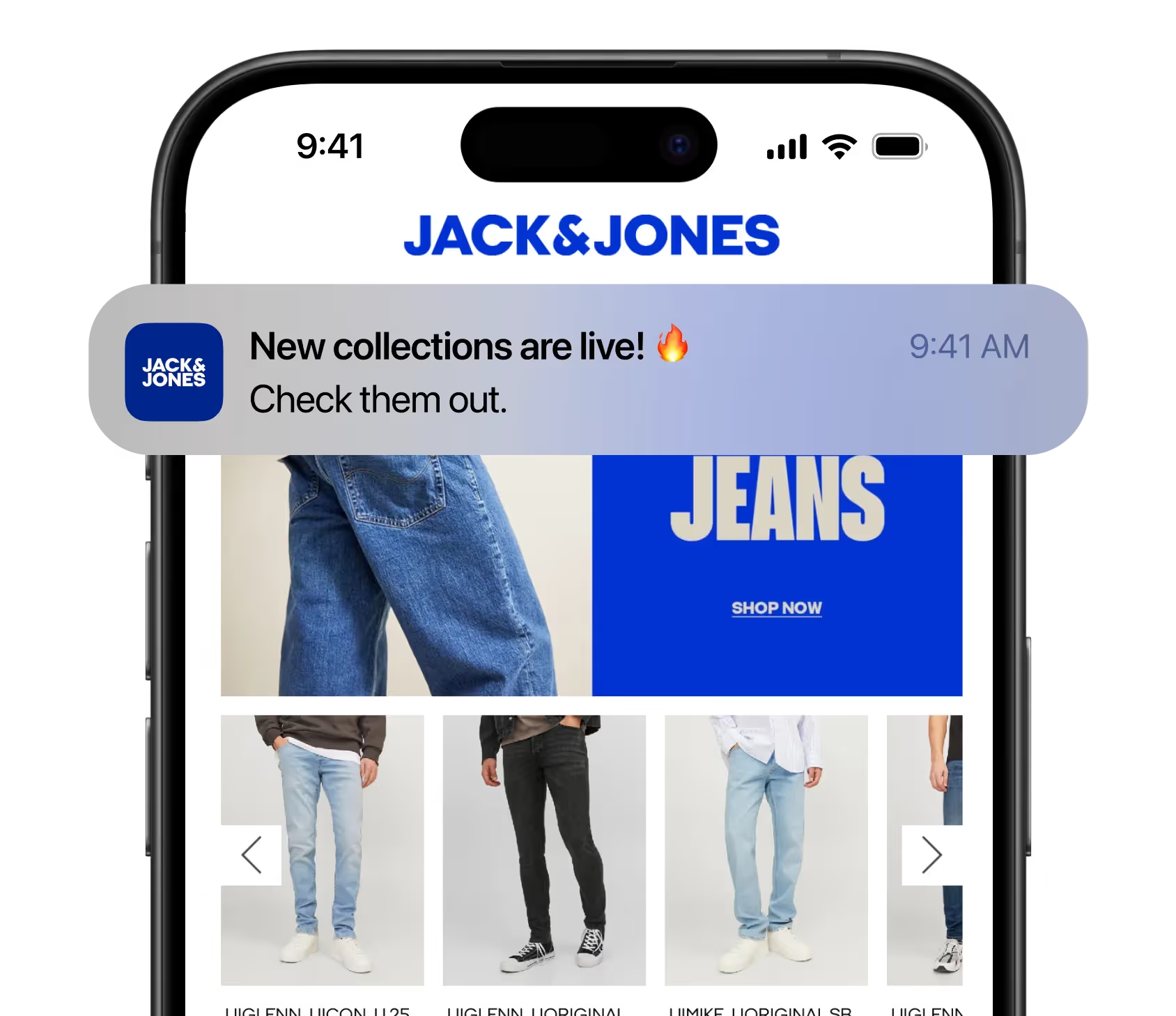
    Push notifications allow you to send messages directly to the customer’s device, landing on the valuable real estate that is their lock screen.

    Once you’re on the lock screen, your brand is hard to ignore. The average person checks their lock screen 144 times per day.

    This direct nature makes push highly effective for timely communication.

    Unlike emails that languish in secondary inboxes or spam folders, PPC campaigns that burn through cash, social posts with dwindling reach, and SEO initiatives that take months to move the needle – push notifications will work well, today.

    Here are a few benefits we’ve seen first hand for eCommerce stores:

    • Higher engagement: push notifications command attention, and help eCommerce businesses to nudge users back into your app or site, boosting traffic and session frequency.
    • Personalized Experiences: push notifications are relatively simple to personalise based on customer behavior, leading to a better experience overall. Customers appreciate when you recognise their preferences, improving both your brand image and conversion rate.
    • Real-Time Communication: push is the perfect channel to announce flash sales, deals, and new arrivals in real-time. Your audience receives updates the moment they’re relevant, which can drive FOMO and impulsive purchases.
    • Retention boost: Regular, relevant notifications can nurture a habitual interaction with your brand. Over time, this consistency builds loyalty and improves retention rates.
    __wf_reserved_inherit

    The bottom line for Magento store owners:

    Push notifications represent a direct line to your customers without the clutter of competing messages. By connecting where they’re most active – their smartphone – you’ll stay top-of-mind.

    Push Notifications for Magento

    There are two ways to send push notifications – web push notifications (through the browser) or mobile push notifications (through a native app).

    While web push notifications can be useful, native app push notifications are where the magic is.

    Native app or mobile push notifications are far more direct, with a higher opt-in rate, and wider reach.

    Many of the benefits of push notifications come from being able to go straight to your customer’s lock screen, which you can only do with mobile push notifications.

    __wf_reserved_inherit

    So while it’s a good idea to experiment with web push notifications for Magento at some point, your first priority should be to set up mobile push notifications.

    If you want a deeper look into web vs native app push notifications, you can read a detailed comparison here.

    Otherwise, keep reading and we’ll explain how you can start leveraging the power of mobile push notifications for your Magento store.

    If you want to try web push notifications for your Magento store, check out our recommended push notification services, who make it easy to add push notifications to your website.

    How to Send Native App Notifications from a Magento Store

    Native app notifications are sent directly from iOS or Android apps.

    They’re more powerful than web notifications because they harness the full capabilities of mobile operating systems, and can be tightly personalized according to in-app data and events.

    They’re a direct line to your most loyal customers.

    But to send native app notifications from Magento you need a native app.

    Only by building iOS and Android apps for your Magento store can you really use push to its full potential. Luckily, this isn’t as hard as you think.

    Traditionally, brands had to invest hundreds of thousands of dollars to create a native app.

    The result would be effective, but hardly worth it considering the cost, time, and complexity to manage multiple platforms.

    Today, it’s significantly easier.

    And lowering the bar for Magento brands to launch mobile apps also lowers the bar to access push notifications.

    With Vendrux, your brand can go live with a full-featured mobile app in less than a month.

    __wf_reserved_inherit

    How Vendrux Helps Magento Stores Launch Native Apps

    Vendrux converts your Magento store into native apps.

    Your apps retain everything from your website – every design quirk, integration, custom feature.

    Everything that you built for the web you can reuse in the apps.

    The apps are fully synced with your website, meaning you only have one platform to manage. You have one backend, and your app updates whenever your site does.

    It’s a fully managed process, with our team doing all the heavy lifting necessary to bring your apps to life.

    Magento Push Notifications

    Crucially, Vendrux allows you to send mobile push notifications from your Magento store.

    Every Vendrux app comes with unlimited push notifications that you can start sending right away, through our deep integration with push market leader OneSignal.

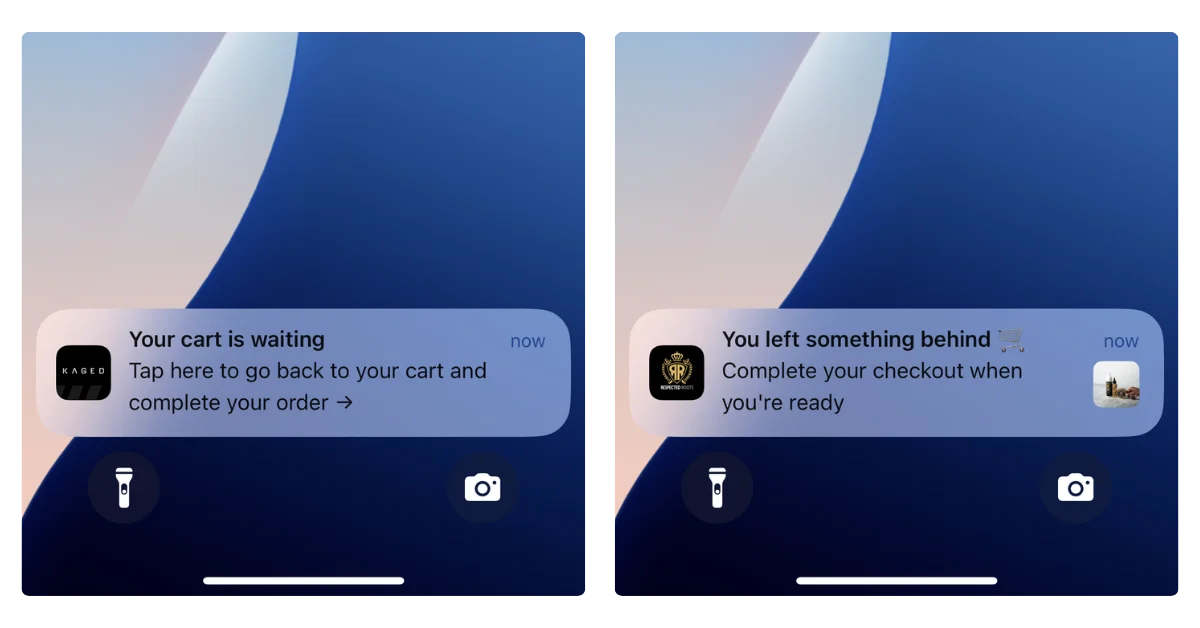
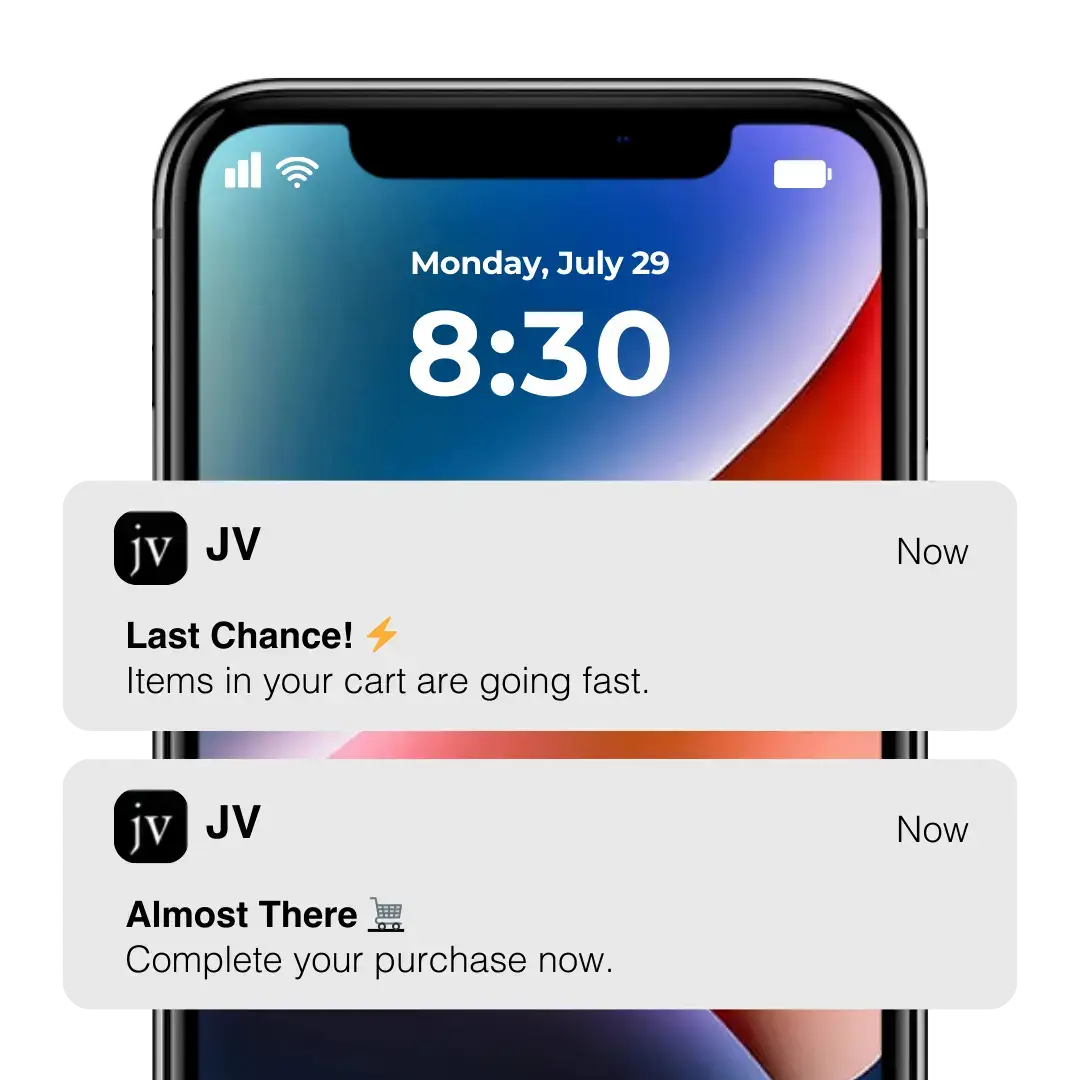
    We also built a special feature for abandoned cart notifications, that puts them on autopilot. 

    The feature detects when the app has been closed with items in the cart then sends a series of notifications prompting cart recovery. 

    Our team handles the entire thing for you using CRO best practices and crafted copy.

    Abandoned cart notifications, on their own, can be reason enough to launch an app.

    Some of our users have made a killing with these notifications, recovering as much as $200k in revenue in just 30 days.

    __wf_reserved_inherit

    For an investment of a few hundred dollars per month to launch an app… you work out the ROI.

    Ready to experience what push notifications can do for your brand? Book a free consultation to learn how we can help you launch the perfect app, and start driving serious revenue with push.

    Tips for Sending Magento Push Notifications

    Here are some tips and best practices to follow to get the most out of push notifications for your Magento store.

    Push notifications are most effective when they deliver clear, engaging messages that provide value to the user. Avoid sending messages without purpose. Every notification should:

    • Align with a specific business goal.
    • Offer meaningful value to the recipient.

    Writing Effective Notifications

    The right message can drive conversions, but the wrong one can be ignored or even prompt opt-outs. Follow these tips:

    • Be concise. Aim for 10 words or fewer.
    • Use action-driven language. Strong verbs and power words inspire engagement.
    • Add urgency. Limited-time offers encourage immediate action.

    Think of notifications as action triggers, not just updates. Use A/B testing to refine your messaging and discover what resonates with your audience.

    Using Rich Media

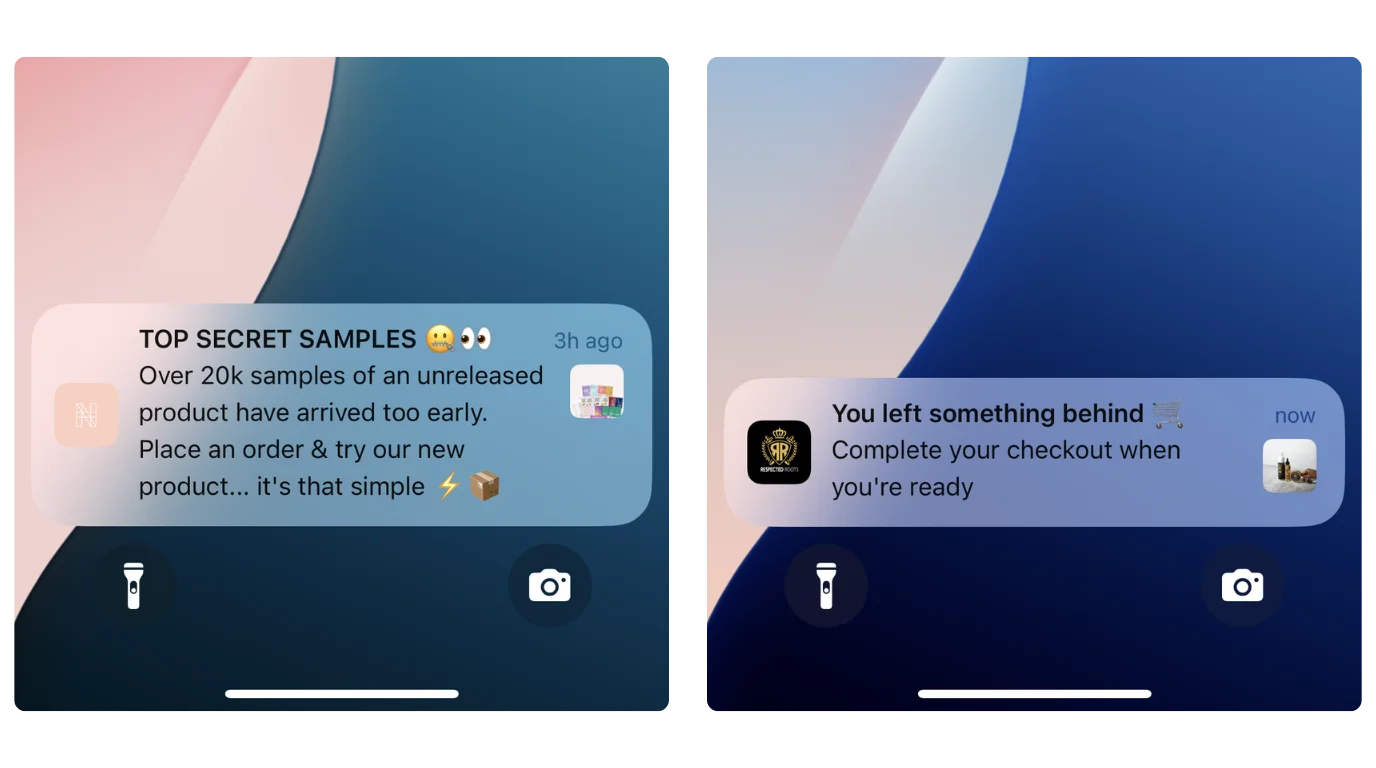
    Rich media elements, like images, make notifications more engaging and effective, especially for eCommerce. Native app notifications are particularly suited for rich media due to their closer integration with the operating system.

    Incorporate visuals to:

    • Announce new launches.
    • Highlight promotions or special offers.

    A well-placed image can boost conversions and grab user attention.

    Personalizing Notifications

    Personalization creates a deeper connection with users by tailoring notifications to their preferences. Native apps often allow for richer personalization than web push notifications.

    Test these personalization strategies:

    • Use the recipient’s name to draw attention.
    • Suggest products based on browsing or purchase history.
    • Send exclusive deals relevant to user interests.

    Personalized notifications resonate more and can drive higher engagement rates.

    Timing and Frequency

    The right timing and balance of notifications are essential to maintaining user interest and avoiding frustration.

    • Schedule messages by time zone to match user routines.
    • Avoid disruptive times like late-night hours.
    • Set a consistent frequency that informs users without overwhelming them.

    Research suggests notifications sent between 11 a.m. and 1 p.m. often perform well, while sending more than two per day may lead to opt-outs. Monitor your campaigns to find the sweet spot for your audience.

    Key Takeaway

    Push notifications should enhance the user’s experience. Focus on delivering value and relevance with each message while respecting the user’s time and attention.

    Start Sending Push Notifications from Magento Today

    We’ve covered all the essential details you need to know about sending push notifications from Magento – particularly native mobile push notifications, which are where the most value is.

    With Vendrux, you can launch your own mobile app in less than a month, and access push notifications for promotions, abandoned cart reminders, loyalty campaigns, and so much more.

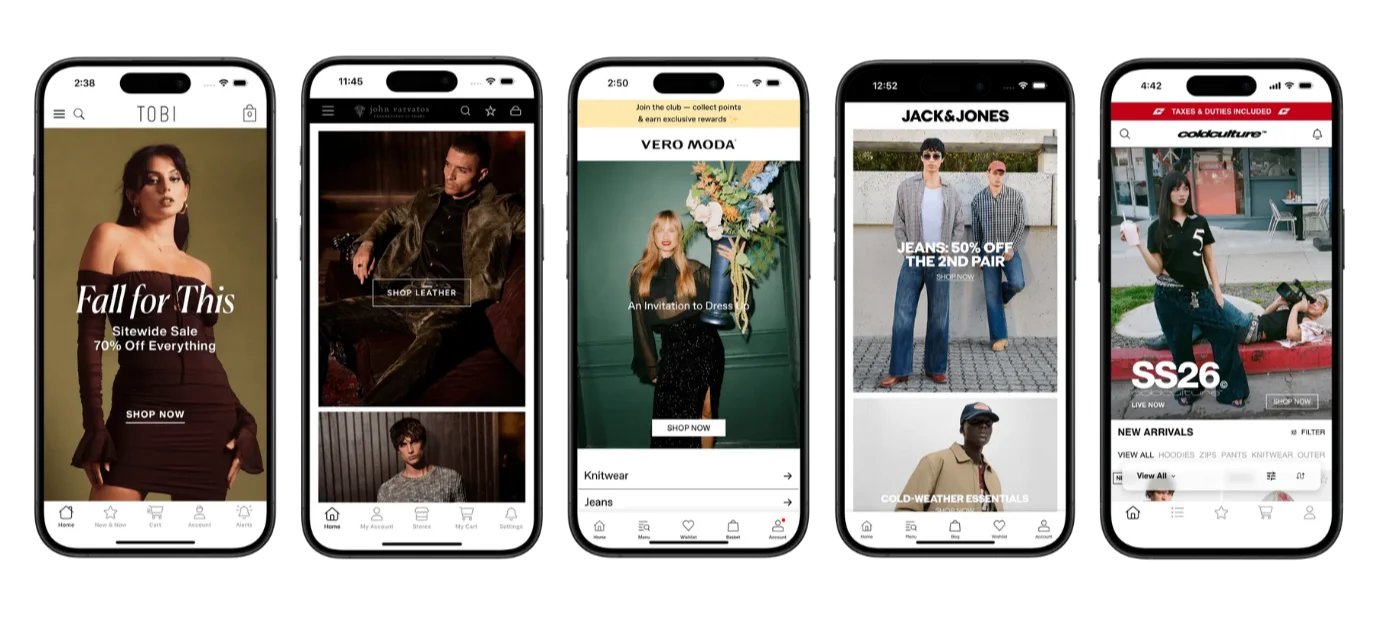
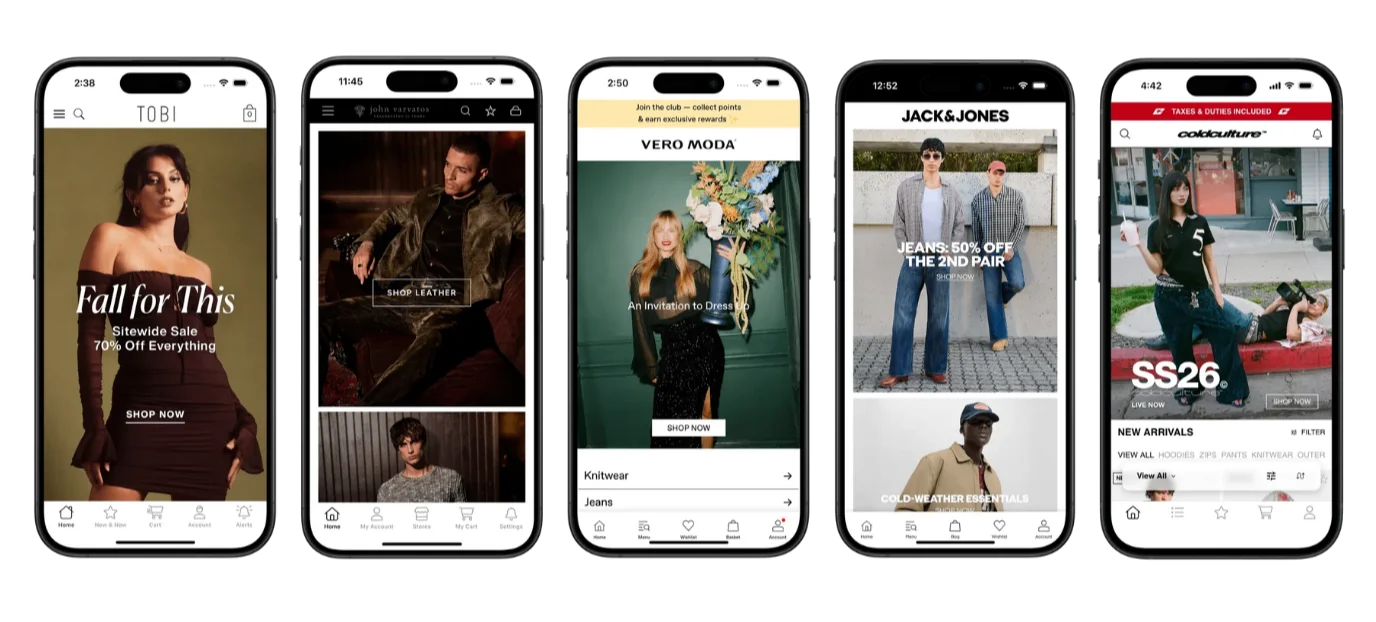
    Vendrux gets you so much more than push notifications – but they’re a major requirement for our thousands of users, including successful eCommerce brands like:

    Check out more examples of successful Vendrux users in these case studies.

    Getting started is easy. Just book a free consultation, and our app experts will go over the process and explain the benefits you can get out of launching an app.

    In no time, your brand will be in the app stores, and you’ll be driving serious traffic and sales with push notifications from your Magento store.
  • 10 Reasons Your Magento Store Needs a Mobile App

    10 Reasons Your Magento Store Needs a Mobile App

    Every Magento merchant has a powerful, flexible website. But very few have a mobile app.

    That’s a missed opportunity. Your best customers want a more convenient, mobile-first way to interact with your brand, get instant updates on sales and new products, and jump into your store to browse on the go.

    A mobile app is a new layer for your business, a new asset, and one that more merchants need to think about adding to the mix. 

    An app gives your most engaged customers a faster, more direct way to come back. That’s where the real ecommerce economics live: not in the next acquisition, but in what happens after.

    Keep reading and learn the top ten reasons a mobile app is worth building for your Magento store.

    Key takeaways

    • A mobile app holds onto your most valuable repeat customers, the cohort driving most of your revenue.
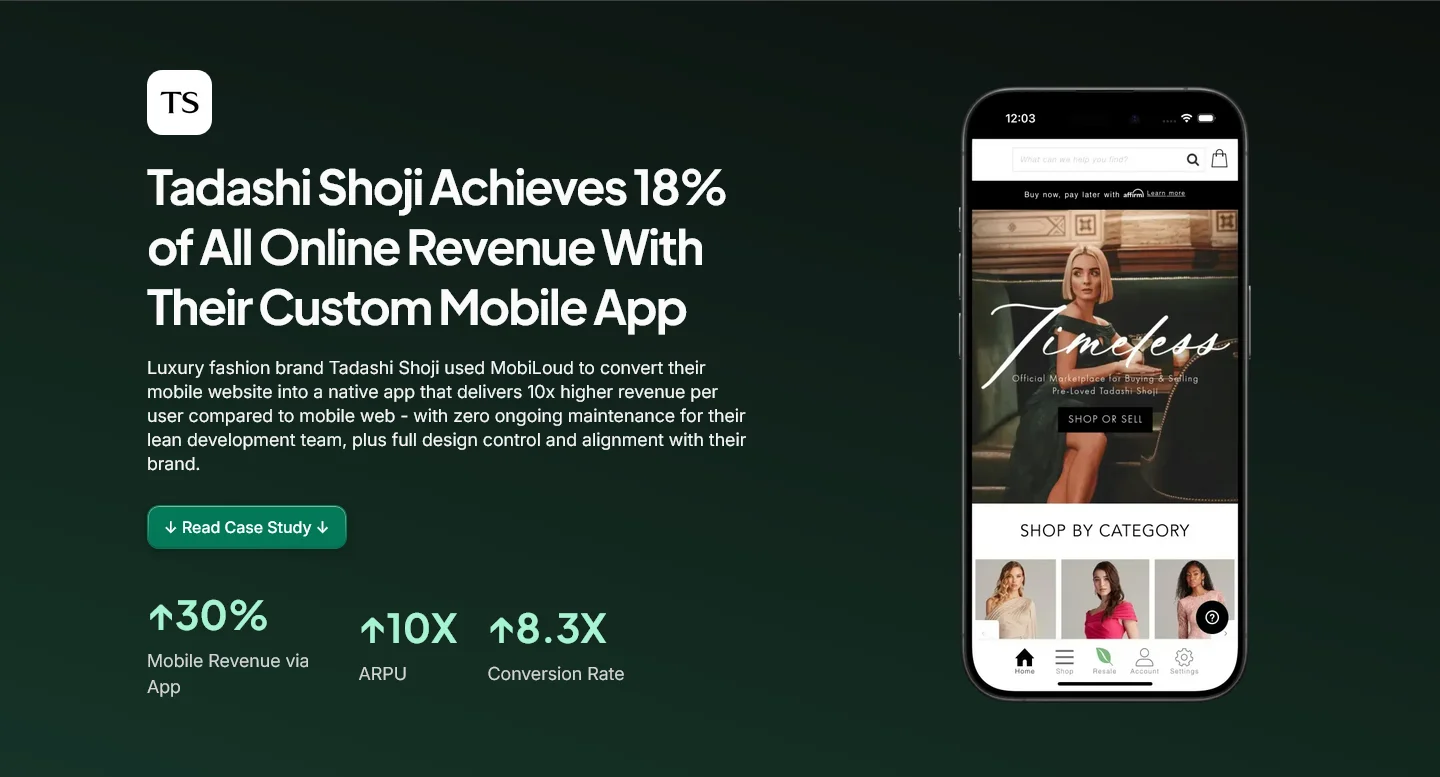
    • App users open more often, browse longer, and place larger orders than the same customers on mobile web. Tadashi Shoji, a luxury fashion brand on Magento, sees their app drive 10x revenue per user and 8.3x higher conversion vs. mobile web.
    • Push notifications give you an owned channel that bypasses the inbox, ad cost inflation, and per-send SMS budgets, and they’re the highest-ROI cart recovery play in ecommerce.
    • The app is the natural home for your loyalty program, your BFCM strategy, and your first-party customer data.
    • For B2B Magento stores, the case is stronger still: account-specific catalogs, one-tap reorders, and a buying flow built around recurring purchase patterns.

    1. An app keeps your best customers close

    Most of the revenue in a mature Magento store comes from repeat buyers. The people who already know your brand, already bought once, and will buy again if you stay in front of them.

    The hard part is staying in front of them.

    Email gets filtered into the Promotions tab. Retargeting ads compete with everyone else’s retargeting ads. Organic visits depend on the customer remembering to search for you. Each one of those steps is friction, and each one is a chance for a competitor to win the visit.

    A mobile app lessens the distance between the brand and the customer. Your icon is on the home screen. Your push notifications land on the lock screen. Sign-in persists across sessions, so the cart and preferences are still there when they come back. 

    None of those mechanisms are individually huge. Together they make it harder for your best customers to drift away, and easier for them to keep buying.

    For a Magento merchant, this matters more than for most. Magento builds usually serve operationally complex brands with deeply loyal customers. The app is where those segments live.

    2. App users buy more often and spend more per order than mobile web visitors

    When a customer downloads your app, their pattern of purchase changes. They open more often, browse longer, and place larger orders than the same customer on the mobile web.

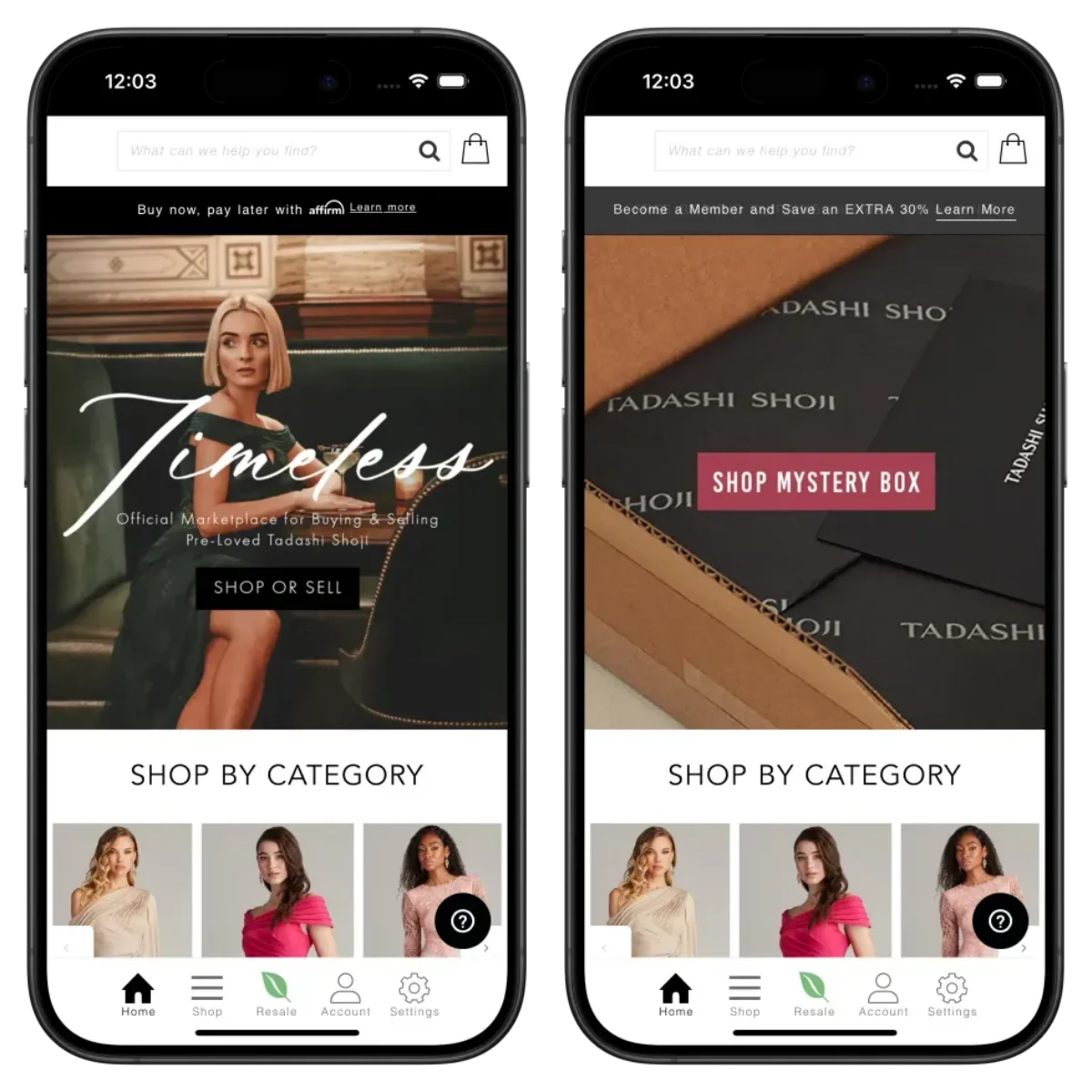
    Take Tadashi Shoji, a luxury Magento brand we built an app for. Their app drives 10x revenue per user vs. mobile web, 8.3x higher conversion rate, 3.8x more frequent sessions, and 18% of their total online revenue

    The app accounts for 30% of all mobile revenue, and 18% of their total online revenue.

    Tadashi Shoji’s mobile app – launched with Vendrux

    Apps don’t provide a magic lift across all your traffic. The lift comes from the segment that downloads, which is by definition your more engaged customers. What an app does is give that segment a higher-performing environment to keep buying in. That’s where the AOV, repeat purchase, and LTV gains compound.

    For a Magento brand, this is the cohort you’re paying the most to acquire. An app makes them worth more.

    Learn more about the revenue impact of mobile apps in Vendrux’s Ecommerce Mobile App Benchmark Report.

    3. A mobile app cuts the impact of rising CAC

    Customer acquisition costs are climbing across every paid channel. Meta and Google ad costs are up, iOS attribution is degraded, and the cost of winning a new customer is constantly getting higher.

    You’ll pay roughly the same to acquire a customer whether or not you have an app. An app is not a tool to reduce CAC. It’s to lessen the impact of CAC.

    A mobile app increases your overall average LTV, and the average revenue you get from each customer. A certain share of your customers will download the app, and those customers will spend significantly more revenue, boosting the average return you get from every dollar spent on acquisition.

    That changes the unit economics in two directions: it makes your existing spend more profitable, and it gives you room to bid more aggressively for acquisition without breaking the LTV:CAC ratio.

    If your acquisition costs are flat or climbing and you don’t have a way to pull more value out of the customers you already have, you’re losing ground. An app is one of the few levers that meaningfully moves the LTV side. 

    Learn more on reducing CAC for ecommerce.

    4. Push notifications give you a direct line to your best customers

    Push notifications go straight to the lock screen. They don’t sit in the Promotions tab. They don’t depend on a per-send SMS budget. They reach an opted-in audience that already chose to install your app.

    The numbers behind push are stronger than email on every comparable metric: visibility, delivery, click-through. We’ve written extensively on push notifications for ecommerce and push vs email specifically if you want the full numbers.

    It’s not that email is a bad channel, or SMS either. It’s that they have holes, like any channel, and they’re areas that push excels at: immediacy, visibility, and engagement.

    And they do so with zero cost to send, making push the highest-ROI direct marketing channel you have.

    Push notifications are the most powerful retention marketing channel for ecommerce brands

    5. Abandoned cart push notifications recover sales email never reaches

    The single highest-ROI use of push for most Magento merchants is abandoned cart recovery.

    Push is the best channel for abandoned carts, hands down. For most of the reasons we mentioned above – it’s fast, highly visible, and zero cost to send – which are so much more impactful for abandoned cart situations.

    Here’s a scenario to illustrate the difference:

    Without an app: Customer adds items to cart. Customer gets distracted. An hour later, an abandoned cart email lands in the Promotions tab. The customer doesn’t see it. The next email tries again 24 hours later, with progressively diminishing returns.

    With an app: Customer adds items to cart. Customer leaves the app. A push notification lands on the lock screen within five minutes, while purchase intent is still warm. One tap, and they’re back in the cart, signed in, with the items still there.

    We’ve seen brands driving hundreds of thousands in revenue per month, just from abandoned cart notifications.

    That’s net-new revenue. And it’s enough to pay for the cost of your app, from this one automation alone.

    Learn more about the benefits of abandoned cart push notifications in this post on our free weekly newsletter, The Retention Edge: The highest-ROI automation in ecommerce

    6. One-tap home-screen access shortens the path from impulse to purchase

    There’s a structural difference between “I want to buy from this brand” and “I’m going to buy from this brand right now.” The gap between the two is friction, and most of it lives in the steps a customer has to take to get to your storefront and complete their checkout.

    For a mobile web shopper, those steps look like:

    • Remember the brand name
    • Open a browser
    • Type or search
    • Scroll past competitors
    • Click through and wait for the site to load
    • Log in (if you can find your password)

    Each one is an exit point.

    For an app user, it’s one tap.

    That’s not a metaphor. It’s the reason apps drive higher repeat purchase frequency: the cost of acting on an impulse drops to near zero. You don’t have to convince a customer to come back when your icon is one swipe away every time they unlock their phone.

    For a Magento merchant with a returning customer base, this matters more than for a brand selling mostly first-time purchases. The repeat behavior is already there. The app makes it easier to act on.

    7. Your app is the home for your loyalty program

    If you run a loyalty program (or want to), the app is the natural place for it to live.

    VIP tiers, points balances, member-only product drops, early access to launches, exclusive pricing tiers, and referral programs all work better when there’s a dedicated, signed-in surface for the customer to check status, claim rewards, and see what’s gated. 

    On the website, loyalty mechanics tend to get buried. In the app, they’re amplified.

    The app is a platform to give more visibility to your loyalty program, along with offering unique perks (extra points for app purchases, app-exclusive products and discounts) that increase engagement.

    This works so well because your app users are exactly the kind of people your loyalty program is for. Your regular buyers who spend 10x more than your average customer.

    8. First-party behavioral data flows to you without cookies or pixels

    Third-party tracking has been degrading for years. iOS 14.5 broke a lot of Meta attribution. Chrome’s cookie deprecation timeline keeps shifting, but the direction is set. Browser-based behavioral data is harder to capture and easier for the user to block.

    A mobile app sidesteps most of that. When a customer downloads your app, they’ve opted into an authenticated, first-party relationship with you. You get clean session data, browsing patterns, purchase history, push engagement, and segmentation signals, without depending on third-party cookies or fingerprinting.

    App-level attribution tools capture this data cleanly. From there, it feeds your personalization, your push targeting, and your retention programs directly. 

    A customer who browses men’s jackets and abandons gets a notification when the category goes on sale. A customer who buys a consumable every 60 days gets a reorder reminder at day 55.

    Those flows work because the data is yours, in your stack, attached to a known user. For a Magento brand that already runs sophisticated segmentation, an app extends that capability into the channel where your customers shop.

    9. Your app cuts through the noise during sales events like BFCM

    Every brand sends more emails and SMS during Black Friday week. Every brand spends more on ads. Every customer’s inbox overflows, social media feeds get saturated, and every dollar of attention is being competed for harder than at any other time of year.

    A push notification doesn’t compete with that pool. It lands on the lock screen of customers who already chose to install your app, with no inbox sorting and no algorithm in between. 

    During the loudest week of the year, you get a channel that goes straight to your most loyal audience, and bypasses the noise.

    The app is also the cleanest surface for the kind of plays that work best at BFCM: time-gated launches, member-only early access, exclusive bundles, and VIP pricing tiers. Those mechanics need a controlled environment, and the app provides one.

    The mobile app impact on BFCM shows across many brands: app traffic and revenue concentrate during sales events, and the brands with an app capture a disproportionate share. 

    For a Magento merchant, BFCM is often the single biggest revenue week of the year. An app changes how much of that you keep.

    Learn more: How to prepare for Black Friday as an ecommerce brand

    10. For B2B Magento stores, the case is even stronger

    Magento has one of the deepest B2B install bases in ecommerce, especially since Adobe Commerce B2B Edition consolidated the standard features into the platform: company accounts, requisition lists, custom catalogs, and quote management. The app case for these merchants is materially stronger than for D2C.

    B2B customers are, by definition, repeat buyers. They have account-specific pricing, account-specific catalogs, recurring orders, and dedicated buyer relationships. They don’t browse, they reorder. They don’t comparison-shop on every purchase. They place the same SKU mix on a schedule.

    An app fits that behavior cleanly. 

    • Customers reorder with one tap.
    • Account-specific catalogs and pricing tiers load automatically on sign-in. 
    • Push notifications notify customers of back-in-stocks, new product launches, and rep-driven promotions. 
    • Saved payment and shipping defaults shave seconds off every reorder, and buyers placing the same SKU mix weekly get a flow built around that behavior rather than a generic mobile checkout.

    For sales reps in the field placing orders on behalf of accounts, the app is also a better tool than a mobile browser. It’s faster, signed in by default, and built for the kinds of repeat workflows that a generic mobile experience doesn’t optimize for.

    If your Magento store has a meaningful B2B segment, an app is one of the highest-leverage tools you can give those accounts.

    Why Vendrux is the best way to launch your app

    If the case for a Magento mobile app makes sense, the next question is how to build one without the cost, timeline, and risk of traditional native development (or the limitations of many Magento mobile app builders).

    Vendrux converts your existing Magento store into native iOS and Android apps. Your products, checkout, customer accounts, extensions, integrations, and design carry over. The app is a real, custom native app that runs on your existing Magento backend, so everything that works on the website works in the app.

    A few things worth knowing:

    • Done-for-you build. Vendrux handles the design, configuration, native integrations, testing, and App Store / Google Play submission. You don’t need an internal mobile team.
    • Launch in around 30 days. Most Magento brands go from kickoff to live app in about a month.
    • Your Magento extensions carry over. All the extensions that run on your web storefront run inside the app.
    • No variable development costs. You get simple, predictable month to month (or yearly) pricing, that doesn’t spike because a new feature needed 100 dev hours to complete.
    • The app survives a replatform. If you ever decide to move off Magento, your app comes with you. Vendrux isn’t tied to the Magento backend, so if you move off Magento at any point in the future, you don’t need a complete app rebuild.

    David Chamberlin, Lead Developer at Tadashi Shoji, on the build experience:

    “I could continue developing the way I am used to. It was completely frictionless for me. I really have to applaud Vendrux for being so compatible so that we were able to do that.”

    If you want to see what your store’s app could look like, get in touch and book a free strategy call. We’ll walk you through the process, answer specific questions about your Magento setup, and break down the business case for your brand.

  • Adobe Commerce PWA Studio: What It Does, What It Doesn’t Do

    Adobe Commerce PWA Studio: What It Does, What It Doesn’t Do

    If you run an ecommerce brand on Adobe Commerce (formerly Magento), you need to know about PWA Studio

    Adobe positions it as the modern way to build your storefront: a React-based, headless frontend that replaces the aging Luma theme with something faster and more mobile-friendly.

    On paper, it sounds like it solves your mobile problem. Your site looks and feels like an app. Pages load fast. Users can even “install” it on their home screen.

    But there’s a meaningful gap between an app-like website and an actual mobile app. Your mobile strategy can’t stop at PWA Studio.

    This article breaks down what PWA Studio actually does, what it doesn’t, and how to think about PWAs as part of your full mobile strategy.

    What Is Adobe Commerce PWA Studio?

    Adobe Commerce PWA Studio is a set of open-source developer tools for building a progressive web application (PWA) storefront on top of Adobe Commerce. 

    A PWA is a website built with modern web technologies that mimics some behaviors of a native app – like offline caching and home screen installation – while still running in the browser.

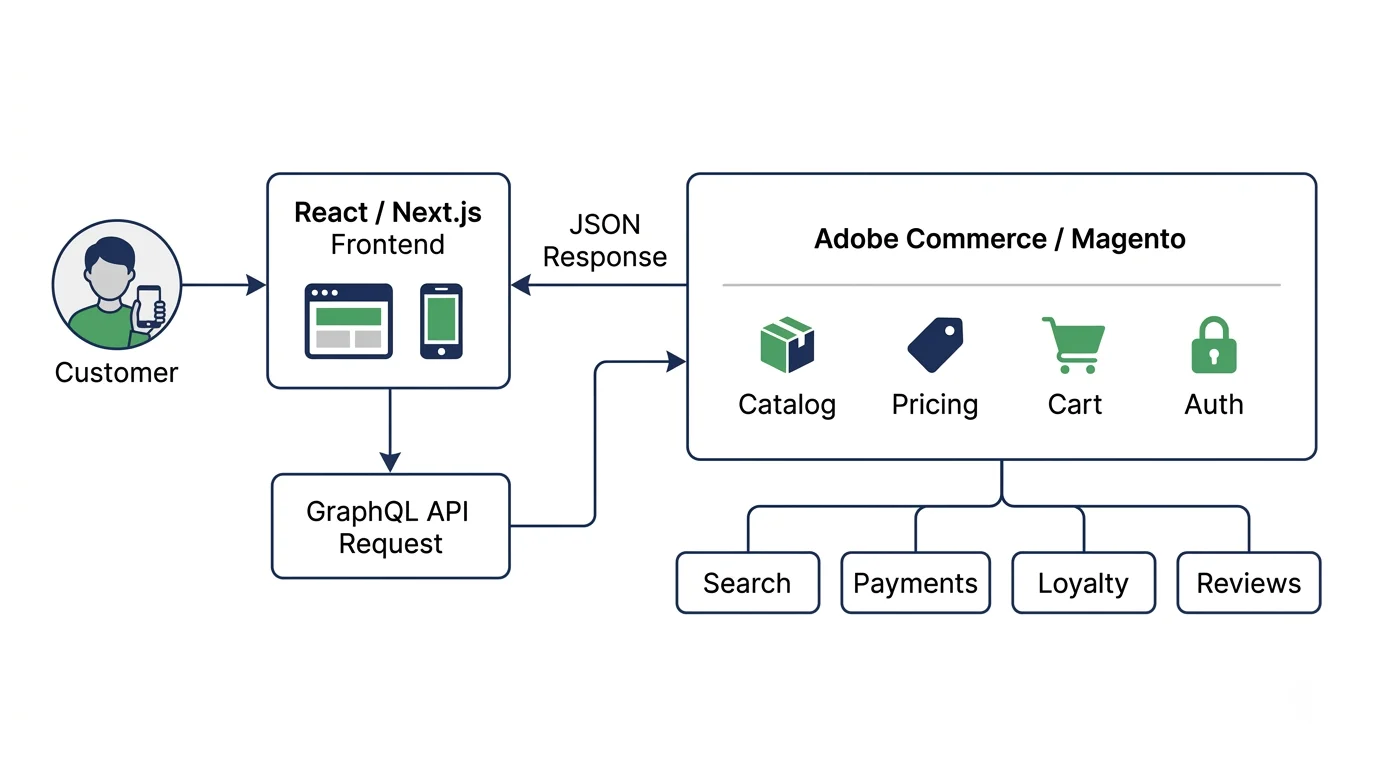
    In practice, PWA Studio replaces your store’s frontend entirely. Instead of the traditional Luma theme (PHP templates, server-rendered pages), it gives you a headless architecture: a modern React application that communicates with your Magento 2 backend through GraphQL APIs, with the frontend fully decoupled from the backend.

    Here are the core pieces that make up your site’s architecture:

    • Venia – a reference storefront and UI component library you can customize or build on top of
    • Peregrine – React hooks and logic for things like cart management, checkout, and product data
    • Buildpack – build tooling (Webpack, Babel) configured for Commerce-specific needs
    • UPWARD – a proxy server that sits between your storefront and backend, handling routing and server-side concerns

    The result is a single-page application that behaves more like a web app than a traditional ecommerce site. 

    Navigation feels instant because there are no full page reloads. Content loads progressively. The interface is responsive and fluid.

    It’s a genuine architectural upgrade over Luma, which was released in 2015 and shows its age. If you’re still running a Luma storefront, PWA Studio represents a meaningful step forward for your mobile web experience.

    Benefits of PWA Studio

    PWA Studio solves real problems for Adobe Commerce merchants – especially now, when mobile is steadily increasing as the most common way people shop online.

    Speed and Performance

    PWA Studio storefronts are fast. The headless architecture means your frontend isn’t weighed down by the monolithic Magento backend on every page load. 

    Code splitting, lazy loading, and service worker caching (service workers are background scripts that manage network requests and enable offline functionality) keep things snappy.

    Riddle’s Jewelry saw a 47% increase in web traffic and a 5.7% boost in conversion rate after migrating to a PWA storefront. Accent Group (Platypus Shoes) reported a 14% lift in AOV and a 68% increase in add-to-cart rate.

    Faster page loads translate directly to lower bounce rates and higher conversion.

    App-Like Mobile Experience

    This is the headline feature. PWA Studio makes your mobile web experience feel closer to a native app:

    • Smooth navigation – page transitions without full reloads
    • Offline support – service workers cache key assets so the site works (at least partially) without a connection
    • Add to home screen – on Android, users can install the PWA to their home screen with an app icon
    • Responsive design – purpose-built for mobile-first layouts

    For brands whose mobile web experience was previously a sluggish, desktop-shrunk Luma theme, this is a big upgrade.

    It Works With Your Existing Backend

    PWA Studio doesn’t require you to migrate off Adobe Commerce. Your catalog, pricing, promotions, customer accounts, and integrations stay exactly where they are. The frontend just communicates with them differently (through APIs instead of direct template rendering).

    This also means your existing Adobe Commerce extensions for things like PageBuilder, Live Search, and Product Recommendations integrate with PWA Studio.

    Modern Developer Experience

    If your development team has been working with Luma’s PHP/Knockout.js templates, PWA Studio brings them into the modern frontend ecosystem: React, GraphQL, component-based architecture. It’s a more productive and maintainable codebase long-term.

    What Are the Limitations of PWA Studio?

    Make no mistake, PWA Studio is an extremely valuable part of the Adobe Commerce ecosystem.

    It has some “limitations”, though calling them limitations perhaps isn’t fair, as these are more like misconceptions of what a PWA is, and what it can do.

    The main thing to realize: a PWA is not a replacement for a real mobile app.

    You’re Not in the App Store

    A PWA is a website. It doesn’t appear in the Apple App Store or Google Play Store.

    The App Store and Play Store are where consumers go to find, install, and manage the apps they use daily. If someone searches for your brand in the App Store, you won’t show up. You can’t run App Store Ads. And you don’t get the credibility signal that comes with having a published, rated app.

    Apple is explicit about this. Their App Store Review Guidelines (section 4.2) require that apps “include features, content, and UI that elevate it beyond a repackaged website.” 

    You can’t simply submit a PWA to the App Store. It will get rejected.

    No Native Push Notifications

    Push notifications are one of the most powerful features of a mobile app. They’re a direct, virtually cost-free marketing channel, that shows up on the customer’s lock screen.

    And PWAs don’t have push notifications (at least, not the kind that matters).

    PWAs have their own form of web push notifications, but that’s a separate channel from native app push. They’re different technologies with different behaviors, different opt-in flows, and fundamentally different reach.

    Native app push is a direct line to your customer’s lock screen, managed through the operating system. It’s the channel that powers abandoned cart recovery, back-in-stock alerts, flash sale announcements, and personalized re-engagement for every major ecommerce app.

    Abandoned cart notifications can drive five-six figures per month in new revenue (on autopilot)

    PWAs don’t have access to this channel at all. They can only send web push notifications – sent through the browser, with limited reach on mobile.

    Web push has its uses, but it doesn’t compare to the power of native push notifications.

    Limited Native Device Access

    PWAs run inside the browser engine. That means they’re limited to what the browser allows, which on iOS in particular, isn’t much:

    • No biometric authentication for streamlined checkout (Face ID, fingerprint)
    • No Apple Wallet or Google Wallet integration for loyalty cards and passes
    • No deep AR capabilities for product try-on experiences
    • No NFC, Bluetooth, or hardware sensor access
    • No background processing – on iOS, the service worker gets suspended when the PWA isn’t in the foreground

    These limitations are set by the platform (primarily Apple), not by PWA Studio. No amount of frontend engineering can work around them.

    Storage and Reliability Concerns

    PWAs store data using browser storage mechanisms (IndexedDB, Cache API). 

    On iOS, this storage can be evicted by the operating system under storage pressure. That means a user’s cached data, offline content, or local state can disappear without warning.

    Native apps get persistent storage that lasts until the user explicitly uninstalls the app.

    Limited Conversion Rate for “Installs”

    PWAs can be “installed” – which is not technically an install, but instead means the user adds a shortcut to their home screen to launch your PWA (really your website).

    However, this doesn’t tend to have great results in practice.

    It’s not super clear how to add a PWA to the home screen (most users don’t know this is an option; and are unlikely to go through the steps to do it).

    On Android, PWAs can trigger an install prompt that asks the user to add the app to their home screen. It’s not as visible as an App Store listing, but it’s something.

    On iOS, there is no install prompt. The user has to know to open the Share menu, scroll through options, and tap “Add to Home Screen.”

    The reality? Few people will add your PWA to their home screen – far less than the number who would download your native app.

    Learn more: PWAs vs Native Apps – the Complete Breakdown

    Is Adobe Commerce PWA Studio Still Supported?

    As of 2026, PWA Studio is still supported, but it’s worth knowing where it sits in Adobe’s roadmap.

    Adobe has shifted its strategic focus to Edge Delivery Services (EDS), a newer storefront architecture built on document-based authoring and edge computing. 

    EDS is what Adobe is actively investing in and promoting as the next-generation Commerce frontend.

    PWA Studio isn’t deprecated. The most recent release was v14.5.0 in February 2025, and Adobe has never dropped support for any of its storefronts, including Luma from 2015. 

    You can expect continued maintenance and compatibility updates. But the framework is unlikely to see major new feature development.

    It’s also worth noting that PWA Studio isn’t the only headless frontend option for Magento stores. Alternatives like Vue Storefront (now Alokai) and Hyva Themes have gained traction, particularly among developers who found PWA Studio’s React-heavy architecture challenging to customize.

    If you’ve already built on PWA Studio, this isn’t a reason to panic. Your storefront will continue working. But it’s context worth having as you plan your broader technology investments.

    Curious about whether your Alokai or Hyva storefronts can work as a native app? Find the answers here.

    Can a PWA Replace a Native Mobile App?

    No. But here’s the thing that often gets lost in the PWA vs native app conversation: it’s not either/or. They’re not “competitors”.

    A PWA and a native app serve different audiences at different stages of the customer journey. Here’s how they compare for ecommerce:

    PWA (via PWA Studio) Native Mobile App
    App Store / Play Store listing No Yes
    Native push notifications No (web push only) Yes
    Biometric login Limited Yes
    Offline browsing Partial (cached pages) Full
    Background processing No (iOS suspends service workers) Yes
    Apple / Google Wallet No Yes
    Home screen install Manual on iOS, prompted on Android Installed from app store
    Deep linking Limited Full

    PWA Studio handles your mobile web experience. When someone clicks a Google result, an Instagram ad, or a link in an email, they land on a fast, app-like web storefront. 

    That first impression matters, and PWA Studio delivers it well.

    A native app handles retention and repeat engagement. Once a customer has bought from you and downloaded your app, you have a direct channel to their home screen and lock screen. 

    Native push notifications, native navigation UI, an icon on their home screen, a listing in the app stores. This is where you build LTV.

    Mobile apps convert at 3-4x the rate of mobile web for ecommerce, and the gap is driven largely by the retention mechanics that only native apps provide.

    The brands getting mobile right aren’t choosing between a PWA and a native app. They have both.

    Where Vendrux Fits In: Turning Your PWA Studio Storefront into a Native App

    If you’ve invested in PWA Studio (or you’re planning to), you’ve already built the bulk of your UX. You have a fast, modern, app-like frontend. Your mobile web experience is solid.

    Vendrux takes that investment and extends it into a real native app in the App Store and Play Store.

    There’s no rebuild. No new platform to manage. 

    Vendrux works with your existing Adobe Commerce storefront, whether it’s built on PWA Studio, Luma, or a custom headless frontend

    Your app stays in sync with your website in real time because it’s powered by the same underlying web infrastructure.

    Here’s what you gain:

    • App Store and Play Store presence – your brand shows up where customers look for apps, with ratings, reviews, and discoverability
    • Native push notifications – a real, direct channel to your customers’ lock screens for abandoned cart recovery, promotions, and re-engagement
    • Native device capabilities – push, smooth native navigation, deep linking, a real home screen icon
    • A fully managed service – Vendrux handles the build, submission, updates, and App Store compliance, so your team isn’t maintaining a separate native codebase

    For brands already running PWA Studio, Vendrux is particularly complementary. You’ve built an app-like UI already – Vendrux makes it an actual app.

    It’s basically a no-brainer, once you’ve built your powerful mobile storefront with PWA Studio, to use Vendrux to convert it into a native app.

    Want to see how it works? Have questions? Book a free consultation now and discuss it with our mobile app experts.

    Wrapping Up

    PWA Studio is a great way to modernize your Adobe Commerce storefront and deliver a better mobile web experience. If you’re still on Luma (or just running a vanilla front end), it’s a worthwhile upgrade.

    But if your goal is a comprehensive mobile strategy that includes a real presence in the App Store and Play Store, native push notifications as a retention channel, and the engagement advantages that only native apps provide, PWA Studio alone won’t get you there.

    The good news is you don’t have to choose. Build your fast, modern web storefront with PWA Studio. Then extend it into a native app with Vendrux.

    Book a free 1:1 strategy call now to dive deeper, and see why turning your PWA Studio storefront into a native app makes so much sense.

  • Will Your Magento Extensions Work in a Mobile App?

    Will Your Magento Extensions Work in a Mobile App?

    Your Magento store doesn’t run on Magento alone. It likely runs on dozens of third-party tools:

    • Firecheckout
    • Algolia’s search
    • Yotpo’s reviews
    • Smile.io’s loyalty program
    • Adyen’s payment processing

    …and another 15-30 extensions that make your store work the way it does.

    It stands to reason that if you’re launching a mobile app for your Magento site, you’ll want to know whether all these extensions carry over.

    If not, you could end up with a mobile app that’s just a shadow of your website, giving customers little reason to actually use it.

    The truth is, your extensions aren’t guaranteed to work in your mobile app. At least, not with the majority of Magento mobile app solutions.

    There is one that guarantees everything carries over, though: Vendrux.

    This article will break down everything you need to know about the website to app transition, what happens to your extensions, and how to ensure you launch a mobile app that brings all the tools from your site.

    How Magento Mobile App Builders Handle Your Extensions

    The majority of Magento extensions are built specifically for the web. Integrating them in a native app typically brings problems. You’re forced to work with APIs, and tools don’t always have comprehensive APIs that let you replicate all their functionality.

    It depends how you build your app, though. In fact, that makes all the difference.

    API-driven builders

    Most Magento mobile app builders connect to your Magento backend through the REST or GraphQL API. They pull data (products, customers, orders, cart contents) and render it in a separate native interface built from pre-designed templates.

    This works well for catalog browsing and basic cart operations. The Magento API handles that data cleanly.

    The problem is everything the API doesn’t expose. When you install a front-end extension like Amasty One Step Checkout, it modifies how your checkout page looks and behaves. It adds custom fields, rearranges steps, injects discount code validation, and changes the checkout flow.

    None of that is in the Magento API. The API exposes checkout data (cart items, shipping methods, payment methods). It doesn’t expose the custom UI your extension built on top of it.

    So an API-driven builder creates its own checkout. Your extension’s logic stays on your website, invisible to the app.

    This pattern repeats across every category: search overlays, review widgets, loyalty dashboards, payment UIs, shipping calculators.

    Website-powered apps

    Vendrux takes a different approach to most other mobile app solutions. Instead of connecting to your API and rebuilding the interface, it extends your actual Magento storefront into native iOS and Android apps.

    The app displays the same content and features your customers see on mobile web, with native capabilities added on top (push notifications, App Store presence, native navigation, deep linking).

    Because the app renders your storefront, every front-end extension works automatically. If it’s visible on your mobile website, it’s in the app. No integration, no rebuilding, no per-extension cost.

    Your extensions already work. See them in action.

    Get a free preview of your Magento store as a native app, with every extension, checkout flow, and integration intact. No code changes, no commitment.

    Get a Free App Preview

    What Happens to Your Extensions in a Mobile App: Category by Category

    Not every kind of extension works exactly the same. Mobile app builders usually have some integrations built for popular apps; and some will be able to build custom integrations for the tools you use on your site.

    There are some extensions that are easier to work with, some that are harder.

    Let’s run through a few categories now.

    Checkout extensions

    Popular checkout extensions: Amasty One Step Checkout, Mageworx One Page Checkout Suite, Firecheckout, IWD Dominate Checkout, Mageplaza One Step Checkout.

    These extensions overhaul the default Magento multi-step checkout. They collapse steps, add inline validation, inject custom fields (gift messages, delivery instructions, tax ID), and rearrange the layout.

    How it Works In an API-driven app: The app builds its own checkout flow using data from the Magento API. Your checkout extension’s UI and logic don’t transfer. Custom fields, step consolidation, and inline validation need to be rebuilt through custom development.

    With Vendrux: Your checkout page renders as-is. Amasty’s one-step layout, your custom fields, your validation logic, your discount code handling: it all works because the app shows the same checkout your website shows.

    Payment gateways

    Popular payment integrations: Adyen, Stripe, Checkout.com, Klarna, Afterpay/Clearpay, Amazon Pay, Braintree, Mollie, PayPal.

    This is how your customers pay. It’s central to how your business works, and how you convert customers at checkout.

    In an API-driven app: Each app builder is different, but many only support default Magento payment methods. Adding additional gateways and payment methods may be possible, but likely requires custom development.

    With Vendrux: Your payment page loads exactly as it does on your website. Adyen’s hosted payment fields, Klarna’s installment widget, Amazon Pay’s button: they all render because they’re part of your storefront.

    Search and filtering

    Popular search and filter extensions: Algolia, Klevu, Amasty Elastic Search, Mirasvit Search Autocomplete, Adobe Live Search.

    These extensions replace Magento’s default search with fast autocomplete overlays, faceted filtering, product recommendations in search results, and “did you mean” corrections. The UI is entirely front-end rendered.

    In an API-driven app: The app can send search queries to the Magento API and get results back. But the rich autocomplete dropdown, the instant filtering, the visual product cards in results, that’s all custom front-end code from your search extension. The API returns data; the app builds its own (simpler) search interface.

    With Vendrux: Algolia’s instant search overlay, Klevu’s smart filtering, Mirasvit’s autocomplete: they all render as-is. Your customers get the same search experience in the app that they get on your website.

    Reviews and UGC

    Popular reviews/UGC extensions: Yotpo, Judge.me, Stamped.io, Bazaarvoice, Magefan, Amasty Advanced Reviews.

    These inject front-end components: star ratings, photo galleries, Q&A sections, review submission forms, user-generated content widgets.

    In an API-driven app: The app can pull review data through the API (star rating, review text). But the rich display, photo galleries, Q&A threads, “helpful” voting, reviewer badges, visual layouts: those are front-end components that don’t transfer. The app shows a basic review list.

    With Vendrux: Yotpo’s full review widget, Judge.me’s photo gallery, the Q&A section: they render as part of your product pages. No feature gap.

    Loyalty and rewards

    Popular loyalty & rewards extensions: Amasty Reward Points, Smile.io, Aheadworks Points & Rewards, Mageplaza Reward Points, Mageworx Loyalty Program.

    These display point balances on the customer dashboard, show earning rules on product pages, inject redemption options at checkout, and render tier progress indicators.

    In an API-driven app: Point balances might be accessible via API (if the extension exposes them). But the earning rules display, the redemption widget at checkout, the tier progress bar, the “you’ll earn X points” message on product pages: these are front-end components. Rebuilding them requires custom development for each extension.

    With Vendrux: Your loyalty program renders exactly as it does on your website. Point balances, earning rules, redemption at checkout: all visible because the app shows your actual storefront.

    B2B modules

    Common B2B features: Shared catalogs, negotiable quotes, company accounts, requisition lists, approval workflows, customer-specific pricing.

    Magento’s B2B functionality has limited API exposure. Shared catalogs and company account hierarchies are partially available through REST, but the front-end interfaces for quote negotiation, requisition list management, and approval workflows are largely storefront-rendered.

    In an API-driven app: B2B features are among the hardest to replicate. Most Magento app builders don’t support B2B at all, or offer it only as a premium add-on with significant custom development.

    With Vendrux: If your B2B storefront works on mobile web, it works in the app. Requisition lists, approval workflows, customer-specific pricing tiers: all carried over.

    Marketing and personalization

    Popular marketing & personalization tools: Nosto product recommendations, Klaviyo signup forms and popups, urgency timers, upsell/cross-sell widgets, exit-intent popups, spin-to-win overlays.

    In an API-driven app: These are almost entirely front-end rendered. The API doesn’t expose popups, recommendation carousels, or countdown timers. They simply don’t exist in the app.

    With Vendrux: Front-end marketing tools render as they do on your website. Nosto recommendations on product pages, Klaviyo forms, cross-sell widgets in cart: all present.

    The Bottom Line: With Vendrux, everything that renders on your web storefront will work in your app as well. There’s no question of “will this extension carry over”, because everything does – out of the box.

    The Hidden Cost of “Supported” Extensions

    API-driven app builders will support a few extensions out of the box. For other extensions, they may offer custom integrations to get these working in your app as well.

    This adds a significant amount to the cost of your project. All of a sudden, an app you thought was going to cost $149 is now several thousand and counting.

    And for a typical mid-market Magento store running a custom checkout extension, 2-3 payment gateways, a third-party search tool, a reviews platform, and a loyalty program, you could be looking at 5-6 separate integration projects before your app matches your website’s functionality.

    At $2,000-$5,000+ per integration (based on typical Magento custom development rates), plus ongoing maintenance when extensions update, the cumulative cost approaches custom app development territory, which defeats the purpose of using an app builder in the first place.

    With Vendrux, the cost is much more stable. Anything that works on your site should work the same way in your app, keeping the cost (starting at $1,499/mo) the same, whether you’re running 5 extensions or 25.

    We can do custom SDK integrations as well, on our Enterprise plan – but for most of the things that work on your site, there’s no need. They should already work.

    Integrations Don’t Guarantee Full Extension Functionality

    And let’s say your extensions are supported; either through custom development or pre-built integrations.

    This doesn’t always mean the extension will work exactly the same way in your app as it does on your website.

    The functionality may be watered down somewhat. There could be bugs in the integration. And the integration itself requires maintenance, whenever there’s an update to the extension, or to Magento, or to the app builder’s platform.

    It just introduces more complexity, more potential points of failure. The more integrations you’re running, the more potential spaghetti code in your mobile app’s backend.

    Example of a Magento Mobile App Done Right

    Luxury fashion brand Tadashi Shoji runs on Magento with a heavily customized storefront. When they launched their mobile app with Vendrux, their lead developer didn’t need to rebuild or reintegrate any of their existing extensions:

    “I could continue developing the way I am used to. It was completely frictionless for me.”
    — David Chamberlin, Lead Developer at Tadashi Shoji

    The app now generates 18% of total online revenue, with app users converting at 8.3x the rate of mobile web visitors. Their checkout, their payment processing, their product pages, their entire extension stack: all carried over without additional development.

    Launch a Magento Mobile App with All Your Extensions Intact

    API-driven builders are a reasonable choice for Magento stores with a straightforward catalog, standard checkout, and default payment methods. 

    If you want a fully custom native UI and you’re willing to accept a simpler app that doesn’t replicate your full website experience, these tools can be a solid choice.

    For stores with significant customization (custom checkout, third-party search, loyalty programs, B2B features, multiple payment gateways), the extension compatibility gap becomes a dealbreaker. Each integration adds cost, development time, and ongoing maintenance. The app falls behind the website, and it stays behind.

    Vendrux eliminates the gap entirely. Your storefront is the app, so your extensions are the app. Book a free strategy call to see a preview with your actual store and your actual extensions.

  • Headless Commerce with Magento / Adobe Commerce: A Practical Guide

    Headless Commerce with Magento / Adobe Commerce: A Practical Guide

    The most ambitious Magento stores don’t run on Luma. They run on custom React storefronts, Alokai-powered frontends, or Next.js applications that consume Magento’s GraphQL API.

    The backend handles commerce: products, inventory, pricing, orders, customer accounts. 

    The frontend handles everything customers see, built by developers who aren’t constrained by Magento’s theme system.

    That’s headless commerce on Magento. And for brands that have outgrown their platform’s native templating, it’s a meaningful architectural shift.

    This guide how headless Magento actually works, the tools the ecosystem has built around it, when it makes sense (and when it doesn’t), and the one channel most headless brands still haven’t addressed: native mobile apps.

    What Headless Magento Commerce Actually Means

    In a traditional Magento setup, the frontend and backend are tightly coupled. 

    Luma (or a Luma child theme) renders your storefront using Magento’s own template system (.phtml files, layout XML, RequireJS). The backend and frontend are part of the same application.

    Headless separates them. 

    • Your Magento backend becomes an API-first commerce engine, exposing product data, catalog structure, pricing, cart, checkout, and customer data through a GraphQL API
    • Your frontend is a completely separate application, built with whatever technology your team chooses, that consumes those APIs to build the storefront.
    A visual representation of how headless architecture works

    The two layers are loosely coupled. They communicate, but neither depends on the other’s architecture. 

    You can rebuild the frontend without touching the commerce backend. You can upgrade the backend without redeploying the frontend.

    Why Teams Go Headless on Magento

    Not all stores need a headless setup. A small brand with a simple website and a few SKUs will be fine with a standard Magento website.

    But for some, headless offers a way to go much further than the average, static website.

    Performance

    Luma’s traditional rendering is slow. The RequireJS module loader, Knockout.js UI components, and heavy CSS compilation create a front-end asset bundle that consistently struggles with Core Web Vitals. 

    A custom React or Next.js frontend can deliver sub-second LCP scores that Luma can’t match without extreme optimization.

    Developer experience

    Magento’s native frontend stack (PHTML templates, layout XML, custom JavaScript module loading) has a steep learning curve and feels dated to developers used to modern frameworks. Headless lets your team work in React, Vue, or whatever frontend stack they already know.

    True customization

    Magento’s theme system allows significant customization, but ultimately within constraints. 

    A headless frontend has no constraints: any layout, any interaction, any integration at the component level.

    Omnichannel flexibility

    A headless backend serves any frontend. Web, mobile, kiosks, voice interfaces, progressive web apps, native apps: they all consume the same API. You build your commerce capabilities once and deliver them anywhere.

    ACCS readiness

    Adobe Commerce as a Cloud Service (ACCS), Adobe’s newest cloud offering launched in 2025, requires a headless architecture. Storefronts run on Edge Delivery Services. Customizations happen through APIs and webhooks, not PHP code modifications. Brands planning to move to ACCS will need to decouple their frontend.

    The Headless Magento Ecosystem

    If you want to build a custom, bespoke web store, with a headless architecture, Magento is one of the best platforms to build it on. 

    Several mature tools exist for building headless Magento frontends:

    Alokai (formerly Vue Storefront)

    Alokai is the most widely adopted headless frontend framework built specifically for Magento. The open-source edition uses Vue.js and Nuxt; the enterprise edition is built on React. It connects to Magento via GraphQL and provides a pre-built component library, integrations with common third-party services, and a developer experience designed around headless ecommerce patterns.

    For teams that don’t want to build every component from scratch, Alokai significantly reduces the time-to-market for a headless Magento store. The tradeoff is that you’re adopting their component architecture and conventions, which can create constraints of their own.

    GraphCommerce

    GraphCommerce is an open-source React and Next.js storefront framework built on Magento’s GraphQL API. It’s fully TypeScript, uses the App Router architecture, and generates optimized static pages. 

    There’s a smaller community than Alokai, but it’s strong for teams that prefer working in pure React/Next.js.

    Custom builds

    Many enterprise Magento brands build entirely custom headless storefronts: Next.js or Nuxt.js applications that consume Magento’s GraphQL directly, with custom components, custom integrations, and no dependency on a third-party framework.

    This gives maximum control and zero constraints, at the cost of maximum build time and ongoing maintenance.

    Edge Delivery Services (Adobe’s path)

    Adobe’s own headless direction for ACCS is Edge Delivery Services, focused on document-based authoring and web performance. It’s part of Adobe’s future product roadmap, not a fit for most existing Magento merchants. 

    If you’re planning a long-term migration to ACCS, it’s worth understanding. For merchants on Magento Open Source or the current Adobe Commerce, it’s not a practical headless option today.

    A note on Hyvä

    Hyvä Themes is often mentioned alongside headless discussions but is architecturally distinct. Hyvä replaces Magento’s Luma frontend with Alpine.js and Tailwind CSS while keeping server-side rendering on the Magento application itself. 

    It’s dramatically faster than Luma (50%+ of Hyvä stores pass Core Web Vitals vs ~19% for Luma) and uses a familiar PHP template system.

    It’s not a headless architecture. However, it achieves many of the same things you go headless to accomplish. You get the performance benefits without the full decoupling. 

    For a lot of teams, Hyvä is the right answer and headless is overkill.

    When Headless Magento Makes Sense

    Headless is genuinely powerful. It’s also a significant architectural commitment that doesn’t suit every team or every stage of growth.

    It makes sense when:

    • Your team has strong frontend engineering capability (React, Vue, Next.js) and you want them working in familiar tooling
    • You’ve hit real limits with Luma or Hyvä’s customization ceiling for a specific requirement
    • You’re building a genuinely omnichannel experience across multiple surfaces
    • You’re preparing for a migration to ACCS and want to decouple the frontend now
    • You need a very specific, custom mobile web experience that no existing frontend framework delivers

    It probably isn’t the right call when:

    • Your team is small and the headless maintenance overhead would be a burden
    • Hyvä would address your performance and customization needs without the added complexity
    • You’re primarily looking for a faster website (Hyvä delivers that with less risk)
    • Your customization requirements can be met within Magento’s extension ecosystem

    The performance and flexibility gains from going headless are real, but they come with real costs.

    It adds a separate frontend codebase, a separate deployment pipeline, and dependencies on a new technology stack. That needs to be something you’re comfortable maintaining for the foreseeable future.

    The Mobile App Question for Headless Magento Brands

    The thought is that, now you’ve decoupled your back and frontend, it’s easy to use the same GraphQL endpoints your web frontend uses to power a mobile app.

    It’s correct, to an extent. Headless is designed to let you deploy on multiple channels from the same backend. That can include a web storefront and native iOS and Android apps.

    But the question is whether this is an effective use of time and resources for a Magento store.

    You’ve got a mobile-optimized website, with everything dialed in for speed and conversions.

    The APIs are there for you to launch a mobile app, but not the UI. You’ll need to build a completely new app frontend, from the ground up, likely replicating what you already built for the web.

    In all likelihood, you won’t have the talent in your team to build this. Your devs likely don’t have the necessary experience with React Native, Flutter, Swift, Kotlin or other mobile app development frameworks. That means bringing new developers in, or contracting an agency to build it for you.

    And that means a significant cost. Likely $150K+ for the first version and potentially another $100K annually to manage it. Not to mention the operational tax of introducing more complexity to your tech infrastructure.

    Again – all to more or less rebuild what already exists.

    The Best Way to Extend Your Headless Magento Store into a Native App

    The reason most headless brands don’t have a native app isn’t that they don’t want one. It’s that the cost and complexity of the traditional path is hard to justify. (This applies across headless platforms, not just Magento – see Headless Commerce and Mobile Apps for the broader picture.)

    Vendrux takes a different approach. Instead of consuming your Magento GraphQL API and rebuilding the storefront as native components, Vendrux takes the headless storefront you’ve already built and extends it to a native iOS and Android app.

    Your Alokai frontend, your custom Next.js storefront, your GraphCommerce implementation: the app renders that, with native capabilities added on top. 

    It’s essentially your web store, with push notifications, App Store and Google Play listings, native navigation, deep linking, and a home screen icon that puts your store next to Amazon and Instagram on your customers’ phones.

    Carrying over your frontend investment

    The most important practical benefit of Vendrux’s approach is that you’re not starting from scratch.

    A custom headless storefront represents significant engineering investment. The component library, the performance optimization, the custom integrations, the design work. You’ve almost certainly spent an awkwardly large amount of time and money getting this right.

    Vendrux extends that investment rather than replacing it.

    Other mobile app solutions for Magento mean rebuilding this, or bypassing all your work and shipping a weak substitute for what your web storefront does.

    Vendrux ensures all the improvements you’ve made have just the same impact for your app users as for web visitors.

    No second codebase to maintain

    Outside of the cost and complexity to launch a mobile app, the other practical concern for headless teams is the long-term operational overhead.

    Adding a mobile app means adding another surface to maintain. Every frontend change needs to be replicated or verified in the app.

    When you’re updating your catalogue, store structure, publishing new collections, new promotions, updating your home page, this is now 2x the work – because you have two separate storefronts.

    Some of this is mitigated by going headless, but not all.

    There are also App store updates, OS compatibility, mobile-specific bug fixes to take care of.

    With Vendrux, you effectively only have one storefront to manage. You update and maintain your website, and your app follows, automatically.

    Unless you have specific reasons for needing your app to have a unique, differentiated experience to your website, there’s just not much benefit to rebuilding this as a separate channel.

    Your headless storefront is already a great mobile experience

    Vendrux turns it into a native iOS and Android app, with push notifications and App Store presence, without touching your stack or adding a second codebase.

    Get a Free App Preview

    Why Your Mobile Commerce Strategy Is Not Complete Without a Mobile App

    There are some readers asking: why do we need a mobile app at all? Isn’t our mobile website good enough?

    Answer: your mobile website is good enough. There’s nothing wrong with it – a mobile app just extends your revenue potential, particularly with your highest-value customers.

    Your brand on the customer’s home screen

    When a customer installs your app, your icon sits on their home screen alongside Amazon, Instagram, and whatever else they use daily. 

    That level of awareness and availability is not something you can buy with SEO or ads. It’s earned. And the customers who put you there have already told you something important: they think about your brand outside of an active shopping session.

    Native push notifications

    Push notifications are the most powerful marketing channel you’re probably not using right now. They’re a fast, direct line to your best customers’ lock screen, with almost guaranteed visibility, and no per-send cost.

    You’re not getting throttled by mobile carriers or having your messages sent to a secondary inbox. You’re getting right in front of your customers, wherever they are, on the device they look at hundreds of times per day.

    A mobile app is the only way to send true, native push notifications. You can send push notifications from a website, but it’s not the same thing.

    Turning your Magento store into a mobile app unlocks this channel for real.

    Stronger repeat purchase behavior

    App users are your most engaged buyers. And it’s not just the app congregating these shoppers in one place – it makes them more engaged, more loyal buyers at the same time.

    Tadashi Shoji, a luxury fashion brand on Magento, gets 10x higher revenue per user, 3.8x session frequency and 2x average session duration in their mobile app. John Varvatos gets 4x higher purchase rate, 12x more sessions per app user and 3.6x longer average session duration in their app.

    The app amplifies these customers’ existing intent, and builds them into power buyers who make a meaningful difference to your unit economics.

    A new level of brand authority

    An app in the App Store and Google Play signals a level of brand maturity that most ecommerce businesses never reach.

    It’s a trust signal. A social proof driver. It communicates permanence, authority.

    While these signals shouldn’t be the main reason to launch an app (the main reason should be revenue: and mobile apps can easily drive enough revenue to make financial sense), the impact for your brand’s imagine should not be missed.

    “Having an app just helps with social proof and validation. The app makes us look more serious, more real.”
    –  Isaac, Director of Sales and Business Development, Country Life Natural Foods

    Final Thoughts: Building an Efficient and Powerful Headless Magento Setup

    Headless Magento is a significant architectural decision, and the right one for brands that have genuinely outgrown Luma’s constraints. The ecosystem around it (Alokai, GraphCommerce, Hyvä, ACCS) has matured enough that the tradeoffs are well understood and the tooling is proven.

    The gap most headless teams leave open is a mobile app. You can have a world-class web storefront, but without a native app, your mobile commerce strategy is not complete.

    Vendrux is by far the most effective way to turn your high-performing headless storefront into a mobile app, without adding all the complexity of new native app builds to worry about.

    Get in touch and book a free strategy call and we’ll show you what it could look like, and the kind of results you can expect from your app.

  • Magento PWA vs Native App: The Key Differences You Need to Know About

    Magento PWA vs Native App: The Key Differences You Need to Know About

    There can be some confusion as to what a “mobile app” for Magento really is.

    Many Magento mobile app solutions are really for building Progressive Web Apps (PWAs). A PWA is a powerful asset – but it’s not the same as a mobile app. It’s not really a viable alternative to a mobile app either.

    Keep reading and we’ll explain the difference, why it matters, and the best way to utilize both a Magento PWA and real mobile app for your ecommerce business.

    What “Magento PWA” Means

    Progressive Web App is a standard, not a product. 

    Any website that meets certain technical requirements (HTTPS, a service worker, a web app manifest) qualifies as a PWA. The term covers everything from a basic installable website to a full headless React storefront.

    With Magento specifically, “PWA” gets used to describe several different things:

    PWA Studio

    PWA Studio is Adobe’s official toolkit for building PWA storefronts on top of Magento’s GraphQL API. It’s a tool built in to the Adobe Commerce ecosystem that lets any Magento/Adobe Commerce store publish a PWA.

    It’s now in maintenance mode FYI – with no updates for around a year. Adobe has shifted frontend investment toward Edge Delivery Services and Adobe Commerce as a Cloud Service. The developer community has largely moved to alternatives like Hyvä, Alokai, and GraphCommerce.

    Hyvä Themes

    Hyvä is often mentioned alongside PWA discussions, but it’s technically not a PWA. 

    Hyvä replaces Magento’s Luma frontend with Alpine.js and Tailwind CSS, delivering dramatically better performance than Luma, but it uses server-side rendering without the service workers, offline support, or installability that define a PWA.

    You get the speed gains without the PWA architecture. It doesn’t really matter that much. But if we’re being technical, it’s not a PWA.

    Headless storefronts

    Alokai (formerly Vue Storefront), GraphCommerce, and custom Next.js builds offer something close to a true PWA architecture. They consume Magento’s GraphQL API and render via React or Vue, giving you full performance control and the ability to implement service workers for offline support and push notifications.

    All of these can be called a “Magento PWA” in different conversations. What they share is that they make your mobile web experience significantly better. What they don’t share is the ability to put your store in the App Store.

    What You Get With a Magento PWA

    If you’re thinking about building a PWA, you should understand why you’re doing it. Not just building it because it’s a flash buzzword you heard about.

    Here’s what you get from a Progressive Web App:

    Improved mobile web performance

    Thanks to service workers enabling caching, PWAs make return visits load a lot faster. With a PWA, you’ll typically see stronger Core Web Vitals scores and overall mobile load time.

    An installable experience

    Every PWA can be added to the user’s home screen, creating a shortcut that looks and behaves like an app icon. The PWA opens without browser chrome (no address bar, no tabs), so it feels more like a native app.

    Basic push notifications

    Service workers enable web push notifications on Android and desktop browsers. iOS added support in iOS 16.4 (2023), but with a significant catch: users must first add the PWA to their home screen before they can receive push notifications.

    No app store friction

    Users don’t have to find your store in the App Store, download it, and wait for an install. They click a prompt and it’s added.

    What a Magento PWA Doesn’t Do

    This is where you see the difference emerge between native apps and Progressive Web Apps – and why a PWA is not a legitimate substitute for a native app.

    No App Store or Google Play listing

    Your PWA won’t appear in search results on the App Store or Google Play. Customers can’t discover you there. You can’t run App Store-specific promotions. You don’t exist as an app on the two platforms where people go to find apps.

    Low home screen adoption

    PWAs realistically get a very low number of installs. There’s an “Add to Home Screen” prompt on certain devices that makes it a little easier, but otherwise, the install path is unintuitive. 

    It essentially requires the user to know that the option to add a site to their home screen is possible – and few people actually know this.

    It’s a long way from how easy it is for someone to just tap a button to get your app from the App Store or Google Play store.

    Limited push notifications

    PWAs can send push notifications – but they’re web push notifications. Not native app push notifications.

    That greatly limits what you can do. Apple’s support for web push on iOS (added in iOS 16.4) requires the user to have first installed the PWA to their home screen. Since relatively few users do that, right from the start you’re limited on how many people you can contact.

    These push notifications also don’t have the reach that native push notifications do, nor the intuitive opt-in flow. Simply put, you won’t get nearly the same results from PWA push notifications.

    No home screen presence for non-installers

    The 99%+ of visitors who don’t install the PWA continue accessing your store through a browser, with no home screen icon, no App Store reviews, no push notifications. They’re mobile web visitors, not app users.

    Your Magento storefront is already great

    Whether you’re on Luma, Hyvä, or a headless stack, Vendrux turns your existing storefront into a native iOS and Android app (with App Store presence and push notifications) without touching your infrastructure or creating a second codebase to maintain.

    Get a Free App Preview

    What You Get With Native Apps for Magento

    A native iOS and Android app gives you things that aren’t achievable through the browser, regardless of how good your PWA is.

    App Store and Google Play presence

    Your store appears in search results when customers look for brands to shop. You can run ads targeting app downloads. You appear in “suggested apps” and category browsing. This is a distribution channel that doesn’t exist for websites.

    Reliable push notifications (on both iOS and Android)

    Native push notifications reach customers directly on their lock screen, in their notification center, regardless of whether they have a browser open. 

    This doesn’t require any prior home screen install. It does require permission from the user (the push notification prompt you get shortly after installing an app), but it’s a lot more intuitive (just one tap to allow).

    It’s also seamless on both platforms – not limited, like iOS push notifications for PWAs.

    A home screen icon next to Amazon and Instagram

    This is both a retention mechanism and a brand presence. Your store competes for attention in the same space where customers spend hours every day.

    A direct line to your highest-value customers

    App users are self-selected. They downloaded your app, kept it, and return to it regularly. Vendrux’s customer data shows app users generate 3.5-7x the revenue per user of mobile web visitors. 

    That’s because the customers who use apps are your best customers. And launching an app keeps these customers closer, and concentrates your retention strategy around the people who are easiest to sell to.

    Side-by-Side Comparison: Magento PWA vs Native App

    Feature Magento PWA Native App
    App Store / Google Play listing
    Home screen icon Optional (
    Push notifications — Android ✓ (web push) ✓ (native push)
    Push notifications — iOS Home screen install required first
    Mobile web performance (Core Web Vitals) ✓ (Hyvä, headless) N/A (different surface)
    Works for all visitors (no install needed) Download required
    SEO benefit

    When PWA Is the Right Call

    Turning your site into a PWA is never a bad move. It’s an upgrade for your store, and the expense to build one is typically not that much.

    As to whether you should settle for a PWA instead of a native app, that’s a different question.

    It’s only really a viable substitute if your audience has little need for a native app, or you’re operating on a very tight budget, and can’t justify the cost of a native app.

    When Native Is the Right Call

    A native app makes sense when you want outcomes that PWA can’t deliver:

    • You want fully native push notifications 
    • You want your brand in the app stores
    • You want a more intuitive install path
    • You want all the authority and trust signals of a real native app

    But here’s the important part – while native vs PWA is often framed as a “this or that”, it really doesn’t have to be a choice.

    You can launch a PWA for your web visitors, offering an improved experience without an install. And simultaneously, use that PWA to power a true, native mobile app.

    That’s what Vendrux does. And it’s what we explain below. 

    Getting a Native App from Your Existing Magento Store

    The traditional way to build a native app (custom React Native or Flutter development consuming your Magento GraphQL API) is expensive, slow, and creates a second codebase your team has to maintain indefinitely alongside your storefront. 

    It is, honestly, inefficient and costs too much.

    Vendrux takes a different path. Instead of building a new storefront with native components and fragile APIs, Vendrux takes your existing Magento frontend and delivers it as a native iOS and Android app.

    Several examples of apps built with Vendrux

    Your Luma store, your Hyvä store, your Alokai headless frontend: the app renders that, with native capabilities added on top: push notifications, App Store and Google Play presence, native navigation, and deep linking.

    The investment you’ve made in your web storefront carries over completely. Every extension, every checkout customization, every payment gateway works because the app shows your existing storefront. 

    When you update your website, the app reflects those changes without a separate deployment.

    Tadashi Shoji, a luxury fashion brand running on Magento, chose this path after evaluating native app development from scratch:

    “At first, we explored the viability of building our own native apps from the ground up. And while that was achievable, managing them effectively moving forward would not have been feasible due to the disconnected nature of such an approach.”
    — David Chamberlin, Lead Developer at Tadashi Shoji

    Their app now generates 18% of total online revenue, with app users converting at 8.3x the rate of mobile web visitors.

    Vendrux starts at $1,499/month, with no long-term contracts. Compare that to the six-figure cost and multi-month timeline of custom native development, and it’s easy to see the appeal – especially when the frontend solutions for Magento are so powerful, making your website already look and feel much like an app from the start.

    With Vendrux, you’re not choosing between a native app and a PWA. You can build a PWA (or headless storefront), and get all the benefits of this approach – and then extend it further by turning your site into a native app.

    If you’re interested in what a native app could do for your business, get in touch. Book a free consultation and we’ll show you what’s possible, and walk you through the process of turning your Magento website into a mobile app in just 30 days.

  • Magento Mobile App Development: The Complete 2026 Guide for Magento & Adobe Commerce Brands

    Magento Mobile App Development: The Complete 2026 Guide for Magento & Adobe Commerce Brands

    Mobile apps should be on the radar for any serious Magento or Adobe Commerce brand. The business case is clear: app users come back more often, spend more per order, and cost less to reach than customers who only visit your mobile website.

    The biggest question isn’t whether to build an app. It’s how.

    This article is the complete guide to Magento mobile app development for brand operators: a practical walkthrough of the different ways to get there, the challenges you’re likely to face, and the solution that’s most efficient for you.

    At Vendrux we’ve been working with online brands for over 12 years, including many brands with custom, Magento-powered websites. That first-hand experience working with brands like yours is what we’ve used to shape this article and provide a real, zero-fluff breakdown of the best way for you to launch your mobile app.

    Why Your Magento Brand Needs a Mobile App

    Magento and Adobe Commerce brands tend to be larger, more retention-driven, and more operationally complex than the average Shopify SMB. 

    That’s exactly the profile where mobile apps have the biggest impact; the kind of brands that, without question, need to have an app.

    And while everything online is talking about the death of non-Shopify ecommerce, the Magento (and Adobe Commerce) ecosystem isn’t going anywhere. It’s still one of the 5 most popular ecommerce platforms, and tends to command a higher market share among mid-market and enterprise brands.

    Here are a few key reasons why your brand should have its own app:

    A home screen icon keeps your brand in front of your best customers

    When you have an app, your brand’s logo lives on your customer’s home screen, sitting next to Amazon, Instagram, and TikTok. 

    That provides constant brand awareness, plus organic return visits, not dependent on a social media algorithm or ad spend.

    App shoppers spend more per visit and per year

    App users consistently have higher AOV and higher annual spend than mobile web shoppers. Some of that is self-selection (your most engaged customers install). The rest is experience: a native experience drives stronger and longer engagement, leading to more visits and more sales.

    Push notifications reach customers directly, for free

    Native push notifications are the most powerful marketing channel in ecommerce, on a message for message basis. They reach your customers on their lock screen, with zero per-send cost, and almost guaranteed visibility. 

    Push is the only channel you have that combines high reach, direct-to-device delivery, and effectively no marginal cost.

    Behavioral push recovers revenue mobile web can’t touch

    Abandoned cart, back-in-stock, and price-drop notifications reach customers the moment it matters and convert at rates email can’t match. With a meaningful install base, the push notifications, on their own, become one of your best revenue channels.

    For more on the strategic case for mobile apps for Magento brands, see our guide to why your Magento store needs a mobile app.

    What to Know When Building a Mobile App for Your Magento Store

    Many Magento brands, despite years building and perfecting a bespoke web experience, have little experience in the domain of mobile apps.

    That means there’s a lot to learn – from the different kinds of mobile app you can build, to the cost and time expectations, plus the unique challenges for Magento/Adobe Commerce brands.

    Here’s a primer on what you need to know.

    The Different Ways to Build a Magento Mobile App

    Not all mobile apps are the same.

    Like you can build a simple website with a simple template-based CMS, or a complex self-hosted PHP site, there are varying scopes when it comes to mobile apps.

    There are:

    • Custom native apps: apps built from scratch in mobile-native frameworks, like Swift, Kotlin, React Native and Flutter. The app integrates with Magento via REST or GraphQL APIs, and offers optimal performance, but a high level of management required.
    • Template-based apps: SaaS tools and Magento extensions that pull your product data into pre-built mobile app templates. Simple, very affordable, but inflexible.
    • Progressive Web Apps: Adobe’s PWA Studio lets you put together a PWA, which is not a “real” mobile app, but a more powerful version of your site, that offers limited app-like functionality.
    • Hybrid mobile apps: an approach to mobile apps that’s growing in popularity, letting you build apps that utilize and build on top of your existing web code; instead of starting over from scratch with a new codebase.

    The kind of app you build is probably the most important decision you can make in the procurement process, as it influences the cost, timeline, functionality and user experience of the end product.

    What it Costs to Build a Magento Mobile App

    Building a mobile app for a Magento store can cost anywhere from $50 to $500K. 

    On the low end, some general-purpose webview app builders can cost as little as $50 to go live with your app (though it’ll essentially just be a website in a box; likely not publish-worthy).

    Template-based app builders built for Magento, such as MageComp, Webkul and MageMob, cost anywhere from $200-$500 (typically per-year).

    On the high end, you’re looking at a wide range – potentially $150,000-$500,000, for a custom native app built from scratch by an agency/dev team. (that’s for v1 – not including the ongoing operating cost).

    With Vendrux, you’re looking at a cost in the low-four figures per month (with little to no incremental cost on top of that, such as labor cost or opportunity cost).

    For the full breakdown, see our deep dive on the cost to turn a Magento store into an app.

    The Challenges No One Warns You About

    There are some obvious challenges when it comes to building a mobile app.

    Your team doesn’t know how to build one.

    App developers are expensive.

    No-code tools are too rigid.

    You can get past these challenges. But the struggle of finding the right developer or stringing together the budget for a custom app are actually not the biggest things to worry about.

    The biggest roadblocks are more about what happens after you launch.

    1: The overhead of a separate platform

    A standalone app is a second product to maintain, with its own roadmap, its own QA cycle, its own release process.

    This is a major operational drag (not to mention the recurring maintenance cost). You’re essentially giving yourself a second storefront to take care of.

    2: Duplicate work

    Whether you build a $500K custom app, or a $200 template app, with two separate platforms, you’re left doing the same work twice.

    Merchandising, promos, seasonal changes. The same updates you do on your website need to be done again on your mobile app, creating massive duplication of effort.

    3: Inconsistencies between website and app

    This is something we see incredibly often.

    Your website moves faster than your app; new features, updates, tests, small changes. A gap emerges between your website and app, which you’re constantly scrambling to close.

    Sometimes it’s not even possible to close the gap. Some of your web features or integrations from your site might not work in your app. You can risk ending up with an app that provides a worse experience than your website – which is the opposite of what it’s supposed to be.

    What Your Magento Mobile App Needs to Add to Your Website

    Here’s something most people overlook: your Adobe Commerce or Magento store already does almost everything your app needs to do.

    Think about it.

    • Your storefront has the catalog, product pages, search, cart, and checkout.
    • It processes payments, including Apple Pay and Google Pay support.
    • It runs your loyalty program, reviews, subscriptions, personalization, B2B logic, and merchandising rules.
    • It likely integrates with a number of powerful marketing tools. 
    • For Adobe Commerce B2B stores, it handles company accounts, quote workflows, contracted pricing, and custom catalogs.

    That took a lot of years and a lot of money to assemble. It works on your mobile. There’s not a lot that’s fundamentally different about how someone buys on your app vs your website.

    You’re launching an app to provide an improved mobile UX. But the differences are not that extreme.

    You’re looking for a native layer on top of your existing storefront, not a completely new, completely reimagined UX. Most Magento brands need:

    • A home screen icon so customers can reach you without typing a URL or digging around in their bookmarks.
    • App Store and Google Play listings, which make it easy for your customers to find and download your app.
    • Native push notifications.
    • Small native UI improvements: native tab bar, hamburger menu, small touches that make it feel mobile-native.
    • App-exclusive experiences, like exclusive pricing or products or other perks for app users, perhaps a special homepage for your app.

    The app should feel special. But the features you need to make it feel that way aren’t.

    How Vendrux Builds Mobile Apps for Magento and Adobe Commerce Brands

    Vendrux is a custom development partner that turns your existing Magento or Adobe Commerce storefront into a native iOS and Android app.

    You get a custom app, built specifically for your brand, distributed on the App Store and Google Play, with native push notifications, deep linking, native UI, and everything you need for an engaging UX.

    The difference? Vendrux’s approach builds on top of your website, not alongside it.

    • You’re not creating a brand new, mobile-native codebase that needs a dedicated team to manage.
    • You’re not importing product data into a basic, rigid and inflexible template.

    You manage the content and design through your Magento/Adobe Commerce backend, with the same team you currently have. 

    Why Vendrux Is the Best Way to Build a Mobile App for Magento and Adobe Commerce

    Here’s what you get with Vendrux, and why brands like yours choose us over the alternatives: 

    • Built on your existing tech stack. Every feature, extension, and design update on your Magento or Adobe Commerce site works in your app. No rebuilding what already works.
    • Done-for-you service. Vendrux’s team handles everything to do with the app, from build to testing to ongoing maintenance.
    • Works with Magento Open Source, Adobe Commerce, and Adobe Commerce B2B. Including Hyvä builds, Mage-OS open source forks, headless builds. Whatever flavor of Magento your storefront is on, the app inherits it.
    • Native & app-only features. Vendrux’s team helps you make your app a unique experience with virtually no limitations.
    • Roughly 30 days to launch. It generally takes around 6-8 weeks to go live, significantly faster than a custom build (which is usually 6 months minimum).
    • Predictable, flat-fee pricing. The cost is much more affordable than building a new app from scratch, with no revenue share or surprise bills.

    Vendrux has built over 2,000 apps since 2013, specializing in custom, bespoke ecommerce brands like those that typically run on Magento.

    With no parallel codebase, and none of the limitations of no-code app builders, it’s just a better way to launch a custom app.

    How Vendrux Compares to Custom Development and Template-Based Builders

    Compared to API-driven custom development, Vendrux delivers the same native app outcome at a fraction of the cost and complexity. 

    No parallel engineering team to staff. Faster time-to-launch by months. 

    Vendrux’s architecture, which lets you use your website as the source of all your content, product details and design, means your storefront and your app stay in sync, automatically.

    Compared to template-based app builders, Vendrux delivers a real custom app rather than a basic template. Your storefront, your design, your integrations, your B2B logic, all carry over to the app. Compliance and maintenance live with our team, not yours.

    This is also where our track record on enterprise-grade ecommerce stacks matters. Magento and Adobe Commerce brands tend to run heavily customized storefronts. The architectural advantage of building on top of that storefront, instead of trying to rebuild it elsewhere, compounds with every customization.

    Ready to ship a real Magento mobile app?

    You’ve already built an Adobe Commerce or Magento store that works: catalog, checkout, payments, B2B logic, and every integration in your stack. Rebuilding all of that in a second environment usually isn’t where the effort belongs.

    Vendrux takes your existing storefront and ships it as native iOS and Android apps, handles the full build and submissions, and keeps the app in sync with your site automatically. Launch in around 30 days, on a flat subscription with no revenue share.

    Book a Free Strategy Call

    Tadashi Shoji: Custom Magento-Powered App, with a Lean Dev Team

    Luxury fashion brand Tadashi Shoji partnered with Vendrux to launch their app.

    As a product-first company, they operate with a lean IT team. They don’t have mobile app developers on the team, and the prospect of building a custom native app appeared prohibitively expensive and resource-intensive when they explored it.

    “At first, we explored the viability of building our own native apps from the ground up. And while that was achievable, managing them effectively moving forward would not have been feasible due to the disconnected nature of such an approach.”
    — David Chamberlin, Lead Developer, Tadashi Shoji

    The solution: Vendrux worked with them to launch a custom app, powered by the same tech stack they already used.

    The result was an app that fit their brand perfectly, and delivered results with minimal upkeep – contributing 18% of their total online revenue, and 10x higher revenue per user, 8.3x higher conversion rate and 3.8x session frequency compared to their mobile website.

    Getting Started: Building Your Magento Mobile App

    An ecommerce brand built on Magento/Adobe Commerce will almost certainly benefit from the brand and engagement benefits of a native app.

    Vendrux is the best way to get there. You don’t need to spend six figures on a custom build that may or may not work as you want it to, and you don’t need to be hampered by the limitations of a no-code platform.

    If you’re ready to explore your options, book a free strategy call, and we’ll walk you through a free preview of your Magento or Adobe Commerce store as a native app, answer your questions, and help you scope what the project would look like for your brand.