The B2B market is growing fast. B2B ecommerce sales in the US are projected to top $3 trillion by 2027, and a significant chunk of that activity is happening on mobile devices.
Your buyers are placing reorders between meetings, checking stock from job sites, reviewing invoices on the train. They expect the same frictionless experience they get from consumer apps.
But building a B2B mobile app isn’t the same as building a B2C shopping app. B2B has
- Custom pricing tiers
- Account-based catalogs
- Approval workflows
- Complex integrations with ERPs and CRMs
The approach that works for a DTC brand on Shopify won’t necessarily work for a distributor running a custom portal on Magento, a B2B storefront on BigCommerce, or a procurement platform built on Salesforce.
So instead of ranking tools in a list, this guide walks you through a decision framework. Start at the top, find the path that matches your situation, and skip everything that doesn’t apply.
Start Here: What Are You Actually Building?
Before you evaluate any tool, answer two questions:
- Do you already have a B2B website, portal, or web application? If your buyers can already log in, browse products, place orders, and manage their accounts through a browser, you’re further along than you think.
- Is the app customer-facing or internal? A customer ordering app has very different requirements than an internal tool for your field sales team.
Your answers determine which path makes the most sense.
The B2B Mobile App Development Guide: 4-Step Decision Framework
“B2B” is an impossibly wide category. If someone’s asking “what’s the best way to build a B2B mobile app”, this can mean many different things, and cover many different types of business.
To help you figure out the best B2B app builder or B2B app development approach for you, here’s a simple cascade framework.
Our framework lists the most common scenarios for building a B2B mobile app, and the best tools for each.
1. You Already Have a B2B Website: Turn It Into a Native App
Best approach: Vendrux
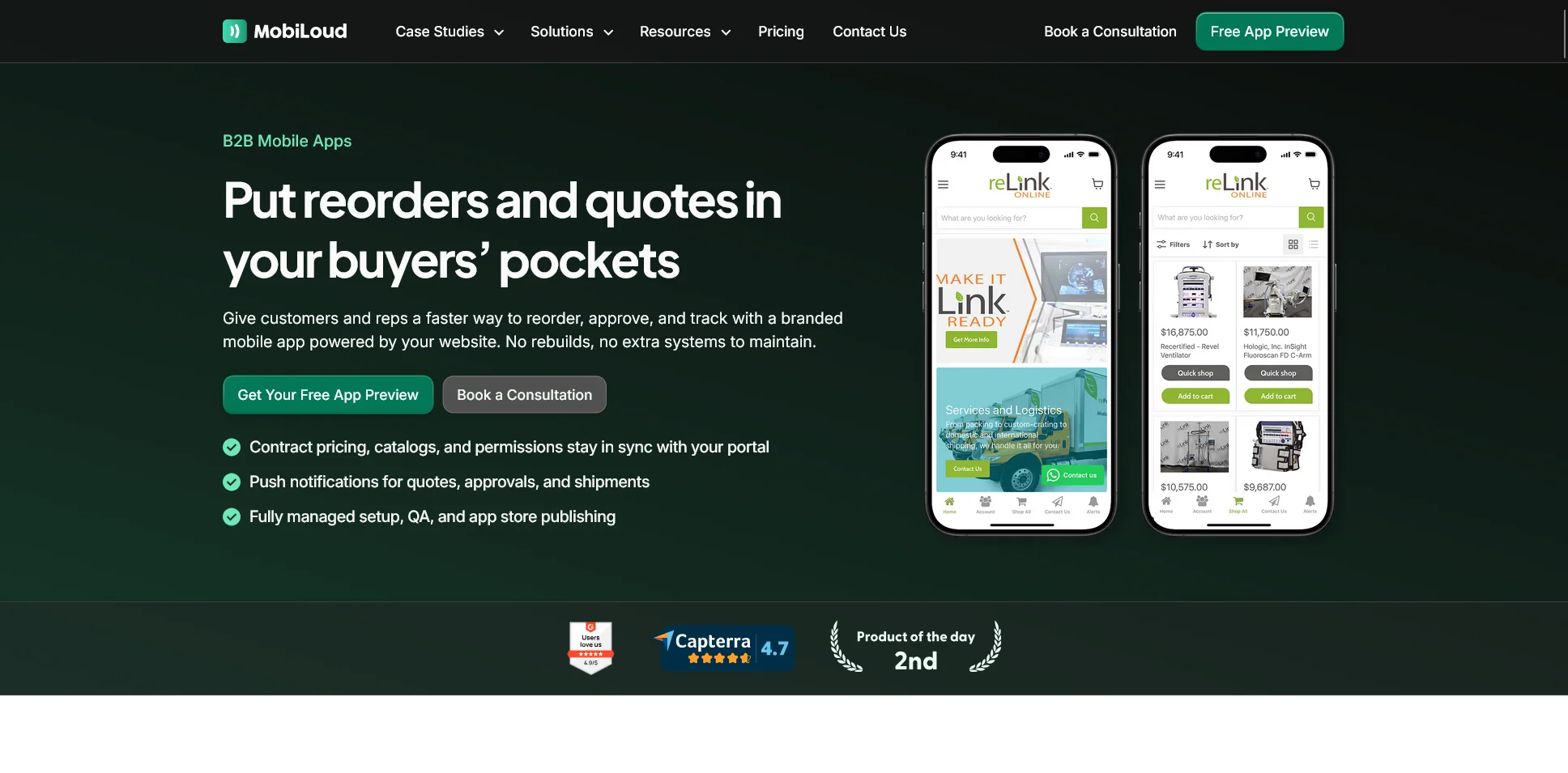
If you’re already selling through your website, the most efficient option to launch a mobile app is to convert your site into an app.
You may already have a customer portal, with custom pricing, account logins, order history, reordering, and all the other moving parts of a B2B brand. It’s most likely mobile-optimized, because your buyers are most likely busy, ordering on their phones, not sitting down behind a desk and a chunky monitor.
If this is you, Vendrux is the best way to build your B2B mobile app.
Vendrux converts your existing website – every part of it – into a full-featured mobile app.
Everything from your site runs in the app. Custom pricing tiers, account-specific catalogs, approval workflows, ERP integrations, CRM connections: none of it needs to be recreated.
Why this approach works for B2B brands
B2B websites tend to be deeply customized. Years of development have gone into the business logic, the integrations, the user flows that your buyers rely on.
A typical B2B web portal might connect to SAP or NetSuite for inventory, Salesforce for CRM, custom middleware for pricing rules, and a payment system that handles net-30 terms and purchase orders.
Rebuilding all of that in a native app is a massive project. Vendrux sidesteps it entirely.
Your web infrastructure stays exactly as-is. The app is a native layer that gives your buyers push notifications, a home screen icon, faster access, and a better mobile experience, all powered by what you’ve already built.
What you get
- Full feature parity with your website. Every feature, integration, and workflow works in the app.
- Push notifications. Restock alerts, order updates, pricing changes, promotional offers: delivered directly to your buyer’s phone. For B2B, where repeat purchasing drives revenue, this is the single biggest advantage of having a native app.
- No duplicate maintenance. Update your website and the app reflects those changes automatically. No separate codebase to manage.
- App Store and Google Play presence. Your brand in the store, discoverable and downloadable, with ratings and reviews that build credibility.
- Fully managed service. Vendrux handles the build, the app store submissions, and ongoing maintenance. You don’t need to hire a mobile team.
Who this is right for
- B2B companies with an existing website or web portal that handles ordering, account management, and customer interactions
- Businesses running on any web platform (Magento, Salesforce B2B Commerce, BigCommerce, WooCommerce, custom-built platforms, or anything else)
- Teams that want a native app without a 6-12 month development project
- Companies where the web experience is already strong and doesn’t need to be redesigned for mobile
Pricing
Vendrux starts at $1,499 per month, with a one-time setup fee. It’s priced to fit the kind of brands it’s best for: high-end B2B ecommerce brands, wanting something that’s more cost-effective than a $250K+ native app, but still needing a reliable service to manage their app (not a cheap no-code tool).
If this sounds like your situation, book a free strategy call to discuss your project with our app development team, and learn if Vendrux is right for you.
2. If You Need a Lightweight Internal Tool: Use a Low-Code Platform
Best options: Glide, Google AppSheet, Microsoft Power Apps
Not every B2B mobile app is customer-facing. Sometimes you need a tool for your sales reps to log visits, for your warehouse team to do inventory checks, or for your field service crew to submit reports.
For these kinds of apps, low-code platforms are the right call. They connect directly to your existing data (spreadsheets, databases, CRMs) and let you build functional apps without writing code.
Glide
Glide is the simplest option here. It builds apps directly from spreadsheets and databases, automatically generating a mobile-friendly interface from your data.
It’s particularly strong for internal tools like CRMs, inventory trackers, and employee dashboards.
If your data lives in Google Sheets, Airtable, or Excel, Glide can have a working app in front of your team within a day.
Pricing: Free tier available. Paid plans start around $60/month for team use.
Google AppSheet
If your company runs on Google Workspace, AppSheet is the natural fit.
It pulls data from Google Sheets, BigQuery, and other Google services, and lets you build mobile apps with automation, barcode scanning, GPS tracking, and offline support. Particularly useful for field data collection and mobile-first workflows.
Pricing: Starts at $5/user/month. Included in some Google Workspace plans.
Microsoft Power Apps
For companies in the Microsoft ecosystem, Power Apps integrates tightly with Dynamics 365, SharePoint, SQL Server, and the rest of the Microsoft stack.
It’s more powerful (and more complex) than Glide or AppSheet, but if you’re already paying for Microsoft 365, you may already have access to it.
Pricing: Starts at $20/user/month.
Who these tools are right for
- Internal tools for sales teams, warehouse staff, field service crews
- Simple data collection and reporting apps
- Companies that need a functional app quickly, without custom development
- Scenarios where the app doesn’t need to replicate a complex web experience
Who they’re NOT right for
If you’re building a customer-facing ordering app, portal, or marketplace, low-code platforms will hit their limits fast. They’re designed for internal workflows and simple data apps, not for replicating the kind of complex business logic that a B2B ecommerce platform handles. For that, see the section above.
3. If You’re Building Something New From Scratch: Consider AI-Powered Builders
Best options: FlutterFlow, Replit, Natively
Maybe you don’t have an existing website to extend. Maybe you’re launching a new B2B product, building a marketplace, or creating a mobile experience that doesn’t map to anything you currently have on the web.
In that case, a new wave of AI-powered and visual app builders can get you from idea to working prototype significantly faster than traditional development.
For deeply complex projects with a lot of moving parts (and a lot of money riding on their success), building with AI may be too risky. But for simpler apps, or MVPs, AI is quickly becoming the best choice.
FlutterFlow
FlutterFlow is the strongest option if you want a real, production-ready mobile app.
It’s a visual builder that generates Flutter code, which means you get native iOS and Android apps from a single project.
The key advantage: you can export the code and continue development in a standard Flutter project if you outgrow the visual builder. No vendor lock-in.
It supports Firebase, Supabase, and custom API integrations, and has a growing library of pre-built components. For B2B, you can build authentication flows, role-based access, data dashboards, and custom forms without writing code, then add custom logic where needed.
Pricing: Free tier available. Pro plans start at $30/month.
Replit
Replit’s Agent lets you describe your app in plain language, and the AI generates a working native mobile app using Expo. You can preview it instantly on a physical device via QR code, which makes the feedback loop extremely fast. Need user accounts, a database, an API connection? Replit handles the backend alongside the frontend, so you’re not juggling separate tools.
Where Replit stands out is iteration speed. You can chat with the Agent like you’re texting a collaborator, asking it to add features, change layouts, or fix bugs in real time. For B2B teams exploring what their app should look like and do, that conversational workflow is more natural than dragging blocks around a canvas.
Pricing: Free tier available. Paid plans start at $20/month.
Natively
Natively is an AI app builder purpose-built for mobile. Describe your app idea in natural language, and it generates a real React Native + Expo application, not a prototype, not a web app, but native code that compiles to iOS and Android. You get full source code ownership, so if you outgrow the platform, you take your code and keep building.
The platform includes a built-in backend through Supabase (database, authentication, storage, serverless functions), which means you’re not stitching together separate services to get a working app. For B2B, you can describe features like user roles, account management, ordering workflows, and data dashboards, and Natively generates the scaffolding. From there, a developer can refine and extend the code as your requirements grow.
Pricing: Plans start at $5/month with all features included.
Who these are right for
- Companies building a net-new B2B product or service that doesn’t have a web version yet
- Teams that want to validate an idea with a working prototype before committing to full development
- Technical founders or teams with some development experience who can extend the generated code
The reality check
Keep this in mind. AI builders are excellent for getting started quickly, but the further you get from a simple CRUD app (an app with straightforward Create, Read, Update, and Delete functions), the more you’ll need custom development on top of whatever the AI generates.
If the app is central to your business, relying on AI is extremely risky. The best uses for AI app builders are:
- Small, simple projects (like a basic calculator app)
- MVPs and prototypes, which you can test, assess viability, and then pass on to a development team
- Productivity enhancers for a team of human developers
4. If Nothing Else Fits: Go Custom With React Native or Flutter
Go this route when you need hardware integration, complex offline requirements, unique UX needs that can’t be achieved any other way
The traditional way to approach B2B mobile app development is to look at custom development first.
You should be approaching this the opposite way.
Custom development with React Native or Flutter gives you complete control over every pixel and every interaction in your mobile app. And for some B2B apps, that level of control is genuinely necessary.
Think: a field service app that needs to interface with Bluetooth hardware, an inspection tool that works fully offline in areas with no connectivity, a logistics app with custom mapping and route optimization: these are legitimate reasons to go custom.
But custom development should be your last choice, not your first instinct. Here’s why.
The (real) cost
A custom B2B mobile app built with React Native or Flutter typically costs $200K-$500K+ for the initial build, depending on complexity.
Enterprise apps with deep integrations (ERP, CRM, custom backends) can run $500K-$1M+. Development timelines range from 6 to 12+ months for an initial release.
And the initial build is just the beginning. Ongoing maintenance, OS updates, feature additions, and bug fixes typically cost 15-25% of the original build annually.
A $400K app can easily cost >$100K/year to maintain.
When it’s actually worth it
There are thousands of mobile app development companies out there – and sometimes, this is the right way to go for your app.
Think custom when:
- You need native hardware access (Bluetooth, NFC, specialized sensors) that web technologies can’t provide
- Your app needs to function fully offline with complex data synchronization
- The UX requirements are so specific that no existing platform or framework can accommodate them
- You’ve already tried the approaches above and confirmed they don’t meet your needs
When it’s overkill
We’ve put this option last, because we think you should explore more efficient, more cost-effective methods first, instead of defaulting to the most complicated, expensive, and time-intensive way to build a B2B mobile app.
You can save a huge amount of time, money and effort through other methods if:
- You want a mobile version of your existing B2B website (use Vendrux instead)
- You need an internal tool for your team (use a low-code platform)
- You’re building an MVP to test an idea (use an AI builder)
If you find yourself spec’ing a $300K custom app to do something your website already does, take a step back. The most common mistake in B2B mobile development is rebuilding what already exists.
React Native vs Flutter
Cross-platform frameworks like these two are, in almost all cases, the best way to build a custom mobile app.
They allow you to build iOS and Android apps with the same language, which is a lot more efficient than building in separate frameworks for each.
There are differences between the two – React Native uses JavaScript and has a larger ecosystem of third-party libraries. Flutter uses Dart and tends to produce more consistent UI across platforms.
But both are solid options. The choice often comes down to your team’s existing skills and preferences. Neither is a wrong answer.
Quick Decision Summary
If you’re in the market to build a B2B mobile app, our guide (built using our experience of launching over 2,000 mobile apps over the last 10+ years) is made to help you settle on the right option.
Here’s the cascade in its simplest form:
- Do you have an existing B2B website or portal that your customers already use? Yes → Vendrux. Turn it into a native app without rebuilding anything.
- Do you need a simple internal tool for your team? Yes → Glide, AppSheet, or Power Apps. Build it in days, not months.
- Are you building something entirely new? Yes → FlutterFlow, Replit, or Natively. Get a working prototype fast, then iterate.
- Do you have requirements that none of the above can handle? Yes → Custom development with React Native or Flutter. Budget accordingly.
Most B2B companies fall into category 1 – they have a website that works, buyers who’d prefer an app, and no desire to spend six figures rebuilding what they already have.
If that’s you, the decision is straightforward. Vendrux can help you go live in around a month, with minimal overhead, no tech debt, and no limitations on what features you can convert from your website to your app.
Ready to see what’s possible? Book a free consultation now and discuss your project with our app development experts.
Next Steps
If your B2B site is customer-facing, it’s probably mobile-friendly already. If not, fix this now.
And if you’ve checked this box, if your customers are ordering via their phones, and you want to give them a more convenient, stickier way to order, Vendrux is the best way to do it.
If you’re looking for something else – whether it’s an internal company app, or a B2B ordering app built from scratch, there are plenty of other app builders out there, as well as AI app builders that can get you a solid app from plain language prompting.
Use our framework to land on the right way to build your B2B mobile app, and watch the app become a core asset for your business.