Category: Digital Publishing

  • What Percentage of Internet Traffic Is Mobile? [2026 Update]

    What Percentage of Internet Traffic Is Mobile? [2026 Update]

    Mobile devices now account for nearly two-thirds of all internet traffic worldwide.

    As of early 2026, mobile represents 62-64% of global web traffic, with desktop holding roughly 35% and tablets making up the remaining 2%.

    This isn’t a new trend; mobile surpassed desktop back in late 2016. But the gap continues to widen.

    What’s changed is how that traffic behaves: where it comes from, what users do with it, and what it means for businesses trying to reach them.

    This guide breaks down the latest mobile traffic statistics by region, country, and use case, plus what these numbers mean for ecommerce brands in particular.

    Deep dive: Mobile Apps vs Mobile Websites: Why >90% of mobile time is spent in apps

    Global Mobile vs Desktop Traffic (2026)

    Here’s the latest breakdown on mobile vs desktop internet traffic:

    Device Share
    Mobile 62-64%
    Desktop 35-36%
    Tablet 1.8-2%

    For context, in 2013 desktop held 79% of traffic versus mobile’s 16%. The reversal has been dramatic and shows no signs of slowing.

    Key Milestones

    • 2016: Mobile surpassed desktop for the first time
    • 2018: Mobile reached 50.88% market share
    • 2020: Mobile hit 55% during pandemic-driven usage spikes
    • 2025: Mobile crossed 60% globally
    • 2026: Mobile stabilizing at 62-64%

    Mobile Traffic by Region

    Not all regions use the internet the same way.

    Mobile dominance varies significantly based on infrastructure, economics, and device preferences.

    Let’s take a look at the data:

    Region Mobile Share Desktop Share
    Africa 79-84% 16-21%
    Asia 71% 29%
    South America 62% 38%
    Europe 52-53% 45-47%
    North America 50-51% 49-50%
    Oceania 50% 50%

    Why the Regional Differences?

    Africa and Asia lead in mobile traffic because many users skipped desktop computing entirely.

    Mobile phones were their first, and often only, way to access the internet. Infrastructure investments went straight to cellular networks rather than traditional broadband.

    North America and Europe show more balance because desktop computing was already established before smartphones arrived.

    Work cultures in these regions also favor desktop usage for productivity tasks.

    Mobile Traffic by Country

    Individual countries show even more dramatic variation.

    Highest Mobile Traffic Share

    Country Mobile Share Desktop Share
    Sudan 89.6% 10.4%
    Nigeria 83-86% 14-17%
    India 72-80% 20-28%
    Indonesia 70%+ 30%
    Brazil 65% 35%

    More Balanced Markets

    Country Mobile Share Desktop Share
    United Kingdom 54% 46%
    Australia 52% 48%
    Japan 47% 53%
    Canada 47% 53%
    United States 43-47% 50-57%
    Germany 42% 58%
    China 33% 67%

    Notable Observations

    The US is an outlier among developed nations.

    While most of the world has gone mobile-first, American internet usage remains nearly split between mobile and desktop.

    Desktop still leads slightly, likely due to workplace usage patterns and larger home setups.

    China’s desktop dominance is surprising.

    Despite being a mobile-first market in many ways (mobile payments, super-apps), web traffic statistics show desktop leading.

    This may reflect how Chinese users spend more in-app time (which isn’t always counted as “web” traffic) rather than browsing the open web on mobile.

    Germany has the lowest mobile share among major developed economies at 42%, reflecting strong desktop work culture and privacy-conscious users who may prefer desktop browsing.

    Mobile App vs Mobile Web

    When users are on mobile, where do they spend their time?

    Usage Type Share of Mobile Time
    Mobile Apps 88%
    Mobile Web 12%

    Users spend nearly 90% of their mobile time in apps, not browsers. This has major implications for businesses:

    • Discovery often happens on mobile web (Google searches, social media links)
    • Engagement happens in apps (longer sessions, repeat visits)
    • Conversion is significantly higher in apps

    In-App Browsers

    About 31% of mobile web sessions now happen through in-app browsers; when users click links within Instagram, Facebook, LinkedIn, or other apps.

    These sessions use lightweight embedded browser views rather than Safari or Chrome directly.

    Mobile Browser Market Share

    When users do browse the mobile web, Chrome dominates.

    Browser Mobile Market Share
    Chrome 65-67%
    Safari 23%
    Samsung Internet 3-4%
    Opera 2%
    Firefox 0.5%

    Chrome’s dominance comes from being the default browser on Android devices (which hold ~70% of global smartphone market share).

    Safari’s share comes entirely from iOS users, where it’s the default.

    Mobile Internet Speeds

    Mobile connections are getting faster, narrowing the gap with fixed broadband.

    Global Average

    • Average global mobile download speed: 50-60 Mbps (2025)
    • Average global broadband speed: 97.3 Mbps (up 12.1% year-over-year)

    Fastest Mobile Internet by Country

    Country Median Mobile Download Speed
    UAE 546 Mbps
    Qatar 517 Mbps
    Kuwait 378 Mbps
    South Korea 187 Mbps
    Norway 160 Mbps
    Singapore 120 Mbps
    United States 100+ Mbps

    5G Adoption

    5G is accelerating mobile speeds globally:

    • 2.8-2.9 billion 5G subscriptions worldwide (end of 2025)
    • 55% of the world’s population now has 5G network access
    • 5G is expanding 4x faster than 4G LTE did in its comparable period
    • By 2027, 5G is expected to overtake 4G as the dominant mobile technology

    Regional 5G Penetration (2025):

    • North America: 79%
    • Northeast Asia: 61%
    • Western Europe: 55%
    • China: 1 billion+ 5G connections

    Mobile Ecommerce: Traffic vs Conversion

    Here’s where the data gets interesting for ecommerce brands.

    The Traffic-Conversion Gap

    Metric Mobile Desktop
    Share of traffic 54-60% 40-46%
    Conversion rate 1.5-2.9% 3.5-4.3%
    Average order value $112 $155

    Mobile drives the majority of traffic but converts at roughly half the rate of desktop. This gap represents both a challenge and an opportunity.

    Why Mobile Converts Lower

    There are a few reasons why most ecommerce sites find lower conversion rates on mobile vs desktop:

    • Screen size: Harder to browse products, compare options, read reviews
    • Form entry friction: Checkout forms are painful on small screens
    • Trust perception: Users feel less secure making purchases on mobile
    • Research vs buy: Many users research on mobile, then purchase on desktop

    There’s one solution to this, however; a mobile channel that converts at an even higher rate than desktop, in many cases.

    How Apps Change the Equation

    Native mobile apps close the conversion gap significantly:

    • Apps convert at 157% higher rates than mobile web
    • 85% of US mobile shoppers prefer apps over mobile websites
    • Push notifications drive 3-10x higher engagement than email
    • Saved payment methods reduce checkout friction

    This is why major retailers invest heavily in their mobile apps. They’ve found a way to capture mobile traffic while maintaining desktop-level (or better) conversion rates.

    Learn more: Best Ecommerce Platforms by Market Share

    Vendrux and Mobile Traffic

    For ecommerce brands looking to capture mobile traffic more effectively, a native mobile app can transform how customers engage with your store.

    Vendrux helps brands extend their existing website into native iOS and Android apps, without rebuilding their entire tech stack. Your website powers the app, and we add native app capabilities on top, which effectively turns your web store into a full-featured mobile app.

    It’s the best way to build a mobile app, if you don’t want the cost and hassle of multiple codebases and expensive mobile development teams.

    Want to see what’s possible?

    Get a free preview of your app →

    Data Sources

    This article synthesizes data from Statista, StatCounter, DataReportal, Ericsson Mobility Report, and regional market research. Figures represent late 2025/early 2026 data where available.

  • Web App vs Website: What’s the Difference?

    Web App vs Website: What’s the Difference?

    The terms “web app” and “website” are often used interchangeably, and it can be hard to pinpoint what the difference is.

    While the terminology doesn’t matter to the end user, if you’re planning to build a web-based project, it’s helpful to understand the difference in order to figure out the best development approach to go with.

    Read on to learn more about websites and web applications, and what makes a website and web application different.

    What is a Website?

    In simplest terms, a website is a collection of web pages that can be accessed by entering a URL into a web browser like Safari or Firefox.

    Websites are made up of files hosted by a web server. When a web user puts a specific URL into their browser, the browser communicates with the web server to retrieve the necessary files and serve it to the user in a visual format.

    __wf_reserved_inherit
    Healthline is a prime example of a static website

    These files are mostly HTML and CSS files, along with some JavaScript.

    Generally, when we talk about websites, we’re talking about static websites. Static websites serve the same content and the same experience to each visitor, largely unchanging throughout the length of time the user is on the site.

    But dynamic websites are becoming more common today, which serve a more interactive experience, changing depending on the user’s actions, and utilizing more JavaScript code than a static website does.

    It’s up for debate whether dynamic websites should actually be defined as web applications – and it’s unclear where exactly the line should be drawn, as the distinction between a website and a web app is largely subjective.

    Examples of Websites

    Traditional websites are everywhere.

    vendrux.com (where you are now) is a website. So are:

    Some would argue that social media sites like Facebook and LinkedIn and video sites like YouTube and Twitch are websites, some would argue that their interactive nature means that they should actually be classified as web applications.

    Some would also say that an ecommerce site is actually a web app, since it relies strongly on a user’s input and interaction.

    When it comes down to it, every property that’s accessed through a URL in a web browser is technically a website, including all web apps. But if we’re forced to make a distinction between a “website” and a “web app”, there’s no clear consensus for where to draw the line.

    What is a Web Application? (Web App)

    A web application, or web app, is a software application that’s accessible by entering a URL into a web browser.

    Web applications are fundamentally the same as websites in many ways – and most would agree that web apps are a subset of websites (i.e. all web apps are websites, but not all websites are web apps).

    However, web apps are generally designed to be complex and interactive, and offer a dynamic experience to each user. Instead of delivering static content, web apps take user input and process that input to perform higher-level functions and tasks.

    __wf_reserved_inherit
    Chat GPT is a clear example of a web application

    Examples of Web Apps

    Some notable and popular web applications include:

    • Google Workspace tools (e.g. Google Docs, Google Sheets, Gmail)
    • Canva
    • Notion
    • Trello
    • Discord
    • Chat GPT

    It’s important to note that many businesses operate with both a web app and website, often from a single domain.

    For example, if you go to canva.com or notion.com and you’re not a user, you’ll see a static website marketing their product.

    But if you log in, you’ll see a dynamic and interactive web app, often hosted at the same domain (though a lot of SaaS tools separate the app and website by using a subdomain, such as app.domain.com).

    As we mentioned in the section on websites, most would consider sites like Facebook, YouTube, TikTok, LinkedIn and Twitch to be web apps, as well as web forums, like Reddit and Stack Overflow.

    Similarities Between a Web App and Website

    There’s a lot of overlap between web apps and websites:

    • Both require an internet connection to view, and are accessed by entering a URL into a web browser.
    • Both have cross-platform functionality, able to be used on different devices (e.g. mobile and desktop), operating systems (e.g. Windows, Android, iOS) and browsers (e.g. Safari, Firefox).
    • The core programming languages used to build websites and web applications are generally the same (unlike web apps and mobile apps, for example, which use completely different languages).

    In fact we’d argue that, when comparing a web app vs website, most details are actually the same, and the differences are relatively minor or subjective.

    What’s the Difference Between a Website and a Web Application?

    So what is the difference between the two?

    Realistically, the difference is just semantics, and not actually that important. You’ll find each person has their own definition of where a website becomes a web app.

    For example, let’s look at replies on Stack Overflow to the question “What’s the difference between a web site and a web application?” to see the range of opinions you’ll receive:

    • “A couple of thousand dollars.”
    • “The same as the difference between a cell phone and a smartphone.”
    • “So basically a web application is a subset of the other?”
    • “I think it is more like a website is a subset of a web application.”
    • “Stackoverflow.com is a website. Facebook notification system is a web application.”
    • “I would consider stackoverflow.com to be an application because it relies on the input of the users to do a specific task (provide answers to programming questions), not the input of one entity to control its content.”
    • “This is totally personal and subjective. A website consists of most and purely static operations. Whereas an App is a set of functions that provide advanced functionality to a sites content.”

    Providing a clear answer is not easy. But let’s look at a few commonly accepted differences between a traditional website and a web application.

    Functionality

    Web applications usually provide more functionality than a website.

    Traditional websites serve static content, which the user passively consumes. Web apps are built to provide a functional purpose, such as data processing, storage and manipulation, peer to peer communication, generating and editing visual content, or providing interactive experiences (like games).

    Think of it this way; a website is like a book, while a web app is more like a machine, which performs functions and tasks based on the user’s actions.

    User Interaction

    The most obvious difference between a web app vs website is in user engagement.

    A user can generally interact with a web app, whereas a traditional static website is mostly read-only (outside of some small interactive features, like a button or a form).

    Web apps take an input and provide a dynamic output based on the user’s actions. In some cases, a web application might not do anything without a user’s input (think of a blank Google doc – nothing happens until the user types something).

    __wf_reserved_inherit
    Google docs is a classic example of a web app

    Websites, on the other hand, are usually purely informational. They provide content that users can read, but it’s a one-way street; the user can’t directly change what they’re seeing on the screen.

    Programming Languages

    Websites are almost always written in HTML and CSS, with JavaScript to add some more dynamic elements to web pages.

    In web application development, HTML and CSS are still used as a foundation, but developers may use a wider range of programming languages to create dynamic web applications with more complex functionality.

    They may do all of this with JavaScript, in which case the backend code may not differ drastically from a traditional website.

    However, web apps may also utilize languages like Python, PHP, C#, TypeScript, Ruby and Java, depending on the level and type of functionality required.

    Additional Tools and Frameworks Used

    Both web apps and websites are often built with the help of other tools beyond their base programming languages.

    Many websites use a content management system, or CMS, that enables publishing and editing of content without directly interacting with the website’s code.

    Popular content management systems include:

    Web apps might use frameworks and libraries that extend the functionality of certain programming languages, or simplify building and deploying of certain elements.

    Common web app frameworks include:

    • JavaScript frameworks (e.g. React, Vue, Angular)
    • PHP frameworks (e.g. Laravel)
    • Python frameworks (Django, Flask)
    • Ruby on Rails (an extension of the Ruby programming language)

    Have a web app built with one of these frameworks? Click here to see how your web app can be converted to a mobile app in under two weeks.

    Cost & Time to Launch

    Websites are usually simpler under the hood, and thus cheaper and quicker to launch.

    HTML and CSS are two of the easiest and most widely known programming languages, making it fairly easy to code a simple static website.

    It’s even quicker and cheaper using a CMS; you could feasibly get a website up and running, from scratch, in a matter of hours.

    Web apps (depending on the level of functionality) are likely to take more work and more specific expertise to build.

    Thus it will usually take longer to launch, and require more skilled developers, which will mean a higher cost.

    Security

    The interactive nature of web apps mean they can be more open to security breaches and vulnerabilities.

    With a higher level of user interaction, there’s a higher chance for users to gain access to sensitive data, or feed code that harms the site or other users.

    On the other hand, websites have fewer opportunities for bad actors to inject malicious code, especially if they use a secure HTTPS server connection.

    This doesn’t mean that all web apps are open to hacking and manipulation, but just that you need to pay closer attention to security when building an interactive web app.

    Discoverability

    A traditional static website is usually easier to rank in Google, since a simple HTML page structure is easier for Google to crawl and understand.

    Web apps (particularly more dynamic and interactive apps) tend to be less discoverable in search engines. Single-Page Applications (SPAs), for example, are very hard for a search engine like Google to read, due to the way in which they use JavaScript to dynamically serve content.

    That’s not to say that web apps are not at all discoverable. Static web applications are easy to rank just like regular websites.

    Progressive Web Apps (a more enhanced, more functional version of a typical website) can be SEO-optimized, and they can also (in some cases) be published to major app stores, which is an acquisition channel that is not possible with a simple static website.

    Website vs Web App: Which One is Right for Your Project?

    Let’s look at how you should approach this if you’re looking to build a web-based project.

    Should your project be a website? Or a web app? Here’s a general guideline to work from.

    Create a website if:

    • Your project largely consists of static content, passively consumed.
    • You want to launch with lower cost and in less time.
    • You don’t need any majorly complex features.
    • You anticipate SEO as a major discovery channel for your project.

    Build a web app if:

    • Your project is more interactive in nature.
    • You have the budget or expertise to build features with more specialized languages/frameworks.
    • You’re ready to use channels other than Google SEO to get users.

    However, with this in mind, you’re not necessarily deciding between a web app and a website. The decision should be more in what kind of programming languages, frameworks and other tools you use to construct your site or app.

    There’s no point where you’ll need to label it as a “website” or a “web app”. Your users don’t care. They only care about the experience they have with your site/app.

    Web App vs Website vs Mobile App

    A more relevant question is deciding between a web app (or website) and a mobile app.

    These two platforms are much more distinct, and have a real effect on your users’ experience.

    However, Vendrux means you have no need to choose one or the other. We let you convert your website or web app, complete with all its original content, design and features, into mobile apps that look and feel like million-dollar, custom-built apps.

    __wf_reserved_inherit
    Examples of mobile apps built with Vendrux

    Once you’ve built your website or app, get in touch with us to learn how we can help you turn your website into a native mobile app, for little cost, in as little as two weeks.

    Get a free preview of your app, or schedule a free, personalized demo and get a first-hand look at the platform’s possibilities with one of our app experts.

  • CMS Market Share: The Most Popular Website Platforms in 2026

    CMS Market Share: The Most Popular Website Platforms in 2026

    There are more than 78 million live websites today across the entire internet. Most are powered by a content management system, or CMS.

    A CMS is an easy and convenient way to manage a website’s content, without having to interact directly with the website’s source code. They often come with a large ecosystem of themes, plugins and third-party tools. which website owners can use to add extra functionality, regardless of their technical expertise.

    From WordPress to Shopify to Joomla, these platforms are the infrastructure behind the internet as we know it today. Keep reading to learn the top content management systems by market share in 2026.

    What Are the Most Popular CMS Platforms by Market Share?

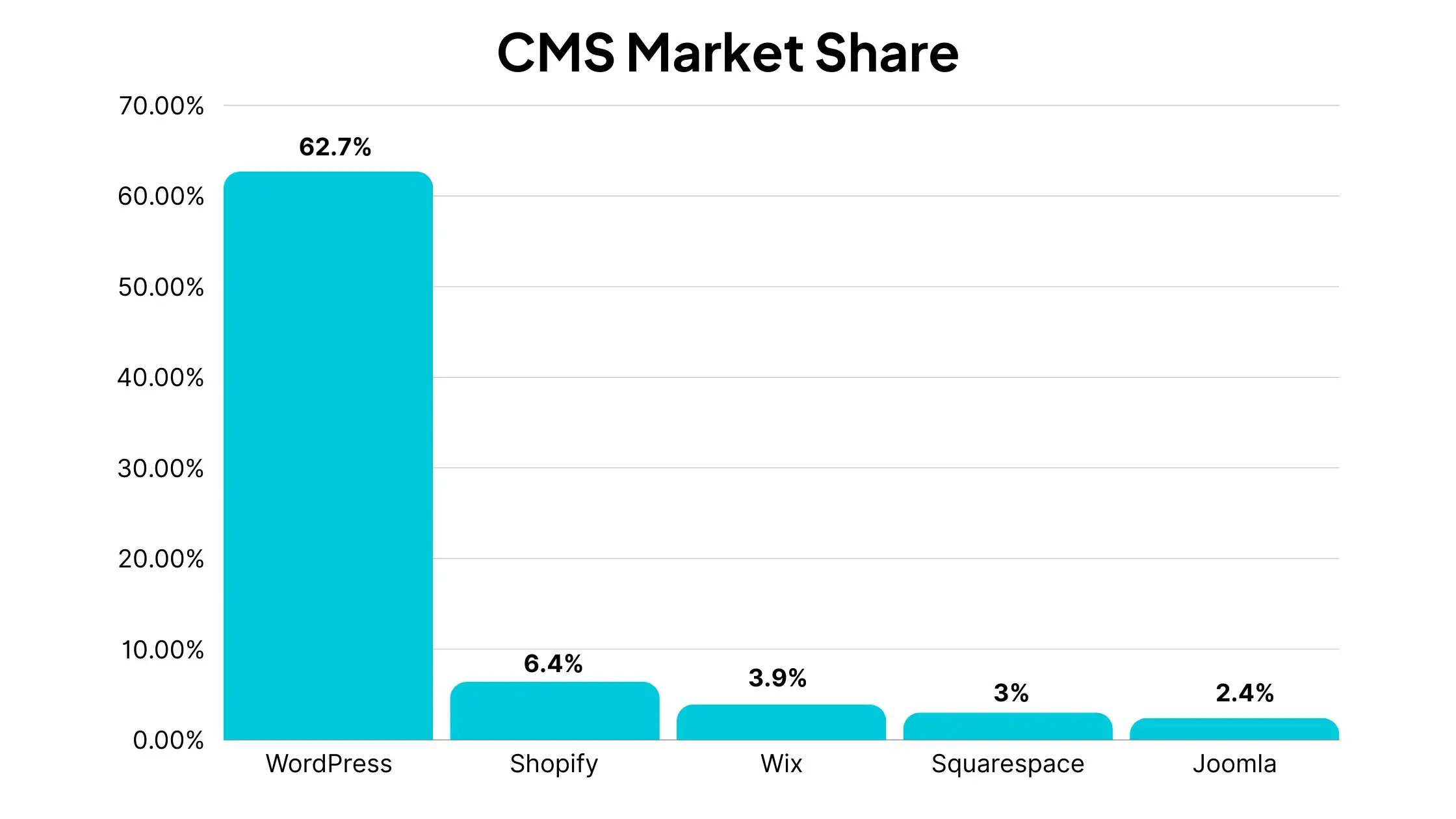
    WordPress is the number one platform in the CMS market, with 62.7% market share, putting it far and away more popular than any other CMS platform.

    Shopify is the only other CMS platform with over 5% market share. Wix, Squarespace and Joomla are the other CMS platforms in the top five, with market shares ranging from 2.4% to 3.9%.

    Here’s the full list of the top five content management systems in the world today:

    • WordPress: 62.70% market share
    • Shopify: 6.40% market share
    • Wix: 3.90% market share
    • Squarespace: 3.00% market share
    • Joomla: 2.40% market share
    Source: W3Techs

    The data above covers only websites with a CMS installed. There are millions more websites that don’t use a CMS (websites hard-coded with HTML or other web technologies).

    If these websites are included, WordPress holds 43.3% market share, compared to 31% for websites with no CMS.

    • WordPress: 43.30% market share
    • No CMS: 31.00% market share
    • Shopify: 4.40% market share
    • Wix: 2.70% market share
    • Squarespace: 2.10% market share
    • Joomla: 1.70% market share
    Source: W3Techs

    Breaking Down the Top 5 CMS Platforms

    Let’s look a little closer at the most popular content management systems.

    WordPress

    — WordPress market share: 62.7% —

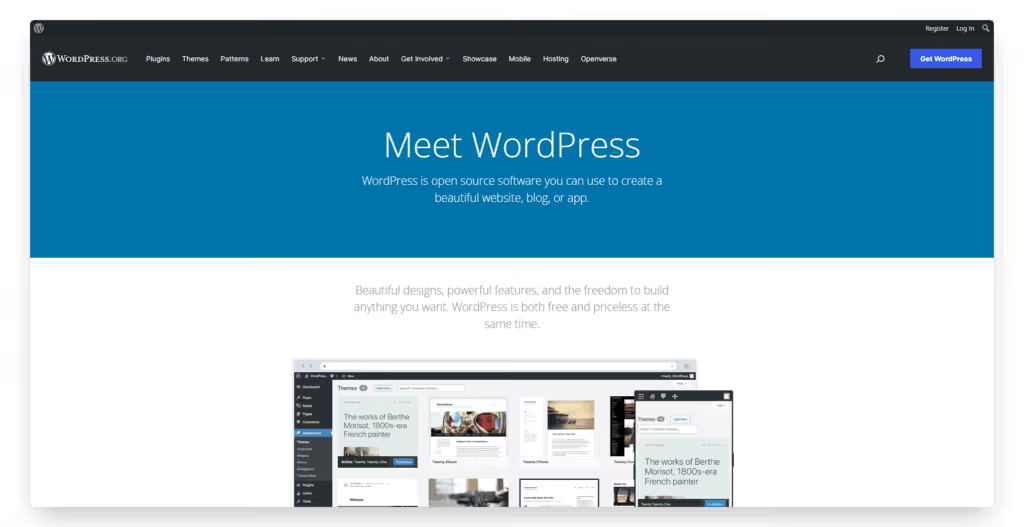
    WordPress is, and has been for a long time, the internet’s most popular CMS platform. It’s free, open-source, and maintained by a huge community of developers.

    WordPress is a powerful, scalable and flexible CMS, with a low learning curve. Yet many of the world’s biggest websites use WordPress, showing that it’s suitable for anyone, regardless of technical ability or scale.

    The huge range of WordPress plugins, themes and more tools built by third-party developers assist you in building a powerful, professional website. And if you have coding knowledge, you can also customize your site using code (e.g. HTML, CSS, JavaScript) to tweak every pixel of your site.

    Websites using WordPress range from small sites with just a few web pages, to eCommerce sites to news sites to business websites, including sites as high-profile as Microsoft News, TechCrunch and TIME.

    Related: how to convert a WordPress website into mobile apps with Vendrux.

    Shopify

    — Shopify market share: 6.4% —

    Shopify is one of the newer players on the CMS market, relatively speaking. Though it was founded in 2006, just a few years after WordPress, it’s only really taken off with the boom in eCommerce of the last 5-10 years.

    Today it’s the most popular CMS for eCommerce websites. Like WordPress, it makes it easy for non-technical people to build a professional and functional website. However, it does so with a specific focus on the tools needed to run online stores.

    Millions of eCommerce websites across 175 countries use Shopify, due to the way the platform holds your hand through building an online store. Things like product collections, blogging features, and the backend tools you need to manage orders are all built in to the platform.

    Like WordPress, Shopify also has an extensive range of third-party apps, plugins and themes that allow anyone to publish a powerful website, while also allowing you to make edits to your site’s code should you want or need to.

    Related: how to build mobile apps with Shopify.

    Wix

    — Wix market share: 3.9%–

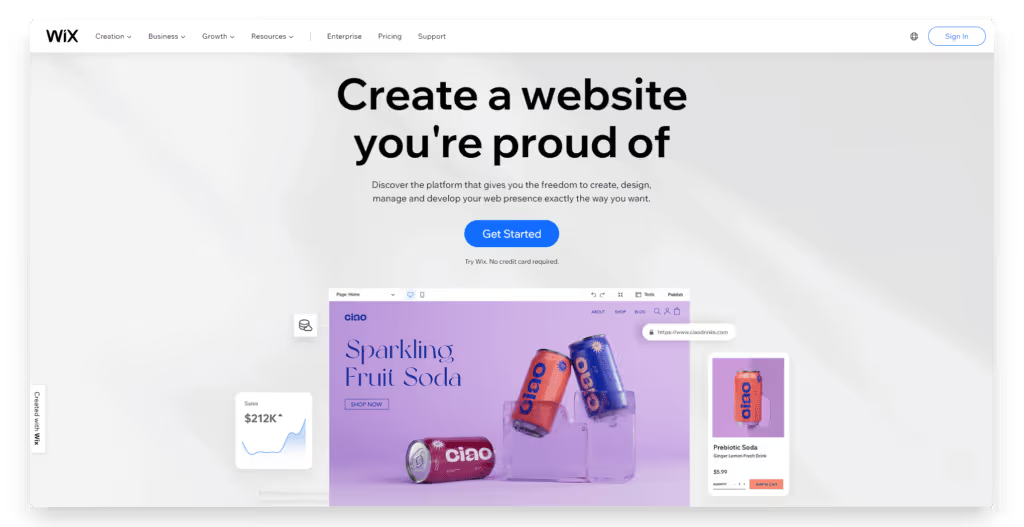
    Wix is a website builder that’s positioned more towards beginner site owners. It comes with a drag and drop editor to use to design the front-end of your site, along with built-in templates and modules that you just fill in with your website content.

    Compared to WordPress, Wix has a shorter learning curve, and does more to help you get set up. You don’t need to figure out how to host your site, how to connect a domain to your site, find the right themes or plugins, or spend as long customizing your site design within your chosen theme.

    Everything’s baked into the platform, including web hosting, and it comes with templates that let you get started much quicker.

    The payoff is you don’t have the flexibility you would have with open-source content management systems like WordPress (or Joomla), so you may run into issues when scaling your website. Wix is also a paid CMS, with plans ranging from $4.50 to $35 per month.

    Related: how to convert a Wix site to native mobile apps.

    Squarespace

    — Squarespace market share: 3.0% —

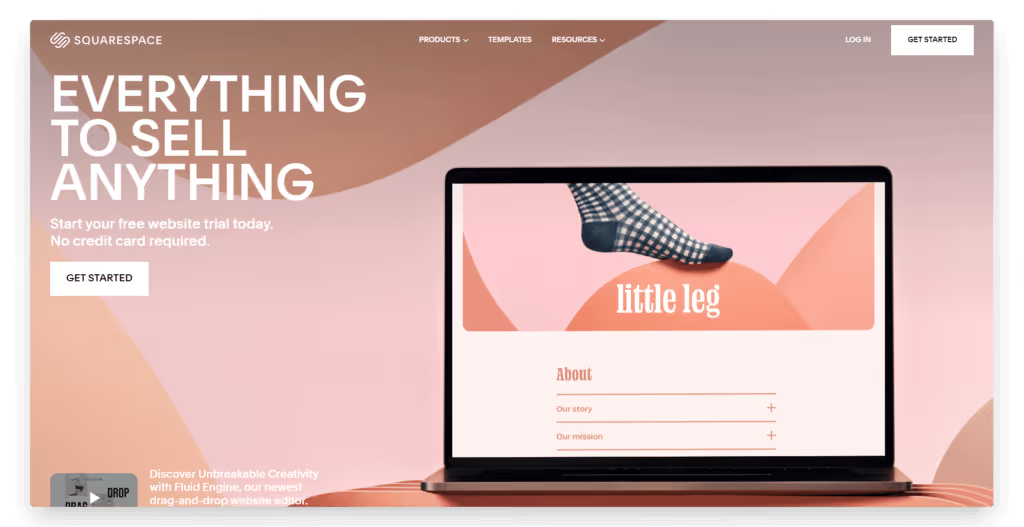
    Squarespace is another beginner-focused website builder along the same lines as Wix. It’s template-based, with visual website building tools and built-in functionality to let you build and publish a website in minutes.

    Squarespace has a lot of the same pros and cons as all website builders. Compared to Wix, it’s a bit more feature-rich. It’s more expensive than Wix as well, and caters more towards professional websites, whereas Wix tends to be a better fit for individuals, small eCommerce businesses, and personal blogs.

    Related: convert your Squarespace site to a mobile app.

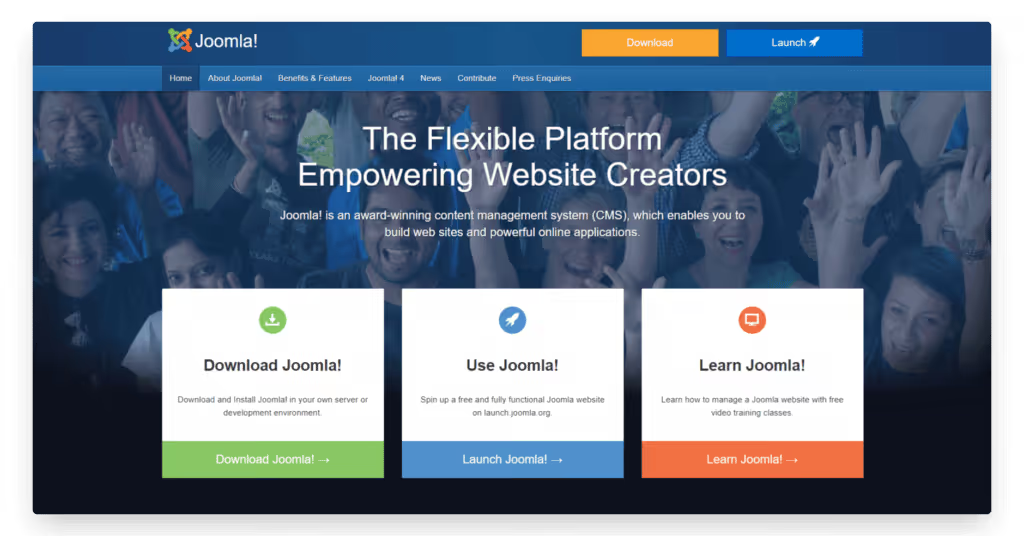
    Joomla

    — Joomla market share: 2.4% —

    The final member of the top five CMS market share is Joomla.

    Like WordPress, Joomla is an open-source CMS, completely free to use. It’s been around for a long time, first released in 2005, and has been one of the most popular CMS platforms by market share for much of this time.

    Joomla offers a ton of flexibility, and scalability. Compared to WordPress – its most direct competitor – Joomla is a little more complicated, and takes some time to get your head around on the back end. It also doesn’t boast the same breadth of plugins, themes and third-party tools that WordPress does.

    There are still a number of extensions, templates and more tools built for Joomla, albeit not on the scale of WordPress. This may be enough for those who prefer the experience and community that Joomla offers, over that of WordPress.

    Related: how to convert a Joomla site to mobile apps for iOS and Android.

    CMS Market Share Trends

    The top of the CMS market share has not changed over the last ~10 years.

    WordPress has been the most popular content management system the whole time, by a significant margin over its competitors.

    In 2013, WordPress held 54.8% of the CMS market share, and has only increased since.

    Below, however, the CMS landscape looks different today.

    In 2013, the second and third most popular website platforms were Joomla (with 8.7% market share) and Drupal (with 7.2% market share).

    These platforms have dropped over the last 10 years, replaced by website builders and platforms designed specifically for ecommerce sites.

    Here’s how our usage of CMS software has changed since 2013:

    Source: W3Techs

    Let’s look at some key takeaways from the CMS market share numbers of the last 10 years.

    WordPress’ Market Share Continues to Grow

    There continues to be one big winner in the CMS market share: WordPress.

    While there are other platforms that have grown over the last 10 years, none have captured as much additional market share as WordPress.

    It remains the best all-round platform to build a website with. While there is a slight learning curve, and it’s a little more time and effort-intensive than website builders like Wix and Squarespace, the pros of WordPress far outweigh the cons.

    It’s also due to the community-driven nature of WordPress that it continues to grow. As more people pile into the community, and more resources go into it, it’s hard to justify the choice to go with other similar CMS platforms. Hence why it’s really the only open source CMS people use today.

    With so much value delivered from these plugins, themes, and WordPress tools – from website builder plugins like Elementor, to tools that let you convert your site to mobile apps – it appears that WordPress’ dominance is just going to continue.

    New Players

    Despite WordPress controlling approximately ⅔ of the total CMS market share, there is room for new players, the data says.

    Shopify is the most notable one, coming from virtually nowhere 10 years ago, to now be the #2 CMS by market share. Squarespace and Wix have also come from very little usage, to now take places in the top five.

    That these three are the biggest movers, outside of WordPress, shows there is demand for more template-based website builders, catered more towards beginners who want to build a site quick and easy. A number of other similar tools come just outside the top 10 in CMS market share as well, such as Weebly and GoDaddy website builder.

    It also shows the rise of eCommerce sites, particularly in the case of Shopify’s emergence on the scene.

    Whether these platforms will continue to gain ground is up for debate, however. They have competition from a number of WordPress website builders, such as Elementor, WP Bakery and Divi, as well as WordPress themes that offer visual site-building capabilities. These tools offer a lot of what you get with Wix and Squarespace, with fewer limitations.

    Decline of Joomla and Drupal

    The biggest “losers” in market share are Joomla and Drupal, which collectively held around 17% market share a decade ago. Now, they make up less than 5%.

    Both are free, community-driven, open-source CMS platforms, in the same vein as WordPress. With that knowledge, it’s not hard to see the reason for their decline. These platforms are only as strong as the community behind them, and the resources the community puts into maintaining the platform and building out additional resources.

    It’s difficult to see a recovery for content management systems like Drupal and Joomla. As the WordPress community grows, its value over these platforms will continue to grow as well, and very soon there may be seldom few websites remaining that operate on a non-WordPress CMS.

    The Rise of the CMS as a Whole

    Another piece of data we can look at is the historical trends of CMS platforms and websites running with no CMS or website builder.

    This data shows that non-CMS sites also happen to be dying out. A decade ago, over 70% of all the websites online had no CMS. These would have been websites completely written in code, with all content uploaded directly to the hosting server, rather than uploaded through a content management system.

    Even for skilled developers, building your whole site this way (especially if it requires constant updates, such as with a blog, news site or eCommerce site), is a huge, unnecessary time-sink. Hence the rise of the CMS.

    Today, approximately 33% of websites still run with no CMS. But that number is now less than WordPress’ overall market share (43%), and a sharp decline from where it was 10 years prior.

    eCommerce Market Share

    One more angle we can look at is the CMS market share for online stores.

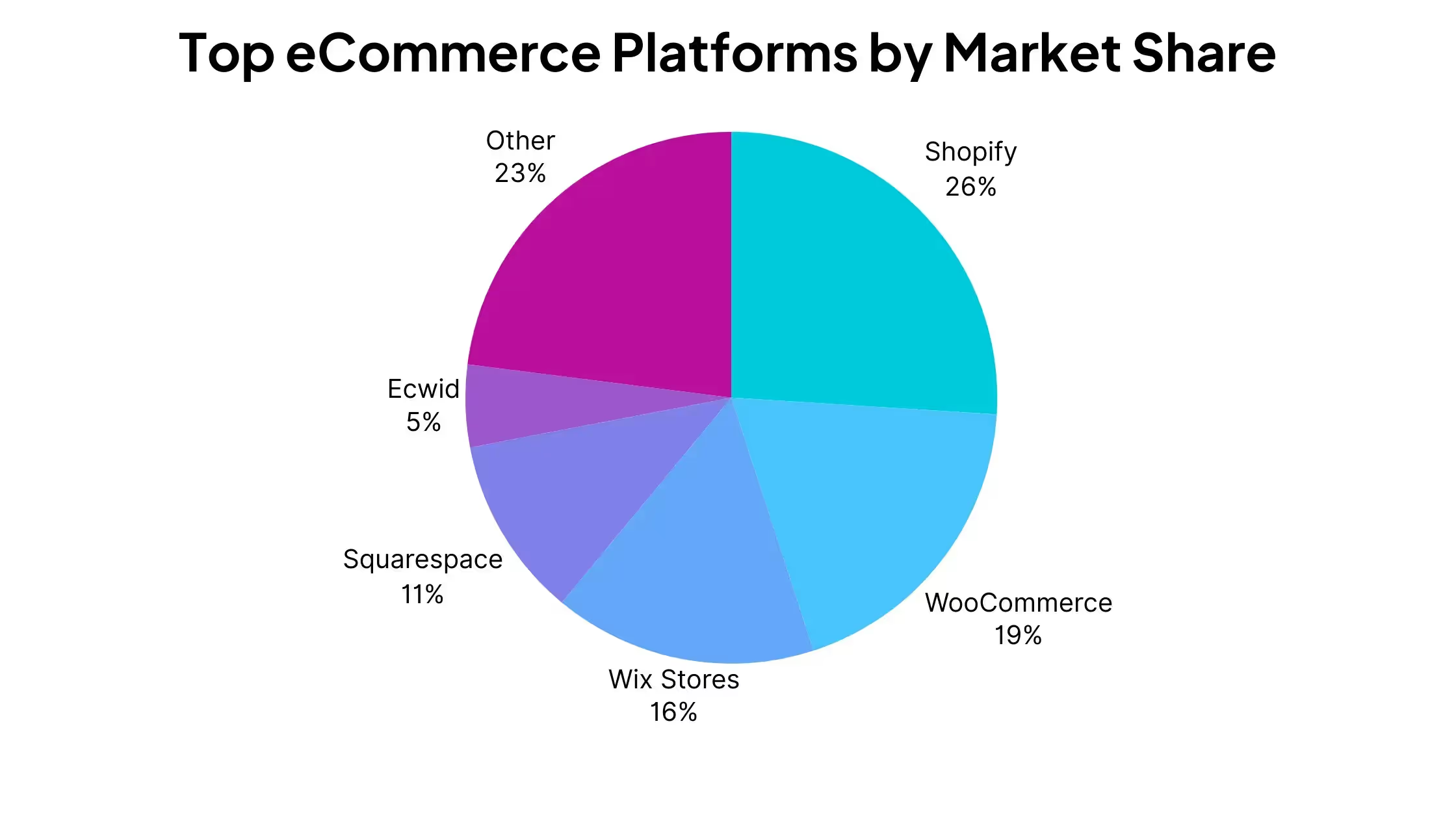
    While the overall CMS market share is dominated by a single player, the eCommerce space is a lot more even. See the top players below:

    • Shopify: 26% market share
    • WooCommerce: 19% market share
    • Wix Stores: 16% market share
    • Squarespace: 11% market share
    • Ecwid: 5% market share

    Read more

    Shopify, which is designed specifically for eCommerce stores, is the leader. It’s slightly ahead of WordPress-based WooCommerce, Wix and Squarespace.

    Ecwid rounds out the top five. Other website platforms in the online store market include BigCommerce, PrestaShop, Weebly.

    Further Reading: the best eCommerce mobile app builders on the market today.

    Wrapping Up

    If you’re planning to launch a website, you’re probably going to want to use a content management system, or CMS. It’s fair to say the CMS market has revolutionized the internet, in letting just about anyone launch and run a website, without writing a single line of code.

    WordPress has held the largest CMS market share basically the entire time that content management systems have been around, and this does not look like changing any time soon.

    The ease of use, flexibility and community behind WordPress makes it hard to justify many of the competitors.

    However, site builders such as Wix and Squarespace, and eCommerce powerhouse Shopify, continue to hang around and offer alternatives to WordPress.