Category: Help Knowledge Base

  • How to Invite Someone to my Google Developer Account | vendrux

    In this article you will learn how to invite another user (in this case, a Magicline developer) to your Google Play Store.

    Quick Guide:

    1. Open the Google Play Console: google.com / Play Console / Sign In
    2. Navigate to User Settings: Menu / Users and Permissions
    3. Add User: Click “Invite” or “Add User”
    4. Enter Email Address: android@mysports.com
    5. Set Roles and Permissions: Select the “Administrator” role
    6. Send Invitation: Click “Invite”

    Open Google Play Console

    To open the Google Play Console, go to the Google Play Console and sign in with your Google business account.

    Navigate to User Settings

    Click on “Users and Permissions” in the left menu. This will take you to a page where you can see all current users and their permissions.

    Add User

    To add a new user, click the “Invite” or “Add User” button. This option is usually located at the top of the page.

    image-20230509-054630.png

    Enter Email Address

    Enter the email address of the user you want to invite. In our case, it is: android@mysports.com

    Set Roles and Permissions

    Select the “Administrator” role from the list of available roles. This role grants the new user comprehensive rights, including managing apps, settings, and other users.
    Screenshot 2023-05-09 at 07.42.02.png

    Send Invitation

    Click “Invite” to send the invitation to the user. They will receive an email with a link to accept the invitation.

    Accept Invitation

    Once the invitation is accepted, we will have access to the Play Console with the appropriate admin rights.

  • How long does it take to publish an app

    From your order to submitting the apps we take 5-10 business days. Note Apple then takes 5-10 business days to approve your app for the App Store. Publishing on Google Play requires generally about a day for the store to update.

  • Is there a long-term contract?

    There’s no long term contract, you can cancel anytime for any reason and we’ll stop billing you from the following period. Read our Terms and Conditions.

  • How to register for Google AdMob

    Google AdMob is a monetization platform for apps, which will allow you to earn money by display ads in your app.

    You can register for a Google AdMob account clicking here: https://apps.admob.com/signup

  • How to provide access to your Apple Account | vendrux

    In order for MobiLoud to be able to submit your iOS app under your own account, you will need to invite our team to your account and provide admin access to it.

  • How to invite users to your OneSignal account | vendrux

    1. The first step is to create a new app in case you haven’t created one yet, you can do so by clicking the “New app/website” button as you can see below:
    1. Add the name of your website as the name of the app, select iOS as the platform and click next:
    1. You will then be prompted to configure the app, skip that by closing the window and clicking the “Leave setup” button, our team will take care of configuring everything for you.
    1. Now go to “Administrators” at the top of the screen and then click “Add Another” to invite a new user as an admin to your account:
  • How to Invite Users to Your App Store Connect Account | vendrux

    In order to be able to build and submit your iOS app an invitation to your App Store Connect account is required.Below you can find more details on how to invite users to it.

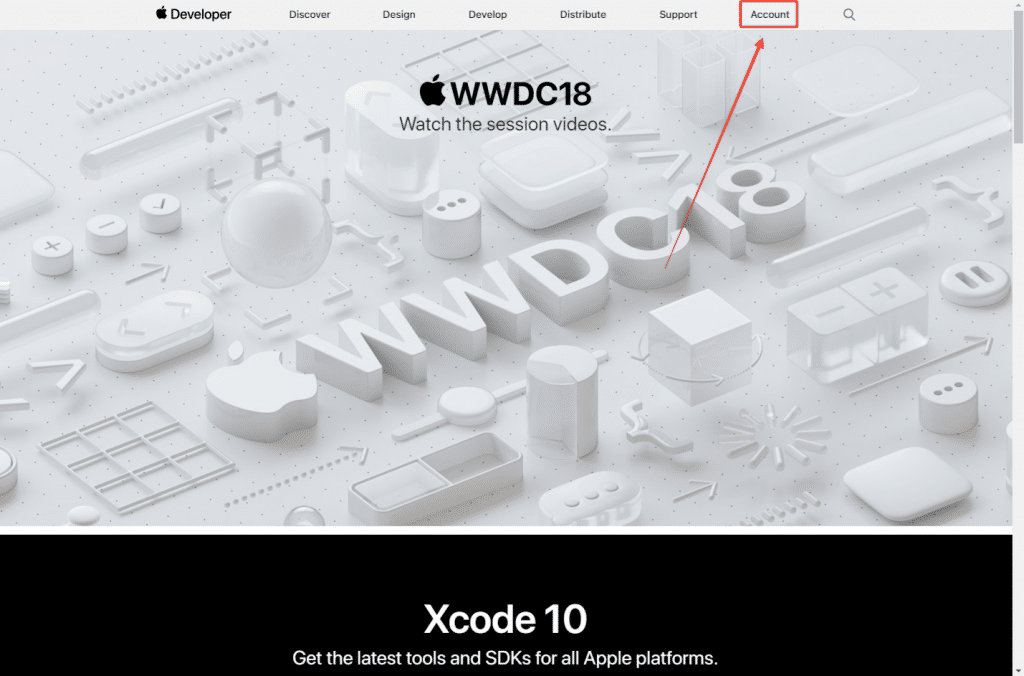
    1. Access the Apple Developer website clicking here. On the top right section, you can click on “Account” to be redirected to the login form.
    How to Invite Users to your App Store Connect Account
    1. You can then insert your login credentials to sign-in into your Apple Developer Account
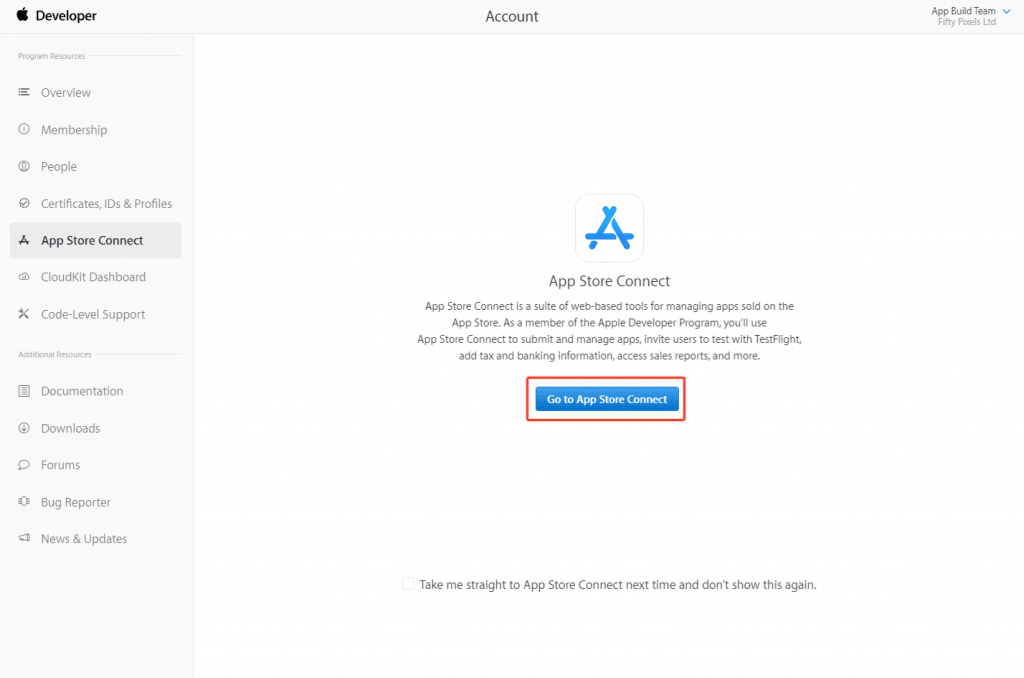
    1. Once logged in you will see your Apple Developer Account Dashboard. There you can click on “App Store Connect”.
    1. Confirm that you would like to access your App Store Connect account by clicking the button in the middle of the screen.
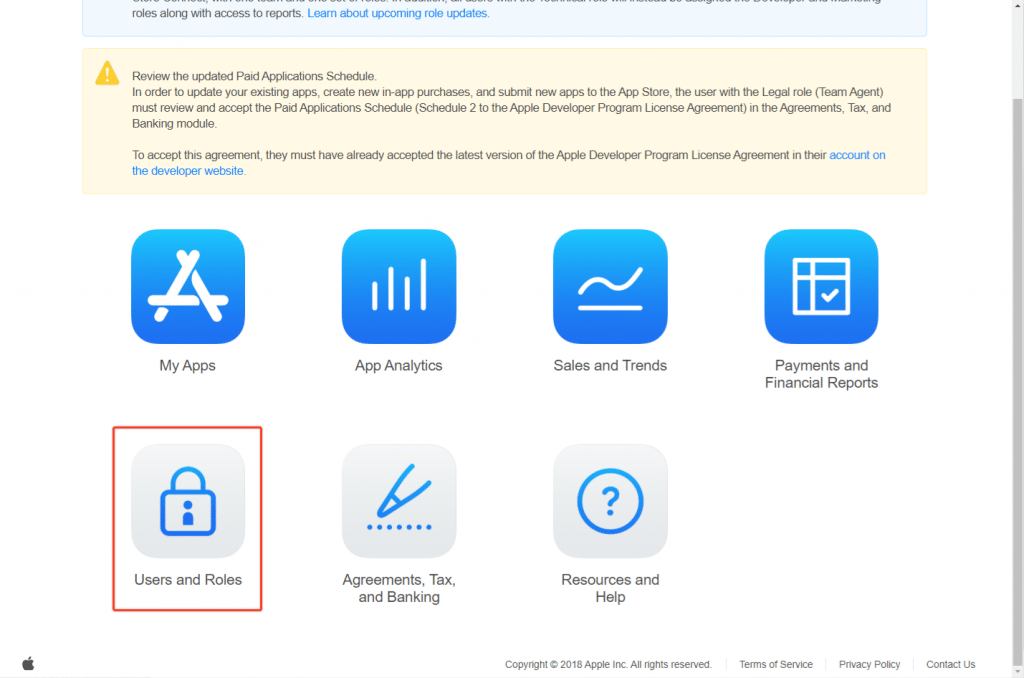
    1. Now that you are under your App Store Connect account, click on the “User and Roles” icon.
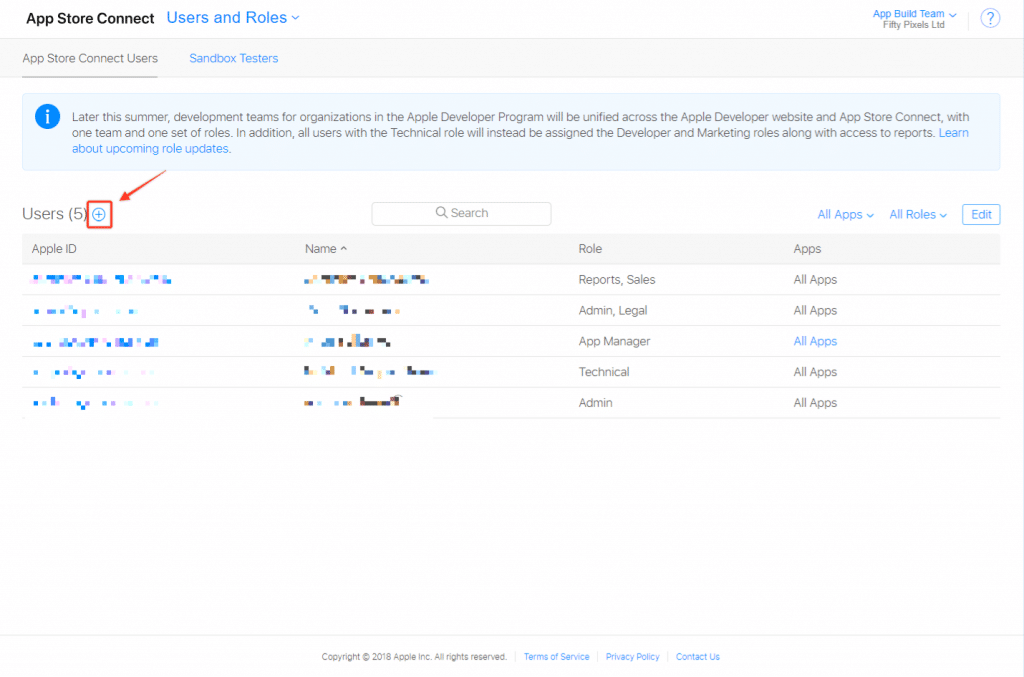
    1. Click on the “plus” icon to invite a new user to your App Store Connect account
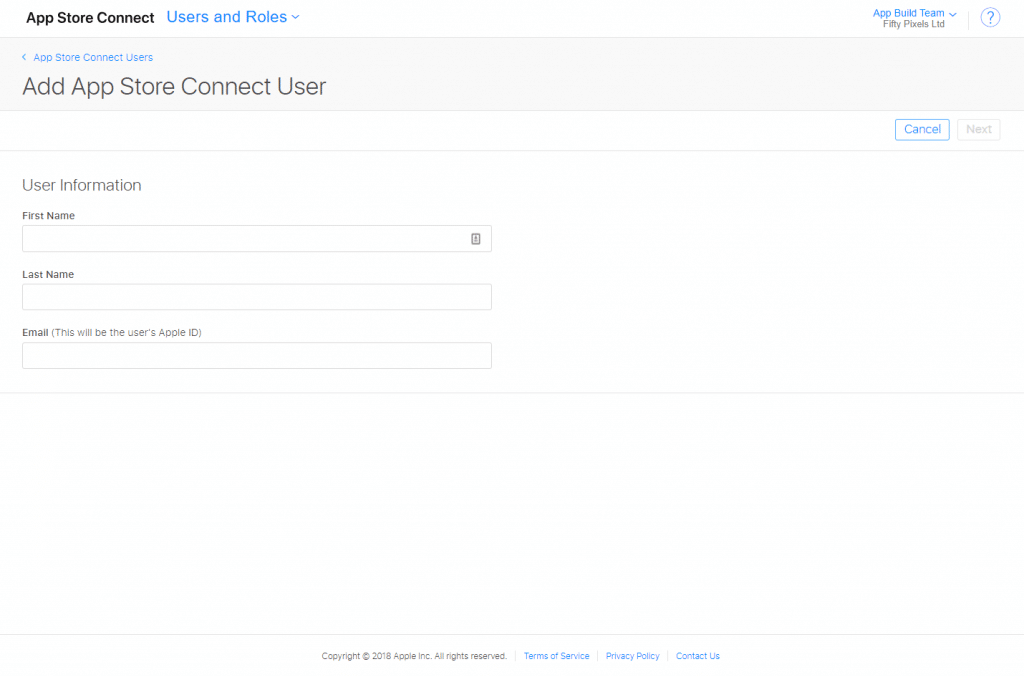
    1. You will then have to provide the email, first name and last name for the user.
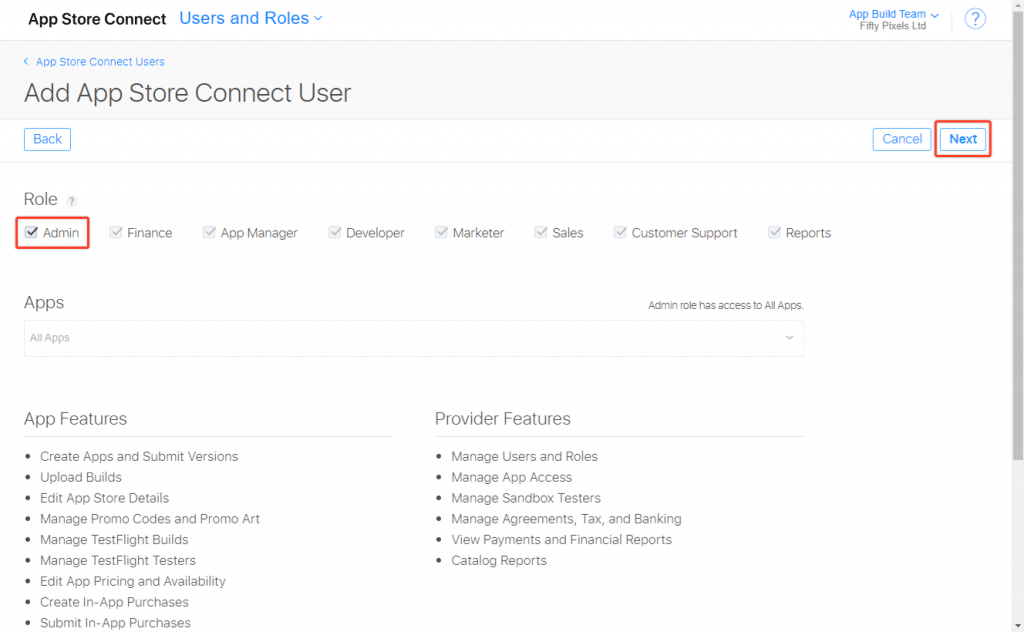
    1. Click next, make sure to select “Admin” as the role and click “next” again.
    add app store connect user
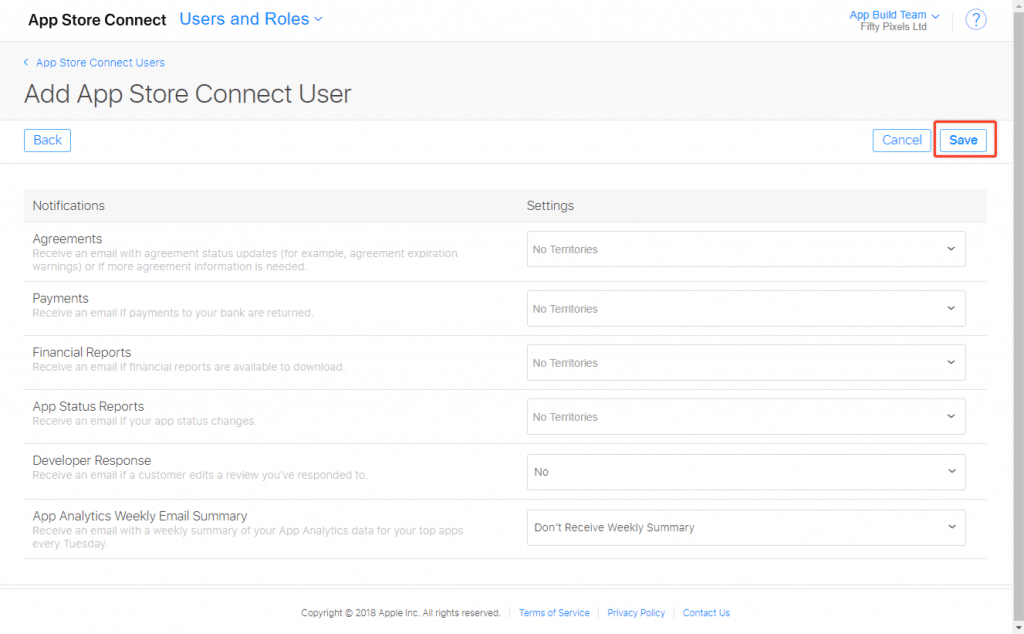
    1. In the last step, you will see a list of permissions, make sure to leave it as it is and click “Save” to send the invitation to your App Store Connect Account.
    save after you add app store connect user
    1. That’s it, the invited user will receive a confirmation email before he can access your App Store Connect account.
  • How many apps can I build with a license or within a plan? | vendrux

    A single app for a single site is included in every plan. We don’t offer a plan for multiple apps, but we can offer special pricing conditions for you if you need more than one app. Just get in touch with us at support@mobiloud.com.

  • The time required to publish your app | vendrux

    From your order to submitting the apps we take 5-10 business days. Note Apple then takes 5-10 business days to approve your app for the App Store. Publishing on Google Play requires generally about a day for the store to update.

  • Do you take care of the app submission? | vendrux

    Yes, we handle the complicated submission process for you. But you can also do it yourself if you want to.Would you like to submit your own app? That’s possible too.