In this article, we’re going to share the latest and most insightful cart abandonment statistics, including:
Average cart abandonment rate
Cart abandonment rate by device
Cart abandonment rate by traffic source
Yearly cart abandonment trends
Cart abandonment by product category
Why people abandon carts
… and more.
Read on as we share everything you’ll ever need to know about shopping cart abandonment, followed by some quick tips on how to improve cart abandonment rate for your business.
Cart abandonment is when a user adds a product to their cart, but doesn’t complete the checkout process and pay. Cart abandonment is a large cause of lost revenue for eCommerce stores, and improving this metric is one of the most direct ways to increase your store’s income.
What is the Average Cart Abandonment Rate?
The average cart abandonment rate across all eCommerce sites is 70.19%, according to Baymard Institute.
This number is an average taken from 59 different studies on shopping cart abandonment. The averages from these studies range from 56-84%.
With 70% of eCommerce shopping carts abandoned, that means for every 10 customers who add a product to their cart, only 3 will go through and complete their purchase.
Cart Abandonment Trends
Since 2006, the average shopping cart abandonment rate has increased from 59.8%, to approximately 70% as it stands now.
Cart abandonment peaks at 72% in 2012, before dropping slightly, though has been steadily increasing since 2014.
Here are the yearly average cart abandonment rate each year since 2006:
Shopping Cart Abandonment Statistics
Now let’s run through some more insightful data surrounding shopping cart abandonment, so you can get a complete understanding of how different user attributes (such as location, demographics, device and traffic source) affect how likely it is for someone to leave your site without completing the checkout process.
Shopping Cart Abandonment Rate by Device
Here is the online shopping cart abandonment rate for desktop, mobile and tablet respectively:
The data shows that desktop users are significantly more likely to complete their checkout than tablet and mobile users.
This implies a huge opportunity to decrease cart abandonment rate, and thus increase your online sales, by making improvements to your checkout flow on mobile.
Which Categories Have the Highest Cart Abandonment Rates?
According to SaleCycle, Telco, Home Furnishings and Automotive are the categories with the highest rates of cart abandonment.
On the other end of the scale, Groceries and Electronics have significantly lower rates of cart abandonment, meaning shoppers are a lot more likely to complete their purchases with these product categories.
Check out the full data below:
Cart Abandonment by Traffic Source
Traffic source makes a big difference in how many customers abandon online shopping carts.
Data shows users from social media are most likely to abandon their carts, at a huge 91%. On the lower end, search traffic users are the least likely to result in an abandoned cart.
Cart Abandonment Rates Around the World
Cart abandonment is more or less common in different areas of the world.
According to SaleCycle data published in Statista, users in the Caribbean have the highest average abandonment rate, while Asia & Pacific consumers have the lowest.
Europe and North American shoppers come in on the lower end of the scale as well.
Cart Abandonment Demographics
A study by Contentsquare found that the 25-34 age group is most likely to result in an abandoned cart.
Their study found that 21% of 25-34 year olds had abandoned a cart at least once. The next most common were 35-44 (20%) and 45-54 (13%).
Overall, 81% of their respondents reported abandoning a cart at least once.
Why Do Shoppers Abandon Carts?
The shopping cart abandonment statistics above give some interesting insight into what kind of online shoppers are more or less likely to leave their cart abandoned. But there’s not a lot you can action from that data, other than adjusting your expectations for users from different age groups, traffic sources, etc.
More importantly, you want to know why online shoppers abandon their carts. With this information, you can start crafting strategies to reduce card abandonment and capture more revenue that would otherwise be lost.
According to a survey from Baymard Institute, far and away the most common reason shoppers abandon their cart is due to extra costs that appear during checkout, such as shipping costs, taxes or other fees.
In their study, 47% of respondents said they had abandoned a cart for this reason.
Distant second and third place reasons were that the site wanted the customer to create an account (25% of respondents) and slow delivery (24%).
See the full results below:
The Impact of Abandoned Carts
If you’re not yet convinced that shopping cart abandonment is a big deal, let the data convince you.
Customer engagement platform Swrve suggests that $4 trillion worth of products will be left abandoned in carts this year alone.
Some of this “lost” revenue will come back, if you implement smart abandoned cart email and retargeting campaigns. Some will be gone forever.
In the worst case scenario, a shopper who abandons their cart in your online store will turn around and buy the item(s) they were looking at from a different retailer.
A study in the UK found approximately 26% of abandoned carts resulted in the shopper buying from a different store – a clear sign that there were solvable issues with the original store that turned them off from making a purchase.
If you don’t address the issue of cart abandonment, not only are you leaving revenue on the table, you’re providing a platform for consumers to research products in your store, but complete their purchase with your competition.
Abandoned Cart Recovery Statistics
The good news for retailers is that revenue left in an abandoned cart is not necessarily gone forever. Experts estimate that $260 billion in abandoned revenue is recoverable.
Retargeting ads and direct messaging channels are commonly used and effective ways to recapture users who abandoned their cart in your store.
Abandoned Cart Retargeting Ads
According to MotoCMS, retargeting ads reduce cart abandonment by 6.5%, and have the potential to increase sales by 20%. Yet only 27% of the retail industry utilizes retargeting ads for abandoned carts.
Abandoned Cart Emails
When it comes to emails, a Moosend survey found that 40-45% of abandoned cart emails are opened, a significantly higher rate than the baseline average for eCommerce marketing emails.
In addition, these emails have a 21% click-through rate, and 50% of users who engaged with an abandoned cart email converted into a sale.
Klaviyo reports that abandoned cart emails deliver $5.81 in revenue per recipient.
Push Notifications for Abandoned Carts
While email and retargeting ads are the most common ways for retailers to recapture abandoned carts, push notifications are another option, and may be the most effective of them all.
With the significantly higher open rates and engagement rates for push notifications (50% average open rate and 10% average click-through rate), it stands to reason that push is be the best way to remind shoppers to return to your store and complete their purchase.
There’s little data available on the effectiveness of push notifications for abandoned cart retargeting yet, which just means that this channel is underutilized, and offers a huge opportunity for you to get a leg up on your competition.
How to Recapture Lost Revenue from Abandoned Carts
Using the insights gained from these shopping cart abandonment statistics, here are seven tips to help you reduce cart abandonment and capture more lost sales.
Simplify Your Checkout
A simple, smooth checkout experience will result in significantly fewer abandoned carts.
Of the top five most common reasons for people to abandon their cart, two are related to checkout processes with too much friction. A long and complicated checkout process is a surefire way to make excited customers turn around, give up and go somewhere else.
Make your checkout flow fast, requiring as few clicks and form submissions as possible (particularly on mobile).
Offer Guest Checkout
It’s understandable that you want to capture customer information when they make a purchase, as this is a powerful asset you have to incentivize repeat purchases.
But some shoppers don’t want their information stored by every company they purchase from online. 25% of shoppers have abandoned their cart for this very reason.
Giving the option for people to check out as a guest will result in a higher percentage of users completing their purchase.
Provide Fast and Cheap Delivery
Of the top five cart abandonment reasons, two relate to delivery.
You can put a damper on your customers’ excitement to buy when they get to checkout and see exorbitant shipping prices, or see that they’ll be waiting a long time until they get their product.
We want fast shipping, and we want it cheap (ideally free). Give that to shoppers and fewer of them will dump their cart before buying.
Build Trust Signals
Trust is a significant barrier between online retailers and potential customers. Online stores need to break through this barrier with multiple trust signals, to make customers feel comfortable about making a purchase.
This means giving shoppers the confidence that they’re buying a high-quality product, and that information they enter into this website will be safe.
Build signals to overcome the barrier of trust, such as customer reviews and testimonials, integrations with trusted payment gateways, and consumer guarantees.
Make Sure Your Website is Fast and Bug-Free
Avoid any technical issues that are going to result in shoppers abandoning their carts.
Slow load speed or bugs with your website make for a frustrating user experience, as well as a negative trust signal.
If a potential customer has to wait around for a number of seconds for the checkout page to load, that’s a big point of friction, which is often going to result in shoppers giving up and finding another place to shop.
Improve Mobile Usability
Data shows that mobile users abandon their carts significantly more than those on desktop. That’s because the checkout experience is generally a lot less intuitive on mobile devices.
Some sites are poorly optimized for mobile, but even those that are mobile-friendly tend to present more friction in checking out, specifically when it comes to entering forms and filling out delivery/payment information.
Mobile commerce currently makes up 38% of all digital spending in the US, which means there’s a lot of potential revenue out there for online stores that embrace mobile shoppers.
Making sure your site is responsive on mobile comes first. On top of that, make it as easy as possible for users to get through the checkout when they’re on mobile, by reducing form submissions, saving customer details for easy checkout, and integrating with mobile payment solutions.
Follow Up with Abandoned Carts
With the simple, cost-effective methods available to reach out to customers and recapture lost revenue from abandoned carts, there’s no excuse not to put this to use.
Set up abandoned cart campaigns with email and retargeting ads and, if you have the ability, push notifications too.
For more tips on how to reduce cart abandonment, plus a deep dive into the cart abandonment topic, check out this post.
Reduce Abandoned Carts with Your Own Mobile App
One of the best things you can do to improve your abandoned cart rate is to launch your own mobile app.
Mobile apps provide a more contained shopping experience, free from the distractions of other browser tabs, which often pull users’ attention away from completing their purchase.
They also provide a smooth shopping experience on mobile, make it easy to save your user’s information for frictionless checkout, and act as a positive trust signal.
Possibly the best thing about mobile apps when it comes to cart abandonment is that they give you the full power of mobile push notifications, the most effective tool to reach out and recapture abandoned carts.
Vendrux lets any eCommerce store launch their own app, without the need to pay for and manage a complicated and expensive development team. Vendrux does it all for you, from converting your website to mobile apps, to submitting your app to the app stores, and even keeping your app up-to-date and bug-free moving forward.
Sample eCommerce Apps Built With Vendrux
You can go live with an app in less than a month, for under four figures upfront – a far cry from the hundreds of thousands of dollars it usually takes to develop an app.
Launching your own shopping app is a great way to boost average order value, conversion rate, retention rate, reduce abandoned carts, and position yourself as an authoritative and trustworthy brand. And for what it costs you to launch an app with Vendrux, it’s hard not to come out with a positive ROI.
If you’re looking to start a new app development project, you’re probably looking into frameworks that can provide you with native functionality, a modern development workflow and great app performance. Two great mobile development choices are Capacitor and Cordova.
Today, we take a look at both app development frameworks to find their key differences and similarities and determine which one is better for your next mobile app project.
What is Capacitor?
Developed in 2018, Capacitor is an open-source project for mobile apps that helps devs build native projects on Android, iOS, Electron, and the web (through PWA). Capacitor gives developers native API access, helping them build once and deploy on multiple platforms, allowing them to do true cross-platform development.
What is Cordova?
Apache Cordova is an open-source project that is used to build web apps across different platforms, all with native device features. Cordova was released in 2009 and while it has been the industry standard for many mobile developers, it’s starting to show its age through the lack of modern features.
PS. if you have a website that you want to turn into a mobile app, you may not need Capacitor or Cordova. Simply use Vendrux instead. See what your app would look like here.
Capacitor vs Cordova – key differences
Apache Cordova is one of the most popular choices for cross-platform mobile applications for years now, but it’s slowly declining in popularity. Capacitor by Ionic is the new alternative that may be a better choice. But let’s compare them in detail and see where they differ.
The native bridge
The Apache Cordova framework uses WebView to render the user interface of the application you’re developing. This is a bridge that communicates between the code you’re writing in Javascript and the native features of the device, through the use of plugins.
On the other hand, Capacitor uses WebView too, but with a few small differences. The native bridge is more modern and as a result, you get better performance and there is more flexibility on how native APIs are accessed.
If you want to mimic native code more quickly and accurately for any device, Capacitor is probably the better choice.
The development environment
Cordova has been around for a while and it’s evident by the multitude of choices of integrated development environments for developers. They can choose from Cordova CLI, Visual Studio and many others.
On the other hand, Capacitor is run by people from Ionic, which means that you’re going to be working in Ionic tools and their development workflow.
Cordova takes the cake here because there is a strong chance that your developer team has worked in some of these IDEs before. On the other hand, only an Ionic team of developers or someone specializing in Capacitor is the kind of person to work in Ionic before.
The plugin ecosystem
Cordova is known for its huge choice of third-party plugins for just about any kind of hybrid app development. If you need to use plugin source code for the camera, geolocation, file system and more, it’s all readily available.
Capacitor can use all of the Cordova plugins but it also has its ecosystem with Capacitor plugins. These provide a seamless integration with the Capacitor bridge, letting you take a modern approach to mobile app development.
It’s hard to pick the better alternative here, but if you’re into modern development practices, the Ionic framework is probably the better choice.
Community support
If you get stuck while building a native application in Apache Cordova, it’s not a huge deal. As it’s been around for a good while, there are many resources out there such as tutorials, guides, forums and more. In general, there is a larger community of long-time Cordova users.
On the flip side, Capacitor is younger and does not have as many materials available online. But it’s not all that bad, Ionic is one of the more popular modern web technologies and you can get help in Ionic communities.
In this category, Apache Cordova wins by a hair.
Javascript and tooling
Being more seasoned is not always an advantage. Cordova does not always support the most recent Javascript features and it may not have the most modern tooling you’d expect from an IDE.
Capacitor is built with support for modern JavaScipt and Typescript, which gets you access to features such as hot reloading, and you can benefit from Typescript support.
In this sense, Capacitor is probably the choice that will get you more love from your development team.
Which one should you choose for your next app?
If you don’t see a major difference between Capacitor and Cordova, let’s break it down for you.
Choose Apache Cordova if:
You need access to a large library of plugins
You need to troubleshoot often and want to find answers easily online
You don’t mind the older WebView and its lackluster performance
You don’t need direct native APi access
You’re okay with writing some additional code if you have platform-specific issues
Choose Ionic Capacitor if:
You need access to the most modern web technologies, including JavaScript, HTML and CSS
You need direct access to native APIs, giving you access to custom native features without using plugins
You need support for progressive web apps (PWA), allowing you to build both for apps and the web
You don’t mind troubleshooting on your own because there is no well-established community
You don’t have extensive requirements in terms of plugins
Or simply, choose the third option
Do you already have an existing website that you want to turn into a mobile app? You don’t need to choose Capacitor or Cordova, because there’s a simpler solution to the problem.
With MobilLoud, you can convert your website into a mobile app that automatically updates with your site. Make changes once and have them reflect both on your website and your app, all while keeping all of your unique website features and your design.
No need to spend time debating development frameworks or pay thousands every month to expensive developers.
Bottom Line: Building a mobile app can be a long and expensive process. From design through development, testing and publishing, it typically takes at least 6 months, and over $100K to launch a high-quality mobile app. A better alternative (for businesses with a working website already) is Vendrux: a managed website to app service, which lets you build and publish your mobile app in weeks, not months.
Building a mobile app can feel overwhelming for non-technical entrepreneurs and small business owners.
Fortunately, you don’t need to be a programmer to bring your app idea to life.
This guide will walk you through two paths to create a mobile app, covering everything from initial planning to post-launch growth. Whether you’re starting from scratch or turning an existing website into a companion app, we’ll break down each phase in simple terms.
Overview: Vendrux’s Mobile App Development Guide
Since 2013, we’ve helped build and launch thousands of apps. In doing so, we’ve learned all there is to know about building mobile apps, including common mistakes, the time and cost you can expect, and the best approach for different kinds of projects.
With that experience, we’ve put together a comprehensive guide for anyone looking to make an app.
Our guide will look at two main paths:
Path 1: Building a Mobile App from Scratch – Ideal if you have a new app idea or a service that isn’t already on a website. We’ll cover ideation, design, development options (including no-code tools), testing, launch, and maintenance for a brand-new app.
Path 2: Creating a Mobile App as a Website Companion – Perfect if you already have a website (like an ecommerce store, news site, or online community) and want a mobile app to enhance your reach. We’ll discuss auditing your site’s content, choosing between a Progressive Web App (PWA), hybrid app, or a custom native app, implementation details, and syncing your app with your website.
By the end of this guide, you’ll have a clear roadmap to create a mobile app, tailored to your resources and needs.
Let’s dive in.
Path 1: How to Build a Mobile App from Scratch
If you’re starting with just an idea (not an existing website or platform), Path 1 will guide you through bringing that idea to reality.
This path is common for entrepreneurs building a new product or business via a mobile app.
Here’s what the mobile app building process will look like:
Ideation & Planning Phase
Every successful app begins with careful planning. In this phase, you’ll refine your idea, research the market, define your target users, plan your Minimum Viable Product (MVP), and consider how the app might generate value or revenue.
Here’s what you need to cover:
Define the Problem and Solution
Clearly identify what problem your app solves. Ask: “What specific value does my app offer users?” Understand existing solutions and how your app improves upon them.
Market Research
Examine similar apps: downloads, active users, user reviews. Identify gaps your app could fill. Confirm real market demand (this ensures you’re building something valuable).
Identify Target Users (User Personas)
Define who will use your app. Busy parents? Students? Professionals?
Create user personas (e.g., “Alice, 30, marketing manager seeking quick workouts”). Personas help align design and features with user needs.
Outline Core Features & MVP
Focus on an MVP, which should include only the essential features delivering core value. List desired features, prioritize them, and select only critical ones for launch.
Avoid feature creep by asking, “What does my app absolutely need to function?” This keeps development manageable in cost and timeline.
Monetization Strategy
Assuming your mobile app is a commercial project (designed to make money), decide your monetization model early:
Free with Ads: Ad revenue, no user fees.
Freemium: Basic features free; premium features via subscription or purchase.
Paid App: Users pay upfront (less common today).
In-App Purchases: Sell virtual or physical goods in the app.
Subscription: Recurring fees for ongoing access.
Indirect Monetization: Free app driving sales or leads to another business.
Choose based on app type and audience’s willingness to pay.
Success Metrics & Goals
Define clear goals or KPIs, such as downloads, revenue, or user engagement. This clarifies your objectives and helps measure success (e.g., “Increase customer retention by 20% via app”).
By the end of this phase, summarize your plan:
App purpose
Target users
MVP
Monetization plan
This outline will guide the rest of your project, and assist with clear communication with designers and developers.
Design Phase (UI/UX Design)
With a solid plan in hand, the next step is designing how your app will look and feel, in terms of the UI and UX.
UI (User Interface) design is about the visuals (layout, colors, typography, etc.), while UX (User Experience) design is about the usability and flow (making the app intuitive and pleasant to use).
As a non-designer, you can still create an effective design by following basic principles and using the right tools.
Here are five steps to designing a mobile app:
1. Sketch User Flows and Wireframes
Start with basic wireframes; simple sketches mapping your app’s screens and navigation.
Focus on logical user flows, like “User opens app → Home screen → Menu → Profile.”
Tools such as Balsamiq, Moqups, or Wireframe.cc are great for non-designers, helping you clarify structure without visual distractions.
A screen-by-screen wireframe for a mobile app [Source]
2. Mobile UX Best Practices
While designing, keep some core UX principles in mind:
Simplicity: Each screen should have one clear purpose. Avoid clutter; use clear labels and intuitive icons.
Consistency: Maintain uniform colors, fonts, and button styles. This makes the app intuitive and cohesive.
Navigation: Choose clear navigation patterns; tab bars for simple apps, hamburger menus for complex ones. Ensure key functions are easy to find.
Accessibility: Use readable fonts (14sp+), high color contrast, and large tap targets (~7mm). Accessibility broadens your audience and helps comply with regulations.
A storyboard, showing the UX journey, step-by-step [Source]
3. Visual Design (UI)
Refine wireframes into polished designs:
Use Templates: UI kits (Google Material Design, Apple Human Interface Guidelines) save time and ensure professional results.
Design Tools: Tools like Figma, Adobe XD, or Sketch let you create detailed screens. Figma is beginner-friendly and offers free community resources. For simpler solutions, Canva or Visily offer easy drag-and-drop interfaces.
Mobile-First Approach: Design initially for smartphone screens (5.5″-6″). Tablet layouts can follow once the primary phone layout is solid.
4. Iterate and Get Feedback
Share designs with others for feedback. Test prototypes with real users to uncover and fix usability issues early.
5. Leverage Design Experts (Optional)
If budget permits, hiring freelance UI/UX designers (Upwork, Fiverr) or using platforms like 99designs can elevate your design.
Once your app’s design is set, the next step is development.
Even if you don’t have any technical skills, there are several practical options to allow you bring your app idea and design to life, from putting together a development team to using a rapid app development tool.
1. No-Code App Builders
No-code platforms use visual drag-and-drop interfaces, ideal for straightforward apps and MVPs.
Popular choices include:
Bubble: Flexible, powerful web and mobile web apps (from ~$29/month).
Adalo: Mobile-focused, simple apps and prototypes (~$45/month).
AppGyver: Strong logic capabilities, free for basic usage.
Glide: Quickly turns Google Sheets into mobile apps.
Thunkable: Visual blocks-based tool for native apps.
Pros:
Quick and cost-effective development.
Minimal tech maintenance.
Deployment often simplified or automated.
Cons:
Limited to predefined components; less flexibility for advanced features.
Tips: Start from templates, configure data, design screens visually, and use built-in logic tools. Expect a small learning curve but benefit from extensive tutorials and community support.
2. Pre-Built App Templates
Another option is to start from a template specific to your type of app:
You’ll purchase existing app code (e.g., from CodeCanyon, ~$50-$300) and hire developers for customization.
Pros: Less coding needed; saves significant time.
Cons: Requires developer assistance for customization and maintenance. End result will likely be lower quality, less unique.
3. Hiring Developers
The other choice is to hire freelancers, a mobile app development company, build an in-house development team or partner with a technical co-founder.
Freelancers: Cost-effective ($20-$100/hour); find on platforms like Upwork, Fiverr.
Development Agencies: Full-service, comprehensive support (costs can range from $10k-$250k depending on complexity).
Tech Partners: Equity-based arrangement, ideal for startups needing long-term commitment.
Using cross-platform frameworks (e.g., React Native, Flutter) can reduce cost and development time significantly.
Tips: Clearly define your app requirements to receive accurate estimates. Evaluate candidates through past work, testimonials, and initial trial tasks.
Cost & Decision Factors
Choosing between no-code tools and hiring developers largely depends on the budget, desired timeframe, your technical skills, and the complexity and type of app you want to build.
Budget
No-code solutions typically cost around $12-$60 monthly, totaling a few hundred dollars annually.
Custom development, on the other hand, involves significant upfront costs (often tens of thousands of dollars) plus ongoing expenses for updates and maintenance.
If budget constraints are tight, starting with no-code can be highly cost-effective. Many businesses initially use no-code to validate their concept and/or build an MVP, and switch to custom coding only after achieving growth and stability.
Time to Market
No-code platforms can accelerate your app’s launch significantly, often reducing development from months to just weeks.
The custom app development process typically takes longer, often 4-6 months for a fully functional MVP.
If quick market entry is crucial due to immediate business opportunities or competition, no-code or hybrid development approaches can provide a significant advantage.
Technical Ability
If you’re comfortable learning and managing tech tools, no-code platforms can provide substantial control and flexibility.
However, if managing technology feels overwhelming or detracts from other critical business activities, hiring developers can free up your time, allowing you to focus on strategic business growth.
Scalability & Flexibility
Consider your long-term goals and potential scalability needs. While no-code platforms have improved greatly, they still have limitations – especially if your app needs advanced computations, custom integrations, or handling millions of users simultaneously.
Complex features like augmented reality or sophisticated algorithms typically require custom development.
Conversely, no-code solutions often suffice for simpler, content-driven, or ecommerce apps, particularly if these platforms continuously enhance their capabilities.
Hybrid Approach
You don’t need to exclusively commit to one method. Many businesses first use no-code to quickly and affordably validate their idea.
After gaining traction and generating revenue, they reinvest in professional custom development to refine functionality and enhance user experience.
Alternatively, using a no-code prototype as a specification for developers can reduce misunderstandings, save costs, and streamline the development process.
Testing & Quality Assurance (QA)
The game isn’t over once you’ve got a working version of your app.
Testing your app thoroughly ensures reliability and a positive user experience. Proper QA helps prevent launching a buggy app that can lead to negative reviews and frustrated users.
Here’s what to consider as part of the testing process:
1. Test on Real Devices
Use actual devices, not just simulators, as behaviors can differ. Include various screen sizes (small and large phones, tablets), operating systems (iOS and Android), and different OS versions (older and newer).
Ensure layouts, interactions, and visual elements appear correctly in both portrait and landscape orientations.
2. Create a Test Checklist
Approach testing systematically with a clear checklist:
Confirm each screen loads without crashing.
Verify all buttons, forms, and links function correctly.
Test edge cases: long inputs, special characters, empty required fields.
Test data handling: scenarios with no data, typical data, and extensive data.
Check offline behavior: ensure your app handles no network gracefully.
Observe user experience issues: unclear labels, confusing steps.
Gather feedback from friends, colleagues, or potential users to identify usability issues you might have overlooked.
3. Beta Testing
Consider structured beta testing before the full launch:
iOS (TestFlight): Apple’s platform allows up to 10,000 beta testers. You’ll need to upload a beta build for testers who provide feedback.
Android (Google Play): Offers closed testing tracks or open beta via Google Play Developer Console. Easy to manage testers through email invitations or public links.
Encourage beta testers to report bugs or suggestions clearly through forms, emails, or in-app feedback mechanisms. Limit beta groups to 20–50 users initially for manageable, actionable feedback, and fix critical issues identified during this phase before your official launch.
Launch & Distribution
Once your app is working, and thoroughly tested for bugs and usability issues, it’s ready to launch.
This phase is about preparing your app for release, submitting it to the app stores (for native apps), and optimizing your app listing so that users can discover and download it.
Here’s what to account for:
1. Developer Accounts Setup
Apple (iOS): Enroll in the Apple Developer Program ($99/year). Approval usually takes a few days.
Google Play (Android): Create a Google Play Developer account (one-time $25 fee).
2. Prepare App Store Assets (ASO)
App Name: Clear, descriptive, unique (Apple ~30 chars, Google Play ~50 chars).
Icon: Simple, recognizable (required sizes, e.g., Apple 1024×1024 px).
Screenshots/Videos: High-quality, highlighting key features. Apple requires at least 4 screenshots per device type; Google requires 2 minimum. Optional short app preview videos recommended.
Description: Engaging, clearly describes core functionality. Include keywords naturally (Google) or separately (Apple).
Category & Tags: Choose relevant category; Google allows additional tags.
Privacy & Compliance: Complete content rating questionnaires; provide a privacy policy URL.
3. App Store Submission
Apple: Submit via App Store Connect, review typically takes 1–3 days. Address any feedback or rejection promptly.
Google Play: Upload via Google Play Console, usually approved within 24 hours.
4. App Store Optimization & Marketing Prep
Choose keyword-rich titles and compelling descriptions.
Utilize short and promotional texts effectively.
Consider localization for international audiences.
Path 2: How to Make a Mobile App (When You Already Have a Website)
This path is for those with established websites – such as ecommerce stores, news sites, online communities, marketplaces, or SaaS applications – build a complementary mobile app for their website.
Instead of starting from scratch, you’ll leverage your current website’s content, user base, and functionality.
By taking a web to app approach, you’ll save a lot of time and cost on the initial build, as well as cutting ongoing costs and complexity.
Assessment Phase: Audit Your Website and Define the App’s Purpose
Before diving into any app-building for your website, step back and evaluate what your mobile app should achieve and how it will integrate with your existing web ecosystem.
Audit Your Website’s Content and Features
Make a list of all the key features and sections of your website:
What content do you provide? (e.g., blog articles, product listings, user profiles, forums, etc.)
What user interactions exist? (e.g., user login, commenting, purchasing, posting content, etc.)
What integrations or systems does your website use? (e.g., payment gateways, maps, analytics, advertising networks, etc.)
This audit helps you identify which parts of the site need to be present or work in the app.
For instance, if you run a news site with an email newsletter signup form and a comments section, you’ll note those as elements to consider in the app (how will users sign up for newsletter in-app? Will commenting be possible in-app?).
Push Notifications: Direct communication to boost engagement
Offline Access: Content caching for offline usability
Device Features: Camera, GPS, biometrics
Brand Loyalty: Enhances credibility, repeated user engagement
Clearly state your app’s primary user benefit, e.g.:
“Our app simplifies product browsing and purchasing with faster checkout and push notifications for new arrivals.”
Identify Integration and Sync Needs
Determine how the app will synchronize with your website:
User Accounts: Ensure users log in with existing credentials and access synchronized data (order history, saved items).
Content Management: New website content must seamlessly appear in the app via APIs or webviews.
Transactions and Updates: Decide which user actions (comments, purchases, form submissions) the app will support.
Third-Party Systems: Identify complex integrations (e.g., payment gateways like Stripe, forum tools like Disqus) and plan appropriate solutions (native SDKs, webviews).
Assess Your Mobile Web Analytics
Check the mobile usage stats on your website.
Are a lot of your users already coming from mobile browsers? How is their engagement compared to desktop users?
If mobile web users have lower conversion or engagement, an app could aim to improve that (for example, maybe mobile web cart abandonment is high on your store – an app with saved login and Apple Pay/Google Pay could improve mobile checkout rates, and abandoned cart push notifications can recover revenue from those who slip through).
Also, see which pages or features mobile users access most – those should be front-and-center in the app.
Prioritize App Features
Not all website features are necessary in an app. Focus on essential mobile user tasks:
News apps: Articles, search, bookmarks (omit less critical pages like careers).
Community forums: Threads, messaging (skip complex admin settings).
Prioritize clearly to deliver a focused, streamlined mobile experience.
—
By the end of the assessment phase, you should have:
A clear statement of what your app will offer and why it’s beneficial to users (compared to or in addition to your mobile website).
A list of website features/data that need to be integrated into the app.
An understanding of the technical landscape (user accounts, content sync, etc.) you’ll need to support.
This groundwork ensures that when you move to the next steps, you won’t inadvertently leave out something critical or build something misaligned with your site’s value.
You’re ensuring the app is an extension of your existing business/site and not a completely separate silo.
Strategic Options: PWA, Hybrid, or Native Wrapper?
When turning a website into a mobile app, choose among three main strategies: Progressive Web Apps (PWA), Hybrid/Webview Wrapper apps, or Native apps integrated with your site’s backend.
Your decision should consider goals, budget, and user experience.
Option A: Progressive Web App (PWA)
A PWA enhances your website with app-like features accessed through browsers. Users install it via “Add to Home Screen,” enabling offline use and push notifications. Crucially, however, a PWA is not a “real” mobile app – just a cheaper and faster alternative.
Pros:
Single, unified website codebase.
Cross-platform compatibility (browsers on iOS, Android, desktop).
Instant updates without app store delays.
Cost-effective, no app store fees or separate maintenance.
Discoverable via web searches.
Cons:
Limited presence and trust compared to app stores.
Restricted access to certain native features (e.g., advanced sensors, Bluetooth).
Performance can lag for intensive apps.
Some iOS limitations persist despite improvements (push notifications require manual home screen addition).
Best for: Quick, cost-effective improvements to mobile experience, particularly for content-heavy sites needing broad accessibility.
Option B: Hybrid Apps / Webview Wrappers
Hybrid apps place your existing website inside a native app shell, combining web technologies with native components like navigation and push notifications.
This is a real mobile app. Users can download it from the app stores, it can send push notifications, and modern web to app tools like Vendrux let you create a mobile app that’s virtually indistinguishable from a custom native app.
Pros:
Quick deployment and minimal UI redevelopment.
Full reuse of existing web content and plugins.
Native app store presence (App Store, Google Play Store).
Access to native features (push notifications, camera).
Lower ongoing maintenance costs (updates reflected instantly from website).
Cons:
Dependent on website performance.
App Store guidelines may require additional native enhancements.
UI/UX may need adjustments for optimal mobile experience.
Occasional platform updates and maintenance of app binaries.
Best for: Businesses with a mobile web experience that already works well, wanting to make a mobile app for their store, without extensive redevelopment or large ongoing expense.
Option C: Native App with API Integration
This option is basically Path 1 (building an app from scratch) but using your existing website’s backend/database.
Instead of showing web content in a webview, you recreate the UI natively for iOS and/or Android and pull data from your website via APIs. You might use your website platform’s API (e.g. Shopify’s storefront API), or build custom API endpoints.
Pros:
Optimal performance and native user experience.
Flexible design tailored specifically for mobile interactions.
Continuous effort required for feature parity with your website.
Extensive API and backend integration work.
Slowest to market compared to PWA and Hybrid.
Best for: Businesses aiming for the highest-quality user experience and distinct differentiation, with adequate resources for long-term maintenance and development.
Vendrux’s comprehensive, streamlined solution is the best mix of speed, affordability, and robust app functionality without extensive overhead.
If your website already runs well and looks good on mobile, Vendrux can get you an end result on the same level as fully native development, for less than 5% of the time and cost.
Why Vendrux?
Vendrux efficiently converts your website into high-quality native apps (iOS and Android) using your existing content and tech stack.
It leverages your current website for the app, allowing seamless continuity between your site and the app.
A perfect example of the website to app conversion process with Vendrux
With Vendrux, you get:
Rapid Deployment: Apps are typically launched within weeks, significantly faster than custom native development.
Cost Efficiency: Substantially lower costs compared to fully custom app builds, often saving hundreds of thousands in development expenses.
Minimal Overhead: No separate app management required; content updates on your website are instantly reflected in the app.
Complete Feature Integration: Full utilization of your site’s existing features, plugins, and technology stack without additional integration work or API limitations.
Expert Support: Vendrux manages complex tasks, including native feature integration (like push notifications), app customization, and app store submissions, greatly reducing the risk of rejection and ensuring a smooth approval process.
Ideal Use Cases for Vendrux:
Content-rich sites (blogs, news, magazines)
Ecommerce stores (Shopify, WooCommerce, BigCommerce, as well as sites on any other platform – including custom ecommerce sites)
Online marketplaces
Mobile-friendly SaaS apps
Online communities and forums
Vendrux provides the optimal balance of speed, cost-effectiveness, and quality, making it the ideal solution for businesses aiming to rapidly establish a professional and feature-rich mobile app presence without the heavy investment and complexity of fully custom development.
Ready to see what your website will look like as an app? Get a free preview now – all you need is your website’s URL.
Implementation Guide: From CMS to Mobile App
Here’s a simplified guide for implementing your mobile app strategy, focusing on common platforms and synchronization between your website and app.
1. Implementing a Progressive Web App (PWA)
Essential Steps:
Enable HTTPS: Ensure your site uses HTTPS as it’s mandatory for PWAs.
Web App Manifest: Add a manifest.json file defining your app’s name, icons, colors, and launch settings. Plugins (e.g., Super Progressive Web Apps for WordPress) simplify this.
Service Worker: Implement JavaScript for caching assets to enable offline usage. Use plugins (WordPress) or libraries like Workbox for easy setup.
Testing: Use Chrome DevTools to verify your manifest, service worker, and offline functionality. Test adding to homescreen manually on Android (Chrome) and iOS (Safari).
Push Notifications: Integrate a push service (e.g., OneSignal) for web push notifications. Setup is straightforward on Android but more complex on iOS.
Promoting Your PWA: Encourage installation via banners or prompts for mobile visitors, improving user retention and engagement.
2. Creating a Hybrid/App (Website-to-App) with Vendrux:
If you go this route, almost all of the implementation steps are done by the Vendrux team.
Here’s a streamlined overview of what’s involved:
Set up and configure mobile app:
Add custom mobile navigation UI.
Customize app (if applicable) by selecting specific pages for inclusion.
Brand your app (loading screen, header colors, etc.).
Integrate push notifications.
Adjust external link handling (e.g., open external links in an in-app browser).
Working with the Vendrux Team
Collaborate closely on requirements and app customization.
Provide necessary app store credentials or invite their team as users on App Store Connect.
Review and test app previews provided by the Vendrux team on your own mobile device.
DIY Approach (Optional)
It’s possible to do a hybrid/webview approach without a service provider, using your own in-house devs (or hired freelancers).
If implementing yourself (e.g., with a tool like Cordova/Capacitor):
Set up Cordova with appropriate plugins (webview, push notifications).
Inject custom CSS to hide redundant website elements in-app.
Include expected mobile app behaviors (e.g., pull-to-refresh).
Prepare for technical complexity and maintenance overhead.
Testing & Publishing
Test thoroughly:
Check login persistence, navigation flow, and overall UX.
Include demo credentials if login is required for review.
Ensure a privacy policy URL is provided.
Clearly explain push notification permissions to users for better opt-in rates.
3. Building a Native App
If you’re building a fully native app integrated with your website, the process is similar to what we laid out earlier in the first section.
The main thing you need to consider (other than the framework of the app itself) is how user accounts and data from your website are synced and authorized across platforms.
A few things to understand:
Native apps typically require API-based authentication (OAuth, JWT).
Webview apps maintain login sessions within the app context but do not share cookies with mobile browsers.
Social logins (Google/Facebook) offer convenient cross-platform login.
You’ll need an API to connect website and app. APIs enable secure operations such as retrieving content, user-specific data, and ecommerce transactions. A stable and secure API is crucial to ensure a seamless user experience for both web and app users.
Some web platforms (e.g. Shopify, WordPress) have their own APIs already set up that you can tap into; otherwise, your development team will need to build custom endpoints.
You’ll also want to set up a system to sync content across web and mobile app (so one platform isn’t constantly lagging behind the other).
You could implement real-time updates through AJAX, periodic refreshes, or WebSocket connections for dynamic content.
Beta Testing & Soft Launch
Before launching, thoroughly test your app internally via TestFlight (iOS) or Google closed testing (Android).
Verify essential features such as login, transactions, and push notifications. Check edge cases, especially simultaneous web and app actions, ensuring smooth server-side synchronization.
Rolling Out and Cross-Promotion
Here are a few tips for once you start to onboard users:
Website Promotion:
Use smart banners (iOS meta tag, Android equivalents) to promote app installations.
Email existing users highlighting app benefits and provide incentives (e.g., discounts).
Cross-Platform Linking:
Include deep links to specific website pages from the app if necessary for advanced functionalities.
Syncing User Accounts
If you’ve already got users set up on your website, it’s vital to ensure seamless synchronization for users active on both platforms.
Examples include logins on an ecommerce site, or an account on a forum or social media site.
Here are some technical tips for managing this:
Server-side management typically ensures consistent states across web and app.
Confirm synchronization of user interactions (e.g., message status, profile updates).
If using offline modes, implement robust synchronization mechanisms to prevent data discrepancies. Webview wrappers naturally handle live synchronization, minimizing this concern.
Performance Monitoring
Regularly track and optimize app performance:
Monitor app store crash logs and promptly address any issues.
Keep an eye on web performance, as it directly impacts app responsiveness.
Analyze app-specific user behaviors and interactions through analytics tools to guide optimizations.
Summary: Converting a Website to an App
Creating an app for your website is largely about integrating, not reinventing.
Use the ecosystem you already have (CMS, database, etc.) and connect it to mobile delivery channels (either via a direct wrapper or via APIs for a native app). There will be some configuration and adjustments to optimize the experience, but you won’t be duplicating your core business logic, which is the biggest win.
This approach drastically reduces development and maintenance overhead compared to building separate systems.
With a companion app in place, you’ll manage your content, products, and users mostly as you always have on your website/CMS. The app becomes another presentation layer, one that can improve engagement and convenience for your mobile audience.
Business Considerations
A mobile app is not just a technical project. It’s a business.
Here’s how to think about the business side of your app.
Cost Analysis and Budgeting for Your Mobile App
Creating and running a mobile app involves various costs. It’s crucial to budget properly so you’re not caught off-guard by expenses.
Let’s break down potential costs and how to manage them:
1. Upfront Development Costs:
This is the money spent to actually build the app (or configure it, in the case of no-code). It can vary wildly:
No-Code/DIY Platforms
These might range from free (for very limited versions) to maybe $30-$100 per month for a decent plan.
Some no-code tools also have one-time fees or addon costs for certain features. For instance, a platform might charge $50/month for the app builder itself, plus $20 extra if you need more database rows, etc.
Overall, no-code is the most budget-friendly upfront. You might spend a few hundred dollars and your own time – but the key factor to consider is the value of your (or your team’s) time.
Often, “saving” money with a DIY platform might actually be costing you more, because of the extra time spent compiling and managing your mobile app.
Service-Based App Builders (like Vendrux)
App builders with a service-based approach use a subscription model as well, typically a little higher than a DIY platform (which make sense because of the extra value you get from the service element).
Vendrux’s pricing starts at $1,499 per month, with a one-time setup fee starting at $5,000.
It’s more expensive than a basic no-code tool; but that reflects the hands-on service you get (which also means much less staff hours spent on your app).
Compared to custom dev, it’s significantly more affordable.
Custom Development Cost (Freelancers or Agencies)
A simple app, custom-built, could be $5k-$15k, mid complexity $30k-$50k, and complex ones $100k+. Agencies might charge more (because they provide full service including project management, QA, etc.).
An average range for a business-oriented app is $20k-$100k, so it’s a serious investment. However, you get a tailored product.
For most small businesses with limited budgets, this is often too high unless the app is absolutely central to their revenue.
Certain features may add cost. E.g., adding a payment system might incur extra dev hours or require paying for a payments SDK, implementing augmented reality or custom animations might bump cost.
Always ask for cost breakdowns by feature to decide what’s essential.
2. Ongoing Maintenance Costs:
Apps aren’t a one-and-done expense.
Plan for continuous costs such as:
Hosting and Server Costs: If your app’s usage grows, you might need to upgrade your website/server hosting to handle increased traffic from app users. Basic hosting might be $20/mo, but a high-traffic app could push you to $100+/mo plans or even dedicated servers (if you have tens of thousands of users).
No-Code/Service Subscription: If you used a platform or service, the subscription is ongoing. Ensure you factor the annual cost. E.g., $50/mo is $600/year. Over 3 years, $1,800. It can still be far less than paying a dev team, but it’s recurring.
Developer Retainer or Updates: If you hired out development, you should budget about 15-25% of the initial cost per year for updates and maintenance. For example, if development cost $50k, plan $7.5k–$12.5k per year on maintenance. This would cover tasks like OS updates, small feature tweaks, server maintenance, and bug fixes. Some years you may spend less, but one major OS update can require a few weeks of developer work.
App Store Fees: Apple has that $99/year account fee. Google’s $25 is one-time. These are necessary costs, but negligible in the overall scope of your project. If you plan to use any paid app store promotions or ads, that’s extra (optional).
Third-party Services: Do you use any paid APIs or SDKs? For instance, maybe you integrate a maps API that charges after X free usage, or a push notification service that costs money at scale, or an analytics tool with a premium plan. Many have free tiers for small usage, but keep an eye as you grow.
Marketing: This isn’t maintenance of the app itself, but maintaining an app audience often requires marketing spend (Facebook ads, etc.). We’ll count that separately in ROI, but don’t forget it in overall app budget if needed.
Unexpected fixes: Bug fixes are part of maintenance, but note that a bug discovered post-launch might require immediate attention. If you don’t have an internal dev, you may need to hire one ad-hoc. It’s good to have a contingency fund (maybe 10% of project cost) set aside for emergency fixes or quick improvements based on user feedback.
3. Hidden and Indirect Costs:
Some costs aren’t obvious line items, but you should consider them:
Your Time: If you as the owner are spending time testing, inputting content, handling app-specific customer support, that is a resource cost. It might replace some website tasks, but initially it might be additional work. If you have staff, maybe someone will have a partial role as “app community manager” or such.
Opportunity Cost: Money spent on app dev is money not spent elsewhere in your business. But conversely, an app can open new revenue streams. Weigh the potential return (more on ROI next).
User Acquisition Cost (CAC): If you choose to do paid campaigns to get app users, that’s a cost per user. For example, if an install via advertising costs $2 and those users do X in sales, is it worth it? Keep an eye on this once you do marketing.
App Store Commission: If you sell digital goods or subscriptions through the app and use Apple/Google in-app purchases, they take ~15-30%. For physical goods or services, they don’t take a cut, but consider that if your monetization is subscription-based (like a premium content subscription via iOS app, Apple will take their share). This is not a direct cost you pay out of pocket, but it’s revenue you don’t get to keep. Factor it into pricing. (E.g., maybe price to account for that if needed, or direct users to pay on web if allowed – careful with Apple’s rules on that).
4. Budgeting Tools & Techniques:
With any software project (particularly one as complex as a mobile app), costs can easily spiral if you’re not careful.
Here are some tips to help keep the cost of your app under control:
Create a simple spreadsheet listing all expected costs: one-time (dev, setup fees) and recurring (monthly subs, yearly fees). This will give you a yearly budget view.
Incorporate optimistic and pessimistic scenarios. E.g., if usage doubles, server costs might double – include that scenario to see if you’d still be profitable.
Track expenses as you go. It’s easy to forget a service you signed up for – keep a list of all subscriptions related to the app.
Use ROI framework (next section) to justify costs: for instance, if maintaining the app costs $5k/year, what amount of revenue or savings will make it worthwhile? Set targets (like “We need at least 500 more orders via the app per year to cover costs”).
Consider phased investment: You don’t have to implement everything at once. If budget is tight, launch with core features, and add less critical ones in a later update when perhaps the app is already bringing some income. This iterative approach prevents over-investing upfront. (Basically an agile approach to budgeting – spend a bit, validate, then decide next spend).
Look for cost-saving opportunities: e.g., use open-source libraries instead of paid components, negotiate with freelancers for a fixed package, use community-driven support resources for troubleshooting to avoid hiring for every small issue, etc. Also, if you do web and app together, sometimes you can kill two birds with one stone (e.g., redesign the website and app with the same new style in one project, possibly cheaper than separate efforts).
How to Track ROI From Your Mobile App
An app is an investment. Over time, you want a return either via direct revenue or indirect benefits.
To measure ROI, use the basic ROI formula: ROI (%) = (Net Profit from App (Gain – Cost)) / Cost × 100.
For example, if you spend $10,000 on the app in a year and it brings $15,000 of profit (maybe via sales or cost savings), that’s (15k-10k)/10k = 0.5, i.e., 50% ROI – meaning you got 1.5x return.
You want a positive ROI within a reasonable time frame (commonly, businesses look for ROI within 1-3 years on tech investments).
To get the clearest idea of the ROI of your app, you need to quantify your gains.
Gains can be:
Revenue Gains: more sales, new customers, higher conversion rates, the ability to sell ads or premium features on the app.
Customer Lifetime Value increase: If the app increases how often customers purchase or engage, they might stay customers longer or spend more (thus increasing LTV).
Cost Savings: Maybe the app reduces support costs (customers can self-serve easier than calling support). Or if it improves efficiency (e.g., if it’s an internal app, it might cut labor hours; not our focus here as we avoided internal tools).
Intangible or Strategic ROI: some ROI is harder to put numbers on immediately—like improved brand loyalty, better data collection on user behavior, or staying competitive because your competitors have apps (which might protect future revenue). You can acknowledge these, but focus on what you can measure for actual ROI calculation.
After launch, track key financial metrics:
Sales via app vs web.
Number of new customers acquired through app marketing vs other channels.
Engagement metrics that correlate to revenue (like if a user uses the app 3x a week, how much do they spend vs a web-only user? For instance, Starbucks found that app users transacted more frequently).
If your app has monetization (ads, subscription), track that revenue separately.
Many companies consider an app a success not just in raw dollars but in strategic positioning (like staying relevant to mobile-first consumers). So, consider ROI not purely short-term profit but also long-term customer retention and growth.
One of the key benefits of Vendrux is that we don’t just hand you an app and let you run with it. We actively help you get a positive ROI from your app, with guidance on acquisition and engagement strategy. To learn more about our process, and how we can help you launch the perfect mobile app, get a free consultation now.
Timeline Considerations (How Long Does it Take to Create a Mobile App?)
Understanding how long it takes to build your mobile app is critical for effective planning, budgeting, and aligning expectations.
Here’s a concise overview of typical timelines for different development approaches:
Testing & Feedback: 1-2 weeks (internal testing, resolving initial issues, and refining user experience).
App Store Submission: Approximately 1 week (including app store review process – Google Play: 1-2 days; Apple App Store: 1-3 days, potentially longer if revisions are needed).
Total Timeframe:4-6 weeks from initiation to app store launch, assuming content and assets are ready.
Key insight: many no-code app builders claim to allow you to build an app in minutes. While technically this may be true, if you’re building a serious app, aimed at driving serious business results, it will likely take a lot longer to compile and publish an app you’re happy with (especially if they provide minimal support).
Launch & Approval: 1-2 weeks (final refinements, store submission, and approval processes).
Total Timeframe: Approximately 6-9 months for a fully custom native solution, longer if complexity increases.
Key insight: Cross-platform apps may take less time to launch; but will not cut development time in half, as some believe.
Recommendations for Timeline Management
Here are some tips to limit timeline creep, and get your app onto users’ mobile devices in less time.
Clearly define your app’s core functionality (MVP) to avoid feature creep and delays.
Allow buffer time in your schedule for unexpected issues or app store revisions.
Consider a phased rollout: quickly launch core features initially, then add enhancements based on user feedback.
Maintain consistent communication with your development team or service provider to minimize misunderstandings and streamline progress.
By setting realistic timeline expectations aligned with your chosen development path, you ensure smoother project execution and better strategic alignment with your business objectives.
Conclusion: Bringing Your Mobile App to Life
Creating a mobile app may seem daunting at first, but with the right approach, it’s absolutely achievable for non-technical entrepreneurs and small business owners.
Whether you choose to build a mobile app from scratch, or build on your existing website, today’s tools and services make app development more accessible than ever.
If your business already has a website, there’s no need for extra cost and complexity rebuilding what you already have.
Vendrux is the fastest and most effective way to launch mobile apps for iOS & Android.
Instead of rebuilding your site or managing a second platform, Vendrux takes your existing website and turns it into a powerful, fully branded mobile app.
You’ll get all the benefits of having a mobile app (home screen presence, App Store visibility, and push notifications) without the cost, complexity, or duplication of effort that come with custom mobile app development or DIY app builders.
What sets Vendrux apart:
Fully managed, done-for-you service: We handle the entire process, from setup and customization to app store approval and post-launch growth.
No need to rebuild your site: Your current tech stack, features, and plugins all carry over into the app.
Launch in under 30 days: Our proven process gets you live fast, with expert QA and store submission support included.
Proven ROI: Customers see results like 3x more visits per user, 15% higher average order value, and 7x higher customer lifetime value.
Strategic support that drives results: We go beyond launch with ongoing push notification management, analytics consulting, and marketing support to ensure your app delivers real business outcomes.
Trusted by leading brands like Jack & Jones, buybuy BABY, John Varvatos, and many more, Vendrux is the partner of choice for businesses that want an app that works – and delivers real business results (without the operational overhead).
Want to see what your app could look like?
Request a free preview and we’ll show you exactly how your site would work as a mobile app – no strings attached.
Building a mobile app for both iOS and Android used to mean building two completely separate apps, with two codebases, two development teams, and roughly double the cost.
Cross-platform development changed that. It lets you build one app that works on both operating systems, whether that means writing shared code in a framework like Flutter or React Native, or using other app development tools that take a similar approach.
This guide covers all the basic strokes you need to know about building cross-platform mobile apps, along with the business case for going cross-platform, and alternatives to traditional cross-platform frameworks that could save you hundreds of thousands of dollars and six months of dev work.
What Is Cross-Platform App Development?
Cross-platform app development can be broadly defined as any approach that lets you create a single app (or a single codebase) that runs on both iOS and Android. Instead of writing one app in Swift for iPhone and a separate app in Kotlin for Android, you write once and deploy to both.
Of course, this is not a scientific definition. The term covers a wide range of development approaches and frameworks. The most common cross-platform approaches are frameworks like React Native and Flutter, which let developers write shared code that compiles to native components.
Outside of these frameworks, cross-platform can also include hybrid frameworks like Ionic, which combine web technologies (HTML, CSS, JavaScript) with native mobile APIs, as well as no-code tools and services like Vendrux, which convert websites into native apps for Android and iOS.
The broad idea: building once, shipping on multiple platforms.
Cross-Platform vs Native
Before cross-platform frameworks existed, building a mobile app meant going fully native. Native development is when you build an app specifically for one operating system, in the language and framework designed for that OS.
On iOS, that means Swift or Objective-C, Xcode, and Apple’s UIKit or SwiftUI frameworks.
On Android, it means Kotlin or Java, Android Studio, and Jetpack Compose.
A simple way to understand the difference between cross-platform and native app development
The advantage of native is that you’re building in the OS’s native language, using its own UI toolkit, with direct access to every hardware feature the device offers. This means performance is as good as it gets. Animations are buttery, transitions feel right, and anything the phone can do, your app can do too.
The downside: you’re building (and maintaining) two totally separate apps. Two codebases, two skill sets, two bug lists, two release cycles. That means more cost, more code to maintain.
Cross-platform development is the response to that problem. Rather than maintaining two parallel apps, you write shared code (or share an underlying web layer, or use a builder) and deploy to both platforms.
You give up some of the raw performance and hardware flexibility of native, but in exchange you cut development costs, speed up timelines, and get a single team that can ship to both app stores.
Native
Cross-Platform
Codebase
Separate per platform
Shared (one codebase)
Dev cost
$150K-$500K+
$50K-$250K
Time to launch
6-12+ months
3-6 months
Performance
Best possible
Near-native (good enough for most apps)
Hardware access
Full (Bluetooth, AR, sensors)
Most features; some gaps
Maintenance
Two teams, two update cycles
One team, one update cycle
Best for
Complex hardware, games, AR
Business, ecommerce, content, SaaS
For most modern apps, cross-platform is just a better way to build. The trade-offs in performance are usually barely noticeable, if at all. The advantages in terms of speed, agility, and maintainability are very real, though.
4 Different Ways to Build Cross-Platform Mobile Apps
Most of the time, when the term “cross-platform” is invoked, it’s referring to React Native/Flutter (or similar frameworks, like Kotlin Multiplatform).
However, using the broader definition of cross-platform, there are actually many different ways to build a cross-platform app, with stark differences in functionality, difficulty and cost.
Let’s run through the different types of cross-platform development now.
Cross-platform frameworks
The most common route to a cross-platform app is through a framework designed specifically for it.
The most widely used are:
Flutter, built and maintained by Google, which uses the Dart language and renders every pixel of the app through its own graphics engine (this is why apps built with Flutter tend to look pixel-identical across iOS and Android).
React Native, Meta’s framework, which takes a different approach: developers write in JavaScript or TypeScript, and the framework bridges to the real native UI components on each platform.
Kotlin Multiplatform, backed by JetBrains. This sits somewhere in between, letting you share business logic across iOS and Android while writing the UI natively in each platform’s preferred stack.
These frameworks power apps at Discord, Shopify, BMW, Alibaba, and plenty of other well-known brands. They give you close-to-native performance, a single codebase, and the full flexibility of custom code.
The trade-offs are that you still need experienced developers, timelines typically run three to nine months, and anything touching deep native features (Bluetooth, advanced camera APIs, background processing) often requires writing platform-specific code on top of the shared layer.
Hybrid frameworks
Hybrid frameworks take a different route. Instead of compiling to native UI or rendering through a custom engine, they use web technologies (HTML, CSS, JavaScript) packaged as a native app, with a bridge that lets the web code call native device APIs.
Ionic is the best-known name in this space, typically paired with Capacitor (or the older Cordova) to handle the native bridge.
Cordova, PhoneGap, and NativeScript all sit in adjacent territory.
The appeal of hybrid development is efficiency for web-first teams. If your developers already work in React, Angular, or Vue, they can apply those skills directly to mobile without learning Swift, Kotlin, or Dart. Apps ship fast, and the web stack you already know keeps working.
The trade-off is that hybrid apps tend to feel more “web-like” than their framework-based counterparts, which is fine for content, dashboards, and internal tools, but can be noticeable in high-polish consumer apps where every interaction matters.
No-code and low-code builders are the fastest way to get something onto an iPhone without a development team.
Platforms like Adalo, FlutterFlow, Glide, Bubble, and Thunkable let you build an app by dragging and dropping components, wiring up data sources, and configuring logic visually.
FlutterFlow generates real Flutter code you can export, which softens the lock-in; most of the others don’t.
These tools shine for prototypes, internal tools, MVPs, and simple utility apps. They’re useful when you need to validate an idea before committing to a full build.
The ceiling, though, is real: customization options run out eventually, subscription fees climb as you scale users, and moving to a different platform usually means starting over.
No everyone would consider these in the same bucket as cross-platform app frameworks; but
Website-to-app conversion services (Vendrux)
Another cross-platform development approach is a managed website to app service like ours – Vendrux.
This is something that sits somewhere in between low-code/no-code tools and hybrid frameworks. Vendrux is made to convert existing websites into Android and iOS apps – particularly custom and bespoke ecommerce sites, built on platforms like Shopify Plus, BigCommerce, Magento and Salesforce Commerce Cloud.
You manage virtually everything about the user experience via your website, and the app reflects what’s on your site – same features, content, design, etc, with a native layer on top.
It’s a very different approach to building a cross-platform app with React Native, or even building in a no-code app builder. Yet the end goal is the same – essentially one codebase, shipping to multiple platforms (web, Android, iOS).
What’s the Right Approach for Your App?
The right approach depends on what you’re building. There’s a huge difference in the requirements between a note-taking app, a shopping app, and a gaming app, for example.
It also depends on other factors, such as how much you’re willing to invest in your app, and what kind of resources you have (such as technical talent in-house).
Here’s a rough idea of what kind of development approaches are best for different types of apps.
Ecommerce brands are usually best served by Vendrux’s website-to-app conversion approach. Your website already does the majority of what a mobile app needs to do. Vendrux gets you from website to app far quicker and significantly more affordably than rebuilding everything in React Native or Flutter, and the end result is more or less the same (with much less work required to maintain it).
Custom consumer apps that don’t have a web counterpart (think social apps, fintech tools, travel apps, new categories of product) are the natural home of Flutter and React Native. You’re building something from scratch, the UX is central to the product, and you need full control over every screen. The three-to-nine-month timeline is worth the investment because the app is the product.
SaaS and B2B dashboards that already exist as web apps can go either way. If your web app is responsive and mobile-friendly, Vendrux is a straightforward way to get it into the app stores and unlock native features like push notifications. If mobile is a top-priority channel and you want a differentiated mobile UX, a framework build makes sense.
Games, AR experiences, and hardware-heavy apps typically need to go native. Cross-platform frameworks have improved dramatically, but graphics-intensive games and apps that rely on Bluetooth, complex sensors, or real-time video processing still benefit from direct access to each platform’s native APIs.
Internal tools, event apps, and MVPs are a good fit for no-code builders. If the app is meant to be used by a small audience, doesn’t need to scale, and has to be live next week, platforms like Adalo or FlutterFlow get you there faster than any other approach.
Web-first dev teams building a simple public-facing app can get good mileage out of Ionic. If your team is experienced in React or Angular and the app doesn’t need polished native animations, hybrid development avoids the cost of hiring specialist mobile engineers.
How to Build a Cross-Platform App
Once you’ve settled on an approach, the actual process of getting an app live follows a fairly consistent arc. Here’s what to expect.
Scoping the app
The first phase is about getting clarity on what the app actually does. Who uses it, what screens it has, what features matter on day one, and what can wait for v2. A short feature list and rough wireframes are enough to start. The biggest mistakes at this stage are scope creep (shipping “everything” instead of a focused v1) and skipping wireframes (jumping to development without a clear picture of the user journey).
(If you’re going the Vendrux route, scoping is mostly about settling on what small tweaks you need to make to the app’s UX, compared to your website. The core functionality is already built, and already works – on your website).
Design and user experience
Design covers both visual design (how it looks) and UX (how it feels to use). For cross-platform apps, this also means deciding how platform-specific you want to be. iOS users expect a bottom tab bar, swipe-back gestures, and Apple’s visual conventions. Android users expect different patterns. Flutter lets you render identical UIs across platforms, which some teams prefer for brand consistency. React Native uses each platform’s native components, which gives each OS its natural feel.
Expect anywhere from two to six weeks of design work for a custom framework build, plus time for stakeholder feedback and revisions.
Development
This is the longest phase and the one where cost and timeline diverge most dramatically across approaches.
A framework build (Flutter, React Native) typically runs three to nine months with a small team.
A hybrid Ionic build is usually faster, but still may take a number of months.
A no-code app can be built in days.
Vendrux launches in roughly 30 days end-to-end, including design, build, and app store submission.
During development, you’ll want to see builds regularly, not just at the end. Most teams run on two-week sprints with demos at the end of each, so you can catch misunderstandings early and steer the product as it comes together.
Testing and QA
Cross-platform apps need to be tested on real devices, not just simulators. Android fragmentation is the biggest pitfall: your app might run perfectly on a Pixel 8 and crash on a three-year-old Samsung. Plan for testing on a range of devices, screen sizes, and OS versions, and budget time for fixing platform-specific bugs that only show up once you’re on actual hardware.
This is also the phase where you catch performance problems. Cross-platform frameworks are fast, but janky animations, slow list scrolling, and laggy transitions are common if the app isn’t optimized. Good QA finds these before users do.
App store submission
Both the Apple App Store and Google Play have review processes your app needs to clear. Apple is stricter: reviews typically take one to three days, and rejections are common for first-time submissions. Common reasons include incomplete metadata, broken login flows, missing privacy policies, misleading descriptions, and using non-standard payment flows in categories where Apple requires in-app purchases. Google Play is generally faster and more lenient, though its policy changes (especially around data privacy) have gotten stricter over the past few years.
If you’re working with Vendrux, submission is handled for you, including navigating rejection feedback and re-submitting.
Launch and ongoing maintenance
Shipping the app is the start, not the finish. Every year, both Apple and Google release new OS versions that can affect how your app behaves. Libraries you depend on get updates. Bugs surface from users. Features get added. Plan for ongoing development after launch: at a minimum, you’ll want to ship regular updates for OS compatibility, bug fixes, and performance improvements. At a maximum, your app becomes a living product you keep expanding on indefinitely.
One of the underrated benefits of cross-platform is that maintenance is simpler. Instead of updating two separate codebases, one team ships one update to both stores.
Turning Your Site into iOS and Android Apps with Vendrux
For any brand that already has a working, successful, mobile-friendly website, there’s a strong argument that the traditional cross-platform framework route (React Native, Flutter) is the wrong place to start.
Those frameworks are designed for teams building a new app from scratch. If you’re a business on Shopify, BigCommerce, Magento, or with a custom web stack, then it’s a backwards step to go and rebuild all of this in a new language.
Vendrux turns your existing website into native iOS and Android apps. Not a simplified version of your site. Not a cut-down mobile experience. Your full website, with all its features, design, integrations, user accounts, and checkout, packaged as real native apps in the App Store and Google Play.
What Vendrux adds on top of your website
Native push notifications that reach customers on their lock screen with no per-message cost, unlike SMS
Deep linking so marketing campaigns and emails open directly in the app
A persistent native navigation bar for a true app experience
App store presence so customers find you when they search the App Store or Google Play
A home screen icon that puts your brand next to Amazon, Uber, and Instagram on your customers’ phones
How it compares to building with React Native or Flutter
The biggest advantage of the Vendrux approach is that you keep your existing tech stack. Every integration you’ve set up, every piece of product data, every custom flow, every theme tweak: all of it already works. You don’t lose your conversion optimization work, your loyalty integration, your reviews widget, or your custom checkout logic. They all come along for the ride.
The second big advantage is speed of iteration. When you add a new product, change a page, run a promotion, or update your theme, those changes reflect in the app right away, because the app is running your website. There’s no need to ship a new app store release for every content change.
This not only means it’s faster to build and ship new features and changes across each of your channels, but it also means the total cost of ownership is significantly less, as you’re not juggling multiple codebases, trying to keep everything in sync.
“If we had unlimited time and money, we would probably go for a custom native app, but that is half a million to a million a year to maintain.” — David Cost, VP of Ecommerce at Rainbow Shops
How the Vendrux process works
Book a free strategy call. Vendrux’s team walks you through a free app preview of your site as an app, answers your questions, and breaks down the business case for a mobile app in your specific category.
Vendrux builds the app. Their team handles everything: design, configuration, native feature setup, QA, and submission to both app stores.
Go live . Your app launches on iOS and Android. Vendrux continues to handle all ongoing maintenance, OS compatibility, and app store compliance on your behalf.
Vendrux pricing starts from $1,499/month, with a one-time setup fee, and no revenue share moving forward.
Final Thoughts
Cross-platform app development is no longer the compromise it was a decade ago. Frameworks like Flutter and React Native have closed most of the gap to native performance. Hybrid tools like Ionic let web teams ship mobile apps with the skills they already have. No-code builders make it possible to launch an app without hiring developers at all. And for brands that already run on a website, website-to-app conversion with Vendrux is usually the fastest and most practical path of all.
The right choice depends on what you’re building. If your app doesn’t exist yet in any form, pick a framework that fits your team. If your app is essentially a mobile version of something you already have on the web, extend the website you’ve already built. The worst thing you can do is spend six months and $200K rebuilding a product that already works, just to put it on an iPhone.
If you want to see what’s possible with a managed website to app approach like Vendrux’s, get in touch and get a free preview now. You’ll see you’re already much closer to a native app than you think.
In this article, we’re going to explore some conversion rate optimization techniques for luxury ecommerce brands.
Taking the chic and elegant from beautifully designed in-store spaces and recreating them online is indeed a great challenge. Maybe that’s why it took luxury brands a little longer to make the digital shift. Luxury ecommerce is not just the product. It’s the experience, the mystery, and the personal touches that complete it. For those who did make the shift, statistics show online sales will contribute to 25% of their overall sales.
But how do we grow from there? With millions of ecommerce sellers online, there are products of every price range available side by side. Consumer trends have also changed over the years. Luxury buyers are not just millennials with overflowing pockets. It’s people from diverse income segments and age groups – a large portion of whom don’t mind thrifting or getting a look-a-like product from time to time.
With all these new factors in play, how can luxury ecommerce brands catch their attention and further, get their conversion rates up?
Conversion Rate Optimization Tips for Luxury Ecommerce Brands
Here are our top seven strategies to grow your luxury ecommerce conversion rate in 2026.
1. Deliver a luxury experience
From the design, layout, colors, personnel, and of course, the price tags in-store, you know luxury when you see it. Transcending this in-store experience in all of its glory to the online world, where users can experience it from the comfort of their homes, is surely going to be tricky.
Why is this important? The experience and uniqueness you provide each customer is what makes you stand apart from phony look-alike product pages. It holds up brand reputation and encourages brand loyalty. Moreover, your website can help you deliver key brand messages to your audience without sounding forced. The complete creative freedom over text and design can give you more flexibility to showcase who you are.
Again, the same aspects play a major role. Investing in a good UI/UX design for your ecommerce website will easily be one of the best decisions for your business. Make sure the design and colors you choose for your webpage reflect your customers’ ideal experience or even more.
Ensure that your website delivers the same experience on all screens. Not just desktop, but mobile too. Optimize your website and give users a seamless action flow- no crossroads or confusion. The best way to test this out is to run focus groups and user testing.
2. Stay true to your brand
Luxury brands have strong personalities and values which their audience looks up to. It can be expressed through their layout style, imagery, or web copy.
You can think of it this way- Whenever a customer sees your store- offline or online, they should be able to recognize, relate, and say ‘Hey, I’ve seen this place before!’.
However, you choose to express it, stay consistent. Use authentic images, and stick to your brand aesthetic. Understand how your audience searches. Constantly analyze website data and understand how shoppers shop at your digital store. Don’t be afraid to A/B test and find what works best for you.
3. Create a brand identity
We live in an era where customers expect more than just products from brands. Brand value and company missions are more than just a statement. They are words to live by.
Taking up digital initiatives with an inclusive approach gets your audiences’ attention. Several such campaigns like the #TurnYourBack challenge by Dove have received tons of positive responses. Use all your marketing channels like social media, blogs, websites, and even ads to support your campaign.
Once you get the momentum going, if your audience catches on, that’s tons of user-generated content, easy discoverability, and a proud moment for your luxury brand altogether.
4. Reassess your audience
The stereotypical luxury shopper would be a 28 year old woman in her chic outfit and high heels with a lot of branded shopping bags. Here’s a surprising fact for you- More than 50% of luxury shoppers are male. Research states that by 2025, millennials and Gen Z will be responsible for 45% of luxury product sales.
An ecommerce website opens up your brand to a wider range of audience. There’s a high chance of users discovering your brand when looking for similar products or doing their due diligence.
To understand who your online audience is, analyze your website traffic. Monitor user data and their journey through your page. You can use heatmaps, recorded user sessions, and run focus groups to identify what works great and what is not so great for your website. Understanding user behavior can, in turn, help build strategies to improve your luxury ecommerce conversion rate.
Here’s one more tip. Being humans, expectations change over time and generations. In identifying your specific audience segment, you can utilize demographic studies to understand them better. This might help you get a clearer picture of what ‘luxury’ means to them.
5. Integrate technology
Technology can be a great addition to your website to stand out from the competition and offer something unique for your audience. From AR filters, holograms, machine learning, and AI to 3D visualization of products, technology has come a long way in the retail space. Integrating them into your website can provide an additional dimension and encourage users to spend more time on your webpage.
Use your tech stack to give shoppers a personalized experience. Give them something to interact with and share. Make them feel like royalty even if they’re at home in their pajamas.
6. Develop customer loyalty programs
Introduce a customer loyalty program for your in-store shoppers. This encourages them to check out your online website and stay updated with your latest launch. You could build it as a points system, referrals-based, or simply, early access to product drops, discounts, and sales.
Additional features like same-day delivery, fast shipping, or in-store pickup can be equally enticing. Did you know that 22% drop out of an online shopping session because shipping is too slow?There are many softwares to help you build your brand’s loyalty program like Xoxoday Plum, LoyaltyLion, etc.
Additionally building loyalty programs can boost your re-targeting efforts for recurring customers. Same person or not, it doesn’t really matter if it improves the conversion rate for your luxury ecommerce brand, no?
7. Create a mobile app
Finally, if you haven’t already, you should consider launching your own branded mobile app.
Selling luxury products online is all about authority. You need to signal to customers that your brand is an authority, and that they can trust your brand to deliver on the promises of quality.
One of the best authority signals you can deliver is having your own mobile app. Apps – at least as most people perceive them – take a huge amount of time, effort and money to create. So when a customer sees you have a mobile app available, they’ll think you’re the real deal.
Luckily, it doesn’t actually take that much to create your own app today. With Vendrux, you can convert your website into a mobile app and leverage the customer experience you’ve already built for the web to launch a beautiful app quickly and affordably.
Just see these example case studies – which include numerous high-revenue ecommerce brands – to learn what’s possible. As long as your website is mobile-friendly, you could be live and in the app stores in as little as two weeks.
Whether you’ve got a luxury fashion brand, jewelry, or any other high-ticket ecommerce store, an app can have a huge impact on your conversion rate, as well as your overall revenue.
In a word – yes. Launching an app for your luxury brand is a great way to build a more immersive and contained shopping experience, which has a direct impact on conversion rates.
When someone shops on your app, they have fewer distractions to contend with. No browser tabs, no other sites contending for the customer’s attention. Just a smooth user experience purpose-built for mobile.
Besides conversion rates, mobile apps are a great way to boost revenue, full stop. Ecommerce app revenue saw an 8.1% increase in the last year alone.
Having an app increases your reach, boosts retention, boosts average order value, and increases the lifetime spend of each customer.
Your brand will be visible to more potential customers by being able to enter the app stores.
A mobile app is a natural retention engine; an icon on the user’s homescreen makes it more likely that they’ll come back and shop more than once.
A smoother, more contained, distraction-free shopping experience means shoppers will spend more time on your site and will likely purchase more.
Higher retention and AOV means a higher spend over the customer’s lifetime, especially when factoring in the power of push notifications to communicate with customers and boost engagement.
Bottom line, if you can build an app, and it’s not going to cost you hundreds of thousands of dollars, you should do it – especially for luxury ecommerce brands, where small increases in conversion rate, retention and AOV add up to a significant increase in profit at the end of the day.
Final Takeaways
Luxury brands should be dialed in to find any ways they can to increase conversion rate.
Even incremental improvements in conversion rate will have a huge impact on your bottom line when you’re selling high-ticket items.
One of the best ways to boost conversion rate, along with long-term revenue, is to launch your own app.
With Vendrux, you can launch an app in as little as two weeks, which replicates the luxury experience you’ve built on your website.
Unlike other no-code solutions, you can keep all the features and all the design from your website – you don’t need to rebuild anything. There’s also no work for you to do. It’s a fully managed service, including taking care of your app after launch. We do everything for you, with a white-glove service package for every user.
The cost of building an app with Vendrux is less than many luxury brands will make in just one sale – so if your app just gets you one or two extra sales per month, it could already provide a positive ROI.
With mobile commerce booming, and more and more people making mobile their preferred way to shop, you shouldn’t wait any longer to build and launch your own luxury ecommerce app.
The retail & ecommerce space is constantly evolving. What worked last year may not work this year. And you simply cannot rely on the same techniques you used to drive sales 3, 4, 5+ years ago.
It’s important to stay on top of the latest trends in ecommerce, particularly when it comes to major events on the shopping calendar, like Black Friday and Cyber Monday.
This weekend can make or break a brand’s year. Any retailer will tell you this time is crucial, for giving you the momentum you need to own the holiday season, and enter the new year strong.
To help you out, we’ve compiled a list of the top ecommerce and Black Friday trends you need to be aware of, and for each, actionable steps to take to ensure this year’s Cyber Week is the best ever for your brand.
Want to learn how to drive low-cost sales and better retention this Black Friday? Get the 2025 BFCM Mobile App Playbook to learn why apps are a competitive advantage, and how to ace Cyber Week with mobile apps & push notifications.
Fastest-Rising Black Friday Trends (and Takeaways For Your Brand)
We like to stay on top of all the latest trends in the ecommerce and retail industry, so we can share the most up to date insights with you, our reader.
Here are (in our opinion), the top trends you need to know coming into this year’s Black Friday/Cyber Monday period, based on recent BFCM statistics, as well as recent trends in the ecommerce space.
More People Shopping Online
Ecommerce, in general, keeps rising every year, even more so during Black Friday, Cyber Monday and the days in between (“Cyber Week”).
Cyber Week 2023 accounted for $35.3 billion in online spending in the US, and a record $11.3 billion on Cyber Monday.
Cyber Monday’s numbers were up 5.8% on the previous year, while Cyber Week in general was up 4% year on year.
Overall, ecommerce’s share of retail sales in the US is growing each year at a pace of around 1% per year – projected to make up 20.3% of all retail spending in 2024.
With Black Friday’s reputation for drawing huge crowds (which many people say puts them off shopping), and the ease of shopping online today, expect another record-breaking Black Friday-Cyber Monday for ecommerce.
Takeaways: As an ecommerce brand, make sure you have enough stock on hand and the capability to handle more sales each year – don’t miss out on the BFCM gold rush because you run out of stock!
The Mobile Revolution
Like ecommerce revolutionized retail, another technology is currently staging a revolution in the ecommerce industry – mobile.
One notable statistic from Black Friday 2024 was mobile continuing to facilitate a greater share of all online sales.
For two years in a row, more sales came on mobile than desktop for Cyber Week (51% in 2022, 51.8% in 2023).
In 2024, this number increased to 57%.
Mobile sales on Thanksgiving day surged to a massive 59% of all online sales.
There’s no reason to assume this trend will slow down. Instead, expect mobile commerce to keep growing, and again make up the majority of all online sales during Cyber Week.
Takeaways: The mobile commerce trend is nothing new, so most brands should be well positioned to convert mobile shoppers in 2024. But if you’re still behind on this, make it a priority to get your website fully optimized for mobile. Additionally, launch your own mobile app to pounce on the opportunity to turn BFCM sales into loyal, long-term customers.
Higher Spend Per Person
There’s more money being spent online during Cyber Week, and the holiday period in general.
But it’s not just more people shopping online. People are typically spending more in each transaction, and more over the entire period.
Average holiday spending has been rising each year, with 23% of people spending more than $1,000 in the holiday season in 2023 (up from 14% just two years prior).
The average cart price for Shopify merchants during the 2023 BFCM period was $108.12 – up from $102.10 in 2022, and 100.70 in 2021.
Expect this to continue this year.
Takeaways: Understand the psychology of Black Friday shoppers – people are in more of a mood to spend money, and this is a great chance to boost sales volume and move inventory.
More Customers Using BNPL
The big winners of BFCM 2023 were Buy Now Pay Later services (such as Affirm, Afterpay and Klarna).
On Cyber Monday alone, $940 million was spent using these services, an increase of 44% from the previous year.
There were 85% more BNPL orders in Cyber Week 2023 than the week prior, and 88% more revenue generated – showing that shoppers are willing to get creative to take advantage of the great deals on offer.
Takeaways: Offering a range of payment options is essential. And along with allowing people to pay by various card types and mobile wallets, it’s becoming key to offer BNPL as an option, to capture as many conversions as possible.
Longer Promotional Period
Once upon a time, Black Friday was for brick-and-mortar sales, and all the big online deals reserved for Cyber Monday.
Then Black Friday grew to include ecommerce sales as well, “Small Business Saturday” emerged, and it became “Cyber Week”, rather than just Black Friday and Cyber Monday.
It’s not stopping there. Thanksgiving is growing as a part of Cyber Week, with 35% of people planning to start their Black Friday shopping on Thursday.
And don’t expect it to be contained to the period of Thursday-Monday – there’s even growing adoption of the term “Cyber Ten”, referring to the period of ten days starting from the Sunday before Black Friday through to the Tuesday after Cyber Monday.
With the intense competition for consumers’ attention (and money), more and more brands are starting their promotions early, instead of waiting until the traditional Cyber Week period.
Look for this to continue, as “early Black Friday” sales present an opportunity to get ahead of the primary Cyber Week rush.
Takeaways: While shorter promotions create a sense of urgency, it may be worth running longer promotions or starting your promotions before Cyber Week kicks off, in order to beat the virtual crowds, and the millions of other brands trying to make a sale.
Higher Discounts (In Most Categories)
Competition for discounts is on the rise. Each year, the standard for what is enough to capture consumers’ attention grows.
Electronics: average discount of 31% off (2023) vs 25% off (2022).
Computers: 24% off (2023) vs 20% off (2022).
Apparel: 23% off (2023) vs 18% off (2022).
Furniture: 21% off (2023) vs 8% off (2021).
The one category where the average discount declined in 2023 was Toys, which went from 34% off on average to 27% off (although this is still up on the average discount from 2021).
Don’t be surprised if the averages rise again this year.
Takeaways: Be prepared to have to offer higher discounts on your products than last year, or else come up with more creative ways of catching your customers’ attention during BFCM.
Less Reliance on Paid Advertising
While paid ads are still the most common way to drive traffic during BFCM, this channel’s market share is slowly decreasing, with paid search contributing 27% of sales in 2023 vs 28% in 2022.
These channels are becoming more competitive, more expensive, and less effective, with more stringent control of cookies and user privacy making it more difficult to target the right audiences.
Look for other channels to rise, particularly owned channels like SMS and push notifications.
According to Omnisend, merchants sent 308.9% more SMS messages on Cyber Monday 2023, and sent 12.7 million push messages over the Cyber Ten, a YoY increase of 91.3%.
These channels are the perfect low-cost alternative to paid ads, and a more effective option than fighting for visibility in consumers’ clogged email inboxes at this time.
Takeaways: Start working early on building your customers lists for channels like SMS and push, to be able to utilize these channels during Cyber Week. If you don’t already have one, consider building a mobile app for your store, to get access to native mobile push notifications for your BFCM campaigns.
Higher Competition, Higher Bar for the Shopping Experience
All up, there’s simply more competition in the retail space every year.
With more competition, the bar for what consumers expect gets higher. They want higher discounts, and you need more persuasive copy to convert them.
Just as importantly, you need a better shopping experience.
If shoppers find it frustrating to navigate your checkout process, or find what they’re looking for, there are deals from a hundred other brands waiting for them, and they’ll be quick to jump ship.
Takeaways: Put the work in to make sure your customer experience is fully optimized before Black Friday. Streamline your checkout flow and fix any bugs or usability issues on your website.
Check out our Ultimate PDP Guide for tips on building high-converting product pages.
How to Own Cyber Week 2025 with Mobile Apps
One of the best things you can do to own Cyber Week this year, and for years to come, is to launch your own mobile app.
A mobile app is a powerful tool to have in your Black Friday arsenal.
It lets you provide a contained shopping experience, free from many of the distractions shoppers are faced with during this period.
Apps offer a more mobile-friendly experience, catered towards the growing number of mobile-first shoppers.
You can cut through the noise on Black Friday, with an app icon on your users’ home screens and access to native push notifications.
Apps are geared towards retention, making it easier to build the momentum of BFCM into long-term revenue.
In the years to come, you’ll see brands with their own app dominate Black Friday and Cyber Monday.
Get Started Now
If you don’t have an app yet, it’s not too late to build one.
Contrary to popular belief, it doesn’t have to take 6 months to a year, and hundreds of thousands of dollars invested, to launch your own mobile app.
Want to build amazing ecommerce apps like these? Check out Vendrux.
With Vendrux, it takes just a few weeks to build your app, with no effort, expertise or major investment required.
You’ll simply convert your existing site into an app – no rebuilding, no overhead, no messing around with new codebases, developers, or agencies.
We do all the work for you, using what you’ve already built and the features and optimizations you already know work, to deliver an app experience your customers will love.
The latest Black Friday statistics shine a light on how the days following Thanksgiving have grown to become the most important period of the year for retailers.
We’ve almost come to think of Thanksgiving as the day before Black Friday, rather than the other way around.
Though Black Friday is nothing new – it’s been a thing since the 1970s, and possibly even earlier – the way we shop on Black Friday and subsequent days is evolving every year, from more people taking advantage of Black Friday-Cyber Monday sales, to a higher share of sales online and on mobile devices.
If you’re interested in what the data shows about how we shop during the biggest shopping event of the year, read on for the latest statistics.
Want to learn how to drive low-cost sales and better retention this Black Friday? Get the 2025 BFCM Mobile App Playbook to learn why apps are a competitive advantage, and how to ace Cyber Week with mobile apps & push notifications.
2024 Black Friday Shopping Statistics
According to the data, Black Friday (and the surrounding days, including Thanksgiving, Cyber Monday, and the newly coined “Small Business Saturday”) is bigger than ever.
Check out the following statistics from the most recent Black Friday/Cyber Week to get an idea of just how massive this period is for retailers, as well as getting an idea of what consumers’ shopping habits look like at the unofficial start of the holiday shopping season.
More than 1 in 2 Americans shop online or in-person during Cyber Week
In 2024, 197 million Americans made a purchase during Cyber Week, either online or in person.
That’s approximately 59% of the entire US population.
This figure is down slightly from 2023, where a record 200.4 million Americans participated in Cyber Week.
In-Store Shopping Up, Online Down
In a slight reversal of trends, 2024 saw more people shopping in person, and fewer online.
126 million people made a purchase in-store during Cyber Week, up from 121.4 million in 2023.
124.3 million Americans made a purchase online, down from 126 million in 2023.
Online Shopping Wins on Black Friday
The distribution flips for Black Friday – 87.3 million Americans made a purchase online, compared to 81.7 million in-person.
The figures are closer than the previous year, however, where we saw 76.2 million consumers shop in-store compared to 90.6 million online.
64 Million People Shopped Online on Cyber Monday
64.4 million people made a purchase online on Cyber Monday 2024, making it the second biggest day for ecommerce.
This number was down from 2023, which saw 73.1 million online shoppers on Cyber Monday.
A Record $41.1 Billion Was Spent Online During Cyber Week
Despite a decrease in overall shoppers, online sales for the “Cyber 5” period were up, setting a new record for Cyber Week sales in the US.
Shoppers spent $41.1 billion total across the period from Thanksgiving to Cyber Monday – up from $38 billion in 2023.
New Online Sales Records for Black Friday and Cyber Monday
Yet again, the two biggest days of the Cyber 5 set new records for online sales.
US shoppers spent $10.8 billion online on Black Friday, up from $9.8 billion in 2023.
Cyber Monday online sales totaled $13.3 billion, up from $12.4 billion a year ago.
Sales on Thanksgiving itself, as well as the Saturday-Sunday period, also set new records.
Global Cyber Week Online Sales Top $300 Billion
Worldwide, online shoppers spent $314.9 billion during Cyber Week, according to a report from Salesforce, up 6% on the previous year.
Black Friday contributed $74.4 billion in online sales (increase of 5% YoY), while Cyber Monday contributed $49.7 billion (up 2% YoY).
Mobile first beat out desktop in 2022, accounting for 51% of all online sales during Cyber Week.
The mobile shopping market share grew again in 2023, reaching 51.8% of all online sales.
And it continues to rise.
57% of all US online sales on Cyber Monday came on mobile devices – $7.6 billion in total, and a 13.3% increase YoY.
Worldwide, 70% of online spending came on mobile, up from 67% in 2023.
Mobile accounted for 57% of all online sales on Cyber Monday 2024, and 70% of all online spending worldwide during Cyber Week.
US holiday season sales expected to top $1 trillion
Experts predict a total of $1.353 billion in US retail sales over the holiday season for 2024, up slightly from the previous year.
19.7% of these sales happen online, meaning over $266 million in US ecommerce sales over the holiday period.
Nearly $1 Billion Spent with Buy Now Pay Later on Cyber Monday
Buy Now Pay Later (BNPL) services inch closer to driving $1 billion in sales on Cyber Monday alone.
In 2024, consumers spent $991.20 million – an increase of 5.5% on the previous year.
Of these sales, 75.2% came on mobile devices.
Consumers spent $15.7 million per minute during Cyber Monday peak
At the peak hour of 10pm-11pm EST on Cyber Monday, consumers spent a massive $15.7 million per minute.
AI having a major impact on Cyber Week shoppers
Analysis from Salesforce found AI to be a major player in online shopping during Cyber Week.
$60 billion worth of global online sales was influenced by AI in some way.
Retailers that used generative AI and AI agents 18% more during Cyber Week than the week before. Those who did use AI reportedly had 2% higher conversion rates than retailers not using AI.
Shoppers leaned heavily on AI to assist their purchasing journey too, using AI-powered customer service agents 38% more than the previous week.
Average order value for November 2023 was 2.7% higher than 2022
Consumers are spending more in each order than the previous year.
Between November 1 and November 27 2023, average order value was 2.7% higher than the same period the previous year.
The increase is even higher over Thanksgiving weekend, with a 3.2% increase in AOV for the period of 25-26 November.
82% of people shop during Cyber Week
More than four out of five people say they shop at some point during Cyber Week, whether it’s online, in-person, or both.
2.5x as many people shop online vs in-person
Of these people, the majority say they plan to shop online. 68% of people shop online during Cyber Week, while only 27% shop at a brick and mortar store.
52% of those who don’t plan to shop on BFCM say it’s because they don’t like crowds
For people who don’t plan to shop during Cyber Week, more than half say it’s to avoid crowds.
Some simply aren’t interested in buying anything, or don’t want to spend money, while 8% think that Black Friday is a scam.
Target and Walmart are the top in-person Black Friday shopping destinations
For people who shop in-person on Black Friday, more than two-thirds shop at Target, Walmart or both.
Kohl’s is the next most popular destination, with 41%, while Macy’s, Best Buy and Old Navy are a few other brands that get a spike in business on this date.
88% of people shop on Amazon on Black Friday weekend
Of people who shop online during Cyber Week, nearly all make a stop at Amazon.com.
88% of people report shopping on Amazon at some point during the period. Target (55%) and Walmart (51%) are also popular with the online crowd, as are the websites of some other big brick and mortar brands.
23% of people plan to spend over $1,000 this holiday season
Nearly a quarter of people say they plan to spend more than $1,000 this holiday season. 45% of people claimed they will spend $600 or more.
Consumers spent an average of $321.41 on holiday-related purchases during Thanksgiving weekend
Thanksgiving marks the start of the holiday shopping season, with an average of $321.41 spent on holiday-related items during this period.
Most popular gift purchases include clothing and accessories, toys and gift cards.
55% of people took advantage of pre-Thanksgiving sales
With Black Friday weekend becoming more and more competitive, many brands opt to start their promotions earlier to get in front of the pack.
It seems customers are responsive to this strategy, with 55% of people saying they made a purchase from an early sale or promotion.
Promotions are coming earlier and earlier too, with 35% of people buying something on sale in the week leading up to Thanksgiving, and 24% more than a week before.
Major categories see up to 2-2.5% more sales during Cyber Monday
It’s no surprise that Cyber Monday sales are much higher than the average day.
Most categories see double their regular sales on Cyber Monday, or more. Apparel sales, for example, grow 189% compared to a regular day in October.
Other top-performing categories include appliances (up 166%), toys (up 140%) and furniture (up 129%).
Discounts hit record highs in 2023
Discounts are hitting record highs during Black Friday and the surrounding days.
The average Black Friday discount for electronics was 31% off in 2023, compared to 25% off the year before.
The average discount for furniture increased from 8% in 2022 to 21% in 2023. Apparel, sporting goods, televisions and appliances all saw higher discounts as well, while the average discount for toys decreased, from 34% in 2022 to 27% in 2023.
Paid search drives 27% of online sales during Cyber Week
Paid search remains the top marketing channel for Cyber Week, driving 27% of online sales from Thanksgiving through to Cyber Monday.
However, this number is down slightly from 28% on 2022.
Direct is the #2 channel, with 21% share of sales. Organic search, email and affiliate are all fairly evenly distributed, while social media drives less than 5% of all Cyber Week sales.
Black Friday Trends: Three Predictions for the Future of Black Friday
The Black Friday figures above paint interesting reading on the current state of Black Friday, Cyber Monday and the overall Thanksgiving sales period.
But how about the future of BFCM? What do these stats tell us about what Black Friday-Cyber Monday will look like next year, five years, ten years from now?
Here are three predictions for how Black Friday will evolve in the coming years.
More sales on mobile: mobile commerce is growing at a fast rate, driving the majority of sales in the US, and 70% of all online sales worldwide. With mobile shopping experiences getting better every year, expect this trend to continue.
More early sales: we’ve seen that almost half of all shoppers already take advantage of pre-Thanksgiving sales. With the intense competition and ad costs during Cyber Week, look for more brands to run early promotions, potentially starting as soon as the start of November.
More brands driving sales through owned channels: paid ads drive more than a quarter of all Cyber Week sales, but the cost of this keeps going up. Expect to see smart brands utilize “owned” channels, where they can drive sales more or less for free – such as email, SMS and push notifications via their mobile apps.
If you’re running an ecommerce store, and you don’t have an app, you’re missing out. Our ecommerce App Revenue Calculator shows just how much your brand can gain from launching your own app.
US shoppers spent $9.8 billion online on Black Friday last year, and $12.4 billion on Cyber Monday. In total, ecommerce brands generate nearly $40 billion over Cyber Week.
There’s a lot of competition between brands for their piece of the pie. Inboxes are slammed, CPMs are 2.5-3x higher, and every single brand is desperately pushing their offer.
Push notifications are your secret weapon to stay ahead of the pack. Read on and we’ll explain why, and give you some ideas to help craft a winning Black Friday push notification campaign.
Want to learn how to drive low-cost sales and better retention this Black Friday? Get the 2025 BFCM Mobile App Playbook to learn why apps are a competitive advantage, and how to ace Cyber Week with mobile apps & push notifications.
Why Push is the Best Marketing Channel for Brands on Black Friday
Let’s touch on a few reasons why push is so powerful for ecommerce brands, particularly during the holiday season.
Push notifications are cost-effective
Cyber Week is super-competitive, with any brand that cares about getting sales likely running a promotion.
That means the cost of paid traffic channels like social media ads are through the roof.
Push notifications are the opposite. They’re virtually free to send, and yet more likely to be seen than an ad on Facebook or Instagram (which your target might just pass over in a scroll-enduced fugue state).
You can afford to run bigger promotions
One of the difficult parts about Black Friday is running promotions that actually capture attention.
Everyone’s running some kind of deal, and recent surveys show that consumers expect a minimum of 30% off for most product categories for Black Friday/Cyber Monday sales.
If you’re paying for super expensive ads as well, you may not be able to justify offering a big promo as well. But if you have the ability to drive ‘free’ traffic, you may be able to offer massive discounts that separate your brand from the competition.
Push notifications bypass crowded email inboxes
Email is another way to promote your deals for little to no cost. And while email marketing is effective, and worth doing, you’re also contending with massive competition here, and getting visibility during promotional periods is tough.
Your customers are going to have inboxes full of promos from every brand they’ve ever given their email to. Most people aren’t going to patiently look through every single email.
Push is a way to bypass the inbox and get your message straight to the source, landing on your user’s lock screen, where there’s likely to be a lot less competition for attention.
Recipients are already warmed up
Push notifications generally have better engagement and conversion rates than similar channels, largely because recipients are more familiar with your brand.
If you’re messaging them regularly, they’re used to seeing your messages, and the big offer you send them on Black Friday will come with more trust attached.
Compare that to a Black Friday email you get from some brand you bought a pair of shoes from 12 years ago, and who you forget about until their once-annual Black Friday promo comes around.
People are simply more likely to buy from a brand if that familiarity is there.
Push notifications are flexible and easy to personalize
It’s important to personalize your communications, from the content to the timing, to stand out from the hundreds of brands who send the same, boilerplate promos during this time.
Push notifications make it super easy to inject personalization, play around with copy, send different variations to different segments, and make your customers feel unique at a time when many other brands are doing the opposite.
Best Practices for Black Friday Push Notification Campaigns
Sending push notifications alone isn’t enough to make your Black Friday campaigns a success.
It’s important to follow some best practices, and put some thought into your campaigns, to maximize engagement.
Here are a few things to take on board.
Utilize urgency
During Black Friday/Cyber Week, you have urgency built in – whether you’re running a one-day promotion for Black Friday, or a promotion that ends at midnight on Cyber Monday.
Make sure you highlight this in your push messages. Urgency is a proven psychological tactic that increases conversion rates. If shoppers know that the amazing deal they’re looking at will only be around for a short time, they’re more likely to give in to FOMO and take action.
Personalize and segment
Don’t fall into the trap of sending mass-produced push messages that look like they’ve been copied and pasted from chat GPT.
Data shows that personalized push notifications have 4x higher reaction rates. Some ways you can personalize your push notifications is to inject the recipient’s name into the message, or mention some product they purchased in the past.
Additionally, you should segment your push notifications to ensure everyone gets a message and a promotion that’s relevant to them.
Send multiple messages
With all the noise during Cyber Week, don’t be surprised if your first message gets lost in the shuffle, ignored, or the customer just forgets to click it.
You’ll want to send multiple messages, to keep reminding customers of the great deal you’ve got going on.
You don’t want to overdo it and send a constant stream of messages every few minutes, but as long as you’re not going overboard, at least one notification a day (or three messages for a one-day sale) is recommended to ensure you get your customer’s attention.
A/B test before to find out what works best
When it comes to timing, the type of content, specific copy variations, A/B testing can uncover a wealth of insights as to what works best with your audience.
But you don’t want to be testing this during Black Friday. The best brands test this well in advance, and come to Cyber Week with a playbook of tactics and techniques that deliver results.
Run tests well ahead of time, and use the results from these tests to craft your campaign.
Keep copy short, use emojis
It’s not unique to Black Friday or Cyber Monday, but as always with push notifications, short and sharp copy is the best.
You need to capture the reader’s attention and imagination in just a few words.
Emojis are useful too – they’re shown to increase reaction rates by 20%, and offer a great way to convey emotion in a small space, as well as making your messages stand out more.
Now we’ve run through some general push notification best practices, let’s look at some examples of push notifications you can send during Black Friday and Cyber Week.
Pre-Black Friday message
It’s a good idea to warm up your subscribers before Black Friday, and let them know something big is coming.
This gets people excited for what’s to come, and allows them to start thinking about what they’re going to buy once the sale starts.
Example message:
“Stay tuned, {customer’s name}! Our massive Black Friday deal is almost here. 70% off on everything starts Friday 🤯”
First promo message
Once your promo starts, send a message to let your customers know the sale is live.
Make sure to use urgency and personalization!
Example message:
“{customer’s name}, get it while it’s hot! 🔥 Massive savings store-wide for a limited time only.”
Mid-sale notification
Send another notification midway through the sale (multiple if your sale lasts more than one day), again playing on urgency and FOMO to catch the customer’s attention.
Example message:
⌛Time’s running out⌛Use code BFDEAL at checkout to save 70% on EVERYTHING.
Sale ending soon/last chance
Even if you inject urgency into your earlier messages, some people will still leave it to the last minute.
This is your last opportunity to capture the customer’s attention, but it’s also when urgency works the best.
Example message:
🕓This is it! Our massive Black Friday promo ends at midnight tonight 🌙 Your last chance to save 70%!
Abandoned cart notification
On average, 70% of online shopping carts are left abandoned. And with all the craziness going on, all the brands vying for attention, you’re going to have some people fall off before they finish their checkout.
Set up an automatic abandoned cart notification to reach out get them to come back and finish their purchase.
Example message:
🤔{customer’s name}, did you forget something? Your cart is waiting for you. Finish your checkout now and lock in your Black Friday discount!
Personalized deal notification
Use information you have about the customer, such as items they put on their wishlist, to send ultra-personalized promotions with a much higher chance of getting a reaction.
Example message:
{customer’s name}, those shoes you put on your wishlist are now 50% off! 😱
Early access promo
You can also make your app users feel special by giving them exclusive early access to your promo.
This is also a great way to convince people to keep your app installed, and an incentive to convince new people to download your app.
Example message:
🤫 Don’t tell anyone. You’re on the exclusive early access list 😶🌫️ Get shopping with our massive Black Friday discount now!
Not Using Push Notifications Yet?
As we’ve established, push notifications are one of the most powerful tools for ecommerce brands, especially when it comes to the holiday season.
But for the full power of push notifications – mobile notifications sent to your customers’ lock screen – you need a mobile app.
If you don’t have an app yet, let Vendrux help you build one.
Vendrux converts your existing web store into mobile apps, keeping all the features, plugins, integrations and small optimizations that your site relies on for conversions.
We do it with a minimal investment, and little to no overhead, unlike the long and expensive process that is custom app development.
Our apps come with native integrations for OneSignal and Klaviyo, allowing you to set up powerful push notification flows and send customized notifications with just a few clicks.
Black Friday is a huge opportunity for ecommerce businesses to boost revenue, create extra cash flow, and take steps towards building a bigger business long-term.
But you need to approach Black Friday (and the days/weeks surrounding Black Friday) with a carefully planned strategy. You can’t simply expect sales to go through the roof just because it’s Black Friday.
If you fail to plan, you plan to fail, as the saying goes. This article is here to help you plan. Read on as we help you build a powerful Black Friday ecommerce marketing strategy that will deliver a long-term boost to your store.
Want to learn how to drive low-cost sales and better retention this Black Friday? Get the 2025 BFCM Mobile App Playbook to learn why apps are a competitive advantage, and how to ace Cyber Week with mobile apps & push notifications.
Why is Black Friday Such a Big Deal for Ecommerce?
Over the years, Black Friday has morphed into the shopping event of the year.
It’s no longer just the “Friday after Thanksgiving”. Thanksgiving is now the “Thursday before Black Friday”.
Consumers have become accustomed to finding great Black Friday deals, along with deals the days before and after. And for more and more people, online shopping (ecommerce sites and shopping apps) is the first place they look when they want to buy something.
They come with a herd mentality that leads to huge amounts of money spent online. In 2022, Black Friday accounted for $9.12 billion in ecommerce sales.
In addition, conversion rates are significantly higher, with Adobe Analytics showing average conversion rates of 5.6% on desktop and 3.3% on mobile during Black Friday.
According to Shopify, conversion rates for Shopify Plus merchants were even higher, at 7.38% on average over Black Friday.
More active online shoppers means a big opportunity for your store. But it also means more competition which is why a smart Black Friday marketing strategy is important.
When we say “Black Friday”, we’re not only talking about one day.
At one point, this was a one-day shopping event, but as Prime Day is now a two-day event, Black Friday has morphed into a week-long gold rush.
Cyber Monday is actually a bigger day for ecommerce merchants than Black Friday. Cyber Monday sales totaled $13.3 billion in 2024, $2.5 billion higher than Black Friday and the highest single day of the holiday shopping season.
The increase in conversion rate is bigger as well, with 6.9% on desktop and 3.6% on mobile.
Overall, “Cyber Week” generated $41.1 billion in sales in 2024. And each year, more merchants are starting earlier and extending the BFCM (Black Friday-Cyber Monday) excitement later, to further capitalize on the benefit they get out of the year’s top shopping event.
Some even refer to “Black November” instead of Black Friday, as a lot of retailers run sales over the whole month, instead of waiting for Cyber Week to begin.
Thinking Long-Term About BFCM
Similar to how Black Friday is not just a one-day event, smart brands don’t approach BFCM as an isolated event, only seeking a short-term boost. It’s an opportunity to build long-term momentum and bring new, loyal customers into your brand.
Short-sighted businesses see BFCM as a cash grab. Smart businesses use BFCM to build relationships and leverage the excitement of Black Friday into long-term benefits.
With the December holiday season coming up right after Cyber Week, you really need to be thinking long-term. A five-day increase in revenue and a spike in cash flow is great, but bringing new fans in for your brand who continue to shop with you through December is better.
19 Black Friday Ecommerce Strategy Tips
Now let’s move on to a bumper list of proven tips to help you get the most out of Black Friday, Cyber Monday and the surrounding days for your ecommerce business.
1. Make Sure Your Site is Fast and Responsive
Before you start thinking about how to win Black Friday, first make sure you don’t lose it.
You’ll lose Black Friday if your site is too slow or if there are technical issues with your site that drive shoppers away. Speed and responsiveness are always important, but with more people shopping during BFCM, their importance is magnified.
Longer time for a page to load has been proven to increase bounce rate, potentially by as much as 123%. You can expect an even shorter leash during Black Friday with the competition for consumers’ attention.
And as responsiveness goes, any site that’s not mobile-friendly today is missing out on a huge share of their audience. Expect the share of mobile vs desktop traffic to skew even heavier in favor of mobile over Black Friday/Cyber Monday. Data from Shopify stores in 2021’s BFCM period showed 71% of purchases were made on mobile, as more people go for the convenience of being able to shop from their phone.
2. Be Prepared for Increased Activity
There’s no point dreaming up a list of unique Black Friday marketing ideas if you can’t actually handle the increased activity. So spend the time leading up to Cyber Week making sure you’re ready for a hectic sales week.
There are a number of facets to this. Inventory is one. You need enough stock to handle more sales. Many unprepared retailers cap their Black Friday gains by running out of stock because they didn’t plan ahead.
Your website also needs to be able to handle an increase in traffic. Make sure your hosting and the technical architecture of your site is not going to give out if you end up getting 4-5x your usual traffic numbers.
Finally, make sure you have enough staff to keep business operations running smoothly. Get all hands on deck from your support team, and have team members ready to answer customers’ questions immediately. You can’t leave customers waiting 24 hours to get an answer – by then they’ll have already taken a similar deal from a competitor.
3. Audit Your UX and Checkout Flow
With more traffic on your site, the shopping experience becomes all the more important. Small issues are magnified. Things that may have cost you a few hundred in lost sales in an ordinary weekend could cost you tens of thousands during Black Friday/Cyber Monday.
Before Black Friday, do a self-audit of the customer journey and look for any areas you can improve. You need to ensure the navigation is smooth, intuitive and easy to locate. Make your CTAs big, bold and obvious. Look through every part of your site from a CRO angle. Minimal improvements will make a big difference come late November.
Look at your checkout flow and see if there are any opportunities to make this smoother and more streamlined. During BFCM, customers will be rushing to finish their purchase and start looking for the next deal. Anything you can do to remove friction from the buying process and make impulse purchases easier will result in a lot of extra sales.
4. Automatically Apply Discount Codes
As part of your checkout flow, it’s a good idea to cut out the friction of having to enter discount codes.
This just adds hassle for the customer. They might forget the code, they might enter the wrong code, or they might not realize they need to enter a discount code, check out, and come back upset when they realize they paid full price.
Discount codes are a good marketing tool – they make the promotion feel more exclusive and are great for generating shares and helping your Black Friday sale go viral. But during a big promotional period like Cyber Week, they can also be a barrier to conversions.
If you use codes, have them automatically applied at checkout, or do away with codes entirely (but still show the savings in the checkout flow).
5. Supersize Your Deals
Black Friday is not the time to offer 5% off. Even 10-20% off is unlikely to raise many eyebrows.
Shoppers will be seeing big discounts all over the internet during BFCM, so you need to up your game to stay competitive. As long as your margins can afford it, Black Friday is the time to go big.
Discounts in the range of 35% off, 45% off or 50%+ get people excited.
This might temporarily hurt your profit margins, but you get a range of benefits to make up for it, such as increased cash flow. More importantly, you introduce people to your brand and acquire new customers who you can market to in the future for full-price, high-margin sales.
6. Offer Exclusive Discounts to Your Top Customers
Leverage BFCM to boost loyalty with customers who have already shown an inclination towards your brand. Along with promotions to a wide audience, you can run exclusive, higher value promotions specifically for your “VIP” customers.
How you define your VIPs is up to you – it could be people who have spent over a certain threshold, those who have made multiple purchases, or even everyone on your email list who has bought from you in the past.
For these customers, getting an exclusive discount cultivates good vibes, making them feel special and appreciated. Many will remember this feeling later, and come back to buy from you again, as well as providing positive reviews and testimonials that further boost your brand.
7. Run Strategic Promotions
There’s no getting around the fact that running high-discount promotions will put a bit of a dent in your margins.
A lot of merchants try to hedge their bets and offer smaller discounts to maintain margin, and end up with little benefit while still losing out on profit.
A better way to do it is to use high-discount promotions strategically to help boost sales of higher-margin products. You essentially make these promotions your Loss Leaders – products that get customers in the door, where you can market other products to them or make a cross-sell which makes you more money.
For example, you could run a big promotion on one product, then advertise accessories for this product in the checkout flow or as a follow-up email. Or you could heavily discount consumable products, with the idea that customers will come back and re-order at full price at a later time.
8. Push Subscription Products
Subscriptions are another way to use big promotions in a strategic way. Consumable subscription products bring their value not from just a single order, but from the long-term value of customers who subscribe and pay you every month, 90 days, or whatever the subscription term is.
Things like supplements, beauty products, food products and even clothing in some cases work well as regular subscriptions. For BFCM you can offer these subscriptions at a huge discount – potentially even giving the first month free, or close to it, with the idea that the deal will be too good to pass up on, and then once you’ve got them hooked, a lot of customers will keep paying the regular subscription price.
Just make sure you have some previous data for your subscription products that shows the churn rate (the rate of customers who cancel their subscription) is relatively low. You can expect a higher churn rate from people who got a discount on the initial purchase, so if this number is already high you might make a loss from your promotion in the end.
9. Promote Bundles and Threshold Discounts
Another great discount strategy is to offer attractive discounts for people who spend above a certain threshold.
The higher the order value, the higher the discount you can afford to give. So instead of just offering a blanket 50% discount across your store, you can offer a big money-off discount for people who spend $100, or $150, for example (check your average order value and set this threshold comfortably above what people regularly spend).
Similarly you can promote bundles or deals that require multiple products in an order, such as a Buy Two Get One deal, or a discount that unlocks when a customer buys X number of products.
Learn more about the average order value in ecommerce and how to increase it in this article.
10. Use Scarcity and Urgency
You need to make your promotion feel exclusive and make potential buyers feel like they need to act now if they want to take advantage.
That’s why most successful online retailers lean heavily on scarcity and urgency tactics.
Scarcity is the idea that there are only a certain number of discounts available, while urgency is the idea that there discount will only be around for a limited time.
Both achieve the same goal: to make the shopper take action. This helps you close the sale when you have the customer’s attention – more often than not, if they leave, they’re not coming back.
You may need to manufacture these two states somehow. Though there is some innate sense of urgency with BFCM (it doesn’t last forever), five days (for a promotion running from Thursday to Monday) doesn’t really convey the kind of urgency that tells people it’s now or never. And as far as scarcity goes, you might actually want as many people to participate in the promotion as possible, but customers will be more likely to take action if they feel like there’s only a limited number of discounts available.
11. Rotate Promotions Throughout BFCM
Rotating promotions are a great way to manufacture scarcity and urgency without making anything up, as well as keeping things fresh for people who visit your store multiple times over Cyber Week.
For example, you might start with a 12 hour promotion offering 50% off on a particular product line. When the 12 hours are up, it could be Buy One Get One on a different set of products. Later, you run a flash one-hour discount offering 75% off on one product, limited to X number of redemptions.
This generates excitement, along with the scarcity and urgency you want, making customers feel like a deal will be gone soon if they don’t act fast. It also incentivizes people to keep coming back to regularly check your store and see what the next deal is going to be.
Amazon executes this strategy brilliantly during Prime Day. They constantly change promotions over the 2-day event, with deals only available for a limited time.
If you’re wondering whether this works, Amazon did an estimated $12 billion in sales for Prime Day 2023, doing almost as much as Black Friday + Cyber Monday on their own.
12. Run Gamified Promotions
Another way to make your Black Friday marketing campaigns stand out is to use gamification.
Gamification means using game mechanics in your promotions to make them more fun and engaging. Common gamification strategies in marketing include “spin to win” games, mystery coupons, and challenges that unlock more discounts.
A gamified “spin to win” promo on Temu.com
An example you could use for BFCM is a ticker tracking how many discounts have been redeemed over the week. When you reach certain thresholds, new (or higher) discounts get unlocked.
This encourages customers to spend more to unlock better deals, and also functions as social proof when shoppers see that other people have been spending big.
If your gamified promotion is novel enough, it can even generate publicity and drive additional customers to your store.
13. Lean On Owned Traffic Channels
Moving from promotion strategy to customer acquisition strategy for Black Friday/Cyber Monday, the first tip is to heavily utilize owned traffic channels.
Email is the most likely owned traffic channel you’ll have to work with, but you could also have push notifications, an SMS list or an owned audience on social media.
Push notifications are a powerful and largely underutilized Black Friday promo channel
Paid channels are incredibly competitive during Cyber Week, which makes them extremely expensive as well. The more owned channels you have, which allow you to get in front of people without paying, the more you can afford to offer heavy discounts without crippling your profit margins.
14. If You Run Ads, Run Them Early
Though competitive and expensive, paid ads are not necessarily a no-go for Cyber Week. They’re still a great way to get your Black Friday deals in front of new people.
But if you’re going to use paid ads as part of your Black Friday strategy, start early – perhaps even before Cyber Week.
As it gets to Black Friday, ad prices shoot up. You can get in at more reasonable prices the earlier you run your campaigns, along with getting in front of customers before the floodgates open and every brand is competing for attention.
This also gives the algorithm more time to optimize your ads and serve the right ads to the right people come crunch time, and allows you to build an audience that will cut costs down during the busiest part of Cyber Week.
15. Run Personalized Ads and Promotions
Shoppers see thousands of ads and promotions during Cyber Week. You need something to make yours stand out.
Personalization is a great tool for ecommerce stores, particularly during BFCM. The more you can make your promotions speak directly to the customer, the better your chance of standing out from all the other “save 50% this Black Friday” emails and ads.
If it takes more time to segment your audience and create unique offers for each customer, it’s worth it. According to Klaviyo, a high level of segmentation on marketing campaigns has the potential to return over 3x the revenue of a broad, unsegmented campaign.
16. Use BFCM to Recover Abandoned Carts
Black Friday and Cyber Monday are a great opportunity to capture people who were on the fence but didn’t end up completing their purchase.
You can reach out to abandoned carts during Cyber Week to let them know the product they were looking at is now on sale, giving them a great incentive to come back, pushing them over the finish line to becoming a customer.
17. Refresh Creatives Often
Ad fatigue is leveled up to the nth degree during Black Friday. Ads and deals are everywhere someone looks when they go online, from their social media feed to their email inbox, and even on their phone’s lock screen.
It’s vital you mix it up and avoid showing the same images, video or copy over and over. Potential customers will quickly become blind to your ads, automatically passing them over for fresh ads from other brands.
18. Use Social Media to Build Excitement
Your social media channels can help drum up excitement in the weeks leading up to Black Friday. Utilize hashtags, giveaways, teasers that promise things like “The Biggest Black Friday Ever!”
You could run competitions to unlock limited, “early access” on upcoming Black Friday deals, or start promoting a Black Friday landing page that slowly reveals more details as it gets closer to launch.
It’s all about building buzz and anticipation. Make it so that people are counting down until 12:01 on Friday to jump on your site or app and see what awesome deals are available.
19. Offer App-Specific Discounts
Black Friday is a great opportunity to build long-term revenue by setting the stage for customers to spend more over their lifetime as a customer. And getting people to download your app is one of the best ways to boost LTV.
When someone downloads your app, they’re likely to shop with you more often and spend more in each transaction. It also lets you reach out to them with mobile push notifications, a great tool to increase engagement and order frequency.
During Black Friday you can offer exclusive discounts only available in the app. It’s a no-brainer for the customer to download the app to get the deal, and you get a powerful touchpoint with the customer you can use to drive sales after the holidays.
The Value of Having an App During BFCM
There are a number of big benefits to having an app as an ecommerce store, but brands who have an app are particularly well positioned to have a great Black Friday.
As explained in the last point, Black Friday presents the perfect situation to run app-specific discounts to get new downloads.
An app also gives you an owned communication channel, with push notifications, that help you break through the clutter and noise on social media and email during Cyber Week.
And when you get people into your app, it’s a contained, mobile-optimized shopping experience that will convert a higher rate of shoppers on mobile devices.
If you don’t have an app yet, building an app for your site is easy (and fast) with Vendrux. We help you convert your entire site, as is (including any custom features or modifications) into apps for iOS and Android.
You’ll still manage everything from the same backend (e.g. Shopify, WooCommerce, Squarespace), and anything you change your site will reflect automatically in your app.
Examples of ecommerce Apps built with Vendrux
You can go live with your app in as little as a month, for less than you’ll spend on ads in an hour on Black Friday. And it’s totally hands-off – our team does all the technical work for, even as far as submitting your app to the app stores.
The holiday shopping season makes or breaks retailers every year. Smart brands take advantage of Black Friday/Cyber Monday to increase online sales and generate momentum they can take into December and get more valuable holiday shoppers.
The list of Black Friday marketing strategies presented in this post are all easily actionable tips to help you get a bigger boost during Black Friday. It’s vital you plan ahead, because a half-hearted effort at building excitement is not going to cut it when all your competitors are running their own Black Friday sales.
It’s best to start preparing your Black Friday marketing strategy as soon as possible. Plan out your Black Friday promotions and figure out what’s going to make you stand out. Start building the assets you’re going to need during Black Friday, such as owned traffic channels (including building and launching your own app), and fix any issues with your ecommerce site (e.g. site speed and customer experience improvements).
Do the hard work to prepare and you’ll come out of Thanksgiving weekend with a bigger and more profitable online store than ever.
Push notifications are one of the most powerful and underutilized tools in marketing today.
The ability to reach your audience with timely, personalized notifications, with significantly higher visibility and engagement rates than traditional channels like email, at an extremely low cost, can make an enormous difference to your bottom line.
But like any tool, they need to be used the right way. Timing is particularly important for push notifications; send push notifications at the right time, you can capture the recipient’s attention immediately. Send them at the wrong time, and your push notifications may fall into the abyss.
In this article we’ll help you understand the best time to send push notifications, and share some more insights on how to optimize timing to get better results.
If you don’t have an app, you won’t be able to access the full power of push notifications. Luckily, if you’ve got a website, converting it to an app is easy with Vendrux. Get a free preview of your app to see how it works, and learn how you can start driving revenue on autopilot with push notifications.
What Data Says About the Best Time to Send Push Notifications
The first thing we want to do to figure out the best time to send push notifications is look at data, and see if there are any clear insights from what the data says.
Data from Smartech shows that push notifications perform the best when sent between 10am and 1pm, while the hours of 1am to 6am, understandably, are the worst.
This data is perhaps too broad, though, not taking into account the big differences between industries (the ideal time for a shopping app to send a notification may be a lot different to a productivity app, for example).
In 2019, CleverTap studied more than 300 billion push notifications, giving some great insights on the best and worst times to send notifications.
They looked at various industries and which time slots had the best/worst performance (in terms of CTR) for push notifications.
Here are some of the results:
For Business & Finance apps, the best time was between 3pm and 5pm (for a 3.92% average CTR), and between 1pm and 2pm (3.07% CTR). Notifications after 3pm didn’t perform as well.
Retail apps had best results between 8am and 9am (3.98% CTR) and between 6pm and 8pm (3.48%). The worst performing time was between 4pm and 5pm (2.36%).
Education & Training apps performed best between 12pm and 3pm (2.50%) and between 4pm and 5pm (3.05%), and worst after 8pm / before 10am (1.71%).
Health & Fitness apps had a big difference in performance for best time vs worst time. Notifications sent between 5am and 7am had an average CTR of 5.33%, compared to 1.26% when sent between 11am and 12pm.
The report also looked at the most common times overall for sending push notifications.
They found the majority were, predictably, sent between 8am and 10pm. Between these hours, the most popular slots were 12pm to 1pm, 7pm to 8pm, and 11am to 12pm, with a lull around the mid-afternoon.
This doesn’t necessarily indicate that these times are the best time to send push notifications though, and it may be better to choose a quieter time, when there will be fewer apps competing for attention.
Though every situation is unique, timing your push notifications correctly often makes a huge difference.
A lot of the value of push notifications comes from their immediacy. You can reach your customers wherever they are – on the sofa, on the bus, even on the toilet – and get them to open your app and take action with a well-timed, well-crafted push notification.
Yet if you send it when your customer is busy, or unlikely to be looking at their phone, your notification can easily be missed.
It may be lost in the shuffle with notifications they get from other apps (people get an average of 46 push notifications per day), or the user will just swipe it to the side, where they will almost certainly forget about it.
In the worst case scenario, your timing could anger or annoy your customers. Imagine someone gets a loud notification from your app in the middle of a meeting, or in the middle of the night, waking them up.
Poorly timed push notifications can cause your user to turn off notifications, or even delete the app altogether.
At the very least, sending your notification at an inopportune time will lead to lower reaction rates and clickthrough rates, and a lot of revenue left on the table.
How to Find the Right Time for Your Push Notifications
The data we shared earlier gives some idea of the most effective time to send push notifications. But honestly, there’s no single best time that works for every brand, every push notification, and every end user.
You’ll need to do some work to figure out the ideal time and maximize engagement from your notifications. Here are some things to consider when working this out.
Industry
There’s a big difference in the ideal time to send push notifications for different industries or types of apps.
You generally want to send push notifications at a time when it’s convenient for people to use your app.
For example, a stock trading app, an eCommerce app and a workout app may all have different low/peak times.
That’s why CleverTap’s report showed that Health & Fitness apps have a significantly higher CTR early in the morning (5-7am) and in the early evening (5-8pm) compared to late morning (11am-12pm).
Most people work out either first thing in the morning or after work, while a lot less people work out in the late morning.
Think about your industry, and when might be the most convenient time for your users to open your app.
Day of the Week
Consider that the ideal time could be vastly different depending on the day – most notably, weekdays vs the weekend.
With an eCommerce app, it might not make sense to send push notifications at 3pm on a weekday, when most people are at work and likely busy.
Yet at 3pm on Saturday or Sunday, it’s a lot more likely that they have free time and therefore be able to browse your newest collection.
Type of Notification
Optimal timing may differ depending on the type of notification.
Some notifications you want to send right away, no matter the time (except overnight, when you generally don’t want to send any notifications).
These include breaking news, score updates and other “alert”-type notifications where the value to the user is in getting them immediately.
For others, such as promotional notifications from a shopping app, the timing is more flexible and it’s better to play around with the time to figure out when engagement is highest.
Consider the User’s Time Zone
Remember that you might have app users in different time zones, and you’ll need to account for this when scheduling a time to send push notifications.
Most push notification services should give you the ability to automatically adjust the sending time to account for the recipient’s time zone.
OneSignal, for example, makes this easy. They also provide an “intelligent delivery” feature which lets you automatically target users with notifications at times when they’re most active.
Dead Times
As we’ve mentioned earlier, there’s potential to do real damage to your brand if you’re sending push notifications at 2am that wake people up.
These times are less likely to be effective for generating engagement as well, so it doesn’t make much sense to schedule notifications to be sent overnight.
However if you have any notifications that get sent immediately, like breaking news alerts, you may want to set it up so that your notifications don’t get sent to users between the hours of 10pm to 8am, for example.
The exception would be any particularly urgent notifications, such as transaction alerts for a banking app for instance, where it’s important that the user gets the notification right away, no matter the time.
Test & Analyze Results
FInally, instead of blindly trusting third-party data and opinions from others, you should test different times and gather data specific to your audience and your app.
For a shopping app, for instance, you might believe that the best time to send a notification is after work, between 6 and 8pm. But it pays to test a few different time slots. By doing so, you might actually find that people respond better to notifications earlier or later in the day.
Drive Revenue and Engagement on Autopilot with Vendrux
Push notifications are a hugely powerful tool for today’s brands. And as organic reach on social media platforms and search engines declines, traditional messaging channels like email and SMS become more crowded, and your customers spend more of their time on mobile, push notifications will only continue to grow.
Push gives you a way to reach your customers where they are, and drive traffic with a click of a button (perhaps not even that, when you set up automated push notifications).
If you don’t have an app yet, and you’re not already using push notifications to grow your brand, Vendrux is the best way to do it.
Vendrux converts your website into mobile apps, with none of the effort, cost and overhead of traditional app development.
You’ll get high-quality apps to connect with your customers on multiple channels, with no major overhaul to your current workflow.
Best of all, you’ll unlock the power of push notifications. The new revenue you get from push notifications may even pay for the app by itself, as push has done for many of our existing customers.
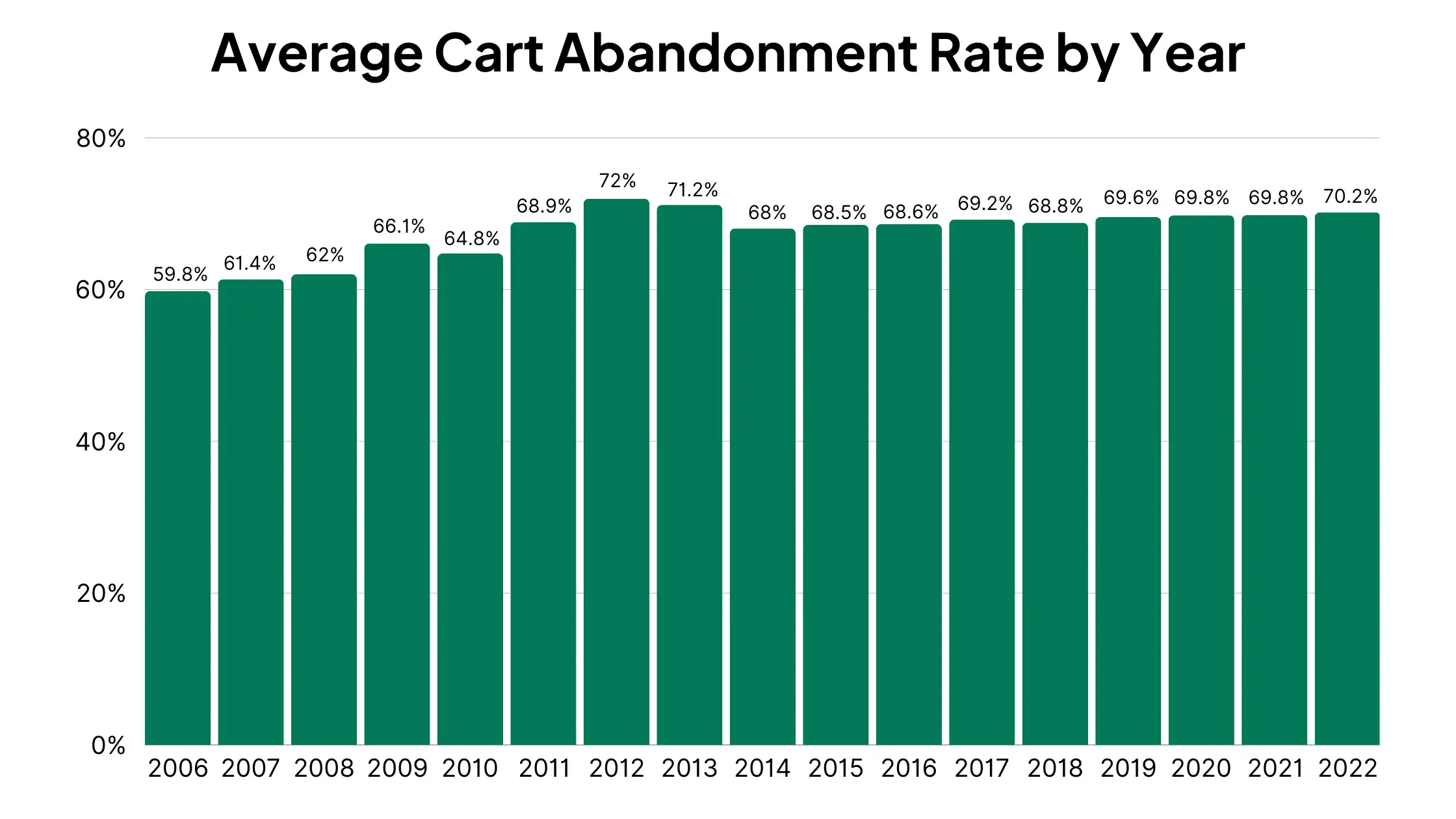

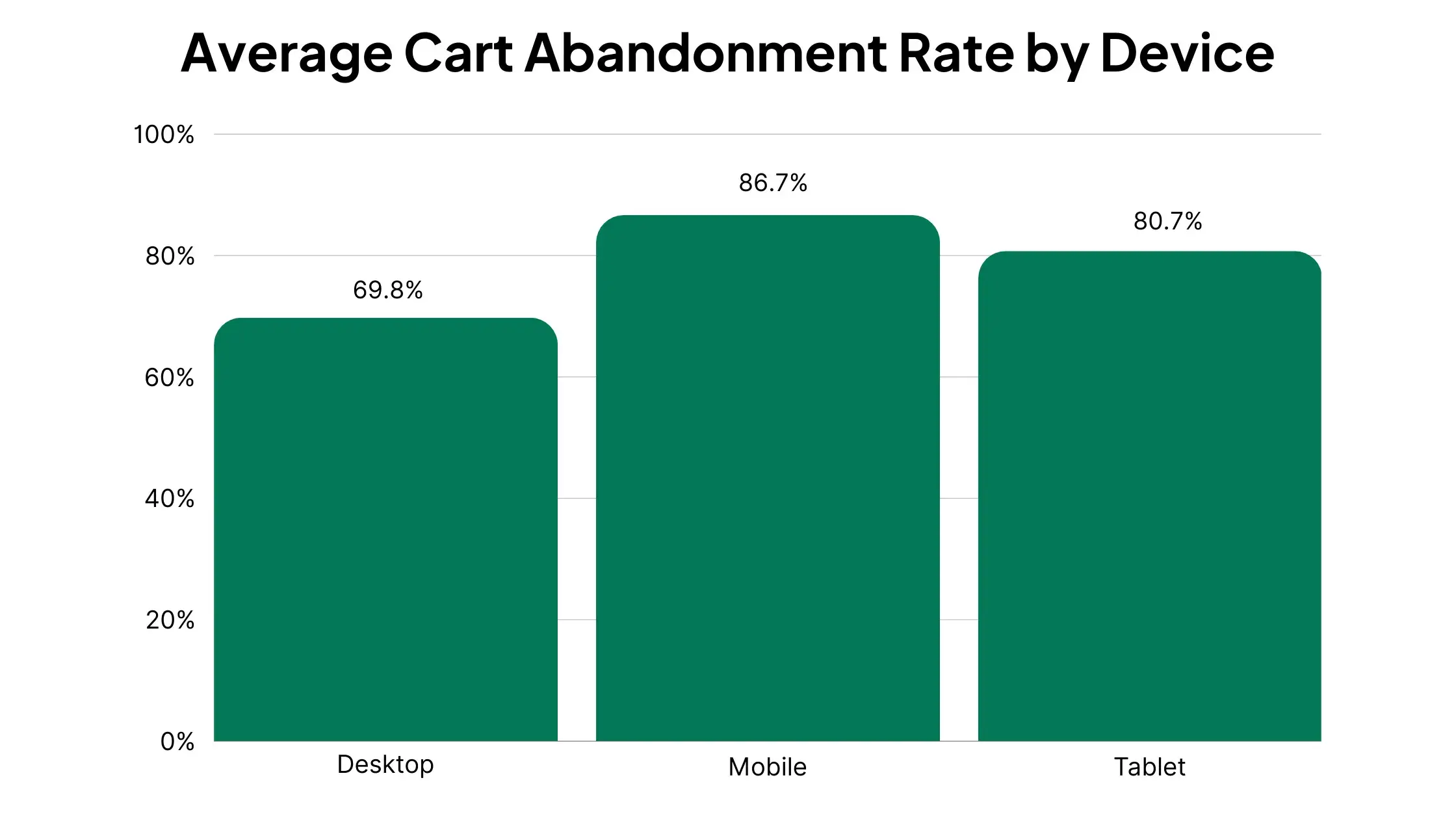

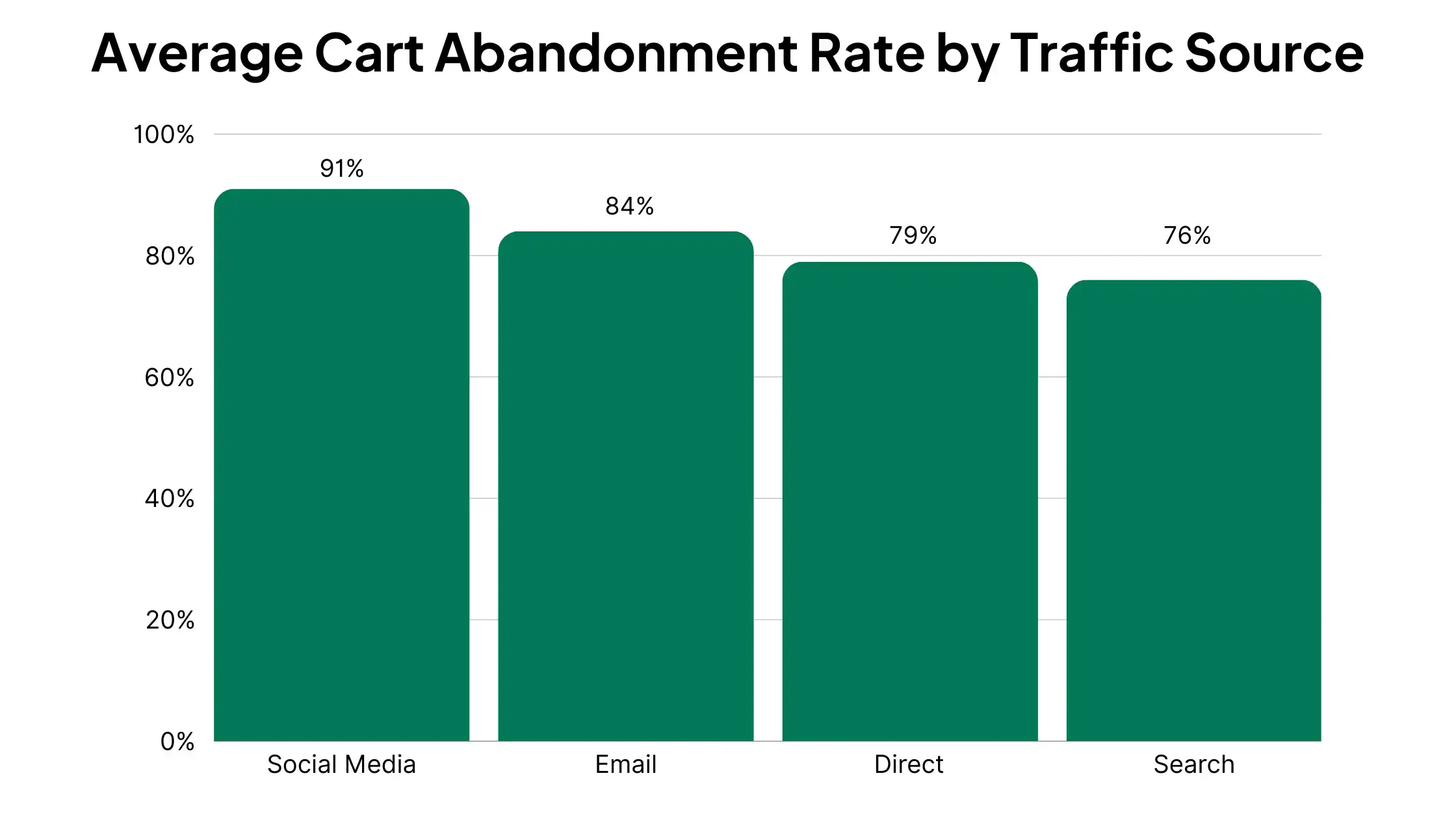
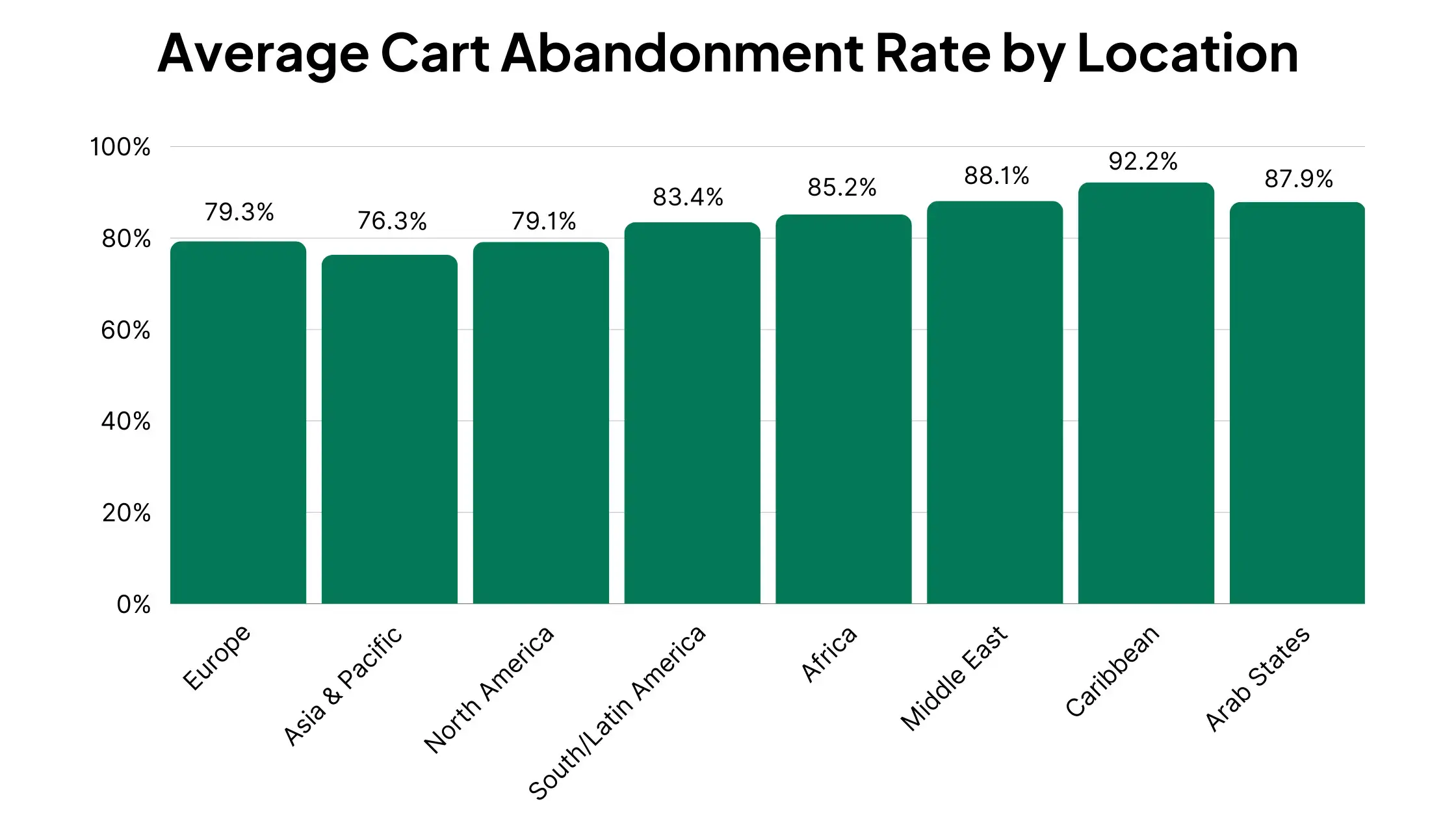
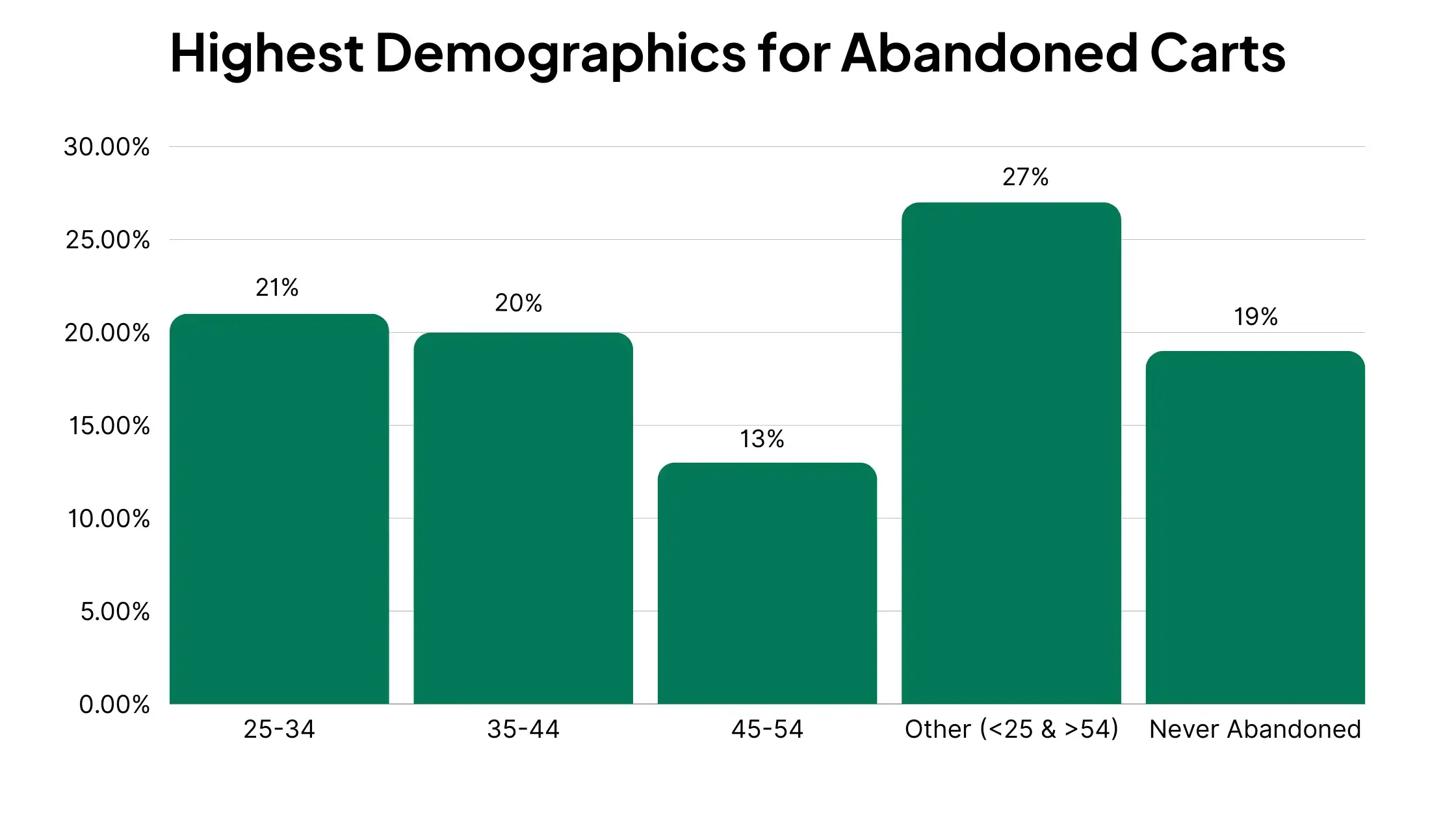
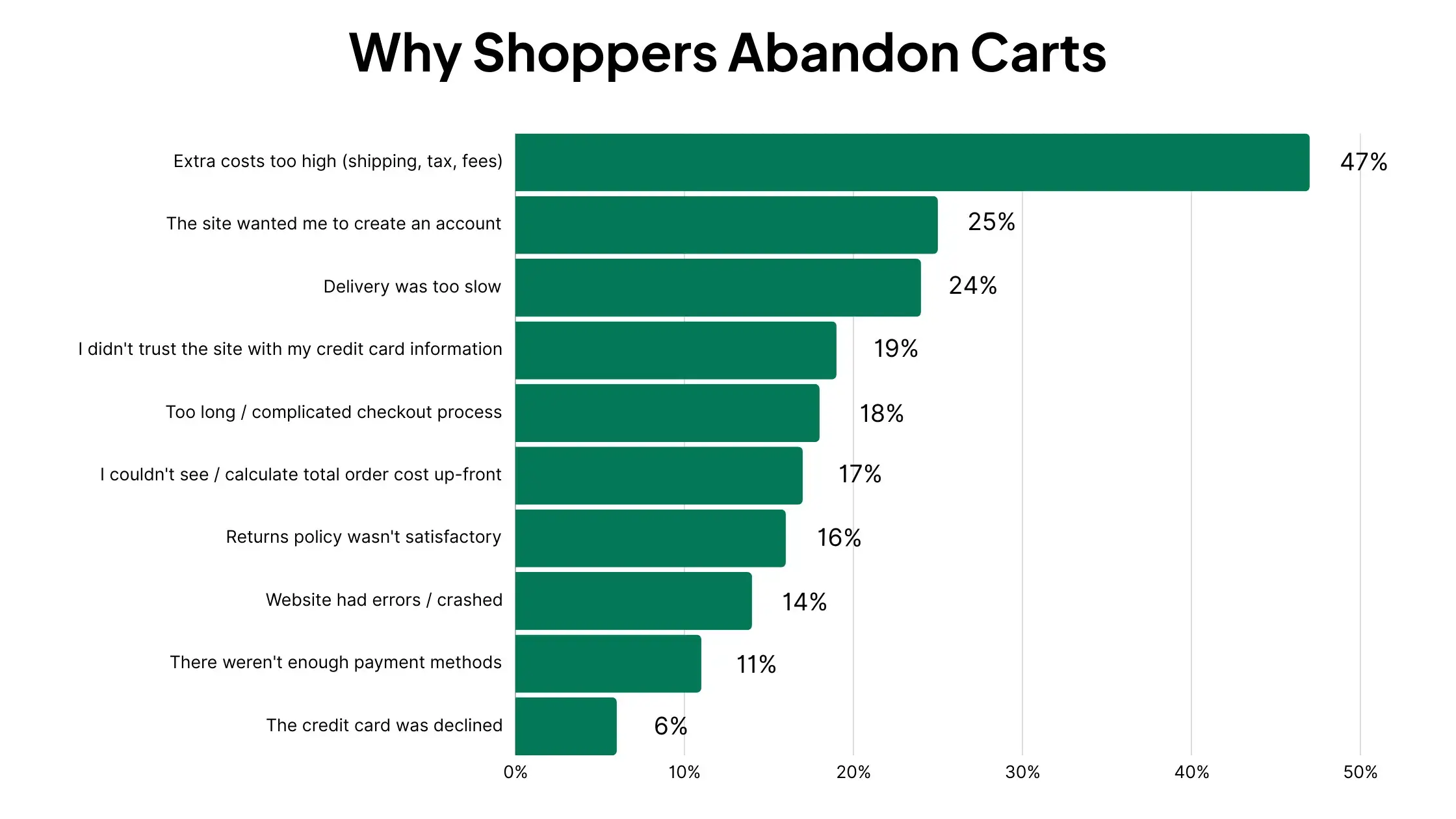
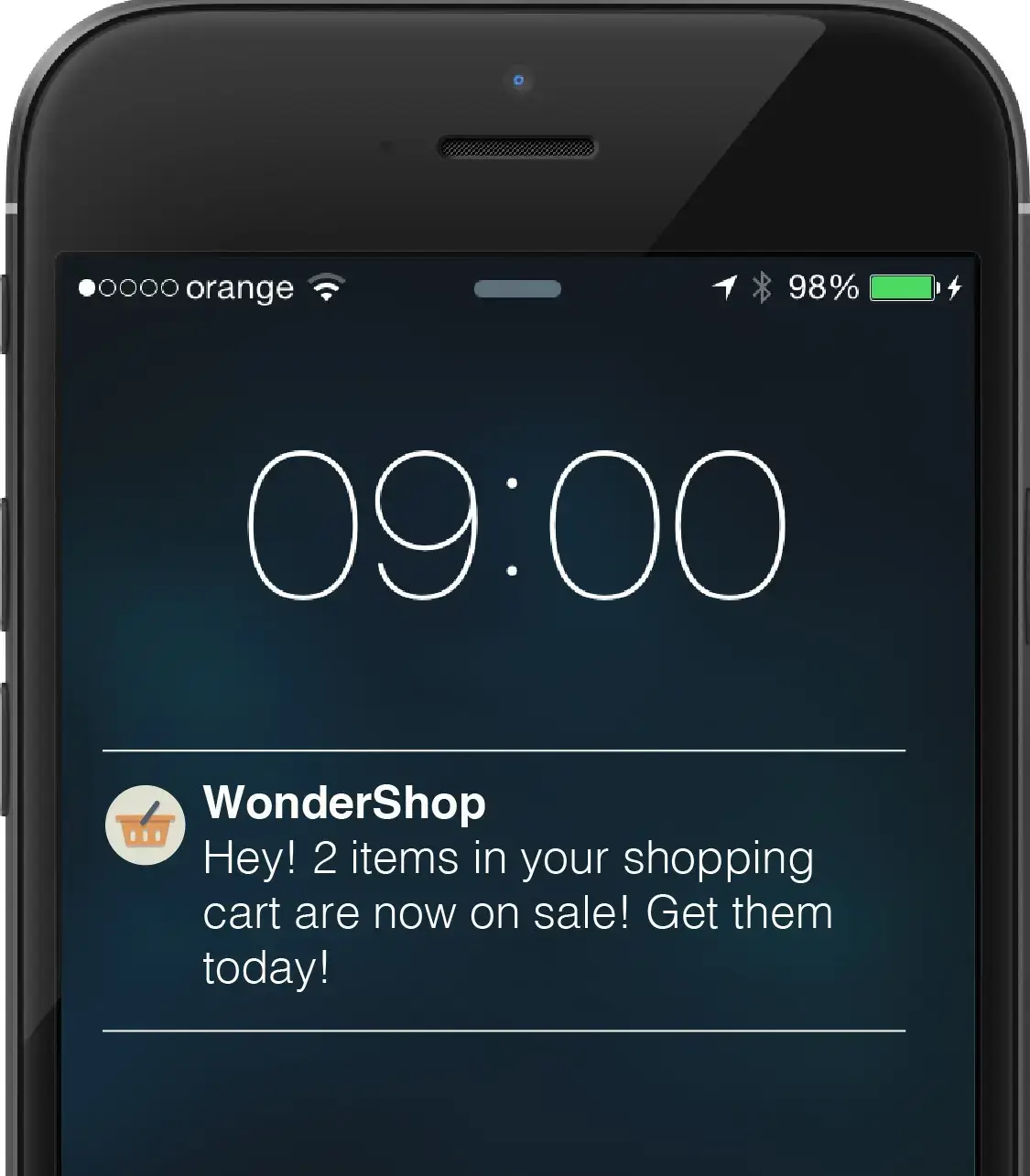

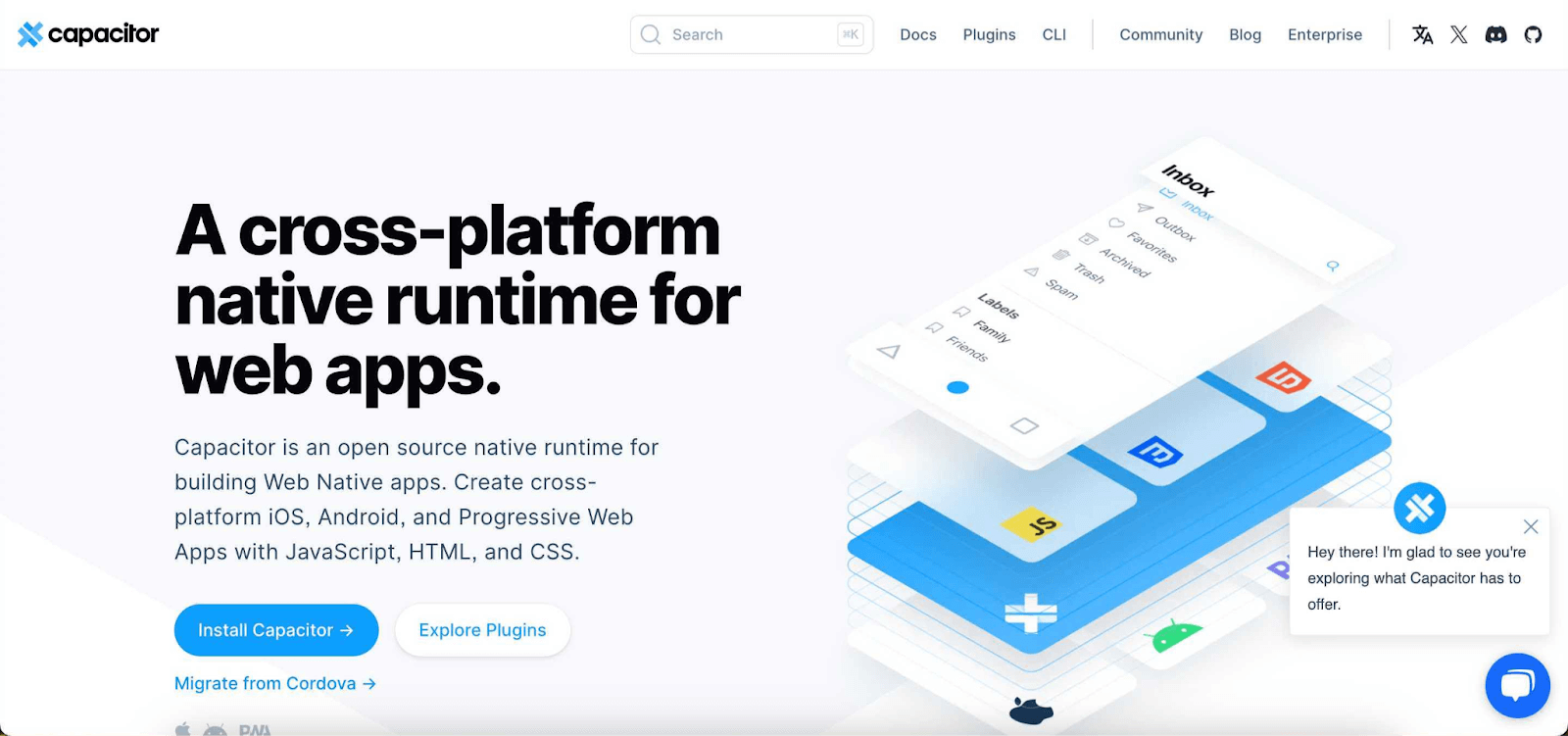
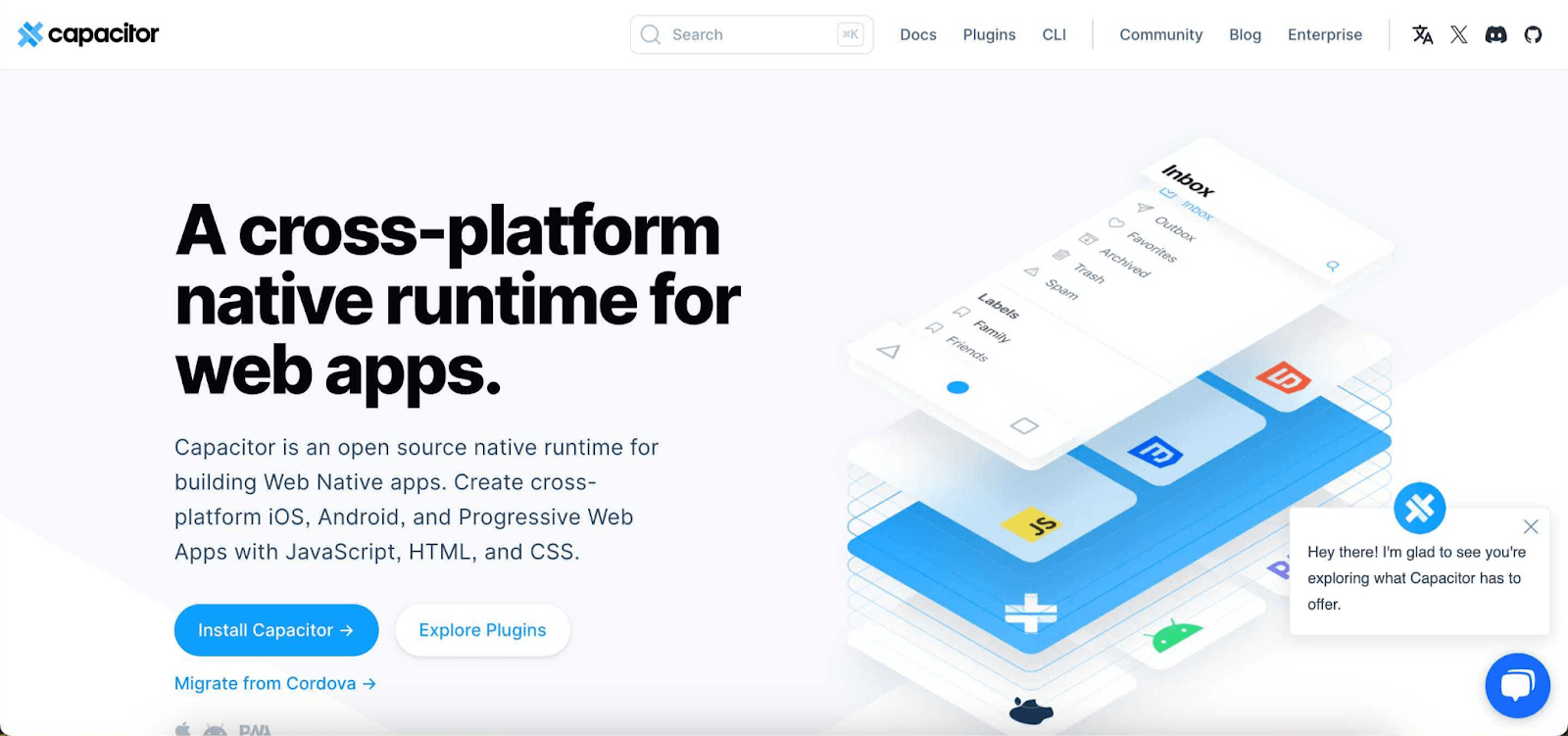
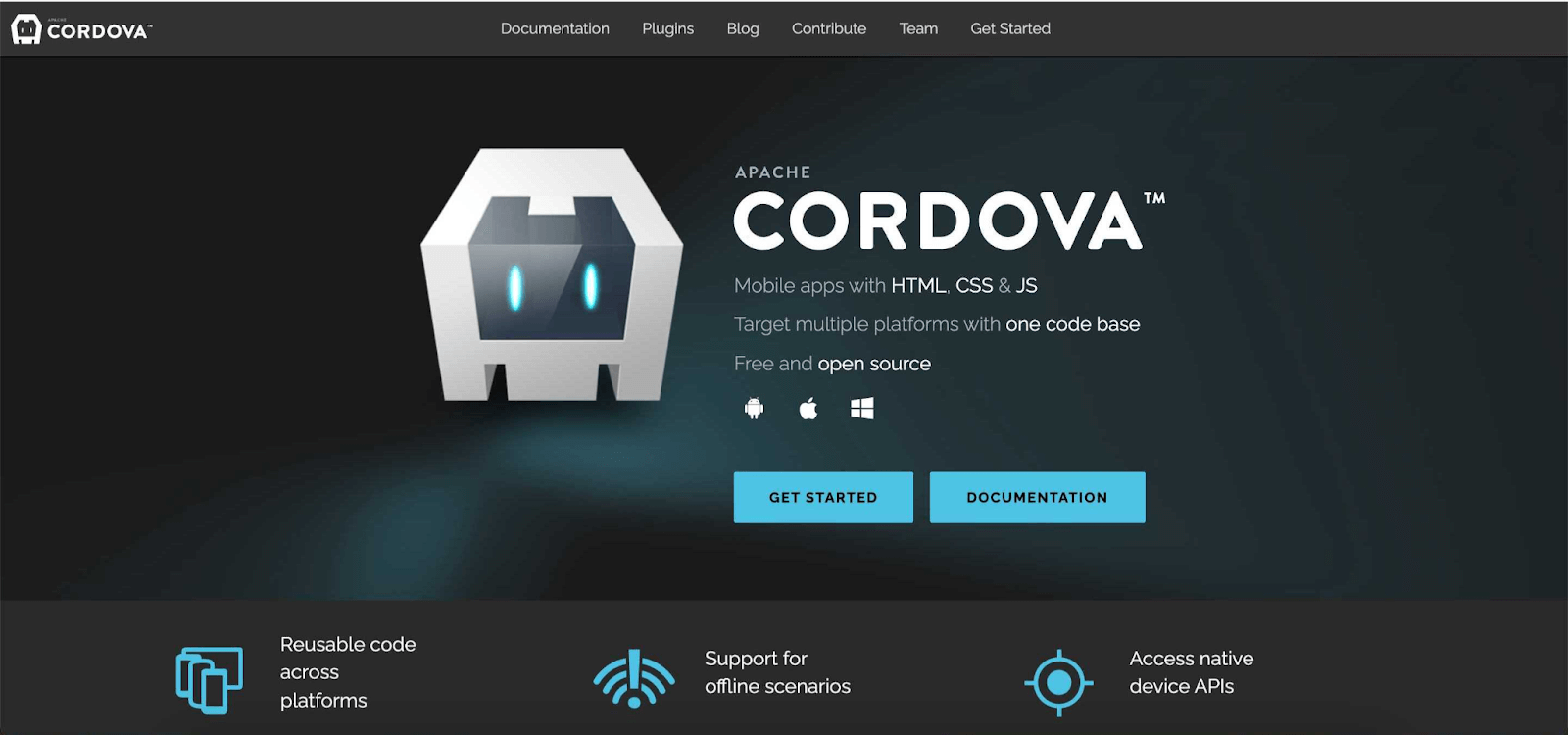
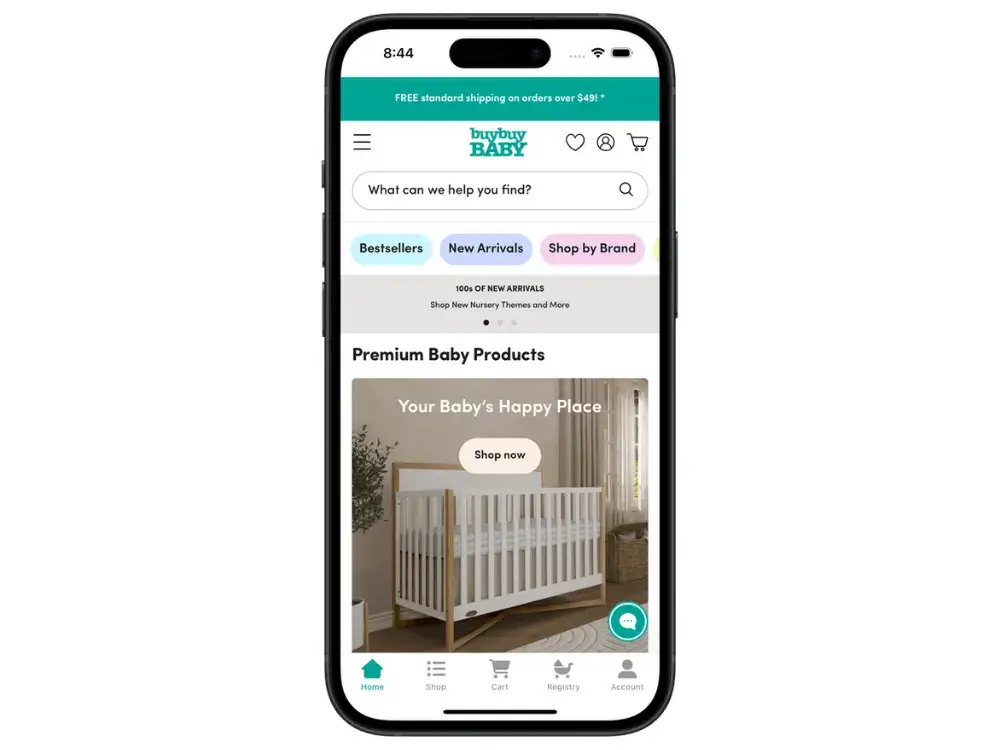

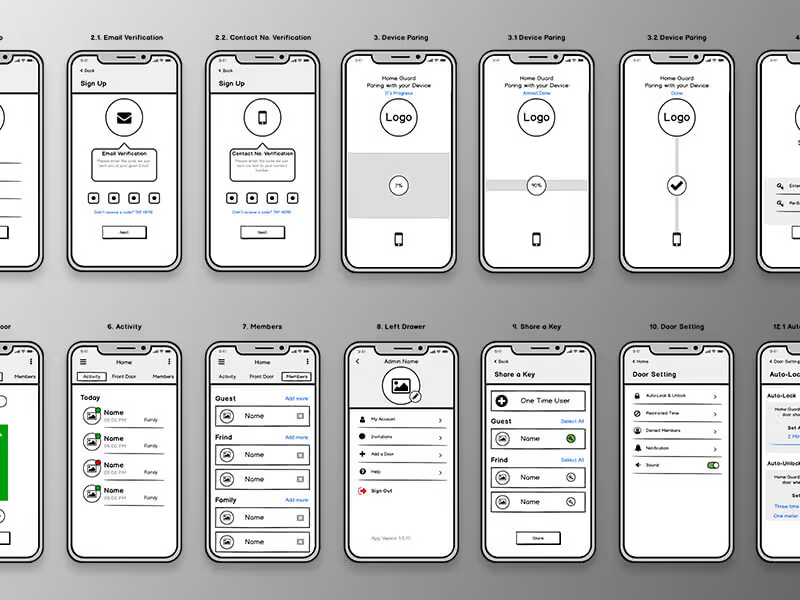
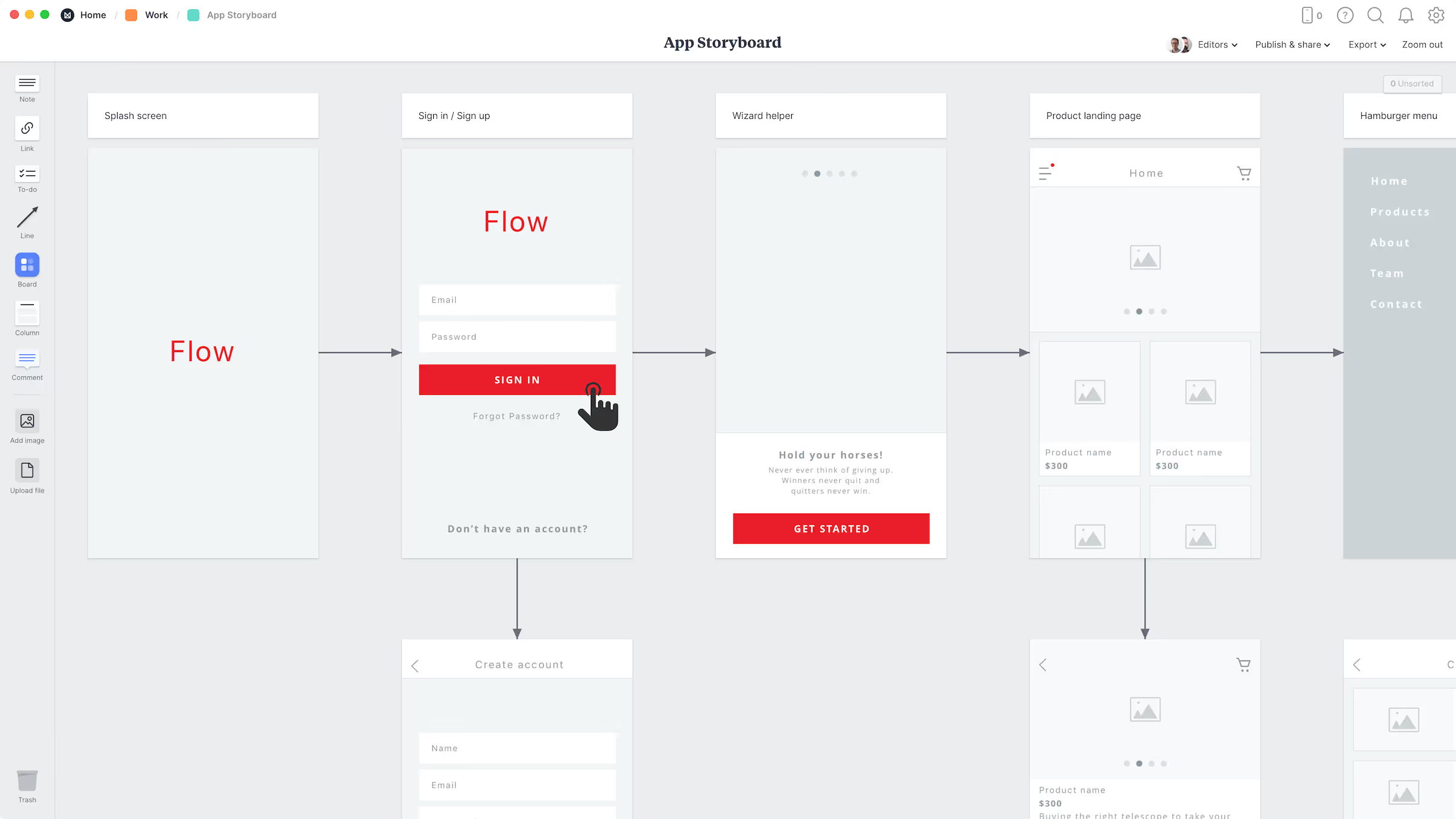
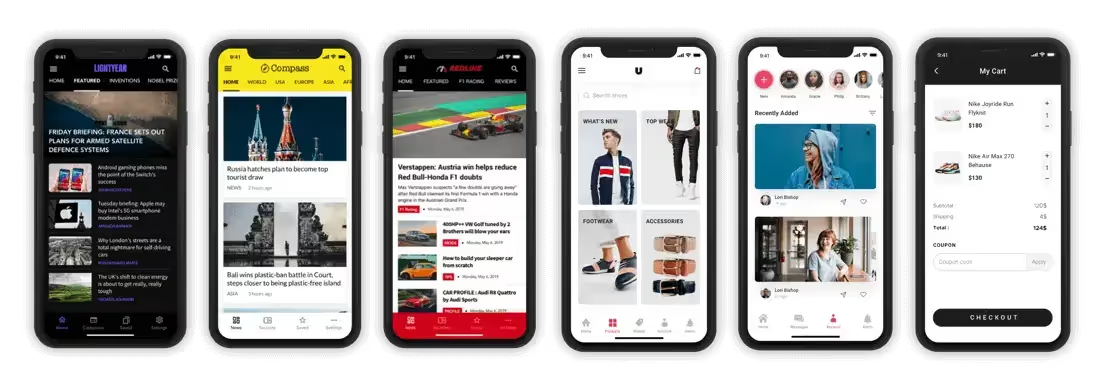

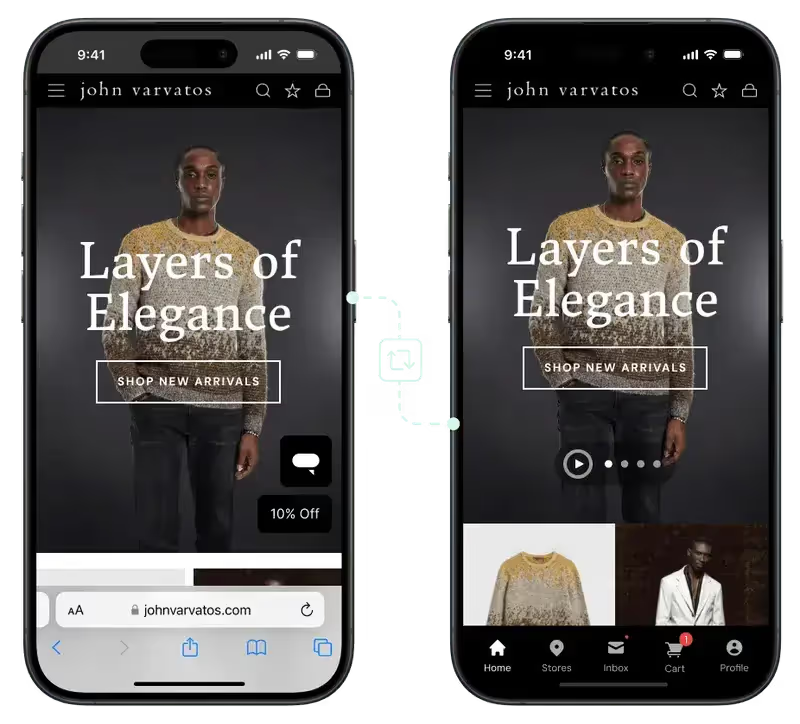

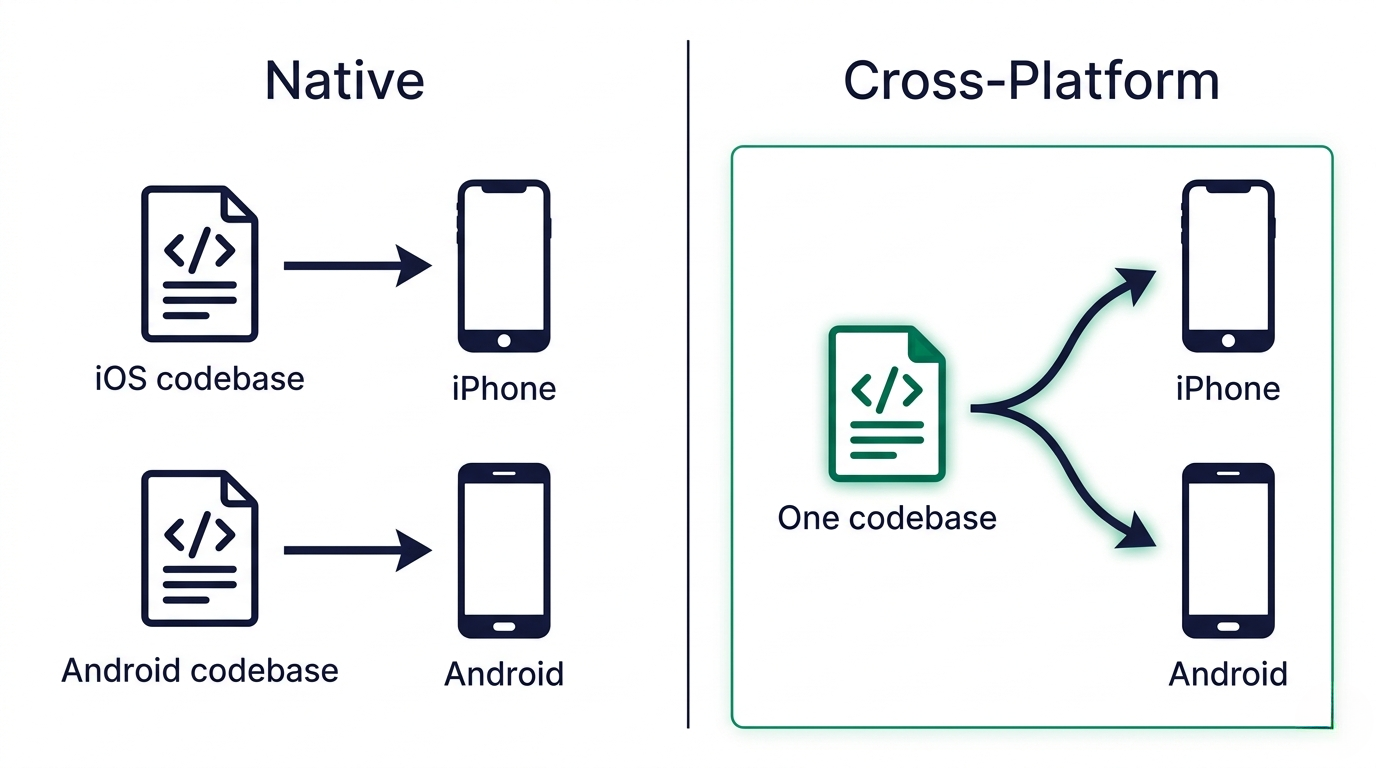

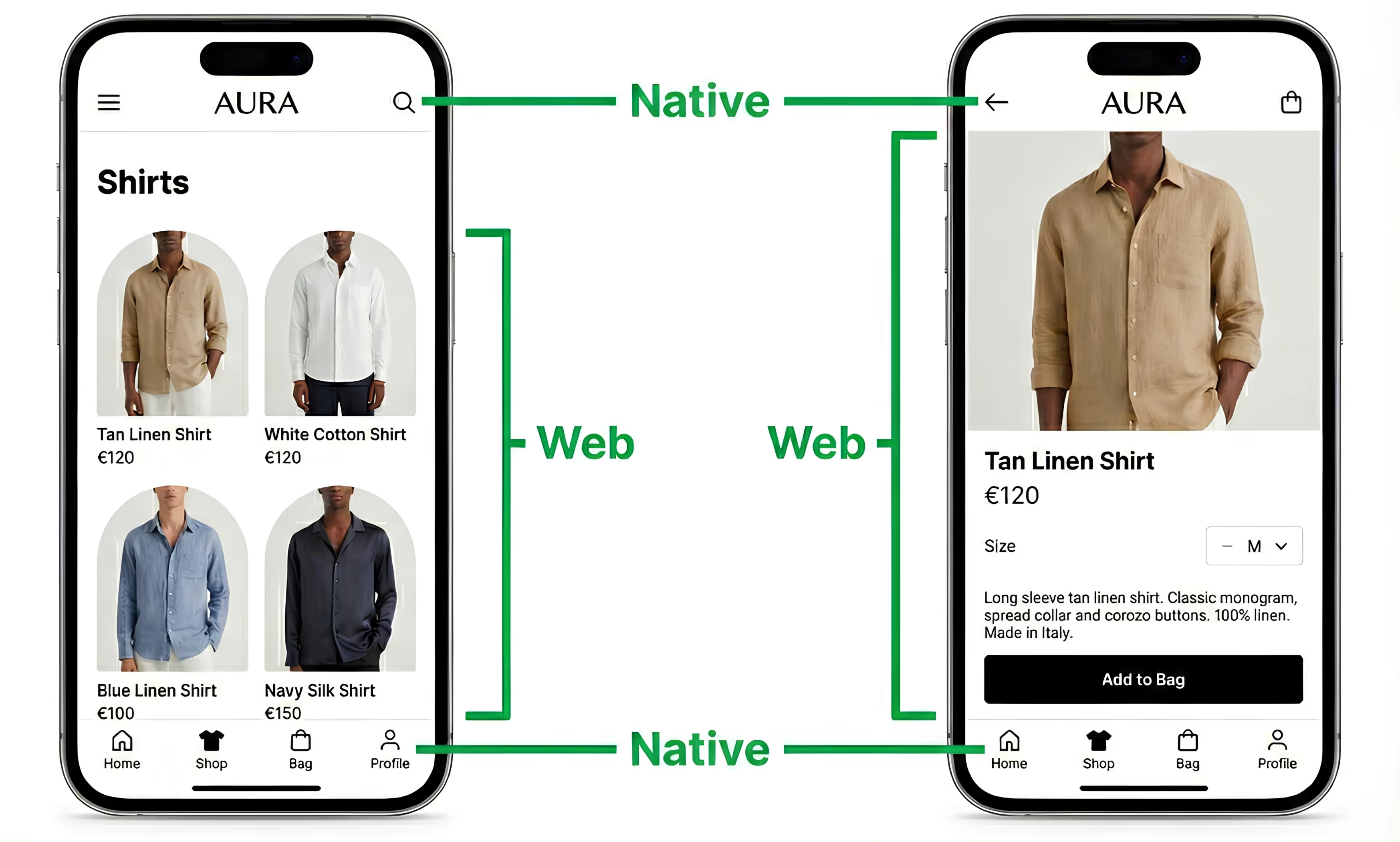
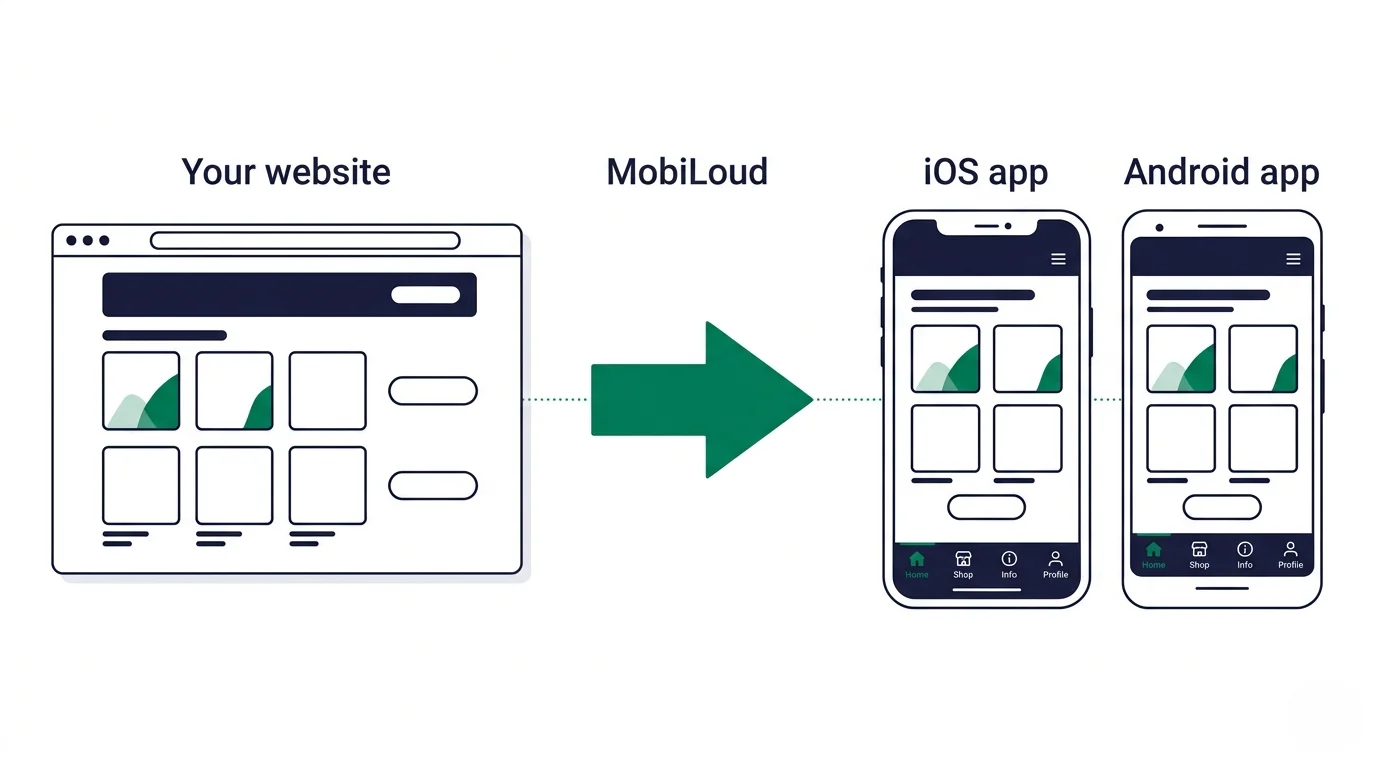

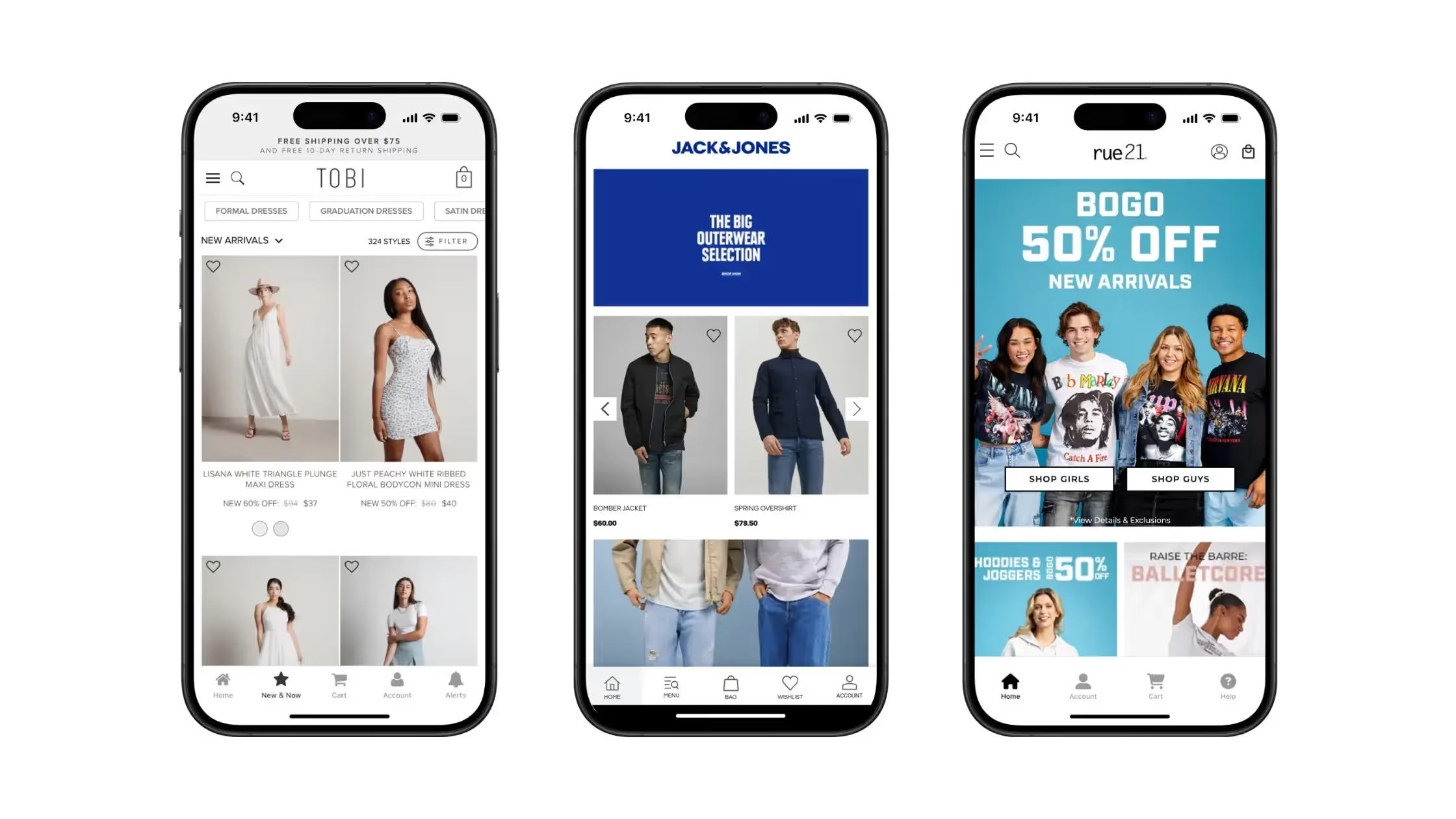

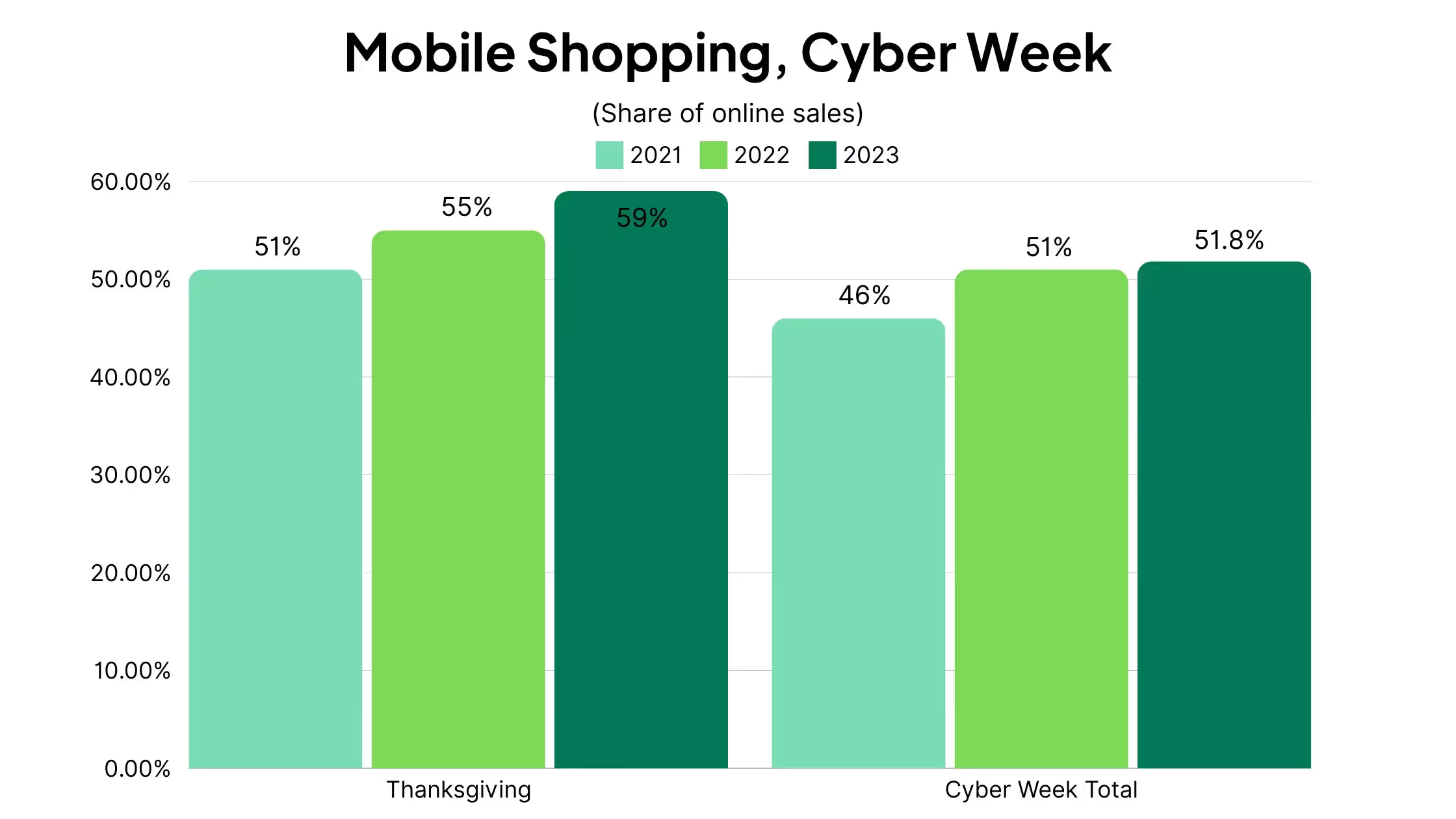
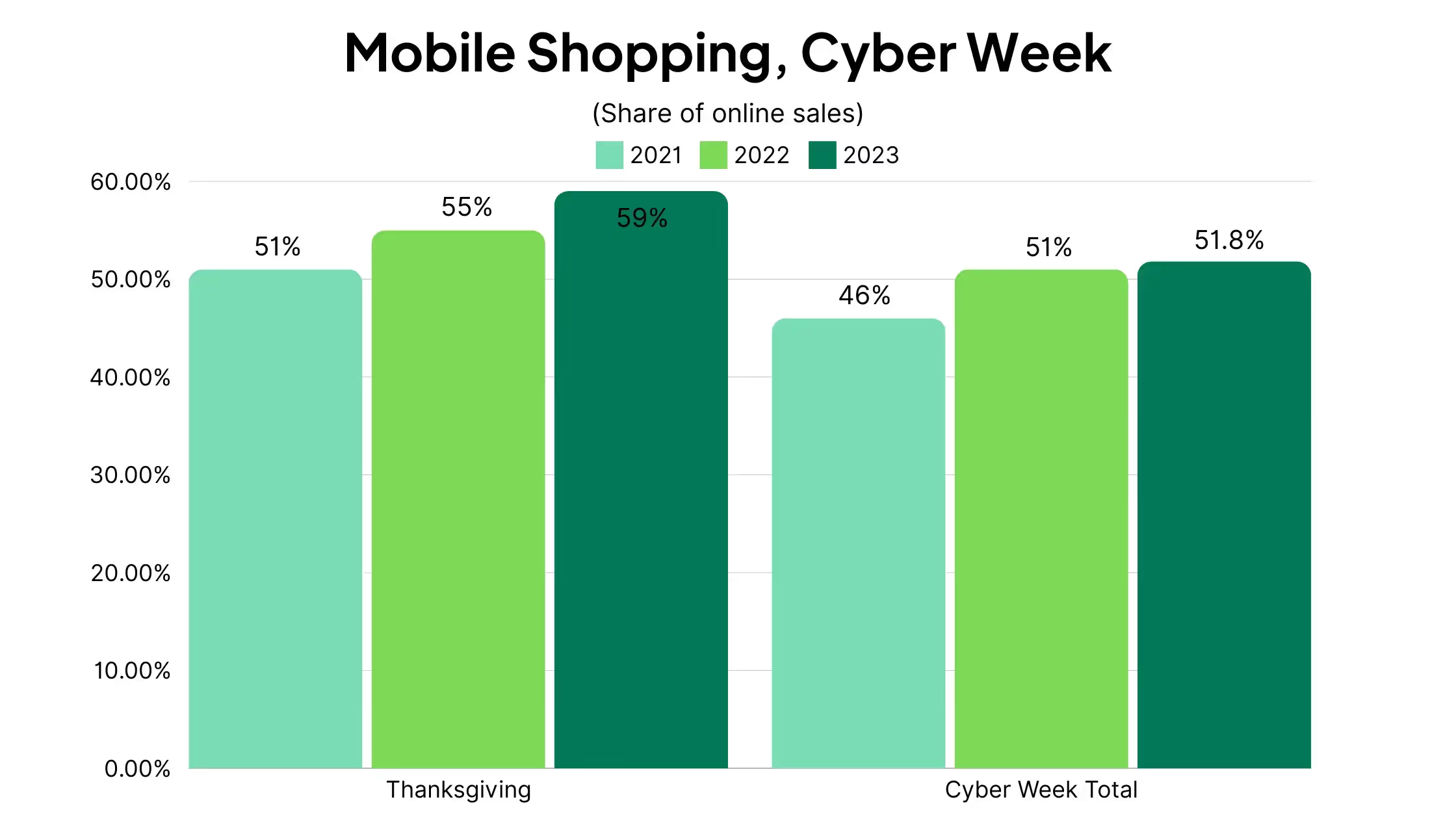

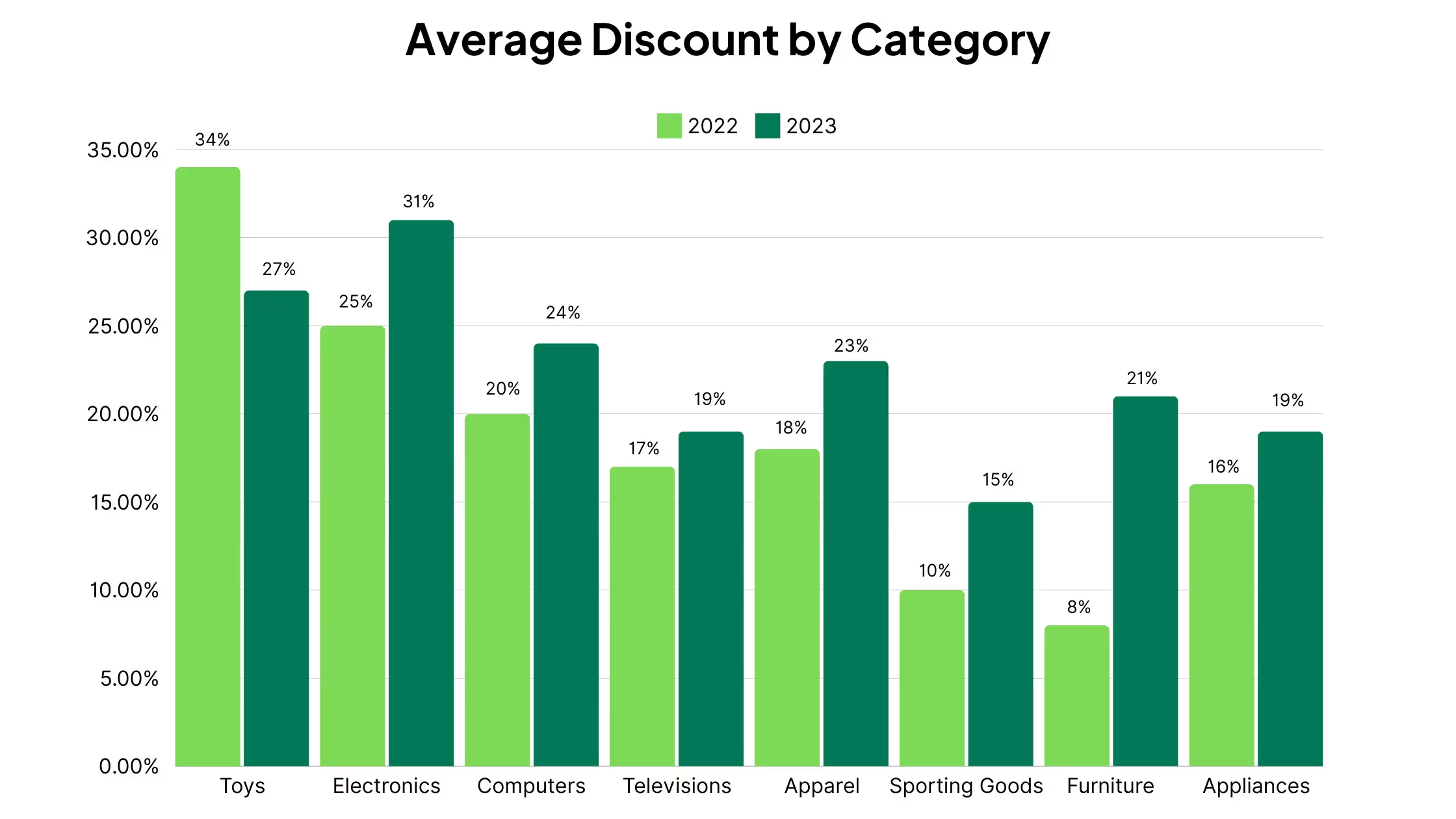
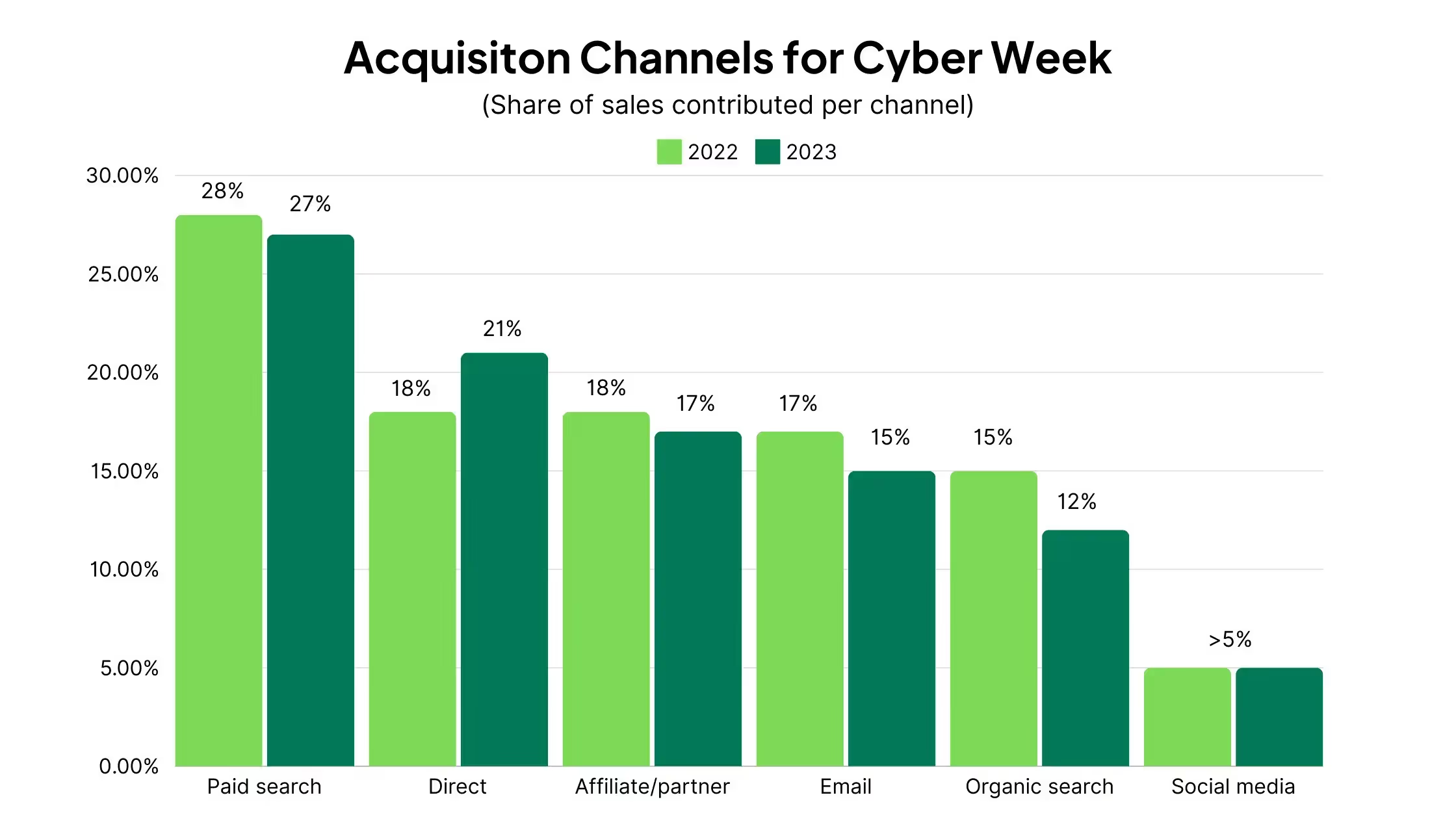

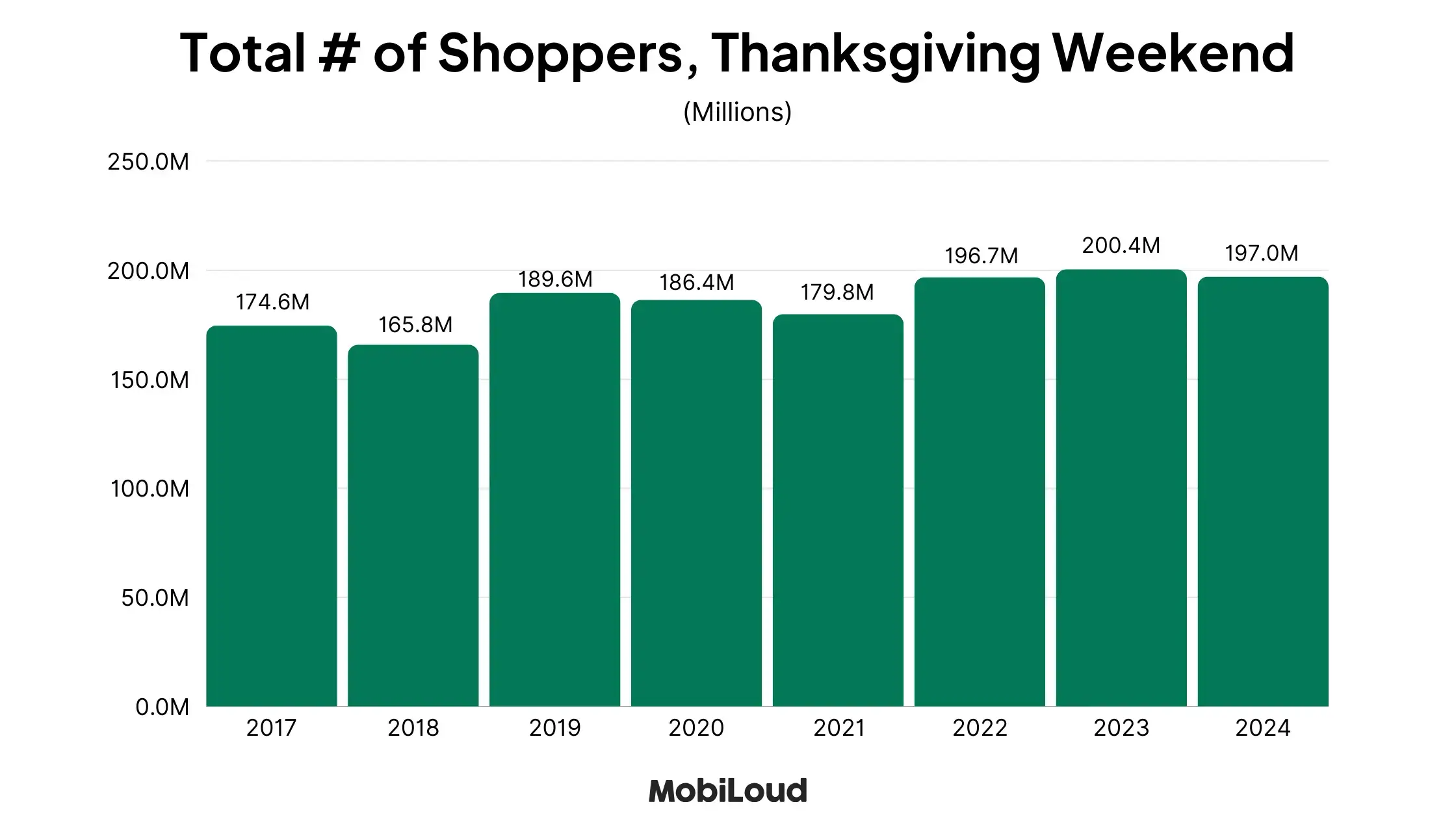

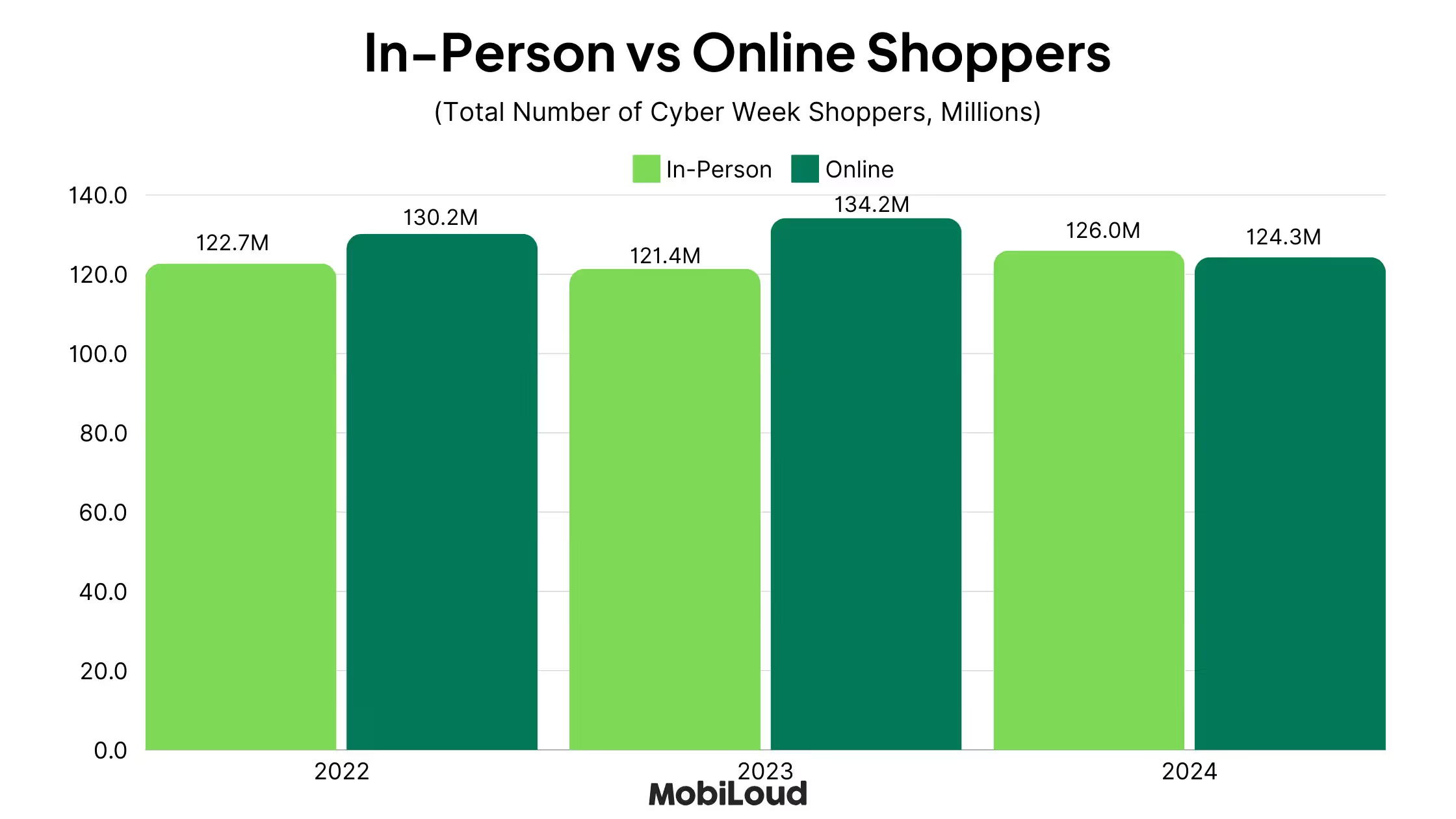
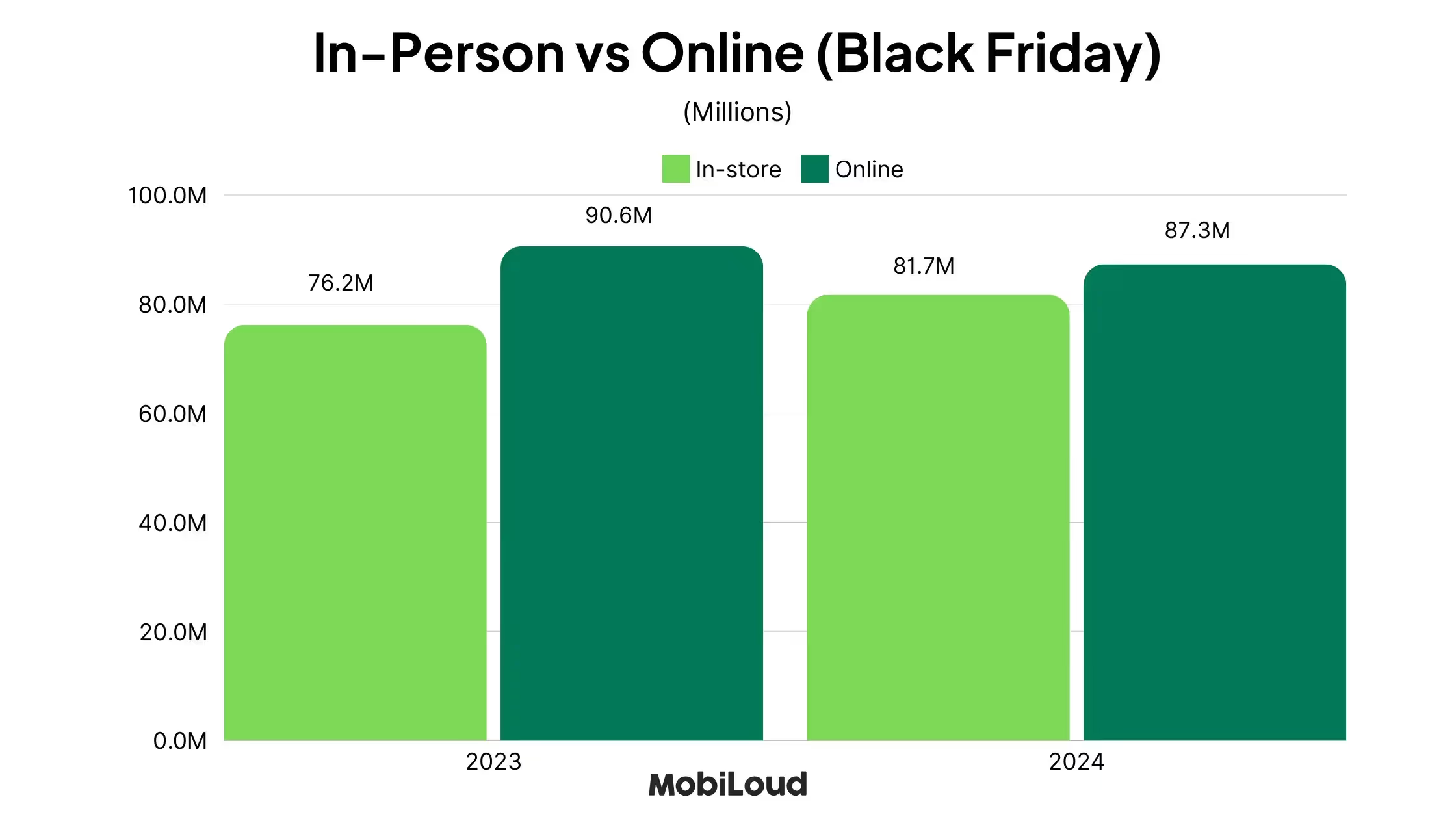
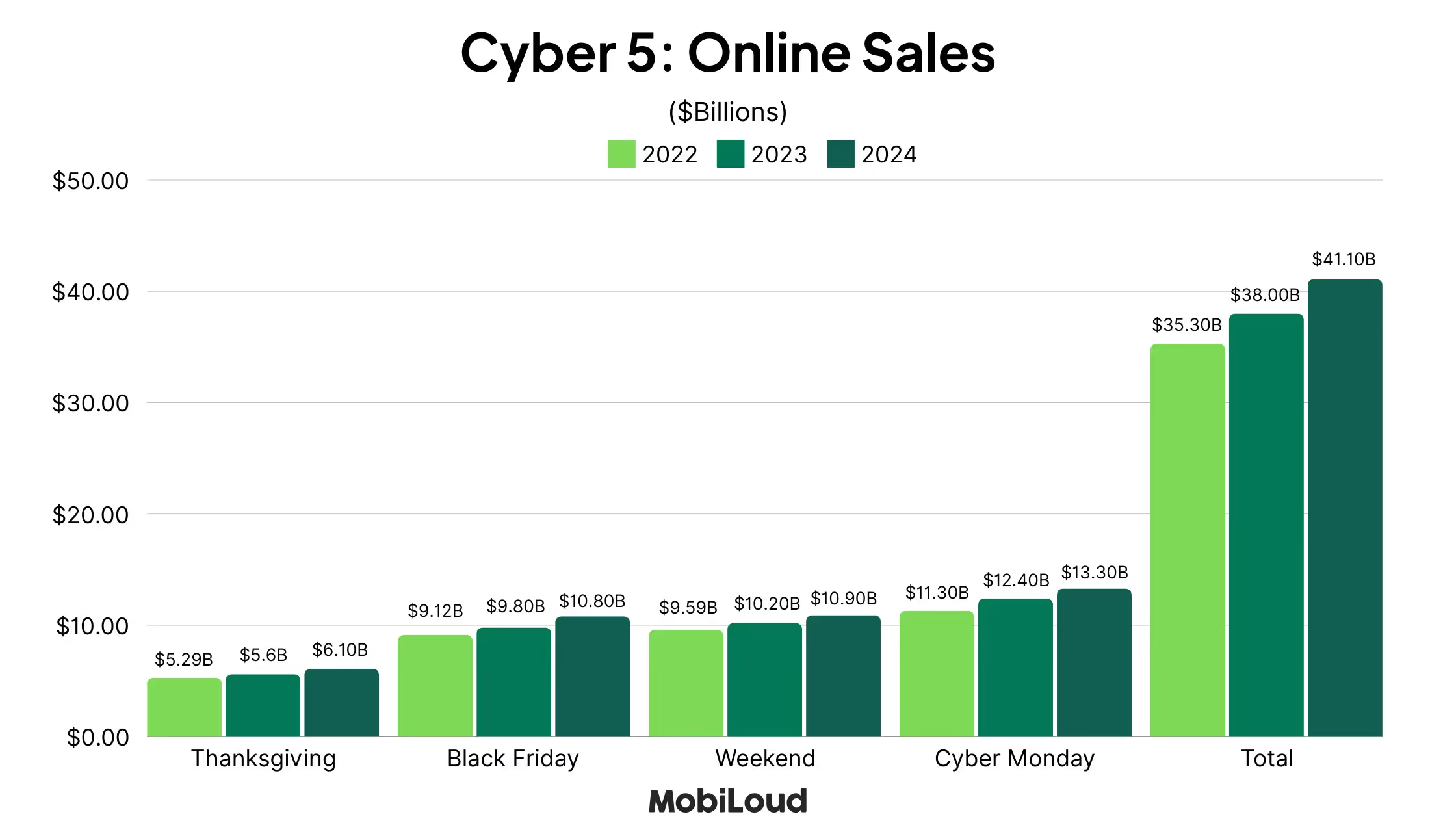


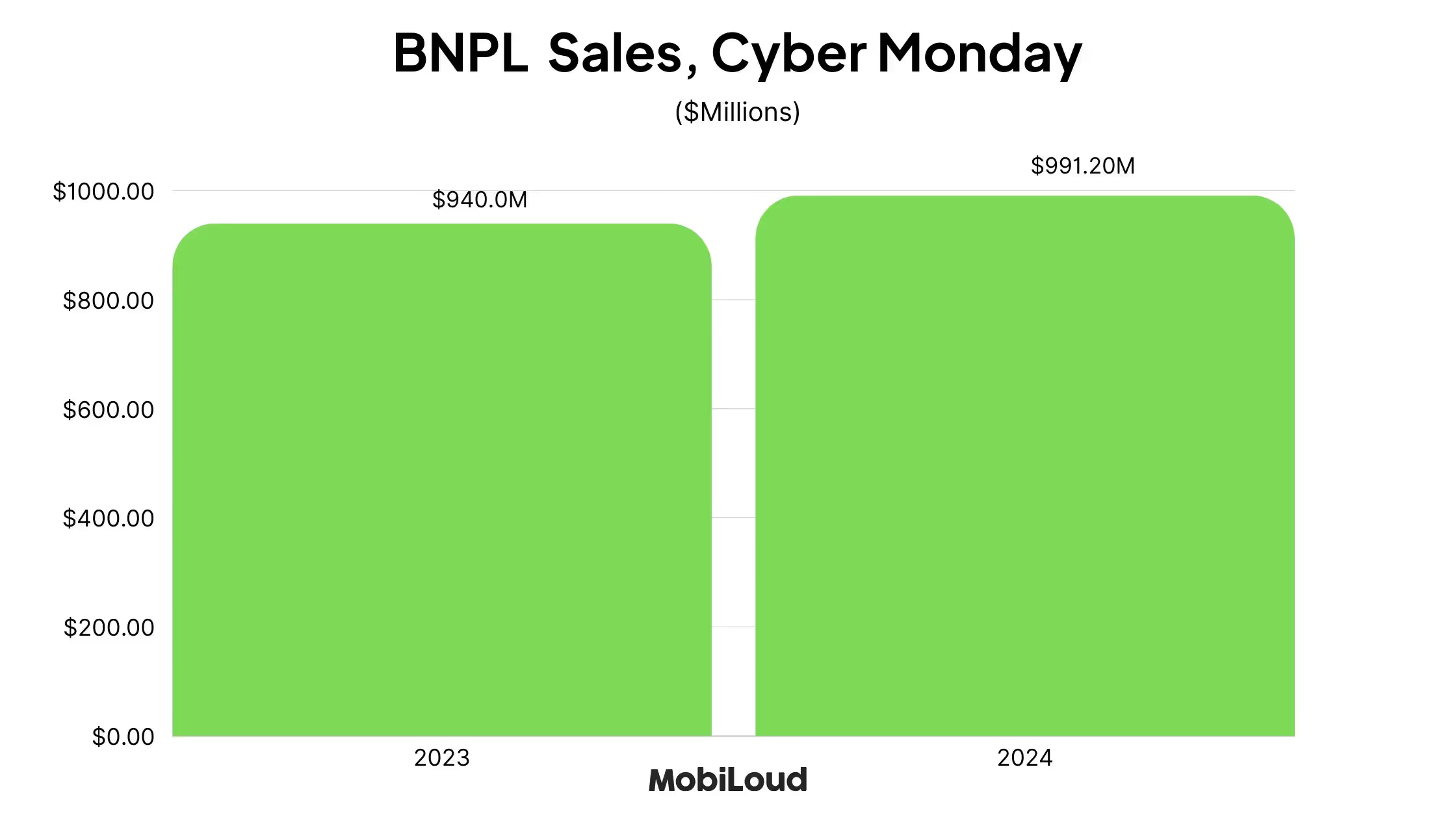
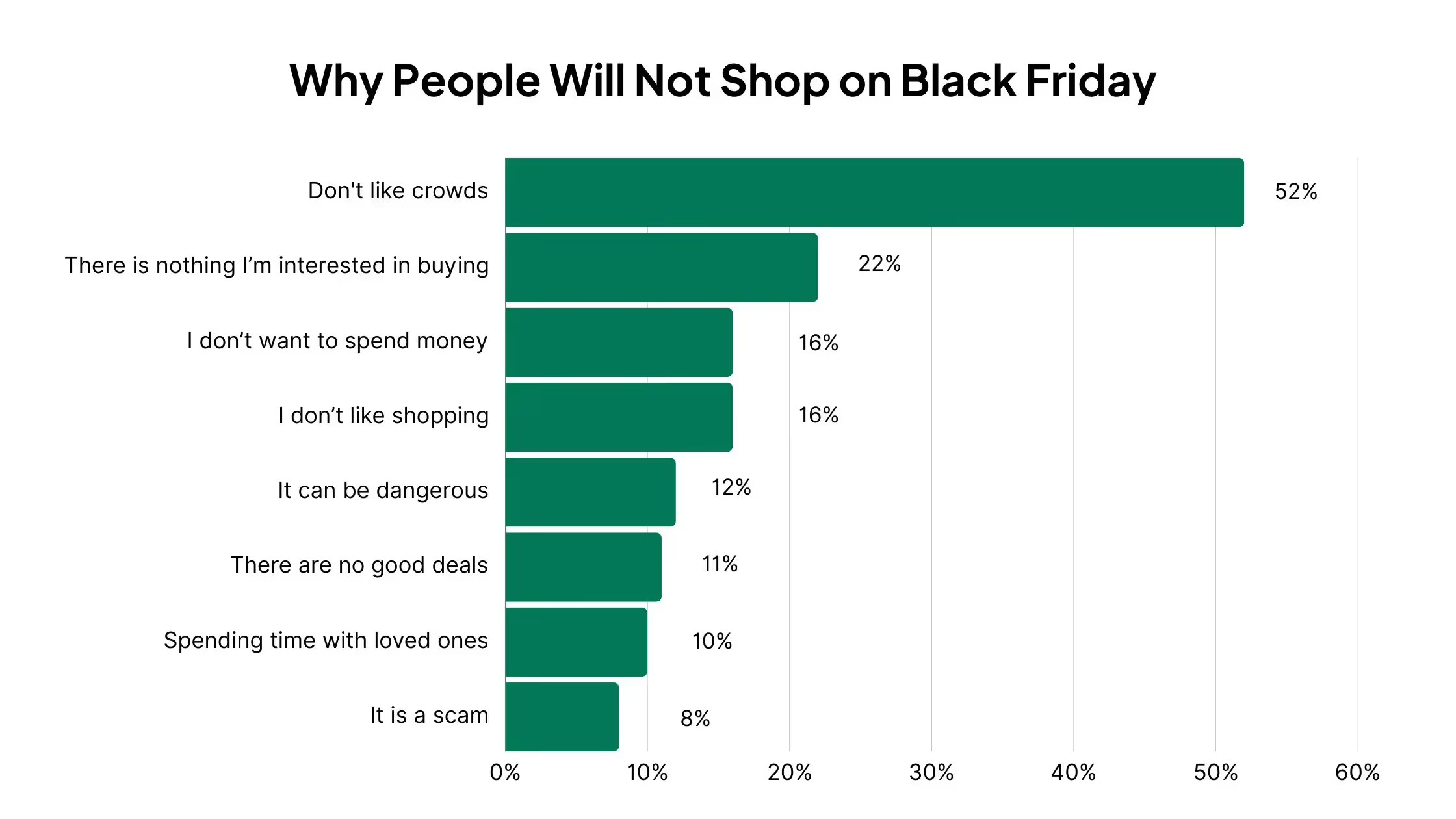


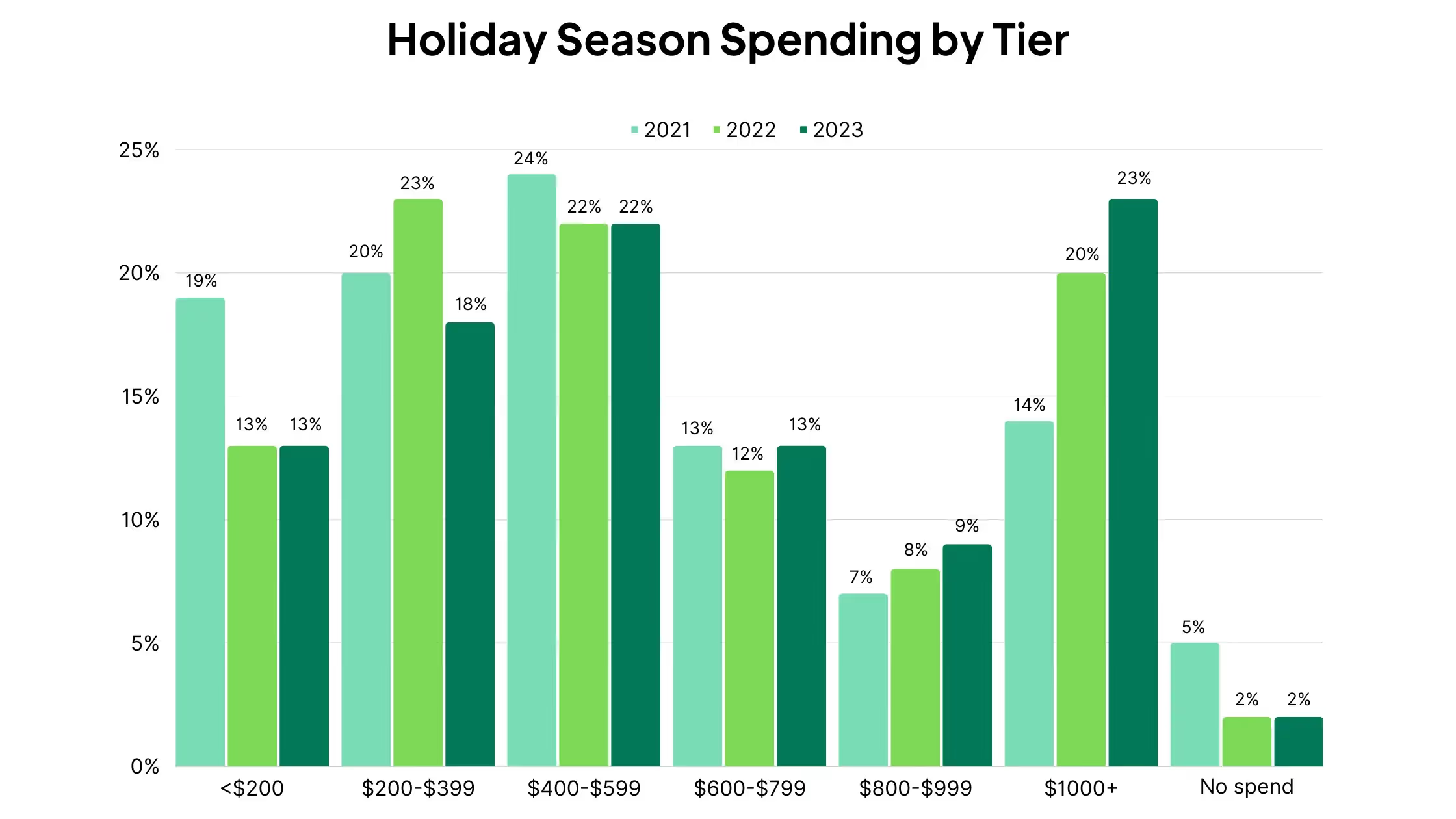

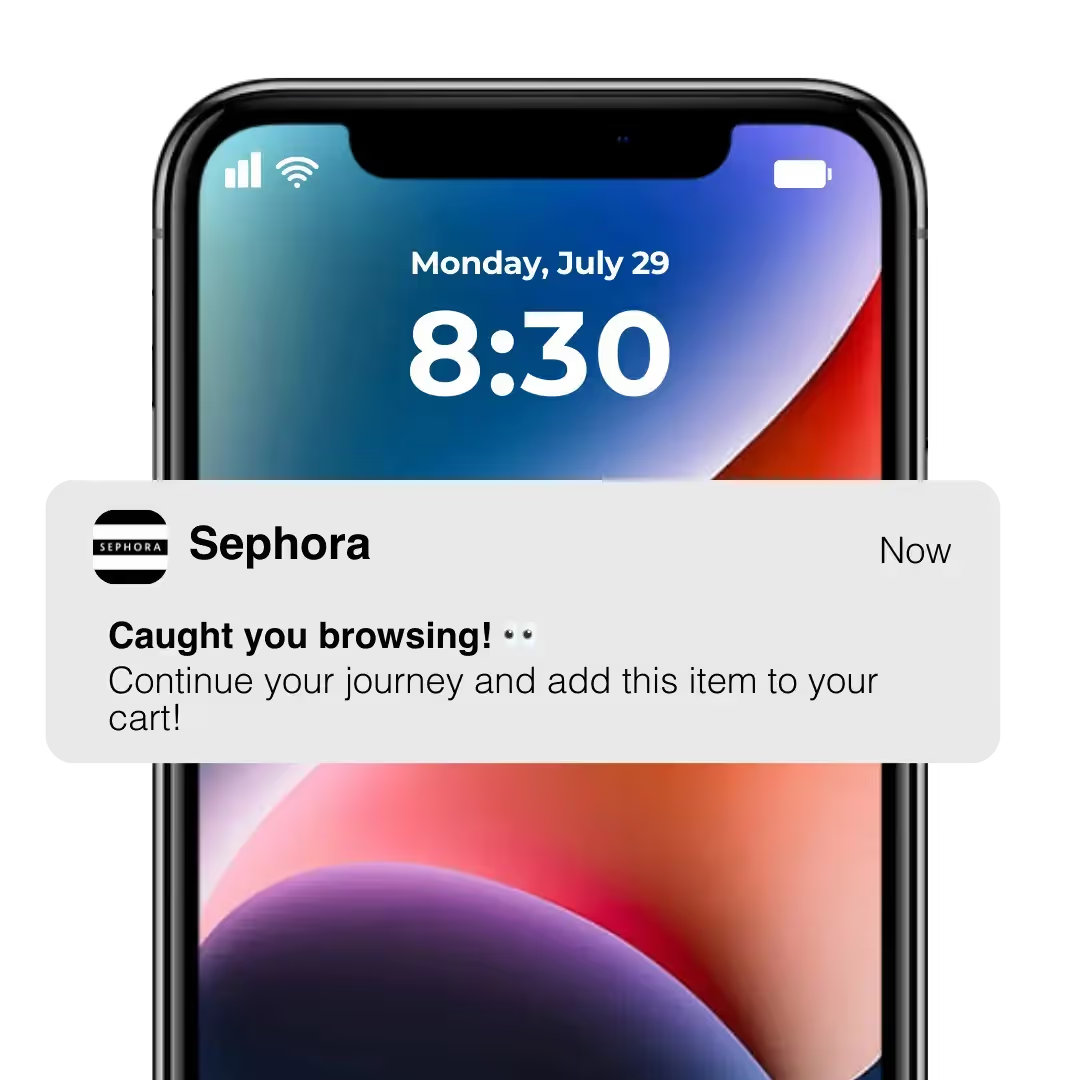
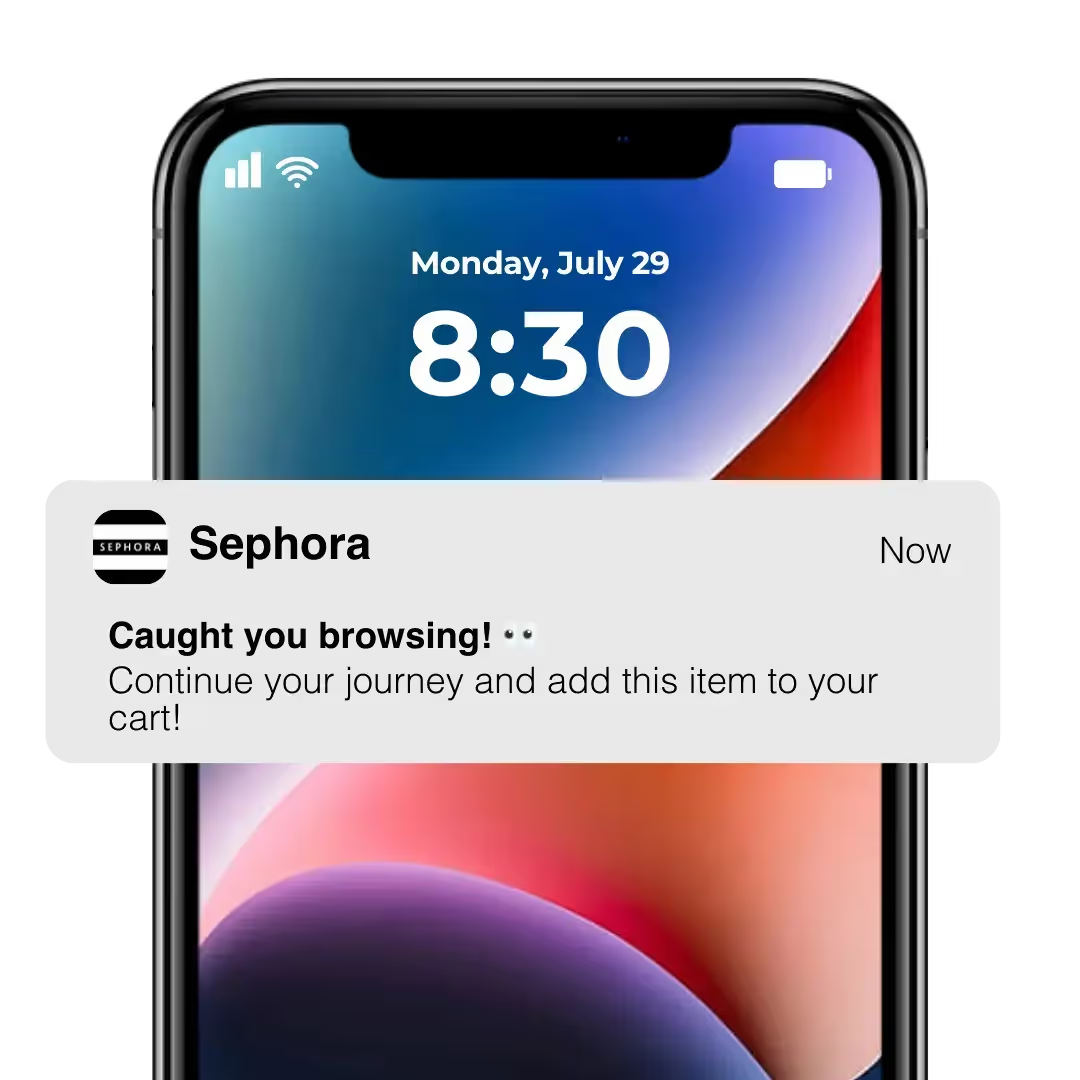

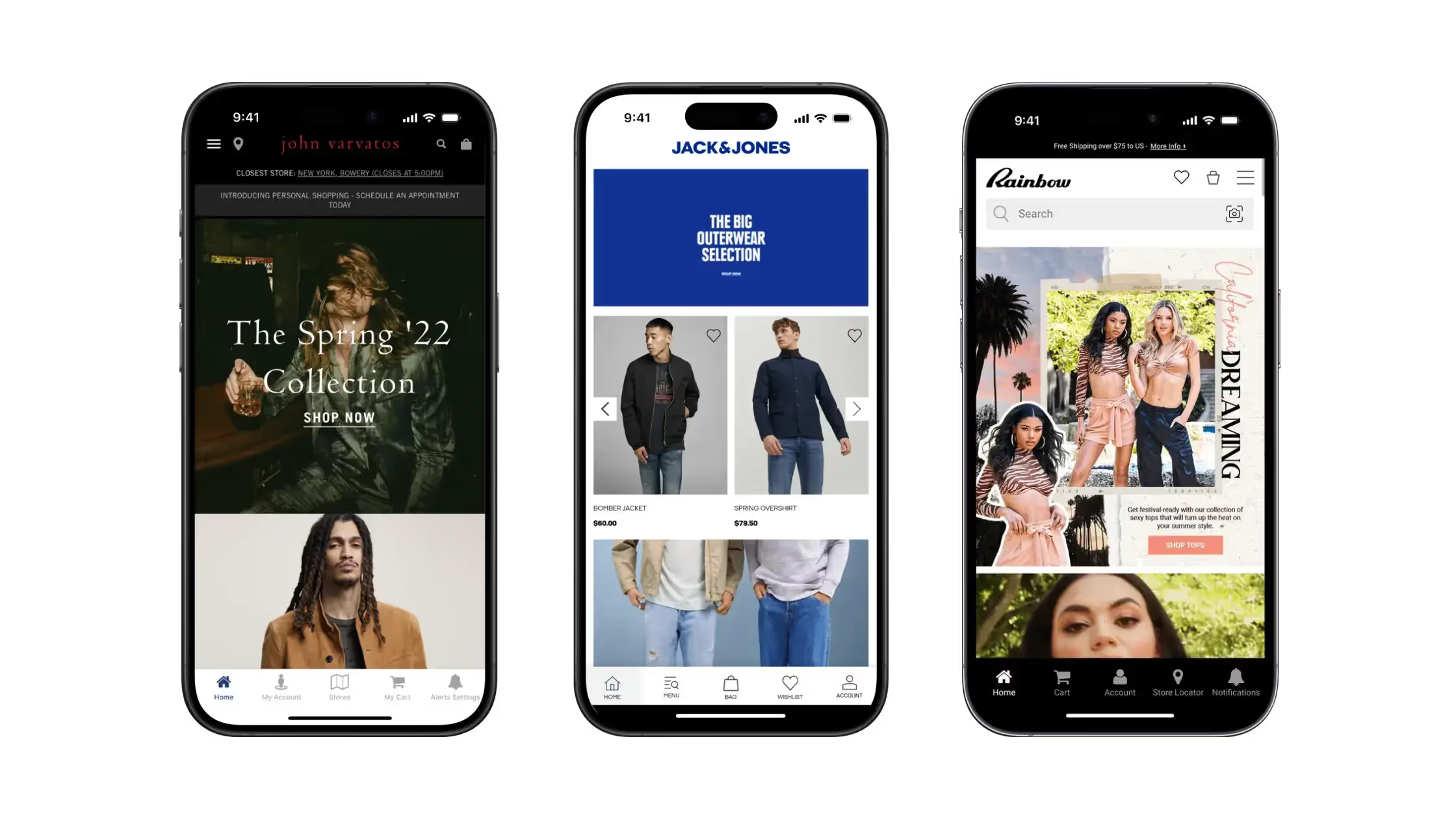


.avif)
.avif)