Author: Vendrux

  • Why DTC Brands Are Going All In on Mobile Apps

    Why DTC Brands Are Going All In on Mobile Apps

    The landscape for Direct-to-Consumer (DTC) brands is markedly different from just a few years ago.

    Customer acquisition costs are surging, and traditional engagement channels are becoming harder to rely on for sales.

    And on top of everything else, mobile is taking an increasingly larger share of the eCommerce market, making it essential to appeal to shoppers on smartphones.

    For your brand to stay relevant in 2026, you need an approach tailored to the current day.

    That means a focus on retention and lifetime value, and a mobile-first user experience.

    Luckily for you, there are many brands well ahead of the curve that you can learn from.

    This article will provide a deep dive into how DTC brands can leverage mobile apps to not only survive, but thrive in 2026.

    We’ll explain why cheap engagement is getting harder, explain what you can do to overcome the surge in CAC, and show real examples of real brands who follow this blueprint.

    So keep reading, and learn all you need to know to build a DTC eCommerce brand that lasts.

    Vendrux helps successful brands boost revenue and retention by turning their websites into mobile apps. To learn more about how we can help your brand grow, without the overhead of traditional app development, get a free consultation now.

    The Three Core Challenges for DTC Brands in 2026

    It’s tough out there for DTC eCommerce brands.

    It’s harder (and more expensive) than ever to reach your customers. Gathering data about your customers is more difficult. And consumers don’t interact with brands the same way they used to.

    Your brand needs to adapt.

    There are three challenges in particular you need to be aware of, that you need to build a strategy to combat.

    Let’s look at these challenges now.

    Traditional Engagement Channels Are Less Effective

    For a decade plus, brands have been using a combination of email, paid ads and organic social media to reliably generate engagement and drive sales.

    These channels are becoming harder to rely on.

    Organic social media reach has collapsed to below 10%, while email open rates have dropped to 20-25%.

    With organic reach dropping, brands can no longer rely on social platforms for free customer engagement.

    And using paid ads to skip the queue is not as easy as it once was.

    Ever since Apple’s iOS 14.5 privacy update in 2021, the reliable playbook of scaling through Facebook ads doesn’t work anymore.

    It’s More Expensive to Get Customers

    When engagement becomes harder, acquisition costs go up.

    Nearly half of DTC brands are seeing higher costs in 2024 than 2023. The combination of lower organic reach, lower email open rates, and rising ad costs means lower profit margins for many brands.

    In fact, a large number of brands are struggling to recoup the money they spend to acquire each customer.

    This, obviously, is an unsustainable situation.

    The brands who survive the surge in CAC are those who shift focus from acquisition to retention – devoting more resources to finding ways to increase revenue from their existing customer base.

    Mobile and Social Commerce Rules

    Mobile makes up 60% of all online sales, but most DTC brands are still playing catch-up.

    80% of eCommerce traffic comes on smartphones. And with the average mobile conversion rate less than half of desktop, that can mean a decline in sales.

    Many brands are stuck in a desktop-first mindset, when it should be the opposite.

    Social commerce has changed the game even further. 

    Customers discover products while scrolling Instagram or watching TikToks, and they want to buy right then and there.

    Scroll through Temu or Shein and you’ll see endless product feeds that feel more like TikTok than an eCommerce site.

    The days of carefully browsing category pages are over. If you can’t convert that impulse into a purchase in seconds, you’ve lost them.

    For your brand to survive, you need to understand how modern customers buy, and deliver an experience that meets their expectations.

    Why You Should Bet on Mobile Apps

    Mobile apps have shifted from a nice-to-have to a strategic necessity.

    The old DTC playbook of scaling through paid social and email marketing is broken.

    Privacy changes have made tracking harder and acquisition more expensive.

    Anti-spam measures are making it nearly impossible to reach customers through email. 

    Building your own mobile app solves multiple problems at once.

    • You own the customer relationship, no Meta middleman required.
    • Push notifications cut through where emails get buried.
    • Customers who download your app are your best customers, and they shop more often.
    • Your app will convert better than your mobile website (even if the design and functionality is fundamentally the same).

    In 2026, having an app isn’t about jumping on a trend or checking a box. It’s about having a direct line to your customers in a world where every other marketing channel is becoming more expensive and less reliable.

    Let’s dive deeper into why every brand should have its own app.

    Own Your Data and Customer Relationships

    In an era where access to third-party data is disappearing and platform algorithms control customer access, mobile apps offer something invaluable: direct relationships.

    Apps allow brands to:

    • Build first-party data profiles without platform intermediaries.
    • Track customer behavior across the entire shopping journey.
    • Understand product preferences and browsing patterns.
    • Own the customer relationship without platform dependence.
    • Reach their users directly using push notifications.

    An app lets you take ownership of your audience, rather than renting it through a third-party platform.

    You should only expect these platforms to tighten their hold on customer data, making it more important every year to build an audience you actually control.

    Increase Customer Lifetime Value

    App users deliver more value than web-only customers.

    This shows through higher purchase frequency, higher AOV, higher lifetime value, and more predictable revenue from app users.

    The download itself acts as a natural filter, selecting for customers who already have a strong affinity for the brand. 

    Installing an app is a high-friction decision. Consumers must value the brand enough to dedicate precious phone real estate and go through the download process. 

    But on the other hand, shopping in an app is a lower-friction option.

    It’s easier to open (with one tap from the customer’s home screen). It’s typically faster and easier to navigate, and there are less distractions to contend with.

    This makes for a more pleasing shopping experience, and a higher likelihood of the customer coming back to buy from you again.

    Nurturing high-LTV super-fans is crucial for DTC brands today, offsetting the increase in CAC with more steady, predictable, long-term revenue.

    Reduce Your Dependency on Paid Social Media

    Relying on paid social media to drive sales has become unsustainable.

    It’s harder than ever for modern brands to measure and attribute their marketing efforts which, in combination with increased competition, is driving costs up.

    Apps offer more efficient remarketing to existing customers, which offsets more expensive channels with a high-ROI revenue channel.

    Apps have lower long-term customer acquisition costs post-install, and deliver more long-term value per customer, as discussed already.

    You don’t need to quit Meta ads altogether, but in 2026, you need other, cheaper ways of getting traffic.

    Unlock the Power of Push Notifications

    Many brands find that push notifications, on their own, are reason enough to build an app.
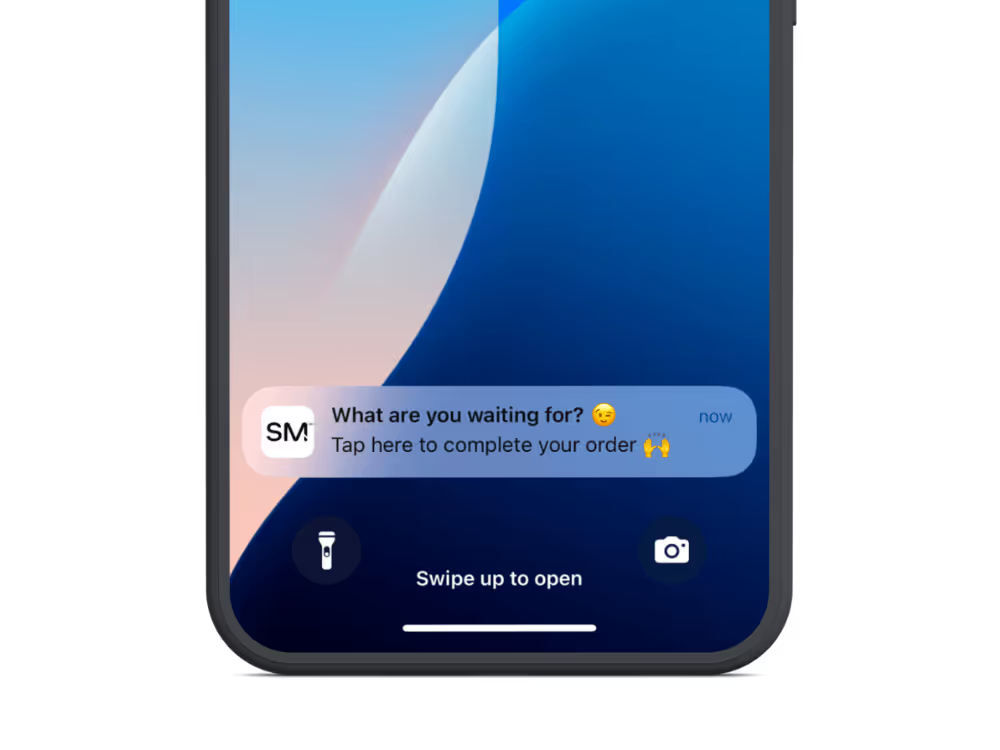
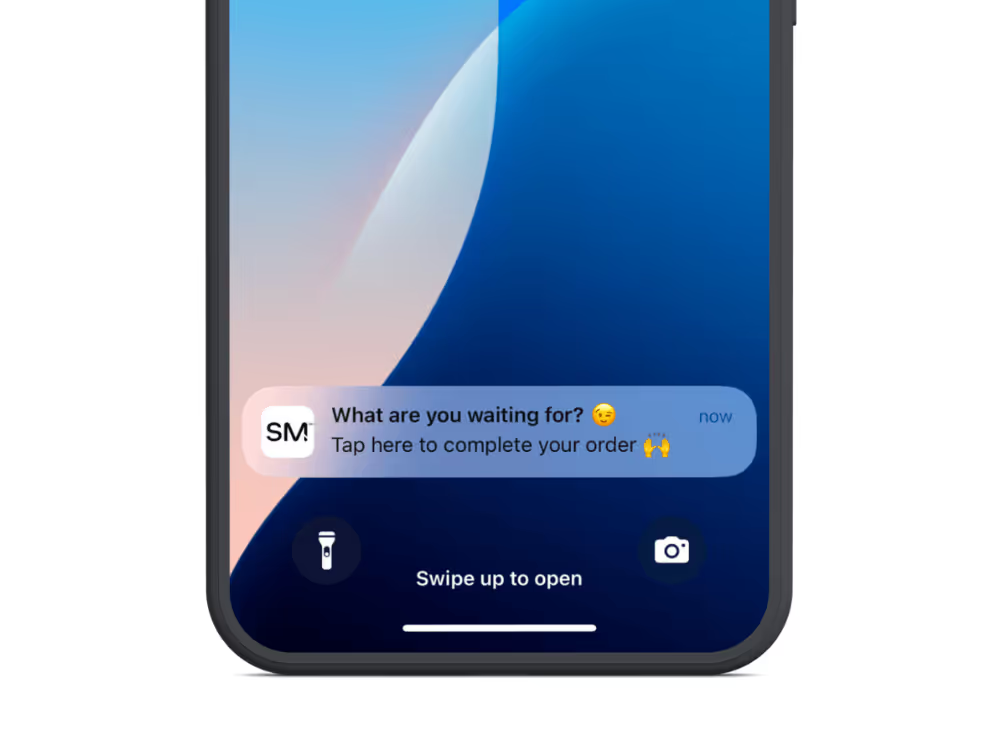
    With email open rates declining to 20-25%, push notifications offer a more immediate and effective communication channel.

    Unlike email or social media, where marketing messages often go unseen, push notifications cut through the noise, with direct access to your customers’ devices.

    They bring customers back at the right moments – when items come back in stock, during flash sales, or when cart items are about to sell out. 

    The ability to automate abandoned cart notifications alone can generate tens or hundreds of thousands in revenue, for almost no extra cost and effort.
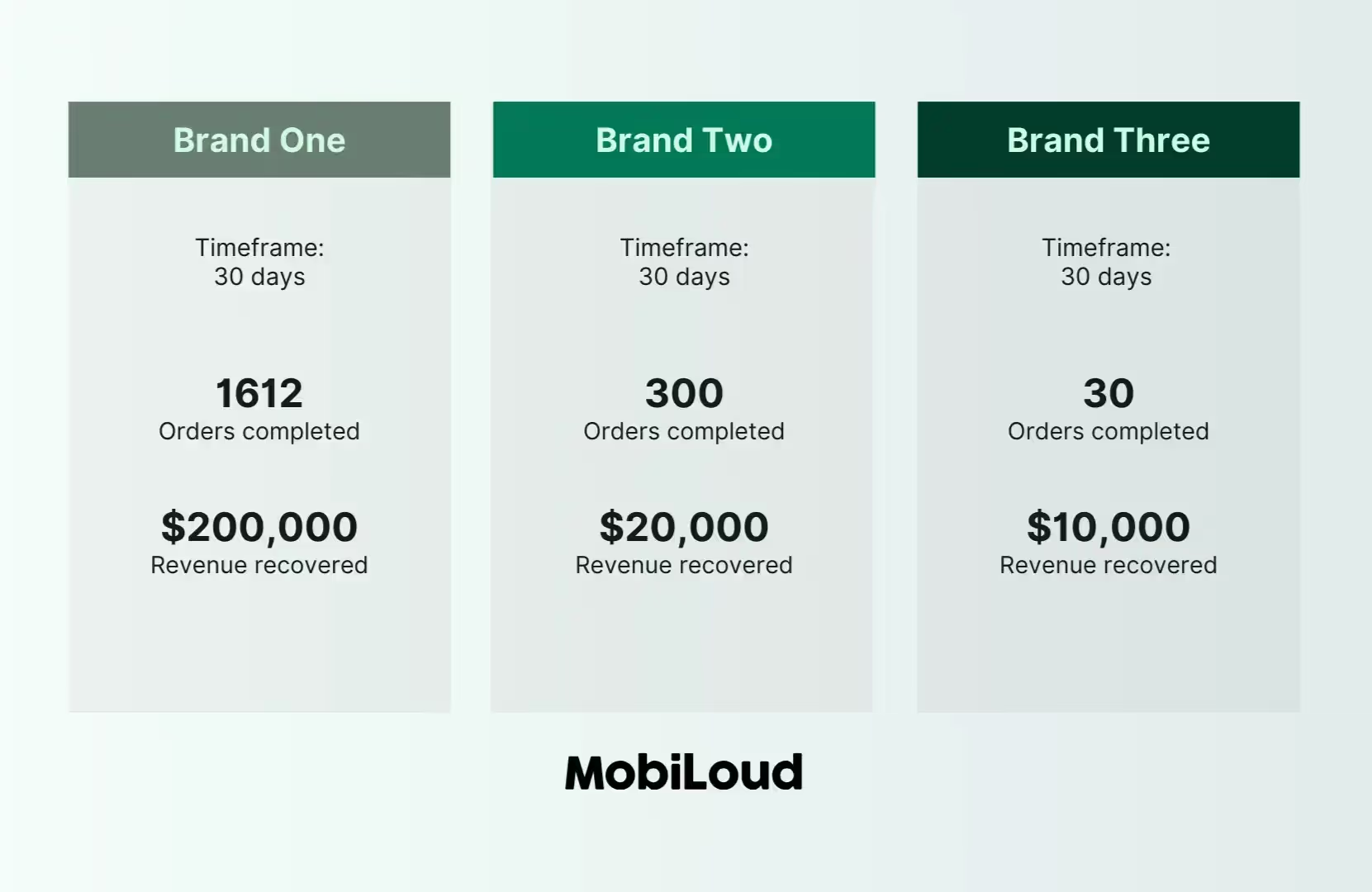
    These three brands generated from $10,000 to $200,000 in just 30 days with our abandoned cart notifications

    This direct line of communication turns periodic shoppers into consistent buyers.

    Push has higher engagement rates than email, and its immediacy makes it perfect for time-sensitive updates (such as order status notifications).

    Native Ecommerce Apps vs PWAs

    Why are DTC ecom brands building native apps over PWAs?

    If you’ve heard about progressive web apps, you might think that a PWA is a better option – cheaper, faster to build, easier to maintain.

    These points are all true, and PWA do deliver a lot of benefits for the mobile user experience. But they don’t offer all the benefits of a native app.

    Native apps have full access to push notifications, are much easier to download, and are just better for regular mobile shoppers.

    Our advice? Build both.

    How Much Revenue Can a Mobile App Generate for a DTC Brand?

    The amount of revenue you can get from a mobile app depends on the scale of your store, but as a percentage, brands often see around 10-30% of their total revenue coming through their apps.

    Brands with higher purchase frequency/mobile usage may see more, while those with a low repeat purchase rate (and more first-time customers) can expect to come in on the lower end of the revenue scale.

    Check out our eCommerce App Revenue Calculator for a quick estimate of how much your app could make.

    What’s the Average ROI for a Mobile App for Ecommerce Brands?

    The ROI depends on factors like business model (high-frequency vs low-frequency), how much you promote the app, and the investment you put into making it.

    Brands we work with at Vendrux often see significant ROIs – as much as 53x in some cases, due to the low cost and effort required to build and maintain the app.

    What’s the Best Mobile App Platform for DTC Brands?

    There are a lot of great platforms for DTC ecommerce brands to launch apps, but for most, Vendrux is the best. It’s the ideal mix of flexibility, service & support, and cost, letting you go live with beautiful mobile apps that require very little work to maintain, without the limitations of traditional no-code tools.

    Get a free preview of your app now to see what Vendrux is capable of.

    Leading DTC Brands Who Are All In on Apps

    For DTC brands, the benefits of mobile apps compound. 

    The combination of higher customer value, lower acquisition costs, and better engagement creates a virtuous cycle that transforms their economics. 

    The potential return from an app, along with the low barrier to entry made possible by website to app services like Vendrux, makes it a winning strategic choice.

    If you want to discuss how Vendrux can help you launch an app for your site in the next 30 days, book a free consultation now.

    Otherwise, to learn more about what’s possible, here are a few examples of major DTC brands who are having notable success through their mobile apps.

    Sleefs
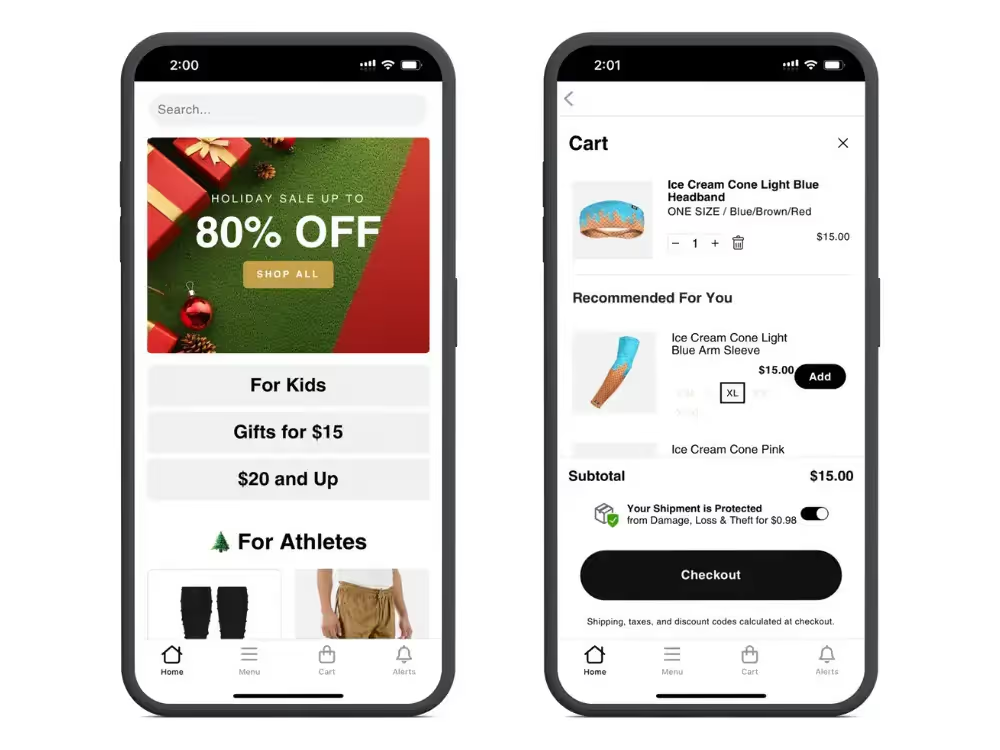
    App built with Vendrux

    Category: Apparel/Fashion

    Key statistics

    • 30% higher average order value in app.
    • 3x more visits per app user.
    • +40% conversion rate in app.
    • Over 50k push notification subscribers.

    The Sleefs mobile app has proven to be a game-changer for their business. 

    App users have 30% higher AOV compared to other platforms, highlighting the app’s ability to drive more significant and sizable purchases.

    App users also shop three times as often as non-app customers.

    Plus, with a higher conversion rate in the app and over 50,000 push notification subscribers, Sleefs can directly reach and convert a highly active customer base, solidifying their app as a key driver of revenue.

    Read more about Sleefs’ mobile app here.

    Boozebud

    App built with Vendrux

    Category: Alcohol

    Key statistics

    • 5x customer lifetime value from app users.
    • 4x ARPU from app users.
    • 10% of total revenue driven through their app.

    The transformative results of Boozebud’s app include 5x customer lifetime value for app users, 4x higher ARPU, and one tenth of their total revenue coming via the app.

    This is thanks to a more engaging customer experience, where app users spend more time, and ultimately more money, each time they visit Boozebud’s online store.

    “We’re seeing that the customers who do use the app are more engaged, they’re spending more time on site, they’re spending more per transaction, they’re spending more overall. Push notifications give us a way to get in front of high-value customers within a walled environment. The app is paying for itself.”

    Read more about Boozebud’s mobile app here.

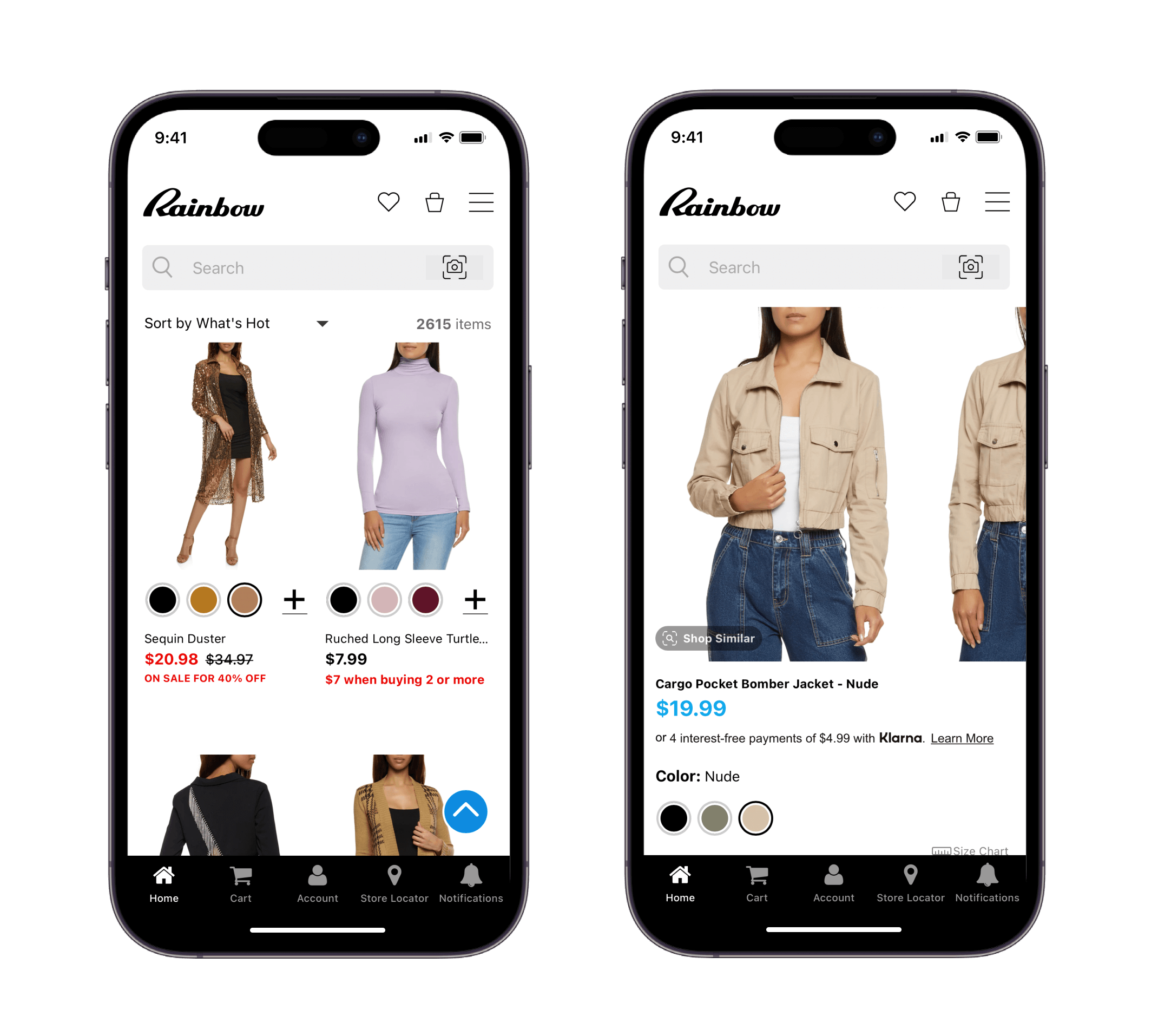
    Rainbow Shops
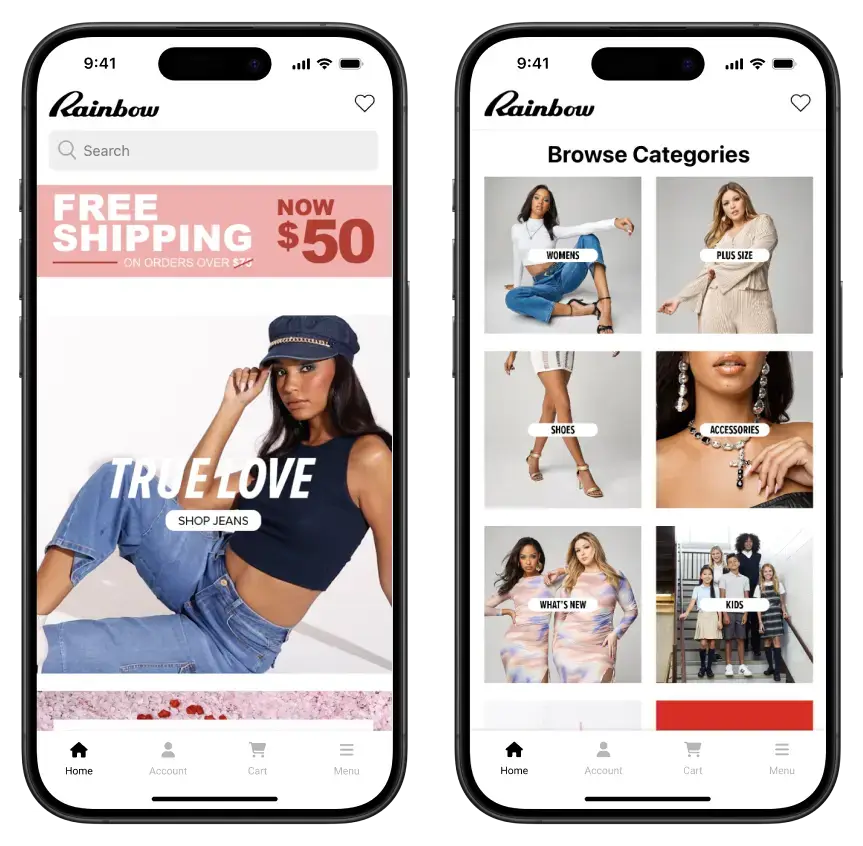
    App built with Vendrux

    Category: Apparel/Fashion

    Key statistics

    • 10% of direct-to-consumer (DTC) revenue driven by the app.  
    • 7x LTV growth.
    • 10% higher mobile AOV.
    • 2x higher mobile conversion rates. 

    The Rainbow Shops app is an integral part of their DTC strategy, driving 10% of their direct-to-consumer revenue. 

    App users have a massive 7x higher lifetime value, convert at twice the rate of those on their website, and spend 10% more in each order than shoppers on their mobile website.

    The brand is also able to use push notifications to drive cheap traffic, that tends to be more engaged and higher value than customers from more expensive channels.

    “Push notifications are the cheapest and most powerful communication channel we have. We find that users who prefer to interact via an app are more loyal, buy from us more often and spend more time with our content.”

    Read more about Rainbow Shops’ mobile app here.

    reLink Online
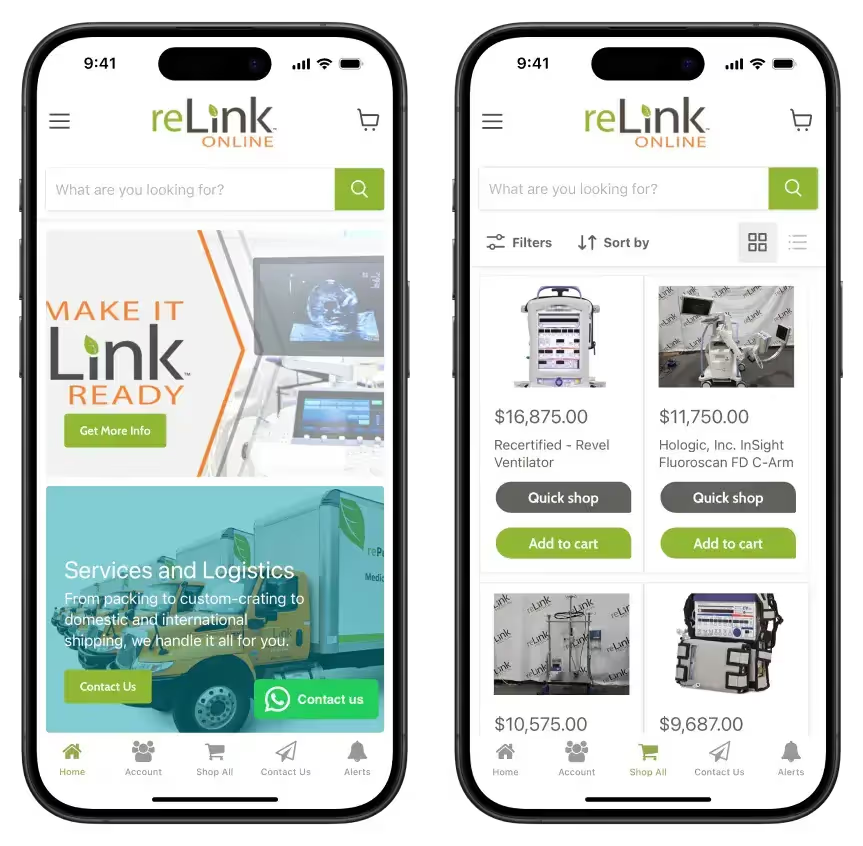
    App built with Vendrux

    Category: Medical Equipment

    Key statistics

    • 4x lifetime value from app users.
    • 7x ARPU from app users.
    • 20% of total revenue comes through the app.

    App built with Vendrux

    Medical equipment provider reLink Medical found immediate success by launching an app, which helped them pivot into a DTC model, after previously relying on rented sales channels like eBay.

    The app provides for one fifth of their total B2C revenue, and customers who use the app have a 4x higher lifetime value and generate 7x higher ARPU, illustrating the ability of mobile apps to create long-term, high-value relationships with customers.

    “About half our buyers on eBay are using mobile. If you’re gonna play in this world today, you need an app.”

    Read more about reLink’s mobile app here.

    Holy Grail Nail
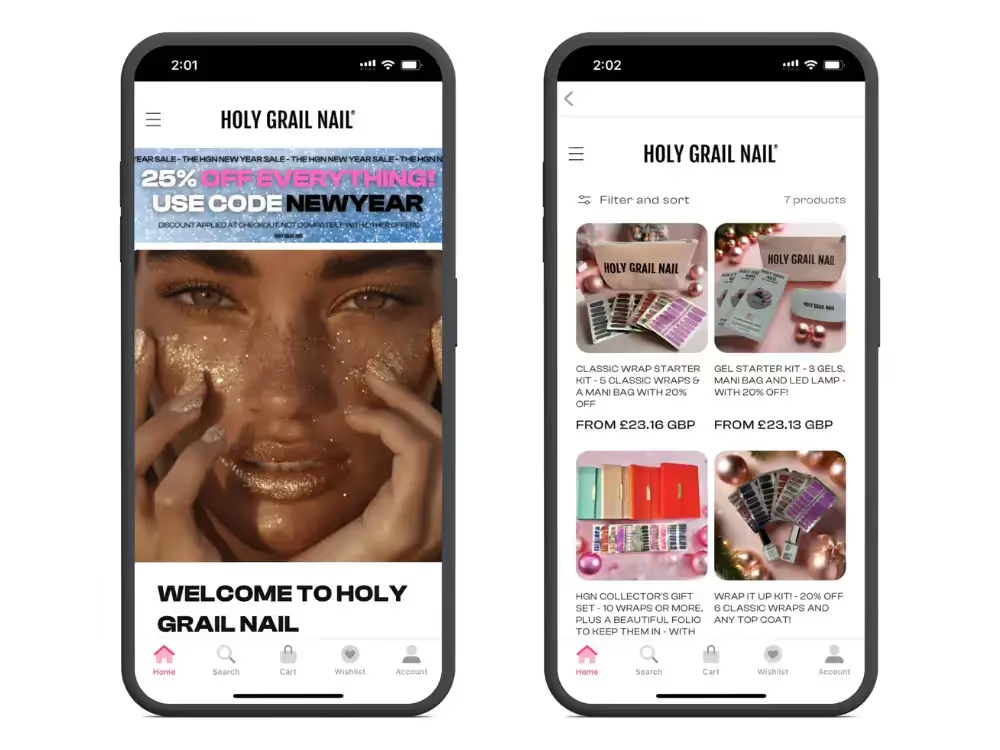
    App built with ShopApper

    Category: Beauty

    Key statistics

    • $20k increase in monthly revenue (7% increase in revenue) in the space of three months.
    • 15% higher average order value in the app.
    • 20% of total revenue generated through the mobile app.

    Holy Grail Nail has achieved remarkable results by launching their mobile app, adding $20k in monthly revenue in only three months – a 7% overall revenue boost.

    Customers through the app spend more in each transaction, and the app as a sales channel has growth to contribute one fifth of their total revenue.

    BrüMate

    App built with Tapcart

    Category: Home/Kitchen

    Key statistics

    • 56% higher sales per session in their app, compared to the website.
    • 43% higher conversion rate in the app.
    • 10-20% of total monthly sales coming through the app.

    BrüMate’s app delivers exceptional returns compared to their website, with a notable increase in conversion rate and sales per session.

    Their app offers a more personalized and engaging customer experience, with the addition of push notifications as a scalable, low-cost sales channel that the brand has full control over.

    The app now generates 10-20% of their total monthly revenue, with a much increased efficiency ratio compared to all their other sales channels.

    Hobbiesville
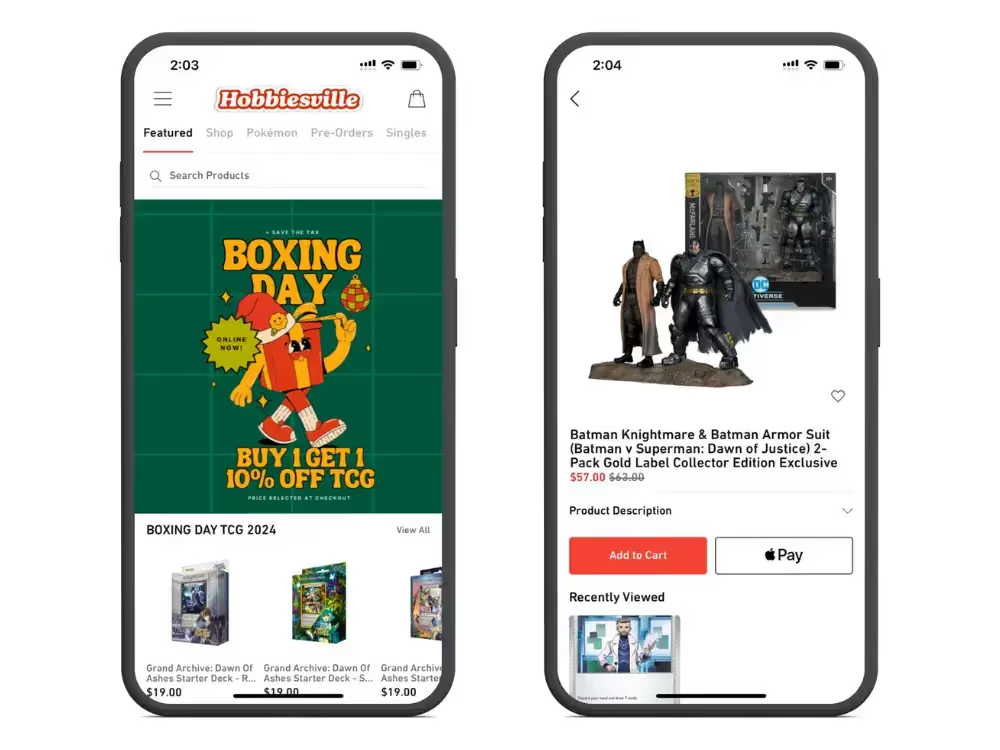
    App built with Tapcart

    Category: Toys/Games

    Key statistics

    • 10% of their customers use the app.
    • App users contribute 40% of their total revenue.
    • 3x higher conversion rate in the app.
    • Push notifications generate 2x higher response rates than email.

    Hobbiesville’s app has become a powerhouse sales channel. 10% of their customers use the app, but this segment generates 40% of the brand’s total revenue.

    A large part of this is due to the effectiveness of push notifications, which generate 2x higher response rates for Hobbiesville than email, as well as the app’s CRO, which significantly outperforms their website in conversion rate.

    Béis
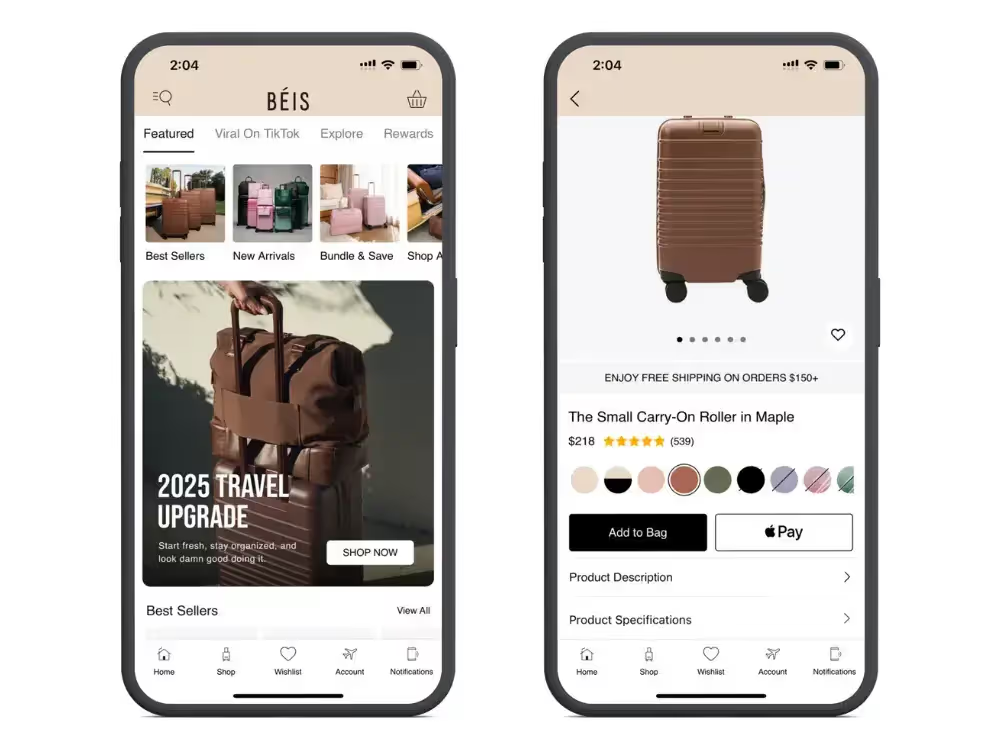
    App built with Tapcart

    Category: Bags/Luggage

    Key statistics

    • 67% higher conversion rate in the app.
    • 15% higher AOV.
    • 13% of total revenue comes from their mobile app.

    The Béis app has quickly become an essential sales channel for their brand, driving 13% of total revenue.

    Customers using the app convert at a higher rate, and spend more in each transaction, as a result of a smoother, distraction-free customer experience.

    Anatomie
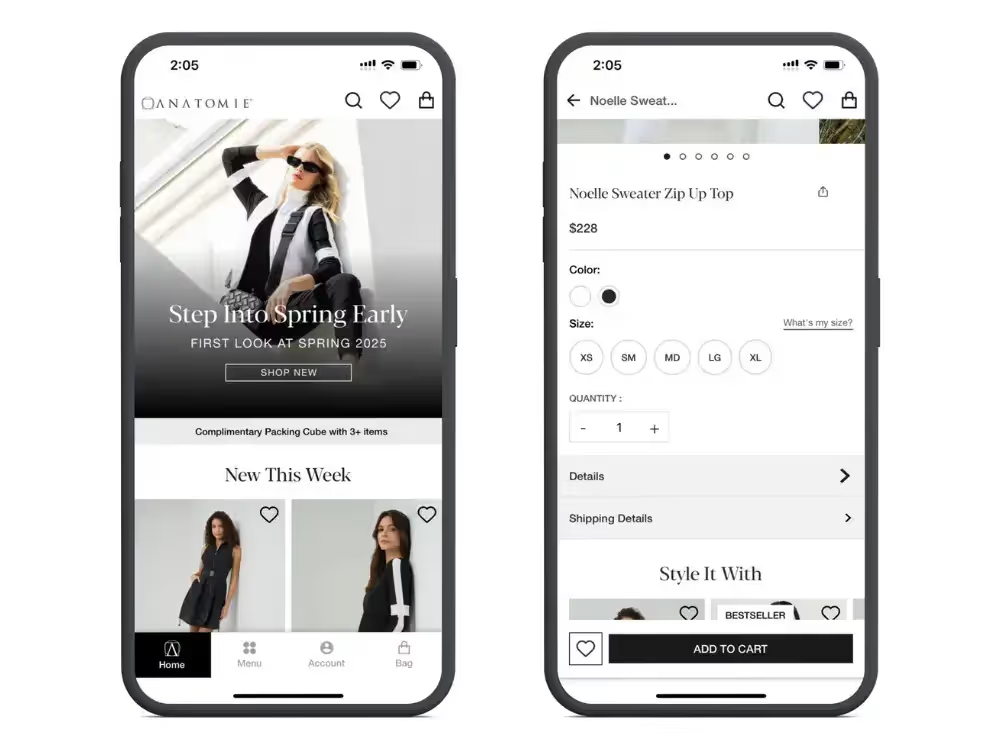
    App built with AppBrew

    Category: Apparel/Fashion

    Key statistics

    • 2.5x conversion rate in the app, compared to their mobile website.
    • 5x higher lifetime value from app users.
    • 1.5x average order value in the app.

    For Anatomie, an app has proved to be a powerful platform for cultivating long-term customer loyalty and increasing revenue per transaction.

    Customers in Anatomie’s mobile app have a 2.5x higher conversion rate compared to those on their mobile website, as well as a 1.5x higher average order value, both of which contribute to a significant increase in lifetime value from customers who shop through the app.

    Obvi
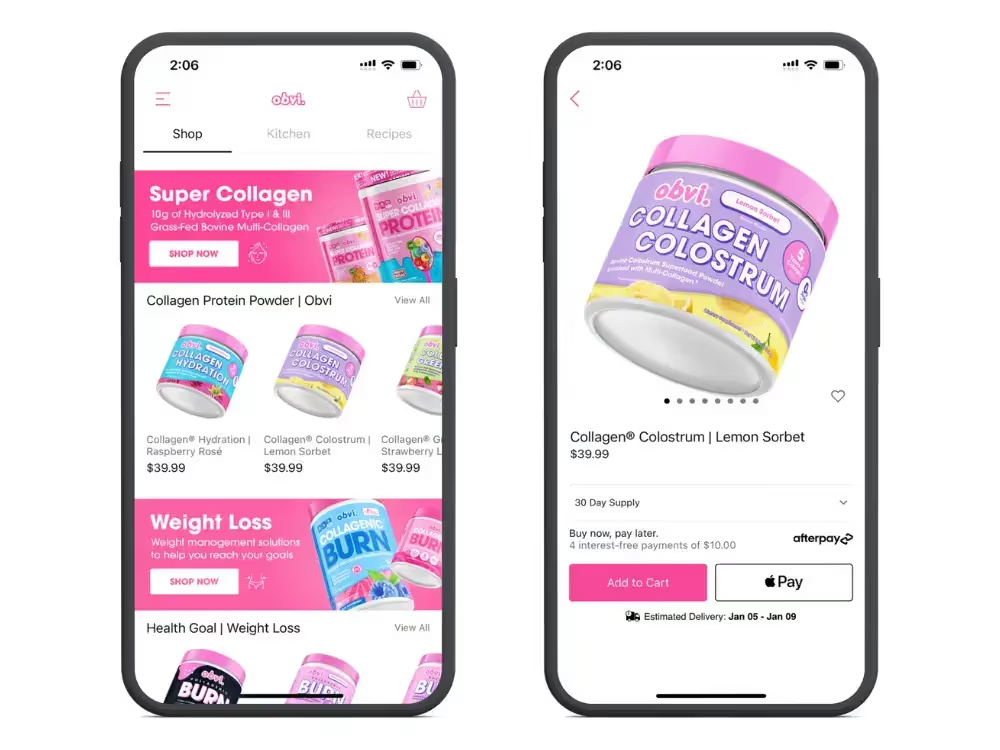
    App built with Tapcart

    Category: Health/Nutrition

    Key statistics

    • 2x higher conversion rate in the app vs the mobile website.
    • 98.6% app user retention.
    • 15.2% higher AOV for app users.
    • Over 137k push notification subscribers.

    Obvi’s app drives impressive results, with double the conversion rate compared to their mobile website, and an almost flawless retention rate of app users.

    Additionally, app users spend more, with a 15.2% higher AOV, while over 137k push notification subscribers provide a direct channel for engagement.

    Art of Tea

    App built with Tapcart

    Category: Food/Beverage

    Key statistics

    • 3.4x higher conversion rate in the app vs the mobile website.
    • 4.6x higher order value per session in the app.
    • >20k total app downloads.

    Art of Tea’s app delivers a premium shopping experience, with a higher conversion rate and AOV than their mobile website. With over 20 thousand downloads, the app has successfully captured a dedicated audience and significantly elevated the brand’s online sales performance.

    Recode Studios
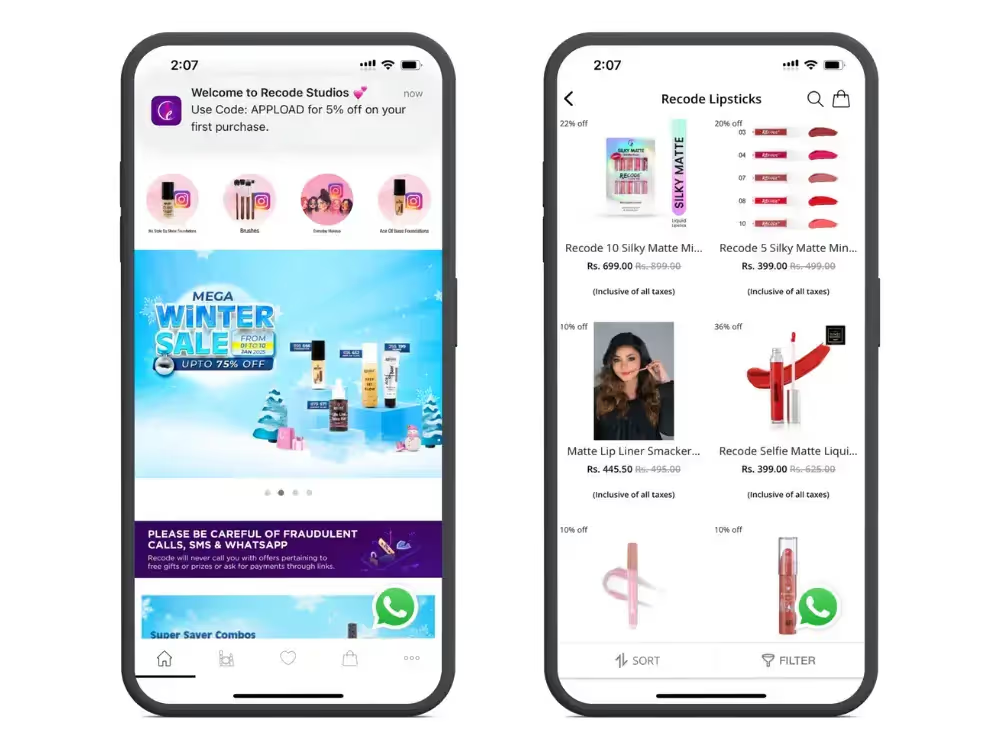
    App built with Plobal Apps

    Category: Beauty

    Key statistics

    • App grew their total revenue by 63%.
    • 7x conversion rate in the app.
    • 50% repeat purchase rate through the app (20% higher than their mobile website).
    • 16.89% conversion rate on abandoned cart notifications.
    • 25k monthly active app users.
    • 200,000 app sessions per month.

    Recode Studios’ app has revolutionized their business, growing their total revenue as a result of a 7x higher conversion rate and a 50% repeat purchase rate through the app – highlighting the effectiveness of mobile apps on CRO and retention.

    Another key aspect is the app’s power to recover lost sales, with the brand generating an impressive conversion rate of nearly 17% on abandoned cart push notifications.

    Want to see more brands having success with mobile apps? Check out these case studies of brands who used Vendrux to turn their website into high-converting mobile apps.

    4 Steps to Make Mobile a Priority for Your DTC Brand

    Mobile optimization is no longer optional for eCommerce brands. It’s the baseline.

    With a growing majority of eCommerce sales happening on mobile devices, catering to these shoppers must be your top focus.

    Beyond ensuring your website is responsive and functional on mobile (a given for most brands today), here are four steps to truly prioritize mobile and help your brand achieve its full revenue potential.

    1. Design Mobile-First

    Although most websites today are usable on mobile, many are still designed with desktop users in mind.

    The result? A “shrink and fit” experience that treats mobile as an afterthought, limiting your site’s effectiveness on smaller screens.

    Instead, adopt a mobile-first design approach.

    Begin by crafting your site specifically for mobile users, focusing on intuitive navigation, fast loading times, and a seamless user experience.

    This ensures your site feels native to mobile devices rather than forced to fit.

    Learn more: check out 15 Mobile eCommerce Best Practices to maximize mobile conversions.

    2. Streamline the Purchase Experience

    Mobile shoppers demand simplicity and speed. Unlike desktop users, they’re less tolerant of extra steps or clunky processes that disrupt the buying journey.

    To keep mobile users engaged and prevent drop-offs, eliminate unnecessary friction in your purchase flow.

    Key optimizations include:

    • One-click checkout and mobile wallet integrations (e.g., Apple Pay or Google Pay).
    • Simplifying form fields and inputs.
    • Reducing the number of checkout pages.
    • Optimizing site speed to minimize delays.

    These changes aren’t just nice-to-haves – they’re critical for capturing mobile shoppers’ attention and loyalty as mobile commerce continues to dominate.

    3. Launch Your App

    Once your mobile website is fully optimized, the next step is to launch an app.

    A mobile app brings unmatched value to your brand, helping you drive more revenue from your existing traffic.

    App users tend to spend more per order, shop more frequently, and exhibit greater lifetime value than mobile web users.

    Apps also provide an owned channel for engaging your customers and collecting invaluable first-party data, especially as privacy regulations tighten.

    One of the best parts? If you’ve done the first two steps, you’re already most of the way there.

    As long as you have a mobile-optimized website, you need only minimal adjustments to repackage your website into an app that customers can download and enjoy.

    This approach requires significantly less investment than you might think and is almost guaranteed to deliver a strong return on investment.

    How to Launch Your App in Less than 30 Days

    Vendrux is the best way for any DTC brand to launch their own apps.

    No coding, no rebuilding, no massive investment required, virtually no overhead.

    You’ll go live in 30 days (or less), for no risk, with an app that does everything your website does, and more.

    Click here to learn more about how Vendrux works, or get a free consultation to talk it over with one of our eCommerce app experts.

    4. Leverage Push Notifications

    Having an app unlocks powerful opportunities, and chief among them is push notifications.

    Push notifications are a game-changer for DTC brands, providing a direct, cost-effective way to engage customers.

    Use them to:

    • Announce promotions and new product launches.
    • Recover abandoned carts with timely reminders.
    • Drive repeat purchases with personalized messages and promotions.

    Unlike email and SMS, which are increasingly losing their edge, push notifications show up directly on users’ lock screens, commanding immediate attention.
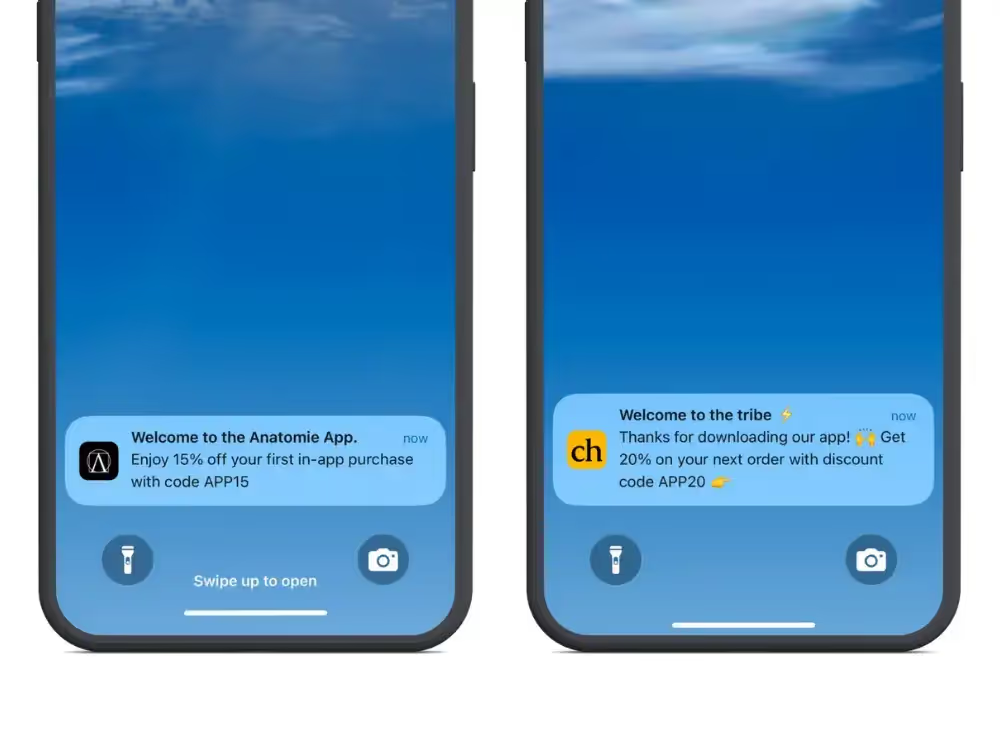
    Despite their low cost and high impact, many brands are only beginning to explore their full potential.

    Learn everything you need to know about using push notifications to drive sales and boost retention in our ultimate guide.

    Wrapping Up

    The brands that fully embrace mobile will be the ones to thrive in the rest of the 2020s and beyond.

    As smartphone usage continues to grow, especially for eCommerce, traditional engagement channels like email and social media are becoming less reliable for driving consistent engagement and revenue.

    A mobile-first, app-first strategy is the key to building a sustainable, future-proof brand.

    That’s where Vendrux comes in.

    Vendrux makes it easy to turn your website into fully functional, revenue-generating mobile apps in less than a month.

    For a fraction of the cost of custom development, you can launch apps that rival those of the world’s leading brands.

    Just a few examples of successful Vendrux apps

    Here are just a few reasons Vendrux is the best way to build your app:

    • Your app comes with native features built in, including push notifications and native navigation UI.
    • Your apps sync perfectly with your website, eliminating extra management overhead.
    • We handle everything, from building and publishing your apps to ongoing maintenance, so your team can stay focused on growth.
    • There’s minimal cost involved, as well as a money-back guarantee, so there’s literally no risk to see what an app can do for your brand.

    If you’re ready to future-proof your eCommerce business with mobile apps, we’re here to help.

    Learn more about our process, and why this is the smartest way to build shopping apps in 2026, then book a free consultation to bring your app to life.

  • Why You Shouldn’t Use DIY, No-Code App Builders To Build Your Mobile Apps

    Why You Shouldn’t Use DIY, No-Code App Builders To Build Your Mobile Apps

    No-code mobile app builders are popular for a reason. They promise a low-cost, DIY way to build your perfect mobile app.

    The DIY/no-code approach is, for many businesses (especially ecommerce) simply a better way to create a mobile app today, compared to spending $100K+ on a fully custom app (which then requires significant work and cost to maintain).

    But in a lot of cases, though better than doing a fully custom app, the DIY approach is still not ideal.

    We’ve talked to probably thousands of online brand owners, most of whom come to us with a few alternatives they’re considering, or an existing app that needs improvement.

    From these people, we hear a number of issues or deal-breakers come up over and over again. In this article, we’re sharing them with you, so you can understand the limitations you’re working with when it comes to DIY app builders.

    Nine Common Problems with DIY Mobile App Builders

    To help you choose what’s right for you, here are the top 9 issues reported by our team when rescuing DIY app builds gone wrong.

    1. Multiple platforms to manage

    Using an app builder means adding an extra platform for you or your team to manage.

    Since these tools rely on their own codebase, you’ll have to update your website then redo that work in the app to push those updates live – something that often isn’t clear upfront.

    “We would make changes to our website, then have to do the same work again to make sure our apps also updated. This was frustrating for the team and often meant our app was always lagging behind our website.”

    David Cost, VP of Ecommerce and Marketing, Rainbow Shops

    If the main purpose of your app is to offer a better mobile experience, you should be able to update your website and see the exact same updates in your mobile app.A wrapper approach means that your website and apps share the same codebase. So any updates you make to your website, will show up instantly in your app.

    This is especially useful if you’re constantly making changes to your site design, testing new tools or running regular promotions.

    2. Limited native customization

    Using a DIY app builder means using off-the-shelf templates and designs, typically based on a standard set of pre-built blocks.

    While this is a great way to get started, customers often discover that templates are unable to properly reflect their brand.

    Many block-based app builders are also unable to include unique elements such as videos, banners, reviews, custom search, advanced filtering and any other conversion-focused changes you make to your site.

    “The app needs to be at least as functional as the website. It doesn’t need to be better than the website, but the user experience can’t be worse.”

    David Cost, VP of Ecommerce and Marketing, Rainbow Shops

    Worst case, an app builder makes it impossible to replicate your existing brand design, leaving you with an app that’s a suboptimal version of your site. Best case, extensive custom development work is required which can lead to unexpected costs and delays.

    With our approach, customers have unlimited control of their app’s design so it reflects their unique brand identity. Any optimizations made to the mobile website are reflected in the app from day one.

    3. No focus on support

    The level of support you receive from standard app builders varies drastically so be sure to read between the lines.

    While support may be included as an option with premium builders it is often limited to technical support, rather than providing ongoing management of your app. Additionally, with DIY builders, you usually have no guarantees that your app will be accepted in the app stores (see point 9 below).

    “[Name removed] was an inferior product with zero customer support. We couldn’t even get in touch with them to make a payment.”

    Reviews like the one above are very common with many app builders which generally isn’t a good sign.

    Ultimately, with the DIY approach, remember that the responsibility falls on you and your team to build your app (and get it approved).

    “I think the biggest difference is the level of service you offer. We haven’t had any issues – the setup and onboarding was super easy thanks to your team’s excellent support. You were always available to make the process seamless.  

    – Kenneth Chan, Founder, TOBI

    Typically you want a provider who takes complete ownership of your app experience.

    This includes standard support and maintenance but should also include ongoing in-app design customization services to make any changes you need.

    4. Arbitrary integration limits

    Using a DIY app builder means limiting yourself to the pre-built integrations available on a specific platform. If you use a custom tech stack with less popular integrations or plugins, you won’t be able to bring these into your app.

    Many builders set limits on the number of integrations you can add to your app on non-enterprise plans, so make sure to verify what you’re getting. You may also be surprised to find popular integrations like Klaviyo missing entirely, or only available on enterprise plans.

    When making a decision, you should account for all existing and potential future integrations you require upfront (marketing automation, preferred payment gateways, custom checkouts etc.)

    It’s also good to note that relying on native integrations may limit your technology decisions, or require you to switch providers in the future.

    With our done-for-you approach, any web-based technology works out of the box.

    If you’ve already got your favorite tools installed on your website, they will all be available with no additional work required. There are no limits on the number of integrations and you can use your entire custom technology stack.

    5. Platform lock-in

    With API-based app builders your app is closely tied to platform APIs meaning changes to features, pricing and functionality will affect your app. This API-based approach also means high switching costs if you decide to change platforms in the future.

    “We were looking to decrease the cost and time investment of running an application. We had a code-based app that used data from an API endpoint, and we didn’t want to do that anymore.”

    Svend Hansen, Senior Product Owner, BESTSELLER

    If you decide to move your site elsewhere in future, or to build a custom site, you will likely have to start from scratch if you build your app with a platform-specific builder.

    Our approach is platform agnostic so switching platforms or making major overhauls to your website in the future is easy. Your mobile app will continue working so you never have to rebuild from scratch.

    6. Basic native search and filtering

    If an optimized search experience is important for your site, or is something that you want to improve in future, be sure to test this rigorously before choosing an app builder.

    Typically DIY app builders have limited native search and often integrate with just a handful of popular search providers, many of which are less robust compared to their web solutions.

    “When we used [APP BUILDER], we had to switch providers to integrate better search functionality in our app, but it still couldn’t match the performance of the custom sort order we had build on our site. This had a huge impact on our bottom line and they lost our business over it.”

    David Cost, VP of Ecommerce & Marketing, Rainbow Shops

    If you have a high number of SKUs, or want to use a specific search and filter provider in your app, you may be forced to switch vendors, or settle for an inferior customer experience.

    It’s worth mentioning that search and filtering is by far the biggest reason existing app-builder customers get in touch with us.

    With our approach you can build your own custom search engine or power it with any third-party platform.

    7. No A/B testing

    There are currently no DIY app-builders that include conversion rate optimization and A/B testing functionality out of the box.

    Considering CRO is now a staple practice for all high performing eCommerce businesses, this should be a core consideration for your app. You should be able to keep the same testing cadence going across your different channels.

    With Vendrux, you can use any third party A/B testing tool such as AB Tasty, VWO or Convert, and run conversion rate experiments from day one with no additional code, costs or build time required.

    8. Sneaky Hidden Fees

    It is not uncommon for certain app builders to hide the fact that their plans include success fees, meaning they take a cut of your app revenue.

    If you’re still growing – let’s say less than $300k in annual sales – this is less of an issue, but as you scale up these costs can accumulate fast.

    Take the two examples below, based on apps driving around 15-20% of total revenue.

    App A: $1M+ in Annual Revenue where 15% of total revenue = $150,000

    App B: $10M+ in Annual Revenue where 15% of total revenue = $1,500,000

    We believe in clear, simple pricing so you know all your costs upfront. Things like charging for additional integrations, or taking a cut of app revenue shouldn’t be a thing.

    9. No App Store Guarantees

    Getting your apps approved by app stores can be a painful process yet many DIY app builders do not offer an app store approval guarantee. This is usually because they don’t want to own the process of making sure your app meets store guidelines.

    If you’re familiar with the process, and have an in-house technical team to handle things you may decide to go it alone but this is often risky with weeks of potential back and forth in your future.

    “We have a small team, with no app development experience. We needed someone that would hold our hand through the process of creating an app for our company and getting it approved.”

    Nick Barbarise, Director of IT, John Varvatos

    After all, what’s the point of paying to have your app built if it won’t end up getting approved?

    The benefit of a done-for-you service is having an experienced team navigate the app store submission process for you. We know what works, and what doesn’t.

    An app store guarantee also means you get a refund if your apps aren’t approved for any reason.

    An Alternative to DIY App Builders

    Many of our customers make the switch after going the DIY route with popular no-code app builders like Tapcart, Shopney, Plobal Apps, and a number of others.

    These are great tools, and for many ecommerce brands, they’re more than enough to launch a solid app that drives revenue.

    But for many others, especially those with more custom storefronts, the limitations of the DIY app builder approach are just too much.

    Vendrux gives you a holistic, customizable, and growth-oriented approach to building your app. Working with us means an app that evolves with your business without major limitations.

    Get in touch with our team if you’re interested in learning more about your options. We’d love to hear about what you’re trying to achieve with a mobile app and help you make the best choice for your business.

  • App Store Screenshot Sizes and Design Guide (2026)

    App Store Screenshot Sizes and Design Guide (2026)

    Your app listing has about seven seconds to make its case. In that window, screenshots do more persuading than your description, your feature list, or your release notes.

    And yet most brands treat screenshots as a compliance checkbox: snap a few screens, upload them, move on.

    That’s a missed opportunity. Screenshots are the second most influential factor in download decisions, right behind ratings. Getting both the technical specs and the design right is worth the effort.

    This guide covers everything in one place: the exact dimensions Apple and Google require, the design principles that drive conversions, and the tools that make the whole process faster.

    Apple App Store Screenshot Requirements

    Apple is strict about screenshot specs. Non-compliant images will delay or block your app submission.

    What You Need to Know

    • Formats: JPEG or PNG
    • Quantity: 1 to 10 screenshots per localization
    • Content rules: Screenshots must show actual app content in use, not browser captures or mockups that misrepresent the experience
    • No transparency: PNG files must have solid backgrounds (no alpha channel)

    Required iPhone Dimensions

    You must submit screenshots for the 6.9-inch display (or 6.5-inch, which Apple will scale up). Apple automatically generates smaller sizes from your largest submission.

    Display Size Example Devices Portrait (px)
    6.9″ (required) iPhone 16 Pro Max, 16 Plus, 15 Pro Max 1290 x 2796
    6.5″ iPhone 14 Plus, 13 Pro Max, 11 Pro Max, XS Max 1284 x 2778 or 1242 x 2688
    6.3″ iPhone 16 Pro, 16, 15 Pro, 15 1206 x 2622 or 1179 x 2556
    6.1″ iPhone 17e, 14, 13, 12, 11 Pro 1170 x 2532 or 1125 x 2436
    5.5″ iPhone 8 Plus, 7 Plus, 6S Plus 1242 x 2208

    Tip: Design for 6.9″ first. Apple scales down to smaller sizes automatically, so you only need to create one set of iPhone screenshots unless you want device-specific designs.

    Required iPad Dimensions

    You must submit screenshots for the 13-inch display. Apple scales down to smaller iPad sizes.

    Display Size Example Devices Portrait (px)
    13″ (required) iPad Pro M5/M4, iPad Air M4/M3 2064 x 2752 or 2048 x 2732
    11″ iPad Pro, iPad Air, iPad mini 1488 x 2266 or 1668 x 2388

    For the full list of every accepted dimension, see Apple’s official screenshot specifications.

    Google Play Store Screenshot Requirements

    Google Play is more flexible than Apple, but there are still rules to follow.

    What You Need to Know

    • Formats: JPEG or 24-bit PNG (no alpha transparency)
    • File size: Maximum 8 MB per image
    • Aspect ratio: Between 16:9 and 9:16
    • Resolution range: Minimum 320 px (shortest side), maximum 3,840 px (longest side)
    • Quantity: Minimum 2, maximum 8 per device type
    • Color space: sRGB recommended (avoid wide-gamut like Display P3)

    Recommended Dimensions

    Device Type Portrait (px) Landscape (px)
    Phone 1080 x 1920 1920 x 1080
    7″ Tablet 1200 x 1920 1920 x 1200
    10″ Tablet 1920 x 2560 2560 x 1920

    Tip: Always fill all 8 phone screenshot slots. Every empty slot is a missed opportunity to sell your app.

    Apple vs Google Play: Quick Comparison

    Apple App Store Google Play Store
    Formats JPEG, PNG JPEG, 24-bit PNG
    Max per listing 10 8
    Min required 1 2
    Transparency Not allowed Not allowed
    Max file size Not specified 8 MB
    Primary size (phone) 1290 x 2796 (6.9″) 1080 x 1920
    Auto-scaling Yes, scales down from largest No

    7 Design Tips for Screenshots That Convert

    Getting the dimensions right is table stakes. What actually drives downloads is the design. These seven principles apply to both stores.

    1. Use Large, Scannable Captions

    Only 4% of users enlarge portrait screenshots on the App Store. Your text needs to be readable at thumbnail size.

    Add a single, bold headline to each screenshot that communicates the core benefit of what’s shown. Think of each caption as a billboard: if it needs two reads to understand, it’s too long.

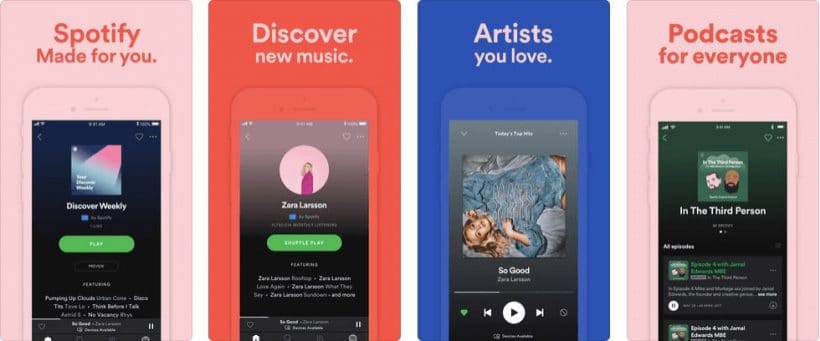
    Spotify does this well, with simple one-line captions in large, clean type over each screenshot.

    Spotify app store caption

    2. Lead with Benefits, Not Features

    Each screenshot should answer “What’s in it for me?” not “What does this button do?”

    Structure your screenshot set like a landing page. The first screenshot is your hero, the next few highlight your strongest benefits, and the last one is your closer. Revolut is a good example: each screenshot highlights a distinct benefit (save money, send money, get paid early) rather than listing features.

    Revolut App Store Screenshot
    Revolut highlight one benefit per screenshot

    3. Show Your Brand

    Use your color palette, typography, and logo throughout your screenshots. This isn’t just about aesthetics. It reassures potential users that they’re looking at the real app, not a knockoff.

    Consistent branding across your screenshots also makes your listing look polished and professional, which matters more than most teams realize.

    Flair Belgie app store description branding
    Flair Belgie’s bold and unique color choice instantly shows their audience that they’re in the right place.

    4. Combine Screenshots Into Panoramic Designs

    Some brands treat their screenshot set as a single canvas, with designs that flow across multiple frames. This creates a “landing page” effect that tells a story as users swipe.

    Airbnb and TripAdvisor use this approach, with isometric designs and branded backgrounds that make their listings visually distinctive.

    Combine app store screenshots
    Airbnb combine screenshots to create a strong opening image

    Trip Advisor app store screenshots
    TripAdvisor use their signature colors combined with a sleek visual

    5. Highlight What Makes You Different

    Don’t waste screenshots on generic features every app has. Show the functionality that sets your app apart from competitors.

    If your app has a unique search experience, a standout loyalty program, or an innovative checkout flow, that’s what deserves screenshot real estate.

    6. Add Social Proof

    If you have strong ratings, press mentions, or notable user numbers, work them into your screenshots. A frame that says “Rated 4.8 by 50,000+ users” or “Featured in TechCrunch” builds credibility faster than any feature description.

    This works especially well as the last screenshot, a closer that reinforces trust before the user decides.

    app reviews in screenshots
    Strava‘s use of a quote from The Running Awards instantly increases their social proof wit their target audience

    7. Include a Video Preview

    Four times more consumers prefer watching a video about a product than reading about it, and video previews can increase install rates by over 25%.

    App Store Preview Video
    Image source

    Apple App Store video specs:

    • Length: 15 to 30 seconds
    • Must be actual screen recordings
    • Resolution: Match your screenshot dimensions (e.g., 1290 x 2796 for 6.9″)

    Google Play video specs:

    • Format: YouTube video link
    • Length: 30 seconds to 2 minutes recommended
    • No fixed resolution requirement (YouTube handles scaling)

    Keep videos short, focused, and subtitled. Most users watch without sound.

    Screenshot Design Tools

    You don’t need a design team to create professional screenshots. These tools handle templates, device frames, and store-compliant exports.

    AppScreens.com – Template-based editor with device frames for both stores. Good for teams that want to move fast without a designer.

    TheAppLaunchpad.com – Drag-and-drop screenshot builder with a library of layouts and backgrounds. Solid free tier.

    Launchmatic.app – Focused on Apple App Store screenshots with pre-built templates designed around Apple’s guidelines.

    MockUPhone – Free tool specifically for wrapping screenshots in realistic device frames. Useful if you’re designing in Figma or Photoshop and just need the frame layer.

    Figma / Canva – If your team already uses Figma or Canva, both have app store screenshot templates available. Figma gives more control; Canva is faster for non-designers.

    A Quick Design Checklist

    Before you upload, run through this:

    • Screenshots match the required dimensions for each store
    • No transparency in PNG files
    • Text is readable at thumbnail size (don’t enlarge to check, shrink your screen)
    • First screenshot communicates your strongest value proposition
    • Each screenshot highlights a different benefit or feature
    • Branding is consistent across all frames
    • You’ve filled all available slots (10 for Apple, 8 for Google Play)
    • Device frames are current (no outdated bezels or notch styles)
    • Video preview is under 30 seconds (Apple) or 2 minutes (Google Play)

    Doing screenshots right is closer to a science than an art. Nail this, and you give yourself the best change to get the download after doing the hard work to get someone to land on your listing.

    Need screenshots for your mobile app?

    If you’re launching a native app with Vendrux, our team handles App Store and Google Play submissions for you, including screenshot guidance and store listing optimization.

    Book a free strategy call to see how your store would look as a native app, and what your listing could look like.

    Get a Free App Preview

  • What is Cross-Platform App Development? (And Why It’s the Best Way to Build Apps in 2026)

    If you’re thinking about launching a mobile app, you’ll likely run into the cross-platform vs native debate before long.

    The traditional approach was to build two separate apps, one for iOS and one for Android, using two different programming languages, two different teams, and two budgets. Cross-platform development collapses all of that, and lets you launch on multiple platforms with the same framework.

    For most companies launching an app today, this is the right approach. It’s faster, cheaper, easier to maintain, and the apps you end up with are often indistinguishable from native ones. Discord, Pinterest, Bloomberg, Shopify’s Shop app, and Microsoft Teams are all built this way.

    This guide is for non-developers. We’ll cover what cross-platform development actually is, how it compares to native, why most teams are choosing it in 2026, and the fastest way to ship a cross-platform app if you don’t have a development team in-house.

    What Cross-Platform App Development Means

    Every mobile app has the same basic set of features: sign-in, browse, search, cart, checkout, push notifications, account settings. 

    With native development, you build that set of features twice. Once in the iOS programming languages (Swift or Objective-C), once in the Android programming languages (Kotlin or Java).

    With cross-platform development, you build it once. A framework like React Native or Flutter takes that single codebase and produces working iOS and Android apps from it.

    In practice, that means:

    • One codebase instead of two
    • One team instead of two
    • One set of features that ships to both platforms at the same time
    • One ongoing maintenance line instead of two parallel ones

    To your customer, the end result is a real native app they download from the App Store or Google Play. They have no way to tell whether you built it cross-platform or natively, and in most cases there’s no functional reason for them to care.

    Cross-Platform vs Native App Development

    Native and cross-platform are the two main ways to build a mobile app. Here’s how they compare.

    Native Cross-Platform
    Codebase Two separate (iOS + Android) One shared codebase
    Languages Swift / Objective-C, Kotlin / Java JavaScript, Dart, C#
    Cost Highest ~50% of native
    Time to launch 6+ months 3-6 months
    Performance Best possible Near-native for most apps
    Best fit Heavy-hardware apps (3D games, AR, advanced camera) Most consumer and B2B apps

    The only time native is the obviously right answer is when your app needs to do something that depends heavily on a phone’s hardware. Snapchat-style AR filters, console-quality 3D games, specialized camera processing, that kind of thing.

    For everything else, including the vast majority of ecommerce apps, content apps, SaaS apps, and community apps, cross-platform will deliver an experience your users can’t tell apart from native.

    There’s also a third category called hybrid apps, covered alongside native, cross-platform, and pure web in this explainer.

    Why Most Modern Apps Are Built Cross-Platform

    For a marketing or product team weighing the options, cross-platform development comes down to three real benefits.

    1. It Costs Roughly Half as Much, and Ships in Half the Time

    Native apps can cost upwards of $150,000 per platform for a moderately complex build, which means $300,000+ to launch on both iOS and Android. Most native projects also take six months or more.

    Cross-platform development collapses both of those numbers. One codebase means one team, one timeline, and one budget instead of two. For most teams that translates to roughly half the cost and half the time. Hybrid approaches that reuse an existing website cut even more, sometimes 80-90%.

    That isn’t a small difference. It’s the difference between launching a mobile app this quarter and launching it next year, or between justifying the project at all and shelving it.

    2. You Get One App Experience, Not Two Drifting Ones

    Anyone who’s managed a separate iOS team and a separate Android team has lived this story. 

    A feature ships to iOS first. The Android version comes out three weeks later, with a slightly different design and one missing setting. 

    The next sprint, the gap widens. Six months in, your two apps feel like two different products.

    Cross-platform development eliminates that drift by design. The same team ships to both stores from the same codebase, so your iOS users and Android users see the same app, get the same features at the same time, and have the same experience when they hit a customer support issue.

    For brands, that consistency is what makes the app feel like part of the company instead of a separate product line your customers happen to share.

    3. Long-Term Maintenance Costs Half as Much

    App maintenance is generally estimated at 15-20% of the original build cost per year. That’s the cost of OS updates, security patches, bug fixes, new features, and keeping up with whatever Apple and Google change next.

    If your apps cost $300,000 to build natively, you’re looking at $45,000-$60,000 a year, every year, to keep them running. With cross-platform, you halve that bill too. One codebase to maintain, one team to coordinate, one set of updates to ship.

    The math gets even better when you consider how often Apple and Google push platform-level changes that require app updates. Every one of those changes hits twice with native, once with cross-platform.

    The Frameworks Being Used to Build Cross-Platform Apps Today

    If you’re talking to a developer or an agency about your app, you’ll hear a few framework names come up. You don’t need to know how any of them work, but it helps to know what they are.

    • React Native is Meta’s framework, used in Discord, Pinterest, Shopify’s Shop app, and Meta’s own products. It uses JavaScript, the same language most websites are built with, so it’s the most common pick for teams that already have web developers.
    • Flutter is Google’s framework, used by Alibaba, Google Pay, and eBay Motors. It uses a language called Dart and is known for highly polished, custom-designed interfaces.
    • Ionic is a “hybrid” framework that uses standard web technologies (HTML, CSS, JavaScript) to build apps. It’s popular for content-driven and internal business apps.

    These are the workhorse frameworks of cross-platform development today. (You may still see references to Xamarin, Microsoft’s older framework, but Microsoft has retired it in favor of .NET MAUI.)

    The Fastest Path to a Cross-Platform App (for Web-First Brands): Vendrux

    Cross-platform delivers a lot of efficiency advantages over doing separate codebases for iOS and Android.

    However, if you’re building a mobile app as an extension of an existing website – particularly relevant for ecommerce sites, online marketplaces, and other businesses where the app and website do more or less the same thing – a React Native or Flutter app is still a lot of unnecessary work.

    You’re basically rebuilding your website in a new framework. You have the two-codebases problem all over again, this time with website and app.

    For brands like these, Vendrux is the superior cross-platform option. Vendrux lets you build custom iOS and Android apps that run on your existing web stack.

    Whether you’re on an ecommerce platform like Shopify, BigCommerce, WooCommerce, or you have a custom-built website, you can go live without adding a whole new codebase in a new framework.

    Some of the mobile apps built with Vendrux

    Vendrux’s team manages the app build and app-specific maintenance for you, while you manage the content and design through your existing systems.

    One codebase: three platforms (web, iOS, Android). It’s the ultimate cross-platform solution for web-first brands.

    Curious what your site would look like as a native app?
    See it for yourself, on iOS and Android.

    Get a Free App Preview

    See more about the type of brands Vendrux works with on our case studies page.

    The Bottom Line on Cross-Platform Development

    For a small minority of apps (the ones that need deep hardware access or top-tier 3D graphics), native development is still the right answer. 

    But the bulk of the time, cross-platform development is the better economic and operational choice. One codebase, one team, one launch, lower cost, faster shipping, and easier maintenance.

    If you’re building an app from scratch, look at React Native or Flutter, unless there’s anything you really can’t do with these frameworks (which is unlikely).

    And if your goal is to turn (or extend) your website into a native app? Go with Vendrux. You’ll save months of work, hundreds of thousands of dollars in dev costs, and come away with an app that does everything you need, and takes much less work to maintain.

    Want to see what’s possible with Vendrux? Get a free preview of your app now.

  • The CRO Agency Buyer’s Guide: Finding the Right CRO Partner

    The CRO Agency Buyer’s Guide: Finding the Right CRO Partner

    You’re spending big to drive traffic to your store. But traffic doesn’t pay the bills – conversions do.

    The average ecommerce store converts 2.5-3% of visitors into customers. The top quartile converts at 5% or higher. For a $10M brand, closing that gap is worth roughly $2M a year with no incremental ad spend.

    The instinct is usually to chase tactics: button colors, shorter forms, a third social-proof badge in the footer. Those occasionally win, but the bigger lift sits upstream, in the research that figures out where visitors drop off and why.

    The sections below cover what a CRO program looks like in practice, what it costs, the shortlist of agencies worth considering, and how to decide whether to hire one in the first place.

    What is CRO? And What Does an Agency Do?

    CRO – Conversion Rate Optimization – is about boosting your store’s conversion rate, and getting a higher share of website visitors to follow through and make a purchase.

    A good CRO program does three things:

    • Instruments the site so you can see where the funnel leaks.
    • Runs controlled experiments that prove or disprove why.
    • Compounds the learnings so each round of testing sharpens the next.

    The headline metric is conversion rate. The metrics that move with it are revenue per visitor (RPV), cart completion rate, AOV, and repeat purchase rate. Healthy programs track all of them, not just the topline.

    One thing to understand is that CRO is not the same everywhere. For a D2C ecommerce site, it’s a unique project, that you shouldn’t get confused with CRO for other verticals.

    Two things separate ecommerce CRO from CRO in B2B or SaaS:

    Checkout is where most of the loss happens

    Every ecommerce site has a multi-step purchase flow with shipping, payment, taxes, discounts, and account decisions stacked into it. Baymard puts the average cart abandonment rate at 70.19%. A program that doesn’t focus on improving your checkout experience first is missing the most obvious lever for improvement.

    Mobile is the majority channel (and the worst-converting one)

    Mobile traffic makes up 60-75% of sessions for most brands, but converts at less than half the rate of desktop. A 0.5-point lift on mobile usually moves more revenue than a 1-point lift on desktop, simply because the base of sessions is larger.

    Where Ecommerce Funnels Lose People

    Before you optimize anything, you need to know where you’re losing people. CRO is as much about plugging leaks as it is about smooth copywriting and convincing people to buy.

    If they’re on your site already, they’re interested. Yet most sites lose potential sales, by creating unnecessary friction, or leaving objections unanswered.

    Here are the most common offenders:

    Product Detail Pages

    Most visitors who land on a PDP don’t add to cart, and the reasons are rarely aesthetic.

    They can’t find a size, they can’t tell when the order will arrive, the photos aren’t clear, the reviews are thin, the price hits differently than the ad implied.

    PDPs are for objection handling. CVR lifts usually come from making the product feel real: better photography, clearer sizing, ship-by-date logic, structured reviews, social proof tied to the specific product rather than the brand.

    Cart and Checkout

    Of the 70% of carts that get abandoned, shipping cost surprise is the single biggest driver. 

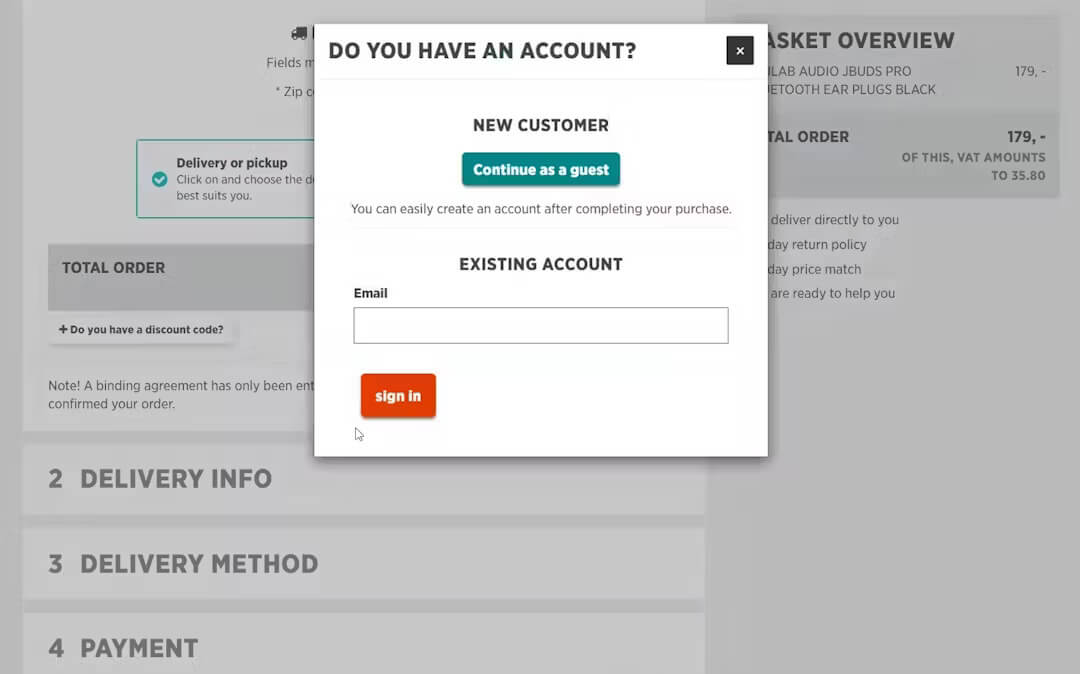
    Requiring the customer to create an account, opaque tax math, and checkout flows that feel longer than they are, round out the rest.

    Some things help improve CVR, and reduce lost carts here:

    • Show shipping cost on the cart page or earlier
    • Shorten the visible checkout to one screen
    • Offer guest checkout as an option

    It’s all about avoiding surprises, and reducing friction that could cause your customer to change their mind.

    Mobile Experience

    Slow load times, cramped layouts, thumb-unfriendly forms, and the friction of typing card details on a small screen all compound to add friction and decrease conversions.

    A site converting at 4% on desktop and 1.5% on mobile isn’t a “mobile problem” in a vague sense. It’s a specific list of fixable frictions, almost always with names attached: time to interactive, image weight, form field density, payment method support.

    What a CRO Project Looks Like

    Here’s what a project typically looks like when you’re hiring a CRO agency.

    The cycle, simplified: instrument, research, hypothesize, test, ship, revisit. The instrumenting and research take longer than most brands expect, and they’re where the program lives or dies.

    In the first weeks, the agency or in-house team gets the analytics in shape, deploys session recording (Hotjar, Crazy Egg, Contentsquare), runs heatmaps, polls customers, and reviews support tickets. The output is a prioritized list of conversion barriers and a written hypothesis for each one.

    A good hypothesis sounds like this: “Cart abandonment spikes 22 points between cart and shipping because cost isn’t surfaced earlier; adding an estimator at the cart page should recover 6-10 points.” Not just “let’s try a green button.”

    The backlog gets ranked, and the top items move into test design. Variants are built, QA’d, and deployed through Optimizely, VWO, AB Tasty, or Convert. Sample sizes are calculated up front. Tests run until they hit statistical significance or the time limit.

    Winners ship. Losers are documented along with the learning, which is often more valuable than the win itself. The cycle repeats.

    The single biggest mistake teams make is killing tests early. A 15% lift on day three usually flattens to a tie by day fifteen. Statistical discipline is what separates a working program from a sequence of inconclusive tests.

    What You’re Buying From a CRO Agency

    A CRO agency sells four things, regardless of how it’s marketed:

    • A research process that produces hypotheses with specific impact estimates.
    • Testing platform setup and the discipline to run tests properly: sample size, runtime, significance.
    • Backlog prioritization, so the highest-impact tests run first.
    • An implementation pipeline that ships winners without quarter-long handoffs to your dev team.

    The differences between agencies show up in the depth of each piece. A research-led agency runs eight weeks of qualitative work before its first test. A velocity-first agency starts testing in week two with shallower research.

    Both can be right; the wrong fit for your situation will burn six to twelve months and a few hundred thousand dollars.

    DIY, Agency, or In-House?

    CRO can be done in a number of ways. Smaller companies might have this as a small task among others; high end companies might have a specific CRO team in-house.

    Here are a few recommendations on how to approach this:

    DIY Below $1M Revenue or 50K Monthly Sessions

    Below this scale, classical A/B testing is statistically dishonest. You don’t have enough sessions to reach significance on meaningful changes, and the math punishes you with false positives. Use heatmaps, session recording, and customer surveys to find the obvious friction. Apply known best practices rather than testing them. The opportunity cost of a founder running experiments is high; cleaner wins live elsewhere.

    Agency Between $5M and $50M

    This is where agencies pencil out. The traffic supports real testing, the revenue justifies the retainer, and you don’t yet have the scale to staff a dedicated optimization team. A good agency compresses the learning curve by years; you get pattern recognition built across dozens of comparable brands rather than discovering it solo.

    In-House at Scale, Often Hybrid

    Once you’re running 15+ experiments a month and have dedicated analytics and dev resources, in-house starts winning on iteration speed and product depth. The hybrid that performs best: an in-house testing core for day-to-day, an agency on retainer for specialized work like personalization sprints, deep research projects, and major rebuilds.

    A common path is to hire an agency for six to twelve months specifically to build the testing culture, frameworks, and backlog, then bring the program in-house gradually as capability develops.

    What Does CRO Cost?

    Here’s a general idea of what you can expect from a CRO agency, plus the different kinds of pricing models used.

    Monthly retainers ($5K-$25K) are the default for ongoing programs. The retainer typically buys a set number of experiments per month, research, reporting, and a strategic lead. Enterprise programs at high testing velocity run above $25K per month.

    Project pricing covers audits and one-off engagements. A comprehensive site audit costs $5K-$15K. A targeted project (rebuilding the checkout flow, launching a personalization program) ranges from $10K-$50K.

    Performance-based pricing is offered by a minority of agencies, usually tied to measurable lift. The model aligns incentives well but generally requires meaningful traffic to generate statistically significant tests fast enough for the contract math to work.

    The agency you choose will give you an exact quote. It’s typically a good return on investment, and one of the easiest ways to see a real, incremental lift from your investment, since the goal is to lift metrics that directly impact revenue.

    How to Choose the Right CRO Agency

    There are thousands of agencies out there that can help you with CRO. Choosing the wrong one can set you back thousands, not to mention the time and opportunity cost.

    Here are some tips on picking the right partner.

    Match the Specialization to Your Problem

    If checkout abandonment is your biggest leak, hire an agency that specializes in this, with case studies that show similar problems to yours. 

    If you don’t yet know where you’re losing visitors, hire one that leads with research and funnel analysis. A landing-page specialist will run landing-page tests no matter what your real problem is.

    Press on Win Rate

    Ask for the past year’s win rate on tests run for brands your size. A healthy figure is 25-35%. Higher than that usually means the agency is running risk-free, predictable tests; lower usually means hypotheses aren’t grounded in research. Either way, the answer tells you something.

    Read Case Studies Skeptically

    Conversion lift percentages are almost always cherry-picked. The more useful numbers are revenue impact, RPV change, and how long the program ran. “300% lift on PDP A” tells you less than “$1.4M incremental annual revenue across nine months of testing.”

    Watch for Traffic-Method Fit

    Classical A/B testing requires sessions to reach significance. If you’re under 50K monthly visitors, look for agencies that combine qualitative research with sequential testing or Bayesian methods. A good agency tells you upfront whether your traffic supports their methodology.

    Avoid 12-Month Locked Plans

    CRO is iterative; the right roadmap evolves with what the data reveals. Be cautious of any agency that delivers a year-long fixed plan in the pitch. Better arrangements have a 90-day opening, a research-led first phase, and explicit reroutes baked into the contract.

    Top Ecommerce CRO Agencies

    Here are some examples of highly regarded CRO agencies, and what they specialize in. Check these companies out as you start your search.

    Blend Commerce

    Blend Commerce is a specialist Shopify CRO agency that helps brands increase revenue by getting customers to Buy Now, Buy More, and Buy Again. Their approach goes beyond surface-level UI tweaks. They run full-funnel behavioral analysis, A/B testing, and onsite personalization to uncover what’s blocking conversions and implement changes that drive measurable and sustainable revenue uplift.

    Blend leverages their Buy Trifecta Framework, which focuses on improving your core growth metrics: Conversion Rate, Average Order Value, Customer Retention and Purchase Frequency. This ensures brands aren’t just getting more first-time purchases, but also nudging customers toward higher-value orders and repeat buying behavior.

    Their work is backed by ecommerce industry awards, statistically significant A/B testing results, and deep Shopify technical knowledge. Blend typically starts with a CRO Insights & Roadmapping engagement, using a PECTI scoring model to prioritise high-impact experiments. Brands then move into CRO Implementation Retainers where Blend builds, tests, and measures ongoing improvements each month.

    Their program is best suited for Shopify brands doing at least 7 figures per year and who want structured, data-backed experimentation over guesswork or generic best practices.

    Blend drives home its value with data-backed wins at every turn. In one experiment, making subscription benefits more visible on product pages doubled sign-ups, a 104% increase in auto-ship selections.

    In another case, a simple “Popular” badge on products increased revenue per visitor by 28.95%. Within just six months, one wellness brand saw an astounding 124X ROI and 36K new subscribers thanks to Blend’s optimizations.

    With 2+ new A/B tests per client each month and a 95%+ first-pass QAQC rate ensuring quality, this multi-award-winning Shopify CRO specialist backs up every bold promise with tangible results. 

    Convertibles

    Convertibles was founded to help Shopify brands move beyond generic conversion optimization toward true personalization.

    They recognized that most ecommerce stores show the same experience to every visitor – regardless of who they are, where they came from, or what they’re looking for – and that this one-size-fits-all approach leaves significant revenue on the table.

    This shapes their approach to conversion rate optimization, with a hyper-focus on personalization, built for today’s ecommerce brands.

    Convertibles bridges the gap between paid advertising and on-site experience, ensuring that different customer segments receive tailored experiences that match their intent, demographics, and buying psychology.

    Spiralyze

    Spiralyze is the original predictive CRO agency, pioneering the predictive conversion optimization strategy that uses data science and AI to forecast winning designs before testing. They operate on a performance-based model, guaranteeing clients an average 30 percent lift in conversions within 90 days or they pay nothing.

    Every discipline from research, UX design, copywriting, and development to analytics and QA, is handled in-house, giving clients a full-service team that launches experiments faster and delivers measurable, scalable results.

    Notable clients include Okta, ServiceMax, and several Fortune 500 companies, with proven uplifts ranging from 30 to 90 percent in conversion rates across landing pages, product pages, and lead funnels.

    Invesp

    Founded by Khalid Saleh, Invesp is one of the pioneers in experimentation and conversion rate optimization in North America.

    From eBay to 3M and even the Discovery Channel, Invesp is more than just an agency. They’re hired for their sharp conversion optimization insights, user experience design that answers all your questions, user research that uncovers your business’s motivations and barriers, and training that transforms your team into agile, data-driven pros.

    With 22,000 A/B tests and a success rate 4.5 times the industry average, Invesp is the real deal.

    Speero

    Speero is a top-tier conversion optimization agency that collaborates with marketing and product teams to build and scale CRO programs through user experience research and experimentation.

    With an impressive client list including MongoDB, Native, Miro, eBay, P&G, Codecademy, and Monster, they are clearly doing something right.

    Their process includes internal audits, CRO assessments, user research, and A/B tests, and they even help integrate these experiments into your business operations.

    Fun fact: they helped MongoDB ramp up to 100 tests per year in just six months and boosted Native’s revenue by $1.5 million. Talk about a game-changer!

    The Final Word on Hiring a CRO Agency

    The agencies that consistently win are research-first, statistically disciplined, and honest about what their methodology can and can’t do at your traffic level. The brands that get the most out of them come in with a clear sense of where their funnel leaks and what they’re trying to recover.

    Pick the agency that fits the problem you have, not the one with the most recognizable client logos. Run them for 90 days against a research-led opening phase before signing a longer engagement. Judge them on revenue impact, not test counts.

    Done well, CRO is the highest-return spend in most ecommerce marketing budgets. Done badly, it’s a $200K-a-year bonfire. The difference is the process behind the testing, and that’s what you’re hiring for.

  • How to Create a Great Google Play Product Page

    How to Create a Great Google Play Product Page

    Google Play is the largest mobile app store in the world, with more than 3 million apps available for Android users to download. 

    Impressive, right? 

    Standing out is important. You need a great product page to rank well for key search terms and to entice potential users to download your Android apps. 

    When you build apps with Vendrux, we support you heavily in this process, but it’s still important to understand what makes a great Google Play product page.

    What is a Google Play Product Page?

    Your product page is the key landing page for your app in the Play Store. It’s designed to show off the core functionality and value propositions of your app in a digestible and appealing way. 

    Go and visit the Google Play store now if you have an Android device, and click through to any app that catches your eye. You’ll be taken straight to the app’s product page – which we’re now going to break down into its essential parts.

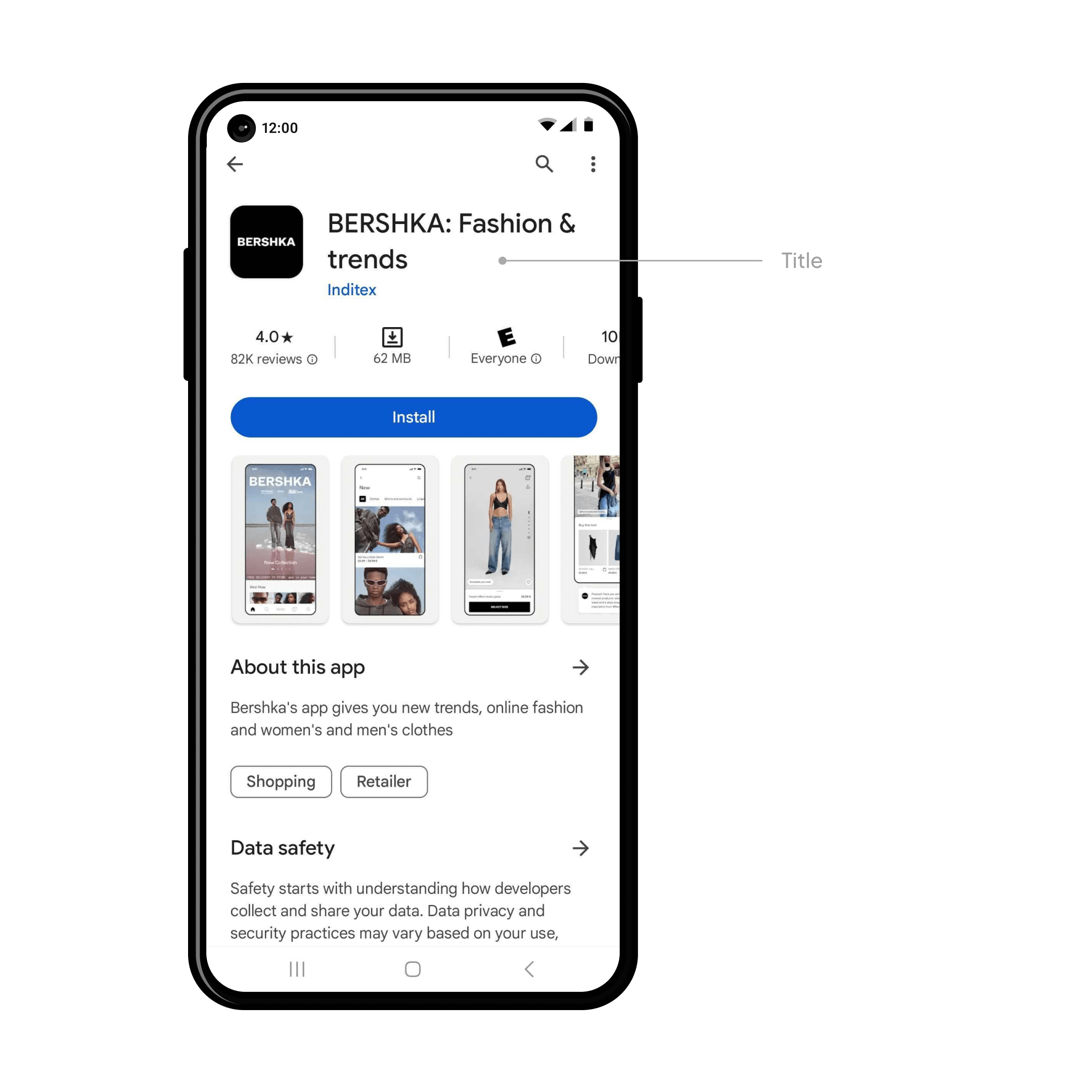
    Title

    __wf_reserved_inherit

    The title of your app is all-important, the cornerstone of your brand in the search results, categories, the user’s home screen, and everywhere else. 

    Google has a few specific requirements. Your title should:

    • Be unique, easy to spell and remember, catchy and brandable
    • Accurately communicate what your app is all about 
    • Be no more than 50 characters long 
    • Not include misspellings of popular terms or trademarked terms 
    • Localized into different languages if appropriate 

    With Vendrux apps, usually the name is straightforward. Because we convert your existing website or ecommerce store, generally you’ll just use your existing brand name. This generally makes the most sense – unless your app deviates in some major way from your web presence. 

    Icon 

    __wf_reserved_inherit

    The icon is the first thing people will see in the search results, top charts, and the product page.

    It should be a high-fidelity, high quality image that follows Google Play’s icon design specifications

    More specifically, Google Play’s requirements are:

    • 32-bit PNG (with alpha)
    • Dimensions: 512px by 512px
    • Maximum file size: 1024KB

    When you build apps with Vendrux, our set up fee covers all this. We work with experienced designers to create the perfect app icon for you that perfectly fits both your brand and Google’s requirements. 

    Short Description 

    __wf_reserved_inherit

    Writing a compelling short description for your Play Store listing is key for grabbing the attention of users and enticing them to download. 

    It’s important to be concise. You’ve only got 80 characters to highlight the core value proposition of your app and tell users why they should install it on their device. Think of what sets your app apart, why should the user download it. 

    Use your existing knowledge of your audience from the web to focus on your key messages and to speak directly to your target user. 

    There are a few important best practices to follow too. Descriptions should avoid specific performance claims, CTAs, special characters and unusual punctuation. You should also localize the description for different languages where appropriate. 

    Description 

    __wf_reserved_inherit

    Users can expand the short, 80 character description into the full description – up to 4000 characters. This is where you can go more into depth, and really give a comprehensive overview of your app’s features and functionality. 

    It’s important to really focus on what sets your app apart and why they should install it. You can use bullet points to summarize key features and social proof to win the user’s trust. 

    Of course, it is as important as ever to adhere to Google’s content guidelines and metadata policy. 

    Screenshots 

    __wf_reserved_inherit

    It’s recommended to have at least four high quality screenshots from your app on the product page. 

    These demo the core features of your app in a visual manner – making it easy for potential users to understand what your app is all about. 

    It’s important to create high quality and informative images that comply with Google’s in-depth guidelines

    When you build apps with Vendrux, our designers and app experts handle all of this for you. 

    Ratings and Reviews

    __wf_reserved_inherit

    Ratings and reviews are a crucial piece of social proof for your Google Play product page. High ratings can really boost trust and downloads, offering page visitors valuable insights into your app’s features and UX. 

    They’re prominent on your product page and one of the first things users see below the fold. At the top of the ratings and section you’ll see summary statistics like overall average rating, and below that the individual reviews (and your replies) for users to read. 

    It’s really important to get as many reviews as possible, which helps you both to rank for your key search terms and to get more downloads. Vendrux apps come with automatic ratings reminders, so you’ll maximize this on autopilot.

    Get ready for the Google Play Store today

    At Vendrux, we’ve built thousands of apps for clients ranging from small startups to multibillion dollar multinationals. We build iOS and Android apps from your existing site – allowing you to reuse everything you’ve already built.

    It’s the perfect way to build native mobile apps fast and cost-effectively.

    We build the apps for you, through a full service.

    Part of this service includes publishing on both the Apple App Store and Google Play. We’ve been through the process countless times, and know exactly how to navigate it and guarantee approval.

    We help you to prepare everything we’ve mentioned in this article – from the description to the screenshots prepared by our design team.

    Let’s get you on Google Play Store.

    Preview what your app will look like, and book a demo today.

  • How to Convert an Ecommerce Website into a Mobile App (Step-by-Step)

    How to Convert an Ecommerce Website into a Mobile App (Step-by-Step)

    We’ve built over 2,000 ecommerce mobile apps at Vendrux over the past decade. We’ve worked with brands on Shopify, Magento, BigCommerce, Salesforce Commerce Cloud, and fully custom platforms. We’ve seen what works, what doesn’t, and where brands waste time and money.

    This is everything we know about converting an ecommerce website into a mobile app. Not a fluffy, high-level overview. Just a clear, honest explanation of what this actually involves, to help real ecommerce operators understand what it takes to launch an app.

    What Does “Converting” Your Site into an App Actually Mean?

    There’s a distinction between converting your site into an app and building a new app from scratch which a lot of people don’t fully grasp.

    Most resources or tools that talk about converting your site into an app really mean rebuilding it.

    You use a no-code tool to build a new UI, new homepage, new product pages, and pull in data from Shopify.

    Or you build something new in React Native/Flutter/Capacitor/Swift, create APIs, connect them to your store’s backend.

    None of this is converting what you already have. It’s building a new storefront.

    That’s important, because it means more work to launch, difficulty achieving parity with your website (especially with no-code tools, which work from templates and pre-built blocks), and much more maintenance work after you launch.

    Can You Convert Your Ecommerce Site into an App?

    Yes. And it’s far more common than most people realize.

    The majority of successful apps, including some of the biggest in the world, blend native code with web content. They’re conversions, not custom apps.

    Multiple studies have found that 83-90% of Android apps contain web-based components in their code. Among apps with 100,000+ users, more than half use web content as part of their architecture. 

    Amazon, Instagram, and Gmail all mix native and web elements. Shopify published a detailed engineering post describing web-based views as “a critical part of Shopify’s mobile strategy.”

    These companies have massive engineering teams. They could build everything natively. They choose to reuse what they’d already built instead.

    Why Converting Your Site Is Better Than Rebuilding It

    Think about what your ecommerce website actually is. 

    It’s a mobile-friendly product catalog, conversion-optimized, everything dialed in for small screens and convenience.

    That is 90% of what your mobile app needs to be.

    App users aren’t looking for something brand new. They just want to be able to launch your app from their home screen, browse and buy with fewer distractions, get push notifications for order updates, promos, product launches, etc.

    That’s the 10% that makes it an app; not a different UI, not some kind of flashy feature you can’t build on the web.

    And when you convert, instead of rebuild, you:

    • Save a significant amount of time/money on the initial build
    • Save even more on maintenance and updates over the lifetime of your app
    • Manage just one platform – your website – because whatever you build for the web syncs to the app automatically
    • Launch risk-free – because you know you’re building from what already works, not taking a shot in the dark with a new UX

    It’s about extending, not starting over. For the majority of ecommerce brands, this is the better approach.

    “There is no real business case for building an app from scratch for $1M+ when our mobile website is already good enough!”
    — Thomas Moberg, Product Owner, Bestseller (Jack & Jones, Only, Vero Moda)

    Three Ways to Convert an Ecommerce Site Into an App

    If we’re being precise about what “converting a website into an app” means, there are really three approaches.

    Let’s break them down, so you can start to form a picture of what makes sense for your brand.

    Progressive Web App (PWA)

    This is the lightest version of conversion. A Progressive Web App still runs inside the browser, but it gives an “app-like experience”.

    You add modern browser APIs to your website so it can be installed to a user’s home screen, cache content for faster loading, and (on Android) send push notifications.

    The upside is simplicity. There’s nothing to submit to an app store, no separate build, and no ongoing maintenance beyond your website. The improved user experience applies to all your website visitors, too – not just those who download your app.

    The downside: it’s not a real app experience.

    Your options for sending push notifications are limited, few people actually add your PWA to their home screen, and you can’t get in the App Store.

    That’s not to say turning your site into a PWA is a bad thing. The opposite: you should absolutely do this.

    But it’s not a substitute for a real mobile app.

    Custom-developed hybrid app

    This is what brands like Amazon and Shopify do.

    You hire developers to build a native app framework that loads your web content inside it. This could be Ionic/Cordova, or perhaps a React Native build or Swift with webviews.

    It’s a real app, in every sense of the word. You can customize the UX extensively. It’s fast, it’s mobile-native.

    The downside: it costs a lot – even if you’re not building a fully custom app, you’re still looking at  a big price tag, and you’ll need a dedicated mobile app team to maintain it.

    That’s why it makes sense for Amazon, but not for most ecommerce brands.

    Vendrux

    Vendrux directly converts your ecommerce store into a mobile app.

    It gives you more or less the same end result as custom hybrid development (a native app framework built around your website, with push notifications, deep linking, native navigation, and app store presence).

    But it’s much more cost-effective, and requires much less from your team.

    For a predictable monthly cost (with no revenue share, no hidden costs), you get a team who builds, submits, and maintains the app for you. You don’t need developers, you don’t need to manage the app, and everything you build for the web automatically carries over to your mobile app.

    Vendrux is the leading service in the ecommerce website to app category, with 2,000+ apps launched across every major ecommerce platform.

    It’s a risk-free, low-overhead, high-upside way to go live with your own mobile app; whether you’re a major global brand or a lean DTC team.

    Want to see what’s possible? Get a free consultation and we’ll break down how you can go live with your own mobile app in ~30 days.

    PWA Custom Hybrid Vendrux
    App Store listing ✗ No ✓ Yes ✓ Yes
    Push notifications Very limited ✓ Full ✓ Full
    Build cost Low ($2K-$10K) $50K-$200K+ ~$1-2K setup
    Ongoing cost Minimal $5K-$20K+/mo ~$1,000/mo
    Time to launch Days-weeks 3-6+ months ~4 weeks
    Dev team required Web dev only Mobile dev team ✗ None
    Who maintains it You Your dev team Vendrux
    Syncs with your website ✓ It IS the website ✓ Yes ✓ Automatic

    What a Mobile App Gives You That Your Website Can’t

    You already know the general pitch: apps are better for engagement and retention. But it’s worth understanding the specific mechanics, because they explain why apps consistently outperform mobile websites for ecommerce.

    Home Screen Real Estate

    When someone downloads your app, your brand icon sits on their phone alongside Instagram, Amazon, and their banking app. 

    That’s not a small thing. Over 90% of smartphone time is spent in apps, and less than 6% in browsers.

    Your website, no matter how good it is, lives behind a browser. Your customers have to remember to visit it, or you have to pay to bring them back (ads, email, SMS). An app lives on the device. It’s visible every time they unlock their phone. That ambient presence drives repeat visits that no other channel can match.

    Push Notifications

    This is the single biggest reason ecommerce brands launch apps, and it deserves more than a bullet point.

    Push notifications land directly on your customer’s lock screen, instantly, at zero cost per message. They’re virtually guaranteed to be seen; they don’t disappear in the promotions folder or spam.

    The use cases for ecommerce brands are immediate and high-impact. 

    • Abandoned cart reminders that get seen instantly.
    • Back-in-stock alerts that reach customers while the intent is still fresh. 
    • Flash sale announcements that hit every opted-in user simultaneously. 
    • Order and shipping updates that keep customers engaged through fulfillment.

    And unlike SMS (which costs $0.01-0.05 per message and requires carrier compliance), push is free. 

    Some of our customers have recovered over $200,000 in a single month from abandoned cart push notifications alone. At zero per-message cost, the economics are hard to ignore.

    The Psychology of the Download

    This one is underrated. When a customer downloads your app, they’ve made a small but meaningful commitment to your brand. They chose to give you space on their device. 

    That’s a signal of intent and loyalty that you don’t get from a website visit.

    App users behave differently from mobile web visitors. They convert at roughly 3x the rate of mobile web visitors in ecommerce. They browse more products per session. They spend more per order. And they come back more frequently, typically delivering 3-7x higher lifetime value over time.

    Some of that is selection bias (your most loyal customers are the ones who download the app). But some of it is the app itself creating a better, faster, more frictionless experience that reinforces the buying habit.

    App Store Presence

    Being listed in the App Store and Google Play gives your brand credibility and discoverability that a website alone can’t provide. 

    Whether it’s the social proof boost of the “Available on the App Store” badges on your website, your app store listings showing up when someone searches for your brand in Google, or the ability to show up in App Store searches, there’s only upside here.

    The Rebuild Trap

    Apps can be a major revenue channel. Many ecommerce brands we’ve worked with get between 20-35% of their total revenue through their mobile apps. 

    Some do so on a relatively minor share of their overall customers – like Pharmazone, who gets 63% of their online revenue from less than 15% of their customers, or Junior Couture, who made 50% of their BFCM revenue in 2025 from just 5% of their customers.

    It’s absolutely a channel that any ecommerce brand with a mobile-first customer base and high repeat purchase potential should explore.

    But the biggest mistake is going for a rebuild, not a conversion.

    This changes the risk dynamics greatly.

    • You’re building something new (not extending what already works), so there’s no guarantee it’s going to resonate.
    • You may not be able to convert everything from your website into the app, leaving open the possibility your website ends up being better than your app (which basically kills any chance of your app being successful).
    • It takes longer; the market might move before you launch.
    • The app needs to be managed separately from your website; adding overhead, operational complexity, and slowing you down.

    And, of course – it costs a lot more.

    “If we had unlimited time and money, we would probably go for a custom native app, but that is half a million to a million a year to maintain.”
    — David Cost, VP of Ecommerce, Rainbow Shops

    Your app needs to move the needle in a much bigger way to justify the investment. It could do that, certainly. But it’s harder to be sure.

    And what we see most often from brands who built custom before they came to us, is the work needed to maintain an app parallel to their website was too much.

    You’re maintaining another storefront. That’s not a small amount of work, even if it doesn’t seem like much.

    Things start out ok, until the app starts to fall behind the website. Eventually, the team stops maintaining the app, and it falls into disrepair.

    When you convert, instead of rebuild, the app stays up to date automatically. Just another reason why this is the best way to build an ecommerce app.

    Converting Your Ecommerce Site Into an App: Step-By-Step

    If you’ve read this far and think converting your website into an app is the right approach, here’s what the process looks like with Vendrux.

    Vendrux is a fully managed service. You’re not configuring an app yourself in a dashboard. The Vendrux team handles the build, the testing, the app store submission, and the ongoing maintenance. 

    Your team stays focused on running your business, maintaining and iterating on your website, like you already do. You get a team that takes care of everything to do with the app for you.

    Here’s how it works:

    1. Strategy call. Get on a call with us. Our team will answer your questions, break down the process, and assess your website to make sure converting your site into a mobile app is the right move. No commitment. Book a free 30-minute call here.
    2. Build, QA, and submission. Vendrux builds the production app, runs QA testing across devices and OS versions, writes your app store listing, generates screenshots, and handles the entire Apple and Google submission process. If reviewers request changes, we take care of it. The whole process takes about 4 weeks from kickoff to live in the app stores. 
    3. Launch and growth. Once your app is live, we manage any app-specific maintenance, so you can keep your focus on your website. We also help out with app promotion and strategy post-launch, to help you make your app a success.

    What you get

    • Native iOS and Android apps listed in the App Store and Google Play
    • Full parity with your website: every feature, every integration, every page
    • Unlimited push notifications integrated with OneSignal and Klaviyo, at no per-message cost
    • Automatic sync: update your website and the app updates too
    • Ongoing maintenance, OS updates, and support
    • Works with any ecommerce platform: Shopify, WooCommerce, BigCommerce, Magento, Salesforce Commerce Cloud, and custom builds
    Some of the successful native apps launched by Vendrux customers

    What brands say

    “Our website is already well-optimized so using Vendrux to transform our site into an app was a no-brainer. No crazy costs, no integration headaches, and we were launched in a month.”
    — Ahmed Yousef, Director of Ecommerce, Pharmazone

    “We tried six companies and I feel like you guys have the best combination of service, functionality, and price.”
    — Kenneth Chan, Founder & CEO, TOBI

    “Vendrux keeps this whole thing simple and streamlined. No more juggling two different platforms, no more wasted time on maintenance.”
    — Eric Lowe, Director of Ecommerce, XCVI Fashion

    Read more case studies from our customers here.

    When Vendrux isn’t the right fit

    If your mobile website needs significant work, it’s worth fixing that first. Don’t use a mobile app as a way to deal with a broken mobile web experience. You’ll get far more people land on your mobile website than download your app, so this is where you should put your focus first.

    If you need the app to be a fundamentally different product from your website (not just a mobile-optimized version, but a different experience entirely), converting your site into the app may not be ideal.

    You might want to look into custom development, or a DIY mobile app builder instead, which comes with its own tradeoffs, but allows greater app-specific customization.

    And if you need device-specific features that don’t exist on the web (AR, NFC, complex offline workflows), a custom native build is really the only option.

    Getting Started

    Want to see how your website would look as an app? Want to hear how other brands like yours have successfully launched their apps by converting their existing website?

    We’ll share all of that with you, and answer any questions, on a free 30-minute strategy call.

    We’ve launched 2,000+ apps for brands like yours, and we’ll give you an honest assessment of whether this is the right move.

    Book your strategy call now.

  • CMS Market Share: The Most Popular Website Platforms in 2026

    CMS Market Share: The Most Popular Website Platforms in 2026

    There are more than 78 million live websites today across the entire internet. Most are powered by a content management system, or CMS.

    A CMS is an easy and convenient way to manage a website’s content, without having to interact directly with the website’s source code. They often come with a large ecosystem of themes, plugins and third-party tools. which website owners can use to add extra functionality, regardless of their technical expertise.

    From WordPress to Shopify to Joomla, these platforms are the infrastructure behind the internet as we know it today. Keep reading to learn the top content management systems by market share in 2026.

    What Are the Most Popular CMS Platforms by Market Share?

    WordPress is the number one platform in the CMS market, with 62.7% market share, putting it far and away more popular than any other CMS platform.

    Shopify is the only other CMS platform with over 5% market share. Wix, Squarespace and Joomla are the other CMS platforms in the top five, with market shares ranging from 2.4% to 3.9%.

    Here’s the full list of the top five content management systems in the world today:

    • WordPress: 62.70% market share
    • Shopify: 6.40% market share
    • Wix: 3.90% market share
    • Squarespace: 3.00% market share
    • Joomla: 2.40% market share
    Source: W3Techs

    The data above covers only websites with a CMS installed. There are millions more websites that don’t use a CMS (websites hard-coded with HTML or other web technologies).

    If these websites are included, WordPress holds 43.3% market share, compared to 31% for websites with no CMS.

    • WordPress: 43.30% market share
    • No CMS: 31.00% market share
    • Shopify: 4.40% market share
    • Wix: 2.70% market share
    • Squarespace: 2.10% market share
    • Joomla: 1.70% market share
    Source: W3Techs

    Breaking Down the Top 5 CMS Platforms

    Let’s look a little closer at the most popular content management systems.

    WordPress

    — WordPress market share: 62.7% —

    WordPress is, and has been for a long time, the internet’s most popular CMS platform. It’s free, open-source, and maintained by a huge community of developers.

    WordPress is a powerful, scalable and flexible CMS, with a low learning curve. Yet many of the world’s biggest websites use WordPress, showing that it’s suitable for anyone, regardless of technical ability or scale.

    The huge range of WordPress plugins, themes and more tools built by third-party developers assist you in building a powerful, professional website. And if you have coding knowledge, you can also customize your site using code (e.g. HTML, CSS, JavaScript) to tweak every pixel of your site.

    Websites using WordPress range from small sites with just a few web pages, to eCommerce sites to news sites to business websites, including sites as high-profile as Microsoft News, TechCrunch and TIME.

    Related: how to convert a WordPress website into mobile apps with Vendrux.

    Shopify

    — Shopify market share: 6.4% —

    Shopify is one of the newer players on the CMS market, relatively speaking. Though it was founded in 2006, just a few years after WordPress, it’s only really taken off with the boom in eCommerce of the last 5-10 years.

    Today it’s the most popular CMS for eCommerce websites. Like WordPress, it makes it easy for non-technical people to build a professional and functional website. However, it does so with a specific focus on the tools needed to run online stores.

    Millions of eCommerce websites across 175 countries use Shopify, due to the way the platform holds your hand through building an online store. Things like product collections, blogging features, and the backend tools you need to manage orders are all built in to the platform.

    Like WordPress, Shopify also has an extensive range of third-party apps, plugins and themes that allow anyone to publish a powerful website, while also allowing you to make edits to your site’s code should you want or need to.

    Related: how to build mobile apps with Shopify.

    Wix

    — Wix market share: 3.9%–

    Wix is a website builder that’s positioned more towards beginner site owners. It comes with a drag and drop editor to use to design the front-end of your site, along with built-in templates and modules that you just fill in with your website content.

    Compared to WordPress, Wix has a shorter learning curve, and does more to help you get set up. You don’t need to figure out how to host your site, how to connect a domain to your site, find the right themes or plugins, or spend as long customizing your site design within your chosen theme.

    Everything’s baked into the platform, including web hosting, and it comes with templates that let you get started much quicker.

    The payoff is you don’t have the flexibility you would have with open-source content management systems like WordPress (or Joomla), so you may run into issues when scaling your website. Wix is also a paid CMS, with plans ranging from $4.50 to $35 per month.

    Related: how to convert a Wix site to native mobile apps.

    Squarespace

    — Squarespace market share: 3.0% —

    Squarespace is another beginner-focused website builder along the same lines as Wix. It’s template-based, with visual website building tools and built-in functionality to let you build and publish a website in minutes.

    Squarespace has a lot of the same pros and cons as all website builders. Compared to Wix, it’s a bit more feature-rich. It’s more expensive than Wix as well, and caters more towards professional websites, whereas Wix tends to be a better fit for individuals, small eCommerce businesses, and personal blogs.

    Related: convert your Squarespace site to a mobile app.

    Joomla

    — Joomla market share: 2.4% —

    The final member of the top five CMS market share is Joomla.

    Like WordPress, Joomla is an open-source CMS, completely free to use. It’s been around for a long time, first released in 2005, and has been one of the most popular CMS platforms by market share for much of this time.

    Joomla offers a ton of flexibility, and scalability. Compared to WordPress – its most direct competitor – Joomla is a little more complicated, and takes some time to get your head around on the back end. It also doesn’t boast the same breadth of plugins, themes and third-party tools that WordPress does.

    There are still a number of extensions, templates and more tools built for Joomla, albeit not on the scale of WordPress. This may be enough for those who prefer the experience and community that Joomla offers, over that of WordPress.

    Related: how to convert a Joomla site to mobile apps for iOS and Android.

    CMS Market Share Trends

    The top of the CMS market share has not changed over the last ~10 years.

    WordPress has been the most popular content management system the whole time, by a significant margin over its competitors.

    In 2013, WordPress held 54.8% of the CMS market share, and has only increased since.

    Below, however, the CMS landscape looks different today.

    In 2013, the second and third most popular website platforms were Joomla (with 8.7% market share) and Drupal (with 7.2% market share).

    These platforms have dropped over the last 10 years, replaced by website builders and platforms designed specifically for ecommerce sites.

    Here’s how our usage of CMS software has changed since 2013:

    Source: W3Techs

    Let’s look at some key takeaways from the CMS market share numbers of the last 10 years.

    WordPress’ Market Share Continues to Grow

    There continues to be one big winner in the CMS market share: WordPress.

    While there are other platforms that have grown over the last 10 years, none have captured as much additional market share as WordPress.

    It remains the best all-round platform to build a website with. While there is a slight learning curve, and it’s a little more time and effort-intensive than website builders like Wix and Squarespace, the pros of WordPress far outweigh the cons.

    It’s also due to the community-driven nature of WordPress that it continues to grow. As more people pile into the community, and more resources go into it, it’s hard to justify the choice to go with other similar CMS platforms. Hence why it’s really the only open source CMS people use today.

    With so much value delivered from these plugins, themes, and WordPress tools – from website builder plugins like Elementor, to tools that let you convert your site to mobile apps – it appears that WordPress’ dominance is just going to continue.

    New Players

    Despite WordPress controlling approximately ⅔ of the total CMS market share, there is room for new players, the data says.

    Shopify is the most notable one, coming from virtually nowhere 10 years ago, to now be the #2 CMS by market share. Squarespace and Wix have also come from very little usage, to now take places in the top five.

    That these three are the biggest movers, outside of WordPress, shows there is demand for more template-based website builders, catered more towards beginners who want to build a site quick and easy. A number of other similar tools come just outside the top 10 in CMS market share as well, such as Weebly and GoDaddy website builder.

    It also shows the rise of eCommerce sites, particularly in the case of Shopify’s emergence on the scene.

    Whether these platforms will continue to gain ground is up for debate, however. They have competition from a number of WordPress website builders, such as Elementor, WP Bakery and Divi, as well as WordPress themes that offer visual site-building capabilities. These tools offer a lot of what you get with Wix and Squarespace, with fewer limitations.

    Decline of Joomla and Drupal

    The biggest “losers” in market share are Joomla and Drupal, which collectively held around 17% market share a decade ago. Now, they make up less than 5%.

    Both are free, community-driven, open-source CMS platforms, in the same vein as WordPress. With that knowledge, it’s not hard to see the reason for their decline. These platforms are only as strong as the community behind them, and the resources the community puts into maintaining the platform and building out additional resources.

    It’s difficult to see a recovery for content management systems like Drupal and Joomla. As the WordPress community grows, its value over these platforms will continue to grow as well, and very soon there may be seldom few websites remaining that operate on a non-WordPress CMS.

    The Rise of the CMS as a Whole

    Another piece of data we can look at is the historical trends of CMS platforms and websites running with no CMS or website builder.

    This data shows that non-CMS sites also happen to be dying out. A decade ago, over 70% of all the websites online had no CMS. These would have been websites completely written in code, with all content uploaded directly to the hosting server, rather than uploaded through a content management system.

    Even for skilled developers, building your whole site this way (especially if it requires constant updates, such as with a blog, news site or eCommerce site), is a huge, unnecessary time-sink. Hence the rise of the CMS.

    Today, approximately 33% of websites still run with no CMS. But that number is now less than WordPress’ overall market share (43%), and a sharp decline from where it was 10 years prior.

    eCommerce Market Share

    One more angle we can look at is the CMS market share for online stores.

    While the overall CMS market share is dominated by a single player, the eCommerce space is a lot more even. See the top players below:

    • Shopify: 26% market share
    • WooCommerce: 19% market share
    • Wix Stores: 16% market share
    • Squarespace: 11% market share
    • Ecwid: 5% market share

    Read more

    Shopify, which is designed specifically for eCommerce stores, is the leader. It’s slightly ahead of WordPress-based WooCommerce, Wix and Squarespace.

    Ecwid rounds out the top five. Other website platforms in the online store market include BigCommerce, PrestaShop, Weebly.

    Further Reading: the best eCommerce mobile app builders on the market today.

    Wrapping Up

    If you’re planning to launch a website, you’re probably going to want to use a content management system, or CMS. It’s fair to say the CMS market has revolutionized the internet, in letting just about anyone launch and run a website, without writing a single line of code.

    WordPress has held the largest CMS market share basically the entire time that content management systems have been around, and this does not look like changing any time soon.

    The ease of use, flexibility and community behind WordPress makes it hard to justify many of the competitors.

    However, site builders such as Wix and Squarespace, and eCommerce powerhouse Shopify, continue to hang around and offer alternatives to WordPress.

  • What Is the Best Mobile App CMS?

    What Is the Best Mobile App CMS?

    More than 77 million websites use a content management system, or CMS, to easily handle editing, publishing and general management of the content that will be shown to external visitors.

    If you’re about to launch an app, you may be wondering if there’s a CMS for mobile apps which can offer the same convenience and functionality that website owners enjoy. Perhaps you’re aware that this is possible, but want to know which mobile app CMS is the best choice for your project.

    Whichever camp you’re in, this article is here to help. We’ll give you everything you need to know to choose your mobile app CMS, including nine recommendations to suit different types of apps.

    CMS For Mobile Apps: A Quick Overview

    Using a CMS for your mobile app means less of a barrier involved in publishing or updating new content.

    Content management systems allow non-technical users to publish content, without writing code and without interacting directly with your app’s code base. It’s essentially a more user-friendly interface with the backend of your app or website (or both).

    A CMS is definitely the way to go for businesses such as publishers and eCommerce stores, where it’s likely you’ll have non-developers working on your digital platforms. Having everything go through a developer when you want to make an update is overkill. It’s also going to cost a lot (if you’re paying hourly rates to developers), or sap the productivity of the developers you’re already paying.

    Quick Tips for Choosing a CMS for Mobile Apps

    We’ll give you some more in-depth recommendations shortly, but here are a few quick tips on choosing your mobile CMS to get you started.

    • Make sure it’s a CMS that your team is comfortable with – especially those who are going to be interacting with it on a daily basis, such as content writers or editors.
    • Obviously you need to choose a CMS that works with the tech stack of your mobile app. However, it’s even better if the CMS is framework-agnostic, so you don’t have to migrate to a whole new CMS if you end up using a new programming language in the future.
    • Stability is key – you don’t want an untested CMS that goes down as soon as your app starts getting a decent amount of activity.
    • Consider the current makeup of your team when deciding how technical to go with your CMS. Some platforms are more technical, requiring more work from developers to implement and maintain. This could make life hard if you’ve got a limited in-house development team.
    • Most businesses should think omnichannel when choosing their CMS. Unless your app is mobile-specific with no need for a website at all, you’re going to want to be available on multiple platforms. Ideally, that means one CMS to manage content for web, iOS and Android.

    Regular vs Headless CMS

    One of the big decisions you’re going to make in choosing a mobile content management system is whether to go with a regular or “headless” CMS.

    If you’re new to the concept, let us explain. A regular CMS couples the back end and front end. What you enter into the back end (such as the post editor on a website) comes out looking a certain way on the front end (the customer-facing web page).

    Regular content management systems are a template-based system, with a structured approach to publishing and managing content.

    A headless CMS decouples the back end from the front end (sometimes referred to as a decoupled CMS for this reason). After users enter content on the back end, you can use APIs to serve that content to different places, to appear in different ways.

    Essentially, headless content management systems are more flexible and less structured, which has certain pros and cons (especially when we’re dealing with mobile apps).

    Pros and Cons of Using a Headless CMS for Your Mobile App

    Some will tell you that headless is always the way to go if you’re choosing a CMS for mobile apps.

    These people have a point, but it’s not quite so straightforward. Let’s look at some pros and cons now.

    Pros

    • Flexibility to make content appear exactly the way you want it.
    • Content is easier to reuse and craft specific for different platforms (e.g. website and mobile app).
    • Easier to set up custom integrations and features.
    • Headless CMS also make it easier to implement the same content with different front end frameworks.

    Cons

    • Higher development load required to set up and manage.
    • Can be more difficult for non-technical content managers/writers/editors, particularly in formatting content.
    • Headless CMS tend to be more complex and more costly as a result, in terms of paying developers to manage them as well as the cost of using the CMS itself.

    Though it’s impossible to give a one-size-fits-all answer as to which type of CMS is best, we’d generally say that a headless content management system is best if your business is strongly app-centric (i.e. your mobile app is the primary way users see your business, or the only way). This is also best if you already have a strong in-house development team.

    For smaller businesses, perhaps with a very limited development team, and who get more traffic to their website than their app, a classic or traditional CMS may be a better fit.

    You trade some flexibility, but as we’ll explain later, depending on the way you build your app, the CMS may not actually matter as much as you think.

    Best Options for Your Mobile App’s CMS

    Now we’ll run through our recommendations for choosing a content management system for mobile apps.

    Of course, no two apps or businesses are the same. That’s why we’ve got a few different recommendations depending on your needs, such as content management systems for eCommerce apps, for those who want more flexibility, and simpler, general-purpose content management systems.

    Best Overall: WordPress

    With all the hype around headless CMS and platforms built specifically for mobile, we still feel the best CMS for mobile apps is WordPress.

    WordPress powers 43% of all websites on the internet. Of all websites with a CMS, 64.3% run on WordPress. 

    But how about WordPress for mobile apps?

    The internet today is vastly different than it was 10, or even five years ago. Today, optimizing for mobile devices is a must for any website, and the standard for mobile responsive websites has risen so that they’re not that different in UI and UX from mobile apps.

    Unless you want to do some really complex things in your app, you’ll probably be able to do everything you need with WordPress, optimizing your mobile theme so that everything looks good in your mobile app.

    The benefit is that you get to use WordPress’ intuitive post editor, the vast array of great themes and plugins for WordPress, and you make it super easy (with minimal development work) to maintain a great-looking website alongside your mobile apps.

    Best for eCommerce: Shopify

    If you’re running an ecommerce app, much of what we said about WordPress still applies.

    You don’t need anything super complex for your CMS. In most cases, the best choice is to keep it simple and use the most popular CMS for eCommerce websites, Shopify.

    Shopify powers 28% of all eCommerce websites, with most businesses choosing it because of how easy it is to build a fast, powerful and professional online store.

    It also offers everything you need to optimize your store for mobile devices, and after building your store for the web, you can convert your store into an app using one of a number of Shopify Mobile App Builders available on the market today.

    This lets you manage your store – both website and mobile app – from the intuitive Shopify back end.

    For eCommerce apps, there’s little reason to use a headless CMS. The flexibility of these platforms is overkill for what your app needs to be, and eCommerce stores are unlikely to have much of an in-house development team, which means trying to set up and manage your store on a more technical platform can present a huge headache.

    Don’t make managing your business more complex than it needs to be. Save yourself the trouble and stick with Shopify.

    Alternatives for eCommerce Apps

    Shopify isn’t the only game in town when it comes to ecommerce. You can build a great eCommerce store (and app) with a number of other platforms. Here are a couple that are also good fits to serve as the back end of your ecommerce mobile app.

    WooCommerce (WordPress)

    WooCommerce is neck and neck with Shopify for the most popular eCommerce platform today. Though it doesn’t have as many powerful tools and apps built for it as Shopify does, it’s still a very user-friendly way to build an online store.

    WooCommerce itself isn’t a CMS, but an extension of the WordPress platform. So all the positives we said about WordPress apply here as well. It’s a great way to build a lightweight, fast and professional site, which is easy for your team to manage while also being mobile-friendly.

    Squarespace

    If you prefer a more structured way to build your website and app, Squarespace is a solid option.

    More than 1.5 million eCommerce sites in the US run on Squarespace, enjoying how simple it is to design and launch a website using Squarespace’s visual site builder.

    The platform has been doubling down on its eCommerce capabilities of late as well, making it a bigger and bigger player for new online stores.

    Squarespace is a good alternative to Shopify and WooCommerce if you want to minimize the need for developers, though if you have a web development team on staff already, you’ll probably be better off with the increased flexibility of the previous two platforms.

    Best Regular CMS for Design Flexibility: Webflow

    If you’re looking for a regular CMS, but one that comes a little closer to the flexible “headless” experience, Webflow might be the one for you.

    Webflow is a low-code website builder, similar to platforms like Squarespace and Wix, but with a little more technical flexibility, where you can play around with your site’s code to get everything perfect.

    Webflow offers a great way to build visually-stunning mobile websites, with less development load than coding from scratch. You can also use it as the base for building mobile apps – just design your mobile interface in Webflow, then use a tool to convert your mobile website into an app.

    Webflow also offers CMS and eCommerce functionality, allowing you to use it as your back end if you’re running a content site, online store, or many other types of online business.

    Purely as a CMS, Webflow is a bit harder to use than platforms like WordPress and Shopify. But it’s a great fit if the visual appearance of your app is one of your highest priorities.

    Best Headless CMS for Mobile Apps: Contentful

    If you prefer to go headless, check out Contentful.

    Contentful is an API-first headless CMS, which basically organizes your content in the back end of your website for easy reuse wherever you need it – such as your app, website, web app, etc.

    Contentful is highly regarded in the industry, and offers everything you’d want from a flexible, scalable headless CMS.

    The downsides? As mentioned when we discussed regular vs headless for your CMS, using a platform like Contentful requires more development effort to build and manage. 

    This is going to cost you, and so is the platform itself – you’ll likely need to pay at least $300 per month for their Basic subscription level (though they have a free plan under that, which you may be able to stick with if your team is small).

    Contentful’s customers include BMW, Shiseido, Notion and the Milwaukee Bucks. This gives you an idea of the type of user it’s best suited for – larger organizations who aren’t concerned about the extra development work and cost of using this platform to power their app and website.

    Alternative Options for a Headless CMS

    If you’re looking for a headless CMS but want to consider some other options, here are a few more to choose from.

    WordPress VIP

    Though most people know about the open-source WordPress.org and the self-contained blogging platform WordPress.com, there’s also WordPress VIP, the company’s enterprise product, which includes headless functionality.

    It’s used by some big names in the online space, such as Facebook, Salesforce and the New York Post.

    WordPress VIP allows businesses to take advantage of the WordPress ecosystem, while still having ultimate freedom and flexibility with their digital assets.

    Of course, one thing to note is that the platform is advertised as a platform for enterprises, and the cost goes along with that. Plans start at $25,000 per year, so it’s not a fit for everyone.

    Ghost

    Ghost is a more affordable option, suitable for independent publishers. It’s an open-source, headless platform that is kind of a mix between Substack and Webflow.

    Ghost is built primarily for creators, allowing you to build and manage a subscriber base and regularly publish content via newsletter, website, and integrations with a raft of other platforms.

    Yet it’s not just for solo writers running a weekly newsletter – Unsplash, Mozilla, Cloudflare, Revolut and Duolingo all use Ghost to power their content marketing.

    It’s still largely content-driven, so not a good fit for more interactive mobile apps, but may be a good (and affordable) fit for content sites looking to reach people via email, social, web and app.

    Strapi

    Another headless CMS to consider is Strapi. Strapi is a JavaScript-based platform, open-source, flexible and fully customizable.

    It provides the choice between self-hosting and cloud hosting via Strapi’s servers. Self-hosting is free, while cloud plans start at $99 per month.

    IBM, Discovery Channel, and ASOS are just a few examples of real businesses using Strapi as their CMS.

    Go with Strapi over Contentful, WordPress VIP and Ghost if you’re a mid-sized business, looking for ultimate flexibility with an open-source tool that’s fast, scalable and user-friendly, but doesn’t take up your entire development budget on its own.

    Does Your Mobile App’s CMS Really Matter?

    So we’ve gone over some recommendations for content management systems for mobile apps, and given you some tips on why you’d want to use a CMS and what you should look for in a mobile CMS.

    But – and this may be controversial – it doesn’t really matter which CMS you use.

    Of course, it does matter that your CMS is reliable, secure, bug-free, and that your team is comfortable using it. But it doesn’t really matter as it pertains to your mobile app.

    The best way to build apps today is with a Webview-based approach, building hybrid apps that use the same back end as your website.

    Instead of coding a custom mobile app from scratch, it makes more sense to build a mobile-optimized website that syncs with your mobile app, showing the same content and largely the same UI.

    Unless you need the app to do something drastically different to your website, this is the best approach. You’ll save a ton of effort (and cost) designing your app, building it, maintaining it and updating it. 

    And with the hybrid app platforms available today, you’ll see little to no difference compared to custom-coded native mobile apps.

    Build Your Mobile App Now – No Matter the CMS

    Vendrux allows you to convert your website into Android and iOS apps, no matter what CMS you use.

    It works exactly as explained before, taking your mobile website and seamlessly fitting it into a mobile container, allowing you to go to market with an app quickly and affordably, while having only one code base to manage.

    Best of all it gives you complete flexibility over the CMS you prefer to use. It doesn’t matter if you prefer WordPress, Shopify, Webflow, a headless CMS like Contentful, or website builders like Wix and Squarespace – you can build an incredible mobile app with any back end platform.

    Vendrux is full-service, including setting up and deploying your app, submitting it to the app stores, and even keeping your app regularly maintained and up to date.

    That means you don’t need to know anything technical to launch your app, or to manage, update and publish new content to your app.

    It also means you can launch an app for a fraction of the investment it usually takes to build native apps.

    Get a free preview of your app and get in touch now for a free demo to learn more about how it works, how an app can benefit your business, and even get an interactive preview of your site as an app.

  • Checkout Optimization 101: Designing The Ideal Checkout Flow

    Checkout Optimization 101: Designing The Ideal Checkout Flow

    Your checkout flow is a critical part of your overall customer experience.

    The global cart abandonment rate stands at a staggering 69% – and the majority of abandoned carts happen during checkout.

    The checkout is the money page. The key, make or break moment where you either get paid or the customer abandons their cart.

    Reducing the bounce rate here by just a few % can mean hundreds of thousands or even millions on the bottom line.

    Luckily, it isn’t rocket science.

    There are a few logical factors that are proven to improve the checkout experience due to the basic facts of human psychology.

    By following best practices, measuring the results, and continuously tweaking things over time – you’ll have a perfectly optimised checkout and make more money.

    So, if you’re ready to take your checkout process from good to great, you’re in the right place.

    Read on and let’s cover the strategies that will help you keep your customers happy and your sales soaring.

    Understanding Checkout Optimization

    On a high level: our goal is to streamline the process as much as possible, removing friction where we can, while making the customer’s experience as smooth and efficient as possible.

    Fundamentally, most checkout problems are caused by unnecessary friction, over-complication, and a lack of upfront transparency.

    Common Checkout Challenges

    More specifically, these common culprits can ruin checkout UX, leading to customers getting frustrated and putting their credit cards back in their wallets:

    • Confusing navigation or complex processes that frustrate shoppers
    • Lack of transparent pricing or unexpected costs added during checkout
    • Insufficient payment options that don’t meet customer needs
    • Security concerns and lack of trust

    These tend to be the core problems. In a later section, we’ll cover all the ways these crop up in much more detail.

    Fogg’s Behavior Model

    B.J. Fogg, psychologist and behavior scientist at Stanford, is famous for creating the Fogg Behavior Model.

    The model is useful as an overall north star for our checkout flow optimization.

    Fogg’s model essentially states that the likelihood of a specific behavior is determined by three elements converging at the same moment:

    1. Motivation
    2. Ability
    3. A prompt

    Put another way, you need to make it easy for someone to do something, make them want to do it, and then trigger them to take the action.

    The prompt must come when motivation and ability is high. Otherwise it will be perceived as irritating and will be less effective.

    As you read through the advice in this article, think about how it ties into Fogg’s model – everything we do will be somehow increasing motivation and ability.

    What Makes a good Checkout Flow

    So, given what we’ve learned, what makes a checkout experience good?

    On a high level: simplicity, clarity, and speed.

    Well optimised checkouts tend to have:

    • Clear Navigation: guiding customers through the process with intuitive design and clear instructions
    • Transparency: disclosure of all costs upfront, including shipping and taxes, to avoid unwelcome surprises for customers
    • Multiple Payment Options: a variety of payment methods for different preferences
    • Mobile Optimization: a smooth UX process on mobile devices, where a significant % of transactions occur
    • Security & trust Features: display security badges and trust signals to reassure customers that their information is safe

    We want to inspire confidence in the customer, and trust in our brand, while respecting their limited time, privacy and attention span.

    In Fogg’s terms, we want to maximise their motivation and ability to complete the checkout while prompting them to do so optimally.

    8 Checkout Optimization Best Practices

    Let’s get more granular with 14 specific, actionable tips.

    In CRO, best practices are not to be blindly followed, but they are to be used as a starting point if you’re getting subpar results.

    Once we have all the best practices covered, then we can establish a useful baseline from which to test, measure and tweak in a continuous process of optimisation.

    1. Allow Guest Checkout

    If there’s one thing you take from this article: allow guest checkout.

    This is an absolute must for reducing bounce rates and abandoned carts. One ecommerce brand made an additional 300 million dollars simply by ditching forced registration and allowing guest checkout.

    If you don’t need them to create an account or even log in to order, why would you make them?

    You’re adding friction and decreasing the customer’s ability to make complete the checkout, therefore making it less likely.

    Don’t be needy, don’t be greedy for information for your CRM. Respect their time and privacy, and give the option to check out as a guest if you can.

    It’s also important that the Guest Checkout option is the most visually prominent.

    __wf_reserved_inherit
    Source

    Of course, you can and should incentivise account creation too. You can do this with a simple message like this, lifted from the $300m example above:

    “You do not need to create an account to make purchases on our site. Simply click Continue to proceed to checkout. To make your future purchases even faster, you can create an account during checkout.”

    2. Simplify & Optimize Forms

    According to research by the Baymard Institute:

    The average checkout flow today is 5.2 steps long and has 11.8 form fields….. This unnecessarily increases the perceived and actual complexity of a checkout for the end user

    They also found that 26% of users have abandoned purchases during the checkout solely because it was too long or complex.

    For most sites, the form fields can be reduced to 8, so this is a good target to aim for.

    Baymard have a few suggestions for reducing form fields and simplifying the process for customers:

    • Opt for a single “Name” field rather than separate first and last name fields
    • Consider hiding unnecessary fields like “Address Line 2”, “Company”, and “Coupon Code” to simplify the form
    • Implement zip/postal code autodetection to streamline the address input process
    • Hide “Billing Address” fields when possible, assuming it’s the same as the shipping address
    • Allow users to delay account creation until after the checkout process is completed

    Reducing the overall number of form fields only to the essentials reduces the cognitive load on shoppers, making it much easier to complete purchases.

    You should also try to pre-fill forms wherever possible to reduce friction further.

    For a deeper dive, check out:

    3. Use Progress Indicators

    Progress indicators guide users through the checkout, offering a visual cue of their completion status.

    __wf_reserved_inherit
    Image via Alexander Mocholov

    It helps customers to understand:

    • How many steps they’ve covered
    • Which checkout steps lie ahead

    It’s a way to reassure customers that they’re making progress, and that the end is in sight. This can reduce the chances of them becoming frustrated and quitting.

    Make the progress indicators:

    • Visually prominent
    • Simple and understandable  
    • In keeping with your brand

    This can significantly enhance user experience by setting clear expectations.

    4. Add Trust Signals

    Remember that you’re asking people to hand over important personal information and money. You really need to make sure that a lack of trust doesn’t put them off at the last moment.

    This is absolutely crucial, with some estimating that up to 50% of cart abandonments are due to security concerns.

    __wf_reserved_inherit
    Image via Linear Design

    Research also suggests that a customer’s perception of the security of the checkout is driven by “gut feeling” and that they make an evaluation very quickly. Some ways you can nail this:

    • Use well-known trust signals like SSL certificates and trust badges
    • Confirm that you offer secure payment options
    • Explicitly explain what “SSL” means if you have non technical customers
    • Visually highlight the credit card field (more later on)

    According to more research by Baymard Institute, the actual specific certificate you use doesn’t seem to matter much, with completely “made up” certificates with padlock logos performing better than the majority of official badges.

    The important thing is that it “looks” like a secure checkout should look in the customer’s mind.

    5. Offer Free Shipping & Remove Additional Costs

    Unexpected costs are the number one reason for cart abandonment.

    The customer getting to the checkout and seeing that the real price is 20% higher than they were expecting is a sure way to have them close the tab. Nobody likes “surprises” of this nature.

    That’s why free shipping is offered by a ton of the top brands today. According to Invesp:

    “9 out of 10 consumers say free shipping is the top most incentive to shop online more and orders with free shipping average around 30% higher in value. 93% of online buyers are encouraged to buy more products if free shipping options are available whereas 58% of consumers add more items to cart to qualify for free shipping”

    __wf_reserved_inherit

    There are many ways you can go about this.

    For a start, be upfront on the product pages about any shipping costs you have and make customers aware of the price inclusive of taxes.

    When it comes to offering free shipping, its something you need to think about how it makes sense for your business.

    For example you could offer it for all items, over a certain order threshold, or to members or repeat customers.

    A popular one is to offer it over a certain threshold, for example 10% higher than your average order value. This could actually increase AOV itself, interesting research by UPS found that ~40% of customers will often increase their order to get free shipping when available.

    6. Offer Multiple Payment Options 

    According to the Baymard Institute, 21% of all online stores fail to offer more than one payment option. 

    These days, that isn’t enough. 

    According to Statista, the traditional credit and debit card payments are still popular, making up ~30% of ecommerce transaction volume in recent years. 

    Digital wallets though have emerged as the #1 option though in recent years, driving more than half of all transactions and predicted to rise to 56% by 2026. 

    Image via Statista

    Other payment methods are also growing in popularity, albeit more slowly. 

    A growing segment of customers appreciate buy now, pay later (BNPL) services. According again to Statista:

    BNPL accounted for 5 percent of global e-commerce transaction volume last year and is expected to grow at a CAGR of 16 percent between 2022 and 2026.

    BNPL platforms are lead by PayPal currently, with dedicated services like Klarna, Affirm and Afterpay capturing decent slice of the market.

    Depending on your niche – you may also want to consider other options like cash on delivery or crypto payments. 

    So the bottom line: make sure you offer the option to pay by digital wallet, credit and debit card, and BNPL if appropriate. You’ll make more sales and your customers will be happy to have their preferred option available. 

    This Baymard Institute article has some other good payment UX tips for a deeper dive. 

    7. Make it Fast and Mobile Friendly

    According to Statista – in 2023 $2.2 trillion of ecommerce sales occurred on mobile. That’s 60% of total sales worldwide. 

    So having a great mobile checkout UX is crucial. 

    The first thing is to make sure everything loads fast. 

    Google research way back in 2015 found that consumers are more impatient on mobile, and since then they’ve come to expect an even better and faster experience as web and mobile technology have both improved dramatically. 

    This is something to task your web developers with. If you think your checkout might be too slow on mobile – optimizing images, using browser caching, and cutting out any heavy scripts are all potential improvements. 

    When it comes to the general UX, less is more. Make sure you minimize the number of steps and form fields required to complete the purchase, leveraging autofill and stored payment information whenever possible.

    8. Make your Cart Persistent

    This isn’t exactly a checkout optimization tip, but it’s closely related.

    A persistent cart saves the items a customer has added. Even when they abandon their cart and “bounce” from the site, when they return later, the cart will still have the same items in it so you have a second chance at getting them to complete the checkout. 

    Persistent carts generally rely on cookies for guest users, and user data for customers who are signed in to your store. 

    Persistent carts should be used alongside abandoned cart notifications – email, SMS and mobile push notifications that remind customers of the items in their cart and nudge them to return and complete the purchase. 

    This is very effective. 

    You can use a service like Mailchimp, Klaviyo, or OnmiSend for email and SMS notifications. 

    For abandoned cart push notifications – more effective than both email and SMS – building apps with Vendrux is the best option. We built a custom feature that sends abandoned cart notifications on autopilot (more on that later). 

    Testing and Analyzing Checkout Performance

    Once you’ve implemented the above you’ll have a good starting point for the optimal checkout experience.

    As we said though, best practices aren’t to be blindly followed in all cases. They’re best seen as a starting point for further testing and optimization.

    Let’s look at how to use A/B testing to analyze your checkout data so we can continuously refine and improve.

    A/B Testing Checkout Elements

    A/B testing, also known as split testing, involves comparing two versions of your checkout page to determine which one performs better.

    This allows you to make data-driven decisions and improve your checkout.

    To get started:

    • Identify important variables: pinpoint elements on your checkout page that might affect the buyer’s decision. These could range from the layout, call-to-action (CTA) buttons, form fields, different trust badges, and copy
    • Create variants: Develop alternate versions of your checkout page. Change one element at a time to isolate its effect on the conversion rate.
    • Test Simultaneously: Launch both versions of your checkout page at the same time to a similar audience, so that external factors don’t skew your results.
    • Analyze Results: Use analytics tools to measure which version leads to higher conversion rates. The key is to focus on statistically significant data to guide your decisions.

    Remember, A/B testing is an ongoing process. Continuously test and update your checkout page to adapt to what your customers are telling you.

    You can get a thorough guide to A/B testing here.

    Analyzing Checkout Conversion Rates

    Whatever tool you use to test and gather data on your checkout, there are a few common pointers to keep in mind.

    • Track the Right Metrics: Focus on metrics that directly impact conversions such as cart abandonment rate, average order value, drop off points, and dwell time.
    • Customer Journeys: map out the customer’s path to purchase to pinpoint where you’re losing potential sales. Tools like heatmaps, session recordings, and form analytics can give insights.
    • Segmentation: Break down your data by customer segment (e.g., new vs. returning customers, mobile vs. desktop users) to uncover specific patterns.
    • Performance Benchmarks: Compare your metrics against industry benchmarks to set realistic targets for improvement. Also establish your own benchmarks to track future improvements and optimization. 

    By implementing the 8 best practices we outlined above – and by continuously testing and tweaking – you’ll be well on your way to an optimized checkout. 

    How to Deal with Abandoned Carts 

    One key point we made was the importance of a persistent cart.

    Unfortunately, even with a perfectly optimized checkout you’ll still get abandoned carts. Life happens, people get distracted suddenly, anything can happen. 

    What you do after they abandon their cart is just as crucial. Effective cart abandonment strategies can transform lost opportunities into conversions.

    Here are a few important tactics:

    • Act Quickly with Email Reminders: send abandoned cart reminders by email, SMS and push within 24-48 hours. Highlight key incentives like free shipping and returns, and ensure the call-to-action (CTA) navigates directly back to the checkout (with their items saved)
    • Personalize the Recovery Experience: Tailor your messages to display the specific products left behind. Personalization increases the relevance and urgency of the message, making it more effective
    • Offer Incentives: Sometimes a small nudge is all that’s needed to convert an abandoned cart into a sale. Consider offering a limited-time discount or free shipping to entice customers back to their carts.

    A particularly powerful tool is abandoned cart push notifications

    Build the Ultimate Mobile Checkout with Vendrux 

    There are plenty of platforms for sending email and SMS notifications to customers.

    Push notifications are in a league of their own though, but you can only send them through native ecommerce apps for iOS and Android. 

    Native ecommerce apps usually take months to build though, and cost hundreds of thousands of dollars. 

    This is where Vendrux comes in. We build apps for you, in just weeks for a fraction of the usual price. We do this by converting your existing web store into iOS and Android apps. These apps are high-end, feature rich, and worthy of a multibillion dollar brand.

    __wf_reserved_inherit

    The great thing about this is that you can reuse everything from your existing web store. That includes your now well-optimized checkout experience. 

    Everything we’ve previously recommended – from multiple payment options and trust signals to progress indicators and guest checkout – will work in your apps just like it does on the web. 

    That means you can just focus on creating a great mobile UX for your web store, and the apps will take care of themselves because they update automatically and sync directly with your site. 

    We give you unlimited push notifications – you can send out targeted, customized push messages how you want, when you want. 

    And we built a special feature for abandoned cart notifications too. It uses local notifications, and detects when a user has closed your app with items still in their cart. This triggers a notification sequence designed by our team to entice users back into the app and close the sale. 

    It’s everything you need to give users the best possible experience on mobile, boost sales and conversions, and maximize cart recovery. 

    Check out some of our example apps, and get in touch with one of our team to learn more. 

    Get a free preview of your app and book a demo call today