Author: Vendrux

  • Why Abandoned Cart Push Notifications Are Your Highest-ROI Recovery Channel

    Why Abandoned Cart Push Notifications Are Your Highest-ROI Recovery Channel

    Around 70% of online shopping carts are abandoned before checkout. On mobile, that number climbs to over 85%

    For a brand doing eight figures in annual revenue, that’s millions in potential sales walking away.

    Every serious ecommerce brand has a recovery strategy. You’re sending cart abandonment emails. Maybe you’re using SMS for high-value carts. But email lands in a crowded inbox, and SMS costs money on every send. 

    Neither channel can reach a customer on their lock screen, instantly, the moment they walk away from a purchase, like push notifications can.

    The catch is that push notifications require a mobile app, which is exactly why most ecommerce brands don’t have this channel yet.

    That’s the gap. And for brands doing enough volume to justify an app, abandoned cart push notifications alone will cover the cost of launching one.

    Why Do Carts Get Abandoned in the First Place?

    Before getting into recovery tactics, it helps to understand what you’re recovering from. The most common reasons customers abandon carts, according to Baymard Institute’s research:

    • Unexpected costs (shipping, taxes, fees) at checkout
    • Required account creation before purchasing
    • Complicated or slow checkout process
    • Concerns about payment security
    • Just browsing / not ready to buy yet
    • Delivery was too slow or unclear

    Some of these are fixable with checkout optimization. But a significant share of abandonment is simply timing: the customer intended to buy, got distracted, and never came back. 

    That’s the segment where push notifications have the most impact, catching people while their purchase intent is still warm.

    How Do Abandoned Cart Push Notifications Work?

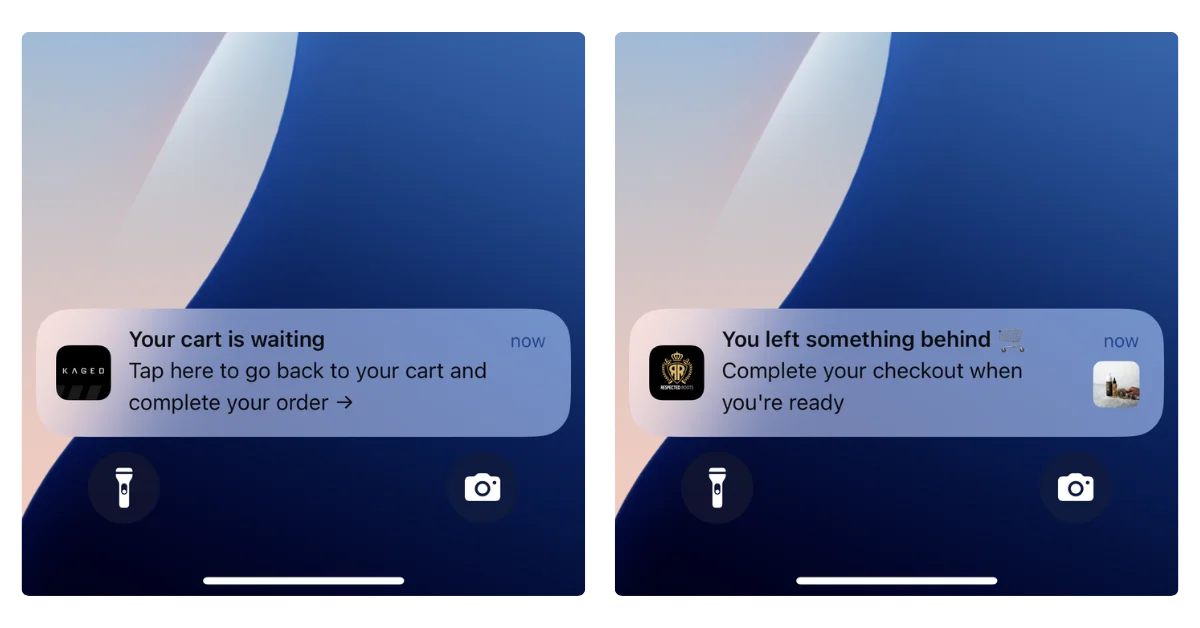
    An abandoned cart push notification is an automated message triggered when a customer adds products to their cart and leaves without completing checkout. The notification appears on their phone’s lock screen, prompting them to return and finish the purchase.

    Push notifications appear directly on the lock screen or as a banner notification, right alongside texts and app alerts. They show up where people are already looking, the moment they pick up their phone. There’s no inbox to compete with, no spam filter to clear, no algorithm deciding whether your message gets seen.

    Here’s what a typical abandoned cart push sequence looks like:

    1. 5-15 minutes after abandonment: A simple reminder. “You left something in your cart.” The customer’s purchase intent is still fresh, and a gentle nudge is often enough.
    2. 3-6 hours later: A second message, potentially with an incentive. “Still thinking it over? Here’s 10% off to help you decide.”
    3. 24 hours later: A final push with urgency. “Your cart is about to expire” or “Low stock on [product name].”

    The customer taps the notification, and they’re taken directly back to their cart page (via deep linking) with their items still loaded. 

    No hunting for products, no re-adding items, no friction. One tap to checkout.

    That’s the mechanic. Now let’s talk about where push fits alongside the channels you’re already using.

    Do You Need Push Notifications if You Already Have Email and SMS?

    You already have email for cart recovery. You might have SMS. Those channels are doing their job. 

    The question isn’t whether push is “better” than either one. It’s whether you have a gap in your coverage, and what that gap is costing you.

    Here’s how to think about each channel’s role:

    Email is your broadest reach. Nearly every customer gives you an email address. It’s the right channel for reaching the widest audience with cart recovery messages. 

    The tradeoff is that inboxes are crowded. Cart emails compete with every other promotion a customer received that day, and open rates reflect that, typically 15-25%.

    SMS is your high-urgency escalation. High open rates, but you’re paying $0.01-0.05 per message (Dotdigital), and customers are increasingly sensitive to branded texts. 

    There are also TCPA compliance considerations that add complexity. SMS makes sense for high-value carts where the margin justifies the cost, not as your primary recovery tool.

    Push is your direct line to your best customers. App users are self-selected. They’ve downloaded your app, they browse it regularly, they’re your repeat buyers. 

    Push lets you reach this high-LTV segment instantly, on their lock screen, at zero per-message cost. No other channel gives you that combination of speed, visibility, and cost efficiency for this audience.

    The important thing to understand is that these channels cover different segments of your customer base. 

    • Email reaches everyone. 
    • SMS reaches phone-number opt-ins.
    • Push reaches app users. 

    If you only have two of the three, you have customers falling through the cracks.

    A practical multi-channel approach

    Push fires first for app users (instant, free, high engagement). Email follows up for the broader audience. SMS is reserved for high-value carts. 

    A coordinated sequence like this can recover 20-30% of abandoned carts, versus 10-15% with email alone. 

    The lift comes from covering more of your customer base, not from one channel “beating” another.

    Web Push vs App Push: Which Is Better for Cart Recovery?

    If you’re going to invest in push for cart recovery, it’s worth understanding the two types. Web push and native app push work differently, and the distinction directly affects your results.

    Web push notifications are browser-based alerts sent to visitors who opt in on your website. 

    Tools like PushEngage, OneSignal, and Webpushr make this easy to set up on Shopify, WooCommerce, BigCommerce, or any other platform.

    The appeal is obvious: no app required. You can start sending push notifications to website visitors right away. And for cart recovery, web push works. Brands like Pura Vida generated over $540,000 in revenue from web push abandoned cart campaigns over 2.5 years, with a 10:1 ROI.

    But web push has real limitations:

    • iOS Safari doesn’t reliably support web push in the same way as native apps. Apple has added web push support, but the opt-in flow is clunky and adoption remains low.
    • Opt-in rates are lower than apps. Users see a generic browser prompt (“This site wants to send notifications”) with no context, and most click “Block.”
    • No rich media on all platforms. Some browsers limit what you can include in web push (images, action buttons, etc.).
    • Session dependency. Web push only works if the browser is open (on desktop) or if the service worker is active. Native app push works regardless – it can reach your customers at any time.

    Native app push notifications are messages delivered through a brand’s iOS or Android app, appearing on the device’s lock screen regardless of whether the app is open. 

    Native push is what you think of when you think of a push notification. It pops up on the lock screen, catches the customer’s attention, makes your brand the first thing they see when they pick up their phone.

    Web push doesn’t do this. And think about the last time you opted in to (or even saw) a web push notification.

    They’re a lot less visible, and really designed for desktop, not mobile (where most of your customers are, and where most of the impulse buy potential lies).

    Real Results: What Brands Are Recovering With Abandoned Cart Notifications

    Abandoned cart notifications may sound like a small quirk of mobile apps.

    They’re not. They can be the reason to build an app.

    Here are the results from three Vendrux customers over a single 30-day period, using abandoned cart push notifications:

    Brand A

    $200,000

    Revenue recovered

    Brand B

    $20,000

    Revenue recovered

    Brand C

    $10,000

    Revenue recovered

    Three very different scales of business, but the same story: automated push notifications recovering real revenue every month with zero manual effort after setup.

    These aren’t cherry-picked months. Across Vendrux’s customer base, brands have generated $10,000 to $200,000 per month from abandoned cart notifications alone. 

    One finding from Vendrux’s benchmark report stands out: automated push messages (like abandoned cart sequences) make up just 3% of total push sends, but drive 21% of all push-attributed orders. A tiny share of the effort, producing an outsized share of the results.

    Push is a powerful abandoned cart recovery channel for a range of verticals and business types:

    • High-volume stores (likely a higher percentage of abandoned carts)
    • Low-volume, high-AOV brands (each abandoned cart recovered is much more valuable)
    • Subscription brands (a recovered cart can mean a recovered subscription as well)

    This revenue is net-new revenue: the easiest way for you to see a real, incremental boost from your mobile app.

    Best Practices for High-Converting Cart Push Notifications

    The difference between a push notification that recovers revenue and one that gets swiped away comes down to execution. Here’s what works.

    Get the Timing Right

    Timing is everything with abandoned cart recovery. Send too early and it feels pushy. Wait too long and the customer has moved on (or bought from a competitor).

    The three-message sequence that most high-performing brands use:

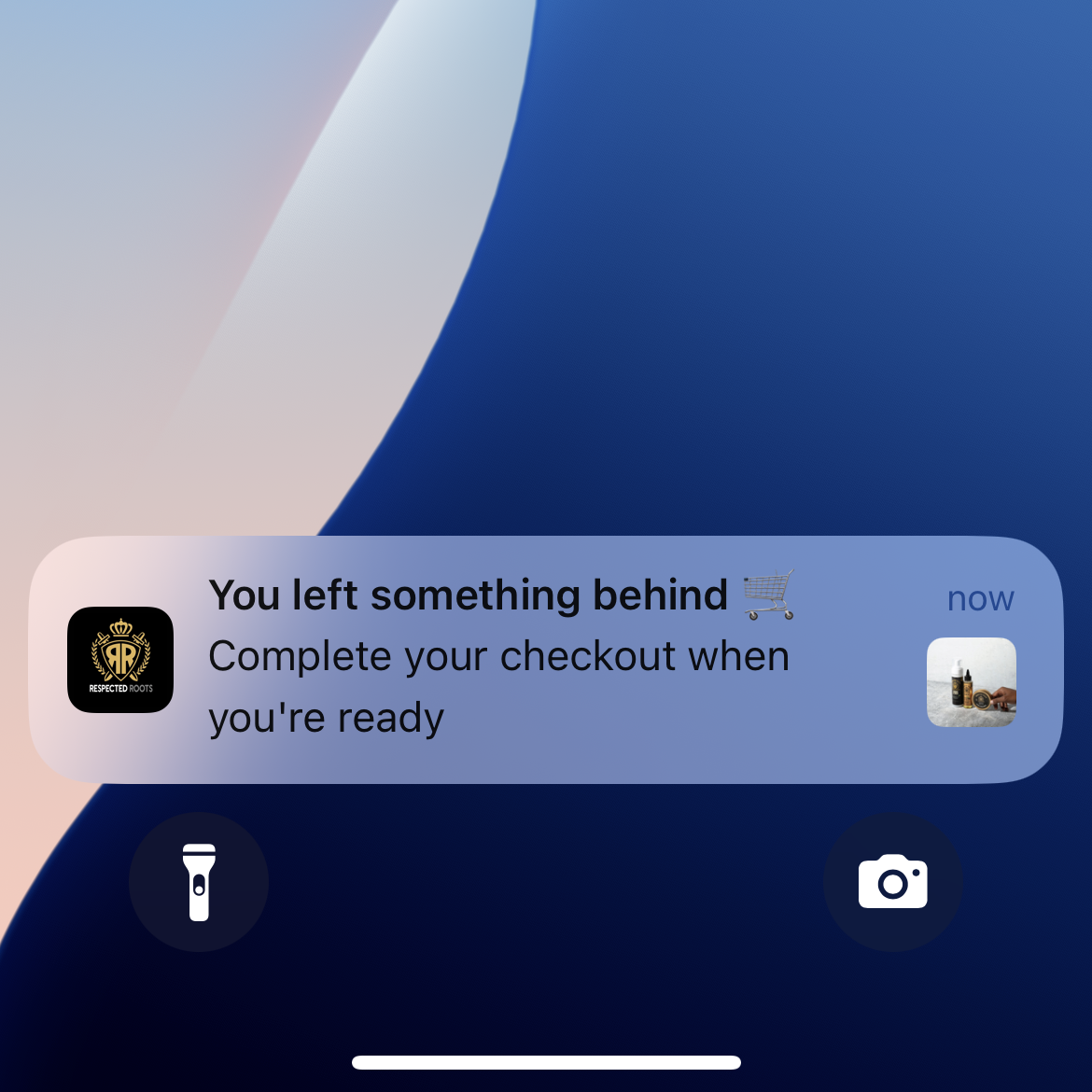
    • First push: 5-15 minutes after abandonment. Intent is still high. Keep it simple: “You left something behind.” No discount needed here; most of your recovery revenue will come from this first message.
    • Second push: 3-6 hours later. Add a small incentive if you want. “Still thinking about it? Here’s free shipping on your order.”
    • Third push: 24 hours later. Create urgency. “Your cart items are selling fast” or “Your cart expires tomorrow.”

    After three messages, stop. You’ve given them every reason to come back. If they don’t, move on.

    Personalize Everything You Can

    Generic messages get generic results. Use the data you have.

    • Name: “Hey Sarah, you left something behind” outperforms “Don’t forget your cart” every time.
    • Product: Mention the specific item. “Your [product name] is still in your cart” is more compelling than a vague reminder.
    • Images: Include a thumbnail of the product in the notification. Seeing the item triggers the desire to own it.
    • Behavior: If stock is genuinely low, say so. “Only 3 left in your size” is honest urgency, not manufactured scarcity.

    Use Incentives Strategically

    Don’t lead with a discount. If you put 10% off in the first message, you’re training customers to abandon carts on purpose.

    Better approach:

    • Message 1: No discount. Just a reminder. This is where 60%+ of your recovered revenue will come from.
    • Message 2: A non-discount incentive (free shipping, bonus loyalty points, a free sample).
    • Message 3: A small discount if they still haven’t converted. “Here’s 10% off, but it expires tonight.”

    Some brands skip discounts entirely and still see strong recovery rates. Test what works for your audience and margins.

    Deep Link to the Cart

    This seems obvious, but plenty of brands get it wrong. When a customer taps the notification, they should land directly on their cart page with all items loaded. Not the homepage. Not a product page. Not a login screen.

    Deep linking removes the friction that caused the abandonment in the first place. One tap, they’re looking at their cart, ready to check out. If your push notifications dump people on the homepage, you’ve already lost most of them.

    Don’t Overdo It

    Two to three messages per abandoned cart event is the sweet spot. Beyond that, you’re training customers to ignore (or disable) your notifications entirely.

    Also important: stop the sequence immediately once the cart is recovered. Nothing damages trust faster than getting a “Don’t forget your cart!” notification after you’ve already purchased.

    Segment by Abandonment Behavior

    Not every abandoned cart is the same. A customer who made it to the checkout page and entered their shipping address has much higher purchase intent than someone who added an item and kept browsing. If your push platform supports it, tailor your messaging:

    • High-intent abandoners (reached checkout): a simple “You’re almost done” reminder is often enough. They don’t need an incentive.
    • Browse abandoners (added to cart, kept browsing): a product-focused message (“Still interested in [product]?”) that re-sparks the desire works better here.

    Test Your Copy and Timing

    Small changes in notification copy and send timing can meaningfully affect recovery rates. A/B test one variable at a time:

    • Message copy (question vs statement, product name vs generic)
    • Send timing (5 minutes vs 30 minutes vs 1 hour for the first push)
    • Incentive vs no incentive on the second message
    • With product image vs without

    Most push platforms support A/B testing natively. Run tests for at least two weeks before drawing conclusions, and track conversion rate (not just open rate) as your primary metric.

    Abandoned Cart Push Notification Examples

    Here are six notification templates you can adapt for your brand. Each one targets a different stage of the recovery sequence or a different psychological trigger.

    1. The Simple Reminder (first message, 5-15 min)

    “You left something in your cart. Tap to finish checking out.”

    No discount, no urgency, no cleverness. This is your highest-converting message because intent is still fresh. Let the product do the work.

    2. The Product-Specific Nudge (first message, personalized)

    “Your [Product Name] is still waiting. Complete your order before it sells out.”

    Mentioning the specific product pulls the customer back to the moment they wanted it. Pair this with a product image if your platform supports rich notifications.

    3. The Soft Incentive (second message, 3-6 hours)

    “Still thinking it over? We’ll throw in free shipping if you complete your order today.”

    Free shipping is a strong nudge without devaluing the product. Loyalty points or a free sample work well here too.

    4. The Urgency Play (third message, 24 hours)

    “Last chance: your cart expires tonight. Tap to check out before your items are gone.”

    Only use this if you can back it up. Genuine urgency (limited stock, cart expiration policy) converts. Manufactured scarcity erodes trust.

    5. The Social Proof Nudge (alternative second message)

    “[Product Name] is one of our bestsellers this month. Your cart’s ready whenever you are.”

    For products with strong sales velocity, social proof can be more effective than a discount. It validates the customer’s choice rather than discounting it.

    6. The Last-Chance Discount (final message, 24-48 hours)

    “Here’s 10% off your cart, but it expires at midnight. Use code COMEBACK10.”

    Reserve discounts for the final message only. Leading with a discount trains customers to abandon carts deliberately.

    Abandoned Cart Push Notifications Can Pay for the Cost of Your App

    This is the part most brands don’t realize until they see their own numbers.

    Let’s give an example.

    A brand doing ~$20M in annual revenue, with a mobile app used by their top 10-15% of buyers, you could be looking at around 10,000 abandoned carts per month in the app.

    Recovering 5-10% of those through push notifications (which apps uniquely enable) means 450-1,000 extra orders/month – potentially $50K-$100K+ in recovered revenue per month just from abandoned cart push notifications alone.

    You don’t need to be an eight-figure brand for it to be worth your while, either. Even at a quarter of that scale, you’re still looking at over five figures in net-new revenue from recovered carts.

    A wellness brand from our benchmark report generated $14,491 in abandoned cart revenue in their very first month. Another, an online pharmacy, recovers $10,000+ monthly at a 22% conversion rate.

    These aren’t outliers. They’re typical results from brands that have the automation turned on.

    For brands evaluating whether a mobile app makes financial sense, abandoned cart push is often the single clearest line item in the ROI calculation. And it’s just one piece. 

    The broader value of an app, higher AOV, better customer retention, promotional push campaigns, improved mobile UX, stacks on top of it.

    How to Get Started

    If you already have a mobile app, check whether your platform supports automated abandoned cart push notifications. If it doesn’t, look into integrating a push service like OneSignal and connect it to your cart events.

    If you don’t have an app yet and want the fastest path to abandoned cart push, Vendrux is built for exactly this. 

    Vendrux takes your existing ecommerce website and extends it into native iOS and Android apps, with abandoned cart notifications built in from day one.

    Here’s how it works:

    1. Book a strategy call. Share your website URL and we’ll discuss your goals, walk you through the process, and assess fit.
    2. Get a custom app preview. The Vendrux team builds a personalized preview of your app so you can see exactly how it looks and performs.
    3. Launch Vendrux handles everything – app development, App Store and Google Play submission, and ongoing maintenance. You focus on running your business.

    Vendrux’s abandoned cart feature works locally on the device. The app monitors the user’s cart, and when it detects pending items after the app is closed, it triggers a timed notification sequence using proven copy and CRO best practices. 

    There are no third-party tools required. It’s already configured and managed for you, though you can customize the branding and messaging however you like.

    Brands using Vendrux have recovered anywhere from $10,000 to $200,000 per month in abandoned cart revenue alone. We’ve built over 2,000 apps for ecommerce brands, and abandoned cart recovery is consistently one of the highest-ROI features.

    Curious what your numbers could look like? Book a free 30-minute strategy call – no commitment required. We’ll talk you through the process, and explain how much you could be adding in new revenue with a mobile app and abandoned cart push notifications.
  • Enterprise Mobile App Development for Ecommerce: What $50M+ Brands Need to Know (2026)

    Enterprise Mobile App Development for Ecommerce: What $50M+ Brands Need to Know (2026)

    Enterprise mobile app development is the process of building, launching, and maintaining native iOS and Android apps for large-scale businesses.

    For ecommerce brands doing $50M+ in annual revenue, that process of launching a mobile app looks very different than it does for a small Shopify store. The stakes are higher, the tech stacks are more complex, and the wrong approach can burn six figures before you have anything to show for it.

    The business case of mobile apps isn’t up for debate anymore. As of 2026, app users convert at 3-4x the rate of mobile web visitors, deliver 2.8-5x higher lifetime value, and generate a disproportionate share of revenue relative to their size as a customer segment. 

    For enterprise brands, even a modest lift in mobile conversion and retention translates to millions in incremental revenue. That’s a board-level growth lever, not just another middling asset.

    But enterprise ecommerce isn’t Shopify with a premium theme. You’re running dozens of integrations, custom checkout flows, multi-region storefronts, and a tech stack that took years to build. 

    The mobile app solutions designed for small and mid-market merchants simply weren’t built for this level of complexity.

    This guide breaks down what enterprise brands actually need from mobile app development in 2026, where the common approaches fall short, and how to evaluate your options without burning a year and a six-figure budget finding out.

    Why Do So Few Enterprise Brands Have Mobile Apps?

    Only 1 out of every 5 US brands with $5M+ in monthly revenue currently have a mobile app. If we reduce the threshold to $1M-$5M per month in revenue, that drops to less than 1 in 10.

    At a time where mobile-first commerce is the default and omnichannel presence is table stakes, that’s a striking gap.

    It exists for a reason. Building a mobile app that actually works for an enterprise ecommerce operation is hard. Not because the technology doesn’t exist, but because most solutions on the market were designed for a different kind of business.

    A DTC brand on Shopify with 15 apps and a standard checkout can spin up a mobile app in a few weeks using a platform-specific builder. 

    An enterprise brand running Salesforce Commerce Cloud with Algolia search, Dynamic Yield personalization, Klaviyo email flows, a custom loyalty program, and localized storefronts across six countries? 

    That’s a different problem entirely.

    The gap comes down to three things:

    Stack complexity

    A typical enterprise ecommerce operation runs 80-100+ integrations that directly touch the customer experience. 

    Reviews, search, personalization, subscriptions, loyalty, live chat, payment gateways, fraud detection, tax calculation, shipping logic. 

    Each one represents functionality that has to be replicated or preserved in any mobile app.

    Organizational risk tolerance

    Enterprise teams have seen 70% of digital transformation initiatives fail to meet their objectives (McKinsey’s number, not ours). 

    A poorly executed mobile app launch doesn’t just waste budget. It creates customer service headaches, breaks trust with your best customers, and makes internal stakeholders gun-shy about the next mobile initiative.

    The maintenance burden

    Launching is only half the problem. Enterprise brands update their websites constantly: new product lines, seasonal campaigns, promotions, landing pages, A/B tests. 

    Any mobile app strategy that requires maintaining a separate content pipeline is a non-starter for teams already stretched thin.

    How Do Enterprise Brands Build Mobile Apps Today?

    There are three paths you might have been looking at to build your mobile app. For the majority of enterprise ecommerce brands, none are perfect.

    Let’s break them down in more detail.

    Path 1: Custom Native Development

    The traditional enterprise answer: hire an agency or build an internal team, spend $250K-$500K+, and build a fully custom iOS and Android app from scratch. 

    Whether the team uses native Swift/Kotlin, cross-platform frameworks like React Native or Flutter, or a combination, the project scope is roughly the same.

    For the world’s largest retailers (think Amazon, Walmart, Target), this makes sense. They have dedicated mobile engineering teams, the budget to sustain it, and enough app users to warrant a fully independent codebase.

    For most enterprise brands in the $50M-$500M range, it’s a different calculus. Custom development means:

    • 6-12+ months to launch. Your competitors with apps are capturing mobile revenue while you’re still in sprint planning.
    • Rebuilding your entire integration stack. Every integration on your website needs a corresponding mobile implementation. At $30,000-$50,000 per integration (build plus first-year maintenance), a stack of 30 integrations could cost over a million dollars in API work alone.
    • Permanent parallel maintenance. Every website update, every new product feature, every promotional campaign now has to be built twice. You need a dedicated mobile team, or your app falls behind your website within months.
    • Ongoing engineering costs of $150K-$300K+ per year just to keep the app updated, handle OS changes, and maintain integrations.

    Custom development is the right choice when your mobile app needs to do something fundamentally different from your website.

    For ecommerce brands, that’s rarely necessary. You’re not building a mobile-native multimedia app. You’re not building the next Netflix or TikTok. You’re just taking what already exists – your web store – and turning it into a native app.

    Building a fully custom, fully native app from the ground up means paying for a solution to a problem that doesn’t need to be this expensive.

    Path 2: Platform-Specific App Builders

    Hundreds of no-code, drag and drop app builders have made mobile apps accessible for a wide range of ecommerce brands. 

    These tools are fast, affordable, and purpose-built for the Shopify ecosystem.

    They’re excellent for what they were designed for. But enterprise ecommerce, with its complex stacks and cross-platform requirements, sits outside their sweet spot.

    You’re likely to run into walls like:

    Platform lock-in

    Most app builders only work with Shopify. If you’re on Salesforce Commerce Cloud, Adobe Commerce (Magento), BigCommerce Enterprise, commercetools, or a custom headless stack, these tools simply don’t support your platform.

    API limitations

    App builders that connect to Shopify’s Storefront API are working with a subset of your store’s actual functionality. The API returns product data, not your rendered storefront. That means custom Liquid code, JavaScript-dependent features, and third-party app widgets may not translate to your app.

    Integration gaps

    Some of your most valuable integrations may require enterprise-tier pricing from the app builder, or may not be supported at all. When a tool like Algolia search or ReCharge subscriptions doesn’t work in your app, your customers get a degraded experience compared to your website.

    Feature ceilings

    Drag-and-drop builders give you a templated app layout, not your actual store experience. For enterprise brands that have invested heavily in their website UX, being forced into a template is a significant step backward.

    Path 3: Progressive Web Apps (PWAs)

    PWAs promise app-like experiences without building a native app. 

    For enterprise brands already running sophisticated web stacks, the appeal is obvious: no App Store submission, no separate codebase, works across all platforms. And most enterprise-level, headless or composable commerce platforms support PWA functionality out of the box.

    But a PWA is not a mobile app.

    PWAs can’t be published to the App Stores, they’re limited on push notification functionality, customers rarely go through the process to add them to the home screen, and their support on iOS is limited.

    A PWA is an excellent mobile web enhancement. But a replacement for a native app? It is not.

    Can You Turn an Enterprise Ecommerce Website Into a Native App?

    There’s a fourth approach that most enterprise evaluation frameworks miss because it doesn’t fit neatly into the “build vs buy” dichotomy: taking your existing website and extending it into a native mobile app

    Instead of rebuilding your ecommerce experience from scratch (custom dev) or recreating it through an API (app builders), your actual website powers a native iOS and Android app, with native functionality layered on top. 

    Everything you’ve built on the web carries over. Your customers get a native app experience, built on (and fully synced with) your existing web experience.

    This solves a number of key hurdles for enterprise ecommerce brands:

    Every integration carries over automatically

    Algolia search, Dynamic Yield personalization, ReCharge subscriptions, LoyaltyLion rewards, Gorgias live chat. Even niche tools or custom features.

    If it works on your website, it works in the app. No rebuilding, no re-integrating, no gaps in the customer experience. 

    For a brand running 80+ integrations, this eliminates millions in potential re-implementation costs, as well as potential feature gaps.

    Your content stays in sync

    When you update a product page, launch a promotion, redesign a landing page, it’s live in the app the moment it’s live on your site.

    With traditional app development approaches, your marketing team could spend hours and hours on parallel updates, trying to keep the website and app experiences consistent.

    The real cost isn’t just the time you spend – it’s the drag on your focus, and the inevitability that the two platforms will fall out of sync if you try to manage this manually.

    The “website to app” approach solves this problem in one shot.

    Platform doesn’t matter

    Whether you’re on Shopify Plus, Salesforce Commerce Cloud, Adobe Commerce, a headless stack, or something entirely custom, you can launch your app without spending hundreds of thousands on a custom build.

    The approach works because it builds on your website, not your platform’s API.

    Native capabilities where they count

    Push notifications (for promotions, order updates, automated abandoned cart and behavioral campaigns, more), deep linking, native navigation, an icon on your customer’s home screen, and App Store presence. 

    Your app will have all the features a real mobile app needs. It’s not a “lite” version of a mobile app, it’s not a PWA, it’s not a shortcut. It’s a real mobile app.

    Launch in weeks, not months

    Because you’re not rebuilding your store, the development cycle compresses dramatically. You could go live in just 30 days – contrast that to a custom build which runs months, potentially years.

    This is the approach Vendrux takes. It’s how brands like Bestseller (parent of Jack & Jones, Vero Moda, ONLY), John Varvatos, Tadashi Shoji, and many more run high-ROI, low-maintenance mobile apps.

    Some of the mobile apps built with Vendrux. See more examples here

    How These Approaches Compare

    Let’s break down the core differences between the four enterprise mobile app development paths discussed above:

    Custom Dev App Builders PWA Website-to-App
    Cost $250K-$500K+ $200-$1,000/mo Dev time only ~$1,499/mo
    Time to Launch 6-12+ months 2-6 weeks Varies ~30 days
    Integration Support Must rebuild each Limited Full (web-based) Full
    Platform Support Any Shopify only Any Any
    Ongoing Maintenance $150K-$300K/yr DIY Dev team Done for you
    App Store Presence Yes Yes No Yes
    Push Notifications Yes (if you build it) Yes Limited Yes
    Best For Unique app features (AR, offline) Small-mid Shopify stores Mobile web enhancement Enterprise with complex stacks

    What Should Enterprise Brands Look for in a Mobile App?

    Enterprise mobile app requirements look different from mid-market brands or SMBs. After watching brands at this scale evaluate and struggle with mobile strategies, a clear set of non-negotiables emerges:

    1. Full Tech Stack Preservation

    This is the big one. Your website runs on a stack you’ve spent years building and optimizing. Reviews, search, personalization, subscriptions, loyalty, analytics, A/B testing, payment gateways, custom checkout flows. You want this to carry over to your app.

    Any mobile app strategy that requires rebuilding or replacing those integrations is asking you to take on enormous cost and risk for a problem you’ve already solved. The right approach preserves your entire stack.

    2. Zero Duplicate Content Management

    Enterprise ecommerce teams are already managing content across multiple channels. Adding a parallel content pipeline for a mobile app (separate product uploads, separate promotional content, separate navigation updates) creates operational overhead that compounds over time.

    The app should reflect your website in real time. Update your site, and the app updates automatically.

    3. Platform Compatibility

    Enterprise ecommerce runs on a wide range of platforms: Shopify Plus, Salesforce Commerce Cloud, Adobe Commerce, BigCommerce Enterprise, commercetools, custom headless builds. 

    Your mobile app solution needs to work with your existing ecommerce platform; you’re not going to replatform your website just to make it work with your app.

    4. Enterprise-Grade Support and SLAs

    When your app is generating millions in revenue, you need more than a support ticket queue. Dedicated success managers, guaranteed response times, direct access to engineering, and proactive monitoring are baseline requirements.

    5. Multi-Region and Multi-Language Support

    Enterprise brands operating across markets need apps that handle localized storefronts, multiple currencies, and regional compliance requirements without building separate apps for each market.

    6. Security and Compliance

    SOC 2 compliance, GDPR readiness, data encryption in transit and at rest, SSO support, and data handling policies that satisfy your legal and procurement teams. 

    Enterprise evaluation processes require documentation on all of these, and many app solutions built for SMBs simply don’t have them.

    7. Scalability

    Your app needs to handle traffic spikes during flash sales, product drops, and peak shopping seasons (Black Friday, holiday) without degradation. An approach that ties into your existing web infrastructure inherits whatever scalability your website already has, rather than introducing a new bottleneck.

    8. Speed to Market With Low Risk

    Perhaps counterintuitively, enterprise brands often need to move faster, not slower, than smaller competitors. 

    A 12-month custom development cycle means 12 months of lost mobile revenue. The ideal solution launches in weeks, not months, without cutting corners on quality or functionality.

    What ROI Do Enterprise Mobile Apps Actually Deliver?

    Vendrux’s 2025 Ecommerce Mobile App Benchmark Report analyzed performance data across multiple ecommerce brands. 

    Here’s the difference that mobile apps make.

    Revenue contribution

    Brands with mobile apps see anywhere from 10-35% of their revenue, on average, through their apps.

    This typically comes from a much smaller share of users – and the gap can be extreme in outlying cases.

    A wellness and pharmacy brand we worked with had 16% of its customers using the app. But those users generated 62% of their total online revenue. Revenue contribution was nearly 4x higher than the app’s share of traffic.

    It’s not the only example. Junior Couture, a luxury children’ s fashion brand, drove 50% of their BFCM revenue in 2025 through their app – from just 5% of their total customers.

    Higher conversion rates

    Each app session is much more likely to lead to a sale.

    One converted at 9.1% inside the app versus 1.1% on mobile web. That’s an 8x lift. 

    Another, a luxury fashion label saw a 10x lift in conversion rate from app versus mobile web (2.56% vs 0.23%).

    Higher average order values

    App shoppers spend more. 

    The data shows 10-50% higher AOV from app users compared to mobile web visitors, driven by deeper browsing sessions and stronger purchase intent.

    Real revenue from push notifications

    One brand generated over $31,000 in push notification revenue in its first month after turning on push campaigns, with nearly half from automated abandoned cart notifications alone. 

    Across multiple brands, abandoned cart push notifications generate $10,000-$200,000+ in monthly revenue.

    That’s just one campaign. And for all push notifications, there’s no marginal cost per send, making the revenue you gain from push campaigns much more profitable than other channels.

    “The power of push notifications is so strong. In a world where people open email less and less each day, everyone is jumping into SMS which is crazy expensive, and people are starting to tune these out too, being able to do push notifications is the reason you do an app.”
    — David Cost, VP of Ecommerce, Rainbow Shops

    Engagement metrics reflecting habit formation

    App users average 2.1-4.7 sessions per user (compared to roughly 1 session per mobile web visitor), with session times of 5-7 minutes. 

    These aren’t one-time visitors. They’re repeat customers building a shopping habit.

    Stronger lifetime value

    App users deliver 2.8-5x higher CLV than web-only shoppers, and 60% of first-time app buyers go on to make at least one more purchase.

    For an enterprise brand doing $50M+ in annual revenue, capturing even 10-15% of that through a mobile app channel (with higher conversion rates and AOV) represents a significant revenue opportunity.

    How Do You Choose an Enterprise Mobile App Development Partner?

    Vendor marketing in this space is thick. If you’re evaluating mobile app options for your enterprise ecommerce operation, here’s a framework for cutting through it:

    Ask about your specific tech stack

    Don’t accept “we integrate with 100+ tools” at face value. Provide your actual list of integrations and ask which ones will work in the app, which require additional development, and which won’t work at all. The answer tells you everything about the real cost and timeline.

    Calculate the true total cost of ownership

    For most agencies, custom builds and legacy software, the license fee or development quote is just the starting point. Factor in:

    • Integration rebuilding costs ($30K-$50K per integration for custom dev)
    • Ongoing maintenance (typically 15-20% of initial build cost per year for custom)
    • Internal team resources required to manage the app
    • Opportunity cost of a long development timeline

    A website-to-app approach like Vendrux removes all of this; giving you a mobile app of similar quality, for a predictable monthly cost that’s negligible compared to what you’re already spending on software.

    Test with your actual website

    Ask for a preview or proof of concept built on your real website, not a demo app. You need to see how your integrations, checkout flow, and custom features behave inside the app.

    Evaluate the support model

    For enterprise, “support” means a named account manager, guaranteed SLAs, direct access to engineering for edge cases, and proactive monitoring. Anything less creates risk for a revenue-generating channel.

    Understand the update cycle

    How do website changes propagate to the app? Is there a delay? Do you need to request updates? The ideal answer is “instantly and automatically.”

    “We don’t have to worry about the app. Vendrux handles everything on the backend, and our website updates are automatically reflected.”
    — Nick Barbarise, Direct of IT, John Varvatos

    Check App Store compliance track record

    App Store review can be unpredictable, especially for ecommerce apps. Ask how many apps the vendor has submitted, what their approval rate looks like, and how they handle rejection. A vendor with thousands of approved apps will navigate this process more efficiently than one with dozens.

    Next Steps

    Vendrux works with enterprise ecommerce brands on Shopify Plus, Salesforce Commerce Cloud, Adobe Commerce, BigCommerce, and fully custom stacks.

    It’s the best way for most enterprise commerce brands to launch a mobile app.

    The process is straightforward:

    1. Book a strategy call. Share your website URL and discuss your goals, tech stack, and requirements. No commitment, no pressure. The call helps both sides assess fit.
    2. Get a custom app preview. The Vendrux team builds a working preview of your native app so you can see exactly how your website looks, feels, and performs as an app.
    3. Launch in 30 days. Vendrux handles everything from build to App Store submission to ongoing maintenance. Your app goes live on iOS and Android while your team stays focused on running the business.

    Vendrux has built 2,000+ apps since 2013, including for enterprise brands like Bestseller, John Varvatos, and BuyBuyBaby. You get predictable pricing, with no revenue share, and a fully managed service to support your tech team and handle everything to do with the mobile app.

    Book a free strategy call to see how your website can become a mobile app, and learn whether Vendrux is the right partner to make it happen.

  • 7 Ways Custom Packaging Helps Mobile-First Ecommerce Brands Stand Out

    7 Ways Custom Packaging Helps Mobile-First Ecommerce Brands Stand Out

    Mobile commerce is booming. Over 60% of global ecommerce traffic now comes from smartphones, and brands everywhere are racing to build mobile apps, optimize their checkout flows, and master push notifications.

    But here’s the disconnect most mobile-first brands don’t see coming: the moment a customer taps “Place Order,” the digital experience ends, and the physical one begins. 

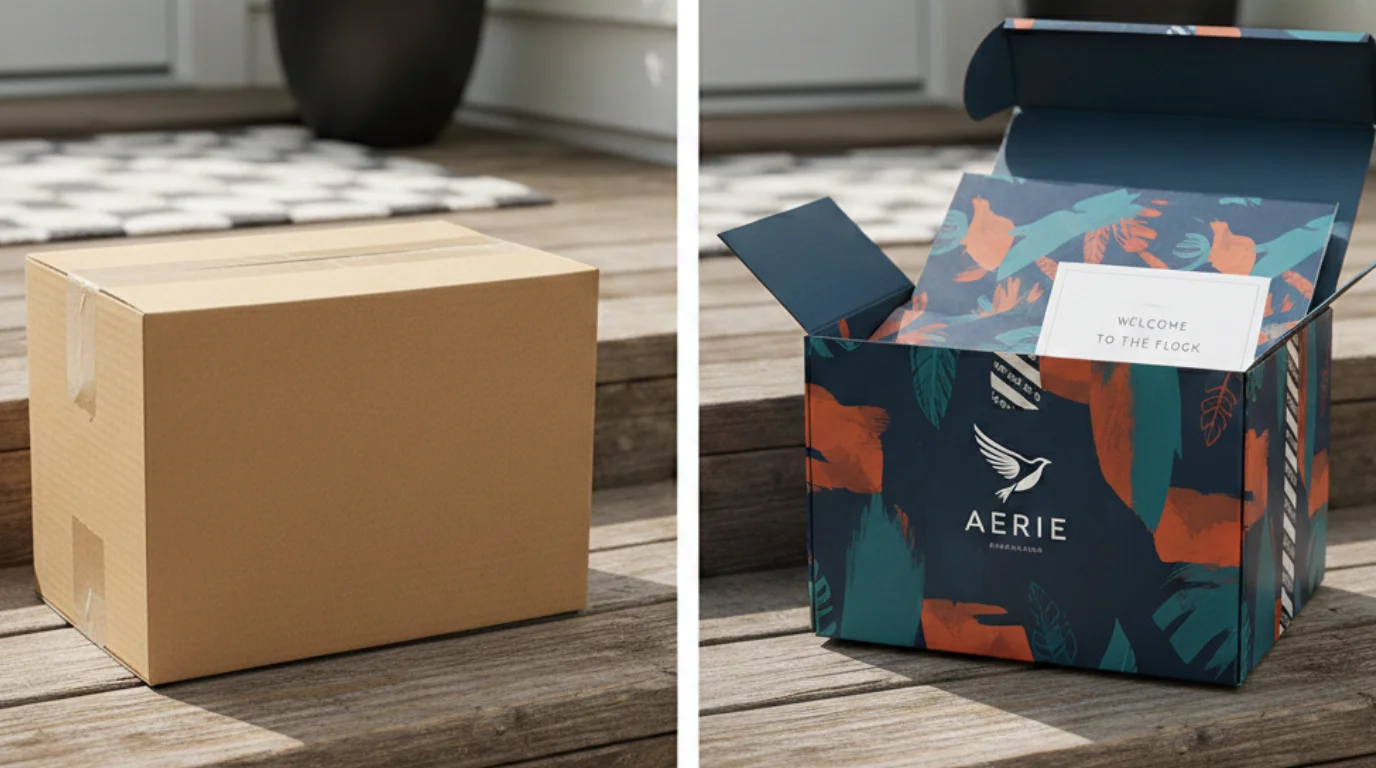
    That physical experience, the box on the doorstep, the unboxing, the first tactile interaction with your brand, is where custom packaging separates forgettable stores from brands customers actually remember.

    If you’ve invested in a polished mobile shopping experience but you’re still shipping products in plain brown boxes, you’re leaving one of your most powerful brand touchpoints completely blank.

    Here are seven ways custom packaging helps mobile-first ecommerce brands stand out in a crowded market.

    1. Every Delivery Becomes a Branded Moment

    Your push notifications might get a 5-10% open rate on a good day. Your email campaign conversion rate hovers around 20%.

    But every single package you ship gets opened. That’s a 100% open rate – no algorithm required.

    Custom mailer boxes and shipping boxes printed with your brand’s logo, colors, and messaging transform an ordinary delivery into a marketing touchpoint that every customer sees and interacts with. Unlike a digital ad that gets scrolled past in half a second, a physical package sits in someone’s hands for minutes. They feel it, turn it over, and peel it open.

    That level of attention is almost impossible to buy in the digital world, yet most brands overlook it entirely.

    For mobile-first brands spending heavily on digital acquisition, this is the most underused channel in your entire marketing stack. Providers like Arka make it easy to get started, offering fully customizable, eco-friendly mailer and shipping boxes with low minimums, fast turnarounds, and a Shopify integration that fits right into your existing workflow.

    2. Shareable Unboxing Experiences That Drive Organic Reach

    Unboxing content generates billions of views across social media every year.

    What drives it isn’t the product alone; it’s the full sensory experience of opening something that feels special. Custom tissue paper wrapping the product, branded stickers sealing the box, a printed insert with a personal message, these details are what make someone reach for their phone to film before they’ve even finished unpacking.

    For mobile-first brands that rely on social proof and user-generated content, this is organic marketing you can’t manufacture with ads. A beautifully designed custom mailer box costs a fraction of a single influencer post, but it puts a camera-ready branded moment in the hands of every customer who orders from you.

    The best part? It happens naturally, without a campaign brief or a creative team.

    3. It Bridges the Gap Between Your Mobile App and the Physical World

    One of the biggest challenges for ecommerce brands with mobile apps is getting customers to actually download and keep using the app. Custom packaging solves this in a surprisingly direct way.

    • Print a QR code on the inside flap of your mailer box that links directly to your app download page.
    • Include a packaging insert offering an exclusive in-app discount for first-time app users.
    • Add a call-to-action on your custom poly mailer encouraging customers to track their next order through the app.

    These physical-to-digital bridges turn a one-time buyer into an engaged app user, and they work because the customer is already in a positive emotional state; they just received something they’re excited about.

    That’s the perfect moment to deepen the relationship.

    4. Quality Signals Before the Product is Visible

    Customers form opinions about your brand before they ever see the product.

    The weight of the box, the crispness of the print, the attention to detail in how everything is presented, all of these register subconsciously within seconds of picking up the package.

    A well-designed custom shipping box made from sturdy, FSC-certified cardboard with full-color CMYK printing tells the customer this brand cares about every detail. Compare that to a flimsy, unbranded box with a shipping label slapped on top, and the perception gap is enormous.

    For brands competing in crowded categories like beauty, apparel, wellness, and food, this first physical impression either reinforces the premium experience your app promised or undermines it completely.

    5. Brand Loyalty That Cuts Ad Dependence

    Customer acquisition costs keep climbing. Every ecommerce brand is fighting for the same eyeballs on the same platforms, and the return on ad spend is shrinking for many.

    Custom packaging attacks this problem from the other direction; instead of spending more to acquire new customers, it helps you retain the ones you already have.

    When someone receives a thoughtfully packaged order, a custom box with their brand’s colors, eco-friendly compostable mailers, tissue paper with a subtle pattern, it creates an emotional connection that a retargeting ad simply can’t match. 

    That emotional connection translates into repeat purchases, higher lifetime value, and word-of-mouth referrals.

    Over half of online shoppers say they’re more likely to reorder from a brand that ships in premium packaging, and nearly 40% would share the experience on social media without being asked.

    For brands watching their ad budgets balloon, investing in packaging is one of the highest-ROI moves you can make to break the cycle.

    6. Sustainability Customers Can Actually Feel

    Sustainability isn’t just a nice-to-have anymore; it’s a purchasing factor for a growing majority of consumers, especially among younger demographics who dominate mobile shopping.

    But talking about sustainability on your app or website is one thing. Letting customers physically experience it is far more powerful.

    When a customer opens a package made from 100% recycled materials, wrapped in recycled paper mailers, sealed with eco-friendly custom packing tape, and printed on FSC-certified cardboard, the message is unmistakable: this brand walks the talk.

    That tangible proof of your values builds trust in a way that a sustainability page on your website never could. 

    7. Your Edge Over Generic Marketplace Experiences

    This might be the most important point of all.

    When a customer orders from a large marketplace, they get a generic brown box with no personality. When they order from any number of commodity platforms, the packaging is interchangeable and forgettable.

    That’s the baseline your customers are comparing you against, and it’s also your biggest opportunity.

    Custom packaging is the one thing large marketplaces can’t replicate for every seller. A beautifully branded retail box, a surprise sticker inside, a printed thank-you card; these small touches remind the customer they bought from a real brand, not a faceless listing. They chose your store, your app, your products, and the packaging confirms that choice was the right one.

    In a world where mobile shoppers can switch brands with a single tap, that emotional confirmation is what keeps them coming back to your app instead of searching elsewhere.

    The Bottom Line

    Today’s ecommerce brands pour enormous resources into perfecting the digital journey, the app design, the checkout flow, and the push notification strategy. But the customer journey doesn’t end at the order confirmation screen. It ends at the doorstep.

    Custom packaging is where your digital brand becomes real. It’s the handshake after the conversation, the lasting impression after the transaction. And in an increasingly mobile, increasingly competitive ecommerce landscape, it might just be the most overlooked competitive advantage you have.

    The brands that figure this out,  the ones that create a seamless experience from the first app tap to the last box flap, are the ones customers remember, share, and come back to.

  • Headless Commerce Mobile Apps: How to Get a Native App Without Rebuilding Your Stack

    Headless commerce is supposed to be the ultimate flexibility architecture. Decouple your frontend from your backend, build whatever experience you want, deliver it across every channel.

    In practice, most brands are focused on one channel: the web.

    Only about one in five ecommerce brands with $5M+ in monthly revenue have a mobile app. Among brands running headless architectures, the number isn’t dramatically different. 

    The reason is straightforward: launching mobile apps for headless stores is easier in theory than reality.

    Your headless backend exposes APIs. Your custom web frontend consumes those APIs. But a native iOS or Android app requires a separate build, a separate team, a separate budget. That’s why most brands’ mobile apps keep getting pushed to “next quarter.”

    This article covers why that gap matters, your options for closing it, and the approach that lets you turn your headless investment into a native app without starting from scratch.

    Why Headless Brands Need Native Mobile Apps

    If you’ve invested in a headless ecommerce architecture, you already understand the value of meeting customers where they are. You’ve built a flexible backend precisely so you can deliver the right experience on every channel. 

    But without a native app, you’re missing the channel that drives the most valuable customer behavior.

    App Users Are Your Highest-Value Customers

    The data on native app performance isn’t subtle. App users convert at 3-4x the rate of mobile web visitors, generate higher average order values, and return more frequently. 

    They’re a self-selected, high-intent audience: they downloaded your app, they kept it on their home screen, and they engage with it regularly.

    For brands already optimizing their headless web frontend for conversion, leaving this segment on mobile web is leaving significant revenue unrealized.

    Push Notifications Change the Retention Game

    Native app push notifications reach your highest-value customers with nearly 100% visibility rates. 

    That’s the core advantage: not raw reach, but the quality of the audience receiving the message and the environment they land in.

    When a push notification opens your native app, the customer is immediately in a fast, full-screen shopping experience with native navigation, saved login state, and the entire purchasing flow at their fingertips. That’s a fundamentally different conversion environment than an email click or an SMS link that opens mobile Safari.

    For headless brands investing in personalization and CX on the web side, push notifications extend that investment to the most engaged slice of your audience.

    Closer Customer Touchpoints

    Attention is gold. Direct access to your customers is gold.

    All this is getting more difficult in today’s ecommerce. Whether it’s iOS tracking changes, declining email visibility, SMS regulatory concerns or the rise of agentic shopping, showing up constantly is a struggle.

    Mobile apps change that. Your brand shows up on the customer’s home screen. On their lock screen. You own valuable real estate on the device that modern shoppers are linked to and look at hundreds of times per day.

    How to Launch Mobile Apps for Headless Commerce Brands

    If you’ve built a headless architecture, your first instinct is probably to build a custom native app the same way you built your web frontend: connect iOS and Android apps to your backend APIs, build a dedicated mobile UI, hire mobile developers or an agency, and manage the app alongside your website.

    That instinct makes architectural sense. It’s efficient in comparison to building custom mobile apps for websites without the API-first headless architecture you have.

    But the reality is that it’s a huge, unnecessary expense – just to rebuild something that already works.

    “If we had unlimited time and money, we would probably go for a custom native app, but that is half a million to a million a year to maintain.”
    — David Cost, VP of Ecommerce at Rainbow Shops

    The Custom App Trap

    Building a custom native app for a headless ecommerce store means building a second frontend from scratch. 

    It’s a completely separate codebase that happens to talk to the same backend.

    The build itself is a major project. A custom mobile app that matches your web experience (same product catalog, same search, same personalization, same checkout, same loyalty program) typically costs $250,000+, and a project that could drag out for 6-12 months. 

    That’s not a worst-case scenario; it’s what agencies and in-house teams actually quote for ecommerce apps with real complexity.

    Then the maintenance starts. Once the app ships, you’re running two separate frontends: your web storefront and your mobile app. 

    Every new feature, every design change, every integration has to be built and deployed in both. 

    • Your checkout flow changed? Two codebases to update.
    • You added Afterpay? Two integrations to build.
    • You redesigned the product page?

    Two implementations, two QA cycles, two deployment pipelines.

    Over time, one frontend starts lagging behind the other. Usually it’s the app. Web gets the updates first because the web team is already working on it. The app team catches up later, or doesn’t. 

    Feature parity becomes a constant source of friction, and your customers notice the inconsistency.

    Do You Really Need Something Different?

    Here’s the question that rarely gets asked early enough: what is the app actually doing that the website doesn’t?

    For the vast majority of ecommerce brands, the honest answer is: not much. 

    The mobile app should deliver largely the same shopping experience as the website. Same products, same prices, same checkout, same integrations. 

    The app adds native capabilities on top (push notifications, deep linking, App Store presence), but the core commerce experience is identical.

    If the app does the same thing as the website, building a second frontend from scratch is solving a problem that doesn’t exist.

    Why PWAs Don’t Close the Gap Either

    Some headless brands try to sidestep the native app question with a Progressive Web App. It’s tempting: your existing frontend already IS a PWA with a few configuration changes. No App Store, no separate build.

    But PWAs aren’t native apps. They don’t show up in the App Store or Google Play, where customers actually look for apps. iOS support for PWA features remains limited: push notifications only arrived in iOS 16.4 and are significantly more restricted than native push. There’s no badge support, no rich notification features, and no guarantee Apple won’t further restrict PWA capabilities (they’ve already tried).

    A PWA is a reasonable stopgap. It’s a great way to improve your mobile browser experience. But it’s not a full mobile strategy.

    The Better Path: Extend What You’ve Already Built

    You’ve already invested heavily in your headless web frontend. Custom product pages, integrated search, personalization, checkout customization, loyalty, reviews. All of that work lives in your web codebase and it works.

    Instead of rebuilding all of it as a separate native app, you can take that web frontend and deliver it inside a native iOS and Android app. Not as a PWA in a browser. As an actual native app, listed on the App Store and Google Play, with native push notifications, deep linking, native navigation, and the distribution and performance characteristics that customers expect from a native app.

    This is what Vendrux does. Vendrux takes your existing headless web storefront (the Next.js, Nuxt, Hydrogen, or whatever framework your team built) and delivers it inside native apps with native capabilities layered on top.

    Some of the apps built with Vendrux. See more examples here.

    The critical difference from the custom build path: there’s no second codebase. Your web frontend is the app frontend. When you update your website, the app reflects it automatically. 

    When you add a new integration to your store, it works in the app immediately. There’s no feature parity problem because it’s the same code delivering both experiences.

    And there’s no second team. You don’t need mobile developers building and maintaining a parallel frontend. Your existing web team keeps doing what they’re doing, and the app benefits from every improvement they ship.

    When Custom Development Actually Makes Sense

    There are legitimate cases where a custom native app is the right call. 

    If your mobile app needs to do something fundamentally different from your website (a unique mobile-only UX, heavy reliance on device hardware like AR, camera, or GPS, or offline-first functionality that goes beyond caching), then a custom build gives you capabilities that an extended web frontend can’t match.

    But those requirements are the exception in ecommerce, not the rule. Most brands need their app to deliver the same shopping experience as their website, plus push notifications and App Store presence. 

    Spending $250K+ and a year of development time on a custom build to achieve that is solving the problem the hard way.

    How Vendrux Works with Headless Architecture

    The relationship between Vendrux and your headless stack is simpler than you might expect.

    Vendrux doesn’t interact with your headless backend directly. It doesn’t need to know whether you’re running Commercetools, Shopify Plus, Salesforce Commerce Cloud, or a custom backend, and it doesn’t need to communicate with these APIs.

    What Vendrux works with is your web frontend: the custom storefront your team built on top of those APIs.

    Here’s how it works:

    Your headless backend serves data through APIs (products, inventory, pricing, orders). This doesn’t change.

    Your custom web frontend (built in Next.js, Nuxt, Gatsby, or whatever framework you chose) consumes those APIs and renders the shopping experience. This doesn’t change either.

    Vendrux takes that web frontend and delivers it inside a native iOS and Android app. It adds a native layer on top: push notifications, deep linking so URLs open in the app, native navigation, and the architecture that lets it run as a real app on the customer’s device.

    The result: you have one storefront, powered by your headless backend, delivered on web and as native mobile apps. 

    When you update a product, change a price, add a new feature to your website, or redesign a page, the app reflects it automatically. There’s no second deployment.

    What This Means for Your Team

    • Backend team: No changes. Your APIs serve the web frontend the same way they always have.
    • Frontend team: No changes. Your web codebase is the app codebase.
    • Marketing team: You get push notifications, deep linking, and a powerful owned channel without waiting for a mobile dev team.
    • Finance: A predictable monthly cost instead of a $250K+ custom build plus ongoing maintenance.

    Platform-Specific Considerations

    Headless implementations vary by platform. In case you’re wondering how the mobile app equation works for your specific headless platform, here’s how it plays out for a few of the most popular backends:

    Shopify Plus (Hydrogen/Oxygen)

    If you’ve gone headless on Shopify using Hydrogen, you’ve built a custom React storefront on Shopify’s Oxygen hosting. 

    Vendrux works with this frontend the same way it works with any web storefront. Your Hydrogen app becomes the native app. All your Shopify integrations (Klaviyo, Yotpo, Recharge, etc.) carry over because they’re part of the web experience.

    Commercetools

    Commercetools is headless-first, meaning there’s no built-in frontend at all. Your team has built a completely custom web storefront, and Vendrux extends that storefront into native apps. 

    The composable nature of Commercetools means you might be running a more complex stack (separate CMS, separate search, separate personalization), but since Vendrux works at the frontend layer, the backend complexity is irrelevant.

    Adobe Commerce (Magento)

    Adobe’s headless offering uses its PWA Studio or a custom frontend connected via GraphQL APIs. If you’ve built a headless Magento frontend, Vendrux can turn it into a native app. 

    This is particularly relevant for enterprise Magento brands that have complex, highly customized storefronts: the custom work you’ve done on the web carries directly into the app.

    Salesforce Commerce Cloud

    SFCC brands running headless (via the B2C Commerce API and a custom frontend) face the same mobile gap. But Vendrux works with the custom frontend layer, regardless of what’s behind it. 

    For SFCC brands specifically, the alternative (building a custom app on top of SFCC APIs) typically requires specialized Salesforce developers and a significant budget.

    The Economics of Headless + Mobile App

    Here’s a cost comparison, for headless brands evaluating mobile app delivery::

    Custom Build PWA Vendrux
    Upfront cost $250K-$500K+ $0-$20K ~$5-10K
    Time to launch 6-12 months 1-2 weeks 6-8 weeks
    Ongoing cost $10-$30K/mo maintenance Hosting only from $1,499/mo
    Separate codebase Yes No No
    Feature parity Rebuild each feature Automatic (same code) Automatic (same code)
    App Store + native push Yes No Yes

    For a headless brand that has already invested six figures in a custom web frontend, the extend-your-site approach is the most capital-efficient way to get a native app. You’re not paying to rebuild what you’ve already built. You’re paying to deliver it through a new channel.

    Extend Your Headless Commerce Site to a Mobile App

    If you’re running a headless architecture and want to explore native mobile apps, Vendrux is the most cost-efficient way to do it.

    Here’s what the process looks like:

    1. Fill out the form at vendrux.com/demo with your website URL. Our team will get on a call with you to discuss the project and make sure your site is a good fit for a mobile app.
    2. Vendrux builds a custom preview of your native app so you can see exactly how your headless storefront looks and feels as a native mobile experience. No commitment required.
    3. Vendrux handles the build, the store submissions, the approval process, and ongoing updates. Most brands go from first conversation to live app in about a month.

    The question isn’t whether your headless backend can support a native app (it can, that’s the whole point of APIs). 

    The question is how much time and money you want to spend getting there. 

    If you’ve already invested in a strong web frontend, extending it into native apps is the fastest way to close the mobile channel gap, and the best way to virtually guarantee a positive ROI.

    Book a free strategy call to see your headless storefront come to life as a native app.

  • Composable Commerce: What It Is, How It Works, and When It Makes Sense

    Composable Commerce: What It Is, How It Works, and When It Makes Sense

    If you’ve followed the ecommerce architecture conversation over the past few years, you’ve heard “headless” evolve into “composable.” The terms get used interchangeably sometimes, which creates confusion. They’re related but not the same thing.

    Headless commerce solves one specific problem: separating the frontend from the backend so you can build any customer-facing experience you want.

    Composable commerce takes that further. It’s the idea that every part of your ecommerce stack should be an independent, swappable component. Not just the frontend, but the search engine, the CMS, the payment processor, the personalization layer, the checkout, the order management, the mobile app delivery. 

    Each one is a modular service that communicates via APIs, and each one can be replaced without affecting the others.

    What Is Composable Commerce?

    Composable commerce is an architectural approach where your ecommerce technology stack is assembled from independent, best-in-class components. 

    Instead of buying one platform that handles everything (commerce, content, search, payments, personalization), you select the best tool for each job and connect them through APIs.

    The term was coined by Gartner to describe a shift from monolithic platforms to modular, API-connected architectures. It builds on several principles that the industry groups under the MACH acronym.

    The MACH Framework

    MACH stands for:

    • Microservices: Each capability (search, checkout, content) is an independent service with its own logic and data
    • API-first: All functionality is accessible through APIs, so any component can communicate with any other
    • Cloud-native: The infrastructure runs on cloud services, enabling independent scaling and deployment
    • Headless: The frontend is decoupled from the backend (headless is one element of composable, not the whole thing)

    The MACH Alliance is an industry group of vendors that certify their products against these principles. Members include Commercetools, Contentful, Algolia, and others who build the components that make up a composable stack.

    If a vendor meets the MACH criteria, their product should plug into a composable stack without forcing you to adopt the rest of their ecosystem.

    Composable vs Headless: What’s the Difference?

    Headless is a subset of composable. All composable architectures are headless, but not all headless setups are composable.

    Here’s the distinction:

    • Headless decouples the frontend from the backend. You might still be running a single monolithic platform on the backend side (Shopify Plus, BigCommerce), with the frontend built separately. The backend is still one system handling commerce, content, search, and checkout.
    • Composable decouples everything. The commerce engine, the CMS, the search engine, the personalization layer, the payment system, and the frontend are all independent services. Each can be swapped, upgraded, or scaled without touching the others.
    Traditional Headless Composable
    Frontend Coupled to backend Decoupled (any frontend) Decoupled (any frontend)
    Backend One monolithic platform One platform via APIs Multiple independent services
    Vendor lock-in High Medium (backend locked) Low (swap any component)
    Flexibility Limited High (frontend only) Maximum (every layer)
    Complexity Low Medium High
    Team required Small Medium Large or experienced

    A Practical Example

    The above might be difficult to turn into a real image in your head. Here’s a practical example of the difference.

    • With a traditional setup: Shopify handles your storefront, products, checkout, content, and basic search. Everything is in one place.
    • With a headless setup: Shopify handles your backend (products, checkout, orders). You’ve built a custom React frontend connected via Shopify’s Storefront API. The frontend is decoupled, but the backend is still one system.
    • With a composable setup: Commercetools handles commerce (products, pricing, inventory). Contentful handles content. Algolia handles search. Stripe handles payments. Segment handles customer data. Your frontend is custom-built on Next.js. Each component is independent and connected via APIs.

    Each step further divides your tech stack into independent silos, each doing their own job.

    Benefits of Composable Commerce

    Here are some of the reasons a brand might want to go down the composable commerce route:

    Best-in-Class Everything

    The core promise: instead of accepting one platform’s “good enough” version of search, content management, and personalization, you pick the best tool for each job. 

    • Algolia for search.
    • Contentful for content.
    • Dynamic Yield for personalization.
    • Stripe for payments. 

    Each vendor is an expert at their specific function.

    This matters most when the quality of a specific capability directly impacts revenue. A generic platform search might be adequate for a small catalog. For a brand with 10,000+ SKUs and complex filtering needs, Algolia’s search quality can measurably lift conversion.

    True Vendor Independence

    In a composable stack, no single vendor has lock-in over your entire operation. If your search provider raises prices or falls behind, you can swap it for a competitor without touching your commerce engine, CMS, or frontend. The APIs are the contract, not the vendor.

    This is a significant advantage over monolithic platforms where migrating away means migrating everything at once. In composable, migrations happen one component at a time.

    Independent Scaling

    Each component scales independently. A traffic surge on your frontend doesn’t require scaling your CMS or payment processor. A product catalog expansion doesn’t require upgrading your search infrastructure unless search performance actually degrades.

    For enterprise brands with variable traffic patterns (seasonal, launch-driven, campaign-driven), this means more efficient infrastructure spending.

    Faster Innovation Per Component

    When each component is independent, teams can update, test, and deploy changes to one service without coordinating across the entire stack.

    Your search team can improve relevance without waiting for a platform release. Your content team can restructure the CMS without touching commerce logic.

    This is one of the biggest practical benefits for large teams. Composable reduces the coordination overhead that slows down monolithic platforms.

    Challenges of Composable Commerce

    Composable isn’t simple, and the complexity is the primary reason most brands shouldn’t adopt it.

    Integration Complexity

    Every connection between components is an integration you build and maintain. A composable stack with 8-10 components means dozens of API connections, data flows, and potential failure points.

    When something breaks, the debugging spans multiple systems, potentially from different vendors with different support teams.

    This requires either a sophisticated internal engineering team or a systems integrator with composable experience. It’s not a DIY project.

    Higher Total Cost

    Composable can be more expensive than a monolithic platform, especially initially. You’re paying for multiple vendor subscriptions, custom integration work, and a more complex hosting environment. 

    Some brands report total cost of ownership 2-3x higher than a monolithic platform, though the value is in the flexibility and performance gains.

    The economics make sense at enterprise scale, where the revenue impact of better search, personalization, and multi-channel delivery outweighs the infrastructure cost. For mid-market brands, the math often doesn’t work.

    Talent Requirements

    Managing a composable stack requires developers who understand distributed systems, API design, and multi-vendor architectures. This is a narrower talent pool than developers who can build on Shopify or BigCommerce. Hiring and retention costs are higher.

    Governance and Standards

    With multiple independent components, someone needs to set standards for how data flows between them, how errors are handled, and how releases are coordinated. Without governance, a composable stack can become a fragmented mess where no one has a complete picture of how the system works.

    Who Should Consider Composable Commerce?

    Composable commerce is an enterprise architecture. That’s not gatekeeping; it’s a practical assessment of the resources required.

    Composable makes sense when:

    • Your annual revenue justifies the infrastructure investment (typically $10M+, often $50M+)
    • You have an engineering team (or agency) capable of managing distributed systems
    • The quality of specific capabilities (search, personalization, content) directly impacts your revenue
    • You need to serve multiple channels, markets, or brands from a shared infrastructure
    • Vendor independence is strategically important to your business

    Composable is overkill when:

    • A headless setup on Shopify Plus or BigCommerce meets your needs
    • Your team is small and needs to move fast with minimal infrastructure overhead
    • The marginal improvement from best-in-class components doesn’t justify the integration cost
    • You’re under $10M in annual revenue and don’t have enterprise-level complexity

    For most growing ecommerce brands, headless commerce provides the frontend flexibility they need without the full complexity of composable. Many brands adopt headless first and evolve toward composable as their scale and requirements grow.

    Where Mobile Apps Fit in a Composable Stack

    One component that’s often missing from composable architecture discussions is native mobile app delivery.

    A composable stack gives you the commerce engine, the CMS, the search, the personalization, and a custom web frontend. But it doesn’t give you an iOS and Android app. 

    Just like headless, composable solves the backend flexibility problem without addressing the mobile channel.

    The composable approach to mobile apps follows the same philosophy: choose a best-in-class component for mobile app delivery and plug it into your stack.

    However, unlike an on-site search plugin or loyalty program, native mobile apps (even just the frontend) cost a lot, and take a lot of work to manage.

    You need dedicated devs on staff, managing your apps in parallel with your website. That’s inefficient, when your mobile website already does 90% of what your app should do.

    Vendrux fits into a composable architecture as the mobile app delivery layer. It takes whatever web frontend you’ve built (regardless of the commerce engine, CMS, or search provider behind it) and delivers it as a native iOS and Android app with push notifications, deep linking, and an icon on your customer’s home screen.

    The fit is natural: Vendrux is API-independent (it works with any web frontend), it doesn’t require backend changes, and it operates as an independent service that can be added or removed without affecting the rest of your stack.

    It’s not a flashy, custom build. But you don’t need that. 

    Vendrux is, realistically, the composable model applied to mobile.

    For a deeper look at how this works technically, see our guide to headless commerce mobile apps.

    Key Composable Commerce Platforms

    Composable commerce boils down to picking and choosing the best tools to manage different elements of your business.

    If you’re evaluating composable, these are the components most commonly seen in production stacks:

    For platform-level comparisons (especially if you’re deciding between headless and composable), see our headless ecommerce platforms guide.

    Headless First, Composable Later

    Most brands don’t start composable. They start by going headless: decoupling the frontend from a platform like Shopify Plus or BigCommerce. 

    As they grow and their needs become more specialized, they begin replacing individual backend components with best-in-class alternatives. Search gets swapped first (Algolia is a common early move). Then the CMS. Then personalization.

    This incremental path is more realistic and less risky than attempting a full composable buildout on day one. It lets you validate the architecture at each step and only add complexity where it creates clear value.

    The key is building on an API-first foundation from the start, even if you’re only going headless initially. 

    If your commerce engine and frontend communicate via clean APIs, adding composable components later is straightforward. If you’re tightly coupled from the start, going composable later means a full rebuild.

    Plan for composable. Start with headless. Add components as your scale demands them.

  • Shopify Headless Commerce: When Hydrogen Makes Sense (and When It Doesn’t)

    Shopify Headless Commerce: When Hydrogen Makes Sense (and When It Doesn’t)

    “Going headless” on Shopify used to mean stitching together the Storefront API with a third-party frontend framework and figuring out hosting yourself. It worked, but it was a custom build from the ground up.

    Shopify changed that equation with Hydrogen and Oxygen. Hydrogen is Shopify’s React-based framework purpose-built for headless Shopify storefronts. Oxygen is the hosting layer that runs Hydrogen apps on Shopify’s global infrastructure. 

    Together, they give Shopify Plus merchants an official path to headless commerce without leaving the Shopify ecosystem.

    But “official path” doesn’t mean right for everyone. This guide covers how Shopify headless actually works, what you gain, what you lose, and how to decide if it’s the right move for your store.

    How Shopify Headless Works

    In a standard Shopify setup, the frontend (your theme) and backend (products, orders, checkout) are tightly coupled. You customize the storefront within the theme editor, using Liquid templates and Shopify’s built-in page builder.

    In a headless Shopify setup, the frontend is completely separate. 

    Shopify’s backend still handles everything it always has: product management, inventory, pricing, checkout, orders, payments, and fulfillment. But instead of rendering a Liquid theme, the backend exposes data through the Storefront API (a GraphQL API), and your custom frontend fetches that data and renders the experience however you want.

    The Hydrogen/Oxygen Stack

    Hydrogen and Oxygen are not just core elements of the Earth’s atmosphere; they’re also core elements of the headless Shopify discussion.

    Hydrogen is a React framework built specifically for Shopify’s APIs. It comes with pre-built components for common commerce patterns (product galleries, cart drawers, variant selectors) and hooks for Shopify’s Storefront API. You get server-side rendering, streaming, and caching out of the box.

    Hydrogen isn’t required for headless Shopify. You can build a headless Shopify frontend in Next.js, Nuxt, Gatsby, or any other framework. 

    But Hydrogen is Shopify’s first-party framework with the deepest integration, and Oxygen provides hosting optimized specifically for it.

    Oxygen is Shopify’s edge hosting platform for Hydrogen apps. It deploys your storefront globally across Shopify’s infrastructure, handles scaling during traffic spikes, and is included with Shopify Plus at no additional hosting cost.

    Rounding out the core tech stack is the Storefront API.

    Storefront API is the GraphQL API that powers headless data access. It exposes products, collections, customers, carts, and checkout data. 

    It’s read-heavy by design: great for browsing and cart management, with checkout handled by Shopify’s managed checkout experience.

    Learn more: the Top 10 Headless Commerce Examples

    What You Gain by Going Headless on Shopify

    Here’s why brands opt for a headless Shopify build:

    Full Frontend Control

    This is the primary motivation. Standard Shopify themes, even with Online Store 2.0’s section architecture, have constraints. The layout system, the Liquid templating language, and the theme editor impose limits on what you can build.

    With Hydrogen, you’re writing React. There’s no theme editor to work within and no Liquid syntax to learn. If your frontend team can build it in React, it can be your storefront. Custom product page layouts, interactive configurators, unconventional navigation patterns, rich animations: all possible without workarounds.

    Brands like Gymshark, SKIMS, and Allbirds went headless on Shopify specifically for this reason. Their brand identities demanded storefronts that standard themes couldn’t deliver.

    Performance Optimization

    Hydrogen gives you server-side rendering and streaming with fine-grained caching control. Standard Shopify themes load the entire Liquid rendering pipeline; Hydrogen lets you optimize exactly what gets rendered, when, and how it’s cached at the edge.

    For high-traffic stores, this translates to measurably faster page loads. Gymshark reported 30% faster load speeds after moving to Hydrogen. Faster pages mean better Core Web Vitals scores, which affect both conversion rates and search rankings.

    Modern Developer Experience

    For development teams, Hydrogen is a fundamentally different experience than working with Liquid themes. React, TypeScript, GraphQL, modern tooling, component-based architecture. 

    Recruiting developers who want to work with these technologies is easier than finding Liquid specialists, and the development workflow (local dev, hot reloading, testing, CI/CD) is more productive.

    If your team already works in React for other projects, Hydrogen eliminates the context-switching cost of maintaining a Liquid codebase alongside a modern frontend stack.

    Shopify’s Backend Is Still Running Everything

    This is the underrated benefit of headless Shopify vs going headless on a different platform. You keep Shopify’s entire backend: product management, checkout, order management, fulfillment, Shopify Payments, Shopify Capital, Shop Pay. 

    You keep your Shopify admin. You keep your existing backend workflows.

    Going headless on Shopify is a frontend decision, not a platform migration. Your operations team, your finance team, and your fulfillment team see no difference.

    What You Give Up with Headless

    As with any tech decision, there are downsides to going headless. Here are some tradeoffs to be aware of:

    Most Shopify Apps Won’t Work

    This is the biggest practical downside. The Shopify App Store has thousands of apps, and the vast majority are built for Liquid themes. They inject scripts, add theme blocks, or modify the storefront through Shopify’s theme architecture. 

    In a Hydrogen storefront, none of that works.

    Some apps have headless-compatible versions (Klaviyo, Yotpo, Recharge, and a growing number of others offer APIs or SDKs that work with custom frontends). But many don’t. 

    Features you get by installing an app in standard Shopify (reviews, wishlists, loyalty programs, upsell widgets) may need to be built manually in Hydrogen by connecting to the app’s API directly.

    Before going headless, audit every app you’re using and check for headless/API compatibility. The apps that don’t support it either need to be replaced or their functionality rebuilt.

    The Theme Editor Disappears

    Your marketing team can no longer make storefront changes through Shopify’s theme editor. Content updates, banner changes, promotional layouts: all require developer involvement unless you set up a headless CMS (Contentful, Sanity, Builder.io) with a visual editor.

    This is a workflow change that affects more than the development team. If your marketing team is used to making quick storefront updates without filing dev tickets, going headless will slow them down unless you invest in the CMS layer.

    Higher Development and Maintenance Cost

    A Hydrogen build requires React developers with ecommerce experience. The initial build takes longer than customizing a theme, and ongoing maintenance is more complex. 

    You’re responsible for frontend performance, security, and updates that Shopify’s theme infrastructure would otherwise handle.

    The hosting cost is covered by Oxygen (included with Shopify Plus), but the development cost is the real expense. Budget for 2-4 months of build time with a small team, or shorter with an experienced Shopify headless agency.

    Shopify’s Storefront API Has Boundaries

    The Storefront API is powerful but not unlimited. It’s designed primarily for reading product and collection data and managing carts. Some backend functionality available in the Admin API isn’t exposed to the Storefront API. Metafield access, complex filtering, and certain checkout customizations have constraints.

    Shopify continues expanding the API’s capabilities (checkout extensibility has improved significantly), but if you need advanced backend customization, verify that the Storefront API supports your use case before committing to a headless build.

    When Shopify Headless Makes Sense

    Let’s give a simple decision framework for whether or not you should consider a headless Shopify build.

    Go headless on Shopify when:

    • Your brand needs a storefront that standard themes can’t deliver, and the limitation is clearly the theme architecture, not just the theme you’ve chosen
    • Your development team works in React and finds Liquid unproductive
    • Page load performance is measurably impacting your conversion rate, and you’ve exhausted theme-level optimizations
    • You need to share the Shopify backend across multiple storefronts (headless Hydrogen for your primary store, different frontends for sub-brands or international markets)
    • You’re on Shopify Plus and committed to Shopify as your commerce backend long-term

    Stay on standard Shopify when:

    • A well-built Online Store 2.0 theme meets your design and performance needs
    • You rely heavily on Shopify apps that don’t have headless-compatible versions
    • Your marketing team needs to make frequent storefront changes without developer involvement
    • You don’t have React developers (or budget to hire them)
    • Your current conversion rates and Core Web Vitals are adequate

    There’s no shame in standard Shopify. Online Store 2.0 with a well-optimized theme handles the needs of most brands, including many doing eight figures. 

    Headless is for brands where the theme ceiling is genuinely limiting growth.

    Getting a Mobile App from a Headless Shopify Store

    Going headless on Shopify improves your web storefront. It doesn’t give you a mobile app.

    Your Hydrogen storefront is a website. A fast, custom, React-powered website, but still a website. 

    • It’s not on the App Store.
    • It doesn’t send native push notifications.
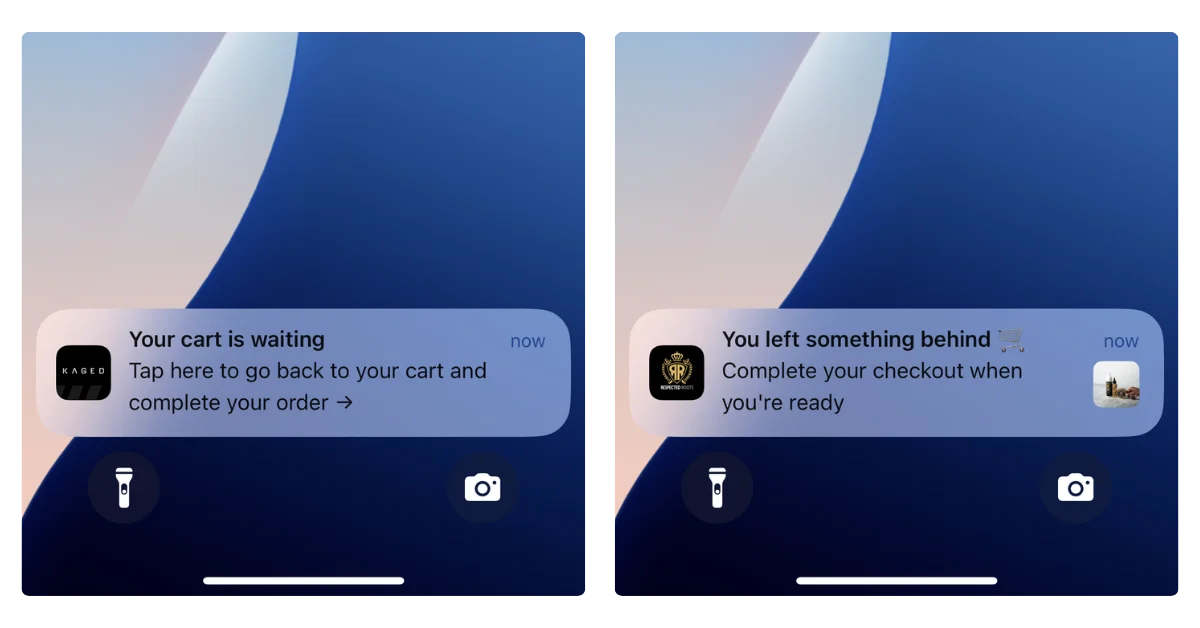
    • Customers can’t add it to their home screen with the same reliability as a native app.

    For headless Shopify brands that want a native iOS and Android app, there are a few ways to do it:

    • Custom build: Build native apps that consume Shopify’s Storefront API directly. This is expensive ($250K+), time-consuming (6-12 months), and creates a separate codebase to maintain alongside your Hydrogen frontend.
    • Shopify app builders: These connect to Shopify’s backend but build their own app frontend. They don’t use your Hydrogen storefront, so the app experience won’t match your headless web experience.
    • Extend your Hydrogen storefront into a native app: Vendrux takes your Hydrogen storefront and delivers it inside a native iOS and Android app. Your custom design, your integrations, your checkout flow: all carried into the app because it’s the same codebase. Push notifications, deep linking, and App Store distribution are layered on top.

    For most headless Shopify brands, the third option makes the most sense. You’ve already built the storefront. Extending it into a native app means you get mobile app benefits (push notifications, App Store presence, native UX) without duplicating the frontend work.

    Have a headless storefront, and want to see what it could look like as a native app? Book a free app strategy call and we’ll show, and break down your most cost-efficient path to a native app.

    Headless Shopify vs Other Headless Platforms

    If you’re already on Shopify Plus, going headless with Hydrogen is usually the path of least resistance. You keep Shopify’s backend, you get purpose-built tooling, and hosting is included.

    But if you’re evaluating platforms from scratch (or considering a migration), it’s worth knowing how Shopify headless compares:

    • Shopify Plus + Hydrogen is the best headless option for brands that want Shopify’s backend (checkout, payments, order management, fulfillment, app ecosystem) with full frontend control. The tradeoff is that you’re still on Shopify’s backend, with its API boundaries.
    • Commercetools is headless-first with no built-in frontend at all. It offers more backend flexibility than Shopify (custom data models, complex pricing logic, multi-tenant architectures) but requires significantly more development work and doesn’t come with a managed checkout.
    • BigCommerce offers a headless approach similar to Shopify’s, with their own APIs and frontend flexibility. The headless developer ecosystem is smaller than Shopify’s, but the platform handles some use cases (multi-storefront, complex catalogs) more natively.

    For detailed platform comparisons, see our headless ecommerce platforms guide. For the broader architectural context, see our composable commerce overview.

    Final Thoughts

    Shopify headless with Hydrogen is a powerful option for Shopify Plus merchants who’ve hit the ceiling of what standard themes can do. It gives you full frontend control, better performance, and a modern development stack while keeping Shopify’s proven backend running your commerce operations.

    It’s not a universal upgrade. You’re trading the simplicity of the theme editor and App Store ecosystem for flexibility and performance that require developer resources to build and maintain. 

    If your team has the skills and your brand needs the creative control, Hydrogen is a strong choice. If you’re not sure, start by pushing your current theme to its limits first.

    And if you do go headless, plan your mobile strategy early. A native app is the natural next step for a headless Shopify storefront, and it’s significantly easier to do when you’ve already built a strong web frontend to extend.

    Book a free strategy call to see how your headless Shopify store looks as a native app.

  • Headless Commerce Examples: 10 Brands That Made the Switch (and Why)

    Headless Commerce Examples: 10 Brands That Made the Switch (and Why)

    It’s easy to talk about headless commerce in the abstract: decoupled frontends, API-first backends, frontend flexibility. 

    It’s more useful to see what it actually looks like when brands implement it.

    The examples below span DTC startups, mid-market brands, and global enterprises. Each went headless for different reasons, used different platforms, and got different results. 

    What they share is a decision that their existing platform setup was limiting what they could build, sell, or deliver.

    1. Nike

    Platform: Custom headless (Next.js with server-side rendering)

    Why they went headless: Mobile-first DTC strategy

    Nike’s shift to headless was driven by its broader move toward direct-to-consumer sales. The brand needed storefronts that could serve dozens of markets with localized experiences, handle massive traffic spikes during product drops, and prioritize mobile performance above everything else.

    Their architecture uses Next.js with server-side rendering, Redux for state management, and GraphQL for data operations, all backed by Nike’s internal microservices. This gives them full control over the experience per market, per device, and per customer segment.

    The result: significantly improved mobile conversion rates, faster page loads, and the ability to run market-specific storefronts without maintaining entirely separate codebases for each region.

    2. Gymshark

    Platform: Shopify Plus (custom React headless frontend)

    Why they went headless: Performance during high-traffic sales events

    Gymshark’s move to headless was born from a painful Black Friday. In 2015, their site on Adobe Commerce (Magento) crashed for eight hours, costing an estimated GBP 100,000. The brand needed a storefront that could handle 450,000 concurrent users during flash sales without performance degradation.

    Their headless stack pairs Shopify Plus on the backend with a custom React frontend, Contentful for content management, and Algolia for search, all stitched together with AWS Lambda. This isn’t Shopify Hydrogen; it’s a custom headless build that predates Hydrogen’s release.

    The headless frontend also gives their design team more creative control, which matters for a brand whose visual identity is core to its appeal.

    3. Allbirds

    Platform: Shopify Plus (headless via APIs) 

    Why they went headless: Brand-first design and international expansion

    Allbirds built its brand around sustainability and simplicity, and the shopping experience needed to reflect that. Standard ecommerce templates couldn’t deliver the clean, purpose-driven design language the brand wanted.

    Going headless on Shopify gave Allbirds full control over the frontend while keeping Shopify’s commerce engine handling products, orders, and payments. 

    They’ve used the flexibility to build features like an integrated store locator that bridges online and offline shopping, and to optimize the experience for international markets with different needs.

    The headless approach also enabled faster page loads, which directly supports their goal of reducing friction in the purchase path.

    4. Target

    Platform: Custom headless architecture 

    Why they went headless: Omnichannel unification (web, app, in-store)

    Target’s headless implementation is driven by one of the most complex omnichannel operations in retail. The same commerce backend needs to power the website, the mobile app, in-store kiosks, and services like same-day pickup, delivery, and Drive Up.

    A monolithic platform couldn’t serve all of these channels from a single data layer. By decoupling the frontend and backend, Target can build purpose-built experiences for each channel while maintaining consistent product data, real-time inventory, and pricing across all of them.

    The practical benefit: a customer can check inventory on the app, add items to their cart, and pick them up in-store 30 minutes later with accurate stock information at every step.

    5. Burberry

    Platform: Composable MACH stack (Contentstack + commercetools)

    Why they went headless: Immersive editorial commerce

    Luxury ecommerce has different demands than mainstream retail. Burberry needed product pages that blend long-form storytelling, editorial photography, and video with commerce functionality. Standard ecommerce templates treat the product as a data object (image, price, description, buy button). Burberry treats it as a narrative.

    Their composable architecture pairs Contentstack as the headless CMS with commercetools as the commerce engine, plus Smartling for translation across 59 countries. The content layer is fully decoupled from the commerce layer, allowing the creative team to build rich, magazine-style product experiences while the transactional side runs independently.

    After the migration, developer support tickets dropped from 40+ per week to fewer than 1, and translation work became 80% faster.

    For brands where the shopping experience IS the brand, headless provides the creative freedom that templated platforms can’t match.

    6. SKIMS

    Platform: Shopify Plus (Hydrogen) 

    Why they went headless: Speed at scale

    SKIMS generates enormous traffic, both through organic demand and high-profile marketing moments. Product launches and celebrity collaborations create traffic spikes that can overwhelm standard Shopify storefronts.

    By building on Hydrogen, SKIMS gets a fast, server-rendered storefront that handles surges gracefully while giving the team full control over the visual experience. 

    For a brand this design-driven, the ability to break free from Shopify theme constraints was as important as the performance gains.

    7. TOMS

    Platform: Shopify Plus (Hydrogen + Builder.io)

    Why they went headless: Migrating off Salesforce Commerce Cloud

    TOMS migrated from Salesforce Commerce Cloud to Shopify Plus with Hydrogen, driven by three goals: lowering total cost of ownership, improving site performance, and giving their marketing team more control over content.

    The new stack pairs Hydrogen with Builder.io as a headless visual CMS, giving non-technical teams drag-and-drop content management, A/B testing, and personalization across four international storefronts (US, CA, UK, EU) managed from a single admin. The agency CQL delivered the build with a strict 2MB-per-page performance budget to keep load times fast.

    For brands evaluating a move off legacy enterprise platforms like SFCC, TOMS is a useful reference point: the migration delivered lower licensing costs and more operational agility without sacrificing the multi-market complexity the brand requires.

    8. Good American

    Platform: Shopify Plus (Hydrogen) 

    Why they went headless: Inclusive sizing UX

    Good American’s inclusive sizing model (00-32) creates unique UX challenges. Standard product pages with size dropdowns don’t communicate the brand’s commitment to inclusive fashion. 

    The headless frontend lets the team build custom product experiences that center size inclusivity in the browsing and purchasing flow.

    Beyond sizing UX, the headless approach gives Good American faster page loads and more control over how products are merchandised, which is critical for a brand competing in the crowded DTC apparel space.

    9. Amazon

    Platform: Custom microservices architecture 

    Why they went headless: The original API-first commerce

    Amazon was headless before “headless” was a term. Their architecture is built entirely on microservices, with every capability (search, recommendations, cart, checkout, fulfillment) exposed as an independent API. The frontend consumes these services to render the shopping experience.

    This architecture is what allows Amazon to run massively different experiences (marketplace, Prime, Subscribe & Save, Alexa shopping, Amazon Go) all from the same underlying commerce infrastructure. 

    It’s the most extreme example of headless at scale, and the model that inspired the modern headless commerce movement.

    Most ecommerce brands won’t need Amazon-level complexity, but the architectural principle is the same: decouple the backend from the frontend so you can build different experiences for different channels.

    Learn more: How the Amazon App Uses a Hybrid of Native and Web Technologies to Stand Out

    10. Staples Canada

    Platform: Shopify Plus + Contentful (headless CMS)

    Why they went headless: Legacy platform modernization

    Staples Canada represents a different headless use case: modernizing a legacy ecommerce platform that was too complex to maintain and failed during traffic spikes.

    After a 2017 corporate split, the team rebuilt on Shopify Plus with Contentful as a headless CMS, Algolia for search, and Bazaarvoice for reviews, completing the migration in under 12 months for roughly half the cost of a Salesforce or SAP Hybris implementation.

    The results were immediate: all-time Black Friday records, 100% uptime during peak traffic, and content publishing times that dropped from 1-2 days to 5 minutes. When COVID hit, the team launched curbside pickup in 72 hours, something the old platform could never have supported.

    Patterns Across These Examples: Why Brands Go Headless

    A few consistent themes stand out:

    Performance is the most common trigger

    Brands go headless because their current setup is too slow, especially on mobile and during traffic spikes. 

    Gymshark, Nike, and SKIMS all cited load time and conversion improvements as primary outcomes.

    Creative control for brand-driven companies

    Burberry, Allbirds, and Good American didn’t go headless for technical reasons alone. They needed frontends that could express their brand in ways that templates couldn’t support.

    Shopify Hydrogen dominates the mid-market

    Five of the ten examples here run on Shopify’s headless framework. For brands on Shopify Plus that need more frontend flexibility, Hydrogen has become the default path. See our Shopify headless commerce guide for more on that.

    The omnichannel bet

    Target’s headless architecture exists to serve multiple channels from one backend. Amazon is famous for their mobile app. Other brands on this list – Nike, Allbirds, Gymshark – are everywhere.

    For brands of this size – or brands led by Kim Kardashian – the resources are there to build and maintain a separate mobile UI.

    But for others – or even for enterprise brands that just don’t see the need in adding the complexity of managing different UIs with different dev teams – mobile apps are still a gap in the omnichannel strategy.

    That’s a gap Vendrux helps close by allowing brands to extend their headless web storefront into native iOS and Android apps.

    Want to see more about how Vendrux works, and how it fits into your omnichannel strategy? Click here to dive deeper.

    What These Brands Have in Common

    Every brand on this list reached a point where the standard approach wasn’t enough. The template was too limiting, the page load was too slow, the platform couldn’t serve a second channel, or the checkout couldn’t be customized.

    That’s the real test for whether headless makes sense: not whether the architecture is trendy, but whether your current setup is actively holding back the experience you want to deliver.

  • Adobe Commerce PWA Studio: What It Does, What It Doesn’t Do

    Adobe Commerce PWA Studio: What It Does, What It Doesn’t Do

    If you run an ecommerce brand on Adobe Commerce (formerly Magento), you need to know about PWA Studio

    Adobe positions it as the modern way to build your storefront: a React-based, headless frontend that replaces the aging Luma theme with something faster and more mobile-friendly.

    On paper, it sounds like it solves your mobile problem. Your site looks and feels like an app. Pages load fast. Users can even “install” it on their home screen.

    But there’s a meaningful gap between an app-like website and an actual mobile app. Your mobile strategy can’t stop at PWA Studio.

    This article breaks down what PWA Studio actually does, what it doesn’t, and how to think about PWAs as part of your full mobile strategy.

    What Is Adobe Commerce PWA Studio?

    Adobe Commerce PWA Studio is a set of open-source developer tools for building a progressive web application (PWA) storefront on top of Adobe Commerce. 

    A PWA is a website built with modern web technologies that mimics some behaviors of a native app – like offline caching and home screen installation – while still running in the browser.

    In practice, PWA Studio replaces your store’s frontend entirely. Instead of the traditional Luma theme (PHP templates, server-rendered pages), it gives you a headless architecture: a modern React application that communicates with your Magento 2 backend through GraphQL APIs, with the frontend fully decoupled from the backend.

    Here are the core pieces that make up your site’s architecture:

    • Venia – a reference storefront and UI component library you can customize or build on top of
    • Peregrine – React hooks and logic for things like cart management, checkout, and product data
    • Buildpack – build tooling (Webpack, Babel) configured for Commerce-specific needs
    • UPWARD – a proxy server that sits between your storefront and backend, handling routing and server-side concerns

    The result is a single-page application that behaves more like a web app than a traditional ecommerce site. 

    Navigation feels instant because there are no full page reloads. Content loads progressively. The interface is responsive and fluid.

    It’s a genuine architectural upgrade over Luma, which was released in 2015 and shows its age. If you’re still running a Luma storefront, PWA Studio represents a meaningful step forward for your mobile web experience.

    Benefits of PWA Studio

    PWA Studio solves real problems for Adobe Commerce merchants – especially now, when mobile is steadily increasing as the most common way people shop online.

    Speed and Performance

    PWA Studio storefronts are fast. The headless architecture means your frontend isn’t weighed down by the monolithic Magento backend on every page load. 

    Code splitting, lazy loading, and service worker caching (service workers are background scripts that manage network requests and enable offline functionality) keep things snappy.

    Riddle’s Jewelry saw a 47% increase in web traffic and a 5.7% boost in conversion rate after migrating to a PWA storefront. Accent Group (Platypus Shoes) reported a 14% lift in AOV and a 68% increase in add-to-cart rate.

    Faster page loads translate directly to lower bounce rates and higher conversion.

    App-Like Mobile Experience

    This is the headline feature. PWA Studio makes your mobile web experience feel closer to a native app:

    • Smooth navigation – page transitions without full reloads
    • Offline support – service workers cache key assets so the site works (at least partially) without a connection
    • Add to home screen – on Android, users can install the PWA to their home screen with an app icon
    • Responsive design – purpose-built for mobile-first layouts

    For brands whose mobile web experience was previously a sluggish, desktop-shrunk Luma theme, this is a big upgrade.

    It Works With Your Existing Backend

    PWA Studio doesn’t require you to migrate off Adobe Commerce. Your catalog, pricing, promotions, customer accounts, and integrations stay exactly where they are. The frontend just communicates with them differently (through APIs instead of direct template rendering).

    This also means your existing Adobe Commerce extensions for things like PageBuilder, Live Search, and Product Recommendations integrate with PWA Studio.

    Modern Developer Experience

    If your development team has been working with Luma’s PHP/Knockout.js templates, PWA Studio brings them into the modern frontend ecosystem: React, GraphQL, component-based architecture. It’s a more productive and maintainable codebase long-term.

    What Are the Limitations of PWA Studio?

    Make no mistake, PWA Studio is an extremely valuable part of the Adobe Commerce ecosystem.

    It has some “limitations”, though calling them limitations perhaps isn’t fair, as these are more like misconceptions of what a PWA is, and what it can do.

    The main thing to realize: a PWA is not a replacement for a real mobile app.

    You’re Not in the App Store

    A PWA is a website. It doesn’t appear in the Apple App Store or Google Play Store.

    The App Store and Play Store are where consumers go to find, install, and manage the apps they use daily. If someone searches for your brand in the App Store, you won’t show up. You can’t run App Store Ads. And you don’t get the credibility signal that comes with having a published, rated app.

    Apple is explicit about this. Their App Store Review Guidelines (section 4.2) require that apps “include features, content, and UI that elevate it beyond a repackaged website.” 

    You can’t simply submit a PWA to the App Store. It will get rejected.

    No Native Push Notifications

    Push notifications are one of the most powerful features of a mobile app. They’re a direct, virtually cost-free marketing channel, that shows up on the customer’s lock screen.

    And PWAs don’t have push notifications (at least, not the kind that matters).

    PWAs have their own form of web push notifications, but that’s a separate channel from native app push. They’re different technologies with different behaviors, different opt-in flows, and fundamentally different reach.

    Native app push is a direct line to your customer’s lock screen, managed through the operating system. It’s the channel that powers abandoned cart recovery, back-in-stock alerts, flash sale announcements, and personalized re-engagement for every major ecommerce app.

    Abandoned cart notifications can drive five-six figures per month in new revenue (on autopilot)

    PWAs don’t have access to this channel at all. They can only send web push notifications – sent through the browser, with limited reach on mobile.

    Web push has its uses, but it doesn’t compare to the power of native push notifications.
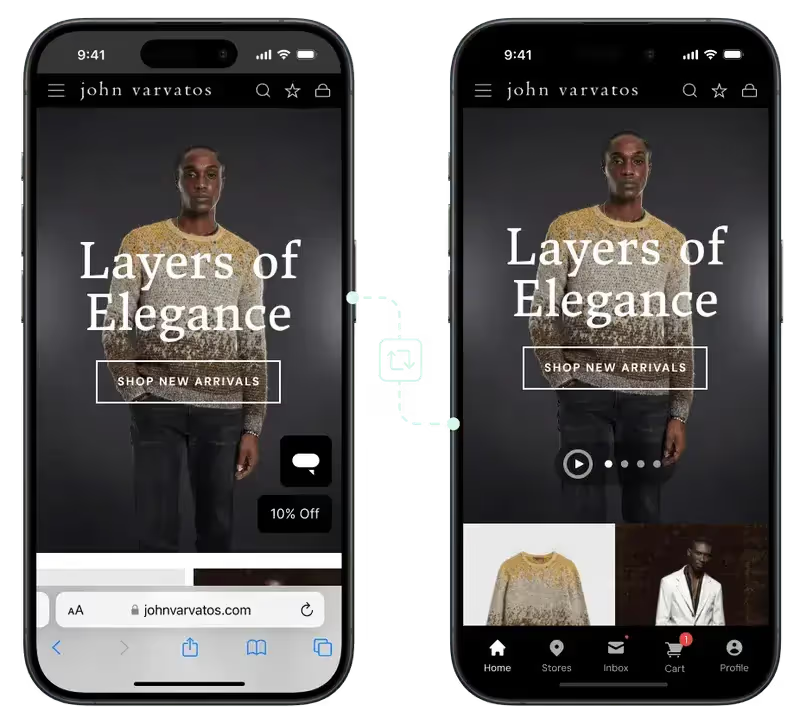
    Limited Native Device Access

    PWAs run inside the browser engine. That means they’re limited to what the browser allows, which on iOS in particular, isn’t much:

    • No biometric authentication for streamlined checkout (Face ID, fingerprint)
    • No Apple Wallet or Google Wallet integration for loyalty cards and passes
    • No deep AR capabilities for product try-on experiences
    • No NFC, Bluetooth, or hardware sensor access
    • No background processing – on iOS, the service worker gets suspended when the PWA isn’t in the foreground

    These limitations are set by the platform (primarily Apple), not by PWA Studio. No amount of frontend engineering can work around them.

    Storage and Reliability Concerns

    PWAs store data using browser storage mechanisms (IndexedDB, Cache API). 

    On iOS, this storage can be evicted by the operating system under storage pressure. That means a user’s cached data, offline content, or local state can disappear without warning.

    Native apps get persistent storage that lasts until the user explicitly uninstalls the app.

    Limited Conversion Rate for “Installs”

    PWAs can be “installed” – which is not technically an install, but instead means the user adds a shortcut to their home screen to launch your PWA (really your website).

    However, this doesn’t tend to have great results in practice.

    It’s not super clear how to add a PWA to the home screen (most users don’t know this is an option; and are unlikely to go through the steps to do it).

    On Android, PWAs can trigger an install prompt that asks the user to add the app to their home screen. It’s not as visible as an App Store listing, but it’s something.

    On iOS, there is no install prompt. The user has to know to open the Share menu, scroll through options, and tap “Add to Home Screen.”

    The reality? Few people will add your PWA to their home screen – far less than the number who would download your native app.

    Learn more: PWAs vs Native Apps – the Complete Breakdown

    Is Adobe Commerce PWA Studio Still Supported?

    As of 2026, PWA Studio is still supported, but it’s worth knowing where it sits in Adobe’s roadmap.

    Adobe has shifted its strategic focus to Edge Delivery Services (EDS), a newer storefront architecture built on document-based authoring and edge computing. 

    EDS is what Adobe is actively investing in and promoting as the next-generation Commerce frontend.

    PWA Studio isn’t deprecated. The most recent release was v14.5.0 in February 2025, and Adobe has never dropped support for any of its storefronts, including Luma from 2015. 

    You can expect continued maintenance and compatibility updates. But the framework is unlikely to see major new feature development.

    It’s also worth noting that PWA Studio isn’t the only headless frontend option for Magento stores. Alternatives like Vue Storefront (now Alokai) and Hyva Themes have gained traction, particularly among developers who found PWA Studio’s React-heavy architecture challenging to customize.

    If you’ve already built on PWA Studio, this isn’t a reason to panic. Your storefront will continue working. But it’s context worth having as you plan your broader technology investments.

    Curious about whether your Alokai or Hyva storefronts can work as a native app? Find the answers here.

    Can a PWA Replace a Native Mobile App?

    No. But here’s the thing that often gets lost in the PWA vs native app conversation: it’s not either/or. They’re not “competitors”.

    A PWA and a native app serve different audiences at different stages of the customer journey. Here’s how they compare for ecommerce:

    PWA (via PWA Studio) Native Mobile App
    App Store / Play Store listing No Yes
    Native push notifications No (web push only) Yes
    Biometric login Limited Yes
    Offline browsing Partial (cached pages) Full
    Background processing No (iOS suspends service workers) Yes
    Apple / Google Wallet No Yes
    Home screen install Manual on iOS, prompted on Android Installed from app store
    Deep linking Limited Full

    PWA Studio handles your mobile web experience. When someone clicks a Google result, an Instagram ad, or a link in an email, they land on a fast, app-like web storefront. 

    That first impression matters, and PWA Studio delivers it well.

    A native app handles retention and repeat engagement. Once a customer has bought from you and downloaded your app, you have a direct channel to their home screen and lock screen. 

    Native push notifications, native navigation UI, an icon on their home screen, a listing in the app stores. This is where you build LTV.

    Mobile apps convert at 3-4x the rate of mobile web for ecommerce, and the gap is driven largely by the retention mechanics that only native apps provide.

    The brands getting mobile right aren’t choosing between a PWA and a native app. They have both.

    Where Vendrux Fits In: Turning Your PWA Studio Storefront into a Native App

    If you’ve invested in PWA Studio (or you’re planning to), you’ve already built the bulk of your UX. You have a fast, modern, app-like frontend. Your mobile web experience is solid.

    Vendrux takes that investment and extends it into a real native app in the App Store and Play Store.

    There’s no rebuild. No new platform to manage. 

    Vendrux works with your existing Adobe Commerce storefront, whether it’s built on PWA Studio, Luma, or a custom headless frontend

    Your app stays in sync with your website in real time because it’s powered by the same underlying web infrastructure.

    Here’s what you gain:

    • App Store and Play Store presence – your brand shows up where customers look for apps, with ratings, reviews, and discoverability
    • Native push notifications – a real, direct channel to your customers’ lock screens for abandoned cart recovery, promotions, and re-engagement
    • Native device capabilities – push, smooth native navigation, deep linking, a real home screen icon
    • A fully managed service – Vendrux handles the build, submission, updates, and App Store compliance, so your team isn’t maintaining a separate native codebase

    For brands already running PWA Studio, Vendrux is particularly complementary. You’ve built an app-like UI already – Vendrux makes it an actual app.

    It’s basically a no-brainer, once you’ve built your powerful mobile storefront with PWA Studio, to use Vendrux to convert it into a native app.

    Want to see how it works? Have questions? Book a free consultation now and discuss it with our mobile app experts.

    Wrapping Up

    PWA Studio is a great way to modernize your Adobe Commerce storefront and deliver a better mobile web experience. If you’re still on Luma (or just running a vanilla front end), it’s a worthwhile upgrade.

    But if your goal is a comprehensive mobile strategy that includes a real presence in the App Store and Play Store, native push notifications as a retention channel, and the engagement advantages that only native apps provide, PWA Studio alone won’t get you there.

    The good news is you don’t have to choose. Build your fast, modern web storefront with PWA Studio. Then extend it into a native app with Vendrux.

    Book a free 1:1 strategy call now to dive deeper, and see why turning your PWA Studio storefront into a native app makes so much sense.

  • Mobile Apps for Composable Commerce: A Simpler Alternative to Custom Native Apps

    Mobile Apps for Composable Commerce: A Simpler Alternative to Custom Native Apps

    If you’re running a composable commerce stack and you want a native mobile app, the composable philosophy says you should do what you’ve always done: pick the best technology for the job and build it.

    That might mean a React Native app consuming your commerce APIs. Or native Swift and Kotlin apps with their own UI layer. 

    Your backend is API-first, so the data is ready. Your CMS can serve content to any frontend. Your search and personalization services don’t care whether the request comes from a browser or an app. The architecture supports it.

    This is technically true. It’s also where a lot of brands spend six figures and 6-12 months building something they didn’t need to build from scratch.

    How Composable Commerce Enables Mobile Apps

    The composable commerce model is built around a simple idea: every component in your stack is independent, connected by APIs, and replaceable. MACH architecture (Microservices, API-first, Cloud-native, Headless) makes this practical.

    For mobile apps, this means your backend is already prepared. Your commerce engine exposes product, cart, checkout, and order APIs. Your CMS delivers content via API. Your search service has its own endpoints. 

    In theory, a mobile app is just another client consuming these same services.

    The typical approach looks like this:

    • Choose a mobile framework: React Native, Flutter, or fully native Swift (iOS) and Kotlin (Android)
    • Build the mobile UI from scratch, consuming the same APIs your web frontend uses
    • Integrate each backend service individually (commerce, content, search, personalization, payments)
    • Handle authentication, deep linking, push notifications, and app store requirements
    • Ship the app and maintain it alongside your website

    This is the “composable” way to do mobile apps. It follows the same philosophy that guided every other decision in your stack: decouple, choose best-in-class, build purpose-built frontends for each channel.

    On paper, it’s elegant. In practice, it creates a problem that most brands underestimate.

    The Real Cost of a Separate App Frontend

    Building a custom native app on top of a composable backend isn’t a small project. Even with clean APIs and a well-documented architecture, you’re building an entirely new frontend that needs to replicate what your website already does.

    You’re building the same experience twice

    Your website already handles product browsing, search, filtering, cart management, checkout, account management, loyalty programs, and whatever else your customers use. Your mobile app needs to do all of the same things.

    Yes, the backend APIs are shared, but the frontend work, the part your customers actually see and interact with, is completely new. 

    Every screen, every interaction, every edge case needs to be designed, built, and tested for mobile.

    A custom ecommerce app build typically costs $150,000-$500,000+ depending on complexity, with a timeline of 6-12 months. 

    That’s the initial build. Maintenance adds 15-20% of the build cost annually, and year one can be higher as you stabilize the app and address issues that only surface in production.

    Every feature ships twice

    This is where the ongoing cost really adds up. After launch, you’re maintaining two separate frontends that need to stay in sync.

    • Your web team redesigns the product page? The app team needs to match it. 
    • You integrate a new reviews provider? Two implementations. 
    • You update the checkout flow for a new payment method? 

    Two codebases, two QA cycles, two deployments.

    In practice, one frontend always falls behind. Usually it’s the app. The web team ships updates first because that’s where the traffic is, and the app plays catch-up. Feature parity becomes a permanent operational challenge, not a one-time build effort.

    You need a mobile team

    Building and maintaining native apps requires iOS and Android developers, or at minimum React Native/Flutter developers with mobile expertise. 

    Senior mobile developers in the US command $140,000-$220,000 per year. Even a small mobile team of two developers plus QA represents a significant ongoing cost.

    For brands that already have large engineering teams, absorbing this is manageable. For most DTC and mid-market ecommerce brands, it means hiring for a capability you didn’t previously need, just to deliver an experience that’s functionally identical to your website.

    The composable stack gets more composable than you wanted

    Here’s the irony: composable commerce is supposed to let you pick best-in-class components and assemble them into a cohesive stack. 

    Adding a separate native app frontend doesn’t just add one component. It adds an entire parallel delivery channel with its own build pipeline, its own release cycle, its own testing infrastructure, and its own team.

    You chose composable to gain flexibility. But a separate mobile app frontend adds rigidity: now every backend change needs to be validated against two completely different frontends. 

    Every API update needs to be tested in two places. Your “composable” stack now has a hard dependency between web and mobile release cycles.

    When a Custom App Build Actually Makes Sense

    To be fair, there are scenarios where building a dedicated native app from scratch is the right call.

    If your mobile app needs to do fundamentally different things than your website, a custom build is justified. 

    Think Nike’s SNKRS app (exclusive drops, AR try-on, community features) or Starbucks (order-ahead, in-store experience, rewards integration that drives the core business model). These apps aren’t replicas of a website. They’re distinct products with distinct capabilities.

    If you’re a large enterprise with dedicated mobile engineering teams already in place, the incremental cost of building on your composable APIs is lower. You have the talent, the infrastructure, and the release management processes.

    If your app needs deep hardware integration (AR, camera-based features, complex offline functionality, Bluetooth device connectivity), a custom build gives you full control over the native layer.

    For most ecommerce brands, though, none of these apply. The mobile app should deliver predominantly the same shopping experience as the website, with native capabilities (push notifications, App Store presence, home screen icon) layered on top.

    The Simpler Path: Let Your App Follow Your Website

    At Vendrux, we work with brands running composable and headless architectures, including multiple brands on Salesforce Commerce Cloud, which is built to be modular and API-driven. 

    These brands have the technical capability to build custom native apps consuming their commerce APIs. They could go the full composable route.

    Most of them don’t. Not because they can’t, but because they’ve done the math.

    They realize it’s just more efficient, with minimal downsides, to go with this approach instead: extend the web frontend they’ve already built and invested in, and deliver it as a native iOS and Android app. 

    Brands like John Varvatos find that the best path to a mobile app isn’t rebuilding; it’s extending.

    One source of truth. One team managing one experience. The app reflects whatever the website does, automatically.

    This means:

    • No second frontend to build. Your website is the app experience. Every screen, every integration, every customization carries over.
    • No feature parity problem. When the website updates, the app updates. There’s no lag, no catch-up cycle, no mobile team working from a backlog of web changes.
    • No separate team. Your existing web team manages the experience. You don’t need to hire mobile developers to maintain a parallel codebase.
    • Basic native capabilities included. Push notifications, deep linking, App Store and Google Play distribution, and native navigation and gestures work on top of your web experience.

    This isn’t a compromise. It’s a recognition that for ecommerce, the mobile app and the website should deliver the same experience. And that a completely different experience for app users vs web users, 99% of the time, makes it worse for your customers. Not better.

    If you’ve already built a great web frontend on your composable stack, duplicating that effort in a separate native codebase just adds overhead.

    Vendrux does this for brands across the composable and headless spectrum. It works with any web frontend, regardless of what commerce engine, CMS, or search provider sits behind it. 

    That’s the actual composable approach to mobile: plug in a purpose-built component for native app delivery, without rebuilding what you’ve already built.

    Want to learn more about how Vendrux helps you extend your site into a mobile app? Get a free 30-min strategy call to talk it over.

    The Composable Answer to Mobile Apps

    Composable commerce is about assembling best-in-class components for each part of your stack. 

    For mobile app delivery, the best-in-class approach isn’t building a second frontend from scratch. It’s extending the frontend you already have.

    Your composable stack gives you flexibility in the backend. Your web frontend uses that flexibility to deliver a great customer experience. 

    The simplest, fastest, and most maintainable way to bring that experience to your app is to build on what exists, not to start over.

    If you’re evaluating whether to build a custom app on your composable backend, ask one question: will the app do something fundamentally different from the website? 

    If the answer is no, you don’t need a separate build. You need a better delivery mechanism.

    Curious how this would work for your business? Book a demo and we’ll walk through it.

  • Build vs Buy for Ecommerce Mobile Apps: What’s the Best Approach?

    Build vs Buy for Ecommerce Mobile Apps: What’s the Best Approach?

    Build vs buy is one of the oldest frameworks in enterprise technology. 

    The question is simple: should your company build a piece of software internally, or buy an existing solution?

    The thing is, the answer looks very different depending on the use case. Build vs buy for a CRM or ERP is a lot different than for a mobile app. The latter can get complicated.

    In this article, we’ll clearly explain the framework for you, plus the problem with build vs buy for mobile apps. We’ll give our recommendation for the best approach – including a solution that gives you the best of both worlds.

    What “Build vs Buy” Means

    Build vs buy is a decision framework for whether to develop software internally or purchase an existing solution.

    A classic example would be a CRM. You could “build” your own CRM internally; every line of code built and managed in-house. Or you could “buy” access to a platform like Salesforce or HubSpot.

    For mobile apps, “build” means hiring developers or an agency to create a custom app from scratch, while the “buy” path typically means using an app builder platform. 

    However, the lines are blurrier than with other software categories. This means it’s hard to rely on the same build vs buy pros and cons matrix you’ve read everywhere else when it comes to launching your app.

    Where the Framework Breaks Down for Mobile Apps

    With a CRM, an email marketing platform, an ERP, a help desk, “buy” means you sign up, configure it, and you have a working product. 

    Salesforce is a CRM. Klaviyo is an email platform. The product is fully formed. You’re buying a finished solution and adapting it to your needs.

    With mobile apps, “buy” doesn’t work like that.

    No app builder hands you a finished app. You buy access to a platform, then build your app inside it: choosing a template, configuring your navigation and pay layouts, connecting data sources, populating content, testing across devices, iterating on the experience. 

    The platform gives you tools, but you still do the work.

    The reason this is important is that many of the traditional benefits of buying don’t fully apply with mobile apps. Buying software typically means:

    • Immediate time to value. You sign up, configure, and start using it within days or weeks.
    • No engineering resources required. Your team uses the product; they don’t build it.
    • Automatic updates. The vendor improves the product for everyone.
    • Predictable, low maintenance. The vendor handles the infrastructure.

    With app builders, you get some of these benefits, but not all. 

    You still need time to build and configure the app. You still need someone to manage it. You’re responsible for a lot more technical maintenance (even if you’re not managing the underlying code) than if you were just installing an app or using a SaaS.

    The Case for Building Your Own Ecommerce App

    So – while understanding that build vs buy is not as clear cut in this arena – let’s get into the main debate.

    Should you “build” your app?

    Building custom gives you the most control. You define every screen, every interaction, every pixel. 

    You can, objectively, ship the best possible version of your app (assuming you have the budget for it).

    You’ve got:

    • Full creative control over UX and design
    • Ability to build features that don’t exist on the web (AR try-on, barcode scanning, complex offline workflows, hardware integration)
    • Potential competitive moat if your app experience is truly differentiated
    • No dependency on a third-party platform’s roadmap or limitations

    Sounds perfect, right?

    So what’s the downside?

    The Cost of Building Your Own App

    Custom ecommerce app development costs typically start around $150K, for any moderately complex ecommerce store.

    It’s a project with a lot of moving parts, lasting anywhere from 6-18 months.

    And when you go live, that’s not the end. You’ve got the classic downside of building vs buying: maintenance.

    Building your own app can cost six figures plus per year to maintain; and that’s being relatively conservative.

    “If we had unlimited time and money, we would probably go for a custom native app, but that is half a million to a million a year to maintain.”
    – David Cost, VP of Ecommerce at Rainbow Shops

    The integration problem

    Think of all the tools running your ecommerce website.

    You might have:

    • Search (Algolia)
    • Email and SMS (Klaviyo)
    • Reviews (Yotpo, Judge.me)
    • Loyalty (Smile.io, LoyaltyLion)
    • Subscriptions (ReCharge)
    • Personalization (Nosto, Dynamic Yield)
    • Live chat (Gorgias)
    • Payment processing
    • Shipping
    • Tax calculation
    • Fraud detection.

    A typical mid-market ecommerce store runs 20-40 integrations that directly touch the customer experience. Enterprise stores can run 80-100+.

    When you build a custom app, you need to build a custom integration for each of these things, if you want them to work with your app like they do on your website.

    A single integration takes roughly 150 engineering hours to build and 300 hours per year to maintain. At 20 integrations, that’s 3,000 hours just for the initial build, and 6,000 hours per year to keep them current.

    At typical US agency rates of $100-$200/hour, the integration work alone can cost $300,000-$600,000.

    The two-codebase problem

    Your website changes constantly. New products, updated pricing, seasonal promotions, redesigned pages, new integrations, A/B tests. Your ecommerce team ships changes weekly, sometimes daily.

    With a custom app, every one of those changes needs to be repeated in the mobile codebase. It doesn’t seem like much at first, but the dev hours – and the bandwidth – stacks up fast.

    It adds a huge amount of operational complexity, which doesn’t just cost a lot, it can start dragging down other areas of your business as well.

    The project risk

    70% of digital transformation initiatives fail to meet their objectives, according to McKinsey. Custom app projects are no exception. 

    Scope creep, integration surprises, timeline overruns, and budget blowouts are the norm, not the exception.

    The question to ask: Is your mobile app experience so fundamentally different from your website that it justifies a ground-up build, with all the cost, risk, and ongoing maintenance that comes with it?

    For most ecommerce brands, the honest answer is no.

    The Case for Buying (App Builder Platforms)

    Template-driven, no-code app builders promise a faster, cheaper alternative. 

    Instead of building from scratch, you use templates, drag-and-drop tools, and pre-built connectors to get an app into the App Store faster.

    There are a lot of advantages to this approach:

    • Lower upfront cost ($200-$500/month typically)
    • Faster time to market (weeks instead of months)
    • No engineering team required for initial setup
    • Pre-built templates and connectors for common use cases

    But “buying” an app builder isn’t really buying in the traditional sense.

    When you “buy” Salesforce, you have a working CRM by the end of the week. When you “buy” an app builder, you have access to a platform. But you still need to:

    • Choose and customize templates
    • Build out your navigation and page structure
    • Connect your data sources and catalog
    • Configure your checkout flow
    • Set up push notification campaigns
    • Test across devices and OS versions
    • Submit to the App Store (and handle rejections)
    • Keep the app updated as your website changes

    You’re doing less engineering than a custom build, but you’re still building. And you take on ongoing maintenance responsibility that a true “buy” decision typically doesn’t require.

    The platform limitations

    This whole debate assumes there are viable “buy” options that work for you.

    Most app builders are Shopify-only. If you’re on Shopify, Shopify Plus, you’re good.

    But if you’re on Adobe Commerce, Salesforce Commerce Cloud, BigCommerce, or a custom platform, they simply don’t work for you.

    There are some template-based app builders that work with these platforms, but not many. The complexity of an Adobe Commerce store or a SFCC site is just not a great fit for a no-code app builder.

    The API problem

    Even if there’s a solution that works with your web platform, there are constraints. 

    Shopify’s Storefront API has limitations. You may not be able to do everything you do on your website inside the app.

    The same thing applies for BigCommerce, Adobe Commerce, WooCommerce, or whichever platform you’re built on.

    The integrations you use on your website all rely on custom APIs to work in your app as well.

    If the app builder doesn’t support an integration you need, or if the functionality offered by the API isn’t enough, you need to ditch it, or build a custom API (and now you’re “building” not “buying”).

    Plus, every API means a potential point of failure; something that can break when the vendor makes an update and unknowingly introduces a conflict with another tool or disrupts custom functionality you’ve built, putting you at risk of downtime and lost sales.

    The sync problem

    If you’re like most ecommerce brands, your website is your preferred source of truth. 

    When you add a product, change a price, update a landing page, or launch a promotion, you do so on your website. Launching an app introduces a new channel – essentially a new storefront to update.

    With most app builders, those changes don’t automatically flow to the app. Someone on your team needs to manage the app as a separate channel, keeping it in sync with the website manually.

    This is the gap between “buying” an app builder and truly buying a finished solution. You’ve bought a tool, but you still own the ongoing work of building and maintaining the app inside it.

    What Does Your Ecommerce Brand Actually Need?

    You want a mobile app – but have you stopped to think about what that really means?

    It’s not a fundamental re-imaginging of your user experience. Your mobile website already does everything you need, and a mobile app is not that much different.

    It’s a product catalog, a homepage, collections, a search bar, a loyalty widget, a checkout.

    App shoppers aren’t engaging in a fundamentally different way than a mobile web shopper. The differences are peripheral.

    • A framework that lets customers download your store and open it from their homescreen
    • Removing the browser tabs and other distractions of the mobile browser
    • Native push notifications that reach customers on their lock screen
    • A persistent, contained experience

    Do you need to rebuild that? Do you need to “buy” a solution that operates independently from your website?

    Or do you just need to extend your website into a mobile app?

    The Third Path: Creating a Custom Native App (Synced with Your Site) with Vendrux

    Vendrux takes a different approach to the classic build vs buy options. 

    Instead of building a new app or buying a platform to build one inside, Vendrux delivers your existing mobile website as a native iOS and Android app.

    Everything carries over. Product pages, collections, every integration, your checkout flow. If it works on your website, it works in the app. 

    • Algolia search
    • Klaviyo CRM
    • ReCharge subscriptions
    • Yotpo reviews
    • Gorgias live chat

    You’re not rebuilding integrations, or sacrificing anything.

    And, crucially, your website and app are 100% in sync. There’s no maintaining a separate platform, no duplicate work.

    Vendrux is the best parts of build and best parts of buy, in one.

    From “build” you get:

    • A real native app in the App Store (not a PWA, not a lite version of a mobile app)
    • Full design and brand flexibility – because anything you can build on the web carries over to your app

    From “buy” you get:

    • Speed: live in the App Store in 6-8 weeks
    • Cost: a fraction of custom development (both upfront and ongoing)
    • A partner that handles all the the technical aspects of your app for you

    It’s a different architectural approach: giving you all of what you really need in a mobile app, with none of the complexity and cost of custom builds, none of the limitations of a “buy” approach.

    Comparison: Build vs Buy (vs Vendrux)

    Custom Build App Builder Extend (Vendrux)
    Upfront Cost $150K – $500K+ $200-$1500 ~$5K
    Monthly Cost $12K – $33K (maintenance) $200 – $1500 From $1,499
    Time to App Store 6 – 18 months 2 – 8 weeks 6-8 weeks
    Integration Parity Rebuild each one Partial Full
    Website Sync Manual Manual Automatic, real-time
    Customization Ceiling Unlimited Template-limited Matches your website
    Platform Support Any (at a cost) Mostly Shopify only Any website/platform
    Ongoing Maintenance Your team or agency Your team + platform Fully managed by Vendrux
    Engineering Required Full mobile team Minimal None
    3-Year TCO $550K – $1.1M+ $10K – $25K ~$50K

    Custom development wins on one dimension: maximum flexibility. 

    If you need an app that does things your website cannot do, custom is the only path. But for most ecommerce brands, the app needs to do what the website does, plus push notifications and native delivery.

    App builders are the cheapest option upfront. But the lower price comes with trade-offs in platform support, integration depth, customization, and the ongoing effort of keeping the app in sync with your site. 

    It works for smaller Shopify stores with straightforward needs. For mid-market and enterprise brands with complex tech stacks, the limitations become blockers.

    Vendrux’s cost is higher than a basic app builder, but it’s a fully managed service, with no engineering time required, and no template constraints or integration gaps. 

    When you factor in the internal team effort that app builders still require, the total cost of ownership could actually be comparable or lower.

    Want to discuss which option is right for your ecommerce app? Get a free strategy call and talk over the process, pros and cons.

    How to Decide Which Path Is Right for Your Brand

    Consider custom development if:

    • Your mobile app needs to do things your website fundamentally can’t (AR try-on, complex offline workflows, hardware integration like NFC or Bluetooth)
    • The mobile app is your primary product, not just a channel
    • You have the budget ($500K+), timeline (12+ months), and internal resources to sustain a mobile engineering effort long-term

    Consider an app builder if:

    • You’re at a lower revenue stage (
    • You’re on Shopify, with a relatively standard store setup
    • You want your mobile app UX to deviate strongly from your mobile website
    • You’re comfortable managing the app as a separate channel and handling the sync with your website

    Consider extending your website (Vendrux) if:

    • You want your full ecommerce experience in a native app, without rebuilding your tech stack
    • You’re on any platform – particularly more complex, headless platforms (Shopify Plus, Adobe Commerce, SFCC, BigCommerce)
    • You need full integration parity: every tool on your website working in the app, automatically
    • You don’t want to hire mobile engineers or dedicate internal resources to app maintenance
    • You want to be live in the App Store in weeks, not months

    Questions to ask before committing to any approach

    1. What happens to our integrations? How many of our 20-40+ customer-facing tools carry over to the app, and how much work is required to make them work?
    2. What’s the real time to launch? Not the sales pitch. From signed contract to live in the App Store, what does the timeline actually look like?
    3. Who maintains the app after launch? When iOS 20 drops, when we redesign our checkout, when we swap out our search provider, who does the work?
    4. Does the app stay in sync with our website? If we launch a promotion at 9 AM, is it live in the app at 9 AM? Or does someone need to update the app separately?
    5. What’s our total cost of ownership over three years? Not just the subscription or build cost. Internal team time, integration work, ongoing maintenance, opportunity cost.

    The Build vs Buy Framework: In Summary

    Build vs buy is a good starting point any time you think about adding functionality to your business. It forces you to think about cost, control, speed, and strategic value.

    When we’re talking about ecommerce mobile apps, we’re talking about a lot more than “functionality”. We’re talking about a whole new channel for your business.

    That’s why build vs buy doesn’t always cover the whole picture.

    Most ecommerce brands don’t need to build a new user experience from the ground up. They just need to extend the one they’ve already invested in. 

    A native app powered by the website you’ve spent years perfecting, with push notifications to drive retention, home screen presence to stay top of mind, is all you really need; and understanding this will help you pick the option with the best long-term ROI.

    If that sounds like what your brand needs, book a quick strategy call. We’ll talk through your website, your tech stack, and help you figure out whether extending makes sense for your situation. No pressure, no commitment.