Author: Vendrux

  • BigCommerce vs Shopify for Mobile Apps: Which Platform Makes It Easier to Launch and Maintain an App?

    BigCommerce vs Shopify for Mobile Apps: Which Platform Makes It Easier to Launch and Maintain an App?

    If you’re serious about launching a mobile app, are you better off on Shopify or BigCommerce?

    The answer is closer to a tie than the platform marketing makes it seem. Shopify has the larger ecosystem of mobile app builders, the cleaner API documentation, and the baked-in architecture (Storefront API plus Checkout Kit) that makes mobile apps fairly accessible (assuming you have access to the right developers).

    BigCommerce has more flexible APIs, a fully open checkout you can customize end to end, and deeper headless functionality for brands that want to build something more custom. 

    Each platform has the ability to be a solid backend for a mobile app. But realistically, neither one has such a strong advantage that it alone should drive your decision to replatform your website.

    Keep reading and I’ll break down how each ecommerce platform works as the backend for your mobile app, the mobile app ecosystem for each one, whether there’s any reason to switch platforms to cater to your mobile app, and how Vendrux makes the Shopify vs BigCommerce decision irrelevant.

    Why More BigCommerce and Shopify Brands Are Launching Mobile Apps

    Global mobile commerce sales reached roughly $2.07 trillion in 2024, accounting for 57% of all ecommerce transactions. For most brands, whether on Shopify or BigCommerce or any other platform, mobile is the majority of the funnel and the bulk of repeat purchases.

    Every brand has a fast and responsive mobile website. But a mobile app is less common, yet so much more powerful as a mobile-first surface.

    Apps drive the highest-value behavior: more repeat purchases, larger orders, and give you push notifications – messages that land on your customer’s lock screen, instantly, with near-guaranteed visibility.

    In a time where profit margins, retention and repeat customer engagement are more important than ever, a mobile app, too, becomes a crucial brand asset, whether you’re a DTC brand on Shopify or a B2B BigCommerce store.

    BigCommerce vs Shopify for Mobile Apps at a Glance

    Neither BigCommerce or Shopify has their own “mobile app builder” – both are primarily web platforms.

    But both platforms have their own infrastructure for businesses looking to extend their store to a dedicated mobile app: dedicated mobile app documentation, headless frameworks (Hydrogen on Shopify, Catalyst on BigCommerce), and a vendor ecosystem of mobile app builders that handle the build for merchants who don’t want to write the app from scratch.

    The platforms are closer than the marketing makes them sound, but each has a real edge. Shopify wins on ecosystem breadth and out-of-the-box tooling for self-serve app builders. BigCommerce wins on API flexibility and headless freedom, including the ability to fully customize your checkout.

    Aspect Shopify BigCommerce
    Recommended architecture Storefront API + Checkout Kit REST + GraphQL Storefront API
    Checkout Locked to Shopify (rendered via Checkout Kit) Fully customizable
    Headless framework Hydrogen Catalyst (Next.js) + MakeSwift
    Mobile app builders 96 in the App Store category Minimal (
    Transaction fees 0.5%–2% on third-party gateways None
    Vendrux support Full – including Plus and Hydrogen Full – including B2B Edition and Catalyst

    The table doesn’t tell the entire picture, of course. But it’s a helpful foundation for looking at the differences between how each platform powers your mobile app.

    How BigCommerce and Shopify APIs Power a Mobile App

    A mobile app needs to fetch products, manage carts, take orders, and read customer data from your store. 

    Both Shopify and BigCommerce expose APIs to do that, but they’re shaped differently and aimed at slightly different builds. Here’s what you need to know about each, before deciding whether going custom is even the right call.

    Shopify’s APIs for Mobile Apps

    Shopify exposes three things that matter for a mobile app: the Storefront API, the Admin API, and Checkout Kit.

    • The Storefront API is GraphQL and customer-facing. It’s how the app pulls products, search results, and cart state. 
    • The Admin API handles back-office operations like order creation and customer management. 
    • Checkout Kit is the newer piece, and it’s the one most brands miss in their first reading: it renders Shopify’s actual checkout natively inside your iOS, Android, or React Native app. You pass a checkoutUrl and Checkout Kit handles the rest, including Shop Pay, Apple Pay, and your store’s branding.

    Shopify’s official mobile commerce documentation recommends Storefront API plus Checkout Kit as the canonical path for mobile apps, which means checkout itself runs through Shopify’s infrastructure rather than something you fully control in your app. 

    This is fine for the vast majority of brands. It’s a real constraint for anyone who needs a fully custom checkout flow.

    The older Mobile Buy SDK and JavaScript Buy SDK are out of the picture. Shopify deprecated the JS Buy SDK in January 2025 and discontinued support in March 2025. If you read older guides recommending the Mobile Buy SDK, ignore them. The current path is Storefront API plus Checkout Kit.

    For deeper coverage of the Shopify side, see Vendrux’s guide to the Shopify API for mobile apps, which includes a breakdown of the pros and cons of the API-driven approach itself.

    BigCommerce’s APIs for Mobile Apps

    BigCommerce exposes both REST and GraphQL Storefront APIs, an Admin REST API for back-office operations, and a Catalog API specifically for managing products and categories. 

    The dev docs explicitly call out native mobile apps as a supported use case: the front end can be a CMS, native mobile app, kiosk, or static site, and BigCommerce handles the order, payment, and catalog backend.

    The structural advantage on BigCommerce is checkout. Where Shopify’s checkout is locked to Shopify’s surface, BigCommerce’s is open: you can fully customize the checkout flow in a headless or app context, which gives more flexibility for brands with non-standard payment requirements, B2B quote-to-order workflows, or regional payment methods that don’t fit cleanly inside a Shopify-rendered checkout.

    Catalyst is BigCommerce’s headless framework, built on Next.js and now integrated with the MakeSwift page-building tool BigCommerce acquired. 

    Like Hydrogen on the Shopify side, Catalyst is a web-side framework, not a mobile app SDK. But the same Storefront API powering a Catalyst web build can also power a mobile app, which is why headless brands tend to find BigCommerce more flexible for ambitious cross-channel architectures.

    The B2B Edition is the other place BigCommerce pulls ahead for app-relevant use cases. Customer-specific pricing, contracted catalogs, sales rep “act as” flows, and quote-to-order workflows are all exposed via API and survive the trip to a mobile app. 

    On Shopify, B2B is improving, but it’s less mature than many other platforms (including BigCommerce) for the same operations.

    For more on BigCommerce-specific app builds, see the Vendrux guide to BigCommerce mobile app development.

    The Mobile App Builder Ecosystem on Each Platform

    No-code mobile app builders are a major advancement in mobile app development for ecommerce brands over the last few years.

    With these tools, you can launch a fast, functional mobile app, without the massive cost and time required to have a fully custom app developed from scratch.

    It’s also the biggest difference to consider between BigCommerce and Shopify, when it comes to launching a mobile app.

    Mobile App Builders on Shopify

    The Shopify mobile app builder ecosystem is the largest in ecommerce by a wide margin. There are nearly 100 apps currently listed in the Shopify App Store under “mobile app builder,” which all work primarily the same way.

    These tools are virtually all DIY SaaS platforms, template-based drag-and-drop tools that let you compile a new front end for your app, which connects with your Shopify backend via the APIs mentioned above.

    These tools have limitations and pain points, as is the nature of template-driven SaaS tools. But names like Tapcart and Shopney can produce a solid result for a lot of ecommerce stores, not to mention the dozens of similar tools competing with them.

    Mobile App Builders on BigCommerce

    BigCommerce’s mobile app builder ecosystem is much thinner. The BigCommerce App Marketplace mobile app category lists a small handful of vendors, some with minimal or no reviews.

    The reason is straightforward: Shopify has the wider customer base, so most app vendors build for Shopify, not BigCommerce.

    App builders like Tapcart and Shopney don’t work with BigCommerce. To do so, they’d require an overhaul of their backend to be compatible with BigCommerce’s APIs, and for the majority of app builders, the demand from BigCommerce merchants is not big enough to justify the work to do this.

    Vendrux – Custom Mobile Apps for Shopify and BigCommerce

    There’s an exception to the above.

    Our company, Vendrux, fits into the broad “mobile app builder” conversation. We help ecommerce brands launch their own mobile apps, without the cost and complexity of hiring a development team or a traditional mobile app development agency.

    The biggest difference is, unlike a Tapcart or a Shopney, Vendrux works for sites on any ecommerce platform. Including Shopify, BigCommerce, and any other platform you can name.

    The reason is that Vendrux doesn’t rely on platform APIs to power your app. We use your existing tech stack as the foundation for a custom mobile app – meaning it works the same no matter the platform.

    You get a native, fully custom mobile app, with the core content and design all managed through your web backend (Shopify admin, BigCommerce dashboard, or a custom backend – it doesn’t matter).

    “A custom app build for our setup would have been prohibitively expensive. Vendrux was the only realistic option.”
    Nick Barbarise, Director of IT, John Varvatos

    It’s comparable in cost to an app builder, with much less work required, much easier to manage, and it’s guaranteed to work no matter your backend, no matter how custom your site is.

    The Cost of Building a Custom App from Scratch (on Either Platform)

    Skip the app builder route and you’re looking at custom development. That means hiring engineers (or an agency), writing iOS and Android code from scratch, integrating directly against either platform’s API surface, and shipping the result through the app stores yourself.

    The cost of building a custom mobile app is typically six figures plus – and could easily be $500K or more, for a store with a lot of custom parts.

    Then there’s recurring maintenance and operating costs on top of the upfront cost, which could add another $100K+ in annual expenses, just to keep up with API updates, OS releases, and routine feature additions and bug fixes.

    When it comes to building a custom app from scratch, the platform decision doesn’t make a huge amount of difference.

    Shopify’s API is well-documented; BigCommerce’s is more permissive and gives you more checkout flexibility. 

    Neither difference is large enough to make custom development meaningfully cheaper or faster. The custom app is a multi-year commitment regardless of which platform sits underneath it.

    For the vast majority of ecommerce businesses, building a fully custom app from the ground up is rarely the best choice – not when there’s an ecosystem of more cost-efficient mobile app builders out there, plus Vendrux as a tech-agnostic alternative for building custom mobile apps.

    Should You Switch Platforms Just to Launch a Mobile App?

    So, let’s say you’re on BigCommerce already, and thinking whether it’s worth moving to Shopify for the wider choice of mobile app vendors. Or you’re on Shopify, and considering moving to BigCommerce for better customizability and headless flexibility.

    Is there any merit to replatforming, for the sake of your mobile app?

    The answer: almost never. Replatforming is such a big project, especially for a well-established ecommerce brand. It’s not something you want to do on a whim.

    It’s absolutely worth having your own mobile app. But it’s not worth spending six-seven figures to migrate your whole ecommerce operation, just because you think it’s going to be easier to do a mobile app on Shopify.

    This is especially true when you’ve got Vendrux, which lets you build a custom app for your brand no matter the platform you’re on.

    It doesn’t mean there’s not a case to replatform – whether it’s moving to Shopify for the ease of use and wide ecosystem of vendors and tools, or moving off Shopify to BigCommerce for added flexibility or stronger B2B features.

    But with Vendrux powering your app, you can remove this part from the equation, and evaluate each platform on its merits – and know that your mobile app is solved either way. 

    Running a serious ecommerce store on Shopify or BigCommerce?

    Vendrux builds your iOS and Android apps on top of your existing storefront. Your catalog, checkout, integrations, and customer experience all carry over, with no rebuild and no second codebase to maintain.

    Launch in around 30 days on a flat subscription. No revenue share, no API contracts to babysit, and the app survives a future platform migration if you ever switch.

    Book a Free Strategy Call

    Choosing the Right Approach for Your BigCommerce or Shopify Mobile App

    Both BigCommerce and Shopify can be powerful backends for a successful ecommerce store – and a successful mobile app.

    Both have strong APIs, good documentation, decent flexibility. The vendor ecosystem is a big differentiating factor. But with Vendrux existing as a tech-agnostic option, these questions are largely redundant.

    Our answer: pick the platform that powers your core ecommerce operation the best. Build a strong website, make sure it’s fast, functional, and works well on both desktop and mobile: then extend it and launch a custom mobile app with Vendrux.

    Want to see what’s possible? Book a free strategy call to see what Vendrux can do for your store.

  • Ecommerce Mobile App Buyer’s Guide: How to Choose the Right App, Build Approach, and Vendor for Your Brand (2026)

    Mobile is now the dominant surface in ecommerce. Adobe Digital Insights pegged mobile at 51.4% of US online spend in October 2025, up 11.6% year over year, on track to keep climbing through 2026.

    And with mobile driving most of your traffic, the case for launching a dedicated mobile app keeps getting stronger.

    The path you pick for ecommerce mobile app development locks in your cost structure, time-to-market, and team workload for years, so picking it the right way matters more than picking it fast.

    There are four real decisions to make, in order:

    1. What type of app does your brand need? Fully native, hybrid, PWA, or a native app powered by your existing website?
    2. What build approach fits your team? In-house engineering, an agency, a DIY app builder, or a fully managed website-powered service?
    3. What does the path cost over three years, not just at launch?
    4. Which specific vendor or agency should you engage inside the category you’ve picked?

    Each section below answers one of those decisions. By the end, you’ll have a solid understanding of how ecommerce mobile apps get built, what you want yours to look like, and the best way to get there.

    The Different Types of Mobile App

    A “mobile app” can be multiple, meaningfully different products. 

    This is important to know before you start building your app may save you a lot of wasted time and money.

    Fully native

    These are separate iOS and Android codebases written in platform-native languages (Swift, Kotlin). Native apps have the best possible performance and full access to every native device feature, though two codebases mean more work to build, higher cost, and a lot more work to maintain.

    Cross-platform

    Cross-platform apps have a single shared codebase that compiles to both iOS and Android. The dominant frameworks are React Native and Flutter. When a brand says “we built a native app from scratch,” they almost always mean a React Native or Flutter app. It’s faster and cheaper than fully native; with small performance trade-offs on heavy interactions. Most modern custom ecommerce apps fall in this category.

    WebView

    A basic native shell wrapped around the brand’s website. Cheap, fast to build, but Apple specifically scrutinizes WebView-only apps and routinely rejects them under App Store Review Guideline 4.2. What the customer downloads doesn’t feel native, and the App Store presence is fragile. 

    Template native apps

    This is what you get with most SaaS app builders. The codebase is usually something like React Native under the hood, but the apps are assembled from templates rather than built feature by feature. Fast to launch and inexpensive to start, but the nature of these apps means limitations you have to work with.

    Hybrid apps

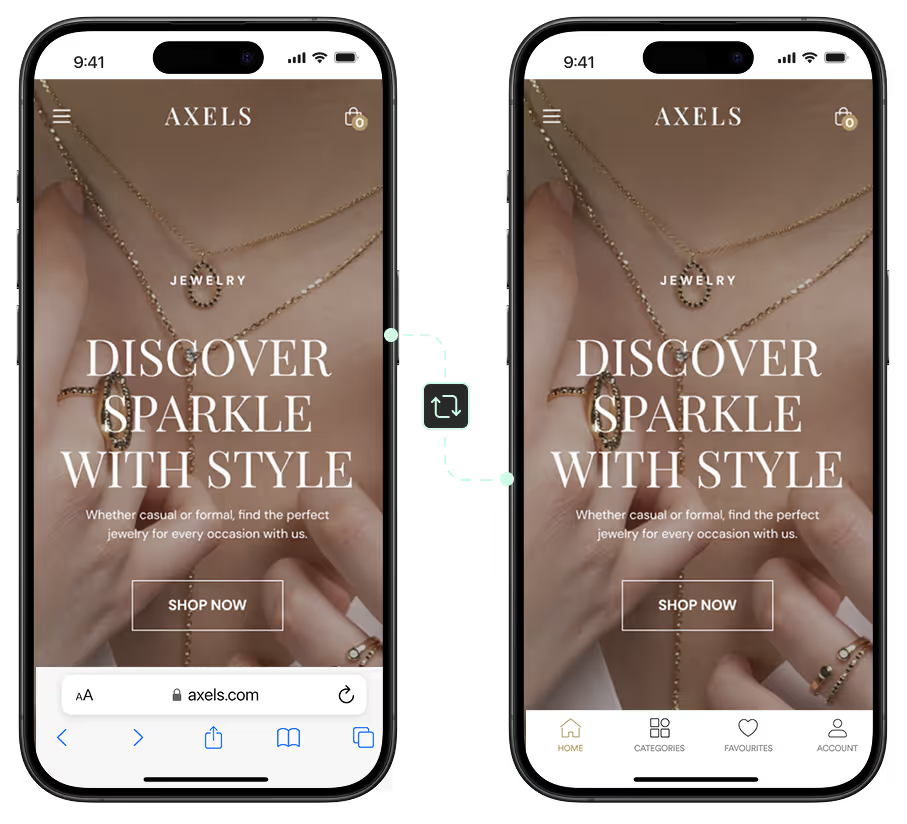
    Hybrid apps are apps that utilize web code alongside native app code. Your app ships as a real, fully-functioning mobile app, but a lot of the design and features are carried over from your existing web codebase.

    Progressive Web Apps (PWAs)

    A PWA is a website built to feel more like an app, and is installable to the home screen (albeit not a one-click install), with some access to push notifications. PWAs aren’t real native apps, and not a realistic substitute for the kind of app you find in the App Store, but it is a solid first step if you want to provide a better mobile user experience.

    The Four Most Common Ways to Build an Ecommerce Mobile App

    It’s important to know the difference between native, cross-platform, PWA, etc – but the real decision is in the kind of vendor you’re going to go with.

    In this sense, there are generally four different ways your mobile app gets built. And the investment, payback period, end result and recurring overhead can be very different, depending on which you choose.

    In-house development

    In-house means your brand hires mobile engineers and ships the app from inside the company.

    It treats the app as a permanent product the team owns, with everything that implies: roadmap ownership, release cycles, on-call coverage for production issues, and the headcount to support it.

    The realistic team is two or more mobile engineers, sometimes a backend lead and a designer, a project manager or product manager, and QA capacity. 

    It’ll likely take six to twelve months to launch v1 of your app, if everything goes well. You’ll also need to keep your team in place to maintain the app, and keeping your app and website in sync means coordination between your web and app teams has to be on point.

    “When you develop an app you can’t just have one person. When we built the app, the maintenance became very heavy. To keep a platform like this in-house I feel like you’d probably need around six people.”
    — Kenneth Chan, Founder & CEO, Tobi

    Agency or dev shop

    It’s a lot more common for brands to hire an agency or mobile development shop to build their app.

    It could be a full-stack agency or a specialist mobile firm. This is the common path when a brand wants a custom build but doesn’t want to hire engineers permanently.

    This can be costly. ScienceSoft’s published software development cost calculator estimates a moderate-complexity cross-platform mobile app at $30,000-$70,000 and a native app for a regulated sector at $150,000-$250,000. 

    Specialty mobile agencies for ecommerce typically come in higher: a custom branded ecommerce mobile app from an established agency commonly costs $150,000 to $500,000+ for a launched v1, plus a maintenance retainer or hourly rates afterward.

    It is generally more cost-effective than hiring an in-house team (as you don’t need to worry about hiring, and all the extras that come with having staff on the payroll). But it’s still, honestly, overkill for most ecommerce mobile apps. 

    DIY no-code app builder

    A DIY app builder is a SaaS platform that converts your storefront into a mobile app via a drag-and-drop editor. The brand owns the configuration; the vendor owns the codebase. 

    Builders are faster than an agency, cheaper than in-house, and don’t require engineers. And realistically, a much better way to build an ecommerce app.

    Cost-wise, you’re looking at a recurring subscription of anywhere from $200-$1500 per month (with the cost of your team’s time on top of that; potentially somewhere in the range of 40 hours per month).

    That’s a much better deal than a mid-six figure bill, plus the recurring overhead, for a native app from an agency. The difference in quality (real, but marginal) from a custom native build is not worth the difference in what it costs you.

    Vendrux

    Vendrux builds and maintains a native iOS and Android app powered by your existing web platform. 

    It’s basically a category of its own. You get a custom app, with app-exclusive experiences and features – yet without a separate codebase, no compatibility issues with your website (everything from your website works in the app automatically), and without the cost and time investment of “native” development.

    The cost is comparable to that of most app builders, but the effort required from your team is less, because Vendrux’s team does virtually everything for you.

    Brands like Jack & Jones, John Varvatos, Kiokii, and Pharmazone are a few examples of brands that shipped apps with Vendrux. Our partners see app users routinely contribute 20-30% of their total online revenue (and up to 60% for top performers, like Pharmazone) – proving their apps really resonate with their audience.

    “We couldn’t find another company that could offer the same features at the same price point, same time to market, and make it as easy as Vendrux could.”
    — Svend Hansen, Product Owner at Bestseller

    “Vendrux keeps this whole thing simple and streamlined. No more juggling two different platforms, no more wasted time on maintenance.”
    — Eric Lowe, Director of Ecommerce at XCVI

    It’s essentially an agency, except you get more control over the app (you manage the bulk of the experience though your web platform), and it’s nowhere near the cost and complexity of an agency maintaining a separate codebase.

    Ecommerce Mobile App Vendors and Agencies Compared

    Now let’s get practical. Let’s look at some of the actual companies operating in the ecommerce mobile app space, helping ecommerce brands go live with branded mobile apps.

    We’re not going to go too deep into the pros and cons of each – that would be dishonest, since we haven’t worked with all of them hands-on. And regardless, most of the upsides/downsides are shared across the category.

    Use this as a starting point for your vendor search, then go out and research each one in more detail, based on what seems like the best fit for your needs.

    DIY Shopify-focused builders

    Most DIY app builders are built specifically for Shopify. You’ll find and install the app from the Shopify App Store, sign up, (usually) compile the app yourself, and manage the day-to-day of the app yourself as well.

    Some of the popular names here include:

    • Tapcart
    • Shopney
    • Superfans
    • SimiCart
    • OneMobile
    • MageNative

    All up, there are nearly 100 apps on the Shopify App Store in the “mobile app builder” category; so you’re not short of choice.

    Tapcart (widest reach; one of the oldest tools in the category), Shopney (over 700 reviews on the app store), Superfans (over 800 reviews – formerly known as Vajro) are probably the most widely used.

    You’ll want to do your own research here. But before you do, consider the other options, and whether there’s a more efficient way to get to the app you want.

    Multi-platform app builders

    The bulk of the DIY app builder ecosystem targets Shopify merchants.

    The reason is that template-driven tools use platform APIs to sync up with your store’s product and order data. Most tools focus on building and maintaining only an integration with Shopify, since that’s the biggest market.

    Brands on other platforms typically have a much smaller market to choose from, if they’re looking for a DIY app builder.

    Some options that work for non-Shopify brands include:

    • JMango360
    • Twinr
    • AppMySite
    • BuildFire

    JMango360 is an API-driven app builder, supporting a few different platforms (Magento, BigCommerce, and Salesforce Commerce Cloud included). 

    Twinr and AppMySite are both built around webviews, which lets them convert websites from various platforms into mobile apps.

    BuildFire is more general-purpose, with a plugin marketplace and broader use cases, but it isn’t built specifically for ecommerce, so its integrations with the major platforms aren’t as deep as the alternatives.

    As with the Shopify-focused category, do your own research before picking one. But before you do, consider whether one of the other categories fits your situation better.

    Ecommerce development agencies

    There are thousands of development agencies across the world, most of whom could build you a good mobile app.

    Whether it’s the best option or not is up for debate – we covered that above. If you are looking for a custom “from scratch” build, here are some mobile app development companies to look at:

    The best tip to find a development agency is to head to Clutch and look through the options, look at reviews, and narrow the choices down.

    It’s important to do your due diligence before signing a contract here, as you’re looking at a mid-five figures cost (at the bare minimum), so the cost of choosing the wrong partner is significant.

    Vendrux

    Vendrux is really in a category of its own: the cost of an app builder, but the attention, care and flexibility of an agency.

    Vendrux has worked with 2,000+ brands including Jack & Jones, Bestseller, John Varvatos, Tadashi Shoji, Kiokii, and Pharmazone.

    Some of the apps built with Vendrux

    Some concrete outcomes:

    • Pharmazone runs 63% of online revenue through its app and sees 15x revenue per app user
    • Tadashi Shoji sees 10x ARPU and 18% of total online revenue from the app
    • John Varvatos has done close to $1M in app sales with 10x revenue per user
    • Kiokii gets close to 40% of total online revenue through the app from a small fraction of total users. 

    It’s the best option if you want an app that builds on top of your existing systems, not parallel to them, and you don’t want to be limited by templates, platform APIs, and the lag times of a native dev team.

    A native iOS and Android app powered by your existing website. Around 30 days to launch. Flat subscription, no revenue share. We handle the build, the App Store, and ongoing maintenance.

    See what your store looks like as a real native app, before you commit to anything.

    Get a Free App Preview

    How to Choose: A Decision Framework for Ecommerce Brands

    The best development approach can end up being different from brand to brand.

    The right approach for your business depends on revenue band, ecommerce platform, internal dev capacity, customization needs, and business model. 

    Here’s a rough breakdown:

    • If you want a managed solution, with relatively low overhead, low operational lift, that builds on top of your existing website (and works with any ecommerce platform): choose Vendrux.
    • If you want to manage and iterate on the app yourself; perhaps you’re in a lower revenue band (Tapcart.
    • If you want the same, but you’re not on Shopify: consider a general-purpose app builder like AppMySite or JMango360.
    • If you need heavy app-specific customizations, heavy native device integrations (and you have the budget): look for a custom development agency.

    Alternatively, if you’re not sure about launching an app yet? Don’t rush into it. Consider shipping a PWA first, perhaps gather some intel on mobile app vendors, but don’t jump in and launch an app just because you think you’re supposed to have one.

    Take your time, map out the business case – then come back to our guide once you’re comfortable it’s time to launch your app.

    Final Thoughts

    A mobile app could be the best investment you make for your brand. But like any investment, it depends on what you put in.

    If you overpay, or build an app that takes too much time, effort and money to run, your investment won’t look so good.

    Same thing goes if you build an app that doesn’t provide the kind of experience your users expect – you’ll end up with few users, minimal revenue, and an investment that provides very little return.

    We can’t tell you the best option for your specific business, your tech stack, your requirements.

    We can, however, present Vendrux as the best ecommerce mobile app solution for the widest range of brands – from Shopify to Magento, from luxury fashion to automotive parts brands.

    If you want to see what Vendrux is capable of, and discuss your options in-depth with our app experts, get in touch and get a free preview of your app.

    We’ll walk you through the process, and give an honest assessment on the best long-term approach for your app.

  • The Real Cost of Maintaining a Mobile App for an Ecommerce Brand

    When you scope a mobile app for an ecommerce brand, the conversation almost always centers on the build cost. 

    An agency might quote you $100K for a custom React Native project. You might compare that against a DIY or service-driven app builder and the monthly or yearly subscription on their pricing table. You might weigh these two costs against each other, to estimate the ROI potential of your mobile app over time.

    You might, on the basis of the quotes you’ve been given, see the “one-time cost” of a custom project as a preferable option to an ongoing subscription that bills every month.

    But here’s what you’re missing: the upfront cost of a mobile app is far from the end of the billing picture.

    The real cost of owning a mobile app shows up after launch. Maintenance costs, OS updates, new features, fixes, updates to follow design or branding updates on your website.

    It’s a job that never ends. And failing to understand the long-term cost of a mobile app is the biggest mistake we see ecommerce companies make.

    Read on and learn everything you need to know about the long-term maintenance costs of mobile apps, and how to make sure these costs don’t come back to bite you.

    What Mobile App Maintenance Includes

    Mobile app maintenance isn’t a small bucket of bug fixes. It’s a regular, full-time job.

    “We had [an app] in 2014 and found that it was too much to maintain. To keep a platform like this in-house I feel like you’d probably need around six people.”
    — Kenneth Chan, Founder & CEO, Tobi

    For an ecommerce app, the ongoing work falls into five buckets:

    Platform updates

    Apple ships a major iOS release every year, plus several point releases. Google does the same with Android. Each release deprecates APIs, changes permissions, tightens privacy rules, and occasionally breaks behavior your app depended on. 

    Apps that don’t keep up get warnings, then rejections, then get pulled from the App Store. Staying compliant with these rules is non-negotiable.

    Third-party SDK or API updates

    Every integration your app uses – analytics, push, payment, attribution, reviews – has its own code, and its own SDK or API used to make it work in your app.

    Each one publishes updates. Each one occasionally breaks.

    If a push provider or an analytics tool updates their API, they’re not going to personally call you and make sure the new version works in your app. That’s on you.

    Website parity

    Most ecommerce websites aren’t static. They’re constantly moving, getting refreshed.

    You add a new reviews widget, a product configurator. You change the hierarchy on your PDPs. You update your homepage, add a new collection.

    All this work needs to be replicated in your app, or your app and web experiences quickly drift apart, and end up looking like two different stores.

    Bug fixes and regressions

    Bugs are inevitable in software.

    It could be an edge case that wasn’t caught in testing. It could be a new integration. It could be one of the SDK or API updates mentioned above, which breaks your implementation.

    And the important thing about bugs is that one bug is easy to fix. But once you let multiple bugs accumulate, it’ll start to look as if the only way to fix them all is to tear down your code and start again.

    Performance and security

    You’ll (hopefully) acquire more and more users over time. That can add new problems that didn’t exist when you first launched the app.

    Apps that worked fine at 5,000 monthly active users start showing strain at 50,000. You get more crash reports, memory issues surface, and you may need to roll out patches to keep your app functioning well.

    What It Costs to Keep Up

    The industry rule of thumb for native mobile app maintenance is 15-25% of the original build cost per year.

    Realistically, we’ve found this to be a conservative estimate.

    Based on this, a $100K app will cost $15,000-$25,000 per year to maintain. A $150K app will cost $22,500-$37,500.

    But this typically assumes everything goes well, the only maintenance is routine maintenance, and there are no major feature additions or website parity updates required.

    Even if we assume the best, it’s still a recurring cost, like a tool subscription, which you can’t get away from.

    Why the Operational Tax Hurts More Than the Maintenance Bill

    The 15-25% maintenance cost estimate leaves out one important part.

    This cost is the pure dev hours – X hours, billed at $100 per hour (or however much you’re paying your mobile devs).

    That’s the visible cost. The hidden cost is the operational tax.

    Operational tax is the time your ecommerce team spends managing two different systems. Every meeting where someone says “and what about the app?” Every CRO experiment that wins on the website and doesn’t make it into the app. Every homepage refresh that ships on the web in three weeks and lands in the app eight weeks later. Every integration vendor your team chooses based partly on which ones the app supports.

    These are the patterns we consistently see and hear from ecommerce teams running a custom-built mobile app:

    Decision lag

    Once you have two surfaces to think about, every product, marketing, and merchandising decision brings additional questions. 

    • Should this run only on the web?
    • Only in the app? Both? When? 

    It makes procurement processes longer, and rules out some moves that seem perfect but for the mobile app question.

    Feature drift

    Let’s say you put the app question to the side. You say, “let’s add the feature; we’ll work it out in the app later.”

    Six months after launch, your website has 8-12 new features the app doesn’t have. Twelve months in, that gap is 20+ features. 

    The app starts feeling stale. Customers notice – they switched to the app expecting a better experience and got a thinner one. Now your best customers are upset they’re being served a weaker version of your website.

    Talent dependency

    Quick, cheap maintenance depends on having the right developers readily available.

    You need people who know the code, who can ship fixes without breaking other areas of the app.

    If you rely on freelancers, the same people might not be available right away. If you use an agency, there might be a lag time between the bug report and implementation.

    If you hire developers in-house, you have HR and all the associated costs of having employees to worry about. And then there’s still the risk that the person who knows everything about the codebase leaves, and no one else knows what does what under the hood.

    Opportunity cost

    Because of the extra work it takes to keep your app in line with your website, you start making decisions based on what’s easiest, not what’s best for the brand.

    You decide not to build a new product configurator tool, because it’s going to take 2x as long to build it for both website and app. You don’t integrate with a new personalization tool because it’s not compatible with your app. You decide against an overdue website redesign, because that means you need to redesign your app as well.

    This is the biggest hidden cost, because it’s literally hidden. It doesn’t show up on your expense report. It’s not money lost, it’s value you could have realized, but didn’t, because the operational tax holding you back.

    A Year in the Life of a $30M Brand With a Custom Mobile App

    Picture a $30M Shopify Plus apparel brand. In early 2025, they scoped a custom React Native app with a specialist mobile agency. 

    Build cost: $400,000. Build time: 8 months. The agency stayed on for a Year 2 maintenance retainer at $80,000 a year. Launch went well. The app is clean, fast, real native components, in the App Store.

    Q1

    iOS 19 ships. The agency spends three weeks bringing the app into compliance with two deprecated APIs and a tightened permissions model. The brand’s internal team doesn’t see the work – the agency is paid for it out of the retainer. So far, so good.

    Q2

    The brand’s CRO team turns on AI-driven product recommendations on the website – a Nosto / Rebuy integration the web team adds in a single sprint. 

    Category pages, PDPs, and cart all start surfacing personalized “you might also like” modules. The app keeps showing its hand-built static product carousels because the app’s recommendation logic was custom-coded at launch, not wired to the recommendation engine. 

    The agency quotes four weeks to connect it. For those four weeks (and the conversion lift the website is already logging), app users get the old static carousels.

    Q3

    Marketing wants a homepage refresh for fall. The website ships the new homepage in three weeks. The app version takes another seven weeks because the new homepage uses content blocks the app can’t render. The brand ships the fall campaign with two homepages live for two months.

    Q4

    The reviews widget vendor updates their mobile SDK. The app build that pulls in the new SDK ships with a crash on Android 14. The agency rolls back to the previous version. The crash is fixed three weeks later in a hotfix. The brand’s app reviews drop from 4.7 to 4.4 in the meantime.

    —-

    Across the year, the agency bill stays at $80,000. The internal cost – ecommerce manager time on app coordination, marketing time on dual-launch logistics, support time fielding bug reports – runs another six to ten hours a week across two senior team members. 

    Conservatively, that’s another $40,000-$60,000 in opportunity cost.

    The Year 2 cost of operating this app sits somewhere between $120,000 and $140,000, before counting any new feature work. The app, meanwhile, is now behind the website on at least a dozen features. 

    The team is starting to talk about a “Year 3 modernization,”, which really means rebuilding the app and relaunching it on a new listing, without the negative reviews it’s been accumulating.

    Learn more about the cost to build a Shopify mobile app.

    How to Scope Total Cost Before You Commit

    If you’re scoping a mobile app and the only number in front of you is the build cost, you’re missing half of the picture.

    You don’t need the upfront cost – you need the Total Cost of Ownership (TCO).

    Here are some things you need to take into account:

    Year 2-5 maintenance

    Apply the 15-25% rule to your build estimate. Multiply by four years. Compare that number to the build cost. 

    For most custom apps, the four-year maintenance figure is larger than the build by Year 4, meaning the build number you’re staring at is less than half of what you’ll pay over the life of the app.

    Operational hours

    Estimate how many hours per week your ecommerce, marketing, and customer experience teams will spend coordinating between web and app. Multiply by loaded hourly cost. Multiply by 50 weeks. That’s the operational tax line item, and it’s usually larger than people assume.

    Drift risk

    Ask the vendor or your internal team how feature parity between web and app gets maintained over time. If the answer is “every feature gets built twice,” realize that you’re building a second storefront to manage.

    How Vendrux Simplifies Mobile App Maintenance

    A large reason Vendrux exists is the maintenance cost and operational lift of running a mobile app.

    The traditional model, running a mobile app as a separate surface, with a separate codebase, is impractical for ecommerce brands, whose focus is typically on marketing and merchandising, not tech.

    With Vendrux, the operational tax doesn’t exist.

    Vendrux ships custom apps that are fully synced with your website. Everything on your site works in the app, and updates instantly when you update it on your site.

    If an integration changes their API, if you update your homepage, add a new feature to your PDPs, that reflects instantly in your app, with no additional development needed.

    Our team handles all the technical app maintenance and regular updates for you. We are your app team, letting your team’s focus remain on what drives the business forward.

    You’ll likely spend a few hours per month on the app – not 40 hours a week. Your maintenance bill is a flat subscription, not a costly retainer or inflated dev hours every time you need a fix or a feature update.

    Brands like John Varvatos, BESTSELLER, Tadashi Shoji, and Pharmazone all ship and maintain mobile apps on this approach without dedicated in-house mobile teams. The apps run on the web stacks each brand already uses, and simplifies what it takes for these brands to provide a native mobile app for their best customers.

    Some of the high-revenue ecommerce apps built with Vendrux. See more examples here

    It’s a better way to ship a custom mobile app for an ecommerce brand.

    Want to see what’s possible? Get in touch and get a free app preview, and you’ll see what your site could look like as an app, as well as a walkthrough from our app team of how we’ll help you build, launch and maintain the perfect mobile app.

  • The Ecommerce Platforms Powering Enterprise Brands in 2026

    The Ecommerce Platforms Powering Enterprise Brands in 2026

    The platforms running Adidas, Heinz, and L’Oréal’s online stores are not the platforms running your favorite Shopify boutique or streetwear brand.

    The enterprise commerce stack lives in its own world. It’s a world where Shopify isn’t the obvious leader, where Salesforce and SAP still quietly power more of the world’s largest retailers than most observers realize, and where the top 10 retailers on the planet often run no commercial platform at all.

    Here’s what powers enterprise commerce in 2026:

    • Salesforce Commerce Cloud runs much of global apparel, footwear, and beauty (Adidas, Puma, Lululemon, L’Oréal, Cole Haan, Columbia, Lacoste).
    • SAP Commerce Cloud runs the industrial and B2B end of the spectrum (Bosch, Siemens, 3M, General Electric, Levi Strauss, Nikon, Johnson & Johnson).
    • Adobe Commerce runs customization-heavy retailers and franchise operators (HanesBrands, Alshaya Group, Mitsubishi Motors, AkzoNobel, Krispy Kreme).
    • Shopify Plus runs the modern direct-to-consumer wave (Allbirds, Gymshark, SKIMS, Kylie Cosmetics) and a growing list of legacy CPG brands (Heinz, Mattel, Bombas).
    • commercetools, VTEX, and Spryker are the composable and headless challengers (Audi, Ulta Beauty, Whirlpool, Carrefour, Hilti, Aldi).
    • The very top of the market (Amazon, Walmart US, Apple, Target) runs custom infrastructure, not commercial platforms.

    That summary covers most of the enterprise commerce landscape today. The rest of this article walks platform by platform: what each one is, what kind of brand it tends to attract, and what the verified customer list looks like.

    The Biggest Enterprise Ecommerce Platforms At A Glance

    The data below on enterprise commerce share, and the most notable enterprise brand examples, comes from two primary sources: BuiltWith’s Top 10,000 most-trafficked sites, which filters out the millions of SMB stores that distort the broader market, and the 2025 Gartner Magic Quadrant for Digital Commerce, the industry’s standard ranking of enterprise platforms by capability and execution.

    We used that to put together the following list of the top ecommerce platforms used by enterprise companies today:

    Platform Gartner 2025 Typical brand profile
    Salesforce Commerce Cloud Leader (10th year) Global B2C apparel, footwear, beauty, omnichannel
    SAP Commerce Cloud Leader (11th year) Industrial, B2B, manufacturing, SAP ERP shops
    Adobe Commerce Leader Multi-brand B2C, franchise retail, customization-heavy
    Shopify Plus Leader Modern DTC, CPG sub-brands, fast retail
    commercetools Leader (6th year) Composable, API-first, headless-first enterprises
    Oracle NetSuite SuiteCommerce Niche player NetSuite ERP customers, mid-enterprise B2B
    BigCommerce Visionary Multi-store retail, mid-enterprise B2B
    VTEX Visionary LATAM-led globals, multinational CPG
    Spryker Visionary B2B manufacturers, industrial commerce
    Elastic Path Niche player Composable specialists, telecom
    Custom / in-house n/a Amazon, Walmart, Apple, Target, Inditex

    A note on the BuiltWith data. BuiltWith captures technology it can detect from a storefront’s HTML, so it systematically undercounts headless backends like Salesforce Commerce Cloud, SAP, and commercetools that sit behind custom or third-party frontends. Their real enterprise footprint, measured by Fortune 500 customer count and Gartner placement, is much larger than raw BuiltWith share suggests. 

    The opposite is also true: a frontend CMS like Amplience shows up at 11.1% of the Top 10K, but it’s not a commerce backend at all. It sits on top of one.

    With that caveat in mind, let’s dive deeper into each platform, breaking down what it is, and the notable brands running their digital operations on each one.

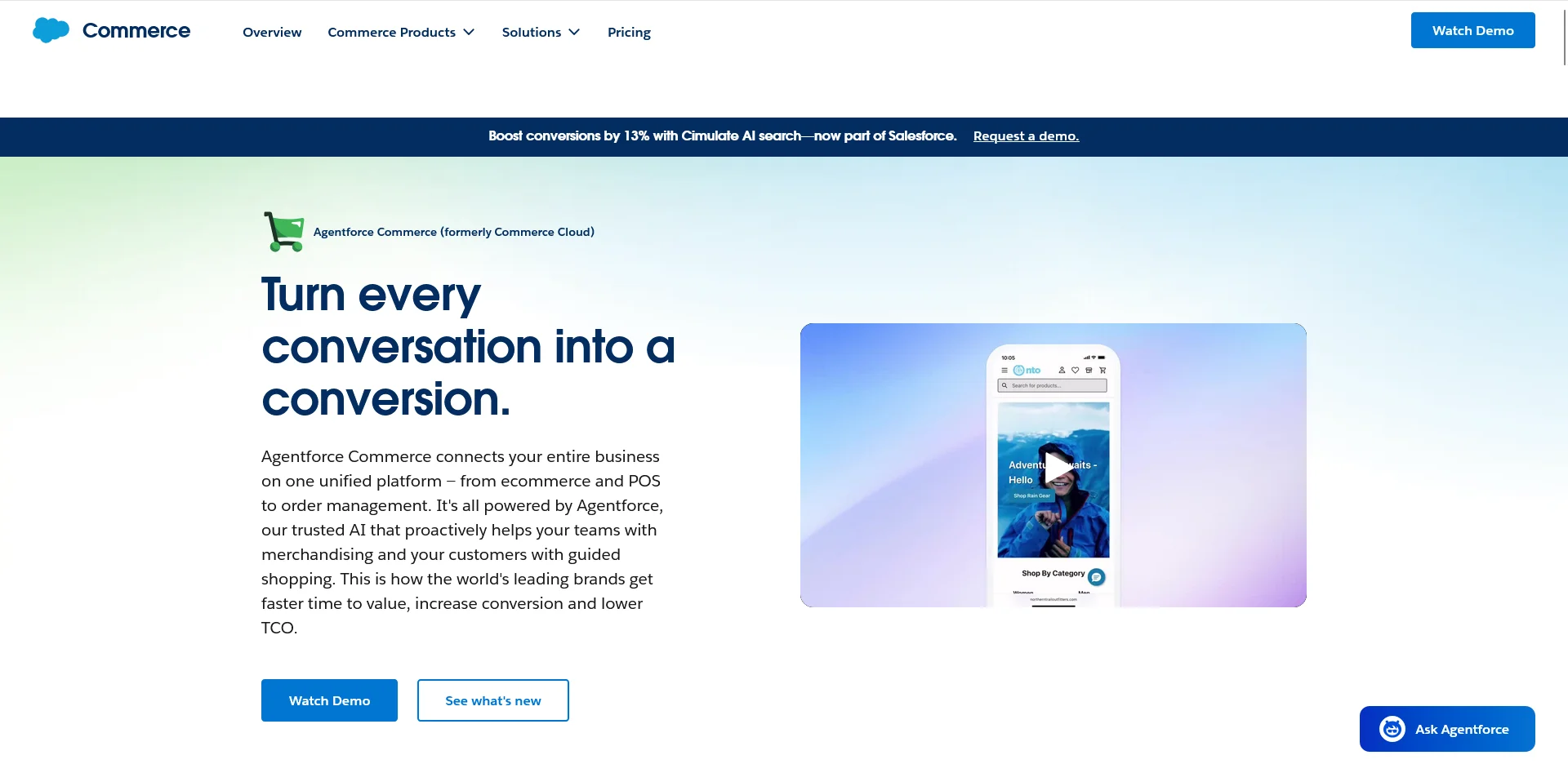
    Salesforce Commerce Cloud (Now Agentforce Commerce)

    Salesforce Commerce Cloud is the platform that defines enterprise B2C commerce in 2026. It began life as Demandware in 2004, was acquired by Salesforce in 2016 for $2.8 billion, and now sits at the center of Salesforce’s broader CRM and commerce stack. 

    The 2025 Gartner Magic Quadrant marked Salesforce’s 10th consecutive year as a Leader in digital commerce, tied with SAP for the longest tenure in the category.

    The customer list is the giveaway. According to Salesforce’s own 2016 launch announcement, early Commerce Cloud customers included Cole Haan, Puma, and Suitsupply. Adidas has been a Demandware customer since 2011 and now sits on the full Salesforce stack. 

    Puma has a published Salesforce case study documenting its global replatform. L’Oréal, Lululemon, Columbia Sportswear, and Lacoste are all widely documented Commerce Cloud customers across multiple industry analyses. 

    There’s a consistent pattern: global apparel, footwear, and beauty brands with sophisticated omnichannel requirements default to SFCC.

    What makes Commerce Cloud the default for that segment, as much as the commerce engine itself, is the surrounding Salesforce ecosystem. 

    If a brand already runs Sales Cloud, Service Cloud, and Marketing Cloud, Commerce Cloud is the only platform that shares the customer data model by default. For a global apparel brand managing tens of millions of profiles across dozens of countries, that integration is worth a lot.

    Further reading: Mobile App Development for Salesforce Commerce Cloud Brands

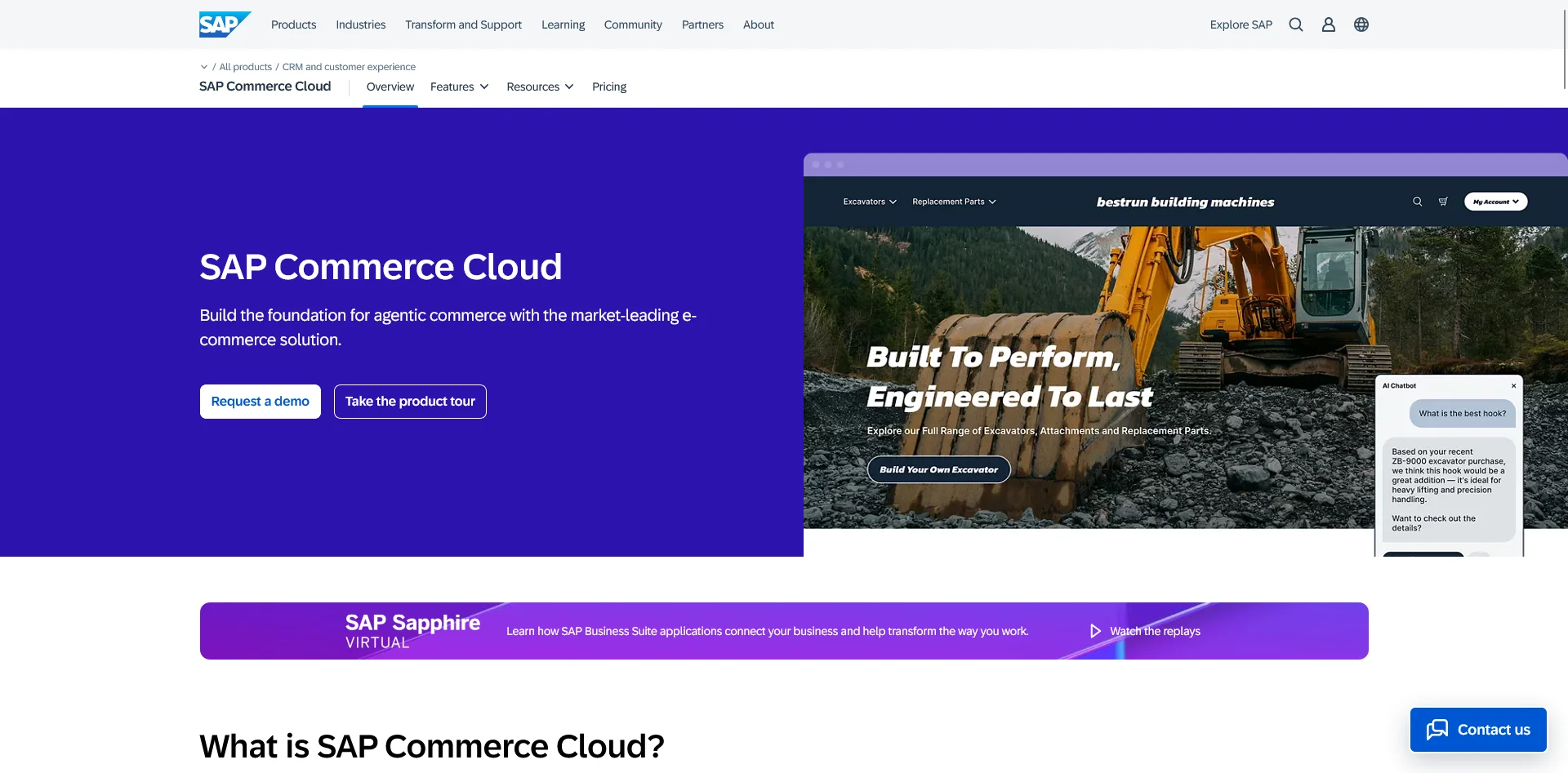
    SAP Commerce Cloud

    SAP Commerce Cloud is the platform you’ve heard the least about and seen the most in real life. It originated as Hybris, a German commerce platform acquired by SAP in 2013 for $1.5 billion. It has now been a Gartner Leader for 11 consecutive years, the only vendor positioned in the quadrant every year since the category began in 2014.

    The customer list reflects its industrial center of gravity. According to the Wikipedia entry on Hybris, confirmed customers across the platform’s history have included General Electric, ABB, 3M, Levi Strauss, Nikon, Johnson & Johnson, Procter & Gamble, Thomson Reuters, and West Marine. 

    AppsRunTheWorld’s vendor database adds Reliance and Tata (India’s two largest conglomerates), Qantas Airways, Henkel, Amway, Haier, and Nestlé. Bosch and Siemens are widely cited SAP Commerce customers in industry analyses.

    The center of gravity here is industrial manufacturing, B2B distribution, and large multinationals with deep SAP investments in their back office. When the same vendor runs commerce, inventory, billing, and financial consolidation, the brittle middleware layer between commerce and the rest of the business disappears. 

    For a manufacturer with hundreds of regional pricing books, complex tax requirements, and SKUs running into the millions, that single data model is hard to give up.

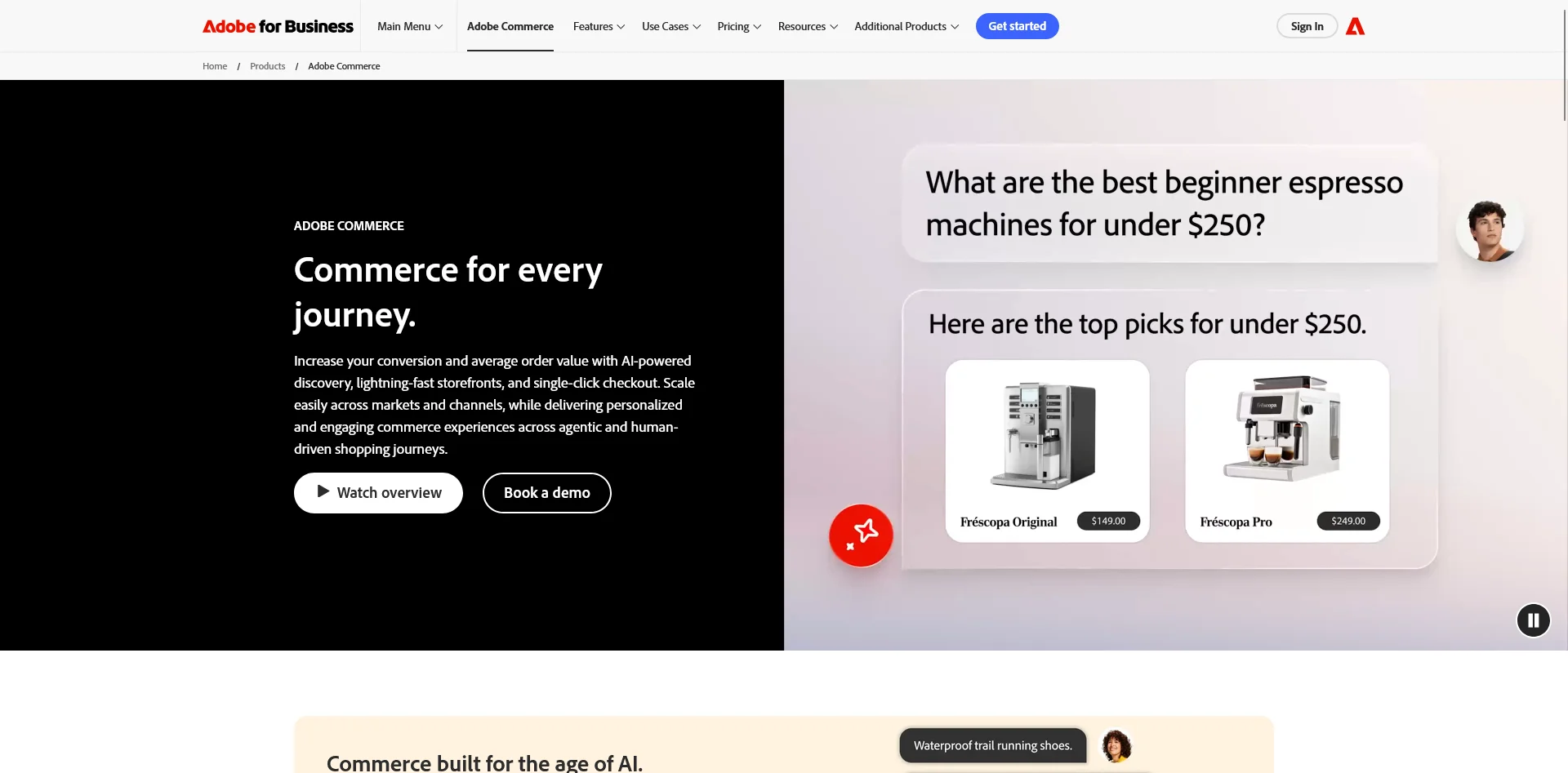
    Adobe Commerce (Magento)

    Adobe Commerce is the most flexible platform in the enterprise tier. It started as Magento, an open-source commerce platform launched in 2008. Adobe acquired it in 2018 for $1.68 billion and folded it into Adobe Experience Cloud. 

    The platform is a 2025 Gartner Leader and one of the most-deployed commerce platforms across the BuiltWith Top 10K.

    The customer base, verified through Adobe’s own published case studies, tells a different story than Salesforce’s. 

    • HanesBrands runs Adobe Commerce for its Australasia operation and credits the platform with a 41% lift from behavioral data personalization. 
    • Alshaya Group, the 130-year-old Middle Eastern franchise operator behind regional Starbucks, Pottery Barn, and Victoria’s Secret stores, runs its digital retail transformation on Adobe Commerce. 
    • Mitsubishi Motors uses it to manage product configurations and accessories online. AkzoNobel manages thousands of branded websites on the platform. 
    • Krispy Kreme runs its Australia and New Zealand ecommerce on Adobe Commerce. 
    • ASUS chose it for B2B. 
    • OTTO, the German retailer, uses Adobe Commerce as part of its broader Adobe stack.

    The reason Adobe Commerce attracts that crowd is customization. The platform exposes its codebase in a way that Salesforce and SAP don’t, which means agencies can build deeply distinctive storefronts. 

    It also offers genuine multi-store administration, which suits multi-brand retail conglomerates that want one back office running ten storefronts. Adobe’s broader Experience Cloud integrations are stronger than anyone else’s at content-and-commerce.

    Related: Mobile App Development for Adobe Commerce & Magento Brands

    Shopify Plus

    Shopify Plus is the most interesting story in enterprise commerce right now. The 2025 Gartner Magic Quadrant put Shopify in the Leaders quadrant, and according to Kasama Digital’s analysis of the report, Shopify and Salesforce are now “neck and neck” at the top of the chart. 

    That’s a remarkable position for a platform that didn’t exist as a serious enterprise option a decade ago.

    The Shopify Plus customer list has shifted substantially in the past five years. The modern direct-to-consumer side is still the core. Gymshark is the canonical example: it grew from a UK fitness brand to a £128 million DTC operation on Shopify Plus, and its migration from Adobe Commerce is one of the most-cited replatforms in the industry. 

    Allbirds, SKIMS, Kylie Cosmetics, Fashion Nova, MVMT, Bombas, and Rebecca Minkoff all run on Shopify Plus as well.

    The legacy side has expanded faster. 

    • Heinz migrated to Shopify Plus during the pandemic. 
    • Mattel runs Barbie, Hot Wheels, and Mattel Creations on it. 
    • Spanx, BBC merchandise, and Staples Canada have all replatformed onto Shopify Plus from older systems. 

    The brands moving onto the platform now are no longer the boutique DTC stories of 2018. They’re CPG giants and Fortune 500 sub-brands.

    What makes the platform work at this tier is speed. Shopify Plus implementations launch in weeks rather than quarters. The merchant admin is genuinely friendly, which matters for brands that want their ecommerce team (not their engineering team) launching the next campaign, and the Hydrogen framework gives engineering teams a clean path to custom frontends when they want one.

    Further reading: The Complete Guide to Shopify Plus Mobile App Development

    commercetools

    commercetools is the platform that defined the composable commerce movement. Founded in Berlin in 2012, hosted on Google Cloud, and now a Gartner Leader for the 6th consecutive year

    It’s the platform brands choose when their competitive advantage is the frontend experience and they want a backend that gets out of the way.

    The customer list, drawn from commercetools’ own published case studies, reflects that positioning. 

    • Audi runs commercetools for parts of its commerce stack. 
    • Bang & Olufsen unified its global brands on the platform. 
    • NBCUniversal built its shoppable-TV marketplace on commercetools with Mirakl. 
    • Ulta Beauty committed its entire business to a headless and MACH architecture on commercetools. 
    • Kmart Australia migrated to microservices on the platform. 
    • Woolworths used commercetools to launch its on-demand grocery service MILKRUN. 
    • Interflora UK, Zoro.com, Tekton, PetSmart, and Wild Fork Foods are all named customers.

    The architecture is what makes commercetools interesting. There’s no built-in storefront. The platform exposes a clean set of REST and GraphQL APIs, and the customer’s team builds the frontend, the merchant admin, and the orchestration on top. 

    That sounds like a lot of work because it is. The trade-off is total flexibility: the same backend serves web, mobile app, in-store kiosks, voice, and social commerce, each updating on its own schedule.

    VTEX

    VTEX is the LATAM enterprise leader with a growing global footprint. Founded in Brazil in 1999 and now operating across 44 countries with around 2,200 customers and 3,100 online stores, the platform has built its position on a headless API-first architecture and deep native support for the regulatory and payment complexity of emerging markets.

    The customer list is global but anchored in LATAM. According to VTEX’s own press disclosures and the INSEAD case study on the company, VTEX runs Whirlpool (across 15 countries), Sony, Carrefour, Walmart Argentina, Coca-Cola Andina, AB InBev, Stanley Black & Decker, Motorola, Nestlé, Colgate, Mondelez, Electrolux, Unilever (regional), Panasonic, and Xiaomi (Peru). 

    In beauty, the platform powers Natura, Avon, and The Body Shop, all now under Natura & Co. Magalu, Brazil’s largest non-Amazon retailer, runs its marketplace on VTEX.

    The strongest pitch here is for multinationals that need a single backend across very different regional commerce environments. 

    Brazil’s tax code is famously complex. Argentina’s payment systems are unlike anywhere else. VTEX handles both natively. A US-built platform like Salesforce or Adobe handles neither without expensive middleware.

    Spryker

    Spryker is the B2B specialist of the group. Founded in Germany, it’s headless and API-first like commercetools, but explicitly designed for the complexity of business-to-business commerce: hierarchical buyer accounts, negotiated contracts, master agreements, multi-step approval workflows, and dealer-network management.

    The customer list is heavy on industrial and B2B. According to Spryker’s published partner materials, the platform is “trusted by brands such as Aldi, Siemens, Hilti, and Ricoh.” 

    Toyota is also publicly named as a Spryker customer (typically interpreted as Toyota Material Handling, given the platform’s commerce positioning). 

    The brand-name density is lower than the consumer-focused platforms because the buyer is procurement, not retail.

    Oracle NetSuite SuiteCommerce, BigCommerce, and Elastic Path

    Three more platforms occupy smaller but meaningful slices of the enterprise market.

    Oracle NetSuite SuiteCommerce is the storefront layer on top of NetSuite ERP. Oracle acquired NetSuite in 2016 for $9.3 billion. It’s not a Gartner Leader, but it’s deeply embedded in mid-enterprise B2B. 

    The customer base is less consumer-visible than the others: thousands of mid-market manufacturers, wholesale distributors, professional services firms, and resellers running NetSuite as their core operating system extend naturally into commerce here.

    BigCommerce sits in the Visionaries quadrant. It started as a mid-market alternative to Shopify, has invested heavily in moving upmarket, and now occupies a real but smaller slice of the enterprise segment, particularly strong in multi-store retail and mid-enterprise B2B.

    Elastic Path is the smaller composable-commerce specialist, headquartered in Vancouver and founded in 2000. Its highest-profile published customer is T-Mobile, whose Cerberus initiative case study is featured prominently on the Elastic Path site. 

    It plays in the same conceptual space as commercetools but positions itself as more aggressively modular.

    Custom And In-House Platforms

    At the very top of the enterprise market, brands aren’t building on top of any commercial platform. As you can imagine, for businesses doing billions in annual turnover, these brands build custom.

    • Amazon runs entirely custom infrastructure and licenses pieces of it out as AWS Commerce services. 
    • Walmart US runs substantially custom, including the technology it inherited from its 2016 Jet.com acquisition.
    • Target, Costco, and Best Buy run custom or heavily customized legacy systems. 
    • Alibaba and JD.com run custom marketplaces. 
    • Apple runs the Apple Online Store as a fully proprietary system. eBay is custom by definition. 
    • Inditex (Zara) and H&M run substantially custom systems, often layered on top of selected enterprise components.

    For these companies, it just makes more sense to build your own platform, where you control every part of the code and aren’t reliant on a third-party vendor or software.

    What’s Changing in Enterprise Ecommerce

    How does the current state of enterprise ecommerce reflect ongoing trends or changes in the industry?

    First, composable commerce has moved from aspirational to mainstream at enterprise

    commercetools, VTEX, and Spryker now have the enterprise customer count and Gartner credibility to be taken seriously by buyers. The question is no longer whether to go composable, but which existing platform will let you do it without re-platforming. 

    Salesforce, SAP, and Adobe have all responded with headless deployment options of their own.

    Second, Shopify is genuinely competing at the top. The 2025 Gartner Magic Quadrant put it neck and neck with Salesforce, and the customer wins are now CPG giants and Fortune 500 sub-brands, not just modern DTC startups. 

    The Fortune 500 industrial segment still defaults to Salesforce, SAP, and Adobe. The Fortune 500 consumer brand DTC arm increasingly defaults to Shopify Plus.

    Third, custom is still winning at the very top, and that isn’t changing. Amazon, Walmart, Apple, and the largest pure-play retailers continue to build their own platforms.

    The economics that drive that choice (commerce as competitive surface area, not operational expense) only become more favorable as those businesses grow.

    Fourth, the gap between platforms is narrower than the marketing implies. Every Gartner Leader now supports headless. Every Leader supports B2B. Every Leader supports multi-region, multi-currency, and complex catalogs. 

    The functional differences that drove most platform decisions in 2018 are now second-order.

    Where Vendrux Fits In

    Every business running on one of the platforms above is operating at the scale where having a dedicated mobile app is a necessity.

    Vendrux is a service built specifically for these brands. Vendrux builds native iOS and Android apps for enterprise ecommerce brands, powered by their existing tech stack.

    Unlike most mobile app vendors, Vendrux works with any ecommerce platform: Shopify Plus, Adobe Commerce, BigCommerce Enterprise, Salesforce Commerce Cloud, headless setups, custom builds, and even niche platforms.

    Vendrux allows these brands to launch a mobile app that’s fully synchronized with their website by default, and requires significantly fewer resources to maintain, compared to a custom app built from scratch.

    Brands like Tadashi Shoji (Adobe Commerce) and John Varvatos (Salesforce Commerce Cloud) launched their apps with Vendrux, without standing up a mobile team or commissioning a custom dev project. They now have a high-ROI retention channel, driving significant revenue with minimal overhead.

    Running an enterprise ecommerce brand?

    Want a low-maintenance mobile app, fully integrated with your existing stack?

    Book a strategy call and we’ll show you what Vendrux can do for your brand.

    Book a Strategy Call

    The Short Version

    If there’s one thing to take from this article, it’s that the enterprise commerce market is not the SMB commerce market with bigger logos. It’s a separate ecosystem with its own logic.

    • Salesforce Commerce Cloud, SAP Commerce Cloud, and Adobe Commerce remain the heavyweight Gartner Leaders running much of the world’s largest consumer and industrial brands. 
    • Shopify Plus has broken into that tier and now competes directly with the legacy platforms, particularly for large modern DTC brands and CPG sub-brands. 
    • commercetools, VTEX, and Spryker are the composable challengers, each anchored in a different segment of the market. 
    • NetSuite SuiteCommerce, BigCommerce, and Elastic Path occupy real but smaller niches.
    • And the very top of the market (Amazon, Walmart, Apple) runs nothing anyone else can buy.

    These are all heavyweight platforms, powering heavyweight brands, from Adidas to Puma to Heinz.

  • Do Customers Really Use Retail Apps?

    Do Customers Really Use Retail Apps?

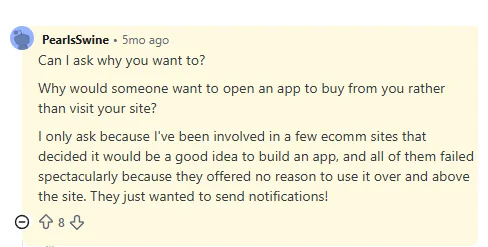
    The biggest pushback I see online when someone suggests you should launch a mobile app (or asks for recommendations on how to launch one) is something along the lines of “why? No one uses apps.”

    But “do customers use retail apps” isn’t quite the question most operators are really asking. The real version is closer to “do enough of MY customers use apps to make this worth doing for my store?” 

    That version has a more interesting answer.

    And the short answer: while there’s some truth behind the objection – a lot of shoppers are not going to download your app – there’s a subset of customers who will, and that segment does not need to be very large to justify the decision to build one.

    Here’s who uses retail apps, why people like to claim that “nobody uses apps”, what the slice of your customers who would install your app looks like, and what the math comes out to for a $10M-revenue brand thinking about the channel.

    Yes, Customers Do Use Retail Apps

    Shopping apps are mainstream consumer behavior in the US and globally. The data is unambiguous.

    A 2022 NewStore survey of 610 American consumers found that 88% have at least one mobile shopping app installed on their phone, half have four or more, and 9% have more than ten. 

    31% prefer shopping in-app over shopping in-store or via mobile or desktop web. Among consumers under 44, the percentage of people with at least one shopping app on their phone hits 96%, and shopping apps rank as the preferred shopping method for the segment.

    Research from ironSource puts the engagement number higher: 90% of consumers have multiple shopping apps on their phones, and 95% use at least one of those apps at least once a month. 

    Two-thirds of respondents named a shopping app among their top ten most-used apps.

    In-store behavior tracks the same way. According to Airship research reported by eMarketer, 74% of consumers worldwide use a retailer’s app while they’re shopping in a physical store, up from 65% the year before. eMarketer also forecasts that two-thirds of US smartphone users will use shopping or retail apps by 2025.

    If you look at some of the biggest names in retail, it’s clear that at least some people use retail apps. 

    Amazon’s shopping app sits at around 197 million monthly active users globally, with most of them in the United States. 

    The app isn’t a niche channel for Amazon; it’s the dominant way Amazon’s customers interact with the brand. 

    Other big-name retailers (Walmart, Target, Sephora, Nike, Shein, Temu) are pulling enormous in-app volume, and the same pattern shows up at a smaller scale in DTC.

    The existence question is settled. The interesting question is who those users are.

    The “Nobody Uses Apps” Misconception (And Why You Feel This Way)

    This is what I often see on Reddit, on LinkedIn posts, and other places online.

    One person asks for recommendations on how to build an app for their store. The peanut gallery scoffs at why they’d want to do such a thing in the first place.

    The thing is, the objection is not totally random. It’s based on a few core misconceptions related to mobile apps and consumer shopping behavior.

    1. “I Don’t Use Apps”

    The first is the “I don’t use retail apps” projection. 

    Your personal phone is one data point; your customer base is not. People who manage ecommerce stores tend to skew toward direct, intentional shopping behavior on the web.

    People who buy from those stores skew toward whatever channel makes the next purchase easier. The 88% of US consumers with a shopping app installed includes plenty of people who would tell you, if asked in passing, that they don’t really use shopping apps.

    2. “Hardly Anyone Will Use It”

    The second is the “most of my customers won’t download the app” reasoning. 

    That’s actually true. Most of your customers won’t download the app.

    Typical install rates land between 5% and 20% of the active customer base. But that hides what that small share represents: the brand’s highest-LTV customers, the ones who’ve already bought repeatedly and want a faster way to keep buying. 

    A small slice of your total customer base routinely produces a disproportionate share of brand revenue through the app. The install rate is a small input feeding a much larger output.

    3. “Apps Are Useless”

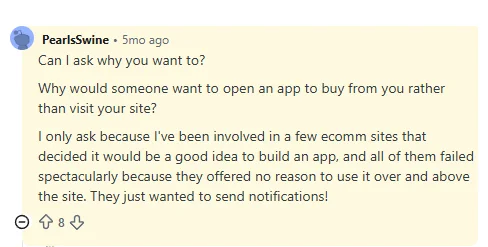
    The third idea is the “what does an app even add for the customer” objection. (see Reddit comments above)

    It’s assuming that launching an app is completely self-serving; that convincing someone to download your app is just a con job so you can ruin their life with spam notifications.

    Apps provide real value for certain customers.

    • Quicker, more convenient access to your store (one tap from the home screen)
    • A smoother shopping experience (not affected by whatever the latest thing iOS did to break Safari)
    • Direct updates from the brand about promos, new products, other perks (some customers actually do want to hear from brands)
    • A user experience built for returning customers (a brand’s website is often optimized to convert new customers; an app can be built to make it easier for regular customers to reorder/discover new products)
    • VIP perks (many brands use the app as a defacto VIP list, giving app users first dibs on promos or product drops)

    There’s a lot you can do in a new channel – especially when you can optimize every part of the user experience for people who already know your brand.

    Who Uses Retail Apps

    The through-line with all the common objections about mobile apps is that it assumes you’re launching one for everyone; that your goal is to have as many app users as email subscribers.

    The customers who install a brand’s mobile app are typically a small slice of the total customer base – often under 10%, sometimes 15-20% for brands where repeat purchases are natural (F&B, beauty).

    That segment is the most valuable segment a brand has.

    They’ve already bought, usually more than once. They liked the brand enough to install the app. They self-select toward the lower-friction channel because they want to buy from this brand more often, faster, with fewer steps.

    For these customers, the app does provide real value. They do want to receive push notifications. They want a more convenient way to interact with the brand, to buy from the brand.

    David Cost, VP of Ecommerce at Rainbow Shops, said this (which sums up the case for mobile apps perfectly:

    “In our experience, users break into two camps. There are users who prefer to buy on the app and users who prefer using the browser. You can’t convince one to go the other way, you need to meet them where they are.

    Our apps never had any functionality or usability beyond the web experience. The reason to have an app is not to have something that isn’t on the website, but for people who prefer that way to access Rainbow content.”

    The key line? “You need to meet them where they are.”

    Some people just prefer to use apps. Some specifically want an app from the brands they visit the most.

    You’re just giving them what they want.

    The Impact of Giving Your Best Customers an App 

    When you give your best customers what they want, you see some real, positive results that make launching it more than worthwhile (even if only a small share of your customers download it).

    This is where the incrementality debate comes in – and is again disproven.

    When you offer an app, the customers who download it:

    • Shop more often (since it’s easier, less friction to come back to your store)
    • Shop for longer (because the shopping experience is smoother, with fewer distractions)
    • Convert more, spend more in each order (because of the improved user experience, tailored to repeat customers)
    • Churn less (the app icon keeps your brand top of mind. Customers who otherwise might have stopped buying from you, out of atrophy, stay for longer)

    The last one might be the most important; someone who downloads your app is inherently more valuable to your brand, because they had the kind of intent to want to download your app in the first place.

    But without consistent touchpoints, brand loyalty atrophies, even for once hyper-engaged customers.

    App users have stronger revenue metrics across the board (see our Ecommerce Mobile App Benchmark Report for more on this).

    And the most important metric that improves is LTV – which often just comes from holding on to your best customers for longer, which naturally leads to more revenue and stronger profit margins over time.

    The Math: Even Small Adoption Pays Off

    We mentioned up top that you don’t need a large slice of your customer base to download the app in order for it to be a success.

    Here’s the math to show what we mean.

    Take a $10M-revenue ecommerce brand. Assume 5% of the total customer base installs and uses the app (that’s deliberately conservative by the way).

    That 5% naturally spends more; partly because of the better experience in the app, partly because they’re just wired to spend more from the average customer.

    Brands we work with always see a disproportionate revenue contribution from app users. So if 5% of your customers use the app, it’s likely that you’ll see at least 10% of total revenue come through the app – closer to 15-20% in most cases.

    (the disparity can be even greater. Junior Couture saw 50% of their peak season revenue through the app, from just 5% of their customers. Pharmazone gets 63% of their online revenue through their app, from around 15% of their customers).

    So if we take the deliberately conservative estimates – 5% of your customers contributing 10% of total revenue – the mobile app for a $10M brand is a sales channel doing $1M annually.

    It comes out to the same figure for a brand half the size ($5M annually) doing stronger in their app (20% of total revenue – which is in the midpoint of the 10-35% average revenue share we generally see from apps).

    Annual Revenue App Customer % Revenue Contribution App Revenue
    $5M 5% 10% $500K
    $5M 10% 20% $1M
    $10M 5% 10% $1M
    $10M 10% 20% $2M
    $25M 5% 10% $2.5M
    $25M 10% 20% $5M
    $50M 5% 10% $5M
    $50M 10% 20% $10M
    $100M 5% 10% $10M
    $100M 10% 20% $20M

    Cost to Revenue (ROI) of the App

    It shouldn’t be hard to see the value in a channel contributing $1M in annual revenue.

    But the case gets even better if you take the cost into account.

    With Vendrux, the cost to build and maintain your app starts at $1,499 per month, with a one-time, four-figure setup fee upfront.

    That’s nearly $100K in monthly revenue, on a cost of a little over a thousand per month. With Vendrux, everything’s done for you, there’s no separate system to manage, and no major workflow changes coming along with your app.

    That cost to benefit math makes having an app a no-brainer.

    Want to see what your app would look like?

    You’ve got the customer base, the repeat buyers, and now a rough sense of what the app channel could be worth. The piece still missing is what the app itself would look like for your brand.

    Vendrux lets you build a custom native app, without hiring developers or managing a separate platform. We’ll build you a free preview, so you can see your app in action and see what’s possible.

    Get a Free App Preview

    The Straight Answer

    Yes, customers really do use retail apps.

    They use the apps from massive brands like Amazon, Sephora, Gymshark. They also use apps from smaller brands, brands that aren’t household names, but are well-known in smaller ecommerce niches like men’s grooming and skincare, or clean protein and fitness supplements.

    The big misconception is the idea that you’re launching an app for everyone. You’re not.

    An app is for a small slice of a brand’s customer base. The most engaged, the most dialed in to the brand.

    That could only be 5% of their total active customer base. But 5% is more than enough to make an app worthwhile.

    If you’re a brand doing seven figures plus and see the case – or if you need more convincing – get in touch with us.

    Book a free strategy call and we’ll walk through it with you, show you what an app could look like, and help you decide if launching a mobile app is the right move for your brand. 

  • What Happens to Your Mobile App During a Platform Migration (and What To Do About It)

    What Happens to Your Mobile App During a Platform Migration (and What To Do About It)

    Replatforming is one of the biggest technical projects you’ll ever run. A Magento to Shopify Plus migration takes 12 to 24 weeks for a mid-sized brand, longer for complex catalogs. It’s the kind of thing that occupies all your engineering team’s attention, and requires intense planning and management to ensure your customers aren’t negatively impacted by the move.

    There’s one major issue we keep hearing about brands running into when they’re migrating their ecommerce platform: their app.

    The brand has a mobile app, which is tied to their original web platform. Migrating often means the app breaks; or requires a significant rebuild for the new platform, which adds to what is already an engineering and logistical slog.

    It’s never your primary concern. But it’s a significant one, all the more concerning if you have users on your app already, who you don’t want to disrupt.

    Keep reading and we’ll share the same advice we share with people from replatform brands that we’ve been talking to lately, on how to handle this tricky situation.

    The Problem: Why a Platform Migration Breaks Your App

    Whichever platforms you’re migrating to/from, and however your app is built, a replatform typically means your app will break.

    Your web platform and app are (or should be) tied together. They share from the same commerce backend. Inventory, orders, product details, accounts, all of this is connected, typically via platform APIs.

    Changing platforms means changing APIs. It means a new set of APIs, which may need to be built from scratch, or which may be built for you, but exposing limited functionality than you used to have access to.

    Your web UI is changing, and without updating your app, you risk showing two surfaces that look like different stores.

    The details can be a little different, depending on what your replatform looks like (which platform you’re moving from/to), and how your previous app was built.

    Let’s take a look at a few scenarios now.

    No-Code Mobile App Built on a Platform-Native Builder

    A no-code mobile app builder is a SaaS product purpose-built around one ecommerce platform’s APIs. You configure the app inside a vendor dashboard. The vendor’s product talks to your storefront. The data flow (catalog, cart, customer, checkout) runs through platform-specific connectors that only the vendor maintains.

    When you change platforms, the connectors stop working. The vendor’s product surface ends at the platform’s API surface, so there’s no rebuild path with the same vendor on your new stack. Tapcart, the largest no-code app builder in the Shopify ecosystem, states the constraint directly on its own site: it “is only able to support businesses that run ecommerce operations on Shopify.”

    This isn’t a con about Tapcart. It’s just the nature of the platform.

    It’s the same with the hundreds of other tools in the Shopify App Store, as well as app builders tied to other platforms (e.g. you’re on Magento, built an app with a Magento app builder, and now picking up and moving to Shopify).

    You’re looking at replacing your original app from scratch. Whole new vendor, whole new app.

    Custom-Built Mobile App

    Let’s say you’ve built custom. Fully custom, from the ground up. Maybe through an agency, maybe in-house.

    You’re still, more than likely, using platform APIs to connect your app with your website.

    In principle, you can rework the app to use the new platform’s APIs, and migrate your app along with your site.

    But while it “can” be done, it adds a huge amount of complexity to your migration – which is already a drain on your resources, and a lot of things to juggle. Realistically, you’re rebuilding your app for the new platform.

    If there’s a timeline you need to hit, get ready to extend it. If you need to keep within a budget, forget about it.

    We’ve come across this many times. Rarely does the business have the engineering capacity to build a new mobile app, alongside their web migration. 

    If you’re working with an agency, this means you and the agency need to be tightly aligned, or else there’ll be lag time between the website relaunch and the app relaunch. That may mean paying a premium to the agency to make your project their main priority.

    All up, it’s just not something you want to add to the scope of shifting your entire commerce operation from one platform to another.

    Your mobile app shouldn’t be a casualty of your replatform.
    See how Vendrux keeps it live through the migration.

    Book a Strategy Call

    Replatforming Directions (and What Your Options Are)

    The mobile app problem (and the solution) will look a little different depending on the direction of your migration.

    Here are three common situations we run into, and what they mean for your app.

    Off Shopify

    You’re moving off Shopify, to BigCommerce, Adobe Commerce, headless, custom, anywhere. You’ve probably got an app built with one of the app builders in the Shopify App Store (e.g. Tapcart).

    Once you migrate, your app stops working. Simple as that. Almost every Shopify app vendor only works with Shopify. So you’re now faced with a custom build for the new platform, unless there’s a no-code tool that happens to support your new stack.

    Off Shopify, the no-code mobile app ecosystem thins out fast. On BigCommerce there are a handful of options, none with the depth of the Shopify equivalents. On Adobe Commerce and SFCC, there’s effectively nothing at the no-code tier worth recommending. 

    A custom build is the default once you leave Shopify, and that means building a whole new app alongside the web replatform.

    Regular Shopify to Headless

    This one’s a niche edge case that a lot of brands don’t consider until it bites them. You’re staying on Shopify, but you’re moving your frontend to Hydrogen or a custom headless build.

    Technically, your app could still keep working. The Shopify backend is still there, and a Shopify-native app builder is still talking to the same Storefront and Admin APIs.

    The problem isn’t that the app stops working. It’s that the app stops keeping up. The whole reason you went headless is that you wanted to build custom frontend experiences the standard Shopify storefront couldn’t support. 

    Once you start shipping those experiences on the web, they don’t carry over to a templated, no-code app. The gap between your website and your app grows every month you keep building on the headless side – and eventually you might decide you need to rebuild the app anyway.

    Non-Shopify to Shopify

    This is the most common direction in enterprise replatforms right now. Magento to Shopify Plus. SFCC to Shopify Plus. Adobe Commerce to Shopify. Homegrown stacks to Shopify Plus.

    The good news: there are more app options on the Shopify side than on any other platform. Pick a Shopify-native app builder and configure something for a standard Shopify store in a few weeks.

    The catch: this is still a rebuild of your app. Your previous vendor isn’t coming with you, and even if you were on a custom build, the codebase needs to be reworked or replaced.

    There’s a second catch if you’re moving to Shopify Plus with headless or a complex custom build. The edge case from the section above kicks in early. The standard Shopify-native app builders won’t be able to match what you’re doing on the web, and you’ll outgrow them faster than you’d like. That’s the same gap, just hit sooner.

    So even on the most app-friendly platform in ecommerce, this is still a from-scratch app launch. The decision is which kind of app you launch.

    Why Vendrux Is the Best Solution for Replatforming Your App

    At Vendrux, we’re becoming specialists in this. That’s because our approach is naturally the best fit for a brand that’s replatforming, and having to rebuild or replatform an app at the same time.

    Here’s why Vendrux is the best way to handle your mobile app during a replatform.

    It’s Platform and Tech-Agnostic

    Vendrux works with whatever your new platform looks like, whether you’re moving to Shopify or away from it. We support Shopify, Shopify Plus, BigCommerce, Magento, Adobe Commerce, Salesforce Commerce Cloud, WooCommerce, and headless or fully custom commerce stacks. 

    The app is built on the same tech stack as your website – not a separate build connected by APIs.

    This is important. It means that when you migrate your website to a new platform (even to a fully custom, or headless stack), your app comes with it. We can build the app on your existing site, and have it switch to the new site once you launch, or build it on the new site that’s under development. Whichever works best for you.

    (Building with Vendrux also means, if you happen to migrate again in the future, your app will come with you. No dealing with the same headaches again.)

    The Timelines Line Up

    One of the biggest issues with rebuilding your app as a custom build is the timeline.

    A web migration might take three to six months. A custom app usually takes six months to a year.

    Do the math – even if both kick off at the same time, and you’re able to build the mobile app independently, you’re looking at one of two scenarios:

    • Pushing back the web migration until the app is ready
    • A time between the new website launching and the app being ready, where customers can’t use your app anymore.

    Neither are good outcomes. The app being unusable for any length of time is a disaster scenario, especially if you’d already built a decent sized user base.

    Vendrux takes six to eight weeks to launch; potentially quicker. The time lines up perfectly with your migration, so you can launch with zero downtime for your app users.

    Vendrux is Battle-Tested with Platform Migrations

    We’ve done this numerous times. We’ve seen many brands going through migrations, we know the issues that come up, the edge cases that have to be dealt with.

    And since we specialize in this kind of work (not exclusively – but it’s one of the things we’re best at), you know you’re getting a partner that’s working towards the same goals you are.

    We did this same thing with buybuyBaby, for instance; helping them launch a new app during their replatform, resulting in no downtime for their app users.

    “The incredible part was that we didn’t even have to think about the app during these transitions. When we finally reached out to check if our latest major redesign would affect the app, the response was immediate: ”You have nothing to worry about, everything will be fine.””
    -Steven Kachtan, CIO of Dream On Me

    It Works With All Your New Features

    You’re replatforming for a reason. You want to build something new – you want to expand your web experience, launch new features your old platform wasn’t capable of, ship a better, more modern UI.

    Whatever it is, Vendrux lets you reflect the same design, the same features in your mobile app. It’s not going to limit you to a basic template, or double the work to ship all these additions in a new channel.

    It’s fully synced with your new site, already. Whatever you’re building on the new site, you’re also building in the app.

    Replatforming doesn’t have to mean rebuilding your app.

    Your web replatform is already absorbing your engineering team’s attention. Content modeling, integrations, payments, checkout, cutover. Stacking a parallel app rebuild on top of that is the last thing you need.

    Vendrux builds custom native apps that travel with you across the migration. Same app, same App Store listing, same push subscriber base, on whatever platform you’re moving to next.

    Get a Free App Preview

    Final Thoughts

    Replatforming is already one of the most demanding technical projects you can run. Adding a mobile app rebuild on top of it just makes it messier. 

    It stretches engineering resources, breaks your timeline and budget, and risks real disruption for your app users.

    Vendrux is the ideal way to replatform your mobile app at the same time. It takes the app project off your plate during the migration. The same app keeps running through the cutover, and your team only needs to focus on the web side of things.

    If you’re planning a migration and wondering what to do with your app, that’s the conversation we’re built for. Book a strategy call and we’ll walk through your specific situation, and how we can help.

  • Mobile Apps vs Mobile Websites (Why 90% of Mobile Time is Spent in Apps)

    Mobile Apps vs Mobile Websites (Why 90% of Mobile Time is Spent in Apps)

    More than 60% of global web traffic now comes from mobile devices. But how people use their phones is just as important as the fact that they’re on them – and this is where the gap between mobile apps and mobile websites gets interesting.

    The data is clear: when people pick up their phones, they overwhelmingly open apps, not browsers.

    According to the latest data from Sensor Tower’s State of Mobile 2026 report, users spend less than 6% of their smartphone time in browsers and search apps. The rest – over 90% – goes to mobile apps.

    This isn’t a new trend, but it’s accelerating. And for businesses that rely on mobile traffic, the implications are significant.

    In this article, we break down the latest statistics on mobile apps vs mobile websites, explore why users prefer apps, and explain what this means for brands looking to maximize engagement, conversions, and retention on mobile.

    Running an ecommerce brand? We operate the Retention Edge, a free weekly newsletter on how to drive sustainable growth through retention & CX. See what Retention Edge is about →

    Mobile App vs Mobile Website Statistics (2026 Data)

    Before getting into the “why,” let’s look at the numbers. These are the most up-to-date statistics available on how people use mobile apps compared to mobile websites.

    Over 90% of Mobile Time Is Spent in Apps

    This stat has been consistent for years. But the gap is actually widening.

    • 2020: eMarketer reported that 88% of mobile internet time was spent in apps.
    • 2025: Sensor Tower’s State of Mobile 2026 report found that users spend less than 6% of smartphone time in browsers; putting app usage at roughly 94% of total mobile time.

    The implication is straightforward: when people are on their phones, they’re using apps. 

    Mobile browsers are primarily used for quick searches and one-off tasks, not for sustained engagement.

    Average Daily Time Spent on Mobile Apps

    Globally, users now spend an average of 3.6 hours per day in mobile apps, according to Sensor Tower. 

    That adds up to 5.3 trillion total hours spent in apps worldwide in 2025 – a 3.8% increase year-over-year.

    Some regional highlights:

    RegionAvg. Daily App Time
    Indonesia~6 hours
    Thailand~5.6 hours
    Argentina~5.3 hours
    United States~4+ hours
    United Kingdom~4+ hours
    Canada~4+ hours

    In almost every major market, time spent in apps has grown steadily over the past several years.

    App Downloads Are Flat, but Spending Is Surging

    An interesting trend: the total number of app downloads globally has plateaued at roughly 150 billion per year (Sensor Tower) or approximately 107 billion counting only the App Store and Google Play (Appfigures).

    But consumer spending in apps tells a different story:

    • $167 billion in global in-app purchase revenue in 2025, up 10.6% year-over-year (Sensor Tower).
    • For the first time, non-gaming in-app spending ($85.6B) surpassed gaming ($81.8B).
    • Shopping app installs grew 70% overall, and 123% on iOS – driven largely by the rise of ecommerce apps.

    Users aren’t downloading more apps. They’re spending more time and money in the apps they already have – which is a strong signal that apps drive deeper engagement than mobile websites.

    Mobile Commerce Is Growing Fast

    Mobile commerce (m-commerce) now accounts for a growing majority of all online sales:

    YearMobile Share of Ecommerce
    202252%
    202354%
    202457%
    2025 (est.)59%
    2028 (proj.)63%

    In the US alone, mobile commerce reached $564 billion in 2024 and is projected to hit $649 billion in 2025. About 1.65 billion people worldwide now shop on mobile devices.

    And within mobile commerce, 54% of mobile transactions happen in apps rather than mobile browsers (Criteo).

    Check out more mobile commerce statistics here

    Mobile vs Desktop Traffic Share

    As of early 2026, mobile devices account for roughly 62–64% of global web traffic (Statcounter). But this varies significantly by region:

    RegionMobileDesktop
    Global~63%~35%
    United States~43%~57%
    United Kingdom~54%~46%
    Asia~70%+~28%

    Even in markets where desktop still leads for general browsing (like the US), ecommerce traffic skews much more heavily mobile; 75% of ecommerce site traffic comes from mobile devices.

    Why Mobile Apps Outperform Mobile Websites

    The usage statistics tell us that people spend their time in apps. But the performance data is even more telling for businesses.

    Higher Conversion Rates

    Across industries, mobile apps consistently convert at higher rates than mobile websites:

    • Apps convert at roughly 3x the rate of mobile websites in ecommerce (Criteo, Button).
    • App users view 286% more products per session than mobile web users (Criteo).
    • Overall, apps average 157% higher conversion rates than mobile websites.

    Some industry-specific figures (app vs mobile web):

    IndustryApp Conversion Advantage
    On-demand services+307%
    Entertainment+233%
    Travel+220%
    Retail+94%

    The reasons behind this are practical: apps load faster, store user preferences, and reduce friction at checkout. 

    An app user who’s already logged in, with payment details saved, is far more likely to complete a purchase than someone navigating a mobile browser.

    Push Notifications

    One of the biggest advantages mobile apps have over mobile websites is push notifications. 

    Direct access to a user’s lock screen is something a mobile website simply cannot replicate at the same level.

    Here are the latest benchmarks (Pushwoosh, Airship 2025 data):

    • Average push notification CTR: 4.6% on Android, 3.4% on iOS.
    • Rich push notifications (with images/media): 9.2% CTR vs 6.9% for simple text pushes.
    • Push notification conversion rate: 4.4% average.

    For context, email marketing benchmarks sit at roughly 15–25% open rates and 1% click-through rates. 

    Push notifications consistently outperform email by a wide margin, particularly for time-sensitive offers, back-in-stock alerts, and flash sales.

    Learn more: the Ultimate Guide to Push Notifications for Ecommerce Brands

    Stronger Retention

    App retention is notoriously difficult. Most apps lose 77% of their daily active users within three days. But the apps that do retain users see far greater lifetime value than mobile websites.

    Here’s some key retention data to make note of:

    • Shopping apps are among the best-retaining categories, consistently outperforming average benchmarks.
    • Users who opt in to push notifications show 2-3x higher retention rates (Airship).
    • AppsFlyer’s 2025 forecast projects that 80% of future revenue will come from 20% of existing users (the “retention-first” economy).

    This is where apps shine over mobile websites. A mobile website visitor may browse and leave. An app user has made a commitment – they’ve downloaded your app, given it space on their home screen, and (often) opted in to notifications. 

    That commitment translates to repeat visits and higher lifetime value.

    Why Users Prefer Mobile Apps

    The data shows that apps win on performance metrics. But what actually drives users to prefer apps over mobile browsers?

    Native Performance and Speed

    Mobile apps are installed on the device, which means they can load content faster than a mobile website that needs to fetch everything from a server. 

    Core UI elements, images, and layouts are already stored locally.

    Apps consistently deliver faster load times, smoother scrolling, and more responsive interactions than mobile websites, even well-optimized ones.

    This is particularly notable for media-heavy apps – it’s why you watch Netflix on the app, not on a mobile browser.

    Personalization and Stored Preferences

    Apps remember you. Your login credentials, your browsing history, your saved items, your preferences, all stored locally. This means every session picks up where the last one left off.

    On a mobile website, you’re often starting from scratch: logging in again, re-entering details, navigating back to where you were. The friction adds up.

    Home Screen Presence

    The biggest difference?

    When a user downloads your app, your brand lives on their home screen. That persistent visibility – your icon sitting alongside the apps they use every day – is a level of brand presence that a mobile website bookmark can’t match.

    It also means one tap to open, rather than opening a browser, typing a URL, and waiting for the page to load.

    Access to Device Features

    Mobile apps can use device capabilities that mobile websites either can’t access or can only access in limited ways:

    • Push notifications — the most impactful for most businesses.
    • Camera and barcode scanning — useful for product lookup, visual search, and AR features.
    • GPS and location services — for store locators, local offers, and delivery tracking.
    • Offline access — apps can cache content for use without an internet connection.
    • Biometric authentication — Face ID and fingerprint login for faster, more secure access.

    A Contained, Distraction-Free Experience

    When a user is in your app, they’re in your environment. There’s no address bar tempting them to navigate elsewhere, no competing tabs, no pop-ups from other sites.

    This contained experience keeps users focused and engaged, which is a big part of why session times and conversion rates are consistently higher in apps.

    What Mobile Websites Still Do Better

    It wouldn’t be honest to present mobile apps as universally superior without acknowledging what mobile websites do well. In reality, the two serve different purposes.

    Discovery and SEO

    Mobile websites are indexed by search engines. Mobile apps are not. 

    If someone is searching Google for a product, a solution, or information, they’re going to find your website – not your app.

    For acquisition and top-of-funnel traffic, a mobile website is essential. No app can replace the organic visibility that a well-optimized website provides.

    No Download Barrier

    Downloading an app requires a decision. The user needs to go to the app store, wait for the download, grant permissions, and dedicate home screen space. 

    That’s a meaningful barrier, especially for first-time visitors who don’t yet know your brand.

    A mobile website is instant. No commitment required. This makes it the better channel for first impressions and casual browsers.

    Cross-Platform Accessibility

    A mobile website works on any device with a browser – phone, tablet, desktop, any operating system. An app needs to be built for iOS and Android separately (or through a cross-platform solution).

    For reaching the widest possible audience with the lowest friction, a mobile website wins.

    Lower Cost to Build and Maintain

    Building and maintaining a custom native app from scratch typically costs anywhere from $50,000 to $300,000+, with ongoing maintenance costs on top of that. A mobile-optimized website is significantly less expensive to create and update.

    That said, this gap has narrowed considerably with solutions like Vendrux that let you extend your existing website into a mobile app (more on that below).

    The Best Mobile Strategy: Have Both

    Given everything above, the question isn’t really “mobile app or mobile website?” It’s how to use both effectively.

    The most successful brands today use a two-channel mobile strategy:

    1. Your mobile website handles discovery, SEO, and first-time visitors. This is how new customers find you.
    2. Your mobile app handles engagement, retention, and repeat purchases. This is how you keep your best customers coming back.

    Think of it as a funnel: your website acquires users, and your app retains them.

    “In our experience, users break into two camps. There are users who prefer to buy on the app and users who prefer using the browser. You can’t convince one to go the other way – you need to meet them where they are.”
    — David Cost, VP of Ecommerce, Rainbow Shops

    Not every visitor will download your app – and that’s fine. Your mobile website serves them well. 

    But for the segment that does download, you get access to push notifications, higher conversion rates, and a direct, owned channel to your most valuable customers.

    Who Should Prioritize a Mobile App?

    A mobile app makes the most sense for brands that:

    • Already have meaningful mobile traffic. If mobile visitors make up a significant share of your traffic, an app gives them a better experience.
    • Rely on repeat purchases. Subscription brands, fashion, beauty, food and beverage. Any business where customer retention drives revenue.
    • Want an owned marketing channel. Push notifications give you a direct line to your customers, independent of email deliverability, social media algorithms, or ad costs.
    • Have a strong existing website. If your website already works well on mobile, extending it into an app is straightforward.

    How to Get Both Without Building From Scratch

    If you already have a mobile website, you don’t need to build a separate app from scratch. 

    That’s the traditional approach. And it’s expensive, slow, and creates two separate platforms to maintain.

    Vendrux takes a different approach. It extends your existing website into fully native iOS and Android apps. Your app and website stay in sync; update your site, and your app updates automatically.

    Some of the mobile apps we’ve built for successful, high-revenue brands

    This means you get:

    • A native app with full app store presence on both iOS and Android.
    • Push notifications to re-engage your most valuable customers.
    • Your full website experience in a native app – every feature, every integration, every page.
    • Launch in weeks, not months. No rebuild, no separate codebase.
    • A fully managed service. Vendrux handles the build, submission, maintenance, and updates.

    This approach works with any website platform – Shopify, WooCommerce, Magento, custom-built sites, and more.

    Brands like Bestseller (Jack & Jones, Vero Moda), Tadashi Shoji, and John Varvatos use Vendrux to maintain both a mobile website and a native app without the complexity and cost of building from scratch.

    Want to see what your website would look like as an app? 

    Get a free app preview now, or book a free consultation with one of our team to discuss whether a mobile app makes sense for your business.

    Sources: Sensor Tower State of Mobile 2026, eMarketer/Insider Intelligence, Statcounter, Criteo, Pushwoosh 2025 Benchmarks, Airship 2025 Benchmarks, AppsFlyer, Appfigures, Statista, Red Stag Fulfillment.

  • How Much Does it Cost to Create an App in 2026?

    How Much Does it Cost to Create an App in 2026?

    The mobile app industry is booming, and your business wants in. But how much does it cost to create an app for your business?

    A mobile app cost depends on a great number of factors. These include the complexity of your project, how you hire people to work on the project, and whether you want to go all out to build a fully native app.

    However, if you want a benchmark for mobile app development costs, to help you get a rough idea of how much it costs to make an app, that’s what we’re going to give you. We’ll share a range of figures, depending on your needs, and help you understand whether developing an app is viable for your business.

    How Much Does It Cost to Build an App? (The Short Answer)

    Most app projects in 2026 fall somewhere between $10,000 and $300,000, with the average cost for a funded startup’s v1 app landing around $80,000-$250,000

    But that range is almost uselessly broad without context. The final number depends on three things: 

    • What you’re building
    • Who’s building it
    • How you choose to build it.

    If you want both iOS and Android (which most businesses do) custom native development means building two separate apps. That roughly doubles the cost compared to a single-platform build. 

    Cross-platform frameworks (React Native, Flutter) reduce that duplication, by increasing the code overlap between the two platforms.

    Then there are no-code tools, which don’t require developers (and thus let you launch for much cheaper).

    Alternatively, if you’re building from the starting point of an existing website, a website-to-app platform eliminates a significant amount of the cost and effort of building a brand new app from scratch.

    The rest of this guide breaks down each cost driver in detail so you can estimate what your specific app will actually cost.

    One important note before we get into numbers: all the cost ranges in this guide are estimates based on aggregated data from GoodFirms, Clutch, Indeed salary data, freelancer rates from Upwork, and published agency pricing.

    Your actual cost will depend on your specific requirements, and quotes from real development teams will always be more accurate than industry averages.

    App Development Cost by Complexity

    The single biggest factor in app development cost is complexity. A simple app with basic features costs 5-10x less than an enterprise build with custom backends, integrations, and advanced functionality.

    Simple Apps ($10,000-$60,000)

    Simple apps include things like calculators, basic productivity tools, content-display apps, and single-purpose utilities. They typically have:

    • 5-10 screens
    • Standard UI components (no custom animations)
    • Basic user authentication
    • Minimal or no backend (local data storage)
    • Single platform (iOS or Android, not both)

    At the lower end ($10,000-$25,000), you’re looking at an MVP with core functionality only. At the higher end ($40,000-$60,000), you get polished design, basic analytics, and both platforms.

    Development timeline: 2-3 months for a single platform, 3-4 months for both.

    Mid-Complexity Apps ($60,000-$150,000)

    This is where most business apps fall. Mid-complexity apps include features like:

    • Payment processing and in-app purchases
    • User profiles and account management
    • Real-time messaging or chat
    • Location services and maps integration
    • Push notification systems
    • Third-party API integrations (payment gateways, CRMs, analytics)
    • Custom UI/UX design

    An ecommerce app with a product catalog, cart, checkout, and user accounts typically costs $50,000-$150,000 for custom development, depending on the number of integrations and the level of design customization.

    Development timeline: 3-6 months.

    Complex and Enterprise Apps ($150,000-$300,000+)

    Enterprise-grade apps include features like real-time data synchronization across devices, advanced security protocols, machine learning or AI functionality, multimedia processing, complex admin dashboards, and multi-language support.

    Examples: banking and fintech apps, telehealth platforms, social networking apps, large-scale marketplace apps.

    The costs here can exceed $300,000 easily, especially when you factor in extensive backend architecture, sensitive data security protocols, and regulatory compliance requirements (HIPAA, PCI-DSS, SOC 2).

    Some enterprise builds run $500,000 to $1M+ when both platforms, admin tools, and ongoing development contracts are included.

    Development timeline: 9-12+ months, sometimes longer for highly regulated industries.

    What About Cost by App Type?

    Different app categories tend to cluster at different cost levels because of the features they typically require. Here are rough ranges for common app types (custom development, both platforms):

    • Ecommerce apps (product catalog, cart, checkout, user accounts): $50,000-$150,000
    • On-demand / delivery apps (real-time tracking, maps, payments, driver and customer sides): $80,000-$200,000
    • Social networking apps (profiles, feeds, messaging, media sharing): $100,000-$300,000
    • Marketplace apps (two-sided with seller and buyer flows, listings, transactions): $100,000-$250,000
    • Fintech / banking apps (secure transactions, regulatory compliance, account management): $150,000-$400,000
    • Healthcare / telehealth apps (HIPAA compliance, video calls, patient records): $120,000-$300,000
    • SaaS / productivity apps (dashboards, analytics, team features): $50,000-$150,000
    • Content and media apps (article/video feeds, subscriptions, offline access): $30,000-$100,000

    These ranges assume custom native or cross-platform development with a professional team. A website-to-app approach for ecommerce or content apps can reduce costs to a fraction of these numbers, since the core functionality already exists on the website.

    What Factors Drive App Development Cost?

    Beyond complexity, several other variables affect the final price tag. Understanding these helps you estimate more accurately and make smarter tradeoffs.

    Feature Complexity

    Every feature compounds the cost. A chat feature, for example, isn’t just a text input and a message bubble. It requires WebSocket infrastructure, message storage, notification logic, and potentially moderation tools. Individual feature costs add up:

    • Push notifications (basic): $1,500-$5,000
    • User authentication and profiles: $2,000-$5,000
    • Payment integration (Stripe, Apple Pay): $3,000-$8,000
    • In-app chat (third-party SDK): $2,000-$5,000
    • In-app chat (custom-built): $10,000-$15,000
    • Social login (per network): $500-$1,000
    • Analytics integration: $1,500-$3,000
    • Offline mode with data sync: $8,000-$12,000

    The cost is largely driven by development time. More features means more hours billed. 

    A useful exercise before getting quotes: rank your features by priority and get separate estimates for a Phase 1 launch versus the full feature set. This gives you flexibility to cut scope if the initial quotes come in higher than your budget.

    AI-powered features are increasingly common in 2026, and they come with a significant cost premium. Adding machine learning-based product recommendations, chatbot functionality, or image recognition can add $20,000-$150,000 to the project depending on complexity. For most ecommerce apps, AI features are better handled through third-party integrations (like Algolia for personalized search or Nosto for recommendations) than custom-built models.

    Platform Choice (iOS, Android, or Both)

    Building for a single platform costs roughly half of building for both. Native iOS development uses Swift or SwiftUI; native Android development uses Kotlin or Java. These are entirely separate codebases, which means separate development teams, separate testing cycles, and separate maintenance.

    For most businesses launching a consumer app, you need both platforms. Android holds roughly 72% of global market share, while iOS dominates in the US and high-income markets. 

    Skipping one platform means leaving a significant portion of your audience without access.

    This is one reason cross-platform frameworks and website-to-app solutions have gained traction; they let you ship to both platforms without doubling the cost.

    Design and UX Requirements

    A basic app using standard platform UI components (Material Design for Android, Human Interface Guidelines for iOS) is significantly cheaper than one with custom illustrations, animations, micro-interactions, and a bespoke design system.

    Design costs typically run 10-15% of the total project budget. For a $100,000 app, that’s $10,000-$15,000 for design work, which includes wireframing, prototyping (usually in Figma or Sketch), visual design, and asset creation.

    Tablet optimization adds roughly 50% to the design and development budget. Supporting both landscape and portrait orientations adds another 30%.

    Backend Infrastructure and API Integrations

    Most non-trivial apps need a backend: a server, database, and API layer that stores data, manages user accounts, processes transactions, and connects to third-party services.

    Backend development typically costs $6,000-$30,000 depending on complexity. A simple backend using Firebase or AWS Amplify costs less than a custom-built backend with multiple microservices.

    Third-party integrations (Stripe for payments, Twilio for SMS, Algolia for search, Klaviyo for email) each add development time. Expect $1,000-$5,000 per integration for straightforward implementations, more for custom configurations.

    Security and Compliance

    For most consumer apps, basic security (HTTPS, encrypted storage, secure authentication) is included in standard development. But if you’re handling financial data (PCI-DSS compliance), health data (HIPAA), or serving EU customers (GDPR), compliance requirements can add $10,000-$50,000+ to the project.

    Security audits and penetration testing, which are recommended before any public launch, typically cost $5,000-$15,000 from a third-party firm.

    Even standard consumer apps need to account for data privacy regulations. If your app collects user data (which almost every app does), you need a privacy policy, consent mechanisms, and often data deletion capabilities. 

    The EU’s GDPR requires explicit consent for data collection, the right to data deletion, and breach notification procedures. California’s CCPA has similar requirements. Meeting these requirements isn’t optional, and non-compliance penalties are steep.

    App Development Cost by Region

    Here’s the biggest factor that influences the cost of your app: where your developers are located.

    Hourly rates vary 3-5x between regions – a developer in New York City will almost certainly charge more than one in Eastern Europe or South Asia – making this is often the single biggest lever for controlling budget.

    RegionHourly RateSimple AppMid-Complex App
    North America$70-$150/hr$40K-$90K$100K-$250K+
    Western Europe$60-$110/hr$35K-$75K$80K-$200K
    Eastern Europe$40-$70/hr$20K-$50K$50K-$120K
    Latin America$40-$70/hr$20K-$50K$50K-$120K
    South / SE Asia$20-$50/hr$10K-$30K$30K-$80K

    Sources: Compiled from Index.dev, Arc.dev, and Qubit Labs rate surveys.

    Why Location Affects More Than Just the Hourly Rate

    Lower hourly rates don’t always mean lower total cost. Communication overhead, timezone gaps, and differences in project management maturity can increase the number of hours needed. 

    A $40/hr team that takes 50% more hours to deliver ends up costing the same as a $60/hr team that ships on time.

    Eastern Europe and Latin America have become popular middle-ground choices, offering 35-40% savings compared to US rates with stronger timezone overlap (Latin America especially for US-based companies) and mature development practices.

    When evaluating quotes from teams in different regions, ask for total project cost estimates (not just hourly rates) and check references from past clients in your market. The cheapest hourly rate doesn’t always mean the cheapest project.

    How Much Does It Cost to Hire an App Developer?

    So far we’ve been looking primarily at the overall cost of building an app. But what this really comes down to is:

    Hours to build your app x hourly cost of developers to build it

    This is true whether you hire developers independently, or hire an agency to build your app. It’s all labor economics, at the end of the day.

    So if we want to deconstruct the cost of building an app further, we’ll look at the baseline cost you can expect for the people who will build your app – covering a few different avenues.

    Freelance App Developers

    Freelancers on platforms like Upwork and Toptal charge $25-$150/hr depending on experience and location. For a simple app, you might end up hiring 1-2 freelancers, with total costs in the $10,000-$50,000 range.

    The upside is flexibility and lower overhead. The downside is that you’re managing the project yourself. 

    You need to handle coordination between designers, frontend and backend developers, and QA. For anything beyond a basic app, project management will be a significant time commitment.

    App Development Agencies

    Agencies like those listed on Clutch and GoodFirms charge $100-$300/hr (US-based) or $40-$100/hr (offshore). They provide a full team: project manager, designers, developers, and QA.

    The upside is reduced management burden and a more predictable process. The downside is cost; a US-based agency building a mid-complexity app will typically quote $100,000-$300,000+. Many agencies also require minimum project sizes ($25,000-$50,000+).

    In-House Development Teams

    Hiring full-time mobile developers means annual salaries of $80,000-$180,000 per developer in the US, plus benefits, tools, and management overhead. 

    A minimum viable team (1 iOS developer, 1 Android developer, 1 designer, 1 backend developer), US-based, could cost $350,000-$700,000+ per year in fully loaded compensation.

    That’s a lot. Yet for a custom mobile app, it’s required, since mobile apps are not a “one-and-done” project: they required constant maintenance and updates to remain operational.

    “If we had unlimited time and money, we would probably go for a custom native app, but that is half a million to a million a year to maintain.”
    — David Cost, VP of Ecommerce at Rainbow Shops

    Here’s a breakdown of the difference:

     FreelancersAgencyIn-House
    Cost Range$25-$150/hr$40-$300/hr$350K-$700K+/yr
    Project MgmtYou manageIncludedYou manage
    Best ForSimple apps, MVPsMid to complex appsOngoing dev capacity
    Risk LevelHigher (varies)ModerateLower (full control)
    Timeline ControlLimitedGoodFull

    How Long Does It Take to Build an App?

    The other core factor in the cost of your app: development timeline.

    More dev hours = higher cost. It’s a pretty simple equation. It also happens to be longer until you can get a return on your investment, and see actual revenue come through the app, the longer it takes to launch it.

    Here’s what you can expect in terms of timeline.

    • Simple apps (5-10 screens, basic functionality): 2-3 months for a single platform, 3-4 months for both iOS and Android.
    • Mid-complexity apps (payments, integrations, custom design): 3-6 months. This is where most business apps land.
    • Complex/enterprise apps (advanced features, regulatory compliance): 9-12+ months. Some large-scale projects stretch to 18 months or longer.
    • Website-to-app platforms: 2-4 weeks. Because these platforms build on your existing website, there’s no feature development phase.

    A common mistake with app development is underestimating the timeline. Nearly half of app projects exceed their original budget, and scope creep during development is the primary cause. 

    Defining a clear requirements document before starting development is the single most effective way to control both timeline and cost.

    The MVP Approach: Controlling Cost Through Phased Launches

    One of the most effective ways to manage both timeline and budget is to launch with a minimum viable product (MVP) first, then iterate based on real user data.

    An MVP includes only the core features needed to deliver value. For an ecommerce app, that might be: product browsing, search, add-to-cart, checkout, and push notifications. Nice-to-haves like wishlists, loyalty programs, and personalized recommendations can come in Phase 2.

    This approach works because:

    • Lower initial investment. An MVP might cost $20,000-$40,000 instead of $80,000-$150,000 for the full feature set.
    • Faster time to market. You can launch in 2-3 months instead of 6-9 months, and start generating revenue and user data sooner.
    • Better allocation of budget. Real user behavior data tells you which Phase 2 features actually matter, so you don’t spend $15,000 building a feature nobody uses.
    • Reduced risk. If the app doesn’t gain traction, you’ve invested $30,000, not $150,000.

    The tradeoff is that your initial app will be more limited. For ecommerce brands with an existing website, a website-to-app approach effectively gives you a “full-featured MVP” from day one, since it carries over all your website’s functionality, without the phased development tradeoff.

    How Much Does It Cost to Maintain an App?

    The launch price is just the beginning. Apps require constant updates, and maintenance costs are ongoing for as long as the app is live.

    A standard industry estimate is 15-20% of the initial development cost per year for maintenance. For a $100,000 app, that’s $15,000-$20,000 annually. Apps in regulated industries like fintech and healthcare often run higher, at 20-25%+ per year.

    This is likely not something you can skip. If you do, expect bugs to pop up, your user experience to suffer, and the return from your app to plummet.

    What Maintenance Covers

    • Bug fixes and performance optimization. Issues surface after launch that weren’t caught in QA. Devices, OS versions, and network conditions in the real world are more varied than any test environment.
    • OS compatibility updates. Apple and Google release major OS updates annually. Each update can break existing functionality, requiring development time to test and fix.
    • Third-party integration updates. Payment gateways, analytics SDKs, and other integrations release breaking changes periodically. Someone needs to monitor and update these.
    • New feature development. Users expect apps to improve over time. Stagnant apps lose engagement and accumulate negative reviews.
    • Security patches. Vulnerabilities are discovered regularly. Keeping dependencies up to date is essential.

    Hidden Ongoing Costs People Forget

    Beyond maintenance development, there are several costs that aren’t always included in initial estimates:

    • App Store fees: Apple charges $99/year for a developer account. Google charges a $25 one-time fee.
    • Cloud hosting and infrastructure: Depending on traffic and data volume, hosting on AWS, Google Cloud, or Azure can run $50-$500+/month for a typical business app. High-traffic apps pay significantly more.
    • SSL certificates, CDN, and monitoring tools: Typically $50-$200/month combined.
    • Analytics platforms: Basic analytics (Firebase, Google Analytics) are free. Enterprise analytics (Mixpanel, Amplitude) start at $25-$100/month and scale with usage.
    • Push notification services: Free at low volumes (Firebase Cloud Messaging), but enterprise push platforms like OneSignal or Braze charge based on audience size.

    All-in, a $100,000 app might cost $20,000-$35,000/year to keep running when you include both maintenance development and infrastructure costs. Over a three-year period, total maintenance costs often exceed the original development investment.

    How to Reduce App Development Costs

    If the numbers above feel daunting, there are legitimate ways to lower the cost without compromising on quality.

    Cross-Platform Frameworks (React Native, Flutter)

    Instead of building separate native apps for iOS and Android, cross-platform frameworks let you write one codebase that compiles to both platforms. React Native (developed by Meta) and Flutter (developed by Google) are the two most popular options in 2026.

    The cost savings are real: a cross-platform app typically costs 50-75% of building two separate native apps. For a mid-complexity app, that might mean $60,000-$100,000 instead of $100,000-$150,000.

    There may be some tradeoffs in terms of user experience, performance and platform-specific features. But for most business apps, the differences are negligible. For gaming, AR/VR, or apps with heavy device-hardware integration, it’s more likely you’ll notice the difference between an iOS app built with React Native and one built in Swift.

    One thing to note: cross-platform doesn’t eliminate the dual-platform problem entirely. You still need to test on both platforms, handle platform-specific behaviors (notifications work differently on iOS vs Android, for example), and maintain the codebase over time. 

    It reduces cost, but it’s not a 50% reduction.

    No-Code App Builders

    Tools like Glide ($99-$799/month), Thunkable (from $38/month), and Softr ($29-$199/month) use drag-and-drop interfaces to let non-developers build apps without writing code.

    These work well for simple internal tools, prototypes, and basic apps with limited functionality. For consumer-facing apps that need custom design, complex integrations, or performance optimization, no-code builders may limit you too much. There’s a natural ceiling to what you can build with these tools.

    That said, if you’re building a simple internal tool or testing an idea before committing to a full build, no-code platforms are the cheapest option available. 

    Just be aware that migrating away from a no-code platform later, if you outgrow it, often means starting from scratch. There’s no codebase to export and build on. So while it’s cheap to start, it can be an expensive dead end if your app needs evolve beyond what the platform supports.

    Learn more about the Best Mobile App Builders available today.

    Website-to-App Platforms

    Here’s where you can really save on the cost of your app, and completely flip the ROI equation on its head.

    Some mobile apps are “from scratch” projects. The business plan, distribution, etc is all built around the app.

    But if you’re building a mobile app for an existing business, with a website customers buy from (like an ecommerce brand), you may not need a “from scratch” build.

    A service like Vendrux turns your existing website into an app, skipping the cost of an expensive rebuild.

    It uses the functionality of your website to power the app. This means you don’t need to rebuild all of this from the ground up in your app.

    The difference? You’re looking at an upfront cost in the low-four figures, with a manageable monthly cost perhaps a tenth of what you’d pay for just one developer on staff.

    Vendrux simply turns your responsive website into a full-featured mobile app

    It’s ideal for apps that don’t need any significant new functionality from what already exists on the web. Ecommerce apps are the best example: shoppers usually don’t need a drastically different experience in an app; just a more convenient way to browse and buy, as they do on the web.

    For this, it makes little sense to build a custom app, when converting what you’ve already built is so much more cost-effective.

    How Much Does It Cost to Make an App With Vendrux?

    Here’s what the cost looks like to turn your site into an app with Vendrux:

    • Monthly subscription: starting from $799/month
    • One-time setup fee: variable (typically low four figures)
    • Maintenance cost: minimal 

    Vendrux handles the entire process: app development, QA, App Store and Google Play submission, and ongoing maintenance. You don’t need mobile developers on staff, and you don’t need to manage a second codebase.

    See more details about our pricing here.

    Here’s how that compares to other development approaches:

     Native DevCross-PlatformVendrux
    First-Year Cost$60K-$180K+$40K-$120K+~$12K-$13K
    Annual Maintenance$9K-$30K+/yr$6K-$20K+/yr~$9.6K/yr (included)
    Time to Launch3-12 months2-9 months~4 weeks
    Dev Team RequiredYesYesNo
    Site Feature ParityRequires rebuildRequires rebuildAutomatic

    It’s also much easier to predict – since Vendrux’s costs aren’t variable, whereas you never really know how many hours a custom app build is going to take (and how many hours will be needed month to month for maintenance).

    The cost difference is significant, but it’s the operational difference that matters most for ecommerce brands. 

    With custom development, every change to your website (new product page, updated checkout, seasonal promotion) needs to be separately implemented in the app. With Vendrux, your app stays in sync with your website automatically.

    “The app’s been invaluable to us. The cost we’re paying versus what we’re getting back is tenfold.”
    — Nick Barbarise, Director of IT at John Varvatos

    “The expense isn’t that big… it’s a no-brainer.”
    — David Cost, VP of Ecommerce at Rainbow Shops

    Vendrux has launched 2,000+ apps across Shopify, WooCommerce, Magento, BigCommerce, Salesforce Commerce Cloud, and custom platforms. We excel in helping mid-market and enterprise ecommerce brands, with custom features and custom tech stacks, launch apps that retain all the unique features from their website – without a six-figure dev cost.

    You get an app with native push notifications, deep linking, a home screen icon, and full App Store distribution. It’s everything you need in a mobile app, without the typical cost, making the decision to launch an app a real no-brainer.

    How the Process Works

    Here’s how to explore launching your app with Vendrux:

    1. Book a strategy call. Fill out a form with your website URL, and on a short call our team will discuss your goals, answer your questions, and assess whether Vendrux is the right fit (or whether you’re better to build custom).
    2. Vendrux builds your app. If you’re happy to move forward, we take care of the entire build, taking 99% of the work off your hands and out of your mind.
    3. Launch in 30 days. Vendrux handles everything. Your app goes live on the App Store and Google Play while you focus on running your business.

    If you want to learn more, see examples of other sites that went this route, and learn about the impact your app could make, book your free strategy call now.

  • How to Turn Your Website into a Mobile App (2026 Guide)

    How to Turn Your Website into a Mobile App (2026 Guide)

    Mobile traffic probably accounts for the majority of your visitors now. But, a fully-optimized, fast, responsive mobile website isn’t enough. Not on its own.

    Mobile apps convert better, retain better, and give you access to push notifications. That’s true. Apps convert at roughly 3x the rate of mobile websites in ecommerce. App users shop more frequently, spend more per order, and stick around longer.

    Most online businesses today should have their own app. Especially because, for brands with a successful, mobile-friendly website, it’s not a whole new project. You have a great base to start with.

    If you want to turn your website into a mobile app, this guide is for you. It covers every option for turning your website into a mobile app: what each approach costs, how long it takes, and who it’s right for. 

    Can You Actually Turn a Website into an App?

    Yes. And it’s more common than most people realize.

    Turning a website into an app means taking your existing web content and delivering it through a native app framework, with native capabilities layered on top: push notifications, app store presence, native navigation, and deep linking.

    The result is a real app that users download from the App Store and Google Play. A native app that uses your website as its content engine – which happens to be the same way many of the biggest apps in the world already work.

    Multiple studies have found that 83-90% of Android apps contain hybrid web components in their code. Even among apps with 100,000+ users, more than half use web content as part of their architecture. 

    Amazon, Shopify, Instagram, and Gmail all blend native and web elements in their mobile apps. Shopify published a detailed engineering post describing web-based views as “a critical part of Shopify’s mobile strategy.”

    These companies could build everything natively. They choose not to, because using web content lets them ship faster and maintain less code. The same principle applies to your business, just at a different scale.

    For a deeper technical breakdown, see our guide to native apps vs hybrid apps.

    Why Turn Your Website into an App?

    If you’re still weighing whether an app is worth it, here are the numbers that matter.

    Mobile users spend their time in apps, not browsers

    Over 90% of smartphone time is spent in apps. The latest data from Sensor Tower’s State of Mobile 2026 report found that users spend less than 6% of their phone time in browsers. When your customers pick up their phones, they’re opening apps, not typing URLs.

    Apps convert and retain better

    Mobile apps convert at roughly 3x the rate of mobile websites in ecommerce. App users also view significantly more products per session and return more frequently.

    The retention gap is even bigger. App users typically deliver 3-7x higher lifetime value than mobile web visitors, driven by higher order frequency, larger average orders, and stronger brand loyalty.

    Push notifications give you a new, high-visibility, high-ROI marketing channel

    Push notifications reach your customers on their lock screen, instantly, at zero cost per send.

    They’re virtually guaranteed to be seen; unlike emails, which are getting seen and opened less and less.

    For ecommerce brands, push notifications are the reason to build an app.

    Automated push notifications for cart abandonment, back-in-stock alerts, and flash sales can drive hundreds of thousands in new revenue each month, with very little in the way of variable costs.

    Your competitors are launching apps

    According to Vendrux’s 2025 Benchmark Report, 21.5% of US brands doing $5M+ per month in revenue already have a mobile app. That number is growing. For brands with strong repeat-purchase models, an app is quickly becoming table stakes rather than a competitive advantage.

    Dive deeper: Get our latest Ecommerce Mobile App Benchmark Report to see the real numbers apps are generating for DTC ecommerce brands. 

    Three Ways to Turn Your Website into a Mobile App

    There are three main approaches, each with different cost, effort, and control trade-offs.

     Custom DevelopmentDIY App BuildersWebsite-to-App
    Upfront cost$100K-$500K+$50-$1,500~$1-2K setup
    Monthly cost$5K-$20K+$50-$1,500~$1,000
    Time to launch6-12 months1-4 weeks~4 weeks
    Team effortHigh (dev team)Medium (5-10 hrs/wk)Low (minimal)
    Updates sync to app❌ No❌ No✅ Automatic
    Any website platform✅ Yes❌ No✅ Yes
    CustomizationTotalTemplate-limitedMirrors your site
    Who manages itYou / dev teamYouService provider

    Now, let’s take a deeper look at the three ways to turn a website into an app.

    Option 1: Custom Native App Development

    This means hiring developers (or an agency) to build an app from scratch using platform-specific code. Swift or Objective-C for iOS, Java or Kotlin for Android. Two separate codebases, two development cycles, two maintenance burdens.

    When it makes sense:

    • The app IS your product (think Uber, Duolingo, or a banking app)
    • You need device-specific features that don’t exist on the web (AR, NFC, complex offline workflows)
    • You have the budget ($100K-$500K+) and are comfortable with a 6-12 month timeline
    • You have an in-house engineering team to maintain it after launch

    When it doesn’t:

    • You already have a working website and want the app to mirror that experience
    • You don’t have dedicated mobile developers on staff
    • You need to launch in weeks, not months

    Custom development delivers maximum control, but it’s the most expensive option by a wide margin. You’re essentially building a second product. Factor in $50K-$150K per platform for the initial build, plus 10-20% of the build cost annually for maintenance and updates.

    “There is no real business case for building an app from scratch for $1M+ when our mobile website is already good enough!”
    — Thomas Moberg, Product Owner, Bestseller (Jack & Jones, Only, Vero Moda)

    Option 2: DIY App Builders

    No-code app builder platforms let you create a mobile app yourself, without hiring developers. 

    While there are many general-purpose no-code app builders, the only ones that are really relevant for this conversation are those built for ecommerce.

    These tools connect with your store via platform APIs (typically working with Shopify – though there are some that also work with Magento and WooCommerce), and let you pull product data into pre-built app templates.

    When it makes sense:

    • You want direct, hands-on control over the app’s design and layout
    • You have a team member who can own setup and ongoing management
    • You’re on a platform with strong builder support (most options are Shopify-only)
    • Budget is the primary constraint

    When it doesn’t:

    • You don’t have someone to manage the app as an ongoing project
    • You’re on WooCommerce, BigCommerce, Magento, Salesforce Commerce Cloud, or a custom platform (there are options, albeit more limited)
    • Your website is heavily customized and you don’t want to rebuild that in the app
    • You want app and website to stay in sync automatically

    The subscription price for DIY app builders can vary greatly, from as little as $49 per month, to $1,500+ per month. The cost depends on the depth of features you need, and how much customization you need (some allow dev customization, but it’s generally around $1.5K extra just for access to dev tools).

    But consider this: that cost doesn’t include the cost of your team’s time: designing screens, configuring integrations, updating the app when your site changes, and troubleshooting issues. At typical loaded hourly rates, that’s $1,000-2,000/month in labor on top of the subscription. 

    The total cost of ownership is closer to custom development than the sticker price suggests.

    Option 3: Website-to-App Services

    This approach takes your existing website and extends it into native iOS and Android apps. 

    Your website remains the single platform you manage. Updates to your site appear in the app automatically. No separate codebase, no rebuilding.

    The service provider builds a native app framework (generally using Swift, Java, and Kotlin), then integrates your web content within that framework and adds native capabilities on top: push notifications, native navigation menus, a home screen icon and an app store listing.

    The John Varvatos app shows how subtle changes from website to app can make a big difference.

    The result is a production-ready app that users download from the App Store and Google Play. And it’s the most straightforward example of actually converting your website into a mobile app.

    When it makes sense:

    • You already have a solid, mobile-responsive website
    • You want app store presence and push notifications without rebuilding your tech stack
    • You want someone else to handle the build, app store submission, and ongoing maintenance
    • You’re on a niche website platform (incompatible with no-code tools), you have custom integrations that DIY app builders can’t handle, or you have a completely custom-built website

    When it doesn’t:

    • You want the app to be a fundamentally different experience from your website
    • You need native-only device features that don’t work on the web (AR, NFC, Bluetooth)
    • Your mobile website isn’t in good shape yet (fix that first; a website-to-app service can only be as good as the site it’s built on)

    Vendrux is the top website to app provider in this category, with 2,000+ apps launched over 10+ years across Shopify, WooCommerce, Magento, Salesforce Commerce Cloud, and fully custom platforms. 

    Other services exist as well. The key differentiator for website-to-app services as a category is that they’re fully managed: you’re not building or maintaining the app yourself.

    “Our website is already well-optimized so using Vendrux to transform our site into an app was a no-brainer. No crazy costs, no integration headaches, and we were launched in a month.”
    — Ahmed Yousef, Director of Ecommerce, Pharmazone

    What About AI App Builders and PWAs?

    Two other approaches come up often: AI-powered app generators and Progressive Web Apps. Both have a role, but neither is a full replacement for the three methods above.

    AI-generated apps

    Today, tools like Lovable, Bolt, and Replit let you describe what you want and generate a functional web app with AI. Some of these platforms have started offering mobile app export or conversion features, and there are also tools specifically built for mobile apps.

    For prototyping, side projects, and MVPs, these tools are genuinely impressive. I’ve used most of them.

    But for an established ecommerce brand that needs a production-grade mobile app, they’re not there yet. The generated code often needs significant manual work to be production-ready (especially to handle the complexities of an ecommerce store), and you’re on your own for app store submission, compliance, and long-term updates.

    If you’re evaluating these tools, the question to ask is: would you trust this to handle your customers’ checkout experience and payment information? For most serious businesses, the answer is not yet.

    Progressive Web Apps (PWAs)

    A PWA is a website built with modern browser APIs that can behave like an app: installable to the home screen, with some offline caching and (on Android) push notifications.

    PWAs are a good option for businesses that want app-like behavior without app store distribution. They’re cheaper to build, require no app store approval, and share a codebase with your website.

    But they’re not a real substitute for an actual mobile app.

    One problem is iOS. Apple limits what PWAs can do on iPhone: no App Store presence, restricted push notification delivery, no background sync, and all PWAs are forced through Apple’s WebKit engine.

    Your most valuable users are likely on iPhones, so this is a major issue.

    Yet even if you consider Android, where PWAs are more tolerated, they’re just not as effective as native apps. Users don’t treat them the same way. You’ll end up with a fraction of the downloads and usage as if you build a “real” app.

    Your brand being in the app stores is a major advantage – one you don’t get with PWAs

    How Much Does It Cost to Turn Your Website into an App?

    With any project, cost is usually the first question a business is going to ask.

    Here are some rough estimates:

    ApproachYear 1 CostYear 2+ AnnualTeam Time
    Custom development$150K-$400K+$30K-$80K+Significant (dev team)
    DIY app builder$2K-$20K$7K-$20K5-10 hrs/week
    Website-to-app service~$13-14K~$12KMinimal
    PWA$5K-$20KMinimalVaries

    Short answer: custom dev costs a lot. DIY app builders and website to app services typically cost more or less the same – both of which could end up being less than 1% of a custom app.

    The ROI of Turning Your Website into an App

    The most important number isn’t cost. It’s return on investment (ROI).

    For a brand doing $10M per year in online revenue, even a very conservative estimate of 5% of total revenue coming through the app translates to $500,000 per year. Against a website-to-app service cost of roughly $10K-$15K per year, that’s a 30-50x return.

    The math gets more dramatic as revenue scales.

    A $50M brand driving 20% of revenue through the app is looking at $10M in app revenue against the same $10K-$15K annual cost.

    At this level, not having an app is an irresponsible business decision.

    This doesn’t mean every business should rush to launch an app. But for brands with meaningful mobile traffic and a repeat-purchase model, the economics are hard to argue with.

    For a full cost breakdown by approach, see our full guide on mobile app development costs.

    How Long Does It Take?

    ApproachDev TimeApp Store ReviewTotal to Live
    Custom development4-12 months1-2 weeks5-14 months
    DIY app builder1-4 weeks1-2 weeks2-6 weeks
    Website-to-app service~2-3 weeks1-2 weeks~4 weeks
    PWA2-8 weeksN/A2-8 weeks

    Apple’s review process typically takes 5-7 business days per submission, and may require revisions. Google Play is generally faster. If you’re planning around a specific launch date (a holiday season, a product drop, a rebrand), build in buffer time for the review process.

    How to Choose the Right Approach

    If you’re not sure which path to take, start with three questions.

    What do you already have?

    If you have a working, mobile-responsive website that you’re happy with, the website-to-app approach is the fastest, lowest-risk path. You’re converting what already works rather than building something new.

    If the app needs to do things your website can’t (device hardware integration, complex offline features, a fundamentally different user experience), custom development is the way to go.

    If you want hands-on design control and have someone on your team to own the project, a DIY app builder can work.

    What’s your budget and timeline?

    Under $15K for year one and need to launch within a month or two? Go with a website-to-app service or DIY builder.

    Six figures and 6+ months available? Custom development becomes a realistic option.

    Trying to keep costs as low as possible? A PWA gives you some app-like features, but accept the iOS limitations before committing.

    Who’s going to manage this after launch?

    This is the question most people skip, and it’s the one that matters most long-term.

    No dedicated person for app management? A website-to-app service handles maintenance for you.

    With a DIY builder, you’re on your own for updates, troubleshooting, and keeping the app in sync with your site.

    Custom development requires ongoing engineering resources – so budget that into the cost, if you don’t have these resources in-house.

    Our Honest Stance on the Best Way to Convert a Website into an App

    We’re Vendrux. We built a website-to-app service. So yes, we’re biased.

    But here’s why we believe this approach is genuinely the best path for most online businesses.

    The web today is incredibly capable. You can build almost anything as a web experience: 

    • Flash UIs
    • Complex checkout flows
    • Loyalty programs, subscription flows
    • AI-driven, personalized recommendations
    • Interactive product configurators
    • Bundle builders, up-sells, guided buying assistants

    The list goes on. The gap between what’s possible on the web and what’s possible in a native app has narrowed to a sliver for most business use cases.

    And, for the majority of business, the mobile web is where you’ll get most of your traffic.

    So rather than rebuilding all of that in an app that lives separately from your website, and requires its own team to run, the smarter move is 

    • Invest in your website, make it as good as it can possibly be
    • Build any desired features or upgrades for the web
    • Extend your web experience into a native app

    You’ll get everything you need from a real mobile app, while basically managing one codebase.

    A few of the apps we’ve built at Vendrux

    Anything you build or improve on your website shows up in the app automatically, and you never have to worry about the two experiences falling out of sync.

    That’s real flexibility. Anything you can build for the web is possible in your app; and you can do so with your existing web dev team.

    There are cases where other approaches make more sense. 

    • If you need an app that’s fundamentally different from your website, custom development is the right call. 
    • If you want more control over every screen in your app (separate from your website) and have the team to manage it, a drag-and-drop builder can work.

    These are legitimate options that successful businesses are using.

    But the best choice for most ecommerce brands, online marketplaces, and engagement-driven SaaS businesses is building the best possible website and converting it into a native app.

    It’s zero-risk, low-overhead, high-ROI. 

    That’s what we do, and that’s why we built Vendrux.

    Ready to explore turning your website into an app? Get a free consultation now. No cost, no obligation.

    How Vendrux Turns Your Website into an App

    If the website-to-app approach sounds like the right fit, here’s what the process looks like with Vendrux.

    Vendrux is a fully managed service. You’re not building or maintaining the app yourself. The Vendrux team handles everything, from the initial build through app store submission and ongoing updates.

    How it works

    You can go from website to app in just three steps, in under a month.

    1. Book a strategy call. Fill out the form with your website URL. The team discusses your goals, answers your questions, and assesses whether your site is a good fit.
    2. Get your custom app preview. The Vendrux team builds a personalized preview of your app. You see exactly how your website looks and feels as a native app before committing.
    3. Launch. Vendrux handles the full build, QA testing, and app store submission. Your app goes live on the App Store and Google Play while you focus on your business.

    What you get

    • Native iOS and Android apps listed in both app stores
    • Full parity with your website: every feature, every integration, every page
    • Unlimited push notifications at no cost per send (integrated with OneSignal and Klaviyo)
    • Automatic sync: update your website, and the app updates too
    • Ongoing maintenance, updates, and support handled by Vendrux
    • Works with any platform: Shopify, WooCommerce, BigCommerce, Magento, Salesforce Commerce Cloud, and custom builds

    Vendrux has launched 2,000+ apps over 10+ years for brands including John Varvatos, Jack & Jones, Vero Moda, Tadashi Shoji and Pharmazone.

    “We tried six companies and I feel like you guys have the best combination of service, functionality, and price.”
    — Kenneth Chan, Founder & CEO, TOBI

    “Vendrux keeps this whole thing simple and streamlined. No more juggling two different platforms, no more wasted time on maintenance.”
    — Eric Lowe, Director of Ecommerce, XCVI

    Who it’s not for

    Vendrux works best for businesses with a strong existing website. If your mobile site needs significant work, fix that first. If you need the app to be a completely different experience from your website, or you need deep native device features (AR, NFC, complex offline workflows), custom development is a better fit.

    Get started

    Ready to talk through whether an app makes sense for your brand? 

    Book a free 30-minute strategy call with one of our app experts. We’ve built 2,000+ apps for brands like yours, and we’ll give you an honest assessment of whether this is the right move, what it takes to launch, and examples of what brands like yours are doing.

  • Ecommerce Mobile App Development: How to Build and Launch an App For Your Brand

    Ecommerce Mobile App Development: How to Build and Launch an App For Your Brand

    Ecommerce mobile app development is how established online retailers turn their most engaged shoppers into repeat customers. Apps convert at nearly double the rate of mobile websites, app users spend more per order, and push notifications are the closest thing ecommerce has to a direct, owned retention channel.

    In 2026, over 70% of ecommerce traffic comes on mobile devices. The market is projected to reach $2.4 trillion in 2026 and continue growing at 9.5% annually through 2034.

    And the more of that traffic flows through your mobile app, the better.

    If you run an ecommerce brand and have been thinking about a mobile app, there’s no better time than now to launch.

    This guide walks you through everything you need to know about ecommerce mobile app development: why you need an app, how much it typically costs, your options to build it, how to build your ecommerce app, and how to grow it to be a seven-figure plus revenue engine.

    Why Ecommerce Brands Are Investing in Mobile Apps

    A responsive website gets you in front of mobile shoppers. An app turns the best of those shoppers into repeat customers. The data on this is consistent across industries:

    • Higher conversion rates. Apps regularly convert at 1.5 to 2.5x the rate of mobile websites. Brand-level data from 2024 shows even wider gaps: Naked Harvest reported a 142% higher conversion rate on their app versus mobile web.
    • Larger orders. App users tend to spend more per transaction. Across Vendrux’s customer base, app users show a 30% higher average order value compared to mobile web shoppers.
    • More repeat purchases. 60% of first-time app buyers come back for another purchase. App shoppers spend 201 minutes per month in shopping apps, compared to just 11 minutes on mobile shopping sites.
    • Lower cart abandonment. Mobile web cart abandonment runs around 80%. Apps reduce friction through saved payment methods, one-tap checkout, and persistent sessions.
    • A direct channel you own. Unlike email, social, or paid ads, a home screen icon gives you a direct line to your most engaged customers. Push notifications land on their lock screen, not in a spam folder or an algorithmic feed.

    These aren’t theoretical benefits. Rainbow Shops saw 7x mobile customer lifetime value from their app. Kiokii, a two-person ecommerce team, generates 35% of their online revenue through their app from just 10% of their user base.

    “The app’s been invaluable to us. The cost we’re paying versus what we’re getting back is tenfold.”
    — Nick Barbarise, Director of IT, John Varvatos

    Global retail app downloads hit 6.6 billion in 2024, marking the fourth consecutive year of growth. And 76% of U.S. smartphone users now regularly use shopping apps. For ecommerce brands with repeat purchase potential, the business case is hard to argue against.

    Mobile apps provide a more frictionless buying experience – with features like mobile payment integrations

    The Different Types of Ecommerce Apps

    Before building, it helps to understand what kind of ecommerce app you’re building. The business model shapes the feature set, the user experience, and the technical requirements.

    • B2C (Business-to-Consumer): The most common model. A brand sells products directly to individual shoppers. Think product catalogs, shopping carts, checkout flows, and post-purchase engagement. Fashion, beauty, food, and lifestyle brands typically fall here. D2C or DTC (direct to consumer) also fits under this category.
    • B2B (Business-to-Business): Wholesale, trade, and procurement apps. These require features like volume pricing, quick reorder workflows, account-based catalogs, and integration with ERP and inventory management systems.
    • Marketplace: Multi-vendor platforms where multiple sellers list products and the platform facilitates transactions, taking a commission on each sale. Marketplace apps need vendor onboarding, commission management, dispute resolution, and review systems. Amazon and Etsy are the obvious examples.
    • C2C (Consumer-to-Consumer): Peer-to-peer selling platforms. Think Poshmark or eBay-style apps where individual users list, buy, and sell from each other.

    Most ecommerce brands will fall into the B2C or D2C model. The rest of this guide focuses primarily on that use case – though much of the advice applies across models.

    Essential Ecommerce Mobile App Features

    The features you need depend on your business model and complexity, but most ecommerce apps share a common core. Here’s a practical breakdown.

    Core Commerce Features

    These are the core features of any ecommerce mobile app:

    • Product catalog and search. Browsable categories, product detail pages with multiple images, zoom, and variants. Search with filters (price, category, size, color, availability) so shoppers can find what they need fast.
    • Shopping cart. Add, remove, and adjust quantities. Apply coupon or promo codes. Persistent across sessions so items aren’t lost.
    • Checkout flow. Streamlined, ideally single-page. Guest checkout option. Saved shipping addresses and payment methods for returning customers. One-click checkout for repeat purchases.
    • Payment processing. Integration with gateways like Stripe, PayPal, Apple Pay, Google Pay, and Buy Now Pay Later providers (Klarna, Afterpay, Affirm). Multiple payment options reduce checkout friction.
    • Order management and tracking. Order confirmation, real-time shipment tracking, delivery notifications. Returns and refund management.
    • User accounts. Registration via email, phone, or social login (Google, Apple, Facebook). Profile management, saved addresses, order history, wishlists.
    • Website sync. If you sell on the web as well (you almost certainly do), your products, inventory, orders, accounts and all other data needs to sync with your website backend. Otherwise you’re going to have a nightmare trying to manage this in parallel.

    Engagement and Retention Features

    These separate a good app from one that gets downloaded and forgotten:

    • Push notifications. Abandoned cart recovery, flash sale alerts, back-in-stock notifications, order updates, and personalized recommendations. This is the single biggest advantage of an app over a mobile website. Read our complete guide to ecommerce push notifications.
    • Deep linking. Links from emails, SMS, social, or ads that open directly to the right product or page inside the app, not the mobile web.
    • Loyalty and rewards programs. Points systems, tiered memberships, referral incentives. In-app loyalty keeps high-value customers coming back.
    • Wishlists and favorites. Save products for later, trigger back-in-stock alerts, and use wishlists for personalized recommendations.
    • Product reviews and ratings. User-generated content builds trust and helps shoppers make decisions.
    • Customer support. In-app live chat, chatbot, or links to your support team. FAQ or help center access without leaving the app.

    Advanced Features

    Worth considering for brands with more complex needs:

    • AI-powered recommendations. Personalized “you may also like” suggestions based on browsing history, purchase patterns, and similar shoppers.
    • Augmented reality (AR). Virtual try-on for fashion and beauty, or “place in your room” visualization for furniture and decor.
    • Visual and voice search. Image-based product discovery (snap a photo, find similar items) and voice-activated search.
    • Multi-language and multi-currency support. Essential for brands selling internationally.
    • Barcode/QR scanning. Useful for in-store shoppers who want to look up products in the app.

    Not every app needs every feature on day one. A common approach is to launch with a strong MVP, the core commerce features plus push notifications and deep linking, then expand based on user behavior and feedback.

    Already selling online? You’ve already built most of this.

    If you’re running an ecommerce store on Shopify, WooCommerce, BigCommerce, or any other platform, your website already handles product catalogs, search, checkout, customer accounts, loyalty programs, and everything else on the list above. You don’t need to rebuild those features from scratch for a mobile app.

    Vendrux extends your existing website into native iOS and Android apps, so every feature, integration, and customization you already have works in the app automatically. No duplicate development, no feature gaps, no ongoing maintenance of a separate codebase.

    Get a Free App Preview

    How to Build an Ecommerce App: Step by Step

    If you already have a successful, mobile-friendly website you’re selling on, you probably don’t need all this. You’re better off converting your website into an app (which we’ll expand on in more detail later.

    However, if you want the full breakdown of how to build and launch an ecommerce mobile app from scratch – here’s the process in its entirety:

    Step 1: Define Your Goals and Business Model

    Start with what you’re trying to achieve. Are you building an app to improve retention among existing customers? To create a new acquisition channel? To support a loyalty program? Your goals shape every decision that follows.

    Define your target audience. Are they mobile-first shoppers? Repeat buyers? B2B clients placing bulk orders? Understanding your user informs feature priorities, design decisions, and the development approach you choose.

    Step 2: Research the Market and Competitors

    Download and use competitor apps. Look at their navigation patterns, checkout flows, feature sets, and how they use push notifications. Check their app store ratings and read reviews. Pay attention to what users praise and what they complain about.

    Use tools like Sensor Tower for competitive intelligence on downloads and engagement. Look at category benchmarks for your industry. Identify gaps your app can fill.

    Step 3: Choose Your Development Approach

    This is the most consequential decision you’ll make. The four main approaches (custom development, cross-platform frameworks, no-code builders, and web-to-app conversion) differ dramatically in cost, timeline, and ongoing maintenance. We cover these in detail in the next section.

    Step 4: Plan Your Feature Set and MVP

    Based on your goals and research, define your launch feature set. Resist the temptation to build everything at once. A strong MVP for most ecommerce apps includes:

    • Product catalog with search and filtering
    • Shopping cart and checkout
    • User accounts with saved payment/shipping
    • Push notifications (abandoned cart, promotions, order updates)
    • Deep linking
    • Analytics integration

    Advanced features like AR, AI recommendations, and loyalty programs can come in version 2, once you have user data telling you what to prioritize.

    Step 5: Design the User Experience

    If you’re building custom, this means wireframing, prototyping, and high-fidelity design work in tools like Figma. Follow Apple’s Human Interface Guidelines for iOS and Material Design guidelines for Android.

    Key design principles for ecommerce apps:

    • Speed over flash. Users care more about fast load times and smooth scrolling than elaborate animations.
    • Thumb-friendly navigation. Bottom tab bars, large tap targets, and reachable CTAs.
    • Minimal checkout friction. Every extra step in checkout costs conversions. Saved addresses, stored payment methods, and guest checkout reduce drop-off.
    • Clear product presentation. Multiple images, zoom capability, size guides, and prominent pricing.

    If you’re using a no-code builder or web-to-app approach, much of the UX design is inherited from the builder’s templates or your existing website. Focus on configuring navigation, splash screens, and app-specific elements.

    Step 6: Develop and Test

    For custom and cross-platform builds, this is where the bulk of time and budget goes. Most teams follow an Agile methodology, working in 2-4 week sprints with regular reviews and course corrections. Development typically includes:

    • Frontend/mobile development (the app interface users see)
    • Backend/API development (server logic, database, integrations)
    • Third-party integrations (payment gateways, shipping, analytics, CRM)
    • Testing across multiple dimensions: functional testing (do features work?), performance testing (does it handle load?), usability testing (can users complete key tasks?), security testing (are transactions and data protected?), and compatibility testing (does it work across devices and OS versions?)

    Beta testing through Apple’s TestFlight and Google Play’s beta program lets real users validate the experience before public launch.

    Step 7: Submit to App Stores

    Both Apple’s App Store and Google Play have review processes. Apple’s review typically takes 1-3 business days but can be unpredictable. Google Play reviews are usually faster but can flag policy issues.

    Common rejection reasons include:

    • Incomplete functionality or placeholder content
    • Violating platform design guidelines
    • Privacy policy missing or inadequate
    • Excessive use of web content without native elements (Apple specifically scrutinizes this)
    • Misleading metadata or screenshots

    You’ll also have to pay for developer accounts on each platform: $99/year for Apple, $25 one-time for Google.

    Step 8: Launch, Promote, and Optimize

    Getting the app into the stores is the starting line, not the finish. Your launch and ongoing promotion strategy determines whether the app actually gets used.

    App Store Optimization (ASO):

    • Keyword-rich app title and subtitle
    • Compelling screenshots and preview video
    • Clear, benefit-focused description
    • Encourage ratings and reviews from satisfied customers

    On-site and in-store promotion:

    • Smart banners on your mobile website prompting app downloads
    • QR codes on packaging, receipts, and in-store signage
    • Dedicated landing page for the app on your website

    Campaigns:

    • Email and SMS campaigns to your existing customer base highlighting app-exclusive benefits
    • Welcome incentive for first app purchase (discount code, free shipping)
    • App-exclusive flash sales or early access to new products

    Retention:

    • Push notification campaigns: abandoned cart recovery, personalized recommendations, back-in-stock alerts, loyalty rewards
    • Regular app updates with new features and content
    • Monitor analytics (session duration, conversion funnels, retention curves) and iterate

    Three Approaches to Ecommerce Mobile App Development

    Once you know what it needs to do, the next step is figuring out how to build your shopping app.

    There are three common paths ecommerce brands take – each with its own trade-offs in speed, cost, flexibility, and complexity.

    1. Custom Development: Full control, high cost

    Custom apps are built from the ground up by an in-house team or agency, using frameworks like React Native, Flutter, or native iOS/Android code.

    This route gives you maximum control over features, UI, and integrations, but it comes with a steep price.

    Pros:

    • Fully custom UX and branding
    • No limits on features or integrations
    • Full ownership of code

    Cons:

    • App development process is long and drawn-out (typically 6–12 months)
    • $50K-$200K+ in upfront costs
    • Requires ongoing maintenance by developers
    • Risk of overbuilding or underutilization

    Custom apps make sense for enterprise brands or retailers with complex workflows and large budgets. But for most ecommerce businesses, they’re overkill (and risky).

    “At first, we explored the viability of building our own native apps from the ground up. And while that was achievable, managing them effectively moving forward would not have been feasible due to the disconnected nature of such an approach.”
    — David Chamberlin, Lead Developer, Tadashi Shoji

    2. DIY Ecommerce Mobile App Builders: Fast but limited

    DIY, no-code app builders let you create an app using drag-and-drop editors and pre-built blocks.

    These tools sync with platforms like Shopify and WooCommerce and offer quick setup for stores with standard needs.

    Pros:

    • Launch in weeks, not months
    • Affordable monthly pricing (~$200-$1000/month)
    • Built-in push notifications, loyalty, reviews, etc.
    • Good UX with minimal effort

    Cons:

    • Limited customization and design flexibility
    • Vendor lock-in (you don’t own the code)
    • Feature gaps for non-standard stores
    • Performance varies across platforms

    If you want speed and simplicity (and your store doesn’t have any advanced features or niche integrations to carry over to the app), a DIY ecommerce app builder can work.

    But the end product (and work required to manage) is not ideal.

    3. Vendrux: The sweet spot between custom dev and no-code tools

    Vendrux is a premium web to app service that converts any ecommerce website into a mobile app.

    Vendrux has helped over 2,000 brands launch their own mobile apps, including major global brands like Estee Lauder, Jack & Jones and Vero Moda.

    With Vendrux’s approach to ecommerce app development, you can go live with your own app simply by converting what you’ve already built for the web.

    You keep everything that works on your site – design, features, integrations – and get a native app presence, push notifications, and App Store listings.

    All this in a fully managed service, yet a fraction of the cost and timeline of custom app development.

    Why Vendrux is ideal:

    • Fast time to market (6-8 weeks)
    • Minimal disruption – no need to rebuild anything
    • Real-time sync with your site, features, product catalog, payment gateways (no duplication of work)
    • None of the limitations of template-based ecommerce mobile app builders
    • All the standard features of a native app – push notifications, native nav, App Store presence
    • Fully managed service (no developers needed, no lift from your team)

    Vendrux is ideal for brands that already have a great mobile website and want to scale fast without rebuilding or taking on technical risk.

    You get to launch a powerful, scalable online shopping app, and at the same time keep your existing workflow. Your team focuses on growth, not managing a new platform.

    Want to see what’s possible? Book a free demo and we’ll walk you through the process, and show you what your site could look like as a mobile app.

    Post-Launch (Maintaining Your Mobile App)

    Whichever method you choose – native app development, an app builder, or a web to app service – launching an app is just the beginning.

    What happens next (how you support it, update it, and keep users engaged) is where the real ROI comes from.

    Managing updates, changes, and bug fixes

    The technical work to build an ecommerce app doesn’t end once it’s live.

    You still need to keep it running smoothly, secure, and compatible with constant changes to iOS, Android, and your ecommerce platform.

    Mobile operating systems are updated frequently, sometimes with major UI changes or technical requirements. Even small updates from Apple or Google can break key functionality or trigger app store rejections if your app doesn’t comply.

    On top of that, your own store will evolve: new features, third-party tools, promotions, or backend updates all need to be reflected in the app.

    What’s the real cost of ownership?

    When evaluating how to build your app, it’s important to look beyond the upfront launch costs and consider the total cost of ownership – including hosting, updates, maintenance, developer time, and support over time.

    Your choice of development approach makes a big difference in the long-term, recurring cost of your app.

    Custom App Development

    Expect to invest anywhere from $50,000 to $200,000+ just to get your app built.

    And that’s only the beginning. You’ll need to retain developers or an agency to handle updates, platform changes, and bug fixes.

    Ongoing costs often run $2,000 to $10,000 per month, depending on complexity. If your app breaks after an iOS update, or needs new features, you need to pay the development team to handle it.

    “When you develop an app you can’t just have one person. When we built the app, the maintenance became very heavy. To keep a platform like this in-house I feel like you’d probably need around six people.”
    – Kenneth Chan, Founder & CEO, Tobi

    No-Code App Builders

    These platforms are more affordable to start, often with little or no setup fee, and monthly subscriptions ranging from $200 to over $1,000 depending on your plan and feature set.

    While you don’t need to hire developers handle updates and platform maintenance, you’re limited to what the platform allows.

    It can be time-consuming or complicated to fix issues, and adding new features can require jumping to higher tiers or waiting on their roadmap.

    Vendrux

    Vendrux is a fully managed service, with a regular subscription cost starting at $1,499 per month (plus a one-time setup fee upfront).

    There’s no revenue share, and no hidden charges for features like push notifications. And most importantly, all app maintenance, updates, store compliance, and technical support are included.

    Vendrux handles everything post-launch. You don’t need developers, or any kind of time commitment at all to manage your app. That’s the major difference when it comes to the TCO: it’s not adding staff hours or drawing time away from other areas of your business.

    Learn more about Vendrux’s pricing here

    Promoting Your App & Driving User Engagement

    A beautiful, fast, feature-rich app that no one knows about is essentially worthless – while a “good enough” ecommerce app that’s well promoted and marketed at least has some chance of adding value to your business.

    Along with technical concerns (keeping your app fast and bug-free), you also need a plan for how to get users – and how to keep them using the app.

    What does a typical launch process look like?

    Every launch is different depending on how you build your app, but a standard process includes:

    • Branding & account setup (developer accounts, assets, permissions)
    • Initial configuration (navigation, app layout, splash screen, push setup)
    • Internal testing on real devices
    • App Store submission and approval (Apple review can take 5-10 business days)
    • Go-live and promotion (email, banners, QR codes, etc.)

    With custom development or no-code platforms, much of this is your responsibility. With Vendrux, it’s all handled for you; turnkey, guided by a dedicated team.

    Promoting your app post-launch

    Even loyal customers won’t download your app unless you give them a reason (and make it easy).

    Here’s what works:

    • Smart banners on your mobile site prompting visitors to download the app
    • Email and SMS campaigns with clear benefits (“Early access,” “App-only discounts”)
    • QR codes on packaging, receipts, and in-store signage
    • Exclusive content or flash sales available only in the app
    • Welcome incentives like 10% off for first-time app orders

    This turns the app into a natural part of your brand journey; not a separate channel, but a better one.

    Driving retention and revenue with push notifications

    Push notifications are where ecommerce apps shine. Unlike email or SMS, they’re direct, immediate, and free to send.

    They appear on the home screen, bypass inbox clutter, and don’t rely on algorithms or paid ads to reach your audience.

    When used correctly, push drives serious engagement in your app, with campaigns like:

    • Abandoned cart recovery with targeted, timely nudges
    • Flash sales to convert interest into action
    • Back-in-stock alerts and personalized recommendations
    • VIP and loyalty engagement with special offers

    Even if your push notifications don’t drive a huge amount of revenue, they serve a crucial role for your mobile app – they keep your app (and brand) top of mind, so the app doesn’t get forgotten, and your customer comes straight to the app whenever they’re ready to shop.

    Vendrux provides launch materials and guidance to help you generate installs and activate early users. Want us to walk it through with you? Book a free consultation now.

    Final Thoughts: How to Launch an Ecommerce Mobile App that Delivers Results

    Mobile apps are one of the most powerful tools in the modern ecommerce playbook.

    If you’re a growing ecommerce brand looking to boost retention, increase repeat purchases, and gain more control over your customer experience, having your own mobile app is essential.

    And thanks to solutions like Vendrux, building one no longer requires rebuilding your entire business, hiring a dev team, or taking on a huge project.

    You can launch fast. You can launch smart. And you can launch with confidence, with almost guaranteed ROI.

    Whether you’re still in the planning phase or ready to bring your app to life, this guide should give you the clarity and direction to move forward.

    If you’re curious what your store could look like as a mobile app, the best next step is to see it for yourself.

    Get a free consultation – no commitment required, and we’ll show you a preview of your site as an app, plus examples of brands like yours, and the results they’ve had from launching their own mobile apps.