Category: App Development

  • What Is Hybrid Mobile App Development?

    What Is Hybrid Mobile App Development?

    With over half of all web traffic coming from mobile devices and 90% of smartphone time spent inside apps, having a mobile app isn’t optional for most serious businesses. The problem is building one.

    Native app development for iOS and Android means two separate codebases, two separate teams, and a price tag that typically starts at $100,000 per platform. For many brands, that math doesn’t work.

    Hybrid mobile app development offers a different path. Instead of building two apps from scratch, you write one codebase using web technologies and deploy it to both platforms. Some approaches don’t even require writing new code at all.

    But “hybrid” is one of the most misused terms in mobile development. Most articles lump together five architecturally different approaches under one label, which leads to confusion and bad decisions. 

    This guide defines each one clearly, explains how hybrid development actually works under the hood, and helps you choose the right approach for your situation.

    How Does Hybrid App Development Actually Work?

    A hybrid mobile app is a native application that renders its interface through an embedded browser engine instead of platform-native UI components. It looks and feels like a native app to the user, but under the hood, the interface is built with HTML, CSS, and JavaScript.

    Three layers make this work:

    The Native Container

    A thin layer of platform-specific code (Swift for iOS, Kotlin or Java for Android) that handles the things only a native app can do: App Store packaging, push notification registration, device API permissions, and system-level integrations. This is what makes a hybrid app a “real” app that Apple and Google accept into their app stores.

    The Embedded Browser Engine

    Inside that native container sits a browser engine: WKWebView on iOS, Android WebView on Android. This engine renders your HTML, CSS, and JavaScript, but with the browser chrome (URL bar, tabs, navigation buttons) stripped away. The user sees a full-screen app interface, not a website.

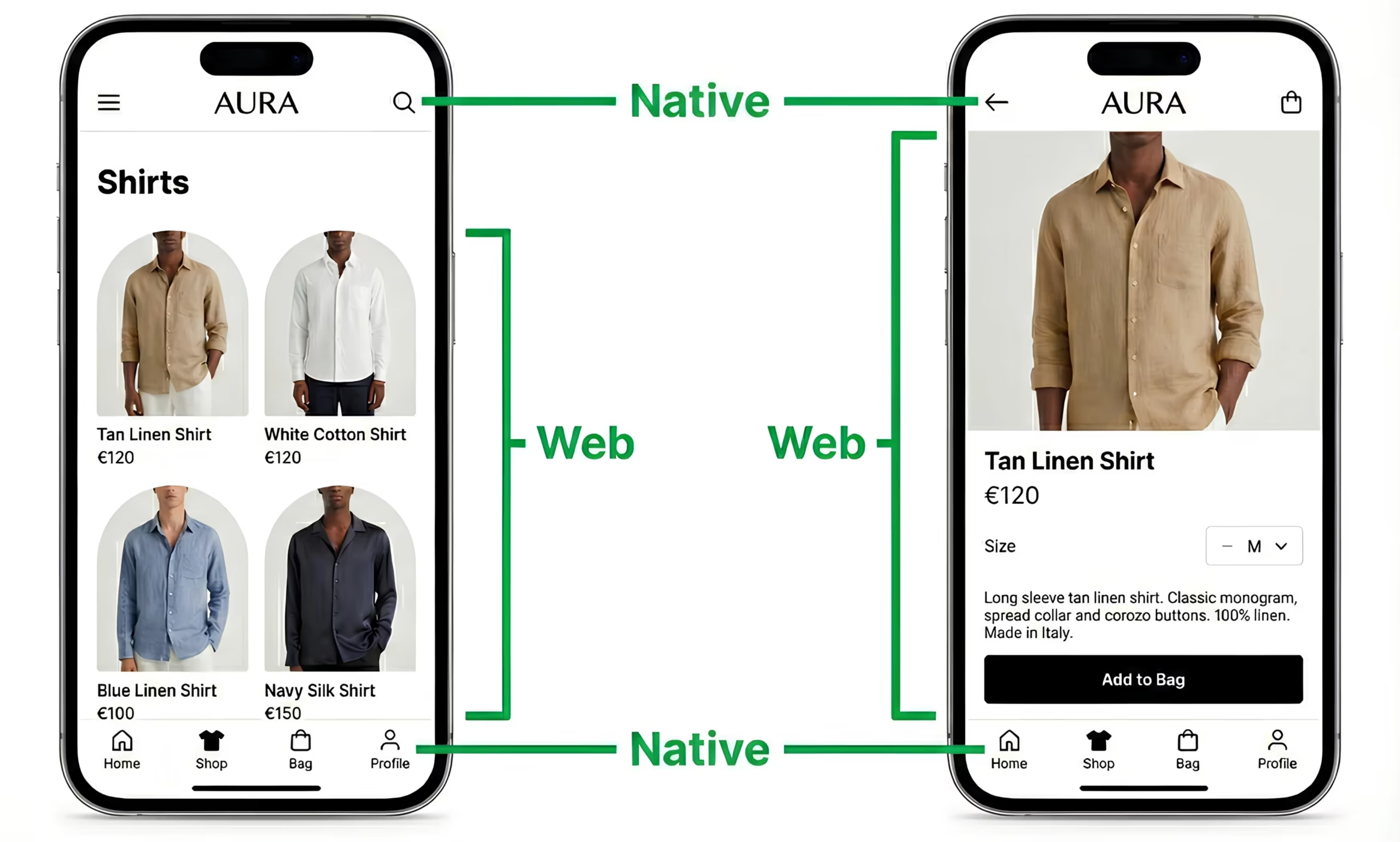
    Think of it like a high-quality picture frame (the native container) displaying a responsive website (the embedded browser engine). The frame gives you App Store distribution, push notifications, and a home screen icon. The content inside gives you the interface.
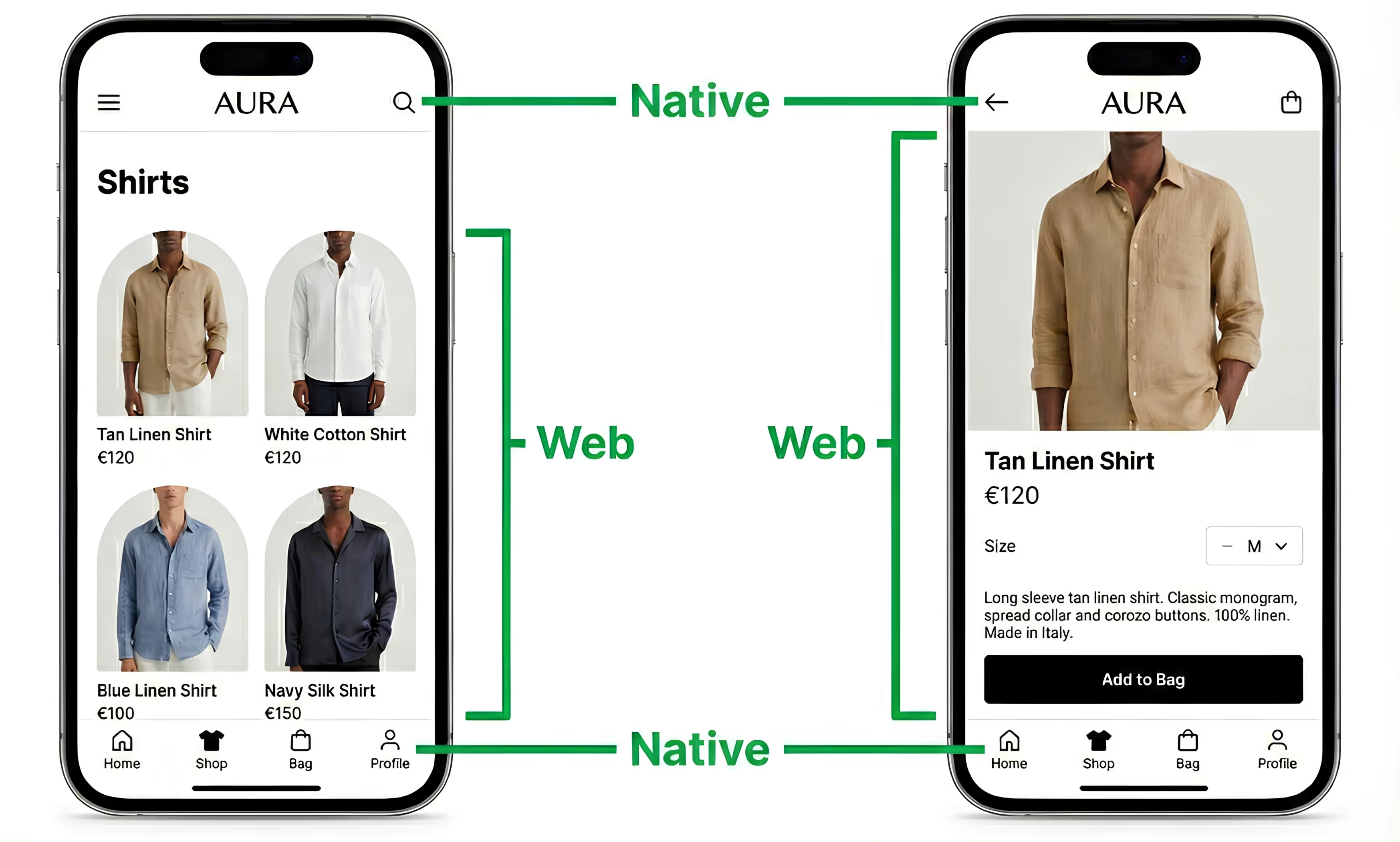
    Hybrid apps keep your web experience at the core, then add native layers where they actually matter.

    The Bridge

    The bridge is what connects your JavaScript code to native device capabilities. When your app needs the camera, GPS, biometric authentication, or file system access, it calls a plugin that communicates through this JavaScript-to-native bridge.

    Frameworks like Capacitor (Ionic’s native runtime) and Apache Cordova provide the bridge and a library of plugins that handle the most common native features. Capacitor offers 100+ official and community plugins covering push notifications, camera, geolocation, biometrics, and more.

    This bridge is what separates a hybrid app from a mobile website. A website opened in Safari or Chrome can’t send push notifications, can’t appear on the home screen without a browser prompt, and has limited access to device hardware. A hybrid app, running inside a native container with a bridge to native APIs, gets all of that.

    Hybrid vs Cross-Platform vs Native vs PWA: What’s The Difference?

    An “app” can mean many things, and there are many different ways to build a mobile app. The best way to understand hybrid app development is to compare it to these other commonly used app development methods.

    Here’s what’s involved with each approach:

    Hybrid Cross-Platform Native PWA
    How it works Web tech rendered in embedded browser inside native container Shared code compiled to native components or custom rendering engine Platform-specific code, platform-specific UI Web app with service workers, runs in browser
    Core languages HTML, CSS, JavaScript JavaScript (RN), Dart (Flutter), C# (MAUI) Swift/Obj-C (iOS), Kotlin/Java (Android) HTML, CSS, JavaScript
    Key frameworks Ionic, Capacitor, Cordova React Native, Flutter, .NET MAUI, KMP Xcode, Android Studio None (browser APIs)
    Performance Good Near-native Best Web-speed
    App Store Yes Yes Yes Limited (no iOS)
    Push notifications Yes Yes Yes Partial (limited on iOS)
    New codebase Yes (web-based) Yes (framework-specific) Yes (per platform) No
    Best for Content apps, MVPs, internal tools Complex apps, teams with RN/Flutter skills Performance-critical, platform-specific apps Simple web-based functionality

    There’s one key distinction most articles get wrong: React Native and Flutter are not hybrid frameworks. They’re cross-platform frameworks. The difference is architectural.

    • Hybrid frameworks (Ionic, Capacitor, Cordova) render your interface through an embedded browser engine. Your code is HTML, CSS, and JavaScript displayed in a native-hosted browser.
    • Cross-platform frameworks (React Native, Flutter, .NET MAUI, Kotlin Multiplatform) either compile your code to native UI components (React Native) or use a custom rendering engine (Flutter uses Skia/Impeller). No browser engine involved.

    The architecture you choose determines performance characteristics, developer requirements, and maintenance patterns.

    It also determines the cost and time it takes to build and launch your app. More complex architecture means more dev hours needed, which means a higher cost, and also means more complexity and cost to maintain.

    What Are the Advantages of Hybrid App Development?

    Hybrid development solves a core problem with mobile apps: the cost of building and managing multiple platforms with separate codebases.

    Hybrid apps let you reach users on iOS, Android, and often the web, all with a lot of the same code. This makes it quicker and cheaper to build, and easier to maintain.

    Here are the top benefits of building your app this way:

    Lower development cost

    Framework-based hybrid development typically costs significantly less than fully native development. There’s less code to write, less duplication, and thus fewer billable hours to go from idea to launch.

    Faster time-to-market

    As mentioned above, you can go live faster. Not only does that mean a lower cost, it also means it’s sooner you’re able to start earning revenue from your app.

    Wider developer talent pool

    JavaScript is the most widely used programming language in the world. Hybrid development is a lot closer and a lot easier to understand for traditional web developers, meaning you’ll likely have a wider pool of developers to choose from, compared to native apps requiring specialized native iOS and Android developers, who are scarcer and typically charge more.

    Full App Store and Google Play distribution

    Unlike PWAs, hybrid apps get full app store presence: search visibility, ratings and reviews, automatic update distribution, and the trust signal of being a “real” app that customers can download and keep on their home screen.

    Native device features

    Also unlike PWAs, hybrid apps can tap into some native device features (e.g. native push notifications). Plugin ecosystems like Capacitor’s 100+ plugins bridge the gap between web capabilities and native device APIs.

    Simpler maintenance

    You have one codebase to maintain for iOS and Android. Depending on your architecture, that may also include your website as well, in which case you could update once (your website) and see your changes go live on the web, Android and iOS simultaneously.

    What Are the Limitations of Hybrid Apps?

    Hybrid apps have real limitations. But they’re narrower than most articles suggest, and for the majority of business use cases, they don’t materially affect the end user experience.

    Performance ceiling for graphics-heavy apps

    Rendering through an embedded browser engine adds overhead compared to native UI. This matters for games, AR/VR experiences, real-time video processing, and apps with complex custom animations. It doesn’t meaningfully affect ecommerce stores, content apps, business tools, or any app where the interface is primarily text, images, forms, and navigation.

    Platform-specific features may lag

    When Apple or Google ships a new OS feature (iOS Live Activities, Android’s foldable display support), native apps get same-day access. Hybrid apps wait for plugin or framework updates, which can take weeks or months depending on the feature.

    Browser engine inconsistencies

    WKWebView on iOS and Android’s WebView don’t render identically in every edge case. CSS rendering quirks, scroll behavior differences, and JavaScript execution timing can vary. Thorough cross-device testing catches most issues, but it’s an ongoing consideration.

    Plugin dependency

    Native device access relies on third-party or framework-maintained plugins. If a plugin is abandoned or poorly maintained, you inherit that maintenance burden. Capacitor’s ecosystem is healthier than Cordova’s (and still actively maintained by the Ionic team), but the dependency risk exists.

    Not the right choice for every app

    Games, AR/VR, real-time collaboration tools, and apps requiring heavy GPU processing should go native or use a compiled cross-platform framework like Flutter or React Native.

    For context: these limitations affect a relatively small slice of app use cases. Many apps don’t require high-end performance or deep native capabilities. With ecommerce apps, for example, as well as content sites and many SaaS companion apps, the user is unlikely to notice any meaningful difference in performance between hybrid vs native.

    This is why many of the world’s biggest apps use hybrid architectures in some way – because Gmail and Amazon don’t need that much more than what’s already possible on the web.

    What Are the Best Frameworks for Hybrid App Development?

    The right framework depends on which category of mobile development you actually need. Here’s how the major options break down, grouped by architecture.

    True Hybrid Frameworks

    These frameworks are what’s commonly used to build true “hybrid” apps.

    Ionic + Capacitor is the dominant hybrid framework in 2026. Ionic provides the UI component library, and Capacitor (which replaced Apache Cordova as the native runtime layer) handles the bridge to native device APIs. The Ionic ecosystem has over 5 million developers and powers apps for Southwest Airlines, Burger King, Shipt, and H&R Block. Open source, with enterprise support available.

    Apache Cordova is the original hybrid framework, dating back to 2011 (originally PhoneGap, developed by Adobe). Still functional and widely used in legacy projects, but declining. Capacitor is the successor for most new development. If you’re starting a new project, start with Capacitor.

    Framework7 is a lightweight alternative focused on delivering iOS and Material Design look-and-feel. Good for simpler apps where you want native-feeling UI without a heavy framework. Smaller community and ecosystem than Ionic.

    Cross-Platform Frameworks

    People often refer to hybrid and cross-platform interchangeably; so in some cases, you’ll find people refer to these frameworks in the context of hybrid app development.

    React Native (Meta) compiles JavaScript and React components to native UI elements. It does not use a browser engine. Used by Instagram, Discord, Bloomberg, and Shopify POS. Largest cross-platform ecosystem and the highest hiring demand among cross-platform frameworks.

    Flutter (Google) uses its own rendering engine (Skia/Impeller) to draw every pixel on screen. Also not browser-based. Used by BMW, Alibaba, and Google Ads. The fastest-growing cross-platform framework, with a strong developer experience and a single language (Dart) for UI and logic.

    .NET MAUI (Microsoft) is the successor to Xamarin. Compiles C# to native code. Used by UPS Mobile and NBC Sports Next. Best for teams already working in the .NET ecosystem who want to leverage existing C# skills.

    Kotlin Multiplatform (KMP) (JetBrains) lets you share business logic in Kotlin across platforms while writing native UI per platform. Rising rapidly, especially among teams with existing Kotlin expertise. Netflix uses KMP for shared logic across its mobile apps.

    Hybrid App Services

    There’s a final category – managed services that utilize the same kind of hybrid approach, combining web and native elements to build your app, but without the technical lift required from frameworks like Ionic and Capacitor.

    Vendrux converts your existing website into native iOS and Android apps. There’s no new codebase, no framework to learn, no separate development team. 

    Your website is the app. Updates to your site flow through automatically. Vendrux’s team handles the App Store submission, push notification infrastructure, and ongoing technical maintenance. 

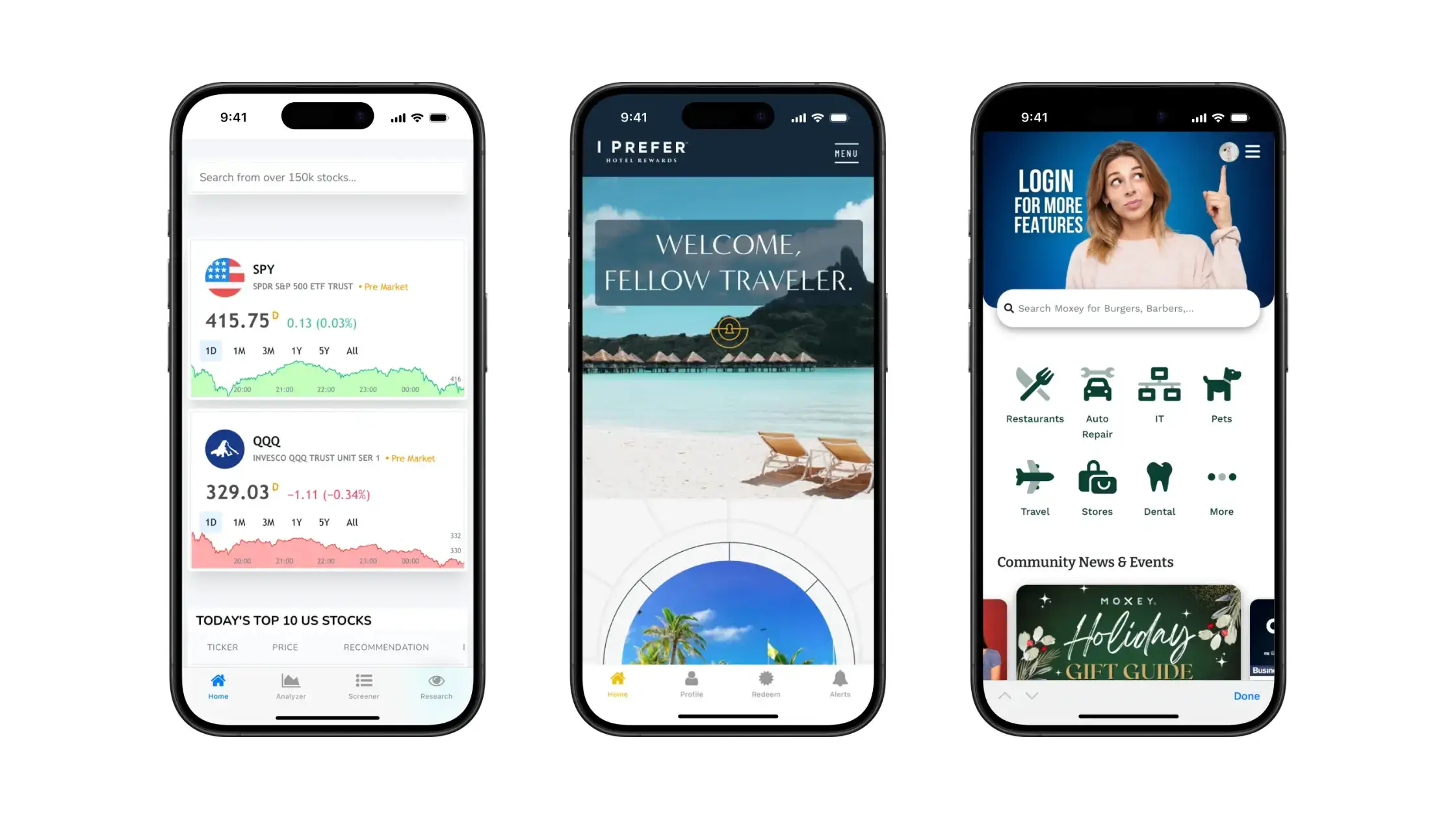
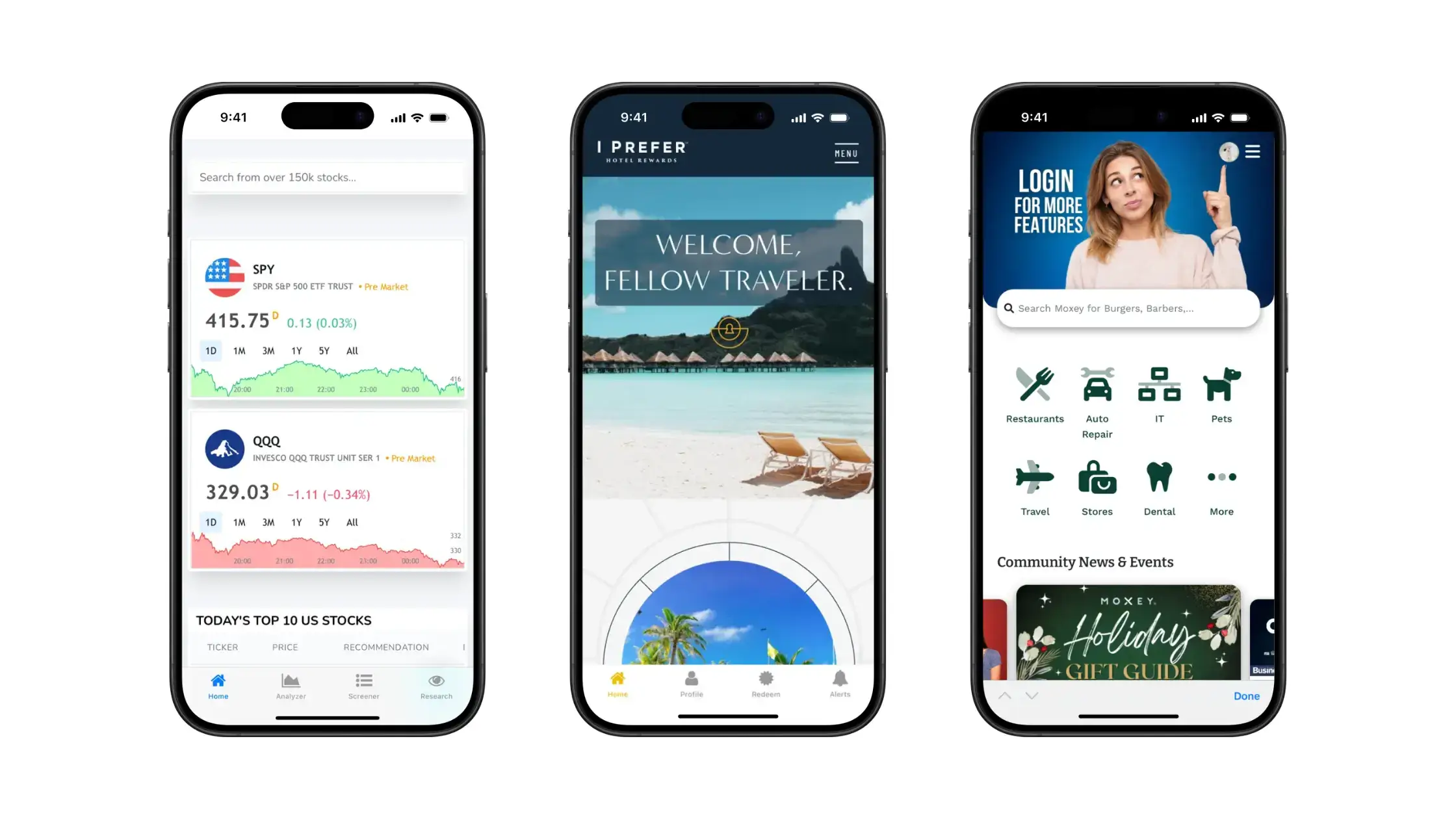
    Some of the apps built with Vendrux

    This is one of the best ways for ecommerce stores, in particular, to go live with their own mobile apps, while keeping the cost and technical complexity to a minimum.

    “I liked the fact that you guys were able to duplicate the website into an app, and actually make it look like an app, with real app features. That was what made me choose Vendrux.” –
    – Raphael Faccarello, Head of Ecommerce, Yon-Ka Paris

    Framework Category Language Best For
    Ionic / Capacitor Hybrid JS / TypeScript Content apps, internal tools, MVPs
    Apache Cordova Hybrid JavaScript Legacy projects
    React Native Cross-platform JavaScript Complex apps, shared codebase
    Flutter Cross-platform Dart UI-heavy apps, startups
    .NET MAUI Cross-platform C# Enterprise .NET teams
    KMP Cross-platform Kotlin Shared logic, native UI
    Vendrux Hybrid (service) Your existing stack Ecommerce

    For a deeper comparison of frameworks, features, and use cases, see our guide to the best hybrid app development frameworks.

    How Much Does Hybrid App Development Cost?

    Hybrid app development typically costs $20,000-$100,000 for a framework-based build, compared to $50,000-$250,000 per platform for native development, according to industry benchmarks.

    But initial build cost is only part of the picture. What matters is total cost of ownership over the life of the app.

    The initial build typically accounts for only 30-40% of total cost of ownership. The rest comes from ongoing maintenance: OS compatibility updates, plugin upgrades, feature additions, bug fixes, and developer hiring. Maintenance typically runs 15-20% of the original build cost annually.

    Over five years, a $75,000 hybrid build becomes $130,000-$150,000 once you factor in maintenance. A $200,000 native build (for one platform; double it for two) becomes $450,000+.

    A managed website to app service like Vendrux bundles maintenance into the subscription. OS updates, app store compliance, and ongoing technical support are handled for you, which makes total cost more predictable and typically lower than any build-from-scratch approach.

    Approach Initial Build Timeline Annual Maintenance
    Native (2 platforms) $100K-$500K 6-12 months 15-20% of build cost
    Hybrid (framework) $20K-$100K 3-6 months 15-20% of build cost
    Cross-platform $30K-$150K 3-8 months 15-20% of build cost
    Vendrux Setup fee + $1,499/mo 6-8 weeks Included

    When Should You Choose Hybrid Over Native or Cross-Platform?

    The right approach depends on four things: what your app needs to do, what you already have, your budget, and your timeline.

    • For performance-critical apps, such as gaming, AR, video streaming, native development is typically required. You need the power, and users will notice the difference.
    • For relatively complex apps, designed to provide a standalone app experience (i.e. built app-first; an app to control headphone settings, a meditation app, a messaging app), a cross-platform framework may be best.
    • For many more straightforward apps – even standalone apps, internal business tools – hybrid development is typically best, because they’re easier and more affordable to build and maintain.
    • For web-first brands, looking to extend what they’ve already built into a mobile app (ecommerce brands in particular), a managed approach like Vendrux is the best option.

    Vendrux’s web-to-app approach turns your existing site into a native app without a new codebase, a new team, or a new development cycle. For ecommerce brands this is the best and most cost-effective path to the App Store and Google Play. 

    For a deeper look at this approach, see our comparison of web-to-app vs traditional hybrid development.

    “When I heard about Vendrux and that we could turn our website into a native app without additional development resources, it made perfect sense.”
    — Steven Kachtan, CIO, buybuyBaby

    Examples of Successful Hybrid and Web-to-App Projects

    Hybrid and web-to-app development powers apps across industries, from consumer brands to enterprise.

    Burger King built its consumer food ordering app using Ionic, delivering order-ahead, in-store pickup, and loyalty rewards on both iOS and Android from a single codebase. One of many high-traffic consumer apps that run on hybrid architecture.

    Bloomberg uses a cross-platform approach to serve millions of professional users with financial data, news, and real-time market information across both platforms. A good example of cross-platform at enterprise scale, where shared code reduces the burden on a large engineering organization.

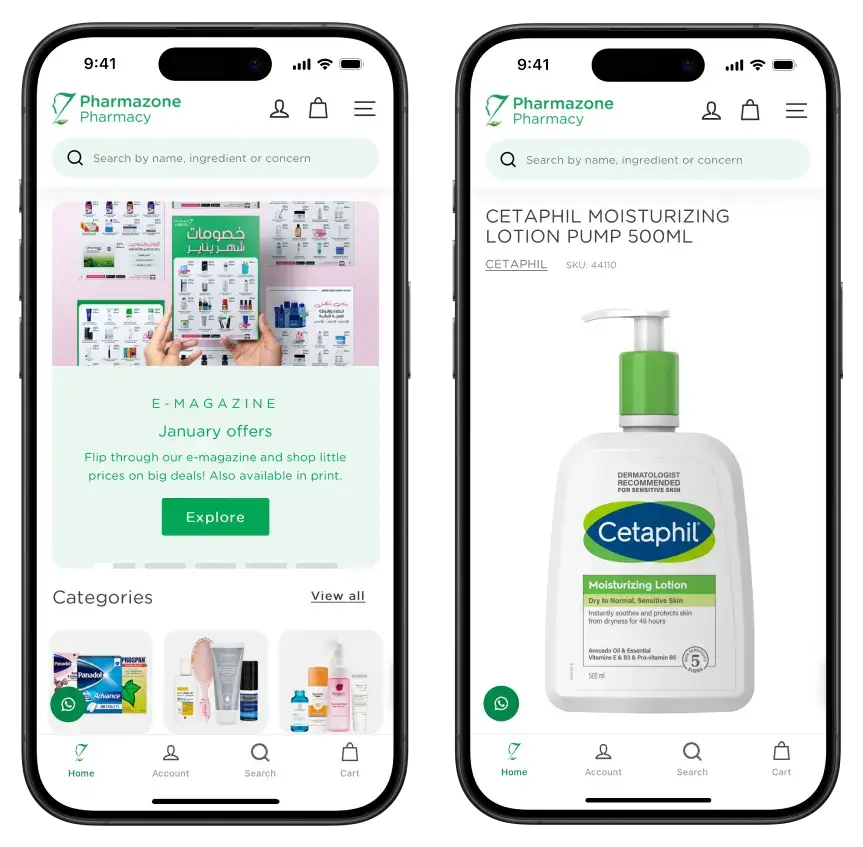
    Pharmazone, an online pharmacy on Shopify, used Vendrux to turn their existing website into native iOS and Android apps. The app launched in under two weeks and now generates 63% of Pharmazone’s total online revenue. Push notifications, App Store presence, and native app features, all built on top of their existing Shopify store.

    Southwest Airlines uses Ionic for its mobile app, handling boarding passes, flight check-in, and booking across both platforms. Proves that hybrid architecture can handle mission-critical, high-frequency consumer functionality.

    For more examples across industries, see our complete list of successful hybrid app examples.

    How to Build a Hybrid Mobile App (Step by Step)

    Building a hybrid app follows six stages, from requirements through App Store launch. Framework-based builds typically take 3-6 months; web-to-app can be done in 2-4 weeks.

    1. Define requirements and choose your approach. What does your app need to do? What do you already have (an existing website, a design system, a backend)? Use the decision framework above to determine whether hybrid, cross-platform, or web-to-app fits best. This decision shapes everything downstream.
    2. Set up the development environment. For framework-based hybrid development: install Node.js, the framework CLI (e.g., npm install -g @ionic/cli), and the platform SDKs (Xcode for iOS, Android Studio for Android). For web-to-app: connect your website to Vendrux’s platform. No local development environment needed.
    3. Build the interface. For framework-based builds, this means creating HTML, CSS, and JavaScript components using Ionic’s UI library or your own design system. For cross-platform, you’ll write in the framework’s language (JSX for React Native, Dart for Flutter). For web-to-app, your existing website is the interface.
    4. Integrate native features. Add plugins for push notifications, camera access, biometric authentication, deep linking, and offline caching. Capacitor and Cordova provide plugin libraries for common native features. Web-to-app platforms handle native integration on your behalf.
    5. Test across devices and platforms. Test on real iOS and Android devices, not only simulators. Check browser engine rendering consistency, plugin behavior across OS versions, offline mode, push notification delivery, and deep link routing. Plan for differences between how WKWebView on iOS and Android’s browser engine handle edge cases.
    6. Submit to App Store and Google Play. Prepare app store screenshots, descriptions, privacy policy links, and content ratings. Apple’s review process takes 1-7 days. Google Play review takes hours to a few days. Plan for potential rejection and revision cycles, especially on Apple’s side where review guidelines are stricter.

    Mobile apps without the hassle

    Even hybrid app development via Ionic/Capacitor is no simple task.

    Vendrux gets you to the same result, much faster, much cheaper, and with less technical complexity. For web-first brands, it’s just better.

    Get a free app preview

    Your Website Can Be Your App

    If you’ve read this far, you likely fall into one of two camps: either you’re a developer evaluating frameworks for a build, or you’re a business leader trying to figure out the fastest, most practical way to get a mobile app.

    If you’re in the second camp, and you already have a website that works well on mobile, the answer may be simpler than you think. Vendrux turns your existing website into native iOS and Android apps, with push notifications, App Store distribution, and a team that handles the build, submission, and ongoing maintenance for you.

    No framework to learn. No new codebase. No separate development team.

    Get a free app preview to see what your website looks like as a mobile app. You’ll get an idea of what’s possible, why you really don’t need a custom build, and get a concrete picture of what it takes to go live with your own, branded mobile app.
  • Should You Turn Your Website into a Native App or a PWA? Pros & Cons

    Should You Turn Your Website into a Native App or a PWA? Pros & Cons

    In the 2020s, mobile is the most critical channel for growth for businesses operating online.

    Mobile internet usage continues to grow, as does the mobile commerce market, with more than 70% of all traffic to online stores coming on mobile.

    Modern businesses absolutely have to think about how best to engage customers on mobile. In here is a choice – invest in a native app, or go the Progressive Web App (PWA) route.

    Both have pros and cons, and each business has their own criteria that impacts their decision in going from website to app.

    In this article, we’ll help you decide, by breaking down the case for each, and finishing up with a recommendation on the most effective way to boost mobile engagement for your business.

    The Core Difference Between Native Apps and PWAs

    First, let’s clarify the difference between a native app and a Progressive Web App.

    Native apps are built specifically for iOS or Android platforms, distributed through app stores, and installed on users’ devices. They can fully access device features like cameras, GPS, and push notifications.

    Progressive Web Apps (aka PWAs) are enhanced websites that provide app-like experiences without requiring installation. Users access them through browsers, can add them to home screens, and can even use them offline.

    In short – a native app runs directly on the user’s device, while a PWA runs in the browser.

    To read more, check out our deep dive on the topic: Progressive Web Apps vs Native Apps

    The Case for Native Apps vs PWAs

    Now we’re going to look at the case for each option, broken down by several key categories.

    User Engagement and Retention

    A successful mobile strategy ultimately hinges on how well it keeps users engaged and coming back.

    Native apps excel at engaging users who have already installed them. The app icon on a home screen serves as a constant reminder, and push notifications reliably bring users back. When users commit to installing your app, they typically become your most valuable customers.

    The challenge? Getting users to install in the first place.

    Research shows 51% of consumers download zero new apps in an average month. Even when installed, 71% of app users churn within three months.

    PWAs have a clearer path to boosting engagement, with no installation required. However, the benefits aren’t as deep, especially when it comes to retention.

    When someone downloads your native app, there’s a deep connection built that leads them to come back. PWAs don’t have the same stickiness.

    Bottom line: Native apps offer greater benefits for engagement and retention; assuming you can get people to download your apps.

    Discoverability and Acquisition

    How customers find you significantly impacts which approach works best.

    Native apps rely on app stores for distribution, or the brand’s own channels.

    While app stores provide a discovery channel, competition is fierce among 2.5+ million apps. Unless your app ranks highly or gets featured, organic discovery remains limited. 

    However, app store acquisition is less of a factor when it comes to converting your website into an app. Since you already have an audience, via your website (as well as other channels, like email), you can leverage these channels to get app users a lot easier than someone launching an app at square one.

    PWAs are certainly more discoverable. They are, for all intents and purposes, websites, and are indexed and discovered via search just as a typical website is, making acquisition more straightforward.

    Bottom line: PWAs are more widely discoverable than native apps, and acquisition is easier (with no download required).

    Performance and Capabilities

    Native apps are known for optimized performance and smooth experiences, especially for graphics-intensive tasks. They can integrate deeply with device features and other apps installed on the device.

    PWAs have made significant strides in performance capabilities. A well-optimized PWA can outperform a poorly coded native app.

    While PWAs continue gaining access to more device features, some capabilities remain limited. 

    If your business requires deep device integration or specialized features, native apps may hold the advantage.

    Bottom line: Native apps will typically outperform Progressive Web Apps (though web technologies are closing the gap).

    Revenue Potential and Monetization

    PWAs show intriguing benefits for conversions, particularly for ecommerce brands. 

    • AliExpress built a PWA and saw a 104% increase in conversion rates for new users. 
    • Lancôme opted against a native app in favor of a PWA and achieved a 17% increase in overall conversions. 
    • Debenhams’ PWA resulted in mobile revenue rising by 40%.

    However, native mobile apps provide similar results, with better LTV potential due to increase retention rates.

    Bottom line: Both PWAs and native apps are great ways to drive more business revenue. PWAs may drive more revenue short-term, due to higher discoverability, but long-term revenue is in favor of native apps.

    Development Costs and ROI

    Native app development typically means building separate codebases for iOS and Android, or using cross-platform frameworks like React Native or Flutter – all of which take significant development resources.

    You’ll still maintain a website in most cases, effectively managing three separate platforms.

    A PWA represents an upgrade of your existing web application using a single codebase that serves all platforms. 

    Development time for a PWA is often a fraction of that for a native app – studies found creating a PWA can be 3-8 times cheaper than a native app. Maintenance is unified, with bug fixes and feature additions happening once for all users.

    So, on the surface, PWAs are a LOT cheaper and faster and easier to manage.

    However, with services like Vendrux, the website to app process is much, much cheaper than traditional development, while allowing you to maintain just one codebase, as with PWAs.

    Bottom line: Traditional app development is extremely expensive, but modern solutions like MoibLoud make website to native app conversion only a little more expensive than PWA (and overhead is roughly equal). With that in mind, ROI is likely to be higher with a native app, with higher LTV potential.

    When to Choose Each Approach

    Based on these considerations, here’s guidance for different business types:

    For online businesses (such as ecommerce stores), a PWA often represents the logical first step. 

    It improves the experience for the majority of users who find you via web search or ads, leading to higher conversions and revenue. 

    A native app might serve as a second-phase investment to engage your most loyal customers with features like loyalty rewards and personalized offers.

    For digital publishers, a robust PWA is essential. 

    Your growth and ad revenue depend on capturing visitors from search or social and encouraging them to read more content. A native app may play a role for premium subscribers who want curated, ad-free, or offline reading experiences.

    For SaaS companies, if your product is primarily desktop-based with mobile as a “nice-to-have” for quick checks, a PWA can perfectly fill that gap. 

    However, if mobile usage represents a core part of your service’s value, investing in a native app can significantly enhance user satisfaction.

    The Combined Approach (Native App + PWA)

    Realistically, there’s no need to choose just one or the other. Many successful businesses use both channels to maximize reach and engagement.

    Start by ensuring your mobile web experience is top-notch (PWA) as the foundation. This immediately improves engagement and conversion across all users.

    From there, you can turn your Progressive Web App into a native app, and enjoy all the benefits of both assets.

    Users who visit you via the web will get the PWA experience; while your most loyal, engaged users can download your native app.

    This is a fantastic approach for ecommerce stores, digital publishers, and any other web-first businesses that have a significant amount of mobile traffic, and are looking to increase engagement from new users, while at the same time driving more long-term revenue from their top customer segments.

    Bottom Line: PWA is Nice – But Native is Better (and Both is an Option)

    Building a Progressive Web App is a smart move for improving mobile web performance and boosting conversions from search and ad traffic. 

    But they still have limitations. PWAs can’t fully match the visibility, engagement, and retention power of a true native app.

    It’s a great start – and the best approach is to build a PWA, then turn it into a native app.

    That’s where Vendrux comes in. We help you go beyond the browser by turning your existing website (or PWA) into fully functional iOS and Android apps – without a rebuild, extra code, or added maintenance. 

    __wf_reserved_inherit
    A few examples of apps built with Vendrux

    With Vendrux, you unlock an app store presence, home screen visibility, and the ability to send high-converting push notifications that actually get seen. 

    Many businesses start with a PWA to improve mobile UX, then level up with a native app to capture loyal users and boost repeat revenue. 

    With Vendrux’s done-for-you service, you don’t have to choose. Your website powers both experiences, and we handle the rest.

    All this comes for a fraction of the cost of traditional native development – leveling the playing field between native apps and PWAs.

    If you want to see what’s possible, get a free preview of your app now, and we’ll show you just how easy it is to turn your mobile-optimized website into a high-converting native app.

  • What’s the ROI of Turning Your Website into a Mobile App?

    What’s the ROI of Turning Your Website into a Mobile App?

    There’s one question that really matters if you’re considering launching a mobile app for your ecommerce or retail brand: what’s the ROI?

    Not “should we have an app,” or “what features does it have,” but how does the app contribute measurable business results?

    When approached strategically, mobile apps are one of the most valuable, highest-ROI channels you can invest in – especially when your app is built on top of your existing website, without starting from scratch.

    Let’s break down what that ROI looks like, and how to make it work in your favor.

    We created a tool that makes it easy to get an estimate of your app’s ROI, in a matter of seconds. Check out our Ecommerce App Revenue Calculator to see what you stand to gain by launching an app.

    ROI Starts With the Right Investment

    Let’s be clear: ROI isn’t just about how much return you get. It’s about the balance between the return and the investment. And for many brands, the investment side is where things fall apart.

    Custom native apps often cost $100,000+ to develop. And that’s before ongoing maintenance, dev time, and the months-long timeline to launch. That kind of investment makes a positive ROI tough, especially for growing brands.

    The traditional app development model presents several challenges that impact ROI:

    • Extended development timelines of 6-12 months delay your time-to-market and revenue generation
    • Technical debt accumulates with every platform update and OS change
    • Specialized developer talent is expensive and often hard to retain
    • Feature parity with your website requires constant synchronization and updates

    That’s where Vendrux comes in.

    Instead of rebuilding your site from scratch, we turn your existing website into a mobile app, fast, affordably, and with a fully-managed team behind you. There’s:

    • No code or technical work on your side
    • No duplicate platforms to maintain
    • No revenue share
    • And your app is ready to launch in under 30 days

    This approach transforms the investment equation completely. When you convert your existing web presence into an app, you’re leveraging assets you’ve already built and optimized, dramatically reducing both upfront costs and ongoing maintenance.

    By minimizing upfront costs and launch timelines, we make ROI from mobile apps realistic and achievable, not just a nice idea.

    Want to see what’s possible with Vendrux? Get a free preview of your app now.

    Where the ROI Comes From: Why Apps Drive Long-Term Value

    Mobile apps aren’t meant to replace your website. They add a new, high-engagement channel that lives on your customers’ phones, giving you more touchpoints, more loyalty, and more long-term value.

    Let’s look at what drives that ROI:

    More Frequent User Sessions

    Your app lives on your customers’ home screens. It’s one tap away; always visible, always accessible.

    That visibility leads to habit. Your most loyal customers open your app 2–3x more often than they visit your mobile website.

    The psychology behind this is powerful:

    • Reduced friction: Opening an app takes 1 second vs 15+ seconds to type a URL, wait for loading, and potentially log in again
    • Visual triggers: App icons serve as constant reminders of your brand
    • Reciprocity effect: Once a customer downloads your app, they’re psychologically more committed to using it

    This increased session frequency compounds over time. If your average customer visits your mobile site 2x monthly, app users might visit 6x monthly – a 200% increase in opportunities to convert.

    More sessions = more revenue opportunities.

    Longer Session Durations

    Apps are smoother, faster, and easier to navigate than a mobile browser (even if the user experience is largely the same).

    They load faster, have more space on the screen to work with, and don’t have the distractions or constraints of browsers.

    That means users stay longer, browse more, and spend more time with your products. And longer sessions correlate strongly with higher order values and increased conversions.

    Higher Conversion Rates

    Mobile web has friction – tabs, logins, slow loads, distractions.

    Apps remove that friction and offer a more trusted, native-feeling experience. The result? App users convert at up to 2x the rate of mobile web visitors.

    This conversion advantage comes from:

    • Persistent login state: No need to re-enter credentials
    • Saved payment methods: One-tap checkout possibilities
    • Saved shipping details: Reducing checkout abandonment
    • Trust factor: Having your app installed signals a different relationship level
    • Focused environment: No browser tabs or distractions competing for attention

    For a brand with a 2% mobile web conversion rate, achieving a 4% app conversion rate represents a 100% efficiency improvement in your selling environment.

    Larger Average Order Values

    Your most loyal shoppers are the ones downloading your app.

    These users aren’t window-shopping. They’re more intentional, more invested, and more likely to spend more per session.

    With faster checkout, smoother UX, and tailored push campaigns, AOV naturally increases.

    Push Notifications = Free, High-Impact Revenue

    Push is your owned, direct line to your customers. Unlike email or SMS:

    • Push notifications are completely free to send
    • They’re instantly visible on lock screens
    • And they typically get much higher open rates

    That makes push one of the most profitable tools in your stack.

    Push can be used to:

    And since push costs nothing to send, every sale you generate is pure profit.

    Higher Customer Lifetime Value

    More sessions. More conversions. Higher AOV. And push-driven retention.

    All of this combines to significantly increase your customer LTV over time – one of the most important metrics for your business, especially as paid acquisition is getting more and more expensive.

    For many brands, the mobile app becomes their highest-LTV customer segment within 6 months of launch, outperforming even their best email segments.

    “With 85% of our audience on mobile, launching an app has drastically improved conversion rates and reduced the need for costly remarketing. It’s easily one of the best decisions we’ve made as an online pharmacy.”
    -Ahmed Ayman, Ecommerce Director at Pharmazone

    __wf_reserved_inherit
    Pharmazone’s app drives 15x more revenue per user than their website; and 5 figures monthly from abandoned cart notifications alone

    Real Results: What App ROI Looks Like in the Wild

    We’ve worked with more than 2,000 companies, including numerous high-revenue ecommerce & retail brands, to help them launch mobile apps fast, easy, and with minimal investment.

    With Vendrux, brands have seen:

    • 15% increase in AOV
    • 3x more visits per user
    • 7x higher LTV from app users
    • 10%+ incremental revenue from the mobile app (meaning a 10% lift in new revenue – not just cannibalized website sales)
    • Up to 53x ROI

    These aren’t just feel-good stats. They’re bottom-line outcomes that make mobile apps one of the best long-term investments a brand can make – when built the right way.

    Want to see what your website will look like as an app? Get a free, interactive preview in our configuration dashboard – all you need is your website’s URL!

    Why Vendrux Makes It a Sure Bet to Get a Positive ROI

    User behavior is one part of the ROI equation – and mobile apps are proven to produce measurable results for web-first businesses that thrive on repeat engagement.

    But it’s not necessarily a “plug and play” solution to get more revenue.

    You still need to promote your app – you need to maintain it (which can be a drain on resources when you don’t know what you’re doing). And you need the right strategy to drive app sales.

    That’s where Vendrux comes in.

    Not only is Vendrux much more cost-effective up-front than traditional development approaches, our full-service approach delivers a much better long-term ROI (particularly compared to DIY app builders).

    DIY and no-code tools might seem affordable at first, but they come with hidden long-term costs:

    • You’re left to figure out adoption, usage, and engagement on your own
    • There’s no help with promotion or push strategy
    • If your app doesn’t gain traction, your ROI stalls

    With Vendrux, you’re not just getting a tool – you’re getting a team that’s actively invested in your long-term success.

    We make ROI more achievable and sustainable because:

    • We handle everything for you, from setup to store approvals and ongoing updates
    • We provide launch strategy and app promotion support to help you drive adoption
    • We set up and optimize your push notifications, turning your app into a repeat revenue engine
    • We offer ongoing strategic guidance, helping you analyze performance and improve over time

    You’re not left on your own. You have direct access to our North American-based team via calls, Slack, and email – and we stay with you to ensure your app continues to drive value.

    That’s the difference. App builders give you a tool. Vendrux gives you a partner, and a clear path to long-term ROI.

    Final Thought: ROI Starts With the Right Partner

    The potential for ROI is huge. But only if you approach mobile apps with the right strategy, the right economics, and the right team behind you.

    Vendrux makes all of that simple:

    • No rebuilds
    • Fast, affordable launch
    • Fully managed service
    • Strategic support to ensure your app actually drives revenue

    If you want to increase retention, drive repeat purchases, and add a powerful new growth channel without reinventing the wheel, Vendrux is your path to real, measurable ROI from your mobile app.

    Get a preview of your app now to see how close you are to launching a new, powerful revenue channel for your brand.

  • React vs React Native: Key Differences and Use Cases

    React vs React Native: Key Differences and Use Cases

    Understandably, React and React Native often get confused. People often lump them in together, or struggle to understand just how much is shared and how much is unique between these two development frameworks.

    In this article we’ll clear all this up – explaining the key differences, what kind of projects each framework is best suited for, how interchangeable they are, and any alternative frameworks or platforms that you should consider.

    React vs React Native: Mobile vs Web Framework

    Let’s get right to it. The main difference between React and React Native is that React is a framework for building user interfaces for web applications, while React Native is used for building mobile user interfaces for Android apps and iPhone apps.

    They have a lot of similarities – the syntax is similar, both use JavaScript as a foundation, and both utilize reusable components to help developers build powerful applications efficiently.

    However, despite the similarities, the differences in where your app can be deployed with each framework means it’s essential to understand the distinction between React and React Native before you start building an app or hiring developers.

    What is React?

    React (or React JS, React.Js) is an open-source JavaScript library, used primarily for building front-end interfaces for websites and web apps.

    React JS was created by Facebook, and in its early days was used to build Facebook’s news feed.

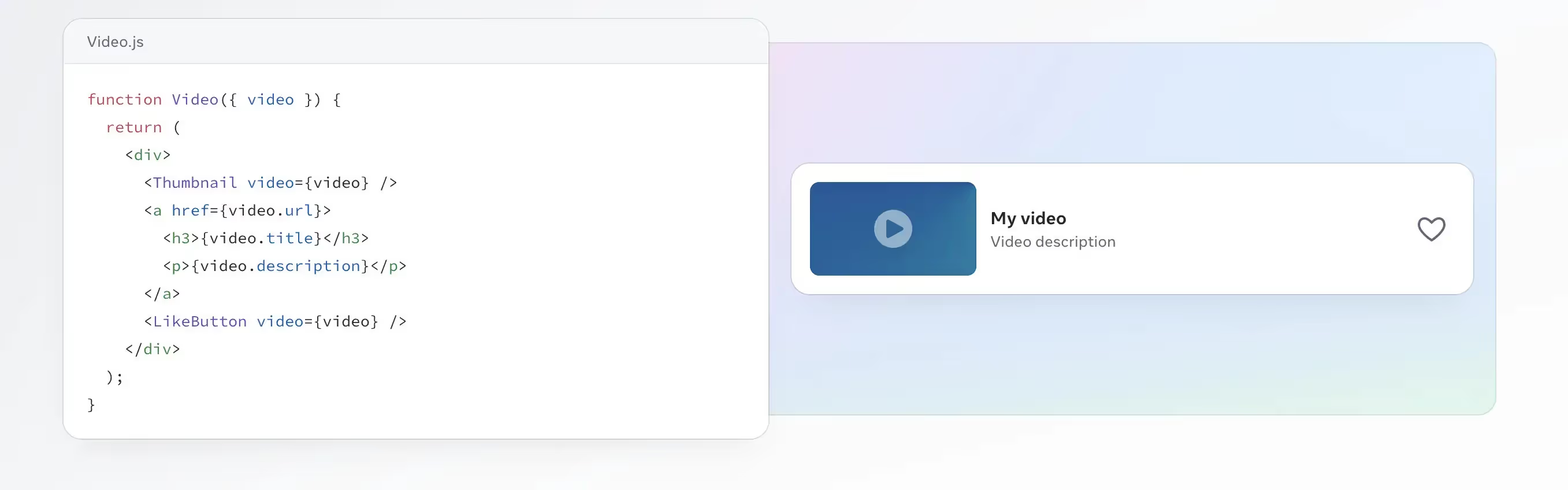
    The main idea of React is to break code down into components, which can be reused and managed independently, increasing scalability and making it easier to build complex user interfaces.

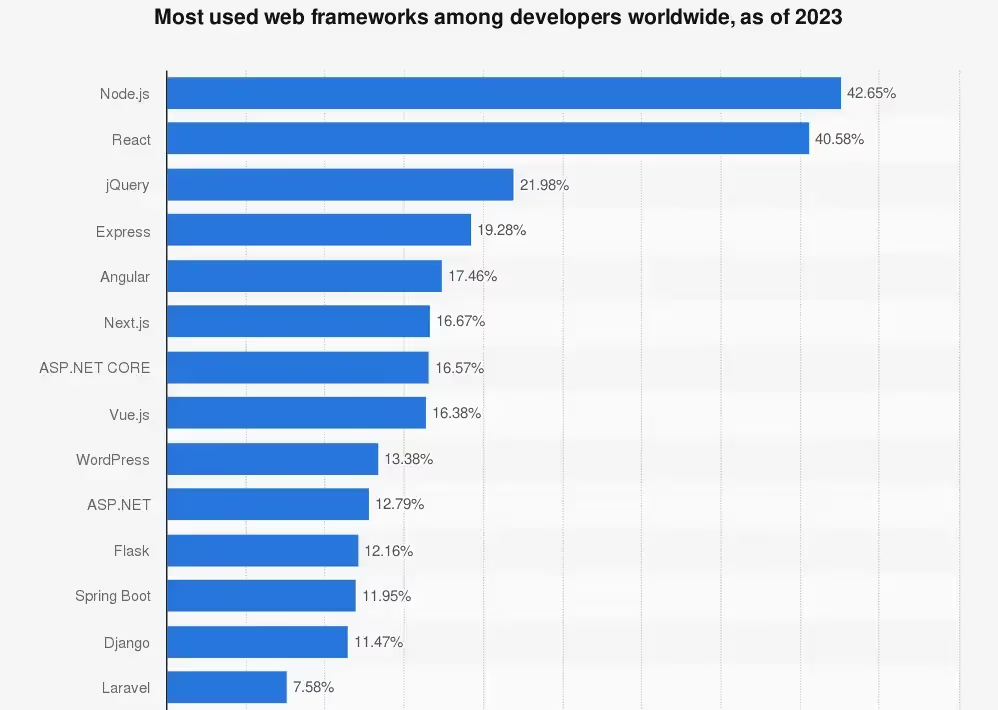
    As of 2023, React was the 2nd most used web framework, according to a worldwide survey of more than 70,000 developers. 40.58% of the respondents said they used React, second only to Node.js.

    React on its own is not a programming language or a full-stack architecture for building web apps. It’s a library that simplifies buidling a user interface of a web app or website, but the actual languages that the app runs on are still the classic HTML, CSS and JavaScript web technologies.

    React today is free and open-source, with an active community of developers working to improve its capabilities.

    A few well-known apps that have used React include Netflix, AirBnb, Codecademy and, of course, Meta’s suite of apps.

    Pros and Cons of React for Web Development

    React is largely considered one of the best, most user-friendly web development frameworks.

    Here’s a summary of the best features of React for web development:

    • React allows fast development and iteration by breaking code down into smaller, reusable components.
    • It utilizes JavaScript, a well-known and widely accessible programming language.
    • React works great for cross-browser, responsive, modern web apps.
    • It has an active community, providing a strong ecosystem for tools, resources, and educational content.

    In terms of cons, there are no major drawbacks to using React for your web app.

    The biggest issue is that it might be complex for anyone who is not already well-versed in JavaScript, particularly as it uses JSX (JavaScript XML), an extension of JavaScript that some feel is more difficult to learn and use.

    React code can become bloated, hurting performance. And since it’s not a full-stack framework, you’ll need to use additional languages and/or frameworks to build a complete web app.

    What is React Native?

    React Native is a JavaScript-based framework used for building mobile applications. In a nutshell, it allows developers to use JavaScript code to create mobile apps that function on multiple operating systems.

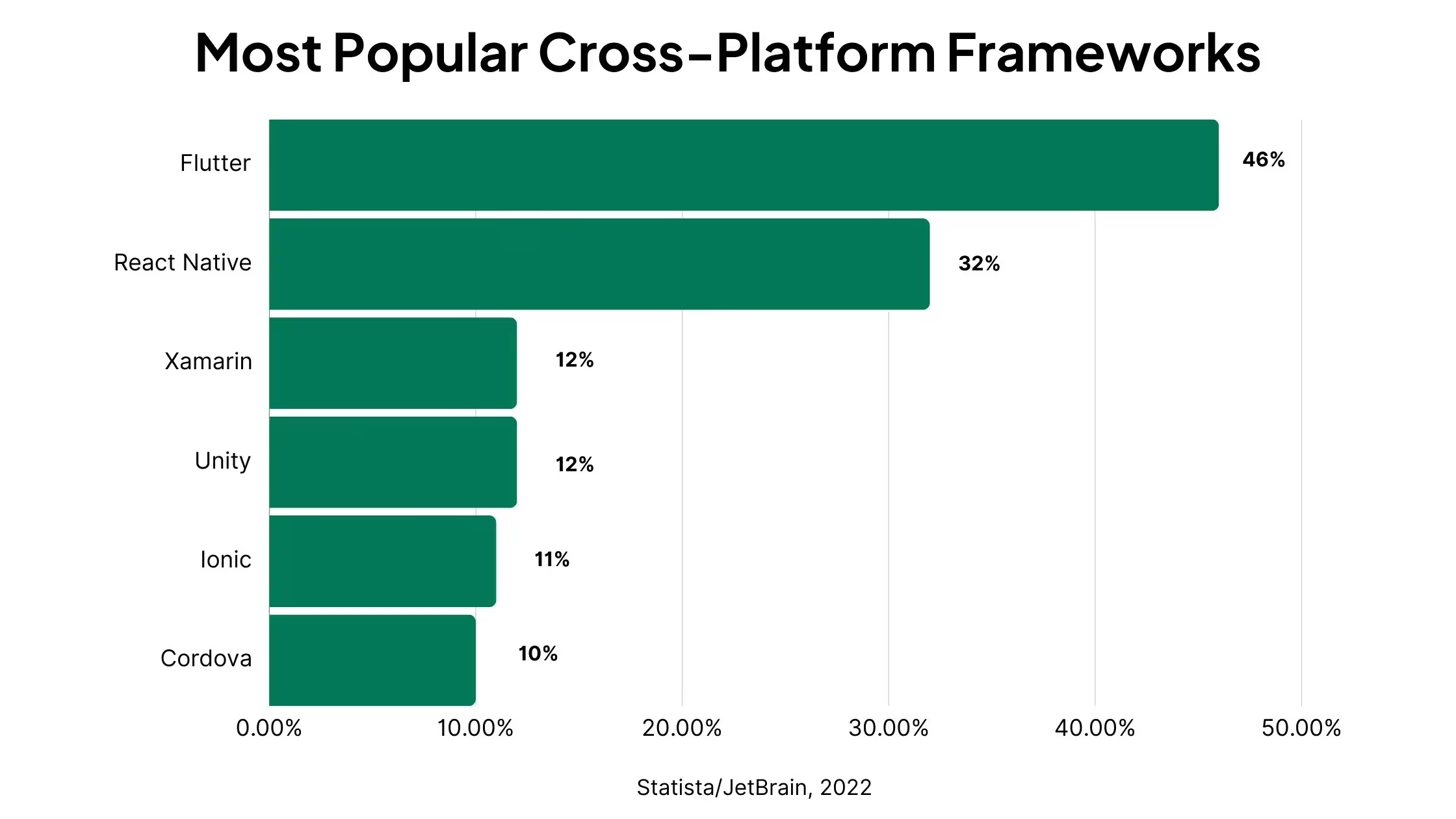
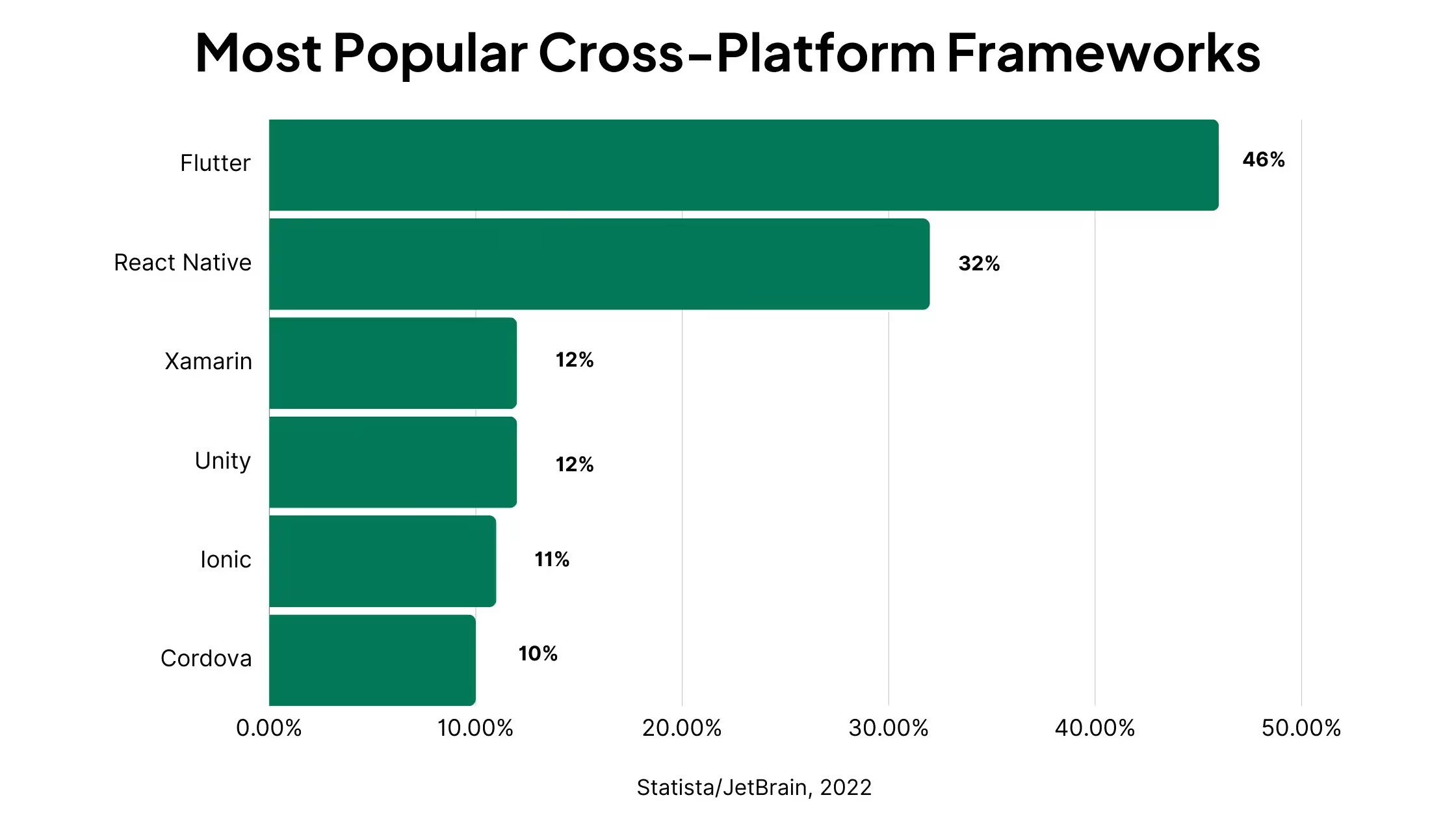
    As of 2022, React Native was the 2nd most popular cross-platform mobile framework, behind Flutter.

    React Native is a JavaScript library used in front-end development, as React is. It lets you write JavaScript code to build native app components, that work the same as code written specifically for a certain operating system.

    Like React JS, React Native is free and open source, and was built by Meta (previously Facebook). React Native is used heavily in the Facebook mobile app, and is also used in Microsoft’s mobile applications, the Amazon Shopping app, Bloomberg, Walmart, Discord and many more.

    For a deeper look, check out this ~20 minute talk from Facebook dev Olivia Bishop talking about React Native, and why it was created:

    Is React Native an Alternative to React JS?

    No.

    React and React Native have two distinct use cases. React JS is used for web apps, React Native for mobile apps.

    React Native is more an extension of React. It essentially lets you use React and JavaScript in mobile development, and build a real mobile app without having to learn and write platform-specific code.

    Pros and Cons of React Native for Mobile Development

    The biggest benefit of React Native is that it enables code reuse, for faster development and deployment of native mobile applications, requiring less work to update and maintain.

    With native mobile development, you need to write apps in specific programming languages for each mobile operating system.

    So if you want to make your app available on iPhone and Android devices, you’ll need two separate codebases, one in Java or Kotlin (for Android), and one in Swift or Objective-C (for iOS).

    React Native lets you write code once, in a language that’s likely more familiar to you, and make your app available on both major mobile platforms.

    Here’s a summary of the benefits (as well the disadvantages) of using React Native to create mobile apps:

    • React Native lets you write one set of code that can be deployed on both Android and iOS, instead of building separate native apps for each platform.
    • A single codebase also makes maintenance much easier, allowing you to make updates to your app once, without having to duplicate changes for each OS.
    • React Native is more accessible than native mobile programming languages. It’s fairly straightforward to learn if you’re proficient in JavaScript, and shares a lot of the same syntax with React and JS.
    • Compared to some other cross-platform or hybrid frameworks, React Native gives a more “native” experience, by using native platform APIs rather than webviews.

    There are not a lot of major downsides to React Native. Here are the biggest issues you might face:

    • React Native applications won’t be able to achieve quite the same performance and functionality of fully native mobile applications.
    • Though cheaper than native development, building an app with React Native is still somewhat complex and not exactly cheap.
    • You may run into limitations if you’re looking to build more complex interfaces with React Native.
    • Debugging may be more difficult if you’re not familiar with native code.
    • You’ll still need a separate codebase if you want to ship both mobile and web apps.

    Biggest Differences Between React and React Native

    Summing up the differences between React and React Native:

    • React (aka React JS) is for web apps or websites, React Native is for mobile apps.
    • React Native integrates with native APIs to run on specific operating systems, while React apps require a web browser and additional web technologies (e.g. HTML and CSS) to work.
    • There are some differences in syntax for React vs React Native.
    • React is older than React Native, with the latter based on largely the same syntax as React JS.
    • React has a larger base of users and ecosystem than React Native (as well as wider demand for React developers).

    Cost of Hiring React Developers vs React Native Developers

    How about differences in cost? Is it cheaper to build a React web app, or a React Native mobile app?

    This cost largely depends on the cost of hiring developers proficient in each framework.

    The cost to hire React vs React Native developers is fairly even.

    Development agency Bacancy puts the average cost of a senior React developer in the US at $121-$140 per hour, and the average cost of a senior React Native developer in the US at $100-$150 per hour.

    ZipRecruiter, on the other hand, doesn’t distinguish between the cost of React developers vs React Native developers, giving an average of $129,348 per year or $62 per hour for both – indicating the overlap between both frameworks.

    So, generally, it’s going to be around the same hourly cost to hire a developer for each one. 

    However, if you’re weighing up development costs, you need to consider how long it will take to ship your app. And in most cases, mobile app development is more complex and takes longer (thus costs more) than developing web applications.

    When to Use React Native vs React

    Deciding between React Native and React is simple.

    If your app is meant to be used on mobile, and don’t need a web version, go with React Native.

    Otherwise, if you want to build cross-platform apps that are available on desktop and mobile, React is likely a better choice.

    You will sacrifice a little on mobile user experience, but your app will still be available to mobile users, through the browser.

    You could also build a Progressive Web App (PWA) with React, which provides some of the benefits of a mobile app while still operating within the browser.

    Alternatives to React

    Other front-end JavaScript frameworks include:

    These frameworks serve a similar purpose to React, and some developers might prefer the capabilities, syntax or performance of one of these alternatives over React.

    Alternatives to React Native

    React Native alternatives include cross-platform frameworks such as:

    Some will also mention Expo as an alternative to React Native, as a React-heavy syntax that allows you to publish cross-platform mobile apps. However, Expo is more like an extension of React Native than an actual alternative.

    Other React Native alternatives include hybrid app tools and services, like Vendrux.

    Instead of coding a cross-platform app from scratch, with Vendrux you can convert an existing web app or website into apps for iOS and Android – which can make things a lot easier if you’ve already built an app using React. 

    Is It Easy to Translate a React Web App to a React Mobile App?

    With the similarities between React and React Native, how easy is it to take a React app built for the web and turn it into mobile apps with React Native?

    The answer: not that easy.

    To start with, it’s not possible to just convert your React web app into a React Native app. It’s not like you can click a button or run a couple of lines of code and turn your React code into React Native.

    React and React Native syntax is similar, but one is made for the web, the other made for mobile operating systems.

    If you want to turn your React app into React Native, you’ll need to go through and rewrite your entire codebase, converting React components in to React Native components.

    You might not need to rewrite each character, but still, checking and altering each line of code will be a huge task for any decent-sized app.

    You’re also likely to run into a lot of errors if you just try and edit your code from React to React Native, so it’ll likely be easier if you start again from scratch.

    And bear in mind that once you’ve finished, you’ll have two codebases to maintain, which means twice the effort required each time you make an update (assuming your mobile and web apps are meant to work the same).

    Long story short: there’s no easy way to convert React to React Native, despite their similarities.

    Should You Convert Your React App to Mobile Apps with React Native?

    With what we discussed in the previous section, if you have a React web app and want to make it into a mobile app, React Native is not the ideal solution.

    It’s not the worst – rewriting your code using React Native would be quicker and easier than coding new native iOS and Android apps.

    But it’s much better to convert your app with a method that lets you actually reuse the code you’ve already written and, ideally, maintain a single codebase moving forward.

    Why You Should Use Vendrux, Not React Native, to Convert Your React App to Mobile Apps

    Vendrux is a much more efficient way to convert a React web app to mobile apps.

    • Vendrux actually converts your web app to mobile apps, taking just a couple of weeks, rather than a few months of full-time coding.
    • The cost is a small percentage of what it would cost to pay React Native devs to build a full-featured app.
    • You’ll have a single codebase for web, Android and iOS, which means lower overhead and effort to maintain your apps.
    • All the work is done for you; you don’t need to worry about hiring the right devs or managing the project.
    • Apps have mobile-specific features (such as native mobile push notifications) built in, out of the box.
    • We also publish your apps to the Apple App Store and Google Play Store, saving you more time and effort.

    If you want to save time, money, effort and headspace, Vendrux is the way to go.

    You can go live in weeks, rather than months, starting from $1,499 per month – less than half the cost of one full-time React Native dev.

    The end result will be essentially the same as what you’d get with React Native apps, with much less work and cost to maintain.

    You can check out some case studies of successful Vendrux apps here.

    If you’ve got a website or app built with React (or any other framework or platform), and want to launch a native app for mobile devices, get in touch with us to see how we can help.

    Get a free preview of your app or book a demo now.

  • React Native vs Swift: Best Way to Build iOS Apps in 2026?

    React Native vs Swift: Best Way to Build iOS Apps in 2026?

    React Native and Swift are two of the most common development frameworks for building iOS apps. Both can be used to build incredible, feature-rich apps. But there are some important differences you need to know between the two before you start building your app.

    In this article we’re going to explain all there is to know about React Native vs Swift, including the best use cases for each, how they compare in a number of key areas and, ultimately, which framework you should choose if you’re planning to build an app.

    React Native vs Swift for iOS Development: Key Points to Know

    Before we dive deeper, here’s a summary of the essential facts you should know about React Native and Swift:

    • Swift is a native programming language for iOS.
    • React Native is a cross-platform framework, which uses JavaScript to build apps for iOS and Android.
    • Swift apps are faster, with smoother animations, and have deeper access to native OS features.
    • React Native sacrifices in performance, but most developers will find it easier to use, especially with prior experience in JavaScript (though Swift is still an intuitive language with a syntax that is fairly easy to understand).
    • React Native is built and maintained by Meta, while Swift is built and maintained by Apple.
    __wf_reserved_inherit

    What is Swift?

    Swift is a native programming language for iOS, used to write apps for iPhone, iPad and other Apple devices (including macOS, watchOS and tvOS).

    Swift is the default way to code native iOS apps today. It is built and maintained by iOS, launched in 2014, aimed at being a simpler and more flexible native iOS programming language than its predecessor, Objective-C.

    Swift code is intuitive and easy to read, with syntax similar to popular object-oriented languages like JavaScript and Python, making it relatively straightforward for developers to learn.

    The simplicity of Swift code also makes it easy to build and maintain apps, with its concise syntax easy to understand at a glance.

    What is Swift Used For?

    Swift, as mentioned, is used primarily for iOS applications. This includes:

    • iPhone apps
    • iPad apps
    • macOS apps (desktop apps for Apple computers)
    • Apple Watch apps
    • Apple TV apps
    • Vision Pro apps

    Swift can also be used to write apps for Linux and Windows (though compatibility with these operating systems is much newer and less sophisticated), as well as for server-side development.

    Xcode vs Swift

    When you start looking into iOS development, you’ll see Xcode mentioned a lot. So what is Xcode, and how is it different from Swift?

    Xcode is an integrated development environment (IDE) used for iOS app development. Think of it as a toolkit, or a canvas you use when developing an iOS app.

    You’ll use Xcode to write code, preview what you’ve built, test, debug and ultimately deploy your app to the App Store.

    So, while Swift is the language you’ll use to write your iOS app, Xcode is the environment in which you will write your Swift app. You can use Swift without Xcode, and you can use Xcode without Swift (it supports many other languages, including C++, Objective-C, Objective-C++, Java, AppleScript, Python, Ruby, and C.

    However, if you’re developing a native iOS application, you’re most likely going to be using Xcode and Swift in combination.

    Swift vs SwiftUI

    SwiftUI (or Swift UI) is another term you’ll see used a lot in iOS development.

    SwiftUI is a framework for the Swift language, which makes it easier to build user interfaces. It simplifies building things like UI elements and animations for the front-end of your app, with user-friendly declarative syntax.

    Like Xcode and Swift, SwiftUI and Swift are not “one or the other”. They’re two things that you will use together in the process of building your iOS app.

    Alternative iOS Programming Languages

    What are the other options available to develop native iOS apps?

    The most notable Swift alternative is Objective-C. Objective-C is another object-oriented programming language, and prior to Swift, was the most popular way to code iOS apps.

    Objective-C is generally considered to be more complex and difficult to understand and use than Swift.

    In Stack Overflow’s 2022 developer survey, developers were asked whether they “Loved” or “Dreaded” working with certain programming languages.

    From 1698 responses, 23.44% said they loved Objective-C, while 76.56% dreaded it.

    For Swift, 62.88% of the 3489 responses loved working with it, compared to 37.12% who dreaded it.

    These examples from Codecademy give a brief look at the differences in syntax between Objective-C and Swift, with Swift clearly a much simpler, more concise and more modern way of developing iOS apps.

    __wf_reserved_inherit
    Example Objective-C code snippet
    __wf_reserved_inherit
    A code snippet from Swift performing the same function

    Swift and Objective-C are the only dedicated iOS programming languages, however there are a number of cross-platform or hybrid languages and frameworks that present an alternative to Swift, including Flutter, Ionic, .NET MAUI and React Native.

    What is React Native?

    React Native is a cross-platform mobile app development framework that can be used to build apps for both iOS and Android devices.

    React Native is an extension of React, both built by Meta for use in apps like Facebook and Instagram. 

    The actual programming language behind React Native is JavaScript; React Native is a framework built on top of JavaScript, which gives developers access to native APIs through bridge modules, letting their code interact with the native device OS.

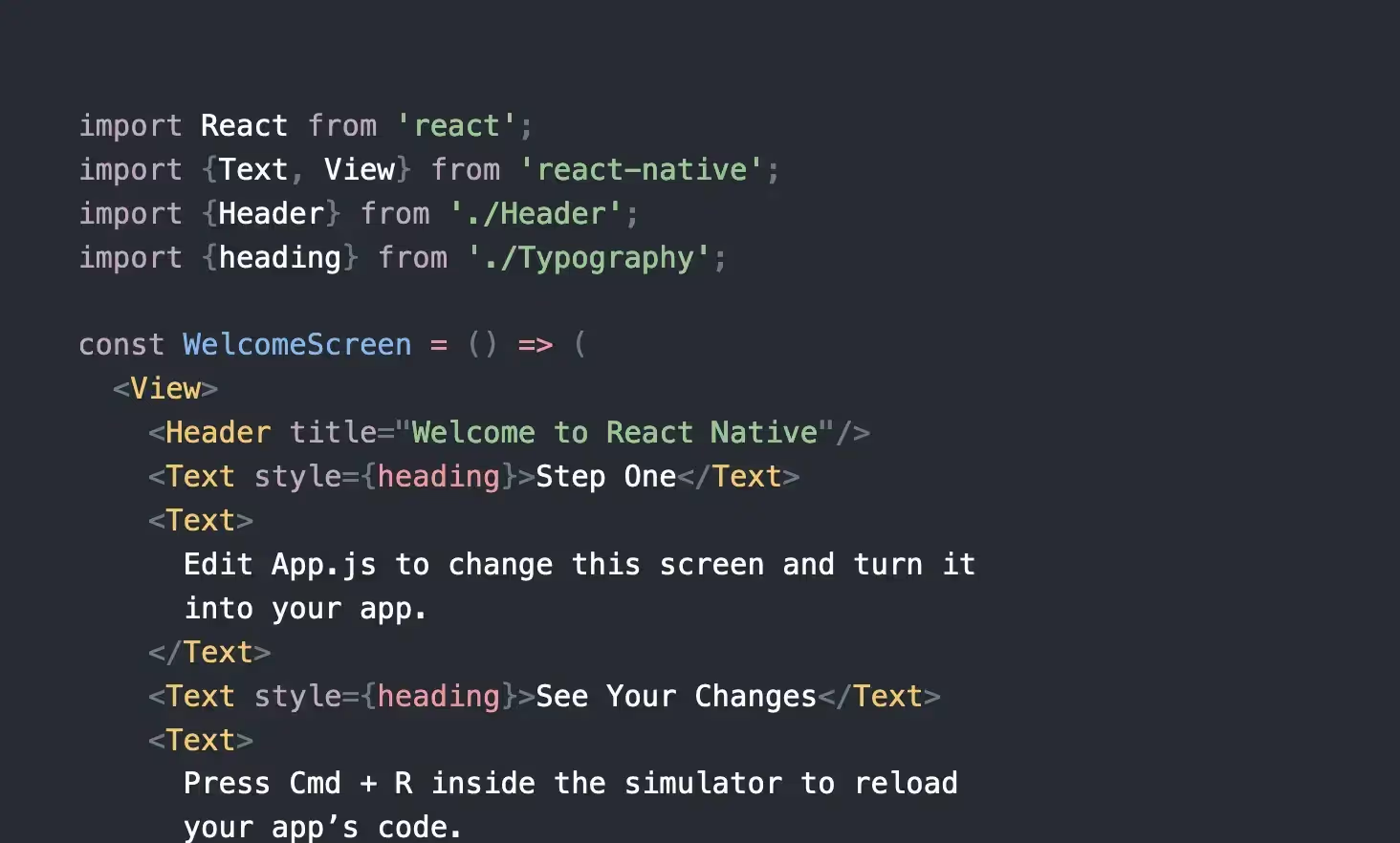
    In simplest terms, you can think of React Native as a way to use JavaScript code and JSX syntax to write mobile applications.

    React Native vs React

    React and React Native are very similar; both are built and maintained by Meta (formerly Facebook), and both are frameworks that help developers build JavaScript-based applications.

    The main difference is that React (also referred to as React JS or React.js) is used for web applications, while React Native is used for mobile apps.

    The syntax is very similar, though not exactly the same. If you have a React web app, you can’t just push a button or copy & paste your code to turn it into a mobile app. But developers with experience using React should be able to quickly and easily pick up React Native and start writing mobile apps.
    Learn more about React and React Native here.

    Is React Native an iOS Programming Language?

    React Native is not a native iOS programming language. However, it is a viable option for building iOS apps.

    Technically, it’s not a programming language, it’s a framework. JavaScript is the programming language used with React Native.

    JavaScript is a web programming language, which in its base form, can only be used with websites/web apps.

    React Native provides a bridge to allow JavaScript to work in different environments, such as mobile operating systems, like iOS and Android OS.

    Whether a React Native iOS App should be a considered a “native” app or not is up for debate. But in practical terms, for low to moderate-complexity use cases, the end user won’t be able to tell the difference between a fully native app and a React Native app.

    Learn more: the difference between Native, Web and Hybrid Apps

    Alternative Cross-Platform Frameworks

    React Native is one of many cross-platform app development frameworks that are gaining popularity today, for their ability to cut down the time, effort and cost required to build and maintain mobile apps, compared to native app development.

    Other popular cross-platform development frameworks include:

    • Flutter
    • .NET MAUI (formerly known as Xamarin)
    • Ionic
    • NativeScript

    Learn more:

    React Native vs Swift in 7 Key Areas

    Now we know what Swift is and what React Native is. But how do they compare? Is there a clear winner when it comes to developing iOS apps? 

    Let’s explore that now and compare React Native vs Swift in a number of important categories, from performance, to cost, to ease of use.

    Performance

    If you’re looking for fast, smooth, native performance on iOS, Swift is definitely the winner.

    A fully native language like Swift is naturally going to perform better than a cross-platform framework. The language is made specifically for the OS and Apple devices, and thus lets you build smoother and faster apps.

    That’s not to say that React Native apps perform poorly. With simpler apps, there may not be a noticeable difference, but it will become more clear the more dynamic and graphic-dense the application becomes.

    Winner: Swift

    Access to Native Features

    Swift, again, provides better access and integration with native device features.

    If your app involves heavy use of things like the camera, GPS, sensors, bluetooth and biometric features (e.g. FaceID, fingerprint), Swift is the better choice.

    React Native has some access to device features via bridge modules, but integration is not on the level of a fully native app.

    Winner: Swift

    Development Time

    There’s not a huge difference in the speed it takes to build an app using Swift or React Native. Both are quite intuitive and modern programming frameworks, well-maintained and optimized to allow developers to ship apps quickly and efficiently.

    We give a slight edge to Swift here, as the development experience is optimized fully for iOS, and Xcode/SwiftUI are great tools to help speed up development and deployment.

    That is assuming you’re just looking to build an iOS app. If your goal is to build both iOS and Android apps, React Native becomes quicker, as you don’t need to duplicate as much effort as you would if you were to build two completely separate native apps.

    Winner: Swift

    Developer Cost & Availability

    If you’re looking to hire developers to build your app, it will be cheaper and easier to find developers with React Native.

    React Native is a more versatile framework, used in a wider range of projects. The higher demand for React Native developers means there’s more developers who specialize in this area.

    With more talent available, the cost of React Native developers is generally a little lower than Swift developers.

    Winner: React Native

    Community & Resources

    Both frameworks are well-maintained and supported by two of the biggest names in tech (Meta and Apple). As such, they have a lot of resources to help developers, with in-depth, excellent documentation available.

    In terms of documentation, they’re more or less even, but React Native has a wider community of developers and more third-party resources available, so they get the slight edge here.

    Winner: React Native

    Learning Curve

    If you need to learn either language, the learning curve will likely be faster with React Native.

    This is because it’s built on JavaScript, the world’s most widely used programming language, it’s a lot more likely that you (or developers on your team) will already have a foundational understanding of React Native, due to familiarity with JavaScript.

    The learning curve for Swift is not massive. Swift is intuitive and easy to learn, more so if you are already proficient in object-oriented languages like JavaScript or Python. But it won’t be quite as fast as going from JS to React Native. 

    Winner: React Native

    Code Reusability

    If you want to reuse your code on multiple platforms, React Native is the runaway winner.

    This is the biggest “flaw” (if we can call it that) with Swift. The apps you build can only be built for iOS.

    If you want to enter the Google Play Store and launch on Android too (which you likely will, considering Android has approximately 70% market share among all mobile operating systems worldwide), you would need to rebuild your app completely in another programming language.

    With React Native, you use one language/framework for both Android and iOS.

    It’s still not the ideal solution to capture users on as many different platforms as possible (we’ll go into this in more detail shortly), but it’s much better for cross-platform coverage than Swift.

    Winner: React Native

    Is React Native Better than Swift?

    Based on the categories above, we had React Native winning four, and Swift winning three. So does that mean that React Native is a better way to build apps than Swift?

    Not necessarily – it depends on your goals, the resources you have available, and your prior technical experience.

    Overall, we would say that React Native is better in a wider range of situations. It’s more likely that the value it brings in cross-platform coverage and familiarity will be of use to you than the better native performance and device integration of Swift.

    But again, the choice between Swift vs React Native for your project depends on various factors.

    Choose React Native If:

    • You want to build apps for iOS and Android.
    • You don’t need a lot of native functionality or a high level of graphic performance.
    • You or your team is already familiar with/proficient in JavaScript (or even better, React).
    • You need to hire developers from outside your company to build the app.

    Choose Swift If:

    • You’re only building apps for iOS.
    • You want to launch your app on platforms like watchOS or tvOS as well.
    • Native performance and device integrations are a key component of your app.

    Why Vendrux Could Be a Better Alternative to React Native or Swift

    Swift and React Native are both excellent ways to build mobile apps. But if you have a web presence as well, both frameworks will involve a lot of duplication of effort, as you’ll be left with multiple platforms, completely separate, that you need to maintain and update.

    Let’s say you have a web app, or a website (like an online store). If you were to expand this into a mobile app using Swift or React Native, you’ll need to rebuild your web presence from scratch in the app, and then maintain two codebases.

    Any time you make an update or a change to your website, you’ll need to make that change again in your app’s codebase, which adds significant overhead and complexity to your workflow.

    In this case, Vendrux can be a much better solution.

    Vendrux converts your website to mobile apps, which can run on iOS and Android, all from the same codebase.

    The apps automatically update when your site updates. You only have one platform to manage, despite making your app available in the browser and on multiple operating systems.

    This allows you to save $100k+ per year in maintenance; not to mention six figures saved in initial development costs.

    “We literally had a dev team of about 30 people. We were able to cut the entire head count down to just a couple of core people working on our web tech stack.”

    Jordan Edelson from TradeZing

    If you need in-depth native integrations, you may still need to go the native route. But for the vast majority of apps, all you need is essentially what your app or website already does in the browser, with some small tweaks made, then deployed as a mobile app.
    That’s what we do for you, allowing you to ship iOS and Android apps for less cost, with lower overhead, all in less than a month.

    Build Synchronized Apps for the Web, iOS and Android with Vendrux

    __wf_reserved_inherit
    A few examples of native apps built with Vendrux

    If you’re deciding between Swift and React Native, first consider whether your project really needs a fully native app.

    In most cases, if you already have a website or web app, you’ll be able to save a huge amount of time and money by simply converting your site into an app with Vendrux.

    It works no matter the tech stack or platform your website it built on, and will give you 95% of what you’d get if you went through the long and complicated process of building a custom app from scratch.

    We’ve built more than 2,000 apps in our 10+ years in the industry, including apps for numerous high-revenue brands, in ecommerce, publishing, SaaS and more.

    If you want to learn more, check out our free preview tool to get a preview of your site as an app, or get in touch with us now and book a demo to discuss your project with one of our app development experts.

  • React Native vs Native Development (How to Save 90% of the Cost of Building an App)

    React Native vs Native Development (How to Save 90% of the Cost of Building an App)

    One of the most important decisions when building a mobile app is choosing your technology stack. Picking the wrong programming language or framework for your app can set you back a massive amount of time and money, and cause serious headaches over the lifecycle of your app.

    Earlier in the history of mobile apps, you had to use programming languages fully native to specific operating systems to build your apps. But in recent years, cross-platform frameworks like React Native have shaken up the mobile app landscape, providing a real alternative to native development.

    In this article, we’ll compare React Native vs native mobile app development, and explain the benefits of each path, as well as giving our opinion on the best way to create a mobile app today.

    Overview of React Native vs Native Development

    React Native and native app development are two ways to create mobile apps that users can download and install from the app stores.

    When we talk about native development languages, we’re talking about languages that are native to specific operating systems.

    For iOS, that means Swift or Objective-C. For Android apps, that means Java or Kotlin.

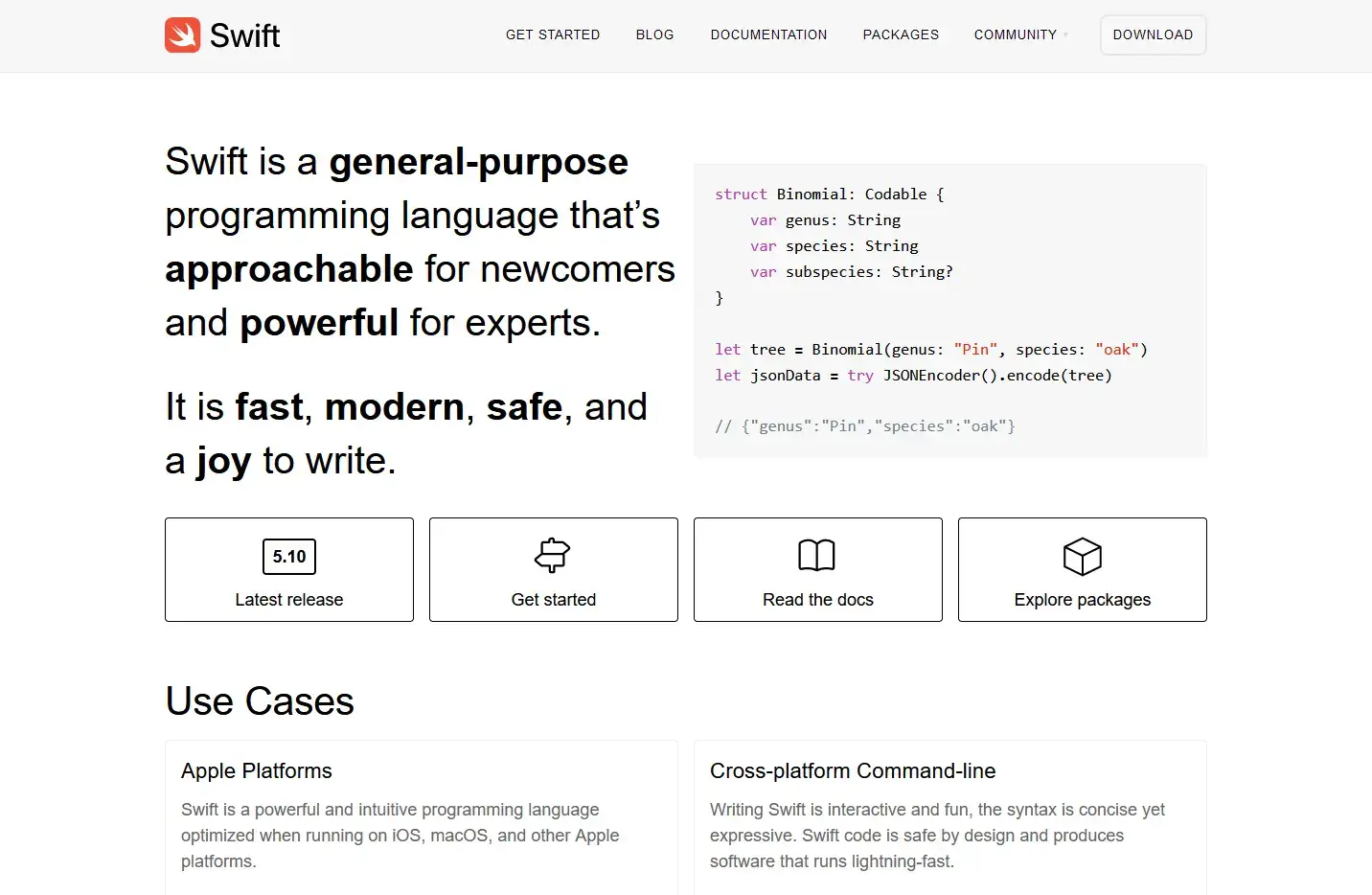
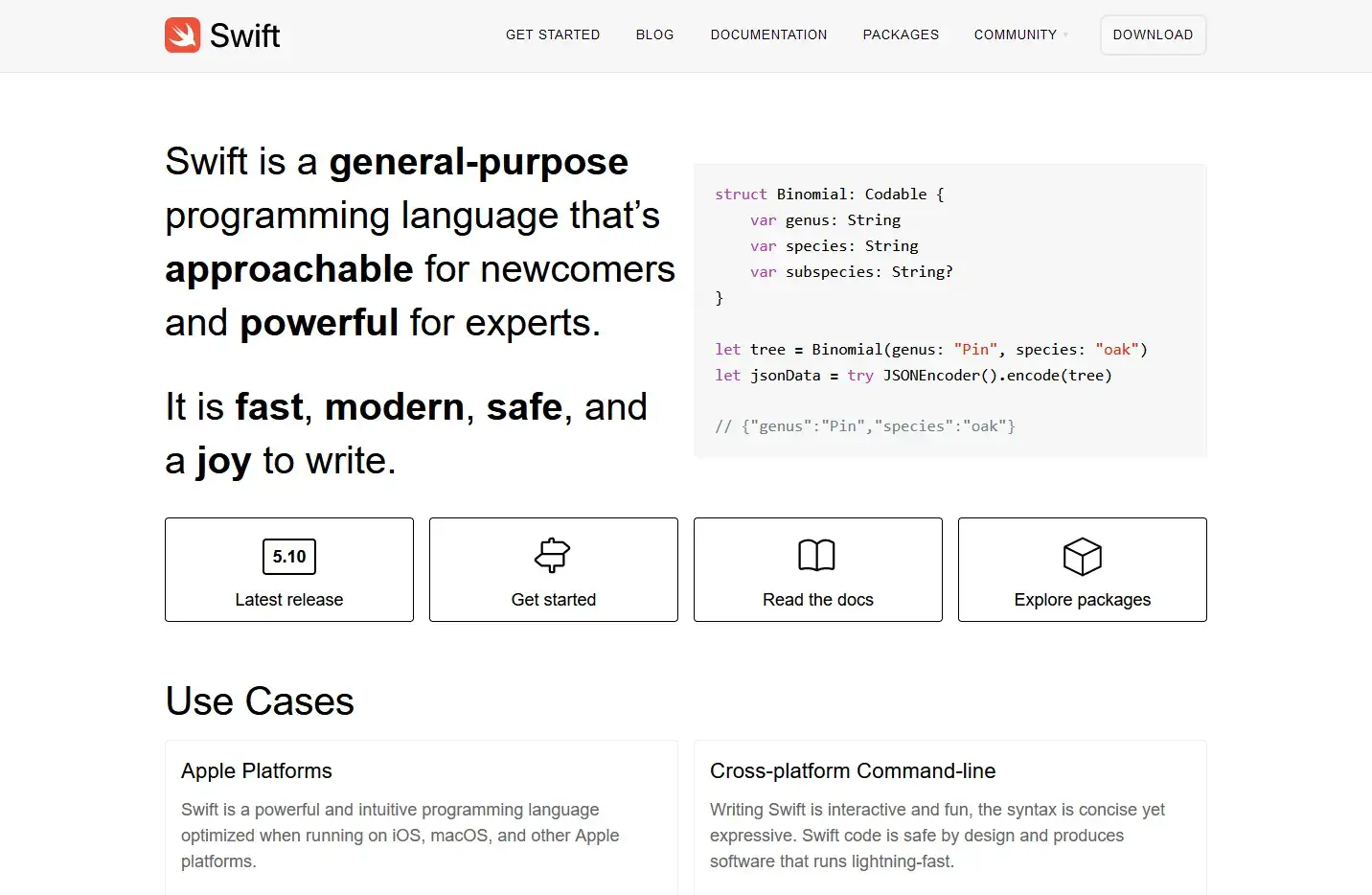
    Swift is the programming language of choice for iOS apps
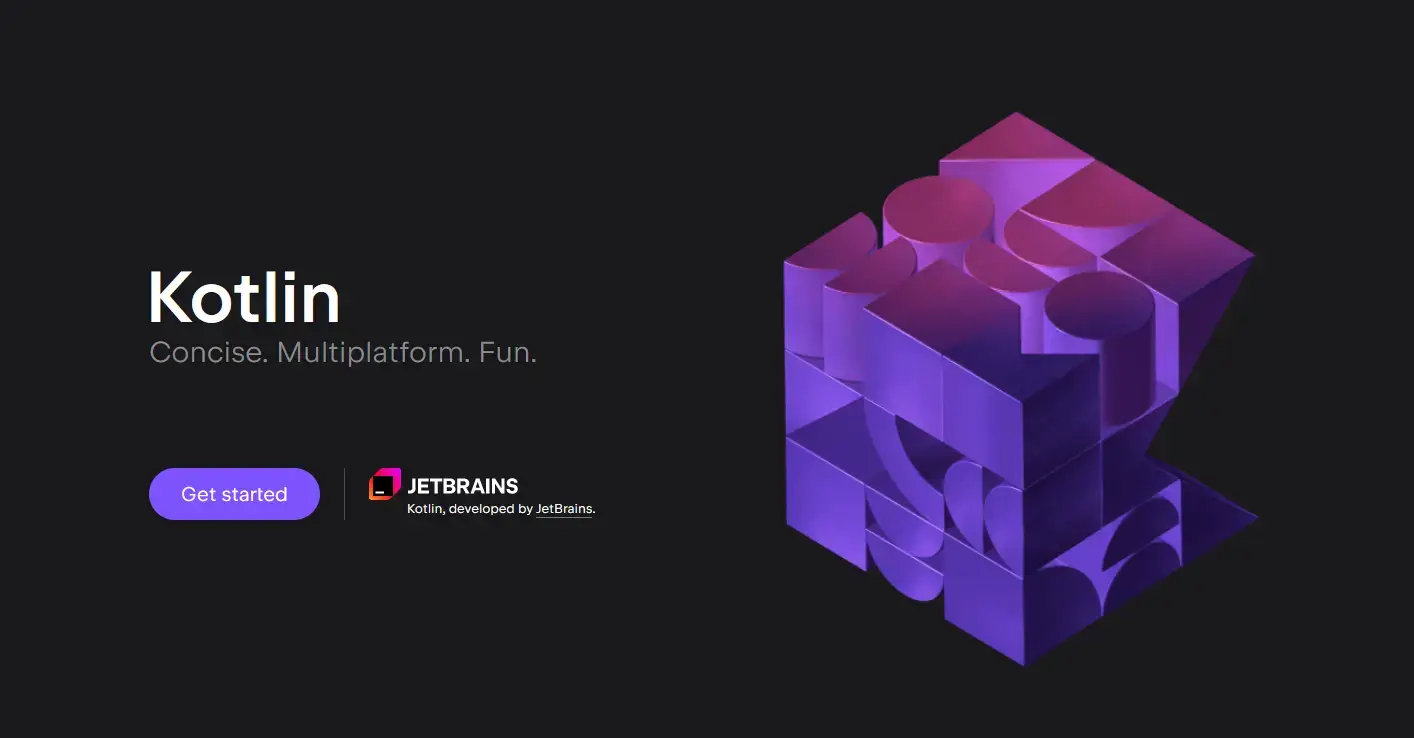
    Kotlin is the official development language for Android

    The issue is that apps built using native app development languages can only run on the platform they are native to. So a Swift app can run on iOS, but not Android, while an app built with Java and Kotlin can run on Android, but not iOS.

    To build native apps for both platforms, you’ll need two separate codebases.

    Enter cross-platform frameworks like React Native.

    React Native, built and maintained by Meta

    React Native is a JavaScript framework for mobile apps. It’s an extension of the React framework, which is a component-based framework for building interactive web apps.

    The React Native framework uses the same approach, and a similar syntax, to allow developers to build mobile apps using JavaScript.

    On top of that, React Native (along with other cross-platform frameworks, like Flutter and Ionic) lets you use the same language/framework for both Android and iOS, making it more efficient if you plan to launch apps for both platforms.

    React Native offers a lot of benefits over native app development, but there are upsides to building natively as well.

    Read on and we’ll breakdown the selling points for each approach to building your app.

    Benefits of React Native App Development

    The benefits of React Native include:

    • A lower investment in cost and time.
    • Less complexity in your tech stack.
    • Lower learning curve/easier to find developers.
    • Simpler maintenance and less overhead.
    • Less work required if you want to reuse your web code.

    Let’s dive deeper into the benefits now.

    One Framework for iOS and Android

    In most cases, when you’re building a mobile app, you plan to launch for both Android and iOS.

    The biggest selling point of cross-platform frameworks like React Native is the ability to use a single framework/language to create apps for both platforms.

    React Native’s tagline is “Learn once, write anywhere.” Though you may have to make some changes to your code for iOS and Android apps, you can do it all with the same framework.

    That means more consistency between apps, the same development team can be responsible for both, and you can reuse a lot of the code you write, instead of building it in two completely separate languages.

    Save Time and Money

    The ability to reuse code and use just one framework lets you save a lot of time and money in building your mobile app.

    With React Native, there’s less duplication of effort, since you can share components across both apps. That means less development time, and less development time means lower cost.

    Add the fact that you can use one team to code both apps, and you’ll see even greater savings in cost and time.

    With native development, you’ll need to manage the iOS and Android teams separately. That means repeating instructions, double the code review, and many small increases in time due to the coordination effort that add up over the course of your development timetable.

    The React Native development process, using one team for both apps, is much more efficient and streamlined.

    Overall, using React Native might not cut your development time and cost exactly in half, but close to it, which with the cost of mobile development could easily save you six figures for the first version of your app.

    A More Accessible Mobile Framework

    Android and iOS app development are very specialized areas. Your average web developer won’t be able to jump in and code native mobile apps.

    You’ll need to cast a wide net for talent, and may end up paying a premium for a proficient and specialized mobile app developer.

    React Native, on the other hand, at its core is just JavaScript (arguably the world’s most popular programming language, used by 63% of respondents in Stack Overflow’s developer survey – 10% more than HTML and CSS).

    For developers with experience in JavaScript, React and JSX, learning React Native is a cinch.

    Even for developers who haven’t used React before, but are proficient in JavaScript, the learning curve for React Native will be minimal.

    That means two things.

    1. There’s a large pool of developers available to hire from.
    2. If you have web development experience, or you have web developers on staff, you might be able to code your apps without hiring anyone new.

    This is just another element that contributes to React Native’s lower cost, time investment and complexity compared to native development.

    A Better Development Experience with Hot Reloading

    React Native supports hot reloading, which makes for a smoother experience when iterating and working on code.

    Hot reloading means you can see code changes take effect in the UI in real time. If you change an element’s appearance or function, you’ll be able to preview your changes immediately, keeping your current state.

    Without hot reload, you need to restart the app, refreshing the app’s state in the process. While it might not be a big difference if you’re making a small change, the difference becomes significant when you’re making constant iterations and experimenting with different styles, trying to get the look and feel of your app just right.

    Hot reloading is certainly a quality of life improvement rather than a make or break feature, but it’s another thing that contributes to a better experience for developers.

    Maintenance is Quicker and Easier

    Maintaining React Native apps and making fixes is quicker and easier than with native apps (assuming you have different codebases for iOS and Android).

    Hot reloading helps in this case, as does having one framework for each of your mobile apps. Whether you’re debugging, shipping new features or making routine updates and refactoring, there’s less duplication of effort because you don’t have to repeat the process in two different languages.

    Lower Overhead Cost

    A smoother maintenance workflow, plus the ability to use the same development team for both apps, means you’ll spend less on overhead and maintenance costs over the lifecycle of your app.

    Over time, you’ll see these savings seriously add up. App maintenance costs can run into six figures yearly, and so by reducing the development hours spent maintaining your apps and  requiring fewer staff on payroll/retainer, you could save five figures each year.

    Better for Converting & Reusing Web Components

    Finally, React Native is likely to be a better option than native development if you’re converting a website into mobile apps, or you want to reuse some of your web code/functionality in the apps.

    Since React Native is based on JavaScript, it could well be fairly straightforward to translate your web features to your mobile apps. 

    React Native may not be the best option for this, however (as we’ll expand on soon). It will still take a lot of time, even for a straight conversion of React to React Native. But there’s definitely less rebuilding than if you were turning a web app into Swift/Java/Kotlin apps.

    Learn More: React vs React Native – Differences and Use Cases

    Downsides of React Native (Where Native Development is Better)

    The benefits of React Native are impressive, but looking at the entire picture, there are some downsides to choosing React Native for your project (or simply areas where native development is superior).

    In general, fully native apps are:

    • Superior performance.
    • Easier to integrate with device features.
    • Higher quality in terms of UX and UI.
    • Easier to build if you’re building for a single OS.

    Let’s examine the benefits of native mobile development in more detail.

    Performance

    React Native forces you to make some sacrifices for the convenience of building for multiple platforms at once. One of those sacrifices is performance.

    React Native relies on “bridges” to compile JavaScript into native components and allow JavaScript code to interact with and work on a mobile phone’s operating system.

    This can result in periodic slowness or lag, and general performance issues, increasing depending on the size and scope of your app.

    Native apps use native programming languages and native APIs, which allow them to run faster and smoother.

    Access to Native Device Features

    Native development also allows you fully integrate with the user’s device, and utilize the device’s hardware in building features for your app.

    This includes the ability to tap into the camera, microphone, accelerometer, GPS, bluetooth, biometric scanners, etc.

    React Native does provide native modules that allow some access to native APIs and native features, and the React Native community is constantly coming out with new third-party libraries that extend the potential of what you can do with React Native code.

    However, access to native OS features will never be as comprehensive nor as straightforward as it is with native technologies and native applications.

    Marginal UI and UX Gains

    If you’re using React Native, over the course of developing your app, you may find a lot of small touches here and there where you can’t get either the user interface or the user experience quite like you want it.

    It might be 95% perfect on Android and 95% perfect on iOS, but the sacrifices React Native has to make to work on Android and iOS devices prevent you from getting everything pixel-perfect.

    This comes down to much of what we discussed in the previous sections; React Native’s reliance on bridges and second-hand access to native APIs.

    Native programming languages are focused specifically on building for a single operating system, and building for iPhone or Android devices, so it stands to reason that they’ll be tied more strictly to the UI standards of the platform, and allow you to get your app perfect (or closer to it than with React Native).

    Building for a Single Platform

    Native development is generally going to be easier if you’re only building for one platform/operating system.

    Let’s say, for example, you’re building an app for internal use in your company, and your company devices are on Android. You don’t need an iPhone app, so many of the benefits of cross-platform are null and void.

    Since you’re only building for Android, you’ll likely have a better experience developing your app with a language built specifically for the Android OS, as opposed to one that’s trying to spread itself over multiple bases.

    Maybe you’ve decided that reaching iPhone users is enough, or perhaps you’re focused on markets like Africa, Asia or South America, where Android has >80% market share.

    In any of these situations, the benefits of native app development become more significant in comparison to React Native’s.

    Can You Develop High-Quality Apps with React Native?

    The summary you might take away from the pros and cons listed above is that React Native is more convenient, cheaper and faster, but lacks performance and end product quality in comparison to native app development.

    So you might be thinking, “I want my app to be the best it can be, am I limiting myself too much by going with React Native?”

    While the consensus is that React Native is better for simpler apps, and there are some performance limitations compared to fully native development, that doesn’t mean you can’t make successful apps and draw millions of users with React Native.

    Just look at their showcase page, and the huge names that use React Native, including:

    • Meta
    • Microsoft
    • Amazon 
    • Shopify
    • Discord
    • Bloomberg
    • Walmart
    • Tesla
    • The NFL
    • Playstation

    Would these apps be better if they were built with fully native languages? Probably.

    But the incredibly successful businesses behind these apps decided the small payoff in performance and functionality was worth it for the improvements to their workflow, greater efficiency and lower cost.

    React Native vs Native: Which to Choose?

    There’s no “one size fits all” answer here. There’s a time and a place and a situation for React Native, and so too for native development.

    In general, we’d push you to choose React Native over fully native development. This is assuming you’re building a commercial application, with the intention of reaching as many users as possible, and thus launching on both Android and iOS platforms.

    In this case, the time, money, effort and complexity you save with React Native is a big deal. You’ll find it’s not only simpler to launch React Native apps, but they’re also much simpler to maintain.

    The small tradeoff in performance and functionality is usually worth it.

    You might opt for building a native mobile app though if your project relies on device features and a deep integration with the device’s OS, or if you’re dealing with a complex app where the performance difference will be more easily noticeable.

    Ultimately it’s your call, depending on the size and scope of your project and the resources you have at your disposal.

    How to Save >90% of the Cost of App Development

    React Native is a great way to save time and money on both the launch and maintenance of your app.

    But if you’re converting a website or web app into a mobile app, the project still won’t be cheap, and it’ll come with its share of headaches.

    You can save a lot of this money, and virtually all the headaches, with Vendrux.

    Vendrux is a tech-enabled service to turn websites into native mobile apps. We use your website’s code to create your apps, together with elements of native code to ship apps that feel native, but essentially still run from a single codebase for web, iOS and Android.

    A selection of the successful, high-revenue native apps we’ve built with Vendrux

    You’ll save 5-6 figures on the initial cost, plus a similar amount each year on maintenance. There’s no need to hire or manage iOS and Android developers, no need to rebuild anything or learn a new language or framework. Our team does everything for you.

    “If we had unlimited time and money, we would probably go for a custom native app, but that is half a million to a million a year to maintain.”
    — David Cost,
    Rainbow Shops

    How Vendrux Works

    If your website is already mobile-friendly, and your app is meant to reflect your web experience, rather than doing something drastically different, you’re much closer to launching your mobile app than you might expect.

    All it takes is three easy steps:

    1. Make sure your web app or website is fast, responsive and mobile-friendly.
    2. Book a demo with our team to discuss your project, get an interactive demo of your app, and outline the next steps to turn your website into mobile apps.
    3. Hand it off to us. We’ll do all the work to build your app, test it, and even submit it to the app stores for publishing (we guarantee approval too).

    You can be live in the app stores in less than a month, for minimal effort, and less than four figures invested upfront.

    Compare that to React Native. Though you might be able to reuse some elements of your web code, you still need to comb through your code, compile these elements in React Native, and build your mobile apps’ UI from the ground up.

    Any time you make changes, fixes, or ship new features, the process will be more drawn out, having to repeat steps and ensure consistency between multiple native platforms.

    You may need to hire React Native developers, and you’ll need to keep developers on staff for updates and maintenance.

    It’s all so much easier, cheaper and quicker with Vendrux. You just maintain your website like you normally do, and your apps will update automatically, with no duplication of effort.

    Ready? Get started with a demo call now.

    Picking the Right Way to Build Your Mobile App

    It’s important to decide on the right tech stack for your app before you get started. Otherwise, you face a potential nightmare some way down the road, partway through development or perhaps even once a version of your app is live, if you decide you need to migrate to another framework.

    We gave our opinion on React Native vs Native development (if you choose the cross-platform route, there’s also Flutter to consider – we compared these two frameworks here). It’s up to you to decide which fits best for you.

    If you’re going from web app to mobile app, Vendrux is a better option than React Native, Swift, Kotlin, Java or any other mobile framework.

    You’ve already built a great mobile experience on your website, and Vendrux allows you to skip months of rebuilding, hundreds of thousands of dollars in development costs, and daily headaches from trying to manage multiple platforms at once.

    You get great Android and iOS apps in less than a month, for minimal expense, all while maintaining a single codebase.

    Get started with a free demo now.

  • React Native vs Native Development (How to Save 90% of the Cost of Building an App)

    React Native vs Native Development (How to Save 90% of the Cost of Building an App)

    One of the most important decisions when building a mobile app is choosing your technology stack. Picking the wrong programming language or framework for your app can set you back a massive amount of time and money, and cause serious headaches over the lifecycle of your app.

    Earlier in the history of mobile apps, you had to use programming languages fully native to specific operating systems to build your apps. But in recent years, cross-platform frameworks like React Native have shaken up the mobile app landscape, providing a real alternative to native development.

    In this article, we’ll compare React Native vs native mobile app development, and explain the benefits of each path, as well as giving our opinion on the best way to create a mobile app today.

    Overview of React Native vs Native Development

    React Native and native app development are two ways to create mobile apps that users can download and install from the app stores.

    When we talk about native development languages, we’re talking about languages that are native to specific operating systems.

    For iOS, that means Swift or Objective-C. For Android apps, that means Java or Kotlin.

    Swift is the programming language of choice for iOS apps
    Kotlin is the official development language for Android

    The issue is that apps built using native app development languages can only run on the platform they are native to. So a Swift app can run on iOS, but not Android, while an app built with Java and Kotlin can run on Android, but not iOS.

    To build native apps for both platforms, you’ll need two separate codebases.

    Enter cross-platform frameworks like React Native.

    React Native, built and maintained by Meta

    React Native is a JavaScript framework for mobile apps. It’s an extension of the React framework, which is a component-based framework for building interactive web apps.

    The React Native framework uses the same approach, and a similar syntax, to allow developers to build mobile apps using JavaScript.

    On top of that, React Native (along with other cross-platform frameworks, like Flutter and Ionic) lets you use the same language/framework for both Android and iOS, making it more efficient if you plan to launch apps for both platforms.

    React Native offers a lot of benefits over native app development, but there are upsides to building natively as well.

    Read on and we’ll breakdown the selling points for each approach to building your app.

    Benefits of React Native App Development

    The benefits of React Native include:

    • A lower investment in cost and time.
    • Less complexity in your tech stack.
    • Lower learning curve/easier to find developers.
    • Simpler maintenance and less overhead.
    • Less work required if you want to reuse your web code.

    Let’s dive deeper into the benefits now.

    One Framework for iOS and Android

    In most cases, when you’re building a mobile app, you plan to launch for both Android and iOS.

    The biggest selling point of cross-platform frameworks like React Native is the ability to use a single framework/language to create apps for both platforms.

    React Native’s tagline is “Learn once, write anywhere.” Though you may have to make some changes to your code for iOS and Android apps, you can do it all with the same framework.

    That means more consistency between apps, the same development team can be responsible for both, and you can reuse a lot of the code you write, instead of building it in two completely separate languages.

    Save Time and Money

    The ability to reuse code and use just one framework lets you save a lot of time and money in building your mobile app.

    With React Native, there’s less duplication of effort, since you can share components across both apps. That means less development time, and less development time means lower cost.

    Add the fact that you can use one team to code both apps, and you’ll see even greater savings in cost and time.

    With native development, you’ll need to manage the iOS and Android teams separately. That means repeating instructions, double the code review, and many small increases in time due to the coordination effort that add up over the course of your development timetable.

    The React Native development process, using one team for both apps, is much more efficient and streamlined.

    Overall, using React Native might not cut your development time and cost exactly in half, but close to it, which with the cost of mobile development could easily save you six figures for the first version of your app.

    A More Accessible Mobile Framework

    Android and iOS app development are very specialized areas. Your average web developer won’t be able to jump in and code native mobile apps.

    You’ll need to cast a wide net for talent, and may end up paying a premium for a proficient and specialized mobile app developer.

    React Native, on the other hand, at its core is just JavaScript (arguably the world’s most popular programming language, used by 63% of respondents in Stack Overflow’s developer survey – 10% more than HTML and CSS).

    For developers with experience in JavaScript, React and JSX, learning React Native is a cinch.

    Even for developers who haven’t used React before, but are proficient in JavaScript, the learning curve for React Native will be minimal.

    That means two things.

    1. There’s a large pool of developers available to hire from.
    2. If you have web development experience, or you have web developers on staff, you might be able to code your apps without hiring anyone new.

    This is just another element that contributes to React Native’s lower cost, time investment and complexity compared to native development.

    A Better Development Experience with Hot Reloading

    React Native supports hot reloading, which makes for a smoother experience when iterating and working on code.

    Hot reloading means you can see code changes take effect in the UI in real time. If you change an element’s appearance or function, you’ll be able to preview your changes immediately, keeping your current state.

    Without hot reload, you need to restart the app, refreshing the app’s state in the process. While it might not be a big difference if you’re making a small change, the difference becomes significant when you’re making constant iterations and experimenting with different styles, trying to get the look and feel of your app just right.

    Hot reloading is certainly a quality of life improvement rather than a make or break feature, but it’s another thing that contributes to a better experience for developers.

    Maintenance is Quicker and Easier

    Maintaining React Native apps and making fixes is quicker and easier than with native apps (assuming you have different codebases for iOS and Android).

    Hot reloading helps in this case, as does having one framework for each of your mobile apps. Whether you’re debugging, shipping new features or making routine updates and refactoring, there’s less duplication of effort because you don’t have to repeat the process in two different languages.

    Lower Overhead Cost

    A smoother maintenance workflow, plus the ability to use the same development team for both apps, means you’ll spend less on overhead and maintenance costs over the lifecycle of your app.

    Over time, you’ll see these savings seriously add up. App maintenance costs can run into six figures yearly, and so by reducing the development hours spent maintaining your apps and  requiring fewer staff on payroll/retainer, you could save five figures each year.

    Better for Converting & Reusing Web Components

    Finally, React Native is likely to be a better option than native development if you’re converting a website into mobile apps, or you want to reuse some of your web code/functionality in the apps.

    Since React Native is based on JavaScript, it could well be fairly straightforward to translate your web features to your mobile apps. 

    React Native may not be the best option for this, however (as we’ll expand on soon). It will still take a lot of time, even for a straight conversion of React to React Native. But there’s definitely less rebuilding than if you were turning a web app into Swift/Java/Kotlin apps.

    Learn More: React vs React Native – Differences and Use Cases

    Downsides of React Native (Where Native Development is Better)

    The benefits of React Native are impressive, but looking at the entire picture, there are some downsides to choosing React Native for your project (or simply areas where native development is superior).

    In general, fully native apps are:

    • Superior performance.
    • Easier to integrate with device features.
    • Higher quality in terms of UX and UI.
    • Easier to build if you’re building for a single OS.

    Let’s examine the benefits of native mobile development in more detail.

    Performance

    React Native forces you to make some sacrifices for the convenience of building for multiple platforms at once. One of those sacrifices is performance.

    React Native relies on “bridges” to compile JavaScript into native components and allow JavaScript code to interact with and work on a mobile phone’s operating system.

    This can result in periodic slowness or lag, and general performance issues, increasing depending on the size and scope of your app.

    Native apps use native programming languages and native APIs, which allow them to run faster and smoother.

    Access to Native Device Features

    Native development also allows you fully integrate with the user’s device, and utilize the device’s hardware in building features for your app.

    This includes the ability to tap into the camera, microphone, accelerometer, GPS, bluetooth, biometric scanners, etc.

    React Native does provide native modules that allow some access to native APIs and native features, and the React Native community is constantly coming out with new third-party libraries that extend the potential of what you can do with React Native code.

    However, access to native OS features will never be as comprehensive nor as straightforward as it is with native technologies and native applications.

    Marginal UI and UX Gains

    If you’re using React Native, over the course of developing your app, you may find a lot of small touches here and there where you can’t get either the user interface or the user experience quite like you want it.

    It might be 95% perfect on Android and 95% perfect on iOS, but the sacrifices React Native has to make to work on Android and iOS devices prevent you from getting everything pixel-perfect.

    This comes down to much of what we discussed in the previous sections; React Native’s reliance on bridges and second-hand access to native APIs.

    Native programming languages are focused specifically on building for a single operating system, and building for iPhone or Android devices, so it stands to reason that they’ll be tied more strictly to the UI standards of the platform, and allow you to get your app perfect (or closer to it than with React Native).

    Building for a Single Platform

    Native development is generally going to be easier if you’re only building for one platform/operating system.

    Let’s say, for example, you’re building an app for internal use in your company, and your company devices are on Android. You don’t need an iPhone app, so many of the benefits of cross-platform are null and void.

    Since you’re only building for Android, you’ll likely have a better experience developing your app with a language built specifically for the Android OS, as opposed to one that’s trying to spread itself over multiple bases.

    Maybe you’ve decided that reaching iPhone users is enough, or perhaps you’re focused on markets like Africa, Asia or South America, where Android has >80% market share.

    In any of these situations, the benefits of native app development become more significant in comparison to React Native’s.

    Can You Develop High-Quality Apps with React Native?

    The summary you might take away from the pros and cons listed above is that React Native is more convenient, cheaper and faster, but lacks performance and end product quality in comparison to native app development.

    So you might be thinking, “I want my app to be the best it can be, am I limiting myself too much by going with React Native?”

    While the consensus is that React Native is better for simpler apps, and there are some performance limitations compared to fully native development, that doesn’t mean you can’t make successful apps and draw millions of users with React Native.

    Just look at their showcase page, and the huge names that use React Native, including:

    • Meta
    • Microsoft
    • Amazon 
    • Shopify
    • Discord
    • Bloomberg
    • Walmart
    • Tesla
    • The NFL
    • Playstation

    Would these apps be better if they were built with fully native languages? Probably.

    But the incredibly successful businesses behind these apps decided the small payoff in performance and functionality was worth it for the improvements to their workflow, greater efficiency and lower cost.

    React Native vs Native: Which to Choose?

    There’s no “one size fits all” answer here. There’s a time and a place and a situation for React Native, and so too for native development.

    In general, we’d push you to choose React Native over fully native development. This is assuming you’re building a commercial application, with the intention of reaching as many users as possible, and thus launching on both Android and iOS platforms.

    In this case, the time, money, effort and complexity you save with React Native is a big deal. You’ll find it’s not only simpler to launch React Native apps, but they’re also much simpler to maintain.

    The small tradeoff in performance and functionality is usually worth it.

    You might opt for building a native mobile app though if your project relies on device features and a deep integration with the device’s OS, or if you’re dealing with a complex app where the performance difference will be more easily noticeable.

    Ultimately it’s your call, depending on the size and scope of your project and the resources you have at your disposal.

    How to Save >90% of the Cost of App Development

    React Native is a great way to save time and money on both the launch and maintenance of your app.

    But if you’re converting a website or web app into a mobile app, the project still won’t be cheap, and it’ll come with its share of headaches.

    You can save a lot of this money, and virtually all the headaches, with Vendrux.

    Vendrux is a tech-enabled service to turn websites into native mobile apps. We use your website’s code to create your apps, together with elements of native code to ship apps that feel native, but essentially still run from a single codebase for web, iOS and Android.

    A selection of the successful, high-revenue native apps we’ve built with Vendrux

    You’ll save 5-6 figures on the initial cost, plus a similar amount each year on maintenance. There’s no need to hire or manage iOS and Android developers, no need to rebuild anything or learn a new language or framework. Our team does everything for you.

    “If we had unlimited time and money, we would probably go for a custom native app, but that is half a million to a million a year to maintain.”
    — David Cost,
    Rainbow Shops

    How Vendrux Works

    If your website is already mobile-friendly, and your app is meant to reflect your web experience, rather than doing something drastically different, you’re much closer to launching your mobile app than you might expect.

    All it takes is three easy steps:

    1. Make sure your web app or website is fast, responsive and mobile-friendly.
    2. Book a demo with our team to discuss your project, get an interactive demo of your app, and outline the next steps to turn your website into mobile apps.
    3. Hand it off to us. We’ll do all the work to build your app, test it, and even submit it to the app stores for publishing (we guarantee approval too).

    You can be live in the app stores in less than a month, for minimal effort, and less than four figures invested upfront.

    Compare that to React Native. Though you might be able to reuse some elements of your web code, you still need to comb through your code, compile these elements in React Native, and build your mobile apps’ UI from the ground up.

    Any time you make changes, fixes, or ship new features, the process will be more drawn out, having to repeat steps and ensure consistency between multiple native platforms.

    You may need to hire React Native developers, and you’ll need to keep developers on staff for updates and maintenance.

    It’s all so much easier, cheaper and quicker with Vendrux. You just maintain your website like you normally do, and your apps will update automatically, with no duplication of effort.

    Ready? Get started with a demo call now.

    Picking the Right Way to Build Your Mobile App

    It’s important to decide on the right tech stack for your app before you get started. Otherwise, you face a potential nightmare some way down the road, partway through development or perhaps even once a version of your app is live, if you decide you need to migrate to another framework.

    We gave our opinion on React Native vs Native development (if you choose the cross-platform route, there’s also Flutter to consider – we compared these two frameworks here). It’s up to you to decide which fits best for you.

    If you’re going from web app to mobile app, Vendrux is a better option than React Native, Swift, Kotlin, Java or any other mobile framework.

    You’ve already built a great mobile experience on your website, and Vendrux allows you to skip months of rebuilding, hundreds of thousands of dollars in development costs, and daily headaches from trying to manage multiple platforms at once.

    You get great Android and iOS apps in less than a month, for minimal expense, all while maintaining a single codebase.

    Get started with a free demo now.

  • React Native vs Kotlin: Full Guide for Android App Development

    React Native vs Kotlin: Full Guide for Android App Development

    React Native and Kotlin are two of the most popular ways to develop Android apps. Both allow you to build fast, performant, feature-rich applications, with modern, readable syntaxes that are easy to use.

    So which one should you choose for your project? Read on and we’ll break down React Native and Kotlin in detail, and explain why you should choose one over the other.

    What is React Native?

    React Native is an open-source JavaScript framework, developed by Facebook and released in 2015.

    Its tagline is “Learn once, write anywhere.” The idea is to allow developers to use JavaScript to write applications for iOS and Android devices, eliminating the need for multiple codebases in multiple programming languages.

    React Native code snippet, from https://reactnative.dev/

    React Native apps are able to deliver like-native performance; not on the same level as a fully native app, but the framework provides native modules and native UI components that replicate, to a degree, the look and feel of a native app.

    The framework has a large and active community, is actively maintained by Meta, and is used in many high-profile mobile apps, including Facebook, Skype and Instagram.

    What is Kotlin?

    Kotlin is a native programming language for the Android operating system. It’s open-source, developed and maintained by JetBrains, released in 2016.

    Kotlin is currently the official language for Android app development. It’s a statically typed, object-oriented, functional programming language, with a modern, concise and readable syntax.

    Example of Kotlin code,  from https://kotlinlang.org/

    Kotlin was developed to improve on a number of aspects from Java (not to be confused with JavaScript), which used to be the preferred language for Android developers.

    Many consider Kotlin to be a simpler and more modern language than Java. The two languages are, however, interoperable, meaning Java code and Kotlin code can be used together.

    Kotlin’s ecosystem is steadily growing, with support from Google, and large companies such as McDonalds, Adobe, Forbes and Philips all using it in their apps.

    Key Differences Between React Native and Kotlin

    We know a little bit about React Native and Kotlin now, so let’s dig deeper into the differences between these two mobile app development frameworks.

    Cross-Platform vs Android

    Probably the most notable difference is that React Native is a cross-platform development framework, which can be used to build apps for both Android and iOS devices.

    Cross-platform frameworks cut down development time and effort, as well as maintenance load, by requiring less duplication of work and a smaller team to build and maintain apps on both platforms.

    Kotlin, on the other hand, is primarily a language for Android development. Though developers are able to use Kotlin to build apps for other platforms now through Kotlin Multiplatform (which we’ll get into a little later), its bread and butter is the Android OS.

    Performance

    For the convenience of cross-platform, you’ll need to make sacrifices, and one such sacrifice is performance.

    It’s not that React Native apps perform poorly, but the level of performance can’t match that of a native language like Kotlin.

    For simple apps, there might not be much of a noticeable difference, but the more complex your app, or the more you want to integrate with native device functionality, the more Kotlin will pull ahead.

    Language & Syntax

    React Native is essentially React for mobile apps, which in turn is a UI library for JavaScript. So JavaScript is the actual language behind your app, and the syntax will be familiar for anyone with previous experience with JS.

    Kotlin is itself a programming language, rather than a framework (as React Native is). The syntax, however, is fairly straightforward, with an object-oriented style similar to JavaScript, Python and other popular languages.

    Hot Reloading

    React Native supports hot reloading, which means developers are able to see code changes in real time, without reloading the app. This is a significant advantage for front-end developers in particular, as it allows much faster iteration and development.

    Kotlin does not come with hot reloading support, which may make the development experience a little more tedious.

    Ecosystem

    React Native has a more extensive ecosystem. It has a large community of developers, with extensive documentation and resources available, including a wide array of third-party libraries.

    Kotlin’s ecosystem is not lacking, but it’s not quite on the same level as React Native’s.

    Popularity

    React Native is overall more popular than Kotlin, though ultimately this is a matter of preference for each developer.

    React Native has 116k stars, 23.9k forks on Github, compared to 47.5k stars and 5.6k forks for Kotlin.

    Google Trends shows a consistently higher number of people interested in React Native, over the last five years.

    We can also gauge popularity by the demand for developers in each field. Indeed currently lists 846 React Native job openings in the US, versus 648 for Kotlin.

    On LinkedIn jobs, a US search comes up with 6,107 results for React Native jobs, and 3,833 results for Kotlin.

    So while it’s hard to say definitively that React Native is more popular, it does seem to be a programming speciality that is in higher demand.

    Learning Curve

    React Native will have a shorter learning curve for most. Since it’s based on JavaScript, one of the world’s most popular and widely used programming languages, the average developer will be able to pick up React Native without much trouble.

    Kotlin doesn’t have a massive learning curve itself, and anyone with experience in Java will find it quick and easy to learn Kotlin.

    For someone coming in without prior knowledge of either Java or JavaScript, the learning curve for React Native vs Kotlin should be fairly even, though a slight edge still for React Native.

    Development Cost and Time

    To develop apps for Android only, there’s unlikely to be a major difference in cost and time investment between React Native and Kotlin.

    Development outsourcing company YouTeam puts the average cost of a React Native developer slightly higher than Kotlin.

    Their data has the average cost of an offshore React Native developer at $50.10 per hour or $8,016 per month.

    Kotlin developers, in comparison, cost an average of $49.49 per hour or $7918.40 per month.

    Yet it may be easier to find React Native developers, and with a larger talent pool, it may be cheaper to find a viable option.

    In terms of time, the edge might go slightly to React Native, as its support for hot reloading makes iteration quicker and the syntax is generally a bit simpler, though the ability to write native code with Kotlin may make it faster, as there will be fewer kinks to iron out before shipping the final build.

    The question changes if you’re planning to launch both iOS and Android apps. The ability to use React Native for both cuts down development time (and as a result, cost) a lot.

    If you were to use Kotlin for Android and Swift, for example, for iOS, that would add a lot to the final cost.

    However, you may be able to achieve a similar result in terms of using one framework and one codebase for both iOS and Android if you use Kotlin Multiplatform, which we’ll expand on shortly.

    Is React Native or Kotlin Better?

    So let’s settle it – should you use React Native or Kotlin?

    There’s no right or wrong answer here, and both options have their upsides and downsides. React Native is more efficient and more accessible, while Kotlin provides better native performance.

    Below, we outline the situations when you’d want to choose one or the other.

    Why You Should Choose React Native

    In general, React Native is a better choice if you’re looking to build cross-platform mobile apps.

    Go with React Native if:

    • You or your team have experience working with JavaScript or JavaScript frameworks like React.
    • You want to launch apps for iOS as well as Android.
    • You prefer the development experience of a framework that supports hot reloading, and having access to a wider range of resources, libraries and developers.

    Why You Should Choose Kotlin

    Native app development is the choice if you’re only looking to build an Android app, or if native integration and performance is a priority.

    Choose Kotlin if:

    • You don’t need an iPhone app.
    • You need a high level of integration with device features, such as camera, GPS, biometric scanners, etc.
    • Native performance is a priority.
    • You have prior experience with Java, or prefer working with Java-based languages over JavaScript.

    React Native vs Kotlin Multiplatform

    Released in 2017, Kotlin Multiplatform allows you to write and deploy code across multiple platforms, including Android, iOS, web and desktop.

    You can share part of your code, or even your entire code, for multiple apps, making Kotlin Multiplatform a much closer competitor to React Native.

    McDonalds, 9GAG, Netflix, Philips and VMware are a few examples of high-profile companies using Kotlin Multiplatform for cross-platform apps.

    So is it worth using Kotlin Multiplatform over React Native, if it eliminates one of React Native’s biggest advantages (cross-platform compatibility)?

    Perhaps. Here are a few points to consider regarding Kotlin Multiplatform and how it compares to React Native:

    • Syntax is still Java-based. So there’s the same decision to make on whether you want to use a framework based on Java or JavaScript. For many, a JavaScript-based framework is preferable.
    • Kotlin Multiplatform has the potential to ship to more platforms, with compatibility for web and desktop apps as well as mobile.
    • Kotlin Multiplatform utilizes native components and APIs, which may mean better performance.
    • It is still in a somewhat experimental state, with a limited number of libraries available.
    • Development may not be as quick as with React Native.
    • Smaller pool of skilled developers to choose from with experience in Kotlin Multiplatform.

    Ultimately, Kotlin Multiplatform is still quite new, despite being launched not long after the main Kotlin language.

    In this survey on the most popular cross-platform mobile frameworks, just 3% of the respondents had used Kotlin Mutliplatform. In comparison, 32% responded for React Native, making it the second most popular framework (behind Flutter).

    Kotlin Multiplatform may be a better alternative to React Native, but it’s also untested and unrefined, so those wanting a safer option may want to go with React Native instead, or one of the alternatives below.

    Alternatives to React Native or Kotlin

    React Native and Kotlin are not the only games in town.

    Alternative cross-platform frameworks include:

    While other native mobile programming languages include:

    • Java (for Android)
    • Swift (for iOS)
    • Objective-C (for iOS)

    Another option, if you already have a working web app or website you want to convert into an app, is a hybrid app solution like Vendrux.

    Vendrux is a managed service that turns your website into mobile apps for Android in iOS, all pulling from the same codebase.

    Mobile apps built using Vendrux

    You’ll get apps that work on every device and platform, with all the same features as your website, with no additional maintenance or overhead required, as your apps are fully synchronized with your website.

    Vendrux is a much more efficient alternative to React Native or Kotlin if you’ve already built something that works great on the web.

    Want to learn more? Book a demo and get a free preview of your site as an app.

    Build Apps for Android and iOS and Go Live In Less Than a Month

    Vendrux has been used to build more than 2,000 high-quality apps for numerous high-revenue brands, from ecommerce stores to publishers, SaaS companies and more.

    It’s a great option if you don’t want to spend hundreds of thousands of dollars and six months+ of development time converting your site to an app – not to mention the cost and complexity of maintaining apps with a separate codebase to your website.

    “We literally had a dev team of about 30 people. We were able to cut the entire head count down to just a couple of core people working on our web tech stack.”

    – Jordan Edelson, TradeZing

    You’ll save hundreds of thousands of dollars, and get an end product that delivers 95% of what you’d get from a native app – all in less than a month of development time, all of which is done for you.

    Get a preview of your app, or book a demo now to learn more about how Vendrux works and see if it’s the right way for you to launch your mobile apps.

  • React Native vs Kotlin: Full Guide for Android App Development

    React Native vs Kotlin: Full Guide for Android App Development

    React Native and Kotlin are two of the most popular ways to develop Android apps. Both allow you to build fast, performant, feature-rich applications, with modern, readable syntaxes that are easy to use.

    So which one should you choose for your project? Read on and we’ll break down React Native and Kotlin in detail, and explain why you should choose one over the other.

    What is React Native?

    React Native is an open-source JavaScript framework, developed by Facebook and released in 2015.

    Its tagline is “Learn once, write anywhere.” The idea is to allow developers to use JavaScript to write applications for iOS and Android devices, eliminating the need for multiple codebases in multiple programming languages.

    React Native code snippet, from https://reactnative.dev/

    React Native apps are able to deliver like-native performance; not on the same level as a fully native app, but the framework provides native modules and native UI components that replicate, to a degree, the look and feel of a native app.

    The framework has a large and active community, is actively maintained by Meta, and is used in many high-profile mobile apps, including Facebook, Skype and Instagram.

    What is Kotlin?

    Kotlin is a native programming language for the Android operating system. It’s open-source, developed and maintained by JetBrains, released in 2016.

    Kotlin is currently the official language for Android app development. It’s a statically typed, object-oriented, functional programming language, with a modern, concise and readable syntax.

    Example of Kotlin code,  from https://kotlinlang.org/

    Kotlin was developed to improve on a number of aspects from Java (not to be confused with JavaScript), which used to be the preferred language for Android developers.

    Many consider Kotlin to be a simpler and more modern language than Java. The two languages are, however, interoperable, meaning Java code and Kotlin code can be used together.

    Kotlin’s ecosystem is steadily growing, with support from Google, and large companies such as McDonalds, Adobe, Forbes and Philips all using it in their apps.

    Key Differences Between React Native and Kotlin

    We know a little bit about React Native and Kotlin now, so let’s dig deeper into the differences between these two mobile app development frameworks.

    Cross-Platform vs Android

    Probably the most notable difference is that React Native is a cross-platform development framework, which can be used to build apps for both Android and iOS devices.

    Cross-platform frameworks cut down development time and effort, as well as maintenance load, by requiring less duplication of work and a smaller team to build and maintain apps on both platforms.

    Kotlin, on the other hand, is primarily a language for Android development. Though developers are able to use Kotlin to build apps for other platforms now through Kotlin Multiplatform (which we’ll get into a little later), its bread and butter is the Android OS.

    Performance

    For the convenience of cross-platform, you’ll need to make sacrifices, and one such sacrifice is performance.

    It’s not that React Native apps perform poorly, but the level of performance can’t match that of a native language like Kotlin.

    For simple apps, there might not be much of a noticeable difference, but the more complex your app, or the more you want to integrate with native device functionality, the more Kotlin will pull ahead.

    Language & Syntax

    React Native is essentially React for mobile apps, which in turn is a UI library for JavaScript. So JavaScript is the actual language behind your app, and the syntax will be familiar for anyone with previous experience with JS.

    Kotlin is itself a programming language, rather than a framework (as React Native is). The syntax, however, is fairly straightforward, with an object-oriented style similar to JavaScript, Python and other popular languages.

    Hot Reloading

    React Native supports hot reloading, which means developers are able to see code changes in real time, without reloading the app. This is a significant advantage for front-end developers in particular, as it allows much faster iteration and development.

    Kotlin does not come with hot reloading support, which may make the development experience a little more tedious.

    Ecosystem

    React Native has a more extensive ecosystem. It has a large community of developers, with extensive documentation and resources available, including a wide array of third-party libraries.

    Kotlin’s ecosystem is not lacking, but it’s not quite on the same level as React Native’s.

    Popularity

    React Native is overall more popular than Kotlin, though ultimately this is a matter of preference for each developer.

    React Native has 116k stars, 23.9k forks on Github, compared to 47.5k stars and 5.6k forks for Kotlin.

    Google Trends shows a consistently higher number of people interested in React Native, over the last five years.

    We can also gauge popularity by the demand for developers in each field. Indeed currently lists 846 React Native job openings in the US, versus 648 for Kotlin.

    On LinkedIn jobs, a US search comes up with 6,107 results for React Native jobs, and 3,833 results for Kotlin.

    So while it’s hard to say definitively that React Native is more popular, it does seem to be a programming speciality that is in higher demand.

    Learning Curve

    React Native will have a shorter learning curve for most. Since it’s based on JavaScript, one of the world’s most popular and widely used programming languages, the average developer will be able to pick up React Native without much trouble.

    Kotlin doesn’t have a massive learning curve itself, and anyone with experience in Java will find it quick and easy to learn Kotlin.

    For someone coming in without prior knowledge of either Java or JavaScript, the learning curve for React Native vs Kotlin should be fairly even, though a slight edge still for React Native.

    Development Cost and Time

    To develop apps for Android only, there’s unlikely to be a major difference in cost and time investment between React Native and Kotlin.

    Development outsourcing company YouTeam puts the average cost of a React Native developer slightly higher than Kotlin.

    Their data has the average cost of an offshore React Native developer at $50.10 per hour or $8,016 per month.

    Kotlin developers, in comparison, cost an average of $49.49 per hour or $7918.40 per month.

    Yet it may be easier to find React Native developers, and with a larger talent pool, it may be cheaper to find a viable option.

    In terms of time, the edge might go slightly to React Native, as its support for hot reloading makes iteration quicker and the syntax is generally a bit simpler, though the ability to write native code with Kotlin may make it faster, as there will be fewer kinks to iron out before shipping the final build.

    The question changes if you’re planning to launch both iOS and Android apps. The ability to use React Native for both cuts down development time (and as a result, cost) a lot.

    If you were to use Kotlin for Android and Swift, for example, for iOS, that would add a lot to the final cost.

    However, you may be able to achieve a similar result in terms of using one framework and one codebase for both iOS and Android if you use Kotlin Multiplatform, which we’ll expand on shortly.

    Is React Native or Kotlin Better?

    So let’s settle it – should you use React Native or Kotlin?

    There’s no right or wrong answer here, and both options have their upsides and downsides. React Native is more efficient and more accessible, while Kotlin provides better native performance.

    Below, we outline the situations when you’d want to choose one or the other.

    Why You Should Choose React Native

    In general, React Native is a better choice if you’re looking to build cross-platform mobile apps.

    Go with React Native if:

    • You or your team have experience working with JavaScript or JavaScript frameworks like React.
    • You want to launch apps for iOS as well as Android.
    • You prefer the development experience of a framework that supports hot reloading, and having access to a wider range of resources, libraries and developers.

    Why You Should Choose Kotlin

    Native app development is the choice if you’re only looking to build an Android app, or if native integration and performance is a priority.

    Choose Kotlin if:

    • You don’t need an iPhone app.
    • You need a high level of integration with device features, such as camera, GPS, biometric scanners, etc.
    • Native performance is a priority.
    • You have prior experience with Java, or prefer working with Java-based languages over JavaScript.

    React Native vs Kotlin Multiplatform

    Released in 2017, Kotlin Multiplatform allows you to write and deploy code across multiple platforms, including Android, iOS, web and desktop.

    You can share part of your code, or even your entire code, for multiple apps, making Kotlin Multiplatform a much closer competitor to React Native.

    McDonalds, 9GAG, Netflix, Philips and VMware are a few examples of high-profile companies using Kotlin Multiplatform for cross-platform apps.

    So is it worth using Kotlin Multiplatform over React Native, if it eliminates one of React Native’s biggest advantages (cross-platform compatibility)?

    Perhaps. Here are a few points to consider regarding Kotlin Multiplatform and how it compares to React Native:

    • Syntax is still Java-based. So there’s the same decision to make on whether you want to use a framework based on Java or JavaScript. For many, a JavaScript-based framework is preferable.
    • Kotlin Multiplatform has the potential to ship to more platforms, with compatibility for web and desktop apps as well as mobile.
    • Kotlin Multiplatform utilizes native components and APIs, which may mean better performance.
    • It is still in a somewhat experimental state, with a limited number of libraries available.
    • Development may not be as quick as with React Native.
    • Smaller pool of skilled developers to choose from with experience in Kotlin Multiplatform.

    Ultimately, Kotlin Multiplatform is still quite new, despite being launched not long after the main Kotlin language.

    In this survey on the most popular cross-platform mobile frameworks, just 3% of the respondents had used Kotlin Mutliplatform. In comparison, 32% responded for React Native, making it the second most popular framework (behind Flutter).

    Kotlin Multiplatform may be a better alternative to React Native, but it’s also untested and unrefined, so those wanting a safer option may want to go with React Native instead, or one of the alternatives below.

    Alternatives to React Native or Kotlin

    React Native and Kotlin are not the only games in town.

    Alternative cross-platform frameworks include:

    While other native mobile programming languages include:

    • Java (for Android)
    • Swift (for iOS)
    • Objective-C (for iOS)

    Another option, if you already have a working web app or website you want to convert into an app, is a hybrid app solution like Vendrux.

    Vendrux is a managed service that turns your website into mobile apps for Android in iOS, all pulling from the same codebase.

    Mobile apps built using Vendrux

    You’ll get apps that work on every device and platform, with all the same features as your website, with no additional maintenance or overhead required, as your apps are fully synchronized with your website.

    Vendrux is a much more efficient alternative to React Native or Kotlin if you’ve already built something that works great on the web.

    Want to learn more? Book a demo and get a free preview of your site as an app.

    Build Apps for Android and iOS and Go Live In Less Than a Month

    Vendrux has been used to build more than 2,000 high-quality apps for numerous high-revenue brands, from ecommerce stores to publishers, SaaS companies and more.

    It’s a great option if you don’t want to spend hundreds of thousands of dollars and six months+ of development time converting your site to an app – not to mention the cost and complexity of maintaining apps with a separate codebase to your website.

    “We literally had a dev team of about 30 people. We were able to cut the entire head count down to just a couple of core people working on our web tech stack.”

    – Jordan Edelson, TradeZing

    You’ll save hundreds of thousands of dollars, and get an end product that delivers 95% of what you’d get from a native app – all in less than a month of development time, all of which is done for you.

    Get a preview of your app, or book a demo now to learn more about how Vendrux works and see if it’s the right way for you to launch your mobile apps.

  • React Native vs Ionic: The Best Mobile App Framework in 2026

    React Native vs Ionic: The Best Mobile App Framework in 2026

    If you’re looking for an easier way to build mobile applications, hybrid or cross-platform frameworks like React Native and Ionic are two great options.

    These tools cut down the time and cost to launch mobile apps, compared to fully native programming languages. Yet there are some key differences between the two, which you’ll need to be aware of before starting your project.

    Read on for all you need to know about Ionic vs React Native, including their pros and cons, the ideal use case for each framework, and any alternatives you should consider.

    Ionic vs React Native: Summing Up the Key Differences

    Before we dive right into it, here’s the short version of the most notable differences between Ionic and React Native.

    • Ionic is a hybrid framework, while React Native is a cross-platform framework.
    • Ionic allows you to reuse code between web and mobile, while React Native apps are mobile-only.
    • Ionic apps are built on top of the web browser, while React Native is all native code.
    • React Native has the edge in performance (in most cases).
    • Ionic lets you build Progressive Web Apps (PWAs), React Native does not.
    • Ionic is easier to use, especially for web developers, while React Native has a steeper learning curve.

    Hybrid vs Cross-Platform: it’s easy to confuse hybrid frameworks and cross-platform frameworks. In simplest terms, cross-platform apps are apps that can run on multiple operating systems (e.g. iOS and Android) with the same code. While hybrid is used to describe apps that utilize the same code for iOS and Android apps as well as a browser-based web app.

    Which Framework is More Popular?

    React Native is more popular overall than Ionic (though that may be due to a wider range of possible use cases for React Native).

    A survey asking nearly 30,000 developers which cross-platform frameworks they are using found that React Native was the second most popular, with 32% of respondents saying they use React Native, compared to 11% for Ionic.

    In Stack Overflow’s 2023 Developer Survey, React Native also scored higher than Ionic, with 8.43% of the study’s 67,231 respondents vs 2.9% for Ionic.

    Among only professional developers (52,046 respondents), React Native scored 9.14% vs 3.33% for Ionic.

    According to AppBrain’s data, React Native is featured in 6.08% of all apps, with more than 30,000 apps and more than 60 billion combined downloads.

    The Ionic Framework is used in 3.49% of all apps, with over 20,000 apps and a combined 3 billion downloads.

    On Github, activity for React Native is about double that of Ionic, with 115k stars vs 50k, 3.6k users watching the React Native repository vs 1.6k for Ionic and nearly twice the amount of forks as well.

    Now that we’ve had a look at the key differences you need to be aware of, let’s dive deeper into each framework.

    What is React Native?

    “Learn once, write anywhere.”

    React Native is a cross-platform framework, which lets developers build mobile apps for multiple platforms with the same programming language.

    Usually, to create apps for both iPhone and Android, you would need two completely separate codebases in completely different programming languages (Swift or Objective-C for iOS, Java/Kotlin for Android).

    React Native lets you use just one programming language and largely the same code to build apps for both platforms, significantly reducing the time, cost and complexity to launch (and maintain) apps for mobile devices.

    React Native is free and open-source, created by Facebook to allow developers to use a React and JavaScript-based syntax to code mobile apps, and giving a standard of performance that’s close to that of fully native apps.

    Learn More: React vs React Native

    What Kind of Projects is React Native Used For?

    React Native can be used for a wide range of mobile applications. With its near-native performance, React Native is just as good as native app development for most use cases.

    The only situations where it wouldn’t be enough (and you’d need to go fully native) would be if you need full access to device features or specific native OS functionality that React Native doesn’t offer.

    React Native can be used for simpler projects as well, but with its complexity and learning curve, it may be overkill for more basic apps.

    In general, you’ll want to use React Native for mid-range to high-level apps, as long as you don’t require a lot of native device features.

    React Native App Examples

    There are many high-end apps using React Native, including apps from Meta, Microsoft, Amazon, Shopify and other massive companies.

    Examples include:

    Facebook:

    Amazon Shopping:

    Discord:

    The NFL app:

    Bloomberg:

    In addition, AppBrain states that React Native is used in Netflix and Uber and many other top apps.

    Pros and Cons of React Native for Mobile App Development

    In general, the benefits of React Native include faster development (compared to native), high performance (compared to hybrid frameworks like Ionic), and a strong community of developers and libraries. 

    On the downside, React Native comes with a somewhat steep learning curve, and may run into performance issues for complex use cases, or if developers aren’t careful.

    Pros:

    • React Native apps perform and feel similar to fully native apps, while taking less work to ship Android and iOS versions.
    • Apps actually use native components, not webviews.
    • The syntax is easier to understand and learn for developers familiar with JavaScript and/or React (compared to native mobile languages).
    • React Native has a rich ecosystem of developers, documentation and libraries.
    • Maintenance is easier (than native), as there is less code to update each time you make changes.
    • It’s cheaper and faster to build apps in React Native than to build fully native apps.

    Cons:

    • It has a larger learning curve than some alternatives (including Ionic).
    • It’s easy to end up with performance issues and memory leaks if code is not clean.
    • Debugging can be cumbersome.
    • There may be issues integrating with device features.
    • It requires a separate codebase for mobile and web.

    Now that we know the basics about React Native, let’s move onto the Ionic framework.

    What is Ionic?

    “Write once, use everywhere.”

    Ionic is a hybrid development framework, which allows developers to build apps that reuse code across web, Android and iOS platforms.

    Its primary use is if you have a web app or website that you want to convert into a mobile app. Ionic is an open-source mobile UI toolkit that handles the UI of your mobile app, inheriting the functionality from your web code.
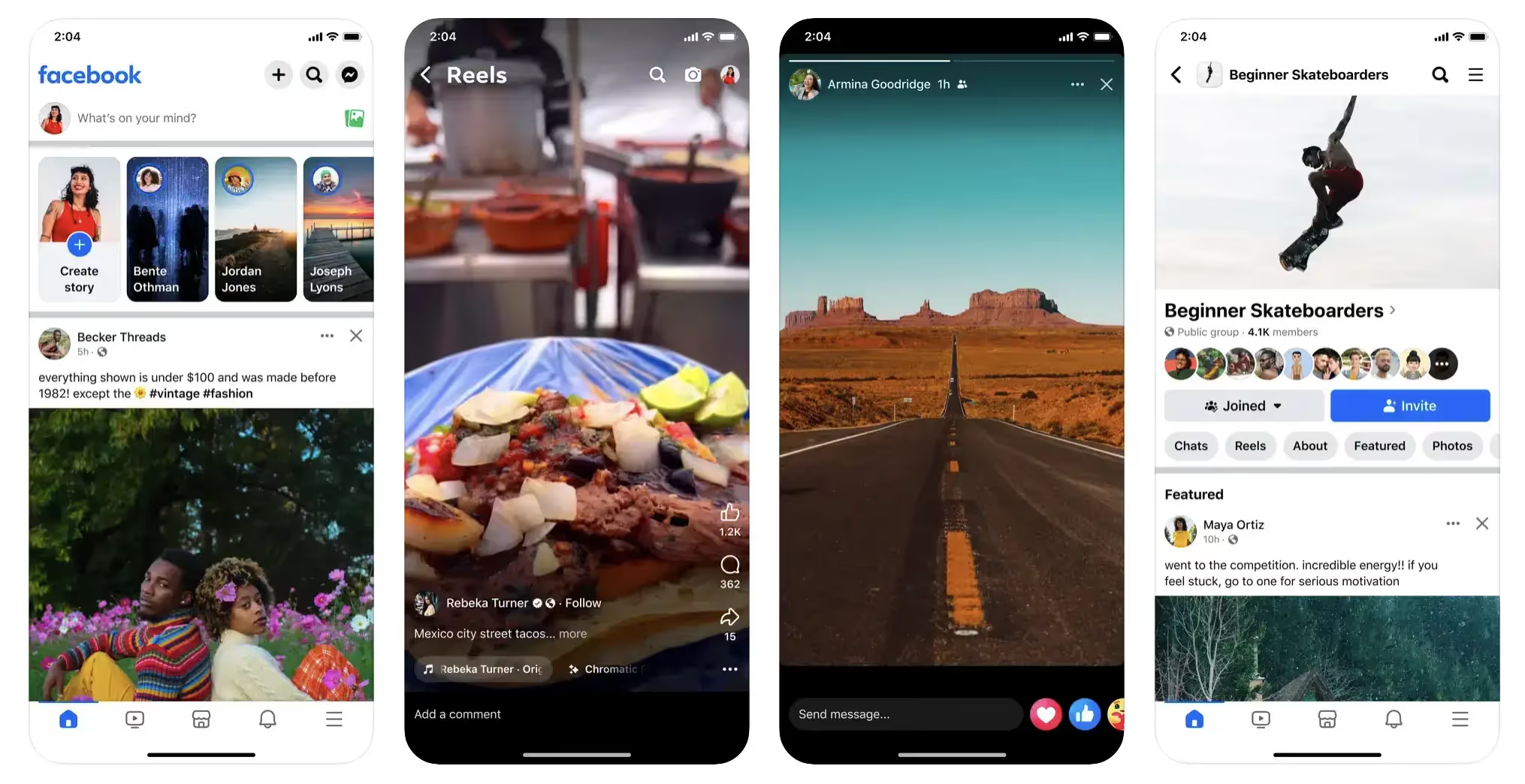
    Mobile apps built with Ionic use webviews, which are like a working, embedded web browser within a native mobile wrapper.

    This lets you create apps with traditional web technologies and frameworks, instead of having to learn a native programming language and write a whole new codebase from the ground up.

    Ionic provides a serious reduction in time and effort to build apps for multiple platforms, especially for projects that already have something built out for the web.

    What Kind of Projects is Ionic Used For?

    Ionic is ideal for converting a website or app to mobile apps, without rebuilding from the ground up.

    It allows you to retain most of the code that you’ve already written, and manage web, iOS and Android all from a single codebase.

    It’s also a good fit for simple apps that don’t require much complex native functionality. Many will find it easier to write and manage code for the web, then extend it to mobile using Ionic, rather than learning a new programming language like React Native (which also requires you to manage a separate codebase if you want to have apps for web and mobile).

    Ionic App Examples

    Ionic is used by companies of varying sizes, from small businesses to large corporations like T-Mobile, Volkswagen, Disney and Southwest Airlines.

    Sworkit is a great example of a smaller company using Ionic.

    Sworkit developer Ryan Hanna used Ionic to create a mobile app while leaning on his background in web development, and claims it saved over over $200,000 in development costs compared to building natively.

    Some other examples of Ionic apps include:

    Sanvello:

    Burger King’s app:

    H&R Block:

    Pros and Cons of Ionic for Mobile App Development

    Ionic provides a fast, simple way to deploy apps for mobile devices, particularly when the app already has a version built for the web. It’s also much quicker and easier to maintain Ionic apps, as there’s just one codebase to manage for all three platforms.

    With the added convenience comes some sacrifice in performance and functionality, however, including limited integration with native features.

    Pros:

    • Ionic is easy to learn, with a much lower learning curve than React Native or native development frameworks.
    • It allows a large amount of code reuse, which speeds up development time and makes maintenance and updates much simpler.
    • Ionic allows web developers to easily ship mobile apps, using their web frameworks of choice (e.g. React, Angular, Vue).
    • Ionic has an active community, along with many 
    • Testing and debugging is easy, and can be done in the browser.
    • It’s easy to build your app as a PWA as well as mobile apps.

    Cons:

    • Performance won’t match that of mobile-first frameworks like React Native.
    • It may be difficult to match your UI to the look and feel of the operating system, as UI components are standardized across both Android and iOS.
    • Native plugins are required for native functionality, and many native functions will not be possible to do with Ionic.

    How About Ionic React?

    Ionic has specialized versions for several popular JavaScript frameworks – Ionic Vue, Ionic Angular and Ionic React.

    These versions are specially designed for converting web apps built in that specific framework (e.g. React web apps) into hybrid mobile apps.

    Ultimately the pros and cons and key features of Ionic React are the same as those of the Ionic Framework in general. It’s just an extra advantage, if your app is built in React, to be able to translate your app to mobile without having to learn and use a new language.

    Learn More: How to Convert a React Web App to a Mobile App

    When to Use React Native and When to Use Ionic

    So, putting the two frameworks head to head, which should you use to build your mobile app?

    Both frameworks have their advantages and disadvantages, and it’s hard to say one is necessarily “better” than the other.

    It’s largely situational. Depending on what you’re trying to do, and the resources and knowledge you’re working with, either Ionic or React Native could be a better fit for your project.

    Use React Native if:

    • You’re building a project that’s mobile-first, and don’t need a web component.
    • You need your app to integrate with device features.
    • Your app is on the medium to high level in complexity.
    • You have the time/money/expertise to handle a complex development project.

    Use Ionic if:

    • You’re converting a website to a mobile app.
    • Your app doesn’t have any complex requirements or need to integrate with device features.
    • You or your team has a web development background (especially if you have expertise in React, Vue or Angular).
    • You want your project to have a web component as well (such as a web version or PWA).

    Learn More: Choosing Between Web, Hybrid and Native Apps

    Alternative Hybrid and Cross-Platform Frameworks

    Ionic and React Native are not the only ways to build hybrid apps or cross-platform mobile apps.

    Other frameworks that you could consider include:

    Native development is also an option (i.e. building native Android apps in Java/Kotlin and iOS apps in Swift/Objective-C). However, we don’t recommend this, unless you have really complex needs that only native development can serve. Today’s cross-platform frameworks are more than enough for 99% of projects, and come with a lot less baggage.

    One more alternative to Ionic/React Native to consider is a managed service like Vendrux.

    Vendrux works much the same way as Ionic, converting your website or web app into apps that work on iOS and Android, with all three platforms served from the same codebase.

    But as a Done-For-You service, it’s much quicker, cheaper and easier both upfront and moving forward, and will suit you better if you don’t want to dedicate the time and energy to handling mobile app development in-house.

    Examples of hybrid apps built with Vendrux

    How Vendrux Beats Both Ionic and React Native

    If you’re building a mobile app for your website or web app, Vendrux is almost always a better option to Ionic or React Native.

    It’s simpler, cheaper, faster, and the result will be nearly indistinguishable from what you’d get if you coded your mobile app yourself.

    The only reason not to use Vendrux is if you’re building a mobile app that doesn’t need a web counterpart, or you need complex features that require native integration to achieve.

    Let’s break down the advantages of using Vendrux to build hybrid mobile apps:

    No Coding Required

    With Vendrux you don’t need to learn a new language or framework. You don’t need to write any code at all. It’s perfect for non-technical teams or anyone who specializes in an area outside of mobile development.

    All the Work is Done For You

    Our team does the heavy lifting, all you need to do is let us know your vision for the app. You don’t need to take on any additional development load or bandwidth, you just sit back and wait to see your new app.
    Platform Agnostic

    Vendrux works no matter what platform or framework you use for your website.

    Whether you use a framework like React, Vue, Angular, Flask, Django, Ruby on Rails, Laravel, a CMS like WordPress or Shopify or a site builder or no-code app builder, all are compatible with Vendrux.

    You continue to use your preferred tech stack, without having to chop and change to fit your mobile app.

    It’s Cheaper and Faster, With a Similar End Result

    Vendrux lets you go live in as little as two weeks, starting from just $399 per month.

    Even with more efficient hybrid frameworks like Ionic, you’ll never be able to match this price and speed if you’re coding in-house or hiring a developer to build your app.

    To your users, the app will look like a professional app that took months to build. Get the same great user experience, for much less investment.

    Fully Synced, Low Overhead

    Vendrux apps are totally synchronized with your website or web app. You don’t need to worry about duplication of effort when you make changes to your site, or managing different platforms.

    Even cross-platform app development, which is more efficient than fully native mobile apps, can come with ongoing maintenance costs of six figures per year. With Vendrux, you cut out 90% or more of these costs.

    App Store Submission Included

    We also handle the app store submission process for you. This can be time-consuming and extremely draining if you don’t have any experience dealing with the app stores and their strict requirements.

    We’ve done it before, through the course of building apps for more than 2,000 companies, and we know what it takes to get an app approved for submission, which is why we guarantee approval for your app or your money back.

    Technical Maintenance Included

    Our team also does the technical maintenance required for operating system updates or routine security updates. If you code an app yourself, you’ll need a mobile developer on staff to handle this.

    By going with Vendrux, you keep your focus on your website – we take care of your apps.

    Ready to Build Your Mobile App?

    If you’re ready to convert your website or web app into a mobile app, get in touch with us now and schedule a free demo.

    We’ll give you a step-by-step look at how the process works, and even show you a working demo of your site as an app.

    If you want an easier way to build an app than learning Ionic or React Native, give Vendrux a try. There’s no risk – try it out and see how great your app can be with little to no effort.

    Get a free preview of your app and book a free demo now.