Category: App Development

  • Flutter vs Ionic – Which Should You Choose?

    Flutter vs Ionic – Which Should You Choose?

    Flutter and Ionic are both used to build cross-platform mobile apps, but that’s about where the similarities end. 

    They’re fundamentally different technologies that operate in fundamentally different ways.

    Here at Vendrux we’ve developed thousands of apps, and make sure we keep up to date on all the latest mobile technologies. 

    In this article, we’ll share our thoughts on Flutter and Ionic. 

    We’re going to explain how they work, cover the pros and cons of each, and guide you through choosing the right one. 

    Let’s get started

    What are Flutter and Ionic?  

    Let’s start off by covering the basics of what Flutter and Ionic are, and how they work on a fundamental level. 

    What is Flutter?

    Flutter was released by Google in 2017, and is a powerful framework for cross-platform app development

    That means you can build apps for iOS and Android from one single Flutter codebase. 

    __wf_reserved_inherit
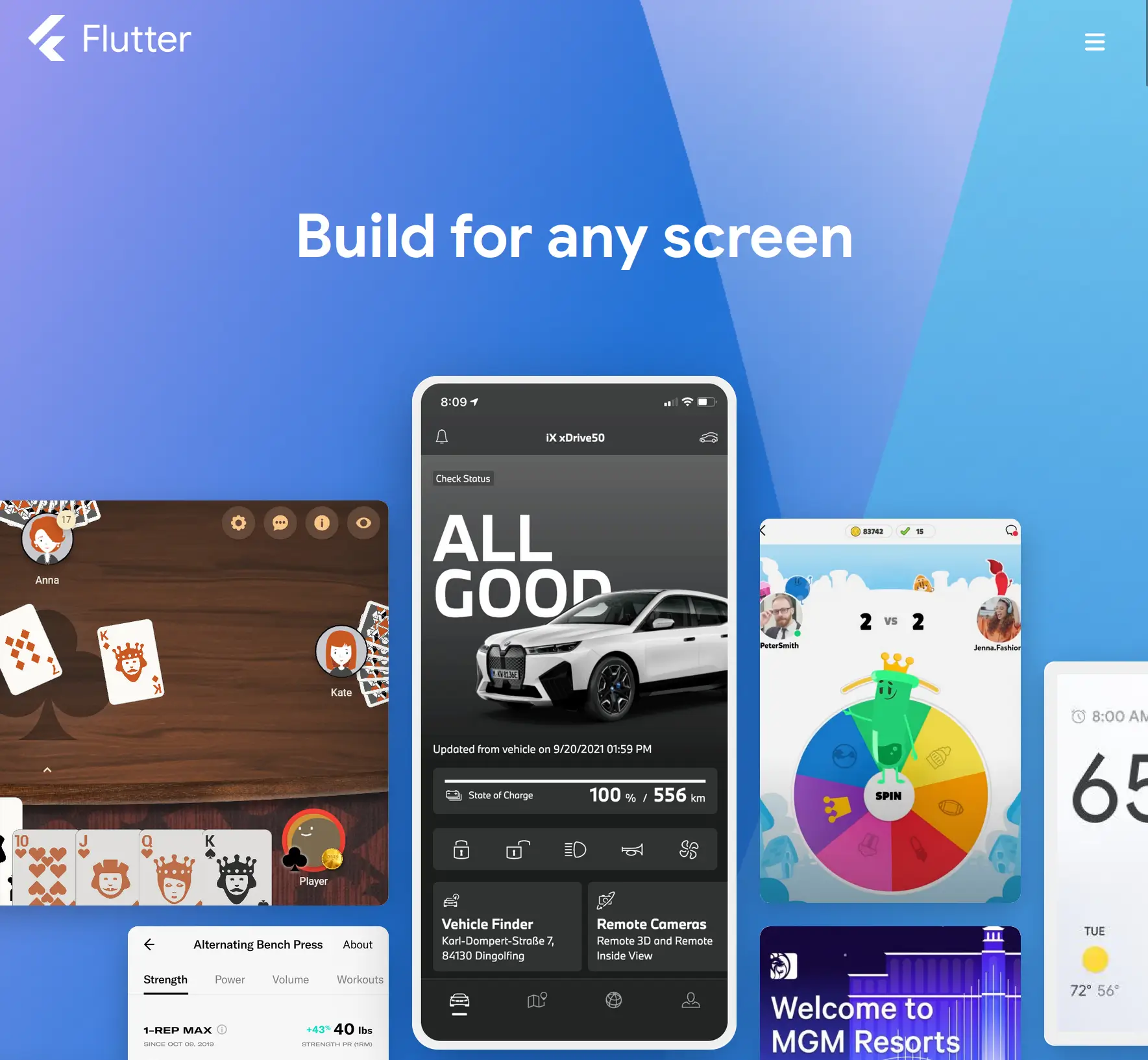
    Flutter official site

    With traditional app development you had to write completely different codebases for iOS and Android – so Flutter is a huge efficiency improvement in comparison. 

    You can read more about Flutter vs native development in this article.

    Flutter’s core features are:

    • Widget-Based Architecture: Widgets are reusable, modifiable UI components and are at the core of Flutter
    • High Performance: Flutter compiles to native machine code for each platform, giving superior performance
    • Ecosystem: Flutter has a vast range of widgets, tools, and general resources thanks to support from Google and a large, growing community

    The important thing to understand about Flutter is that everything is a widget. 

    Widgets are reusable pieces of Dart code (Flutter’s programming language) that define specific UI components for things like text, images, graphics, layouts, and everything else you could imagine. 

    They are the core building blocks that lay the foundation of every Flutter app. There are hundreds of core widgets alone, which Flutter developers combine into a tree

    This builds the UI, which is rendered onto the device’s screen via Skia, an open-source 2D graphics engine beloved by Google. This gives granular control of every pixel on the screen, and allows for complete consistency of UX across platforms. 

    Flutter has shot to the top of the app development world over the past few years, powering countless well-known apps for brands like AliBaba, ByteDance, Google Classroom, and many others. 

    If you want to read about Flutter in more detail, check out this article where we break everything down.

    Otherwise, let’s move on to Ionic.

    What is Ionic?

    In tech terms, Ionic is rather old, released in 2012 by developer and designer duo, Max Lynch and Ben Sperry. 

    Fundamentally, it is an open-source framework for building mobile apps using web technologies like HTML, CSS, and JavaScript.

    __wf_reserved_inherit
    Ionic official site

    Like Flutter, Ionic is a cross platform framework, allowing developers to build apps for iOS and Android from a single codebase. 

    Ionic is the UI layer, consisting of a rich library of customizable and reusable UI components that are designed to mimic native elements. 

    Like Flutter, it provides the basic building blocks for the interface, as well as tools for animations and gestures. It relies on other technologies, like Capacitor, to create the actual apps. 

    Ionic also powers countless apps, including many for global brands, which we’ll showcase in a later section. 

    For now let’s move on to some of the key distinctions between Ionic and Flutter. 

    Hybrid vs Native 

    Let’s clarify a key point: 

    Flutter creates (arguably) native apps, while Ionic creates hybrid apps. 

    What do we mean by this? 

    Why Flutter apps are native

    Well, native apps are native because they are built using the native languages of the platform – Kotlin/Java for Android and Swift/Objective-C for iOS. 

    These languages compile directly to native machine code, which the underlying operating system and processor architecture execute directly

    This direct compilation into machine code is what typically characterizes a language or framework as “native” to a platform, and is why native apps have the best performance and design freedom. 

    Flutter, as a cross-platform framework, is different in many ways from traditional native development. For example Flutter apps do not directly harness the native APIs or components, but rather draw the UI (made of Flutter widgets) onto the screen. 

    But, Flutter does compile to native machine code for each platform, and so Flutter apps are “native” in this key sense – especially when compared to Ionic. 

    Why Ionic apps are hybrid 

    Ionic apps are hybrid apps. 

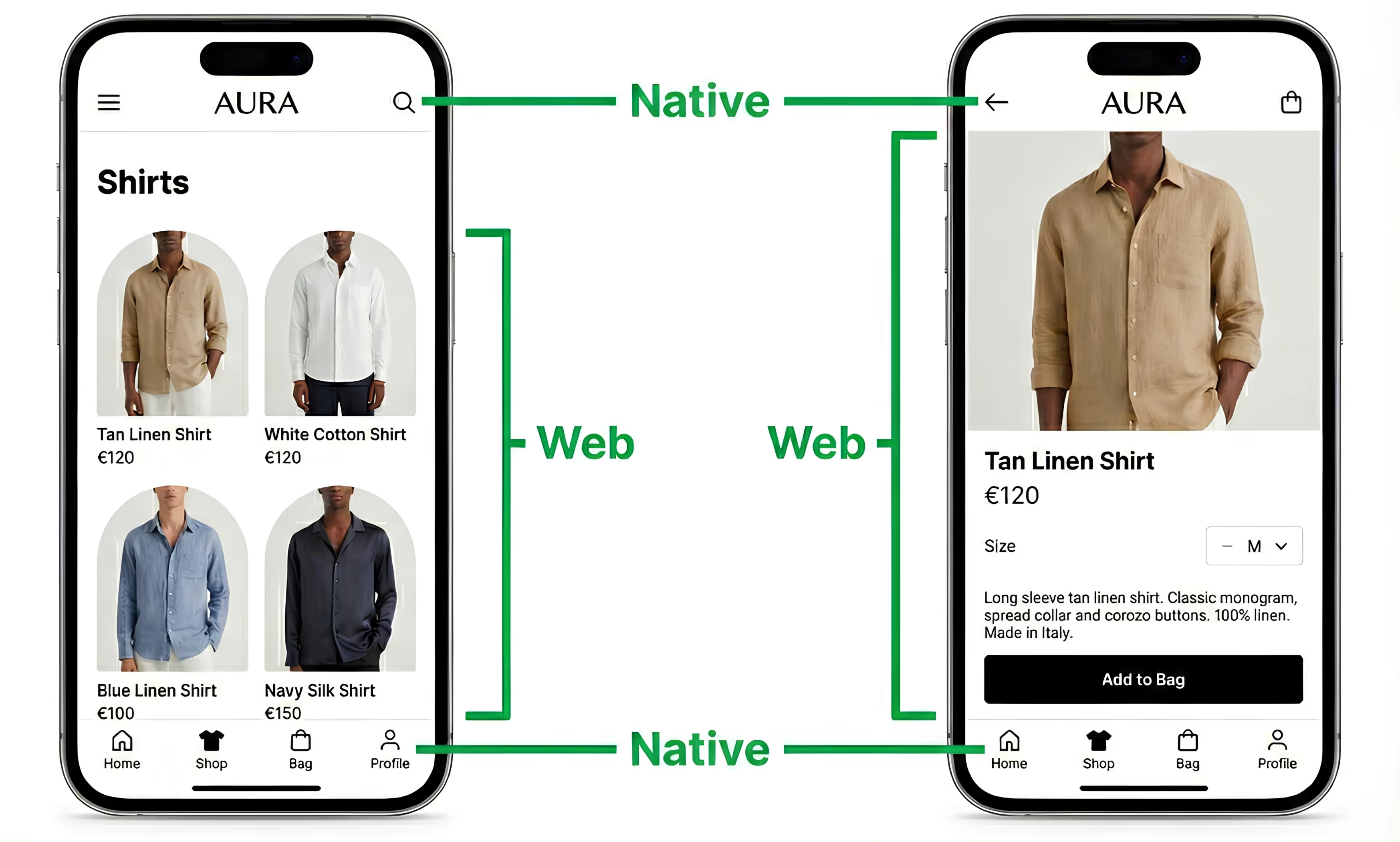
    Hybrid apps are essentially web apps that run in a native “wrapper” called a webview. A webview gives a way to render web content in an app, using the same device’s rendering engine. 

    This doesn’t mean that all hybrid apps are just a “box” with a website running in them. An app is hybrid because some parts of it are from the web, but other parts can be built natively. 

    With Vendrux apps for example, the apps are based on your website or web app. But we add a ton of native features and UI elements on top to make the experience just like a high-end native app. 

    This lets you keep the best parts of your website, and blend them with the best parts of native app tech. Get a preview of what your Vendrux app could look like here.

    Coming back to Ionic, it works in a different way. 

    The apps are built with web technologies like Angular, HTML, and CSS. Typically, the entire UI is built like this and rendered within the webview. 

    This is possible because Ionic provides a large range of pre-designed components that mimic native UI elements such as buttons, toggles, nav bars, tabs, and much more. 

    This is similar to Flutter’s widgets, on a high level. 

    These components are combined and styled to create the UI, which behaves consistently across different platforms thanks to the fact that the web is universal. 

    In this way Ionic, like Flutter, is a cross platform framework. 

    Native vs Hybrid

    So because Flutter apps compile to native machine code, we can say they’re native. 

    Because Ionic apps are essentially web apps that run in a native “container”, they are hybrid apps. 

    Next, let’s evaluate them on performance and possible use cases. 

    Flutter vs Ionic – performance and features

    So we’ve seen that Ionic apps are essentially webviews with your entire app rendered as web pages. Let’s see how they stack up in terms of features and performance. 

    Flutter apps have better performance

    This introduces some of the problems of web pages too – like issues in touch detection, weird scrolling problems, and potentially limited performance. 

    Although the web has come on a lot in recent years, it still can’t compare with native level performance. 

    Flutter on the other hand is actually using your mobile device to render a specific kind of native UI. 

    Through Skia, Flutter has complete control over every pixel, opening up far more options than can be achieved through a browser. 

    For basic applications that do not require complex or performant UIs, you might not notice much difference. 

    But where Flutter really excels is with apps that involve complex animations and graphics. The compilation to native code and leveraging of Skia allows for very smooth frame rates and slick UIs even in very graphically demanding use cases. 

    Ionic is probably not suitable for some of the apps you could build with Flutter. The reliance on web tech can lead to slower frame rates and lags with demanding animations and high volumes of dynamic content. 

    Access to native features

    Although Ionic is fundamentally built with web technologies, it can access native features of the device. 

    This is thanks, these days, to Capacitor. 

    Capacitor is a runtime, which is basically an environment that provides the necessary infrastructure – like memory handling and API interactions – to manage the execution of a program. 

    Capacitor provides the webview “container” for the Ionic UI to run in, but also the crucial infrastructure for interacting with the device itself. If Ionic is for creating the UI, Capacitor is what makes it actually work and run as a mobile app. 

    __wf_reserved_inherit
    Read more about how Capacitor works

    Capacitor allows developers to call native code from the Ionic app, providing a wide range of plugins to interact with the native APIs. This allows Ionic to interact with the camera, GPS, and sensors for example. 

    In Flutter, the same is achieved through platform channels. 

    These are essentially communication mechanisms that allow Dart code to interact with native code for iOS and Android – allowing for access to native functionality in a direct way. 

    In this sense, both Flutter and Ionic have a similar ability to tap into the native features of the device. 

    Successful Flutter Apps

    There are tens of thousands of Flutter apps on the market, including many very high profile brands and success stories. 

    A few standout examples include:

    These are all top brands, with mature tech capacities and sophisticated requirements. 

    The apps are used by millions, and probably cost millions to develop too!

    Successful Ionic Apps

    Ionic has appealed to many businesses over the years in all industries and niches. 

    Here are a few successful apps built with Ionic:

    Ionic has many other well known users too – like the British NHS, Southwest Airlines, Diesel, and more

    Clearly, both Ionic and Flutter are capable platforms that are used by real, successful, high-scale businesses.

    Which should you use? 

    So should you choose Flutter or Ionic?

    Whether you choose Flutter or Ionic is dependent on a few factors. As we’ve seen, they are very different technologies. We will suggest a few scenarios that might swing you one way or another though. 

    When to choose Ionic

    As some general advice, Ionic might be better for you in these cases:

    • Web expertise: you’re a web focused company, with a lot of web development expertise, and don’t want to reskill or hire Flutter developers 
    • Web focused: you care more about the web, and the apps are an afterthought (Ionic apps can be deployed as PWAs)
    • Rapid prototyping: if you want to build a quick prototype or MVP to validate an idea, Ionic could enable this well 
    • Web infrastructure: if you need apps that tightly integrate with existing web infrastructure, Ionic fits well with web APIs, standards, and services

    Ionic is a technology intimately connected to the web, and so all the reasons you might choose it reflect that. 

    It is much easier, and typically cheaper, to develop for the web – and a lot more businesses have existing competence in web technologies. 

    If that’s you, you’re on a tighter budget, and you don’t need a fancy UI, then Ionic may be right for you. 

    When to choose Flutter

    Flutter also has a lot of key advantages, and is more suitable for:

    • High performance requirements: if you need a high level of performance, like in demanding and sophisticated apps, Flutter’s compilation to native code and overall architecture is preferable 
    • Advanced UI customization: if your apps require complex and highly custom interfaces, Flutter’s powerful rendering engine and range of widgets are ideal, allowing for more scope and control than what could be achieved through Ionic 
    • Graphics focus: for apps that depend on advanced animations, graphic elements, and transitions, this is Flutter’s bread and butter 
    • Scalability: for large and complex applications – Flutter has a wide ecosystem for powerful state management and other tools that can manage large-scale apps better than the plugin-reliant approach of Ionic 
    • Mobile focused: thought Flutter can be used to develop web apps from the same codebase, it is still very much app-first

    Essentially – if you care a lot about performance and scalability, and especially if you want to build graphically intensive apps, then Flutter is the clear choice. 

    Flutter vs other platforms 

    We compared Flutter with several other app development options as part of this series. 

    You can take a read of them to learn about how Flutter stacks up against other options too.

    For now though, let’s wrap up our comparison with Ionic.

    Flutter vs Ionic – the bottom line

    In this article, we’ve covered the core differences between Flutter and Ionic. We have not gone deep into the technical weeds, because that could take up an entire book. 

    Rather, we’ve focused on the practical considerations that matter to businesses, and explaining them on a high level. 

    We’ve seen that the real reasons you’d choose Ionic is that you want to stick to web based technologies. This is understandable, it is much easier (and cheaper) to source web talent – most businesses already have it, in fact. 

    With Ionic, you can build decent apps, and integrate them with your existing web stack. If performance and snazzy graphics aren’t important to you, this can work well indeed. 

    On the other hand – Flutter is the better choice for highly custom UIs, native level performance, and graphically intensive applications. 

    You can read an interesting comparison by Ionic themselves here for a second opinion

    A better option: convert your site to native apps with Vendrux

    Our platform, Vendrux, is superior to Flutter and Ionic for a certain type of business. Let’s explain. 

    Vendrux isn’t a programming language or framework – we are a complete service. 

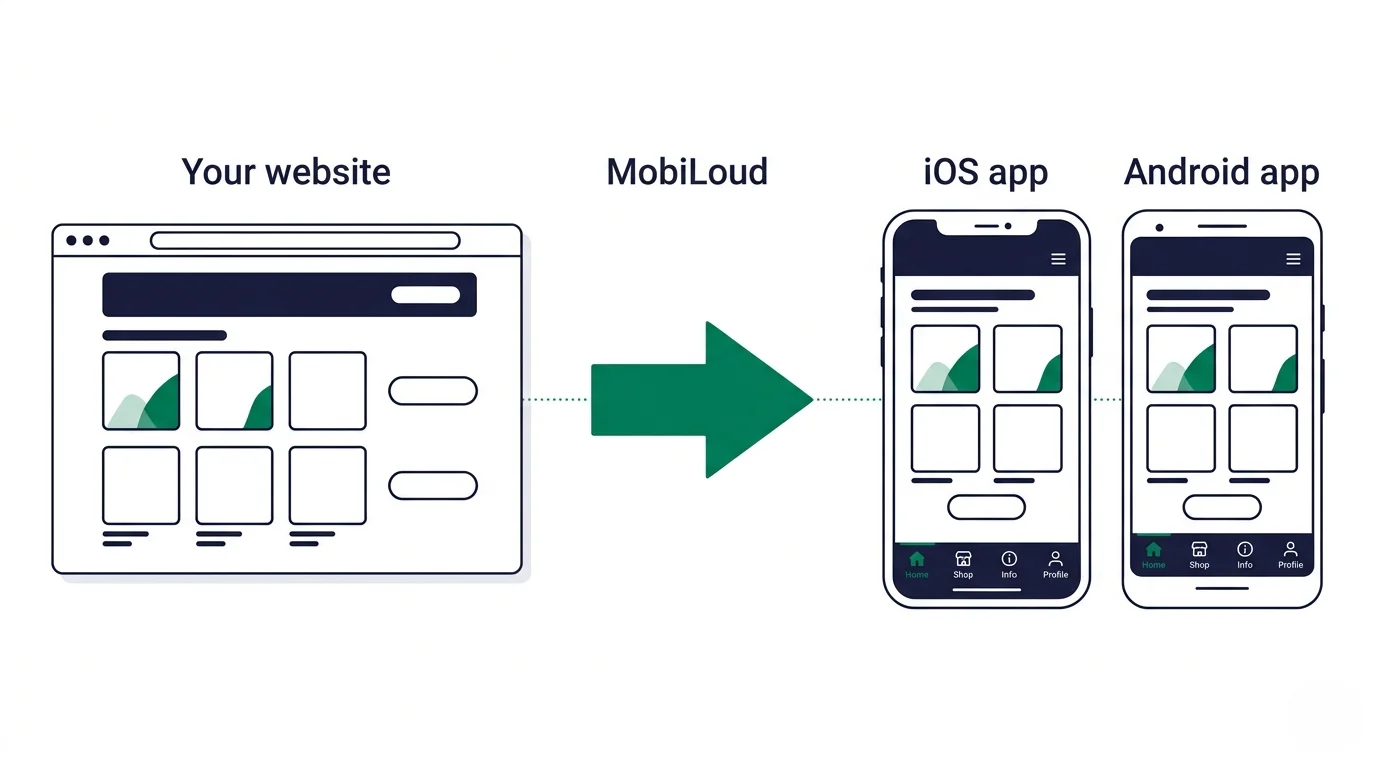
    We take your existing website or web app, and convert it into high-end iOS and Android apps.

    Vendrux apps, like Ionics, are technically hybrid. They display content from your website, via webviews, allowing you to give a consistent experience to app and web users. 

    But unlike Ionic apps, Vendrux apps are not all made from web technologies. We also add all the native elements required for you to both give your users a great UX, and to leverage the apps for full business benefits. 

    Think native navigation, push notifications, and dozens more powerful features

    Compared to both Ionic and Flutter, Vendrux has an excellent risk to reward ratio. 

    Both Flutter and Ionic will have you spend at least tens (or hundreds) of thousands of dollars and many months of effort to build decent apps. You’ll also saddle yourself with significant ongoing expenses for updates and maintenance. 

    This makes it a risky bet. 

    With Vendrux, the logic changes, and ROI becomes much more likely. 

    That’s because Vendrux costs 90% less, and the apps are ready to launch in just weeks. 

    __wf_reserved_inherit
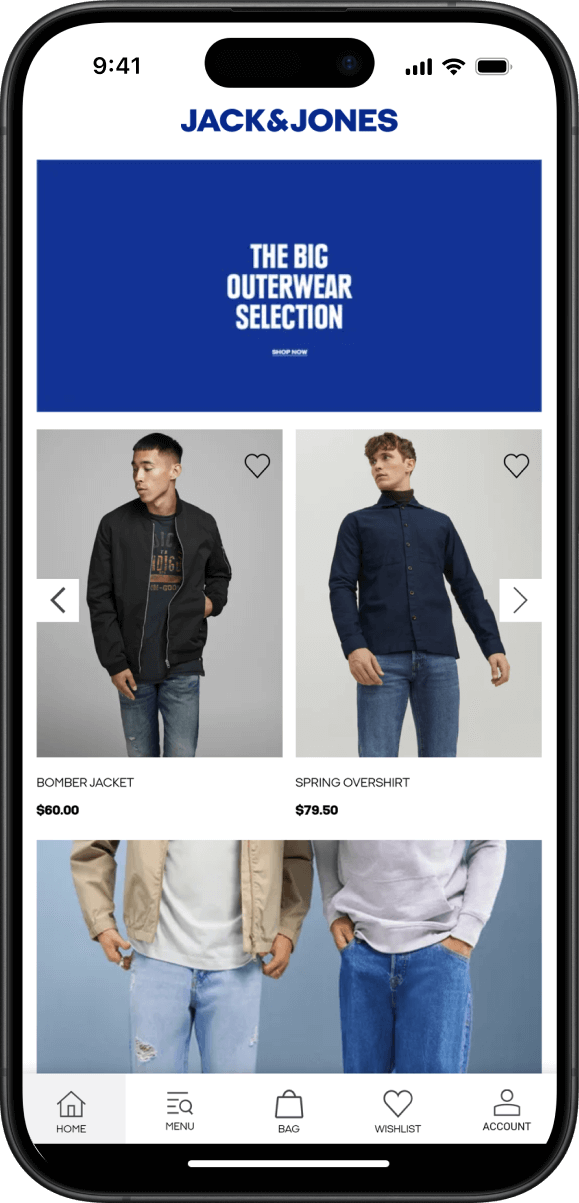
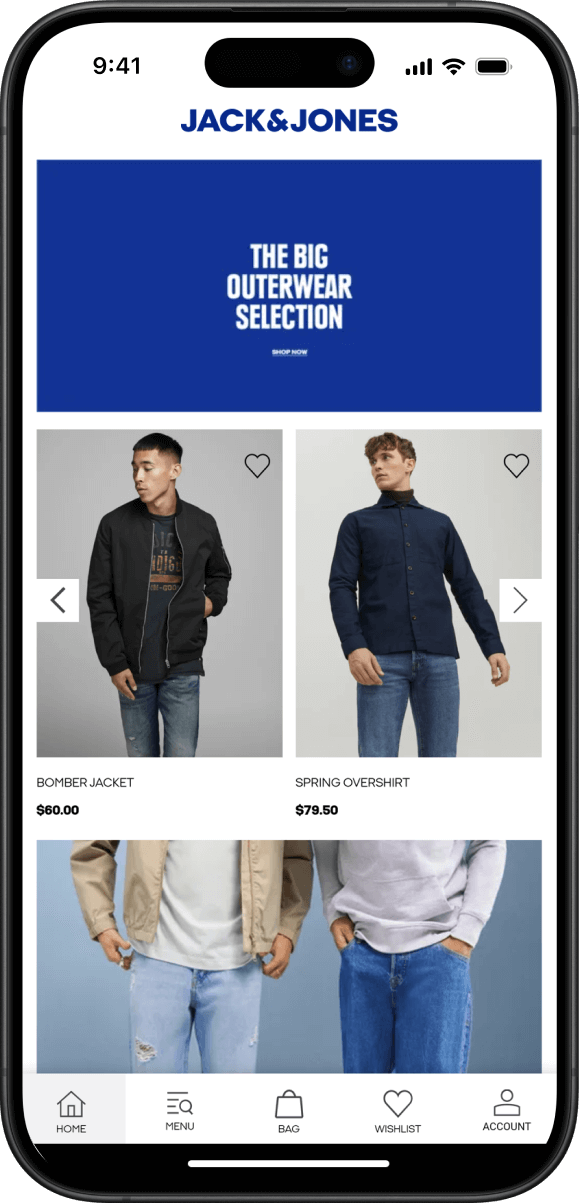
    The Jack & Jones app – built with Vendrux

    Our team handles the entire process for you, and we also handle all ongoing updates and maintenance for the lifetime of the apps. 

    Vendrux apps update automatically with any changes you make on your site. They also allow you to reuse everything from your site, without needing to rebuild anything. 

    This, along with our full service, means that the apps will practically run themselves while you get all the benefits with virtually none of the costs. 

    Vendrux is a proven model that works great for thousands of businesses, from small startups to multibillion dollar multinationals. It works particularly well for ecommerce stores, elearning platforms, and content sites. 

    You can even preview what your app could look like, right now

    Basically – Flutter and Ionic can be good for building apps from scratch, and if you are starting off with an app. But if you’re already established on the web and have a great website – it’s a much better idea to convert it with Vendrux. 

    To learn more, get in touch with one of our app experts. They’ll answer all your questions, and help you decide if Vendrux is right for you. 

    Book a demo call today.

  • Flutter vs Expo: Which Cross-Platform Framework Should You Choose?

    Flutter vs Expo: Which Cross-Platform Framework Should You Choose?

    Flutter and Expo are two of the most popular ways to build mobile apps for iOS and Android from a single codebase. But they take fundamentally different approaches to the same goal.

    Flutter is a full framework from Google, with its own language and rendering engine. Expo is an extension of React Native, built to make React Native development faster and more accessible.

    At Vendrux, we’ve developed thousands of apps over the past 10 years, so we’ve learned a few things about the mobile world and mobile tech. 

    In this article, we’ll break down how both Flutter and Expo work, where they excel, and how to pick the right one for your project. 

    We’ll also explain when you might not need either – when converting your website into an app with Vendrux may be a better choice.

    What Is Flutter?

    Flutter is Google’s open-source framework for building cross-platform apps

    Released in 2017, it has grown into one of the most widely adopted mobile development frameworks in the world, with over 1 million monthly active developers and nearly 30% of new iOS apps built with it.

    Flutter uses Dart, a programming language originally created by Google. Dart compiles ahead-of-time (AOT) into native machine code for each platform, which is a big part of why Flutter apps perform as well as they do.

    What makes Flutter distinctive is its rendering approach. Instead of relying on the platform’s native UI components, Flutter draws every pixel on screen using its own rendering engine. 

    On mobile, this is now Impeller, a purpose-built engine that replaced Skia (which Flutter still uses for web and desktop). 

    Impeller eliminates shader compilation jank and delivers up to 50% faster frame rasterization compared to the old Skia pipeline.

    The result: pixel-perfect control over the UI, consistent rendering across platforms, and performance that rivals truly native apps.

    Flutter also supports web, Windows, macOS, and Linux from the same codebase, though mobile remains its primary strength. We covered Flutter’s fundamentals in more detail in our Flutter 101 guide.

    What Is Expo?

    To understand Expo, you need to understand React Native.

    React Native is Meta’s open-source framework for building mobile apps using JavaScript and React. Unlike Flutter, which draws its own UI, React Native translates your JavaScript components into actual native platform views: UIKit on iOS, Android Views on Android. 

    The end result uses real native components, not a custom rendering engine.

    Expo is built on top of React Native. It started as a way to simplify the setup and development process, but it has grown into something much more integral. 

    As of 2026, Expo is the officially recommended way to start new React Native projects, according to React Native’s own documentation.

    Here’s what Expo adds to the React Native experience:

    • Managed workflow and EAS (Expo Application Services): Cloud-based build, submit, and update services. You don’t need Xcode or Android Studio installed locally to ship an app.
    • Expo Router: A file-based routing system (similar to Next.js) that handles deep linking, navigation, and universal links out of the box.
    • Expo Modules API: A modern way to write native modules in Swift and Kotlin without ejecting from the managed workflow.
    • Over-the-air updates: Push code changes to users instantly, bypassing app store review cycles for non-native changes.
    • Expo Go: A companion app that lets you preview your project on real devices during development, without compiling a full build.

    Expo has matured well beyond a “convenience layer.” Over 2,200 top-trending iOS apps use Expo libraries, and the framework handles everything from build tooling to deployment pipelines.

    Flutter vs Expo: Key Differences

    Here’s a side-by-side look at the core differences.

    Flutter Expo (React Native)
    Language Dart JavaScript / TypeScript
    UI approach Custom engine (Impeller). Draws every pixel. Renders native platform UI components
    Backed by Google Meta (RN) + Expo team
    Platforms iOS, Android, Web, Windows, macOS, Linux iOS, Android, Web (experimental)
    Learning curve Moderate. Requires learning Dart + widget system Lower for JS/React devs. Steeper if new to React
    Hot reload Yes (stateful, incl. web) Yes (fast refresh via Metro)
    Native code access Full, via platform channels Full, via Expo Modules API or bare workflow
    OTA updates Not built-in (third-party options) Built-in via EAS Update
    Build system Local (Flutter CLI) Cloud (EAS Build) or local
    Community ~175K GitHub stars, strong in Europe/Asia ~121K GitHub stars (RN), dominant in US market

    Architecture

    This is where the two frameworks differ most fundamentally.

    Flutter compiles Dart code directly to native ARM machine code (or x64 for desktop). At runtime, Flutter doesn’t use the platform’s native UI toolkit at all. It renders everything through Impeller (on mobile) or Skia (on web/desktop), giving developers complete control over every pixel on screen.

    Expo / React Native takes a different approach. Your JavaScript code runs in a JavaScript engine (Hermes, by default) within the app. Since January 2026, React Native uses the New Architecture exclusively: JSI (JavaScript Interface) allows JavaScript to call native code directly through C++ bindings, Fabric handles UI rendering using real native components, and TurboModules provide lazy-loaded, type-safe access to native APIs.

    This is a significant change from React Native’s earlier design, which used an asynchronous “bridge” to serialize messages between JavaScript and native code. 

    That bridge has been completely removed as of React Native 0.82. The performance gap between the two frameworks has narrowed considerably as a result.

    Both approaches are “cross-platform native” in different ways. Flutter controls rendering at the pixel level. React Native delegates rendering to the platform’s own native components. Neither is a “hybrid” framework in the traditional sense (that term properly refers to WebView-based tools like Cordova or Ionic).

    UI and Design

    Flutter is known for design freedom. Its extensive widget catalog includes components that follow both Material Design (Android) and Cupertino (iOS) guidelines, plus the ability to build entirely custom UIs. 

    Because Flutter controls every pixel, you can create animations, transitions, and visual effects that would be difficult or impossible to achieve by relying on native components alone.

    Expo / React Native renders actual native UI components, which means your app automatically looks and feels like it belongs on each platform. This is an advantage for apps that should feel “native” to iOS or Android users. 

    The component library is solid for standard interfaces, and Expo’s UI library (heading toward 1.0 in mid-2026) aims for API parity with SwiftUI and Jetpack Compose.

    For most business applications, both frameworks produce clean, professional interfaces. Flutter has the edge for apps with heavy custom animations, complex graphics, or UIs that need to look identical across platforms. Expo has the edge when you want platform-native look and feel with less effort.

    Performance

    Flutter has traditionally held a performance advantage, particularly for graphically intensive workloads. 

    A SynergyBoat benchmark found Flutter iOS frame times of 1.72ms vs. React Native’s 16.65ms, with Flutter achieving 117.75 FPS at 120Hz on Android.

    That said, the New Architecture has closed a lot of this gap for typical app workloads. JSI’s synchronous native calls and Fabric’s optimized rendering mean most business apps built with Expo will perform indistinguishably from Flutter equivalents in real-world use. 

    The difference shows up primarily in:

    • High-frame-rate animations and transitions
    • Custom rendering and drawing
    • Apps with extremely complex, layered UIs
    • Games or media-heavy interfaces

    For standard ecommerce apps, content apps, productivity tools, and most B2B applications, both frameworks deliver smooth, responsive experiences.

    Learning Curve and Developer Experience

    Flutter requires learning Dart, which most developers won’t know already. Dart itself is approachable (similar to Java, Kotlin, or TypeScript in syntax), but Flutter’s widget-based architecture and reactive programming model have their own learning curve. 

    The payoff is a well-integrated development experience where the language, framework, and tooling were all designed to work together.

    Expo benefits enormously from the JavaScript/React ecosystem. If your team already builds with React on the web, the transition to React Native + Expo is significantly smoother. 

    You’re using familiar patterns (components, hooks, state management) in a familiar language, with an ecosystem of npm packages you already know.

    This is the single biggest factor in most teams’ decisions. The Stack Overflow 2025 survey shows React Native slightly ahead among professional developers (13.62% vs 12.56%), and React Native job postings outnumber Flutter’s roughly 6:1 in the US market.

    Ecosystem and Community

    Both frameworks have massive, active communities.

    Flutter: ~175,000 GitHub stars, 12,400+ contributors, and a strong package ecosystem through pub.dev. Google’s investment has been consistent, with eight stable releases shipped in 2025 alone. The ecosystem is particularly strong in Europe and Asia.

    React Native + Expo: ~121,000 GitHub stars for React Native, with Expo adding its own extensive library ecosystem. The npm ecosystem gives React Native access to a broader pool of JavaScript packages. Weekly npm downloads for React Native have grown to approximately 4.5 million. The ecosystem dominates in North America.

    Apps Built with Each Framework

    Both frameworks power apps at the highest scale.

    Expo / React Native apps include:

    Flutter apps include:

    These aren’t hobby projects. Both frameworks handle the performance, scale, and reliability requirements of apps with millions of daily active users.

    Which Should You Choose?

    The honest answer: it depends on your team and your project.

    Expo (React Native) is likely the better choice if:

    • Your team already works with JavaScript, TypeScript, or React
    • You want the fastest path from idea to app store
    • Your app uses standard UI patterns (lists, forms, navigation, media)
    • You need over-the-air updates for rapid iteration
    • You’re hiring in the US market (larger talent pool)

    Flutter is likely the better choice if:

    • Your app relies on custom animations, complex graphics, or pixel-perfect design
    • You need to target desktop platforms (Windows, macOS, Linux) alongside mobile
    • You’re building something visually distinctive that doesn’t follow standard platform patterns
    • You want a single framework that handles its own rendering end-to-end
    • Your team is open to learning Dart (or already knows it)

    Both are excellent, production-proven frameworks. For most business applications, either one will deliver a solid result. 

    The deciding factor is usually your team’s existing skills, not the frameworks’ technical capabilities.

    The Shared Challenge: Time, Cost, and Risk

    Whether you choose Flutter or Expo, you’re committing to a significant investment.

    Building a production-quality app with either framework typically means:

    • $100K+ in development costs (see our cost breakdown)
    • 3-6 months to reach the app stores with a v1
    • Ongoing maintenance, including OS updates, dependency management, and feature work, often costing $30K-50K+ annually
    • Separate QA, deployment, and monitoring processes for your mobile codebase

    For companies building something genuinely new, like a social platform, a game, a fintech tool, or an app with novel interactions, that investment makes sense. These frameworks exist to build things that don’t exist yet.

    But many businesses aren’t in that situation. If you already have a website or web app that does what your customers need, rebuilding that functionality from scratch in Dart or React Native may not be the best use of your budget.

    When Your Website Is Already the Product

    If your mobile app needs to deliver the same experience as your website (which is the case for most ecommerce brands, content publishers, SaaS products, and membership businesses) there’s a faster path.

    Vendrux takes your existing website and extends it into native iOS and Android apps.

    Your full site, including every feature, integration, and piece of custom functionality, works in the app from day one. 

    On top of that, you get the native capabilities that make apps worth having: push notifications, app store presence, native navigation, and deep linking.

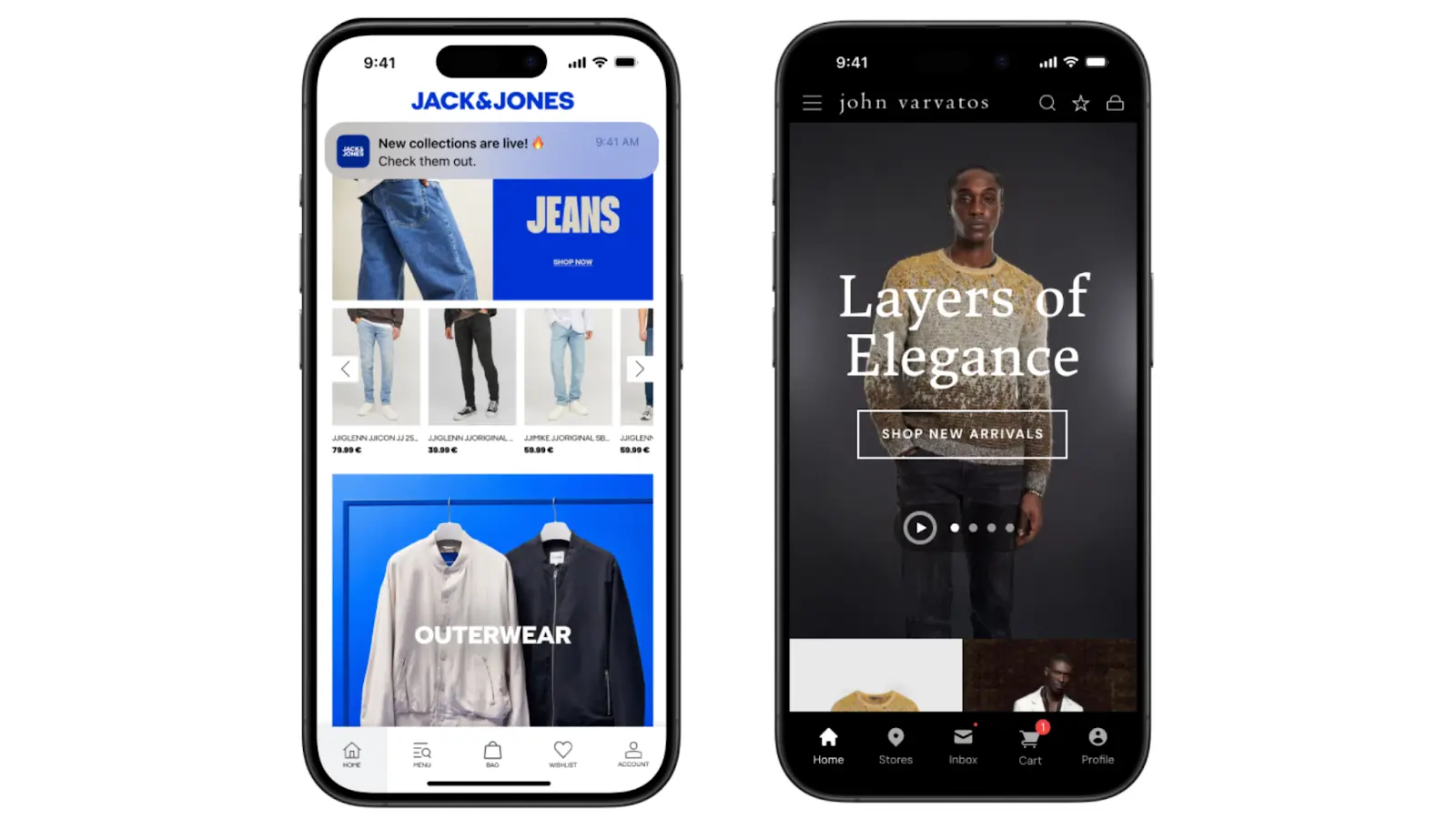
    Jack & Jones and John Varvatos are two global brands that preferred Vendrux’s approach to convert their websites into apps

    Here’s the practical difference:

    Flutter / Expo Vendrux
    Timeline 3-6+ months Weeks
    Cost $100K+ build, $30-50K+/yr maintenance Predictable monthly pricing, no revenue share
    Your involvement Hire or manage a dev team We handle everything
    Feature parity with site Rebuild from scratch Automatic, real-time sync
    Ongoing maintenance Your team’s responsibility Fully managed by Vendrux

    This isn’t the right fit for everyone. If you’re building a game, a camera app, or something that doesn’t have a web equivalent, you need Flutter or Expo. 

    But if you already have a website that works well on mobile and you want that same experience in the app stores with push notifications and native UX, rebuilding it from scratch is hard to justify.

    Vendrux powers apps for 2,000+ businesses, from startups to global brands like Jack & Jones and John Varvatos. The model is straightforward:

    1. Book a strategy call. We’ll look at your site, talk about your goals, and assess whether it’s a good fit.
    2. Get a custom app preview. Our team builds a working preview so you can see exactly how your app will look and feel.
    3. Launch in 30 days. We handle the build, configuration, testing, and app store submission. You focus on your business.

    Want to see what your site would look like as an app? Get a free strategy call now – no commitment required.

  • Flutter vs Dart – What’s the Difference?

    Flutter vs Dart – What’s the Difference?

    These days when you start researching app development – you’ll come across Flutter and Dart. 

    This confuses some. Are they the same thing? Which one do I use? 

    Flutter and Dart are intimately related. While Flutter is a cross-platform framework for building apps for iOS, Android, and desktop – Dart is the programming language used to develop Flutter apps. 

    In this article we’re going to explain everything clearly, teaching you everything you need to know about Flutter vs Dart. 

    Frameworks vs Programming Languages

    The key difference between Flutter and Dart: Flutter is a framework while Dart is a programming language. 

    In software development – a programming language is a bit like a human language, except it is specifically for communicating with and sending instructions to a computer. It’s a set of syntactical and semantic rules that let programmers send specific tasks to the computer, which together create sophisticated programs and applications. 

    __wf_reserved_inherit
    Programming languages – how humans talk to machines

    There are many programming languages you’ve probably heard of, like Python, JavaScript, C++, and countless others. Though these are very different and suited to different tasks, on some level they are all just “languages” for telling computers what to do. 

    Dart is a programming language too. 

    Flutter on the other hand is a framework. 

    A framework is a set of tools and best practices designed to help developers build applications. They provide libraries, pre-written code, templates, and commonly used components to help with common development tasks and goals. 

    Frameworks are usually for a specific programming language and a specific purpose. 

    For example:

    • React is a framework for JavaScript, used to build user interfaces for web development
    • Angular is a framework for HTML and TypeScript, used to build single page apps 
    • Django is a Python framework used for web development 

    If the programming language is the building blocks of the language – nouns, verbs, syntax and so forth. The framework could be seen as the style guide or a specialized dictionary designed to help you write as efficiently and effectively for specific tasks. 

    In this context – Flutter is a Dart framework for cross-platform app development. 

    In the next section, we will look more closely at each for deeper context. 

    What is Dart?

    Dart is now best known as the programming language of Flutter, but it has a more complex history. 

    Released by Google way back in November 2013, Dart was originally intended as a replacement for JavaScript for building web apps. 

    It never fulfilled this lofty goal, JavaScript is still the undisputed king of the web, but Dart has found its place as the language of cross-platform app development through Flutter. 

    __wf_reserved_inherit
    Dart is known for its hot reload

    Broadly, Dart is known for its intuitive syntax and great developer productivity features. We can understand it better by looking at its key features. Dart is:

    • Object Oriented: Dart is designed for a programming style that relies on “objects”, which are self-contained “entities” consisting of both data and methods. Think of them as “things” in the code which have both specific characteristics and “actions” they can perform
    • Class Defined: objects in Dart are defined by “classes”, which is like a recipe or blueprint for making an object. Classes define what data an object can hold and what it can do with it
    • C style Syntax: this just means that the way the language is written is similar to C, which is known for curly braces { } and semicolons. If you have experience in languages like C++ or Java you’ll have an easier time learning Dart
    • Sound Type System: Dart is very careful about types of data, this helps programmers to catch mistakes quickly and make code less buggy 

    A programming language is compiled when it is transformed by a compiler into machine code – the famous 1s and 0s. This compiled code is directly executable by the computer’s hardware.

    Dart has two types of compilation:

    • Just-in-time (JIT): used in development, allows parts of the code to be compiled in “real time” so developers can see changes instantly 
    • Ahead-of-time (AOT): used when the app is ready for production build and to be compiled into an entire codebase for different platforms

    JIT is great for the developer experience, allowing for features like hot reload, which lets you see changes in the code instantly.

    AOT, along with Flutter, gives Dart its powerful cross-platform capabilities. Traditionally when you built iOS and Android apps for example you’d need to write two separate codebases in the (very) different native languages of each. You’d also need to maintain them completely separately. 

    With Dart (and Flutter) compiling into native code for each platform, you can work from a single codebase which is far more efficient. 

    Now let’s move on to take a look at Flutter. 

    What is Flutter? 

    Flutter is a cross platform framework that uses Dart as its programming language. 

    You can think of frameworks a bit like “toolkits” that make specific programming languages much more practical to use for certain purposes. 

    Flutter is the toolkit that lets you use Dart to create iOS, Android, web, and even desktop applications from a single codebase. 

    It provides a comprehensive UI toolkit, with a rich set of widgets and tools designed to build user interfaces. 

    __wf_reserved_inherit
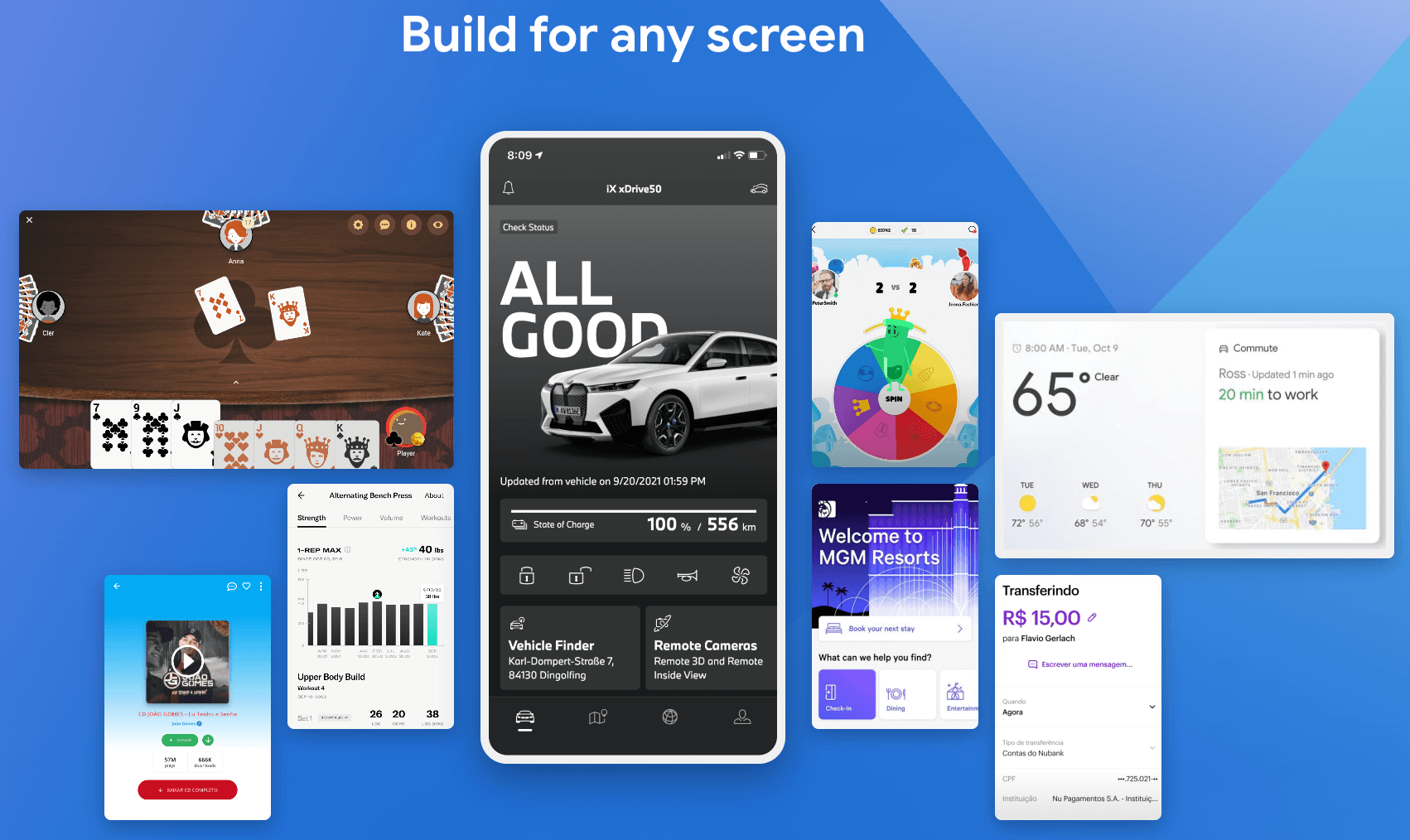
    Flutter is used for many famous apps

    With Flutter, everything the user sees in the interface is a widget – from simple elements like text and buttons to complex structures like scrollable lists. 

    The widgets are “made” with Dart code, and are “drawn” aka rendered onto the device’s screen with Skia, a 2D graphics engine relied on heavily by Google. Widgets are also organized hierarchically – Flutter apps are fundamentally a tree of widgets.

    Flutter has really taken the app development world by storm in recent years.

    To build high-end apps from a single codebase is a major time and money saver for countless businesses, and Flutter powers thousands of successful apps like AliBaba, ByteDance, and Google Classroom. 

    You can learn about Flutter in much more depth in this article.

    Now we understand Flutter vs Dart at the fundamental level. Let’s look more specifically at how they interact. 

    How do Flutter and Dart work Together? 

    With Dart and Flutter together, you can create iOS, Android, web, and even desktop applications from a single codebase. 

    An important point to note though – Dart itself isn’t only for Flutter. 

    Recall that it was originally intended as a replacement for Javascript? 

    Dart is a Turing complete, general purpose programming language. This essentially means that it can be used for a wide range (theoretically any) range of programming tasks and challenges. 

    For example, you can use Dart to build web applications with Dart Web to compile Dart to JavaScript so it can run in a web browser. Dart can also be used for server-side programming, allowing Dart programmers to write sophisticated back ends. 

    So, Dart doesn’t “need” Flutter. 

    But, Flutter does need Dart, and indeed Dart has gained popularity and fame through its association with Flutter. 

    Dart is perfect for Flutter. Many of its features, like JIT and AOT compilation, make it very suitable for the high performance, efficiency, and fast development cycles Flutter aims for.

    Dart is the foundation, which Flutter then extends to make it perfect for cross-platform app development. Flutter’s extremely rich library of pre-designed, customized widgets (written with Dart) make it easy to create almost any UI element conceivable. 

    This gives Dart developers an “out of the box” set of building blocks to create the UI, building blocks that would be highly tedious and laborious to write in Dart from scratch. 

    Flutter goes further in enabling Dart’s cross platform power. 

    Every widget is designed to look good and behave naturally on multiple platforms, giving a consistent UX on iOS and Android. 

    Flutter also uses Skia to render or “paint” the widgets and UI written in Dart onto the device’s screen, allowing the apps to look good and be easy to use. 

    Basically – Flutter and Dart work together in synergy to form an ecosystem for cross platform app development. 

    Ready to Build Apps?

    Hopefully, you now understand Dart vs Flutter. You know that Dart is the programming language, Flutter is the framework, and they work together to form a powerful app development combo. 

    Still though, developing apps with Flutter and Dart isn’t a cakewalk. 

    Even though it is twice as efficient as true native development from scratch, it is still a complex and expensive process requiring highly skilled specialists. 

    You’ll burn through tens of thousands and months of work to get good apps ready to launch on the App Store and Google Play. They’ll also need significant ongoing investment to keep them maintained over time.

    The same goes for any other cross-platform framework like React Native.

    An even more efficient way to get apps for both iOS and Android is Vendrux

    With Vendrux we build the apps for you. We publish them and maintain them too. 

    Our method involves converting your existing website or web app into native mobile apps. This means that you get to keep all the cool parts of your site, with all the most important native app parts added on top to give users a great experience.

    __wf_reserved_inherit
    The Jack & Jones app – built with Vendrux

    It’s of app development with Flutter, and you don’t need to hire anyone or manage anything new since the apps will update automatically.

    Check out some of 2000+ businesses using Vendrux, or get in touch with one of our team to get all your questions answered. 

    Book a demo today.

  • How to Convert an Ecommerce Website into a Mobile App (Step-by-Step)

    How to Convert an Ecommerce Website into a Mobile App (Step-by-Step)

    We’ve built over 2,000 ecommerce mobile apps at Vendrux over the past decade. We’ve worked with brands on Shopify, Magento, BigCommerce, Salesforce Commerce Cloud, and fully custom platforms. We’ve seen what works, what doesn’t, and where brands waste time and money.

    This is everything we know about converting an ecommerce website into a mobile app. Not a fluffy, high-level overview. Just a clear, honest explanation of what this actually involves, to help real ecommerce operators understand what it takes to launch an app.

    What Does “Converting” Your Site into an App Actually Mean?

    There’s a distinction between converting your site into an app and building a new app from scratch which a lot of people don’t fully grasp.

    Most resources or tools that talk about converting your site into an app really mean rebuilding it.

    You use a no-code tool to build a new UI, new homepage, new product pages, and pull in data from Shopify.

    Or you build something new in React Native/Flutter/Capacitor/Swift, create APIs, connect them to your store’s backend.

    None of this is converting what you already have. It’s building a new storefront.

    That’s important, because it means more work to launch, difficulty achieving parity with your website (especially with no-code tools, which work from templates and pre-built blocks), and much more maintenance work after you launch.

    Can You Convert Your Ecommerce Site into an App?

    Yes. And it’s far more common than most people realize.

    The majority of successful apps, including some of the biggest in the world, blend native code with web content. They’re conversions, not custom apps.

    Multiple studies have found that 83-90% of Android apps contain web-based components in their code. Among apps with 100,000+ users, more than half use web content as part of their architecture. 

    Amazon, Instagram, and Gmail all mix native and web elements. Shopify published a detailed engineering post describing web-based views as “a critical part of Shopify’s mobile strategy.”

    These companies have massive engineering teams. They could build everything natively. They choose to reuse what they’d already built instead.

    Why Converting Your Site Is Better Than Rebuilding It

    Think about what your ecommerce website actually is. 

    It’s a mobile-friendly product catalog, conversion-optimized, everything dialed in for small screens and convenience.

    That is 90% of what your mobile app needs to be.

    App users aren’t looking for something brand new. They just want to be able to launch your app from their home screen, browse and buy with fewer distractions, get push notifications for order updates, promos, product launches, etc.

    That’s the 10% that makes it an app; not a different UI, not some kind of flashy feature you can’t build on the web.

    And when you convert, instead of rebuild, you:

    • Save a significant amount of time/money on the initial build
    • Save even more on maintenance and updates over the lifetime of your app
    • Manage just one platform – your website – because whatever you build for the web syncs to the app automatically
    • Launch risk-free – because you know you’re building from what already works, not taking a shot in the dark with a new UX

    It’s about extending, not starting over. For the majority of ecommerce brands, this is the better approach.

    “There is no real business case for building an app from scratch for $1M+ when our mobile website is already good enough!”
    — Thomas Moberg, Product Owner, Bestseller (Jack & Jones, Only, Vero Moda)

    Three Ways to Convert an Ecommerce Site Into an App

    If we’re being precise about what “converting a website into an app” means, there are really three approaches.

    Let’s break them down, so you can start to form a picture of what makes sense for your brand.

    Progressive Web App (PWA)

    This is the lightest version of conversion. A Progressive Web App still runs inside the browser, but it gives an “app-like experience”.

    You add modern browser APIs to your website so it can be installed to a user’s home screen, cache content for faster loading, and (on Android) send push notifications.

    The upside is simplicity. There’s nothing to submit to an app store, no separate build, and no ongoing maintenance beyond your website. The improved user experience applies to all your website visitors, too – not just those who download your app.

    The downside: it’s not a real app experience.

    Your options for sending push notifications are limited, few people actually add your PWA to their home screen, and you can’t get in the App Store.

    That’s not to say turning your site into a PWA is a bad thing. The opposite: you should absolutely do this.

    But it’s not a substitute for a real mobile app.

    Custom-developed hybrid app

    This is what brands like Amazon and Shopify do.

    You hire developers to build a native app framework that loads your web content inside it. This could be Ionic/Cordova, or perhaps a React Native build or Swift with webviews.

    It’s a real app, in every sense of the word. You can customize the UX extensively. It’s fast, it’s mobile-native.

    The downside: it costs a lot – even if you’re not building a fully custom app, you’re still looking at  a big price tag, and you’ll need a dedicated mobile app team to maintain it.

    That’s why it makes sense for Amazon, but not for most ecommerce brands.

    Vendrux

    Vendrux directly converts your ecommerce store into a mobile app.

    It gives you more or less the same end result as custom hybrid development (a native app framework built around your website, with push notifications, deep linking, native navigation, and app store presence).

    But it’s much more cost-effective, and requires much less from your team.

    For a predictable monthly cost (with no revenue share, no hidden costs), you get a team who builds, submits, and maintains the app for you. You don’t need developers, you don’t need to manage the app, and everything you build for the web automatically carries over to your mobile app.

    Vendrux is the leading service in the ecommerce website to app category, with 2,000+ apps launched across every major ecommerce platform.

    It’s a risk-free, low-overhead, high-upside way to go live with your own mobile app; whether you’re a major global brand or a lean DTC team.

    Want to see what’s possible? Get a free consultation and we’ll break down how you can go live with your own mobile app in ~30 days.

    PWA Custom Hybrid Vendrux
    App Store listing ✗ No ✓ Yes ✓ Yes
    Push notifications Very limited ✓ Full ✓ Full
    Build cost Low ($2K-$10K) $50K-$200K+ ~$1-2K setup
    Ongoing cost Minimal $5K-$20K+/mo ~$1,000/mo
    Time to launch Days-weeks 3-6+ months ~4 weeks
    Dev team required Web dev only Mobile dev team ✗ None
    Who maintains it You Your dev team Vendrux
    Syncs with your website ✓ It IS the website ✓ Yes ✓ Automatic

    What a Mobile App Gives You That Your Website Can’t

    You already know the general pitch: apps are better for engagement and retention. But it’s worth understanding the specific mechanics, because they explain why apps consistently outperform mobile websites for ecommerce.

    Home Screen Real Estate

    When someone downloads your app, your brand icon sits on their phone alongside Instagram, Amazon, and their banking app. 

    That’s not a small thing. Over 90% of smartphone time is spent in apps, and less than 6% in browsers.

    Your website, no matter how good it is, lives behind a browser. Your customers have to remember to visit it, or you have to pay to bring them back (ads, email, SMS). An app lives on the device. It’s visible every time they unlock their phone. That ambient presence drives repeat visits that no other channel can match.

    Push Notifications

    This is the single biggest reason ecommerce brands launch apps, and it deserves more than a bullet point.

    Push notifications land directly on your customer’s lock screen, instantly, at zero cost per message. They’re virtually guaranteed to be seen; they don’t disappear in the promotions folder or spam.

    The use cases for ecommerce brands are immediate and high-impact. 

    • Abandoned cart reminders that get seen instantly.
    • Back-in-stock alerts that reach customers while the intent is still fresh. 
    • Flash sale announcements that hit every opted-in user simultaneously. 
    • Order and shipping updates that keep customers engaged through fulfillment.

    And unlike SMS (which costs $0.01-0.05 per message and requires carrier compliance), push is free. 

    Some of our customers have recovered over $200,000 in a single month from abandoned cart push notifications alone. At zero per-message cost, the economics are hard to ignore.

    The Psychology of the Download

    This one is underrated. When a customer downloads your app, they’ve made a small but meaningful commitment to your brand. They chose to give you space on their device. 

    That’s a signal of intent and loyalty that you don’t get from a website visit.

    App users behave differently from mobile web visitors. They convert at roughly 3x the rate of mobile web visitors in ecommerce. They browse more products per session. They spend more per order. And they come back more frequently, typically delivering 3-7x higher lifetime value over time.

    Some of that is selection bias (your most loyal customers are the ones who download the app). But some of it is the app itself creating a better, faster, more frictionless experience that reinforces the buying habit.

    App Store Presence

    Being listed in the App Store and Google Play gives your brand credibility and discoverability that a website alone can’t provide. 

    Whether it’s the social proof boost of the “Available on the App Store” badges on your website, your app store listings showing up when someone searches for your brand in Google, or the ability to show up in App Store searches, there’s only upside here.

    The Rebuild Trap

    Apps can be a major revenue channel. Many ecommerce brands we’ve worked with get between 20-35% of their total revenue through their mobile apps. 

    Some do so on a relatively minor share of their overall customers – like Pharmazone, who gets 63% of their online revenue from less than 15% of their customers, or Junior Couture, who made 50% of their BFCM revenue in 2025 from just 5% of their customers.

    It’s absolutely a channel that any ecommerce brand with a mobile-first customer base and high repeat purchase potential should explore.

    But the biggest mistake is going for a rebuild, not a conversion.

    This changes the risk dynamics greatly.

    • You’re building something new (not extending what already works), so there’s no guarantee it’s going to resonate.
    • You may not be able to convert everything from your website into the app, leaving open the possibility your website ends up being better than your app (which basically kills any chance of your app being successful).
    • It takes longer; the market might move before you launch.
    • The app needs to be managed separately from your website; adding overhead, operational complexity, and slowing you down.

    And, of course – it costs a lot more.

    “If we had unlimited time and money, we would probably go for a custom native app, but that is half a million to a million a year to maintain.”
    — David Cost, VP of Ecommerce, Rainbow Shops

    Your app needs to move the needle in a much bigger way to justify the investment. It could do that, certainly. But it’s harder to be sure.

    And what we see most often from brands who built custom before they came to us, is the work needed to maintain an app parallel to their website was too much.

    You’re maintaining another storefront. That’s not a small amount of work, even if it doesn’t seem like much.

    Things start out ok, until the app starts to fall behind the website. Eventually, the team stops maintaining the app, and it falls into disrepair.

    When you convert, instead of rebuild, the app stays up to date automatically. Just another reason why this is the best way to build an ecommerce app.

    Converting Your Ecommerce Site Into an App: Step-By-Step

    If you’ve read this far and think converting your website into an app is the right approach, here’s what the process looks like with Vendrux.

    Vendrux is a fully managed service. You’re not configuring an app yourself in a dashboard. The Vendrux team handles the build, the testing, the app store submission, and the ongoing maintenance. 

    Your team stays focused on running your business, maintaining and iterating on your website, like you already do. You get a team that takes care of everything to do with the app for you.

    Here’s how it works:

    1. Strategy call. Get on a call with us. Our team will answer your questions, break down the process, and assess your website to make sure converting your site into a mobile app is the right move. No commitment. Book a free 30-minute call here.
    2. Build, QA, and submission. Vendrux builds the production app, runs QA testing across devices and OS versions, writes your app store listing, generates screenshots, and handles the entire Apple and Google submission process. If reviewers request changes, we take care of it. The whole process takes about 4 weeks from kickoff to live in the app stores. 
    3. Launch and growth. Once your app is live, we manage any app-specific maintenance, so you can keep your focus on your website. We also help out with app promotion and strategy post-launch, to help you make your app a success.

    What you get

    • Native iOS and Android apps listed in the App Store and Google Play
    • Full parity with your website: every feature, every integration, every page
    • Unlimited push notifications integrated with OneSignal and Klaviyo, at no per-message cost
    • Automatic sync: update your website and the app updates too
    • Ongoing maintenance, OS updates, and support
    • Works with any ecommerce platform: Shopify, WooCommerce, BigCommerce, Magento, Salesforce Commerce Cloud, and custom builds
    Some of the successful native apps launched by Vendrux customers

    What brands say

    “Our website is already well-optimized so using Vendrux to transform our site into an app was a no-brainer. No crazy costs, no integration headaches, and we were launched in a month.”
    — Ahmed Yousef, Director of Ecommerce, Pharmazone

    “We tried six companies and I feel like you guys have the best combination of service, functionality, and price.”
    — Kenneth Chan, Founder & CEO, TOBI

    “Vendrux keeps this whole thing simple and streamlined. No more juggling two different platforms, no more wasted time on maintenance.”
    — Eric Lowe, Director of Ecommerce, XCVI Fashion

    Read more case studies from our customers here.

    When Vendrux isn’t the right fit

    If your mobile website needs significant work, it’s worth fixing that first. Don’t use a mobile app as a way to deal with a broken mobile web experience. You’ll get far more people land on your mobile website than download your app, so this is where you should put your focus first.

    If you need the app to be a fundamentally different product from your website (not just a mobile-optimized version, but a different experience entirely), converting your site into the app may not be ideal.

    You might want to look into custom development, or a DIY mobile app builder instead, which comes with its own tradeoffs, but allows greater app-specific customization.

    And if you need device-specific features that don’t exist on the web (AR, NFC, complex offline workflows), a custom native build is really the only option.

    Getting Started

    Want to see how your website would look as an app? Want to hear how other brands like yours have successfully launched their apps by converting their existing website?

    We’ll share all of that with you, and answer any questions, on a free 30-minute strategy call.

    We’ve launched 2,000+ apps for brands like yours, and we’ll give you an honest assessment of whether this is the right move.

    Book your strategy call now.

  • How to Build Cross-Platform Mobile Apps (The A-Z Guide to Efficient App Development)

    How to Build Cross-Platform Mobile Apps (The A-Z Guide to Efficient App Development)

    Building a mobile app for both iOS and Android used to mean building two completely separate apps, with two codebases, two development teams, and roughly double the cost.

    Cross-platform development changed that. It lets you build one app that works on both operating systems, whether that means writing shared code in a framework like Flutter or React Native, or using other app development tools that take a similar approach.

    This guide covers all the basic strokes you need to know about building cross-platform mobile apps, along with the business case for going cross-platform, and alternatives to traditional cross-platform frameworks that could save you hundreds of thousands of dollars and six months of dev work.

    What Is Cross-Platform App Development?

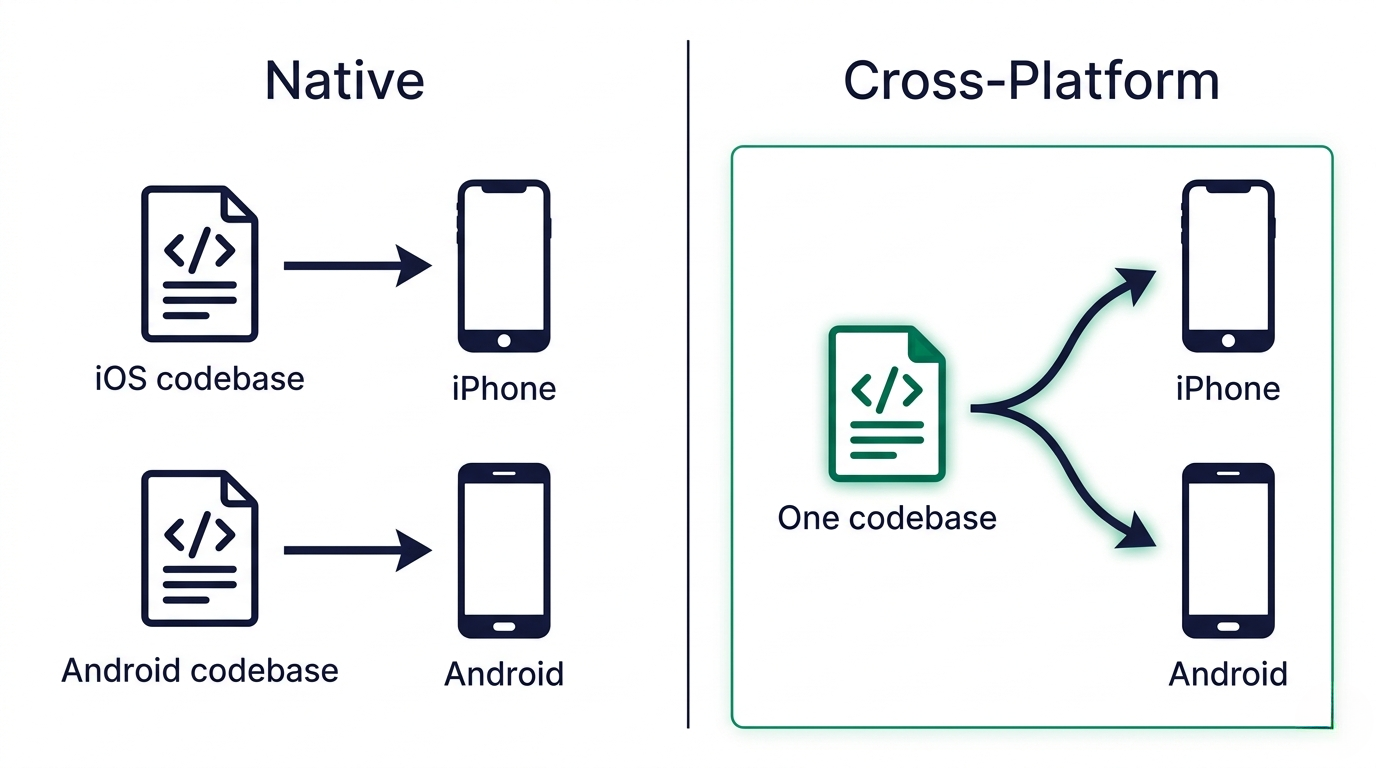
    Cross-platform app development can be broadly defined as any approach that lets you create a single app (or a single codebase) that runs on both iOS and Android. Instead of writing one app in Swift for iPhone and a separate app in Kotlin for Android, you write once and deploy to both.

    Of course, this is not a scientific definition. The term covers a wide range of development approaches and frameworks. The most common cross-platform approaches are frameworks like React Native and Flutter, which let developers write shared code that compiles to native components.

    Outside of these frameworks, cross-platform can also include hybrid frameworks like Ionic, which combine web technologies (HTML, CSS, JavaScript) with native mobile APIs, as well as no-code tools and services like Vendrux, which convert websites into native apps for Android and iOS.

    The broad idea: building once, shipping on multiple platforms.

    Cross-Platform vs Native

    Before cross-platform frameworks existed, building a mobile app meant going fully native. Native development is when you build an app specifically for one operating system, in the language and framework designed for that OS. 

    • On iOS, that means Swift or Objective-C, Xcode, and Apple’s UIKit or SwiftUI frameworks.
    • On Android, it means Kotlin or Java, Android Studio, and Jetpack Compose.
    A simple way to understand the difference between cross-platform and native app development

    The advantage of native is that you’re building in the OS’s native language, using its own UI toolkit, with direct access to every hardware feature the device offers. This means performance is as good as it gets. Animations are buttery, transitions feel right, and anything the phone can do, your app can do too. 

    The downside: you’re building (and maintaining) two totally separate apps. Two codebases, two skill sets, two bug lists, two release cycles. That means more cost, more code to maintain.

    Cross-platform development is the response to that problem. Rather than maintaining two parallel apps, you write shared code (or share an underlying web layer, or use a builder) and deploy to both platforms. 

    You give up some of the raw performance and hardware flexibility of native, but in exchange you cut development costs, speed up timelines, and get a single team that can ship to both app stores.

    Native Cross-Platform
    Codebase Separate per platform Shared (one codebase)
    Dev cost $150K-$500K+ $50K-$250K
    Time to launch 6-12+ months 3-6 months
    Performance Best possible Near-native (good enough for most apps)
    Hardware access Full (Bluetooth, AR, sensors) Most features; some gaps
    Maintenance Two teams, two update cycles One team, one update cycle
    Best for Complex hardware, games, AR Business, ecommerce, content, SaaS

    For most modern apps, cross-platform is just a better way to build. The trade-offs in performance are usually barely noticeable, if at all. The advantages in terms of speed, agility, and maintainability are very real, though.

    4 Different Ways to Build Cross-Platform Mobile Apps

    Most of the time, when the term “cross-platform” is invoked, it’s referring to React Native/Flutter (or similar frameworks, like Kotlin Multiplatform).

    However, using the broader definition of cross-platform, there are actually many different ways to build a cross-platform app, with stark differences in functionality, difficulty and cost.

    Let’s run through the different types of cross-platform development now.

    Cross-platform frameworks

    The most common route to a cross-platform app is through a framework designed specifically for it. 

    The most widely used are:

    • Flutter, built and maintained by Google, which uses the Dart language and renders every pixel of the app through its own graphics engine (this is why apps built with Flutter tend to look pixel-identical across iOS and Android).
    • React Native, Meta’s framework, which takes a different approach: developers write in JavaScript or TypeScript, and the framework bridges to the real native UI components on each platform.
    • Kotlin Multiplatform, backed by JetBrains. This sits somewhere in between, letting you share business logic across iOS and Android while writing the UI natively in each platform’s preferred stack.

    These frameworks power apps at Discord, Shopify, BMW, Alibaba, and plenty of other well-known brands. They give you close-to-native performance, a single codebase, and the full flexibility of custom code. 

    The trade-offs are that you still need experienced developers, timelines typically run three to nine months, and anything touching deep native features (Bluetooth, advanced camera APIs, background processing) often requires writing platform-specific code on top of the shared layer.

    Hybrid frameworks

    Hybrid frameworks take a different route. Instead of compiling to native UI or rendering through a custom engine, they use web technologies (HTML, CSS, JavaScript) packaged as a native app, with a bridge that lets the web code call native device APIs. 

    • Ionic is the best-known name in this space, typically paired with Capacitor (or the older Cordova) to handle the native bridge.
    • Cordova, PhoneGap, and NativeScript all sit in adjacent territory.

    The appeal of hybrid development is efficiency for web-first teams. If your developers already work in React, Angular, or Vue, they can apply those skills directly to mobile without learning Swift, Kotlin, or Dart. Apps ship fast, and the web stack you already know keeps working. 

    The trade-off is that hybrid apps tend to feel more “web-like” than their framework-based counterparts, which is fine for content, dashboards, and internal tools, but can be noticeable in high-polish consumer apps where every interaction matters. 

    For a deeper look, see our full articles on hybrid mobile app development and the biggest hybrid app examples.

    No-code and low-code app builders

    No-code and low-code builders are the fastest way to get something onto an iPhone without a development team.

    • Platforms like Adalo, FlutterFlow, Glide, Bubble, and Thunkable let you build an app by dragging and dropping components, wiring up data sources, and configuring logic visually. 
    • FlutterFlow generates real Flutter code you can export, which softens the lock-in; most of the others don’t.

    These tools shine for prototypes, internal tools, MVPs, and simple utility apps. They’re useful when you need to validate an idea before committing to a full build. 

    The ceiling, though, is real: customization options run out eventually, subscription fees climb as you scale users, and moving to a different platform usually means starting over.

    No everyone would consider these in the same bucket as cross-platform app frameworks; but 

    Website-to-app conversion services (Vendrux)

    Another cross-platform development approach is a managed website to app service like ours – Vendrux.

    This is something that sits somewhere in between low-code/no-code tools and hybrid frameworks. Vendrux is made to convert existing websites into Android and iOS apps – particularly custom and bespoke ecommerce sites, built on platforms like Shopify Plus, BigCommerce, Magento and Salesforce Commerce Cloud.

    You manage virtually everything about the user experience via your website, and the app reflects what’s on your site – same features, content, design, etc, with a native layer on top.

    It’s a very different approach to building a cross-platform app with React Native, or even building in a no-code app builder. Yet the end goal is the same – essentially one codebase, shipping to multiple platforms (web, Android, iOS).

    What’s the Right Approach for Your App?

    The right approach depends on what you’re building. There’s a huge difference in the requirements between a note-taking app, a shopping app, and a gaming app, for example.

    It also depends on other factors, such as how much you’re willing to invest in your app, and what kind of resources you have (such as technical talent in-house).

    Here’s a rough idea of what kind of development approaches are best for different types of apps.

    Ecommerce brands are usually best served by Vendrux’s website-to-app conversion approach. Your website already does the majority of what a mobile app needs to do. Vendrux gets you from website to app far quicker and significantly more affordably than rebuilding everything in React Native or Flutter, and the end result is more or less the same (with much less work required to maintain it).

    Custom consumer apps that don’t have a web counterpart (think social apps, fintech tools, travel apps, new categories of product) are the natural home of Flutter and React Native. You’re building something from scratch, the UX is central to the product, and you need full control over every screen. The three-to-nine-month timeline is worth the investment because the app is the product.

    SaaS and B2B dashboards that already exist as web apps can go either way. If your web app is responsive and mobile-friendly, Vendrux is a straightforward way to get it into the app stores and unlock native features like push notifications. If mobile is a top-priority channel and you want a differentiated mobile UX, a framework build makes sense.

    Games, AR experiences, and hardware-heavy apps typically need to go native. Cross-platform frameworks have improved dramatically, but graphics-intensive games and apps that rely on Bluetooth, complex sensors, or real-time video processing still benefit from direct access to each platform’s native APIs.

    Internal tools, event apps, and MVPs are a good fit for no-code builders. If the app is meant to be used by a small audience, doesn’t need to scale, and has to be live next week, platforms like Adalo or FlutterFlow get you there faster than any other approach.

    Web-first dev teams building a simple public-facing app can get good mileage out of Ionic. If your team is experienced in React or Angular and the app doesn’t need polished native animations, hybrid development avoids the cost of hiring specialist mobile engineers.

    How to Build a Cross-Platform App

    Once you’ve settled on an approach, the actual process of getting an app live follows a fairly consistent arc. Here’s what to expect.

    Scoping the app

    The first phase is about getting clarity on what the app actually does. Who uses it, what screens it has, what features matter on day one, and what can wait for v2. A short feature list and rough wireframes are enough to start. The biggest mistakes at this stage are scope creep (shipping “everything” instead of a focused v1) and skipping wireframes (jumping to development without a clear picture of the user journey).

    (If you’re going the Vendrux route, scoping is mostly about settling on what small tweaks you need to make to the app’s UX, compared to your website. The core functionality is already built, and already works – on your website).

    Design and user experience

    Design covers both visual design (how it looks) and UX (how it feels to use). For cross-platform apps, this also means deciding how platform-specific you want to be. iOS users expect a bottom tab bar, swipe-back gestures, and Apple’s visual conventions. Android users expect different patterns. Flutter lets you render identical UIs across platforms, which some teams prefer for brand consistency. React Native uses each platform’s native components, which gives each OS its natural feel.

    Expect anywhere from two to six weeks of design work for a custom framework build, plus time for stakeholder feedback and revisions.

    Development

    This is the longest phase and the one where cost and timeline diverge most dramatically across approaches. 

    • A framework build (Flutter, React Native) typically runs three to nine months with a small team.
    • A hybrid Ionic build is usually faster, but still may take a number of months.
    • A no-code app can be built in days.
    • Vendrux launches in roughly 30 days end-to-end, including design, build, and app store submission.

    During development, you’ll want to see builds regularly, not just at the end. Most teams run on two-week sprints with demos at the end of each, so you can catch misunderstandings early and steer the product as it comes together.

    Testing and QA

    Cross-platform apps need to be tested on real devices, not just simulators. Android fragmentation is the biggest pitfall: your app might run perfectly on a Pixel 8 and crash on a three-year-old Samsung. Plan for testing on a range of devices, screen sizes, and OS versions, and budget time for fixing platform-specific bugs that only show up once you’re on actual hardware.

    This is also the phase where you catch performance problems. Cross-platform frameworks are fast, but janky animations, slow list scrolling, and laggy transitions are common if the app isn’t optimized. Good QA finds these before users do.

    App store submission

    Both the Apple App Store and Google Play have review processes your app needs to clear. Apple is stricter: reviews typically take one to three days, and rejections are common for first-time submissions. Common reasons include incomplete metadata, broken login flows, missing privacy policies, misleading descriptions, and using non-standard payment flows in categories where Apple requires in-app purchases. Google Play is generally faster and more lenient, though its policy changes (especially around data privacy) have gotten stricter over the past few years.

    If you’re working with Vendrux, submission is handled for you, including navigating rejection feedback and re-submitting.

    Launch and ongoing maintenance

    Shipping the app is the start, not the finish. Every year, both Apple and Google release new OS versions that can affect how your app behaves. Libraries you depend on get updates. Bugs surface from users. Features get added. Plan for ongoing development after launch: at a minimum, you’ll want to ship regular updates for OS compatibility, bug fixes, and performance improvements. At a maximum, your app becomes a living product you keep expanding on indefinitely.

    One of the underrated benefits of cross-platform is that maintenance is simpler. Instead of updating two separate codebases, one team ships one update to both stores.

    Turning Your Site into iOS and Android Apps with Vendrux

    For any brand that already has a working, successful, mobile-friendly website, there’s a strong argument that the traditional cross-platform framework route (React Native, Flutter) is the wrong place to start. 

    Those frameworks are designed for teams building a new app from scratch. If you’re a business on Shopify, BigCommerce, Magento, or with a custom web stack, then it’s a backwards step to go and rebuild all of this in a new language.

    Vendrux turns your existing website into native iOS and Android apps. Not a simplified version of your site. Not a cut-down mobile experience. Your full website, with all its features, design, integrations, user accounts, and checkout, packaged as real native apps in the App Store and Google Play.

    What Vendrux adds on top of your website

    • Native push notifications that reach customers on their lock screen with no per-message cost, unlike SMS
    • Deep linking so marketing campaigns and emails open directly in the app
    • A persistent native navigation bar for a true app experience
    • App store presence so customers find you when they search the App Store or Google Play
    • A home screen icon that puts your brand next to Amazon, Uber, and Instagram on your customers’ phones

    How it compares to building with React Native or Flutter

    The biggest advantage of the Vendrux approach is that you keep your existing tech stack. Every integration you’ve set up, every piece of product data, every custom flow, every theme tweak: all of it already works. You don’t lose your conversion optimization work, your loyalty integration, your reviews widget, or your custom checkout logic. They all come along for the ride.

    A few examples of mobile apps built with Vendrux

    The second big advantage is speed of iteration. When you add a new product, change a page, run a promotion, or update your theme, those changes reflect in the app right away, because the app is running your website. There’s no need to ship a new app store release for every content change.

    This not only means it’s faster to build and ship new features and changes across each of your channels, but it also means the total cost of ownership is significantly less, as you’re not juggling multiple codebases, trying to keep everything in sync.

    “If we had unlimited time and money, we would probably go for a custom native app, but that is half a million to a million a year to maintain.”
    — David Cost, VP of Ecommerce at Rainbow Shops

    How the Vendrux process works

    1. Book a free strategy call. Vendrux’s team walks you through a free app preview of your site as an app, answers your questions, and breaks down the business case for a mobile app in your specific category.
    2. Vendrux builds the app. Their team handles everything: design, configuration, native feature setup, QA, and submission to both app stores.
    3. Go live . Your app launches on iOS and Android. Vendrux continues to handle all ongoing maintenance, OS compatibility, and app store compliance on your behalf.

    Vendrux pricing starts from $1,499/month, with a one-time setup fee, and no revenue share moving forward.

    Final Thoughts

    Cross-platform app development is no longer the compromise it was a decade ago. Frameworks like Flutter and React Native have closed most of the gap to native performance. Hybrid tools like Ionic let web teams ship mobile apps with the skills they already have. No-code builders make it possible to launch an app without hiring developers at all. And for brands that already run on a website, website-to-app conversion with Vendrux is usually the fastest and most practical path of all.

    The right choice depends on what you’re building. If your app doesn’t exist yet in any form, pick a framework that fits your team. If your app is essentially a mobile version of something you already have on the web, extend the website you’ve already built. The worst thing you can do is spend six months and $200K rebuilding a product that already works, just to put it on an iPhone.

    If you want to see what’s possible with a managed website to app approach like Vendrux’s, get in touch and get a free preview now. You’ll see you’re already much closer to a native app than you think.

  • Most Widely Used Frameworks for Hybrid App Development

    Most Widely Used Frameworks for Hybrid App Development

    Hybrid app development is the new way to build mobile apps. As frameworks and development tools have matured, it’s no longer absolutely necessary to build and maintain separate apps with separate codebases to serve users on different platforms.

    Today, you can build once, and ship to Android, iOS, and sometimes the web as well, significantly cutting down the barrier of entry to launching a mobile app.

    This article breaks down the technology behind hybrid mobile apps, so you can understand the best way to move forward with your app, and how to go live as efficiently as possible.

    Note: We’re including cross-platform frameworks like React Native and Flutter here, though many would argue these don’t count as hybrid frameworks. However, they’re often included in the conversation, so we’ll include them in ours as well.

    At a Glance: Hybrid App Frameworks Compared

    Framework Best For Language
    Flutter Custom UI & animations Dart
    React Native JS teams & enterprise JS / TypeScript
    Ionic + Capacitor Web devs wanting app stores HTML / CSS / JS
    Kotlin Multiplatform Shared logic, native UI Kotlin
    .NET MAUI Microsoft / .NET teams C# / XAML
    NativeScript Direct native API access JS / TypeScript
    Framework7 Prototypes & MVPs HTML / CSS / JS
    Apache Cordova Legacy (declining) HTML / CSS / JS

    How Do Hybrid App Frameworks Work?

    The term “hybrid app framework” gets used loosely, and most guides treat every cross-platform tool as the same category. They are not.

    Understanding the rendering approach behind each framework is the most important factor in choosing one, because it determines your app’s performance ceiling, the skills your team needs, and how the finished app looks and feels to users.

    There are four distinct approaches:

    WebView-based hybrid (Ionic, Capacitor, Cordova, Framework7)

    Your app is built with HTML, CSS, and JavaScript. A native container displays your web code inside a WebView, and a bridge layer (Capacitor or Cordova) gives that web code access to native device features like the camera, GPS, and push notifications. 

    This is hybrid development in the traditional sense. The advantage is maximum code reuse (95-100%) and the ability to use any web framework. The trade-off is a lower performance ceiling for animation-heavy or compute-intensive apps.

    Native rendering via bridge (React Native, NativeScript)

    You write your logic in JavaScript, but the framework translates your UI code into actual native components. 

    A React Native button is a real iOS UIButton or Android MaterialButton. The result looks and performs more like a native app than a WebView-based approach. You share 80-90% of code across platforms, though platform-specific UI tweaks sometimes require writing native modules.

    Custom rendering engine (Flutter)

    Flutter takes a different approach entirely. Instead of using native UI components or a WebView, it draws every pixel on screen with its own rendering engine (Impeller, formerly Skia). You write in Dart, and Flutter compiles to native ARM code. 

    This gives you complete control over how every element looks and animates, with consistent 60 FPS performance across platforms. The trade-off: Dart is specific to Flutter, and app bundle sizes tend to be larger.

    Shared logic, native UI (Kotlin Multiplatform)

    KMP shares business logic (networking, data models, validation) across platforms using Kotlin, but keeps the UI layer fully native. You write SwiftUI for iOS and Jetpack Compose for Android. This gives you truly native look and feel with no compromise, while eliminating duplication of core logic. The trade-off: you still need platform-specific UI developers, and the code sharing percentage (50-70%) is lower than other approaches.

    The Best Frameworks for Hybrid App Development in 2026

    Let’s break down the top hybrid app frameworks used today – how they work, what they’re best for, and which is the right choice for your project.

    Flutter: Best for Custom UI and Rich Animations

    Screenshot of Flutter website reading "Build for any screen" abovea collection of example apps.

    Flutter is Google’s open-source UI toolkit, and it has become the most popular cross-platform framework by developer adoption. According to the 2025 Statista developer survey, 46% of developers building cross-platform apps use Flutter, up from 42% the year before. 

    The framework has over 174,000 GitHub stars and one of the most active package ecosystems in mobile development (pub.dev).

    Flutter uses Dart, a language developed by Google that compiles to native ARM code. The framework’s key technical advantage is its rendering engine. While most frameworks rely on the platform’s built-in UI components, Flutter draws everything from scratch using Impeller (the successor to Skia). That means every button, animation, and transition looks identical on iOS and Android, and you have pixel-level control over the entire interface.

    This rendering approach makes Flutter the strongest choice for apps with complex, custom interfaces. If your app needs rich animations, custom design systems, or highly interactive UI (think: fintech dashboards, media players, or interactive retail experiences), Flutter handles it with consistent 60 FPS performance.

    Apps built with Flutter include Google Ads, BMW’s connected car experience, Alibaba’s Xianyu marketplace, eBay Motors, and Toyota’s infotainment system.

    The trade-offs are real. Dart is not widely used outside Flutter, so your team’s skills do not transfer easily to other projects. Flutter apps also tend to have larger bundle sizes than React Native apps (the baseline binary adds roughly 4-5 MB). And while Flutter’s package ecosystem is growing fast, it is still smaller than React Native’s.

    Choose Flutter if: your app demands custom UI, smooth animations, and visual consistency across platforms, and your team is willing to learn Dart.

    React Native: Best for JavaScript Teams and Large Ecosystems

    React Native is Meta’s open-source framework for building mobile apps with JavaScript and TypeScript. It has been around since 2015, making it one of the most mature cross-platform options available. While Flutter leads in developer survey adoption, React Native has a larger footprint in production: 12.57% of the top 500 US Play Store apps use React Native, compared to 5.24% for Flutter.

    The framework works by mapping JavaScript components to native UI elements through a bridge layer. A in React Native becomes a UIView on iOS and an android.view.View on Android. Your code is JavaScript, but the rendered output uses real platform components, which gives apps a native feel without writing platform-specific code for most features.

    React Native’s New Architecture (Fabric renderer and TurboModules) is a significant upgrade that reduces the overhead of the JavaScript bridge. Apps built on the new architecture see lower memory usage and faster interactions, particularly in list-heavy and animation-heavy screens.

    The ecosystem is the largest in cross-platform development. The npm package registry has thousands of React Native libraries, and finding experienced developers is easier than for any other framework. If your team already knows React for web development, the learning curve for React Native is manageable.

    Instagram, Facebook Marketplace, Walmart, Discord, Shopify, and Tesla all use React Native in production.

    The trade-offs: complex native interactions sometimes require writing native modules in Swift or Kotlin, which increases the skill requirements for your team. And while the New Architecture improves performance, heavy JavaScript thread usage can still cause frame drops in edge cases.

    Choose React Native if: your team has JavaScript or React experience, you need access to a large ecosystem of third-party packages, or you are building an enterprise app that requires a proven framework with deep industry adoption.

    Ionic + Capacitor: Best for Web Developers Who Want Native Distribution

    Screenshot of the Ionic website reading "The mobile SDK for the Web.  An open source mobile UI toolkit for building modern, high quality cross-platform mobile apps from a single code base in Angular."

    Ionic is the leading framework for building mobile apps using web technologies. It pairs with Capacitor (Ionic’s native runtime layer, which replaced Apache Cordova) to give web apps access to native device features and distribution through the App Store and Google Play.

    The combination works like this: you build your app using any web framework you prefer (Angular, React, Vue, or plain JavaScript), then Capacitor packages it as a native app and provides plugins for camera access, push notifications, geolocation, biometrics, and other device features. Your app runs in a WebView, but Capacitor’s plugin system bridges the gap to native APIs.

    This approach has the highest code reuse of any framework (95-100%). If you already have a web application or your team primarily writes HTML, CSS, and JavaScript, Ionic + Capacitor lets you reuse that expertise directly.

    Apps built with Ionic include MarketWatch, the NHS COVID-19 app, Target, and Cisco Webex. The framework has over 50,000 GitHub stars and a mature plugin ecosystem.

    The trade-off is performance. WebView-based apps cannot match Flutter or React Native for complex animations, real-time data rendering, or graphics-intensive interactions. For content-focused apps, dashboards, and CRUD apps, the performance is more than sufficient. For games, media editors, or apps with complex gesture-driven interfaces, the WebView layer becomes a bottleneck.

    Another consideration: while web-based apps look consistent across platforms, they do not automatically adopt platform-specific design patterns (Material Design on Android, Cupertino on iOS). Ionic provides pre-built components that mimic both platforms, but the result is an approximation rather than truly native styling.

    Choose Ionic + Capacitor if: your team knows web technologies, your app is content-focused or form-based, and you want maximum code sharing between your web app and mobile apps.

    Kotlin Multiplatform (KMP): Best for Shared Logic with Native UI

    Kotlin Multiplatform is JetBrains’ approach to cross-platform development, and it is rising fast. Unlike other frameworks on this list, KMP does not attempt to share UI code across platforms. Instead, it shares the business logic layer (networking, data persistence, validation, state management) while keeping the UI fully native on each platform. You write SwiftUI for iOS and Jetpack Compose for Android.

    The result is an app that looks and behaves like a genuinely native app on every platform, because it is. There is no bridge, no WebView, and no custom rendering engine in the way. The shared Kotlin layer handles the parts of your app that do not need to look different across platforms, while the UI layer takes full advantage of each platform’s design system and capabilities.

    Netflix, Cash App, VMware, and Philips have adopted KMP for their mobile apps. Google has also endorsed KMP for Android development, and JetBrains continues to invest heavily in the tooling.

    The trade-off is the lower code sharing percentage. Since you write UI separately for each platform, you share 50-70% of your total codebase (compared to 90-95% with Flutter). You also need developers who are comfortable writing native iOS and Android UI, in addition to the shared Kotlin logic layer. For teams without native mobile expertise, this increases hiring requirements.

    Compose Multiplatform (JetBrains’ experimental shared UI layer) aims to close this gap by letting you share Compose-based UI across platforms. It is maturing quickly but is not yet as production-ready as Flutter or React Native’s UI sharing.

    Choose KMP if: your team has Kotlin or native mobile experience, you prioritize truly native UI quality over maximum code sharing, and you want a future-proof approach backed by JetBrains and endorsed by Google.

    .NET MAUI: Best for Teams in the Microsoft Ecosystem

    Screenshot of the .NET MAUI website reading ".NET Multi-platform APP UI. Build native, cross-platform desktop and mobile apps all in one framework."

    .NET MAUI (Multi-platform App UI) is Microsoft’s successor to Xamarin, and it uses C# with XAML to build apps for iOS, Android, Windows, and macOS. If your organization already invests in .NET and your developers write C#, .NET MAUI lets you extend that existing expertise to mobile without adopting a new language.

    The framework uses native UI controls under the hood, so your app renders real platform components on each OS. Visual Studio provides a mature development environment with hot reload, debugging tools, and integrated testing. For enterprise teams already using Azure, Visual Studio, and .NET services, the integration is tight.

    Apps built with .NET MAUI (or its predecessor Xamarin) include the UPS Mobile app, Alaska Airlines, and NBC Sports Next.

    The trade-offs are notable. .NET MAUI has a smaller mobile developer community than Flutter or React Native, which means fewer third-party packages, fewer tutorials, and a smaller talent pool to hire from. The framework has also experienced stability issues since its initial release, with some developers reporting more bugs and edge cases than competing frameworks. Visual Studio for Mac (the primary IDE for macOS development) has been discontinued by Microsoft, which limits the development experience for iOS builds.

    Choose .NET MAUI if: your team writes C#, your organization is invested in the Microsoft ecosystem, and you need mobile apps that integrate with existing .NET backend services.

    NativeScript: Best for Direct Native API Access from JavaScript

    NativeScript takes a unique approach among JavaScript frameworks: it provides direct access to native platform APIs without requiring plugins or bridges. You can call any iOS or Android API directly from JavaScript or TypeScript code. This means you are not limited to the features that a plugin author has chosen to expose.

    The framework uses native UI rendering (not WebView), so the performance profile is comparable to React Native. It integrates with Angular and Vue for developers who prefer those web frameworks.

    The trade-off is ecosystem size. NativeScript has a significantly smaller community than React Native or Flutter (~24,000 GitHub stars), fewer third-party packages, and less corporate backing since Progress Software transferred governance to the OpenJS Foundation. Finding experienced NativeScript developers is harder, and the long-term investment trajectory is less certain than the top-tier frameworks.

    Choose NativeScript if: you need direct native API access without plugin dependency, your team knows Angular or Vue, and you are comfortable with a smaller ecosystem.

    Framework7: Best for Lightweight Prototypes

    Screenshot of the Frameworkk7 website reading "Build full featured iOS, Android & Desktop apps."

    Framework7 is an open-source framework for building iOS and Android apps with HTML, CSS, and JavaScript. It includes a rich set of pre-built UI components that mimic native iOS and Android design patterns, making it useful for rapid prototyping and lightweight apps.

    The limitation is that Framework7’s UI theming comes from the framework itself, not the operating system. If a user changes their OS theme or an OS update shifts the design language, your app will not reflect those changes. This makes Framework7 better suited for prototyping and internal tools than customer-facing production apps.

    Choose Framework7 if: you need a fast prototype or lightweight MVP with a native-like feel, and you do not need deep native integration.

    Apache Cordova: Legacy Option (Consider Capacitor Instead)

    Screenshot of Apache Cordova ebiste reading "Apache Cordova. Mobile apps with HTML, CSS & JS. Target multiple platforms with one code base. Free and open source."

    Apache Cordova (formerly PhoneGap) was one of the first hybrid app frameworks. It pioneered the approach of packaging web apps inside a native WebView container with plugin-based access to device features.

    Cordova is still functional, but it is declining. Adobe discontinued PhoneGap in 2020, and the Cordova ecosystem has seen falling download numbers and fewer plugin updates. Capacitor (from the Ionic team) is the direct successor and is actively maintained with a modern plugin architecture, better TypeScript support, and improved native API access.

    If you have an existing Cordova app, migrating to Capacitor is straightforward. Capacitor supports most Cordova plugins and provides a clear migration path.

    If you are starting a new project, use Capacitor instead of Cordova.

    Detailed Framework Comparison

    Criteria Flutter React Native Ionic + Capacitor KMP .NET MAUI
    Language Dart JS / TS HTML / CSS / JS Kotlin C# / XAML
    Rendering Custom engine Native bridge WebView Native per platform Native controls
    Code Sharing 90-95% 80-90% 95-100% 50-70% 80-90%
    UI Customization Full control High (native widgets) Moderate (web-based) Full native Native controls
    Animation Performance Excellent (60 FPS) Good (New Arch) Limited Native-level Good
    Learning Curve Moderate (Dart) Low-moderate (JS) Low (web skills) High (native + Kotlin) Moderate (C#)
    Community Size 174K+ stars 120K+ stars 50K+ stars Growing fast 22K+ stars
    Backed By Google Meta Ionic (Drifty Co.) JetBrains Microsoft
    Platforms iOS, Android, Web, Desktop iOS, Android, (Web partial) iOS, Android, Web, Desktop iOS, Android, Web, Desktop iOS, Android, Windows, macOS
    Hot Reload Yes (fast) Yes (Fast Refresh) Yes (live reload) Partial Yes (.NET Hot Reload)

    How to Choose the Right Hybrid App Framework

    The right framework depends on your team’s skills, your app’s requirements, and your budget. Here is a scenario-based decision framework:

    If your team writes JavaScript or TypeScript and you want a native-feeling app, start with React Native. The ecosystem is the largest, the talent pool is the deepest, and the New Architecture has closed the performance gap with Flutter for most use cases. Apps like Instagram, Discord, and Shopify prove the framework scales.

    If your app needs rich, custom animations and a unique visual identity, choose Flutter. The custom rendering engine gives you pixel-level control that no other framework matches. Google Ads, BMW, and Alibaba demonstrate what Flutter can do with complex interfaces.

    If your team primarily builds web applications and you want to distribute through app stores, use Ionic + Capacitor. You get to use your existing web skills and share nearly 100% of your code between web and mobile. For content apps, dashboards, and form-driven interfaces, this approach ships fast with minimal ramp-up.

    If you are an Android-first team adding iOS support and native quality matters, look at Kotlin Multiplatform. Sharing business logic in Kotlin while writing fully native UI for each platform is the most uncompromising approach to platform fidelity. Netflix and Cash App use it for exactly this reason.

    If your organization is built on Microsoft technologies, .NET MAUI is the natural fit. C# developers can build mobile apps without learning a new language, and the integration with Azure and Visual Studio is tight.

    If you need to call native APIs directly without waiting for plugin support, NativeScript gives you unmediated access to every native API from JavaScript. The trade-off is a smaller community.

    What About Team Size and Budget?

    The framework you choose affects more than the technology stack. It also affects who you need to hire and how much the project costs.

    Flutter and React Native have the largest talent pools, which means easier hiring and more competitive rates. Kotlin Multiplatform requires developers with native mobile expertise in addition to Kotlin, which narrows the hiring pool. .NET MAUI developers need C# skills and mobile experience, a combination that is less common than JavaScript + mobile.

    For a rough comparison: experienced React Native developers typically command $80-$150/hr in the US (less with nearshore teams), while specialized KMP developers may cost 15-25% more due to scarcity.

    What Does Hybrid App Development Cost?

    Every framework follows the same cost pattern: complexity drives the price more than the framework itself.

    Project Complexity Typical Cost Timeline Annual Maintenance
    Simple app / MVP $10K-$50K 2-4 months $5K-$15K/yr
    Mid-complexity app $50K-$150K 4-8 months $15K-$40K/yr
    Complex / enterprise app $150K-$500K+ 8-14+ months $40K-$100K+/yr

    These ranges apply across all major frameworks. The cost differences between frameworks come from developer rates (Dart and Kotlin specialists cost more than JavaScript generalists), development speed (Ionic ships faster for simple apps because it reuses web code), and the maintenance burden (custom rendering engines like Flutter require framework-version upgrades that can be time-consuming).

    The cost that surprises most teams is maintenance. Plan for 15-25% of your initial build cost annually to cover OS updates, framework upgrades, dependency patches, and feature iteration. An app that costs $100K to build will likely cost $15K-$25K per year to maintain. That adds up fast over a multi-year lifecycle.

    Developer rates also vary significantly by geography:

    • US / Western Europe: $100-$200+/hr
    • Eastern Europe / Latin America: $40-$100/hr
    • South / Southeast Asia: $20-$60/hr

    Nearshore teams (Eastern Europe, Latin America) are the most popular compromise between quality and cost for hybrid app projects.

    For a deeper breakdown of app development costs, see our complete cost guide.

    When You Don’t Need a Framework

    Frameworks are for building apps from scratch. They assume you are writing new code, designing new screens, and creating something that does not exist yet. 

    That makes sense for plenty of projects. But if your business already has a website that works well on mobile, building a separate app from scratch may be the wrong approach entirely.

    Consider what Ionic + Capacitor actually produces: a native app built from web code, with push notifications, app store distribution, and access to native device features. 

    Now consider that many businesses already have that web code. Think about an ecommerce website. They have a mobile-responsive website, with their product catalog, checkout flow, user accounts, and content already built and working.

    Vendrux is a managed service that takes that existing website and extends it into native iOS and Android apps. You get the same end result that Ionic would produce (web code running as a native app with native features), without needing a development team to build it.

    The practical difference matters. With a framework, you need developers to write the app, testers to QA it, and ongoing engineering resources to maintain it. 

    With Vendrux, the app mirrors your website. When you update your website, your app updates automatically. There is no second codebase, no separate deployment pipeline, and no duplicate maintenance.

    For ecommerce brands in particular, this changes the math. Brands like John Varvatos, and Bestseller (Jack & Jones) use Vendrux because they already invested in building a high-quality website. Rebuilding that same experience in Ionic or React Native would cost tens of thousands of dollars (minimum) and months of development time, with no guarantee of a better result.

    Some of the apps we’ve built at Vendrux

    Want to learn more about how Vendrux works, and what’s possible? Check out these case studies of successful Vendrux users, and book a free consultation if you’re ready to discuss your project in more detail.

    Framework vs Vendrux: When to Use Which

    To say one approach is universally best, for any kind of mobile app, would be foolish. Each framework has their place – and so do more efficient, managed approaches like Vendrux.

    Use a framework (Ionic, Flutter, React Native, etc.) when:

    • You are building a brand-new app with functionality that does not exist on your website
    • Your app needs custom interactions that go beyond what a website can do (AR experiences, complex gesture-driven interfaces, real-time collaboration, hardware integrations like Bluetooth or NFC)
    • You have an in-house or outsourced development team ready to build and maintain the app long-term
    • Your product is the app itself (a SaaS tool, a game, a utility app)

    Use Vendrux when:

    • You already have a website that works well on mobile and want a native app in the App Store and Google Play
    • Your app’s core functionality (browsing, purchasing, account management, content consumption) already lives on your website
    • You want push notifications, a home screen icon, and native navigation without building a separate app from scratch
    • You don’t want to maintain two separate codebases or hire a mobile development team
    • You want to launch in weeks, not months

    The distinction is your starting point. 

    If you’re starting from zero, you need a framework. If you already have a working website and want to extend it into a native app, Vendrux skips the framework entirely and gets you to the same destination faster.

    Final Thoughts

    The hybrid and cross-platform framework landscape in 2026 is more capable than ever. 

    • Flutter and React Native handle the vast majority of mobile app projects (though technically, one might not consider them “hybrid”).
    • Ionic + Capacitor remains the fastest path for web teams. 
    • Kotlin Multiplatform offers a genuinely new approach for teams that refuse to compromise on native UI quality. 
    • The declining frameworks (Cordova, Framework7) have clear successors.

    Choosing a framework comes down to three questions: what does your team already know, what does your app need to do, and what is your budget for building and maintaining it?

    If you already have a website that does what your app needs to do, you may not need a framework at all. 

    Vendrux extends your website into native apps with push notifications, app store presence, and native navigation, without the development overhead that comes with every framework on this list.

    If you want to see what’s possible, get a free preview of your app and our team will walk you through everything.

  • Flutter 101: What You Need to Know About the #1 Cross-Platform Framework

    Flutter 101: What You Need to Know About the #1 Cross-Platform Framework

    Despite only being around since 2017, Flutter has already become the king of cross-platform frameworks – with recent research from Statista putting it ahead of all competitors:

    Source

    If you want to develop natively compiled mobile, web and desktop apps all from a single codebase, then you need to learn about Flutter and consider it for your project. 

    At Vendrux, we’ve developed thousands of native apps, and learned all the ins and outs of app development over the years. We wrote this article to teach you all you need to know about Flutter – what it is, how it works, and who it is for. 

    By the end, you’ll know everything you need to make a sound decision about your app project. Let’s get into Flutter 101. 

    What is Flutter?

    Flutter was released by Google back in 2017, as an open-source UI SDK. 

    It’s often associated with Android and iOS native apps – but it’s also used to develop for Linux, Mac, Windows, Google Fuchsia, and the web from a single codebase.

    Flutter’s 7 year History

    Since 2017, Flutter has evolved, going from strength to strength. Before we get into the technical details, skim this timeline for context. 

    • 2017: Flutter Beta announced, introduced as a cross-platform framework for building mobile apps from a single codebase
    • 2018: Google announces the Flutter Release Preview at Google I/O, bringing improved stability and a bigger widget library
    • 2019: Flutter 1.0 launches, the first stable release establishing its readiness for production apps
    • 2021: Flutter 2 released, introducing support for web and desktop app
    • 2022: Flutter 2.8 brought performance improvements, app size reduction, and the Flutter Casual Games Toolkit 
    • 2023: Flutter 3.0 announced, bringing support for macOS and Linux desktop apps, along with the rollout of Material 3 support and various performance and tooling upgrades 

    So Flutter has really been going places, and taking the world of cross-platform development by storm. 

    Now let’s get a little more into exactly what Flutter is.

    Flutter 101

    The most important initial fact to note:

    Flutter is a cross platform app development framework. 

    To illustrate exactly what that means, consider the original way of building mobile apps – native development. 

    The Problem with Traditional Native Development 

    There have always been two operating systems that dominate the smartphone market – iOS and Android. 

    __wf_reserved_inherit

    Just like Windows and MacOS on Desktop – iOS and Android work very differently at the foundational level, from the way the UI is structured to the way the software interacts with the hardware. 

    The entire architecture is different in both software and hardware terms. So the programming languages and development tools required are different for each platform. 

    Traditionally this means:

    • iOS – Swift (or Objective C) as a programming language, Xcode and Simulator for development and testing environments
    • Android – Kotlin or Java for programming, Android Studio and SDK 

    You need to use these very different and distinct technologies to build the apps for iOS and Android separately, with two different codebases. 

    This means that you need to hire different specialists (or teams) for each app, along with PMs and designers to work across teams. 

    You’ll forever have two separate codebases to manage. When you have updates or bug fixes, you’ll need to work separately, pushing them to each. Whenever you want to build a new feature or functionality – you guessed it – you’ll have to build it specifically for each platform. 

    This is all a lot of work, as you can imagine. 

    Even worse, consider all the different screen sizes and aspect ratios within the iOS ecosystem – all the different iPhones and the iPad. And when it comes to Android, devices can be made by literally anyone, and there are countless devices and specifications.

    You need to test for all of these, and make sure your apps (on both platforms) display smoothly and give a great UX. 

    This all sounds hard right? Like doubling the work? 

    Well, it is. 

    That’s why native app development is a painstaking process, costing hundreds of thousands of dollars and many months to develop relatively simple apps. 

    Flutter helps to make things more efficient – let’s find out how. 

    How Flutter makes App Development more Efficient

    So the problem with native development is how difficult and expensive it is – which is partially because of having to work with two separate codebases. 

    Flutter solves this. 

    Flutter is both a UI kit and a framework for developing apps for both iOS and Android from a single codebase. 

    __wf_reserved_inherit

    It has a large set of pre-built widgets that make it easier to layout your app, borrowing concepts from web design like padding and centering. 

    You can use this foundational system to design and develop apps for almost any device and screen size.

    At the most basic level, Flutter “asks” for a blank window from the device, whatever that may be. It will then draw onto that blank screen whatever UI element, interaction, or animation needs to be rendered. 

    So whatever the OS, this will work the same, and the UI will “look the part” too – you can define and specify different styles and designs for iOS, Android, or specific devices. 

    Now we’ve had a high level overview – let’s get more into the details of Flutter’s core features. 

    Flutter: The Core Features

    There are several cross-platform frameworks, but Flutter is unique.

    Later on, we’ll compare Flutter with alternatives like React Native, but for now let’s review Flutter’s core value propositions:

    • Develop from a single codebase: build for iOS, Android, web, and desktop with just one codebase for much more efficiency and speed. Typically, you can reuse at least 90% of your code. 
    • Hot reload: make changes to your app and see the results instantly without losing the current application state. We’ll cover this more later – but it’s great for developer productivity.  
    • Rich Widget Catalog: Flutter provides a comprehensive catalog of pre-designed widgets over 14 categories. They follow specific platform guidelines, so your app can look and feel native on any device.
    • Performance: Flutter apps are compiled Ahead Of Time (AOT) into native machine code for iOS and Android, without the need for a “bridge” or interpretation layer like other cross-platform frameworks. The Dart (more shortly) code you write can execute directly, which can be great for creating a fast and smooth UX. 
    • Customizable and Flexible: Thanks to its layered architecture, and the fact that Flutter “controls” every pixel on the screen – you have the potential for incredible customization. 

    These are a few of the reasons why Flutter has pulled ahead of the competition to become the world’s most popular cross-platform framework. 

    We will revisit all these in more detail later in the article. 

    Flutter – the Technical Details 

    Now we’ve gone through the basics, let’s go a little deeper and review some of the technical details. 

    We’ll start off with the Dart programming language. 

    The Dart Programming Language

    Dart is relatively “young” in programming language terms, but it has still been around a while. 

    Initially released in 2011 by Google, Dart was intended to replace JavaScript for web development. 

    __wf_reserved_inherit
    Source

    It never reached this lofty goal, but it did find its niche as the programming language for the Flutter ecosystem. 

    Some key facts about Dart:

    • Object Oriented: designed for programming styles that use “objects”, which are self-contained “entities” consisting of both data and methods. Think of them as “things” in the code which have both specific characteristics and “actions” they can perform. 
    • Class Defined: objects in Dart are defined by what is known in programming as a “class”, which is like a recipe or blueprint for making an object – defining what data it can hold and what actions it can perform. For example in Flutter to create a new button, you define a button class with its color, size, and what should happen when it’s tapped. You can then reuse this any time you want. 
    • C style Syntax: this just means that the way the language is written is similar to C, known for its curly braces { } and semicolons to end commands. Those with experience in C, C++, or Java will find Dart easier to understand. 
    • Sound Type System: Dart is very careful about the types of data your code is working with, this helps programmers to catch mistakes more easily and ship less buggy apps 

    Dart supports two different types of compilation –  just-in-time (JIT) and ahead-of-time (AOT). These support different phases in the app development process:

    • JIT – used during development, and allows code to be compiled on-the-fly in small pieces through Dart’s virtual machine. It enables hot reload, allowing developers to see changes instantly, and is the default in development environments. 
    • AOT – used when the app is ready for deployment to create a production build. Dart compiles the entire codebase into native machine code for iOS or Android, so that the apps can run directly on the device’s CPU. This is triggered when you build a release version of your apps. 

    These allow for efficient development cycles and fast, predictable performance in production environments. 

    Dart’s architecture is specifically designed for Flutter, and has a rich standard library and set of modules that can be used to build any type of app. 

    To summarize – Dart is a modern and sophisticated programming language that you can use to build fast, powerful, and beautiful mobile apps. 

    Now we’ve covered Dart, let’s move on to another important Flutter concept – widgets. 

    Widgets: The Building Blocks of Flutter Apps

    Widgets act as the fundamental UI components for apps, which Flutter combines in the UI to create complex designs and functionalities. 

    Everything you see in a Flutter app is a widget, from a simple text label or an icon to more complex structures like buttons, sliders, and even the entire screen layout itself.

    Some common and useful widgets are:

    • Text: For displaying text.
    • Row and Column: For creating flexible layouts.
    • Container: For decorating its child with features like padding, margins, borders, or color.
    • Image: To add images.
    • Scaffold: Offers a host of UI features like drawers, snack bars, and bottom navigation.

    There are 15 categories of widget in total. By combining these widgets in a widget tree – you can create apps of virtually any functionality or complexity. 

    Rendering Engine and Framework

    Skia is an open source, 2d graphics engine. It is used heavily by Google on various platforms – and Flutter is one of them. Flutter relies entirely on Skia for rendering the UI build with widgets. 

    It’s what allows Flutter to paint UIs onto the canvas of the device screen at 60fps or more, making UIs smooth and crisp across platforms. This performance is critical for creating seamless, responsive applications.

    Setting up a Flutter Development Environment 

    We’ve learned the fundamentals about how Flutter works, let’s quickly cover setting up a development environment. 

    Required Tools and SDKs

    Flutter SDK is, unsurprisingly, a must. It offers a comprehensive suite of tools for building, testing, and compiling Flutter apps. 

    Dart SDK is also required and comes bundled with Flutter.

    For code editing, Visual Studio Code or Android Studio are good choices and recommended for their solid support for Dart and Flutter. Both support the Flutter plugin which simplifies development.

    Technically though – you can use any IDE or text editor combined with Flutter’s command-line tools!

    Setting Up for iOS and Android Development

    Even though you develop your apps from a single codebase – you also need to test them on the major platforms. They each have their own quirks and unique features – and might need some minor tweaks and adjustments for each. 

    For iOS development, Xcode is essential, and you’ll need an iOS simulator to test your apps. Alternatively, an actual device can offer a more accurate testing environment. 

    For Android, Android Studio provides not only an excellent IDE but also an emulator to test your apps. 

    This basic setup allows you to develop, test, and deploy your Flutter apps across both major platforms efficiently. 

    Flutter also lets you Implement platform-specific UI features and functionality if needed! You still get to reuse the vast majority of the code, but also account for edge cases and platform quirks. 

    Integrating Flutter into Developer Workflows 

    Apart from its sheer power, there are a few reasons why developers love Flutter and it gets more and more popular every year. 

    One of the most popular features is hot reload. It basically allows you to see the effect of your code changes in real-time, without needing to restart your apps. This is thanks to the previously mentioned JIT compilation. This makes developers’ lives easier, and lets them experiment with bug fixes and new designs faster. 

    __wf_reserved_inherit

    From the business owner’s perspective, this speeds up development and frees up your team. 

    Flutter also lends itself well to testing and debugging. 

    This is absolutely crucial to make sure the apps perform well and succeed, and Flutter comes with all the testing and debugging tools you need.

    It supports unit, widget, and integration testing – and integrates well with several IDEs (mentioned above) to make things simple. 

    Finally, Flutter integrates perfectly with various continuous integration and deployment tools (CI/CD). 

    These tools allow for automated testing, building and deployment processes – making your team more productive and ensuring app quality. Flutter works great with platforms like Codemagic, Bitrise, and GitHub Actions, and you can easily set up effective pipelines. 

    Overall – from a developer and devops perspective – Flutter is an excellent choice with all the features needed to succeed. 

    Businesses using Flutter

    To get an idea of Flutter’s capabilities, let’s look at a few famous brands who are using Flutter. If you want, give these a download and take a look around for a live Flutter demo. 

    These are all top brands with mature tech capacities. The apps they built are used by millions, which shows the possibilities. 

    (Keep in mind though – they probably spent millions on them too). 

    Now we’ve seen some examples of Flutter apps and learned some key facts about the framework – lets directly compare it to alternatives. 

    Flutter Alternatives – How does it Measure Up? 

    We have now covered key aspects of Flutter. 

    We’ve seen how Flutter can be a great choice for developing apps the cross platform way – but it isn’t the only option. Not by a long shot. 

    Not only do many businesses still build apps the traditional native way, but there are other cross-platform frameworks too, as well as hyper-efficient app development services like Vendrux. 

    The Pros and Cons of Flutter

    Before we compare the alternatives, let’s briefly review the pros of Flutter. 

    • Single Codebase for Multiple Platforms, making app development very efficient and making it a great choice for startups 
    • Rich Widget Library that allows for the creation of highly customizable and visually appealing user interfaces.
    • Performance nearly indistinguishable from native apps because it compiles to native machine code
    • Hot Reload and the Dart ecosystem that enhances the development process 
    • Vibrant Ecosystem and Community providing a wealth of resources, including packages, plugins, and tools.

    What we haven’t mentioned yet is the cons of Flutter. They do exist, and they’re important for evaluating the framework objectively. 

    Here are the most important drawbacks:

    • Larger App Size – Flutter apps tend to have larger file sizes compared to native apps. This can be a drawback, especially in markets where users have limited storage space on their devices or slower internet connections for downloading apps.
    • Limited Library Support for Advanced Features – while Flutter’s library support is excellent, it may lack some advanced features found in native development. This limitation means that for very specific or advanced functionalities, and for “innovating” with something very new and cutting edge, you might need to build custom solutions or rely on external tools.
    • Learning Curve – for teams unfamiliar with Dart (Flutter’s programming language) or declarative UI programming, there can be a learning curve. However, once overcome, Flutter becomes a powerful tool in your development arsenal.

    Another important point. 

    Flutter apps are still “difficult” and expensive to build – they’re just much less so than traditional native apps. They’ll still cost tens of thousands of dollars and months to ship. 

    So while they’re very efficient compared to native development – they may be “inefficient” compared to hybrid development and especially compared to Vendrux which can get you comparable apps in just weeks for of the cost. 

    Let’s compare Flutter in more detail versus the alternatives. 

    Flutter vs Native Development

    While Flutter was developed to improve on native development, the original native way to build apps still has some advantages in some scenarios. 

    If the following are very important to you, native might be the way to go. 

    When Native > Flutter

    • Optimal Performance: Native apps are known for their speed and optimal performance, because they use the operating systems’ core programming languages and APIs. For extremely demanding applications like high-end games or apps relying on complex animations, native can (theoretically) offer the edge in performance. For the majority of apps though – you won’t see the difference. 
    • Advanced Capabilities: some advanced or cutting edge features might be easier to integrate natively. Flutter does allow you to call native APIs via bridging, but this might not always be straightforward and without tradeoffs.

    Some make further arguments. 

    For example, they’ll say that the native ecosystems are more established, that the community and support is better, that it is easier to comply with platform specific best practices. 

    In our opinion – these points are either subjective or outdated. 

    Back in the earlier days of Flutter they were true, but the community and ecosystem has evolved massively. Flutter is a big player now, used by the biggest and most tech savvy companies on earth. 

    In our opinion – unless you need a cutting edge or extremely high performance application Flutter beats native in most cases. 

    Let’s reiterate why.

    Why Flutter > Native 

    • Development Time: the single codebase, productivity boosters like hot reload, and deep library of widgets makes it easier and faster to develop apps 
    • Development cost: fewer developer hours are required, and instead of hiring separate (specialist) teams for iOS and Android, you can have a single, smaller team working on both platforms. 
    • Maintenance: maintaining and updating a single codebase is more efficient. Bug fixes and new features can be rolled out in one go. 

    You can see that Flutter beats native on efficiency, and because of the time and cost savings that come from working from a single codebase. 

    It is impossible to give an exact figure, but as a rough estimate time and money savings of 50% are possible. 

    Now let’s move on to comparing Flutter with another popular cross-platform framework. 

    Flutter vs React Native 

    React native is another cross-platform framework developed by Meta. It allows developers to build iOS and Android apps using JavaScript and the React framework.

    __wf_reserved_inherit

    It shares several of Flutter’s advantages – like a single codebase and a strong community and ecosystem. 

    Let’s compare some important differences. 

    Why React Native > Flutter

    • Familiarity: because React Native leverages JavaScript and one of its most popular frameworks, it can be more familiar to existing web teams and easier to upskill and adapt
    • Code reuse: if your existing tech stack is JavaScript and React heavy, you might find it easier to reuse some of your existing code in the apps 

    React Native also has a great community and a mature ecosystem. But, so does Flutter. Now, let’s look at a few compelling reasons why many prefer Flutter.

    Why Flutter > React Native

    • Performance: React Native “bridges” JavaScript code with native components. This can introduce performance bottlenecks and tradeoffs compared to Flutter’s direct compilation to native code.
    • Speed: this is subjective, but many believe that Flutter apps are faster to develop due to a superior developer experience and inherent drawbacks of React Native

    Beyond this, there are a lot of strong opinions each way. 

    Many React Native advocates say that Flutter apps do not “feel” as native because they don’t directly use native components (they “draw” on the screen, remember) but React Native apps do. 

    They also say Google is unreliable and could stop maintaining Flutter in the future (Same for Meta?). 

    On the other hand – Flutter fans point to the superior developer experience and less “scrappy” workflows compared to React. They say that although Flutter apps may be “less native” in a sense – because of the superior performance they feel more native. 

    Like many things in tech, opinion is divided. 

    Here are our two cents though. 

    If your team is already skilled in JavaScript/TypeScript and React, React Native is probably best. 

    If performance is crucial to you, a modern widget-based experience is a pro, and “backed by Google” appeals – Flutter might be the best choice. 

    Learn more about Flutter vs React Native

    Flutter vs Vendrux

    If you already have a web app or a website, Vendrux is a much better option than Flutter, let alone React Native or native development. 

    Vendrux is not a framework, but an app development service. It works by taking your existing website, online store or web app and converting it into iOS and Android apps. 

    Why Vendrux > Flutter

    • Time and cost: although Flutter is “efficient” compared to Vendrux it is still an expensive and time consuming nightmare. Flutter apps will take months and cost tens (hundreds) of thousands. Vendrux apps are ready for launch in weeks, for a tiny fraction of the cost.
    • Keep what works: you can keep all the features and functionality from the web, with no compromise. With Flutter, you will never exactly recreate your web experience. 
    • No extra work: Vendrux builds and publishes and maintains and updates the apps for you. The apps also sync automatically with your site. So there’s no need to hire, give work to your team, or worry about expensive future headaches. 

    Vendrux is a way to convert what you’ve already built. You’ve done all the hard work already building for the web, so you can keep focusing on that while the apps, compared to Flutter, run themselves. 

    __wf_reserved_inherit
    The Jack & Jones app, built with Vendrux

    Because it is so fast and affordable, it’s a realistic way of seeing fast ROI from your apps. Building apps with Flutter is much more risky because of the time and capital investment. 

    That said, there are cases where you would opt for Flutter over Vendrux:

    Why Flutter > Vendrux   

    • App only: if you are building app first and do not already have a web presence, Vendrux can’t help you 
    • Unusual use case: Vendrux works best for ecommerce stores, online communities, media sites, and web apps. If you want to build a game or a demanding application Flutter may be better for you. 

    You can check out some of the businesses that have used MobiLoud, and even get a preview of how your app will look. 

    Preview your Vendrux app

    Looking Ahead: The Future of Flutter

    As we’ve seen, Flutter has really made a dent in the world of mobile development. 

    Some skeptics warn that Google has a tendency to drop projects and leave entire communities hanging. But from what we can see, the ecosystem continues to evolve. 

    A few things on the roadmap:

    • Better Speed and More Device Support: making apps run smoother and faster, especially for iPhone users, while also making sure Flutter works well on a wide range of modern devices 
    • Improving App Looks and Ease of Use: updating Flutter to include the latest design features, making it easier for apps to look good on Apple devices, and simplifying how developers create and manage the app’s appearance
    • Easier Integration with Phone Features: deeper integration withiPhone and Android
    • Tools and Language Updates: new tools and language updates to help developers build apps more easily, especially for AI app development 

    Flutter will keep getting better for the foreseeable future – and seems committed to continual maintenance and evolution.

    Is Flutter for you? 

    We hope you’ve enjoyed this article and that you’ve learned a lot about Flutter. 

    As mobile developers, we’re impressed with how the framework has evolved to conquer the cross-platform world in recent years. 

    Remember – if you want to build apps from scratch, are willing to hire skilled specialists, and have months and tens of thousands of dollars to spend….. Then Flutter could be perfect for you. 

    If you already have a website/app/store, you want to get to market fast and with no risk, and you want to keep all your web features and functionality – Vendrux is the better option. 

    If you’re like our 2000+ clients, we build you apps at least as good as what you’d get with Flutter for a fraction of the investment. They’ll be much easier to maintain and integrate into your operations and workflows, and far more likely to generate ROI. 

    Vendrux apps are good enough for multibillion dollar brands, with a startup friendly budget. 

    So before you start researching Flutter in even more detail, think about whether Vendrux could be a much better option for you. 

    You can preview how your Vendrux app would look now, and you can get all your questions answered by one of our helpful app experts. 

    Let’s get you on the App Store and Google Play.

    Book a demo call today.

  • How to Create Mobile Apps With AI (2026 Guide)

    How to Create Mobile Apps With AI (2026 Guide)

    Building a mobile app used to require months of coding or tens of thousands in development costs. Not anymore.

    Thanks to AI-powered no-code platforms, even solo entrepreneurs can now create real, native mobile apps in weeks rather than months. The barrier to entry has dropped dramatically – you can build a functional AI-enhanced app for under $100 plus your time.

    But here’s the reality check: AI won’t magically build your entire app at the push of a button. Think of it as a very smart co-pilot that handles the grunt work while you guide the vision.

    Can AI Really Build a Complete Mobile App?

    The short answer? Not completely – but it can get you surprisingly far.

    What AI Can Fully Automate Today

    • UI scaffolding – Generate app layouts and screen designs from simple text prompts
    • Data schema generation – Automatically create databases and user workflows based on your app description
    • Boilerplate code – Write basic functionality like user authentication, data storage, and API calls
    • Basic CRUD workflows – Set up standard create, read, update, delete operations without manual coding

    Some platforms can generate app prototypes in minutes. You describe your idea (“a fitness app with workout tracking and AI meal suggestions”), and the AI creates the foundation automatically.

    But if you dig deeper, you might find some things missing.

    Where Human Expertise Is Still Essential

    • Product strategy – Deciding what features matter most and how users should navigate your app
    • Edge-case logic – Handling unusual scenarios that AI might miss or get wrong
    • Prompt refinement – Teaching the AI to generate better outputs through iterative feedback
    • QA & compliance – Ensuring your app meets App Store and Google Play review standards

    AI can get you roughly 80% of the way there. The final 20% – polishing, debugging, and user experience refinement – still requires human judgment.

    How to Build Your App with AI (Five Paths to Consider)

    If you want to leverage the power of AI to build your mobile app, there are a number of different ways to do it.

    Choose your approach based on your technical comfort level and app complexity:

    1. No-Code Tools w/AI Features

    Best for: Simple apps with standard features 

    Tools: Adalo, Glide, Bubble

    Pros: Visual drag-and-drop, AI assist

    Cons: Limited customization, potential platform lock-in, limited use of AI

    Pure no-code platforms are designed for complete beginners who want to build functional apps without touching a single line of code. 

    This value proposition aligns tightly with AI app building. So it makes sense that most of these tools now also have AI-powered features.

    It’s not exactly “building with AI”, more building “with the assistance of AI”. You’ll still need to work within the confines of the platform, and it’s not as easy as saying “make me a ___ mobile app”.

    2. Low-Code with AI Assist (Balanced)

    Best for: Apps with a little more customization (for builders with some dev knowledge)

    Tools: FlutterFlow, Draftbit

    Pros: More flexibility, can export code later 

    Cons: Steeper learning curve. Still some limitations

    Low-code is a midpoint between no-code and custom development. They come with a visual builder, like a no-code tool, but require a little knowledge about how coding works. The idea is not necessarily to allow non-developers to build apps, but to let developers build apps faster.

    Also like no-code tools, low-code tools are increasingly becoming AI-powered. They may have the ability to prompt AI to create a specific component, and have it spin the component up for you. 

    These AI features let you move faster, but again, are not 

    3. AI Coding Assistants (Developer-Friendly)

    Best for: Those with programming experience

    Tools: GitHub Copilot, ChatGPT, Claude 

    Pros: Flexibility, accessibility

    Cons: Requires coding knowledge

    For developers who want complete control over their mobile app, AI coding assistants act as incredibly smart pair programmers. 

    These tools understand your coding patterns and can generate entire functions, debug complex issues, and even architect app structures based on natural language descriptions.

    This includes LLMs like Chat GPT and Claude. You can ask these platforms to generate code for you. However, the downside is that you still need to understand how to use this code to deploy your mobile app. It’s easy to get stuck if the generated code doesn’t work as expected.

    4. AI-Generated Progressive Web Apps

    Best for: Quick prototypes and simple use cases 

    Tools: Replit, Cursor, Lovable, v0.dev, Chat GPT/Claude

    Pros: Fastest to build and deploy 

    Cons: Limited native mobile features

    5. AI Mobile App Builders

    Best for: Fully AI-built mobile apps

    Tools: Rork, Cursor

    Pros: Full control, no platform limitations 

    Cons: Less mature market, may be difficult for fully non-technical people

    AI mobile app builders are the way to directly create a mobile app with AI

    There are fewer of these tools available on the market. You’ll find a ton of results if you search for “AI app builder”, but most are either:

    • AI web app builders (not able to create native mobile apps)
    • No-code/low-code tools with AI features or assistants

    Tools like Rork and Cursor, however, actually let you send a prompt with your idea (“I want to create an expense tracking app”) and create a fully-functional mobile app.

    It won’t be a one-shot (it’s an iterative process; not creating an entire mobile app with one prompt). But it’s the most AI-first way to build a mobile app today.

    Extra: Turn Your AI Web App Into a Mobile App With Vendrux

    One more approach you can consider is building for the web first, with your AI tool of choice, then using using Vendrux to turn it into a real iOS and Android mobile app.

    Vendrux is a service to turn websites and web apps into mobile apps. It works with any platform or tech stack, giving you the freedom to use any AI app builder (Replit, Cursor, Lovable) and still get fully functional mobile apps.

    You’ll build for the web first, then we’ll turn that web app into a native mobile app. You’ll still only have to maintain the web side – your mobile app syncs up automatically.

    Why This Hybrid Strategy Works So Well:

    • Freedom of choice: Use any AI tool or web builder to create your app. No need to sift through new and fragile AI mobile app platforms.
    • Simplified codebase: Build once for the web, and that’s it. Vendrux keeps your app in sync with your site, so you never manage separate platforms.
    • Zero mobile-specific bugs: No worrying about confusing mobile framework errors. Your app works exactly like your site, just wrapped in a mobile shell with native features.
    • Real mobile advantages: You still get App Store/Play Store presence, home screen placement, and high-ROI push notifications.

    If your goal is to launch an AI-powered app that earns real revenue and doesn’t break on you, this combo is hard to beat.

    You focus on the web experience. Vendrux makes it into a mobile app, without any extra effort or complexity.

    Already have your website or web app live? Get a free preview of what it will look like as a mobile app.

    What To Watch Out For When Using AI to Create Apps

    Here are some things to look out for if you decide to go the AI-native route.

    Model Hallucinations & Inaccuracies

    AI sometimes generates plausible-sounding but incorrect code or advice. Always add guard-rails and human review, especially for regulated industries like healthcare or finance.

    Pro tip: Test your AI features extensively with edge cases and unusual inputs.

    Latency & Cost of Cloud AI

    API calls can add seconds of delay and rack up costs quickly. A popular app making thousands of AI requests daily could see bills in the hundreds per month.

    Solution: Budget using usage forecasts and consider caching common responses.

    Platform Lock-In

    Some builders charge hefty fees to export your raw code later.

    Smart move: Choose platforms like FlutterFlow or Draftbit that allow code export, or plan your exit strategy upfront.

    Data Privacy & Compliance

    When your app sends user data to AI services, you need to handle it responsibly.

    Requirements:

    • Disclose AI use in your privacy policy
    • Filter objectionable AI outputs
    • Meet GDPR/CCPA requirements for data handling

    App Store AI Policies

    Apple and Google now require labeling and moderation for AI-generated content.

    Key rules:

    • Clearly mark AI-generated content
    • Implement content moderation for user-facing AI features
    • Avoid deceptive or harmful AI outputs

    Skill Learning Curve

    “No-code” doesn’t mean “no effort.” Expect to invest 30-50 hours learning platform workflows if you’re building your first app.

    Reality check: You’ll still need to understand concepts like databases, API calls, and user authentication – the tools just make them visual instead of text-based.

    How Much Does it Cost to Build an App With AI?

    Cost is, obviously, one of the biggest advantages of being able to use AI to create mobile apps. So just how cheap is it?

    Let’s break it down, item by item.

    • No-code platform plans: $30–$60/month
    • AI API usage (OpenAI GPT-4): $0.002/1K tokens
    • Developer accounts: Google Play: $25 one-time; Apple: $99/year
    • MVP build time: 1–3 weeks solo

    Total realistic budget: $100-300 for your first app launch, plus your time investment.

    It can certainly vary by complexity. Some projects may cost a lot more.

    But compare this to hiring developers: even simple apps often cost $10,000-50,000+ when built traditionally.

    What Are Some Best Practices for Building Apps With AI?

    Here are some best practices to follow if you’re looking at going down the rabbit hole of AI app creation (especially if you’re planning to generate revenue from your app).

    Start With One “Hero” Feature

    Don’t try to build everything at once. Pick one AI-powered feature that delivers clear value and nail that first.

    Example: Instead of “an app that does everything with AI,” focus on “a plant identification app that uses AI vision to recognize species.”

    Prompt Engineering 101

    Maintain a library of your best prompts and iterate based on real-world edge cases.

    Good prompt structure:

    • Context: “You are a fitness coach chatbot…”
    • Task: “Help users create workout plans…”
    • Constraints: “Keep responses under 100 words and always recommend consulting a doctor…”

    Blend AI & Human QA

    Combine automated tests with human beta feedback to catch AI hallucinations and edge cases.

    Testing strategy:

    • AI agents can run thousands of test scenarios quickly
    • Human testers catch usability issues and nonsensical AI outputs
    • Real users provide the final validation

    Monitor & Iterate

    Use analytics plus AI summarization to prioritize roadmap updates quickly.

    Track which AI features users engage with most, then double down on what works.

    Plan for Scale Early

    Choose platforms that allow code export or custom plugins once your user base grows.

    Scaling path: Start no-code → Add custom features → Eventually migrate to fully custom development if needed.

    Final Thoughts

    The AI app development landscape in 2026 gives individual creators unprecedented power to build real, functional mobile apps quickly and affordably.

    You don’t need a computer science degree or a massive budget anymore. But you do need patience, willingness to learn platform workflows, and clear vision for what problem your app solves.

    AI accelerates the building process dramatically, but your guidance and iteration make the difference between a demo and a product people actually want to use.

    Make sure you understand that building mobile apps with AI isn’t as simple as a one-shot prompt, letting AI do all the work. You need to guide it, and it’s possible to get stuck if you run into bugs you don’t understand.

    If you’re looking for an AI-powered way to create a mobile app for your existing website, consider Vendrux instead. It’s essentially the same thing: no coding, no rebuilding, just a smooth conversion from website to app, but with no AI hallucinations, no API fees, and a stable mobile app that won’t break on you.

  • How Much Does It Cost to Build a Custom Shopify Mobile App?

    Bottom Line: Building a custom, native mobile app for your Shopify store requires a significant investment, typically ranging from $40,000 to $500,000 or more. The exact cost depends on your development approach, feature requirements, and team location. That’s why we advise brands to take a simpler approach, like Vendrux, which gives you all the value of a custom mobile app, for mid-five figures upfront, and $1,499 per month going forward.

    Mobile commerce now drives over 70% of ecommerce traffic. Paid acquisition is getting more expensive, and traditional retention channels like email and SMS are becoming more saturated.

    That makes having a dedicated mobile app essential for competitive Shopify stores.

    You might be thinking about building a custom mobile app. While this offers the highest level of performance, it comes with a significant cost as well.

    This guide breaks down development costs for different approaches (high-end agencies vs budget teams), explains the key factors driving pricing, and reveals the ongoing expenses you’ll face after launch.

    At the end, we’ll show you a more affordable way to launch your own mobile app – one that saves more than 90% of the cost, while maintaining the experience a fully custom Shopify mobile app.

    Want to skip ahead and find out the most cost-effective way to launch your mobile app? Start with a free preview of your app – then we’ll explain why this is unbeatable value for money.

    Shopify Mobile App Development Costs by Approach

    The cost to build a mobile app for a Shopify store is far from standard. There are a range of different ways to approach this, and even among agencies and mobile app developers, costs vary greatly.

    Here are a few different estimates to consider.

    Premium Agency Development: $200,000 – $500,000+

    Top agencies charge $200,000 to $500,000+ for custom Shopify mobile apps. These companies hire the best developers, designers, and project managers. As a result, they’re likely to deliver the highest-quality end product as well.

    Why premium agencies cost more:

    • Developers from the US or Europe charge $100-$150 per hour
    • You get complete service including planning and testing
    • Faster work with teams focused on your project
    • Advanced features like AI suggestions or virtual try-ons

    Budget-Friendly Custom Development: $40,000 – $100,000

    Budget custom development costs $40,000 to $100,000 for Shopify mobile apps with all the features you expect. 

    This option uses teams from countries where developers cost less. The hope (for you) is that these developers will still be able to deliver an end product that measures up to more expensive US-based teams.

    What you get for the price:

    • Developer rates: $30-$50 per hour (Eastern Europe/Asia)
    • Standard features: product pages, search, cart, loyalty points
    • Average custom ecommerce app cost: $50,000-$100,000

    What to expect:

    • Longer build times (6-12 months vs 3-6 months)
    • More project management work for you
    • Possible communication issues across time zones

    In-House Shopify Mobile App Development: $200,000 – $400,000+

    Want to bring it all in-house, and hire your own people? Building in-house costs $200,000 to $400,000+ when you add up hiring, salaries, and tools. You need iOS developers, Android developers, designers, and testers.

    Team costs breakdown:

    • 4-5 team members working for 6+ months
    • Each person costs $8,000-$15,000 per month (with benefits)
    • Extra costs for software tools and equipment

    Long-term costs:

    • You pay salaries even after the app launches
    • Need to keep the team for updates and fixes
    • Risk losing team members who know your app

    What Drives Shopify Mobile App Development Costs

    Let’s dive deeper. Where does this cost come from? Is there any way to jettison unnecessary costs and cut the price down?

    Six main factors decide how much you’ll pay for your mobile app. Understanding these helps you make smart choices about features and teams.

    App Features and Complexity Costs

    The features you want are the biggest cost factor. Basic apps with very simple shopping features cost $5,000-$25,000. But more feature-rich apps easily cost over $150,000.

    Basic Shopify app features:

    • Product pages with search and filters
    • User accounts and order history
    • Shopping cart and checkout
    • Push notifications for sales

    Advanced features that cost more:

    • Loyalty program integrations (Yotpo, Smile.io)
    • Subscription orders (Recharge, Bold)
    • Personal product suggestions
    • Virtual try-on features
    • Advanced tracking and marketing

    Each extra feature adds 20-40 hours of work. For example, adding and integration for Yotpo loyalty points needs API connections, new screens, and testing with different users.

    iOS vs Android Development Costs

    iOS vs Android development costs roughly double your investment when building natively for both platforms. 

    Most Shopify stores need both since customers use a mix of iPhones and Android devices.

    Platform-specific development:

    • iOS development requires Swift programming and Apple design guidelines
    • Android development uses Kotlin and Google Material Design standards
    • Shared elements: API integrations, design assets, project management

    Cost examples:

    • Single platform: $100,000
    • Both platforms: $170,000 (not quite double due to some shared work)
    • Native apps provide better performance than cross-platform alternatives

    You can save money by building with cross-platform frameworks, like React Native and Flutter. These frameworks let you build for both iOS and Android with the same programming language, and share more code across platforms.

    It doesn’t quite cut the cost in half, but close to it. For ecommerce apps, there’s not much need for fully native development on each platform, so React Native would certainly be a smarter way to go.

    Mobile App Design Costs

    Mobile app design costs range from $5,000 for basic layouts to $20,000+ for custom interfaces optimized for mobile commerce. 

    Budget design approach:

    • Reuse existing brand assets and color schemes
    • Leverage standard iOS/Android interface components
    • Simple layouts with minimal custom graphics

    Premium design investment:

    • Custom mobile-first interface design
    • Smooth animations and micro-interactions
    • Professional product photography optimization
    • Typically 400+ hours of design work

    Poor design hurts conversion rates more than missing features. Users expect smooth navigation, fast loading, and intuitive checkout flows. Investing in quality design pays dividends through higher user engagement and sales.

    Shopify Integration Costs

    Shopify integration costs vary based on the third-party services your store uses. Every additional integration adds development time for API connections, data synchronization, and testing.

    Core Shopify integrations:

    • Storefront GraphQL API for product data
    • Mobile Buy SDK for checkout processing
    • Customer account and order history sync

    Common third-party integrations:

    Each integration requires reading API documentation, handling data syncing, and ensuring the app stays synchronized with your website. 

    Experienced developers budget substantial time for integration work since APIs often have quirks requiring troubleshooting.

    Developer Rates by Location

    Where your developers are located will dramatically impact your total investment.

    Developers in high-cost areas (US and Europe, and especially centers like NYC, LA, London) charge more. While those in areas with lower cost of living can afford to offer lower rates.

    Geographic arbitrage allows you to access skilled developers at lower hourly rates without sacrificing quality.

    Rate ranges by region:

    • North America/Western Europe: $100-$150/hour
    • Eastern Europe: $40-$60/hour
    • South/Southeast Asia: $20-$50/hour
    • Latin America: $25-$60/hour

    Quality considerations:

    • Portfolio review and client references matter more than location
    • Communication skills and timezone overlap affect project efficiency
    • Some regions specialize in specific technologies (e.g., React Native, Flutter)

    A $300,000 project with a US agency might cost $80,000 with a skilled Eastern European team. However, factor in potential communication overhead and longer project management requirements when comparing options.

    App Testing and Quality Assurance Costs

    App testing and quality assurance costs represent 15-25% of your development budget but prevent costly post-launch issues. 

    Your mobile apps require thorough testing before launching. Checkout failures or other bugs directly impact revenue, and a few bad reviews can kill your momentum before you get started.

    Testing requirements:

    • Multiple device models and screen sizes
    • Different iOS and Android OS versions
    • Payment processing and checkout flows
    • Push notification delivery and timing

    QA process timeline:

    • 2-4 weeks of dedicated testing for standard apps
    • Beta user testing with real customers
    • App store submission and review process

    Agencies include QA in their pricing, but budget builds might require you to handle more testing internally. 

    Plan for a round of bug fixes after initial testing. No app launches perfectly on the first attempt.

    Ongoing Cost of Shopify Mobile Apps

    Perhaps you’re comparing the cost of building a custom Shopify mobile app to a subscription service, from a Shopify mobile app builder.

    We’ve heard this before. Brands don’t want the recurring cost of a subscription, and think they can save by spending more upfront, but as a one-time cost.

    Unfortunately, mobile app development isn’t a one-time cost. You’ll pay ongoing expenses for maintenance, updates, and improvements that typically equal 15-20% of your initial cost each year.

    There’s really no way to avoid this. If you think you can build once, and never invest in it again, you’re going to end up with an outdated app that soon doesn’t work.

    App maintenance typically costs 15-20% of your initial development cost each year. For a $100,000 app, budget at least $15,000-$20,000 annually for essential upkeep.

    This comes from standard app maintenance, which includes:

    • iOS and Android updates for new versions
    • Shopify API changes and third-party service updates
    • Security fixes and bug repairs
    • Speed improvements and monitoring

    Maintenance cost ranges:

    • Basic apps: $2,000-$6,000 per year
    • Standard shopping apps: $15,000-$20,000 per year
    • Complex apps (more integrations, multi-config): $25,000+ annually

    These are conservative estimates, too. It’s assuming that nothing major goes wrong, and workflows run smoothly.

    Some brands we’ve talked to ballparked this as mid-six figures per year. So much for a one-time expense.

    A Smarter Alternative: Convert Your Shopify Store into a Mobile App with Vendrux

    Here’s the problem with spending $50K+ on a custom mobile app.

    When you spend that much, it’s an uphill battle to achieve a positive ROI. You really need strong adoption to make your money back (and with the timeline, you’re not even going to launch for 6 months or more).

    Vendrux takes a different approach: instead of rebuilding your store as a custom native app, it converts your existing Shopify site into high-performing mobile apps for iOS and Android. 

    Your website powers the app. So the core of the app experience is your website, with native elements like a native onboarding screen, mobile navigation and push notifications added on top.

    Cost to Convert Your Shopify Store into an App

    Converting your Shopify store into a mobile app with Vendrux is simple and cost-effective. The whole process is done for you, including build, publishing to the app stores, and ongoing maintenance.

    As we’re reusing what you’ve already built, it’s significantly faster (around two weeks for a working version), and much more affordable.

    Costs break down as follows:

    • Setup fee: $5,000 (one-time)
    • Monthly subscription: $1,499 per month
    • Staff hours: virtually none. Your website updates automatically sync to your app, and our team handles app maintenance, updates, and store compliance.

    Cost Comparison

    Let’s see how that cost compares to the cost of building a custom mobile app.

    Custom Shopify Mobile App Development:

    • Upfront cost: Anywhere from $40,000 to $500,000+
    • Annual maintenance: $50,000+ (ongoing developer time, bug fixes, OS updates)

    Vendrux (Converting Your Site to an App):

    • Upfront cost: $6,499 (setup + first month)
    • Annual cost: $15,288 (on annual billing)
    Vendrux lets you launch high-quality mobile apps for a fraction of the cost of custom development.

    Quality & Performance Comparison

    “But I need a high-quality app, not a cheap imitation.”

    Vendrux apps give you 95% of what a custom mobile app gives you.

    Think about it. You’ve already poured untold money, time and effort into optimizing your mobile website. Realistically, you don’t need much more than this in your app.

    Small alterations and additions – like we do – turn your mobile website into a like-native app experience. Native navigation, a native welcome screen, push notifications, and an icon on the customer’s home screen.

    Custom apps will be a little faster, a little smoother. But is the improvement worth paying half a million dollars more? We don’t think so.

    Want to see what’s possible? Check out these case studies from major brands we work with.

    ROI Implications

    Because Vendrux removes the heavy upfront investment and ongoing engineering burden, your break-even point arrives dramatically faster. 

    Instead of needing years to pay back a six-figure build, you can see positive ROI within weeks of launching.

    We find brands typically generate 10-30% of their total revenue through their mobile app. Even considering not all of that is new (incremental) revenue, you can expect $150,000+ yearly in app revenue for a 7-figure brand.

    If you’re spending $500K on an app, that’s years before you break even. With Vendrux, just a couple of months.

    Final Thoughts

    Today, your brand needs an app. If only to provide a more convenient way for your best customers to interact with you.

    Your loyal customers want an app. They want direct updates and communication via push notifications, and one-tap access from their home screen.

    But the traditional approach of custom development comes with a six-figure price tag, long timelines, and ongoing maintenance headaches that few brands can realistically justify.

    Vendrux changes that equation. By converting your existing Shopify store into fully native iOS and Android apps, you get all the value of a custom build at a fraction of the cost. 

    Your app can be live in weeks, not months, with virtually no internal resources required.

    Want to see what’s possible? Get a free preview of your app now. We’ll show you a working demo that proves there’s no need to spend half a million dollars on a Shopify mobile app anymore.

    Shopify Mobile App Development Costs: FAQs

    How much does a basic Shopify mobile app cost?

    A basic Shopify mobile app costs $40,000-$100,000 for standard features like product browsing, user accounts, and checkout. More likely, you can expect the price tag to eclipse $200,000+.

    What’s the difference between native and cross-platform development costs?

    Native development costs about 50-70% more than cross-platform but delivers better performance and user experience. Native apps for both iOS and Android typically cost $40,000-$500,000 vs $25,000-$300,000 for cross-platform solutions.

    How much should I budget for app maintenance?

    Budget 15-20% of your initial development cost annually for maintenance. A $100,000 app typically needs $15,000-$20,000 per year for updates, security patches, and compatibility fixes.

    Can I build a quality Shopify app for under $50,000?

    You may be able to build a solid Shopify app for $40,000-$50,000 using skilled offshore developers or freelance teams. This works well for apps with standard ecommerce features, but apps for larger and more complex stores will be hard to fit under this limit.

    What integrations are essential for a Shopify mobile app?

    Essential integrations include Shopify’s Storefront API, Mobile Buy SDK for checkout, and your key business tools like loyalty programs (Yotpo), subscriptions (Recharge), and email marketing (Klaviyo).

    How long does custom Shopify app development take?

    Custom Shopify app development typically takes 3-12 months depending on complexity and team size. Premium agencies often deliver in 3-6 months, while budget teams may need 6-12 months for the same features.

  • How to Choose the Most Cost-Effective Mobile App Development Approach

    Building a mobile app used to mean:

    • Hire developers
    • Spend six figures on your project
    • Wait about a year just to see if it actually works

    As you can imagine, that priced a lot of businesses out.

    Today, there are multiple paths to a mobile app – from no-code builders you can set up yourself, to agencies that build custom solutions, to services that convert your existing website into an app.

    And the bottom line is, it’s a lot more cost-effective to develop a mobile app than it was 10 years ago.

    But “cost-effective” doesn’t just mean “cheapest upfront.” The real question is: what will this cost you over time, including maintenance, updates, and the hours your team spends managing it?

    This guide breaks down the three main approaches to mobile app development, with honest analysis of when each makes sense (and when it doesn’t).

    The Three Approaches to Mobile App Development

    Before diving into specifics, here’s the birds-eye view:

    Approach Upfront Cost Monthly Cost Your Time Best For
    DIY App Builders $50–1,000 $50–1,000/mo High (ongoing) Simple apps, tight budgets, technical teams
    Custom/Agency Development $50K–300K+ $1K–10K/mo Medium Unique functionality, complex requirements
    Website-to-App Conversion $500–2K $500–2K/mo Low Web apps, ecommerce, content sites

    Each approach has trade-offs. The right choice depends on what you’re building, what you already have, and how much time you can invest.

    Why “Cost-Effective” is Not Just About Sticker Price

    If you’re looking for cost-effectiveness, it’s easy to look at app development options and focus on one number: the upfront cost. 

    But that’s only part of the picture. A truly cost-effective approach considers all the resources you’ll invest to build, maintain, and grow your app. And the revenue you might lose if you choose a cheap but limiting solution.

    Here are four cost drivers to keep in mind:

    • Setup cost: The price you pay to get your app built and published. This can range from a one-time setup fee to a large custom development bill.
    • Ongoing cost: Apps aren’t one-and-done. They need updates, bug fixes, and platform maintenance to keep them running smoothly as iOS and Android evolve.
    • Labor cost: Even no-code tools take time (your time or your team’s). An app you can “build for $49” could cost you hundreds more in time investment.
    • Opportunity cost: The revenue you miss out on when an app can’t scale, deliver the right user experience, or offer growth-driving features like push notifications.

    When you view app development through this lens, the “cheapest” option often turns out to be the most expensive in the long run. 

    A slightly higher monthly fee, or a done-for-you service, can save you dozens of hours and unlock significantly more revenue potential.

    Key term: Total Cost of Ownership (TCO). This is the core of what makes something cost-effective. It includes not just the upfront cost of a tool or service, but also the operating costs, cost of maintenance & support, indirect costs (like training, downtime, lost productivity, or integration overhead) and much more. It gives the full picture of what it costs for your business to have an app.

    Approach 1: DIY App Builders

    DIY app builders are platforms that let you build a mobile app yourself, either from scratch or by connecting to your existing website.

    These include Shopify app builders (Tapcart, Vajro, Plobal), no-code platforms (FlutterFlow, Adalo, Glide), web-to-app converters (AppMySite, Median)

    The Appeal

    DIY builders have low upfront costs. Many start under $100/month, and some have free tiers. For someone with a simple use case and time to invest, this can work.

    The Shopify ecosystem has several options specifically for ecommerce stores. You connect your store, customize the design, and publish to the app stores. Setup can take a few hours to a few days.

    No-code platforms like FlutterFlow and Adalo let you build more custom apps without writing code. These are more flexible but require more time to learn and build.

    The Reality

    DIY builders save money upfront but cost time ongoing. Here’s what the pricing doesn’t tell you:

    You’re responsible for everything:

    • App store submissions and compliance
    • Handling rejections and resubmissions
    • iOS and Android updates that break things
    • Bug fixes and troubleshooting
    • Design changes and feature additions

    The hidden time cost: A “simple” app store submission can take hours if you hit issues. Apple’s review process is notoriously unpredictable; rejections happen, and resolving them requires understanding App Store guidelines.

    When iOS or Android releases a major update, your app may need changes. DIY builders handle some of this, but not all. You’ll spend time testing, reporting issues, and waiting for fixes.

    Limitations compound: Most DIY builders work from templates. That’s fine until you need something the template doesn’t support. At that point, you’re either stuck, paying for custom development anyway, or switching platforms entirely.

    When DIY Makes Sense

    • You have a technical team member who can own the app
    • Your requirements are simple and unlikely to change
    • You’re testing whether an app makes sense before investing more
    • Budget is the primary constraint and time is available

    When DIY Doesn’t Make Sense

    • You don’t have someone to manage ongoing maintenance
    • You need the app to “just work” without regular attention
    • Your website or store is complex (custom checkout, integrations, etc.)
    • App quality and performance are important to your brand

    Real Cost Example

    A Shopify store using a mid-tier app builder ($499/mo):

    Cost Type Year 1 Year 2 Year 3
    Platform fee ($499/mo) $5,988 $5,988 $5,988
    Setup time (20 hrs @ $50/hr) $1,000
    Ongoing management (5 hrs/mo @ $50/hr) $3,000 $3,000 $3,000
    Troubleshooting issues (estimate) $500 $500 $500
    Total $10,488 $9,488 $9,488

    The platform cost is ~$6K/year. The real cost (including your team’s time) is closer to $9.5-10.5K/year.

    That’s not to mention the potential opportunity cost, and the indirect cost of splitting your team’s time on a new project.

    Approach 2: Custom Development (Agency or In-House)

    The traditional approach means building a mobile app from scratch with developers, either through an agency or an internal team.

    This used to mean native iOS/Android development only. Today, there are more cost-effective options, like cross-platform frameworks (React Native, Flutter) or hybrid development (Ionic, Capacitor).

    These, however, are still rather costly. And while you might think you can pay once, get an app, and save by not having to pay a SaaS subscription fee, the reality works out a little differently.

    The Appeal

    Custom development gives you complete control. You can build exactly what you want, with no template limitations.

    For apps with unique functionality; think Uber, Airbnb, or a custom internal tool; this is often the only option.

    React Native and Flutter have made cross-platform development more efficient. Instead of building two separate apps, you build one codebase that runs on both iOS and Android. This reduces (but doesn’t eliminate) the cost and complexity.

    The Reality

    Custom development is expensive. Not just upfront, but forever.

    Upfront costs: A basic custom app from an agency typically starts around $50,000. A more complex app with backend development, integrations, and custom features can run $150,000-$300,000 or more.

    That’s not an exaggeration. Quality development is expensive, and cutting corners leads to technical debt you’ll pay for later.

    Ongoing costs: The app doesn’t maintain itself. You’ll need:

    • Bug fixes and updates (ongoing)
    • iOS and Android compatibility updates (annual, at minimum)
    • App store compliance changes (Apple and Google change requirements regularly)
    • Security patches
    • Feature additions

    Many brands budget $20,000-$50,000/year for maintenance on a custom app. Some spend more.

    When Custom Development Makes Sense

    • You’re building something that doesn’t exist as a template
    • You have unique functionality that requires custom code
    • You have budget for both initial development AND ongoing maintenance
    • You have technical leadership to manage the project and vendor relationships

    When Custom Development Doesn’t Make Sense

    • You already have a website that does what you need
    • You’re primarily trying to improve mobile engagement, not build new features
    • You don’t have budget for ongoing maintenance (which you will need)
    • You’re an ecommerce brand with a standard Shopify/WooCommerce/Magento store

    Real Cost Example

    An ecommerce brand building a custom React Native app:

    Cost Type Year 1 Year 2 Year 3
    Initial development $120,000
    Maintenance & updates $15,000 $25,000 $25,000
    Project management (internal) $10,000 $5,000 $5,000
    Feature additions $30,000 $20,000
    Total $145,000 $60,000 $50,000

    Three-year total: $255,000. And that assumes no major rebuilds or pivots.

    Approach 3: Website-to-App Conversion

    This approach is to take your existing website and convert it into a native app, giving you a real iOS and Android app without rebuilding anything.

    It’s like the no-code option, except for a couple of key differences:

    • It’s a managed approach, requiring minimal time from you or your team
    • The app is powered by your website, and fully synced with your website. It’s not a separate platform that needs to be updated separately.

    Of course, it’s only a realistic option for businesses that already operate on the web, and want to extend that experience to a mobile app.

    Examples include ecommerce, web apps or digital publishers.

    If you’re starting a business with an app, and you don’t have a website, it doesn’t work.

    But for web-first businesses like ecommerce, this ends up being the most cost-effective approach.

    The Appeal

    If you already have a website that works well on mobile, why rebuild it as an app? Website-to-app conversion takes what you’ve already built and packages it as a native app.

    The result: a real app in the App Store and Google Play, with push notifications, native navigation, and the performance users expect, without the cost or timeline of custom development.

    For ecommerce brands, this is particularly compelling. Your website already has mobile-optimized product pages, collections, checkout, account management, and integrations. An app that mirrors this experience leverages all that existing work.

    The Reality

    Website-to-app conversion isn’t magic. The quality depends heavily on two things:

    1. Your website’s mobile experience: If your website is slow, clunky, or broken on mobile, your app will be too. Conversion works best when your mobile web experience is already solid.
    2. The service provider: Not all conversion services are equal. Some produce apps that feel like “websites in a wrapper”: slow, with web-like navigation and no native feel. Others produce apps that are indistinguishable from custom-built native apps.

    Vendrux is the gold standard for converting websites into apps. We’ve done it over 2,000 times, and know exactly what it takes to create a native experience, without any unnecessary work or expense.

    The difference comes down to implementation: native navigation, performance optimization, deep linking, push notification strategy, and ongoing maintenance.

    What to Look For

    When evaluating website-to-app conversion services:

    • Native feel: Does the app feel like a native app or a website? Test the navigation, transitions, and responsiveness. Good conversion produces apps that users can’t distinguish from custom builds.
    • Full functionality: Does everything from your website work in the app? Custom checkout flows, third-party integrations, logged-in experiences? Some converters break on complex sites.
    • Push notifications: This is often the main reason to have an app. Can you send targeted push notifications? Automated flows? How easy is setup?
    • Ongoing maintenance: Who handles iOS and Android updates? App store compliance? Bug fixes? If the answer is “you,” factor that time into your cost analysis.
    • Track record: How long has the service been operating? How many apps have they launched? What do reviews say about support and reliability?

    When Website-to-App Conversion Makes Sense

    • You have a website that works well on mobile
    • You want push notifications and App Store presence
    • You don’t need app-only features that don’t exist on your website
    • You want an app without the cost and timeline of custom development
    • You don’t have a team to manage ongoing app maintenance

    When It Doesn’t Make Sense

    • Your website’s mobile experience is poor
    • You need significant functionality that doesn’t exist on your website
    • You’re building something completely new (no existing website)

    Real Cost Example

    An ecommerce brand using a managed website-to-app service like Vendrux:

    Cost Type Year 1 Year 2 Year 3
    Setup fee $2,000
    Monthly service $8,148 $8,148 $8,148
    Your team’s time Minimal Minimal Minimal
    Maintenance & updates Included Included Included
    Total $10,148 $8,148 $8,148

    The three-year total is a fraction of what you’d pay for a custom app built from scratch. And you’re not managing anything – updates, app store compliance, and maintenance are handled for you.

    Learn more: Check out our pricing options to get an idea of how much it will cost to launch your brand’s app

    A Framework to Decide the Right Mobile App Development Approach

    The right approach could be different from one business to the next.

    Here’s a decision framework you can use to decide:

    Start with what you have

    Do you have an existing website?

    • Yes, and it works well on mobile → Website-to-app conversion is likely your best path
    • Yes, but mobile experience is poor → Fix the website first, then consider conversion
    • No → You’ll need to build something (DIY or custom)

    Consider your requirements

    Do you need app-exclusive features that don’t exist on your website?

    • Yes, significant new functionality → Custom development may be necessary
    • Yes, but minor additions → Many conversion services can add native features
    • No, the app should mirror the website → Conversion is ideal

    Your resources

    Do you have someone to manage ongoing maintenance?

    • Yes, technical team member available → DIY could work
    • No, or you’d rather not → Managed services (conversion or agency retainer) make sense

    What’s your budget?

    • Under $5K/year → DIY or basic conversion
    • $5-25K/year → Managed conversion service
    • $50K+ upfront, $20K+/year ongoing → Custom development is an option

    Factor in opportunity cost

    The cheapest option isn’t always the most cost-effective. If a DIY app takes 10 hours/month to manage, that’s time your team isn’t spending on growth, marketing, or product.

    A managed service that costs more but requires no ongoing attention may be cheaper in total cost of ownership, especially if your team’s time is valuable.

    The Case for Vendrux

    We’re obviously biased, but here’s why we built Vendrux the way we did:

    Most brands don’t need custom apps.

    They need their website (which already works), available as an app with push notifications and App Store presence.

    DIY sounds good until it isn’t. The first app store rejection, the first iOS update that breaks something, the first time a customer reports a bug; that’s when “self-service” becomes a liability.

    We handle everything:

    • App store submissions and compliance
    • iOS and Android updates
    • Bug fixes and performance optimization
    • Push notification setup and strategy
    • Ongoing maintenance and support

    Your team’s involvement is minimal. We send you the apps to review, you approve, we handle the rest.

    If you have an existing website – especially an ecommerce store on Shopify, WooCommerce, BigCommerce, or Magento – this is the most cost-effective path to a mobile app.

    We specialize in helping high-growth ecommerce brands launch mobile apps that grow their business; not adding another headache.

    A few examples of high-quality apps built with Vendrux

    Ready to see what’s possible? Get a free preview of your app now.