Category: App Development

  • What is Total Cost of Ownership for Mobile Apps (And Why Does It Matter?)

    What is Total Cost of Ownership for Mobile Apps (And Why Does It Matter?)

    When you’re planning a mobile app, it’s easy to look only at the upfront price tag. Maybe it’s the monthly fee for an app builder, or a quote from an agency. But that number doesn’t tell the whole story.

    The real cost of a mobile app is the Total Cost of Ownership (TCO)

    This goes beyond what you pay to build or subscribe. It includes everything it takes to keep your app running, updated, and delivering value over time.

    Understanding TCO matters because the cheapest option at first glance can end up being the most expensive once you factor in maintenance, updates, and lost revenue from poor performance.

    In this article, we’ll break down what TCO means for mobile apps, why it’s critical to factor into your decision-making, and how different options stack up when you look at the full picture.

    What is Total Cost of Ownership (TCO)?

    Total Cost of Ownership (TCO) is the complete cost of running a mobile app over its entire life cycle. 

    It’s not just what you pay to create an app. It’s everything it takes to keep it live, functional, and delivering value for your business.

    What TCO Includes for Mobile Apps

    When you look at mobile apps through a TCO lens, you need to consider:

    • Development or build costs: the upfront expense of using an app builder, hiring an agency, or building in-house.
    • Design and customization: UI/UX tweaks, brand integration, and added features.
    • Infrastructure: servers, APIs, third-party services, and hosting.
    • App store compliance: Apple/Google developer accounts, review resubmissions, and mandatory updates.
    • Ongoing maintenance: bug fixes, OS compatibility updates, security patches.
    • Team and overhead: whether you need developers on retainer or in-house staff to manage the app.
    • Opportunity costs: lost revenue from downtime, missing features, or a poor user experience that reduces conversions.

    Bottom line: TCO gives you the real financial picture of an app, not just the sticker price.

    Why Does TCO Matter?

    When you only focus on upfront price, you risk underestimating the true cost. 

    That mistake can slow growth, hurt retention, and erode ROI.

    Why this matters for your business:

    • Price ≠ Cost. A $20k agency build or a $500/month app builder is only part of the story. Once you add updates, fixes, and maintenance, the numbers look very different.
    • Hidden costs add up. Cheaper options often mean cutting corners. That can lead to extra development down the line, higher maintenance bills, or lost sales from a clunky experience.
    • Apps are living products. iOS and Android constantly update. Devices evolve. Customer expectations grow. Every change requires upkeep.
    • For online stores, every bug, crash, or missing feature isn’t just a tech issue. It’s lost conversions and reduced lifetime value.

    Bottom line: the price you see upfront is rarely the true cost of an app. Total Cost of Ownership reveals the full financial commitment over time.

    How to Evaluate Mobile App Options by TCO

    If you’re in the market for a mobile app, TCO needs to be one of the primary factors you build your decision around.

    When you evaluate mobile app solutions with TCO in mind, you’ll avoid surprises and choose the option that’s truly cost-effective in the long run.

    However, it can be difficult. TCO isn’t listed on the box. It typically requires some manual estimation, beyond the quote you get from an agency, or the number on a pricing table.

    Here’s how to understand the TCO of any app development approach you’re considering:

    A Blueprint for Calculating TCO

    1. Map your app’s lifecycle. Think beyond launch. Consider what the app will cost to maintain over 1–3 years (updates, compliance, user growth).
    2. Break it down into cost categories. Include development, infrastructure, maintenance, app store fees, QA, and team costs.
    3. Estimate any hidden costs. Look for risks like rebuilds, downtime, lost conversions from poor UX, or expensive add-ons later.
    4. Normalize the comparisons. Put each option on the same timeline (e.g., three years). Compare total spend, not just upfront prices.
    5. Match with your goals. Tie the numbers back to outcomes: Will this option improve retention, conversions, and lifetime value, or hold you back?

    Bottom line: TCO is less about the sticker price and more about the real costs of sustaining an app as a growth channel. And this is likely something you’ll have to calculate on your own.

    Comparing TCO Across Different App Development Options

    When you break it down, you’ll see a significant difference between different approaches.

    And the most cost-effective app development options may not be what you think.

    Here’s how the main options stack up, and the main factors influencing TCO.

    DIY No-Code App Builders

    The appeal:

    DIY and no-code app builders look attractive at first glance. For $100–$500/month, you can launch an app without writing a single line of code. For a small ecommerce brand, the promise of speed and affordability can be hard to resist.

    The reality once you factor in TCO:

    • Upfront costs: Low. You might pay a setup fee and a recurring subscription.
    • Customization limits: These platforms rely on templates. Anything outside of their prebuilt features can be impossible or expensive to achieve.
    • Maintenance burden: The builder takes care of the basics, but you’ll still run into gaps — bugs, performance issues, or design changes that require workarounds.
    • Feature gaps: Many DIY apps can’t replicate the complexity of modern ecommerce sites. This leads to opportunity costs in the form of lost conversions and lower customer lifetime value.
    • Scalability issues: As your store grows, you’ll hit ceilings. Adding new features or integrations may require a costly migration to a custom solution later.

    Biggest factors in the TCO of no-code app builders:

    1. Subscription fees (usually predictable and fixed).
    2. Design and customization costs when you need workarounds or agency help.
    3. Maintenance and bug fixes not fully covered by the platform.
    4. Opportunity cost from missing ecommerce features (e.g., custom checkout flows, advanced loyalty programs, upsells).
    5. Migration/rebuild costs if you eventually outgrow the platform and have to start over.

    Final TCO takeaway:

    On paper, DIY builders look cheap. But once you factor in limited functionality, lost revenue from poor UX, and the eventual cost of moving to another platform, the long-term ownership cost can be far higher than the sticker price suggests.

    Custom Development (via Agencies)

    The appeal:

    Hiring an agency gives you a ready-made expert team. They handle everything; scoping, design, development, testing, and app store submission. The promise is a polished, custom app tailored to your brand.

    The reality once you factor in TCO:

    • Upfront costs: High. Most ecommerce apps built by agencies start at $25k–$50k, with many quotes running well into six figures.
    • Maintenance retainers: Agencies typically charge monthly or yearly retainers for bug fixes, OS updates, and new features. Without this, your app can quickly break when Apple or Google release new OS versions.
    • Dependency risk: You’re locked into the agency’s timeline, availability, and pricing. Simple changes can take weeks and cost thousands.
    • Slow ROI: Long timelines (often 6–12 months) delay launch and revenue impact.
    • Scalability costs: Every new feature requires a new project (and another round of invoices).

    Biggest factors in the TCO of agency-built apps:

    1. Large upfront build cost ($25k–$100k+).
    2. Ongoing retainer fees for maintenance and updates.
    3. Change request costs for new features or fixes.
    4. Time-to-market delays, which represent opportunity cost in missed revenue.
    5. Vendor lock-in, limiting flexibility and driving long-term costs higher.

    Final TCO takeaway:

    Agencies deliver professional apps but at a steep total cost. For most ecommerce brands, this path is only viable with very large budgets and a tolerance for ongoing dependency on outside developers.

    Custom Development In-House

    The appeal:

    Building your own team gives you full control. You own the code, set the roadmap, and customize every detail to your exact needs. On the surface, it feels like the most flexible and scalable option.

    The reality once you factor in TCO:

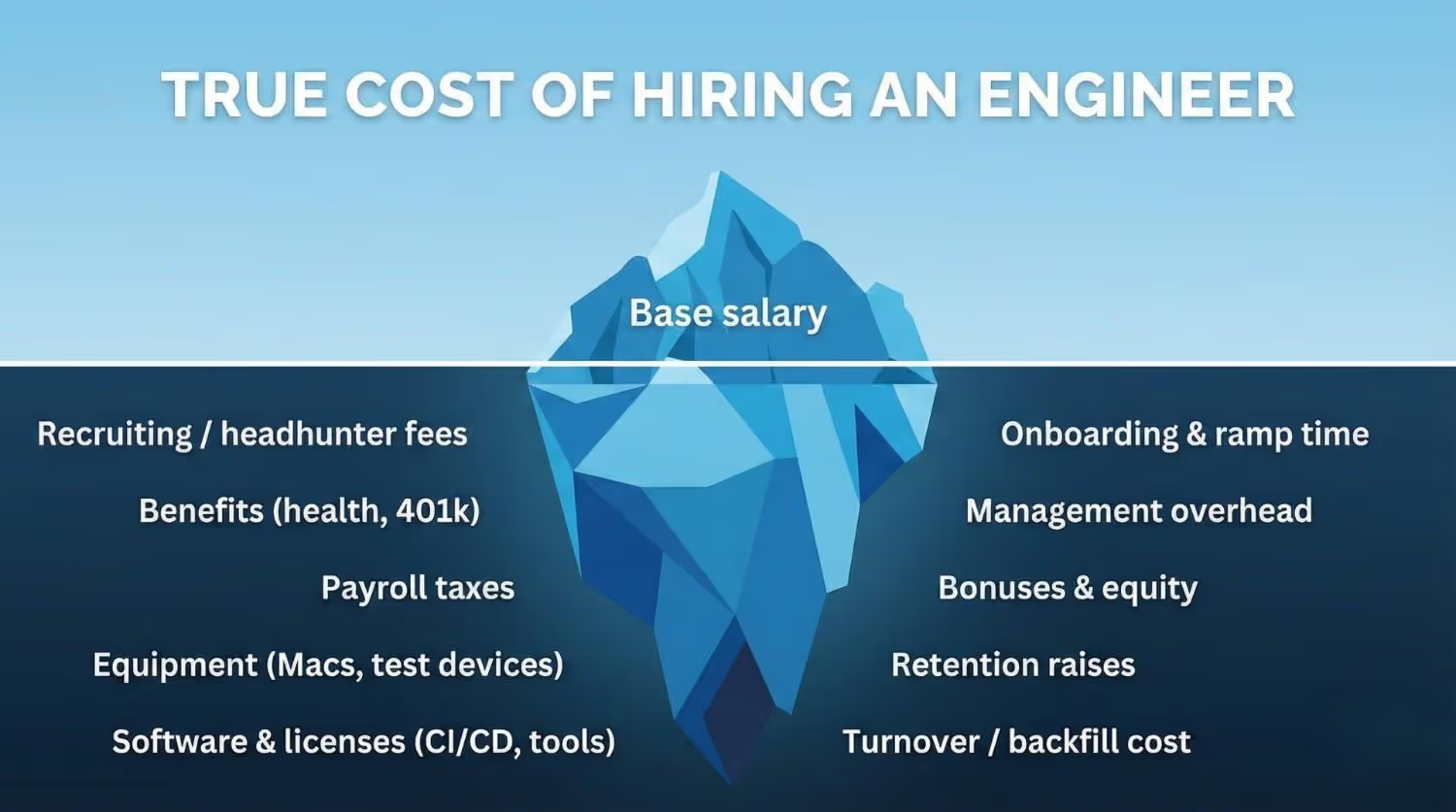
    • Upfront investment: Hiring skilled developers, designers, and product managers is expensive. Even a small team can run $250k+ per year in salaries.
    • Ongoing costs: Payroll doesn’t go away. Every bug, update, and new feature adds to your team’s workload.
    • Recruitment and churn: Developers leave. Replacing them costs time and money. Institutional knowledge is lost, driving costs up further.
    • Opportunity costs: Your team’s time is finite. Every hour spent on maintaining the app is time not spent on core ecommerce improvements.
    • High risk: Unless you’re already a tech company, managing an in-house app team stretches resources thin.

    Biggest factors in the TCO of in-house development:

    1. Salaries and benefits for developers, designers, and QA.
    2. Recruitment and training costs when staff churn.
    3. Infrastructure costs (servers, tools, monitoring).
    4. Ongoing maintenance workload for OS updates and bug fixes.
    5. Opportunity cost of time taken away from growth-driving ecommerce work.

    Final TCO takeaway:

    In-house development gives the most control but comes with the highest ongoing ownership cost. You not only need to manage the project and pay the developers, but you also become responsible for benefits and HR-related costs. For non-technical ecommerce brands, it often means massive overhead with limited payoff.

    Vendrux: Custom Mobile Apps, Built From Your Site

    The appeal:

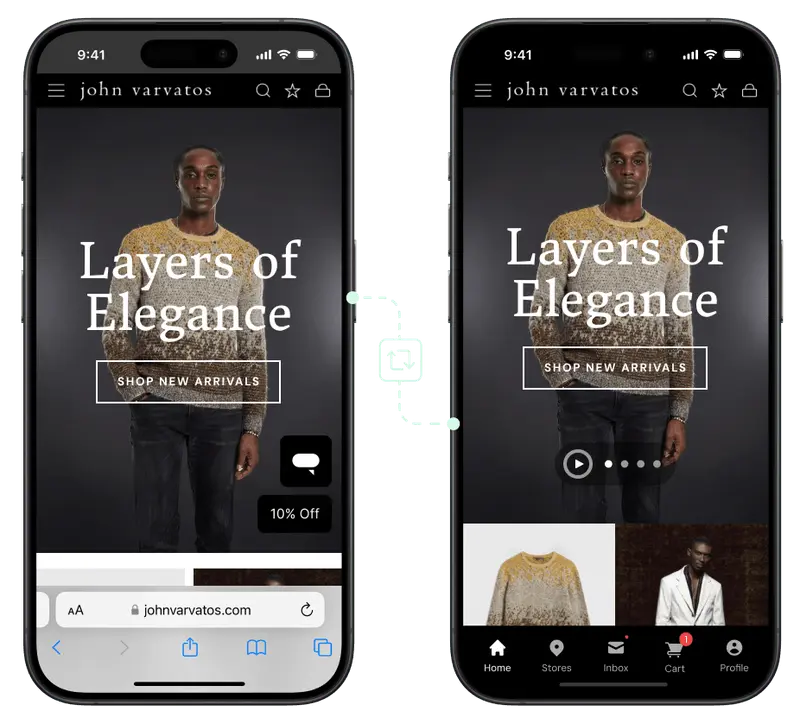
    Vendrux takes a different path. Instead of rebuilding your app from scratch, it converts your existing website into fully branded iOS and Android apps. 

    You keep all your site’s functionality, while we handle the heavy lifting of app conversion, publishing, and maintenance.
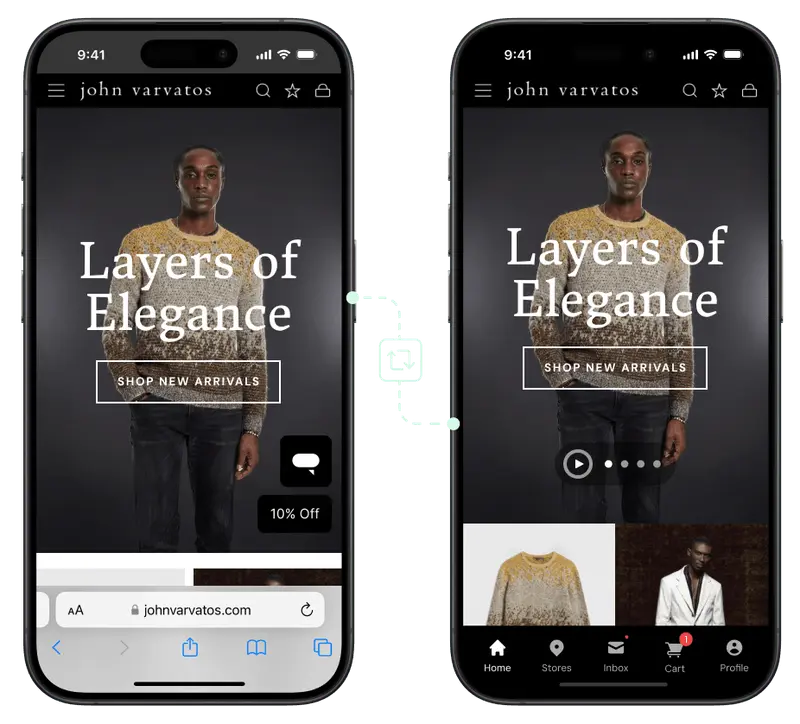
    Vendrux seamlessly converts your website into a native mobile app

    Many brands come to us (and stay with us) specifically for the low TCO. A fully-managed, white-glove service means the number you see on the pricing table is as close as it comes to the true cost of ownership.

    The reality once you factor in TCO:

    • Upfront costs: Much lower than custom development, since you don’t need to rebuild your web experience in a new environment. Apps launch in weeks, not months.
    • Maintenance included: Vendrux takes care of OS updates, app store compliance, and ongoing technical support — eliminating one of the largest hidden costs of other approaches.
    • Feature parity from day one: Because your site powers the app, everything that works on your website works in the app. No expensive rebuilds or missed features that cause lost revenue.
    • Reduced opportunity cost: Launching faster means you capture revenue and retention benefits sooner. Avoiding feature gaps means fewer lost sales compared to DIY builders.
    • Predictable spend: Pricing is transparent and ongoing costs are clear, unlike agencies or in-house dev teams where bills spike with every change.

    Biggest factors in the TCO of Vendrux apps:

    1. Initial setup cost (significantly lower than agency builds).
    2. Predictable subscription that includes hosting, support, and maintenance.
    3. Time-to-market savings — launching in weeks vs. months translates into earlier ROI.
    4. No rebuild costs — your site already powers the app.
    5. Reduced opportunity costs — full feature parity avoids the lost sales common with limited DIY builders.

    Final TCO takeaway:

    Vendrux offers the most cost-efficient long-term ownership model for ecommerce brands. You avoid the heavy upfront cost of agencies, the long-term payroll of in-house teams, and the revenue-killing limitations of DIY builders. At the same time, you get a fully functional app live in just a few weeks, with no feature gaps compared to your website.

    Want to see what’s possible? Get a free preview of your app, and we’ll show you a working prototype of your site as an app.

    Conclusion: Why TCO Should Guide Your Decision-Making Process

    When it comes to mobile apps, the price tag is just the beginning. The real cost is in the Total Cost of Ownership — everything it takes to keep your app running, updated, and delivering results over time.

    • DIY builders look cheap but often bleed value through missing features, poor UX, and eventual rebuilds.
    • Agencies deliver polished apps, but at a steep total cost, with ongoing retainers and long timelines.
    • In-house development gives control, but the overhead and payroll make it viable only for tech-driven companies.
    • Vendrux offers a lower, more predictable TCO by turning your existing site into an app, handling updates, and ensuring feature parity from day one.

    Bottom line: TCO isn’t just an accounting exercise. It’s about protecting your ROI and making sure your mobile app is an asset, not a liability.

    If you’re considering an app for your ecommerce business, don’t stop at the sticker price. Look at the full cost of ownership. You’ll see why Vendrux is the smarter, more sustainable way to launch your own app.

    Talk to us about launching your app with Vendrux. We’ll do the heavy lifting, get you live in weeks, and help you grow with a lower total cost of ownership.

    Curious? Get a free consultation now.

  • Website-to-App vs Custom Native Apps vs DIY Wrappers

    Website-to-App vs Custom Native Apps vs DIY Wrappers

    If you run an online business, you’ve probably asked yourself: what’s the best way to build a mobile app?

    It makes sense. Mobile internet traffic is consistently rising, and an app is a reliable way to build an audience you actually own.

    To launch an app, there are three main paths you’re likely to consider:

    1. Using a website-to-app service (a managed wrapper that converts your existing site into a mobile app).
    2. Building a custom native app from scratch with developers or an agency.
    3. Creating a DIY wrapper in-house, where your team puts your website inside an app shell.

    Your choice affects how fast you go live, how much the app will cost (upfront and ongoing), and the quality of the end user experience.

    Some will tell you always go for a custom build – others say it’s a waste of time.

    We’ve been in the app development industry for over 12 years, and know just what matters and what doesn’t with mobile apps.

    In this article, we’re going to use that experience, and give you a clear breakdown of the pros and cons of each approach, the hidden costs and sacrifices that you might not be aware of, and ultimately our recommendation on the best way forward for your mobile app.

    The Three Main Approaches Explained

    Let’s dive into the three most common ways to build a mobile app.

    Note: in general, we’re assuming your business has a website – or is launching both around the same time. This covers businesses like ecommerce stores, e-learning platforms, digital publishers and SaaS apps.

    If your business is built around the app, the question changes slightly. But you should still find some value in the breakdowns below (and you might find that a web-first, then app approach actually makes sense).

    Website-to-App Services (Managed Wrappers)

    A website-to-app service like Vendrux takes your existing website and converts it into a mobile app for iOS and Android.

    Instead of building a new app from scratch, these platforms wrap your website inside a native app shell. This shell is fully native code (we use Swift and Kotlin, the two most popular native languages for iOS and Android).

    What it essentially does is it lets your website run as a mobile app.

    The content comes from your website – pages, functionality, logins, etc. But your customers can download it, launch it from their homescreen, and interact with it much like they would with a native app built from the ground up.

    Why businesses choose this approach

    • Speed: You can launch in weeks, not months.
    • Lower cost: Instead of spending six figures on custom development, you pay a small amount upfront for the build, and usually a small cost per month for maintenance.
    • No extra workload: Updates you make on your website instantly appear in your app, so there’s no second codebase to manage.
    • Ongoing support: The service provider handles app store submissions, updates, and compatibility with new iOS/Android versions.

    The trade-offs

    • Less room for fully custom native features compared to a ground-up build.
    • Your app experience is tied closely to your website. This is an advantage for consistency, but not for brands wanting a radically different app experience.

    The bottom line: Website-to-app services are ideal for ecommerce stores and content-driven businesses that want to move fast, keep costs predictable, and avoid the heavy lift of custom development.

    Custom Native App Development

    A custom native app is built from the ground up for iOS and Android. 

    This is the traditional way of creating an app: hiring an in-house team or agency to design, code, and maintain everything.

    You can create a unique, fully custom app experience. If you have a website  as well, and you want to share data between your website and app (e.g. logins, product details, order information), you’ll do so via custom APIs (coded functions that allow different platforms, like your website and app, to communicate with each other).

    Why businesses choose this approach

    • You have full flexibility, able to design and build features that don’t exist on your website.
    • A native app can feel faster and smoother, with deep integrations into device features (camera, GPS, biometrics, etc.).
    • Ultimately it’s the highest-quality end product.

    The trade-offs

    • Custom apps cost a lot. Development can easily exceed $100,000, and that’s just the build. Ongoing updates cost thousands more each year.
    • Expect a long development timeline – typically 6-12 months to launch (assuming the build goes to plan).
    • Every update to iOS or Android requires development work. You’re maintaining two separate codebases in addition to your website, and paying expensive developers (potentially $9K+ monthly per person) to keep your apps live.
    • Scope creep is real – projects often go over budget or get delayed due to unforeseen complexities.

    The bottom line: Custom native development makes sense if you’re a large enterprise with deep pockets, or if your app needs features that simply can’t be achieved by extending your website. For most businesses, the cost and time investment make this option hard to justify.

    DIY Wrappers (Built In-House)

    If you want full control, without the massive cost of a native app, you can settle for a midpoint and do the wrapper approach in-house.

    Just like the first option, you’ll put together a native wrapper for your website, and do everything that a website to app service would do for you:

    • Build the native foundation
    • Integrate your website’s content and functionality within the app
    • Create native elements that make it feel like a real app
    • Manage QA, testing, ongoing maintenance
    • Submit your app to the App Stores for publishing

    Why businesses choose this approach

    • On the surface, it’s cheaper – you don’t pay an outside service or agency, just your team’s time.
    • You get full control. You decide exactly how the app is built, submitted, and maintained.
    • It’s flexible. If you only need a simple app shell, you can get something running quickly.

    The trade-offs

    • Wrapper has been a dirty word in app development for some time. The potential for what you can do with wrapper (or “hybrid”) technology has evolved massively, but poorly built hybrid apps stand out (in a bad way).
    • Apple and Google frequently reject low-quality wrappers. Without experience, managing the process and getting your apps approved can be frustrating.
    • Though you’re not paying an invoice, there’s still a major cost to bear. Your time, your team’s time – and you may need to hire new staff to build the app.
    • There’s maintenance to consider too. It’s not a “one and done”. There will be bugs to fix, features to add, kinks to smooth out. Expect a 2-3 person team required to keep your apps running.
    • Everything, from debugging to store compliance, falls on your team, potentially pulling away from other parts of your business.

    The bottom line: A DIY wrapper or hybrid app can be a decent option if you have a deep technical team, with experience building these kinds of apps. But the reality is, it won’t be as simple as you expect – especially if you’re going in with a lean development team.

    Key Factors to Compare

    So, what’s the best approach for your business?

    When deciding between website-to-app services, custom native apps, and DIY wrappers, four factors matter most: cost, time to launch, quality, and maintenance.

    1. Cost

    Cost is usually the first consideration when planning an app. That’s a natural concern for any project.

    And it’s not just about the upfront build. Ongoing expenses for updates, maintenance, and support add up over time. The three approaches differ sizeably in how much they’ll cost you both now and later.

    • Website-to-app services: Affordable, usually a monthly or yearly subscription. Predictable costs without the six-figure investment.
    • Custom native apps: The most expensive option. Expect $100k+ for development, plus ongoing costs for updates, fixes, and new features.
    • DIY wrappers: Cheapest upfront, but costs creep in over time. Your developers spend hours maintaining the app, which pulls them away from higher-value projects.

    2. Time to Launch

    Speed matters in ecommerce and digital business. The sooner your app is live, the sooner you can start driving installs, sending push notifications, and making revenue. Each approach comes with very different timelines, from weeks to a year or more.

    • Website-to-app services: Fast; often ready in weeks.
    • Custom native apps: Slow; 6–12 months is standard.
    • DIY wrappers: Variable. You might get a basic shell quickly, but debugging and app store rejections often cause delays.

    3. Quality & User Experience

    Users expect apps to feel fast, smooth, and reliable. A poor experience leads to bad reviews and low retention. 

    How you build your app directly impacts the quality your customers experience, the results you get from the app, and your brand reputation along with it.

    • Website-to-app services: Depends on the service – but a tested platform with a decade plus of experience, like Vendrux, will deliver a 
    • Custom native apps: The best possible experience if budget allows. Can integrate deeply with device features.
    • DIY wrappers: Risky. Many feel clunky, load slowly, and don’t deliver the polish users expect from a professional app.

    4. Maintenance

    An app isn’t a one-and-done project. iOS and Android change constantly, other features change and break parts of your app.

    Keeping your app running smoothly requires ongoing updates and fixes. Some approaches make this simple, while others create a heavy long-term burden.

    • Website-to-app services: Handled by the provider. iOS/Android updates, app store submissions, and bug fixes are included.
    • Custom native apps: Heavy, expensive lift. You’ll need a development team maintaining two codebases, plus ongoing updates as platforms change.
    • DIY wrappers: All on your team. Every update and bug fix is your responsibility, so maintenance can become a drain on your resources.

    Which Approach is Right for You?

    There’s no universal answer for this – since every business, every project is different.

    But the best option for the majority of cases is to use a website to app service.

    You get a professional app, quickly and affordably, without the huge costs or heavy workload of custom development.

    It’s much easier to maintain, and you’re guaranteed a consistent user experience between website and app.

    The key is that most online businesses don’t need a totally unique app.

    There aren’t many limits to what you can do with modern web tech. Ecommerce platforms like Shopify, BigCommerce and Magento can create a mobile web UI that looks and feels like an app.

    That means website to app services like Vendrux give you more or less the same end product you’d get from building a custom app, much simpler, faster, more affordable.

    There are some situations where the other approaches make sense. 

    • Custom native apps are worth considering if you’re a large enterprise with significant resources and a need for unique, complex mobile features that go beyond what your website offers. 
    • DIY wrappers might appeal to highly technical teams that want total control and are willing to handle the headaches of app store compliance, bug fixes, and ongoing maintenance in-house.

    But generally, if you’ve got a fast, mobile-friendly website, the first option you consider should be turning it into an app, with a service like Vendrux.

    The bottom line: For most businesses, website-to-app services are the best balance between cost, time, quality, and maintenance. You get a professional app without the risk, expense, or delays of other options. Web-first businesses like ecommerce stores or digital publishers almost always get a better ROI from a unified web to app approach.

    Final Thoughts

    Building a mobile app could be the next step in your business’ growth trajectory. But how you build it matters as much as the decision whether or not to build in the first place.

    Contrary to what app development agencies will tell you, a fully custom, bespoke app is not always best. In fact, it’s becoming less and less of a necessity to build natively, with the advancements in hybrid app technology and customizable web platforms.

    If your business is already well-established and optimized for mobile, it simply makes more sense to convert your website into an app.

    It’s your call on how much you want to invest in your app, and whether or not you need a fully custom build. But if you want to see how your site will look simply converted into a native/hybrid build with Vendrux, we’ll put together a free preview for you to test drive.

    Curious? Get your free app preview now.

  • Website-to-App vs Custom Native Apps vs DIY Wrappers

    Website-to-App vs Custom Native Apps vs DIY Wrappers

    If you run an online business, you’ve probably asked yourself: what’s the best way to build a mobile app?

    It makes sense. Mobile internet traffic is consistently rising, and an app is a reliable way to build an audience you actually own.

    To launch an app, there are three main paths you’re likely to consider:

    1. Using a website-to-app service (a managed wrapper that converts your existing site into a mobile app).
    2. Building a custom native app from scratch with developers or an agency.
    3. Creating a DIY wrapper in-house, where your team puts your website inside an app shell.

    Your choice affects how fast you go live, how much the app will cost (upfront and ongoing), and the quality of the end user experience.

    Some will tell you always go for a custom build – others say it’s a waste of time.

    We’ve been in the app development industry for over 12 years, and know just what matters and what doesn’t with mobile apps.

    In this article, we’re going to use that experience, and give you a clear breakdown of the pros and cons of each approach, the hidden costs and sacrifices that you might not be aware of, and ultimately our recommendation on the best way forward for your mobile app.

    The Three Main Approaches Explained

    Let’s dive into the three most common ways to build a mobile app.

    Note: in general, we’re assuming your business has a website – or is launching both around the same time. This covers businesses like ecommerce stores, e-learning platforms, digital publishers and SaaS apps.

    If your business is built around the app, the question changes slightly. But you should still find some value in the breakdowns below (and you might find that a web-first, then app approach actually makes sense).

    Website-to-App Services (Managed Wrappers)

    A website-to-app service like Vendrux takes your existing website and converts it into a mobile app for iOS and Android.

    Instead of building a new app from scratch, these platforms wrap your website inside a native app shell. This shell is fully native code (we use Swift and Kotlin, the two most popular native languages for iOS and Android).

    What it essentially does is it lets your website run as a mobile app.

    The content comes from your website – pages, functionality, logins, etc. But your customers can download it, launch it from their homescreen, and interact with it much like they would with a native app built from the ground up.

    Why businesses choose this approach

    • Speed: You can launch in weeks, not months.
    • Lower cost: Instead of spending six figures on custom development, you pay a small amount upfront for the build, and usually a small cost per month for maintenance.
    • No extra workload: Updates you make on your website instantly appear in your app, so there’s no second codebase to manage.
    • Ongoing support: The service provider handles app store submissions, updates, and compatibility with new iOS/Android versions.

    The trade-offs

    • Less room for fully custom native features compared to a ground-up build.
    • Your app experience is tied closely to your website. This is an advantage for consistency, but not for brands wanting a radically different app experience.

    The bottom line: Website-to-app services are ideal for ecommerce stores and content-driven businesses that want to move fast, keep costs predictable, and avoid the heavy lift of custom development.

    Custom Native App Development

    A custom native app is built from the ground up for iOS and Android. 

    This is the traditional way of creating an app: hiring an in-house team or agency to design, code, and maintain everything.

    You can create a unique, fully custom app experience. If you have a website  as well, and you want to share data between your website and app (e.g. logins, product details, order information), you’ll do so via custom APIs (coded functions that allow different platforms, like your website and app, to communicate with each other).

    Why businesses choose this approach

    • You have full flexibility, able to design and build features that don’t exist on your website.
    • A native app can feel faster and smoother, with deep integrations into device features (camera, GPS, biometrics, etc.).
    • Ultimately it’s the highest-quality end product.

    The trade-offs

    • Custom apps cost a lot. Development can easily exceed $100,000, and that’s just the build. Ongoing updates cost thousands more each year.
    • Expect a long development timeline – typically 6-12 months to launch (assuming the build goes to plan).
    • Every update to iOS or Android requires development work. You’re maintaining two separate codebases in addition to your website, and paying expensive developers (potentially $9K+ monthly per person) to keep your apps live.
    • Scope creep is real – projects often go over budget or get delayed due to unforeseen complexities.

    The bottom line: Custom native development makes sense if you’re a large enterprise with deep pockets, or if your app needs features that simply can’t be achieved by extending your website. For most businesses, the cost and time investment make this option hard to justify.

    DIY Wrappers (Built In-House)

    If you want full control, without the massive cost of a native app, you can settle for a midpoint and do the wrapper approach in-house.

    Just like the first option, you’ll put together a native wrapper for your website, and do everything that a website to app service would do for you:

    • Build the native foundation
    • Integrate your website’s content and functionality within the app
    • Create native elements that make it feel like a real app
    • Manage QA, testing, ongoing maintenance
    • Submit your app to the App Stores for publishing

    Why businesses choose this approach

    • On the surface, it’s cheaper – you don’t pay an outside service or agency, just your team’s time.
    • You get full control. You decide exactly how the app is built, submitted, and maintained.
    • It’s flexible. If you only need a simple app shell, you can get something running quickly.

    The trade-offs

    • Wrapper has been a dirty word in app development for some time. The potential for what you can do with wrapper (or “hybrid”) technology has evolved massively, but poorly built hybrid apps stand out (in a bad way).
    • Apple and Google frequently reject low-quality wrappers. Without experience, managing the process and getting your apps approved can be frustrating.
    • Though you’re not paying an invoice, there’s still a major cost to bear. Your time, your team’s time – and you may need to hire new staff to build the app.
    • There’s maintenance to consider too. It’s not a “one and done”. There will be bugs to fix, features to add, kinks to smooth out. Expect a 2-3 person team required to keep your apps running.
    • Everything, from debugging to store compliance, falls on your team, potentially pulling away from other parts of your business.

    The bottom line: A DIY wrapper or hybrid app can be a decent option if you have a deep technical team, with experience building these kinds of apps. But the reality is, it won’t be as simple as you expect – especially if you’re going in with a lean development team.

    Key Factors to Compare

    So, what’s the best approach for your business?

    When deciding between website-to-app services, custom native apps, and DIY wrappers, four factors matter most: cost, time to launch, quality, and maintenance.

    1. Cost

    Cost is usually the first consideration when planning an app. That’s a natural concern for any project.

    And it’s not just about the upfront build. Ongoing expenses for updates, maintenance, and support add up over time. The three approaches differ sizeably in how much they’ll cost you both now and later.

    • Website-to-app services: Affordable, usually a monthly or yearly subscription. Predictable costs without the six-figure investment.
    • Custom native apps: The most expensive option. Expect $100k+ for development, plus ongoing costs for updates, fixes, and new features.
    • DIY wrappers: Cheapest upfront, but costs creep in over time. Your developers spend hours maintaining the app, which pulls them away from higher-value projects.

    2. Time to Launch

    Speed matters in ecommerce and digital business. The sooner your app is live, the sooner you can start driving installs, sending push notifications, and making revenue. Each approach comes with very different timelines, from weeks to a year or more.

    • Website-to-app services: Fast; often ready in weeks.
    • Custom native apps: Slow; 6–12 months is standard.
    • DIY wrappers: Variable. You might get a basic shell quickly, but debugging and app store rejections often cause delays.

    3. Quality & User Experience

    Users expect apps to feel fast, smooth, and reliable. A poor experience leads to bad reviews and low retention. 

    How you build your app directly impacts the quality your customers experience, the results you get from the app, and your brand reputation along with it.

    • Website-to-app services: Depends on the service – but a tested platform with a decade plus of experience, like Vendrux, will deliver a 
    • Custom native apps: The best possible experience if budget allows. Can integrate deeply with device features.
    • DIY wrappers: Risky. Many feel clunky, load slowly, and don’t deliver the polish users expect from a professional app.

    4. Maintenance

    An app isn’t a one-and-done project. iOS and Android change constantly, other features change and break parts of your app.

    Keeping your app running smoothly requires ongoing updates and fixes. Some approaches make this simple, while others create a heavy long-term burden.

    • Website-to-app services: Handled by the provider. iOS/Android updates, app store submissions, and bug fixes are included.
    • Custom native apps: Heavy, expensive lift. You’ll need a development team maintaining two codebases, plus ongoing updates as platforms change.
    • DIY wrappers: All on your team. Every update and bug fix is your responsibility, so maintenance can become a drain on your resources.

    Which Approach is Right for You?

    There’s no universal answer for this – since every business, every project is different.

    But the best option for the majority of cases is to use a website to app service.

    You get a professional app, quickly and affordably, without the huge costs or heavy workload of custom development.

    It’s much easier to maintain, and you’re guaranteed a consistent user experience between website and app.

    The key is that most online businesses don’t need a totally unique app.

    There aren’t many limits to what you can do with modern web tech. Ecommerce platforms like Shopify, BigCommerce and Magento can create a mobile web UI that looks and feels like an app.

    That means website to app services like Vendrux give you more or less the same end product you’d get from building a custom app, much simpler, faster, more affordable.

    There are some situations where the other approaches make sense. 

    • Custom native apps are worth considering if you’re a large enterprise with significant resources and a need for unique, complex mobile features that go beyond what your website offers. 
    • DIY wrappers might appeal to highly technical teams that want total control and are willing to handle the headaches of app store compliance, bug fixes, and ongoing maintenance in-house.

    But generally, if you’ve got a fast, mobile-friendly website, the first option you consider should be turning it into an app, with a service like Vendrux.

    The bottom line: For most businesses, website-to-app services are the best balance between cost, time, quality, and maintenance. You get a professional app without the risk, expense, or delays of other options. Web-first businesses like ecommerce stores or digital publishers almost always get a better ROI from a unified web to app approach.

    Final Thoughts

    Building a mobile app could be the next step in your business’ growth trajectory. But how you build it matters as much as the decision whether or not to build in the first place.

    Contrary to what app development agencies will tell you, a fully custom, bespoke app is not always best. In fact, it’s becoming less and less of a necessity to build natively, with the advancements in hybrid app technology and customizable web platforms.

    If your business is already well-established and optimized for mobile, it simply makes more sense to convert your website into an app.

    It’s your call on how much you want to invest in your app, and whether or not you need a fully custom build. But if you want to see how your site will look simply converted into a native/hybrid build with Vendrux, we’ll put together a free preview for you to test drive.

    Curious? Get your free app preview now.

  • Top 5 Software Documentation Platforms

    Top 5 Software Documentation Platforms

    For years, software documentation was treated as an afterthought, something to organize once the product was already shipped.

    Today, it’s no longer just for developers; it’s a strategic advantage for product, growth, and engineering teams.

    Clear, accessible software documentation speeds up development, reduces handoffs, and keeps teams aligned. In the Stack Overflow 2025 Developer Survey, 24.8% of developers said they already use AI tools to create or maintain documentation, while 84% plan to use AI somewhere in their workflows, showing that documentation is now a dynamic part of building and scaling products.

    For SaaS and mobile-first companies, software documentation goes far beyond internal notes or API references. It’s how teams coordinate across engineering, product, and marketing to launch faster, improve user experiences, and retain knowledge as they scale.

    Here are five software documentation platforms leading the way in 2026, each helping modern companies document faster, collaborate more effectively, and keep their knowledge organized as they grow.

    Quick Overview of the Top Software Documentation Tools

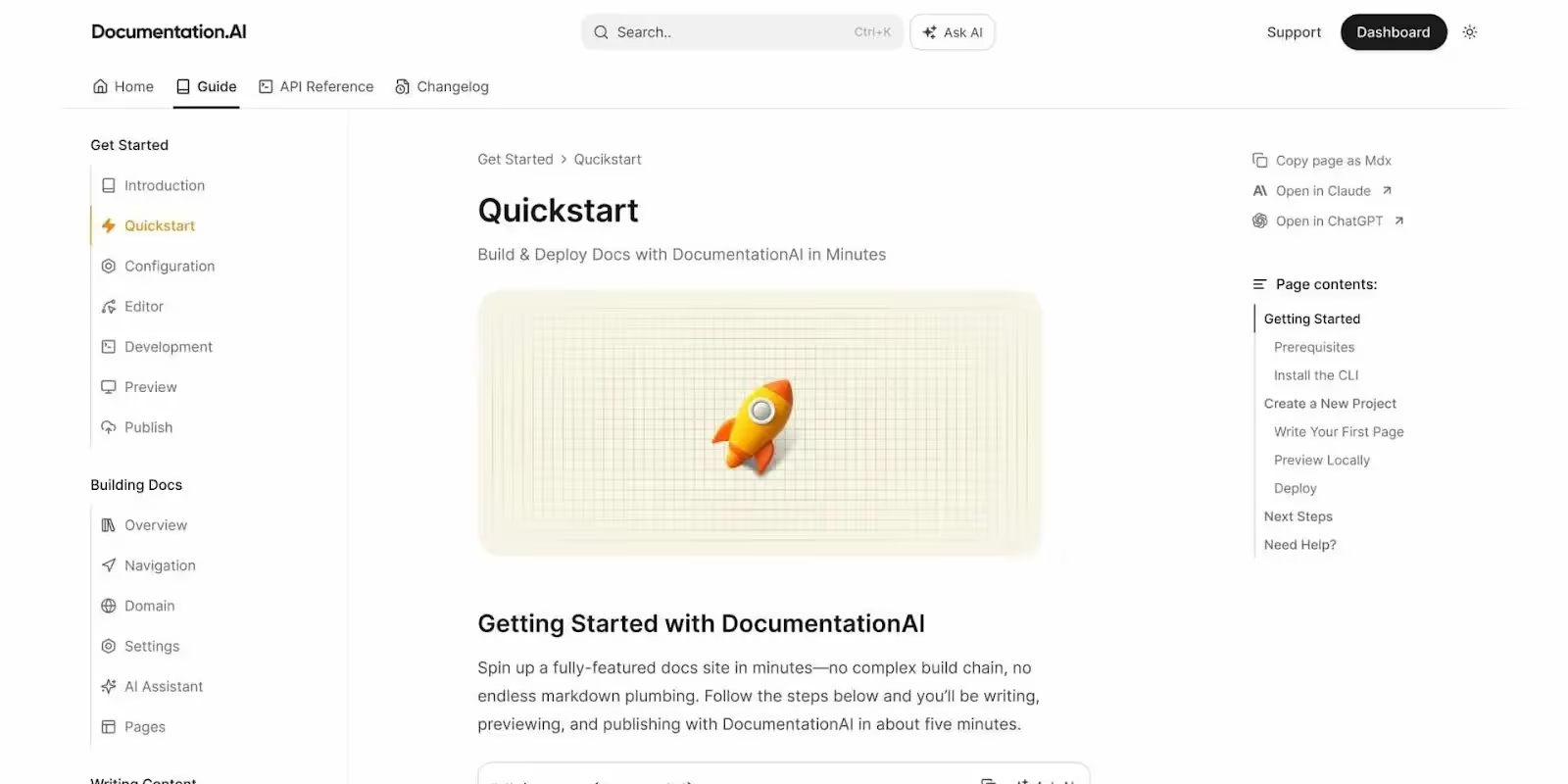
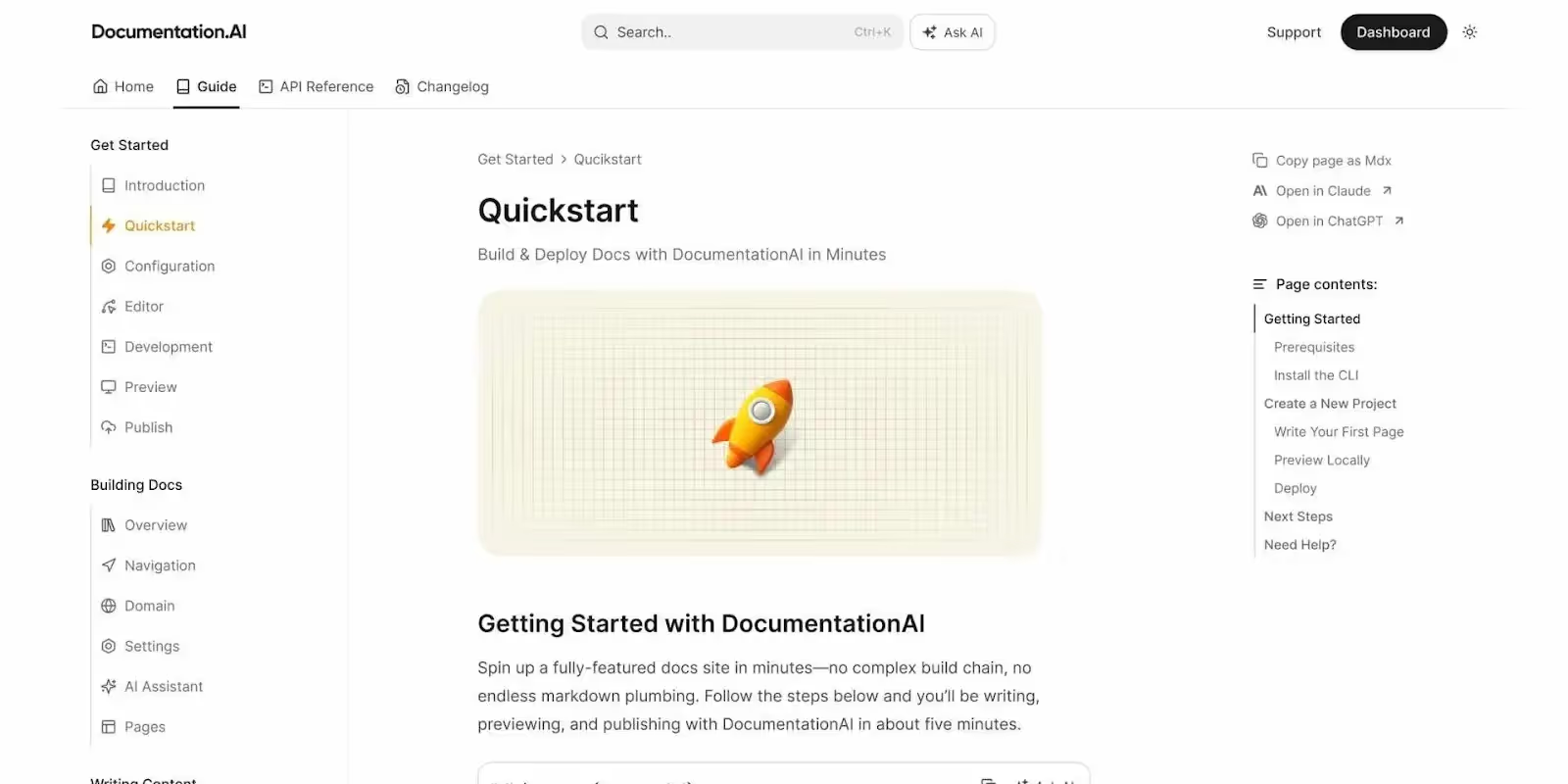
    1. Documentation.AI: An AI documentation platform for public documentation with Git sync, a Notion-style editor, and an editor AI agent.
    2. GitHub: A developer-focused tool for code and API documentation with complete version control.
    3. Confluence: Best for internal knowledge sharing and team collaboration across departments.
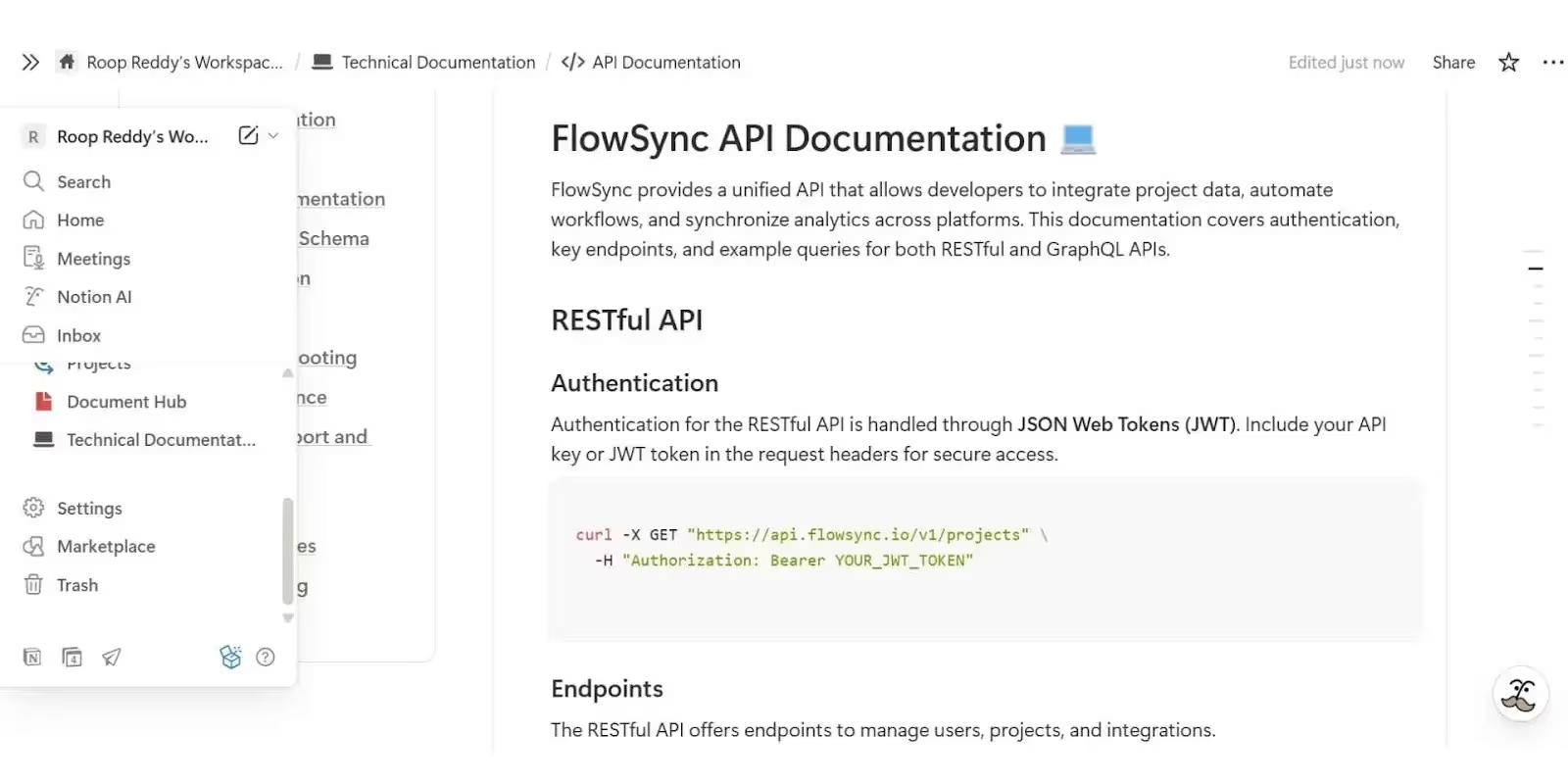
    4. Notion: A flexible all-in-one workspace combining docs, tasks, and AI for seamless organization.
    5. ReadMe: Ideal for public-facing API documentation and interactive developer portals.

    What Is Software Documentation?

    Software documentation is the written record of how a product works and how people use it.

    It can include everything from internal process notes and API references to public help centers and onboarding guides.

    Good software documentation does more than explain features; it connects the people who build the product with the people who use it.

    For SaaS and ecommerce companies, it becomes the foundation for smoother launches, faster support, and better customer experiences.

    The most common types of software documentation include:

    • Technical documentation for APIs, SDKs, and codebases.
    • Internal documentation for processes, team knowledge, and release notes.
    • User-facing guides such as FAQs, tutorials, and help centers.

    Modern software documentation platforms bring all of this together in one place. They help teams write, organize, and share knowledge without losing context, whether updating developer tutorials or guiding non-technical users through complex workflows.

    Choosing the Right Software Documentation Platform

    Every team works differently. Some tools are made for developers who work directly in Git, while others are built for cross-functional teams that need something visual and easy to use.

    The best software documentation platforms strike a balance between structure for technical users and flexibility for everyone else.

    Before choosing a platform, think about what matters most to your workflow.

    You might need a place to manage internal docs, publish public guides, or automate updates with AI. The right choice depends on how your team builds and shares knowledge.

    Also, consider your long-term scalability: how easily the platform integrates with your existing tools, supports permissions and workflows, and keeps content versioned and discoverable as your team grows.

    If your documentation needs to serve both engineers and non-technical teams, prioritize tools that combine Git integration with a modern, collaborative editor.

    The best platform will fit your documentation process, not force you to change it.

    Technical Considerations When Choosing a Software Documentation Tool

    When comparing software documentation platforms, it’s worth looking beyond the UI.

    The underlying technical capabilities often define how scalable and sustainable your documentation will be.

    Here are a few things to check before you commit to a tool:

    • Version control integration: Essential for developer documentation that needs to track changes and match code updates.
    • API support: Look for OpenAPI or Swagger integration if your team documents APIs.
    • AI extensibility: Tools that support AI models or MCP interfaces can make updates more automated and context-aware.
    • Collaboration layer: Features like real-time editing, permissions, and access controls matter when scaling documentation across teams.
    • Performance and SEO: For public docs, page speed and structured metadata directly affect discoverability and UX.

    A good software documentation platform should not only make writing easier; it should also ensure that your knowledge base remains accurate, indexable, and accessible as your stack evolves.

    Top Software Documentation Platforms in 2026

    1. Documentation.AI

    Documentation.AI is an AI-powered platform built primarily for public documentation.

    It combines Git synchronization for developers with a Notion-style block editor for non-technical contributors, making it easy for entire product teams to create and maintain polished, always-updated docs.

    The platform stands out for its AI-first approach. Teams can use an AI writing assistant directly inside the web editor, generate or refine content automatically, and even connect AI coding agents to document APIs and SDKs in real time.

    Each workspace supports global search, analytics, and built-in SEO optimization, ensuring documentation is not only accurate but discoverable.

    Key features: AI-powered editor and coding agents, Git synchronization, Markdown preview, analytics, SEO optimization, role-based permissions, white-label support, and integrated AI workflows for continuous updates.

    Pricing: Free Starter plan with one editor seat and 50 AI queries per month. Paid plans start at $49/month (Standard) for small teams, $119/month (Professional) for scaling organizations, and custom Enterprise tiers for advanced compliance, SSO, and white-labeling.

    Best for: Product and SaaS teams that need AI-driven, public-facing documentation combining developer precision with non-technical accessibility.

    For SaaS companies that want an AI-driven, accessible software documentation platform, Documentation.AI provides one of the most forward-thinking solutions in 2026.

    2. GitHub

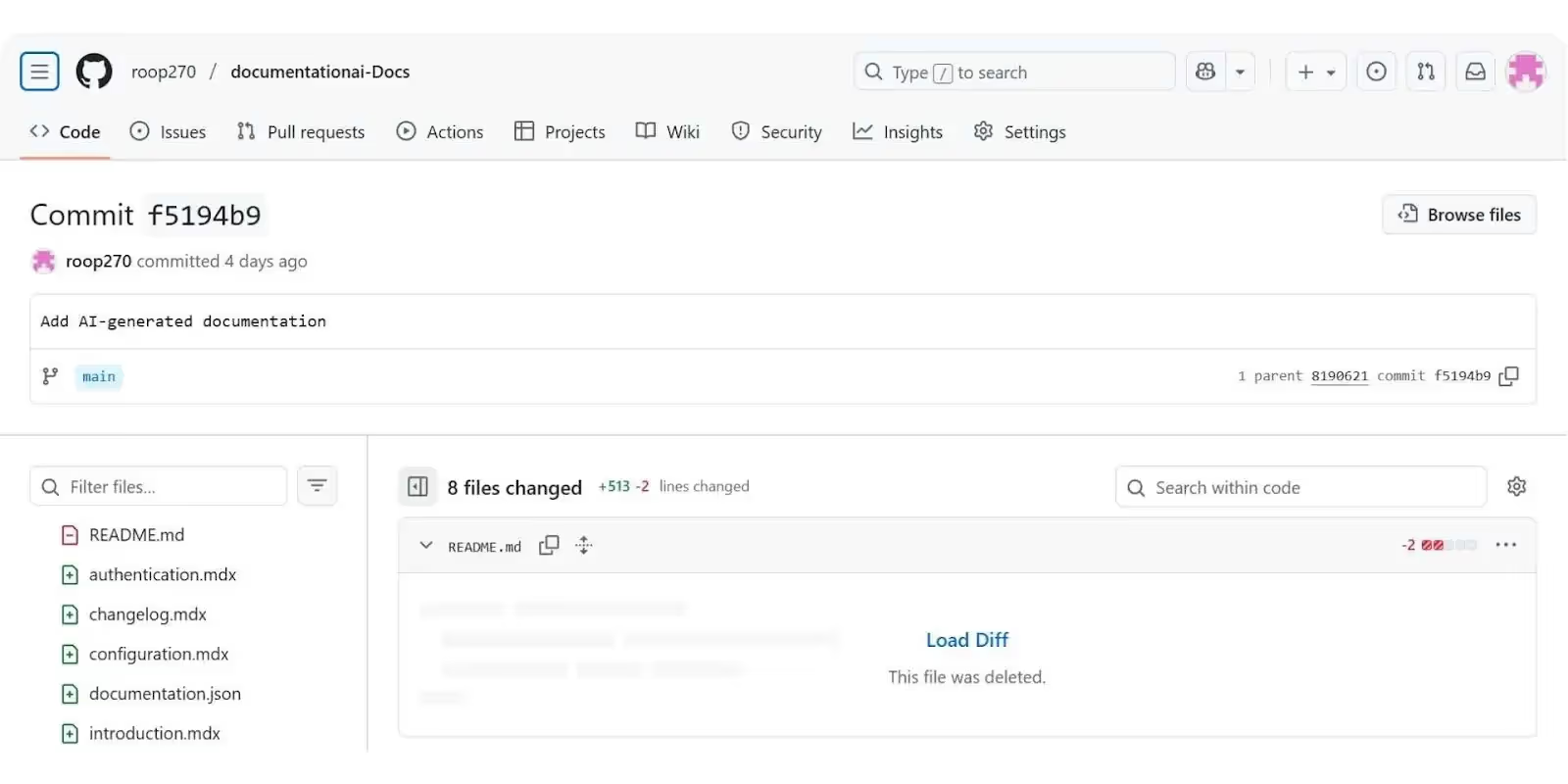
    GitHub is primarily a Git-based version management tool for code. It can also be used to store and manage documentation.

    With its basic Markdown-based editor, built-in version control, and collaborative workflows, it allows teams to maintain technical documentation alongside their codebase.

    This setup makes it a strong fit for engineering teams that want documentation and development to stay perfectly in sync.

    For developers, GitHub offers accuracy and traceability. Documentation can be versioned automatically with releases, pull requests, and commits, ensuring updates never get lost between code changes.

    Key features: Markdown-based documentation, version control, pull request review, static site generator support, and AI-assisted documentation via GitHub Copilot (but requires integration with tools like Documentation.AI to publish documentation to end users).

    Pricing: Free for individuals, Team plan at $4 per user per month, and Enterprise plan starting at $21 per user per month with advanced security and compliance.

    Best for: Developer-first teams that need versioned, code-synced documentation and tight Git integration.

    3. Confluence

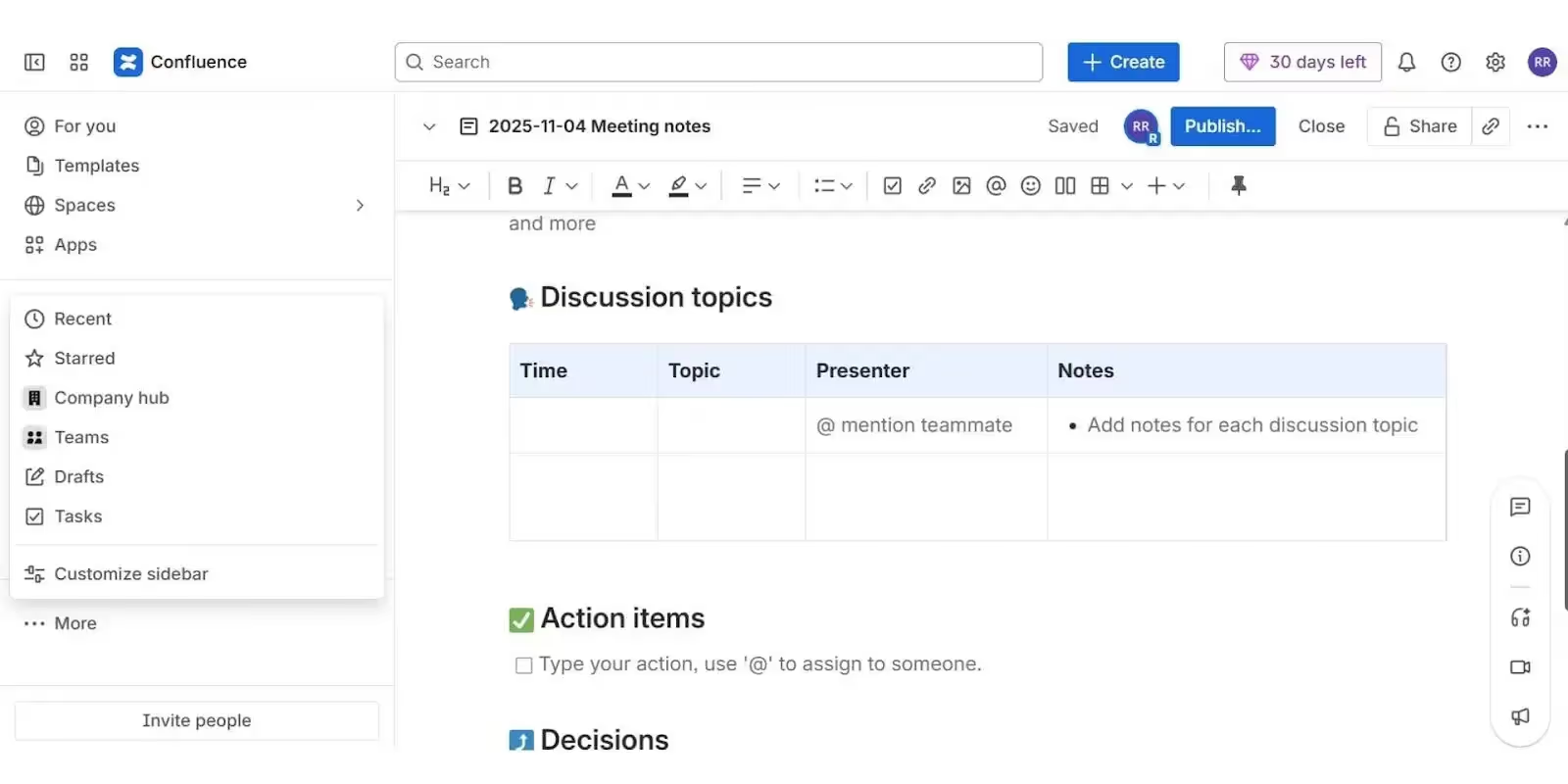
    Confluence is primarily used for internal documentation and team knowledge sharing.

    Built by Atlassian, it serves as a digital workspace where teams can create, organize, and collaborate on pages that capture everything from product specs to meeting notes.

    Unlike Git-based platforms, Confluence does not support version control integration. Instead, it focuses on usability, templates, and team visibility, making it a favorite among non-technical teams that value structure and accessibility over developer workflows.

    Key features: Page templates, collaboration tools, whiteboards, AI-assisted search, automation, and integration with Jira and Trello.

    Pricing: Free for up to 10 users, Standard plan at $5.42 per user per month, Premium plan at $10.44 per user per month, and Enterprise for large-scale analytics and security.

    Best for: Cross-functional and non-technical teams that need structured, centralized internal documentation.

    Confluence excels as an internal knowledge hub that keeps teams organized and aligned without technical overhead, making it a reliable software documentation tool for growing organizations.

    4. Notion

    Notion is one of the most versatile documentation tools available today.

    Originally built as a general workspace for notes and collaboration, it has evolved into a flexible platform that teams can use for everything from product roadmaps to full software documentation.

    Its block-based editor makes writing and organizing content simple for both technical and non-technical users. Teams can embed code blocks, link databases, and create structured documentation that’s easy to navigate.

    Because it combines docs, tasks, and knowledge bases in one place, Notion has become especially popular with startups and product teams that want a single source of truth.

    Key features: Block-based editor, databases, Notion AI for content generation and summaries, inline collaboration, and integrations with Slack, GitHub, and Figma.

    Pricing: Free for individuals, Plus plan at $10 per user per month, Business plan at $18 per user per month, and Enterprise plan with advanced permissions, SSO, and analytics.

    Best for: Teams that value visual structure, ease of use, and flexible documentation for both technical and non-technical purposes.

    Notion stands out for its simplicity and adaptability, making it ideal for startups and teams building shared software documentation systems.

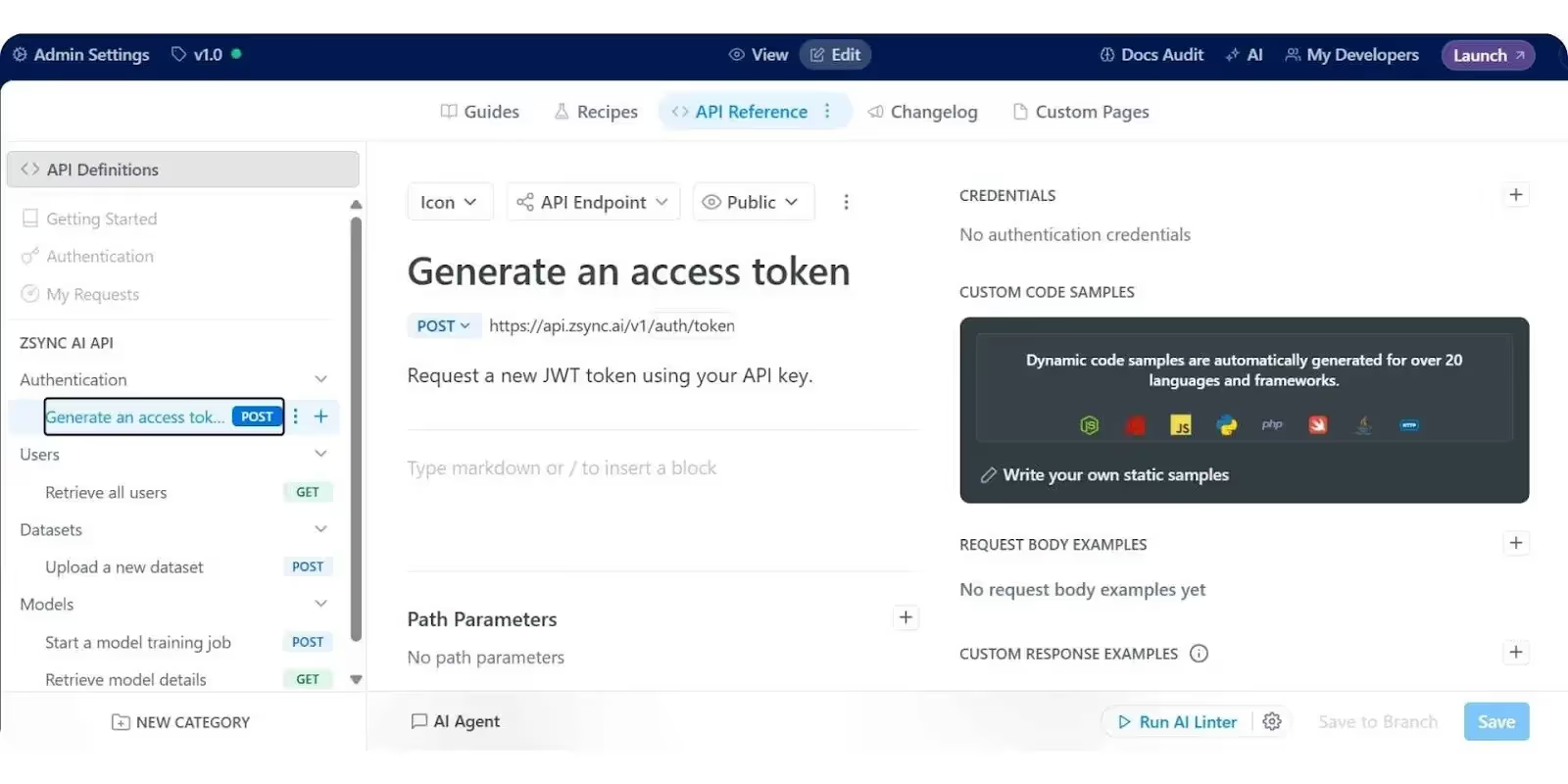
    5. ReadMe

    ReadMe is one of the most established platforms for public-facing documentation, widely used by API-first and SaaS companies.

    It helps teams build interactive developer hubs that go beyond static text, combining personalized user experiences with analytics that reveal how readers engage with their content.

    The platform’s standout feature is its intuitive interface and built-in API explorer, which lets developers test endpoints directly within the documentation.

    It also supports dynamic guides, changelogs, and customer-specific documentation views, allowing brands to create tailored, developer-centric experiences without complex setup.

    Key features: Interactive API explorer, analytics, changelogs, custom branding, and AI-assisted doc generation.

    Pricing: Free for small projects, Startup plan at $99 per project per month, Business plan at $399 per project per month, and Enterprise options for customization and support.

    Best for: API-first companies and SaaS teams that need engaging, interactive, and branded developer documentation.

    ReadMe remains a top choice for creating polished, customer-facing developer hubs that balance functionality and experience, making it one of the strongest software documentation platforms for modern teams.

    Role of Software Documentation in Growth

    Software documentation isn’t just about recording information; it’s a growth multiplier.

    The way a company captures and shares knowledge directly affects how fast it builds, ships, and scales.

    Great documentation bridges the gap between teams, reduces friction, and turns information into a competitive advantage.

    Here’s how strong software documentation drives growth:

    • Accelerates onboarding: New hires and partners get up to speed faster when everything they need is clearly documented, reducing training time and dependency on senior team members.
    • Speeds up development: Developers spend less time deciphering processes or APIs and more time building, leading to shorter release cycles and faster time to market.
    • Improves customer success: Public documentation and help centers empower users to find answers independently, lowering support costs and boosting satisfaction.
    • Enhances team collaboration: Clear, searchable documentation connects engineering, design, and marketing teams, ensuring everyone operates with the same context and goals.
    • Enables scalable knowledge: When your documentation is structured and updated, it becomes the foundation for AI tools, internal assistants, and automated workflows.
    • Drives trust and retention: Transparent, well-written documentation signals product maturity and reliability, key factors for converting and retaining enterprise customers.

    In short, software documentation is no longer a side task; it’s a growth engine. It shapes how fast teams learn, how confidently customers adopt, and how effectively businesses scale.

    Conclusion

    Software documentation has evolved from being a static reference into a core driver of growth. Modern teams now treat documentation as part of their product strategy, a system that connects developers, customers, and decision-makers in real time.

    As tools evolve with AI, automation, and smarter integrations, software documentation will continue to bridge the gap between developers, product managers, and customers.

    Platforms such as Documentation.AI, Notion, and ReadMe show that great documentation is not only about clarity but also about experience and connection.

    For SaaS and mobile-first companies, effective software documentation does more than explain products. It accelerates adoption, builds customer trust, and improves retention.

    As AI, automation, and collaboration continue to advance, the next generation of software documentation will become a true growth engine that scales knowledge as quickly as innovation itself.

  • Shopify Plus Mobile App Development: How to Build a Mobile App for Your Shopify Plus Store

    The case for launching a mobile app is clear: app users come back more often, spend more per order, and cost less to reach than customers on the mobile web.

    An app is a powerful, owned asset. It’s a direct line to your best customers. Yet many brands still don’t have their own app.

    If you run a Shopify Plus store, the scale of your business demands that you have a mobile app. You just need to find a way to do it that doesn’t blow out your budget, or drag your team into a lingering, never-ending project that slows everything down.

    It can feel difficult with all the moving parts below the surface of a Shopify Plus store. But it’s far from impossible.

    Keep reading and we’ll explain, in-depth, all you need to know about Shopify Plus mobile app development.

    What Your Mobile App Is (and Isn’t)

    To understand the unique challenges for Shopify Plus brands, you need to first understand the ideal outcome for your mobile app.

    An ecommerce mobile app should be an extension of your web storefront. It’s one piece of your multi-channel, digital presence.

    It should run off the same backend as your website (inventory, accounts, product details, etc) and, ideally, should carry over the same features that customers find on your website.

    David Cost, VP of Ecommerce and Marketing at Rainbow Shops, put it this way when we talked with him:

    “Our apps never had any functionality or usability beyond the web experience. The reason to have an app is not to have something that isn’t on the website, but for people who prefer that way to access Rainbow content.”

    He outlined a crucial misconception with mobile apps: that it has to be a completely new, completely unique surface.

    That’s not what you need. You just need a more convenient way for customers to access your store.

    In trying to create a mobile app that’s fundamentally different from their website, many brands fall into one of the biggest traps that David pointed out to us:

    “The app needs to be at least as functional as the website. It doesn’t need to be better than the website, but the user experience can’t be worse.”

    That’s the bar every mobile app should clear. If you offer mobile app users a worse experience than website users, there’s no reason for them to use the app – and there’s no reason for it to exist.

    But that’s where it gets a little more complicated for Shopify Plus brands than your standard Shopify Store.

    The Feature Parity Problem for Shopify Plus Brands

    With all the power and customization going on under the hood, carrying all of this over into a mobile app becomes tricky.

    We’re talking things like:

    • Custom checkout (Checkout Extensibility, Shopify Functions, and the Branding API)
    • Native B2B for wholesale buyers
    • Shopify Markets or Expansion Stores for international, 
    • Headless frontends (Hydrogen, Oxygen, or a custom Next.js build)
    • Heavily customized themes
    • Shopify Flow automation
    • Custom-built features
    • Granular CRO & AOV improvements

    You may have a site that’s barely recognizable to a regular Shopify store under the hood.

    Launching a mobile app that strips away all of this is not an option. It defeats the purpose of launching a mobile app in the first place.

    That’s why the biggest challenge with Shopify Plus mobile app development is feature parity. Can you get your mobile app to at least deliver the same features and functionality that you have on your website?

    With certain approaches, that’s difficult (if not impossible).

    How to Build a Mobile App for a Shopify Plus Store

    Shopify has the largest ecosystem of mobile app builder software of any ecommerce platform. Nearly 100 apps on the Shopify App Store, which let you compile and launch a mobile app with relatively low effort and cost.

    The problem? Off-the-shelf app builders typically can’t keep up with everything your Shopify Plus store does.

    They’re built using pre-built templates, and powered by Shopify’s APIs, which only expose a limited set of data.

    For any mildly complex Shopify Plus store, you’re almost guaranteed to get a mobile app that’s a stripped down version of your website – as mentioned, not what you’re looking for.

    What About Custom Development?

    On the other hand, you could hire devs, or an agency, to build your custom app from scratch.

    That gets around the feature parity problem, since you can build custom integrations for all the custom features on your website.

    But that gets expensive, fast. It gets more expensive the more unique features you need to rebuild in the app.

    Worse than that, once you go through the long and costly process (likely 6-12 months, and hundreds of thousands of dollars) to launch your app, you’re stuck with a platform that exists separate from your website, and requires a whole team and six figures per year to maintain.

    It’s a mountain of a project – and the work never stops.

    Alternatively, there’s Vendrux: another way to build a mobile app, one that lets you get a custom app without the limitations of an app builder, and without the cost and operational overhead of a “from scratch” build.

    How Vendrux Handles the Complexity of Shopify Plus Stores

    Vendrux lets you launch a custom mobile app, powered by your existing website.

    All your Shopify Plus features, integrations, and even custom features, work in your app by default.

    This is because Vendrux’s approach starts with your website – not from scratch.

    It’s a full-featured mobile app, but the underlying content and functionality comes from your existing web platform.

    You build features, customize your design, integrate with third-party tools, through your website, and Vendrux lets you ship that as a custom mobile app.

    It’s a fundamentally different architecture to the app builder approach, which means virtually no limitations. The only limitation is what you can build in Shopify Plus – and you should know that that’s really not much.

    You can build and iterate on the web and on your mobile app, all through one platform.

    A few examples of mobile apps built with Vendrux – see more here

    The Hidden Cost of Building It Any Other Way

    With a templated builder or a custom build, the app is a separate product. Even if it works perfectly on day one, you’ve now got a second storefront to maintain. 

    Every time you make a design change, add a new feature, a new integration, run a promo, you need to do the work twice.

    Development, testing, bug fixes – twice the work on everything.

    An app is never a one-time launch cost. It’s not something you can build once, and then just sit on forever. It’s a permanent operational weight on your team.

    Aside from the cost, it slows you down, and stops you from iterating on your website or implementing new features, because you know it will just create more work to ship these changes in your app.

    It tends to go one of two ways. Either your team drowns under the work, and you realize that the app is adding too much overhead to your business – or you cut corners, stop maintaining the app, and soon the app and website drift apart, and no one uses the app because it’s consistently out of date.

    Launch your Shopify Plus app without the operational drag.

    You’ve already built a Shopify Plus store with custom checkout, native B2B, Markets, headless storefronts, and everything else that makes your setup yours. There’s no reason to rebuild it in a second environment.

    Vendrux turns your existing storefront into a native iOS and Android app, handles the full build and submission, and keeps the app in sync with your site automatically. Launch in around 30 days, on a flat monthly fee.

    Book a Free Strategy Call

    Why Shopify Plus Brands Choose Vendrux

    At Vendrux, we’ve built more than 2,000 apps over the last decade. A growing share are for Shopify Plus brands, and other enterprise-level ecommerce brands, who want to have a custom mobile app, without the long-term overhead of maintaining a separate platform.

    Every Shopify Plus feature works on day one

    Everything that you can build on the web works in your app.

    With a “from scratch” build, whether it’s custom dev or an app builder, you’re putting untold effort into recreating what already works.

    With Vendrux, there’s none of that. No feature gaps, no duplicate work.

    A real custom app, not a template

    You’re not squeezing your website into a stock template. You’re getting a real custom app.

    The app is custom-built for your requirements. You can create app-exclusive experiences, pricing and discounts, app-only screens, and other tweaks and customizations to ship the app you want, without the tax of custom development.

    A managed service, not a tool you have to run

    A key difference between Vendrux and traditional app builders is that Vendrux is a managed service, not a SaaS app.

    Vendrux handles the whole setup and launch for you – design, configuration, App Store and Google Play submission, QA, push notification setup. 

    After launch, the Vendrux team handles technical app maintenance, keeping your app running through Shopify updates, OS updates, and new feature additions or design changes.

    Your team doesn’t have to learn a new tool, run a new platform, or maintain a second codebase. You keep running your website, as you normally do.

    Predictable pricing, no revenue share

    Vendrux can be a slightly higher cost than a SaaS app builder – but that reflects the extra service you get vs a self-serve tool.

    Pricing is customized to your requirements, but is generally in the low-four figure range per month. That makes launching an app significantly more viable compared to a six figure upfront cost for a from-scratch build.

    There aren’t the variable costs that come with custom development, or app builders that offer customizations, which can spiral out of control for difficult features.

    And unlike some app builders, there’s no revenue share taking a cut of your profits. It’s a predictable cost that lets you scale app revenue freely.

    Launch (and payback) in weeks, not months

    You can go live in around 30 days – not the months (or years) it typically takes to launch a custom app.

    This means you can see the impact of your app much quicker. And, combined with the lower upfront cost, the time it takes to pay back the cost of building your app is significantly shorter.

    A proven track record at Shopify Plus scale

    We work with multiple high-end enterprise brands, across fashion, retail, lifestyle and more, with complex tech stacks that no off-the-shelf app builder can adequately support.

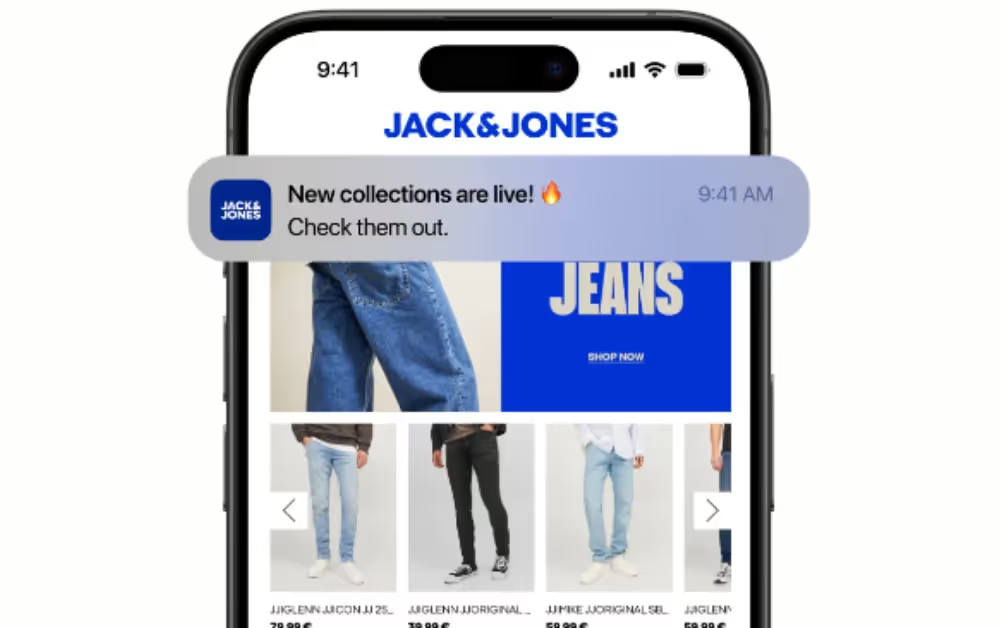
    Bestseller uses Vendrux for multiple apps, including Jack & Jones, Vero Moda, and ONLY. John Varvatos launched their app with a lean internal team and saw 10x revenue per user from app users versus mobile web. 

    Svend Hansen, Product Owner at Bestseller, put it this way:

    “We couldn’t find another company that could offer the same features at the same price point, same time to market, and make it as easy as Vendrux could.”

    And Nick Barbarise, Director of IT at John Varvatos:

    “There is no real business case for building an app from scratch for $1M+ when our mobile website is already good enough.”

    The Bottom Line on Shopify Plus Mobile App Development

    Almost every Shopify Plus brand should have a mobile app. At this scale, the potential revenue from launching an app, even if you get a relatively small share of users to adopt it, is too much to ignore.

    The blocker: finding a mobile app development solution that’s compatible with your setup, and that doesn’t come with a $250K+ price tag, just for the first version (which won’t even see the app store until a year from now).

    Vendrux is built for the Shopify Plus brand that wants to skip the templates, skip the stripped-down, simplified mobile apps, and doesn’t want to deal with the tax of a “from-scratch” build.

    Vendrux turns the store you already run into a native iOS and Android app, in about 30 days, with no rebuild and no parallel codebase to maintain.

    If your website is doing the work, your app should build on that, not alongside it.

    Get a free app preview and we’ll show you exactly what your store would look like as a native app.

  • Hiring an App Developer: Full Cost & Process Guide

    Hiring an App Developer: Full Cost & Process Guide

    As a business owner, you’re probably seeing more and more customers browsing and buying on their phones. Your mobile traffic is growing, and it’s starting to feel obvious: you should really have an app.

    Mobile apps drive 88% of all mobile time spent by users, giving you a direct line to customers from their home screens.

    But deciding to build an app is the easy part. The hard part is finding and hiring someone to do it.

    Should you go with a freelancer, an agency, or an in-house team? What will it cost, how long will it take, and what are the risks?

    With global app revenue hitting $535.8 billion in 2024, the market is booming, and so is the number of developers promising the world. Some deliver. Many don’t.

    The good news: you don’t need to be technical. You just need a clear picture of your options, realistic cost ranges, and what’s involved in a typical app project.

    In this guide, we’ll cover where to find mobile app developers, what to expect to pay, what goes into building an app, and how to evaluate your options, plus a simpler alternative that could help you launch an app without hiring developers at all, if you already have a website.

    Where to Find App Developers

    Finding mobile app developers is easier than ever, but finding good ones is another story. Here are the most common places business owners look.

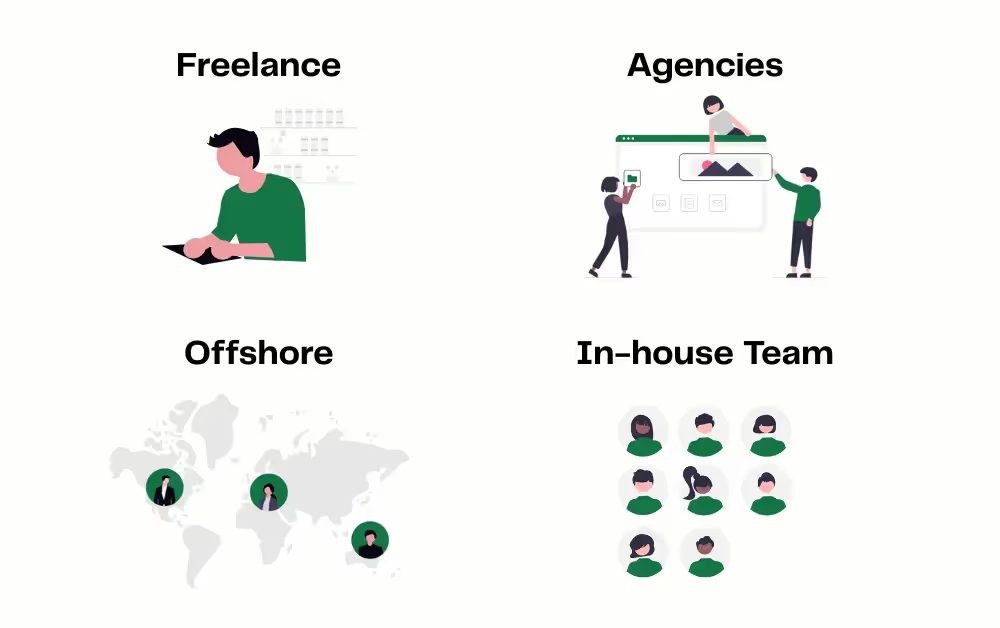
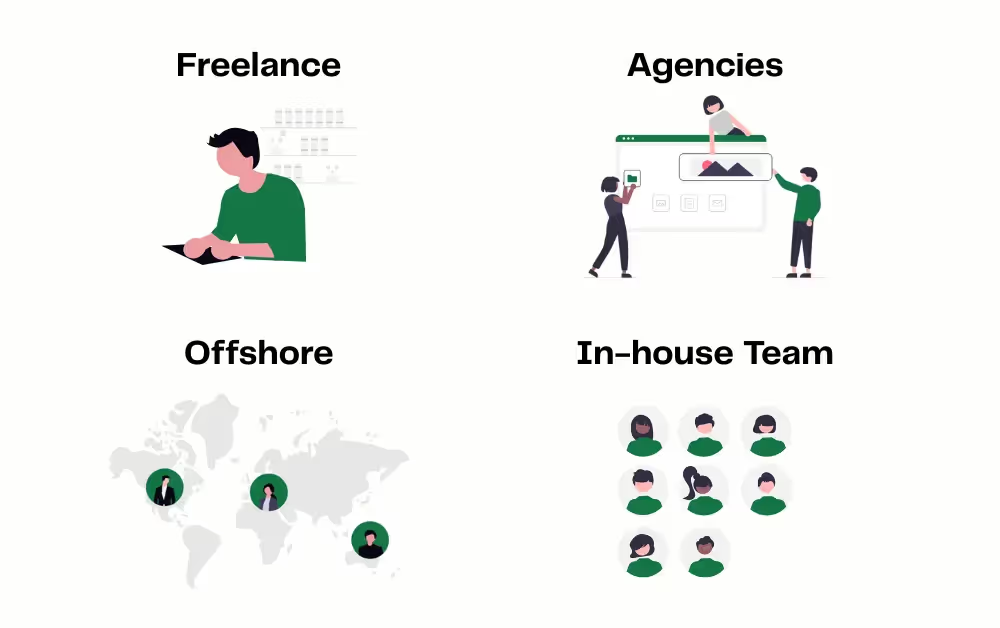
    Before you talk to anyone, decide which of these four routes fits how you actually want to work.

    Freelance Platforms

    Sites like Upwork, Toptal, and Fiverr give you access to thousands of individual developers.

    • Pros: Lower cost, flexibility, fast turnaround
    • Cons: Harder to vet quality, no team support, risk of scope creep

    Freelancers work well if you have a clear spec and can manage the project yourself.

    Development Agencies

    Agencies offer full-service mobile app development: design, development, testing, and deployment.

    • Pros: Professional teams, established processes, accountability
    • Cons: Higher cost (typically $100K+), longer timelines

    Agencies work well for big budgets and polished products, but you’ll pay premium rates.

    Offshore Development Teams

    Hiring offshore: Eastern Europe, South Asia, Latin America, offers lower hourly rates. Developers in India charge $20–$50/hour, compared to $100–$150/hour+ in the US.

    • Pros: Significant cost savings, access to large talent pools
    • Cons: Time zone challenges, communication barriers, variable quality

    Offshore can work if you have strong project management and clear requirements. Without that, you risk delays and misalignment.

    In-House Teams

    Building an in-house app team means hiring iOS developers, Android developers, and designers.

    • Pros: Full control, aligned with your business
    • Cons: Expensive, slow to scale, ongoing salary costs

    Most businesses can’t justify the overhead unless apps are core to the business model.

    Understanding Mobile App Development Costs

    Let’s talk numbers. Mobile app development can cost anywhere from around $10,000 to over $500,000+ depending on complexity, platform, and who you hire, which is consistent with typical ranges for how much it costs to create an app in 2025.

    App Type Typical Budget (USD) Build Time Best For
    Simple Apps $5,000 – $50,000 2–4 months Basic login, simple data display, simple forms, MVPs, internal tools
    Medium Complexity $50,000 – $150,000 4–7 months Apps with payments, third-party APIs, geolocation, push, social logins
    Complex Apps $100,000 – $300,000+ 9–12+ months AI features, real-time data, custom backends, heavy customization

    Simple Apps: $5,000 – $50,000

    Think basic functionality like login, simple data display, maybe a form or two. These apps take 2–4 months to build and are fine for MVPs or internal tools.

    Medium Complexity Apps: $50,000 – $150,000

    Apps with integrations (payment gateways, third-party APIs), geolocation, push notifications, or social logins fall into this range. Expect 4–7 months of development.

    Complex Apps: $100,000 – $300,000+

    Advanced apps with AI, real-time data, custom backends, or heavy customization can easily hit six figures. Development can stretch 9–12+ months.

    What Drives Cost

    • Platform choice: Building for both iOS and Android costs more than one platform
    • Design complexity: Custom UI/UX is expensive; templates are cheaper
    • Developer location: US-based developers cost 3–5x more than offshore teams
    • Features: Every integration adds time and cost
    • Ongoing maintenance: Budget 15–20% of build cost annually

    When you factor in not just build costs but also maintenance, updates and your own time managing the project, the most cost-effective mobile app development options often aren’t the ones with the lowest headline price.

    What Goes Into Building a Mobile App

    When you hire a mobile app developer, here’s what you’re actually paying for.

    Discovery and Planning (1–4 weeks)

    This is where you define goals, map features, create wireframes, and outline the technical requirements. Skipping this step is how projects go off the rails.

    Design (UI/UX) (3–8 weeks)

    Designers create mockups, user flows, and prototypes. Good design makes or breaks user adoption, so don’t skimp here.

    Development (6–20 weeks)

    Developers write the code for your app, frontend (what users see) and backend (servers, databases, APIs).

    If you’re building for both iOS and Android natively, you need separate codebases. Cross-platform frameworks like React Native or Flutter can save time but come with trade-offs.

    Testing and QA (3–8 weeks)

    Quality assurance teams test the app across devices, operating systems, and edge cases. Bugs caught here are cheaper to fix than bugs caught by users.

    Launch and Deployment (1–2 weeks)

    Submitting to the Apple App Store and Google Play involves compliance checks, review processes, and sometimes rejections. Budget time for revisions.

    Post-Launch Maintenance (Ongoing)

    Apps need updates: bug fixes, OS compatibility, new features. Most businesses spend $5,000–$20,000+ annually on maintenance.

    Weigh months of custom dev against faster options using this website-to-app vs custom native vs DIY wrappers breakdown.

    Evaluating App Developers

    Once you’ve found a shortlist of candidates, how do you actually vet them?

    Review Their Portfolio

    Look for apps similar to what you want to build. Download them. Use them. Are they polished? Do they perform well?

    If a developer can’t show you live, published apps, that’s a red flag.

    Verify Technical Expertise

    Ask about their tech stack. Do they specialize in iOS, Android, or cross-platform? What frameworks do they use?

    You should understand their approach and why they recommend it.

    Assess Communication

    Poor communication kills projects. Ask how they handle updates and feedback. Do they use project management tools? How often will you hear from them?

    Check References

    Ask for references from past clients. Were deadlines met? Did the app work as promised?

    Testimonials on a website are nice. Conversations with real clients are better.

    Watch for Red Flags

    • Promises that sound too good to be true (“We guarantee your app will get 100,000 installs in the first month”)
    • No contract or vague scope documents
    • Upfront payment demands without milestones
    • Lack of clarity on ownership and intellectual property rights

    The Reality Check: Time, Effort, and Risk

    Even if you find a great developer, building a mobile app isn’t a “set it and forget it” process.

    The average app takes 4–6 months to build, and that’s if everything goes smoothly. Delays are common. Scope creep can blow budgets.

    You’ll need to stay involved, expect weekly calls, design reviews, and testing rounds.

    And the work doesn’t stop at launch. You’ll need to promote the app, gather feedback, fix bugs, and release updates.

    For many businesses, the full cost isn’t just the development, it’s the months of management and iteration. That’s before you even think about how you’ll retain users and bring them back to the app repeatedly.

    The Easier Alternative: Vendrux

    Here’s the thing: If you already have a mobile-optimized website, you may not need to hire a developer at all.

    Vendrux is a website-to-app service that converts your existing site into full-featured iOS and Android apps, no rebuild, no six-figure budget, no trial and error finding the right developer.

    All the work you’ve already put into your website like layouts, product pages, navigation, content, and checkout flows comes with you into the app instead of being rebuilt from scratch. What works on your site today continues to work inside your apps.

    Instead of starting from scratch, Vendrux turns your existing mobile site into fully native apps, using your website as the engine of the experience.

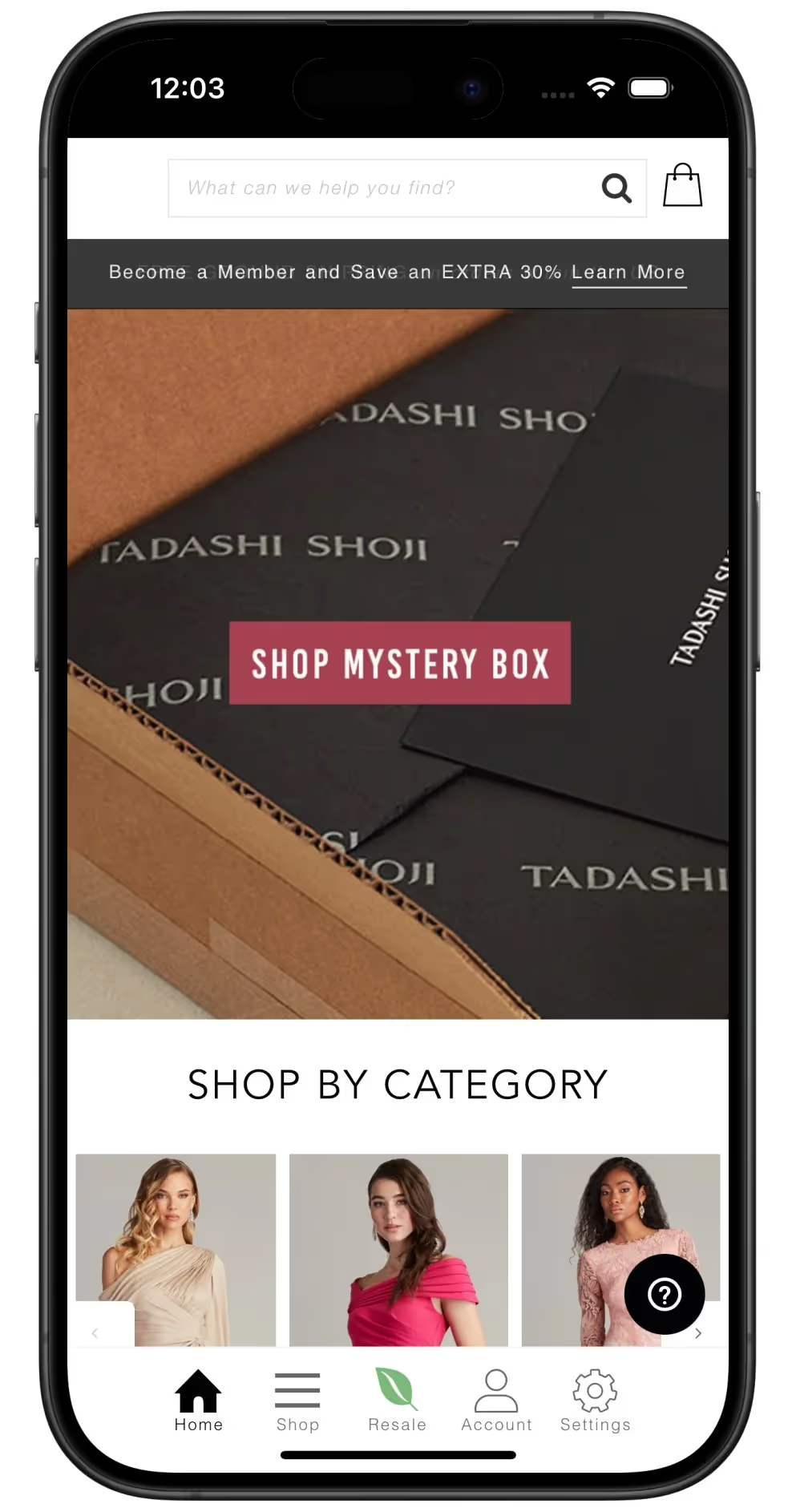
    Instead of funding a separate native build, Tadashi Shoji used Vendrux to let their website do double duty as an app.

    Everything that works on your mobile site, checkout, integrations, plugins, works in the app. You get:

    • No rebuild required: Your existing site becomes the app
    • Unlimited push notifications: Reach customers directly on their home screens
    • Fully managed service: Vendrux handles design, development, app store submission, and updates
    • Faster time to market: Typically live in around 30 days
    • Lower cost: A fraction of what custom development costs

    Vendrux works on a simple model: a one-time setup to get your apps launched, plus an ongoing subscription for hosting, updates, and support.

    Beyond saving time and budget, having your own mobile app is a retention and LTV play. Once customers install your app, you’re on their home screen with a direct line back through push notifications, which tends to drive more repeat visits, more sessions, and higher revenue per user compared to relying on mobile web alone.

    For ecommerce stores, publishers, and web-first businesses, Vendrux offers a proven path to launching high-quality mobile apps without the overhead of custom development.

    Turn your existing site into iOS and Android apps in about 30 days with this step-by-step website-to-app guide for Vendrux.

    Final Thoughts

    Hiring a mobile app developer is a significant investment.

    You’ll spend months searching, vetting, negotiating, and managing. You’ll pay anywhere from $50,000 to well over $300,000. And you’ll own the ongoing responsibility of updates, bugs, and feature requests.

    For some businesses, especially those with unique, complex requirements, custom development is worth it. If you need highly specialized functionality that your current site doesn’t support, a bespoke build can be the right choice.

    But if you already have a strong, mobile-optimized website, there’s a smarter way. Vendrux turns your site into native apps in weeks, not months, for a fraction of the cost.

    No hiring headaches. No scope creep. No $100K+ development budgets, and you preserve all the optimization work you’ve already done on your site.

    If you’re serious about launching a mobile app without the trial and error of hiring developers, book a demo with Vendrux and see how fast you can go from website to app, while also setting yourself up for better retention and higher lifetime value from your best customers.

  • How Much Does it Cost to Hire a React Native Developer in 2026?

    How Much Does it Cost to Hire a React Native Developer in 2026?

    You’re seeing the shift to mobile and realizing a responsive website isn’t enough to keep users coming back, you want that home screen icon.

    If you’re here, you’re probably asking a simple question: “How much will it cost me to hire a React Native developer in 2026?”

    React Native sounds like the perfect solution: “Write once, run anywhere.” You figure you can hire one developer for both iOS and Android, minimizing costs.

    Then you see the price tag.

    Hiring high-quality mobile talent in 2026 is a shock.

    Between soaring salaries, recruitment fees, and fierce competition for seniors, an “efficient” cross-platform project can easily spiral into a six-figure liability before you launch version 1.0.

    In this guide, we break down exactly what it costs to hire a React Native developer, from freelance rates to global salaries. We also uncover the hidden costs most budgets miss and reveal a “third way” to launch your app without hiring a single new employee.

    React Native Developer Salary 2026

    If you just want the numbers, here is the state of the market. React Native developers are among the most in-demand professionals in tech, and their compensation reflects that.

    The average base salary for a US React Native developer is typically $129,000 per year. However, averages are misleading. A junior might accept $80,000, while a senior architect can command $160,000+.

    Here is a snapshot of typical annual salaries for remote-friendly React Native roles by region:

    Region Junior (0–2 Years) Mid-Level (2–5 Years) Senior (5+ Years)
    United States $90,000 – $110,000 $115,000 – $140,000 $150,000 – $190,000+
    United Kingdom £40,000 – £55,000 £60,000 – £80,000 £80,000 – £110,000
    Western Europe €45,000 – €60,000 €65,000 – €85,000 €90,000 – €130,000
    Eastern Europe $35,000 – $50,000 $55,000 – $75,000 $80,000 – $110,000
    India & Asia $15,000 – $25,000 $30,000 – $55,000 $60,000 – $90,000

    Data sources: ZipRecruiter and Glassdoor, among others.

    Local-market salaries in regions like India are often lower, while highly experienced remote developers working for Western companies can command more.

    As you can see, location is the single biggest lever you have on price. But price is rarely the only factor. Let’s look at what actually drives these costs.

    Factors Influencing the Cost

    Why does one developer charge $40/hour while another invoices $150/hour? When you are budgeting for a React Native hire, three main variables will dictate your final spend.

    1. Location and Cost of Living

    Location is the biggest cost lever.

    • Onshore (US/UK/Canada): Highest cost. Best for communication and time zone alignment.
    • Nearshore (LatAm/Eastern Europe): The “Goldilocks” zone. Rates are 40-60% lower than onshore, with high technical standards and overlapping hours.
    • Offshore (Asia): Lowest rates. You can find incredible talent, but time zones and varying quality often require hands-on management.

    2. Experience Level

    Mobile app development is unforgiving. A junior web developer might break a CSS layout, and it looks a bit wonky.

    A junior mobile developer might ship a memory leak that crashes the app on 30% of your users’ devices.

    • Junior: Good for bug fixes and UI tweaks, but they cannot architect a scalable app.
    • Mid-Level: The workhorses. They can build features independently but need guidance on complex architectural decisions.
    • Senior: Essential for the first hire if you are building from scratch. If you are starting from zero, you cannot hire a junior. You need someone who knows how to structure the project, handle app store certificates, and manage native integrations.

    3. Engagement Model

    How you hire is just as important as who you hire.

    Freelancer ($50 – $150/hour): Flexible, but risky. Good freelance React Native developers are expensive and juggle clients. If they ghost you before launch, you have no recourse.

    Agency ($100 – $200/hour): Agencies offer reliability (PMs, QA, backups), but you pay a premium. A simple agency app often starts at $50,000-$100,000 for an MVP, according to typical cost breakdowns.

    Full-Time Employee (Salary): Total control and IP ownership, but the biggest commitment: hiring a full-time developer is a long-term liability, not a one-off project cost.

    In 2026, typical React Native hourly rates look roughly like this:

    • United States: $70–$150/hour
    • Western Europe: $50–$120/hour
    • Eastern Europe: $25–$80/hour
    • Latin America: $25–$90/hour
    • India & Asia: $20–$70/hour

    Your exact costs will depend on where you hire from, the seniority you need, and whether you work with freelancers, agencies, or full-time staff.

    The Hidden Costs of Hiring In-House

    Base salary is just the tip of the iceberg. Founders often budget $130,000 and assume that is the total cost. It isn’t. The “Total Cost of Ownership” is typically 1.25x to 1.5x that number.

    • Recruitment Fees/Time: Recruiters often charge 15-20% of the first year’s salary, a $25,000 check. Doing it yourself means 50+ hours of screening and interviewing.
    • Benefits and Taxes: Health insurance, 401k matching, and payroll taxes add up fast.
    • Equipment: You need top-tier MacBook Pros (iOS development requires macOS), test devices, and software licenses.
    • Equity: To attract top talent away from Big Tech, you will likely need to offer stock options.
    • Turnover Risk: The average engineer tenure is often under two years. If your sole developer leaves, development stalls completely.

    When calculating the cost to create an app, you have to factor in these operational realities. A $130k hire is really a $170k+ annual commitment.

    Keep React Native salaries in context with other build paths using our full cost breakdown for converting a website into an app

    React Native vs Native: Is it Cheaper?

    Is React Native cheaper than “true” native development (Swift/Kotlin)?

    The answer is yes, but not by 50%.

    Pure native requires two distinct codebases and often two teams (iOS and Android) and two salaries. With React Native vs native development, one developer can ship to both platforms using a single codebase.

    However, React Native isn’t magic.

    It sometimes requires “bridging” into native code for specific features (like advanced camera usage or background location). This means your React Native developer still needs to understand some Objective-C, Swift, Java, or Kotlin.

    This “unicorn” skillset is why senior React Native developers often command higher hourly rates than their pure-native counterparts, even if the total project cost is lower because you only need one of them.

    Set React Native against native builds before you commit with our guide to React Native vs native development

    Why You Might Not Need to Hire At All

    If you are a tech startup building the next Uber or TikTok, hiring a dedicated React Native team makes sense. The app is the product. You need custom gesture handling, complex local databases, and pixel-perfect transitions that require a full in-house engineering team.

    But what if you are an ecommerce brand or digital publisher?

    Your core product is your inventory or content. You already have a high-performing mobile website. You just need to package that experience into a native app to unlock push notifications and home screen real estate.

    For you, hiring a developer is inefficient.

    The Vendrux Alternative

    Vendrux is not a DIY builder, and it’s not an agency. We’re a fully managed service that turns your existing website into a premium native mobile app.

    Instead of committing $170k+ per year to a single in-house developer once you factor in benefits and overhead, or spending $150k/year rebuilding what you already have through an agency, Vendrux leverages your existing web infrastructure to launch in weeks for a tiny fraction of that on a predictable subscription.

    • No new code: Your app syncs 100% with your website. Update the site, and the app updates instantly. All the CRO work, templates, navigation, and checkout tweaks you’ve refined on the web carry over to the app automatically, so you don’t lose any of that effort.
    • Fraction of the cost: A flat setup fee and predictable monthly subscription cost significantly less than a junior developer.
    • Zero maintenance: We handle updates and technical maintenance. You don’t worry about iOS updates breaking your app. we do.
    • Native power: You get unlimited push notifications, native tab bars, and a dedicated pesence on the App Store and Google Play.

    This isn’t just theory. We helped buybuyBaby relaunch quickly after an acquisition, with limited engineering resources.

    This is what the Vendrux alternative looks like in practice from buybuyBaby

    Using Vendrux, they relaunched their mobile apps while cutting development costs by around 90% compared to a traditional custom rebuild, all while keeping a consistent experience across web and app.

    The result is a dedicated mobile channel that improves retention and customer lifetime value (LTV) without the cost and risk of building and maintaining an in-house mobile team.

    We also have additional case studies from other successful brands that have scaled their mobile apps with Vendrux, showing similar outcomes in faster launch times, significantly lower development costs, and stronger retention across their mobile users.

    Skip the hiring scramble and launch a live app faster with our step by step website to app guide

    Final Thoughts

    The cost to hire a React Native developer varies wildly from $50/hour for an offshore freelancer to $180,000/year for a Silicon Valley senior engineer.

    If you have the budget and the specific technical need for a custom-built product, React Native is a fantastic technology that saves time compared to pure native development.

    But for many founders, the goal isn’t “software development”, it’s business growth.

    If your goal is to launch a mobile channel to improve retention and drive sales, you likely don’t need to hire anyone. You just need to take the high-quality web experience you’ve already built and bridge it to the App Store.

    Vendrux lets you skip the hiring process, the payroll taxes, and the six-month roadmap. You get a top-tier app in weeks, not months, for a fraction of the price of a single hire.

    Your website is one step away from the App Store, book a demo with us to see how.

  • How Much Does It Cost to Hire a Flutter Developer? Salary & Rate Guide

    How Much Does It Cost to Hire a Flutter Developer? Salary & Rate Guide

    Flutter has rapidly become one of the most popular cross-platform frameworks.

    Backed by Google, it promises the holy grail of mobile development: a single codebase that runs natively on iOS and Android without compromising speed.

    On paper, that efficiency should lower your development costs.

    In theory, one Flutter developer replaces two native engineers (one for Swift, one for Kotlin). In 2026, though, the reality of the labor market tells a different story.

    Finding a developer who truly masters Dart and the intricacies of the Flutter ecosystem is becoming increasingly expensive. As more enterprises adopt the framework, demand for senior talent has outstripped supply, driving salaries to new heights.

    In this guide, we’ll cut through the hype and give you the real numbers on what it costs to hire a Flutter developer today. from offshore rates to Silicon Valley salaries. We’ll also explore the often-overlooked “third option” that lets you launch a native app without managing a development team at all.

    Flutter Developer Salaries in 2026

    If you are looking for a quick benchmark, here represents the current market reality. Flutter has matured into a primary framework for enterprise apps, pushing salaries upward.

    In the United States, the average base salary for a Flutter developer hovers around $98,000 to $120,000, with senior roles easily breaching $150,000. But software pricing is geography-dependent.

    Based ondata from major recruitment platforms like ZipRecruiter, Glassdoor, and global talent marketplaces, here is what you can expect to pay annually for a full-time Flutter developer by region:

    Region Junior (0–2 Years) Mid-Level (2–5 Years) Senior (5+ Years)
    United States $75,000 – $95,000 $100,000 – $135,000 $145,000 – $185,000+
    Western Europe €40,000 – €55,000 €60,000 – €85,000 €90,000 – €120,000
    Eastern Europe $30,000 – $45,000 $50,000 – $75,000 $80,000 – $110,000
    Latin America $25,000 – $40,000 $45,000 – $70,000 $75,000 – $100,000
    Asia (India/Vietnam) $12,000 – $20,000 $25,000 – $45,000 $50,000 – $80,000

    Data compiled from ZipRecruiter and comparable global salary indexes.

    These numbers tell a clear story: location is your biggest cost lever. But before you rush to hire the cheapest option, you need to understand the different ways you can engage this talent.

    Compare custom builds vs web-to-app platforms in this simple cost breakdown.

    Freelance vs. Agency vs. In-House: Which Model Fits?

    How you hire is just as important as who you hire.

    1. The Freelancer Route

    Typical Rate: $20 – $100+ per hour

    Flexible but risky. You can find freelance Flutter developers on platforms like Upwork or Toptal.

    • Pros: Low commitment, pay-as-you-go, global talent.
    • Cons: Reliability risks; project management falls on you.
    • Best for: Bug fixes and maintenance.

    2. The Agency Route

    Typical Rate: $75 – $150+ per hour

    Agencies sell certainty. You hire a full team (PM, QA, Designer).

    • Pros: Guaranteed delivery, polished process.
    • Cons: Most expensive option due to overhead.
    • Best for: Building a complex MVP without technical leadership.

    3. The Full-Time Hire

    Typical Cost: Salary + ~30% overhead

    Total control and IP ownership.

    • Pros: Deep product knowledge, aligned culture.
    • Cons: Massive fixed cost, slow to hire (40+ days).
    • Best for: Tech companies where the app is the product.

    3 Major Factors Influence the Price Tag

    Why can you find one developer for $25/hour and another for $150/hour? It usually comes down to three variables.

    1. Location and Cost of Living

    As the table above showed, geography dictates the baseline.

    • North America/UK: You pay for time zone alignment, cultural fluency, and legal recourse.
    • Nearshore (LatAm/Eastern Europe): Often the “sweet spot” for Western companies, high skill levels, overlapping work hours, and rates 30-50% lower than the US.
    • Offshore (South Asia/SE Asia): Lowest rates, but requires rigorous vetting and often demands late-night management calls to bridge the time gap.

    2. Seniority and “Flutter Maturity”

    Flutter is relatively new compared to native iOS or Android. Finding developers with 5+ years of specifically Flutter experience is rare because the framework hasn’t been mainstream that long.

    • Juniors can build UI screens but typically fail at complex state management (like BLoC or Riverpod) and app architecture.
    • Seniors don’t just write Dart code; they understand native bridges. Sometimes Flutter “doesn’t just work” and you need to write custom Kotlin or Swift code to access a specific device feature. A senior developer can handle this; a junior will get stuck.

    3. Project Complexity

    Are you building a simple brochure app or a real-time trading platform?

    • Basic Apps: Standard UI, simple API calls. (Lower rate developers can handle this).
    • Complex Integrations: Bluetooth, advanced background location, on-device ML, or complex animations. This requires top-tier talent.

    The Hidden “Total Cost of Ownership”

    Base salary is misleading. Many founders budget $110,000 and expect that to be the final number. But the “fully loaded” cost of a full-time engineer is significantly higher, often by 30-40%.

    That $110k Flutter hire is only the tip; everything that makes them productive lives in the part of the iceberg you don’t see on the offer letter.
    • Headhunting Fees: Unless you have an in-house recruiter, expect to pay agencies 15-20% of the first year’s salary to find qualified candidates.
    • Benefits & Overhead: Health insurance, 401k matching, payroll taxes, and office perks add substantial weight to the bottom line.
    • Tools & Tech: Swift builds require Macs. Android testing requires devices. Licenses for CI/CD tools add up.
    • Retention Costs: In a competitive market, stock options and bonuses are the norm, not the exception.

    Realistically, that $110,000 hire is a $150,000+ line item on your P&L.

    Stack your true TCO against a website-to-app approach in this quick guide

    Is Flutter Cheaper than Native?

    Yes, but usually not by 50%.

    The classic math is: Native iOS Dev ($120k) + Native Android Dev ($120k) = $240k.
    Flutter Dev ($130k) = $130k. Savings = $110k.

    In practice, it’s more nuanced.

    1. Cross-platform complexity: Writing code that works perfectly on both platforms takes longer than writing for just one. Expect a Flutter project to take ~1.3x the time of a single native project.
    2. The “Bridge” Tax: As mentioned, sometimes you need to write native code anyway.
    3. Maintenance: You still have to maintain the app, update dependencies, and fix bugs on two operating systems.

    So while Flutter vs native development is definitely a cost-saver, it doesn’t make app development “cheap.” It just makes it “less expensive.”

    Why You Might Not Need a Developer

    If you are reading this, you probably assumed that “building an app” = “hiring a developer.”

    But for many businesses, especially ecommerce brands, news publishers, and content creators, that assumption is outdated.

    If you already have a successful website, you have already done the hard work. You’ve built the database, the design system, the checkout flow, and the content.

    Hiring a Flutter developer to rebuild all of that logic in Dart is redundant. You are essentially paying six figures to duplicate what already exists.

    The Vendrux Alternative

    Vendrux takes a different approach. Instead of hiring a team to rebuild your site from scratch, Vendrux converts your existing mobile-optimized website into a premium native mobile app.

    Here is why this model makes sense for established businesses:

    • Leverage Your Existing Code: We use your existing website (Shopify, WordPress, BigCommerce, or custom) as the core of the app. There is no need to port your logic to Dart or maintain a separate codebase.
    • Drastically Lower Costs: Launching with Vendrux costs a fraction of a single developer’s monthly salary, with a predictable subscription that covers ongoing maintenance.
    • We are your mobile team: You don’t need to manage a developer. We handle the technical heavy lifting, from iOS updates to App Store submission.
    • Full Native Experience: Your customers get the retention-driving features they expect: push notifications, a native tab bar, and a permanent spot on their home screen.
    Vendrux turns “we should have an app” into a retention asset on the home screen, not a six-figure engineering project.

    On top of the cost savings, giving your best customers a dedicated app on their home screen drives higher retention and customer lifetime value than relying on mobile web alone.

    The Math is Simple

    • Option A (Hire Flutter Dev): $130,000/year + Equity + Management Time + 4–6 month delay before launch.
    • Option B (Vendrux): Low setup fee + predictable monthly subscription, with most brands launching in around 4 weeks.

    If you are building a tech product where the app functions are unique (like a new AR game or a ride-sharing algorithm), hire the developer. You need them.

    But if you are an ecommerce store or publisher, your app is a channel, not the product. The product is what you sell. In that case, spending six figures on a developer is overhead you don’t need.

    Final Thoughts

    The cost to hire a Flutter developer varies wildly based on where you look. You can find a junior freelancer in India for $20/hour, or you can pay a New York agency $200/hour. If you go the full-time route, budget at least $100,000 – $150,000 annually per developer once you factor in the total cost of employment.

    For tech startups building novel software, this cost is the price of admission. Finding the best Flutter developers is critical to your success.

    However, for business owners who just want to turn their existing website into a mobile app to drive retention and sales, hiring a developer is often the expensive, slow route.

    Don’t over-engineer a solution that already exists. If your website works, your app is already 90% built. You just need the right tool to unlock it.

    Ready to launch your app without the hiring headache? Book a demo with Vendrux and see your site as an app today.

  • App Store Review Guidelines: Will Your Webview App Be Rejected?

    App Store Review Guidelines: Will Your Webview App Be Rejected?

    If you want to launch an app for your site, and it already looks and works great on mobile, a webview (wrapper) approach is often the most efficient way to do it.

    You keep the site you have already invested in, and deliver it inside a native app shell.

    Then you start reading about App Store rejection forum threads about “webview wrappers” getting rejected under Guideline 4.2 for “minimum functionality”.

    You feel stuck between two bad options: a six-figure custom build you do not need, or a cheap wrapper that gets rejected.

    The fear is real, because Apple aggressively removes low-quality apps that feel like “web clippings”.

    However, Apple does not hate web technology, they hate poor user experiences. Thousands of major brands successfully use webviews. The difference lies entirely in execution.

    In this guide, we explain exactly what Apple’s reviewers look for and how to turn your site into an app that sails through approval, keeping all your existing site optimizations while adding a native app layer on top.

    The “Webview Wrapper” Stigma

    A webview is simply a browser engine embedded within an app.

    Apps built around webviews can have a reputation for being lower quality, but that reputation comes from how they are sometimes used, not from the technology itself.

    The stigma comes from the “gold rush” era, when spammers flooded the App Store with thousands of low-effort apps that did nothing but display a URL. These apps offered no value over a Safari bookmark.

    To clean up the store, Apple cracked down. But it is crucial to distinguish between a “Lazy Wrapper” and a high-quality webview-based app.

    • Lazy Wrapper: A generic container that effectively loads your website URL and does almost nothing else. There is no native integration. If your internet cuts out, you get a white screen. These get rejected.
    • Webview-Based App with Native Layer: An app that uses webviews for core content such as catalog and checkout but surrounds them with native code. It has a native tab bar, manages push notifications, handles offline states, and communicates with the OS. This is the standard for modern convert website into webview app workflows.

    Founders often confuse the two. Amazon, Instagram, and Basecamp all rely on webviews. The technology is not the problem, the lack of native “feel” is.

    Understanding App Store Guideline 4.2

    The rule that trips up most webview apps is Guideline 4.2: Minimum Functionality.

    Apple’s official developer guidelines state:

    “Your app should include features, content, and UI that elevate it beyond a repackaged website. If your app is not particularly useful, unique, or “app-like,” it doesn’t belong on the App Store.”

    In practice, reviewers reject apps that are “not sufficiently different from a mobile web browsing experience.”

    Related Rules

    • Guideline 4.2.2: Apps should not be simple “web clippings” or content aggregators.
    • Guideline 4.2.6: Apps built from templates must be submitted by the content owner. (This is why Vendrux publishes apps under your Apple Developer account, keeping you compliant).

    Why This Guideline Exists

    Apple wants the App Store to be a premium ecosystem, not a list of bookmarks. Users expect apps to be responsive, with intuitive navigation and features they cannot get by typing a URL into Chrome.

    Common Rejection Triggers

    Reviewers spot “lazy wrappers” instantly by looking for:

    • Browser UI: Loading bars that look like Safari or non-persistent logins.
    • Lack of Native Navigation: Relying entirely on a web-based hamburger menu instead of a native tab bar.
    • No Platform Features: Failure to use push notifications or location services.
    • Empty States: Standard “You are offline” browser errors.

    To pass App Store requirements and pitfalls, you must go deeper than just displaying HTML.

    How to Ensure Your Webview App Gets Approved

    You do not need to rewrite your site. You need to enhance the container it lives in.

    By adding a cohesive layer of native functionality, you satisfy Guideline 4.2 while preserving every optimization, test, and tweak you have already made to your mobile site.

    Strategy 1: Implement Native Navigation

    Navigation is the biggest giveaway. In an app, users expect a persistent interface, not a browser back button.

    When navigation feels this anchored, reviewers see an app with its own frame, not a mobile site in a box.
    • Native Tab Bar: Use a bottom menu on iOS or side drawer on Android to switch between Home, Search, Cart, and Account.
    • Native Headers: Keep the top navigation stable while web content scrolls.
    • Native Transitions: Ensure page transitions feel smooth and screen based rather than like a page reload.

    This tells the reviewer: “This is not just a website. It has its own app structure.”

    Strategy 2: Deep Integration with Device Capabilities

    Apple expects meaningful use of device features. For ecommerce, one of the most powerful is push notifications.

    John Varvatos uses push like this to keep VIPs coming back, app customers now generate around 10x more revenue per user than mobile web.

    A mobile website cannot send reliable iOS push notifications. An app can.

    By integrating a native push engine that ties into your CRM (like Klaviyo), you provide unique value and new revenue opportunities.

    Go further with:

    • Native Sharing and Camera: Use system tools for sharing, scanning, or uploading.
    • Advanced Features for Custom Builds: For bespoke, heavily customized apps beyond what most platforms provide out of the box, teams can even explore features like biometric login (Face ID or Touch ID), which require additional native integrations and careful implementation.

    Note: Simply bolting on push is not enough if the user experience still feels like Safari. Deep integration must pair with native navigation.

    Strategy 3: User Experience Polish

    Hide the fact that content is loading from the web:

    • Splash Screens: Show a branded launch screen while data loads.
    • Loading Indicators: Use native spinners, not browser progress bars.
    • Error Handling: Create custom “No Internet” screens with “Retry” buttons.
    • External Linking: Open third-party links in an in-app browser, keeping users inside your app.

    If you’re shaping your UX around what Apple already approves, grab our webview conversion guide and model your app on proven patterns instead of guessing.

    Why You Should Build an App (Despite the Hurdles)

    The App Store approval hurdle is just a filter. Once you pass it, you unlock a superior channel for your best customers.

    • Higher Revenue Per User: Mobile apps can convert significantly better than mobile websites, but the real power is not just a higher conversion rate. App users come back more often, view more products per session, and buy repeatedly, so your revenue per user grows over time.
    • Retention Dominance: Users spend 90% of their mobile media time in apps. An icon on the home screen is a persistent reminder of your brand and a direct route to repeat purchases.
    • Push Driven Engagement and Revenue: Push notifications often see much higher engagement than email and complement your email and SMS campaigns. Being able to reach customers instantly on their home screens for a flash sale or back in stock alert is a capability you do not get from mobile web alone.

    Meeting Apple’s standards forces you to build a product customers actually want to use and gives your top customers a better, stickier way to buy from you.

    Skip fragile DIY wrappers and six-figure rebuilds, turn your existing site into a compliant mobile app with Vendrux.

    The Vendrux Approach: Guaranteed Approval

    Using a DIY wrapper rolls the dice with Guideline 4.2. You are responsible for arguing with reviewers and fixing bugs.

    Vendrux is a full-service website to app platform that builds a native app experience on top of your existing site and guarantees App Store approval.

    We have launched thousands of apps for major brands, refining a webview-based approach that consistently meets Apple’s criteria.

    Our platform provides the required native layer:

    • Native Navigation: We configure native tab bars and menus that integrate tightly with your site structure.
    • Powerful Push: We integrate with OneSignal and your marketing stack for unlimited notifications.
    • Technical Compliance: We handle the binary build, certificates, and submission using the correct WebKit framework.
    • Reviewer Communication: We answer Apple’s questions using proven phrasing. We ensure specific compliance with web clipping and app-generation rules.

    We do not just “wrap” your site. We fuse it with a native app shell to create a full-featured, native-feeling mobile app. You get guaranteed App Store approval without writing code, while keeping the site you have already invested in as the core of your experience.

    Want to see what that looks like in practice? Browse real apps built with Vendrux to see how they look and feel like any other high-quality native app.

    Final Thoughts

    Guideline 4.2 is a barrier for spammers, not businesses. Apple approves webview-based apps that offer distinct, high-quality experiences.

    The secret is embracing native features like persistent navigation, push notifications, and polished offline handling so your app feels clearly different from a simple mobile website.

    You can build this yourself with a team of engineers, or partner with Vendrux.

    We help you use the site you already have, layer on a native app experience that meets Apple’s criteria, and launch a mobile app your best customers will keep coming back to.

    Ready to get your brand on the App Store? Book a demo with us today.

  • How Long Does It Take to Launch a Mobile App?

    How long does it take to launch a mobile app?

    The honest answer: it depends. A simple utility app can be live in 8 weeks. A complex enterprise platform with ERP integrations, compliance requirements, and custom features can take over a year.

    Or you could launch a note-taking app with a no-code tool in a couple of hours.

    But “it depends” doesn’t help you plan a budget, set expectations with stakeholders, or decide whether to build before peak season. You need real numbers.

    This article breaks down realistic timelines by app type, development approach, and complexity level. We’ll cover:

    • General timelines for simple, moderate, and complex apps
    • Specific timelines for ecommerce and enterprise apps
    • A phase-by-phase breakdown of where the time actually goes
    • Why most projects run late (and by how much)
    • How to shorten your timeline without cutting corners

    You’ll get everything you need to know to plan out your app launch timeline – and hopefully choose the most efficient way to go live.

    For this article, we synthesized quoted timelines from hundreds of app development companies, combined with our own knowledge of the mobile app space from 10+ years and 2,000+ apps launched. Timelines are estimates – and are always fluid.

    App Launch Timeline (By Complexity)

    The single biggest factor in your timeline is how complex the app is. Here’s what the data shows across hundreds of projects:

    Simple Apps: 2 to 4 Months

    A simple app has limited functionality, minimal backend infrastructure, and few third-party integrations. Think: a basic catalog app, a single-purpose tool, or a content-delivery app with standard features.

    What’s included at this level:

    • User authentication (login/signup)
    • Basic UI with a few screens
    • Simple data storage
    • One platform (iOS or Android, not both)

    Adding a second platform typically extends the timeline by 30 to 40%, so a 3-month iOS app becomes a 4-month iOS + Android project if you’re building natively.

    Moderate Apps: 4 to 9 Months

    Most apps that businesses actually want to build fall here. You’re adding payment processing, user accounts with profiles, a real backend, and integrations with third-party services.

    Typical features at this level:

    • Payment gateways
    • User-generated content or reviews
    • Admin panel or CMS
    • Push notifications
    • Analytics and tracking
    • API integrations (shipping, CRM, etc.)

    Each integration adds time. A single payment gateway takes 1 to 2 weeks to implement. A CRM connection can take longer if the API documentation is poor (and it often is).

    Complex Apps: 9 to 18+ Months

    This is where timelines start stretching into uncomfortable territory. Complex apps involve real-time data processing, AI/ML features, AR/VR, multiple complex integrations, or large-scale infrastructure built for millions of users.

    At this level, the development itself isn’t the only bottleneck. Architecture decisions, security reviews, compliance audits, and stakeholder alignment consume significant time before a single line of code gets written.

    Complexity Timeline Cost Range Example
    Simple 2-4 months $20K-$80K Catalog app, basic utility
    Moderate 4-9 months $80K-$180K Ecommerce app, SaaS product
    Complex 9-18+ months $200K-$1M+ Enterprise platform, fintech app

    Ecommerce App Development Timeline

    Ecommerce apps deserve their own section because they’re what most brands reading this are thinking about. The timeline depends heavily on whether you’re building from scratch or extending an existing online store.

    Building a Custom Ecommerce App

    If you’re hiring a development team (agency or in-house) to build a native ecommerce app from the ground up, here’s what the timeline typically looks like:

    • Basic ecommerce app (product listings, cart, checkout, user accounts): 3 to 4 months
    • Mid-level app (payment gateways, reviews, admin panel, shipping integrations): 5 to 6 months
    • Advanced app (AI-powered recommendations, multilingual support, real-time tracking, analytics): 7 to 9 months
    • Enterprise-grade app (ERP/CRM integration, dynamic pricing, multi-region compliance): 9 to 12+ months

    The industry benchmark is roughly 1,200 development hours for a standard ecommerce app, which translates to about 15 weeks of pure coding. But coding is only part of the story: design, testing, integration work, and App Store review add weeks on top.

    Extending a Shopify Store with a Mobile App

    For Shopify merchants specifically, the timeline depends on the approach:

    • No-code app builder (Tapcart, Shopney, etc.): Days to a few weeks
    • Agency-built with customization: 4 to 8 weeks
    • Custom-built native app using Shopify APIs: 8 to 24+ weeks
    • Headless build (custom frontend, Shopify backend): 12 to 24 weeks

    The more custom you go, the longer it takes. But there’s a tradeoff: highly customized apps can deliver unique experiences that off-the-shelf builders can’t match, while faster approaches let you start generating revenue from mobile sooner.

    Enterprise Mobile App Launch Timeline

    Enterprise apps are a different animal. The development itself is often not the longest phase; it’s everything around it.

    Why Enterprise Takes Longer

    Enterprise projects carry overhead that consumer apps don’t:

    • Procurement and vendor selection: 4 to 12 weeks before development even starts
    • Security and compliance reviews: SOC 2, GDPR, HIPAA, PCI-DSS (depending on industry) can add months
    • Legacy system integrations: Connecting to SAP, Oracle, Salesforce, or custom ERPs is rarely straightforward
    • Stakeholder alignment: More decision-makers means more review cycles
    • QA and UAT: Enterprise testing standards are (rightly) more rigorous

    Realistic Enterprise Timelines

    • Simple internal tool (employee-facing, limited scope): 2 to 4 months
    • Mid-complexity with integrations (customer-facing, connects to existing systems): 4 to 7 months
    • Large-scale platform (multi-region, compliance-heavy, complex integrations): 12 to 18 months

    The typical enterprise mobile app development cycle, according to Brainx Tech, breaks down like this:

    • Requirements analysis: 2 to 3 weeks
    • Design: 3 to 4 weeks
    • Core development: 8 to 16 weeks
    • Testing: 4 to 6 weeks
    • Deployment and rollout: 2 to 3 weeks

    That adds up to roughly 5 to 8 months for a mid-complexity project. But factor in procurement, compliance, and stakeholder approvals, and you’re often looking at 9 to 12 months from first conversation to live in the App Store.

    Where the Time Actually Goes (Phase-by-Phase)

    Understanding the full development lifecycle helps you see where time gets absorbed, and where it can be saved.

    Discovery and Planning: 1 to 4 Weeks

    This is where you define what you’re building. It includes market research, competitive analysis, feature prioritization, and technical architecture decisions. Skipping this phase doesn’t save time; it just shifts the cost into later rework.

    UI/UX Design: 2 to 6 Weeks

    Wireframes, mockups, user flows, and prototyping. For consumer-facing apps, this phase often takes longer than expected because design involves iteration and stakeholder feedback. Each round of revisions adds a week or more.

    Development: 2 to 12 Months

    The widest range, and the most variable. Your team size, tech stack, and architecture choices all affect this. Building for both iOS and Android simultaneously (whether natively or with a cross-platform framework like React Native or Flutter) typically takes 30 to 40% longer than building for a single platform.

    Testing and QA: 2 to 6 Weeks

    Unit testing, integration testing, performance testing, security testing, and user acceptance testing. Enterprise projects spend more time here (and should). A rushed QA phase is the fastest way to launch an app that gets one-star reviews.

    App Store Submission and Review: 1 to 2 Weeks

    Apple reviews 90% of submissions within 24 hours, but first-time submissions and major updates can take longer. Google Play typically reviews apps in 1 to 3 days.

    We’ve been there many times (over 2,000, in fact). So we know it can be a drag, waiting for them to get back to you.

    The real risk isn’t the review itself; it’s rejection. Apple rejected roughly 1.9 million submissions in 2024, about 25% of all apps reviewed. Each rejection-and-fix cycle adds days or weeks. Budget a 2-week buffer after QA to account for potential resubmissions.

    Why Most App Projects Run Late

    Here’s the uncomfortable truth: only 47% of IT projects are completed on time. Large projects (over $15M budget) run an average of 45% over budget, according to McKinsey research.

    Mobile app projects are no exception. The most common causes:

    Scope Creep

    Scope creep affects 52% of projects, according to PMI. A “small” feature request mid-development can easily add 2 weeks. Across a 6-month project, cumulative scope changes can extend the timeline by 3 months or more.

    The antidote: lock your MVP feature set before development begins. Build a feature wishlist for v2 and resist the temptation to pull features forward.

    Integration Delays

    Third-party integrations (payment gateways, shipping providers, CRMs, ERPs) are consistently underestimated. Poor API documentation, rate limits, authentication quirks, and sandboxing issues can add 3 to 6 weeks to a project.

    Feedback Bottlenecks

    When stakeholders take a week to review a design mockup that was supposed to be approved in 2 days, those delays compound across every sprint. This is especially common in enterprise projects with multiple approval layers.

    The Practical Buffer

    Experienced developers recommend adding 20 to 30% contingency to any app development timeline. If your estimate is 6 months, plan for 7 to 8. You’ll rarely regret padding the schedule; you’ll always regret not doing it.

    How to Speed Up Your App Launch

    Not every approach to building a mobile app requires months of custom development. The right strategy depends on what you’re building and why.

    Start with an MVP

    An MVP (minimum viable product) approach can reduce your timeline by 40 to 60%. Instead of building every feature before launch, ship core functionality first and iterate based on real user data.

    For ecommerce, an MVP might include: product browsing, cart, checkout, user accounts, and push notifications. Save AI-powered recommendations, loyalty programs, and AR try-on for later releases.

    Use Cross-Platform Frameworks

    React Native and Flutter let you build for iOS and Android from a single codebase, saving roughly 30% of development time compared to building two native apps separately. The tradeoff is slightly less native feel in some edge cases, but for most ecommerce and content apps, the difference is negligible.

    Skip the Build Entirely (and Turn Your Website Into an App)

    If you already have an ecommerce website that works well, you may not need to build a mobile app from scratch at all.

    Website-to-app platforms let you extend your existing website into a native iOS and Android app. Your site’s functionality, including checkout, search, loyalty programs, and every third-party integration, works from day one. There’s no re-integration, no feature parity gap, and no months of development.

    Vendrux takes this approach. Instead of rebuilding your store as a separate mobile app, Vendrux turns your existing website into a native app with push notifications, a home screen icon, and App Store listings.

    Some of the apps built with Vendrux. See more examples here

    The timeline difference is significant: most brands go from first call to live in the App Store in around 6 weeks, compared to 4 to 9 months for a custom ecommerce app build.

    In some cases, it can be even faster.

    “No one believed we’d have an app in under a month, but within two weeks, it was done.”
    – Ahmed Yousef, Director of Ecommerce at Pharmazone

    This approach isn’t right for everyone. If you need a fundamentally different mobile experience from your website, a custom build makes sense. But if your website already delivers a strong ecommerce experience and you want to capture the retention and engagement benefits of a native app, rebuilding from scratch adds cost and delay without clear ROI.

    Already have a website that drives revenue?

    Your checkout, your integrations, your full catalog, all delivered as a native app. No rebuild. No months of development. Vendrux has helped 2,000+ brands launch native apps in weeks, not months.

    Book a free strategy call to see a preview of your app. No commitment.

    Get Your Free App Preview

    Final Thoughts

    The short answer: most mobile apps take 3 to 9 months from kickoff to launch. Simple apps land closer to 2 to 4 months, moderate builds run 4 to 9 months, and complex or enterprise projects can stretch to 18 months or longer.

    But the development phase is only part of the picture. Discovery, design, testing, integrations, and App Store review all add up, and scope creep alone can extend a 6-month project by 3 months or more.

    The best thing you can do is be honest about your complexity level, lock your MVP scope early, and pad your timeline by 20 to 30%.

    If you’re an ecommerce brand with an existing website that already works well, consider whether you need to build from scratch at all. Vendrux compresses the process from months to weeks, letting you start capturing mobile revenue while competitors are still in sprint planning.