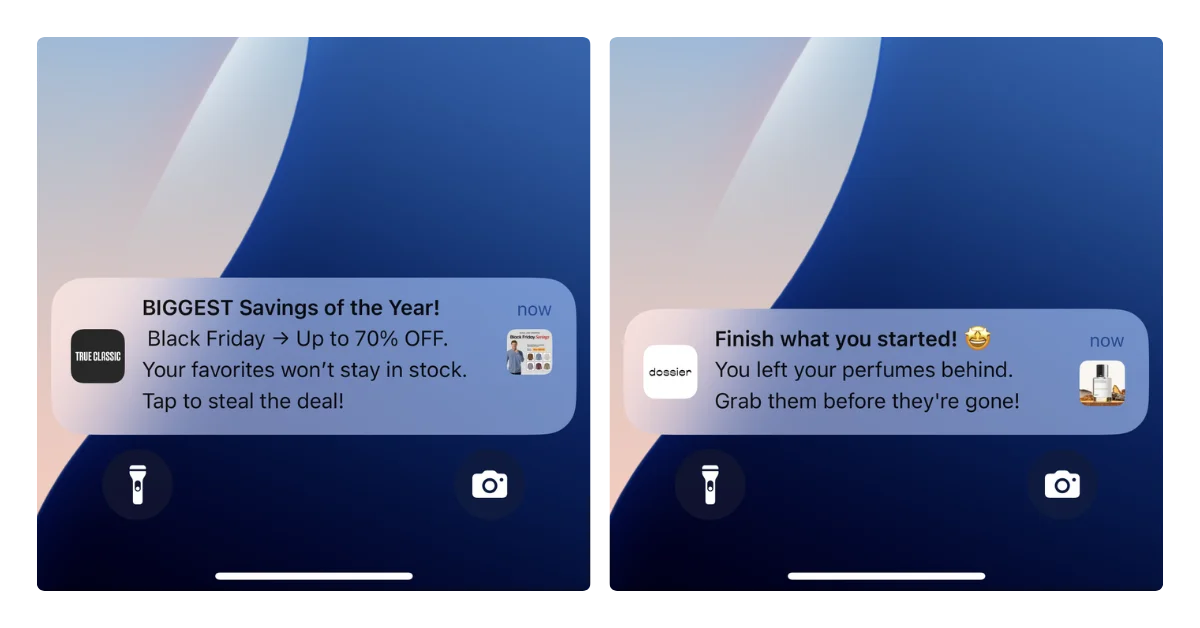
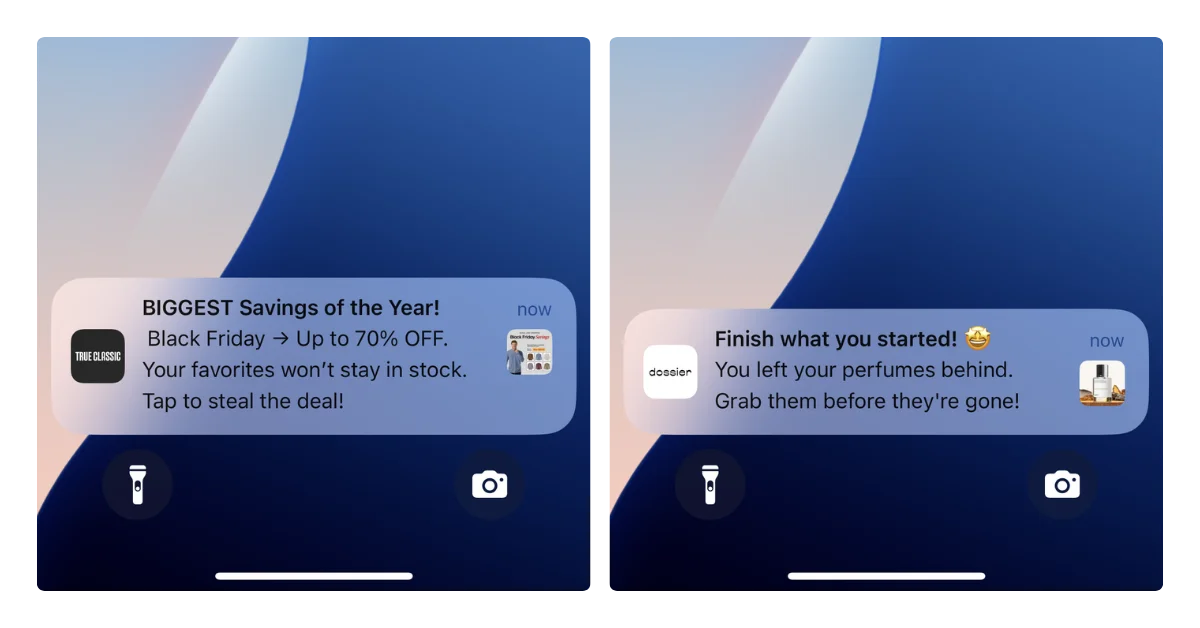
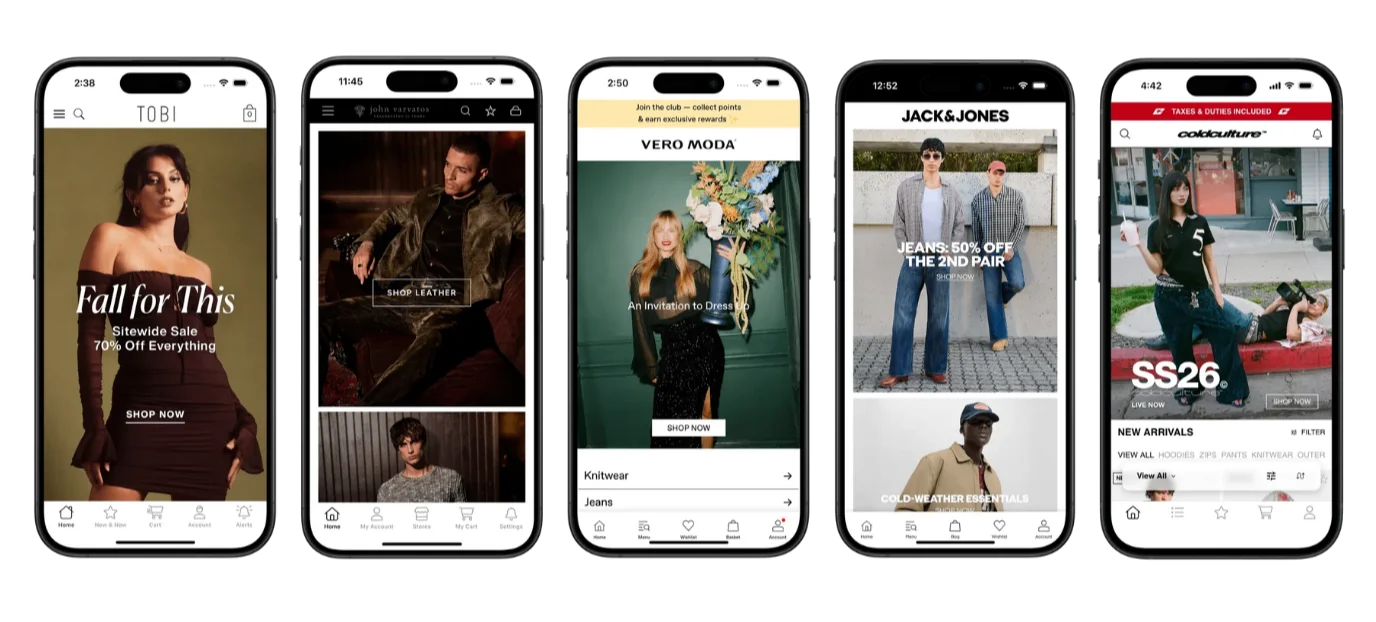
Mobile commerce is booming. Over 60% of global ecommerce traffic now comes from smartphones, and brands everywhere are racing to build mobile apps, optimize their checkout flows, and master push notifications.
But here’s the disconnect most mobile-first brands don’t see coming: the moment a customer taps “Place Order,” the digital experience ends, and the physical one begins.
That physical experience, the box on the doorstep, the unboxing, the first tactile interaction with your brand, is where custom packaging separates forgettable stores from brands customers actually remember.
If you’ve invested in a polished mobile shopping experience but you’re still shipping products in plain brown boxes, you’re leaving one of your most powerful brand touchpoints completely blank.
Here are seven ways custom packaging helps mobile-first ecommerce brands stand out in a crowded market.
1. Every Delivery Becomes a Branded Moment
Your push notifications might get a 5-10% open rate on a good day. Your email campaign conversion rate hovers around 20%.
But every single package you ship gets opened. That’s a 100% open rate – no algorithm required.
Custom mailer boxes and shipping boxes printed with your brand’s logo, colors, and messaging transform an ordinary delivery into a marketing touchpoint that every customer sees and interacts with. Unlike a digital ad that gets scrolled past in half a second, a physical package sits in someone’s hands for minutes. They feel it, turn it over, and peel it open.
That level of attention is almost impossible to buy in the digital world, yet most brands overlook it entirely.
For mobile-first brands spending heavily on digital acquisition, this is the most underused channel in your entire marketing stack. Providers like Arka make it easy to get started, offering fully customizable, eco-friendly mailer and shipping boxes with low minimums, fast turnarounds, and a Shopify integration that fits right into your existing workflow.
2. Shareable Unboxing Experiences That Drive Organic Reach
Unboxing content generates billions of views across social media every year.
What drives it isn’t the product alone; it’s the full sensory experience of opening something that feels special. Custom tissue paper wrapping the product, branded stickers sealing the box, a printed insert with a personal message, these details are what make someone reach for their phone to film before they’ve even finished unpacking.
For mobile-first brands that rely on social proof and user-generated content, this is organic marketing you can’t manufacture with ads. A beautifully designed custom mailer box costs a fraction of a single influencer post, but it puts a camera-ready branded moment in the hands of every customer who orders from you.
The best part? It happens naturally, without a campaign brief or a creative team.
3. It Bridges the Gap Between Your Mobile App and the Physical World
One of the biggest challenges for ecommerce brands with mobile apps is getting customers to actually download and keep using the app. Custom packaging solves this in a surprisingly direct way.
Print a QR code on the inside flap of your mailer box that links directly to your app download page.
Include a packaging insert offering an exclusive in-app discount for first-time app users.
Add a call-to-action on your custom poly mailer encouraging customers to track their next order through the app.
These physical-to-digital bridges turn a one-time buyer into an engaged app user, and they work because the customer is already in a positive emotional state; they just received something they’re excited about.
That’s the perfect moment to deepen the relationship.
4. Quality Signals Before the Product is Visible
Customers form opinions about your brand before they ever see the product.
The weight of the box, the crispness of the print, the attention to detail in how everything is presented, all of these register subconsciously within seconds of picking up the package.
A well-designed custom shipping box made from sturdy, FSC-certified cardboard with full-color CMYK printing tells the customer this brand cares about every detail. Compare that to a flimsy, unbranded box with a shipping label slapped on top, and the perception gap is enormous.
For brands competing in crowded categories like beauty, apparel, wellness, and food, this first physical impression either reinforces the premium experience your app promised or undermines it completely.
5. Brand Loyalty That Cuts Ad Dependence
Customer acquisition costs keep climbing. Every ecommerce brand is fighting for the same eyeballs on the same platforms, and the return on ad spend is shrinking for many.
Custom packaging attacks this problem from the other direction; instead of spending more to acquire new customers, it helps you retain the ones you already have.
When someone receives a thoughtfully packaged order, a custom box with their brand’s colors, eco-friendly compostable mailers, tissue paper with a subtle pattern, it creates an emotional connection that a retargeting ad simply can’t match.
That emotional connection translates into repeat purchases, higher lifetime value, and word-of-mouth referrals.
For brands watching their ad budgets balloon, investing in packaging is one of the highest-ROI moves you can make to break the cycle.
6. Sustainability Customers Can Actually Feel
Sustainability isn’t just a nice-to-have anymore; it’s a purchasing factor for a growing majority of consumers, especially among younger demographics who dominate mobile shopping.
But talking about sustainability on your app or website is one thing. Letting customers physically experience it is far more powerful.
When a customer opens a package made from 100% recycled materials, wrapped in recycled paper mailers, sealed with eco-friendly custom packing tape, and printed on FSC-certified cardboard, the message is unmistakable: this brand walks the talk.
That tangible proof of your values builds trust in a way that a sustainability page on your website never could.
7. Your Edge Over Generic Marketplace Experiences
This might be the most important point of all.
When a customer orders from a large marketplace, they get a generic brown box with no personality. When they order from any number of commodity platforms, the packaging is interchangeable and forgettable.
That’s the baseline your customers are comparing you against, and it’s also your biggest opportunity.
Custom packaging is the one thing large marketplaces can’t replicate for every seller. A beautifully branded retail box, a surprise sticker inside, a printed thank-you card; these small touches remind the customer they bought from a real brand, not a faceless listing. They chose your store, your app, your products, and the packaging confirms that choice was the right one.
In a world where mobile shoppers can switch brands with a single tap, that emotional confirmation is what keeps them coming back to your app instead of searching elsewhere.
The Bottom Line
Today’s ecommerce brands pour enormous resources into perfecting the digital journey, the app design, the checkout flow, and the push notification strategy. But the customer journey doesn’t end at the order confirmation screen. It ends at the doorstep.
Custom packaging is where your digital brand becomes real. It’s the handshake after the conversation, the lasting impression after the transaction. And in an increasingly mobile, increasingly competitive ecommerce landscape, it might just be the most overlooked competitive advantage you have.
The brands that figure this out, the ones that create a seamless experience from the first app tap to the last box flap, are the ones customers remember, share, and come back to.
If you’re running a composable commerce stack and you want a native mobile app, the composable philosophy says you should do what you’ve always done: pick the best technology for the job and build it.
That might mean a React Native app consuming your commerce APIs. Or native Swift and Kotlin apps with their own UI layer.
Your backend is API-first, so the data is ready. Your CMS can serve content to any frontend. Your search and personalization services don’t care whether the request comes from a browser or an app. The architecture supports it.
This is technically true. It’s also where a lot of brands spend six figures and 6-12 months building something they didn’t need to build from scratch.
How Composable Commerce Enables Mobile Apps
The composable commerce model is built around a simple idea: every component in your stack is independent, connected by APIs, and replaceable. MACH architecture (Microservices, API-first, Cloud-native, Headless) makes this practical.
For mobile apps, this means your backend is already prepared. Your commerce engine exposes product, cart, checkout, and order APIs. Your CMS delivers content via API. Your search service has its own endpoints.
In theory, a mobile app is just another client consuming these same services.
The typical approach looks like this:
Choose a mobile framework: React Native, Flutter, or fully native Swift (iOS) and Kotlin (Android)
Build the mobile UI from scratch, consuming the same APIs your web frontend uses
Integrate each backend service individually (commerce, content, search, personalization, payments)
Handle authentication, deep linking, push notifications, and app store requirements
Ship the app and maintain it alongside your website
This is the “composable” way to do mobile apps. It follows the same philosophy that guided every other decision in your stack: decouple, choose best-in-class, build purpose-built frontends for each channel.
On paper, it’s elegant. In practice, it creates a problem that most brands underestimate.
The Real Cost of a Separate App Frontend
Building a custom native app on top of a composable backend isn’t a small project. Even with clean APIs and a well-documented architecture, you’re building an entirely new frontend that needs to replicate what your website already does.
You’re building the same experience twice
Your website already handles product browsing, search, filtering, cart management, checkout, account management, loyalty programs, and whatever else your customers use. Your mobile app needs to do all of the same things.
Yes, the backend APIs are shared, but the frontend work, the part your customers actually see and interact with, is completely new.
Every screen, every interaction, every edge case needs to be designed, built, and tested for mobile.
That’s the initial build. Maintenance adds 15-20% of the build cost annually, and year one can be higher as you stabilize the app and address issues that only surface in production.
Every feature ships twice
This is where the ongoing cost really adds up. After launch, you’re maintaining two separate frontends that need to stay in sync.
Your web team redesigns the product page? The app team needs to match it.
You integrate a new reviews provider? Two implementations.
You update the checkout flow for a new payment method?
Two codebases, two QA cycles, two deployments.
In practice, one frontend always falls behind. Usually it’s the app. The web team ships updates first because that’s where the traffic is, and the app plays catch-up. Feature parity becomes a permanent operational challenge, not a one-time build effort.
You need a mobile team
Building and maintaining native apps requires iOS and Android developers, or at minimum React Native/Flutter developers with mobile expertise.
Senior mobile developers in the US command $140,000-$220,000 per year. Even a small mobile team of two developers plus QA represents a significant ongoing cost.
For brands that already have large engineering teams, absorbing this is manageable. For most DTC and mid-market ecommerce brands, it means hiring for a capability you didn’t previously need, just to deliver an experience that’s functionally identical to your website.
The composable stack gets more composable than you wanted
Here’s the irony: composable commerce is supposed to let you pick best-in-class components and assemble them into a cohesive stack.
Adding a separate native app frontend doesn’t just add one component. It adds an entire parallel delivery channel with its own build pipeline, its own release cycle, its own testing infrastructure, and its own team.
You chose composable to gain flexibility. But a separate mobile app frontend adds rigidity: now every backend change needs to be validated against two completely different frontends.
Every API update needs to be tested in two places. Your “composable” stack now has a hard dependency between web and mobile release cycles.
When a Custom App Build Actually Makes Sense
To be fair, there are scenarios where building a dedicated native app from scratch is the right call.
If your mobile app needs to do fundamentally different things than your website, a custom build is justified.
Think Nike’s SNKRS app (exclusive drops, AR try-on, community features) or Starbucks (order-ahead, in-store experience, rewards integration that drives the core business model). These apps aren’t replicas of a website. They’re distinct products with distinct capabilities.
If you’re a large enterprise with dedicated mobile engineering teams already in place, the incremental cost of building on your composable APIs is lower. You have the talent, the infrastructure, and the release management processes.
If your app needs deep hardware integration (AR, camera-based features, complex offline functionality, Bluetooth device connectivity), a custom build gives you full control over the native layer.
For most ecommerce brands, though, none of these apply. The mobile app should deliver predominantly the same shopping experience as the website, with native capabilities (push notifications, App Store presence, home screen icon) layered on top.
The Simpler Path: Let Your App Follow Your Website
At Vendrux, we work with brands running composable and headless architectures, including multiple brands on Salesforce Commerce Cloud, which is built to be modular and API-driven.
These brands have the technical capability to build custom native apps consuming their commerce APIs. They could go the full composable route.
Most of them don’t. Not because they can’t, but because they’ve done the math.
They realize it’s just more efficient, with minimal downsides, to go with this approach instead: extend the web frontend they’ve already built and invested in, and deliver it as a native iOS and Android app.
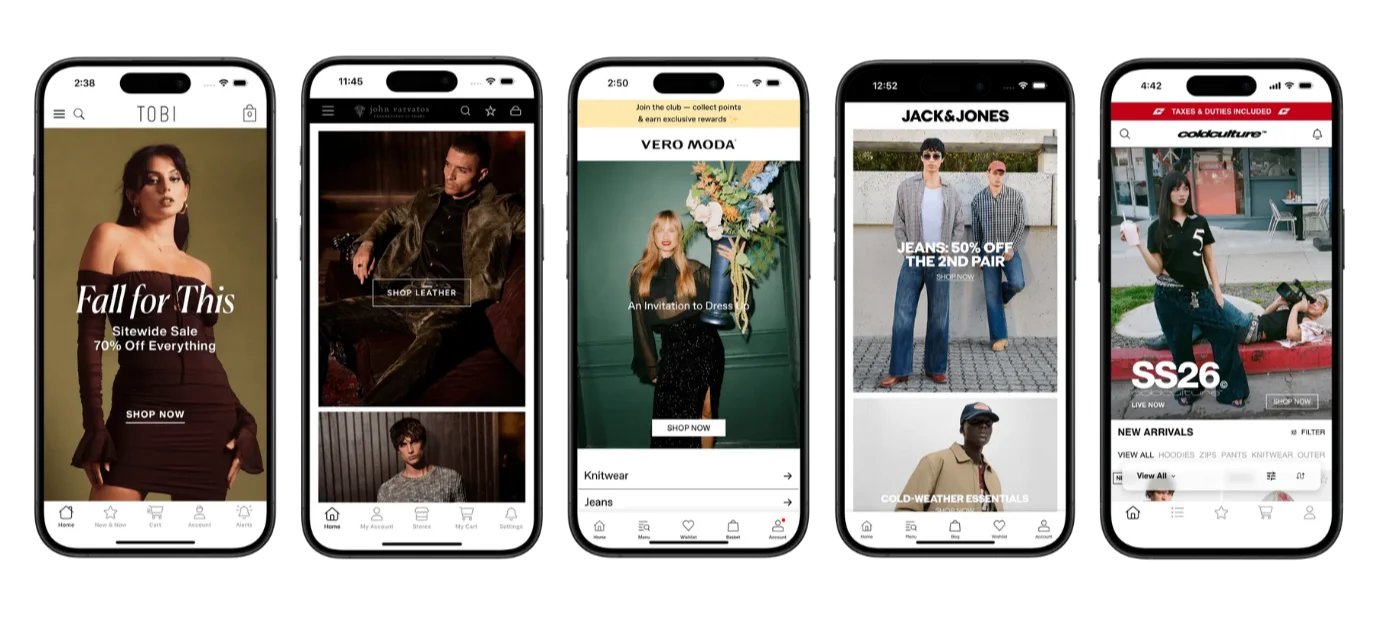
Brands like John Varvatos find that the best path to a mobile app isn’t rebuilding; it’s extending.
One source of truth. One team managing one experience. The app reflects whatever the website does, automatically.
This means:
No second frontend to build. Your website is the app experience. Every screen, every integration, every customization carries over.
No feature parity problem. When the website updates, the app updates. There’s no lag, no catch-up cycle, no mobile team working from a backlog of web changes.
No separate team. Your existing web team manages the experience. You don’t need to hire mobile developers to maintain a parallel codebase.
Basic native capabilities included. Push notifications, deep linking, App Store and Google Play distribution, and native navigation and gestures work on top of your web experience.
This isn’t a compromise. It’s a recognition that for ecommerce, the mobile app and the website should deliver the same experience. And that a completely different experience for app users vs web users, 99% of the time, makes it worse for your customers. Not better.
If you’ve already built a great web frontend on your composable stack, duplicating that effort in a separate native codebase just adds overhead.
Vendrux does this for brands across the composable and headless spectrum. It works with any web frontend, regardless of what commerce engine, CMS, or search provider sits behind it.
That’s the actual composable approach to mobile: plug in a purpose-built component for native app delivery, without rebuilding what you’ve already built.
Want to learn more about how Vendrux helps you extend your site into a mobile app? Get a free 30-min strategy call to talk it over.
The Composable Answer to Mobile Apps
Composable commerce is about assembling best-in-class components for each part of your stack.
For mobile app delivery, the best-in-class approach isn’t building a second frontend from scratch. It’s extending the frontend you already have.
Your composable stack gives you flexibility in the backend. Your web frontend uses that flexibility to deliver a great customer experience.
The simplest, fastest, and most maintainable way to bring that experience to your app is to build on what exists, not to start over.
If you’re evaluating whether to build a custom app on your composable backend, ask one question: will the app do something fundamentally different from the website?
If the answer is no, you don’t need a separate build. You need a better delivery mechanism.
Curious how this would work for your business? Book a demo and we’ll walk through it.
Build vs buy is one of the oldest frameworks in enterprise technology.
The question is simple: should your company build a piece of software internally, or buy an existing solution?
The thing is, the answer looks very different depending on the use case. Build vs buy for a CRM or ERP is a lot different than for a mobile app. The latter can get complicated.
In this article, we’ll clearly explain the framework for you, plus the problem with build vs buy for mobile apps. We’ll give our recommendation for the best approach – including a solution that gives you the best of both worlds.
What “Build vs Buy” Means
Build vs buy is a decision framework for whether to develop software internally or purchase an existing solution.
A classic example would be a CRM. You could “build” your own CRM internally; every line of code built and managed in-house. Or you could “buy” access to a platform like Salesforce or HubSpot.
For mobile apps, “build” means hiring developers or an agency to create a custom app from scratch, while the “buy” path typically means using an app builder platform.
However, the lines are blurrier than with other software categories. This means it’s hard to rely on the same build vs buy pros and cons matrix you’ve read everywhere else when it comes to launching your app.
Where the Framework Breaks Down for Mobile Apps
With a CRM, an email marketing platform, an ERP, a help desk, “buy” means you sign up, configure it, and you have a working product.
Salesforce is a CRM. Klaviyo is an email platform. The product is fully formed. You’re buying a finished solution and adapting it to your needs.
With mobile apps, “buy” doesn’t work like that.
No app builder hands you a finished app. You buy access to a platform, then build your app inside it: choosing a template, configuring your navigation and pay layouts, connecting data sources, populating content, testing across devices, iterating on the experience.
The platform gives you tools, but you still do the work.
The reason this is important is that many of the traditional benefits of buying don’t fully apply with mobile apps. Buying software typically means:
Immediate time to value. You sign up, configure, and start using it within days or weeks.
No engineering resources required. Your team uses the product; they don’t build it.
Automatic updates. The vendor improves the product for everyone.
Predictable, low maintenance. The vendor handles the infrastructure.
With app builders, you get some of these benefits, but not all.
You still need time to build and configure the app. You still need someone to manage it. You’re responsible for a lot more technical maintenance (even if you’re not managing the underlying code) than if you were just installing an app or using a SaaS.
The Case for Building Your Own Ecommerce App
So – while understanding that build vs buy is not as clear cut in this arena – let’s get into the main debate.
Should you “build” your app?
Building custom gives you the most control. You define every screen, every interaction, every pixel.
You can, objectively, ship the best possible version of your app (assuming you have the budget for it).
You’ve got:
Full creative control over UX and design
Ability to build features that don’t exist on the web (AR try-on, barcode scanning, complex offline workflows, hardware integration)
Potential competitive moat if your app experience is truly differentiated
No dependency on a third-party platform’s roadmap or limitations
Sounds perfect, right?
So what’s the downside?
The Cost of Building Your Own App
Custom ecommerce app development costs typically start around $150K, for any moderately complex ecommerce store.
It’s a project with a lot of moving parts, lasting anywhere from 6-18 months.
And when you go live, that’s not the end. You’ve got the classic downside of building vs buying: maintenance.
Building your own app can cost six figures plus per year to maintain; and that’s being relatively conservative.
“If we had unlimited time and money, we would probably go for a custom native app, but that is half a million to a million a year to maintain.” – David Cost, VP of Ecommerce at Rainbow Shops
The integration problem
Think of all the tools running your ecommerce website.
When you build a custom app, you need to build a custom integration for each of these things, if you want them to work with your app like they do on your website.
At typical US agency rates of $100-$200/hour, the integration work alone can cost $300,000-$600,000.
The two-codebase problem
Your website changes constantly. New products, updated pricing, seasonal promotions, redesigned pages, new integrations, A/B tests. Your ecommerce team ships changes weekly, sometimes daily.
With a custom app, every one of those changes needs to be repeated in the mobile codebase. It doesn’t seem like much at first, but the dev hours – and the bandwidth – stacks up fast.
It adds a huge amount of operational complexity, which doesn’t just cost a lot, it can start dragging down other areas of your business as well.
Scope creep, integration surprises, timeline overruns, and budget blowouts are the norm, not the exception.
The question to ask: Is your mobile app experience so fundamentally different from your website that it justifies a ground-up build, with all the cost, risk, and ongoing maintenance that comes with it?
For most ecommerce brands, the honest answer is no.
The Case for Buying (App Builder Platforms)
Template-driven, no-code app builders promise a faster, cheaper alternative.
Instead of building from scratch, you use templates, drag-and-drop tools, and pre-built connectors to get an app into the App Store faster.
There are a lot of advantages to this approach:
Lower upfront cost ($200-$500/month typically)
Faster time to market (weeks instead of months)
No engineering team required for initial setup
Pre-built templates and connectors for common use cases
But “buying” an app builder isn’t really buying in the traditional sense.
When you “buy” Salesforce, you have a working CRM by the end of the week. When you “buy” an app builder, you have access to a platform. But you still need to:
Choose and customize templates
Build out your navigation and page structure
Connect your data sources and catalog
Configure your checkout flow
Set up push notification campaigns
Test across devices and OS versions
Submit to the App Store (and handle rejections)
Keep the app updated as your website changes
You’re doing less engineering than a custom build, but you’re still building. And you take on ongoing maintenance responsibility that a true “buy” decision typically doesn’t require.
The platform limitations
This whole debate assumes there are viable “buy” options that work for you.
Most app builders are Shopify-only. If you’re on Shopify, Shopify Plus, you’re good.
But if you’re on Adobe Commerce, Salesforce Commerce Cloud, BigCommerce, or a custom platform, they simply don’t work for you.
There are some template-based app builders that work with these platforms, but not many. The complexity of an Adobe Commerce store or a SFCC site is just not a great fit for a no-code app builder.
The API problem
Even if there’s a solution that works with your web platform, there are constraints.
Shopify’s Storefront API has limitations. You may not be able to do everything you do on your website inside the app.
The same thing applies for BigCommerce, Adobe Commerce, WooCommerce, or whichever platform you’re built on.
The integrations you use on your website all rely on custom APIs to work in your app as well.
If the app builder doesn’t support an integration you need, or if the functionality offered by the API isn’t enough, you need to ditch it, or build a custom API (and now you’re “building” not “buying”).
Plus, every API means a potential point of failure; something that can break when the vendor makes an update and unknowingly introduces a conflict with another tool or disrupts custom functionality you’ve built, putting you at risk of downtime and lost sales.
The sync problem
If you’re like most ecommerce brands, your website is your preferred source of truth.
When you add a product, change a price, update a landing page, or launch a promotion, you do so on your website. Launching an app introduces a new channel – essentially a new storefront to update.
With most app builders, those changes don’t automatically flow to the app. Someone on your team needs to manage the app as a separate channel, keeping it in sync with the website manually.
This is the gap between “buying” an app builder and truly buying a finished solution. You’ve bought a tool, but you still own the ongoing work of building and maintaining the app inside it.
What Does Your Ecommerce Brand Actually Need?
You want a mobile app – but have you stopped to think about what that really means?
It’s not a fundamental re-imaginging of your user experience. Your mobile website already does everything you need, and a mobile app is not that much different.
It’s a product catalog, a homepage, collections, a search bar, a loyalty widget, a checkout.
App shoppers aren’t engaging in a fundamentally different way than a mobile web shopper. The differences are peripheral.
A framework that lets customers download your store and open it from their homescreen
Removing the browser tabs and other distractions of the mobile browser
Do you need to rebuild that? Do you need to “buy” a solution that operates independently from your website?
Or do you just need to extend your website into a mobile app?
The Third Path: Creating a Custom Native App (Synced with Your Site) with Vendrux
Vendrux takes a different approach to the classic build vs buy options.
Instead of building a new app or buying a platform to build one inside, Vendrux delivers your existing mobile website as a native iOS and Android app.
Everything carries over. Product pages, collections, every integration, your checkout flow. If it works on your website, it works in the app.
Algolia search
Klaviyo CRM
ReCharge subscriptions
Yotpo reviews
Gorgias live chat
You’re not rebuilding integrations, or sacrificing anything.
And, crucially, your website and app are 100% in sync. There’s no maintaining a separate platform, no duplicate work.
Vendrux is the best parts of build and best parts of buy, in one.
From “build” you get:
A real native app in the App Store (not a PWA, not a lite version of a mobile app)
Full design and brand flexibility – because anything you can build on the web carries over to your app
From “buy” you get:
Speed: live in the App Store in 6-8 weeks
Cost: a fraction of custom development (both upfront and ongoing)
A partner that handles all the the technical aspects of your app for you
It’s a different architectural approach: giving you all of what you really need in a mobile app, with none of the complexity and cost of custom builds, none of the limitations of a “buy” approach.
Comparison: Build vs Buy (vs Vendrux)
Custom Build
App Builder
Extend (Vendrux)
Upfront Cost
$150K – $500K+
$200-$1500
~$5K
Monthly Cost
$12K – $33K (maintenance)
$200 – $1500
From $1,499
Time to App Store
6 – 18 months
2 – 8 weeks
6-8 weeks
Integration Parity
Rebuild each one
Partial
Full
Website Sync
Manual
Manual
Automatic, real-time
Customization Ceiling
Unlimited
Template-limited
Matches your website
Platform Support
Any (at a cost)
Mostly Shopify only
Any website/platform
Ongoing Maintenance
Your team or agency
Your team + platform
Fully managed by Vendrux
Engineering Required
Full mobile team
Minimal
None
3-Year TCO
$550K – $1.1M+
$10K – $25K
~$50K
Custom development wins on one dimension: maximum flexibility.
If you need an app that does things your website cannot do, custom is the only path. But for most ecommerce brands, the app needs to do what the website does, plus push notifications and native delivery.
App builders are the cheapest option upfront. But the lower price comes with trade-offs in platform support, integration depth, customization, and the ongoing effort of keeping the app in sync with your site.
It works for smaller Shopify stores with straightforward needs. For mid-market and enterprise brands with complex tech stacks, the limitations become blockers.
Vendrux’s cost is higher than a basic app builder, but it’s a fully managed service, with no engineering time required, and no template constraints or integration gaps.
When you factor in the internal team effort that app builders still require, the total cost of ownership could actually be comparable or lower.
Want to discuss which option is right for your ecommerce app? Get a free strategy call and talk over the process, pros and cons.
How to Decide Which Path Is Right for Your Brand
Consider custom development if:
Your mobile app needs to do things your website fundamentally can’t (AR try-on, complex offline workflows, hardware integration like NFC or Bluetooth)
The mobile app is your primary product, not just a channel
You have the budget ($500K+), timeline (12+ months), and internal resources to sustain a mobile engineering effort long-term
Consider an app builder if:
You’re at a lower revenue stage (
You’re on Shopify, with a relatively standard store setup
You want your mobile app UX to deviate strongly from your mobile website
You’re comfortable managing the app as a separate channel and handling the sync with your website
Consider extending your website (Vendrux) if:
You want your full ecommerce experience in a native app, without rebuilding your tech stack
You’re on any platform – particularly more complex, headless platforms (Shopify Plus, Adobe Commerce, SFCC, BigCommerce)
You need full integration parity: every tool on your website working in the app, automatically
You don’t want to hire mobile engineers or dedicate internal resources to app maintenance
You want to be live in the App Store in weeks, not months
Questions to ask before committing to any approach
What happens to our integrations? How many of our 20-40+ customer-facing tools carry over to the app, and how much work is required to make them work?
What’s the real time to launch? Not the sales pitch. From signed contract to live in the App Store, what does the timeline actually look like?
Who maintains the app after launch? When iOS 20 drops, when we redesign our checkout, when we swap out our search provider, who does the work?
Does the app stay in sync with our website? If we launch a promotion at 9 AM, is it live in the app at 9 AM? Or does someone need to update the app separately?
What’s our total cost of ownership over three years? Not just the subscription or build cost. Internal team time, integration work, ongoing maintenance, opportunity cost.
The Build vs Buy Framework: In Summary
Build vs buy is a good starting point any time you think about adding functionality to your business. It forces you to think about cost, control, speed, and strategic value.
When we’re talking about ecommerce mobile apps, we’re talking about a lot more than “functionality”. We’re talking about a whole new channel for your business.
That’s why build vs buy doesn’t always cover the whole picture.
Most ecommerce brands don’t need to build a new user experience from the ground up. They just need to extend the one they’ve already invested in.
A native app powered by the website you’ve spent years perfecting, with push notifications to drive retention, home screen presence to stay top of mind, is all you really need; and understanding this will help you pick the option with the best long-term ROI.
If that sounds like what your brand needs, book a quick strategy call. We’ll talk through your website, your tech stack, and help you figure out whether extending makes sense for your situation. No pressure, no commitment.
Most ecommerce brands today sell through multiple channels: a website, a mobile app, email, social commerce, maybe even physical retail.
But being present on multiple channels and actually connecting those channels are two very different things.
These terms can be wishy-washy, they can be confusing. But the distinction is important to understand, if you really want to optimize your ecommerce experience for the way consumers buy today.
This guide breaks down what each strategy actually means, how they differ in practice, and how to evaluate your brand’s approach.
What Is Multichannel Ecommerce?
Multichannel ecommerce is a strategy where a brand sells products through more than one channel.
These channels typically include a website, a mobile app, social media storefronts, email campaigns, marketplaces like Amazon, and sometimes physical stores.
The defining characteristic of multichannel is that each channel operates independently.
The website team manages the website.
A separate agency or team builds the mobile app.
Email marketing runs on its own platform with its own customer data.
The marketplace listing has its own inventory feed.
Multichannel is channel-focused: the goal is to be present wherever customers are shopping. Each channel has its own goals, its own metrics, and often its own version of the customer experience.
Multichannel Ecommerce Example
A Shopify brand sells through their website, has a separate mobile app built by a development agency, runs email campaigns through Klaviyo, and lists products on Amazon. A customer who adds an item to their cart on the website won’t see it in the app. A loyalty discount earned in-store doesn’t apply online. Each channel works, but they don’t work together.
What Is Omnichannel Ecommerce?
Omnichannel ecommerce is a strategy where all of a brand’s sales channels are integrated into a single, unified customer experience.
The customer can start shopping on one channel, continue on another, and complete their purchase on a third without losing context, data, or functionality.
The defining characteristic of omnichannel is that it’s customer-centric rather than channel-centric. Instead of optimizing each channel independently, omnichannel brands optimize the overall customer journey across all touchpoints.
Brands often cited as omnichannel leaders include Nike (unified app, website, and retail experience), Starbucks (loyalty rewards that work identically across app, web, and in-store), and Target (seamless BOPIS and same-day delivery tied to their app).
Omnichannel Ecommerce Example
A customer browses products on a brand’s mobile app during their commute, adds items to their cart, then opens the website on their laptop at home and finds the same cart waiting. They use a discount code from an email campaign, choose buy-online-pick-up-in-store (BOPIS), and receive a push notification when the order is ready. After pickup, they get a follow-up email with personalized recommendations based on their full purchase history across all channels.
What’s the Difference Between Omnichannel and Multichannel?
All omnichannel strategies are multichannel, but not all multichannel strategies are omnichannel.
The key difference is integration.
Multichannel
Omnichannel
Focus
Channel-centric
Customer-centric
Data
Siloed per channel
Unified customer profile
Experience
Varies by channel
Consistent across all touchpoints
Cart / Account
Separate per channel
Shared across devices and channels
Communication
Each channel messages independently
Coordinated across email, push, SMS
Inventory
Managed per channel
Real-time visibility across all locations
Goal
Maximize each channel’s performance
Maximize the overall customer journey
Channel Integration vs Channel Presence
Multichannel is about presence: being on multiple platforms. Omnichannel is about integration: making those platforms work as one system.
A brand with a website, an app, and an email list is multichannel. A brand where those three channels share customer data, cart state, and promotions in real time is omnichannel.
Customer Data: Unified vs Siloed
In a multichannel setup, your email platform knows what campaigns a customer clicked. Your website knows their browsing history. Your app knows their push notification preferences. But none of these systems share that information with each other.
In an omnichannel setup, every interaction feeds into a single customer profile, often managed through a customer data platform (CDP). This means your email campaigns can reference in-app behavior, your app can surface products the customer browsed on the website, and your support team can see the full customer history regardless of which channel the customer used.
Experience Consistency Across Touchpoints
73% of retail shoppers engage across multiple channels during their buying journey. In a multichannel setup, each transition is a potential friction point: pricing may differ, promotions may not carry over, and the customer may need to re-enter information.
In an omnichannel setup, the brand looks, feels, and functions the same everywhere. Product pages have the same information. Checkout flows work the same way. Loyalty points earned on one channel are immediately available on every other channel.
Why Does Omnichannel Outperform Multichannel?
The performance gap between multichannel and omnichannel brands is well documented.
For a brand doing $10M+ in annual revenue, closing even part of this gap could mean hundreds of thousands in additional revenue, driven not by acquiring new customers but by serving existing ones better across every touchpoint.
What Are the Challenges of Implementing Omnichannel Ecommerce?
Omnichannel sounds straightforward in theory. In practice, 64% of ecommerce marketers cite the need for more resources and investment as the top barrier to implementation.
Tech Stack Fragmentation
The most common barrier is technology. Many brands end up with what amounts to a fragmented stack:
Their website runs on Shopify or BigCommerce
Their app was built by a separate agency
Their email and SMS run through Klaviyo or Omnisend
Their loyalty program lives in another system
Their POS handles in-store transactions
Each tool may be excellent on its own, but getting them to share data and deliver consistent experiences requires middleware, custom integrations, and ongoing maintenance.
The irony: brands invest in multiple channels to reach customers everywhere, then spend just as much trying to make those channels talk to each other.
Maintaining Consistency Across Channels
When your website and app are separate codebases maintained by different teams, they inevitably drift apart.
A promotion goes live on the website but hasn’t been updated in the app. Product descriptions differ. The checkout flow works slightly differently.
Every inconsistency is a seam your customers can feel, and every seam is a potential drop-off point.
Organizational Silos
Technology is only part of the problem. When different teams own different channels with separate KPIs, they optimize for their channel rather than the overall customer experience.
The email team maximizes opens and clicks; the app team maximizes downloads and sessions; the web team maximizes conversion rate. Nobody owns the cross-channel journey.
How to Build an Omnichannel Ecommerce Strategy
You don’t need to overhaul everything at once. The most effective path is to reduce the number of systems powering your customer experience, so channels become different views into the same store rather than separate projects.
The Shared Infrastructure Approach
The brands that get omnichannel right tend to share one principle: every channel should be an extension of the same core experience, not a separate product with its own roadmap and codebase.
Consider what happens when your mobile app is built on top of your existing website rather than from scratch. Same product data. Same checkout. Same promotions. Same loyalty program.
The app becomes a native delivery mechanism for an experience you’re already maintaining, not a separate product that drifts further from your website with every update.
This is the approach that scales. Not more channels running independently, but fewer systems powering a consistent experience across every touchpoint.
Omnichannel Consistency Audit: 6 Questions to Ask
Before investing in new channels or technology, audit what you have. Every “no” below is a gap in your omnichannel experience:
Cart continuity: If a customer adds items on one device, do they appear on another? Test this from website to app and back.
Promotion parity: Are current sales, discount codes, and loyalty offers identical across every channel?
Account unity: Does a customer have one account that works everywhere, or separate logins for website, app, and loyalty program?
Communication coordination: Do push notifications, email, and SMS complement each other, or overlap? Would a customer feel spammed?
Support continuity: Can a support agent see a customer’s full order history across all channels without asking?
Content consistency: Open the same product page on your website and app side by side. Same images, descriptions, reviews, and price?
How Do Mobile Apps Fit Into an Omnichannel Strategy?
For most ecommerce brands, the mobile app is the channel with the highest omnichannel potential and the highest fragmentation risk.
Mobile commerce accounts for a growing majority of ecommerce traffic. And most mobile shoppers find it more convenient to shop in an app.
A native app offers push notifications, home screen presence, and faster performance, all of which drive the repeat engagement that omnichannel depends on.
But when your app is built as a separate product from the website, it becomes another silo to maintain, another source of inconsistency.
This is exactly why, at Vendrux, we take the approach of extending your existing website into a native iOS and Android app.
Instead of rebuilding your store as a separate mobile product, Vendrux delivers your full website experience as a native app. Same product catalog, same checkout, same promotions, same everything.
Your app and website stay in sync automatically because they share the same infrastructure.
The result is true omnichannel consistency between your two most important digital channels, without the integration overhead that usually makes it so difficult.
If you’re evaluating how to bring your channels into alignment, book a free demo and we’ll walk you through how it works for brands like yours.
Algolia, Searchspring, Constructor, Klevu, Bloomreach, or another enterprise search platform – whatever solution you use, site search is crucial for product discovery.
You’ve probably fine-tuned everything about your setup; autocomplete, merchandising rules, faceted filtering. All to build a high-converting shopping experience.
Search users convert at 2-3x the rate of browsers, and they account for a disproportionate share of your revenue. So when you launch a mobile app, you need to ensure your search function fully carries over to your app.
The problem? Depending on how you build your app, you’ll likely face one of the following challenges:
Your site search doesn’t work the same way in your app
Your site search doesn’t work at all in your app
Your site search works – but it costs a fortune to build the integration (and is at constant risk of breaking)
This is not a small feature. This is the core of your buyer journey.
Keep reading to learn why this is such a tricky integration, and how to ensure your ecommerce site search actually works when you launch a mobile app.
Site Search Is Probably Your Most Valuable Integration
This isn’t hyperbole. Site search might be the most important feature of your store.
Constructor analyzed 609 million searches across 113 retail sites in Q4 2024 and found that while searchers represent roughly 15-25% of traffic, they generate close to half of total revenue.
In some verticals, the numbers are even more lopsided:
Health & Beauty: Searchers are 25% of traffic but drive 57% of revenue, converting at 17% vs 6% for non-searchers
General Merchandise: 41% of traffic, 61% of revenue
Specialty & Hobby: 26% of traffic, 49% of revenue
Search is a core part of how your customers find and buy products. And if you give them a good experience, the numbers prove that they’re more likely to buy, and will spend more.
If it’s this effective on your website, it stands to reason that you want this feature working in your mobile app too.
How Your Search Tool Actually Works
To understand why search often breaks in mobile apps, it helps to understand how it works on your site in the first place.
Enterprise search tools like Algolia, Searchspring, and Constructor don’t live inside your ecommerce platform. They sit on top of it.
Here’s what typically happens:
A JavaScript SDK loads on your pages. When a customer visits your site, the search provider’s JavaScript runs in the browser. It powers the search bar, autocomplete suggestions, and results pages.
The SDK calls the search provider’s API directly. When someone types a query, the request goes to Algolia’s servers or Searchspring’s servers, not to Shopify or your ecommerce platform. That’s what makes it fast and relevant.
Custom UI components render the results. The search overlay, the faceted filters, the merchandised results, the “did you mean” suggestions, all of it is rendered by the provider’s frontend code on your website.
Merchandising rules run server-side. Your team has configured boost rules, pinned products, and category-specific sorting. Those rules live in the search provider’s dashboard and get applied to every query.
The key detail: all of this runs as JavaScript on your rendered web pages.
Your ecommerce platform provides the product data. The search tool handles everything the customer actually sees and interacts with.
This matters because of what comes next.
Why No-Code App Builders Break Your Search
Most no-code mobile app builders for Shopify (and to a lesser extent BigCommerce and other platforms) work by rebuilding your storefront from scratch.
They use the platform’s APIs, like Shopify’s Storefront API, to pull product data, and then render a new mobile-native interface.
That new interface is built by the app builder. It’s their code, their templates, their UI components. Your website’s JavaScript never runs, because your website is never loaded. The app builder has constructed an entirely different frontend.
Here’s what that means for your search feature:
Your search tool’s JavaScript SDK doesn’t execute
There’s no browser loading your website, so there’s no JavaScript environment for Algolia or Searchspring to run in.
The app builder falls back to native platform search
Instead of your tuned, AI-powered search with merchandising rules and personalized results, customers get whatever basic search the platform API provides.
For Shopify, that means the Storefront API’s built-in search, which offers a fixed set of predefined sort keys and none of your custom ranking logic.
All your merchandising rules disappear
The boost rules, pinned products, synonym mappings, and category-specific configurations you’ve built in your search provider’s dashboard? They don’t apply. The app builder’s search interface doesn’t know they exist.
Autocomplete and faceted filtering degrade
Some app builders offer their own version of filters and search suggestions, but they’re generic. They don’t reflect the custom facets, filter groups, and autocomplete behavior your search provider delivers.
Dedicated integrations with search tools
Some app builders do offer integrations with popular search tools. But integration support varies by plan (often requiring enterprise tiers), the implementation may not match what you have on web, and less common search providers may not be supported at all. If you’re running Constructor or Bloomreach, for example, your options are limited.
The result of all this is that your app’s search experience is likely to be worse than your website’s. And since searchers are your highest-intent, highest-converting visitors, that’s a meaningful revenue hit.
“Our app needs to be at least as functional as the website. It doesn’t need to be better than the website, but the user experience can’t be worse.” — David Cost, VP of Ecommerce at Rainbow Shops
The Cost of Integrating Your Search in a Custom Mobile App
The alternative is building a fully custom mobile app. Build it from the ground up, integrate everything exactly how you want it.
This gives you the ability to build a custom integration for your search function, and build it in your app to work just as it does on your website.
It works – but it also takes a long time and costs a lot.
Rebuilding a single integration like search in a custom mobile app typically takes around 150 engineering hours, plus about 300 hours per year to maintain. At typical agency rates, that’s $15,000-$30,000 just for search, before you account for the ongoing maintenance.
And there’s an ongoing problem: every time your search provider ships an update, changes their API, or adds a new feature, your mobile app needs a corresponding update.
That adds a lot of work, a lot of new development sprints.
It’s also another integration that can break, another potential point of failure. Another thing making your tech stack more complicated.
How to Ensure Your Site Search Works in Your Mobile App (Without the Double Work)
The reason search breaks in most app approaches is that your mobile app is a completely separate storefront.
Even with headless builds, your app and website are two distinct channels. That means UX features like site search operate differently on each one.
Vendrux takes a different approach. Instead of rebuilding your storefront, Vendrux extends your existing website into a native iOS and Android app.
Your actual website powers the app, which means every JavaScript-based integration that works on your site works in the app, automatically.
For your search function, that means:
Your Algolia, Searchspring, Constructor, Klevu, or Bloomreach integration works as-is. The JavaScript SDK loads. The API calls fire. The results render exactly as they do on your website.
Merchandising rules, personalization, and faceted filtering carry over. Because the search provider’s code is actually running, all your configured rules apply.
When you update search on your website, it updates in the app. Add a new synonym mapping? Change your boost rules? Redesign the search results page? It’s live in the app the next time a customer opens it.
No integration cost, no integration timeline. There’s nothing to rebuild, because there’s nothing missing.
This isn’t limited to search. It applies to every tool running on your website: reviews, loyalty programs, personalization engines, subscription management, live chat, A/B testing, analytics.
If it works on your site, it works in the app.
On top of that, you get actual native app capabilities: push notifications with deep linking, native navigation, app store presence, and a home screen icon.
Your customers get the full shopping experience they’re used to on your website, delivered through a native app that sits next to Amazon and TikTok on their home screen.
What This Means for Your Search Investment
If you’ve put time and money into getting site search right, you should be protective of it when evaluating mobile app options. Here’s a simple framework:
Ask your app builder (or development agency) these questions:
Does my specific search provider (by name, not “we support search”) work in the app?
Do all my merchandising rules, boost logic, and personalization carry over?
When I make changes to search on my website, what’s the process for updating the app?
What does the search experience look like for customers who use the app vs the website? Can you show me a side-by-side?
If the answers involve “we have our own search” or “we’d need to build that integration” or “that would require our enterprise plan,” you’re looking at either a degraded experience or a significant additional investment.
The simplest way to keep your search working is to keep your website working, and deliver it as a native app.
Ready to See It in Action?
Vendrux is the only way to ensure your existing site search feature works in your mobile app, and that it will always work in your app.
As you update your filtering rules, tweak the appearance of the search bar, or make any other improvements, these changes appear in your app automatically (without duplicate work).
We’ve built over 2,000 mobile apps, specializing in helping online brands with unique web features carry these features over to their mobile apps – without a six-figure dev cost.
You can easily see it in action, too.
Here’s how it works:
Book a strategy call. Share your website URL and book a call, and we’ll put together a personalized preview of your website as an app.
Vendrux handles the build. If you go ahead, Vendrux handles everything about the build for you. It’s a fully managed service to turn your website into an app.
Launch on the App Store and Google Play. Within 30 days, you can have your app live in the App Store and Google Play Store, ready for your customers to download.
It’s low-lift, a tiny investment compared to custom development, and ensures that everything from your website carries over to your mobile app, by default.
This makes launching your own mobile app risk-free.
Every piece of your subscription experience, from the product page widget to the self-service portal, exists to keep those customers enrolled.
Your cancel flows have been A/B tested.
The customer portal lets subscribers skip, swap, and pause without emailing support.
The build-a-box feature drives higher AOV every cycle.
Whether you’re on Recharge, Skio, Loop, Stay AI, Smartrr, or something else, the subscription layer on your website is doing serious work.
Then the conversation about building a mobile app starts. And what you don’t realize is that your customer portal, cancel flows, build-a-box customization, payment update screens, and all the other features that make your subscription system tick over may not work in your mobile app (depending on how you build it).
But all these features have to be a part of your app. It’s not worth launching the app in the first place if they’re not.
So what’s the solution? Spend hundreds of thousands on a delicately constructed, custom native app?
Luckily no. Keep reading and we’ll explain everything.
Why Subscriptions and Mobile Apps Are a Natural Fit
Before getting into the technical problem, it’s worth understanding why subscription brands and mobile apps work so well together. The connection goes beyond general ecommerce benefits.
Your subscribers are already your most engaged customers
Subscription customers have already committed to your brand on a recurring basis. They’re exactly the kind of customer who downloads an app.
They’re checking order status, managing upcoming deliveries, browsing new products to add to their next order. An app gives them a faster, more convenient way to do all of that.
The numbers back this up. Vendrux customers consistently see 3-5x higher revenue per app user compared to mobile web. For subscription brands where repeat engagement is the entire business model, that lift compounds over time.
Subscription brands have communication needs that email handles poorly:
“Your payment failed.” This is the leading cause of involuntary churn. If a customer misses the email (and most do, with ~20% open rates), they churn without ever deciding to leave. A push notification lands directly on their lock screen.
“Your next order ships in 3 days. Want to swap anything?” Time-sensitive, high-value. The customer who sees this adds a product or adjusts their box. The customer who doesn’t see it gets an order they didn’t really want, and that’s how voluntary churn starts.
“You’ve earned a free product.” Loyalty and gamification features from tools like Loop and Smartrr only work if subscribers actually know about their rewards.
And unlike SMS, push notifications cost nothing to send. For a subscription brand sending multiple touchpoints per billing cycle, that adds up.
The home screen is a churn-reduction tool
A subscription brand’s biggest enemy isn’t a competitor. It’s indifference.
When your brand occupies a home screen icon next to Amazon and Instagram, you stay top-of-mind between orders. That matters, because 27% of subscribers say they’d cancel if they couldn’t easily skip or pause, and an app makes those actions feel effortless instead of buried.
How Subscription Tools Actually Work on Your Website
To understand why subscriptions break in mobile apps, you need to understand what’s running on your site in the first place.
Modern subscription platforms aren’t simple checkout add-ons. They’re multi-layered systems with at least three distinct components, each with its own technical implementation.
The subscription widget (product pages)
When a customer visits a product page, they see the option to choose between a one-time purchase and a subscription. This widget shows frequency options, discount tiers, and delivery schedules.
On Shopify, this works through the Selling Plan API. The subscription app creates selling plans that define pricing and billing policies, then renders a theme app block on the product page.
The customer selects their preference, and Shopify’s checkout handles the rest via Checkout Extensions.
Some platforms still use a JavaScript widget approach, where the subscription app’s SDK loads on the page and watches for variant or price changes to update the subscription options in real time.
The customer portal (subscription management)
This is where subscribers go to manage their active subscriptions: skip a delivery, swap a product, change frequency, update payment info, or cancel.
Hosted portal. The subscription app runs the portal on its own domain. Customers click a link and get redirected. Simple to set up, but the customer leaves your site.
Embedded portal. The hosted portal loads inside an iframe on your website. Customers stay on your domain, but the portal content comes from the subscription app’s servers.
Custom portal. Built by your development team using the subscription app’s API. Full control over branding and UX. Significant build and maintenance cost.
Each approach involves authentication, session management, and real-time data from the subscription platform.
Skio’s passwordless login sends a 4-digit code via email and SMS rather than requiring a traditional password.
Loop’s gamified subscriber journeys show progress toward milestones and rewards.
Stay AI’s cancel flows use machine learning to personalize the retention offer based on subscriber behavior.
These aren’t simple features to recreate with an API call. They’re the result of months of product development by the subscription platform, rendered as a complete web experience.
The checkout flow
When a subscriber places their initial order, Shopify creates a Subscription Contract, the formal agreement for recurring billing. The customer’s payment method gets vaulted (stored with permission), and the subscription app handles all future billing attempts through Shopify’s APIs.
This entire flow runs through Shopify’s native checkout, enhanced by Checkout Extensions from the subscription app.
Why Many App Builders Break Your Subscription Experience
Most no-code mobile app builders for Shopify work by rebuilding your storefront from scratch. They pull product data through Shopify’s APIs, mainly the Storefront API, and render their own native mobile interface.
That new interface is the app builder’s code, their templates, their UI components. Your website never loads. And that means every tool running on your website needs to be separately rebuilt within the app.
For subscriptions, this creates problems at every layer.
The subscription widget may or may not work
If your app builder has built a dedicated integration with your specific subscription platform, the basic product-page widget might function. Customers might be able to select “subscribe & save” and choose a frequency.
But integration support varies. Tapcart offers a Recharge integration, for example, but it requires Recharge Pro and Tapcart Enterprise plans. If you’re on a smaller subscription tool, your app builder may not support it at all.
The customer portal is the biggest gap
This is where the real damage happens. The self-service portal, where subscribers skip, swap, pause, update payment, and manage their subscription, is typically the hardest piece to replicate in a native app.
The app builder has two options:
Rebuild portal functionality natively. This means the app builder needs to integrate with the subscription platform’s API to recreate every portal feature: skip, swap, pause, cancel flows, payment updates, build-a-box, gamification, loyalty rewards. Most don’t go that deep. You get basic “view subscriptions” and “cancel” functionality. The advanced features your web portal offers? Gone.
Open the web portal in a browser view inside the app. The customer taps “manage subscription” and gets kicked into a mobile browser window showing your web portal. The experience feels disjointed, the styling may not match the app, and authentication can break (the customer may need to log in again inside the browser view).
Neither option gives your subscribers the experience they get on your website.
Advanced features don’t translate
The subscription features that actually reduce churn and drive AOV are precisely the ones that break.
Most app builders don’t build a 1:1 integration that works exactly as it does in the app as on the web. And they’re certainly going to be a little behind when it comes to integrating new features that come out from your subscription app.
Switching subscription platforms becomes a bigger problem
If you switch from Recharge to Skio (or to any other platform), your website updates reflect immediately. Swap the app, configure the new portal, and customers see the new experience.
With an API-based app builder, switching subscription platforms means the app builder also needs to support your new tool.
If they don’t, you’re stuck with broken subscription management in your app until they build the integration, if they ever do.
And even if the tool is supported, it means a significant update is needed for your mobile app, which adds a lot of staff hours and complexity.
Custom App Development Has the Same Problem, at Higher Cost
A custom-built mobile app can theoretically integrate with any subscription platform. You have full control over the code.
But “can integrate” and “will integrate well” are different things. Rebuilding a subscription portal in a custom app means:
Building API integrations with your subscription platform’s backend
Handling authentication flows (including passwordless options if your portal offers them)
Maintaining parity as the subscription platform ships updates and new features
At typical agency rates, rebuilding a complex integration like a subscription portal runs $15,000-$30,000, with ongoing maintenance of roughly 300 hours per year. And that’s one integration. Your site likely runs 20+ customer-facing tools.
Every time your subscription platform ships a new feature, like Loop adding a new gamification mechanic or Stay AI improving their cancel flow algorithm, your custom app needs a corresponding development sprint.
That gets expensive.
How to Keep Your Subscription Experience Intact
The reason subscriptions break in most app approaches is that they don’t run your website. They rebuild the frontend, which means every third-party tool that renders on your site needs to be separately integrated.
Vendrux takes a different approach. Instead of rebuilding your storefront, Vendrux extends your existing website into native iOS and Android apps.
Your website powers the app, so every subscription feature that works on your site works in the app, automatically.
For subscription brands, this means:
Your Recharge, Skio, Loop, Stay AI, Smartrr, or Bold portal works as-is. The JavaScript loads. The portal renders. The authentication flows function. The full self-service experience carries over.
Build-a-box, gamified journeys, loyalty rewards, AI cancel flows all carry over. Because the subscription platform’s code is actually running, every advanced feature works exactly as it does on your website.
When your subscription platform ships an update, it’s live in the app. New gamification milestone? Updated cancel flow? Redesigned portal? It appears in the app the next time a customer opens it.
If you switch subscription platforms, the app doesn’t need changes. Move from Recharge to Skio? The app just renders whatever’s on your website. No integration to rebuild, no app builder compatibility to verify.
“We wanted everything to reflect on the mobile app. We have a lot of features and a lot of apps right now installed on our website, and all of them are reflecting seamlessly to the mobile app as well.” — Zawar Kamal, CEO, NumberC
This approach isn’t limited to subscriptions. It works for every tool on your site: reviews, loyalty programs, site search, personalization engines, quiz funnels, live chat. If it works on your website, it works in the app.
On top of that, you get native app capabilities that directly benefit subscription businesses: push notifications with deep linking (tap a “your payment failed” notification and land directly on the payment update screen), a home screen icon that keeps your brand visible between orders, and the performance and engagement benefits that come with a dedicated app experience.
All this, while you just manage one platform: your website. Your app stays in sync automatically.
“It’s great to have an app, but realistically, you can’t really be managing your website and your app separately.” — Patrick Levesque, Co-Founder, MASC
Questions to Ask Before You Build
If you’re evaluating mobile app options for your subscription brand, here’s what to ask:
Does my specific subscription platform work in the app? Not “we support subscriptions” in general. Does Skio’s passwordless portal work? Does Loop’s gamification render? Does Stay AI’s cancel flow function?
What happens to the customer portal? Can subscribers skip, swap, pause, update payment, and manage build-a-box in the app, with the same experience they get on the website?
What plan do I need for subscription support? Some app builders gate subscription integrations behind enterprise-tier pricing. You could launch an app for $100 a month, but not with all the features you need. Find out before you commit.
What happens when I update my subscription setup? If you change subscription platforms, redesign your portal, or add new features, does the app update automatically or does it require a separate build?
Can you show me a side-by-side? The subscription portal on the website vs. in the app. If they look and function differently, your subscribers will notice.
If the answers involve “we’d need to build that” or “that feature isn’t supported yet” or “you’d need our enterprise plan,” you’re looking at either a degraded experience or a bigger project than anticipated.
The simplest way to keep your subscription experience working is to keep your website working, and deliver it as a native app.
Ready to See Your Subscription Experience in an App?
If you want to see exactly how your subscription portal, your checkout flow, and your full customer experience looks inside a native app, Vendrux will build you a free preview using your actual website.
Here’s how it works:
Book a strategy call. Share your website URL, walk through your subscription setup, and discuss your goals. No commitment.
Get a custom app preview. The Vendrux team builds a personalized preview so you can see your store, your subscription portal, and your integrations running in a native app.
Launch on the App Store and Google Play. Vendrux handles the build, submission, and launch. Most brands go live within 30 days.
We’ve built 2,000+ apps, including numerous apps for ecommerce brands that had custom web experiences that didn’t fit with the limitations of traditional app builders.
With Vendrux, you get predictable pricing, no revenue share, and no rebuilding the subscription experience you’ve already invested in.
Ready to see what’s possible? Get your free strategy call and see how Vendrux helps you build and launch the perfect mobile app.
Most ecommerce operators will boast about their ROAS, their revenue, perhaps even gross margins or LTV.
But there’s one metric that matters more than anything; one that tells you whether you’re actually making money, or just sprinting on a treadmill
Contribution margin.
Revenue can grow while profits shrink. It happens all the time. A brand scales ad spend, acquires more customers, hits new revenue milestones, and somehow ends the quarter with less cash than the last one.
The reason is almost always hiding in contribution margin – specifically in the layers below gross margin that most operators don’t track closely enough.
This guide covers the full picture:
What contribution margin is and how the CM1/CM2/CM3 framework works
Where most brands leak margin (and which layer to focus on at your stage)
Specific levers to improve each layer
The channel mix problem that almost nobody talks about
If you already know the basics, use the sidebar to skip ahead to How to Improve Contribution Margin at Every Layer or The Channel Mix Lever Most Brands Overlook, where we’ll share some proven business strategies to boost contribution margin.
Otherwise, keep reading and get the full picture of possibly the most important metric in your business.
What Is Ecommerce Contribution Margin?
Contribution margin is the revenue left over after you subtract all the variable costs associated with producing and selling a product. It tells you how much each sale “contributes” toward covering your fixed costs (rent, salaries, software) and generating profit.
That leaves $13.80 in contribution margin, or 34.5%.
That $13.80 is what’s available to cover your warehouse lease, your Shopify subscription, your team’s salaries, and ultimately, profit.
Notice how a product with 70% gross margins ($40 – $12 = $28) ends up with only 34.5% contribution margin once you account for everything it actually costs to sell and deliver it.
Contribution Margin vs Gross Margin
People mix these up constantly. Gross margin only subtracts the direct cost of goods (COGS) from revenue.
Contribution margin goes further, it includes all variable costs tied to selling that unit: shipping, fulfillment fees, payment processing, packaging, even the marketing spend to acquire that specific customer.
Gross margin tells you whether your product is fundamentally viable. Contribution margin tells you whether selling it is actually profitable once everything is accounted for.
A brand with 65% gross margins can still have negative contribution margin if fulfillment and acquisition costs eat the rest. This happens more often than you’d think, especially for brands scaling aggressively through paid channels.
The CM1, CM2, CM3 Framework
The single contribution margin number is useful, but it hides where margin is actually being lost. That’s why DTC operators increasingly use a layered framework that breaks contribution margin into three levels:
CM1: Product Economics
CM1 = Net Revenue – COGS – Discounts – Returns
This is your product-level margin. It answers a straightforward question: is this product fundamentally profitable before you ship it or market it?
CM1 includes:
Raw materials and manufacturing
Product packaging
Discounts and promotions applied at checkout
Returns and refunds (the cost of goods you sold but got back)
If CM1 is weak, no amount of marketing efficiency or fulfillment optimization will save you. The product economics have to work first.
CM3 is the most important number for scaling brands, and the one most operators track too loosely. It tells you whether your growth engine is creating profit or consuming it.
This layer subtracts:
Paid advertising spend allocated per order
Influencer and affiliate costs
Retargeting and remarketing spend
Any variable marketing cost tied to driving that specific sale
CM3 is where the whole story comes together. A brand can have strong CM1 (good product margins), decent CM2 (efficient fulfillment), and still be unprofitable because customer acquisition costs are eating everything that’s left.
In fact, this is becoming more and more common these days, as brands built on cheap acquisition begin to struggle as the paid ads game gets harder and harder.
A Working Example
Here’s what this looks like for a mid-market DTC apparel brand selling a $75 shirt:
Layer
Line Item
Amount
Revenue
Selling price
$75.00
Discount (10% promo)
-$7.50
Net Revenue
$67.50
CM1
COGS (fabric, manufacturing, packaging)
-$20.25
Returns allowance (8%)
-$5.40
CM1
$41.85 (62%)
CM2
Fulfillment (pick/pack)
-$4.50
Shipping
-$6.00
Payment processing (2.9% + $0.30)
-$2.26
Platform fees
-$1.00
CM2
$28.09 (42%)
CM3
Paid acquisition (blended CAC)
-$18.00
CM3
$10.09 (15%)
That $10.09 is what’s left to cover fixed costs and generate profit. And for a first-time customer acquired through paid ads, $18 in acquisition cost per order is conservative. The median paid CPA across ecommerce hit $32.74 in 2025, up nearly 9% year over year.
Now imagine that same customer comes back and buys again from a push notification or an email. The second order looks completely different:
First Order
Second Order (Owned Channel)
Net Revenue
$67.50
$67.50
CM1
$41.85 (62%)
$41.85 (62%)
CM2
$28.09 (42%)
$28.09 (42%)
Acquisition cost
-$18.00
$0.00
CM3
$10.09 (15%)
$29.10 (43%)
Same product, same fulfillment cost, nearly 3x the contribution margin. The difference is entirely in how the customer arrived.
This is why CM3 is the metric that matters most for scaling brands, and why the channel through which a sale happens changes everything.
Why CM3 Is the Metric That Matters for Scaling Brands
Some brands track gross margin carefully and call it a day. The problem is that gross margin doesn’t capture the two biggest cost categories in ecommerce: fulfillment and customer acquisition.
A decade ago, you could acquire customers cheaply through Facebook and Google, and your gross margin was a reasonable proxy for overall health. That world is gone.
The CAC Problem Is Structural
Customer acquisition costs have risen roughly 222% since 2013. The average ecommerce brand now loses $29 on each newly acquired customer when you factor in returns and acquisition costs, up from $9 a decade ago.
Here are the main drivers (they’re not temporary):
iOS 14.5 gutted attribution and made paid targeting less efficient
Ad auction inflation from mega-retailers like Temu and Shein has driven up CPMs across Meta and Google
Channel saturation means diminishing returns on every incremental dollar spent
As order volumes increase, renegotiate with suppliers. Even 2-3 percentage points on COGS drops straight to margin. Consolidate SKUs to increase volume per supplier and negotiate better unit pricing.
Optimize your product mix
Not all products carry the same margin. Identify which SKUs contribute the most margin per order (not just the most revenue) and prioritize them in merchandising, ads, and homepage placement. A $30 product with 70% CM1 contributes more than a $50 product with 35% CM1.
Rethink discounting
A 10% discount on a product with 60% CM1 cuts your margin by 17%. Shift from percentage-off discounts to value-adds (free gift with purchase, loyalty points, early access) that don’t directly compress margin. Or if you discount, model the impact on CM1 before launching the promotion.
Reduce returns
Returns don’t just cost you the refund. They cost processing, shipping, and often the product itself (restocking isn’t always possible). Better product descriptions, size guides, and post-purchase confirmation flows can reduce return rates by several percentage points.
Improving CM2: Delivery Economics
CM2 is where operational efficiency matters. Small per-order savings compound fast at scale.
Audit fulfillment costs
Whether you use a 3PL or fulfill in-house, break down cost per order by each step: pick, pack, materials, and labor. Compare 3PL providers annually. A $0.50 per-order reduction across 100,000 annual orders is $50,000 in margin.
Optimize shipping strategy
Negotiate carrier rates based on volume. Consider zone-based pricing to reduce average shipping distance. Use regional fulfillment centers if your order volume justifies it. Test whether flat-rate shipping thresholds (free shipping at $75+) increase average order value enough to offset the cost.
Reduce packaging costs
Right-size your packaging to avoid dimensional weight surcharges. Standardize box sizes where possible. Every ounce of unnecessary packaging inflates shipping cost.
Minimize platform and processing fees
Payment processing is relatively fixed (2.9% + $0.30 is standard), but platform fees vary. If you’re selling through marketplaces alongside DTC, understand the true CM2 difference per channel. An order through your own Shopify store has a very different CM2 profile than the same order through Amazon.
Improving CM3: Growth Economics
This is the biggest margin opportunity for most scaling brands.
CM3 is driven by two forces: how efficiently you acquire customers and how cheaply you can get them to buy again.
Here’s what to focus on to improve your contribution margin at the deepest level.
Shift acquisition spend toward higher-LTV channels and segments
Not all acquisition channels produce the same customer lifetime value – nor each customer segment.
A customer acquired through a referral program or organic content typically has higher LTV than one acquired through a flash sale retargeting ad. And some customer demographics spend more than others.
By shifting more of your focus towards the channels and customer archetypes that typically deliver more revenue, you’ll see a rise in your overall CM3 as well.
Increase the ratio of owned-channel revenue
Every repeat purchase driven through email, SMS, or push notifications has zero acquisition cost. It makes sense – adding revenue without adding acquisition cost will boost your overall contribution margin.
And almost all repeat purchases come with higher contribution margin than a first-time sale.
Manage retargeting spend carefully
Retargeting feels efficient because conversion rates are high, but it still has a real cost.
Facebook retargeting CPMs run $15-25 for custom audiences. If you’re retargeting customers who would have purchased anyway (through email or organic return visits), you’re paying for conversions you would have gotten for free.
This is a hidden CM3 leak that’s difficult to measure but important to monitor.
Your repeat customers are your highest-margin customers
If you’re looking for ways to drive more owned-channel revenue, a native mobile app gives your best customers a direct line to your store, with push notifications, one-tap purchasing, and no acquisition cost on repeat visits.
Vendrux turns your existing website into a native iOS and Android app, with full parity and no rebuild required. We’ve built 2,000+ apps for brands like yours.
Here’s the contribution margin conversation that almost nobody is having: the channel through which a sale happens fundamentally changes its CM3. Not by a few points. By multiples.
Most margin optimization advice focuses on making each layer more efficient: negotiate better COGS, reduce shipping costs, improve ROAS.
All of that matters. But the single biggest variable in CM3 isn’t how efficiently you run any one channel. It’s the mix of channels driving your revenue.
Three Channel Profiles
Let’s walk through how the same $75 shirt performs across three different sales channels. We’ll keep CM1 and CM2 roughly constant (same product, similar fulfillment) to isolate the channel economics:
Marketplace (Amazon)
Your product has high visibility. You didn’t have to build the audience. But the economics are punishing:
Better margins than marketplace. You own the customer relationship, which is crucial. But you paid to get them there:
No marketplace fees
Shopify processing: ~3% (-$2.25)
Paid acquisition cost: ~$18-33 per order
CM3 is positive but thin, typically 10-20% depending on your CAC and product margins. This is the reality for most DTC brands: first-order profitability is marginal at best.
Owned Channel (Returning Customer via Push/Email/App)
The customer already exists. They come back through a push notification, an email, or by opening your app:
No marketplace fees
No acquisition cost
Shopify processing: ~3% (-$2.25)
Cost of message: effectively $0 (push) to $0.01 (email) to $0.01-0.015 (SMS)
CM3 on this order is essentially CM2. All the margin that was being consumed by acquisition costs is now contribution toward fixed costs and profit.
The Numbers Side by Side
Marketplace
DTC (New Customer)
Owned Channel (Repeat)
Net Revenue
$67.50
$67.50
$67.50
COGS + Returns
-$25.65
-$25.65
-$25.65
CM1
$41.85
$41.85
$41.85
Fulfillment + Shipping
-$10.50
-$10.50
-$10.50
Platform / Processing
-$11.25
-$2.25
-$2.25
CM2
$20.10 (30%)
$29.10 (43%)
$29.10 (43%)
Marketplace Ads/Fees
-$13.50
—
—
Paid Acquisition
—
-$18.00
$0.00
Re-engagement Cost
—
—
~$0.00
CM3
$6.60 (10%)
$11.10 (16%)
$29.10 (43%)
The owned-channel repeat order generates 4.4x the CM3 of a marketplace sale and 2.6x the CM3 of a paid-acquisition DTC sale. Same product, same price, same fulfillment, radically different profitability.
Why This Matters More Than Tweaking Ad Spend
When you optimize ROAS or negotiate a 5% reduction in shipping costs, you’re improving CM3 by a few percentage points.
When you shift 10% of revenue from paid acquisition to owned-channel repeat purchases, you’re moving CM3 by multiples.
That’s the math behind retention marketing versus acquisition spending. It’s not just that retention is “cheaper.” It’s that repeat purchases through owned channels have a structurally different cost basis.
The secret to increasing contribution margin (CM3) is really not a secret at all, and it’s not that complicated either.
Just drive a higher % of sales through channels you own.
So what channels actually deliver zero-acquisition-cost repeat purchases?
Email is your foundation. You can reach the most people, and cost per email is roughly $0.001-0.002.
At scale, platform costs add up (Klaviyo charges $850/month at 50,000 profiles), but the per-message cost is negligible compared to paid ads.
It may be getting harder to capture visibility in the inbox, but it’s still the go-to for low-cost repeat sales.
SMS is higher-engagement but higher-cost. At $0.009-0.015 per message, reaching 50,000 subscribers three times a week runs $10,000-36,000 per month.
It’s effective, but the cost scales linearly with volume.
Push notifications through a mobile app are the most margin-friendly re-engagement channel.
The cost structure is in your favor: push notification platforms charge a flat monthly fee regardless of how many messages you send.
Reaching the same 50,000 subscribers three times a week costs $14-620/month for push versus $10,000-36,000 for SMS. And push CTRs run 3-5%, several times higher than email.
Push notifications are the only high-engagement re-engagement channel with near-zero marginal cost. Doubling your send frequency doubles your reach without doubling your cost. That makes it uniquely powerful as a CM3 lever.
The Mobile App Impact on Contribution Margin
The benefits don’t only apply to push notifications: having a mobile app, with an engaged group of users, is one of the strongest assets for contribution margin.
Almost all the sales you get through a mobile app are $0 CAC – whether it came from a push notification, or just from your customer opening the app and browsing on their own accord.
App users convert 3x higher than mobile web on average
Average order value is 10-50% higher on apps ($95 vs. $73 on mobile web)
App users visit 3-7x more often per month
Customer LTV is 2.8-5x higher for app users versus web-only shoppers
60% of first-time app buyers make at least one additional purchase
These numbers make sense through the contribution margin lens. App users are high-frequency repeat buyers who arrive through zero-cost channels (app open, push notification).
Every visit after the first has zero acquisition cost, which means every repeat order lands at CM2-level margins rather than CM3.
“The app’s been invaluable to us. The cost we’re paying versus what we’re getting back is tenfold.” — Nick Barbarise, Director of IT at John Varvatos
“Only about 5% of users are on the app, but they generate around 50% of sales.” — Junior Couture team
How to Think About Your Channel Economics
The balance between different channels plays a huge part in your overall contribution margin.
That doesn’t mean you need to necessarily rethink your entire channel mix. But making a small shift here could mean the difference you need to turn your financials around.
The right focus depends on where your brand is:
If You’re Under $1M in Revenue
Focus on CM1. Your product economics need to work before anything else matters. Get gross margins to a sustainable level (50%+ for most DTC categories), validate product-market fit, and build a repeat purchase baseline. Channel optimization is premature at this stage.
If You’re $1M-$10M
CM2 and early CM3 become important. You’re likely spending meaningfully on paid acquisition and need to understand your blended CAC and first-order profitability. Start tracking CM3 by channel (organic, paid social, email, etc.) even if the data is imperfect. Build your email list aggressively; it’s the lowest-cost owned channel to start with.
If You’re $10M+
CM3 optimization is where the leverage lives. At this scale, you likely have enough repeat customers that the channel mix question becomes critical. Small shifts in the ratio of paid vs. owned-channel revenue have outsized impact on blended CM3.
This is also the stage where a mobile app starts to make financial sense. The fixed cost of maintaining an app ($500-1,000/month) is justified when even a small percentage of your customer base shifts to higher-margin app-driven repeat purchases. If 5% of your customers become app users with 3-5x higher LTV, the ROI math works clearly.
Questions to Ask
Look at your current revenue breakdown:
What percentage comes from first-time customers vs. repeat customers?
What percentage of repeat revenue comes through paid channels (retargeting, paid social) vs. owned channels (email, SMS, push, app)?
What’s your CM3 on each?
Most brands discover that their repeat customer rate is lower than they assumed, and that a surprising amount of “repeat” revenue still flows through paid channels. Closing both of those gaps is the fastest path to improving contribution margin.
Moving Forward
Contribution margin isn’t a number you check once. It’s a framework for making better decisions about pricing, product mix, fulfillment, and, most importantly, where your revenue comes from.
To grow profitably, it’s typically not about leveling up your creative, or getting better deals on shipping and fulfillment (though those help).
It’s building owned channels, email lists, SMS subscribers, and mobile app users, that generate repeat revenue at structurally higher margins.
Start by mapping your CM1, CM2, and CM3 for your top-selling products. Then look at where your repeat revenue comes from and what it costs. The gap between your paid-acquisition CM3 and your owned-channel CM3 is the opportunity.
Ready to See What a Mobile App Could Do for Your Margins?
Vendrux turns your existing ecommerce website into native iOS and Android apps, with full feature parity with your site, push notifications, and zero additional development work.
Your customers get a direct-to-brand experience on their home screen. You get a zero-acquisition-cost channel for your highest-value repeat buyers.
You could be live in the App Stores, getting downloads, in as little as 30 days.
Most Shopify merchants don’t think much about their checkout.
Why would you? Shopify Checkout works out of the box. It’s fast, optimized, and trusted by millions of buyers.
So the focus usually stays on product pages, ads, and traffic.
But what many brands don’t realize is this:
Your checkout and post-purchase pages are some of the highest-leverage opportunities to increase revenue.
This guide breaks down why customization matters, who it’s best for, and how to actually implement it without unnecessary complexity.
Why Your Checkout Deserves More Attention
Every customer who converts passes through checkout.
You’ve already done the hard work:
Acquired the customer
Built trust
Got them to add to cart
Now it comes down to execution.
Even small improvements at this stage can lead to:
Higher conversion rates
Increased average order value (AOV)
Fewer abandoned checkouts
Unlike acquisition, these gains apply to every order.
This is exactly why more brands are starting to invest in tools like Checkout Plus to optimize what happens after the add-to-cart moment.
Customers Are Still Deciding at Checkout
A common misconception is that, when a customer reaches checkout, their buying decision is already made.
In reality, customers are still evaluating, and asking questions:
Is this brand trustworthy?
Are there any surprises?
Is this worth it?
This is where thoughtful customization can make a meaningful difference.
Adding elements like trust badges, clear messaging, delivery expectations and highlighting benefits can reinforce confidence and reduce hesitation at the final step.
It doesn’t take a lot of work – certain Shopify apps allow merchants to introduce these elements without needing to rebuild their checkout experience.
Increasing AOV Without Increasing Traffic
Increasing revenue doesn’t always require more traffic.
Often, the biggest opportunity is increasing how much each customer spends – which leads to more revenue, from the same traffic.
Checkout and post-purchase moments are uniquely effective for this because:
Purchase intent is already high
Friction is minimal
Attention is focused
This is where specific tactics can have a measurable impact, like:
Product recommendations
Free gift thresholds
Cart value messaging
Using an app for this is a great way to be able to test and iterate quickly.
The Untapped Potential of Post-Purchase
The thank you page is one of the most overlooked assets in ecommerce.
At this point:
The customer has already purchased
Trust is at its peak
Engagement is still high
Yet most stores leave this page untouched.
With a few thoughtful additions, this page can be used to:
Introduce additional offers
Encourage repeat purchases
Collect customer insights
Strengthen brand connection
Extend your checkout strategy into post-purchase can turn this page into a meaningful revenue driver.
Customization Is More Accessible Than Ever
Historically, customizing checkout was limited to Shopify Plus or required custom development. That’s no longer the case.
An app like Checkout Plus makes it easy for Shopify merchants to customize both their checkout and post-purchase experience, without needing a developer or a large budget. It works within Shopify’s existing checkout framework, so there’s nothing to rebuild.
With Checkout Plus, you can:
Add messaging, banners, and trust badges at checkout
Introduce upsells and post-purchase offers
Customize shipping and payment options
Set order rules and validations
Turn your thank you page into a revenue driver
All of this while working within Shopify’s existing checkout framework.
If you’re already generating consistent traffic and looking to get more from every order, this is worth exploring.
Who Should Focus on Checkout Customization
Not every store needs to prioritize this immediately.
Putting resources into improving your checkout has the biggest impact when:
You’re generating consistent traffic and orders
You want to improve AOV and conversion rate
You’re focusing on retention and customer experience
You’re looking for growth without increasing ad spend
For many growing brands, this becomes the next logical step after acquisition.
When It Might Not Be the Priority
In some cases, it makes sense to focus elsewhere first:
Very early-stage stores with limited traffic
Brands still validating product-market fit
Stores with major issues earlier in the funnel
In those situations, acquisition and product experience should come first.
What to Expect After Making Changes
Most brands don’t need a complete overhaul to see results.
Incremental improvements tend to compound over time.
Short-term, expect:
Small increases in conversion rate
Immediate AOV improvements
In the mid-term:
Clear insights into what messaging and offers perform best
More consistent revenue per visitor
And the long-term impact:
Stronger retention
Higher lifetime value
More efficient growth
Measuring the Impact
To understand the effect of these changes, focus on:
Conversion rate
Average order value (AOV)
Revenue per visitor
Repeat purchase rate
Even modest improvements in these metrics can significantly impact overall revenue.
The Bottom Line
Your checkout isn’t just a functional step.
It’s a critical part of your revenue strategy.
And your post-purchase page isn’t just a confirmation screen – it’s an opportunity to extend the customer journey.
Most Shopify stores leave both largely untouched.
The ones that invest in these moments tend to see stronger performance, better customer experiences, and more efficient growth.
As tools like Checkout Plus continue to make customization more accessible, there are fewer reasons not to put the work into optimizing the most crucial part of your site.
Beauty shoppers don’t buy once and disappear. They find a foundation that matches, a serum that works, a brand that understands their skin, and they come back. Repeatedly.
That repeat-purchase behavior is exactly what makes beauty one of the strongest verticals for mobile apps.
Mobile apps make it easier for customers to come back, and solidify the relationships that turn a sporadic buyer into a fan.
This guide covers why beauty brands are investing in mobile apps, the features that matter most in this vertical, what you can learn from the apps that Sephora, Ulta, e.l.f., and others have built, and how to get an app like Sephora without the same investment.
Why Beauty Brands Need a Mobile App
Beauty is one of the strongest verticals for mobile apps. Customers already live on their phones and expect a mobile-first shopping experience. An app puts you closer to them, lets you contact them with push notifications, and builds loyalty, which goes further for consumable product categories.
Let’s dive deeper into why just about every beauty brand should have a mobile app.
The Mobile-First Beauty Shopper
Mobile accounts for 59% of digital checkouts in the beauty industry. Social commerce is likely to push this even further, with platforms like TikTok shop making mobile the default way for people to discover and buy products.
Mobile apps are just a better, more stickier channel for mobile sales. An app is easier to come back to, better for habitual browsing, and creates a stronger connection with your mobile-first shoppers.
How App Users Shop Differently
App users shop more often, shop for longer, and spend more than those who shop on mobile web.
For beauty specifically, these habits appear even stronger. The increased convenience of a mobile app makes it more likely that people will come back when they need to restock, check out complementary products, or make impulse purchases.
Push Notifications: The Retention Channel Beauty Brands Need
Push notifications are one of the strongest reasons to have a mobile app. They reach customers instantly, on their lock screen, with nearly 100% visibility and no per-send cost.
In a time where keeping touch with your customers is getting harder and more expensive, push notifications are like a cheat code.
There’s a wide list of ways that beauty brands can use push notifications to drive revenue. Abandoned carts, promotional notifications, new product launches, replenishment reminders.
When a customer bought a 30-day supply of vitamin C serum six weeks ago, a well-timed push notification can prompt a reorder before they even realize they’re running low.
This is part of what makes mobile apps such a powerful asset for consumable brands, where you’re always working to secure the next purchase.
48% of consumers say they’ve made a purchase as a direct result of a push notification. For a category with high repeat purchase intent, that’s a powerful retention lever.
Enhancing Loyalty
Beauty brands run on loyalty, and mobile apps synergize perfectly with loyalty-first brands. For many of these brands, their loyalty program is a key revenue driver.
The numbers from the biggest players tell the story:
An app helps elevate your loyalty program, bringing more people into the program, and making it a focal point.
For brands with mobile apps, the app is the loyalty program. Points tracking, tier progress, exclusive offers, early access to drops; all of it lives in the app experience. 60% of app users remain engaged specifically because of exclusive app-based perks.
What You Can Learn from the Best Beauty Brand Apps
There are plenty of successful mobile apps out there to take inspiration from. Your brand might not be operating on the same scale as Sephora or Ulta Beauty, but you can still learn a lot from the experiences they’ve built for their customers.
Sephora: The All-in-One App
Sephora is the gold standard of beauty brands – especially when it comes to their mobile app.
It combines AR virtual try-on (Virtual Artist), AI-powered recommendations, a three-tier loyalty program (Beauty Insider), virtual consultations with beauty advisors, and, most recently, a ChatGPT integration for AI-curated product recommendations.
The lesson: The app isn’t a shopping channel. It’s the hub for the entire customer relationship. Loyalty, education, personalization, and commerce all live in one place.
Ulta Beauty: Loyalty as the Core Experience
Ulta has 44 million loyalty members, and the most engaged members of their loyalty program contribute the bulk of the revenue.
The app is built around this: GLAMlab for virtual try-on, in-app exclusive offers, store locator with in-store mode, and deep integration with the three-tier rewards program.
The lesson: If your business is loyalty-driven (and most beauty businesses are), the app should be designed around the loyalty experience first, not bolted on after.
e.l.f. Cosmetics: Gamification That Works
e.l.f. drove a 125% increase in monthly active app users through gamification: mobile games, scavenger hunts, badges, and limited-time challenges. Their Beauty Squad loyalty members have a 166% higher lifetime value than non-members, and loyalty members drive 95% of app transactions.
The lesson: Gamification drives engagement when it’s more than a gimmick. e.l.f. connects game rewards to real purchases (gift cards to Chipotle, Target, Amazon), which keeps the loop running.
MAC Cosmetics: Shade Matching at Scale
MAC offers virtual try-on across 800+ shades with live camera or photo upload. Their standout feature: cross-brand shade matching, which lets you find your MAC foundation match from another brand’s shade.
The lesson: Shade matching is a powerful acquisition tool, not just a retention one. Helping shoppers find their match (even from a competitor’s product) builds trust and drives first purchases.
Bath & Body Works: Seasonal Drops and Easy Access
Bath & Body Works’ app serves 37M+ loyalty members who account for 80%+ of U.S. sales. The app includes easy access for fast checkout and seasonal drop notifications for limited-edition collections.
The lesson: For brands built on seasonal collections and limited editions, the app becomes the alert channel. Push notifications for new drops drive urgency and reward loyal customers with first access.
Lush: Bridging In-Store and App
Lush’s app includes Lush Lens, which lets customers scan packaging-free products in-store to reveal ingredients, benefits, and how-to-use info. They also offer an immersive “Bathe” feature with audio-visual experiences for bath bomb use.
The lesson: If you sell through physical retail, the app can bridge the in-store and digital experience. It doesn’t have to be an ecommerce-only channel.
Kiokii: Convenience & An Active App User Base
Canadian beauty and lifestyle brand Kiokii and… launched an app for their dedicated base of loyal customers. The app doesn’t offer anything majorly different to their mobile website, yet the extra convenience of being able to access their store via an app has lead to 6.7x higher revenue per user, and a channel that contributes over a third of their total online revenue.
The lesson: Your best customers are ready and waiting to use your app. They want a channel that makes it easier to come back and shop, whether that’s reorders or new purchases.
How a Mobile App Fits in Your Beauty Brand’s Growth Strategy
If you’re looking to build a mobile app, you’re doing it to elevate the impact of repeat customers, and hold on to a higher percentage of your best customers.
Acquisition is one thing. Ecommerce brands, beauty brands especially, are paying more every year to acquire new customers.
The only way to make this work is to get more lifetime value from each customer you bring in.
Mobile apps help you do this. Data shows apps drive up to 7x higher LTV on average – and high performers, particularly retention-driven beauty brands, can easily see even better results.
The Retention Play
The more you’re spending on customers, the more pivotal it is to keep them around.
It’s getting harder to do that with other retention channels; email visibility is declining, and retargeting is getting harder and more expensive.
An app is an always-on presence on the customer’s home screen. It comes with push notifications, which reach the customer directly, at any time.
It keeps your customers closer, maintains constant awareness, and makes your brand a habit – which is what cements long-term retention.
The 80/20 Rule
For the majority of businesses, a small share of customers contributes the bulk of the profit.
That is absolutely true for beauty brands. The majority of your value comes from habitual buyers who spend 20x more than casual customers.
Think of your app as a way to grow this segment. It removes friction from the buying process and increases engagement, incentivizing those who are already your highest-intent customers to spend more.
It also helps bring more customers into your inner circle, increasing the share of high-value customers who power your overall growth.
How an App Complements Your Existing Channels
Don’t think of an app as a replacement for your website, email marketing, or social media.
It sits alongside them, and compliments these channels.
Your website is for discovery, SEO traffic, and first-time visitors
Email and SMS nurture leads and drive re-engagement
Social media builds brand awareness and community
Your app serves your most loyal customers with the fastest shopping experience, highest engagement, and fewest steps to checkout
The brands seeing the best results use their other channels to drive app installs. Smart banner on your mobile website. A prompt after checkout. A loyalty incentive for downloading.
The app download is a key inflection point; if you can get this to happen, there’s a good chance the customer will stick around for much longer, and that their engagement metrics will shoot up.
How to Build a Mobile App for Your Beauty Brand
Now we get to the practical part – and the biggest objection for most brands. Wanting a mobile app is one thing, but how do you build it?
The misconception: that you need to hire a team of developers, at a cost of six figures plus, to build and maintain your app.
Not today. It’s very realistic for just about any beauty brand today to have their own mobile app.
Here’s how.
Vendrux: Turn Your Beauty Brand’s Site into a Native App
While there are a few different ways you can go about it, Vendrux is the best way for most beauty brands to launch their own mobile app.
Vendrux turns your existing website into a mobile app. Everything you’ve built on your website (your checkout, your shade finders, your loyalty program, your content) works in the app automatically, and the app and website are fully synced.
This means there’s minimal work required to launch, and maintain your app. And your user experiences across different platforms are always consistent.
Some of the beauty & skincare apps built with Vendrux
The cost to build an app with Vendrux starts at $1,499 per month – a significant difference from the $100K+ that you’d typically pay for a custom app, and a drop in the bucket compared to the kind of revenue your app could generate.
Want to see what’s possible?
Vendrux extends your existing website into native iOS and Android apps, with no dev team needed, no manual work.
Your beauty brand could be in the app store in just 30 days. Get in touch to get a free preview of what your app could look like.
Other Ways for Beauty Brands to Launch a Mobile App
Alternatively, you can create your own app using a DIY app builder, or paying developers or an agency to build a custom app from scratch.
The custom app development route is too much for most brands. It costs a lot, adds a lot of operational complexity, all to ultimately replicate a lot of what already exists on your website.
DIY tools are a lot more feasible. The cost is in the same range as Vendrux’s, and you can compile a clean, unique app experience using the tool’s drag-and-drop app builder.
The difference is, you’ll need to dedicate more time and effort to building and maintaining your app, and the user experience between your website and mobile app may not be consistent. For brands with unique, custom web experiences, the app could end up being relatively vanilla in comparison.
There’s a large number of solid tools available for Shopify brands. Check these out if you’re looking for a DIY solution.
Beauty Brands Seeing Results with Vendrux
Several beauty and skincare brands have taken the web-to-app approach and seen measurable results.
Kiokii, a Canadian beauty and cosmetics retailer, launched their app with Vendrux and saw 35% of their total online revenue shift to the app. App users convert at 2x the rate of mobile web visitors, engage in 3x more sessions, and generate 6.7x higher revenue per user. With a two-person ecommerce team, they needed something that didn’t require ongoing technical maintenance.
“Vendrux made launching our app fast, simple, and incredibly effective. With minimal effort, we’re seeing strong results and higher engagement. It runs almost on autopilot, and drives revenue.” — Summer Duan, Ecommerce Manager, Kiokii
Luxury skincare brand Yon-Ka Paris wanted push notifications and a presence on their customers’ home screens to drive loyalty and retention. Their custom Yotpo loyalty program carries over into the app, with extra points for in-app purchases.
“We wanted an app to be in our customers’ pockets, on their phone directly, be able to send push notifications, and be on top of their mind, increase loyalty and retention, to in the end increase revenue.” — Raphael Faccarello, Head of Ecommerce, Yon-Ka Paris
MASC, a men’s skincare brand, saw 5.1x higher revenue per user in the app compared to web, with app users converting at 3x the rate. The app now drives 20% of their total online revenue. The Vendrux approach is perfect for their site, which is built on innovative reel-style shoppable videos, which most DIY app builders can’t fully replicate in a mobile app.
“Vendrux allowing us to use all the features that we already pay for with other companies is important.” — Patrick Levesque, Co-Founder, MASC
NumberC, a health and beauty retailer in Kuwait, sees 20-30% of total company sales through their app, with 3x higher engagement time per user.
“We wanted everything to reflect on the mobile app. We have a lot of features and a lot of apps right now installed on our website, and all of them are reflecting seamlessly to the mobile app as well.” — Zawar Kamal, CEO, NumberC
The beauty vertical has one of the strongest cases for mobile apps in all of ecommerce. High repeat purchase rates, loyalty-driven purchasing behavior, a mobile-first customer base, and product categories that lend themselves to personalization and replenishment.
If you have a brand with steady repeat traffic and a strong image, you’ve already done the hard part. It’s time now to elevate your brand, and build stronger loyalty and customer relationships, with a mobile app.
You don’t need to build what Sephora built. A well-executed app that extends your existing website into iOS and Android, with push notifications, loyalty integration, and a low-friction shopping experience, can deliver meaningful revenue within the first month.
Vendrux is the easiest, and most scalable, way to launch your own mobile app. The process is extremely simple – just three steps, and you could be live within a month.
Book a free strategy call. We’ll walk you through a free app preview, answer your questions, and break down the business case for your mobile app.
We build the app. Vendrux handles everything: setup, design, configuration, testing, and app store submission.
Go live in. In a number of weeks, your app launches on iOS and Android. Vendrux handles all ongoing technical maintenance.
If you’re ready to explore what an app could do for your brand, and how Vendrux can help you bring it to life, get in touch.
Get a free app preview to see what your app could look like, learn more about the process, and get the ball rolling.
Of all the arguments for and against a mobile app, the one that matters most is ROI.
What kind of return on investment are you getting from launching a mobile app? In simplest terms, how much am I getting back for every dollar I invest in it?
That’s what you need to know if you’re a business owner, or if you’re presenting the project to your board, your CEO, or your boss.
And that’s what we’re going to address here: the clear business case for a mobile app, specifically for fashion and apparel brands. We’ll look at the statistical benchmarks you can expect, where the ROI comes from, and how to maximize your chance of launching an app that adds multiples to your bottom line.
Data sources
These numbers come from fashion brands we’ve worked with at Vendrux (including brands like John Varvatos, Jack & Jones and Cold Culture), combined with industry benchmarks and data from publicly available case studies. Get a free consultation to discuss the business case in more detail.
What’s the Typical ROI of a Fashion Mobile App?
Fashion brands with mobile apps typically generate 10-30% of total online revenue from the app, with top performers exceeding 30%. That revenue comes from a small slice of the customer base (5-15% of active users), which means revenue per app user runs 3-10x higher than mobile web visitors.
Here are some examples of the revenue impact of mobile apps for fashion brands:
Tadashi Shoji (luxury fashion, Magento) sees 18% of total online revenue through their app, with 10x revenue per app user vs mobile web.
John Varvatos (luxury fashion, Salesforce Commerce Cloud) gets 10x higher revenue per user through their mobile app.
XCVI (women’s fashion, Shopify) gets 4.8x higher revenue per app user, with 30% higher AOV in the app.
Junior Couture (luxury childrenswear, Salesforce Commerce Cloud) saw around 50% of their BFCM sales in 2025 come through their app, despite app users making up just 5% of their customer base.
There are two primary things to take into account.
One is how app users contribute an outsized share of revenue. On a user for user basis, each app shopper is more valuable and more important to your business.
The second is the overall revenue potential of your mobile app.
Taking a benchmark of 20% revenue contribution, a mobile app could generate over $1M per year for a brand doing $5M+ in total online revenue.
That’s a real revenue channel.
Examples of sucessful fashion apps, built with Vendrux
The Four Drivers of ROI for Fashion Apps
So where does all that ROI come from?
It’s not any one thing. Four main drivers stack on top of each other to produce the lift in the numbers above, and each one compounds the others.
Higher Average Order Value (10-50%+ Per Order)
App users spend more per order. The Vendrux Ecommerce Mobile App Benchmark Report shows AOV lifts of 10-50% are typical across verticals, with fashion no different – such as XCVI, who sees +30% AOV in the app vs mobile web.
Apps keep shoppers engaged for longer, with fewer distractions pulling them away. And longer session times lead to larger baskets, more money spent in each order.
Higher Conversion Rates (2-8x Mobile Web)
Your app users convert at 2-8x the rate of mobile web shoppers. XCVI sees 2x higher conversion in the app. Tadashi Shoji sees 8.3x. The industry benchmark for fashion apps sits around 2.6% in-app vs 0.2% mobile web, an 11x gap.
Mobile apps are more convenient, built for the device, and easier to navigate without the browser chrome. That, plus the higher quality of shoppers who come to your app, means each session is more likely to end in a sale.
Repeat Purchase Rate and Customer Lifetime Value
This is the compounding driver, and it’s the one that makes the case over the long term.
Fashion app users don’t just spend more once. They spend more over months and years, and they buy more often.
That’s the full force of compounding: more sessions, better retention, higher repeat rate, more purchases per year.
The mechanism is habit. A home screen icon next to a shopper’s social apps gets opened. And once a customer hits three or four purchases with your brand, retention shifts from a monthly decision to a default.
Research from Smile.io across 1.1 billion shoppers shows that a first-time buyer has a 27% chance of a second purchase, a 49% chance of a third, and 62% after that.
Fashion sits at the high end of this curve, because customers who find brands they trust often become near-exclusive buyers in certain categories (jeans, basics, activewear, outerwear).
Your app is what gets them to the third or fourth purchase faster than any other channel.
“The app’s been invaluable to us. The cost we’re paying versus what we’re getting back is tenfold.” — Nick Barbarise, Director of IT at John Varvatos
Push Notifications as a Zero-Cost Retention Channel
Push is the channel that doesn’t exist without an app. And it’s the single most cost-efficient message you can send.
Push notifications reach customers who aren’t on your site, aren’t reading email, and aren’t thinking about your brand at that moment. They cost effectively nothing per message. That means each sale you get as a result of a push notification is essentially found money.
For a fashion brand, the push plays are straightforward:
Drop alerts. A new collection lands and a large share of app users open within the hour.
Back-in-stock notifications. Shoppers who wanted a sold-out item buy fast when it returns.
Loyalty tier nudges. “You’re $30 away from free shipping” turns a browser into a buyer.
Abandoned cart recovery. Push lands on the lock screen within minutes. Some Vendrux brands see 10-22% conversion rates on abandoned cart push.
This matters more now than ever. Meta CPMs are up 19% year-over-year and ecommerce CAC has climbed roughly 40% since 2023. Push is how fashion brands keep their customer economics intact while acquisition costs climb everywhere else.
How to Model ROI for Your Own Fashion Brand
Industry averages are a useful starting point. The real question is what an app would look like for your specific brand. Here’s the framework.
The Inputs You Need
Pull these from your analytics before you model anything:
Annual online revenue. Total across channels.
Mobile share of online revenue. For most fashion brands this is 50-80%.
Current mobile web conversion rate. Your baseline.
Current mobile AOV. Your baseline.
Repeat purchase rate. How many customers buy more than once in 12 months.
If your repeat purchase rate is under 20%, the retention driver will do less of the heavy lifting for you. You’ll lean more on conversion and AOV lift instead.
The Lift Assumptions (Conservative, Realistic, Aggressive)
Three scenarios using the benchmark ranges. Pick the one that matches your brand.
Driver
Conservative
Realistic
Aggressive
App adoption
5% of mobile users
10% of mobile users
15%+ of mobile users
Conversion lift
2x mobile web
3x mobile web
5x+ mobile web
AOV lift
+10%
+20%
+30-50%
Repeat rate lift
1.5x
3x
5-7x
Share of online revenue
10%
20%
30%+
A small boutique with low mobile share and infrequent repeat purchases sits in conservative. A mid-sized DTC brand with strong email and SMS and a loyalty program sits in realistic. A drop-driven brand with a cult following and sub-$1,000 AOV sits in aggressive.
Want to see how much revenue you could get from an app? Use our free calculator to spin up an estimation in seconds.
How Much of That Revenue Is Incremental?
Here’s the elephant in the room. How much of that app revenue is genuinely new, versus revenue that would have happened on your website anyway?
Some overlap always exists. A portion of your app purchases would have closed on mobile web if the app didn’t exist. Pretending otherwise is dishonest.
But the useful question isn’t “where did this sale happen?” It’s “would this customer have spent this much, this often, at all?”
A conservative assumption is that 50% of your app revenue is net new. The other half shifts from mobile web to the app. Use that as your floor when you model.
In reality, the incremental share is usually higher. Four parts of the lift are genuinely new revenue:
Push-driven revenue is incremental by definition. Every dollar you generate from push is new, because the channel doesn’t exist without the app. Abandoned cart recovery alone generates anywhere from $20K to $200K per month for Vendrux brands.
AOV lift on purchases that would have happened anyway. A $100 order on mobile web becomes a $130 order in the app. The extra $30 is incremental.
Increased session frequency. App users visit more often. John Varvatos sees 12x more sessions per app user vs mobile web. These extra sessions aren’t cannibalized from the website; they’re new touchpoints that drive new purchases.
Compounded retention. App users stay customers longer and buy more over their lifetime. The long-tail LTV lift is net new.
Realistically the incremental share usually lands somewhere in the 60-80% range.
If you want a deeper breakdown with the math worked out, see our article where we answer the question once and for all: is mobile app revenue incremental?
For the rest of this article, we’ll use the 50% conservative floor. Whatever ROI comes out of that math is the low end of what you’d actually see.
The Cost Side: What You Spend on Your Mobile App
Revenue lift is only half of the ROI equation. What you spend matters just as much, because the ROI multiple you earn depends entirely on the denominator.
The money you spend on developing an app can fall in a very wide range.
If you’re building a custom native app, you’re looking at $100K-$250K+ upfront, on top of the sizable recurring costs for OS updates, integration updates, bug fixes, and adding new features.
That cuts a long way into your ROI – and if your app doesn’t generate quite as much revenue as you hope (or takes longer to get there), you might not even make any profit after COGS and associated costs.
There are better options, though – which make a positive ROI essentially a given.
Vendrux: The High-ROI Mobile App Builder for Fashion Brands
Vendrux turns your existing fashion website into full-featured native iOS and Android apps. Your catalog, checkout, product pages, loyalty, subscriptions, and personalization all carry over. You get push notifications, app store presence, and a home screen icon on top of the user experience you’ve already built and perfected over years.
It’s faster and simpler than building a custom app – and significantly more cost-effective.
Instead of a six-figure cost (and a 6-12 month timeline), you’re looking at a cost starting from $1,499 per month, and a time to launch of weeks, not months.
The cost includes ongoing maintenance and updates (which can add up to another six figures in annual costs for custom app development), and means a ten to twenty times lower total investment – with the same revenue lift on the other end.
Payback Period
Alongside the total ROI, a more efficient approach like Vendrux’s offers another big advantage: significantly faster payback period.
This is the first level of ROI: earning back the money you spent to build the app.
It’s not the whole story, but it’s an important part – because until you hit payback, the project is considered a loss.
With a custom app, you can expect six months, minimum, before you even get a working version of your app. You don’t start making any money back on your investment until at least this time.
With Vendrux, you’re live in a month (for 10% of the cost). That makes the payback period just around a couple of months – and significantly reduces the risk, because you’re almost guaranteed to recoup your investment within a short time frame.
Running a fashion brand doing $1M+ online?
Your website, catalog, checkout, loyalty program, and retention flows are already working. An app doesn’t need to replace any of that.
Vendrux turns your existing fashion website into full-featured native iOS and Android apps. Live in weeks, payback in one or two months, ROI that compounds instantly.
Of course, fashion is not just fashion. It’s brands like H&M, it’s independent boutiques, it’s designer labels, it’s streetwear brands.
We’ve worked with just about all of them – so we’ve got an idea of how the ROI differs across each sub-category.
Here’s an idea of what you can expect for different types of fashion brands.
Luxury Fashion
High AOV ($300-$2,000+) magnifies the dollar value of every conversion lift. A 2x conversion on a $500 AOV is worth more than a 5x conversion on a $40 AOV.
Low-friction checkout, saved addresses, and VIP-style treatment (like we’ve seen at Tadashi Shoji, John Varvatos, Moda di Andrea) push per-user revenue multiples to 10x mobile web or higher.
Luxury customers expect white-glove treatment; your app is how you deliver it at scale.
Mid-Market DTC Brands
This is where loyalty, drops, and repeat purchases do the work.
Most fashion brands are in this segment, and typically see app users generating 4.8-7x vs mobile web on revenue per user.
These brands win by making their app the native home of their loyalty program and their new-arrival calendar. Push notifications for drops and back-in-stock do disproportionate work.
Fast Fashion and Mass Market
This is where apps have the biggest impact. Realistically, the strategy for brands like Temu, Shein, and older players like H&M and ASOS is app-first.
For these brands, it’s all about volume, and building regular browsing habits, which the likes of Shein and Temu in particular have nailed to perfection.
Resale and Secondhand
Peer-to-peer marketplaces like Vinted, Depop, and Poshmark run a different model. But if you’re a DTC fashion brand exploring a resale layer, your app is usually where that integration lives.
Resale has been the fastest-growing fashion app category in recent years, and having your own app lets you launch a resale experience without funneling customers to a third-party marketplace.
When a Fashion Mobile App Doesn’t Deliver ROI
Not every fashion brand should necessarily have an app. The equations we’ve looked at here assume certain conditions – and without these conditions, the ROI question looks different.
You need to be above a certain revenue tier, and have the right customer base to justify an app.
Here are some times when an app may not be worth it (yet):
You’re under $1M annual online revenue: Your app’s revenue potential at 20%+ of total revenue is a lot tighter. Typically better to focus on scaling further through acquisition first.
Mobile traffic under 50% of total: If your customers don’t predominantly shop on mobile, app adoption will likely be a lot less.
Your mobile experience is broken: The biggest mistake is launching a mobile app to fix a poor mobile website. That’s backwards – you’ll always get more traffic to your website, so fix this first (then extend it into an app with Vendrux).
One-and-done purchase brands: If your fashion brand has very low repeat purchase potential, the app might not make sense. You may be surprised, though (we’ve found high-AOV luxury brands typically get the highest ROI from an app).
It generally comes down to having an accessible market large enough to justify the cost of your app, plus having a customer base who would actually want to use it.
Don’t make the mistake of thinking that you need all your customers to download the app. You just need a small, engaged share of customers (5-15% of your total customer base) to justify launching an app.
How to Maximize Your Fashion App ROI
A mobile app can be a major revenue generator, and one of the best ROI plays a clothing brand can make.
That said, it’s not a given. You need to be smart about how you build, manage, and promote it.
Make it visible: you don’t need to do a lot to promote it, but at the very least, make sure people know it exists. Your best customers want to use the app. Just tell them about it.
Use push notifications: they’re your #1 engagement tool, and not only drive revenue, but maintain app retention as well.
Keep your app up to date: a buggy or outdated app won’t hold on to users.
Build the right way: a Vendrux build comes with less than a tenth of the cost of a custom app, and even less of the ongoing complexity you get from managing a completely separate storefront. It completely changes the ROI equation.
Vendrux builds, submits and manages your app for you. You get all the benefits of a mobile app, with minimal lift and expense.
All this with a short payback period, a consistent user experience with your website, and a team behind you to support your growth.
If you want to see what’s possible, get in touch and book a free preview of your app. We’ll show you an interactive preview of what it could look like, as well as walking you through the business case and the potential ROI that’s on the line.
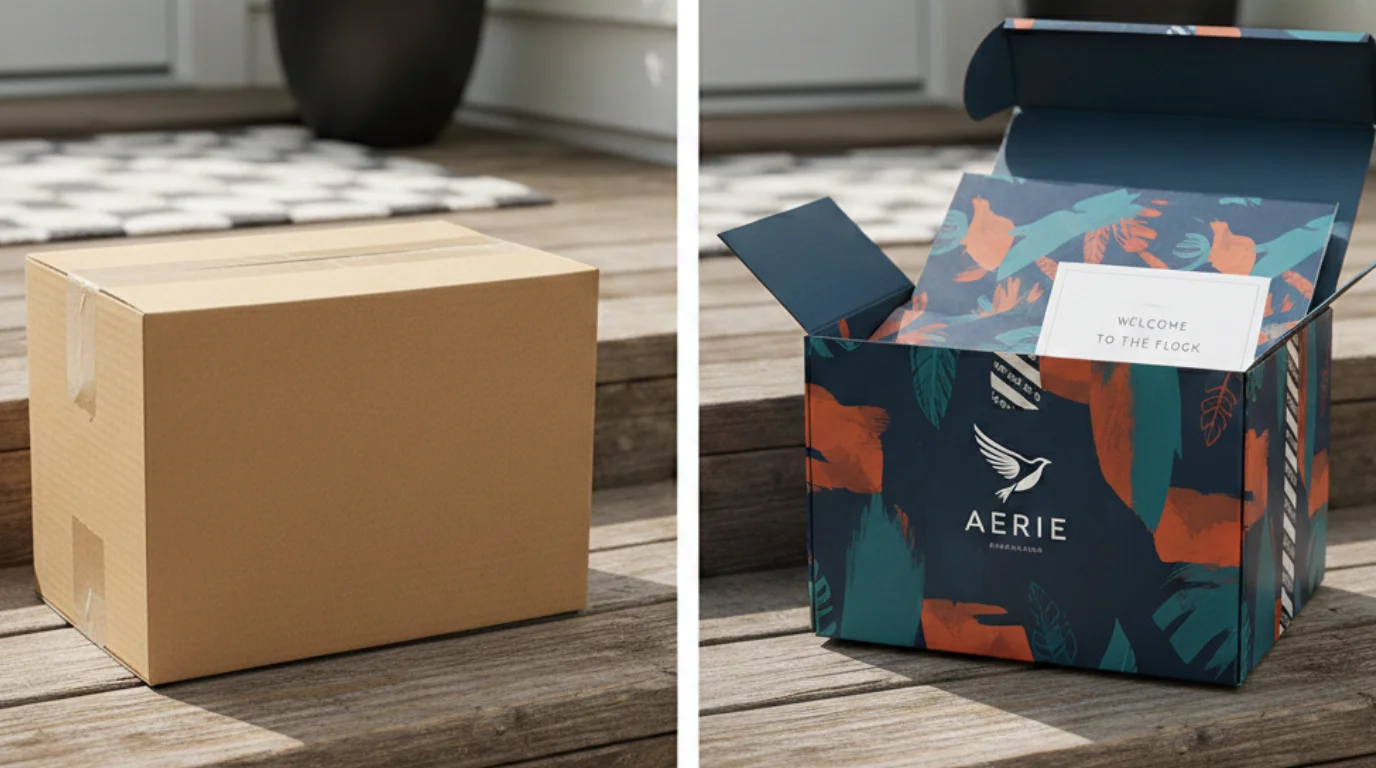
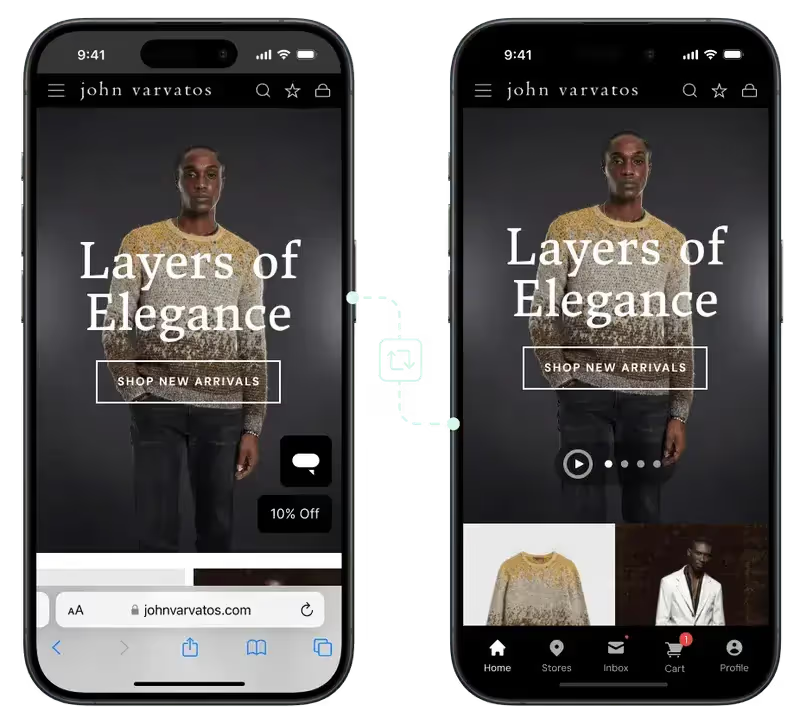

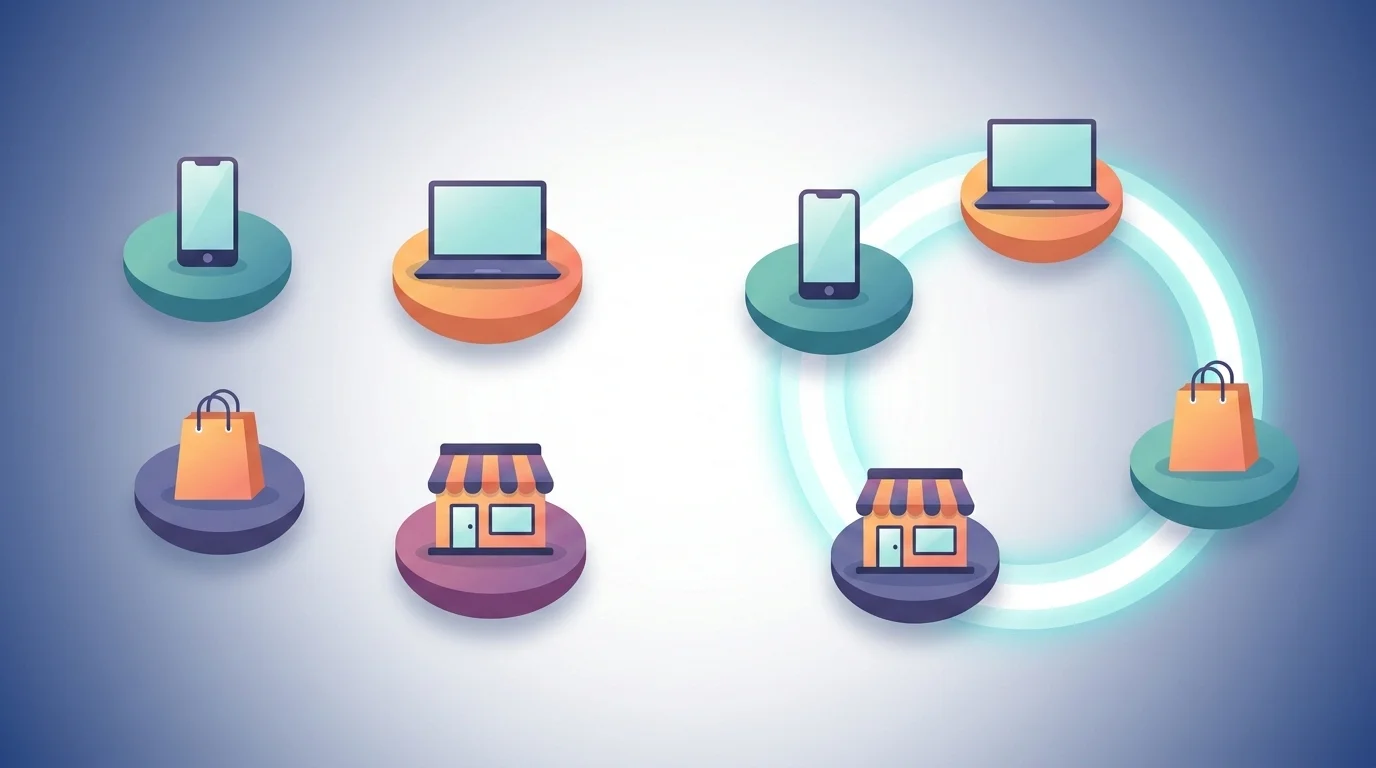
.webp)
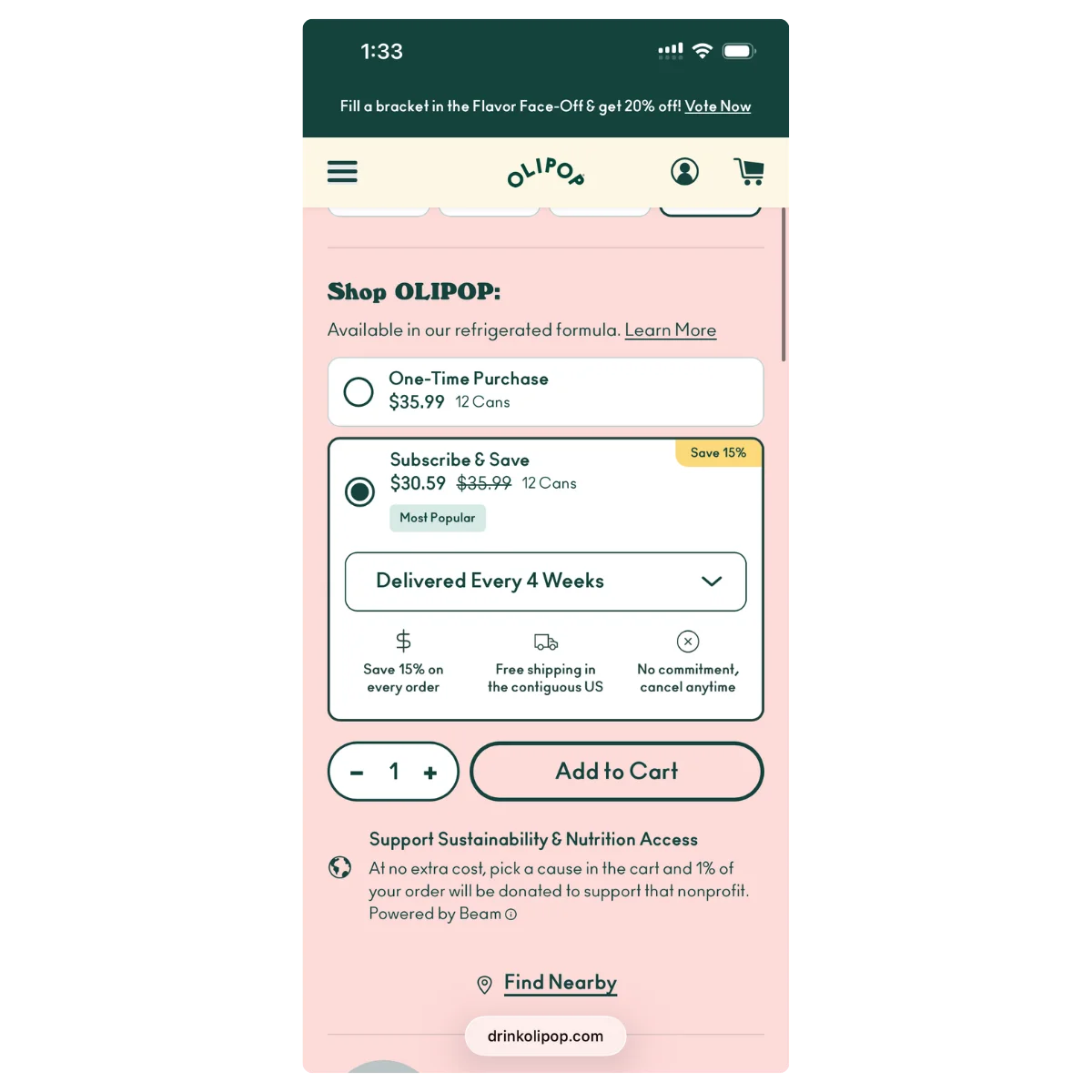
.webp)