Most apps are free, and instead monetize on selling digital services and products, subscriptions, premium content, or other things that come under this banner.
Read on to learn all you need to know about in-app purchases, and how these work in your app.
If you’re an ecommerce store owner, you don’t need to navigate the intricacies of app development and app store requirements on your own. Get Vendrux to convert your store into an app, and let us handle everything app-related. Click here to learn more about how we can help.
What Are In-App Purchases?
In-app purchases are digital goods and services sold inside of a mobile app. These are used to provide additional value or functionality within the app.
An in-app purchase is essentially an upsell, or a premium upgrade to the regular version of the app (which is often free). Most of the time they are optional, giving users the choice whether to use the basic, free app features, or pay for more.
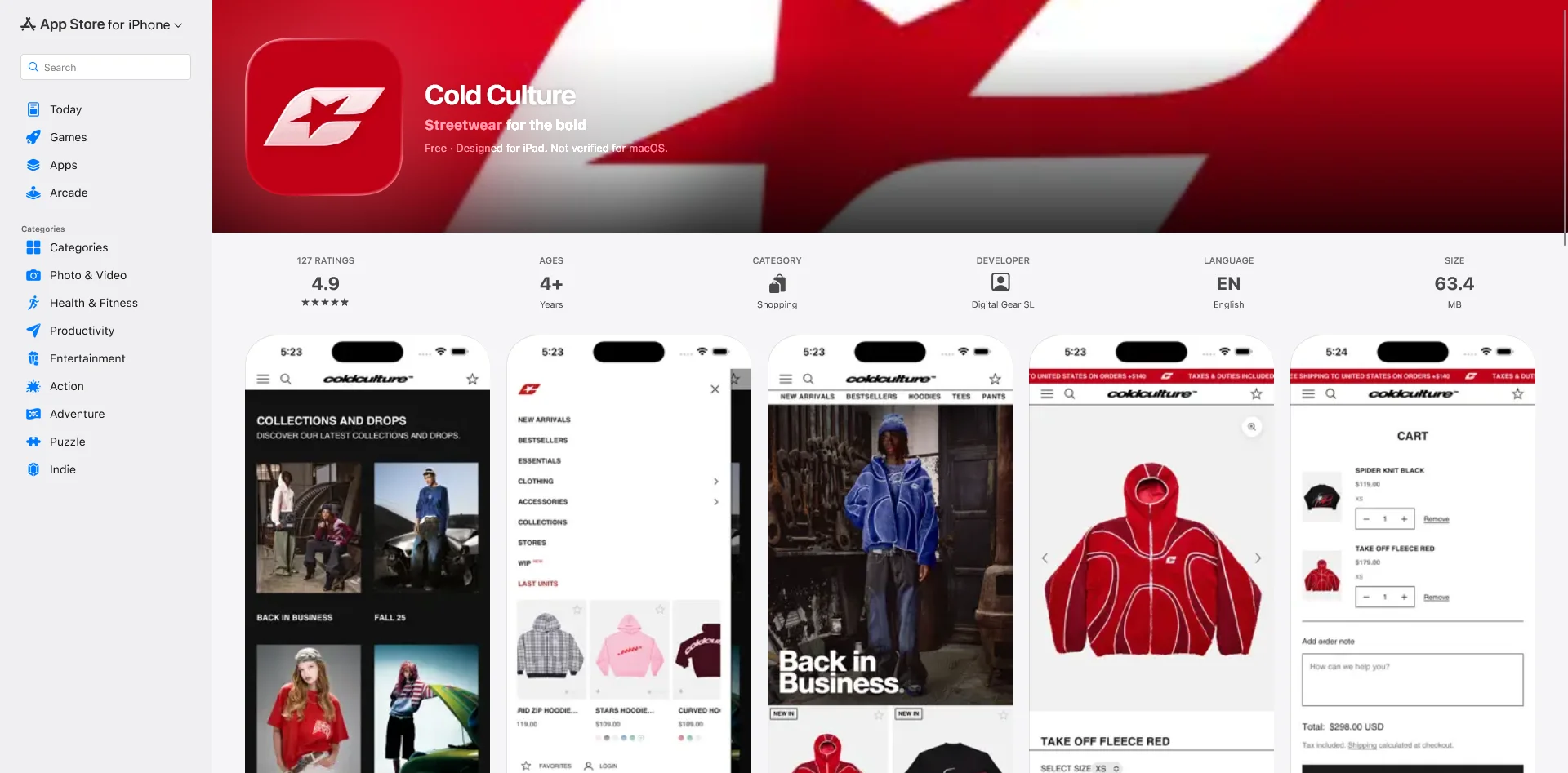
For apps distributed via the App Store (for iOS) or Google Play Store (for Android), the marketplace takes a share of all revenue generated by in-app purchases. They’ll also make it clear to a user before they download an app if it contains in-app purchases, with a badge on the app store listing.
What Can Be Sold With In-App Purchases
Anything that provides additional value to an app can be made into an in-app purchase. These are particularly ubiquitous in mobile gaming apps, which often allow users to buy special items, features or upgrades to games that are initially free.
Here are some examples of common in-app purchases:
Premium content
Downloading songs or audio
Removing ads from the app
Access to premium features or unlocking full access to the app
Digital items
Higher/unlimited usage limits
Bonus game levels
Allowing users to skip game levels
Extra lives in a game
Boosters or power-ups
In-app currency or in-game currency
Content upgrades or downloads (e.g. e-books or videos)
Different Types of In-App Purchase
We can group in-app purchases into four categories:
Consumable
Non-consumable
Renewable subscriptions
Non-renewable subscriptions
Consumable purchases are most common in mobile games. A consumable in-app purchase includes things like in-game currency, credits, and boosters, which are consumed once used. These can generally be purchased multiple times.
These might also be referred to as expendables. Expendable or consumable in app purchases are limited to the mobile device they were purchased on.
Non-consumable purchases are usually permanently added to the user’s app or game. This is more common for unlocking extra features or content upgrades. We might also call these purchases unlockables.
Renewing subscriptions are purchases that give you access to the app or to advanced features for a set period of time, and generally renew automatically at the end of each period (most often a month or a year).
In-app subscriptions today are a staple of news apps, which offer users the choice to pay for unlimited or premium content.
Non-renewing subscriptions are the same as the above, but don’t renew automatically. This could give elevated access for a set time frame (e.g. a season pass to a game), or it could be a one-time payment to get premium features.
Examples of Apps with In-App Purchases
Here are a few mobile applications using different kinds of in-app purchases:
The Medium app uses in-app purchases in the form of auto-renewable subscriptions, which gives access to premium articles.
Candy Crush offers in-app purchases for in-game consumable items, and options such as skipping levels or extended use once your free time has run out.
The Way of Life app is free, but gives unlimited habit tracking for a one-time payment. This is an example of a non-renewable subscription.
Do Ecommerce Stores Pay Fees for In-App Purchases?
If you’re thinking of launching an app for your ecommerce store, you may be concerned about the prospect of Apple taking 15-30% of your margins on app sales.
The good news is, ecommerce stores do not pay App Store or Google Play fees on the sale of physical products.
Apple and Google’s in-app purchase rules apply strictly to digital goods and services: things like e-books, game currency, premium app features, or streaming subscriptions (as described above).
If you’re selling clothing, beauty products, supplements, home goods, or any other tangible items through your app, you can keep using your existing checkout flow (Shopify, BigCommerce, WooCommerce, etc.) without going through Apple or Google’s billing systems.
That means you keep 100% of the revenue you make through your app, minus your normal payment processor fees. There’s no additional cut to the app stores.
For ecommerce brands, this is a critical distinction. The “app store tax” often talked about in the media doesn’t apply to your sales. You can safely build and launch a mobile app for your store without worrying about handing over a large slice of your revenue.
In-App Purchases vs. Ecommerce App Sales
Type of Sale
Examples
Subject to App Store IAP Fees?
Digital Goods & Services
Game currency, e-books, premium app features, streaming subscriptions
✅ Yes — must use Apple/Google in-app purchase systems (15–30% cut)
❌ No — you can use your own checkout, no extra App Store fees
iOS vs Android In-App Purchases
In-app purchases work mostly the same between iOS and Android apps.
For both platforms, purchases are charged to the user’s linked account – their Apple ID or Google Play account.
And both iOS and Android apps have to display a badge on their app store listing to indicate they have in-app purchases (even if they’re completely optional).
Each marketplace takes a cut on all in-app purchases. For single purchases, the Google Play Store charges 15% for the first $1 million USD in a year, and 30% on all earnings above $1 million. For automatically renewing subscriptions, it’s a flat 15%.
The iOS App Store is very similar. App purchases and in-app purchases have a 30% commission – for subscriptions, this falls to 15% after the first year. If you make under $1 million USD per year, you can apply to their App Store Small Business Program, which reduces fees to 15%.
Benefits of In-App Purchases
In-app purchases have a lot of huge benefits for app publishers, which is why they’re so common today. Here’s a rundown on these benefits:
They allow you to offer your app for free, which will get considerably more downloads than a paid app.
It’s a low-risk and low-friction monetization method.
There’s huge revenue and profit potential, as digital products don’t require physical stock or overhead.
It allows you to charge relative to how much people use your app. You can extract more revenue from your power users.
You’re not limited to only using in-app purchases for monetization, and can combine this with other monetization strategies.
Disadvantages of In-App Purchases
There are some downsides to enabling additional purchases with your app. Let’s take a look at some of them:
A large percentage of users will never purchase something through your app. You need to account for this, and it can lead to unstable revenue.
Each marketplace takes a fairly significant fee on in-app purchases.
Many people have a negative view on in-app purchases, especially if they’re required for key app features, or targeted towards children.
There’s the potential for unauthorized purchases (such as a child on their parents’ phone), which can lead to refunds and chargebacks.
Alternatives to In-App Purchases
There are a number of other ways you can monetize your app, outside of relying solely on in-app purchases.
Ads
Many apps utilize in-app ads to make money. Often this is done in combination with, not as an alternative to, in-app purchases. You can use ads as an incentive for people to pay for the premium, ad-free version of your app, while still making revenue from free users.
Paid Apps
You can also make your app a paid app. Instead of being free to download, and look to extract revenue from your users later, you require them to pay up front to download it.
This is a more predictable revenue model, since you know exactly how much you’ll make from each user. It also allows you to provide a cleaner, less cluttered UI, since you’re not showing ads or trying to push people towards a purchase.
Paid apps, however, are much harder to sell than free ones (obviously), and don’t offer the long-term earning potential of apps with in-app purchases.
Physical Products
As mentioned earlier, sales on ecommerce apps don’t count as in-app purchases.
Though the payment does happen in the app, the nature of the transaction (for physical goods, rather than something consumed through the app) means the app store fees don’t apply.
Avoiding In-App Purchase Fees
When you launch your app and start making money from it, you’re probably going to come hate the 15-30% fees coming out of every transaction. So is there a way to get around these fees?
It’s possible to offer subscriptions that are paid and managed outside of the app, which will thus not incur the App Store’s commissions. This is only possible (in the iOS App Store) for “reader apps”.
Reader apps are apps that allow users to view or access previously purchased material – such as books, audio and video.
Examples of these types of apps include Netflix, Spotify and Kindle. These apps are able to offer purchases and subscriptions, but as they take place outside of the App Store, they aren’t charged commission.
However, it’s not quite a free-for-all just yet. You may get your app removed from the App Store if you try to circumvent the fees on in-app purchases.
And while Apple may be loosening up, the Google Play Store is doing the opposite. They just began enforcing tighter rules on apps that use purchases outside of the Google Play Store, including the Amazon Kindle App.
It’s best to think of in-app purchase fees as a cost of doing business. You get a ton of discoverability from being in app stores, so you should expect to pay something for this. In-app purchases remain an extremely lucrative revenue source for app publishers.
Mobile app users spend more, shop more frequently, and are more loyal to your brand. Use our eCommerce App Revenue Calculator to see just how much you stand to gain by launching an app.
Wrapping Up
When you launch an app, you’ll have grand plans on how you’re going to market it. It’s crucial you know what kind of fees you’re in line to pay, or the smash hit idea you have for an app might deliver a lot less profit than you think.
Apps can provide a lucrative income – but be prepared to pay a tax on the income you make.
This doesn’t apply to ecommerce stores, though, as well as certain types of apps, where subscriptions or content is purchased outside of the app (like on your website).
Vendrux will help you turn your existing site into a full-featured mobile app. And with over 12 years of experience dealing with the app stores, we can help you navigate in-app purchases, and understand whether these fees will apply to your app.
When you build a mobile app, whether it’s for iOS or Android, the testing phase is an important part of releasing a high-quality, successful app.
iOS developers have a free, high-quality testing feature built into the Apple development ecosystem, in TestFlight. This is only suitable for iOS apps, however. So is there a TestFlight alternative for Android?
Read on and we’ll let you know, along with sharing some tips on testing Android apps before you release to the public.
Did you know that when you build an app with Vendrux, we handle all the QA and testing for you? You just sit back and wait for your app to go live. Click here to learn more using Vendrux to build your app.
What is TestFlight?
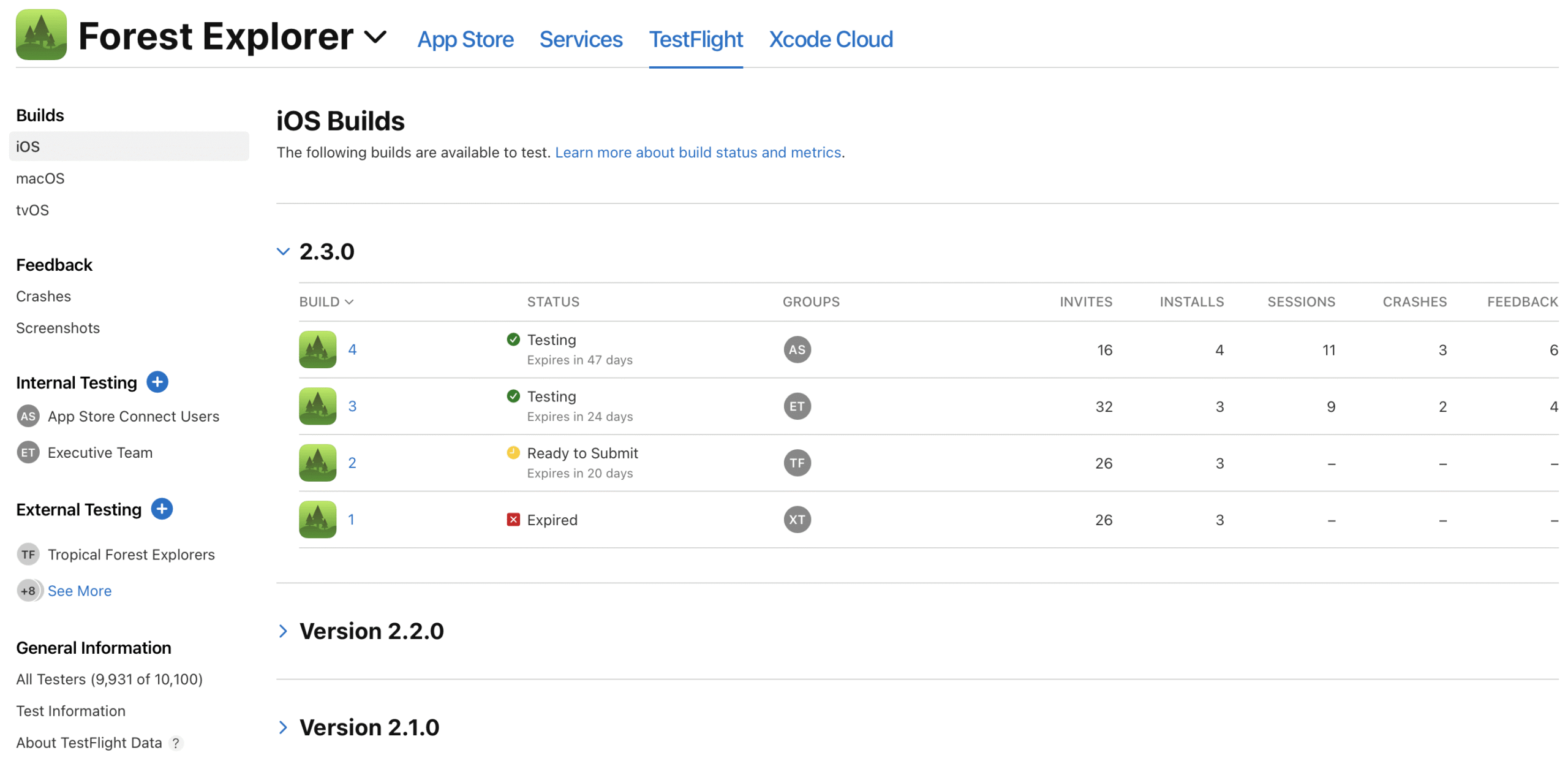
TestFlight is Apple’s native app testing platform. It’s a tool that lets developers make test builds available to internal and/or external beta testers, who can use these test builds on their own device.
TestFlight is a great way to test how an app works on a real device, as opposed to testing within a controlled environment, like an emulator. This allows you to pick up on usability issues that otherwise would go unnoticed until full release, and fine-tune your app before release.
How Beta Testing Works in TestFlight
To begin testing, testers will need to download the TestFlight app.
Within this app, they can open your beta app and test it as if it was the real thing.
To invite people to test your apps, you’ll either invite them to your Apple Developer Account, or invite external testers via email or a public invite link to your beta test.
You can have up to 100 internal testers, and up to 10,000 external testers with TestFlight.
Once they accept the invitation and test the app, they’ll be able to provide feedback on the build directly within the app, which will be sent to you by email.
For more on using TestFlight to test iOS apps, check out this post in our help center.
Is There An Equivalent to TestFlight for Android?
TestFlight is a great way to test iOS apps. But it’s only for the iOS ecosystem. How about for Android developers?
There is – Google Play Console. Google Play Console is the Android equivalent of the iOS developer ecosystem.
Play Console includes an internal testing tool, which lets you invite testers to use and test your app.
You can add up to 100 internal testers to your account. These people will be able to test every build of your app once added, and are best used for the first round of testing.
You can also do closed or open beta tests in the Play Console.
For a Closed Beta, you’ll add a list of email addresses of the people who will participate in the beta. You can create up to 200 lists, and each list can have 2,000 users.
Finally, you can allow open testing of your app. When you submit your app for open testing, users will be able to find your app on Google Play, in the “Apps in development” tab.
You can allow unlimited testers, or set a limit to the number of people who can download the test version (minimum 1,000).
Learn more about testing using Google Play Console here.
Other TestFlight Alternatives for Testing Android Apps
We suggest Google Play Console as the best TestFlight alternative for Android apps. But there’s also a number of third-party solutions for Android app testing.
These include:
These are not necessarily bad options, but they’re almost always more complicated, and more expensive, than Play Console.
These platforms often double as an app distribution platform, allowing you to pass the APK file to certain people to download.
This is good for a private, limited-use application. But it’s more than you need if you plan to launch on the App Store/Play Store.
Unless you plan to release an app outside of the Google Play/iOS ecosystems, it’s best to use the official testing platforms – Google Play Console and TestFlight.
The Importance of Testing Your Android App Before Release
You might be tempted to skip past the testing process and get your app into the hands of real users as fast as possible.
This would be a mistake. For both iOS and Android applications, it’s important to test thoroughly before release.
Releasing an incomplete or buggy app can damage your brand’s reputation. Users who would otherwise have used your app may move on to a competitor instead.
This could also result in bad reviews, which can doom your app from the start, showing it in a negative light even after you fix any issues.
It doesn’t need to be perfect before you release. You’ll get a lot of feedback once you start getting real users, and you’ll use this feedback to improve the app. But it should at least feel like a complete app, not one that’s still in development.
Benefits of the Testing Process
Here’s a little more on the benefits you get from thoroughly testing mobile apps before moving forward to release.
You’ll resolve bugs or defects in the application early on, and prevent users from experiencing crashes, freezes, or other functionality problems.
Testing allows you to ensure that your mobile app provides a smooth and seamless user experience, preventing usability issues, navigation problems, and performance bottlenecks, to deliver a more satisfying and engaging app to your users.
Ensuring compatibility across devices and platforms, such as various models, operating systems, and screen sizes.
Maximizing security and data protection, by identifying vulnerabilities and security risks in your mobile app. This lets you safeguard user data, prevent unauthorized access, and ensure compliance with privacy regulations.
How to Test Your Android App
Here’s an overview of what the testing process should look like, and key points to note to ensure you’ve tested your app thoroughly enough.
Define test objectives
Clearly define the goals and objectives of your testing. Identify the critical functionalities, use cases, and user scenarios to focus on during testing. This helps prioritize your efforts and ensures that essential aspects of the app are thoroughly tested.
Test on real devices
Emulators and simulators can be useful for initial testing, but it’s crucial to perform testing on real devices as well. Real devices provide accurate results and allow you to evaluate the app’s performance, user interface, and device-specific features accurately.
Test across various environments
Mobile apps operate in diverse network conditions, such as Wi-Fi, 3G, 4G, or unstable connections. Test your app in different network environments to ensure it functions optimally and gracefully handles network disruptions.
Test usability and user experience
Pay attention to usability testing to ensure that your app is intuitive and easy to use. Conduct user experience testing to gather feedback on the app’s design, interface, and overall satisfaction. This helps identify areas for improvement and enhances user engagement.
Conduct functional and non-functional testing
Functional testing ensures that each feature of your mobile app functions correctly according to the specifications. Non-functional testing focuses on aspects such as performance, security, compatibility, and accessibility. Both types of testing are essential to deliver a robust and reliable app.
Continuously iterate and retest
Testing is an iterative process. As you address identified issues and make updates, retest your app to ensure that fixes did not introduce new bugs. Repeat this cycle until you are confident that the app is stable and ready for release.
A comprehensive testing process will minimize the risk of your launch going wrong, and help you release a high-quality, successful mobile app.
Wrapping Up
TestFlight is a great tool for iOS app beta testing. The closest equivalent to TestFlight for Android apps is Google Play Console.
We’d advise using Play Console to test your app over any third-party options. It’s the safest and most straightforward, and it’s also free.
You can do internal testing, closed beta testing and open beta testing with Play Console. It offers all the features you need to do a thorough, comprehensive test process on the beta version of your app before you go ahead and launch on the Google Play Store.
If you’re looking for a way to build an app (and you’ve already got a website), without the time-consuming rigor of testing and retesting, check out Vendrux. We handle everything for you, from converting your app into a website, to testing, to publishing to the app stores.
Book a free demo now to learn more about how we can help speed up the app development process.
“Building an app” is not as simple a statement as it once was.
Today, apps can fall into a great many buckets, from simple web apps, to Progressive Web Apps, to native apps, hybrid apps, cross-platform apps.
Trying to understand it all is exhausting. Thankfully, we’re here to help! With more than 10 years experience in the app game, we’ve learned all there is to know about web, native and hybrid apps, and the pros and cons of each.
While there’s no catch-all answer to which type of app is right for your project, we can give you guidance on choosing the right approach, and avoiding disruptions and added expense from having to start over or pivot partway through development.
Keep reading for more, or check out this video for the key takeaways:
At Vendrux, we can help you turn your mobile website into high-quality apps, doing all the setup work for you and with little to no maintenance and overhead required. To learn more, and get a free preview of your mobile app, book a free demo now.
Perspectives from Building 2,000+ Mobile Apps Over the Last 10 Years
An app, broadly speaking, is a piece of software that allows a user to do “something”.
That something could be ordering a new pair of sneakers, analyzing data, writing an article, listening to a song – anything.
This is very broad, so let’s narrow things down.
On mobile, there are three main types:
Web apps, which run in a browser.
Native apps, that run on iOS and Android devices.
Hybrid apps, which are a blend of web and native technologies.
Over the past 10 years, we’ve got a few opinions on mobile app technology, the different options on the market, and the crucial considerations for businesses.
We’ve seen every use case, business requirement, and edge case out there. We’ve also seen years of results from our clients, which range from small startups to global multi-billion dollar brands.
It’s that experience that we’ll use to provide you with a thorough understanding of the difference between each type of app, and which one is best suited for you.
What is a Web App?
A web app runs on a web server and is accessed through a browser. Web apps are built with web technologies like HTML, CSS, JavaScript, and a massive ecosystem of frameworks and tools.
The line between a website and a web app can be hazy, but generally it’s considered a web app if it has some deeper functionality beyond a static site.
Web apps provide interactive and dynamic user experiences, while websites present fixed content. These days, basically all sophisticated web tools and platforms are web apps.
Most eCommerce stores, social media sites, business tools, even media sites can be classed as web apps today.
Take amazon.com for example.
It has a massive range of features and interactive functionality, far beyond just displaying content.
Even small eCommerce stores these days have user authentication, product search and filtering, advanced cart features, payment processing – and even sophisticated product recommendation algorithms.
In short – they’re web apps!
At Vendrux, we create native iOS and Androids apps from our clients’ web apps. So we can attest to the amazing development of the web in recent years. In fact, if you have a web app, you can go and preview exactly what your native apps would look like right now.
Over the past decade the adoption of new web standards like HTML5 and CSS3, frameworks like React and Vue, and new paradigms like WebAssembly have empowered web developers to create better and better experiences.
Mobile browsers and design have improved rapidly, and as a result, eCommerce and other web based industries have exploded.
New technology has also given birth to Progressive Web Apps, which replicate some of the same features as mobile apps. But as we’ll see later, they’re not a substitute.
Web apps are typically easier, faster, and cheaper to build – partially because hiring web developers is easier and less expensive.
But the main question is whether a web app is enough for what you want to achieve.
Are Web Apps Good Enough?
As we’ve seen, web apps are great, and you can build almost anything on the web these days.
Web apps are simpler to build, easier to maintain and update, and are universally accessible across devices through the browser.
But, they’re not a substitute for mobile apps.
Web and mobile apps are not equivalent substitutes, but rather complementary and mutually supporting.
Not only is the experience very different, but they tap into different habits and audiences. There will always be a segment of customers who want and expect a mobile app.
Let’s take a deeper look at how they are different.
Mobile UX
With a web app, the user puts the URL into their browser, log in (maybe), and interact with the app in the browser. It’s competing for their attention with dozens (hundreds) of other tabs, and the experience isn’t optimal.
Modern mobile browsers are good, but they fundamentally evolved from janky and borderline unusable browsers of the early mobile web days. They were a desktop thing that was “bolted” on to the new internet capable mobile devices.
Though much better on modern phones, the browser is not native to smartphones.
Apps, however, are.
That’s why the experience on them tends to be smoother, more engaging, and more sticky.
App Store Listings & a Home Screen Icon
Users are also accustomed to heading to the App Store on iOS or the Google Play Store to look for apps that solve their specific problems.
They’re then used to seeing the icon appearing on their home screen and tapping it to enter an immersive experience.
They’re highly visible, giving businesses a more permanent brand presence on the customer’s home screen, and easy to access with one tap.
Push Notifications
Another key point in favor of mobile apps is push notifications.
They are one of the most direct and effective ways to reach customers – and one of the most common reasons why our clients want apps in the first place.
Once someone has your app installed on their home screen, you can connect with them directly through push. Web push notifications just don’t compare.
They leverage modern web tech like service workers, a web app manifest, and responsive design to create an experience that is closer to a mobile app.
For example, PWAs can:
Be “installed” on the device home screen (shortcut added)
Send push notifications
Have an “App like” navigation and UX
Offer some offline functionality
PWAs are indeed great and you should consider building one. We wrote about them in depth here.
They aren’t a substitute for mobile apps though, more like a better type of modern web app.
You won’t get the exact same functionality from a PWA, and though you can do some of the same things as you can with a native app (such as installing on the user’s home screen, and sending push notifications), the experience for the user does not measure up.
Web Apps are for Desktop, Mobile Apps are for Smartphones
Web apps are great for desktop, and good for some level of use on mobile. But they just are not the same.
Think about the massive mobile app hits over the past decade – Uber, TikTok, DoorDash, Twitter, Messenger.
Would any of these have become so big if you had to use them through a web browser? Probably not.
Using the Twitter or Facebook web app on desktop is fine, just like using Google Drive or your email on a desktop browser. But you take out your phone, you’ll always go for the dedicated app over accessing it via the browser.
The Verdict on Web Apps vs Mobile Apps
Our advice is to build great web apps as V1 of your product.
It will be (relatively) easy to build and distribute, and will work great for building an initial user base and for desktop users.
The web apps can always form the core of your experience. A way to get organic traffic, and build the initial connection onboarding new users.
Then build mobile apps to deepen loyalty and engagement with your core customers.
All you need to do is build for the web, then you can easily and efficiently translate that into iOS and Android apps through our service. We convert your web app (or static website) into native iOS and Android apps in just days, keeping all the functionality you already built for the web.
More on that later. For now, just note that this has been a very successful approach for many large brands.
Facebook, Quora, Instagram, Trello, Basecamp, Uber, and Slack are just a few of the successful tech businesses that reused some or all of their web apps as native apps.
But, when it comes to mobile apps, there’s a few more variations to be aware of.
Let’s start by moving on to the original mobile app type – native.
Native Mobile Apps
Native apps are native to the iOS or Android operating systems.
The “classic” way to build native apps is with the native languages of the platform (Swift or Objective-C for iOS apps, and Kotlin or Java for Android).
Native apps are often seen as the “gold standard” of mobile apps, because for many use cases they give you the widest range of possibilities and the highest level of performance.
Native apps are able to tap into all the features of the device itself, have offline functionality, and (if they’re built well) are fast, performant and have a great UX.
Pokemon GO is a native app
Sounds good, right?
Superior Performance – At a Cost
Native development is indeed powerful, and can really give you the cutting edge in performance and capabilities.
To put it bluntly though, it’s (probably) not worth it.
That’s because of the two major downsides – the classic constraints of time and money.
Native app developers are highly skilled and sought after, and building apps for iOS and Android is a complex project with a lot of moving parts.
Asking how much it costs is a bit like the old “how long is a piece of string” – it depends.
But we can offer a minimum baseline: it costs several hundred thousand dollars and takes at least six months.
Why is native development so expensive?
The key reason is that the field is very technical and labor-intensive. There are relatively few skilled native app developers, and they’re in high demand.
You need at least two of them as well, one for Android and one for iOS.
This is an absolute bare minimum. Realistically, for anything remotely sophisticated you’d also need UX designers, graphic designers, QA testers, and PMs. If you need to integrate the apps with any existing assets or databases you’ll also need specialist backend developers too.
You need to hire all these specialists, or contract a top agency, and manage a long project with many moving parts.
Realistically, as a small to medium sized business without tens of millions lying around, you probably aren’t going to do all this.
Don’t worry though – the good news is that this is not necessary for you.
All you need is a great web experience, and with Vendrux you can convert that into a great native app experience without any of the usual pain and expense.
If your web app is already optimized for the mobile web, it is ready to be converted into native iOS and Android apps!
Why You Probably Don’t Need a “Native” App
Gone are the days when native was the only viable route to amazing mobile apps.
There are only two types of app that really need to be built this way:
Computationally demanding apps, where tiny performance optimizations are crucial, like graphics-intensive games or animations
Apps that need to interact with the device hardware in a novel, innovative, or a particularly deep manner.
So unless you need to build cutting edge gaming apps, or apps that use special hardware features like the various sensors, high-precision geolocation, biometrics, or something of that manner, you do not need to build apps natively.
For most web-first businesses from common categories (such as eCommerce, educational, productivity, news, or finance) native will be overkill.
Native will not necessarily give the user a better experience compared to more efficient development methods.
So let’s go one step up the efficiency ladder and look at another type of native app that’s simpler than going fully native.
Cross-Platform Development – a Simpler Way to Build Native Apps
When native apps first became a “thing”, true native development was the only option.
Remember when we said that you needed at least two developers for native development?
Well, that’s because you need two completely different codebases. That’s two different codebases for different specialists to write, test, and maintain over time.
A real challenge and expense.
Cross-platform development solves this by allowing teams to build apps for iOS and Android with one framework like React Native, Flutter, or Kotlin.
Reflectly is a cross-platform native app, built with Flutter
How Does Cross-Platform App Development Work?
Cross-platform frameworks lets you write code once, then deploy it on both platforms.
These frameworks all work differently, but on a high level they act as a sort of “universal translator” that adapts a single codebase into a form that the different operating systems understand.
You start off by writing the app’s code in a single, high-level language that the cross-platform framework understands (like JavaScript for React Native or Dart for Flutter).
The framework then takes this code and works a little magic.
With some, like Flutter, the code is compiled into native iOS and Android code, which can then run easily on the device.
With others, like React Native, the code is “bridged” to native code in a process more like real time, on-the-fly translation.
This is somewhat similar to the compiled vs interpreted distinction in traditional programming languages.
Though each cross-platform framework has its strengths and tradeoffs, functionally, both achieve the same result – allowing you to run apps on (very) different platforms from one codebase.
Is Cross-Platform the Answer?
Cross platform development works very well. Load of large tech companies build cross-platform. For example:
The Shopify, Pinterest, Discord, and Coinbase apps are built with React Native
The BMW, Google Pay, and AliBaba apps are built with Flutter
The core advantage is that you can work from a single codebase, sharing and reusing logic across multiple platforms.
This means that you can build the apps, fix bugs, and release new features and updates more efficiently.
Overall, this can reduce development time and cost. Compared to classic native development, you can expect to save 30-50% of development time and effort.
Although the frameworks do simplify things compared to classical native development, and can get you to market faster within a (slightly) more reasonable budget, there are downsides.
Performance
The first tradeoff is performance.
While cross-platform frameworks have come on tremendously, they still lag behind true native apps in performance terms – especially for apps relying on intensive graphics or deep device integration.
It can sometimes be harder to achieve a “native look and feel”, although this gets better all the time.
Not to say they perform poorly, but performance is objectively lower for cross-platform apps than native apps.
Cost and Effort
Cross-platform can be a great option for those with the resources, but it’s still a massive project, that is only a bit easier than native from the perspective of a small-to-medium sized business.
You still need to contract or hire highly skilled and specialized developers, and it will still be a serious project to manage.
Though you’ve made things easier, it’ll still take $100k+ and months of effort to get the apps released.
For most businesses, this means the apps will struggle to pay for themselves, and the risk is huge.
Is It Necessary?
As we’ve said earlier also, you probably do not need them.
A lot of our clients are eCommerce brands, eLearning startups, or media companies. If that’s you too, you do not need the capabilities of a native or cross-platform app for these use cases.
It’s overkill, will be a nightmare to develop and connect with your existing tech stack, and will never get you the ideal result anyway for several reasons we’ll cover shortly.
That’s why we’re going to move up the efficiency scale, reducing the risk for you and introducing the next app development method: Hybrid.
Hybrid Apps
A hybrid app is a hybrid between native and web.
They’re built using web technologies like HTML, CSS and Javascript, and use the device’s browser engine to render and execute the web code locally, displaying it to the user in a native container called a webview.
Even though hybrid apps are built with web languages, they can interface well with mobile device features thanks to platforms like Ionic and Cordova.
Cordova provides the webview infrastructure, and a set of APIs for accessing device-native features like the camera, GPS, and file system through plugins. Ionic is built on top of Cordova, and adds a layer of UI tools for developing quality user interfaces.
There are significant advantages to building hybrid apps compared to native.
For a start, they’re much easier to build and maintain.
Because the web codebase is wrapped in native containers like Cordova or Capacitor for both iOS and Android, the same code can run on each platform. This allows code reuse and simplifies maintenance, like the cross-platform native apps we covered earlier.
It’s also easier to find developers who can do the work. There are far more developers skilled in web development compared to the rarer and more specialized native devs.
Your existing team might even be up to the challenge, especially when it comes to maintenance.
Hybrid apps can be downloaded from the App Store or Google Play, and from a user’s perspective can function exactly like a high end native app (if they’re built well).
Typically, hybrid apps will cost less than half the price, and take half the time to build, compared to native.
3 months and $30,000 is a good ballpark to start off with, but it could be significantly more.
The Downsides of Hybrid
So, hybrid apps are faster and cheaper to build, and easier to maintain without specialist skills.
But they still take a lot of work and expertise, especially if you want them to work well and actually please your users with a great UX.
Other potential downsides are performance and features.
While hybrid apps can be fast and performant, well-built native apps have the edge here. So for a trading app or something that relies on cutting edge performance, you may want to go native (if you can afford it).
Hybrid apps can also interface with the device’s features, but not always as well as native. So if your app relies heavily on the accelerometer, compass, or similar features (like a fitness app), hybrid may not be completely optimal.
Now let’s look at Vendrux apps – a special type of hybrid app.
“Wrapper” Apps and Vendrux
A standard hybrid app is just a normal “app” built with web rather than native technology. It doesn’t mean you can easily recreate an existing web app in iOS and Android form.
We built Vendrux more than 10 years ago to give businesses a way to convert their websites and web apps into native apps.
Vendrux is extremely affordable and fast compared to native development. It’s much less fiddly and more efficient than trying to build hybrid apps yourself.
How Does Vendrux Work?
Vendrux apps are a special type of hybrid app that uses webviews to “wrap” your existing website, online store, or web app in mobile code.
On top, we layer on the native elements and components needed to give the apps a rich functionality and great user experience (including unlimited push notifications).
Three examples of hybrid “wrapper” apps built with Vendrux
Vendrux apps have full use of push notifications, just like any native app
The difference between a native app and an app built with Vendrux is basically all under the hood. For most types of apps, the end user would not be able to notice that it wasn’t built for a mobile OS from the ground up.
Why Vendrux?
The key advantage for you, apart from saving huge amounts of money and time relative to other options, is that you can reuse everything from your existing web app or site.
It would be ridiculously hard to recreate the functionality you built for the web in app form, whether you used native code, cross-platform frameworks, or hybrid methods.
In many cases, it would be so impractical for a normal business as to be functionally impossible.
Thankfully, it’s completely unnecessary too.
Vendrux gives you the ultimate code reuse, reusing everything you already built for the web. Every part of your tech stack, every plugin and custom feature, everything will work in your Vendrux iOS and Android apps straight out of the box.
There’s no rebuilding, and no compromising on features.
Vendrux makes it as simple as converting your existing website into a mobile app
Who is Vendrux For?
Of course, Vendrux is not appropriate if you want to build something like a cutting edge gaming app from scratch, or if you don’t already have a web based business.
It’s perfect for a few use cases – most notably, businesses that already have an eCommerce store, a web app, or a content brand on the web.
If that’s you, it’s easy use Vendrux to convert what you’ve already built into high end apps for iOS and Android.
The apps are built by our team, with many years of experience and thousands of successful apps under their belt, on our own platform.
The apps will be easy for you to incorporate into your existing workflow, as you’ll add very little extra work for yourself or your team members – and you definitely won’t need to hire anyone new.
That’s because of two main reasons:
The apps sync completely with your website or web app, and update automatically with any changes on the web. For example, if you have an eCommerce store, the apps will sync your entire product catalog and update with any new products you add.
Our team handle all necessary updates and maintenance, forever, as part of our full service
The apps practically run themselves.
This makes it low risk, and much more likely that you’ll see ROI compared to other routes.
You can get apps just as good as $100k+ native ones for a fraction of the cost, ready to launch in just weeks.
The model is proven and has worked amazingly for our 2,000+ customers, like David Cost, VP of eCommerce and Marketing at multinational retailer Rainbow Shops.
They’d tried different hybrid and wrapper approaches before finding Vendrux and realizing that:
“The expense isn’t that big, and operationally, there’s not that much we have to do for the app. It’s a no-brainer, especially when you add push notifications on top.”
“Through history we’ve tried doing what Vendrux does. But we wanted a solution that could enable push notifications, and Vendrux has a way of doing that with OneSignal. We couldn’t find another company that could offer the same features at the same price point, same time to market, and make it as easy as Vendrux could.”
By now, you should have a good idea of which is the best route for you.
We’ve seen that native development, while the “gold standard” of mobile apps, is prohibitively expensive, impractical, and likely unnecessary.
While hybrid apps make things a bit easier, they have the same flaws on a smaller scale.
With Vendrux (as long as you already have a web presence) you get all the benefits of native apps while dramatically reducing the financial investment, management overhead, and risk.
We handle everything for you from the initial app design, to publishing on the App Store and Google Play, all the way to ongoing updates and maintenance.
The process starts with a no-pressure chat with one of our app experts. They’ll explain everything in depth, and answer all your questions.
Let’s get you on the App Store and Google Play – the smart way.
When you start looking at launching a mobile app for your business, you’ll come across terms like “native app” and “webview app”.
You might be wondering what the difference actually is. You might also hear some negative connotations of one or the other online, and come in with some pre-conceived biases.
Let’s clear it all up.
Here’s the short version: native apps are built from scratch using platform-specific code. Webview apps take existing web content and deliver it inside a native app framework.
Both end up in the App Store and Google Play. Both can look and feel identical to the end user.
The longer version matters, because how you build your app affects what it costs, how long it takes to launch, how much work it takes to maintain, and whether it actually does what your business needs it to do.
This guide breaks down the difference in plain terms, covers the real pros and cons of each approach, and helps you figure out which one makes sense for your situation.
What Is a Native App?
A native app is built specifically for one platform (typically iOS or Android) using that platform’s own programming language and tools.
Think of it like building a house from the ground up.
You hire architects, pour a foundation, frame the walls, run the plumbing. Every detail is custom. The result is exactly what you want; but it takes a long time, costs a lot, and if you want a second house on a different street (the other platform), you’re starting over.
In technical terms:
iOS native apps are built with Swift or Objective-C
Android native apps are built with Java or Kotlin
Each platform requires its own codebase, its own developers, and its own maintenance cycle
Because iOS and Android are different operating systems with different design conventions, a native iOS app can’t run on Android (and vice versa) without being rebuilt.
(technically “native app” can also refer to native apps for PCs, smart TVs, smart watches… but the majority of the time, this is used in a mobile app context)
What Is a Webview App?
A webview is an embedded browser engine inside a mobile app.
It renders web content (HTML, CSS, JavaScript) but without the browser’s usual interface (no address bar, no tabs, no bookmarks). The user just sees app screens.
Think of it like a furnished modular home.
The rooms are pre-built in a factory (your existing website), then delivered and installed on a proper foundation (the native app framework). From the outside (and from the inside) it looks and feels like any other house. It just got there a different way.
A webview app combines this embedded browser engine with native mobile components, things like navigation bars, tab menus, push notifications, and deep linking.
The result is a hybrid: web content on the inside, native experience on the outside.
Example of an app that uses webviews to recreate a mobile website, swapping the browser UI for native app elements.
How Is a Webview Different from a Browser?
A web browser has two parts:
The rendering engine — takes HTML/CSS/JavaScript and turns it into something visual
The browser UI — the address bar, tabs, bookmarks, extensions
A webview is just the engine, without the browser UI.
That lets developers replace the browser’s interface with native app elements, so the web content appears as part of the app, not as a web page.
How Common Are Webview Apps?
More common than most people think. Multiple studies of Android apps have found that 83-90% contain webview components in their code.
Even among the most popular apps (those with 100,000+ users) more than halfuse webviews as part of their architecture.
This isn’t a shortcut used by small teams cutting corners. Some of the biggest apps in the world rely on webviews:
Shopify published a detailed engineering post in 2025 about “Mobile Bridge,” their framework for making webviews feel native. Their mobile app has around 600 screens, and they describe webviews as “a critical part of Shopify’s mobile strategy.”
Amazon uses a hybrid approach with webviews for product detail pages and content-heavy sections.
Instagram uses webviews for comments, profiles, and stories.
Gmail uses webviews and HTML rendering for cross-platform consistency.
These companies could build everything natively. They choose not to, because webviews let them ship faster, maintain less code, and keep the experience consistent across platforms.
Can Webview Apps Get into the App Store?
Yes, but not all webview apps are created equal.
Apple and Google both have review guidelines that reject apps that are just a website stuffed into a frame with no added value.
A bare webview with no native elements, no app-specific functionality, and no meaningful user experience beyond what the browser already provides will get rejected.
But a well-built webview app, one with native navigation, push notifications, proper loading states, deep linking, and a genuine app experience, passes review consistently.
The app stores care about the quality of the experience, not the underlying technology.
This distinction matters. There’s a big gap between a basic “website in a box” and a properly engineered webview app, and the app stores know the difference.
Another example of a successful app built with webviews
Webview App Advantages
Here are some of the top advantages of building a webview app.
Single Codebase
Building natively means maintaining separate codebases for iOS and Android (and potentially a third for your website).
That’s three codebases in different languages, often requiring separate dev teams.
A webview app draws from your existing web code. When you update your website, the app reflects those changes automatically. One codebase to maintain instead of three.
For ecommerce brands running on Shopify, WooCommerce, or similar platforms, this is a major advantage.
Every product update, every new collection, every landing page – it’s live in the app the moment it’s live on your site.
Faster Time to Launch
Native app development typically takes six months or longer for a first version, with dedicated teams working on iOS and Android in parallel.
A webview app can launch in weeks, not months. The heavy lifting (your product catalog, checkout flow, account management, content) already exists on your website.
The app build adds the native layer on top.
Lower Cost
This is often the deciding factor.
Building a native app from scratch typically costs $50,000 to $150,000 for a moderately complex app. And that’s just for one platform. Double it for iOS and Android. Then factor in ongoing maintenance at 10-20% of the initial build cost per year.
A webview-based approach is a fraction of that. You’re not rebuilding your entire product experience from scratch. You’re extending what you’ve already built into a native app.
Full Feature Parity with Your Website
One of the underrated benefits: everything that works on your website works in a webview app.
Every plugin, integration, theme customization, and third-party tool carries over without additional development.
If you’ve spent months fine-tuning your checkout flow, configuring your loyalty program, or integrating review widgets. All of that comes with you. You don’t have to rebuild or re-integrate any of it.
Native App Advantages
Sometimes, native is best. Here are the main reasons why you’d want to consider a fully native app.
Full Control Over Every Detail
Native development gives you pixel-level control over the interface. Every animation, transition, and interaction can be tuned specifically for each platform’s design conventions.
If your app’s UI needs to do things that the web can’t: complex gesture-driven interfaces, custom camera experiences, augmented reality; native is the way to make that happen.
Performance Edge
Native apps store most of their files locally and are built specifically for the device’s operating system.
This can make them feel slightly snappier, particularly for computationally intensive tasks like 3D rendering, real-time video processing, or complex animations.
They can also run without an internet connection; though for most ecommerce and content-based apps, offline functionality isn’t a meaningful differentiator (because you need up to date content anyway; and besides, the majority of your customers these days have an internet connection live at all times).
Deepest Hardware Access
Native apps have the most direct access to device hardware: camera, microphone, GPS, Bluetooth, NFC, and other sensors.
If your core functionality depends heavily on hardware features, native gives you the most flexibility.
That said, webview apps can also access most hardware features through native bridge layers. The gap here is narrower than it used to be.
App Store Approval Is Straightforward
A well-built native app will generally pass app store review without issues. There’s no ambiguity about whether it meets Apple’s or Google’s guidelines for what qualifies as a “real app.”
This is an advantage over poorly built webview apps – but not over well-built ones. A quality webview app with genuine native elements passes review just as reliably.
These are a middle ground. They let developers write code once and deploy to both iOS and Android, while still rendering native UI components (rather than web content in a webview).
They’re popular for apps that need more custom native UI than a webview approach provides, but where building fully native for each platform is too expensive or slow.
The tradeoff: they still require developer teams who know the frameworks, they still involve building the app experience from scratch (rather than leveraging an existing website), and they still take months to build and maintain.
For businesses that already have a well-built website and want to extend it to mobile, they solve a different problem than webview apps do.
Why Mobile Apps Matter (Native or Webview)
Regardless of how you build it, having a mobile app matters. And the data backs that up.
Mobile dominates your traffic.Roughly 60% of global web traffic now comes from mobile devices, and in categories like ecommerce and media, it’s often higher.
Apps convert better. Mobile app users view significantly more products per session than mobile web visitors, and app conversion rates run 3-6x higher than mobile web for many ecommerce brands.
Push notifications are a game-changer. Mobile app push notifications have an average opt-in rate of around 67%, with ecommerce apps seeing 68%. As a direct communication channel, push outperforms email on open rates and engagement – and unlike SMS, push notifications are free to send.
These advantages apply equally to native and webview apps. Push notifications, app store presence, home screen placement, faster load times – you get all of these regardless of how the app is built under the hood.
The Gap Between a Bad Webview App and a Good One
This is the part most “native vs webview” articles skip over. And it’s the part that matters most.
A bad webview app is just a website opened inside a frame.
No native navigation
No push notifications
Slow loading with no visual feedback
The browser’s default behaviors leak through; pull-to-refresh behaves weirdly, links open in unexpected places, the back button doesn’t work right.
It feels like a website pretending to be an app, and users notice immediately. Apple notices too, and rejects it.
A good webview app is nearly indistinguishable from a native app. Here’s what separates the two:
Native navigation: tab bars, headers, and back button behavior that follow iOS and Android conventions
Push notifications: real native push, not web push, delivered to the lock screen with full notification center integration
Deep linking: URLs that open directly to the right screen in the app, not a generic homepage
Loading states and transitions: native animations and skeleton screens instead of a blank white page while content loads
App-specific customization: splash screens, onboarding flows, login screens that feel built for mobile
Smart handling of web content: hiding browser-specific elements, adapting layouts for the app context, handling navigation edges gracefully
When all of this is done right, the user doesn’t know (or care) whether the app was built natively or with webviews. They just know it works well.
How to Decide: Native or Webview?
Go native if:
The app IS your product. Think Uber, Duolingo, or a mobile game. The entire business runs through the app, and the experience needs to be built from the ground up for mobile.
You need heavy device integration. Bluetooth peripherals, augmented reality, complex camera features, offline-first workflows; these are areas where native development gives you the most flexibility.
You have the budget and timeline. Native done well costs six figures and takes 6+ months. If that fits your roadmap, and the use case demands it, native is the most powerful option.
Go webview if:
You already have a website that works well. If your site is responsive, your checkout flow is dialed in, and your tech stack is solid, a webview app extends all of that to mobile without starting over.
You want to launch faster and spend less. Weeks instead of months. A fraction of the cost. For most businesses converting an existing web presence to mobile, this is the practical choice.
Your app experience is content or commerce-driven. Product browsing, shopping, content consumption, account management, these are exactly the use cases where webview apps perform on par with native.
You don’t want to maintain separate codebases. Update your site, and the app updates too. No parallel development tracks, no version drift between platforms.
A simple test:
Ask yourself: Is what I want to show in the app fundamentally different from what’s on my website?
If the answer is no; if the core experience is the same; a webview app is almost certainly the right call. You’ll get the same result for a fraction of the investment.
What Vendrux Does (and Why It Matters Here)
Vendrux is the best example of what’s possible when webviews are used correctly.
Vendrux’s team takes your existing website and builds it into a full native app – with native navigation, push notifications, deep linking, and all the details that separate a quality app from a website in a box.
A few examples of mobile apps built with Vendrux
The approach works because Vendrux doesn’t just drop your site into a frame. We add the native components that make the experience feel right: tab bars that follow platform conventions, smooth transitions, proper back-button behavior, native splash screens, and push notification infrastructure that integrates with tools like Klaviyo.
A few proof points:
2,000+ apps launched since 2013, with a strong track record of App Store and Google Play approval
John Varvatos saw 10x revenue per user and a 4x purchase rate through their app
Pharmazone drives 63% of online revenue through their app, with a 22% abandoned cart recovery rate via push notifications
Vendrux handles app store submission, ongoing maintenance, and updates; so you’re not managing another development project on top of your existing site.
If you’re curious whether this approach makes sense for your business, get a free app preview to see what your site would look like as a native app, or book a consultation to talk through the details.
Frequently Asked Questions
Are webview apps slower than native apps?
For most use cases, no. The performance gap between native and webview has narrowed significantly as mobile hardware and web rendering engines have improved. For content browsing, ecommerce, and standard app interactions, users typically can’t tell the difference. Native still has an edge for computationally intensive tasks like 3D graphics or real-time video processing – but those aren’t relevant for most business apps.
Can webview apps use push notifications?
Yes. A properly built webview app uses native push notification infrastructure – the same system that fully native apps use. Push notifications are delivered to the lock screen, appear in the notification center, and can be personalized and automated just like in any native app. This is different from web push notifications, which are more limited and have lower opt-in rates.
Will Apple reject a webview app?
Apple rejects webview apps that are just a website in a frame with no added value. They don’t reject webview apps that provide a genuine native app experience, with native navigation, push notifications, and functionality beyond what the mobile browser offers. The key is the quality of the experience, not the technology behind it.
What’s the difference between a webview app and a PWA?
A Progressive Web App (PWA) runs in the browser and can be “installed” to the home screen, but it doesn’t go through the app stores and has limitations on iOS – particularly around push notifications, background processing, and access to certain device features. A webview app is a real native app distributed through the App Store and Google Play, with full access to native features. It just happens to render some of its content using web technology.
How much does it cost to build a webview app vs. a native app?
Native app development for a moderately complex app typically runs $50,000-$150,000 per platform, with annual maintenance costs of 10-20% of the initial build. A webview-based approach (such as using a service like Vendrux) costs a fraction of that, since you’re building on top of your existing website rather than starting from scratch. Exact pricing depends on the provider and your specific needs.
Do webview apps work offline?
Most webview apps require an internet connection to load content, since they’re pulling from your website. Native apps can store more data locally for offline use. In practice, this matters mainly for apps where offline access is a core requirement (like note-taking or field service apps). For ecommerce, media, and most business apps, users expect to be online when they’re shopping or browsing; so offline capability isn’t typically a deciding factor.
If you want to build an app and are trying to choose between building a web app vs mobile app, you’re in the right place.
This article will give a clear definition of each, along with the key differences, pros and cons of web apps and mobile apps. It will also give you a definitive answer on which kind of app is best for your project.
Read on for more!
What is a Web App?
A web app is a software application that’s accessed through an web browser. Web applications are built using web technologies, such as HTML, CSS, JavaScript, React, Python, etc. They can be accessed from any device with an internet connection, and they do not require installation.
The code for a web application is stored on a remote server, which a web browser (e.g. Google Chrome, Firefox, Safari) accesses and delivers to the user when they input the app’s URL.
The terms web app and website are sometimes used interchangeably, but typically a web app refers to a website with a high level of interactivity, as opposed to simply a static content site.
Google Docs and Canva are two examples of web apps – interactive browser-based sites.
This also includes Progressive Web Apps, which offer greater functionality and a mobile-like experience, while still running in the browser.
Medium is an example of a Progressive Web App.
To learn more about Progressive Web Apps, check out our ultimate guide.
What is a Mobile App?
A mobile app is a software application that works on the operating system of a mobile device, such as Android OS or iOS.
Mobile app code is downloaded directly onto the user’s device, rather than remotely hosted and accessed through a browser. This allows mobile apps to operate without an internet connection (though some mobile apps will require online connectivity for certain features).
The John Varvatos shopping app – an example of a mobile app
Mobile apps can come in different forms, including native apps, hybrid apps and cross-platform apps. Native apps are coded using native programming languages of specific operating systems, such as Swift or Kotlin for iOS, and Java or Kotlin for Android. Hybrid and cross-platform apps utilize a combination of different frameworks, often including some web technologies like HTML and JavaScript.
Pros and Cons of Mobile Apps vs Web Apps
Here’s a short breakdown of the pros and cons of building mobile apps and web apps, from a business’ standpoint.
Pros of Web Apps
Easy to develop and deploy.
Work on any platform with an internet browser and an active internet connection (desktop PC, laptop, mobile devices).
Easier and cheaper to update and maintain.
Web app development experience is easier to find than mobile developers.
Cons of Web Apps
Don’t offer an optimal user experience for mobile users.
Web apps tend to be slow to run on mobile devices.
May not be as secure as mobile apps.
Engagement and retention is lower than with mobile apps.
Pros of Mobile Apps
Offer a user-friendly, engaging and immersive experience on mobile.
Can provide offline functionality.
Can tap into mobile device features, such as GPS, camera, etc.
Allow businesses to send push notifications to app users on all devices.
Deliver higher engagement and retention.
Can be published and promoted on the Apple App Store and Google Play Store.
Cons of Mobile Apps
Can be difficult to develop.
Mobile app development is generally expensive and time-consuming.
More difficult and expensive to maintain.
Native mobile apps require separate builds to serve different platforms/operating systems.
Key Points of Difference Between a Web App vs Mobile App
Let’s dive a little deeper into the pros and cons mentioned above, and how web apps and mobile apps stack up against each other.
The key differences are in deployment, platform compatibility, and the investment required to build and maintain.
Deployment
Web apps are deployed via a mobile browser, while a mobile app has its code downloaded locally to the user’s device.
That makes it easier for new users to access and use a web application. They can follow a link to the app or find it from Google, and start using it right away.
With a mobile app, users need to take action and download the app to their device before they can open and use it.
Though this acts as a point of friction, it also makes mobile apps “stickier”, as they remain on the user’s device until uninstalled. The mobile app’s icon stays on the user’s home screen, and the user can get back into the app with one tap. A web app disappears from the device when the browser tab is closed, and relies on the user to consciously enter the URL again.
Platform Compatibility
Web apps can work on any device with a browser and internet connection, unlike mobile apps, which can only work on the platform they’ve been coded for.
This can be a pro or a con either way. On one hand, it’s a pro for web apps, as one code base can serve a wider number of users on a wider range of platforms.
On the other hand, mobile apps are able to provide a deeper, more immersive and more satisfying experience on mobile devices, as they’ve been built specifically for the platform they run on.
Though web apps are more widely accessible across different platforms, their user experience suffers by trying to cater to multiple user types.
Investment (Time, Money, Effort)
Web apps are quicker, easier and cheaper to build than mobile apps, in almost all cases.
The technology behind web apps is less complicated, and there are a greater abundance of developers and development tools available for building web apps.
Native mobile app development is difficult in comparison. It takes a long time to code mobile apps, developers are harder to find, and command a higher rate.
A native mobile app typically costs 5 or 6 figures to build, and requires two separate builds and development teams to launch on both of the most popular mobile operating systems (iPhone and Android).
Cross-platform and hybrid apps cut down this investment to varying degrees, though, sometimes saving as much as 80%+ of the development cost of native apps.
How to Choose the Best Type of App For Your Project
There’s not necessarily a “best” type of app between mobile and web apps. The best type of app depends on what you want to accomplish, your target audience, your budget, and how much time you have to spend on development.
The following section gives a straightforward look at how to choose the type of app that’s right for you.
Consider your target audience
Think who you are building the app for. If your target audience primarily uses mobile devices, then you should build a mobile app.
If you’re not sure about this, the data shows that a large part of your target audience are likely mobile users. More people worldwide today go online on mobile than desktop, and this number continues to rise.
If you believe your audience uses a variety of different platforms, you may want to build a web app first, to cater to a wider range of users. Hybrid apps can also be a great choice here, to serve more users on more platforms.
Necessary functionality of your app
What features does the app need to have?
If your app needs to access the device’s hardware or sensors, then a mobile app is a must. The same goes if you are building an app where users take/upload pictures or videos, like an Instagram/TikTok/Snapchat-type app.
Do you need or want your app to be accessible offline? If so, you’ll need a mobile app.
Also consider location features, push notifications, tap and swiping functionality and more features that are not necessarily exclusive to mobile apps, but are a lot easier and work a lot better with mobile apps than mobile web apps.
On another note, does your app need to work on desktop as well as mobile? If so, you’ll want to build a web app – or at least a hybrid app that’s able to work on more than just mobile.
Budget
How much money do you have to spend on your project?
If you’re on a tight budget, you might want to build a web app instead of a mobile app. Web apps are significantly cheaper, especially compared to native mobile apps.
They’re also much cheaper to maintain. When you build a mobile app, you need to take into account 15-20% of the initial development cost for maintenance and updates every year.
Because of the lower investment, many companies choose to build their app as a web app first, to use as an MVP or “proof of concept” to generate backing or investment they need to build a mobile app.
Consider, though, that there are some ways to build mobile apps that bring the cost down significantly. Hybrid app builders like Vendrux, for example, reduce the cost to build a mobile app by nearly 90%, letting you go live for low four figures.
See 10+ examples of high-profile hybrid apps in this post.
Timeline
Finally, consider how long your desired launch timeline is.
It takes a long time to build native mobile apps (often 6+ months of full-time development). Web apps can be built and launched a lot faster.
Hybrid mobile apps, again, offer an interesting compromise between the two. Certain hybrid app builders let you go live in as little as two weeks, with fully-functional mobile apps.
Web App vs Mobile App: Which is Better? (Final Thoughts)
Ultimately, web apps and mobile apps can be powerful and useful tools to serve your target audience.
The right choice depends on what you want to accomplish, and who you want to serve.
Building web apps is cheaper, faster and easier. Web apps can be used by a wider range of users on a single build. Yet you will sacrifice usability, engagement and retention, particularly with mobile users.
Mobile apps are more difficult and require greater investment to launch. And mobile apps built with native programming language only work on a specific platform.
Yet mobile apps perform much better than web apps with mobile users and are easier to use on mobile.
The optimal path, for most cases, is to build both. Most have target users on mobile and desktop, and this allows you to cater to all users, while accessing the benefits of mobile apps.
Instead of sinking 6+ figures into a native app, a more accessible option is to build a web app first, and convert it to a hybrid app with Vendrux.
This lets you cater to users on all devices, without the investment of native apps, and with much lower upkeep.
There are many benefits to using Vendrux, including:
All the mobile development done for you (no coding or coding knowledge required)
Go live with both iOS apps and Android apps.
As little as two weeks to launch.
Build your app for the web, then convert all your features to your mobile apps.
Updates, maintenance, bug fixes and support included (no 5-6 figure recurring yearly cost).
90% of the functionality of native mobile apps, for
App store approval guaranteed.
It’s the most straightforward way to build a mobile application today, and far superior to native apps in 95% of cases.
To get started, schedule a free, custom, 1:1 demo with one of our app experts. We’ll walk you through the process, show you a working prototype, and give you everything you need to give the go ahead and start your project.
If you’ve launched a mobile app, planning to launch an app, or just have an interest in the mobile app market, this article is for you.
We’re going to share a curated list of the most insightful, interesting, up-to-date mobile app statistics. These statistics give you everything you need to know about how we use our mobile phones – and in particular, mobile apps. You’ll see how massive the mobile app market is, how much money is flowing around, and how mobile apps have become an indispensable part of life as we know it.
Highlights
There’s a wealth of data coming up. First, here’s a snapshot of the most fascinating app statistics we found:
– The number of apps available for download worldwide has increased by 82% since 2016. – The average American checks their phone 262 times per day. – People spent 3.8 trillion hours on mobile apps in 2022. – 2.6% of people will still be using an Android app 30 days after they download it. For iPhone apps, it’s 4.3%. – Mobile apps are on track to generate $932 billion in revenue in 2023. – 2 million new apps were launched in 2021 alone. – In 2021, $320,000 was spent every minute in the app stores.
Now let’s get into the most interesting and worthwhile app statistics on the following topics:
Smartphone & tablet usage
Mobile app downloads
Mobile app usage
App stores
Mobile app revenue
The overall market for mobile apps
App developers, app users, app enthusiasts, and anyone simply curious about the world around you, keep reading for more.
6 Smartphone & Tablet Statistics
We can start by looking at how mobile devices dominate our lives today.
There are more than 6.5 billion smartphone users worldwide today. [Statista]
This number is projected to reach 7.7 billion by 2027. [Statista]
There are over 1.3 billion tablet users worldwide. [Statista]
Mobile holds approximately 60% market share over desktop, which has 38%. The tablet market share is steady at 2%. [Statcounter]
The average American spends 2 hours and 54 minutes on their phone each day, and checks their phone 262 times per day. [Reviews.org]
87% of millennials have their smartphone at their side day and night. [Google]
Takeaways
The key takeaway from this data is that modern consumers are mobile-first.
Mobile holds around 60% market share today. We’re glued to our mobile devices. We spend nearly 20% of the time we’re awake on our phone, and check our phone hundreds of times a day. And smartphone usage is only going up.
Smart businesses meet their customers where they are. Today, that’s on mobile.
4 Mobile App Download Statistics
There are 255 billion mobile apps downloaded worldwide each year. [Statista]
Between 2016 and 2022, there has been an 82% increase in the number of apps downloaded per year. [Statista]
Combined, the Apple App Store and Google Play Store have 35-36 billion app downloads each quarter. [Statista]
Mobile games are the most popular category, with nearly 100 billion downloads per year. Second is mobile photo and video apps, with nearly 20 billion downloads. [Statista]
Takeaways
The number of app downloads per year is staggering. Whether it’s from the Google Play Store, the Apple App Store, smaller app stores or direct downloads, it seems we can never have enough apps installed on our phones.
If you want to launch an app, but are concerned that the market is too saturated, the number of app downloads today shows that there is still more than enough demand for new players.
If you’re running an eCommerce store, and you don’t have an app, you’re missing out. Our eCommerce App Revenue Calculator shows just how much your brand can gain from launching your own mobile app.
17 Mobile App Usage Statistics
Consumers spent 3.8 trillion hours on mobile apps in 2022. [Data.ai]
88% of the time we spent on mobile devices is spent using apps [Emarketer]
The retention rate for Android apps is 22.6% one day from download, 6.5% seven days from download, and 2.6% 30 days after download. [Statista]
The retention rate for iOS apps is 25.6% one day from download, and 4.3% 30 days after download.
The app category with the highest share of usage time for US mobile users is social media/communication apps, followed by browsers and mail apps. [Statista]
70% of users who switch away from an app do so because it’s too slow. [Google]
67% of users will leave an app if there are too many steps to find the information or take the action they need. [Google]
61% of people between the age of 18 and 34 want to be able to use apps with only one hand. [ComScore]
49% of millennials say the thing they hate the most about apps is when it drains their battery too fast. [Mindsea]
37% of millennials say mobile data usage is one of their top three concerns when deciding whether or not to use an app. [Mindsea]
54% of millennials have more than 3 screens of apps on their phone. [Mindsea]
Social networking apps are the most popular type of app with millennials, followed by messaging apps and games. [Mindsea]
73% of millennials shop on mobile up to 4x per week. [Tapjoy]
70% of millennials play mobile games daily. [Tapjoy]
Gen-Z users spend an average of 4.1 hours per month in non-gaming mobile apps (10% longer than older generations). [TechCrunch]
Gen-Z users also have 20% more sessions in non-gaming apps than older groups (120 sessions per month per app). [TechCrunch]
Mobile app users in China open apps on average 67 times per day, spend an average of 7.56 hours in apps each day, and use an average of 7 apps each day. [Statista]
Takeaways
There’s a lot we can take away from these mobile app usage statistics.
The first is simple – we use mobile apps a lot. And younger generations use apps even more, indicating that total mobile app usage will only grow with time.
The retention rate for apps is certainly worth paying attention to for app developers. On average, less than 5% of app downloads will still be using the app 30 days later. If you can’t deliver the experience that mobile users expect, they’re going to forget your app, fast.
Social media apps, communication apps, and mobile gaming apps are the most popular app categories. But that’s not to say there’s no room for other types of app.
As 73% of millennials shop on mobile 4x per week, shopping apps have immense potential. As for other app types – entertainment apps, business apps, productivity apps, etc – with more than half of millennials having three screens of downloaded apps, there is more than enough space in the market for different kinds of app.
8 App Store Statistics
There are more than 3.7 million apps available on the Google Play Store. [42matters]
Approximately 500,000 apps on Google Play are gaming apps, compared to 3.2 million non-gaming apps. [42matters]
There are 1.15 million app publishers on the Google Play Store. [42matters]
Of the apps on Google Play, approximately 3.2 million (85%) are non-gaming apps, while 533,000 (14%) are gaming apps. [42matters]
The Apple App Store has over 1.7 million apps available for download. [42matters]
There are 735,000 app publishers on the Apple App Store [42matters]
Of the apps available on the iOS App Store, approximately 1.5 million (87%) are non-gaming apps, with 214,000 gaming apps (12%). [42matters]
The Google Play Store is responsible for approximately 77% of all worldwide mobile app downloads. [Statista]
The Amazon App Store has over 480,000 apps available for download. [Statista]
The Microsoft App Store (formerly the Windows App Store) has over 800,000 apps. [Windows Report]
Takeaways
The Google Play Store and Apple App Store are the key players in the market, with by far the highest number of app listings and app downloads.
Though there are more apps available on the Apple App Store, the majority of app downloads come from Google Play, which comes from the fact that there are more Android users than iPhone users around the world.
Aside from Apple/Google Play, there are a few smaller players out there, such as Amazon and Microsoft, trying to carve their own piece of the market. But the two big players are still likely to remain the same.
11 Mobile App Market Statistics
2 million new apps were launched in 2021 alone. [Data.ai]
Mobile ad spend amounts to more than $350 billion. [Data.ai]
There are more than 2.6 billion mobile gaming users worldwide. [Statista]
The mobile gaming market is expected to exceed $116 billion by the year 2024. [Newzoo]
The highest number of mobile gaming users are in Asia, with nearly 1.3 billion, followed by Europe (550 million), Latin America (309 million) and North America (207 million). [Statista]
94% of iOS apps are free. [Statista]
97% of Android apps in the Google Play Store are free. [Statista]
There are 2.3 million apps available for download on the app stores in China [Statista]
The number of apps on the app stores in China decreased from 4.5 million to 2.3 million between 2018 and 2022, a decrease of 48%. [Statista]
The Huawei AppGallery is the top app store in China, with a market share of 44%. [Statista]
Gaming apps account for 28% of the apps available in China. [Statista]
Takeaways
We know the market for apps is huge, and this data shows how huge it is.
The gaming app market is particularly massive. It generates hundreds of billions in revenue each year, with billions of users around the world.
This market is dominated by non-US users, though, with the largest concentration in Asia, Europe and Latin America.
Other interesting takeaways include how many apps are launched each year – over a million, despite the number of apps already available on the Google Play/Apple App Store.
Finally, take note of how many apps are free, versus paid. 94% of apps on the Apple App Store, and 97% on the Google Play Store, are free apps. We’ll spend money in apps, but not on apps.
11 Mobile App Revenue Statistics
Mobile apps are estimated to generate $935 billion in revenue in 2023. [Statista]
In 2021, $320,000 was spent in the app stores every minute. [Data.ai]
Tinder is the leading mobile app in the App App Store by worldwide revenue, with $37 million in revenue. This is followed by TikTok ($35 million), Honor of Kings ($24 million) and Candy Crush Saga ($21 million). [Statista]
Coin Master is the leading Android app in worldwide revenue, with $48 million. This is followed by TikTok ($40 million), Candy Crush Saga ($38 million) and Roblox ($18 million). [Statista]
The subscription rate for non-gaming apps, worldwide (the rate at which users purchase a subscription vs the number of downloads) is 5.5%. [Statista]
There are 38.5 thousand apps in the Google Play Store priced less than a dollar. 26.6 thousand are priced between 1 and 2 dollars, and 2300 are priced between 9 and 10 dollars. [Statista]
1.6 million apps in the Apple App Store are priced less than a dollar. 2800 apps are priced between 9 and 10 dollars. [Statista]
Mobile apps generate the most revenue through advertising, with over $208 billion USD in 2021. In-app purchases are #2, with approximately $185 billion USD in the same time frame. [Statista]
Paid apps are expected to generate less than $7 billion USD from app purchases by 2026. [Statista]
8% of US apps are monetized by being paid apps. 26% are monetized through ads, and 11% monetized through in-app purchases. [Statista]
3% of apps worldwide are monetized by being paid apps. 36% are monetized through ads, and 4% monetized through in-app purchases. [Statista]
Takeaways
Even though the majority of apps are free apps, there is a staggering amount of money flying around in the app market.
Global app revenue is in the hundreds of billions, and will soon reach a trillion. Most apps make money through in-app ads, in-app purchases and/or subscriptions, with just a fraction being paid downloads.
That being said, many follow a “freemium” model, which are technically free to download, but users need to pay to get anything meaningful out of the app, or to use it past a free trial period.
These monetization models are still enough to generate a huge amount of cash – over 300,000 per minute in 2021.
Wrapping Up
There you have it – all you need to know about the state of mobile apps in 2026.
Mobile apps are a billion-dollar industry. And since mobile usage and app usage continues to rise every year, so will the value of the mobile app industry.
If you’re running a business, the massive mobile app market should be ignored. Your customers almost certainly spend a large amount of their time on mobile device, using apps. It will soon be non-negotiable to meet them where they are, and offer your own mobile app.
Though custom native apps are expensive, the true cost and effort required to build a mobile app for your business is lower than you think. Vendrux lets you do this by converting your existing website or web app into an app, for a low upfront cost, in less than a month.
Vendrux is a tech-enabled service that lets you offer a mobile app experience without sacrificing flexibility or breaking the bank.
Just schedule a call with us to see how easy the process is. For little to no work, and minimal expense, you’ll have your business in the app stores, driving high engagement and revenue from mobile users, in no time.
A large part of our lives today revolves around mobile apps. From browsing social media apps, to ordering food, transportation, playing music and watching videos, apps are more prevalent than ever. On average we spend approximately four hours a day using apps – around a quarter of the time we’re awake.
So how do consumer habits translate into revenue for app publishers? Just how big is the mobile app market? And where does this money come from, considering most of the apps we use are free to download and free to use?
We’ll answer all these questions about the mobile app market, and more, in the rest of this article.
How Big is the Mobile App Industry?
The mobile app market is worth $522.67 billion dollars in 2024, according to research by Statista.
This figure represents nearly 12% growth year-on-year vs 2023, and is projected to continue growing in the double digits in years to come.
Mobile App Market Growth: 2017-2027 (Projected)
Statista tracks ten years of growth in the mobile app development market, which gives us a clear picture of the upward trajectory of mobile apps in the late 2010s and into the 2020s.
Worldwide app revenue was worth just $155.51 billion in 2017. The market has grown nearly 3.5x in seven years, and is projected to reach $673.79 billion by 2027, an increase of around 29% in three years.
How Do Apps Make Money?
For many people, paying for a mobile app is a foreign concept. Yet the mobile app market, as we’ve seen above, is worth hundreds of billions of dollars. So how are apps making so much money?
Advertising is the main driver of revenue for mobile apps, contributing around 65% of total mobile app revenue.
In-app purchases are the other significant revenue source, with 33% of app revenue. This includes subscriptions, upgrades and features purchased within apps.
Only a small portion of app revenue comes from paid apps – $6.09 billion, a little over 1% of all app revenue.
Advertising’s share of the market has steadily increased over the years. As far back as 2017, in-app purchases contributed the majority of app revenue, before being overtaken by advertising, to our current state where advertising generates 2x as much revenue as in-app purchases – a number that is projected to grow even further.
Which Mobile App Categories Drive the Most Revenue?
In terms of the types of apps that generate the most revenue today, there are two clear winners: gaming apps and social networking apps.
Gaming apps generate $196.1 billion in revenue, nearly 38% of all mobile app revenue.
Social networking apps like Facebook, Instagram and TikTok generate $153.4 billion, or nearly 30% of all app revenue.
Together, these two categories make up over two thirds of the total worldwide app market. The jump to the next category is significant, with entertainment apps generating $39.23 billion and $33.42 billion from shopping apps, each making up less than 8% of the app market.
Fastest Growing App Categories
Most app categories are growing at 10% or more YoY, in line with the overall growth of the mobile app market at 11.9%.
The biggest increases in 2024 are from news and magazines (16.6% revenue growth) and travel apps (16.1% growth).
Interestingly, social networking apps are the only category growing below the overall average, with 7.3% growth vs 2023.
Most Profitable App Categories
User for user, which apps make the most money?
While gaming apps and social networking apps make the most money overall, shopping apps are the most profitable, generating an average of nearly $24 per download, followed by social networking apps and news & magazine apps.
Gaming apps, though they generate the most revenue overall, are actually near the bottom end in revenue per download, averaging just $1.30 – less than navigation apps, lifestyle apps and weather apps.
The average revenue per download in shopping apps has decreased significantly since 2017, where shopping apps averaged more than $30 per download.
However, this number is trending up in recent years, and is projected to continue doing so in the future.
Social networking apps are also trending up in average revenue per download, nearly doubling this figure over the last seven years.
Mobile App Markets Around the World
As expected, the US is one of the world’s top mobile app markets. But it’s not #1, and other players are fast catching up.
According to Sensor Tower, India is the world’s number one market for mobile apps, generating the most app downloads from the Apple App Store and Google Play Store combined.
The US is number two, followed by Brazil, which is projected to overtake the US in app downloads by 2027.
The top five markets in terms of revenue are:
China
United States
Japan
United Kingdom
South Korea
According to Grand View Research, the majority of mobile app revenue comes from the Asia-Pacific region (including China, India, Southeast Asia and Australia/New Zealand), with 32% market share in 2023.
Markets that are trending up include:
China (15.8% projected annual growth rate)
The US (14% projected annual growth rate)
Germany (14.4% projected annual growth rate)
The UK, France and the Middle East and Africa region are also among those expected to see significant growth in the next five years.
Apple App Store vs Google Play Store Revenue
While 70% of smartphone users around the world are on Android, nearly two thirds of all app revenue comes from the Apple App Store.
This figure has barely changed since 2017, and is projected to stay the same in the foreseeable future.
Why the Mobile App Market is Growing So Fast
Mobile apps are generating tens of billions of dollars in additional revenue each year, growing at a double-digit rate. So what’s the reason behind this upward trajectory?
The biggest reason is likely the increased share of mobile internet users. More than 58% of people today use mobile to go online.
Around a decade ago, mobile held less than 20% of the internet traffic market share, and is now widening the gap.
With more people using the internet via mobile devices, it’s natural to assume that more people are using apps, too, as they provide a more natural experience for mobile users.
Between 2016 and 2022, the number of apps downloaded per year increased by 82%.
This is partly due to apps becoming more accessible for brands and small businesses.
Today, you don’t need to have a team of mobile app developers in-house, or millions of dollars to spend on development, to launch your own app.
No-code tools have made it easier than ever for non-developers to launch apps, and services like Vendrux make it simple and affordable for any web-first businesses (such as eCommerce stores, publishers and SaaS companies) to launch an app alongside their website.
How to Get Your Piece of the Mobile App Market
If you’re running a web-based business, the mobile app market trends we’ve discussed in this article may make you feel like you’re missing out if you don’t have an app.
You don’t need any technical expertise in mobile app development, and you don’t need to hire expensive developers.
All you need is a website that works well on mobile, and Vendrux will convert your website to native apps that look and feel like million-dollar custom apps.
The emergence of low code and no code development has changed the game when it comes to building and launching apps.
You no longer need to be a skilled developer to launch a web app or mobile app. New solutions let anyone do this – all you need is a problem to solve, and a vision for how your app will do it.
There are pros and cons to this approach, and some still raise the question whether no code or low code platforms are better than manual development. We’ll answer those questions, and break down just what each of these options entail, in the post ahead.
Want to get this post in video form instead? Check it out via our YouTube channel:
What is No Code?
No code development is a way of building apps or software without writing code.
Traditional development requires knowledge of a programming framework, such as HTML, CSS, JavaScript, React, Vue, Java, etc.
No code requires none of this. Each no code platform may work a little differently, but most feature a drag and drop interface with pre-coded elements that enables users to create workable software.
For example, if the user wants to add a header section and a button, they just need to add these two elements to their canvas, without needing to write a single line of code. Once published, the elements work the same as if they had been written by a developer.
A no code development tool may also use a different kind of mechanism to generate a web app, mobile app, website or software tool – not just a component-based visual builder. But the idea is that it should allow the user to build and launch software without writing any code.
No Code Platform Examples
Website building platforms like Wix and Squarespace are two examples of no code software. These platforms allow non-technical people to easily build and launch websites, from basic blogs or portfolio sites, to ecommerce stores.
Vendrux is an example of a no-code solution for building mobile apps. It lets anyone convert a website or web app into functional apps for Android and iOS, with zero technical expertise or coding required.
Vendrux converts a website (right) to native mobile apps (left) with zero coding required
Advantages of No Code Platforms
Let’s take a look at some of the major benefits of no code development platforms.
Ease of use: just about anyone can build software with these tools, regardless of coding knowledge, breaking down what was once a huge barrier of entry to app/software development.
Speed: no code is not only user-friendly, it’s fast. With all the underlying code pre-written, you save a lot of time by simply dragging and dropping the components you need.
Cost: developers aren’t cheap; you’re paying for the years of education and practice that goes into becoming a competent developer. No code builders, however, are available for a low and predictable subscription fee, which almost always works out to be more cost-effective.
Disadvantages of No Code Platforms
No code platforms have their drawbacks, as well. Here are some of the reasons to consider other options:
Lack of flexibility: many no code solutions trade usability for flexibility. It may be easy to build something that looks decent, but customizing it outside of the template is difficult.
Speed (for end users): with code blocks awkwardly pieced together, apps built on no code platforms often run slower, due to inefficient code bloat on the back end.
Compatibility with legacy systems: integrating your app or software with other platforms can be difficult with no code builders, making it less of a fit for business users.
Of course, not all no code builders are the same, and these advantages and disadvantages don’t apply to every tool the same way. If you’re considering using a no code platform, think about what you’re using it for, and weigh up a few different platforms to see what might fit your job the best.
What is Low Code?
Low code development is a way to build software or apps that requires some coding skills or understanding of coding, without needing the user to write every single line of code themselves.
It’s similar to no code development, and a low code platform may also use pre-coded blocks or elements in a visual drag and drop builder. But low code platforms are a bit more technical, and may utilize a combination of no code elements and manual coding.
While no code platforms allow non-developers to develop apps, low code platforms are made to allow developers to create apps quicker, speeding up the development process compared to coding from scratch.
On the surface, many low code platforms look a lot like no code builders. You’ve got a blank canvas, with pre-built widgets, components and elements you can drag and drop onto your canvas.
They’re less beginner-friendly, however. There is also the space to add your own custom code with low code development platforms.
Other than complete low-code platforms, there’s a burgeoning market of low-code tools available that can speed up your app development workflow.
Momentic, for example, which uses AI to automate and streamline testing and production monitoring.
There’s also GitHub Copilot, an AI editor that integrates with your workflow, and countless other AI coding assistants that reduce the number of lines of code you need to write to ship a functional app.
Advantages of Low Code Platforms
Low code platforms offer the following benefits:
Flexibility: compared to no code, you can do a lot more with low code platforms. You’ve got more power at your disposal to build custom functionality, and business users may find low code platforms easier to integrate with tools they already use.
Speed: like no code, low code is also a much quicker way to build than coding from scratch.
Cost: it’s still a lot cheaper to build with a low code development platform, versus manual coding, due to the significantly faster process.
Disadvantages of Low Code Platforms
Here are some of the downsides of working with a low code development platform:
Usability: low code requires at least a fundamental coding knowledge. This may make these tools difficult to use for beginners and non-technical people.
Speed (vs no code): while it offers a faster time to launch than manual coding, low code takes longer than building with no code platforms. For simple jobs, you may be able to do the same thing with a no code builder in less time.
Low Code vs No Code: What’s Best?
Both low code and no code are forms of “rapid application development”. They speed up the time it takes to build apps or software tools.
One style of development is not necessarily “better” than the other, because they each have their own use cases and target users in which they excel.
For beginners, building simple web apps, single-page websites or landing pages, a no code tool may work perfectly.
No code is also great for building MVPs, even if you do have the resources for manual coding, as it allows you to go to market or test your app significantly quicker (and cheaper).
Low code solutions, on the other hand, allow greater power and flexibility, making them better for technically-minded people to build more complex apps. Low code is generally better if you have plans to scale your app past a simple MVP.
We can look at a few different use cases, and pinpoint which tools (low code or no code) are best suited for each:
Best Low Code/No Code Platforms for Landing Pages & Small Web Apps
No code systems tend to be better for things like landing pages, one-page websites, and small websites.
These projects are not overly complex, and mostly visual in nature. That makes drag and drop builders a good fit.
Bubble and Glide are two popular examples, both user-friendly and catered towards non-professional developers.
Vendrux converts any existing web-based app or website into mobile apps for Android and iOS, with zero coding or programming knowledge required. This is huge, because mobile app development is an extremely specialized area, even more so than most other areas of programming.
A no code tool that’s as simple and powerful as Vendrux is rare. Most no code or low code mobile app builders either have limiting templates or a steep learning curve. Vendrux has neither – as long as you’ve already built an app for the web, you can launch on mobile with zero hassle and minimal cost.
Best Low Code/No Code Platforms for MVPs
Low code and no code tools are both great for building an MVP (minimum viable product) or to test out app ideas.
Instead of dedicating the time and resources to build something that may not take off, it’s often better to use a no code builder to put together a simplified version, which shows what you want to do without getting too complex under the hood.
Bubble is a good fit if what you want to build is mostly visual. Low code solutions also fit really well here, particularly for professional developers who have the ability to build an app, but to use a rapid application development platform to come out with an MVP.
Retool and Google AppSheet are two low code examples that fit nicely for this use case.
Low Code/No Code Platforms vs Custom Development
So where does manual development fit into this? Does it still make sense to hire developers to build apps/software, or to keep developers on staff?
Manual coding still has its advantages. You have much greater flexibility and scalability when coding apps from scratch. That’s because you can customize each line of code, and build out features exactly how you want them.
With no code or low code, you’re often confined to the limitations of the templates or code blocks provided (though a lot of low code builders give you the ability to edit/add code as well).
Using developers to build your software will generally result in a better and cleaner backend as well, which will make for a smoother and faster end user experience.
The big tradeoff is in time and money. Good software developers cost a lot, and even the best take some time to complete a project. There’s also the likelihood of communication issues – you may have a clear idea in your head for what you want the project to look like, but getting the developer to understand as well is easier said than done.
Pros of Manual Coding
Flexibility
Backend architecture
Scalability
Cons of Manual Coding
Cost
Time
Communication barriers
Ultimately, the choice depends on the budget and resources available to you, and the complexity of your project. You may want to combine a few different methods, such as using a no code tool to build an MVP, and if that goes well, hire a developer to build the thing for real.
Summing Up: Can You Launch a Mobile App Without Developers?
Today, there are many different options available to someone who wants to build an app.
If you’re a competent developer, or you have the means to hire developers, you can build an app from scratch. However, those who don’t – or don’t want to spend the time, money and hassle on hiring and managing developers – can opt for no code or low code tools.
No code is not going to replace developers. Instead, it makes smaller projects more accessible for non-technical folk. It also lets developers test and play around with more ideas, without dedicating significant time towards coding an app from scratch, before getting market validation or buy-in from stakeholders.
It’s a good idea to try using no code or low code platforms first, and if these tools can’t accomplish what you want to do, try moving on to custom development.
If you’re a website owner looking to launch a mobile app for your site, Vendrux is the perfect no code tool to do it, and much better than hiring a developer to write your apps from scratch. Want to learn more? Get started with a free preview of your app, or schedule a free, personalized demo and get a first-hand look at the platform’s possibilities with one of our app experts.
For simple web apps, landing pages and user interfaces, try visual design tools like Bubble or Glide.
No code tools also fit for MVPs or demoing more complex project ideas.
For more elaborate apps or software tools, manual coding may still be required. But try out low code tools, such as Retool or Google AppSheet, before committing to building it from scratch.
There’s a stigma around “hybrid” mobile apps – apps that blend web and native technology, often web content running inside a native shell, using frameworks like Ionic or WebView-based architectures.
The misconception: that these are second-rate mobile apps, a cheap compromise compared to fully native apps (Swift, Kotlin) or cross-platform native (React Native, Flutter).
The truth: hybrid is a perfectly viable way to build a real, fully-functional mobile app, for a lower cost and less overhead.
This approach is validated by the fact that some of the world’s biggest companies use hybrid technologies in their app; even brands that wouldn’t blink at the cost of a “native” app.
Keep reading and we’ll show you some notable hybrid app examples, so you can see for yourself how these apps are perfectly capable of delivering an ideal experience for your users.
What Makes an App “Hybrid”?
A hybrid app is a native app (distributed through the App Store and Google Play) that uses web technologies – HTML, CSS, JavaScript – to render some or all of its interface.
Rather than writing separate native code for iOS and Android, the team builds once in web tech and wraps it in a native shell.
The most common approaches are:
WebView-based apps – a native container that loads web content, the same way a browser does, but without browser chrome. Gmail and Uber use this approach for parts of their apps.
Ionic / Cordova apps – a framework that packages web apps as native apps, adding access to device features like push notifications and the camera. Burger King, Shipt, and H&R Block use Ionic.
Web-to-app platforms – tools or services like Vendrux that convert an existing website into a native app, letting you maintain one codebase and push updates instantly.
All three approaches result in real, downloadable apps that sit on the home screen next to fully native alternatives. The user typically can’t tell the difference.
11 Hybrid App Examples from Major Brands
Hybrid mobile apps are not just cheap solutions for brands that can’t afford a native app. They’re used by some of the world’s biggest companies – and that’s not an exaggeration.
This shows two things: it’s not a significant sacrifice in quality, and the benefits of hybrid architecture go beyond simply being able to ship an app for a lower cost.
Let’s look at some of the top examples of hybrid apps that exist today.
1. Gmail
Gmail is one of the most-used apps in the world, and it uses WebViews to render HTML email content consistently across iOS and Android. Rather than building a custom native rendering engine for every email format, Google uses web technology to display HTML emails – the same approach that powers the web version of Gmail.
The app has a 4.7/5 rating on the App Store with over 6 million reviews. It’s among the most reliable, well-regarded productivity apps on any platform.
How about the biggest shopping app in the world as validation for the hybrid approach?
The Amazon Shopping app uses a hybrid architecture, incorporating WebViews for content-heavy sections like product detail pages, customer reviews, and promotional content. This lets Amazon’s web and app teams share content without maintaining separate codebases, and push updates to product pages without an app release cycle.
The app serves hundreds of millions of customers and sits among the top-ranked shopping apps on both major app stores. It is also one of the few shopping apps with consistent 4.7+ ratings at scale.
Spotify uses web technologies extensively in its desktop client, which runs on Chromium Embedded Framework with a React-based UI. On mobile, Spotify follows a similar pattern: native code for performance-sensitive playback, web technologies for content screens, settings, and promotional surfaces.
Spotify’s approach illustrates something important: hybrid and native aren’t mutually exclusive. The best apps use each where it makes sense.
Uber’s app uses a mix of native UI and WebViews for non-core flows. Promotional content, support pages, and some in-trip screens render web content inside the app rather than native views. Uber Eats has documented this approach in detail, rewriting their web app to run inside a WebView in the native container.
This lets Uber’s web teams own content-heavy screens without a separate mobile release. Changes go live instantly, across both platforms.
Burger King’s app is built with Ionic, a hybrid framework that packages web applications as native iOS and Android apps. The app handles ordering, loyalty rewards, and promotions across multiple markets – all from a single codebase.
Ionic lets Burger King’s development team build once and deploy to both platforms without doubling headcount. For a QSR brand managing app experiences across dozens of markets, that’s a meaningful operational advantage.
Shipt, Target’s same-day delivery service, uses Ionic and Appflow to power its iOS and Android apps. The app handles grocery and retail delivery from Target, Walgreens, CVS, and other retailers, all from a shared codebase.
The app has a 4.9/5 rating with over 130,000 reviews on the App Store. For a logistics-heavy app that coordinates real-time delivery across thousands of shoppers, that’s a strong signal that hybrid technology holds up under operational complexity.
H&R Block’s MyBlock app is built with Ionic, Capacitor, and Stencil. Users file taxes, access documents, check e-file status, and manage their finances, all core functionality for the largest retail tax preparation company in the US.
“We didn’t want to maintain separate pipelines for native mobile apps and web apps. We wanted that cross-platform experience, so we looked at Ionic.” — Nick Trower, Solutions Architect, H&R Block
The app has a 4.6/5 rating with nearly 60,000 reviews. Tax filing is a high-stakes, high-trust category where reliability is non-negotiable.
The Instant Pot app, built with Ionic, serves a community of over one million active users. The app delivers recipes, cooking guides, and tips for Instant Pot appliances, and has helped the brand extend a physical product into an ongoing digital relationship with its customers.
Consumer hardware companies don’t often get credit for strong digital products. Instant Pot’s app is a counterexample: a well-reviewed, well-used companion app built on hybrid technology.
JustWatch is one of the most widely used streaming search engines, helping users find what to watch across Netflix, Disney+, HBO Max, and dozens of other services. Their iOS and Android apps are built with Ionic.
The app handles large volumes of content data and real-time availability information across multiple markets – a legitimate technical workload. JustWatch’s consistent 4.7+ app store ratings suggest the hybrid approach hasn’t created any user experience tradeoff.
Luxury menswear brand John Varvatos launched their app with Vendrux’s website to app approach. Their existing Salesforce Commerce Cloud site powers the app; Vendrux handles the build, configuration, and App Store distribution.
This approach let them launch a clean, professional mobile app that reflects well on their brand, without having to hire developers or dedicate too many resources from their lean IT team.
The results: revenue per app user is 10x higher than mobile web. Purchase rate is 4x higher. Sessions per user are 12x more frequent. The app has a 4.9/5 App Store rating and has generated seven figures in revenue since launch.
“The app’s been invaluable to us. The cost we’re paying versus what we’re getting back is tenfold.” — Nick Barbarise, Director of IT, John Varvatos
Cold Culture is a Spanish streetwear brand built around a weekly drop model, releasing new collections to an audience of nearly one million social followers. They launched their app with Vendrux and reached 250,000+ downloads without running dedicated promotion campaigns.
The app has a 4.9/5 rating. Revenue in the quarter after launch was 300% above projections. Push notifications replaced email as the primary channel for drop announcements, with better reach and faster purchase decisions.
“With 250,000 downloads without promoting it… it gives you a presence as a brand that makes you more professional.” — Erik Asensio, 4sens Agency (Cold Culture’s agency partner)
Across this list, from Gmail to Burger King to Cold Culture, the apps are rated well, handle genuine user volume, and operate in industries where reliability matters. None of them feel like compromises. None of them look like shortcuts.
The honest answer – hybrid apps are not as good as native apps. Native apps do have a higher level of performance, better UI, more they can do in terms of native device integrations.
But the key part is, for a lot of apps, the difference is marginal. Is there a difference? Sure. Is it big enough to justify the extra cost, and importantly, the extra overhead complexity of maintaining the native app?
If you’re running an ecommerce store, a digital publisher, or any other kind of web-first business that just needs to replicate what your website already does, it’s just more efficient to build a hybrid app that delivers 96% of what a native app would.
“If we had unlimited time and money, we would probably go for a custom native app, but that is half a million to a million a year to maintain.” — David Cost, VP of Ecommerce at Rainbow Shops
The choice to use hybrid technology isn’t a concession. It’s an engineering decision based on what the team needs to build and maintain. In most cases, users have no idea what framework an app is built on. What they notice is whether the app works.
How to Build a Hybrid App for Your Ecommerce Brand
You keep your website as the single source of truth. Your app updates automatically when your site updates. Push notifications, App Store presence, and native device features are included.
Book a free strategy call. We’ll walk you through a preview of your app, answer your questions, and help you evaluate whether a hybrid approach fits your brand.
We build the app. Vendrux handles setup, design, configuration, testing, and app store submission.
Go live in ~30 days. Your app launches on iOS and Android. Vendrux handles all ongoing maintenance.
Testing is an important part of the app development process. When building iOS (or Android) apps, it’s vital that multiple people to try the app on their own devices and test for bugs or usability issues.
For beta testing iOS apps, TestFlight is the tool you need. In this post we’re going to explain all you need to know about TestFlight, how to use it, and a few more tips to guide you through beta testing your iOS app.
What is TestFlight?
TestFlight is Apple’s free tool to enable beta testing for iOS apps.
It works not just for iOS smartphone apps, but also for apps for iPadOS, macOS, tvOS, watchOS, and iMessage.
Through the TestFlight app, users can test beta builds of apps they’ve been invited to test. This allows testing of not-yet-published apps on an actual device, rather than in an emulator or simulated environment.
How to Use TestFlight
To use TestFlight, you’ll need to have an App Store Connect account (aka an Apple Developer account).
Inside App Store Connect, you’ll navigate to the TestFlight tab, upload your build for the beta test, and invite users to test.
Test builds are available for 90 days. Within App Store Connect, you’ll be able to view all your test builds, along with stats on:
There are two kinds of testing you can enable: internal and external testing. Let’s look at how to give internal and external testers access to your beta app.
Inviting Internal Testers
Internal testers are members of your App Store Connect account, who are authorized to test beta builds of your app.
You can have up to 100 internal testers. These must be added to your account, so internal testers are best suited for in-house testing teams, or adjacent roles such as app manager, marketing, sales etc who you want to have an input on the app before release.
Click here to learn how to add people to your App Store Connect Account.
Inviting External Testers
External testers do not need to be part of your App Store Connect account. You can invite external testers to your beta, they download the TestFlight app, and they’ll provide feedback on your beta build.
(Before external testers test your app, you may have to submit it for a beta app review first).
You can have up to 10,000 external testers.
There are two ways to add external testers. You can add them to your test with their Apple ID email, or share a public link, which people can click on for access to the beta.
If you invite testers using a public link, you can limit access to fewer than 10,000 users, or turn off access to the public link at any time.
TestFlight Redeem Code
TestFlight may ask your external tester for a redeem code to access the test build.
This code will be sent along with the invitation email. This email will come with a link inside. Once the user clicks this link, they’ll see step-by-step instructions on how to get TestFlight and join the beta, along with the redeem code.
The TestFlight app will have a link on the top right of the screen saying “Redeem”, where users can enter the code and get access to your test build.
Each redeem code is unique, and can be used only once.
If your beta users didn’t receive a redeem code, have them:
Check the spam box for the invitation email
Open the email, click the link inside, and look for the TestFlight redeem code.
If this doesn’t work, try re-sending the invitation.
Viewing Feedback from Beta Testers
Beta testers can send feedback and submit screenshots directly through the TestFlight app.
You can access these, along with crash reports, in App Store Connect.
Testers may also send feedback to the email address assigned to the test.
Testing Your iOS App: How and Why
The app testing process is an important part of developing an app. Before you launch a new app, it’s vital you test it thoroughly, particularly on a real device.
Why You Need to Test
You don’t want to go live with a buggy, or sub-par app.
Doing this can result in poor reviews, which will make it difficult to get downloads even once you release an improved version.
Though your app doesn’t need to be absolutely perfect for you to launch it and publish it on the App Store, it should at least come off as a complete, professional app.
On top of this, it’s important to test on real devices, with users unfamiliar with the app.
The app might seem to work fine in an emulator or simulated environment. But you need to know that it will be stable and usable on an actual iOS device.
And while it may seem like everything works from your development team’s testing, you need to know if any usability issues come up from fresh, unfamiliar users.
Remember, your team knows how the app is supposed to work. Someone who downloads it from the app store doesn’t. If the app turns to out to be confusing and unintuitive, users will be quick to discard it and try another. You need this fresh perspective in the testing process, to ensure it makes sense to the end user.
How to Test Your iOS App Before Release
Here are some tips on effectively testing your app before you’re happy to submit it for publishing on the Apple Store.
Define test objectives: Before you start testing, clearly state your goals and objectives, including critical functionalities, use cases, and user scenarios.
Test on real devices: Use emulators and simulators initially, but also test on real devices to accurately assess performance, user interface, and device-specific features.
Test across various environments: Evaluate your app’s functionality in different network conditions like Wi-Fi, 3G, 4G, and unstable connections to ensure optimal performance and smooth handling of network disruptions.
Test usability and user experience: Conduct usability testing to ensure your app is intuitive and easy to use. Gather user feedback on design, interface, and overall satisfaction through user experience testing to identify areas for improvement and enhance engagement.
Conduct functional and non-functional testing: Verify that each feature of your app functions correctly through functional testing. Additionally, perform non-functional testing to assess performance, security, compatibility, and accessibility for a robust and reliable app.
Continuously iterate and retest: Testing is an iterative process. Retest your app after addressing identified issues and making updates to ensure new bugs were not introduced. Repeat this cycle until you are confident in the stability and readiness of your app for release.
Final Thoughts
Thorough testing is important if you want to launch a successful iOS app. Luckily, Apple provides a great testing tool for iOS developers, in TestFlight.
TestFlight is the way to go to run beta tests for your iPhone app. If you’re building an Android app, there are some alternatives that do a similar thing.
Take the time to test your app, and get it right before launching, and you’ll have a much better chance of getting traction once you actually land in the App Store.
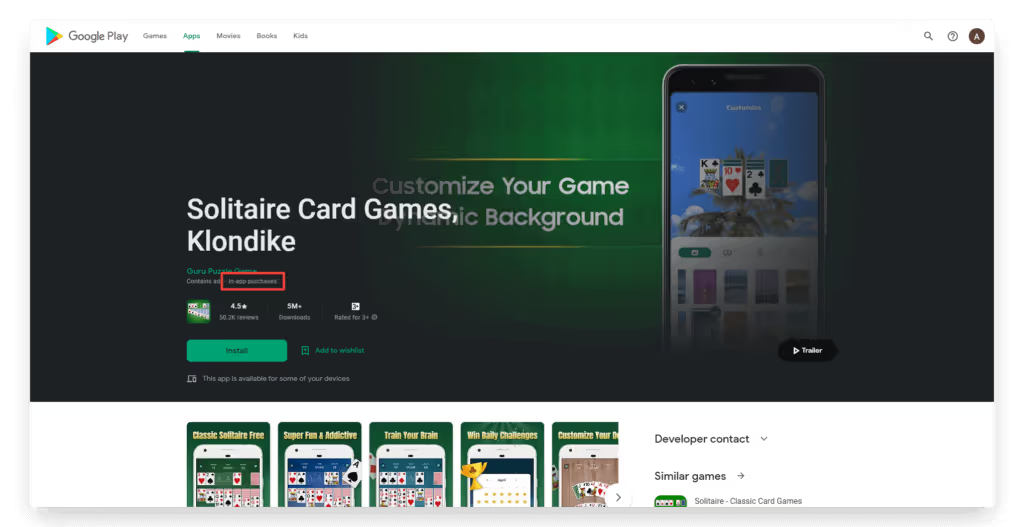
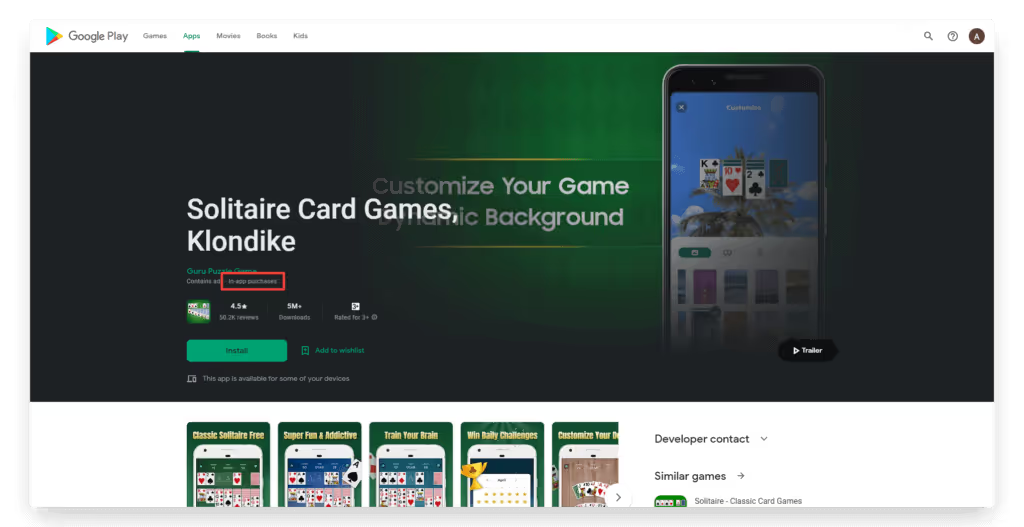
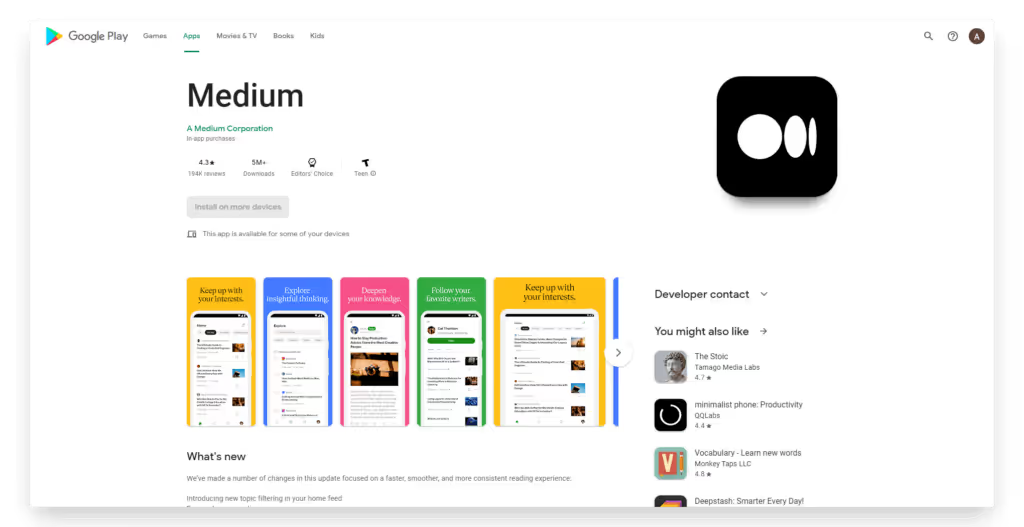


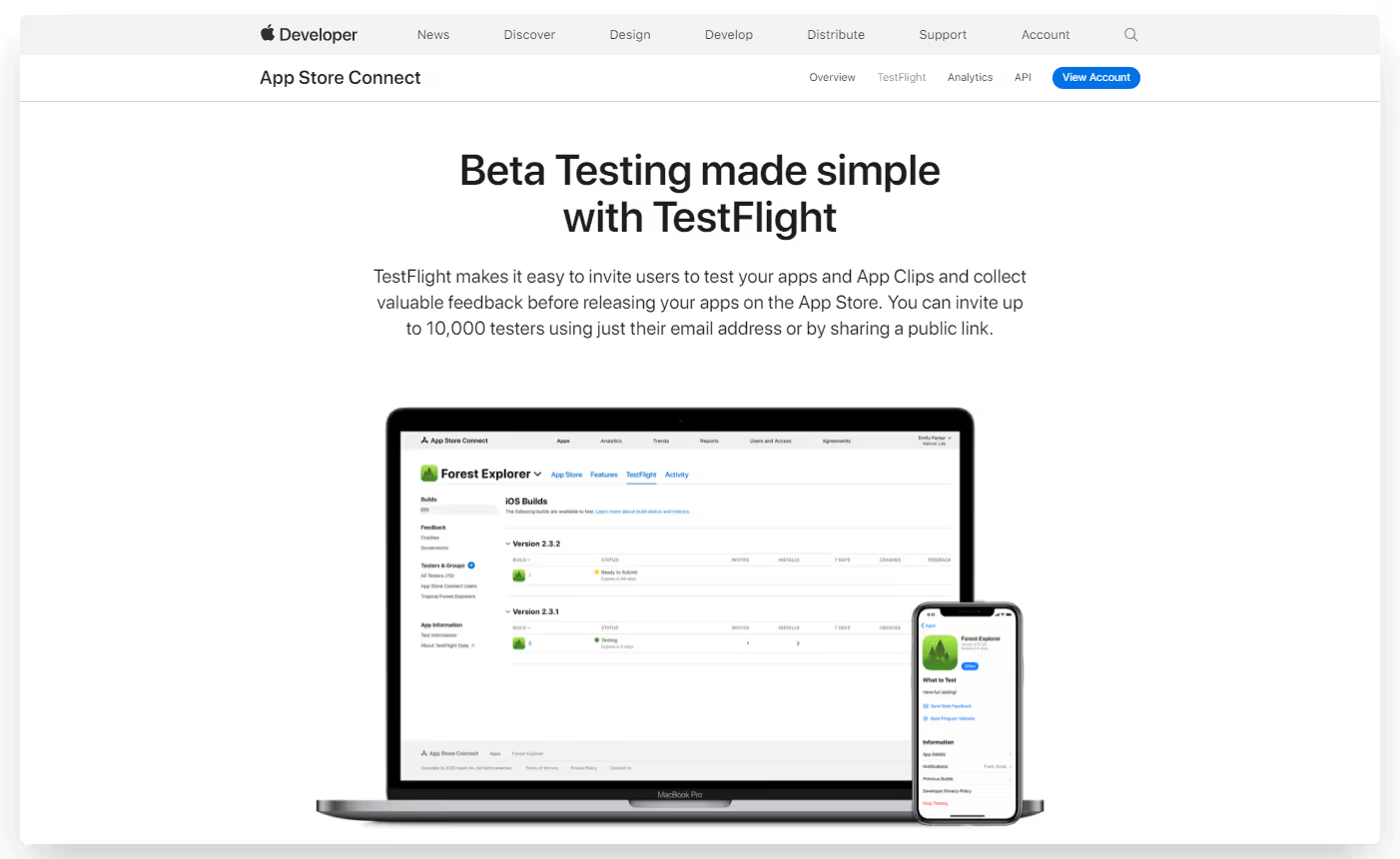

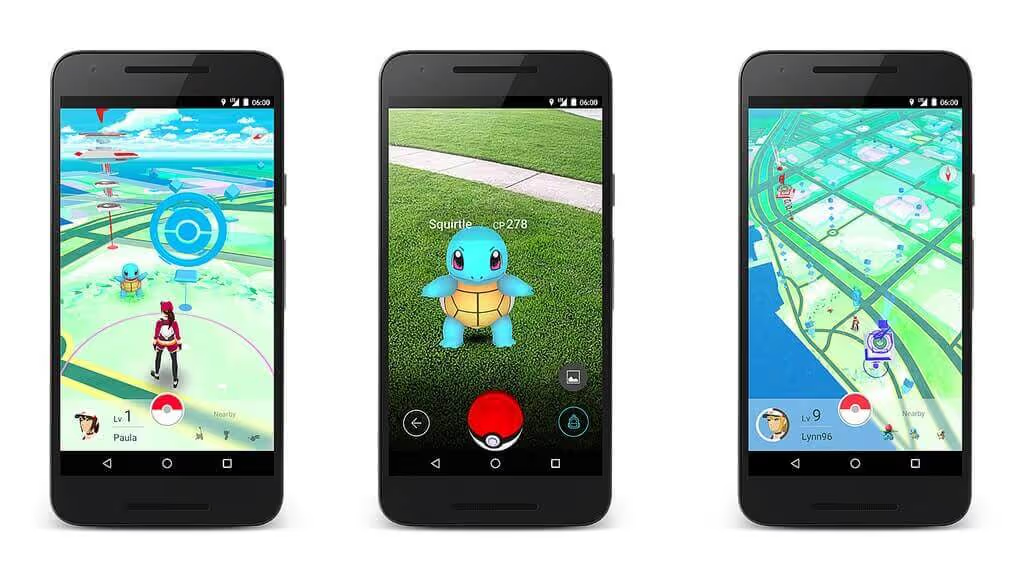
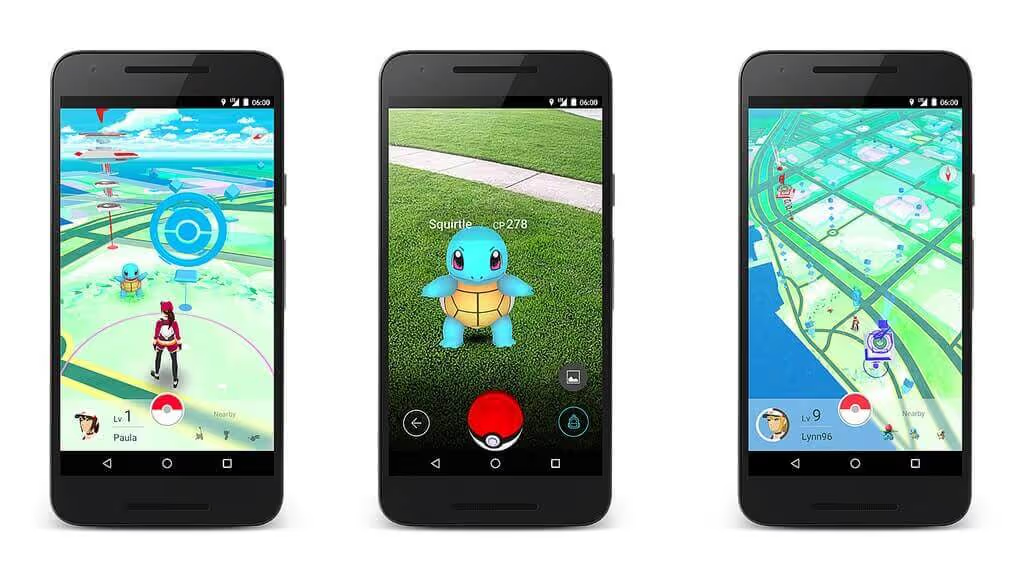
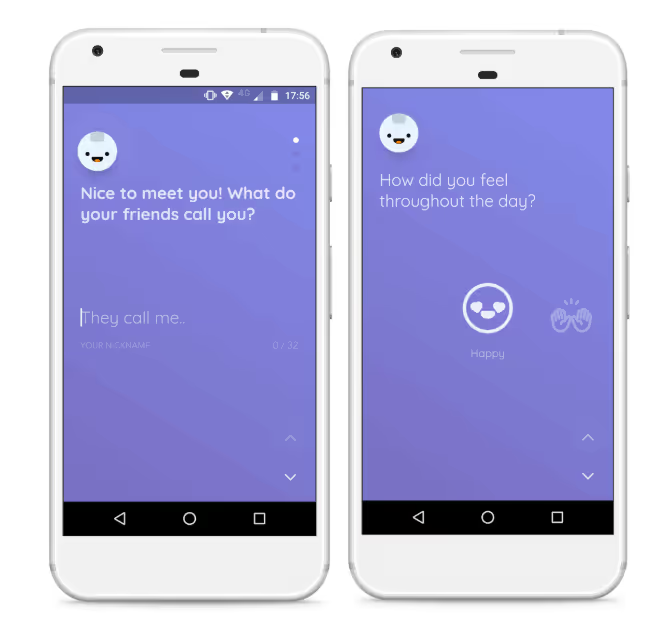
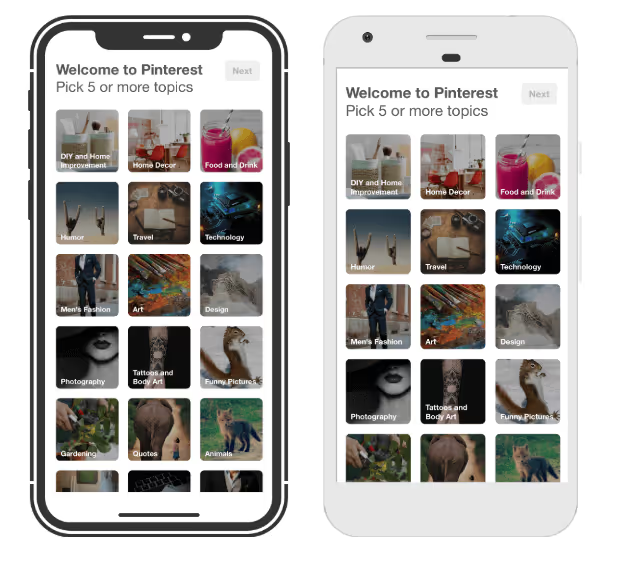
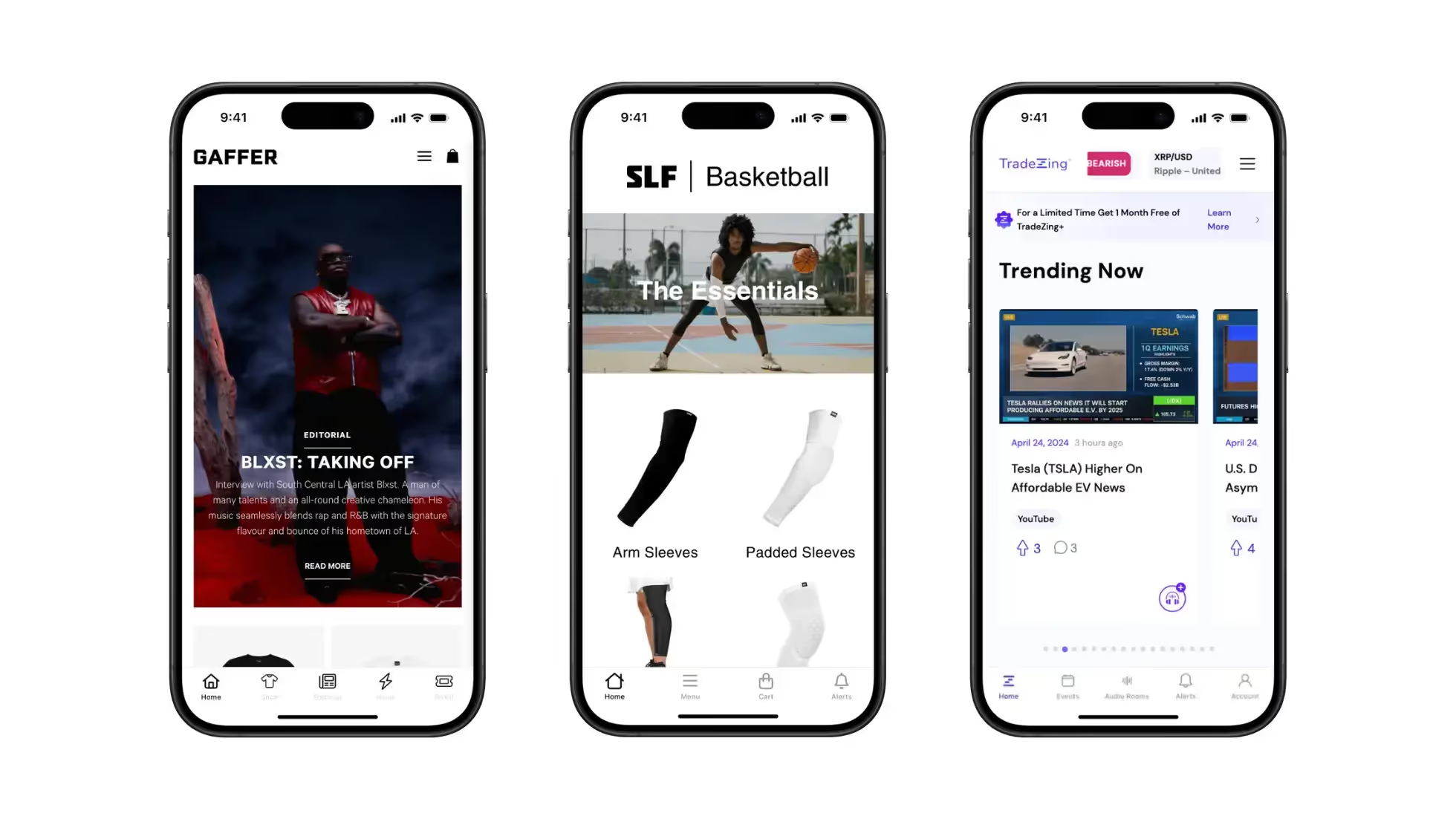
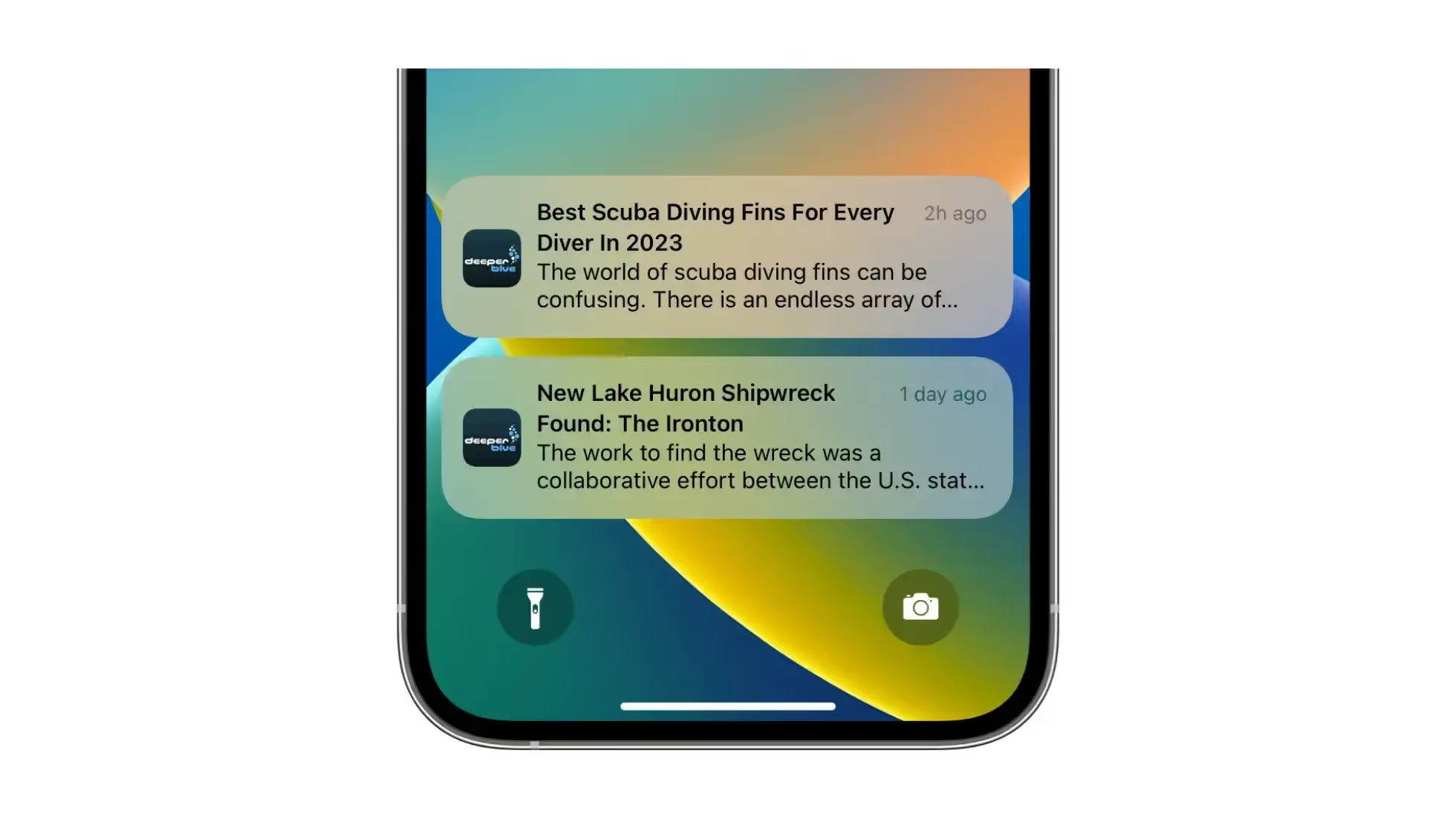
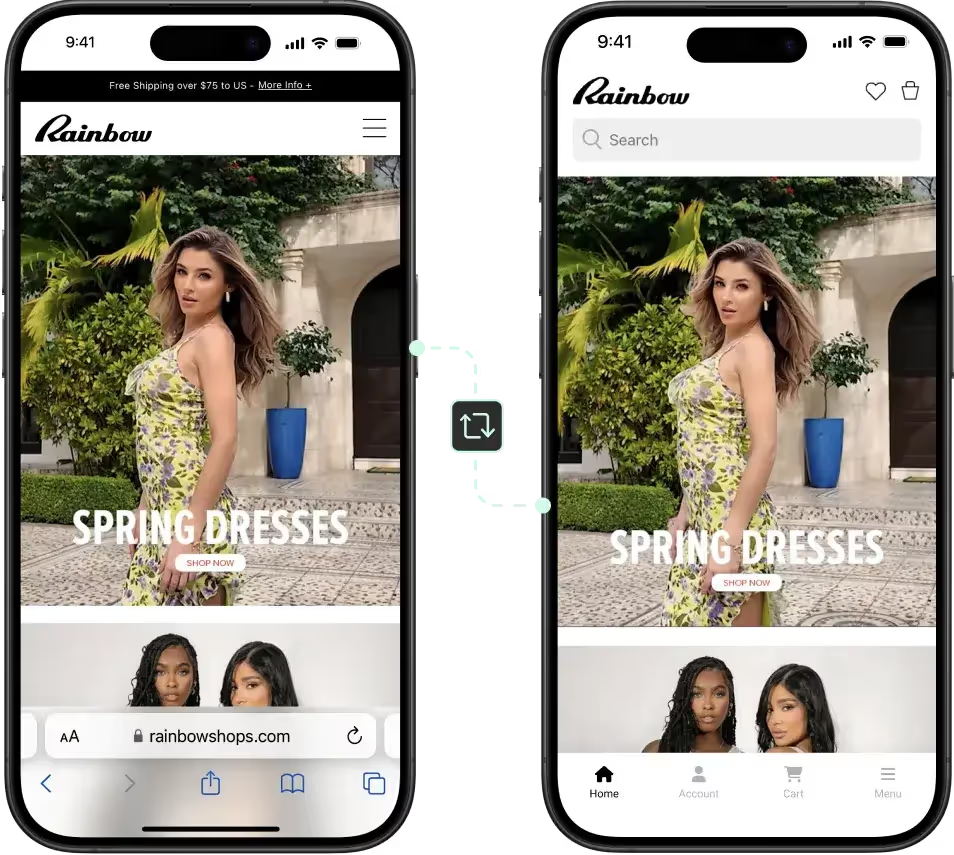
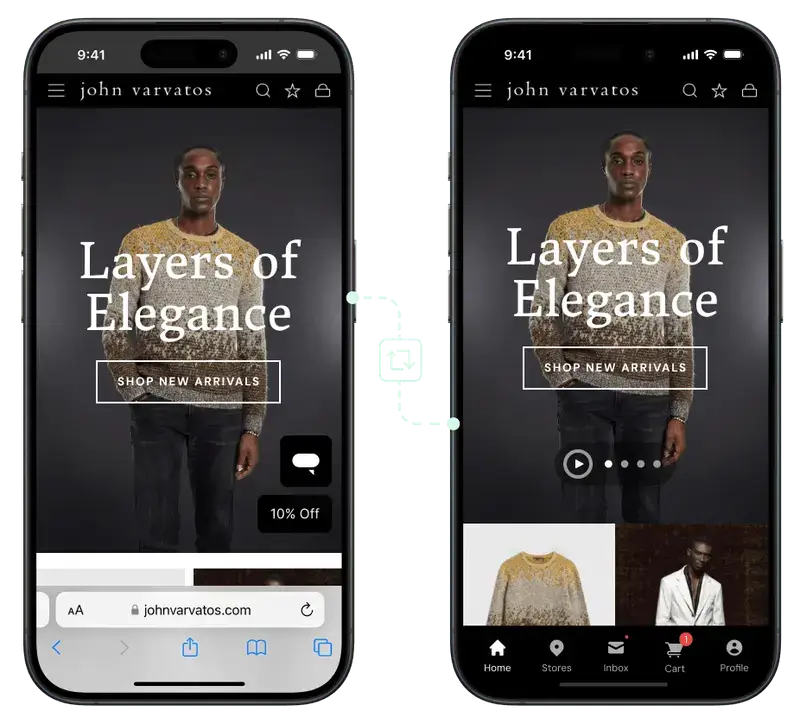


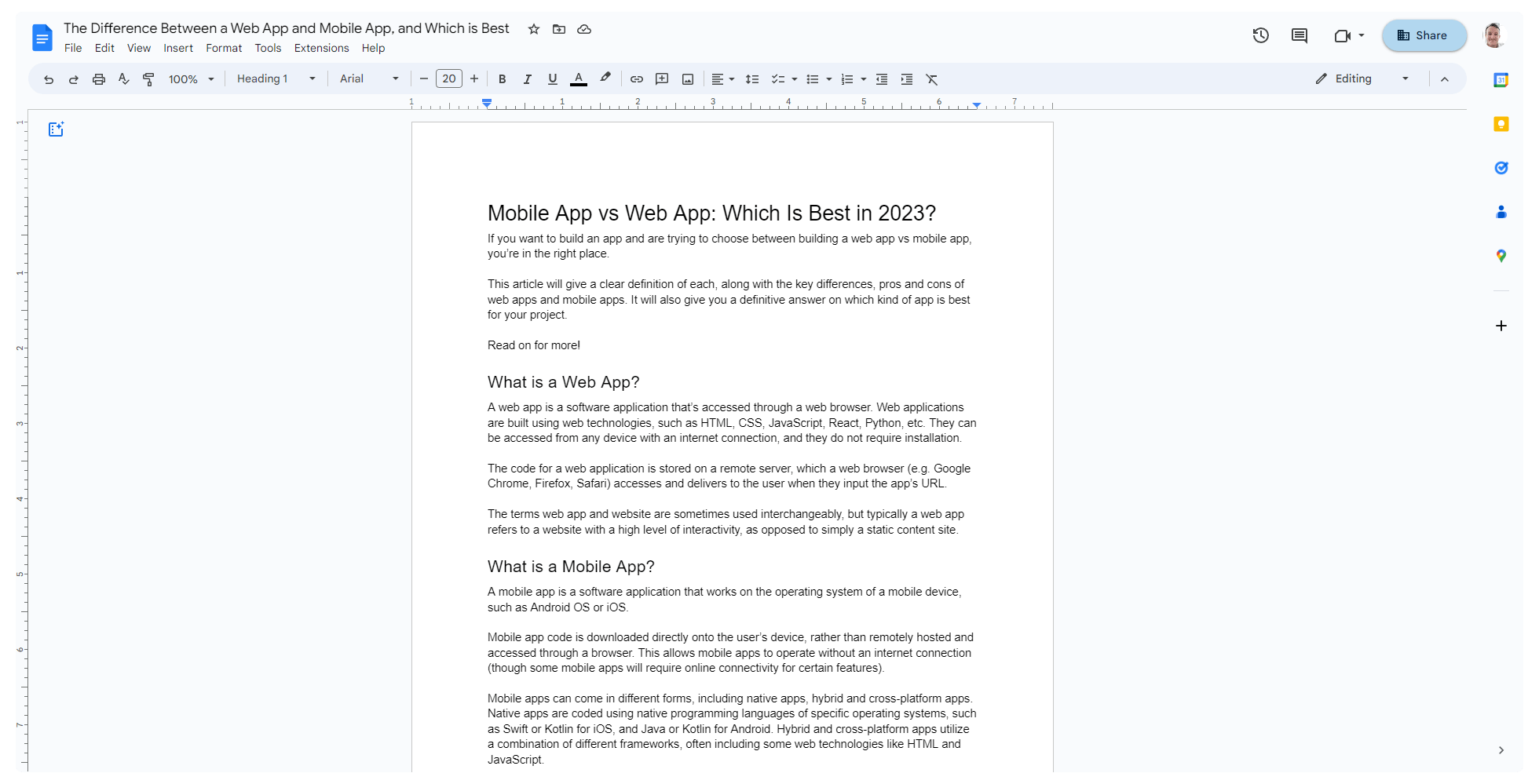


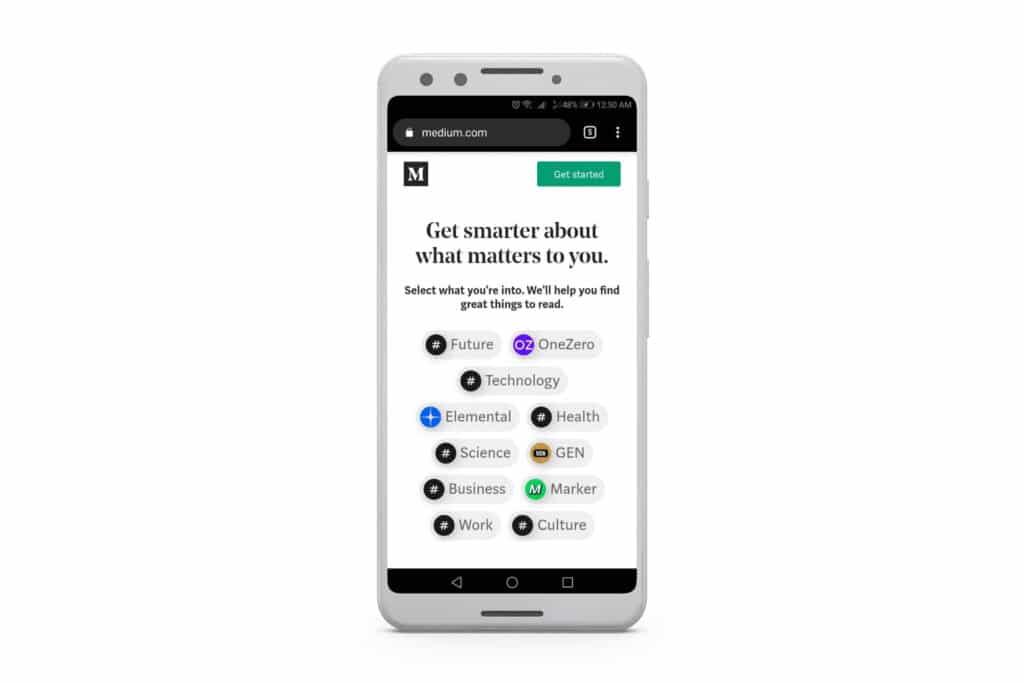
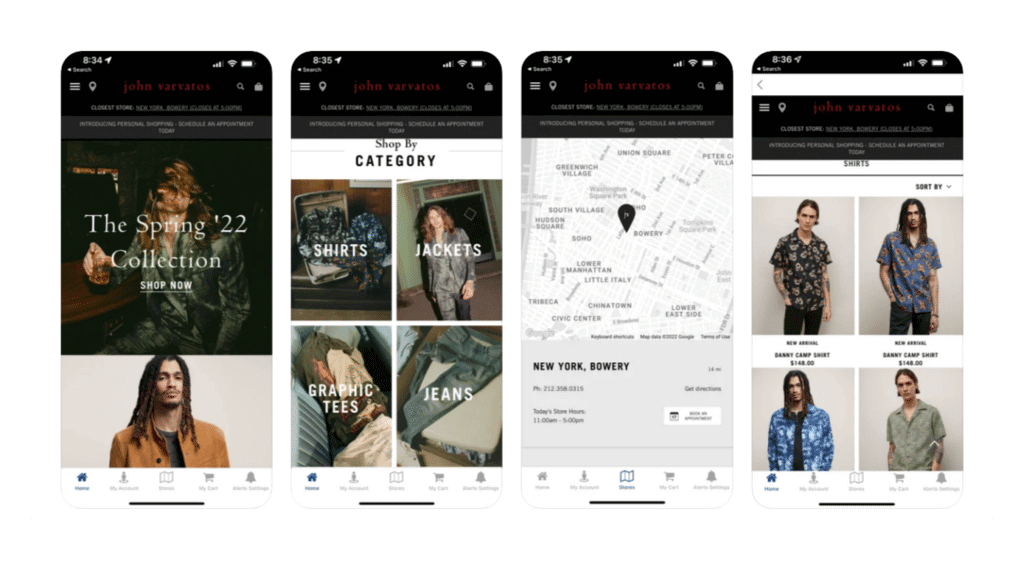
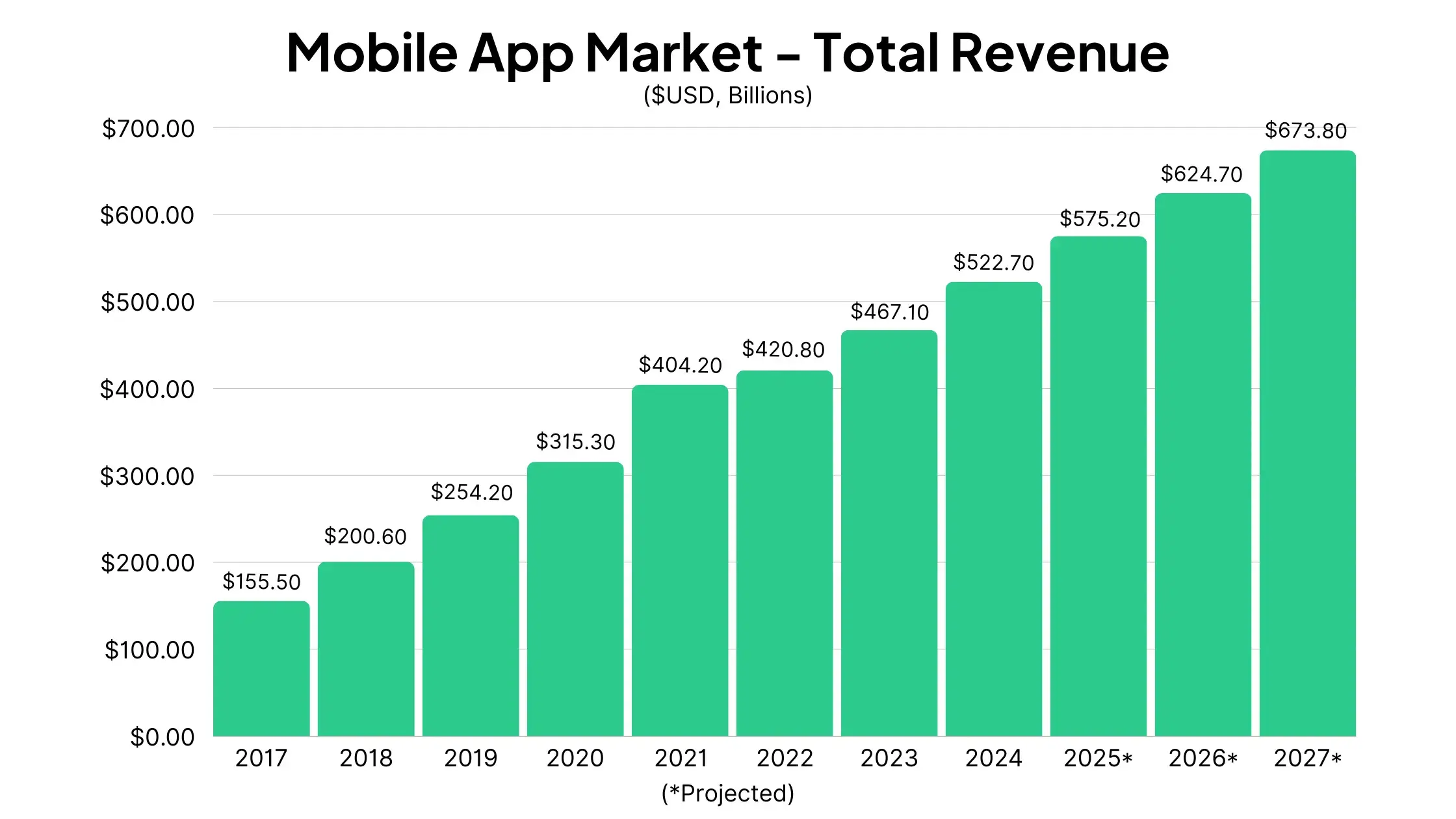


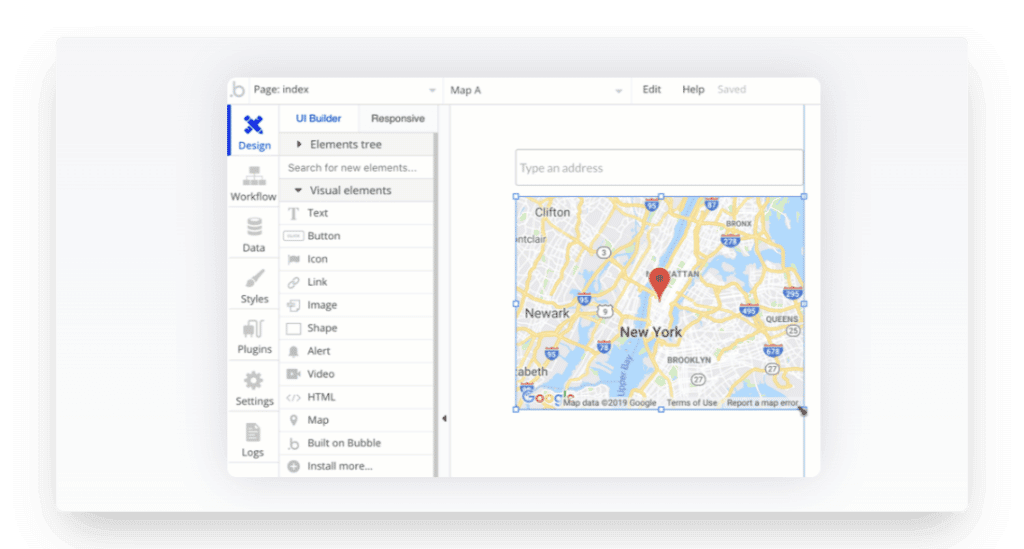


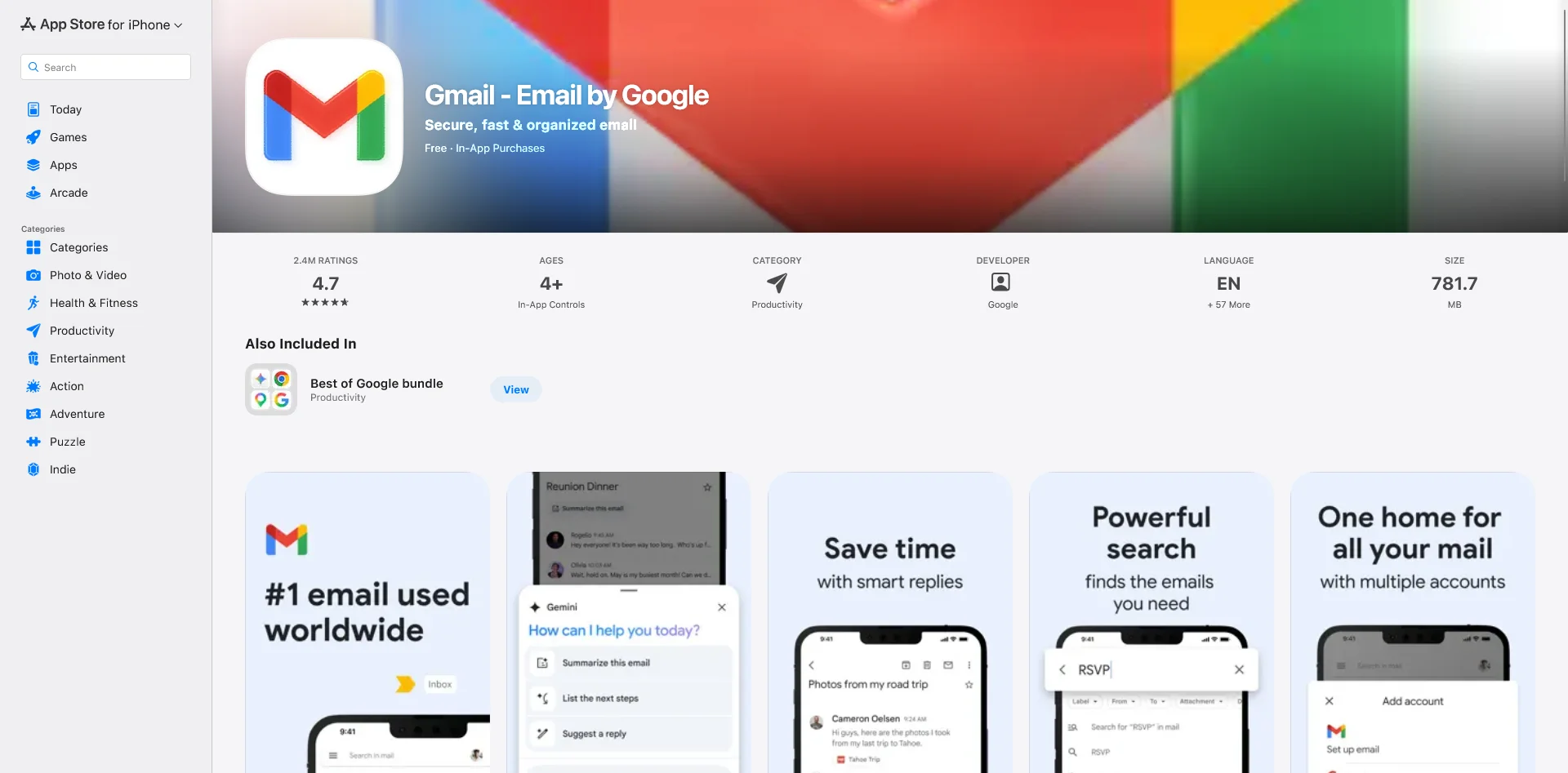
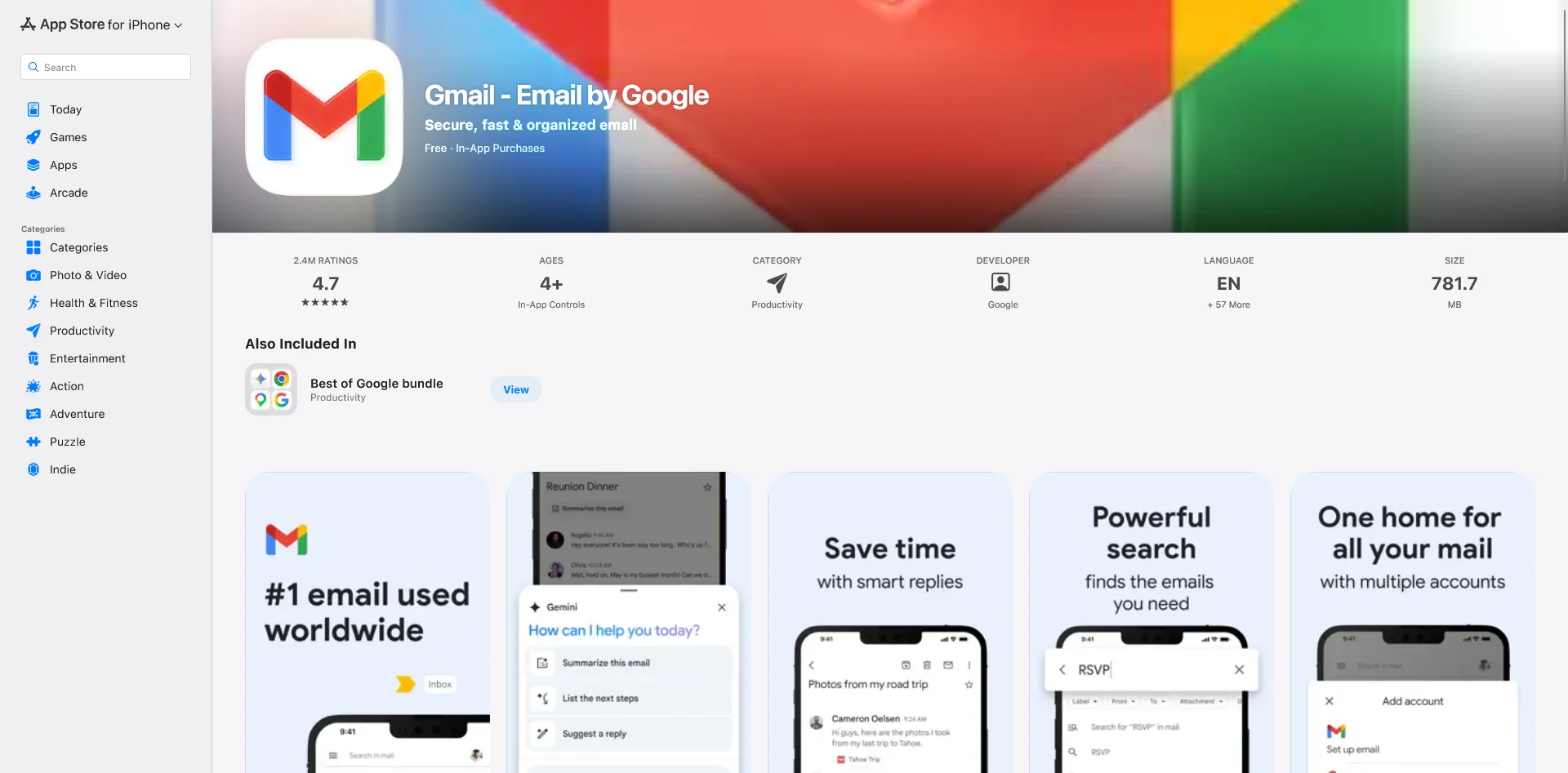
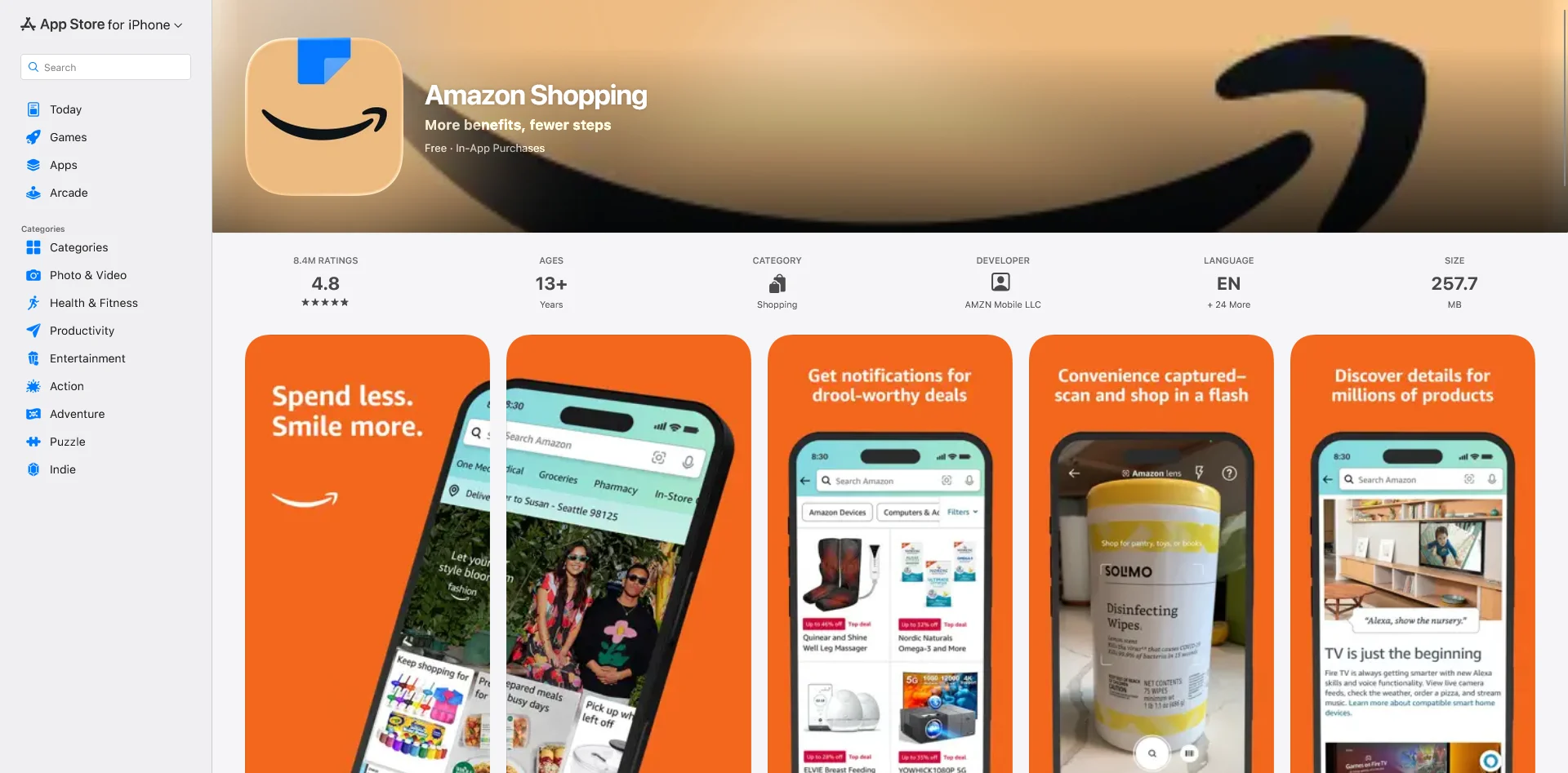
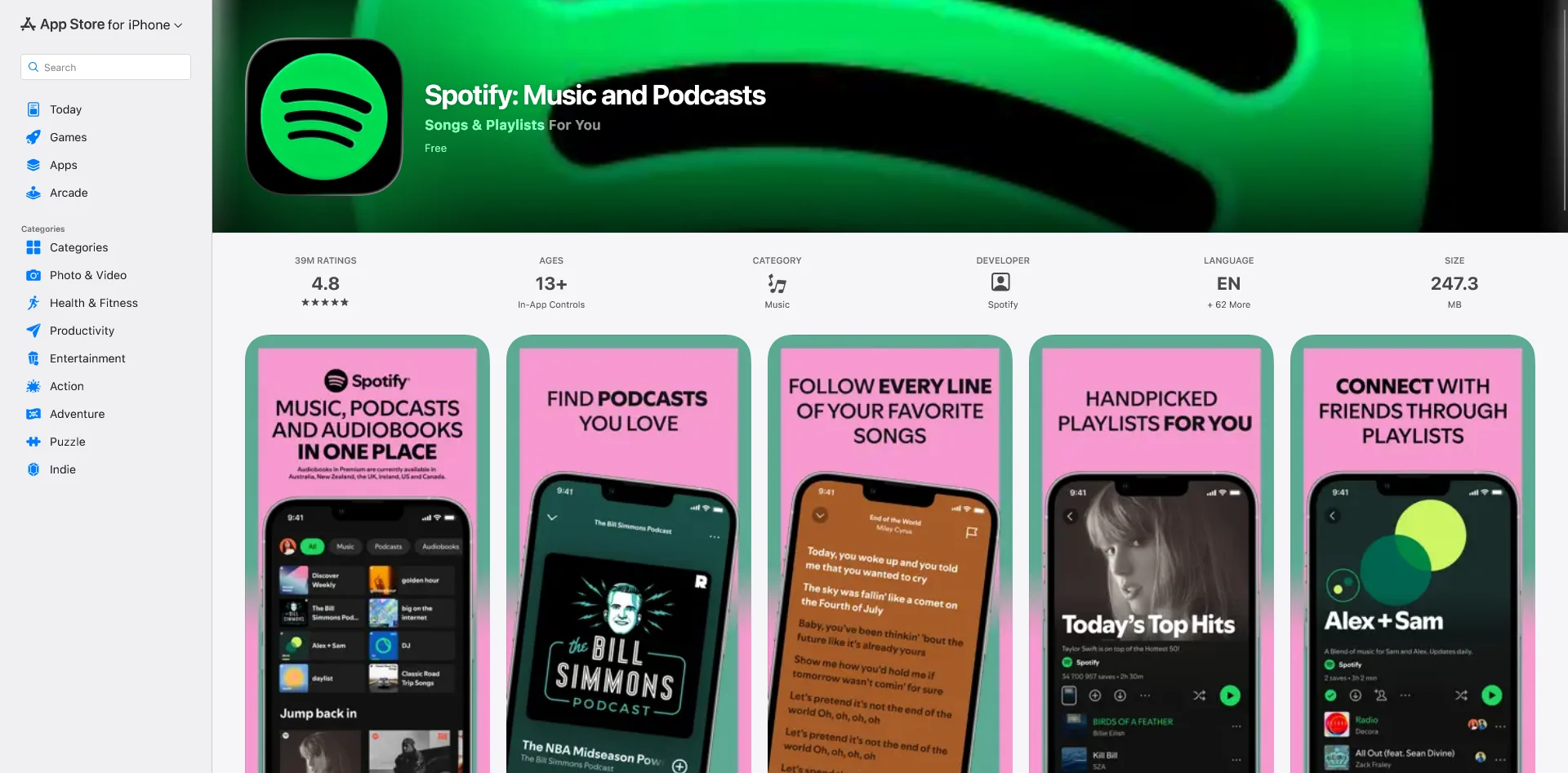
.webp)