Category: Blog

  • How to Make an App That Links to Your Website

    How to Make an App That Links to Your Website

    Do you want to create an app that is fully linked with your website, reusing all the same features, plugins, integrations and content from your site?

    It’s quick, easy and affordable to turn a website into an app – if you choose the right way to do it.

    You could create native apps linked to your website via API, and spend hundreds of thousands of dollars (plus hundreds of thousands more in recurring overhead costs).

    Or you could use Vendrux and achieve the same thing for a low upfront cost, and a few hundred per month then on.

    If you run a web-first business, such as an eCommerce store, you absolutely should turn your site into a mobile app.

    And if you choose the right way to do it, you could be making a profit just weeks, or maybe even days, after launch.

    Keep reading and we’ll walk you through how to build an app from your website, connect your website and app, and maintain multiple platforms all from a single codebase, for minimal cost and effort.

    The best way to make an app that links to your website is to convert your site into an app. 
    Vendrux does just that, for minimal lift, little expense, and virtually no overhead. Get a free preview of your app to see how it works.

    Why Linking Your App to Your Website is Important

    When many businesses decide to make an app for their website, they build it as a completely separate platform.

    Launching an app that’s not linked to your site is almost like starting a new business.

    You’ll have a new codebase to maintain, and twice the content to publish and manage.

    It’s double the work and double the operating cost (at least).

    Keeping the UX and branding consistent across both platforms will be a constant, resource-intensive struggle.

    The increased overhead makes it harder for your app to deliver a positive ROI.

    Conversely, if your app and website are linked, there’s much less risk to launching an app, with the same upside.

    • It’s quicker, easier and cheaper to launch, as you can reuse a lot of what you’ve already built for the web (you’re not building everything from scratch).
    • It’s easier to maintain, as changes to one platform automatically show up on the other.
    • Your UX is always consistent, no matter where a customer finds your brand.
    • Fewer staff are required to maintain your app, meaning less overhead and a stronger ROI.

    For businesses that don’t need to do anything drastically different on the app, building an app that is a full reflection of your website is the ideal approach.

    Want to know how much new revenue an app can drive for your brand? Use our eCommerce App Revenue Calculator and find out.

    How to Make an App That Syncs With Your Website

    There are two ways to build a mobile app that syncs up with your website. One is technical, one less so.

    Let’s go over these two options now.

    Option One – Build a Native App with an API Connection

    The first choice is to build a native mobile app with an API that connects the app to your website backend.

    This allows you to customize every part of the user experience for app users, and reuse what you need from the backend of your website, such as logins, order details, etc.

    However, be warned, this is far from simple.

    Here’s how you’d go about getting this done.

    First, you’d need a pair of developers to work on building your mobile apps. Why two? Because iOS and Android apps require different development frameworks.

    iOS apps are built in Objective-C or Swift, while Android apps are coded in Java and Kotlin. In all likelihood, you’ll need separate teams working on each app. 

    (You could use a cross-platform framework like React Native, which allows you to share a lot of the code across the iOS and Android apps, cutting down on development time).

    This is for the front end. You’ll also need your development team to write the code that allows your apps to communicate and share data with your website.

    While this is a straightforward job, it’s time-consuming, and requires you to have competent developers on your team.

    Is this a good choice?

    Here’s a rundown on the pros and cons:

    Advantages

    • You have full control over how your apps look and behave, independently from your website.
    • Building natively allows you to utilize mobile device features, such as the camera and GPS.
    • Your apps should be fast and responsive, as they’re built from the ground up for their specific operating system.

    Disadvantages

    • The average salary for Android developers in the US is $108,000, and $128,000 for iOS developers. Factor this, with the complexity of the project, and you’re looking at 5-6 figures development cost.
    • Even for experienced developers, native app development is no simple task. Especially when you factor building an API on top of it. Don’t expect a finished product for at least 6 months.
    • You’ll end up with three platforms (web, iOS, Android) to maintain. While the API allows you to share some data, you still need updates and bug fixes for all three. You’ll need to keep multiple extra developers on staff, or rely on freelancers who may not be familiar with your product.

    In short, building a native app gives you the most control over your app experience, but it’s usually not worth the hassle.

    Option Two – Build a Hybrid App with Webviews

    The second choice is to build a hybrid app, instead of a fully native app.

    Hybrid apps are apps that use a combination of web and native code.

    For all intents and purposes, a hybrid app is a true mobile app, which people can download from the app stores and access directly on their mobile device.

    However, the content within the app is a live sync with the content on your website.

    __wf_reserved_inherit

    The app features something called webviews, which are essentially a dedicated browser embedded inside an app, which renders a live and fully functional view of a website.

    Webviews allow you to use your website for the main content inside your app, while adding native components that make it look and feel like any other custom mobile app.

    This is the simplest way to make an app that links to your website. That’s because the app is your website.

    When the user opens the app, they’re seeing the same content and functionality they’d see if they went to your mobile website.

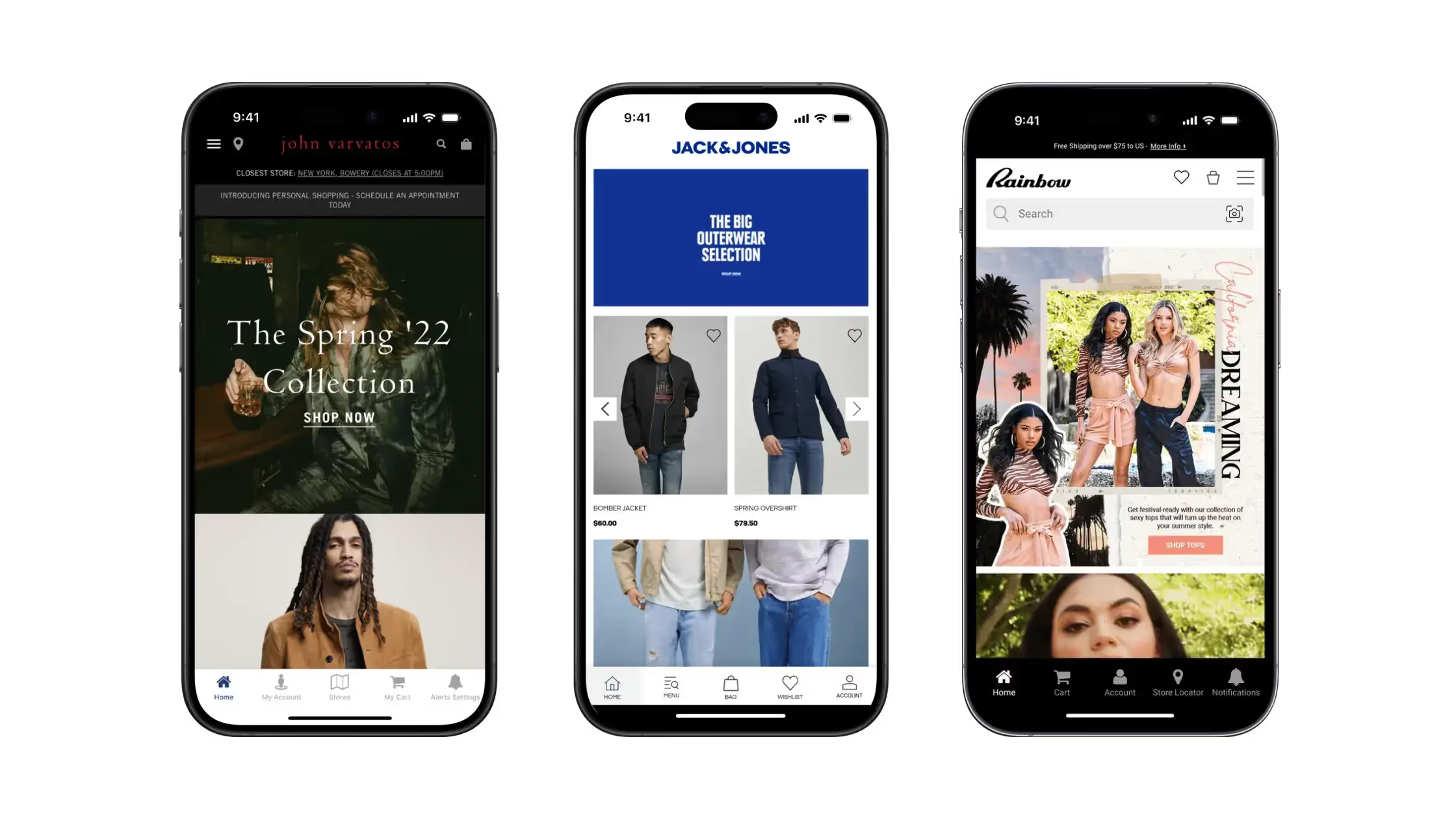
    And if you’re worried that a hybrid app will sacrifice performance or quality, modern webview apps are very difficult to differentiate from true native apps – as you can see from these hybrid app examples.

    Let’s dive deeper into the pros and cons of building a hybrid app:

    Advantages of a hybrid app

    • It takes a lot less time to build and launch your app.
    • Less time also means a much lower cost compared to building a native app.
    • You can completely convert your website to mobile apps, without rebuilding anything.
    • It’s much easier to maintain, as changes on your website update automatically in your app.
    • You guarantee a consistent UX across each platform.

    Disadvantages

    • You have less freedom to customize your app experience.
    • It can be harder to tap into some mobile device features.
    • You may lose a little in terms of performance (though for most types of apps, the difference is unlikely to be noticeable).

    Learn more about native apps, hybrid apps and web apps in this deep-dive.

    Hybrid vs Native Development: Which Is Best?

    So, what’s the best way to build an iOS/Android app that links to your website?

    While you can do more with native development, the advantages are not worth it when you consider the added time, cost and complexity.

    Hybrid apps are much cheaper. They take significantly less time to build. And, done right, it’s impossible to tell that you’re using a hybrid app and not a fully native app.

    If your goal is to take an existing, successful website or web app and convert it to a mobile app, hybrid is undoubtedly the way to go.

    Along with being easier to build, hybrid apps are easier to maintain, and guarantee that people get the same experience on web and app.

    There best argument for native development is if you need to build app-specific features separate from your website, and you have the budget and resources to build a native app.

    But for most businesses, every part of the equation points to hybrid apps as the way to go.

    How to Create a Hybrid Webview App for Your Website

    Here’s how to build your own hybrid app, and launch a fully-functional mobile app that links to your website.

    Your best option is to use Vendrux, our custom website-to-app service, which has been turning websites into apps for more than 10 years.

    Instead of waiting 6+ months and spending 6 figures on your app, you may be able to go to market in as little as two weeks, for a low 4 figure cost.

    Vendrux converts everything that already works for you on your website to your mobile apps, plus app-specific UI, such as a mobile navigation and menus, loading indicators and splash screens, plus native mobile features like push notifications.

    We do all the work for you – no need for you to hire developers, or for your existing developers to have to get to know a new codebase.

    This includes technical updates, maintenance and support after you launch (which could save you 5 figures per year).

    You cannot understate how much time, cost and complexity you save compared to native development, with little to no drop off in quality.

    Want to learn more about how Vendrux helps you build and launch the perfect mobile apps? Get a free consultation now.

    Can You Build High-Quality Apps with Vendrux?

    Vendrux makes it easy to convert your website to iOS and Android apps.

    But what about quality? Are these apps good enough to represent your brand, and grow your business?

    The thousands of apps built with Vendrux can attest to the quality. You can read numerous case studies here to see examples of high-quality, high-revenue apps we delivered for Vendrux users.

    This includes eCommerce apps, such as:
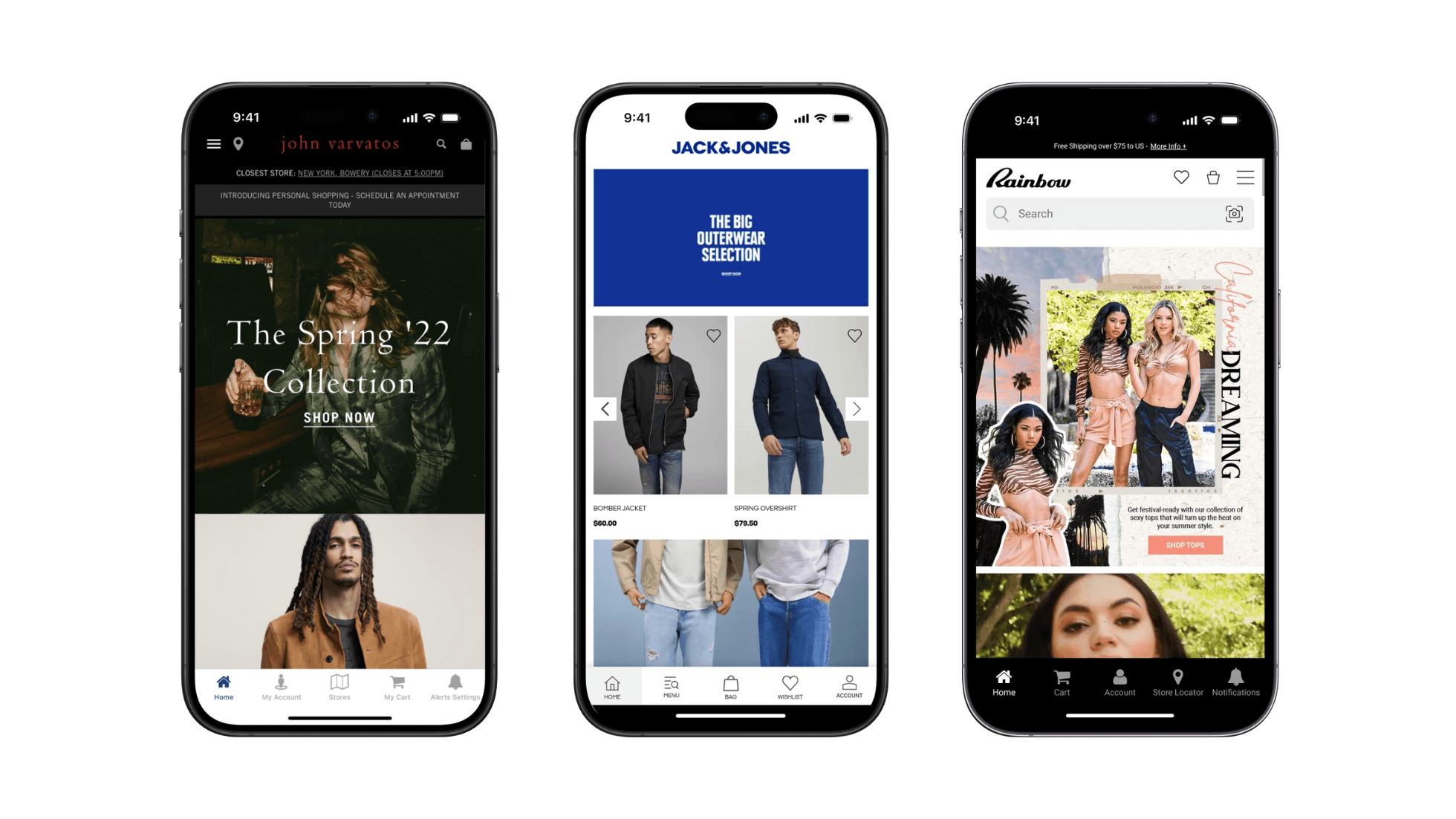
    __wf_reserved_inherit

    We’ve also built apps for digital publishers, online courses, communities, web apps, and much more.

    Check out our full list of case studies here.

    “We couldn’t find another company that could offer the same features at the same price point, same time to market, and make it as easy as Vendrux could.”
    – Svend Hansen, Product Owner at Bestseller

    The only limit to what you can do with Vendrux is what you can build with the web.

    As long as you can craft a quality user experience on your website, you’ll be able to translate that experience to your mobile apps without a problem.

    Wrapping Up: Convert Your Website to App in Less Than a Month

    If you want to build an app that links to your website, recreates the user experience from your website, and updates when your website does, Vendrux is the best way to do it.

    It costs low 4 figures and takes just a couple of weeks development time, compared to 5-6 figures and half a year plus, if you build natively.

    You don’t need any tech expertise, or to hire expensive, sought-after developers with mobile app experience.

    We let you enjoy the benefits of having your own mobile apps, without any of the added headaches of building or maintaining them.

    Ready to get started? Get a Free Preview of your website as an app now!
  • How to Launch Your Mobile App (Step-by-Step App Launch Playbook)

    How to Launch Your Mobile App (Step-by-Step App Launch Playbook)

    Launching your mobile app is a huge step toward growing your brand and deepening customer engagement.

    But many brands put time and effort into building their app, just to have it flop on launch because they don’t have a clear plan in place.

    This is something that Vendrux helps you with. When you partner with us to turn your website into an app, you don’t just get an app – you get a carefully crafted app launch and promotion plan with it.

    That’s because we know this is the most important barrier to get past to get a positive ROI from your app.

    Once you get a few users for your app, it’s almost impossible not to turn a profit from your app (considering it takes zero effort and just a few hundred per month to maintain).

    Whether you’re building your app with Vendrux and want to see what we do to help you, or you’re launching on your own, we’re going to help you with this in-depth app launch guide.

    We cover:

    • Things you need to set up prior to launching
    • Different ways to incentivize app downloads
    • Channel-specific strategies for owned channels like your website, email list, SMS and social
    • Example flows and promotional copy

    Let’s get to it!

    First Steps

    Before we dive into marketing tactics, it’s important to set up a solid foundation to ensure your app gets the visibility and success it deserves.

    Our team is here to help with the initial setup and promotional tools, but we’ll need your support to move quickly and make adjustments in a timely manner. Together, we’ll cover everything needed to give your app the best possible start.

    Here’s what we’ll work on first:

    • Setting up tracking and analytics
    • Planning your app launch offers
    • Adding app promotional elements to your website
    • Preparing your email and SMS campaigns
    • Adding app promotion to your social media channels

    Let’s get into our recommended playbook for a successful initial launch.

    Setting Up Analytics

    Tracking and analytics are essential for monitoring your app’s performance from day one.

    We’ll integrate app tracking into your existing GA4 setup, giving you a single dashboard to view performance metrics across all channels.

    This is a quick and straightforward process that requires temporary admin access for our team to get everything configured. Once it’s set up, you’ll have full visibility into key metrics like:

    • Engagement
    • Revenue
    • Retention metrics
    • Push notifications
    • Any other important metrics you already track

    With this setup, you’ll gain clear insights into how your app users behave and the results you generate.

    Setting Up the Essentials

    There are four key channels that will drive the majority of your app downloads:

    1. Your website
    2. Your email list
    3. Your SMS list
    4. Your social media accounts

    These channels provide the most direct access to your audience, and they’re where your app promotion efforts will have the most impact.

    Promotion on these channels can be as simple or as detailed as you want to make it.

    To keep things manageable, we recommend starting with simple, high-impact tactics that can easily grow over time.

    The main goal of your initial app launch is to target your best customers – those who already love your brand and are most likely to download the app. Quality downloads matter more than sheer numbers, so focus on customers who will engage and return.

    Read more: A Sustainable Guide to Promoting Your Mobile App

    Planning Your App Download Incentives

    If you can get app downloads for free, just by letting your customers know that it exists – great!

    But usually, you’ll need to offer some kind of incentive to convince someone to download it, instead of just shopping on your mobile website.

    And while you might not want to spend more to acquire a customer you already spent money on acquiring, it’s worth it.

    Our data shows that app users are approximately 6x more valuable than desktop users, and 11x more valuable than the average mobile web user. (get someone on the app, there’s a good chance they’ll deliver a lot more revenue for your business).

    Here’s a list of proven incentive tactics that work across industries. Choose the ones that resonate most with your brand and customers:

    1. App-Exclusive Discounts

    • What it is: Offer a special discount exclusively for app users
    • Why it works: Provides a clear, tangible benefit that rewards customers immediately for downloading
    • Example: “Download our app and get 20% off your first order!”
    • Additional Development Needed? No

    2. Early Access to Sales or New Products

    • What it is: Give app users a head start on your most popular sales or launches
    • Why it works: Creates urgency and FOMO, especially for customers eager to secure limited-stock items
    • Example: “App users get early access to our Black Friday sale—download now!”
    • Additional Development Needed? No

    3. Loyalty Program Perks

    • What it is: Offer extra loyalty points or faster rewards for customers who shop through the app
    • Why it works: Builds long-term engagement and aligns with existing customer behavior
    • Example: “Earn 2x points on all purchases made through the app”
    • Additional Development Needed? Potentially (if loyalty programs need deeper app integration)

    4. Free Gifts with Purchase

    • What it is: Include a free item with the first purchase made in the app
    • Why it works: Simple way to reward customers and encourage them to test the app
    • Example: “Get a free travel-size [Product Name] when you shop in our app”
    • Additional Development Needed? No

    5. Exclusive Content or Experiences

    • What it is: Provide app users access to exclusive guides, playlists, videos, or community events
    • Why it works: Makes app users feel like part of an inner circle, building brand affinity
    • Example: “App-only tutorials, playlists, and behind-the-scenes content await—download today!”
    • Additional Development Needed? No (unless content requires complex features like live streams)

    6. App-Exclusive Products or Collections

    • What it is: Launch special products, colors, or collections only available on the app
    • Why it works: Creates excitement and gives your most engaged customers a reason to download and shop regularly
    • Example: “Limited-edition [Product Name] available only on our app!”
    • Additional Development Needed? No

    7. Flash Sales and Time-Limited Offers

    • What it is: Offer short-term, high-value discounts exclusively through the app
    • Why it works: Creates urgency and rewards frequent app visits
    • Example: “Flash sale happening now in the app—up to 50% off for the next 2 hours!”
    • Additional Development Needed? No

    8. Pre-Order Access

    • What it is: Let app users place pre-orders before products are available to the general public
    • Why it works: Builds loyalty and excitement among your most engaged customers
    • Example: “Be the first to shop our new collection—pre-order in the app today!”
    • Additional Development Needed? No

    How to Choose the Right Incentives

    Not every tactic will make sense for your brand, and that’s okay.

    To choose the best options:

    • Know your customers. What motivates your audience? Discounts? Exclusive access? Free perks?
    • Align with your brand, and pick incentives that feel authentic to your voice and customer experience
    • Think long-term. Focus on strategies that encourage repeat engagement, not just one-time downloads

    Promoting Your App Across Key Channels

    Once you’ve decided on your incentive(s), you’re ready to integrate them into your promotional strategy across channels.

    The first place to start? Your website.

    Start with turning website visitors to app users

    Your website is one of the most powerful tools for driving app downloads – after all, it’s usually the first place customers interact with your brand.

    By integrating simple, persistent app promotions into key areas of your site, you can effectively convert casual visitors into loyal app users without disrupting their shopping experience.

    Here are some high-impact placements to get your app front and center:

    Smart App Banners

    Smart app banners are a no-brainer for driving downloads directly from your mobile site.

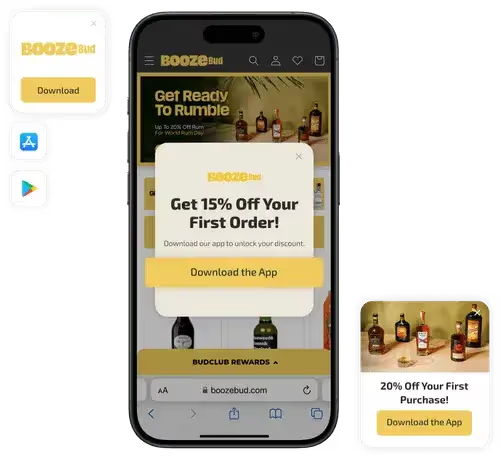
    • What They Are: These are banners that show up at the top of your mobile site on iOS and Android devices, giving users an easy way to download your app
    • Why They Work: They’re built right into the device, so customers trust them and don’t have to jump through hoops to get to the App Store
    • What You Need to Do: Our team will handle the setup for you. All we need is admin access to your site to get everything running smoothly
    • Pro Tip: Keep your banner copy short and benefit-driven. Something like, “Shop faster and save 20% with our app →” works wonders

    QR Code Widget

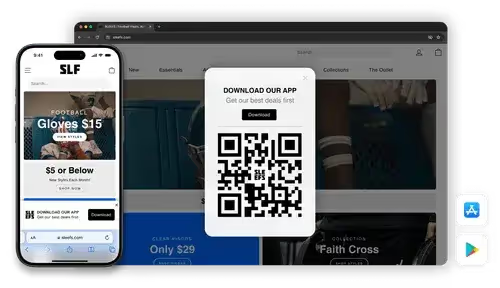
    Our QR code widget makes it easy for customers to scan and download the app wherever they interact with your brand.

    • What It Does: Displays a branded, dynamic QR code for both iOS and Android app stores. Visitors can simply scan the code to download your app in seconds
    • Where to Use the QR code:
      • Website pages (Homepage, product pages, post-purchase pages)
      • In-store signage (if applicable)
      • Packaging and order inserts
    • What to Say: “Scan to download our app and unlock exclusive perks”

    Note: Our team will set this up for you. We’ll need your input to finalize placement and design choices.

    Persistent Download Links

    Ensure your app is always within reach by incorporating persistent download links in key areas of your site.

    • Key Placements:
      • Footer: Add app store badges or a simple “Download Our App” link
      • Main Navigation Menu: Include a visible “Get the App” link, ensuring users can easily find it
      • Dedicated Landing Page: Create a page highlighting the app’s features, user benefits, and unique offerings, like exclusive deals or early access

    Pro Tip: Make the landing page visually engaging and clear, focusing on how the app enhances the shopping experience. Include app store links, screenshots, benefits for the customer, and customer testimonials (once available).

    Strategic Banners and Pop-Ups

    Use banners and pop-ups to bring attention to your app in a way that aligns with the user’s shopping journey.

    • Hero Banners: Announce your app prominently on the homepage with a compelling message. Example: “The [Brand] App is here—download now and enjoy exclusive perks!”
    • Mid-Page Banners: Insert banners on high-traffic pages like your collection pages, blog posts, and guides to promote app-specific benefits
    • Exit-Intent Pop-Ups: On desktop, encourage visitors to download the app before they leave. Example: “Don’t miss out—get 15% off your next purchase when you download our app!”

    This setup ensures your app is front and center at every key touchpoint on your site, making it easy for customers to take the next step.

    Making The Most Of Your Email Subscriber List

    Your email list is one of the best tools to let your customers know about your app. These are people already familiar with your brand, and email gives you a chance to highlight why the app is worth downloading.

    There are two ways to approach launching your app (and doing ongoing promotion) through your email list:

    • Launch Campaigns: A series of emails designed to build excitement and drive downloads before, during, and right after your app launch
    • Automations (Flows): Adding your app to existing email sequences, so it becomes an easy next step in the customer journey

    Email Launch Campaigns

    These are your high-impact, short-term emails designed to create buzz and drive downloads.

    A well-timed sequence will keep your audience engaged without overwhelming them.

    Teaser Email

    • When to Send: 2 weeks before launch
    • What It Does: Builds curiosity and gets your audience thinking about the upcoming app
    • What to Say: Highlight a few app benefits and hint at an exclusive launch offer
    • Example Subject Line: “Something exciting is coming soon… 👀”
    • Pro Tip: Don’t give away all the details – keep it light and exciting. For example:
      • “We’re about to make shopping [Brand] even easier. Stay tuned for early access and exclusive perks!”

    Pre-Launch Reminder

    • When to Send: 3-5 days before launch
    • What It Does: Reinforces the teaser, builds anticipation, and preps your audience for launch day
    • What to Say: Drop more specific hints about the app’s features and highlight the upcoming launch offer
    • Example Subject Line: “3 days until your VIP access begins!”
    • Pro Tip: Use visuals, like a mockup of the app or a countdown timer, to keep the momentum going

    Launch Day Email

    • When to Send: The day your app goes live
    • What It Does: Drives immediate downloads with a clear CTA and an irresistible launch offer
    • What to Say:
      • Lead with the app’s top benefits and exclusive perks. For example:
        • “Shop faster, save bigger, and get early access to drops. Download the [Brand] app today and enjoy 20% off your first purchase →”
      • Include App Store links with bold buttons for easy access
    • Example Subject Line: “It’s here! Download the [Brand] app now and save 20% →”

    Follow-Up Email

    • When to Send: 3-5 days post-launch
    • What It Does: Reaches anyone who missed the launch or hasn’t downloaded yet
    • What to Say:
      • Reinforce the app’s value with testimonials or stats. For example:
        • “Join thousands already shopping smarter with our app. Don’t miss out on exclusive perks!”
      • Extend the launch offer if possible to drive urgency
    • Example Subject Line: “Thousands are loving the [Brand] app—are you in?”

    Pro Tip for Campaigns: Keep the focus on why customers should download the app (e.g., convenience, exclusive perks, faster shopping) and make the path to downloading as frictionless as possible.

    Use Automated Flows To Further Promote Your App

    While launch campaigns create buzz, flows ensure your app remains a key part of your ongoing customer journey.

    These are the emails your customers will naturally receive based on their behavior or milestones, and they’re perfect for reinforcing the value of your app over time.

    These emails typically get much higher open rates than campaign emails, making them perfect for driving visibility for your app.

    The key is to weave your app into these without it feeling forced – just another way to make shopping with your brand even easier.

    Let’s explore where your app can fit in.

    Welcome Flow

    The welcome flow is your first impression with new customers, and it’s a great opportunity to introduce your app.

    • When to Mention the App: After the first or second email, once you’ve set the stage with who you are and what makes your brand unique
    • What to Highlight:
      • Benefits like app-exclusive deals, faster checkout, or early access to sales
      • A simple call-to-action: “Make your next order even easier—download our app today”

    Post-Purchase Flow

    Post-purchase emails are sent when customers are most engaged. It’s a prime moment to encourage them to download your app.

    • When to Mention the App: In the thank-you or shipping confirmation emails
    • What to Highlight:
      • Features like real-time order tracking (if available) or app-exclusive content like care guides or product tutorials
      • Messaging example: “Keep track of your order and get exclusive perks—download our app”

    Abandoned Cart Flow

    Abandoned cart emails are all about nudging customers to complete their purchase, and your app can be part of the solution.

    • When to Mention the App: After the first reminder email
    • What to Highlight:
      • The convenience of saving their cart for easy access later
      • Messaging example: “Pick up where you left off—download our app for a faster checkout experience”

    Read more: How to Drive More Revenue With Abandoned Cart Emails

    VIP Customer Flow

    Your VIP customers (those who spend the most and return often) deserve special treatment, and your app can play a big role in deepening their loyalty.

    • When to Mention the App: After introducing the benefits of being a VIP and offering personalized perks
    • What to Highlight:
      • App-exclusive VIP perks like early access to new collections, special discounts, or exclusive content
      • Messaging example: “Your VIP perks just got better—unlock early access and exclusive rewards in our app”
    • Pro Tip: Include an offer tailored to your VIPs, such as “20% off your first app purchase” or “Early access to our holiday collection just for VIPs”

    Using SMS to Drive App Downloads

    SMS is one of the most direct ways to reach your audience. It’s quick, attention-grabbing, and perfect for driving app downloads.

    Since people are already on their phones, getting them to download your app is a natural next step.

    But there’s more to it than that. SMS can also act as a bridge to building your push notification subscriber list.

    Push is less intrusive, feels more integrated into the app experience, and gives your audience a way to stay connected without overloading their inboxes or messages.

    Here’s how to make SMS work for your app launch:

    App Launch Campaigns

    1. Teaser Message
      • When to Send: About 1 week before launch
      • Goal: Build curiosity and anticipation for your app
      • Example Message: “We’ve got something exciting launching soon… 🎉 Any guesses? Stay tuned!”
    2. Launch Day Announcement
      • When to Send: Morning of launch day
      • Goal: Drive downloads with a clear CTA and incentive
      • Example Message: “It’s here! 🚀 The [Brand] app is live. Download now for app-only perks + 20% off your first order → [Link]”
    3. Reminder Message
      • When to Send: Later in the evening on launch day or the next day
      • Goal: Capture anyone who missed the initial announcement
      • Example Message: “Don’t miss out! 🎉 Download the [Brand] app today and claim your 20% discount → [Link]”

    Tips for SMS Campaigns

    Here are a few additional tips to help you maximize the number of app downloads you get from SMS subscribers:

    • Use SMS to highlight the benefits of enabling push notifications in your app, like first dibs on sales or restock alerts
    • Always include a direct link to your app download page for a frictionless experience
    • Send your messages at times when your audience is most likely to engage – usually midday or early evening

    Using Social To Reach An App-Native Audience

    Social media is the perfect place to connect with your app’s ideal audience: engaged, mobile-first customers who are already interacting with your brand.

    With the right approach, you can create buzz, drive downloads, and build long-term engagement, all while making the most of the content and assets you already have.

    Here’s how to break it down into actionable steps:

    Start with Your Profile

    Ensure your profile bio, link-in-bio, and pinned posts point users directly to your app download page.

    • Update Your Bio: Example: “The [Brand] app is here! 🎉 Shop faster, unlock app-only perks, and more. Download now → [Link]”
    • Create a Pinned Post: Use a standout image or video to highlight the app launch and its benefits Example Caption: “Big news! 🚀 The [Brand] app is live. Download today for exclusive perks, faster shopping, and a 20% welcome discount → [Link]”

    Create Reels and Stories

    Short-form video is the most engaging content format right now. Use Reels and Stories to show off your app and its features.

    You can leverage AI video editor tools to create amazing Reels and Stories. Use tools that support AI dubbing, eye contact AI, and video generation to make your content look professional without extra effort.

    • What to Include:
      1. A walkthrough of your app (shopping flow, app-exclusive perks)
      2. Testimonials from your team or customers
      3. Teasers for upcoming app-only deals or exclusives
    • Example Story Flow:
      1. Teaser: “The wait is almost over… 👀 Our app drops tomorrow!”
      2. Announcement: “It’s here! 🚀 Tap the link in our bio to download now and get 20% off your first order”
      3. Reminder: “Haven’t downloaded the app yet? Don’t miss out on app-only perks like exclusive deals and faster shopping! [Link]”

    Highlight Customer Benefits with Visuals

    Social media is visual by nature, so focus on eye-catching creatives that showcase why downloading your app is a no-brainer.

    • Examples of Creatives:
      • Infographics comparing app vs. web perks
      • Mockup of your app screen alongside a call-to-action
      • GIFs or animations highlighting app-exclusive benefits

    Use Highlights to Build Longevity

    Instagram Highlights are perfect for keeping your app front and center. Create a dedicated highlight for your app launch, and update it regularly with new content.

    • Highlight Content Ideas:
      • Step-by-step app walkthroughs
      • Testimonials from early adopters
      • Promotions or app-only deals
      • FAQs about the app

    Always highlight what’s in it for the customer – exclusive perks, faster shopping, or early access to sales. You can also explore co-marketing the app with influencers as an ongoing promotion strategy (which we’ll explore in a separate guide).

    Bringing It All Together

    Launching your app is an exciting milestone, and the strategies we’ve outlined here will help ensure a strong start.

    The key is to start simple. Focus on the tactics that align with your brand and resonate most with your audience.

    Here’s a quick recap of what we’ve covered:

    1. Start by setting up your foundation with analytics and tracking – this gives you clear visibility into what’s working
    2. Plan compelling incentives that give customers real reasons to download
    3. The first step is maximizing your website’s potential with smart app banners, QR codes, and strategic placements
    4. Next, create email and SMS campaigns that build excitement and drive downloads
    5. Use social media to reach your most engaged, mobile-first customers

    Remember, quality downloads matter more than quantity.

    Focus on converting your best customers first. They’re the ones who will engage most with your app and help drive its long-term success.

    And remember, Vendrux is here to support you every step of the way.

    If you want to launch your own app, and have an expert team behind you to help you get traction, get in touch.

    Get a free preview of your app to see what’s possible – and when you’re ready to build (and launch), book an app strategy call and we’ll walk you through the perfect app launch plan.

  • How to Increase Customer Lifetime Value in Ecommerce: 14 Proven Strategies

    How to Increase Customer Lifetime Value in Ecommerce: 14 Proven Strategies

    In ecommerce, there’s one metric that moves the needle more than anything else: customer lifetime value.

    Strong lifetime value is the key to a scalable, sustainable business. It means customers are coming back and buying regularly, and each dollar you pump into new customer acquisition is going further.

    Keep reading for the complete guide on how to boost your store’s customer lifetime value – including the one massive lever that most ecommerce brands aren’t using.

    14 Strategies to Increase Customer Lifetime Value

    Here’s the secret to increasing customer lifetime value:

    There’s not one magic bullet waiting for you. There are numerous levers you can pull – and it’s not hard to stack multiple improvements to engineer a meaningful lift in LTV.

    Here are 14 ways to lift LTV. Execute on just half of them, and you could see a major change in your unit economics and cash flow.

    1. Launch a Mobile App

    Mobile app users consistently generate the highest lifetime value of any ecommerce channel. According to the Vendrux Ecommerce Benchmark Report, app user CLV is 2.8-5x higher than web-only shoppers, and 60% of first-time app buyers go on to make additional purchases.

    Why the gap is so large:

    • Higher purchase frequency. App users purchase roughly 33% more often than non-app users. The app icon sits on their home screen next to Amazon and Instagram, which means your store is one tap away instead of a Google search away.
    • Higher conversion rates. Apps deliver 1.7-3x higher conversion rates than mobile web. One wellness brand in the benchmark study converts at 9.1% in-app vs. 1.1% on mobile web.
    • Higher order values. Apps provide 10-50% higher AOV than mobile web, likely because the streamlined checkout and saved payment details reduce friction.
    • Push notifications. You get a direct, low-cost re-engagement channel. Automated abandoned cart pushes alone generated $10,000-$200,000+ in additional monthly revenue for the brands studied.

    Rainbow Shops saw a 7x increase in mobile customer lifetime value after launching their app. John Varvatos generates 10x more revenue per app user than mobile web, with a 4x higher purchase rate.

    “The app’s been invaluable to us. The cost we’re paying versus what we’re getting back is tenfold.”
    — Nick Barbarise, Director of IT at John Varvatos

    The best part: you don’t need to build an app from scratch. With a service like Vendrux, you can turn your existing website into a native iOS and Android app in about a month, keeping all your existing features, integrations, and design intact. 

    This could be the fastest and most effective way to elevate your customer lifetime value.

    2. Launch (or Improve) Your Loyalty Program

    Loyalty program members generate 12-18% more revenue than non-members, according to Accenture. And 85% of shoppers say they’re more likely to buy from brands with loyalty programs.

    The key is designing a program that rewards the behavior you want. Points-per-dollar is the default, but the programs with the highest CLV impact use tiered structures. 

    • Sephora’s Beauty Insider (Insider, VIB, Rouge tiers) creates aspiration where customers spend more to reach the next level. 
    • Starbucks Rewards combines points-per-dollar with status and convenience (order-ahead, free drinks), which is part of why their app drives such high repeat purchase rates. 
    • Amazon Prime takes a different approach entirely: a paid membership that locks in loyalty through shipping benefits, creating switching costs that keep customers buying repeatedly.

    What to look for in a loyalty platform:

    • Tiered rewards that create progression (not just flat points-per-dollar)
    • Points for non-purchase actions like reviews, social shares, and referrals
    • Integration with your existing stack so points display correctly across web, email, and app

    Tools like Smile.io, Yotpo, and LoyalLion are the most popular options on Shopify. 

    Yon-Ka Paris, a Vendrux customer, integrates their Yotpo loyalty program with their mobile app, offering extra points for in-app purchases, which drives both app adoption and repeat buying.

    This is a lever that a lot of brands are using, but not to its full potential.

    3. Subscriptions

    Subscriptions transform one-time buyers into recurring revenue with dramatically longer customer lifespans. 

    Dollar Shave Club built a billion-dollar brand largely on the strength of subscription CLV; customers who subscribe stay longer and spend more than those who buy one-off.

    If you sell consumable products (supplements, skincare, coffee, pet food), giving customers a subscribe-and-save option is one of the simplest ways to lock in higher CLV. 

    The model works because it solves a real problem: customers don’t have to remember to reorder, and they often get a small discount (typically 10-15% off) for committing.

    For the brand, it’s a recurring revenue stream that’s one of the most reliable ways to keep customers buying from you for longer – and spending more over their lifetime as a customer.

    Read more: Best Subscription Apps for Shopify Stores

    4. Use Push Notifications, Email, and SMS Strategically

    Direct marketing channels are the backbone of lifetime value. The core channels in your stack are email, SMS and push notifications.

    Each channel has a different strength, and using them together drives more repeat purchases than any single channel alone.

    Push notifications are your most effective channel on a user for user basis: visible, low-cost, and land inside the native app where checkout is one tap away.

    Email is still the foundation for lifecycle marketing. Welcome sequences, post-purchase flows, and win-back series are where tools like Klaviyo and Omnisend shine. Email is best for longer-form content: product education, brand storytelling, and detailed promotions.

    SMS works for time-sensitive messages: flash sales, back-in-stock alerts, and shipping updates.

    The highest-performing brands layer all three. A customer abandons their cart; they get a push notification within an hour, an email the next morning, and an SMS 24 hours later if they still haven’t converted.

    For a deeper breakdown, see our comparison of push notifications vs email vs. SMS.

    5. Personalize the Shopping Experience

    77% of consumers have spent more money or recommended a brand that offered a personalized experience, according to Twilio. Personalization increases CLV by making every interaction feel relevant, which boosts both conversion rate and purchase frequency.

    The most impactful personalization tactics for CLV:

    • Product recommendations based on purchase history. If a customer bought running shoes, show them running socks and insoles, not random bestsellers. Certain Shopify apps together with Shopify’s native recommendations make this automated.
    • Segmented email flows. A customer who’s bought three times should get a different email than a first-time buyer. Segment by purchase count, product category, and average spend.
    • Dynamic homepage content. Show returning visitors their recently viewed items, back-in-stock products from their wishlist, or category-specific promotions.
    • Personalized push notifications. Instead of blasting the same promo to everyone, segment by purchase behavior. A customer who bought from your skincare line gets notified about new skincare arrivals, not shoe sales.

    The key is using the first-party data you already have (purchase history, browse behavior, email engagement) rather than relying on third-party cookies that are going away.

    6. Set Up Automatic Cross-Sells and Upsells

    Once someone has made a purchase, they’ve demonstrated trust. That makes the post-purchase window the best time to sell them more.

    • Cross-sells recommend complementary products. A customer buying a camera gets shown memory cards and a carrying case. A skincare customer buying moisturizer sees the matching serum.
    • Upsells encourage upgrading. The customer adding the basic plan gets shown the premium version with its additional features.

    The most effective placements:

    • Cart page / checkout: “Frequently bought together” bundles.
    • Post-purchase page: The “thank you” page is prime real estate for a one-click add-on offer.
    • Email: Post-purchase emails sent 3-7 days after delivery with related product suggestions.

    Brands like XCVI see 30% higher AOV in their mobile app, partly because the streamlined shopping experience makes it easier for customers to browse and add complementary items.

    7. Optimize Your Post-Purchase Experience

    The gap between clicking “buy” and receiving the product is where many brands lose future revenue. A great post-purchase experience turns a transaction into a relationship.

    What matters the most is:

    • Fast, proactive shipping updates. Don’t make customers check tracking manually. Send automated updates at key milestones (shipped, out for delivery, delivered).
    • A memorable unboxing experience. Branded packaging, a handwritten thank-you card, or a small surprise sample. These are inexpensive and make customers feel valued.
    • Easy returns. A frictionless return process increases the likelihood of a future purchase, even when the current one didn’t work out.
    • Follow-up check-in. A simple email 7-10 days after delivery asking if everything arrived okay and if they need help. This prevents negative reviews and opens the door for repeat buying.

    The brands that treat post-purchase as an active retention strategy, rather than a logistics afterthought, see measurably higher repeat purchase rates.

    8. Nail the First-Purchase Experience

    The biggest drop-off in customer lifetime value happens between the first and second purchase. If a customer never comes back after their first order, their CLV is whatever that single order was worth.

    Strategies to maximize the first-to-second purchase conversion:

    • A welcome series that starts immediately. After the first purchase, trigger a 3-5 email sequence that introduces your brand story, showcases best-selling products, and offers a time-limited incentive for the second order.
    • A “second purchase” discount. Something modest (10-15% off) with a 30-day expiry creates urgency without training customers to wait for discounts.
    • Prompt the app download. If you have a mobile app, the post-purchase confirmation page and email are ideal placements for a download prompt. Customers who move to the app are 5x more likely to make a repeat purchase than those who stay on mobile web.
    • Ask for a review. It deepens engagement with your brand and increases the chance they return. Time the ask for 7-14 days after delivery.

    9. Build a Referral Program

    Referral programs serve double duty: they bring in new customers at a lower acquisition cost, and they deepen the referrer’s own loyalty. When someone recommends your brand to a friend, they’re publicly associating themselves with you, which makes them more likely to buy again themselves.

    Structure matters. The most effective referral programs reward both sides (the referrer and the new customer), use a clear dollar-off incentive rather than percentage discounts, and make sharing frictionless (unique referral link via email, SMS, or social).

    There are a number of cost-effective apps you can install that make setup straightforward. For more on what works, see our roundup of Shopify referral program apps.

    10. Increase Your Prices

    This is the most direct way to increase CLV: if each order is worth more, the customer’s total lifetime value goes up proportionally.

    If your average order is $20 and customers buy three times, your CLV is $60. Raising your price to $22 (a 10% increase) bumps CLV to $66, assuming purchase frequency holds steady.

    The risk is that higher prices reduce conversion or purchase frequency. But most brands undercharge, especially in DTC where consumers are often willing to pay more for quality, better packaging, or faster shipping. 

    Test incremental price increases (5-10%) on a subset of products and measure the effect on conversion rate and repeat purchase rate before rolling it out broadly.

    11. Sell Complementary Product Lines

    If your catalog is narrow, customers run out of reasons to come back. Expanding into complementary products gives existing customers more to buy.

    A shoe brand adds socks, insoles, and shoe care products. A supplement company adds protein bars and shaker bottles. A skincare brand adds body care and tools.

    The key is staying adjacent to what your customers already buy from you. Don’t diversify into unrelated categories. The goal is more purchases from the same customer, not a different customer base.

    12. Collect and Act on Customer Feedback

    Asking customers what they think, and visibly acting on it, is one of the cheapest retention strategies available.

    • Post-purchase surveys. A short NPS or CSAT survey 7-14 days after delivery. Focus on 1-2 questions, not a 20-question form.
    • Review solicitation. Customers who leave reviews are more engaged and more likely to repurchase.
    • Close the loop. When customers report issues and you fix them, follow up to let them know. This turns detractors into promoters.

    The brands that treat feedback as a real retention input (routing complaints to CS, adjusting products based on repeated criticism, publicly responding to reviews) see measurably higher loyalty than those that collect feedback and ignore it.

    13. Win Back Lapsed Customers

    Not every customer who stops buying is gone permanently. Many just need a reason to come back. Win-back campaigns target customers who haven’t purchased in a set timeframe (typically 60-120 days, depending on your purchase cycle).

    Effective win-back tactics:

    • Automated email sequences triggered by inactivity. Start with a “we miss you” message, follow with a product recommendation based on their purchase history, and close with a time-limited discount.
    • Push notifications for app users. A well-timed push to a lapsed app user is more visible than an email and costs almost nothing to send.
    • Retargeting ads. Show lapsed customers their previously browsed or purchased products on social media.

    The economics make sense: re-engaging a lapsed customer is significantly cheaper than acquiring a new one, and they already know and (presumably) liked your product.

    14. Segment Customers by Value and Use Predictive Analytics

    Not all customers contribute equally to your revenue. Segmenting by CLV lets you allocate your marketing budget and attention where it matters most.

    A practical starting point: RFM segmentation (Recency, Frequency, Monetary value). Score each customer on how recently they bought, how often they buy, and how much they spend. This gives you clear tiers:

    • High-value loyalists: Reward them with VIP treatment, early access, and exclusive offers. These are your app users, your loyalty program top tier, your brand advocates.
    • Mid-value customers with growth potential: Nudge them toward higher frequency with targeted campaigns. Loyalty program enrollment, subscription offers, and app download prompts work well here.
    • Low-value or one-time buyers: Automated win-back sequences and second-purchase incentives. Don’t over-invest manually; let automations do the work.

    Beyond RFM, cohort analysis helps you track how CLV evolves over time. Group customers by their acquisition month and compare their spending patterns at 30, 60, 90, and 180 days. 

    This reveals whether your retention efforts are actually working and which acquisition channels produce the highest-value customers.

    The next level is predictive CLV modeling, which uses purchase history, browse behavior, and engagement signals to forecast a customer’s future value before they’ve finished buying. 

    Tools like Klaviyo’s predictive analytics, Shopify’s customer segmentation, and Google Analytics 4’s predictive audiences can identify customers likely to churn or likely to become high-value, so you can act before the outcome is decided.

    The insight from segmentation is often surprising: a small percentage of customers typically drives a disproportionate share of revenue. Junior Couture illustrates this perfectly: just 5% of their users are on their app, but those users generate roughly 50% of their sales.

    How Mobile Apps Drive the Highest CLV Gains

    Several of the strategies above (push notifications, personalization, loyalty programs) work even better inside a mobile app. That’s not a coincidence. Apps create a different kind of relationship with your customers than a website does.

    Here’s why apps consistently produce the highest CLV numbers:

    • Your store is always one tap away. When your app icon sits on a customer’s home screen, you’re next to the apps they use every day. There’s no searching, no typing a URL, no navigating browser tabs. That accessibility translates directly into higher purchase frequency – app users average 2.1-4.7 sessions per user, compared to 1.1 on mobile web. 
    • The shopping experience is faster and more focused. Mobile browsers are cluttered: other tabs, bookmark bars, cookie consent popups. An app is a dedicated environment for your store. Saved login credentials, stored payment methods, and no distractions. That’s why apps deliver 1.7-3x higher conversion rates and 10-50% higher AOV.
    • Push notifications are a direct line to your best customers. Push notifications appear on the lock screen, cost effectively nothing to send, and lead directly into your app when tapped. That’s why automated cart recovery pushes generated $10K-$200K+ monthly for the brands in our benchmark study.
    • Apps self-select your highest-value customers. Someone who downloads your app is signaling real intent. They’re invested enough to give your brand permanent space on their phone. That’s why the revenue-to-traffic ratio is so lopsided: Kiokii sees 10% of users in their app generating 35% of total online revenue. Pharmazone drives 63% of online revenue from their app.

    “We find that users who prefer to interact via an app are more loyal, buy from us more often and spend more time with our content.”
    — David Cost, VP of Ecommerce & Marketing at Rainbow Shops

    Your brand should be on the most valuable real estate in ecommerce: the customer’s home screen

    For more data on how apps compare to mobile web, see our full breakdown of ecommerce mobile app statistics.

    Turn Your Website Into a CLV-Driving Mobile App

    If you already have a mobile-optimized website, you don’t need to rebuild anything to get a native app.

    Vendrux turns your existing website into native iOS and Android apps that keep all your features, integrations, and design intact. Your loyalty program, subscription flows, search, checkout, everything works in the app because it’s powered by the same website your customers already use.

    Vendrux turns your website into a clean, full-featured mobile app

    That means no maintaining two separate systems. When you update your website, your app updates with it.

    The process is simple:

    1. Book a strategy call. Fill out the form with your website URL. We’ll discuss your goals, assess fit, and answer your questions. No commitment.
    2. Get a custom app preview. Our team builds a personalized preview so you can see exactly how your store looks and feels as a native app.
    3. Launch in about 30 days. We handle the build, App Store and Google Play submissions, and go-live. You focus on your business.

    Curious whether a mobile app makes sense for your brand? Book a free strategy call or try our app revenue calculator to estimate the impact it could have on your business.

  • 13 Ways to Increase Conversion Rates on Your Shopify Store

    13 Ways to Increase Conversion Rates on Your Shopify Store

    In this article, we’ll share some of the best tips to increase conversion rate for your Shopify store.

    Conversion rate is one of the most important metrics for any online store. Anything you can do to boost conversions will have a direct impact on your bottom line and profitability.

    Increasing your conversion rate is doable with some careful planning and thinking. Keep reading to learn our top 13 ways to increase your Shopify store’s conversion rate.

    Three Things to Know About Conversion Rates

    Before you start reading into your conversion rate, make sure you know what a conversion is, how conversion rate works, and a little context around conversion rate.

    A conversion can be anything you want it to be; sometimes an email signup or a form submission can count as a conversion. But with ecommerce websites, a conversion usually means a sale.

    Aside from knowing what a conversion means for your business, here are three more things you should know in the context of your Shopify conversion rate.

    How to calculate your conversion rate percentage

    The formula used to calculate conversion rate is:

    Conversion rate = (number of orders / visits to your ecommerce store) * 100

    So if you have 2000 visits to your ecommerce store and 75 of them buy something, then your conversion rate is (75/2000) * 100 = 3.75%

    Conversion rate is based on visits, not users

    Generally, conversion rate is based on visits (meaning each time someone lands on your site), rather than users (each unique visitor to your site).

    One user can record multiple visits to your Shopify store. If you take calculate it by user rather than visit, you can end up with an inflated conversion rate compared to the average.

    Unless you specifically want to calculate how many users (i.e. unique website visitors) convert into customers, make sure you take the number for “visits” in your analytics when calculating your Shopify conversion rate.

    Even a good conversion rate is still relatively low

    The average conversion rate for ecommerce is 1.89%. This is important context to know when looking at the conversion rate on your Shopify site.

    You might think, for example, a 3% conversion rate is low. But this would actually be significantly above average.

    Also understand that the average conversion rate varies depending on industry and many other factors. Check out this post to find benchmarks on conversion rate by industry, device, traffic source and more.

    13 Ways to Increase Conversion Rate for Shopify Stores

    Now let’s dive into some of the best ways to increase conversions on your Shopify store and get more sales from your traffic.

    1. Make sure your store is mobile-friendly

    More than half of the US population have made at least one purchase using their phone. And mobile commerce in the US is projected to be worth more than $710 billion in 2025.

    Today, your store needs to be mobile-friendly. You’re leaving too much money on the table if you give a sub-par user experience to approximately half of your potential customers.

    To really optimize your store for mobile, take it one step further and create your own mobile app. Only 12% of consumers think shopping on the mobile web is convenient; mobile apps make it much easier for shoppers on mobile devices.

    Mobile apps boast even higher conversion rates than mobile websites. An app icon on a user’s phone screen is a constant reminder of your ecommerce store. It also is far easier to use than a mobile website and lets you send push notifications and offer other things, such as exclusive mobile coupons.

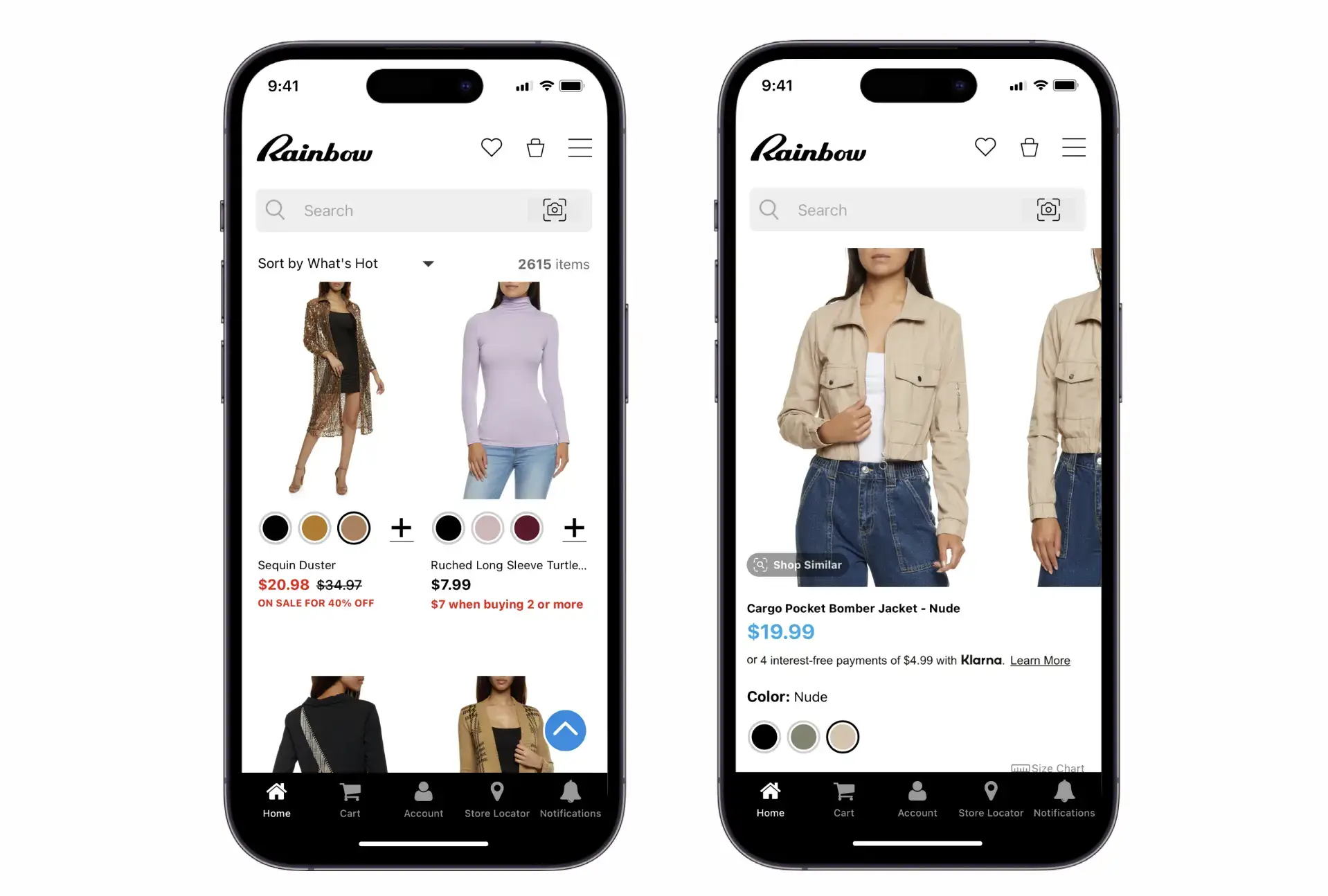
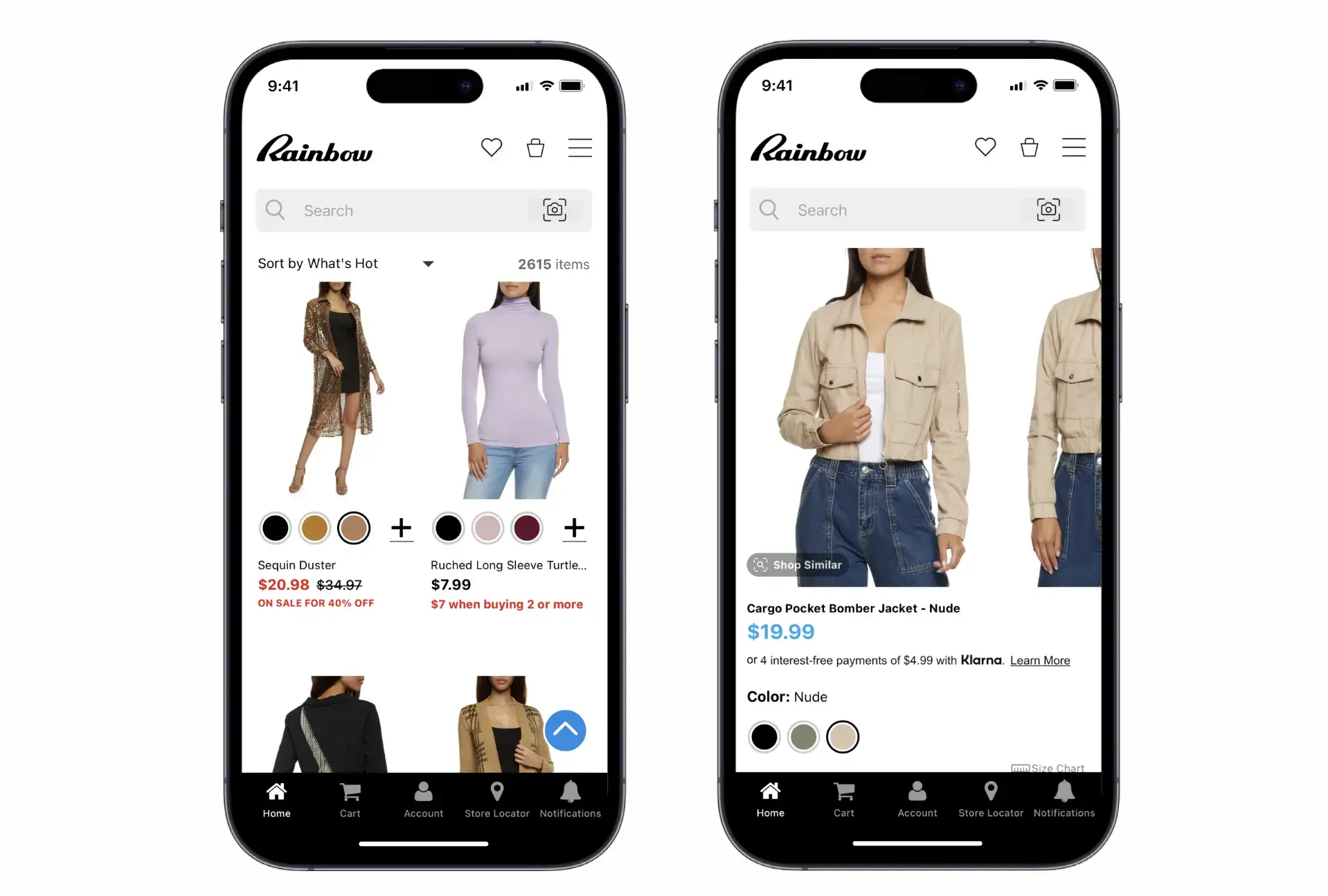
    The Rainbow Shops app (read their story here)

    To learn how you can turn your Shopify store into a mobile app (without development experience or a huge budget), click here to book a demo of Vendrux, together with an interactive preview of your site as an app.

    2. Get email signups

    Email might seem old-fashioned, but it is still extremely powerful.

    One important stat to note is that the average conversion rate from email is 5.20% – significantly higher than the overall average of 1.89%.

    The more traffic you’re able to send to your site from your email list, the higher your conversion rate should be, as you’ll have more warm, familiar customers coming to your site.

    Using emails, you can send exclusive offers, remind shoppers of what you offer, and keep your brand at the front of your customers’ minds.

    3. Personalize everything

    Another great way to boost conversions is to personalize the shopping experience for your customers.

    Taking what you know about your customers and using that info to target content directly at them can help deliver huge benefits. It’s particularly useful for existing customers. Once someone creates an account on your store, you can take advantage of their shopping habits and past purchases.

    Use this info to recommend additional purchases, target your audience more closely by offering different products to different groups, or send customized emails to your biggest customers. The possibilities are endless, so start brainstorming what data you have and how you can use it.

    4. Show shoppers what other people are buying

    Social proof is a powerful way to boost conversions. And the simplest way to show social proof is to give an idea of what other shoppers are doing on your site.

    A “best sellers” or similar section in your app and website is a great way to take advantage of this. If space is at a premium, even a “best seller” badge attached to a product can make a difference.

    5. Make your call to action (CTA) clear and concise

    It should be simple, quick and obvious for anyone to add a product to their cart from any product page.

    This could be a “Buy Now” button or “Add to Cart”. Whatever wording you use, make sure it’s clear and stands out on the page, leaving no confusion for shoppers.

    6. Make checking out easy

    Keep your checkout simple and hassle-free. A complicated checkout experience is sure to end up with frustrated customers and high cart abandonment rates.

    You can do a few things to avoid this and ensure your checkout experience always meets a certain bar.

    That includes accepting multiple payment options, simplifying text inputs (saving information for repeat customers), and keeping your whole checkout flow on one page.

    7. Offer guest checkout

    As mentioned earlier, a great way to get data on your shoppers is by having them create an account with your Shopify store. However, forcing them to do this can hurt conversions.

    Offering a guest checkout option will increase conversion rate and reduce cart abandonment by capturing potential customers who don’t want to create an account.

    8. Have accurate product descriptions

    This might sound basic, but make sure you describe your products accurately. That means their names, what they can do, and how they could benefit buyers.

    Don’t exaggerate – this often turns people off. Instead, be clear and direct about what a product does and how it could help someone if they purchased it. Remember to clarify why the product is unique to you and why they should buy it from you and not elsewhere.

    9. Display high-quality product images

    Images are the first thing people look at on your product pages, and they do a large part of selling the product.

    Make sure you include relevant lifestyle product photography along with more standard product images – especially for brands competing in competitive categories.

    These help shoppers see the product being used in real life, and gives a better idea of the size, shape and dimensions of the product.

    10. Reviews and social proof

    Customers trust other people, not brands. That’s why displaying customer testimonials and reviews is an essential part of conversion rate optimization.

    Product reviews should be clearly written by real users and available on all your product pages. Make sure the reviews on the page match those specific products, too.

    Don’t curate your reviews; showing a mix average or negative reviews alongside good reviews helps make your best reviews feel more trustworthy.

    11. Use urgency and scarcity

    Play on human psychology to boost conversions by using urgency and scarcity.

    This makes the customer feel like they have to act immediately to take advantage of a time-sensitive discount, or a product that’s running out of stock.

    Try indicating low stock numbers, time-limited coupons, or offers that only apply to the next 100 shoppers. These tactics are widely used by ecommerce sites and proven to deliver higher conversion rates.

    12. Make it easy to find things

    Make it easy for shoppers by providing clear navigation and a smooth search experience.

    Searching for products on your website should be simple and fast. A universal search bar on every page is a good start. Also, ensure it offers methods to filter search results, such as by price, rating, or other attributes.

    Make sure your product hierarchy makes sense and that your categories are relevant. This helps people dig around and find what they’re looking for in your Shopify store, which will translate to a higher conversion rate.

    13. Clear and honest pricing

    Unexpected fees or add-ons are a major driver of abandoned carts in ecommerce. It dissolves trust and hurts your conversion rate if your Shopify store shows one price upfront and another upon checkout.

    Shipping is a common offender. Offer free shipping to reduce sticker shock; clearly state your shipping charges in product descriptions if you can’t.

    Include relevant fees like taxes in the product’s price, instead of hitting the customer with unexpected fees once they reach checkout.

    Final Thoughts on Conversion Rate Optimization for Shopify Stores

    Increasing Shopify conversion rates is big business. Shopify store owners pay a lot of money for agencies, marketing professionals or apps that claim they can increase conversion rate for their store.

    Yet doing so is not rocket science; it doesn’t require four years of college, or a special set of skills. It only requires you to understand user behavior, and apply this, along with some best practices, to your Shopify store and product pages.

    If we were to pinpoint one thing to do right now to increase conversion rate for your Shopify store, it would be to provide a better mobile experience.

    The average conversion rate for mobile is about half that of desktop. Many ecommerce businesses are not mobile friendly. If yours is, you’re ahead of the curve.

    Building a mobile app is the best way to mobile-optimize your business. And it doesn’t take a huge investment or a specialized team of developers to build one, if you use Vendrux.

    Get started with a free preview of your app, or schedule a free, personalized demo to find out how easy it is to create a mobile app based on your existing website with no coding required, and get a higher average conversion rate, along with improvements in many other key metrics for your Shopify site.

  • 10 Proven Strategies to Increase Average Order Value for eCommerce

    10 Proven Strategies to Increase Average Order Value for eCommerce

    In business, there are three ways to make more money:

    1. Get more customers;
    2. Get your existing customers to buy more often;
    3. Get customers to spend more in each order (increase average order value).

    The third is the low-hanging fruit – getting more money from each sale.

    Increasing your average order value (AOV) will typically result in higher profit, better return on ad spend, increased cashflow, and more overall revenue, without increasing acquisition cost.

    Ultimately, your business will have more potential for growth if you know that the average customer pays you more in each transaction.

    In this article, we’ll help you scale your AOV. Keep reading for ten proven tips on how to increase average order value for eCommerce stores.

    Want to see the benchmarks for average order value and average item sale price across various industries in eCommerce? We broke it all down in this article.

    How to Increase Average Order Value

    There are many actions you can take to increase average order value.

    Generally, this means enticing customers to buy more products, or pushing them towards higher-priced products.

    At a strategic level, you can test a lot of things, and see which have the biggest impact for your store.

    Here are ten tips we recommend for online stores to boost average order value:

    1. Set a free shipping threshold
    2. Create product bundles
    3. Cross-sell and up-sell
    4. Show personalized recommendations
    5. Use urgency and scarcity
    6. Create a loyalty program
    7. Sell higher-priced products
    8. Offer BNPL
    9. A/B testing
    10. Launch a mobile app

    These are all actionable strategies that can result in a higher average purchase amount.

    Let’s dive in now.

    1. Set a Free Shipping Threshold

    Free shipping is a powerful psychological lever for eCommerce brands.

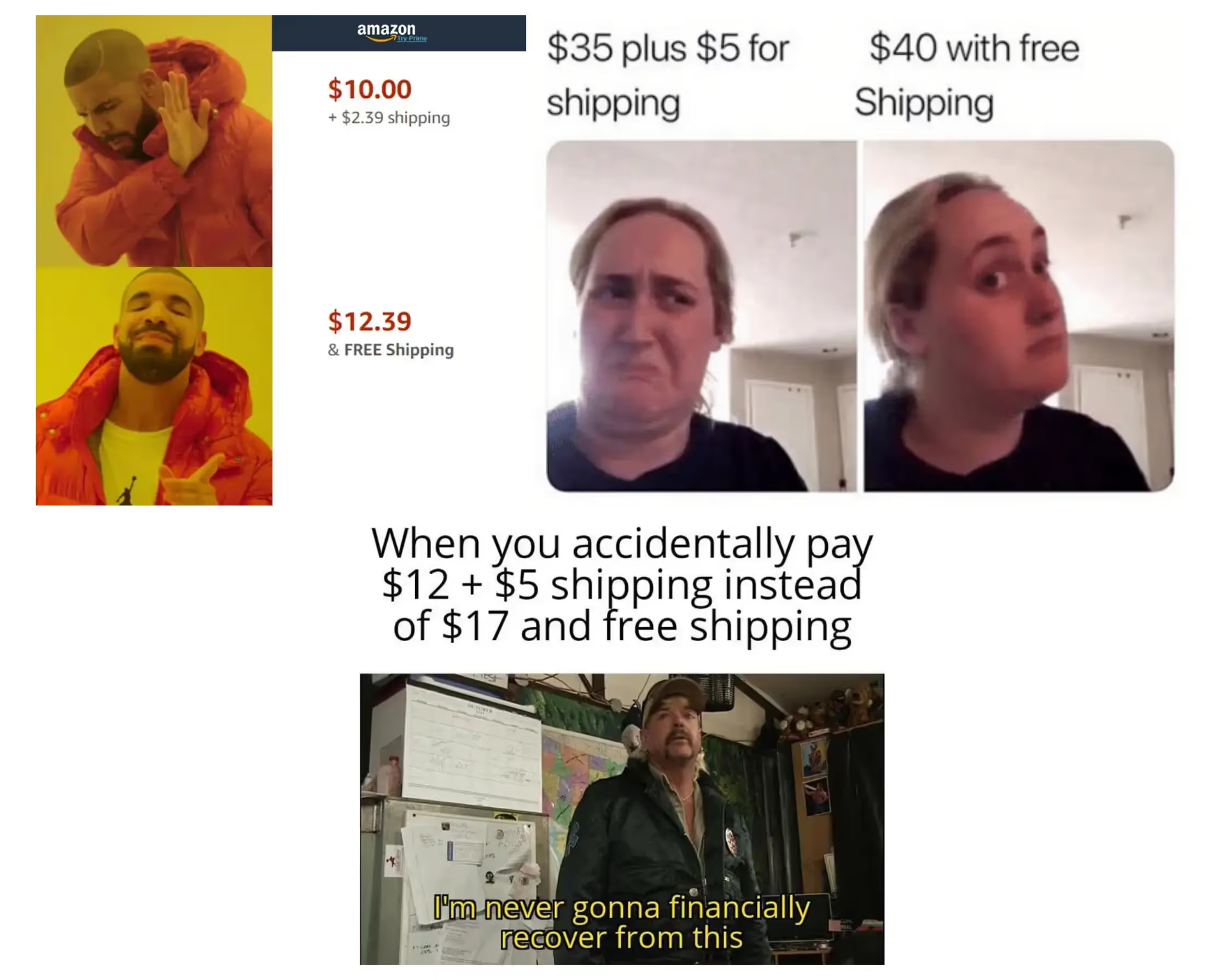
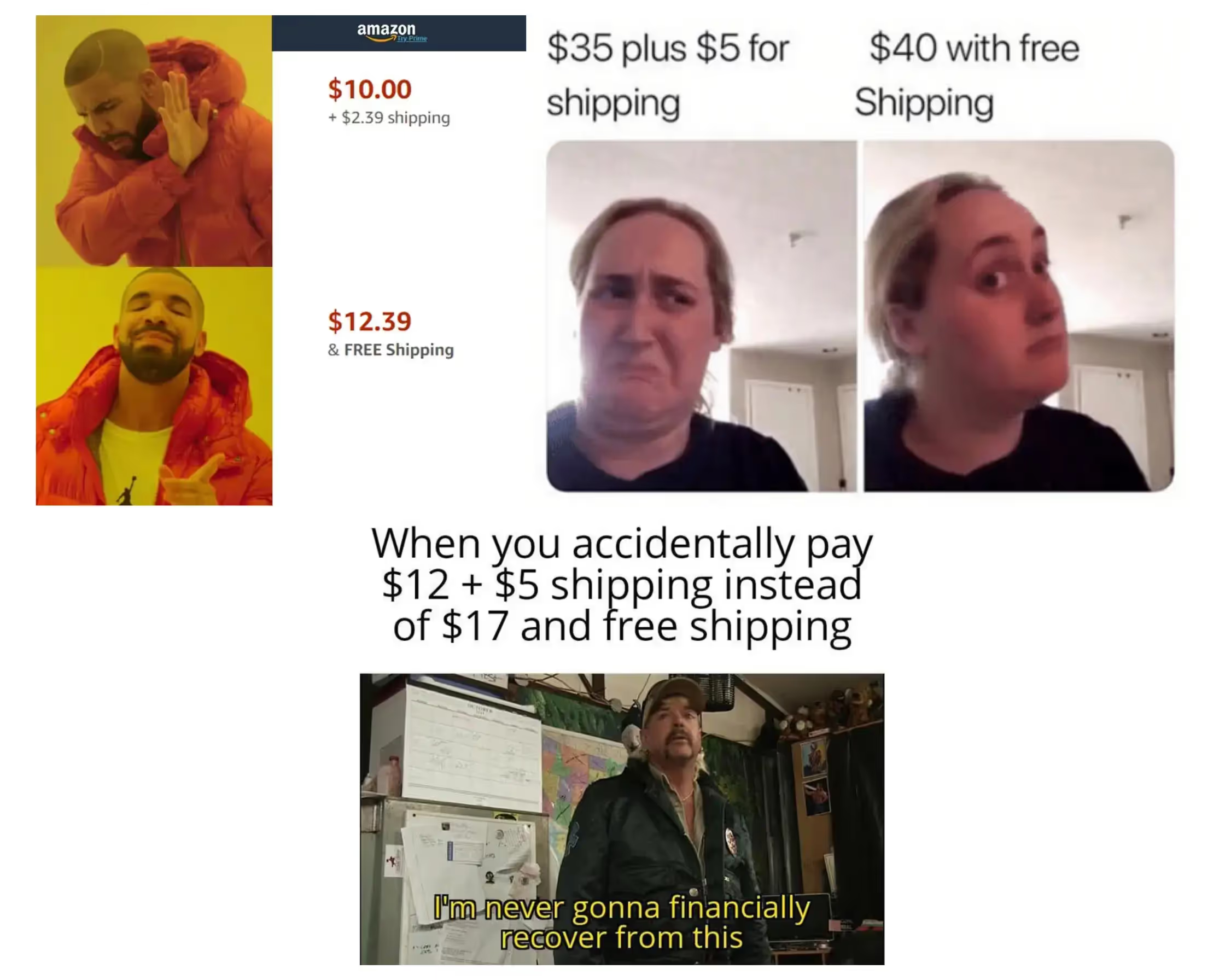
    Today’s shoppers really don’t want to pay for shipping. And it’s not always logical – I’m sure you’ve seen the memes.

    Jokes aside, it works.

    Setting a minimum spend for customers to receive free shipping will mean a lot of customers add extra products to their basket to avoid the shame of paying for shipping.

    It doesn’t have to be free shipping, either.

    It could be a free gift, or a discount, or any other incentive you think will pique your customers’ interest.

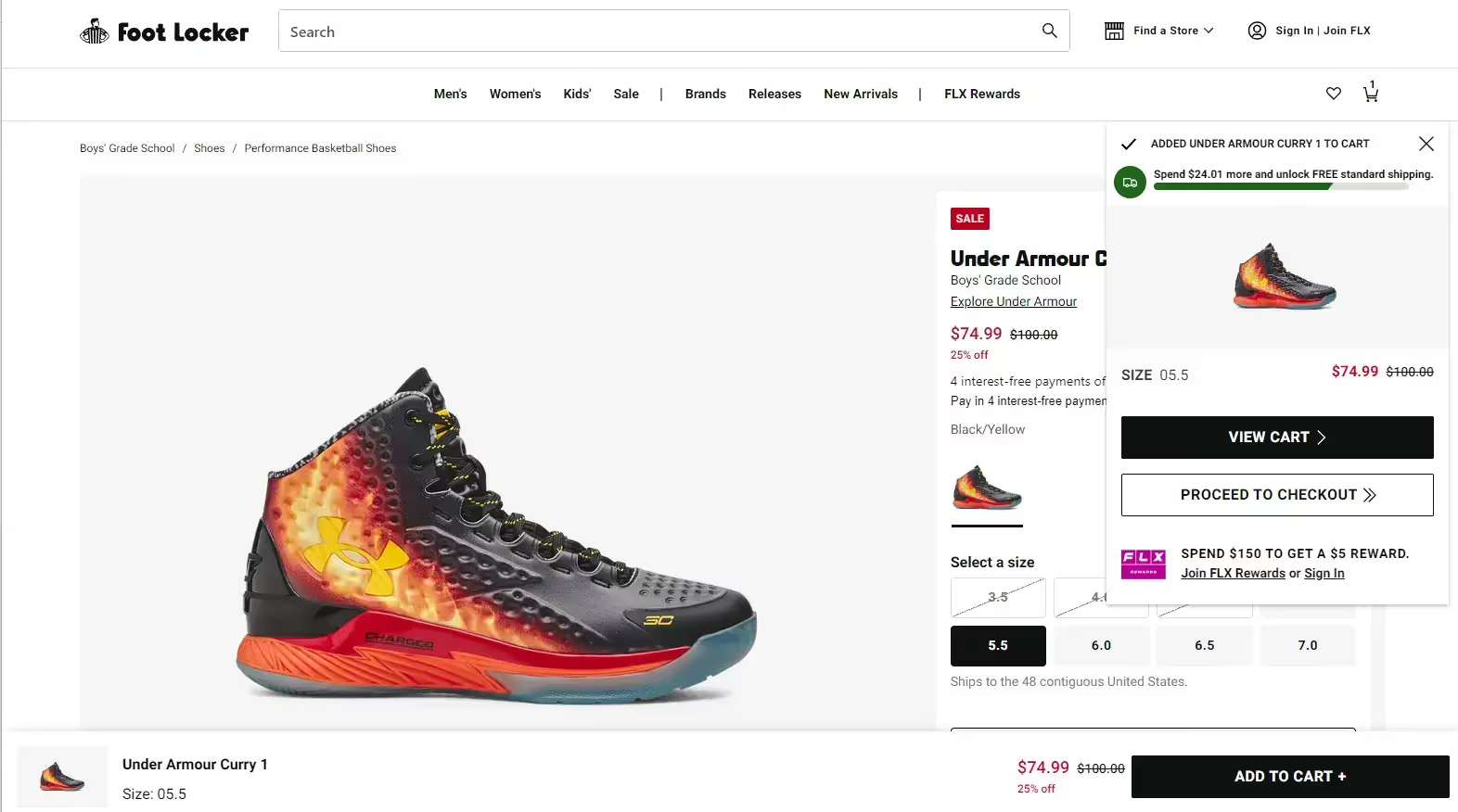
    Footlocker updates the shopper on how close they are to the free shipping threshold, and offers a $5 reward for spending $150.

    You want to set this threshold a little above your current average order value.

    So if your AOV right now is $35, and you might set the minimum spend for free shipping to $40.

    Do this, and watch a lot of those $30-$35 customers scramble to spend more money to save on shipping.

    2. Create Product Bundles

    Don’t just sit and hope that your customers will find more things to buy. Give them ideas.

    You probably sell multiple products that go well together – shoes and socks, pots and pans, toothpaste and orange juice (ok maybe not the last one).

    Put these products in a bundle, and display these bundles on your site with a convenient “buy now” button to allow the customer to add all the products to their cart at once.

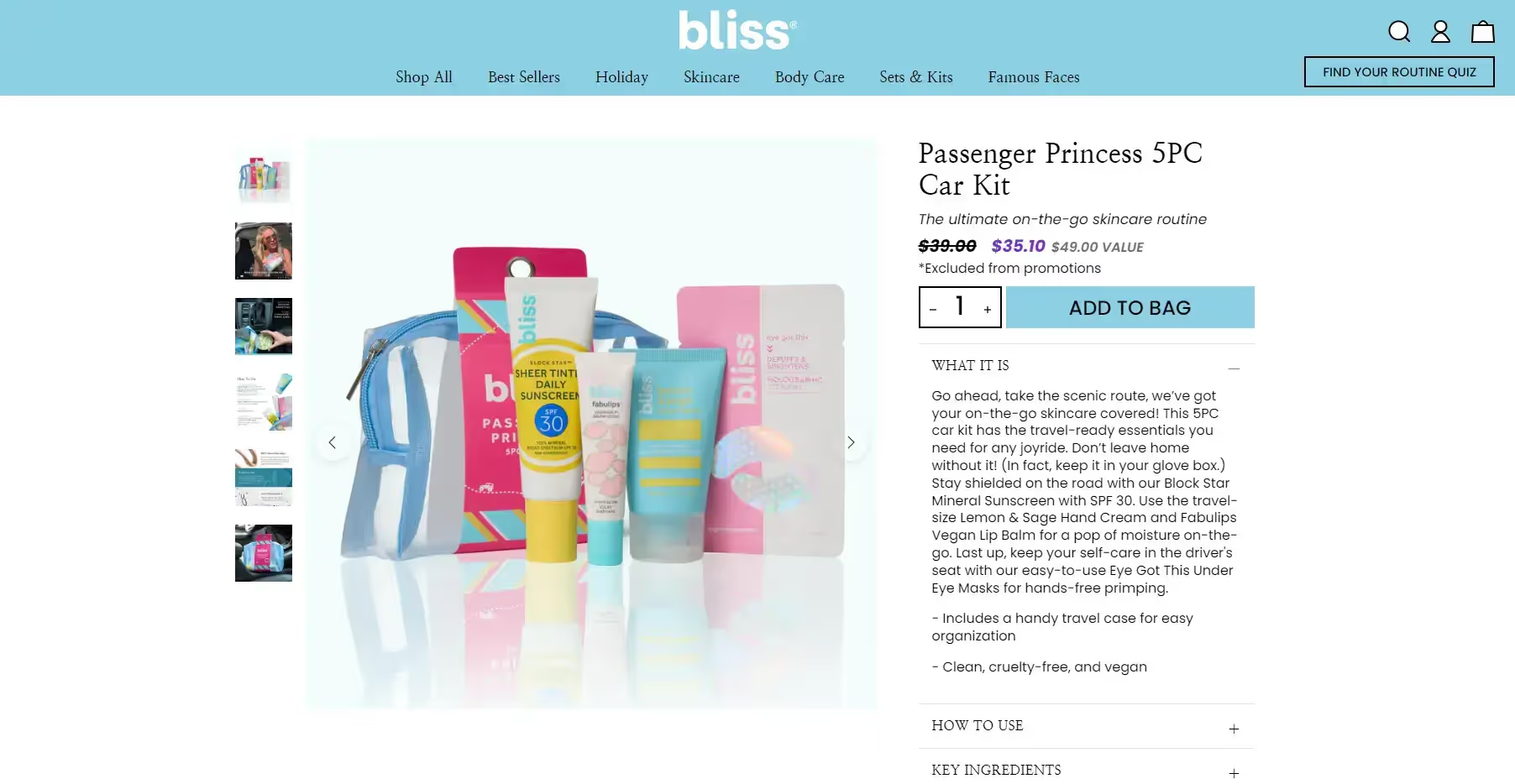
    Bliss bundles multiple products together, offering customers a discount compared to buying each individually

    You could offer special pricing for the bundle to make it more attractive.

    Amazon features a “Frequently bought together” section on every product listing, which recommends complementary products in what is essentially a bundle.

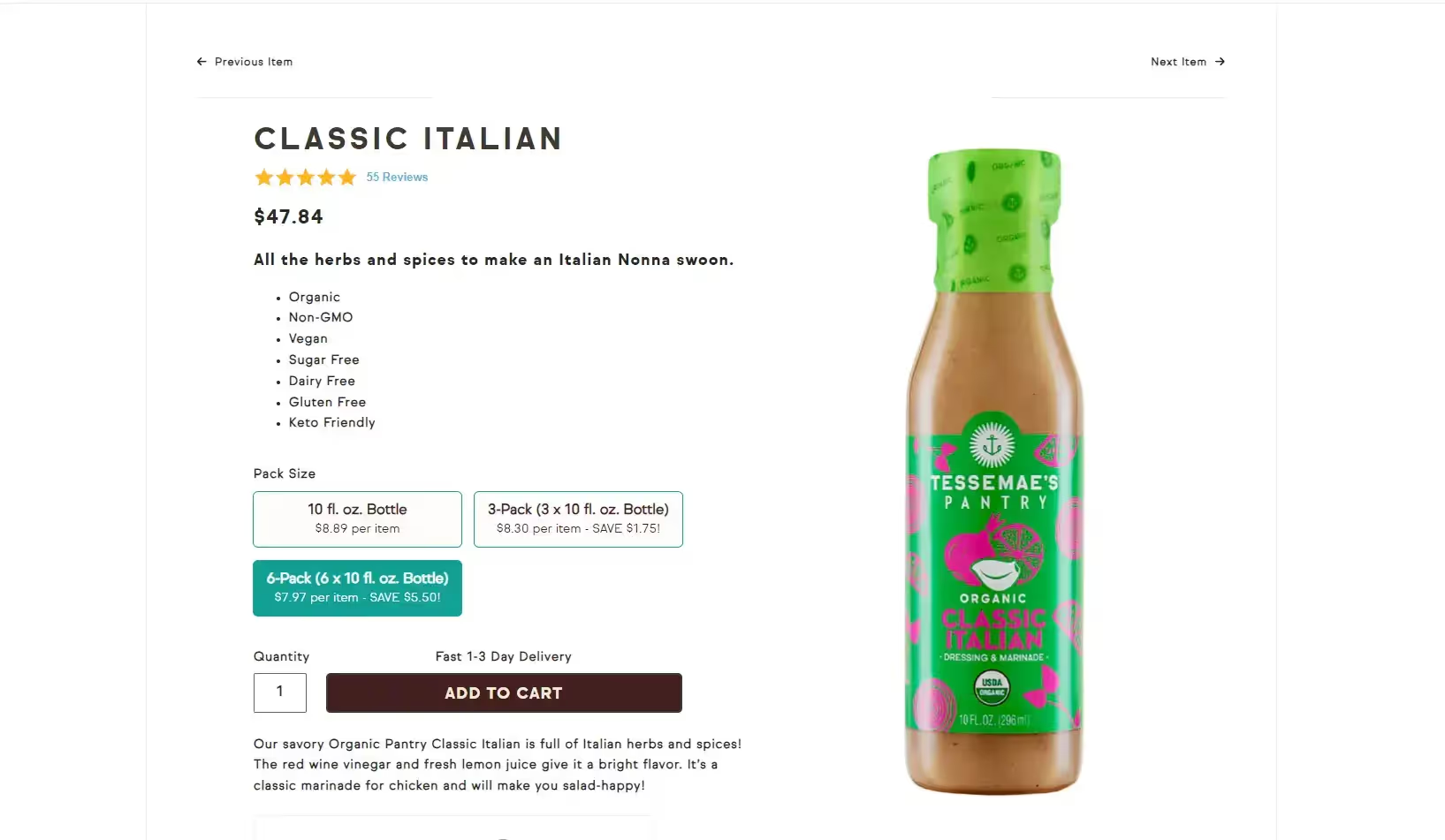
    Another option is to offer a bundle where customers can save by purchasing multiple units at a time, as Tessemae’s does:

    3. Always Cross-Sell and Up-Sell

    “Would you like fries with that” is a six-word combo that has made billions of dollars for McDonalds over the years.

    This strategy works. Once someone’s already in the mood to buy, and they’re ready to check out, it becomes much easier to convince them to buy some more.

    Like McDonalds, you can suggest small add-ons that go well with what they’re already going to buy.

    Something that makes the customer think, “sure, why not?”

    You can also up-sell the customer to a premium or more expensive version of whatever it is they’re about to buy (“would you like to make that a large?”)

    The trick is to recommend items that logically go well together (such as accessories/add-ons to their main purchase), and don’t push too hard on up-selling to where it becomes intrusive or annoying.

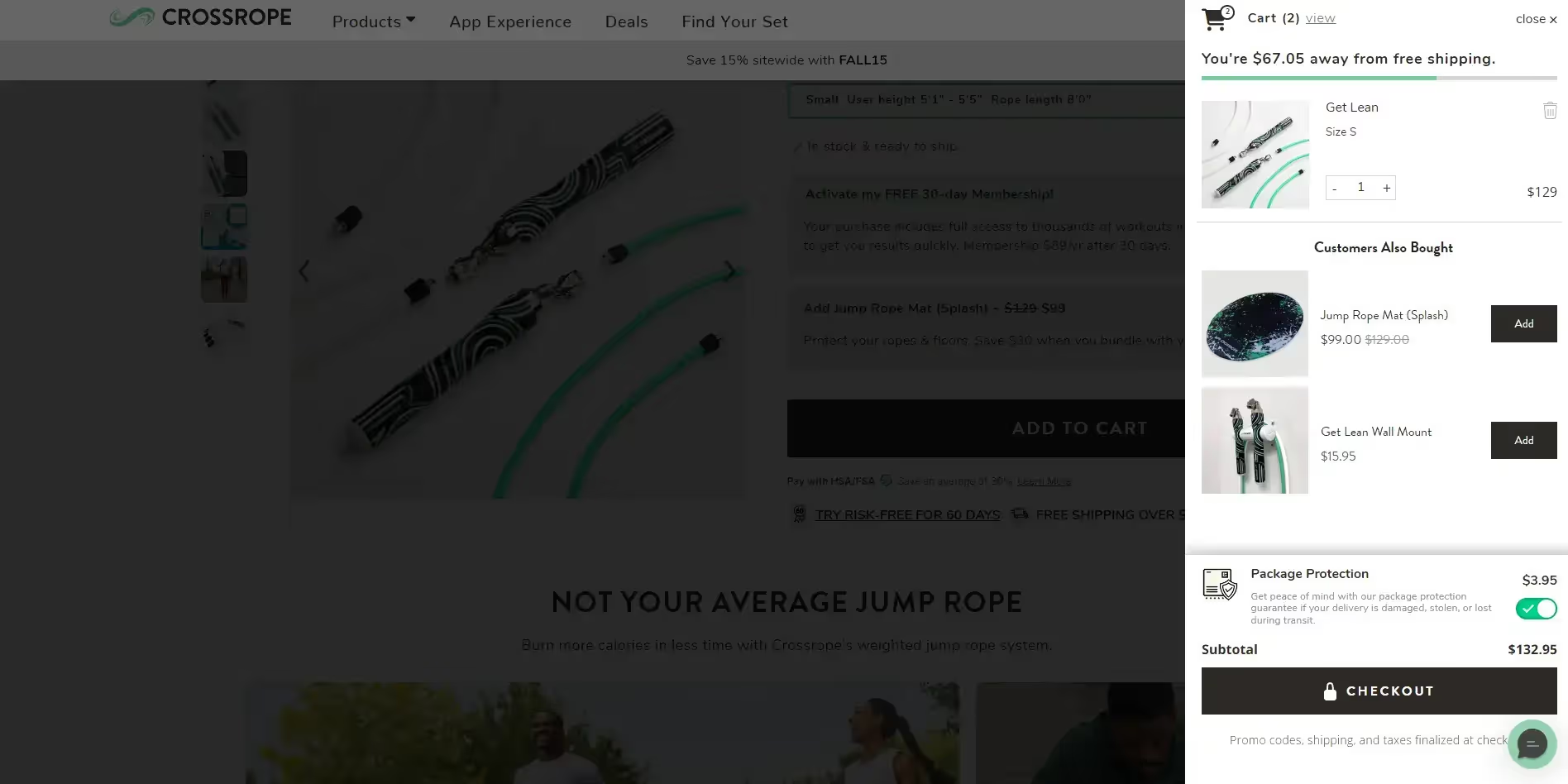
    Crossrope does a great job of recommending complementary products after adding an item to your cart

    4. Show Personalized Product Recommendations

    Product recommendations are a ubiquitous part of any eCommerce website today, whether they’re similar products, complementary products, or otherwise.

    Recommended products give customers more options to compare, letting them shop around to find the perfect buy without leaving your site.

    They also act as a cross-sells or up-sells, giving shoppers ideas for other items to add to their cart and boost their order value.

    But the key to product recommendations is to use personalization and ensure that what you recommend is relevant to each customer.

    “Personalization is no longer a nice to have, it’s an expectation. When we tailor product suggestions to each customer’s preferences and past behavior, we see significantly higher engagement and conversion rates,” says Saulius Meilutis, CEO of leading print on demand provider, Podbase.

    Use customer data, such as order history and browsing history, to show hyper-relevant recommendations that have a higher chance of catching their attention and learning in their cart.

    5. Use Urgency and Scarcity

    Urgency and scarcity are classic CRO tactics that are still super-effective.

    The reason they work so well is because they play on human nature – our natural inclination towards FOMO (fear of missing out).

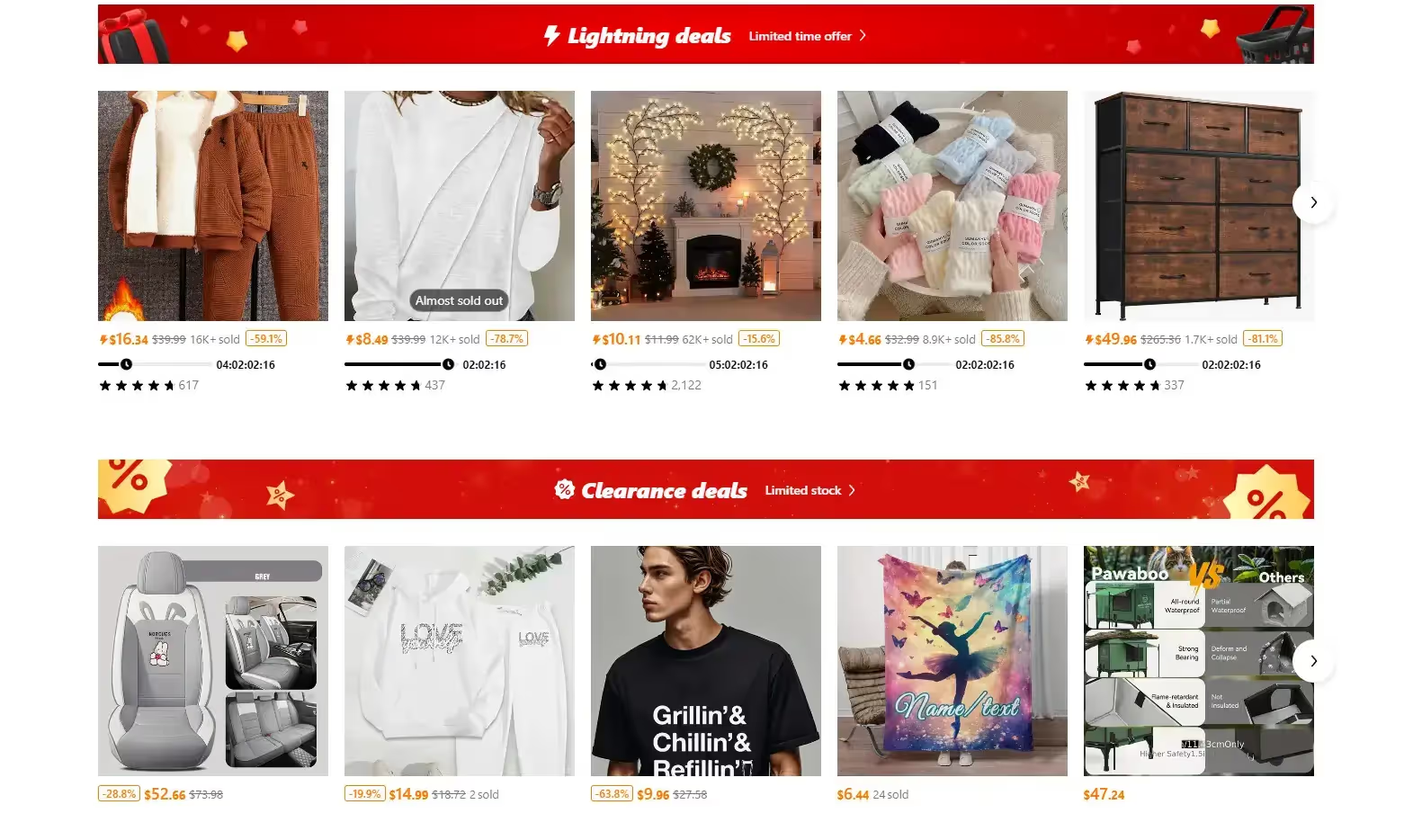
    If you want extreme examples of how urgency and scarcity can be used to boost sales, see Shein and Temu, the two new heavyweights of eCommerce, both of whom use urgency and scarcity tactics throughout their site and marketing channels.

    The words “limited-time sale”, “limited stock available”, “almost sold out” are all plastered across their websites and apps, making shoppers feel like they need to act fast to get the great deals in front of them.

    You don’t have to use it as overwhelmingly as these stores do. But simple limited-time offers, or displaying a notice on products with stocks running low, will convince a lot of customers to act quickly rather than face the terror of missing out.

    6. Create (and Promote) a Loyalty Program

    Loyalty programs are another classic tool that works for increasing revenue and AOV.

    When customers earn points on the money they spend, they’re incentivized to spend more money.

    It makes recommending cross-sells and add-ons much easier. The product itself might not be as exciting to the customer as the prospect of earning more points.

    Many customers scrape, scrounge and hoard points – but don’t even use them. That’s how powerful the psychology of earning points is.

    If you don’t offer a loyalty program, you’re basically leaving AOV on the table, particularly with the many apps that make setting up a loyalty program so easy.

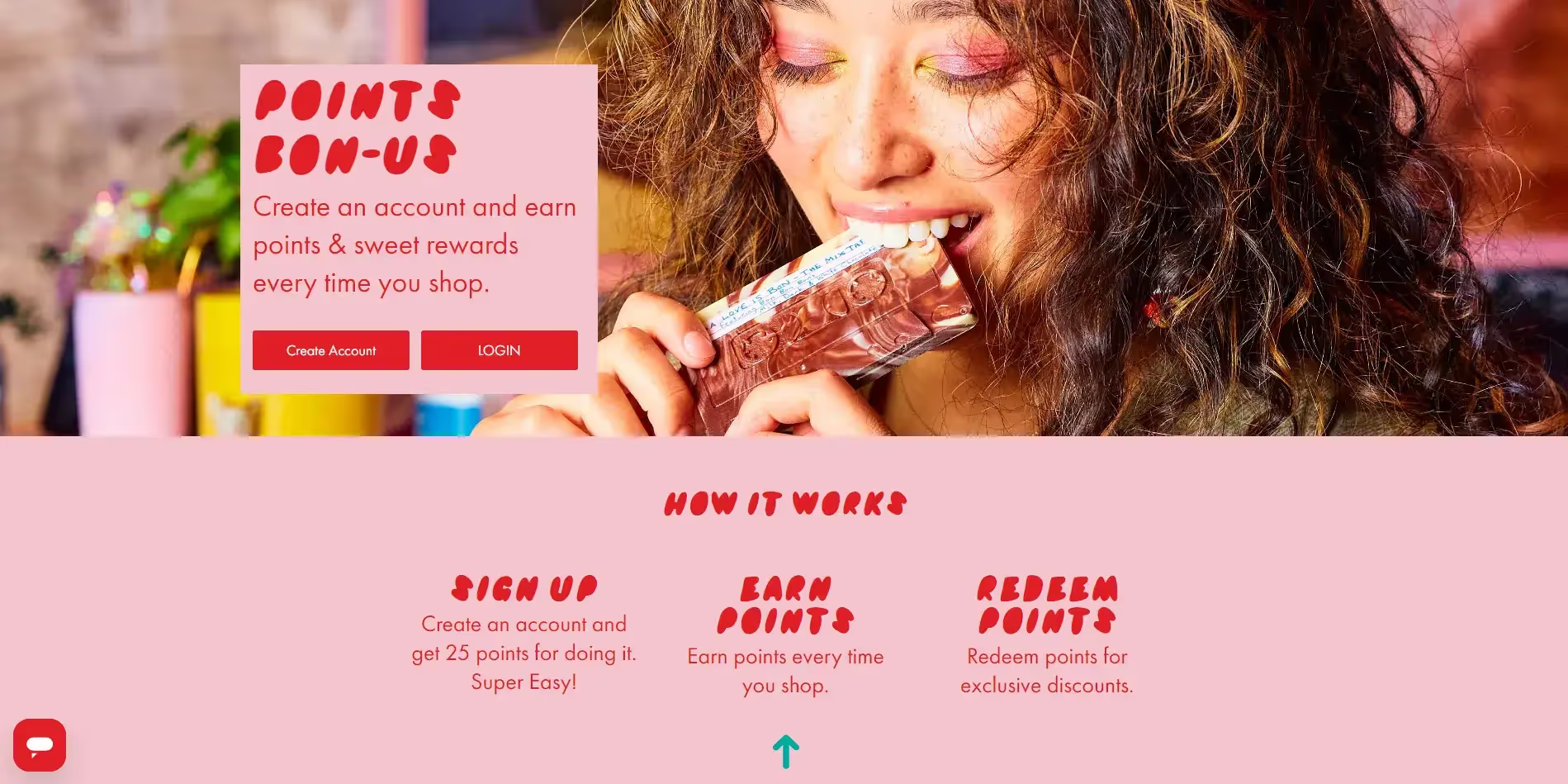
    Bon Bon Bon‘s rewards program is simple, yet effective

    However, don’t just set up a loyalty program and hope customers figure it out. Make sure you promote it as well.

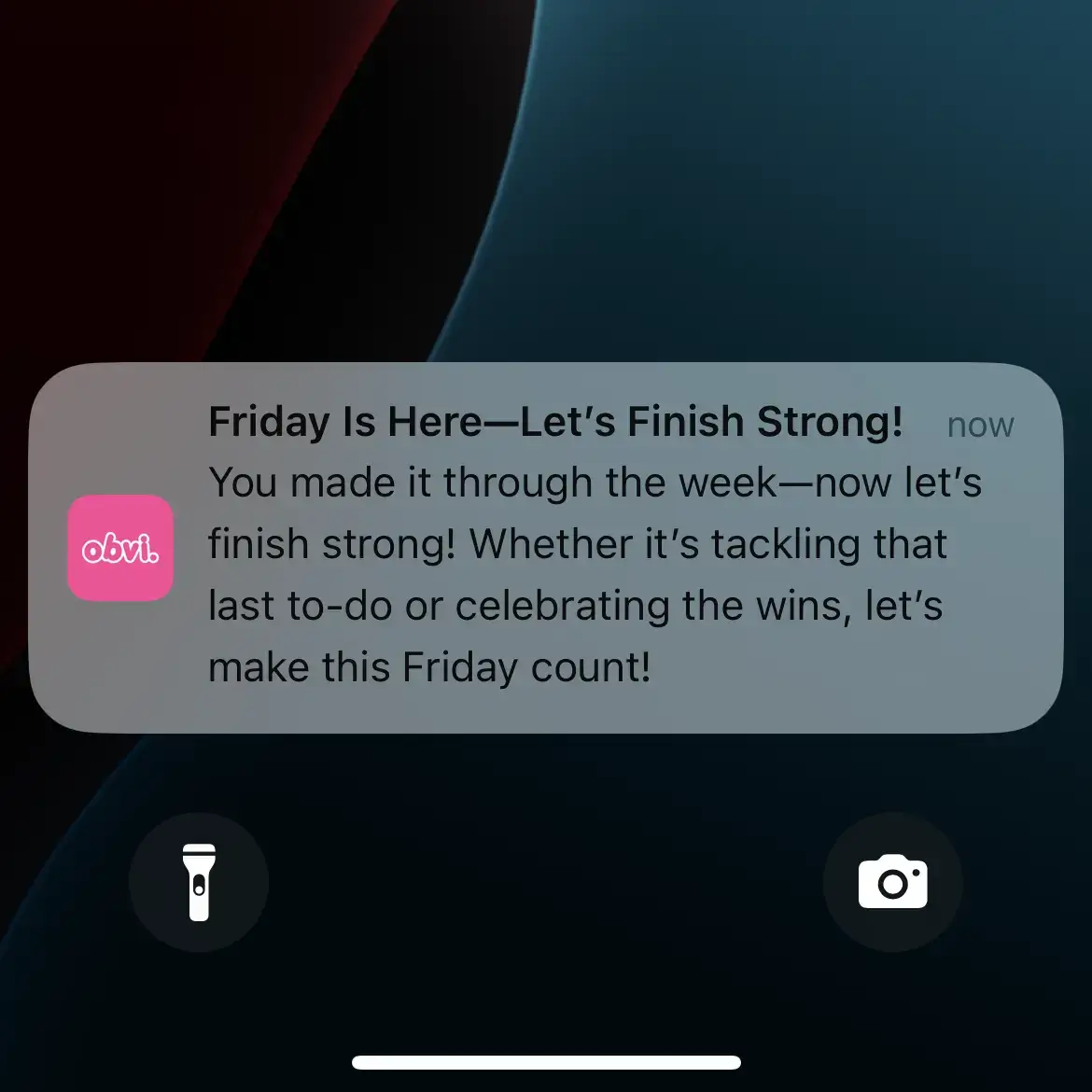
    Let customers know how much they’ll earn if they buy something, and constantly update them on their point balance, in places like their account page, as well as updates via email and push notifications.

    7. Sell Higher Priced Products

    You don’t necessarily need to get people to add additional products to their order to boost AOV. You could just get them to spend more on each item they buy.

    There are a couple of ways to do this.

    First, you could simply increase your prices. If you sold shirts, for example, at $25, you might be able to increase the price to $27 without hurting conversion rate, and make the easiest $2 ever.

    But you have to make sure that your price increase doesn’t have such a negative impact on sales velocity that you make less money as a result.

    Another option is introducing new products at a higher price point.

    If these products sell, even at a lower volume than your other products, you will still come away with a higher basket value on average.

    8. Offer Buy Now Pay Later

    What about those customers who want to spend more, but get anxiety about the large number coming out of their bank account?

    Buy Now Pay Later (BNPL) is becoming a normal part of our lives today.

    Services like Afterpay, Shop Pay, Klarna, Affirm and more make it easy for customers to pay a smaller amount up front, and easier for brands to convince customers to purchase more in each order.

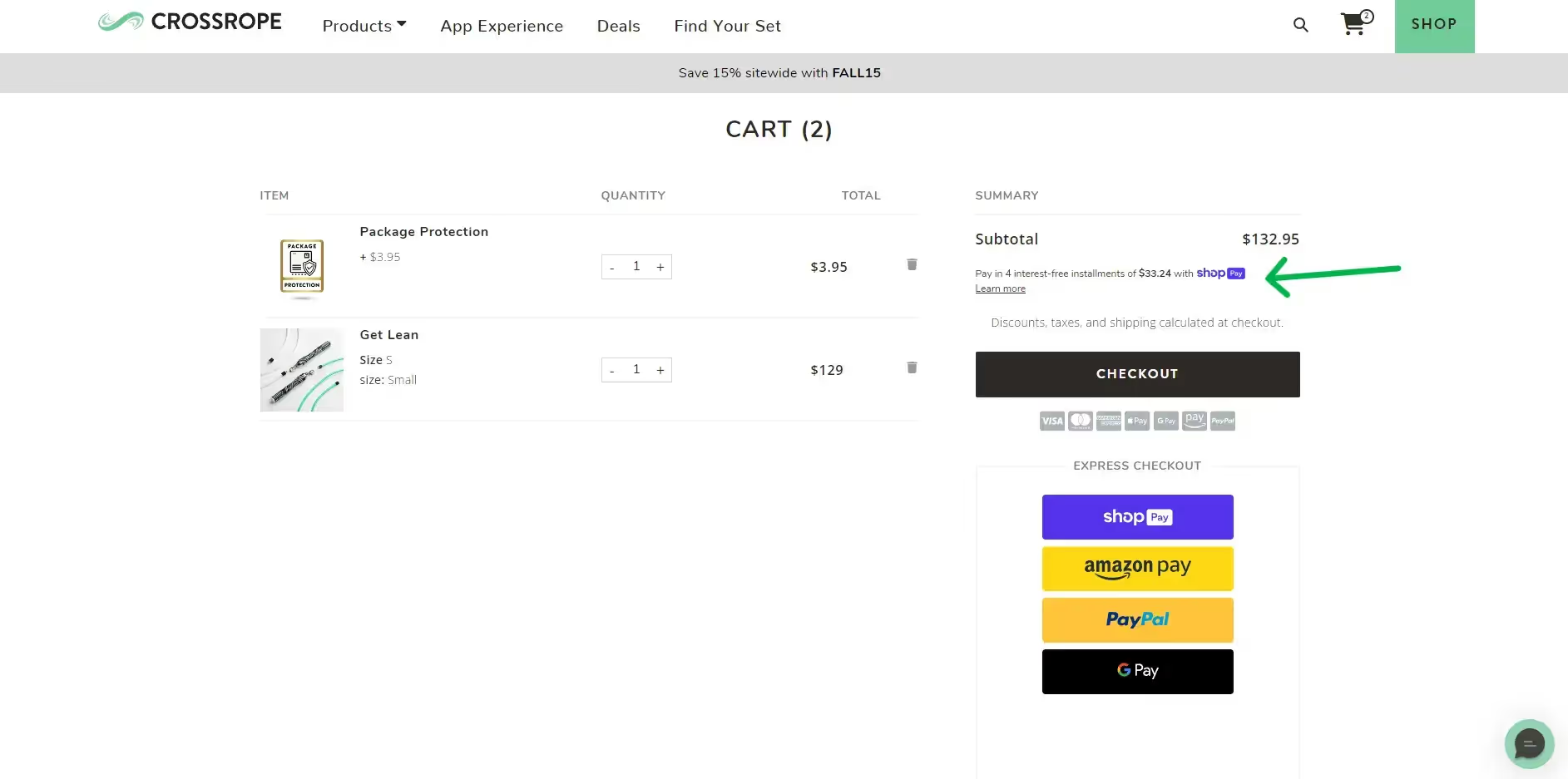
    Crossrope offer customers the ability to pay in installments with Shop Pay

    Some experts suggest that Buy Now Pay Later will be used for 12% of total eCommerce spend in 2025. Globally, more than $350 billion per year is spent using BNPL services.

    By reducing the price barrier for larger purchases, adding BNPL to your checkout flow may be all you need to add a few dollars to your AOV.

    9. A/B Test Everything

    Whether you’re looking to increase conversion rate, average order value, pages per session, or any other metric, the best way to find out what works is to test it.

    Want to know whether people buy more when you advertise product bundles? Test, and see the results.

    Want to know whether people are more likely to spend more if you offer BNPL in checkout? Test it.

    Want to know if people add more products to their cart if your add to cart button is blue or black? Test it.

    There are so many little things you can test in your store.

    Some won’t make a difference, but others, though seemingly insignificant, might add up to make a sizable impact.

    And as much advice we can give you, the only way to truly know what will deliver results and resonate with your customers is to test, and see what the data tells you.

    10. Launch a Mobile App For Your Store

    One more powerful way to increase average order value is to launch your own mobile app.

    Modern shopping tendencies are moving more and more in favor of mobile. Mobile commerce makes up 38% of all digital spending in the US, and 57% of all eCommerce sales worldwide.

    Having a well-optimized mobile website is the first step, but the mobile web experience still isn’t ideal.

    In general, people prefer to use apps – 88% of mobile web usage comes on apps, vs mobile websites.

    By offering an app, you offer shoppers a better mobile shopping experience, with fewer distractions, and everything set up for users to spend more time in your store and buy more products.

    Along with 157% higher conversion rates, mobile app users view 4.2x more products per session than on mobile websites.

    With users spending a longer time shopping, and less likely to be pulled away by distractions, brands typically see anywhere from 10-20% higher average order values in apps, compared to their websites.

    With many more incredible benefits to having your own app, like increased brand authority, higher mobile conversion rates, and higher LTV, launching an app might be the one thing on this list that will move the needle the most.

    Want to see how much value you can add? Use our free App Revenue Calculator to get an estimate of how much new revenue your brand can make by launching an app.

    How Vendrux Helps eCommerce Stores Increase Average Order Value

    Once upon a time, it took a six-figure investment or an in-house team of 5-10 specialist developers to launch your own mobile app.

    That’s why shopping apps were originally gated to only the biggest brands – the Amazons, Nikes, H&Ms of the world.

    Today, any brand can launch their own app and compete with these heavyweights, with Vendrux.

    Vendrux lets you convert your website into mobile apps, which are fully synced with your website at all times.

    Your apps retain all the same features as your website, with the addition of mobile-specific features like native menus and push notifications.

    The content on your apps update with your website, meaning any changes you make only need to be made once, and automatically reflect across all your platforms.

    Vendrux does all the building, testing, deploying, and ongoing maintenance for you. There’s no need to hire additional staff, or make any changes to your existing workflow.

    Your app can be live in less than a month, for a low-four figure investment up front. With the done-for-you service, plus the cost structure (launch for low-four figures, then just a few hundred per month then on), it’s completely risk free, and easily the best way for your brand to branch out into the world of mobile apps.

    Boost Your Average Order Value Now

    Vendrux has helped over 2,000 businesses, including many high-revenue eCommerce brands (such as John Varvatos, Jack & Jones, Rainbow Shops, and many more) build their own mobile apps with a low investment and little to no overhead.

    Your brand can do the same.

    You don’t need to be a billion-dollar company to launch an app – all you need is a website that works well on mobile, and we’ll turn it into an app that looks like it cost a million dollars.

    In doing so, you’ll launch a great vehicle to increase your average order value, and boost profit, revenue, and much more.

    If you want to see what’s possible for your brand, get a free demo now and we’ll explain the process, show you real examples of similar branded apps, and help you understand if Vendrux is the right option to launch your mobile app and grow your business.

  • How to Improve Mobile App Retention (for Web-First Brands)

    How to Improve Mobile App Retention (for Web-First Brands)

    So you’ve launched your mobile app. Great. Even better, you’ve managed to convince users to download it – maybe with an incentive like a 10% discount or app-only features and product drops. 

    But here’s the reality check: that download doesn’t mean much unless the user sticks around.

    Most people have over 40 apps installed on their phone. The majority rarely use more than a handful. If your app doesn’t become a habit, it’ll be forgotten. Or worse, deleted.

    With mobile apps, success isn’t about how many downloads you get. A mobile app is a long-term play. The key is how many of those downloads turn into regular users.

    At Vendrux, we’ve helped more than 2,000 companies launch mobile apps. We’ve been in the trenches, we’ve seen launches that set off fireworks, but that struggle to get over the hump of long-term user retention. And we’ve helped brands overcome the common problems that lead to mobile app user churn.

    With that experience, we’ve crafted this guide to help you not just launch a mobile app, but launch a mobile app that keeps your customers consistently engaged. Interested? Keep reading for more!

    Want to discuss how we can work with you to not only launch the perfect app, but craft an engagement strategy that makes users stick around? Get in touch now and book a free consultation.

    9 Things to Know to Maximize Mobile App User Retention

    One of the objections we often get from brands considering building an app is, ‘will people actually use my app?’

    It’s certainly a valid question, especially when your mobile website likely already provides a great user experience, and you might be wondering if it’s really worth it to launch an app.

    The answer to the earlier question is yes – people will use your app. But you need to give them a helping hand.

    Here’s how successful brands, in verticals such as ecommerce, SaaS, media, communities and more, launch mobile apps that maintain solid long-term retention rates.

    1. Understand App Retention Benchmarks

    Before you try to improve retention, it helps to understand what’s ‘normal’. 

    Here are some of the latest benchmarks:

    Day 1 Retention (the day after install):

    • Ecommerce: ~20% (iOS), ~17% (Android)
    • Media: ~18% (iOS), ~17% (Android)
    • SaaS-like apps (e.g. Fintech): ~22% (iOS), ~17% (Android)

    Day 7 Retention (one week later):

    • Most apps drop to 8–12%
    • Ecommerce: ~10%
    • Media: ~8%
    • Finance: ~12–15%

    Day 30 Retention (one month later):

    • Ecommerce: ~5% (iOS), ~4% (Android)
    • Media: ~5–9%
    • Anything above 10% is excellent
    • Most apps lose over 90% of new users by Day 90

    These numbers can make mobile app retention sound like a losing battle. But the truth is, most brands simply do a poor job of driving long-term retention.

    They launch an app without a clear plan, use cheap app builders that produce clunky or unreliable user experiences, or fail to properly maintain and improve the app over time.

    When done right, with the right strategy and execution, you can keep a much higher share of your app users engaging with the app.

    Well-built, well-promoted ecommerce apps can retain 80-90% of their users long-term. If you can do this, you’ll be well ahead of the curve.

    2. Make the First Impression Count: Onboarding & Activation

    Onboarding is your best opportunity to turn a download into a regular user. It’s the moment when the user is most curious, most interested, and has the fewest objections. 

    Don’t waste that attention.

    Make it easy to log in, especially for users coming from your website. Then craft an onboarding experience that immediately gets users engaging with the app.

    Provide a quick, clear tour of how to get value from the app, and highlight what’s different or better in the app experience. Make sure it’s easy to get around, and that key parts of the app (search or product categories for ecommerce apps, content preferences for news apps) are easy to find.

    This is also your best shot at maximizing opt-in rates for push notifications. Get this part right, and you’re setting the foundation for habit formation.

    3. Ensure a Seamless, Frictionless UX

    Bad UX is one of the most common (and most preventable) reasons users churn.

    • Make sure users stay signed in (users will stop using if they need to keep re-entering their login details).
    • Eliminate bugs and performance issues that frustrate users.
    • Simplify navigation so users can get what they want quickly.

    If you’re having retention problems, UX is the first place you should look. If it sucks to use, if it’s more confusing or less intuitive than your website, no one’s going to use your app.

    This is a big reason why it’s a mistake to build your app with cheap, DIY app builders. The user experience is unlikely to measure up to your website, and you’ll often have to drop key features or integrations that you use on your site, due to issues integrating them into your app.

    You might succeed in getting an app live for just a couple of hundred dollars, but it ultimately means nothing if it’s a downgrade from your website.

    Related: App Builders vs Managed Mobile App Services: What’s Really More Affordable?

    4. Use Push Notifications to Keep Users Coming Back

    Push notifications are one of the most powerful tools for driving retention, when used well.

    Most users don’t stop using your app because they dislike it. They stop because they forget about it. 

    Push helps you stay top-of-mind, build usage habits, and drive re-engagement. While overuse of push notifications can lead to churn, more retention problems are due to brands underusing push notifications.

    They think, ‘once someone’s downloaded my app, of course they’re going to use it.’

    Well, most of us have multiple screens of apps on our phone. Your user probably has 50+ apps downloaded. A lot of those are apps they thought were interesting, so they downloaded it, just to forget about it.

    The best brands use regular push notifications so users don’t forget about them, and slowly make their app feel indispensable.

    • For ecommerce, promote app-only drops, abandoned cart reminders, and loyalty incentives.
    • Media brands can send breaking news alerts or trending articles.
    • SaaS apps might use push for relevant updates or feature tips.

    You don’t even need to be aiming for a conversion every time. Simple, non-intrusive push notifications provide value just by capturing a small amount of mindshare.

    Simple reminders of relevant products, or even motivational messages with zero promotional intent can be enough to stop the user from forgetting about you – which is a death sentence for mobile apps.

    __wf_reserved_inherit

    The key is to be positive and non-intrusive, so your users are happy to receive your app’s notifications, not annoyed.

    Do this, and you can even send daily notifications without causing users to delete the app.

    Learn more: What’s the Optimal Sending Frequency for Ecommerce Push Notifications?

    5. Give Users a Reason to Keep Using the App

    Think – why should someone keep your app installed?

    The answer doesn’t need to be groundbreaking. You don’t necessarily need flashy, bloated features in the app. Just make it slightly more valuable or convenient than your mobile website.

    • App-only benefits: early access, exclusive content, saved preferences.
    • Easy order tracking via push notifications.
    • Loyalty points or rewards programs.
    • More personalized experiences and persistent login.
    • Exclusive product drops or promotions (for ecommerce apps).
    • Custom content feeds or saved lists (for media apps).
    __wf_reserved_inherit

    If you have none of this, you’ll get some people – those most protective of their mobile phone’s storage space – who question why they’ve got the app when they can just use the website.

    Even if your app is just your website packaged into a native container, you can still provide value to regular users by offering faster launching (via a home screen icon) and more convenient, mobile-native navigation.

    But ideally, take it a step further with small app-exclusive features, like early access product drops, that make it a no-brainer for your customers to keep the app on their phone.

    And don’t just offer these features – promote them. Make sure the user knows what they’re getting with the app, and why it’s an upgrade.

    6. Reinforce App Usage Through Deep Linking

    Once someone installs the app, guide them back to it consistently. 

    Use deep links whenever you link to your site from email, SMS, and anywhere on the web (including your socials). Deep links are links that automatically open in the app, if the user has the app installed.

    For example, download the Amazon app, then click an Amazon link. You’ll notice it opens the app – not the website.

    This is crucial if you’re using other channels to drive repeat visits. You want to build a habit of using your app, rather than your website.

    The more your users interact with your brand inside the app, the more likely they are to build the habit of using it. But if they keep getting sent back to the website, they might end up forgetting they ever had the app installed.

    7. Re-Engage Lapsed Users

    You can re-capture a lot of users who stopped using the app (or even deleted it).

    Ideally, capture app users before they churn. Identify common churn points (like Day 7, 14, or 21) and set up re-engagement campaigns to get them to come back to the app.

    Push is good for this – though you might also use email or SMS (as inactive users may have tuned out or disabled push).

    Trigger nudges based on user behavior (or inactivity), and use incentives or reminders that feel relevant to their past actions. 

    If someone hasn’t used the app in a while, but they still have it downloaded, they probably don’t hate it. They just need a nudge.

    8. Learn from Your Users

    You don’t have to guess why users are churning. Ask them. 

    Use in-app surveys or feedback prompts, and monitor reviews and ratings for recurring issues. Talk to your most loyal users to find out what’s working and what could be improved.

    Then act on what you learn. The best retention strategies are built with your users, not just for them.

    9. Target the Right Users

    Your app isn’t for everyone – and that’s okay. 

    Realistically, your app is for your top customer segments; your most loyal, engaged customers.

    A mobile app can nurture customers into joining these segments, but it’s not going to turn all your one-time shoppers into super fans, and some people are going to download the app, use it once or twice, and decide that it’s not worth their storage space.

    If you have high churn rates or low engagement rates, it may be that you’re attracting a lot of non-ideal users. It’s not necessarily a bad thing if these people download (and subsequently delete) your app. But make sure you optimize for your top users.

    It can be a big win for you even if only 10-15% of your customers use the app. Focus on making it a hub for VIPs – not using it to try and replace your website.

    Related: Launching your app? Get everything you need to know to craft a successful launch with our step-by-step Mobile App Launch Playbook.

    Case Study: What We Can Learn About Mobile App Retention from Shein and Temu

    Shein and Temu have set a new standard for mobile app retention by transforming shopping into a habit-forming, entertainment-driven experience. Their apps aren’t just for buying – they’re designed for daily engagement.

    Both brands use interactive elements like daily check-ins, spin-to-win games, and referral rewards to keep users coming back.

    They also leverage aggressive push notification strategies. Users receive frequent, compelling messages that highlight flash sales, expiring offers, or cart reminders, helping the brand stay top-of-mind and driving urgency-driven re-engagement.

    __wf_reserved_inherit
    Shein and Temu are all about getting you into the app – and then going heavy on push and gamification to get users regularly engaging

    The apps also blur the lines between ecommerce and social platforms. Personalized feeds with infinite scroll make browsing addictive, and features like group buying or shared rewards tap into social behavior. 

    The result: users check the app as casually as they’d open Instagram or TikTok.

    While not every brand can or should copy Shein and Temu wholesale, you can borrow key principles to boost user retention in your app. You’ll see how an exciting, habit-forming user experience plays a huge part in making the app a fixture in the user’s life.

    Final Thoughts: Retention Is About Engagement

    At the end of the day, retention is really just about engagement.

    If your users regularly engage with the app – opening it, scrolling around, reading content, looking at products – they’re going to keep it installed. And, eventually, they’ll buy through the app.

    Your mobile app doesn’t need to have a bunch of flashy features. For regular users, it’s always going to be more convenient to use the app than to load up the browser and go to your website, even if what’s served to them is basically just a repackaged version of the website.

    Your primary job is to make sure the app isn’t less convenient than the website (by being buggy, confusing, or missing key features from your website because they’re not supported by your app provider).

    Once you’ve checked this box, start building a usage habit, through easy to follow onboarding and regular push notifications, to make opening the app a regular part of your users’ day.

    This is how brands launch mobile apps that add money to their bottom line.

    Want our help? Vendrux helps web-first brands turn their websites into mobile apps, for a low upfront cost, minimal ongoing costs, with zero effort required from you to build and maintain.

    __wf_reserved_inherit
    A few examples of the apps we’ve built for successful web-first businesses

    We also support you with your app launch strategy, and ongoing engagement via push notifications. Unlike other no-code solutions, we don’t just hand you an app and ask you to run with it. We help ensure your app is a success.

    Get a free preview of your app now to learn more – and start the process of launching a powerful new asset for your brand.

  • How to Improve B2B Customer Retention in 2026

    How to Improve B2B Customer Retention in 2026

    Most B2B companies still pour the majority of their budget into top-of-funnel activity. Sales teams close the deal, hand off the account, and move on. 

    What happens next, the onboarding, the check-ins, the renewals, often gets less attention than it deserves.

    That’s a problem, because 73% of chief sales officers now rank retention and account expansion as a top-three priority. The companies that figure out how to keep customers longer and expand those relationships will outperform the ones chasing new logos.

    This guide covers the strategies that actually move the needle on B2B retention, based on what top-performing companies do differently.

    Why B2B Customer Retention Matters

    The financial case for retention in B2B companies is well documented. According to Bain & Company, a 5% increase in customer retention produces a 25-95% increase in profits. 

    Existing customers are also three to four times more likely to buy again compared to the conversion rate on new prospects.

    Beyond revenue, retained customers lower your cost to serve. They already know your product, need less support, and often become your best source of referrals. 

    In B2B, where deal sizes are large and sales cycles are long, losing even a few accounts can significantly impact annual revenue.

    How Is B2B Retention Different from B2C?

    B2B retention operates under different dynamics than B2C, and strategies that work for consumer brands don’t always translate.

    • Multiple decision-makers. B2B purchases involve buying committees, not individual shoppers. Retention requires keeping several stakeholders satisfied, not just one person.
    • Longer sales cycles and contracts. B2B relationships often span months or years. Churn doesn’t happen in a single moment; it builds gradually through unresolved issues, poor communication, or a slow decline in perceived value.
    • Higher switching costs. Changing vendors in B2B is painful. It involves migration, retraining, and workflow disruption. This means customers may stay longer than they would in B2C – but when they do leave, they rarely come back.
    • Relationship-driven, not transaction-driven. B2C retention leans heavily on marketing (emails, promotions, loyalty points). B2B retention is about account management, customer success, and consistently demonstrating ROI.

    Understanding these differences is the first step to building a retention strategy that fits how B2B buyers actually operate.

    How Do You Calculate B2B Customer Retention Rate?

    Customer retention rate measures the percentage of customers you kept over a specific period, excluding new acquisitions.

    The formula:

    • Retention Rate = ((Customers at End of Period – New Customers Acquired) / Customers at Start of Period) x 100

    Example: You start the quarter with 200 customers, acquire 30 new ones, and end with 210. Your retention rate is ((210 – 30) / 200) x 100 = 90%.

    Churn rate is the inverse:

    • Churn Rate = (Customers Lost During Period / Total Customers at Start of Period) x 100

    B2B Retention Benchmarks

    Benchmarks vary significantly by segment:

    Company Type Typical Annual Retention Monthly Churn
    Enterprise B2B (large contracts) 90–95% Less than 1%
    Mid-market B2B SaaS 80–90% 1.5–3%
    SMB B2B SaaS 70–80% 3–5%
    B2B services / consulting 83–85% 1–2%

    Top-performing B2B companies push net revenue retention (NRR) past 120%, meaning they grow revenue from existing customers even after accounting for churn.

    Note: If tracking these numbers manually becomes unwieldy, a churn management system can help you monitor trends, flag at-risk accounts, and take action before customers leave.

    10 Strategies to Improve B2B Customer Retention

    Let’s get into the most effective strategies to improve your customer retention rate, reduce churn, and build a more profitable B2B business.

    1. Fix Your Onboarding First

    Onboarding is the single biggest predictor of long-term retention. 67% of customer churn can be prevented if issues are addressed during the initial experience, and customers who complete a structured onboarding process have 21% higher lifetime value on average.

    The first 30 to 90 days after signing define the trajectory of the relationship. A disjointed onboarding, where the customer is handed from sales to implementation to support with no continuity, is one of the fastest paths to early churn.

    What good B2B onboarding looks like:

    • A dedicated onboarding manager (not the salesperson) who owns the first 90 days
    • A clear success plan with milestones tied to the customer’s goals, not your product features
    • Proactive check-ins at day 7, 30, and 60 to catch problems early
    • Self-service resources (knowledge base, video tutorials) for the customer’s team to ramp up independently

    2. Track the Right Metrics (Not Just Revenue)

    Revenue tells you what already happened. To predict retention, you need leading indicators.

    • Net Promoter Score (NPS) measures customer loyalty on a 0-10 scale. In B2B, every +10 NPS points correlates with 5-8% higher retention. Accounts with NPS scores under 20 have roughly 2x the normal churn rate.
    • Customer Satisfaction (CSAT) captures how customers feel about specific interactions, like a support ticket or an onboarding session.
    • Customer Effort Score (CES) measures how easy it is to do business with you. In B2B, where processes like reordering, getting support, or accessing account information can be unnecessarily complex, CES is often the most actionable metric.

    Companies that survey multiple contacts at each account, multiple times per year, achieve an 82% retention rate compared to 44% for those surveying a single contact once annually.

    3. Close the Loop on Every Piece of Feedback

    Collecting feedback is step one. Acting on it, and telling customers what you did, is what actually improves retention.

    B2B companies that close the loop on all customer feedback increase retention rates by 8.5%. Yet 62% of B2B companies lack formal close-the-loop targets.

    Closing the loop means:

    • Acknowledging the feedback within 24-48 hours
    • Taking action (or explaining why you can’t)
    • Following up to confirm the issue was resolved
    • Tracking resolution rates as a team KPI

    Don’t just focus on detractors. 23% of passives convert to promoters with proper follow-up, and passive accounts are often the most at risk of quietly churning.

    4. Invest in Proactive Account Management

    Reactive support, where you wait for customers to come to you with problems, is a losing strategy. By the time a B2B customer contacts you with a complaint, they’ve likely already been frustrated for weeks.

    Proactive outreach delivers the highest retention lift at +14%, particularly when customer success teams contact accounts before usage declines.

    Quarterly Business Reviews (QBRs) are the gold standard for B2B account management. Companies that run regular QBRs report 33% higher expansion revenue and lower silent churn. A good QBR covers:

    • Progress against the customer’s original goals
    • Usage trends and adoption metrics
    • Upcoming product updates relevant to their use case
    • Open issues and a plan to resolve them

    5. Build a Customer Health Score

    A customer health score combines multiple signals into a single indicator of account risk. Instead of guessing which accounts might churn, you can prioritize intervention based on data.

    Common inputs for a B2B health score:

    • Product usage frequency and depth (are they using core features?)
    • Support ticket volume and sentiment (rising tickets, negative tone)
    • NPS/CSAT scores (declining satisfaction)
    • Engagement with your team (skipping QBRs, not responding to emails)
    • Contract and billing status (upcoming renewal, payment issues)

    Tools like Gainsight, ChurnZero, and Totango specialize in building health scores for B2B accounts. Even a simple spreadsheet-based model is better than relying on gut feel.

    The goal is to identify at-risk accounts early enough to intervene. Waiting until renewal time to discover a customer is unhappy is too late.

    6. Personalize the Experience at Scale

    61% of B2B buyers prefer to spend more with companies that deliver personalized experiences. But in B2B, personalization goes beyond using someone’s first name in an email.

    Effective B2B personalization includes:

    • Customized dashboards and reports that show metrics relevant to each customer’s goals
    • Tailored product recommendations based on their usage patterns and industry
    • Segmented communications where enterprise accounts get different content than SMBs
    • Personalized renewal offers that reflect their actual usage and growth trajectory

    The key is using the data you already have. Your CRM, product analytics, and support history contain everything you need to make each interaction feel relevant.

    7. Make It Easy to Do Business with You

    Friction kills retention. Every unnecessary step in ordering, getting support, or accessing information is a small reason for customers to consider alternatives.

    In B2B, common friction points include:

    • Manual reordering processes (phone calls, email chains, PDF forms)
    • Slow support response times or rigid support hours
    • Confusing invoicing and billing
    • Lack of self-service options for routine tasks

    Self-service is increasingly important. In 2026, customer lifetime depends heavily on how easily buyers can self-serve using digital portals, reorder without friction, and find information without waiting for a callback.

    For B2B brands with ecommerce or ordering components, a dedicated mobile app can reduce this friction significantly. 

    Customers can reorder from their phone, access their account, track shipments, and receive updates through push notifications, without having to keep running to a desktop computer, or navigating their mobile browser. 

    Vendrux helps B2B and ecommerce brands extend their existing web portals into native iOS and Android apps, keeping the full functionality intact while adding the convenience of a mobile-native experience.

    It’s low-lift, fast, and adds minimal ongoing complexity – as your website and mobile app are always completely in sync. Vendrux makes launching a dedicated mobile app easy; making it one of the highest-impact moves you can make to increase retention.

    Want to see what’s possible? Get in touch and book a free strategy call with our app consultants to see what a mobile app can do for your business.

    8. Create Upselling and Cross-Selling Programs

    Retention and expansion go hand in hand. The probability of selling to an existing customer is 60-70%, compared to 5-20% for new prospects.

    But upselling in B2B needs to be value-driven, not pushy. The best approach:

    • Wait for the right moment. Upsell when the customer has achieved their initial goals and is seeing clear ROI, not during onboarding or when they have unresolved issues.
    • Tie it to their business outcomes. “Based on your usage, upgrading to X would save your team 10 hours per week” is more compelling than “Here’s our premium tier.”
    • Use product usage data. If a customer is consistently hitting limits or using features available in a higher tier, that’s a natural upsell signal.

    Top B2B firms generate over 50% of new ARR from upsells and cross-sells to existing customers.

    9. Build a Customer Community

    55% of businesses report that community building has increased sales. But the retention benefit is even more significant: communities create switching costs that go beyond your product.

    When your customers know each other, share best practices, and build relationships through your platform, leaving means losing that network.

    B2B community options:

    • User forums or Slack/Discord channels for peer support and idea sharing
    • Annual or quarterly user events (virtual or in-person)
    • Customer advisory boards that give top accounts a voice in your roadmap
    • Certification or training programs that deepen product expertise

    A community also gives you an early warning system. When active community members go quiet, that’s often a signal worth investigating.

    10. Reward Long-Term Loyalty

    Loyalty programs are common in B2C, but they’re underutilized in B2B. 80% of customers stay loyal longer when a loyalty program is in place.

    B2B loyalty doesn’t have to mean points and perks. Effective approaches include:

    • Tiered pricing that rewards volume or tenure (e.g., 5% discount after year one, 10% after year three)
    • Early access to new features or beta programs
    • Co-marketing opportunities (case studies, webinars, conference speaking slots)
    • Dedicated support tiers with faster response times for long-term customers
    • Referral bonuses that reward customers for bringing in new accounts

    The key is making customers feel valued for their loyalty, not just their initial purchase.

    Further Reading: See how Impact Wholesale launched a 5-star B2B ecommerce app with Vendrux.

    What Metrics Should You Track for B2B Retention?

    Beyond retention rate and churn rate, the most useful B2B retention metrics are:

    • Net Revenue Retention (NRR): Revenue from existing customers including expansion, minus churn and contraction. Above 100% means you’re growing from your existing base. The industry median is 106%, with top performers above 120%.
    • Customer Lifetime Value (CLV): Total revenue a customer generates over their relationship with you. Use this to justify retention investments.
    • Time to Value (TTV): How long it takes a new customer to achieve their first meaningful outcome. Shorter TTV correlates with higher retention.
    • Customer Health Score: A composite metric combining usage, satisfaction, and engagement signals.
    • Expansion Revenue Rate: Percentage of revenue growth from upsells and cross-sells within your existing base.

    Track these monthly and review trends quarterly. A single snapshot doesn’t tell you much; it’s the direction that matters.

    The Path Forward

    B2B retention isn’t a single initiative. It’s a system of onboarding, feedback, account management, and continuous value delivery that compounds over time.

    The companies that retain best share a common trait: they treat the post-sale experience with the same rigor they apply to acquisition. 

    They invest in customer success teams, track leading indicators, close feedback loops, and make it easy for customers to get value from their product.

    Start with the highest-impact areas. 

    • If your onboarding is weak, fix that first. 
    • If you’re not measuring NPS or tracking customer health, start there. 
    • If customers are churning because it’s too hard to reorder or access their account, reduce that friction, whether through better digital tools, self-service portals, or a mobile app that puts your platform in their pocket.

    The best time to start improving retention was a year ago. The second best time is now.

    If you’re a B2B brand looking to reduce friction and keep customers engaged through a native mobile experience, book a free demo with Vendrux to see how it works with your existing platform.

  • How to Get More Returning Customers (Turning One-Time Customers into Loyal Fans)

    How to Get More Returning Customers (Turning One-Time Customers into Loyal Fans)

    While new customers are important for growth, long-term success banks on your brand converting a significant percentage of your buyers into returning customers.

    This is where the real profit is. Returning customers cost less to sell to, convert at a higher rate, and spend more.

    For each repeat sale, your operating and marketing costs related to that sale go down; and you keep a larger percentage of what the customer spends.

    Someone who has bought from your brand more than once is also more likely to spread the word and tell others about your brand (leading to more high-margin word of mouth sales).

    If you don’t have a regular flow of returning customers, you’re wholly reliant on first-order profitability, which is getting harder and harder to consistently achieve, with CACs steadily rising.

    Brands that master the art of turning one-time buyers into loyal fans are the ones building businesses with staying power.

    Want the latest insights into how 7, 8 and 9-figure brands are driving sustainable growth? That’s what you get with our weekly newsletter, The Retention Edge. Subscribe for free today.

    Three Pillars of Retention (How to Increase Repeat Customers)

    There are many things you can do to drive repeat sales (send an email; post a letter; knock on the customer’s door).

    But building a profitable retention engine at scale comes down to three key pillars, which maximize the chance of newly acquired customers turning into loyal, repeat buyers.

    Let’s dive into these pillars now.

    Pillar 1: Post-Purchase Experience

    The moment after checkout isn’t the end of the customer journey; it’s just the beginning.

    This is a critical window to put forward an amazing experience that gets customers excited to buy from you again.

    Miss this window, and you become just another online brand, and you’ll need to invest all over again to rekindle the relationship.

    Key touchpoints in the post-purchase experience include:

    Post-purchase emails

    Your post-purchase email flow (the same can apply for SMS and push notifications) plays a huge role in the customer experience.

    • Order confirmation: Reassure and excite the customer.
    • Shipping updates: Build anticipation.
    • Unboxing guide: Educate them on how to get the most from their purchase.
    • Personalized follow-up: Ask for feedback, introduce the next product.

    The product experience

    The best retention hack is a product—-and a product experience—that sparks joy.

    When your customer has an awesome experience with your brand, they’re much more likely to come back.

    • Invest in custom packaging, QR codes for exclusive offers to build an awesome unboxing experience.
    • Surprise and delight: Free samples, handwritten notes, VIP discount codes. (Do the things that don’t scale.)
    • User guides: Actively help customers get more value out of your product.
    • Use post-purchase surveys to understand friction points and improve your buying experience.

    Customer support

    Support isn’t just about answering questions or solving problems.

    It can be a revenue driver too (especially for complaints).

    68% of people are willing to pay more to buy from a brand that’s known for great customer service, and 93% are more likely to make repeat purchases from a brand if they receive good customer service.

    Even if the support request comes from a problem with the product or the order (such as a defect), dealing with a complaint in a positive manner (and going above and beyond expectations) can turn what would have been an unhappy customer into a new fan of your brand. 

    Pillar 2: The Offer (Getting the Second Purchase)

    The second pillar is the offer that convinces a one-time customer to buy for a second time.

    Purchase #2 is a key milestone. Once you break this barrier, the floodgates open, so to speak, and it becomes much more likely this person will buy a third and fourth time as well.

    So this should be your core goal—not getting someone to buy ten times and spend thousands of dollars with you, but just convincing them to buy twice.

    The rest will take care of itself.

    But to get a second purchase, you need to offer the customer a reason for them to buy again.

    You can provide an amazing experience in the first purchase, and send beautifully constructed emails to the customer every week, but it won’t matter if there’s no good reason for them to make another purchase.

    There are three ways to craft an offer that gets someone to come back and buy a second time.

    Product offers

    Let your products be a natural reason for the customer to buy again.

    • They ran out and need to re-up (consumable products, such as supplements or beauty products).
    • They loved the first and want to buy another (products where it makes sense for the customer to buy multiple units; apparel, yes. Mattresses, no.)
    • Complementary products (cross-sell products that go well with the original purchase; accessories, non-competing product lines like pants and shirts.)

    Convenience offers

    Customers pay for quality; they also pay for convenience.

    Is it convenient for them to buy from you again?

    For example, subscription products work because they’re convenient. The customer doesn’t need to think about running out and then having to go and buy again; it happens automatically, saving them from having to think about it.

    A mobile app works well here too, making it more convenient to buy again from you (by opening the app rather than searching and finding another brand via the browser).

    Learn more: How Mobile Apps Affect Profitability for DTC Brands

    Discount offers

    The third type of offer is a discount or financial incentive.

    In competitive categories this is often a necessity. And it’s usually worth it, as it’s cheaper to reach out to an existing customer (usually through low-cost channels like email or push), and because of the value of extracting that second purchase.

    This could be a discount (15% off, $10 off), a free shipping offer, a “Buy One Get One”, a discounted bundle, or any other type of financial incentive.

    This also includes loyalty programs, where the customer earns points (and eventually discounts or freebies) for making multiple purchases.

    Your goal is to make it worth their while to buy their next shirt from you, not some other brand that pops up on their feed.

    __wf_reserved_inherit

    Timing it right

    Timing your offer makes a big difference in whether you’re successful in getting the second purchase.

    For most products, the sweet spot is within the first 30-60 days. But it depends on what you sell. 

    If you’re offering add-ons (like accessories for a gadget), it’s best to promote them right after the purchase, while the excitement is fresh. 

    For consumables like supplements or beauty products, wait until they’re likely to need a refill (e.g. 25 days after delivery if it’s a 30-day supply). 

    And for higher-ticket items like apparel or electronics, give them time to fall in love with their first purchase before pitching the next one. 

    Use data to figure out the right cadence, and test different timings to see what works.

    Pillar 3: Long-Term Retention

    The third pillar is your long-term retention strategy.

    How are you keeping your customers engaged and coming back consistently?

    This is where your owned channels print money over time. These channels work constantly to convert new buyers into loyal, returning customers.

    Emails

    • Regularly email your list (multiple emails per week.)
    • Personalized product recommendations based on past purchases.
    • Winback email campaigns for lapsed customers.
    • Regularly test and optimize your emails.

    SMS

    • Costs more than email; use for VIP customers, high-value offers.
    • Restock reminders for consumables.
    • Some customers will respond better to SMS. Test this.

    Mobile apps & push notifications

    • Launch an app to create a direct line to your customers.
    • Regular push notifications (multiple per week at least) keep your brand top of mind.
    • App-exclusive offers and product drops.
    • Goal is to build a shopping habit with your app. Make it the first place they go.

    Communities & UGC

    • Encourage customers to share their experience and tag your brand.
    • Build a loyal following of fans on social media.
    • Consider launching dedicated communities (e.g. Facebook groups) for followers of your brand.

    Loyalty programs

    • Exclusive discounts & perks for repeat customers.
    • Reward customers for coming back and buying again.

    Read more: Why Email, SMS & Push Are Your Brand’s Most Dependable Revenue Channels

    Tactics to Boost Retention for Different Business Models

    Not all retention tactics work for every business.

    Craft your retention playbook to your product type:

    High AOV, Low Frequency (Luxury, Furniture, Electronics)

    For high-ticket items that people don’t buy often, focus on creating a white-glove experience. 

    Offer concierge-level support, like personalized thank-you calls or product tutorials to help them get the most out of their purchase. 

    Extended warranties and VIP programs are also great for building trust and loyalty. 

    Send a thoughtful follow-up gift to encourage repeat purchases, especially around holidays or birthdays.

    Low AOV, High Frequency (CPG, Beauty, Apparel)

    For products with a lower average order value but higher purchase frequency, focus on convenience and engagement. 

    Replenishment reminders via email or SMS are a no-brainer for consumables, and a “Subscribe & Save” option with flexible delivery can lock in recurring revenue. 

    Apps work great at providing a low-friction, easy way for customers to come back and make subsequent purchases.

    Gamify your loyalty rewards to keep things fun—think points for purchases, referrals, or social shares. The goal is to make buying from you a habit, not a one-off.

    Seasonal & Trend-Driven Products (Fashion, Holiday Items)

    If your products are tied to seasons or trends, you need to keep the excitement alive year-round. 

    Offer pre-sale exclusives for repeat buyers to make them feel special, and use personalized styling recommendations via email or SMS to inspire their next purchase. 

    And don’t underestimate the power of “surprise and delight”—toss in a bonus gift or a limited-edition item for returning customers to keep them coming back.

    Execution Playbook: Quick Wins vs Long-Term Strategies

    If your business is struggling to keep up with rising CACs and increasingly saturated acquisition channels, converting a greater percentage of your new customers to repeat buyers will make a massive difference.

    Here’s a simple playbook to execute to first drive quick wins by addressing low-hanging fruit, as well as building a long-term retention strategy that sets your brand up for sustainable growth.

    Quick Wins (Next 30 Days)

    1. Set up win-back and second-purchase email flows. Use your email platform to automate these—trigger a “We miss you” email for lapsed customers and a “Thanks for your purchase, here’s your next deal” email for new buyers.
    2. Implement post-purchase follow-ups (SMS and push notifications are best for this). Send a quick “How’s your [product] treating you?” message a week after delivery, with a link to customer support or a survey.
    3. Audit your purchase flow and find opportunities to decrease friction and improve CX.

    Long-Term Retention (3-12 Months)

    1. Look at your product lines—is there a good reason for customers to buy multiple times? If not, consider launching new, complementary product lines. Set up a subscription model for consumable products.
    2. Launch a mobile app to make regular purchases easy, and unlock push notifications for engaging past customers (check out Vendrux for a way to do this with minimal effort and maximum upside).
    3. Test and optimize your email flows—look, in particular, at the timing of your post-purchase follow-ups, and improve based on the findings.
    4. Optimize your loyalty program with better perks. Look at your data to see what rewards drive the most repeat purchases, and double down on those. Add tiers or exclusive benefits to make it irresistible.
    5. Build community around your brand; encourage happy customers to post about their experience, and share UGC across social media.

    Retention is the key to long-term profitability. 

    Acquisition is important, but turning new customers into repeat buyers is where the bulk of your profit comes from.

    In this article we’ve given you an A-Z overview of how to build a high-margin brand by increasing return customer rate.

    Use this playbook as a guide for your own brand to start relying less on expensive new acquisition and more on dependable, sustainable retention revenue.

  • How to Build a Marketplace App: The Complete Guide for 2026

    How to Build a Marketplace App: The Complete Guide for 2026

    Marketplaces can be a phenomenal business model. Whether it’s an ecommerce marketplace like Amazon or eBay, a service marketplace like Upwork or Airbnb, or any other form of platform connecting buyers and sellers, the upside is huge.

    But the biggest hurdle: getting and maintaining activity. For a marketplace, this is everything.

    In this article, we’re going to explain how to launch the asset that every marketplace needs: a mobile app.

    We’re assuming that you’ve already got a functioning marketplace on the web, and want to bring it to life as a mobile app. If this is you – keep reading. We’ll explain how to do it in just a few weeks, without sacrificing any of the features that make your marketplace great.

    Why Every Marketplace Needs a Mobile App

    Three words define whether your business thrives or withers away: The Network Effect.

    Marketplaces live and die by activity. The more buyers on your platform, the more sellers. The more sellers, the more selection, the more likely for buyers to come back. 

    This flywheel depends on one thing: how easy it is for both sides to show up, repeatedly.

    That’s exactly what mobile apps do better than any other channel.

    A mobile app puts your marketplace one tap away on your users’ home screens. There’s no URL to type, no search to run, no bookmark to dig up. 

    The result is measurably higher session frequency: brands with mobile apps typically see 3-7x more sessions per user compared to mobile web visitors (via Vendrux’s Mobile App Benchmark Report). 

    According to Adjust’s 2025 Shopping App report, marketplace apps have the highest Day 1 retention of any shopping app category at 24.8%, and the longest average session length at nearly 11 minutes.

    For a marketplace, that higher session frequency has a compounding effect. When buyers check in more often, they discover more listings. When sellers see faster responses and more inquiries, they list more inventory. 

    The marketplace gets more liquid, and both sides get more value.

    Push Notifications: The Biggest Reason to Build a Marketplace App

    Push notifications are the single best reason for a marketplace to have a mobile app. They’re also a channel that literally does not exist without one.

    Think about what notifications mean for a two-sided marketplace:

    • For buyers: new listing alerts, price drop notifications, back-in-stock updates, order status, personalized recommendations
    • For sellers: new order alerts, buyer inquiries, review notifications, inventory reminders, payout confirmations

    These aren’t marketing emails that sit unread, getting lost in a secondary inbox, or only seen two days after they’re sent.

    Push notifications show up instantly, directly on the lock screen (and cost nothing to send).

    For marketplaces specifically, faster seller response times mean better buyer experiences, which means more transactions, which means more sellers want to join.

    Higher Conversion Rates and Larger Orders

    Mobile apps consistently outperform mobile web on conversion metrics. Apps convert at roughly 3x the rate of mobile websites in ecommerce (Criteo), and across Vendrux’s customer data specifically, apps deliver 1.7-3x higher conversion rates and 10-50% higher average order values compared to mobile web.

    Apps load faster, have fewer distractions (no browser tabs, no URL bar, no competing sites), and offer a focused experience that keeps users engaged longer. That leads to more completed transactions (and higher AOVs when people do check out).

    The Marketplaces Setting the Standard

    Look at the most successful marketplaces in the world, and you’ll notice something they all have in common: their app is the primary experience for most users.

    Your users have the same expectations. They expect to browse, buy, and communicate from their phone, with the same speed and convenience they get from the apps they already use.

    Luckily, you don’t need Amazon’s engineering budget to do it.

    What Your Marketplace App Needs

    A common misconception is that a mobile app needs to be a brand new channel, reinventing how you do business.

    If your marketplace website already handles the full buyer and seller experience, then your app needs to do exactly the same thing.

    Your core goal isn’t to think up a whole new user experience. It’s feature parity with your website.

    Here’s what that means for a marketplace:

    Buyer experience:

    • Search and filtering across listings
    • Detailed listing pages with images, descriptions, reviews
    • Messaging with sellers
    • Secure checkout and payment
    • Order tracking and history
    • Wishlist or saved items

    Seller experience:

    • Vendor dashboard (listings, orders, earnings)
    • Inventory and catalog management
    • Buyer communication
    • Analytics and sales data
    • Payout tracking

    Marketplace-wide:

    • Push notifications (for both buyers and sellers)
    • Home screen icon and app store presence
    • Multi-language and multi-currency support (if applicable)
    • Location-based discovery (if applicable)

    How to Build a Marketplace Mobile App

    There are a number of different ways to build and launch a mobile app. But not all are necessarily the right fit.

    You might already be making thin margins as you try to grow your marketplace, putting money into acquisition and keeping fees low to incentivize activity.

    So you want a solution that’s not another massive expense denting your profitability. Yet at the same time, it needs to be powerful enough to grow and scale with you.

    Turn Your Existing Marketplace into a Native App with Vendrux

    If your marketplace already works on the web, the most practical way to launch a mobile app is converting what you’ve already built into native iOS and Android apps.

    Vendrux takes your existing marketplace website and turns it into native apps that are published to the Apple App Store and Google Play. 

    Everything your site already does, your checkout flow, vendor dashboards, search, messaging, reviews, all of it works in the app because it’s powered by your existing website.

    On top of that, you get the features that make native apps valuable in the first place: push notifications, a home screen icon, and full app store distribution.

    Example of a travel & booking marketplace built with Vendrux

    Vendrux works with any web platform. Whether your marketplace runs on WooCommerce with Dokan, Magento, CS-Cart Multi-Vendor, Sharetribe, or a fully custom build, Vendrux can convert it into a fast and powerful mobile app.

    The timeline is roughly 6-8 weeks from kickoff to app store launch. Pricing starts from $1,499/month, with a one-time setup fee that covers custom design, configuration, testing, and app store submission. 

    Vendrux handles the full build and all ongoing technical maintenance, so there’s very little for you to worry about regarding the app. You just keep running your website, and the app looks after itself.

    Kazderni, an Airbnb-style booking marketplace for Lebanon, built their marketplace on WordPress and WooCommerce, then used Vendrux to launch their mobile app. The result: 400,000+ downloads and the #1 travel app in Lebanon.

    “17 apps in Lebanon do what we do. We have more downloads than all of them combined.”
    — Mohamad, CEO, Kazderni

    Their CEO put it well when explaining why they went web-first: “The web market is just so much more mature, and it’s so much easier to build a website than it is to build an app.” Vendrux let them get both without building twice.

    Already running an online marketplace?

    Your marketplace website already handles listings, vendor dashboards, checkout, and buyer-seller communication. Vendrux turns all of that into native iOS and Android apps, with push notifications, app store distribution, and no separate codebase to maintain.

    Get a free app preview to see what your marketplace would look like as a mobile app.

    Get a Free App Preview

    Vendrux vs Custom Native Development

    The traditional way to build a mobile app means coding it from scratch, and building custom APIs to link all the backend data with your website.

    Custom native development gives you full control over every screen, animation, and interaction. 

    But it also costs a lot. And ultimately, for a marketplace, there’s little you really need that absolutely has to be built natively.

    You’re looking at likely a $150K+ development cost, 6-12 months to go live, then significant ongoing maintenance costs. All to more or less recreate what your website already does.

    You’ve built everything already. Vendor dashboards, checkout flows, search, messaging. Rebuilding it in an app means a huge cost, but more importantly, adds a lot of ongoing complexity, because you’re now maintaining two separate surfaces.

    Vendrux’s approach eliminates that duplication. When you update your website, your app updates automatically. One codebase, one team, two platforms.

    Alternative Marketplace App Solutions

    Full-stack marketplace platforms like Sharetribe, Arcadier, and CS-Cart Multi-Vendor bundle the web marketplace and mobile app together. If you’re starting a marketplace from scratch and want an all-in-one solution, these platforms can be a convenient starting point.

    However, if you’ve already built your marketplace on a widely used ecommerce platform (WooCommerce, Magento, Shopify) or a custom stack, rebuilding on a full-stack marketplace platform to get an app doesn’t make much sense. 

    You’d be migrating your entire business, including all your data, seller relationships, and integrations, to a new platform just to get mobile functionality.

    It’s generally more scalable to build your marketplace on established, flexible infrastructure and then use Vendrux to extend it to a mobile app. 

    You keep full control over your web platform, avoid vendor lock-in, and benefit from the much larger ecosystem of plugins, integrations, and developer talent that comes with mainstream ecommerce platforms.

    These full-stack solutions also tend to have limitations in customization and scalability compared to building on open platforms. What works at 50 sellers may not work at 500 or 5,000.

    Marketplace App Cost: Vendrux vs Custom Development

    Here’s a straightforward comparison of what it costs to build a custom marketplace app, and what it costs with Vendrux:

    Custom Development Vendrux
    Upfront cost $150K-$500K+ ~$5K
    Monthly cost $10K-$30K+ (dev team) From $1,499/mo
    Time to launch 6-12 months 6-8 weeks
    Feature parity Built from scratch Automatic (mirrors website)
    Ongoing maintenance Your team Handled by Vendrux
    Codebase Separate web + app Single (web powers both)
    Team required iOS + Android devs Your existing web team
    Platform flexibility Any (you build it) Any web platform
    Best for Complex native features (AR, Bluetooth, offline) Marketplaces with a working website

    The total cost of ownership for a custom app can easily exceed $1 million when you account for the initial build, ongoing maintenance, feature parity updates, and the team required to manage it all. 

    Vendrux’s total cost over the same period is a fraction of that, and you launch months sooner.

    For the majority of marketplace operators, the web experience IS the product, and Vendrux is the most efficient way to turn it into an app.

    Even some of the world’s biggest marketplace apps don’t use a fully custom approach with their mobile apps. They integrate parts of their website with native elements, like Vendrux does.

    That should tell you all you need to know about which approach is the most effective way to launch a mobile app.

    How To Launch Your Marketplace App with Vendrux

    Vendrux’s process is designed to get marketplace operators from website to live app as efficiently as possible. Here’s what it looks like:

    1. Free consultation and app preview. Vendrux’s team walks you through a preview of what your marketplace would look like as a native app. You’ll see your actual website, rendered as it would appear in an app, discuss any customizations, and get an exact quote on the cost.
    2. Vendrux builds the app. The Vendrux team handles everything: app design, configuration, native feature setup (push notifications, deep linking), and thorough testing across devices. You’re involved in the design process, but you’re not managing developers.
    3. App store submission. Vendrux submits your app to both the Apple App Store and Google Play, handles the review process, and ensures approval. We’ve done this for 2,000+ brands, so we know what the app stores expect.
    4. Ongoing maintenance. After launch, Vendrux handles all technical maintenance, OS updates, app store compliance changes, and infrastructure management. When you update your marketplace website, your app updates automatically. No separate deployment process.

    For marketplaces, the most important detail is that you get full feature parity with your web marketplace, by default.

    Your vendor dashboards, checkout flows, search functionality, buyer-seller messaging, review systems, and whatever else your website does, all of it works in the app, because the app is powered by your website.

    On your free strategy call, you’ll get an interactive preview of your site as an app, so you can see for yourself how Vendrux ensures all of these crucial elements carry over to your app.

    Build the Perfect Mobile App for Your Online Marketplace

    If your marketplace already works on the web, you don’t need to hire a development team and spend six figures rebuilding it from scratch.

    Vendrux turns your existing marketplace into native iOS and Android apps, with full feature parity, push notifications for buyers and sellers, and app store distribution. Your web team keeps managing one codebase. Vendrux handles the rest.

    Here’s how to get started:

    1. Book a free strategy call. Vendrux’s team will walk you through a free app preview, answer your questions, and break down the business case for your marketplace app.
    2. Vendrux builds the app. The team handles everything: setup, design, configuration, testing, and app store submission.
    3. Go live. Your marketplace app launches on iOS and Android. Vendrux handles all ongoing technical maintenance.

    Your marketplace needs an app. Vendrux is the most efficient way to launch it. Get in touch and see how we’ll help you put your brand next to Amazon and Airbnb on your customers’ phones.

  • iOS App Development: How to Make an iPhone App in 2026

    iOS App Development: How to Make an iPhone App in 2026

    iOS app development is worth the effort for one simple reason: iOS users spend roughly twice as much on apps as Android users. 

    iPhone users spend an average of $138 per year on apps, compared to $69 for Android users. The App Store generated $117 billion in revenue in 2025, dwarfing Google Play’s $49 billion.

    But getting from “I want an app” to “my app is live in the App Store” isn’t straightforward. Native iOS development has a steep learning curve, hiring developers is expensive, and the ecosystem of tools and frameworks can be overwhelming if you’re new to it.

    This guide walks through every approach to building an iPhone app, what each one costs, how long it takes, and who it’s actually for. Whether you’re a developer looking to learn Swift, a business owner evaluating your options, or somewhere in between, you’ll find a clear path forward.

    Four Ways to Build an iOS App

    Before diving into the details, here’s how the four main approaches compare.

    Build Yourself Hire a Developer Cross-Platform Website-to-App
    Cost Free + $99/yr $30K-$150K+ $20K-$100K+ $1,499/mo
    Timeline 6-12+ months 3-9 months 3-6 months 6-8 weeks
    Skills needed Swift, Xcode Project mgmt JS, Dart, or C# None
    Best for Learning, hobby apps Mobile-first products Startups, dual-platform Ecommerce businesses
    Maintenance You handle it Ongoing dev costs Dev team needed Fully managed
    iOS + Android Separate codebases Separate codebases Single codebase Both included

    Each approach has clear trade-offs. The rest of this guide breaks down exactly what’s involved in each one, so you can figure out which path makes sense for your situation.

    How Do You Build an iOS App from Scratch?

    Building an iOS app yourself means writing code in Swift using Apple’s Xcode development environment. It’s the most hands-on approach, and it gives you complete control over every aspect of your app.

    What you’ll need

    Swift is Apple’s programming language for iOS development. 

    Introduced in 2014 as a replacement for Objective-C, Swift is now the standard for all new iOS projects. 

    It’s designed to be readable and beginner-friendly compared to older alternatives, though it still has a significant learning curve if you’re new to programming.

    Xcode is Apple’s integrated development environment (IDE) for building iOS apps. 

    Xcode – Image via Apple

    It includes a code editor, a visual interface designer (Interface Builder), a debugging toolkit, an iOS simulator for testing, and tools for submitting your app to the App Store. 

    Xcode is free to download from the Mac App Store, but it only runs on macOS, so you need a Mac to use it.

    SwiftUI is Apple’s modern framework for building user interfaces. 

    Released in 2019 and significantly expanded with each iOS release (including major improvements in iOS 18), SwiftUI uses a declarative syntax that lets you describe what your interface should look like, and the framework handles the rendering. 

    It’s simpler to learn than UIKit (the older UI framework), and Apple is actively encouraging all new projects to use it. If you’re starting iOS development today, SwiftUI is the recommended path.

    You’ll also need to join the Apple Developer Program ($99/year) to test on physical devices and submit apps to the App Store.

    The development process

    1. Download and install Xcode from the Mac App Store
    2. Create a new project and choose a template (App, Game, etc.)
    3. Build your UI using SwiftUI or UIKit with Interface Builder
    4. Write your app logic in Swift, connecting UI elements to data and actions
    5. Test in the iOS Simulator built into Xcode for quick iteration
    6. Test on a real device by connecting an iPhone to your Mac
    7. Beta test with TestFlight, Apple’s tool for distributing pre-release builds to testers
    8. Submit to the App Store through App Store Connect

    Throughout this process, you should follow Apple’s Human Interface Guidelines (HIG), which define design standards for iOS apps. Apps that ignore these guidelines are more likely to get rejected during App Store review.

    The broader toolchain

    Beyond Swift and Xcode, you’ll encounter several other tools as your projects grow:

    • Dependency management – Swift Package Manager (built into Xcode) and CocoaPods help you integrate third-party libraries without reinventing common features like networking or image caching.
    • Version control – Git is the standard for tracking code changes and collaborating with other developers. Xcode has built-in Git support.
    • Backend services – Most apps need a server to store user data, handle authentication, or process payments. Firebase, AWS Amplify, and custom REST APIs are common choices for iOS apps. For simpler data persistence on the device itself, Apple provides Core Data and the newer SwiftData framework.
    • Code signing and provisioning – Before your app can run on a real device or be submitted to the App Store, you need to configure code signing certificates and provisioning profiles through the Apple Developer portal. Xcode handles most of this automatically, but it’s a common source of confusion for beginners.

    Realistic expectations

    If you’re learning from scratch, expect to spend 3-6 months learning Swift and Xcode before you can build anything substantial. 

    A simple app (single-purpose utility, basic content display) might take another 2-3 months after that. A complex app with user accounts, networking, and data persistence could take 6-12+ months of focused work.

    The upside: you learn a valuable skill, you have total creative control, and you pay nothing beyond the $99/year developer fee. 

    The downside: the time investment is enormous, and you’re responsible for everything, including ongoing maintenance, bug fixes, and iOS version compatibility updates.

    Where to start learning

    How Much Does It Cost to Hire an iOS Developer?

    Hiring a professional iOS developer typically costs between $30,000 and $150,000+ for a complete app, depending on complexity. 

    According to Clutch, the median mobile app development project falls in the $25,000-$50,000 range, while more complex apps (ecommerce, social networking, marketplace apps) regularly exceed $100,000.

    Cost breakdown by app type

    • Simple app (content display, basic utility): $10,000-$30,000
    • Medium complexity (user accounts, API integrations, payments): $30,000-$75,000
    • Complex app (ecommerce, real-time features, custom backend): $75,000-$150,000+
    • Enterprise/mobile-first product (Uber-level complexity): $150,000-$500,000+

    These are one-time build costs. Ongoing maintenance, bug fixes, and feature updates typically add 15-20% of the initial build cost per year.

    Where to find iOS developers

    • Development agencies – Full-service shops that handle design, development, and project management. Higher cost, but less hands-on management required from you.
    • Freelance platformsUpwork, Toptal, and similar platforms let you hire individual iOS developers. Rates typically range from $50-$200/hour depending on experience and location.
    • LinkedIn and job boards – For hiring in-house developers, expect annual salaries of $120,000-$180,000+ in the US for experienced iOS engineers.

    What to expect from the process

    Hiring a developer doesn’t mean you hand off the project and wait. You’ll need to clearly define requirements upfront, provide feedback during design and development, manage timelines, and make decisions when trade-offs come up. 

    A typical agency timeline looks like: 2-4 weeks for discovery and design, 2-6 months for development, and 2-4 weeks for QA testing and launch.

    The main advantage of this approach: you get a fully custom app built by professionals. The main risk: it’s expensive, it takes months, and you’re dependent on that developer or agency for every future update. 

    If the relationship ends, finding someone new to take over an unfamiliar codebase can be costly and slow.

    What About Cross-Platform Frameworks?

    Cross-platform frameworks let you write one codebase and deploy it as both an iOS and Android app. 

    The three most popular options in 2026 are React Native, Flutter, and Kotlin Multiplatform.

    React Native is a JavaScript-based framework created by Meta (Facebook). 

    It’s the most widely adopted cross-platform tool, used by companies like Instagram, Shopify, and Discord. If you already know JavaScript, React Native has the shortest learning curve.

    Flutter is Google’s UI toolkit, built with the Dart programming language. 

    It’s known for strong performance and a rich set of pre-built UI components. Flutter has grown rapidly since its 2018 release and is now used by companies like BMW, Alibaba, and Google Pay.

    Kotlin Multiplatform is the newest contender, backed by JetBrains (the company behind the Kotlin programming language). 

    It takes a different approach: instead of sharing UI code, it lets you share business logic while building native UIs for each platform. It’s gaining traction but is less mature than React Native or Flutter.

    The trade-offs

    Cross-platform frameworks save money by letting you maintain one codebase instead of two. But they come with real trade-offs:

    • Performance – Cross-platform apps are generally slightly slower than fully native Swift apps, though the gap has narrowed significantly. For most apps, the difference isn’t noticeable.
    • Platform-specific features – Accessing iOS-specific capabilities (ARKit, certain HealthKit APIs, advanced push notification features) can be harder or require writing native bridge code.
    • Hiring – You need developers who know the specific framework. React Native developers are common; Kotlin Multiplatform specialists are harder to find.
    • Updates – When Apple releases a new iOS version, there’s usually a delay before cross-platform frameworks fully support new features.

    Cross-platform development is a strong choice for startups and businesses that need both iOS and Android apps but don’t have the budget for two separate native development teams. For a deeper dive on the framework comparison, see our Flutter vs. Expo (React Native) guide.

    Can You Build an iOS App Without Coding?

    Yes. If you already have a website or web app, you can turn it into a native iOS app without writing a single line of code.

    Website-to-app services work by taking your existing mobile website and delivering it inside a native app framework. 

    The result is a real app, available in the App Store, with native capabilities like push notifications, deep linking, native navigation, and a home screen icon. 

    Your website is still the source of your content and functionality, so any updates you make to your site are automatically reflected in the app.

    This isn’t a shortcut or a compromise. Research has found that 83-90% of Android apps use web content as part of their architecture. Companies like Amazon, Shopify, and Gmail blend native and web elements in their apps. 

    The principle is the same: use web content for what it’s good at (content delivery, rapid updates) and native code for what it’s good at (push notifications, offline access, app store presence).

    How Vendrux works

    Vendrux is a custom mobile app service for ecommerce brands. Our team helps you turn your existing website into full-featured mobile apps for iOS (and Android too).

    The process works like this:

    1. Book a strategy call – Share your website URL, and the Vendrux team will discuss your goals, answer your questions, and assess whether your site is a good fit.
    2. Get a custom app preview – Vendrux’s team builds a personalized preview of your app so you can see exactly how it looks and performs before committing.
    3. Launch in a matter of weeks – The team handles development, QA testing, App Store submission, and launch. You focus on your business.

    After launch, Vendrux handles ongoing maintenance, iOS compatibility updates, bug fixes, and App Store compliance. Pricing starts at $1,499/month with no revenue share and no per-download fees.

    This approach is the best way top build an app for ecommerce brands who essentially just need to offer the same user experience from their website, extended to a native app.

    For more on this approach, see our guide on how to turn your website into a mobile app or our comparison of native apps vs hybrid apps.

    Ready to see what your website will like like as an iPhone app? Get a free consultation now.

    Can You Develop iOS Apps on Windows?

    Not directly. Xcode, the primary tool for native iOS development, only runs on macOS. You cannot install it on Windows.

    There are a few workarounds:

    • Cloud Mac services – Platforms like MacStadium and MacinCloud let you rent a Mac in the cloud, accessible from your Windows PC. Prices start around $25-$50/month. This gives you a real macOS environment with Xcode, though performance depends on your internet connection.
    • Cross-platform frameworks – React Native and Flutter both run on Windows. You can write and test most of your code on a Windows machine. You’ll still need access to a Mac (or cloud Mac) for the final iOS build and App Store submission, but day-to-day development works fine on Windows.
    • Website-to-app services – If you’re converting an existing website into an app, the entire process is platform-independent. Vendrux handles the development and submission on their end, so your operating system doesn’t matter.

    Building a Hackintosh (running macOS on non-Apple hardware) is technically possible but violates Apple’s license agreement and tends to be unreliable. It’s not a recommended path for serious iOS app development.

    How to Submit Your App to the App Store

    Getting your app into the App Store involves several steps beyond just finishing the code.

    Apple Developer Program

    You must be enrolled in the Apple Developer Program ($99/year) to submit apps. The enrollment gives you access to beta software, advanced app capabilities, and the tools you need for distribution.

    App Store Connect

    App Store Connect is Apple’s web portal for managing your apps. Here you’ll create your app listing, upload screenshots, write your description, set pricing, and manage builds. You’ll also configure app metadata like age ratings, categories, and keywords.

    TestFlight

    Before submitting for public release, you can distribute beta builds through TestFlight. TestFlight lets you invite up to 10,000 external testers to try your app and provide feedback. It’s free and integrated directly into App Store Connect.

    The review process

    Every app submitted to the App Store goes through Apple’s review process. Reviewers check that your app follows the App Store Review Guidelines, which cover everything from privacy and safety to design and functionality.

    Common rejection reasons include:

    • Crashes or bugs during review
    • Incomplete or placeholder content
    • Misleading app descriptions
    • Privacy policy issues (especially around data collection)
    • Not following Human Interface Guidelines

    Reviews typically take 1-3 days, though it can be faster or slower depending on volume. If your app is rejected, you’ll receive specific feedback explaining why, and you can resubmit after making changes.

    With Vendrux, you get a partner to handle the entire submission and review process. We’ve launched over 2,000 apps – so we know exactly what it takes to get your app published. Book a consultation to discuss your project in more detail.

    Which iOS Development Approach Is Right for You?

    The right approach depends on a few key factors:

    • Choose “build it yourself” if you want to learn iOS development as a skill, you’re building a hobby project, or you’re a developer who wants full control over the native code. Budget: free (plus $99/year). Timeline: 6+ months.
    • Choose “hire a developer” if your app needs to be fully custom with unique functionality that doesn’t exist on the web, you’re building a mobile-first product (think Uber, Tinder, or a mobile game), and you have $30,000+ to invest. Timeline: 3-9 months.
    • Choose “cross-platform framework” if you need both iOS and Android apps, you have developers with JavaScript (React Native) or Dart (Flutter) experience, and you want to maintain a single codebase. Budget: $20,000-$100,000+ (or your dev team’s time). Timeline: 3-6 months.
    • Choose “website-to-app” if you already have an ecommerce website that works well, you want an app in the App Store without rebuilding what you already have, and you’d prefer a fully managed service over hiring developers. Budget: $1,499/month. Timeline: 6-8 weeks.

    For most businesses that already have a website, the website-to-app path is the most practical option. You skip months of development time, avoid hiring developers, and your app automatically stays in sync with your website. 

    Book a free strategy call with Vendrux to see a preview of your website as an app, and discuss whether this is the right move for your business.