Category: Blog

  • How Long Does It Take to Launch a Mobile App?

    How long does it take to launch a mobile app?

    The honest answer: it depends. A simple utility app can be live in 8 weeks. A complex enterprise platform with ERP integrations, compliance requirements, and custom features can take over a year.

    Or you could launch a note-taking app with a no-code tool in a couple of hours.

    But “it depends” doesn’t help you plan a budget, set expectations with stakeholders, or decide whether to build before peak season. You need real numbers.

    This article breaks down realistic timelines by app type, development approach, and complexity level. We’ll cover:

    • General timelines for simple, moderate, and complex apps
    • Specific timelines for ecommerce and enterprise apps
    • A phase-by-phase breakdown of where the time actually goes
    • Why most projects run late (and by how much)
    • How to shorten your timeline without cutting corners

    You’ll get everything you need to know to plan out your app launch timeline – and hopefully choose the most efficient way to go live.

    For this article, we synthesized quoted timelines from hundreds of app development companies, combined with our own knowledge of the mobile app space from 10+ years and 2,000+ apps launched. Timelines are estimates – and are always fluid.

    App Launch Timeline (By Complexity)

    The single biggest factor in your timeline is how complex the app is. Here’s what the data shows across hundreds of projects:

    Simple Apps: 2 to 4 Months

    A simple app has limited functionality, minimal backend infrastructure, and few third-party integrations. Think: a basic catalog app, a single-purpose tool, or a content-delivery app with standard features.

    What’s included at this level:

    • User authentication (login/signup)
    • Basic UI with a few screens
    • Simple data storage
    • One platform (iOS or Android, not both)

    Adding a second platform typically extends the timeline by 30 to 40%, so a 3-month iOS app becomes a 4-month iOS + Android project if you’re building natively.

    Moderate Apps: 4 to 9 Months

    Most apps that businesses actually want to build fall here. You’re adding payment processing, user accounts with profiles, a real backend, and integrations with third-party services.

    Typical features at this level:

    • Payment gateways
    • User-generated content or reviews
    • Admin panel or CMS
    • Push notifications
    • Analytics and tracking
    • API integrations (shipping, CRM, etc.)

    Each integration adds time. A single payment gateway takes 1 to 2 weeks to implement. A CRM connection can take longer if the API documentation is poor (and it often is).

    Complex Apps: 9 to 18+ Months

    This is where timelines start stretching into uncomfortable territory. Complex apps involve real-time data processing, AI/ML features, AR/VR, multiple complex integrations, or large-scale infrastructure built for millions of users.

    At this level, the development itself isn’t the only bottleneck. Architecture decisions, security reviews, compliance audits, and stakeholder alignment consume significant time before a single line of code gets written.

    Complexity Timeline Cost Range Example
    Simple 2-4 months $20K-$80K Catalog app, basic utility
    Moderate 4-9 months $80K-$180K Ecommerce app, SaaS product
    Complex 9-18+ months $200K-$1M+ Enterprise platform, fintech app

    Ecommerce App Development Timeline

    Ecommerce apps deserve their own section because they’re what most brands reading this are thinking about. The timeline depends heavily on whether you’re building from scratch or extending an existing online store.

    Building a Custom Ecommerce App

    If you’re hiring a development team (agency or in-house) to build a native ecommerce app from the ground up, here’s what the timeline typically looks like:

    • Basic ecommerce app (product listings, cart, checkout, user accounts): 3 to 4 months
    • Mid-level app (payment gateways, reviews, admin panel, shipping integrations): 5 to 6 months
    • Advanced app (AI-powered recommendations, multilingual support, real-time tracking, analytics): 7 to 9 months
    • Enterprise-grade app (ERP/CRM integration, dynamic pricing, multi-region compliance): 9 to 12+ months

    The industry benchmark is roughly 1,200 development hours for a standard ecommerce app, which translates to about 15 weeks of pure coding. But coding is only part of the story: design, testing, integration work, and App Store review add weeks on top.

    Extending a Shopify Store with a Mobile App

    For Shopify merchants specifically, the timeline depends on the approach:

    • No-code app builder (Tapcart, Shopney, etc.): Days to a few weeks
    • Agency-built with customization: 4 to 8 weeks
    • Custom-built native app using Shopify APIs: 8 to 24+ weeks
    • Headless build (custom frontend, Shopify backend): 12 to 24 weeks

    The more custom you go, the longer it takes. But there’s a tradeoff: highly customized apps can deliver unique experiences that off-the-shelf builders can’t match, while faster approaches let you start generating revenue from mobile sooner.

    Enterprise Mobile App Launch Timeline

    Enterprise apps are a different animal. The development itself is often not the longest phase; it’s everything around it.

    Why Enterprise Takes Longer

    Enterprise projects carry overhead that consumer apps don’t:

    • Procurement and vendor selection: 4 to 12 weeks before development even starts
    • Security and compliance reviews: SOC 2, GDPR, HIPAA, PCI-DSS (depending on industry) can add months
    • Legacy system integrations: Connecting to SAP, Oracle, Salesforce, or custom ERPs is rarely straightforward
    • Stakeholder alignment: More decision-makers means more review cycles
    • QA and UAT: Enterprise testing standards are (rightly) more rigorous

    Realistic Enterprise Timelines

    • Simple internal tool (employee-facing, limited scope): 2 to 4 months
    • Mid-complexity with integrations (customer-facing, connects to existing systems): 4 to 7 months
    • Large-scale platform (multi-region, compliance-heavy, complex integrations): 12 to 18 months

    The typical enterprise mobile app development cycle, according to Brainx Tech, breaks down like this:

    • Requirements analysis: 2 to 3 weeks
    • Design: 3 to 4 weeks
    • Core development: 8 to 16 weeks
    • Testing: 4 to 6 weeks
    • Deployment and rollout: 2 to 3 weeks

    That adds up to roughly 5 to 8 months for a mid-complexity project. But factor in procurement, compliance, and stakeholder approvals, and you’re often looking at 9 to 12 months from first conversation to live in the App Store.

    Where the Time Actually Goes (Phase-by-Phase)

    Understanding the full development lifecycle helps you see where time gets absorbed, and where it can be saved.

    Discovery and Planning: 1 to 4 Weeks

    This is where you define what you’re building. It includes market research, competitive analysis, feature prioritization, and technical architecture decisions. Skipping this phase doesn’t save time; it just shifts the cost into later rework.

    UI/UX Design: 2 to 6 Weeks

    Wireframes, mockups, user flows, and prototyping. For consumer-facing apps, this phase often takes longer than expected because design involves iteration and stakeholder feedback. Each round of revisions adds a week or more.

    Development: 2 to 12 Months

    The widest range, and the most variable. Your team size, tech stack, and architecture choices all affect this. Building for both iOS and Android simultaneously (whether natively or with a cross-platform framework like React Native or Flutter) typically takes 30 to 40% longer than building for a single platform.

    Testing and QA: 2 to 6 Weeks

    Unit testing, integration testing, performance testing, security testing, and user acceptance testing. Enterprise projects spend more time here (and should). A rushed QA phase is the fastest way to launch an app that gets one-star reviews.

    App Store Submission and Review: 1 to 2 Weeks

    Apple reviews 90% of submissions within 24 hours, but first-time submissions and major updates can take longer. Google Play typically reviews apps in 1 to 3 days.

    We’ve been there many times (over 2,000, in fact). So we know it can be a drag, waiting for them to get back to you.

    The real risk isn’t the review itself; it’s rejection. Apple rejected roughly 1.9 million submissions in 2024, about 25% of all apps reviewed. Each rejection-and-fix cycle adds days or weeks. Budget a 2-week buffer after QA to account for potential resubmissions.

    Why Most App Projects Run Late

    Here’s the uncomfortable truth: only 47% of IT projects are completed on time. Large projects (over $15M budget) run an average of 45% over budget, according to McKinsey research.

    Mobile app projects are no exception. The most common causes:

    Scope Creep

    Scope creep affects 52% of projects, according to PMI. A “small” feature request mid-development can easily add 2 weeks. Across a 6-month project, cumulative scope changes can extend the timeline by 3 months or more.

    The antidote: lock your MVP feature set before development begins. Build a feature wishlist for v2 and resist the temptation to pull features forward.

    Integration Delays

    Third-party integrations (payment gateways, shipping providers, CRMs, ERPs) are consistently underestimated. Poor API documentation, rate limits, authentication quirks, and sandboxing issues can add 3 to 6 weeks to a project.

    Feedback Bottlenecks

    When stakeholders take a week to review a design mockup that was supposed to be approved in 2 days, those delays compound across every sprint. This is especially common in enterprise projects with multiple approval layers.

    The Practical Buffer

    Experienced developers recommend adding 20 to 30% contingency to any app development timeline. If your estimate is 6 months, plan for 7 to 8. You’ll rarely regret padding the schedule; you’ll always regret not doing it.

    How to Speed Up Your App Launch

    Not every approach to building a mobile app requires months of custom development. The right strategy depends on what you’re building and why.

    Start with an MVP

    An MVP (minimum viable product) approach can reduce your timeline by 40 to 60%. Instead of building every feature before launch, ship core functionality first and iterate based on real user data.

    For ecommerce, an MVP might include: product browsing, cart, checkout, user accounts, and push notifications. Save AI-powered recommendations, loyalty programs, and AR try-on for later releases.

    Use Cross-Platform Frameworks

    React Native and Flutter let you build for iOS and Android from a single codebase, saving roughly 30% of development time compared to building two native apps separately. The tradeoff is slightly less native feel in some edge cases, but for most ecommerce and content apps, the difference is negligible.

    Skip the Build Entirely (and Turn Your Website Into an App)

    If you already have an ecommerce website that works well, you may not need to build a mobile app from scratch at all.

    Website-to-app platforms let you extend your existing website into a native iOS and Android app. Your site’s functionality, including checkout, search, loyalty programs, and every third-party integration, works from day one. There’s no re-integration, no feature parity gap, and no months of development.

    Vendrux takes this approach. Instead of rebuilding your store as a separate mobile app, Vendrux turns your existing website into a native app with push notifications, a home screen icon, and App Store listings.

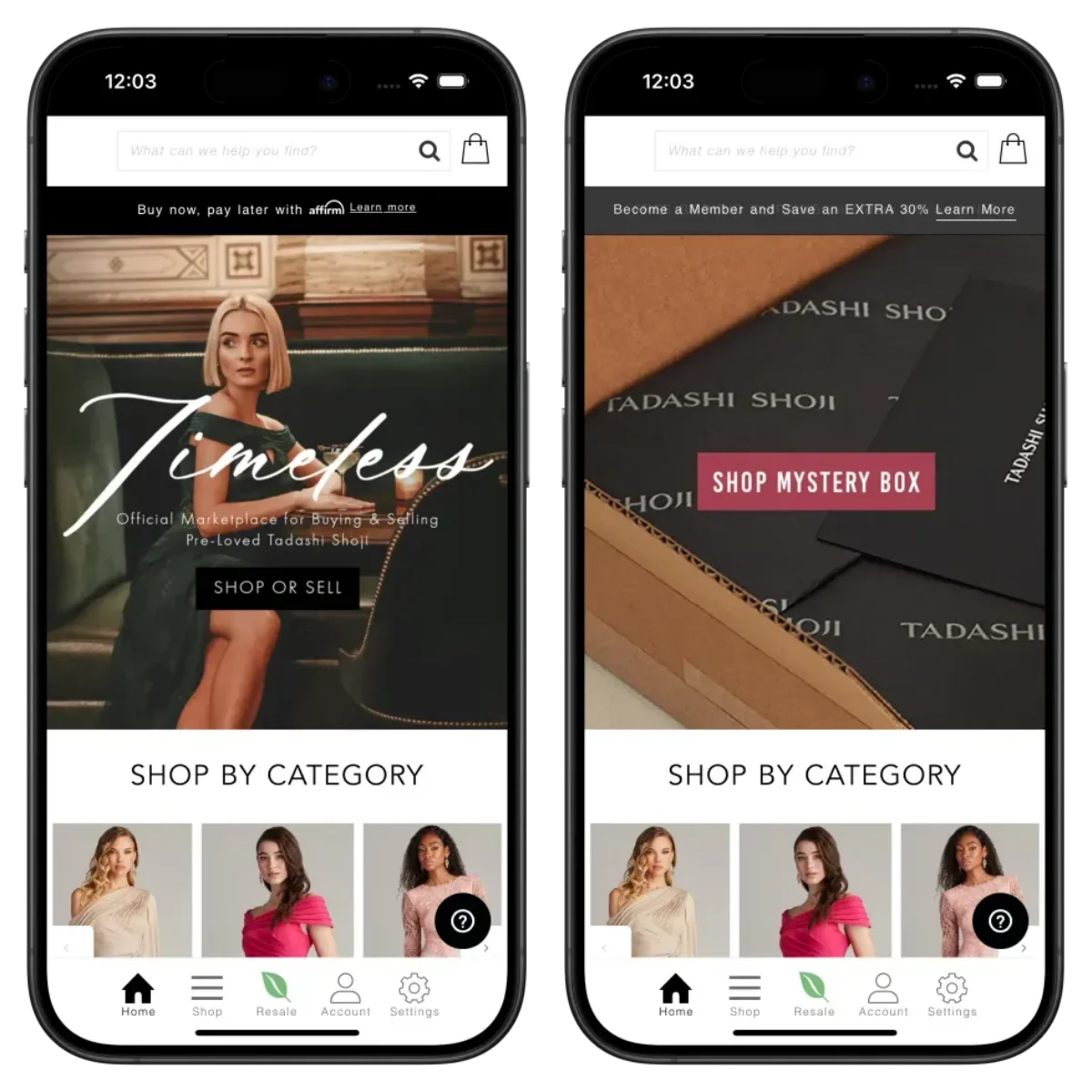
    Some of the apps built with Vendrux. See more examples here

    The timeline difference is significant: most brands go from first call to live in the App Store in around 6 weeks, compared to 4 to 9 months for a custom ecommerce app build.

    In some cases, it can be even faster.

    “No one believed we’d have an app in under a month, but within two weeks, it was done.”
    – Ahmed Yousef, Director of Ecommerce at Pharmazone

    This approach isn’t right for everyone. If you need a fundamentally different mobile experience from your website, a custom build makes sense. But if your website already delivers a strong ecommerce experience and you want to capture the retention and engagement benefits of a native app, rebuilding from scratch adds cost and delay without clear ROI.

    Already have a website that drives revenue?

    Your checkout, your integrations, your full catalog, all delivered as a native app. No rebuild. No months of development. Vendrux has helped 2,000+ brands launch native apps in weeks, not months.

    Book a free strategy call to see a preview of your app. No commitment.

    Get Your Free App Preview

    Final Thoughts

    The short answer: most mobile apps take 3 to 9 months from kickoff to launch. Simple apps land closer to 2 to 4 months, moderate builds run 4 to 9 months, and complex or enterprise projects can stretch to 18 months or longer.

    But the development phase is only part of the picture. Discovery, design, testing, integrations, and App Store review all add up, and scope creep alone can extend a 6-month project by 3 months or more.

    The best thing you can do is be honest about your complexity level, lock your MVP scope early, and pad your timeline by 20 to 30%.

    If you’re an ecommerce brand with an existing website that already works well, consider whether you need to build from scratch at all. Vendrux compresses the process from months to weeks, letting you start capturing mobile revenue while competitors are still in sprint planning.
  • App Marketing Strategies: How to Drive App Downloads for Your Ecommerce Store

    App Marketing Strategies: How to Drive App Downloads for Your Ecommerce Store

    The single biggest reason ecommerce brands hesitate to launch a mobile app isn’t cost. It isn’t technology. It’s this question:

    “Is anyone actually going to download it?”

    It’s a fair concern. Margins are tight, and most brands don’t have money or labor to spare on a channel that’s going to sit around and collect dust.

    You might also think: “I don’t download apps. I don’t think my customers will either.”

    But here’s what you need to know:

    • Apps aren’t for everyone; they’re for your top customers, those who want to be closer to your brand.
    • You don’t need a huge share of your customers on the app to drive meaningful ROI.
    • You also don’t need anything overly complicated to promote the app – it’s primarily just about putting it in front of the right people.

    At Vendrux, we’ve helped over 2,000 brands launch mobile apps. We’ve seen the impact an app can have, with a little bit of promotion.

    This guide covers what realistic download numbers look like, the strategies that actually move the needle, and how to turn a modest install base into a meaningful revenue channel.

    Setting Expectations

    Before we get into tactics, let’s calibrate what success looks like. Because if you’re coming in expecting 50% of your customer base to download the app, you’re going to be disappointed, and you’ll probably give up too early.

    Your App Is for Your VIPs

    The customers who download your app are not a random cross-section of your traffic. They’re your most loyal, highest-value customers, the ones who already buy from you repeatedly and want a faster, more convenient way to do it.

    For most ecommerce brands, that’s somewhere between 5% and 20% of your customer base.

    That sounds small. But look at what that segment actually does:

    The pattern is consistent: a small percentage of users generating a disproportionate share of revenue. This is the math that makes mobile apps work for ecommerce brands. 

    You don’t need mass adoption. You need your best customers in the app.

    What Adoption Rates Actually Look Like

    Based on what we’ve seen across 2,000+ app launches:

    • First 90 days: With active promotion, you could reach 2,000-10,000 installs, depending on existing customer base size and traffic volume.
    • Steady state: 5-15% of your customers (not website visitors, customers) can become app users with consistent promotion. This number grows over time.
    • The engagement difference: App users typically generate 3-10x more revenue per user than mobile web visitors, with higher conversion rates, longer sessions, and more frequent purchases.

    Some brands see faster adoption based on their vertical. Brands with high repeat purchase rates (consumables, beauty, food and beverage, fashion) tend to see faster adoption than brands with longer purchase cycles (furniture, electronics, luxury).

    The key insight: you don’t need to change anyone’s behavior. You don’t need to push people who aren’t really keen on it to download the app.

    Your best customers already want to buy from you frequently. The app just gives them a better way to do it.

    Already have the customers. Just need the app?

    You’ve built the store, the email list, and the repeat buyers. The promotion playbook above works best when you have a native app that matches your full website experience, not a stripped-down version your customers won’t bother with.

    Vendrux turns your existing website into a native iOS and Android app, done for you, live in 30 days. No rebuilding, no compromises on functionality. Book a free strategy call to see how it works for your store.

    Book a Free Strategy Call

    App Store Optimization: The Basics

    Let’s start here because it’s the lowest-hanging fruit, even though it won’t be your primary download driver.

    Why ASO Matters (But Not the Way You Think)

    People usually don’t browse the App Store looking for shopping apps the way they browse for games or productivity tools. Nobody is searching “cool stores to buy clothes from” in the App Store.

    What they do search for is your brand name.

    A customer sees your email, visits your site on mobile, or hears about you from a friend. They go to the App Store, type in your brand name, and expect to find your app. If they can’t find it, or if your listing looks unprofessional, you’ve lost a download you should have had.

    That’s the real purpose of ASO for ecommerce: making sure you’re findable and credible when someone comes looking for you.

    The Basics to Get Right

    App title and subtitle: Include your brand name and a clear descriptor. “YourBrand: Shop [Your Category]” works. Don’t stuff keywords.

    Screenshots: Show your actual app experience. Product pages, collections, the checkout flow, and any standout features (loyalty rewards, push notification examples). On the Apple App Store, about 33.7% of product page views convert to an install. On Google Play, it’s about 26.4%. Good screenshots and a clear description improve those numbers.

    App description: Lead with what the customer gets, not what the app does. “Shop new arrivals first, get exclusive offers, and check out in seconds” beats “Download our native mobile application for iOS.”

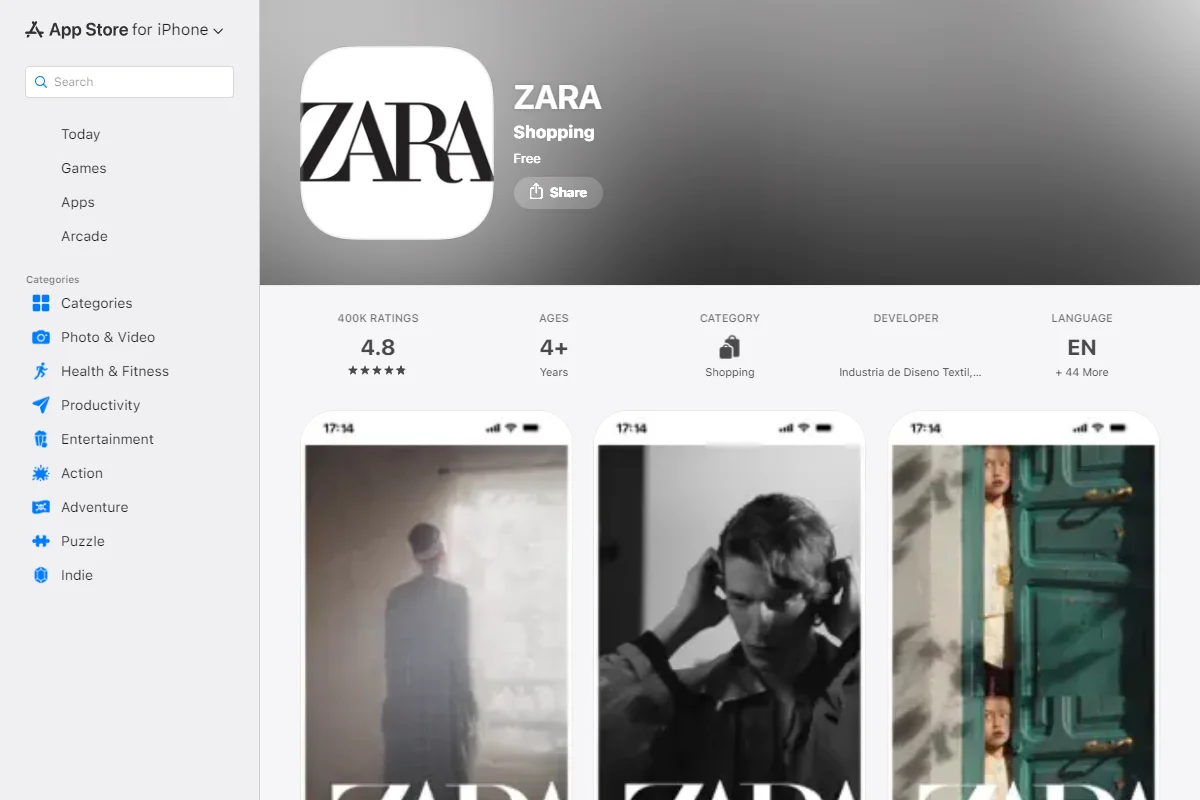
    Ratings and reviews: Encourage happy customers to leave reviews. A 4.5+ star rating is table stakes. Yon-Ka Paris maintains a 5/5 app store rating; John Varvatos has 4.9/5. These ratings build trust for anyone who lands on your listing.

    Category selection: Choose the most relevant primary category (typically Shopping). Add a secondary category if applicable.

    ASO is a “set it and update it periodically” task. Spend a few hours getting it right at launch, revisit it quarterly, and move on to the channels that will actually drive volume.

    Smart Banners on Your Mobile Website

    This is, consistently, the single highest-converting download channel for ecommerce apps.

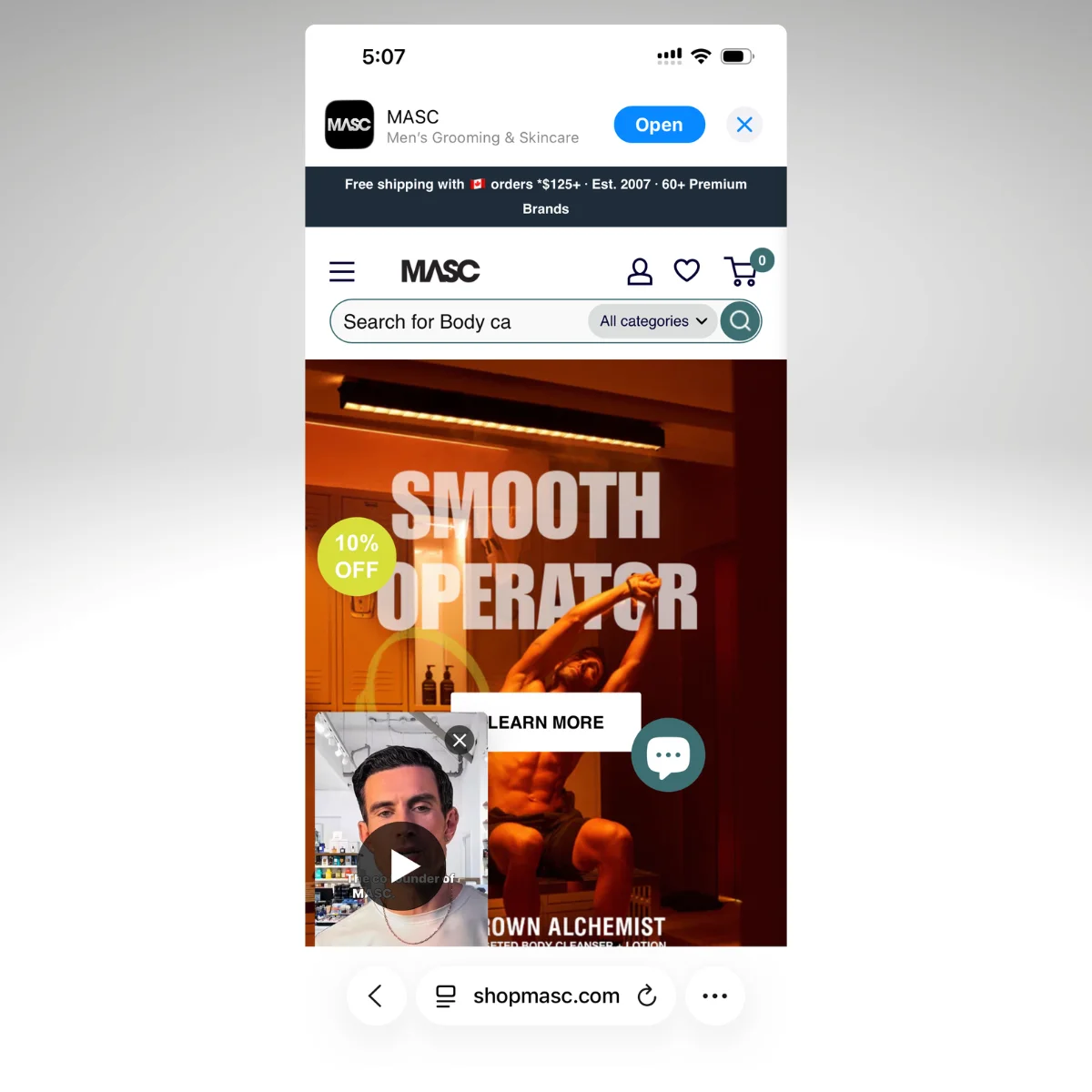
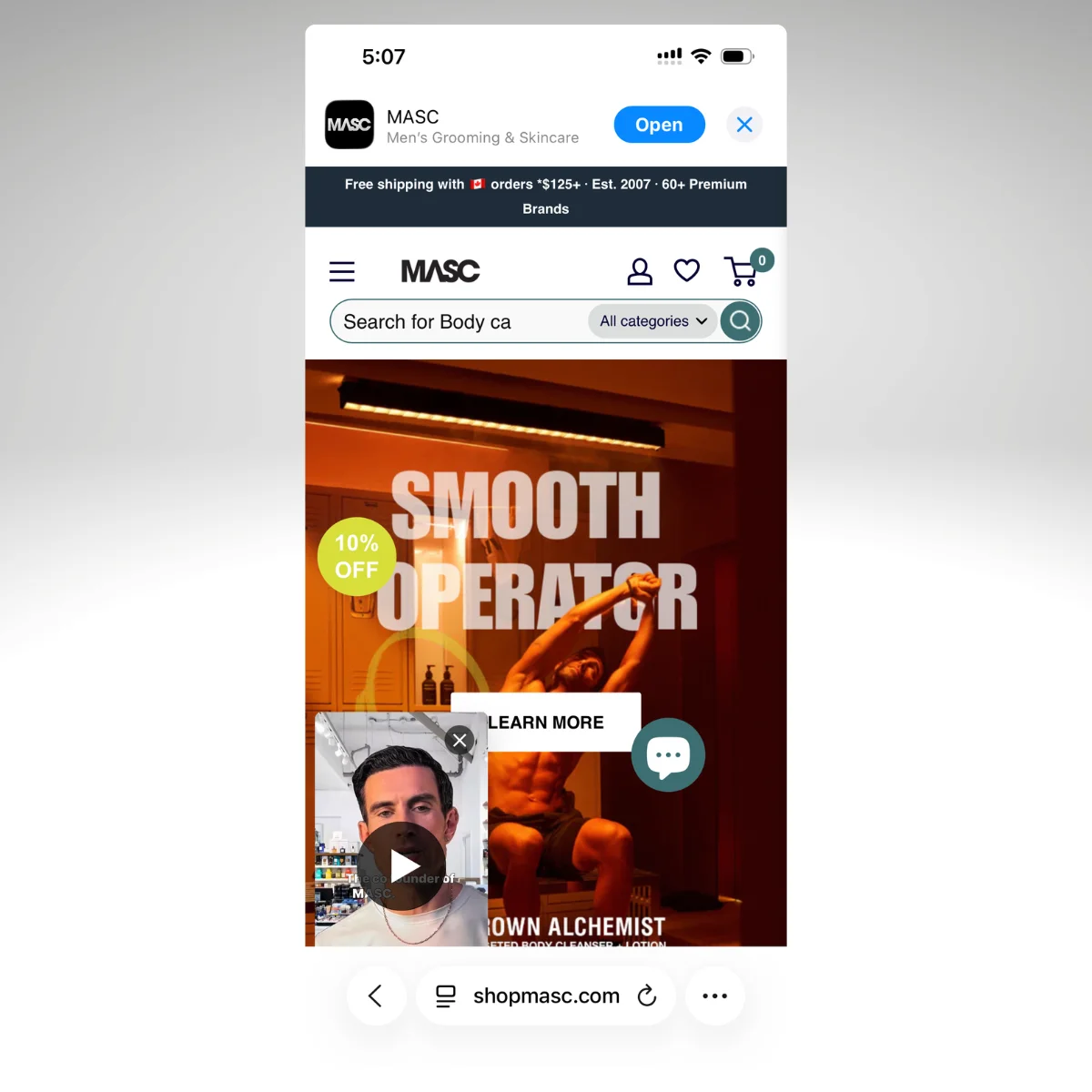
    Example of a Smart Banner from MASC
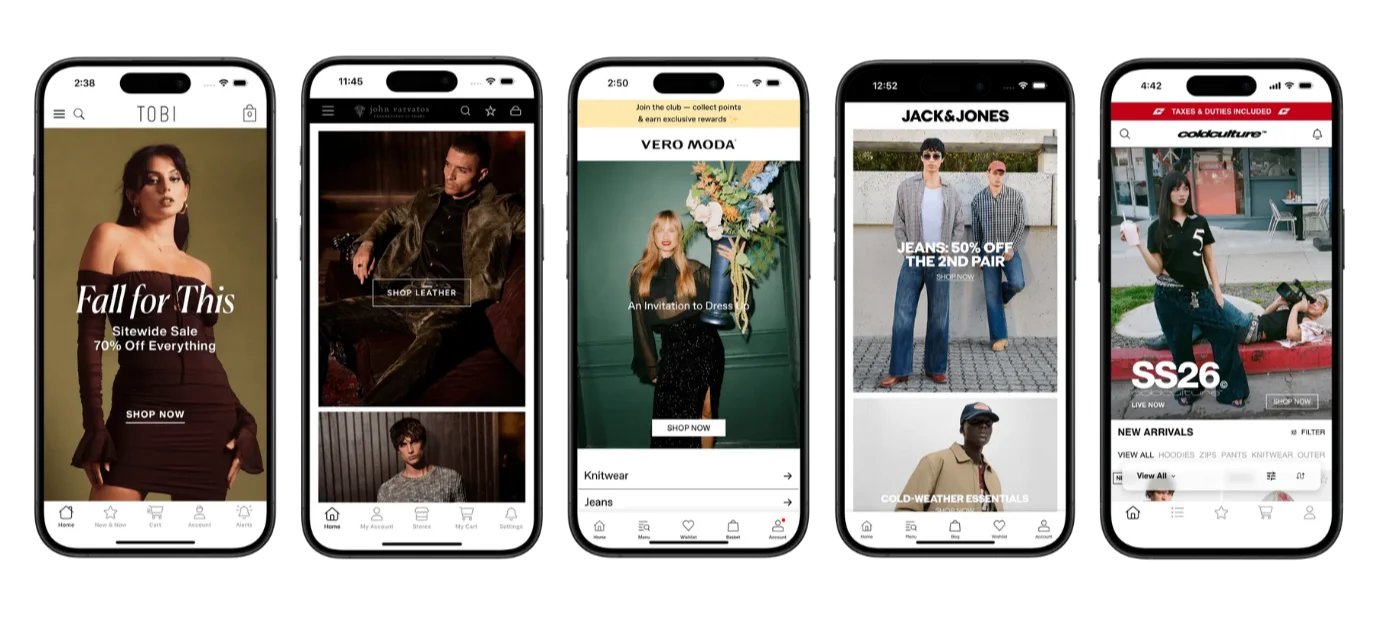
    More examples, from Tobi and Gymshark

    Why It Works

    Think about the user flow. Someone visits your website on their phone. They’re already interested in your brand, they’re already browsing your products, and they’re on a mobile device where they can install the app immediately.

    A smart banner at the top or bottom of the screen says: “Shop faster in our app. Download free.” One tap takes them to the App Store.

    You’re catching people at the exact moment they’re most receptive: already engaged with your brand, already on mobile, and already browsing.

    The John Varvatos Example

    When John Varvatos initially launched their app, they saw slow adoption. Why? Because their customers didn’t know about it.

    “If you went on johnvarvatos.com prior, you didn’t know that we had an app.”
    – Nick Barbarise, Director of IT at John Varvatos

    The inflection point was adding smart banners and QR codes. It was that simple – no complicated paid ad funnels or huge incentives. These two tactics alone drove measurable increases in downloads, usage, session time, and spend. 

    The app went from “we have it but nobody knows” to an active revenue channel with 10x revenue per app user compared to mobile web.

    Implementation Tips

    • Don’t be aggressive. A persistent but dismissable banner is better than a fullscreen interstitial that frustrates visitors. You want to invite, not interrupt.
    • Customize the message by page. A banner on a product page can say “Get back-in-stock alerts in our app.” A banner on the homepage can highlight the app generally. Context-specific messaging converts better.
    • Show it on every mobile visit. Some brands only show the banner to first-time visitors. This is a mistake. Repeat visitors are actually more likely to install, because they already know and trust you.
    • Test placement. Top-of-page banners are standard, but bottom-of-screen sticky banners can perform well too. Test both.

    QR Codes: The Smart Banner for Desktop (and Beyond)

    Smart banners work on mobile because your visitor is already on the device where they’ll install the app. But what about desktop visitors? They can’t tap through to the App Store from their laptop.

    That’s where QR codes come in. A popup or slide-in on your desktop site with a QR code and a clear reason to scan (“Get 15% off your first app order”) is the desktop equivalent of a smart banner. Your visitor grabs their phone, scans, and they’re in the App Store. It’s the lowest-hanging fruit for converting desktop traffic into app installs, and most brands overlook it entirely.

    Country Life Natural Foods running a QR code to promote their app to desktop visitors

    On Your Desktop Website

    • Popup or slide-in with a QR code. Trigger it after a few seconds on site, on exit intent, or on specific high-value pages (product pages, post-checkout confirmation). Keep the design clean: QR code, one line of copy, and a dismiss button.
    • Dedicated banner or footer section. A persistent QR code in your site footer or a banner on your homepage gives desktop visitors an always-available path to the app without being intrusive.
    • Post-purchase confirmation page. The customer just bought something on desktop. They’re engaged, they trust you, and they’re about to wait for shipping. “Track your order and get exclusive deals in our app” with a QR code is a natural next step.

    Beyond the Screen

    QR codes also bridge the gap between physical touchpoints and your app.

    • Packaging inserts. A card inside the shipping box that says “Get 10% off your next order. Download our app.” This catches customers at a high-satisfaction moment: they just received something they bought and are excited about it.
    • In-store signage. Near the register, on table displays, on fitting room mirrors. John Varvatos uses QR codes on business cards and at the register in their retail locations.
    • Receipts. Both digital and paper receipts. Your customer just completed a purchase, so they already trust you. Low friction.
    • Event materials. If you sponsor an event, run a popup, or get out in the world for any other reason, use this as an opportunity to promote your app.

    Tips

    • Make sure the QR code goes to the right store. Ideally, detect the device and route to the Apple App Store or Google Play automatically.
    • Track it. Use UTM parameters or unique landing pages so you can measure which placements drive the most installs.

    Vendrux helps you set up all the promo material you need to drive app downloads: smart banners, QR codes and more. When you launch with us, you don’t just get an app – you get a partner, invested in your success.

    Want to discuss your launch, and see if Vendrux’s the right way to do it? Get a free consultation now.

    Email Campaigns: Your Highest-Intent Audience

    Your email list is full of people who’ve already bought from you or expressed interest. They’re the exact audience most likely to download your app.

    Yet still we see many brands with a great app, who are sending daily emails, but not promoting the app to their email list.

    This is a huge miss. Here’s how to use your email list to drive app downloads:

    Launch Campaign

    When your app goes live, send a dedicated launch email to your full list. This single email will likely drive more installs than any other tactic in the first week.

    Keep it simple:

    • Announce the app
    • Show 2-3 screenshots
    • Highlight the top benefit (usually push notifications for early access / exclusive deals)
    • Link directly to the App Store and Google Play

    Ongoing Promotion

    After the launch blast, weave app promotion into your existing email flows:

    • Welcome series. Add a “Download our app” step. New subscribers are at peak engagement; some percentage will install.
    • Post-purchase emails. “Love your order? Shop faster next time in our app.” This catches customers in a positive moment.
    • Email footers. Add App Store and Google Play badges to your email template footer. It’s passive but consistent; over thousands of sends, it adds up.
    • Win-back flows. For lapsed customers, “We’ve launched a new app with exclusive offers” gives you a fresh reason to re-engage.

    What Not to Do

    Don’t send weekly “download our app” emails. One strong launch email, integration into your flows, and a footer badge is enough. Repeated standalone app promotion emails will fatigue your list fast.

    First-Purchase App Discounts

    Offering a discount on the first purchase through the app (typically 10-15% off) is one of the most effective install drivers, and the economics behind it make more sense than most merchants realize.

    Why It’s Worth the Discount

    The instinct is to resist discounting. You’re already acquiring these customers through other channels; why give them a discount just to change where they shop?

    Here’s why: the lifetime value math changes once someone is in the app.

    App users generate 3-10x more revenue per user than mobile web visitors. They visit more often, convert at higher rates, and spend more per order. A 10% discount on one order to move a customer into a channel where they’ll spend 3-10x more over time is a strong trade.

    Think of it the same way you’d think about a first-time email subscriber discount. You’re not discounting for charity. You’re investing in a higher-value relationship.

    “Those app-specific promotions are very popular and they’ve been driving a solid amount of downloads…these customers are staying active on the app.”
    – Myracle McCoy, Lifecycle Marketing Manager at Canna River

    How to Structure It

    • 10-15% off the first app purchase is the sweet spot. High enough to motivate, low enough that it doesn’t condition customers to expect constant discounts.
    • Make it a one-time use code. You’re incentivizing the install, not creating a permanent discount expectation.
    • Promote it everywhere. The discount becomes the hook for your smart banners, QR codes, email campaigns, and social media posts. “Download our app, get 15% off your first order” is a more compelling CTA than “Download our app.”
    • Set an expiration. A 7-14 day window creates urgency without being too pushy.

    Social Media and Paid Promotion

    Most people think of running ads or social media campaigns first when they think of app marketing strategies.

    But these are supplementary channels. They work, but they’re rarely the primary download driver for ecommerce apps.

    Here’s how you could use them in your download strategy:

    Organic Social

    Announce the app launch across your channels. Pin the post for a week. After that, mention the app occasionally in relevant contexts (new product drops, flash sales, loyalty rewards) rather than posting standalone “download our app” content.

    The brands that do this well tie app promotion to something the customer cares about. “New collection dropping Friday at noon. App users get early access” is infinitely more effective than “Download our app today!”

    Paid App Install Campaigns

    Running paid campaigns specifically for app installs (through Apple Search Ads, Google App Campaigns, or Meta) can work but isn’t necessary for most ecommerce brands.

    The average cost per install in Western markets is about $4.50 on iOS and $3.20 on Android. If your average app user generates significantly more revenue than a mobile web visitor (which the data consistently shows), the math can work. 

    But start with the free/owned channels first. Most brands don’t need paid installs to build a profitable app user base.

    If you do run paid campaigns, start with retargeting: show app install ads to people who’ve already visited your website or purchased from you. They’re far more likely to install than cold audiences.

    The 90-Day App Download Playbook

    If you’re launching an app (or relaunching promotion for one that’s been underperforming), here’s a practical timeline.

    Week 1: Foundation

    • Finalize your app store listing (screenshots, description, keywords)
    • Set up smart banners on your mobile website
    • Prepare your launch email
    • Create a first-purchase discount code for app users

    Weeks 2-3: Launch Push

    • Send your launch email to your full list
    • Post on social media (pin the announcement)
    • Add QR codes to packaging inserts and any physical locations
    • Add App Store/Google Play badges to your email footer template
    • Start your welcome push notification flow

    Weeks 4-8: Sustained Promotion

    • Integrate app mentions into your email flows (welcome series, post-purchase, win-back)
    • Begin regular push notification campaigns (2-3 per week, mixing promotional and contextual)
    • Monitor install rates by channel and double down on what’s working
    • Adjust smart banner messaging based on performance

    Weeks 9-12: Optimize and Measure

    • Review per-user revenue: app vs mobile web
    • Calculate push notification ROI
    • Assess which install channels drive the highest-value users (not just the most installs)
    • Decide whether paid install campaigns are worth testing
    • Share results with your team to build internal buy-in for continued app investment

    You Don’t Need Everyone. You Need the Right People.

    The brands that succeed with mobile apps don’t chase download counts. They focus on getting their best customers, the ones who already love their brand and buy repeatedly, into a channel where the experience is faster, the engagement is higher, and the communication is direct.

    A few thousand highly engaged app users will outperform hundreds of thousands of casual mobile web visitors. That’s not a theory. It’s what we see every day across the 2,000+ apps we’ve helped launch.

    We’ll help you launch your app for a minimal investment in time, effort and money – and we’ll also support you with everything you need to actually get downloads.

    If you want to discuss how Vendrux can help you launch, get in touch and book a free consultation now.

    If you’re holding back on an app because you’re worried nobody will download it, the data says otherwise. Your best customers are waiting for a reason to get closer to your brand. Give them one.

  • Shopify Checkout Extensibility: All You Need to Know

    Shopify Checkout Extensibility: All You Need to Know

    If you run a Shopify store, your checkout is the most important page on your site. It’s where literally revenue happens. Customizing this is one of the highest-leverage improvements you can make.

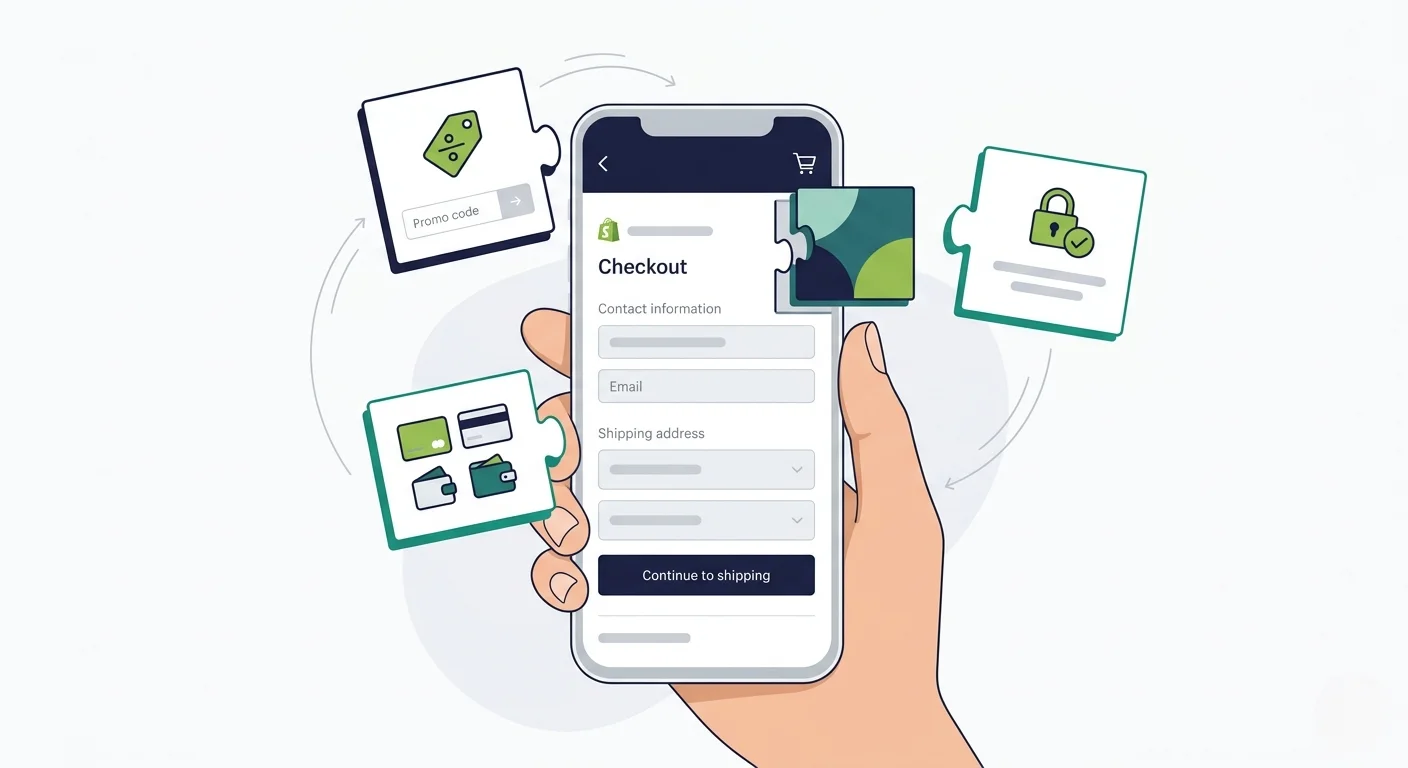
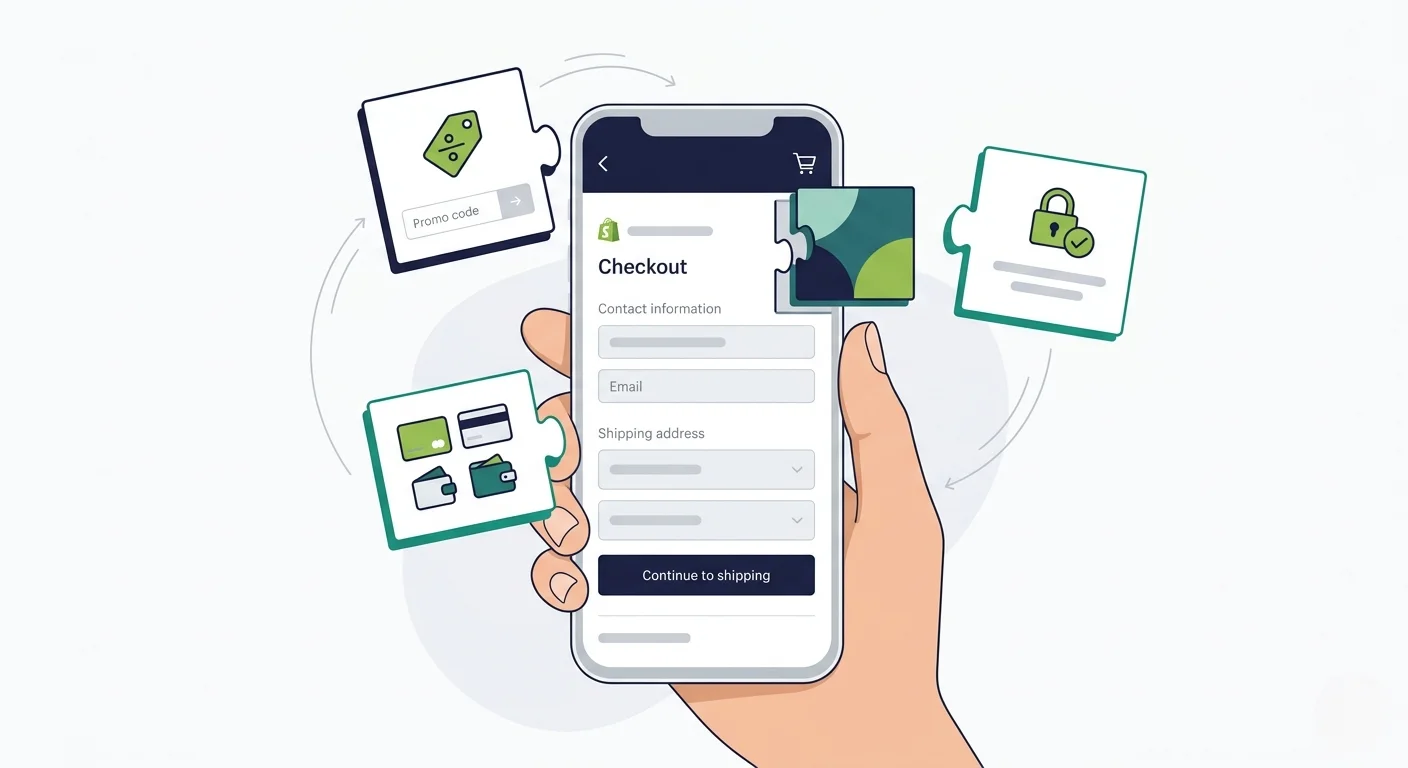
    In 2024, Shopify deprecated checkout.liquid, the template file that gave merchants full HTML, CSS, and JavaScript control over their checkout pages. In its place: Checkout Extensibility, a structured framework that lets you customize checkout through approved extension points, APIs, and server-side logic.

    This wasn’t a minor update. It affects how you add trust badges, run discount logic, track conversions, display post-purchase upsells, and brand your checkout. Every Shopify merchant needs to understand what changed, what you can do now, and what this means if you’re planning to launch a mobile app.

    This article covers all of it: the components, the capabilities, the limitations, and why checkout extensibility makes your choice of mobile app solution more important than ever.

    What Is Shopify Checkout Extensibility?

    For years, Shopify Plus merchants could edit checkout.liquid directly, injecting custom HTML, CSS, and JavaScript into the checkout flow. It was powerful, but it created real problems.

    Merchants could (and did) break their own checkouts with bad code. Shopify couldn’t guarantee page load performance or security when arbitrary scripts were running.

    Every time Shopify updated the checkout infrastructure, custom code could break. And there was no way for Shopify to roll out platform-wide improvements without risking conflicts with thousands of custom implementations.

    Checkout Extensibility is Shopify’s solution. Instead of giving merchants raw access to the checkout template, Shopify now provides a set of structured extension points, APIs, and tools that let you customize checkout without touching the underlying code.

    The principle is straightforward: Shopify controls the checkout infrastructure (performance, security, accessibility, payment processing), and merchants customize through sanctioned extension points that can’t break the core experience.

    The Migration Timeline

    The transition happened in stages:

    • August 13, 2024: checkout.liquid stopped working for the main checkout pages (Information, Shipping, Payment) on Shopify Plus stores
    • January 2025: Shopify began auto-upgrading stores that hadn’t migrated their checkout pages
    • August 28, 2025: Thank You and Order Status pages stop rendering legacy customizations for Plus stores; Additional Scripts stop working
    • August 26, 2026: Non-Plus stores must complete the migration for Thank You and Order Status pages

    If you’re on Shopify Plus, the main checkout migration is already done. The Thank You and Order Status page deadline is August 2025. If you’re on a standard Shopify plan, you have until August 2026 for those pages.

    The Five Pillars of Checkout Extensibility

    Checkout Extensibility isn’t a single feature. It’s a framework made up of five distinct components, each handling a different aspect of checkout customization.

    Checkout UI Extensions

    These are custom UI components that render at specific points in the checkout flow. Think trust badges below the payment form, gift message fields in the shipping step, delivery date pickers, loyalty point displays, or upsell offers before the purchase button.

    UI Extensions run in Shopify’s secure sandbox. You build them using Shopify’s component library (not arbitrary HTML), which means they’re consistent with the rest of the checkout experience and can’t break the page. Extensions on the Information, Shipping, and Payment steps require a Shopify Plus plan.

    You can also add custom banners, customize headers with branded imagery, update footers with store policies, add address autocomplete providers, and build client-side validation that controls whether a customer can proceed to the next step.

    Checkout Branding API

    The Branding API gives you control over the visual identity of your checkout: colors, typography, logos, button styles, form field appearance, corner radius, and spacing. You can access it through the GraphQL Admin API or through the visual checkout editor in your Shopify admin.

    The goal is to make your checkout look like your storefront, not like a generic Shopify page. You can match your brand colors, use your custom fonts, and create a checkout that feels like a seamless extension of your shopping experience.

    Shopify Functions

    This is where the server-side logic lives. Shopify Functions replace the old Shopify Scripts (which were limited to Plus merchants) with a more powerful, more flexible system.

    Functions run on Shopify’s infrastructure and handle backend checkout logic:

    • Discount Functions – order discounts (e.g., $10 off the entire cart), product discounts (e.g., 15% off specific items), and shipping discounts (e.g., free shipping over $100)
    • Payment Customization – reorder, rename, or hide payment methods based on cart contents, customer tags, or order value
    • Cart and Checkout Validation – enforce minimum order quantities, validate product combinations, verify address formats
    • Delivery Customization – modify shipping rate names, descriptions, and sort order
    • Cart Transform – create bundles by merging line items, override prices, titles, or product images
    • Order Routing – control which fulfillment location handles each line item based on custom logic

    Functions are compiled to WebAssembly and execute in microseconds on Shopify’s edge infrastructure. They’re fast, and they scale without any performance cost to the merchant.

    Web Pixels

    Web Pixels are Shopify’s replacement for the old Additional Scripts approach to conversion tracking. They let you subscribe to checkout events (like checkout_completed, payment_info_submitted, checkout_address_info_submitted) and run tracking code for GA4, Meta Pixel, TikTok, Microsoft Ads, and other platforms.

    The key difference from the old system: Pixels run in a sandboxed environment. They can fire tracking events, but they can’t manipulate the checkout DOM or read page content. 

    This is a deliberate trade-off: merchants get reliable, privacy-compliant tracking without the risk of scripts interfering with the checkout experience.

    Post-Purchase Extensions

    These let you add upsell and cross-sell offers to the page between checkout completion and the Thank You page. The customer has already entered their payment information, so accepting an additional offer is a one-click action with no re-entry of payment details.

    Post-purchase extensions are built using Shopify’s UI components and can display product recommendations, bundle offers, or limited-time discounts based on what the customer just purchased.

    What Can You Actually Customize?

    Here’s what a fully customized Shopify checkout looks like with Extensibility:

    • Visual branding. Your checkout matches your storefront, with your colors, fonts, logo, button styles, and form field appearance. A customer shouldn’t feel like they’ve left your store when they hit checkout.
    • Trust and conversion elements. Trust badges, security seals, satisfaction guarantees, countdown timers, and free shipping thresholds displayed at strategic points in the checkout flow.
    • Custom input fields. Delivery instructions, gift messages, gift wrapping options, company purchase order numbers, or any other information you need to collect during checkout.
    • Dynamic discounts and pricing. BOGO deals, tiered pricing (spend $200, get 20% off), automatic bundle discounts, and conditional free shipping, all powered by Shopify Functions and applied automatically at checkout.
    • Payment method logic. Hide COD for orders over a certain value, show installment options only for high-value carts, rename payment methods for clarity, or reorder them based on customer location.
    • Custom validation. Enforce minimum order values, restrict certain product combinations, validate addresses against a shipping provider’s database, or block checkout for out-of-service-area addresses.
    • Post-purchase upsells. One-click upsell offers after payment, personalized to the order the customer just placed.
    • Conversion tracking. GA4, Meta, TikTok, Pinterest, and other pixels firing reliably in Shopify’s sandboxed environment, without conflicts or script errors.

    Already customized your Shopify checkout?

    If you’ve invested in Checkout UI Extensions, custom branding, Shopify Functions, and post-purchase upsells, your mobile app should reflect all of that work, not rebuild it from scratch.

    Vendrux extends your Shopify storefront into a native iOS and Android app. Your checkout customizations carry over automatically.

    Get a Free App Preview

    What You Can’t Do Anymore

    Checkout Extensibility is more structured than checkout.liquid, and that means some things are no longer possible:

    • No arbitrary JavaScript. You can’t inject custom scripts that manipulate the checkout DOM. If checkout.liquid let you rewrite how the payment form looked or behaved, that’s gone. Customizations now go through Shopify’s approved extension points.
    • No moving core elements. You can’t reposition the payment form, rearrange the checkout steps, or restructure the page layout. Shopify controls the placement of core checkout components.
    • Limited to designated extension points. You can add UI elements at specific locations (before/after the order summary, in the shipping step, etc.), but you can’t add them anywhere you want on the page.
    • Tracking is sandboxed. Your pixels can fire events, but they can’t read the DOM, access cookies directly, or run code that interacts with the checkout page itself.

    These restrictions exist for good reasons. Shopify’s checkout processes billions of dollars in transactions. Letting merchants inject arbitrary code into that flow created security vulnerabilities, performance issues, and broken checkouts that cost merchants revenue. 

    The new system is more constrained, but the checkout it produces is faster, more secure, and more reliable.

    For most merchants, Checkout Extensibility provides enough flexibility to build the checkout experience they need. The merchants who feel the limitation most are those with highly custom loyalty integrations or complex multi-step flows that went beyond what a standard checkout should do.

    Your Web Checkout is Sorted… How About Your App?

    Here’s where checkout extensibility gets directly relevant to your mobile strategy.

    If you’ve invested time and money customizing your Shopify checkout (branding, UI extensions, discount functions, post-purchase upsells, conversion tracking), you need that to carry over when you launch a mobile app.

    But unfortunately it’s not always the case.

    The Rebuild Problem

    Many Shopify mobile app builders construct a separate storefront using Shopify’s Storefront API. The product catalog and cart sync over, but the checkout experience is rebuilt from the API up. 

    That means your Checkout UI Extensions, your Branding API customizations, your Shopify Functions logic, and your post-purchase extensions may not render the same way in the app, or at all.

    You end up with two checkouts: the one on your website (with all your customizations) and the one in your app (with whatever the app builder could replicate). That’s two experiences to test, two flows to maintain, and a gap between what your web customers see and what your app customers see.

    For brands that have invested heavily in checkout optimization, that gap is a real problem.

    How Vendrux Handles Your Checkout Optimizations

    Vendrux takes a different approach. Instead of rebuilding your storefront from an API, Vendrux extends your existing Shopify store into a native iOS and Android app. 

    Your website powers the app experience, which means your checkout, with every customization you’ve made through Checkout Extensibility, works exactly as it does on the web.

    Your Checkout UI Extensions render. Your Branding API styles apply. Your Shopify Functions run. Your post-purchase upsells display. Your Web Pixels fire. There’s nothing to rebuild, nothing to re-test, and no gap between your web and app checkout.

    When Shopify updates the Extensibility framework or you add new checkout customizations, those changes appear in your app automatically. No app update required, no coordination with a development team.

    “Vendrux made a lot of sense because it literally uses Shopify. When Shopify updates…the app is updated.”
    – Eric Lowe, Director of Ecommerce at XCVI

    This is particularly important for brands running sophisticated checkout setups: custom discount logic, conditional payment methods, address validation, branded visual identity. The more you’ve customized your checkout, the more you stand to lose when an app builder can’t replicate it.

    What This Means in Practice

    When you launch a mobile app with Vendrux, your checkout is the same checkout your web customers use. Specifically:

    • Checkout UI Extensions (trust badges, custom fields, upsell blocks) display in the app exactly as they do on web
    • Checkout Branding (colors, fonts, button styles) carries over with no additional configuration
    • Shopify Functions (discounts, payment rules, cart validation) execute identically because the checkout is the same
    • Web Pixels (GA4, Meta, TikTok) fire the same events, in the same sandbox, with the same data
    • Post-Purchase Extensions display between checkout and the Thank You page, just like on web

    There’s no second checkout to build. No feature parity to chase. No testing two separate flows every time you make a change.

    Your Checkout Is Already Built. Your App Should Use It.

    You’ve already done the work. You’ve migrated from checkout.liquid. You’ve set up your UI Extensions, configured your branding, written your discount functions, and connected your tracking pixels. Your checkout converts.

    Your mobile app should reflect all of that, not start over.

    Here’s how to get started with Vendrux:

    1. Book your strategy call. We’ll walk through your current Shopify setup, your checkout customizations, and how they’ll work in your app. No commitment. Book a free 30-minute strategy call.
    2. Get your custom app preview. We’ll build a personalized preview of your native app so you can see your store, your checkout, and your brand experience on a real device.
    3. Launch in 30 days. We handle everything: App Store submission, Google Play submission, configuration, and QA. Your checkout customizations carry over from day one.

    We’ve built 2,000+ apps for brands like yours. From first call to App Store in weeks, not months. Predictable pricing, no revenue share.

    If you’ve invested in making your Shopify checkout great, why would your app offer anything less?

    Get a free app preview and see what your app could look like.

  • Ecommerce Contribution Margin: What It Is and How to Improve It

    Ecommerce Contribution Margin: What It Is and How to Improve It

    Most ecommerce operators will boast about their ROAS, their revenue, perhaps even gross margins or LTV.

    But there’s one metric that matters more than anything; one that tells you whether you’re actually making money, or just sprinting on a treadmill

    Contribution margin.

    Revenue can grow while profits shrink. It happens all the time. A brand scales ad spend, acquires more customers, hits new revenue milestones, and somehow ends the quarter with less cash than the last one. 

    The reason is almost always hiding in contribution margin – specifically in the layers below gross margin that most operators don’t track closely enough.

    This guide covers the full picture:

    • What contribution margin is and how the CM1/CM2/CM3 framework works
    • Where most brands leak margin (and which layer to focus on at your stage)
    • Specific levers to improve each layer
    • The channel mix problem that almost nobody talks about

    If you already know the basics, use the sidebar to skip ahead to How to Improve Contribution Margin at Every Layer or The Channel Mix Lever Most Brands Overlook, where we’ll share some proven business strategies to boost contribution margin.

    Otherwise, keep reading and get the full picture of possibly the most important metric in your business.

    What Is Ecommerce Contribution Margin?

    Contribution margin is the revenue left over after you subtract all the variable costs associated with producing and selling a product. It tells you how much each sale “contributes” toward covering your fixed costs (rent, salaries, software) and generating profit.

    The basic formula:

    Contribution Margin = Revenue – Variable Costs

    Or as a percentage:

    Contribution Margin % = (Revenue – Variable Costs) / Revenue x 100

    A quick example: 

    • You sell a candle for $40. 
    • The wax, wick, jar, and label cost you $12. 
    • Shipping runs $5. 
    • Payment processing takes $1.20. 
    • And you spent $8 on ads to acquire that customer. 
    • That leaves $13.80 in contribution margin, or 34.5%.

    That $13.80 is what’s available to cover your warehouse lease, your Shopify subscription, your team’s salaries, and ultimately, profit.

    Notice how a product with 70% gross margins ($40 – $12 = $28) ends up with only 34.5% contribution margin once you account for everything it actually costs to sell and deliver it.

    Contribution Margin vs Gross Margin

    People mix these up constantly. Gross margin only subtracts the direct cost of goods (COGS) from revenue. 

    Contribution margin goes further, it includes all variable costs tied to selling that unit: shipping, fulfillment fees, payment processing, packaging, even the marketing spend to acquire that specific customer.

    Gross margin tells you whether your product is fundamentally viable. Contribution margin tells you whether selling it is actually profitable once everything is accounted for.

    A brand with 65% gross margins can still have negative contribution margin if fulfillment and acquisition costs eat the rest. This happens more often than you’d think, especially for brands scaling aggressively through paid channels.

    The CM1, CM2, CM3 Framework

    The single contribution margin number is useful, but it hides where margin is actually being lost. That’s why DTC operators increasingly use a layered framework that breaks contribution margin into three levels:

    CM1: Product Economics

    CM1 = Net Revenue – COGS – Discounts – Returns

    This is your product-level margin. It answers a straightforward question: is this product fundamentally profitable before you ship it or market it?

    CM1 includes:

    • Raw materials and manufacturing
    • Product packaging
    • Discounts and promotions applied at checkout
    • Returns and refunds (the cost of goods you sold but got back)

    If CM1 is weak, no amount of marketing efficiency or fulfillment optimization will save you. The product economics have to work first.

    CM2: Delivery Economics

    CM2 = CM1 – Fulfillment – Shipping – Platform Fees – Payment Processing

    CM2 captures the cost of getting the product to the customer and processing the transaction. This is where a lot of margin quietly disappears:

    • Pick, pack, and ship costs (whether in-house or 3PL)
    • Shipping carrier fees
    • Platform and marketplace fees (Shopify’s transaction fee, Amazon’s referral fee)
    • Payment gateway processing (typically 2.9% + $0.30 per transaction)

    Brands selling through marketplaces in particular often look healthy at CM1 and collapse at CM2. 

    Amazon’s referral fees alone run 15% in most categories, and that’s before FBA fulfillment, storage, and advertising fees, which can push the total take past 50% of revenue.

    CM3: Growth Economics

    CM3 = CM2 – Customer Acquisition Costs – Paid Marketing

    CM3 is the most important number for scaling brands, and the one most operators track too loosely. It tells you whether your growth engine is creating profit or consuming it.

    This layer subtracts:

    • Paid advertising spend allocated per order
    • Influencer and affiliate costs
    • Retargeting and remarketing spend
    • Any variable marketing cost tied to driving that specific sale

    CM3 is where the whole story comes together. A brand can have strong CM1 (good product margins), decent CM2 (efficient fulfillment), and still be unprofitable because customer acquisition costs are eating everything that’s left.

    In fact, this is becoming more and more common these days, as brands built on cheap acquisition begin to struggle as the paid ads game gets harder and harder.

    A Working Example

    Here’s what this looks like for a mid-market DTC apparel brand selling a $75 shirt:

    Layer Line Item Amount
    Revenue Selling price $75.00
    Discount (10% promo) -$7.50
    Net Revenue $67.50
    CM1 COGS (fabric, manufacturing, packaging) -$20.25
    Returns allowance (8%) -$5.40
    CM1 $41.85 (62%)
    CM2 Fulfillment (pick/pack) -$4.50
    Shipping -$6.00
    Payment processing (2.9% + $0.30) -$2.26
    Platform fees -$1.00
    CM2 $28.09 (42%)
    CM3 Paid acquisition (blended CAC) -$18.00
    CM3 $10.09 (15%)

    That $10.09 is what’s left to cover fixed costs and generate profit. And for a first-time customer acquired through paid ads, $18 in acquisition cost per order is conservative. The median paid CPA across ecommerce hit $32.74 in 2025, up nearly 9% year over year.

    Now imagine that same customer comes back and buys again from a push notification or an email. The second order looks completely different:

    First Order Second Order (Owned Channel)
    Net Revenue $67.50 $67.50
    CM1 $41.85 (62%) $41.85 (62%)
    CM2 $28.09 (42%) $28.09 (42%)
    Acquisition cost -$18.00 $0.00
    CM3 $10.09 (15%) $29.10 (43%)

    Same product, same fulfillment cost, nearly 3x the contribution margin. The difference is entirely in how the customer arrived.

    This is why CM3 is the metric that matters most for scaling brands, and why the channel through which a sale happens changes everything.

    Why CM3 Is the Metric That Matters for Scaling Brands

    Some brands track gross margin carefully and call it a day. The problem is that gross margin doesn’t capture the two biggest cost categories in ecommerce: fulfillment and customer acquisition.

    A decade ago, you could acquire customers cheaply through Facebook and Google, and your gross margin was a reasonable proxy for overall health. That world is gone.

    The CAC Problem Is Structural

    Customer acquisition costs have risen roughly 222% since 2013. The average ecommerce brand now loses $29 on each newly acquired customer when you factor in returns and acquisition costs, up from $9 a decade ago.

    Here are the main drivers (they’re not temporary):

    • iOS 14.5 gutted attribution and made paid targeting less efficient
    • Ad auction inflation from mega-retailers like Temu and Shein has driven up CPMs across Meta and Google
    • Channel saturation means diminishing returns on every incremental dollar spent
    • Google Ads CPC climbed nearly 13% year over year in 2025

    When average CAC ranges from $53 (food and beverage) to $91 (jewelry), and the median paid CPA is $32.74 per order, a large portion of first orders are being sold at a loss. 

    The business model only works if those customers come back, and if they come back through channels that don’t cost you again.

    The Implication of Poor CM3

    If your CM3 on first orders is thin or negative, your entire profitability depends on two things:

    1. Repeat purchase rate. How many of those acquired customers buy again?
    2. Channel cost on repeat orders. When they do come back, what does it cost to bring them back?

    This is where most contribution margin guides stop. They’ll tell you to “improve retention” as a bullet point and move on. 

    But the how matters enormously, because different channels for driving repeat purchases have radically different cost structures.

    How to Improve Contribution Margin at Every Layer

    Each CM layer has its own set of levers. The right place to focus depends on your stage and where the biggest gap sits.

    Improving CM1: Product Economics

    CM1 is the foundation. If your product-level margins are weak, nothing downstream can compensate. 

    Average ecommerce gross margins run about 45%, but this varies enormously by category: beauty brands often hit 50-70%, while consumer electronics operate on 15-25%.

    Negotiate landed COGS

    As order volumes increase, renegotiate with suppliers. Even 2-3 percentage points on COGS drops straight to margin. Consolidate SKUs to increase volume per supplier and negotiate better unit pricing.

    Optimize your product mix

    Not all products carry the same margin. Identify which SKUs contribute the most margin per order (not just the most revenue) and prioritize them in merchandising, ads, and homepage placement. A $30 product with 70% CM1 contributes more than a $50 product with 35% CM1.

    Rethink discounting

    A 10% discount on a product with 60% CM1 cuts your margin by 17%. Shift from percentage-off discounts to value-adds (free gift with purchase, loyalty points, early access) that don’t directly compress margin. Or if you discount, model the impact on CM1 before launching the promotion.

    Reduce returns

    Returns don’t just cost you the refund. They cost processing, shipping, and often the product itself (restocking isn’t always possible). Better product descriptions, size guides, and post-purchase confirmation flows can reduce return rates by several percentage points.

    Improving CM2: Delivery Economics

    CM2 is where operational efficiency matters. Small per-order savings compound fast at scale.

    Audit fulfillment costs

    Whether you use a 3PL or fulfill in-house, break down cost per order by each step: pick, pack, materials, and labor. Compare 3PL providers annually. A $0.50 per-order reduction across 100,000 annual orders is $50,000 in margin.

    Optimize shipping strategy

    Negotiate carrier rates based on volume. Consider zone-based pricing to reduce average shipping distance. Use regional fulfillment centers if your order volume justifies it. Test whether flat-rate shipping thresholds (free shipping at $75+) increase average order value enough to offset the cost.

    Reduce packaging costs

    Right-size your packaging to avoid dimensional weight surcharges. Standardize box sizes where possible. Every ounce of unnecessary packaging inflates shipping cost.

    Minimize platform and processing fees

    Payment processing is relatively fixed (2.9% + $0.30 is standard), but platform fees vary. If you’re selling through marketplaces alongside DTC, understand the true CM2 difference per channel. An order through your own Shopify store has a very different CM2 profile than the same order through Amazon.

    Improving CM3: Growth Economics

    This is the biggest margin opportunity for most scaling brands. 

    CM3 is driven by two forces: how efficiently you acquire customers and how cheaply you can get them to buy again.

    Here’s what to focus on to improve your contribution margin at the deepest level.

    Shift acquisition spend toward higher-LTV channels and segments

    Not all acquisition channels produce the same customer lifetime value – nor each customer segment. 

    A customer acquired through a referral program or organic content typically has higher LTV than one acquired through a flash sale retargeting ad. And some customer demographics spend more than others.

    By shifting more of your focus towards the channels and customer archetypes that typically deliver more revenue, you’ll see a rise in your overall CM3 as well.

    Increase the ratio of owned-channel revenue

    Every repeat purchase driven through email, SMS, or push notifications has zero acquisition cost. It makes sense – adding revenue without adding acquisition cost will boost your overall contribution margin.

    These channels also typically provide stronger revenue: Existing customers are 9x more likely to convert than new visitors, and repeat customers spend 67% more by their third year compared to their first six months. 

    The more revenue you can drive through owned channels, the higher your blended CM3.

    Build repeat purchase loops

    Subscription models, replenishment reminders, loyalty programs, and post-purchase sequences are all powerful ways to drive repeat purchases. 

    Brands with loyalty programs see members spend 12-18% more than non-members. Each subsequent purchase in a subscription is typically zero extra CAC.

    And almost all repeat purchases come with higher contribution margin than a first-time sale.

    Manage retargeting spend carefully

    Retargeting feels efficient because conversion rates are high, but it still has a real cost. 

    Facebook retargeting CPMs run $15-25 for custom audiences. If you’re retargeting customers who would have purchased anyway (through email or organic return visits), you’re paying for conversions you would have gotten for free. 

    This is a hidden CM3 leak that’s difficult to measure but important to monitor.

    Your repeat customers are your highest-margin customers

    If you’re looking for ways to drive more owned-channel revenue, a native mobile app gives your best customers a direct line to your store, with push notifications, one-tap purchasing, and no acquisition cost on repeat visits.

    Vendrux turns your existing website into a native iOS and Android app, with full parity and no rebuild required. We’ve built 2,000+ apps for brands like yours.

    Get a Free App Preview

    The Channel Mix Lever Most Brands Overlook

    Here’s the contribution margin conversation that almost nobody is having: the channel through which a sale happens fundamentally changes its CM3. Not by a few points. By multiples.

    Most margin optimization advice focuses on making each layer more efficient: negotiate better COGS, reduce shipping costs, improve ROAS. 

    All of that matters. But the single biggest variable in CM3 isn’t how efficiently you run any one channel. It’s the mix of channels driving your revenue.

    Three Channel Profiles

    Let’s walk through how the same $75 shirt performs across three different sales channels. We’ll keep CM1 and CM2 roughly constant (same product, similar fulfillment) to isolate the channel economics:

    Marketplace (Amazon)

    Your product has high visibility. You didn’t have to build the audience. But the economics are punishing:

    • Amazon referral fee: 15% (-$11.25)
    • FBA fulfillment: ~13% (-$9.75)
    • Amazon PPC advertising: ~15% (-$11.25)
    • Storage and return allowance: ~3% (-$2.25)

    After Amazon’s cut and your ad spend on the platform, you’re often left with single-digit margins, or worse. Amazon’s total take from third-party sellers surpassed 50% of merchant revenue in 2022 and has continued climbing. That’s before your own COGS.

    It’s not that Amazon (or other marketplaces) is a bad business model – but understand the economics are not geared towards maximum profits.

    DTC Website (First-Time Customer, Paid Acquisition)

    Better margins than marketplace. You own the customer relationship, which is crucial. But you paid to get them there:

    • No marketplace fees
    • Shopify processing: ~3% (-$2.25)
    • Paid acquisition cost: ~$18-33 per order

    CM3 is positive but thin, typically 10-20% depending on your CAC and product margins. This is the reality for most DTC brands: first-order profitability is marginal at best.

    Owned Channel (Returning Customer via Push/Email/App)

    The customer already exists. They come back through a push notification, an email, or by opening your app:

    • No marketplace fees
    • No acquisition cost
    • Shopify processing: ~3% (-$2.25)
    • Cost of message: effectively $0 (push) to $0.01 (email) to $0.01-0.015 (SMS)

    CM3 on this order is essentially CM2. All the margin that was being consumed by acquisition costs is now contribution toward fixed costs and profit.

    The Numbers Side by Side

    Marketplace DTC (New Customer) Owned Channel (Repeat)
    Net Revenue $67.50 $67.50 $67.50
    COGS + Returns -$25.65 -$25.65 -$25.65
    CM1 $41.85 $41.85 $41.85
    Fulfillment + Shipping -$10.50 -$10.50 -$10.50
    Platform / Processing -$11.25 -$2.25 -$2.25
    CM2 $20.10 (30%) $29.10 (43%) $29.10 (43%)
    Marketplace Ads/Fees -$13.50
    Paid Acquisition -$18.00 $0.00
    Re-engagement Cost ~$0.00
    CM3 $6.60 (10%) $11.10 (16%) $29.10 (43%)

    The owned-channel repeat order generates 4.4x the CM3 of a marketplace sale and 2.6x the CM3 of a paid-acquisition DTC sale. Same product, same price, same fulfillment, radically different profitability.

    Why This Matters More Than Tweaking Ad Spend

    When you optimize ROAS or negotiate a 5% reduction in shipping costs, you’re improving CM3 by a few percentage points. 

    When you shift 10% of revenue from paid acquisition to owned-channel repeat purchases, you’re moving CM3 by multiples.

    That’s the math behind retention marketing versus acquisition spending. It’s not just that retention is “cheaper.” It’s that repeat purchases through owned channels have a structurally different cost basis.

    Consider this: acquiring a new customer costs 5-25x more than retaining an existing one. Repeat customers convert at 9x the rate of first-time visitors. And by their third year, they spend 67% more per order

    Every one of those dynamics pushes CM3 higher.

    The Owned-Channel Toolkit

    The secret to increasing contribution margin (CM3) is really not a secret at all, and it’s not that complicated either.

    Just drive a higher % of sales through channels you own.

    So what channels actually deliver zero-acquisition-cost repeat purchases?

    Email is your foundation. You can reach the most people, and cost per email is roughly $0.001-0.002

    At scale, platform costs add up (Klaviyo charges $850/month at 50,000 profiles), but the per-message cost is negligible compared to paid ads.

    It may be getting harder to capture visibility in the inbox, but it’s still the go-to for low-cost repeat sales.

    SMS is higher-engagement but higher-cost. At $0.009-0.015 per message, reaching 50,000 subscribers three times a week runs $10,000-36,000 per month. 

    It’s effective, but the cost scales linearly with volume.

    Push notifications through a mobile app are the most margin-friendly re-engagement channel. 

    The cost structure is in your favor: push notification platforms charge a flat monthly fee regardless of how many messages you send. 

    Reaching the same 50,000 subscribers three times a week costs $14-620/month for push versus $10,000-36,000 for SMS. And push CTRs run 3-5%, several times higher than email.

    Push notifications are the only high-engagement re-engagement channel with near-zero marginal cost. Doubling your send frequency doubles your reach without doubling your cost. That makes it uniquely powerful as a CM3 lever.

    The Mobile App Impact on Contribution Margin

    The benefits don’t only apply to push notifications: having a mobile app, with an engaged group of users, is one of the strongest assets for contribution margin.

    Almost all the sales you get through a mobile app are $0 CAC – whether it came from a push notification, or just from your customer opening the app and browsing on their own accord.

    Not only that, mobile apps consistently drive stronger revenue metrics across the board:

    • App users convert 3x higher than mobile web on average
    • Average order value is 10-50% higher on apps ($95 vs. $73 on mobile web)
    • App users visit 3-7x more often per month
    • Customer LTV is 2.8-5x higher for app users versus web-only shoppers
    • 60% of first-time app buyers make at least one additional purchase

    These numbers make sense through the contribution margin lens. App users are high-frequency repeat buyers who arrive through zero-cost channels (app open, push notification). 

    Every visit after the first has zero acquisition cost, which means every repeat order lands at CM2-level margins rather than CM3.

    “The app’s been invaluable to us. The cost we’re paying versus what we’re getting back is tenfold.”
    — Nick Barbarise, Director of IT at John Varvatos

    “Only about 5% of users are on the app, but they generate around 50% of sales.”
    — Junior Couture team

    How to Think About Your Channel Economics

    The balance between different channels plays a huge part in your overall contribution margin.

    That doesn’t mean you need to necessarily rethink your entire channel mix. But making a small shift here could mean the difference you need to turn your financials around.

    The right focus depends on where your brand is:

    If You’re Under $1M in Revenue

    Focus on CM1. Your product economics need to work before anything else matters. Get gross margins to a sustainable level (50%+ for most DTC categories), validate product-market fit, and build a repeat purchase baseline. Channel optimization is premature at this stage.

    If You’re $1M-$10M

    CM2 and early CM3 become important. You’re likely spending meaningfully on paid acquisition and need to understand your blended CAC and first-order profitability. Start tracking CM3 by channel (organic, paid social, email, etc.) even if the data is imperfect. Build your email list aggressively; it’s the lowest-cost owned channel to start with.

    If You’re $10M+

    CM3 optimization is where the leverage lives. At this scale, you likely have enough repeat customers that the channel mix question becomes critical. Small shifts in the ratio of paid vs. owned-channel revenue have outsized impact on blended CM3.

    This is also the stage where a mobile app starts to make financial sense. The fixed cost of maintaining an app ($500-1,000/month) is justified when even a small percentage of your customer base shifts to higher-margin app-driven repeat purchases. If 5% of your customers become app users with 3-5x higher LTV, the ROI math works clearly.

    Questions to Ask

    Look at your current revenue breakdown:

    • What percentage comes from first-time customers vs. repeat customers?
    • What percentage of repeat revenue comes through paid channels (retargeting, paid social) vs. owned channels (email, SMS, push, app)?
    • What’s your CM3 on each?

    Most brands discover that their repeat customer rate is lower than they assumed, and that a surprising amount of “repeat” revenue still flows through paid channels. Closing both of those gaps is the fastest path to improving contribution margin.

    Moving Forward

    Contribution margin isn’t a number you check once. It’s a framework for making better decisions about pricing, product mix, fulfillment, and, most importantly, where your revenue comes from.

    To grow profitably, it’s typically not about leveling up your creative, or getting better deals on shipping and fulfillment (though those help). 

    It’s building owned channels, email lists, SMS subscribers, and mobile app users, that generate repeat revenue at structurally higher margins.

    Start by mapping your CM1, CM2, and CM3 for your top-selling products. Then look at where your repeat revenue comes from and what it costs. The gap between your paid-acquisition CM3 and your owned-channel CM3 is the opportunity.

    Ready to See What a Mobile App Could Do for Your Margins?

    Vendrux turns your existing ecommerce website into native iOS and Android apps, with full feature parity with your site, push notifications, and zero additional development work. 

    Your customers get a direct-to-brand experience on their home screen. You get a zero-acquisition-cost channel for your highest-value repeat buyers.

    You could be live in the App Stores, getting downloads, in as little as 30 days.

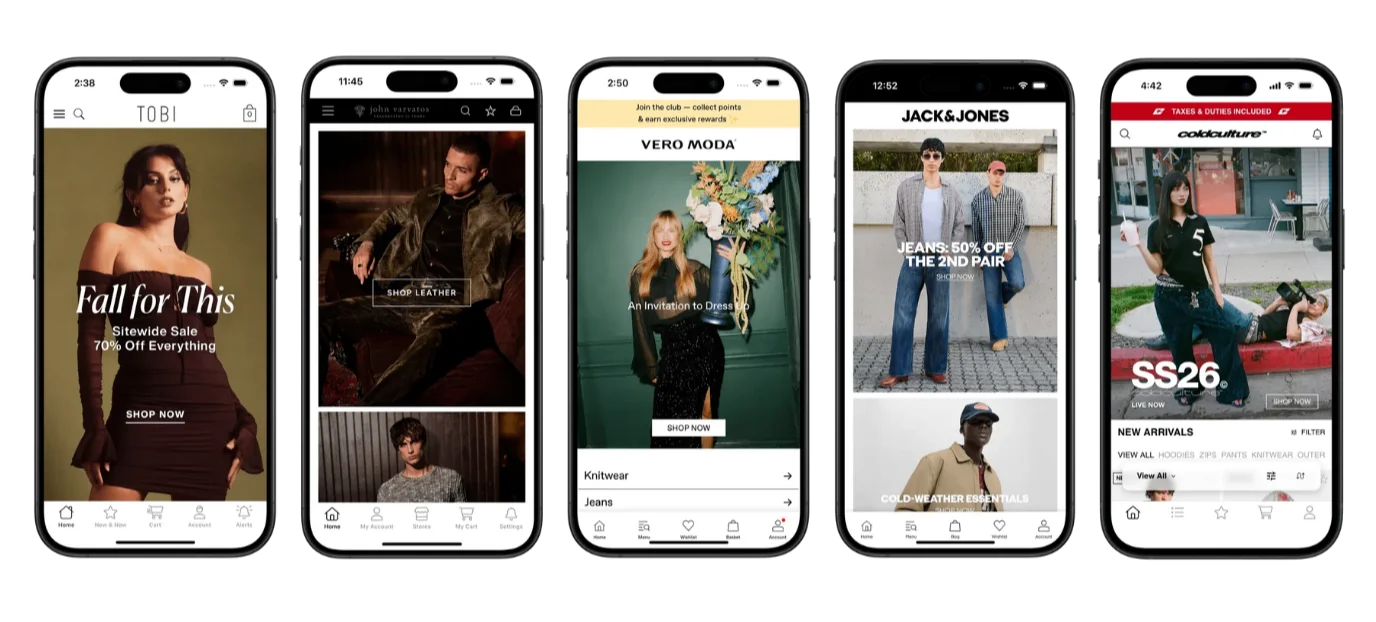
    Some of the apps built with Vendrux

    We’ve built 2,000+ apps, including apps for global ecommerce brands like John Varvatos, Jack & Jones and Cold Culture.

    Book a free strategy call and see how Vendrux can help you build a more profitable ecommerce brand.

  • How (and Why) to Customize Your Shopify Checkout & Post-Purchase Pages

    How (and Why) to Customize Your Shopify Checkout & Post-Purchase Pages

    Most Shopify merchants don’t think much about their checkout.

    Why would you? Shopify Checkout works out of the box. It’s fast, optimized, and trusted by millions of buyers.

    So the focus usually stays on product pages, ads, and traffic.

    But what many brands don’t realize is this:

    Your checkout and post-purchase pages are some of the highest-leverage opportunities to increase revenue.

    This guide breaks down why customization matters, who it’s best for, and how to actually implement it without unnecessary complexity.

    Why Your Checkout Deserves More Attention

    Every customer who converts passes through checkout.

    You’ve already done the hard work:

    • Acquired the customer
    • Built trust
    • Got them to add to cart

    Now it comes down to execution.

    Even small improvements at this stage can lead to:

    • Higher conversion rates
    • Increased average order value (AOV)
    • Fewer abandoned checkouts

    Unlike acquisition, these gains apply to every order.

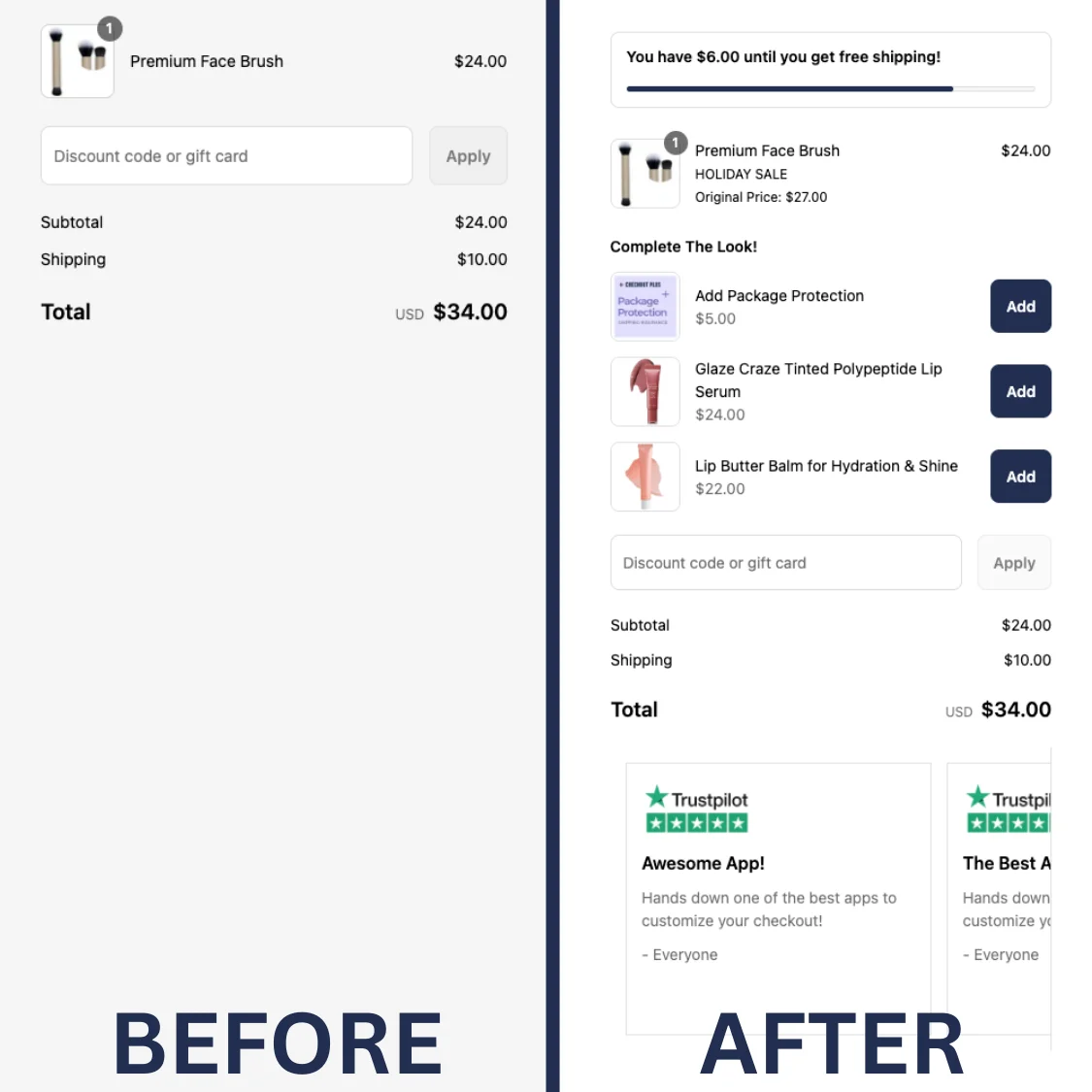
    This is exactly why more brands are starting to invest in tools like Checkout Plus to optimize what happens after the add-to-cart moment.

    Customers Are Still Deciding at Checkout

    A common misconception is that, when a customer reaches checkout, their buying decision is already made.

    In reality, customers are still evaluating, and asking questions:

    • Is this brand trustworthy?
    • Are there any surprises?
    • Is this worth it?

    This is where thoughtful customization can make a meaningful difference.

    Adding elements like trust badges, clear messaging, delivery expectations and highlighting benefits can reinforce confidence and reduce hesitation at the final step.

    It doesn’t take a lot of work – certain Shopify apps allow merchants to introduce these elements without needing to rebuild their checkout experience.

    Increasing AOV Without Increasing Traffic

    Increasing revenue doesn’t always require more traffic.

    Often, the biggest opportunity is increasing how much each customer spends – which leads to more revenue, from the same traffic.

    Checkout and post-purchase moments are uniquely effective for this because:

    • Purchase intent is already high
    • Friction is minimal
    • Attention is focused

    This is where specific tactics can have a measurable impact, like:

    • Product recommendations
    • Free gift thresholds
    • Cart value messaging

    Using an app for this is a great way to be able to test and iterate quickly.

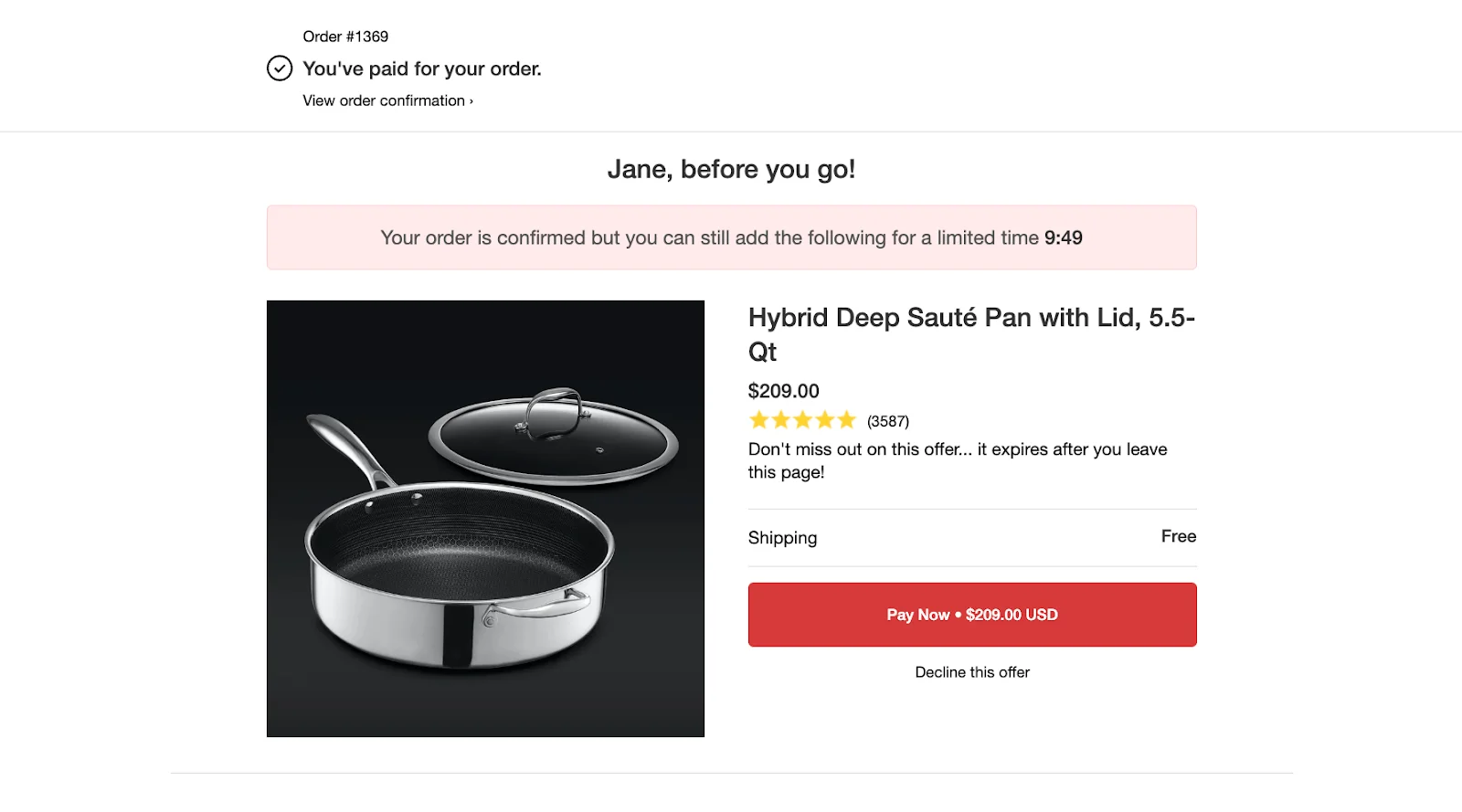
    The Untapped Potential of Post-Purchase

    The thank you page is one of the most overlooked assets in ecommerce.

    At this point:

    • The customer has already purchased
    • Trust is at its peak
    • Engagement is still high

    Yet most stores leave this page untouched.

    With a few thoughtful additions, this page can be used to:

    • Introduce additional offers
    • Encourage repeat purchases
    • Collect customer insights
    • Strengthen brand connection

    Extend your checkout strategy into post-purchase can turn this page into a meaningful revenue driver.

    Customization Is More Accessible Than Ever

    Historically, customizing checkout was limited to Shopify Plus or required custom development. That’s no longer the case.

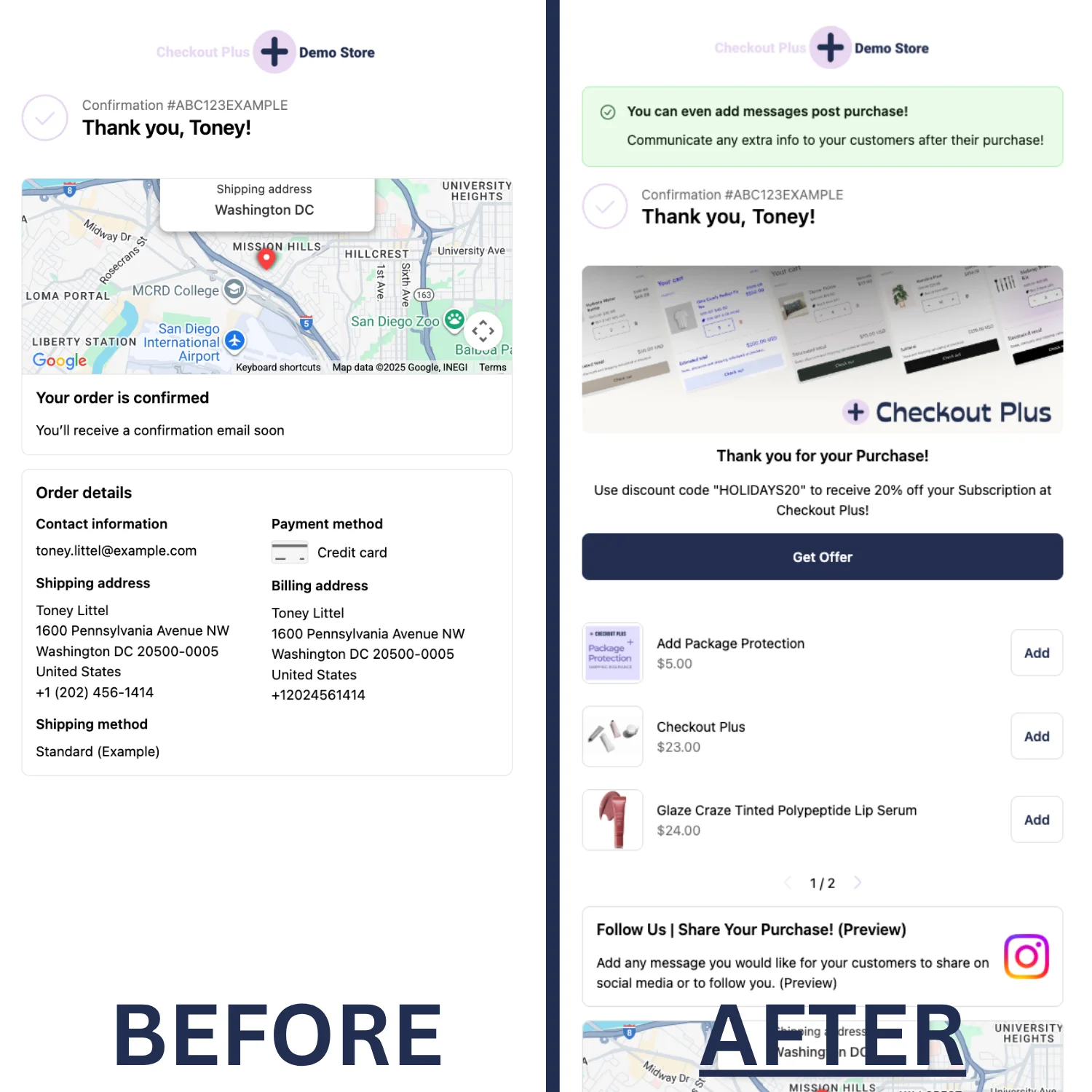
    An app like Checkout Plus makes it easy for Shopify merchants to customize both their checkout and post-purchase experience, without needing a developer or a large budget. It works within Shopify’s existing checkout framework, so there’s nothing to rebuild.

    With Checkout Plus, you can:

    • Add messaging, banners, and trust badges at checkout
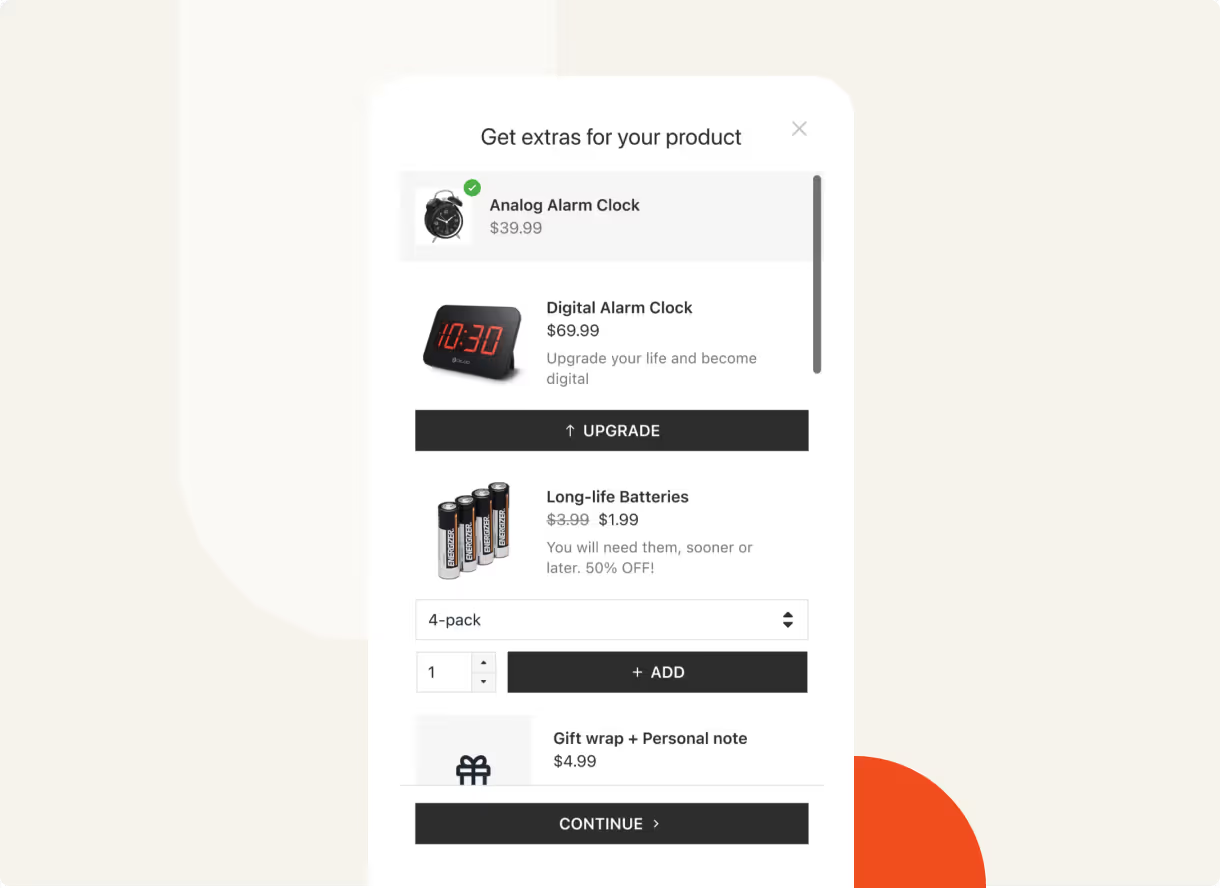
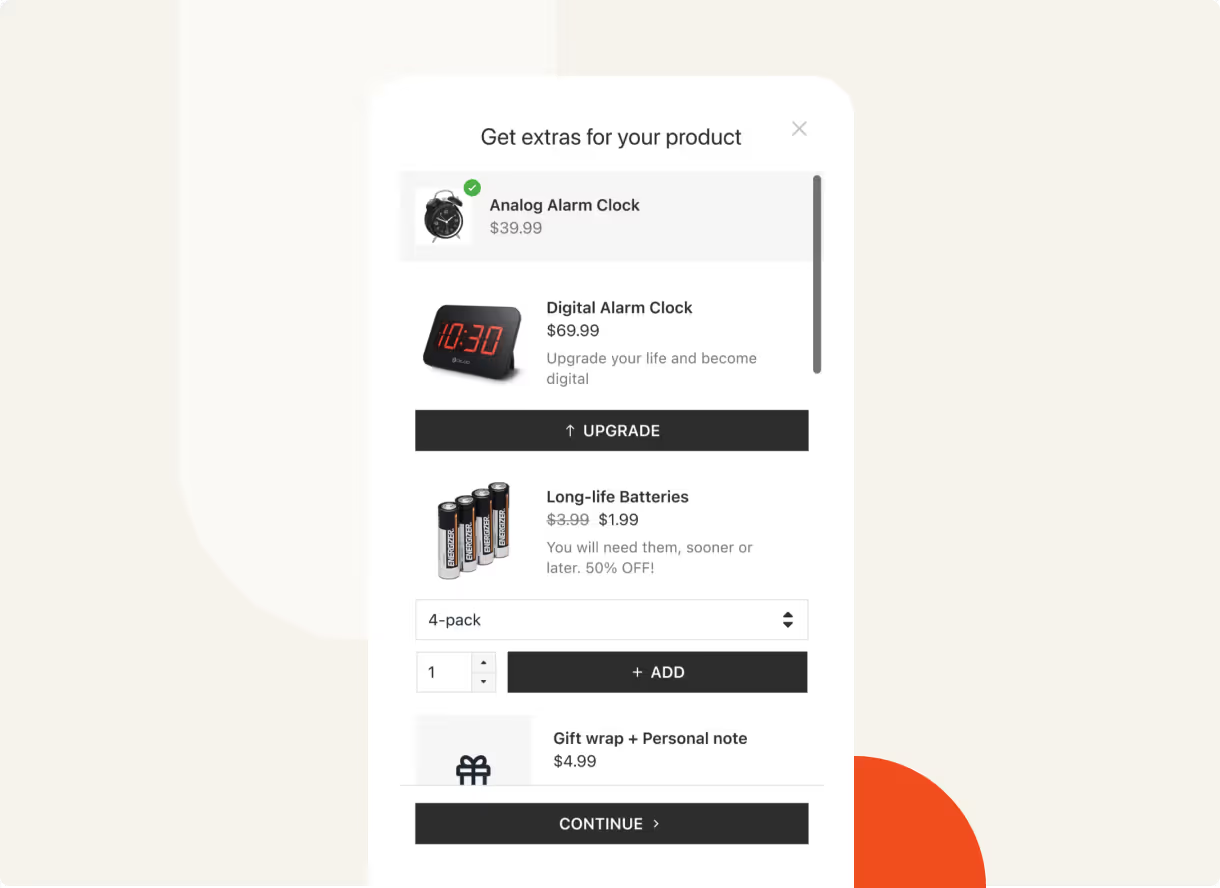
    • Introduce upsells and post-purchase offers
    • Customize shipping and payment options
    • Set order rules and validations
    • Turn your thank you page into a revenue driver

    All of this while working within Shopify’s existing checkout framework.

    If you’re already generating consistent traffic and looking to get more from every order, this is worth exploring.

    Who Should Focus on Checkout Customization

    Not every store needs to prioritize this immediately.

    Putting resources into improving your checkout has the biggest impact when:

    • You’re generating consistent traffic and orders
    • You want to improve AOV and conversion rate
    • You’re focusing on retention and customer experience
    • You’re looking for growth without increasing ad spend

    For many growing brands, this becomes the next logical step after acquisition.

    When It Might Not Be the Priority

    In some cases, it makes sense to focus elsewhere first:

    • Very early-stage stores with limited traffic
    • Brands still validating product-market fit
    • Stores with major issues earlier in the funnel

    In those situations, acquisition and product experience should come first.

    What to Expect After Making Changes

    Most brands don’t need a complete overhaul to see results.

    Incremental improvements tend to compound over time.

    Short-term, expect:

    • Small increases in conversion rate
    • Immediate AOV improvements

    In the mid-term:

    • Clear insights into what messaging and offers perform best
    • More consistent revenue per visitor

    And the long-term impact:

    • Stronger retention
    • Higher lifetime value
    • More efficient growth

    Measuring the Impact

    To understand the effect of these changes, focus on:

    • Conversion rate
    • Average order value (AOV)
    • Revenue per visitor
    • Repeat purchase rate

    Even modest improvements in these metrics can significantly impact overall revenue.

    The Bottom Line

    Your checkout isn’t just a functional step.

    It’s a critical part of your revenue strategy.

    And your post-purchase page isn’t just a confirmation screen – it’s an opportunity to extend the customer journey.

    Most Shopify stores leave both largely untouched.

    The ones that invest in these moments tend to see stronger performance, better customer experiences, and more efficient growth.

    As tools like Checkout Plus continue to make customization more accessible, there are fewer reasons not to put the work into optimizing the most crucial part of your site.

  • Will My Shopify Upsell and Cross-Sell Apps Work in a Mobile App?

    Will My Shopify Upsell and Cross-Sell Apps Work in a Mobile App?

    Let’s set the stage.

    You’ve spent months setting up your upsell and cross-sell flows. ReConvert for your post-purchase page. Rebuy for your in-cart recommendations. Maybe you’re using Bold Upsell for pre-checkout offers or Candy Rack for one-click pop-ups.

    Now you’re ready to launch a mobile app, and you’re thinking… are all my upsell and cross-sell apps going to carry over?

    In this article we’ll answer that question, along with everything else you need to know to launch a mobile app that’s just as powerful as your website.

    The Short Answer: It Depends on How Your App Is Built

    With many Shopify app solutions, there’s no guarantee that all your third-party apps carry over.

    API-based, DIY app builders come with support for just a select few integrations – and, often, a limit on the number of integrations you can bring into your app.

    If you’re building a custom mobile app, you can integrate anything you like into your app. But the more custom your setup, the more complicated (and costly) it will be.

    Vendrux is the only way to ensure that everything carries over. Vendrux converts your entire site, all integrations and third-party tools and custom features included, into a full-featured mobile app.

    No limits, no unsupported integrations. Everything works out of the box.

    Keep reading and we’ll dive deeper into how this works, plus why the alternatives struggle to fully integrate every app from your store.

    How Shopify Upsell and Cross-Sell Apps Actually Work

    To get a clear idea of how your upsell and cross-sell features carry over to your mobile app, we first need to understand how these work on your site.

    Most Shopify upsell and cross-sell tools work in one of three ways:

    Theme-Level Integrations

    Apps like Candy Rack, Frequently Bought Together, and Also Bought inject UI elements directly into your Shopify theme.

    They add product recommendation widgets, pop-up offers, and “customers also bought” carousels by inserting code into your theme’s Liquid templates or using Shopify’s app blocks.

    Candy Rack‘s mobile upsell features

    These integrations are tied to your storefront. They render as part of your web pages.

    Checkout and Post-Purchase Extensions

    Apps like ReConvert, AfterSell, and Zipify OCU use Shopify’s Checkout Extensibility framework to display upsell offers during or after checkout.

    Post-purchase upsells appear between the payment confirmation and the Thank You page, letting customers accept additional offers with one click (no re-entering payment details).

    HexClad’s post-purchase upsell, using AfterSell

    These extensions run within Shopify’s checkout infrastructure, using Checkout UI Extensions and Post-Purchase Extensions.

    Cart-Level and AI-Powered Recommendations

    Tools like Rebuy, Bold Upsell, and Nosto use a combination of JavaScript widgets, API calls, and machine learning to power recommendations throughout the shopping experience: product pages, cart drawers, slide-out panels, and dedicated recommendation sections.

    Magic Spoon’s Rebuy-powered cart drawer recommendations

    Some of these tools also use Shopify’s Script Editor or Shopify Functions for backend discount logic that triggers based on cart contents, customer tags, or order value.

    Why This Matters

    The technical implementation matters because it determines whether the integration survives the transition to a mobile app. 

    If you build your app with an app builder that doesn’t render your Shopify theme, theme-level integrations disappear. 

    If it rebuilds the checkout from an API, your checkout and post-purchase extensions may not render. 

    And if the recommendation engine relies on JavaScript running on your storefront pages, an API-based app won’t execute that code.

    What Happens with API-Based App Builders

    Most popular Shopify mobile app builders use the Storefront API to construct a native app. This is how virtually any tool you install from the Shopify App Store works.

    The storefront API provides certain functionality for your app:

    • Product catalog (titles, descriptions, images, variants, pricing)
    • Collections and navigation
    • Cart functionality (add to cart, update quantities, apply discount codes)
    • Customer accounts (login, order history, addresses)
    • Basic checkout (through Shopify’s web checkout or a custom checkout flow)

    Here’s what it doesn’t provide:

    • Your Shopify theme and its customizations
    • Third-party app front-end integrations
    • Theme-injected widgets, pop-ups, and recommendation carousels
    • Custom JavaScript running on your storefront pages

    What This Means for Your Upsell and Cross-Sell Apps

    When an API-based builder reconstructs your store, your upsell and cross-sell apps don’t come along for the ride. 

    The app builder isn’t loading your website; it’s building a new front end that reads product data from Shopify’s API. In essence, everything you’ve built on your website is stripped away.

    Theme-level integrations (Candy Rack pop-ups, Also Bought carousels, Frequently Bought Together widgets) won’t render. They don’t exist in the API-based app because the theme code that triggers them isn’t running.

    Cart-level recommendations (Rebuy’s smart cart, Bold Upsell’s cart offers) may or may not work. 

    Some app builders offer their own built-in recommendation features or direct integrations with specific tools. But the experience typically won’t match what you’ve set up on your website. You’ll need to configure it separately within the app builder’s dashboard.

    Checkout and post-purchase extensions depend on whether the app builder uses Shopify’s native web checkout or a custom one. 

    If the builder redirects to Shopify’s web checkout for the actual payment flow, your Checkout Extensibility customizations (including post-purchase upsells) should render. If the builder uses its own checkout flow, they likely won’t.

    Mobile App Integrations for Upsell and Cross-Sell Apps

    These app builders all provide purpose-built integrations with various Shopify apps.

    This will include some popular upsell and cross-sell apps. The more popular, the more likely it’s supported.

    But it’s not always the perfect solution.

    • Your full upsell stack may not be supported
    • The tool may have a limit on how many integrations you can bring; you could be forced to make a tough choice on leaving some integrations behind
    • The integrations may not include the upsell app’s complete functionality. It may not work the same in your app as it does on your site.
    • The integration has to be managed separately in your app vs on your website. If you change your setup on the web, you need to remember to make the same changes in your app’s upsell/cross-sell flow.
    • Each integration provides a potential point of failure. Maybe the Shopify app makes an update, it breaks the integration, and you’re waiting for it to be fixed.

    The more powerful and customized your setup, the more you’ll notice the difference between what it does on the web, and what the integration in your mobile app allows.

    Don’t lose what makes your site great.

    If you’ve invested in tools like ReConvert, Rebuy, or Bold Upsell, your mobile app should preserve all of that work, not force you to rebuild it on a separate platform.

    Vendrux extends your Shopify store into a native iOS and Android app. Your upsell flows, cross-sell widgets, and post-purchase offers carry over automatically.

    Get a Free App Preview

    What Happens with Custom App Development

    Custom development is the most flexible option for building a mobile app – but also by far the most complicated (and expensive).

    And it’s not so simple when it comes to integrating all the features from your website in your app.

    Your development team will have to build a custom integration for the Shopify apps on your site, which is more complicated and expensive than you think.

    The Integration Problem

    Each upsell and cross-sell app you use has its own API (or doesn’t have one at all). To replicate your web experience in a custom app, a development team needs to:

    1. Understand how each tool works on your website (where it triggers, what data it uses, how it displays)
    2. Check if the tool offers a mobile SDK or API that can be used in a native app context
    3. Build the front-end UI for each upsell and cross-sell interaction (pop-ups, product carousels, one-click offers, cart recommendations)
    4. Connect the backend logic (discount rules, recommendation algorithms, customer segmentation)
    5. Test the entire flow across iOS and Android

    Some tools, like Rebuy, offer APIs that a development team can work with. Others, like Candy Rack or Frequently Bought Together, are designed to work within Shopify themes and don’t have standalone APIs for native apps.

    If that’s the case, you probably won’t be able to use these features in your mobile app.

    Cost Scales with Complexity

    The more upsell and cross-sell tools you use, the more expensive your custom app becomes. Each integration is a separate development effort.

    A basic Shopify app with no third-party integrations might cost $50,000-$100,000 to build. Add in custom upsell flows, AI-powered recommendations, post-purchase offers, and dynamic cart features, and you’re looking at significantly more, both upfront and in ongoing maintenance.

    And every time you change your upsell setup on the web (swap out ReConvert for AfterSell, update your Rebuy rules, add a new cross-sell widget), the app needs a separate update. That’s a development ticket, a code review, a QA cycle, and an app store submission. Every time.

    The Maintenance Trap

    This is the part that catches most brands off guard. Building the initial integration is a one-time cost. Maintaining it is ongoing, for situations when:

    • Shopify updates its APIs
    • Upsell apps release new versions
    • Your marketing team wants to test a new offer format

    Each change requires developer time in the app, even if it takes five minutes to update on your website.

    Worst case (and actually very common) is you forget to update the app on your website (or put it off), and you end up with a growing feature gap between website and app.

    “There were a lot of frustrating things where customers would be experiencing one thing on the website and then a different thing on the app.”
    – Patrick Levesque, Co-Founder at MASC

    How Vendrux Keeps Your Upsell and Cross-Sell Apps Working in Your Mobile App

    Vendrux takes a fundamentally different approach to other Shopify mobile app builders. 

    Instead of rebuilding your storefront or asking a development team to replicate each integration, Vendrux extends your existing Shopify website into a native iOS and Android app.

    Your website powers the app experience. That means every Shopify app, every third-party integration, every custom code snippet that runs on your storefront also runs in the app.

    Here’s what this means for your upsell and cross-sell setup:

    • Theme-level integrations (Candy Rack, Frequently Bought Together, Also Bought) display in the app exactly as they do on your website. The same widgets, the same placement, the same triggers.
    • Cart-level recommendations (Rebuy smart cart, Bold Upsell offers, Nosto widgets) work because the app is rendering your actual cart page and cart drawer, including all the JavaScript those tools use.
    • Checkout and post-purchase extensions (ReConvert, AfterSell, Zipify OCU) render within Shopify’s checkout flow, which the app uses directly. Your post-purchase upsells, one-click offers, and Thank You page customizations all carry over.
    • Shopify Functions (discount rules, payment customizations, cart validation) execute identically because the checkout is the same checkout your web customers use.
    • Custom scripts and pixels that you’ve added through Shopify’s admin continue to fire in the app.

    There’s no rebuilding. No separate configuration. No limited integration list to check against.

    “Vendrux made a lot of sense because it literally uses Shopify. When Shopify updates…the app is updated.”
    – Eric Lowe, Director of Ecommerce at XCVI

    Updates Happen Automatically

    This is where the approach pays off long-term. When you update your upsell flows on your website, those changes appear in the app immediately. No app store update required. No development ticket. No QA cycle.

    Swap ReConvert for AfterSell? It works in the app the moment it works on your website. 

    Update your Rebuy recommendation rules? The app reflects the new rules instantly. 

    Add a new cross-sell widget to your product pages? It shows up in the app with zero additional effort.

    “You don’t need to maintain two systems – you update the website, and it shows up in the app. That saves us so much time.”
    – Eric, Web Developer at Kiokii

    This is the same principle that makes Vendrux work for all your Shopify apps, not just upsell and cross-sell tools. Your reviews app, your loyalty program, your size chart tool, your live chat widget: if it works on your website, it works in the app.

    Your Upsell Flows Already Work. Your App Should Too.

    You’ve invested in your upsell and cross-sell setup because it drives real revenue. Higher AOV, better post-purchase engagement, more repeat purchases. That setup should carry over to your mobile app without compromise.

    Vendrux is the only way to reliably do this, without custom development or sacrificing functionality.

    Here’s how Vendrux helps you go from website to app in three steps:

    1. Book your strategy call. We’ll walk through your current Shopify setup, your upsell and cross-sell tools, and how they’ll work in your app, including a live demo of your app to see it for yourself.
    2. We build and test your app. Vendrux’s team handles everything for the build, from configuration through to testing and deployment. There’s virtually no lift for your team.
    3. Launch in 30 days. We handle App Store submission, Google Play submission, and ongoing support. In just 30 days, you can be live and getting your first users.

    We’ve built and launched over 2,000 apps, including numerous high-revenue, complex, custom ecommerce stores.

    When you launch a mobile app, you should be comfortable with knowing it’s at least going to be as good as your website. Vendrux is the only way to ensure that happens.

    Ready to see what’s possible? Get a free preview of your app and we’ll show you.

  • Fashion Mobile App Development: The Complete Guide

    Fashion Mobile App Development: The Complete Guide

    Your best customers already shop on their phones. 

    80% of visits to fashion shopping sites come from mobile devices, and 70% of online fashion purchases happen on mobile. 

    Yet the mobile web doesn’t provide the ideal UX for mobile shoppers – particularly your best ones, the customers who want to come back, browse, and buy regularly.

    That’s a mobile app. And it’s the most powerful new channel you can launch.

    An app puts your brand on your customer’s home screen, right next to Instagram, Amazon, and every other app competing for their attention. It gives you a direct channel to reach them (push notifications) that doesn’t depend on email open rates or social media algorithms. And it cements casual repeat browsers into habitual shoppers.

    Whether you’re not convinced your fashion brand really needs a mobile app, or you want to build a mobile app for your fashion brand but don’t know where to start, this article is for you.

    This guide covers everything you need to know to go from “should we build an app?” to live on the App Store and Google Play, with a working strategy to make the app a real revenue channel for your brand.

    Why Fashion Brands Need a Mobile App

    Fashion is inherently visual, personal, and driven by repeat purchases.

    Your customers aren’t buying once and disappearing. They come back for new drops, seasonal collections, and sale events. An app gives them a reason to keep coming back, and gives you a way to pull them back in when they don’t.

    Your Customers Already Prefer Apps

    70-73% of online shoppers prefer apps over mobile websites for shopping. And it’s not hard to see why. Apps are faster, easier to navigate, and remember your preferences. They don’t require logging in every time, reloading the page, or fighting with a mobile browser’s address bar.

    Consumers spend 201.8 minutes per month in shopping apps vs just 10.9 minutes on mobile websites. That’s 18x more time spent browsing, discovering, and buying.

    Apps Drive Dramatically Higher Revenue Per User

    This is the stat that matters most. App users spend more money, from a combination of shopping more often, shopping for longer when they do, and spending more money in each transaction.

    Here’s one example, from Vendrux’s Ecommerce Benchmark Report, of the results that one fashion brand saw from their mobile app.

    • 7% of traffic came from app users, but they generated 20.7% of total revenue (3x their traffic share)
    • 2.56% conversion rate in the app vs 0.23% on mobile web (11x higher)
    • $431.80 average order value in the app
    • 3.1 sessions per user, with an average session time of 6 minutes 28 seconds

    This is just one example. Across fashion brands of all size, app users convert more, spend more per order, and come back more often.

    Push Notifications Are Your Best Retention Channel

    Push notifications are, quietly, the strongest channel for driving repeat sales and retention.

    They land on the customer’s lock screen, instantly, with zero cost to send, and a direct line back to your store.

    They have a near-100% visibility rate, and strong engagement rates to match. Retail apps see 3-4% click-through rates on push notifications, which is 3-5x higher than email. 

    Automated push campaigns (abandoned cart reminders, back-in-stock alerts, price drop notifications) generate a disproportionate share of revenue. 

    This is notable because it means the operational lift of push is next to none – it’s a channel that drives traffic (and revenue) on autopilot.

    A Home Screen Icon Keeps You Top of Mind

    Fashion is competitive. Your customers follow dozens of brands, and whoever stays visible gets the sale.

    Having an app on someone’s phone means your brand sits next to the apps they use every day. It’s passive brand awareness that no amount of ad spend can replicate.

    Nick Barbarise, Director of IT at John Varvatos, put it directly:

    “Brand awareness, period. If you want to make sure you get your voice out there, you need an app these days. It is non-negotiable.”

    How a Mobile App Fits Into Your Growth Strategy

    The objection a lot of brand owners have is that an app is a flashy toy; a “nice to have”, a vanity play, not a real growth asset.

    That’s not true. A mobile app should be a core part of most brands’ growth strategy. The problem? You’re often thinking of mobile apps the wrong way.

    A mobile app isn’t a replacement for your website, your email list, or your social channels. It’s a retention tool for your most engaged customers, and it works alongside everything else you’re already doing.

    Who the App Is For

    You launch an app for customers who already know and like your brand. People who’ve bought from you before. People who follow you on Instagram. People who visit your site regularly. 

    These are the customers with the most value to your brand, and the app is how you keep them close.

    Think of your customer base as a pyramid:

    • Top layer (5-15% of customers): Your most loyal, highest-spending repeat buyers. These are your core app users.
    • Middle layer: Regular customers who buy a few times a year. Some will download the app; some will stay on the website.
    • Bottom layer: One-time buyers and casual browsers. These stay on your website, social media, and email list.

    The app doesn’t need to reach everyone. It needs to capture and retain your best customers.

    Junior Couture, a luxury childrenswear brand on Salesforce Commerce Cloud, saw this play out clearly: only about 5% of their users were on the app during BFCM 2025. But those 5% contributed around 50% of their total sales for the period.

    How to Use the App as a Revenue Channel

    There are a few key ways that fashion brands use mobile apps to drive real (and incremental) revenue:

    New arrivals and drop notifications

    Apps let you send a push notification the moment a new collection goes live. Cold Culture, a fast-growing Spanish streetwear brand, uses early access drops as a core strategy: app users get access to new releases an hour before the website. 

    Abandoned cart recovery

    Automated push notifications remind customers about items they left behind. These consistently deliver the highest conversion rates of any push campaign, and can recover five to six figures per month in new revenue, with basically no operational lift.

    VIP and loyalty programs

    Apps are the perfect way to elevate and increase visibility for your loyalty program.

    Yon-Ka Paris, a luxury skincare brand, runs a Yotpo loyalty program that awards extra points for purchases made through the app, giving customers a tangible reason to use it.

    Seasonal promotions and flash sales

    Push notifications create urgency that email can’t match. When a customer sees a flash sale notification on their lock screen, they act faster than they would opening a promotional email three hours later.

    What a Fashion App Does NOT Need to Be

    The misconception here is that a mobile app needs to be a whole new channel, bringing a brand new, unique experience, something completely different to your website.

    There are cases where this is the strategy, and it can make sense. But for most brands, you just need to give a slightly improved, more convenient shopping experience for your best customers.

    Your mobile website does most of the heavy lifting. Your app just needs to strip away the friction, provide a more contained experience – one that doesn’t take a whole new team to manage.

    Where many brands go wrong when they launch a mobile app is that they try to do too much. They build an app with thousands of bells and whistles, with a huge upfront investment and recurring overhead, and the app has to have a major impact just to break even.

    The most effective fashion apps are those that serve a niche segment of the brand’s customers, and make consistent revenue with minimal overhead.

    How to Build a Fashion Mobile App

    Building a mobile app doesn’t require a development team, a six-figure bill, or a 6-12 month timeline. Today, just about any fashion brand can launch their own mobile app, whether they’re an enterprise brand or a DTC brand with a 1-person technical team.

    Vendrux: Build Your App From Your Existing Website

    Vendrux takes your existing ecommerce website and extends it into a native iOS and Android app. 

    Your catalog, checkout, loyalty program, reviews, search, and every other integration you’ve built for your website works in the app from day one, because the app is powered by your website.

    This is the approach used by fashion brands like John Varvatos, Tadashi Shoji, Jack & Jones, XCVI, Cold Culture, Junior Couture, Moda di Andrea and many more, to launch powerful mobile apps that drive real ROI.

    Some of the fashion apps built with Vendrux. See more examples here

    Unlike most no-code fashion mobile app builders, Vendrux doesn’t give you a separate codebase to manage, or a watered-down version of your site.

    Here’s why Vendrux’s approach works so well for fashion brands:

    • Full website parity. Every integration, plugin, and customization on your website works in the app. No custom integrations for Yotpo, Smile, Algolia, or whatever you rely on to drive revenue on your site. Everything just works, out of the box.
    • Minimal ongoing app maintenance. When you update your website, the app updates automatically. No second set of content to manage, no separate design system to maintain. XCVI’s team estimated they save 8-10 hours per week on maintenance compared to their previous app provider.
    • Works with any ecommerce platform. Shopify, Shopify Plus, Salesforce Commerce Cloud, Magento, BigCommerce, Shopware, PrestaShop, WooCommerce, or a custom-built site.
    • Native app features included. Push notifications, a home screen icon, deep linking – you’re getting a real app, not a PWA, not a workaround.
    • Done-for-you service. Vendrux handles the build, app store submission, ongoing updates, and technical maintenance. Everything about the app is handled for you.
    • Live in 6-8 weeks. You can go from first conversation to live in the App Store and Google Play within a month – no drawn-out, months long dev crawl.

    The cost starts at $1,499 per month – which is not much, for a channel that could grow to drive 20-35% of your total revenue (likely adding $1M+ in annual revenue). And since you’re building on what already works, it’s essentially risk-free.

    Alternative Fashion App Development Methods (and How Vendrux Compares)

    There are other ways to build an app for your fashion brand. Sometimes these work; but in most cases, Vendrux’s approach is just a more seamless and efficient way to do it.

    Template-based fashion app builders let you build an app using drag-and-drop templates. They work well for simple Shopify stores; but if your fashion brand has custom UI, complex integrations, or isn’t on Shopify, you might find them too limiting.

    Template-based builders are typically less expensive ($99-499/month) and are worth considering if you’re on Shopify with a straightforward store setup.

    Custom native development gives you complete control, but at a high cost. For many brands, spending $50,000 to $300,000+ on a mobile app is a non-starter, especially when the practical difference between this and a more affordable option is minimal.

    Finally, Progressive Web Apps (PWAs) are enhanced mobile websites that can offer some app-like features (limited push notifications, home screen shortcuts). 

    They don’t require app store submission or approval. However, they can’t send native push notifications, are troublesome to download, and just aren’t a replacement for a true mobile app.

    Fashion Mobile App Examples

    The best fashion apps share a few traits: they make shopping faster than the mobile web, they give customers a reason to open the app regularly, and they use push notifications to drive repeat purchases.

    There are some great examples, from brands ranging from massive global names to niche DTC fashion labels.

    Let’s dive deeper into the examples.

    ZARA

    ZARA’s app bridges online and in-store shopping. Shoppers can scan items in-store to check sizes and availability, shop directly from editorial lookbooks, and get personalized recommendations based on browsing history. The app is central to Inditex’s omnichannel strategy, connecting the physical and digital experience into one seamless flow.

    Nike SNKRS

    Nike turned the product drop into an app-first event. SNKRS uses invite-only launches, exclusive access for engaged members, and a preorder system (SNKRS Reserve) to create urgency that drives app adoption. For any fashion brand doing regular drops, this is the blueprint for making the app the place to be.

    ASOS

    ASOS leans hard into visual discovery. Their Style Match feature lets shoppers snap a photo of any outfit and find matching items across the catalog. The app also uses personalized “Your Edit” feeds and push notifications for price drops on saved items, keeping users engaged between purchases.

    Shein

    Shein is an app-first business. Their gamification engine (spin-to-win, daily check-in streaks, points for reviews and shares) keeps users opening the app daily, even when they’re not actively shopping. The majority of Shein’s sales happen through the app, not the website.

    Kith

    Kith runs an app-only loyalty program, deliberately not available on the website. Each tier unlocks exclusive apparel and footwear made specifically for that loyalty level. Location-based check-ins at pop-ups earn points, and top-tier members get queue-skipping at events and exclusive drawings for coveted releases.

    Alo Yoga

    Alo combines shopping with wellness content to build a lifestyle community inside the app. App users get early access to new drops and app-exclusive discounts, while the tiered loyalty program rewards the most engaged customers. A strong example of content plus commerce in one app.

    Lululemon

    Lululemon layered a membership model on top of their app. The free tier gets a discount on gear, while the paid Studio tier unlocks thousands of fitness classes and partner studio discounts, turning the app into something customers open daily, not just when they’re shopping.

    John Varvatos

    John Varvatos is a luxury menswear brand running on Salesforce Commerce Cloud. Their app generates 10x higher revenue per user compared to mobile web, with close to $1M in app sales, 4x higher purchase rates, and 12x more sessions per user. 

    “The cost we’re paying versus what we’re getting back is tenfold.”
    — Nick Barbarise, Director of IT

    Tadashi Shoji

    Tadashi Shoji is a luxury fashion brand on Magento. Their app accounts for 18% of total online revenue, with an 8.3x higher conversion rate compared to mobile web, 3.8x more frequent sessions, and 2x longer session times.

    Jack & Jones

    Jack & Jones is part of BESTSELLER, the $4B Danish fashion conglomerate behind 20+ brands with 800+ stores and 18,000 employees. The company previously maintained separate iOS and Android codebases, which created significant overhead. They consolidated everything into a single codebase with Vendrux, launched in under a month, and now have near-perfect app store ratings with hundreds of thousands of downloads.

    Cold Culture

    Cold Culture is a fast-growing Spanish streetwear brand with nearly 1 million social media followers and 250,000+ app downloads. Their hugely successful app strategy centers on app-exclusive early access drops, where app users get new releases an hour before the website, along with custom app-only landing pages and push notifications timed around their frequent product launches.

    Check out more examples of brands using Vendrux to launch high-ROI mobile apps in these case studies.

    Step-by-Step: Going Live and Building Your App Strategy

    Here’s what the process actually looks like, from decision to revenue-generating channel.

    Step 1: Book a Strategy Call

    Start with a conversation about your goals, your platform, and your current tech stack. This is where Vendrux’s team assesses whether an app makes sense for your brand (it’s not right for every business) and maps out what the app will look like based on your existing website.

    Step 2: Vendrux Builds & Tests Your App

    The Vendrux team handles everything for you, from configuration through to testing and small fixes before you go live.

    Everything’s done for you. There’s no need to add headcount, or put off any other projects to focus on your app.

    Step 3: Launch

    Vendrux handles everything: app build, app store submission (both Apple and Google), compliance, and optimization. Estimated time to launch is around 6-8 weeks (though often can be shorter). Your team’s involvement is minimal, primarily reviewing the app and providing brand assets for the app store listing.

    Step 4: Start Driving Downloads

    The app only generates revenue if people download it.

    Focus on these channels first:

    • Smart banners on your mobile website. Your highest-intent traffic is already on your mobile site. A smart banner at the top of the page captures visitors who are ready to convert. Vendrux includes smart banners by default.
    • Email and SMS campaigns. Send a launch announcement to your customer list. Follow up with periodic reminders highlighting app-exclusive benefits (early access, push notifications for drops).
    • QR codes in physical locations. If you have retail stores, pop-ups, or event presence, QR codes at checkout and on receipts drive downloads from your most engaged customers. This was John Varvatos’ biggest growth lever.
    • Social media. Instagram stories, bio links, and launch content announcing the app. Cold Culture promoted heavily through their community of nearly 1 million followers.
    • Post-purchase page. Add an app download prompt to your order confirmation page and post-purchase emails. These customers just bought from you. They’re the most likely to download.

    Learn more: How to Drive App Downloads for Your Ecommerce Store

    Step 5: Set Up Push Notification Campaigns

    Push notifications are where the long-term revenue lives. Set these up in order of impact:

    1. Abandoned cart reminders. Automated, high-converting, and worth setting up on day one. Brands on Vendrux routinely see 10-22% conversion rates on these.
    2. New arrivals / drop alerts. Notify app users when new collections go live. For fashion brands with frequent releases, this is the single most valuable push campaign.
    3. Back-in-stock notifications. Customers who wanted a sold-out item will buy fast when it returns.
    4. Flash sale / promo announcements. Time-sensitive offers that create urgency.
    5. Welcome series. New app users get a sequence introducing the brand and any app-exclusive benefits.

    The optimal frequency is around 3-5 notifications per week; but you might find the ideal strategy is different for your brand.

    Step 6: Track Performance and Optimize

    Track the results from your app, and 

    • Revenue per app user vs mobile web user. This is the north star. Fashion brands on Vendrux typically see 3-10x higher revenue per app user.
    • App’s share of total online revenue. Most brands see 10-30% of online revenue from the app, with high performers reaching 50-60%.
    • Push notification CTR and conversion rate. Benchmark against 3-4% CTR for retail apps. If you’re below that, experiment with timing, copy, and segmentation.
    • Repeat purchase rate. App users should be buying more often. 60% of first-time app buyers make at least one additional purchase.
    • Downloads and active users. Growth over time matters more than absolute numbers. Focus on the percentage of your customer base that’s adopted the app.

    John Varvatos tracks app revenue in weekly leadership meetings. It went from an afterthought to a metric the executive team watches closely. That’s the trajectory most fashion brands follow once the app starts generating measurable results.

    Making the App Work for Your Fashion Brand

    The common thread across every fashion brand with a successful app is this: the app works because it serves the brand’s most valuable customers better than any other channel. It doesn’t try to replace the website. It doesn’t try to reach new customers. It gives your existing fans a faster, more direct way to shop with you, and it gives you a direct line to bring them back.

    For fashion specifically, the combination of frequent new arrivals, visual product discovery, and repeat-purchase buying behavior makes apps a natural fit. Your customers want to see what’s new. Push notifications let you tell them the moment something drops.

    If you’re doing at least $1M/year in online revenue and have a customer base that buys more than once, a mobile app will likely pay for itself within the first few months. The data from hundreds of fashion brands backs that up.

    Ready to see what your fashion brand’s app would look like? Book a free strategy call with our team. We’ll walk you through a custom preview of your app, answer your questions, and help you decide if it’s the right move.

  • Will Your Magento Extensions Work in a Mobile App?

    Will Your Magento Extensions Work in a Mobile App?

    Your Magento store doesn’t run on Magento alone. It likely runs on dozens of third-party tools:

    • Firecheckout
    • Algolia’s search
    • Yotpo’s reviews
    • Smile.io’s loyalty program
    • Adyen’s payment processing

    …and another 15-30 extensions that make your store work the way it does.

    It stands to reason that if you’re launching a mobile app for your Magento site, you’ll want to know whether all these extensions carry over.

    If not, you could end up with a mobile app that’s just a shadow of your website, giving customers little reason to actually use it.

    The truth is, your extensions aren’t guaranteed to work in your mobile app. At least, not with the majority of Magento mobile app solutions.

    There is one that guarantees everything carries over, though: Vendrux.

    This article will break down everything you need to know about the website to app transition, what happens to your extensions, and how to ensure you launch a mobile app that brings all the tools from your site.

    How Magento Mobile App Builders Handle Your Extensions

    The majority of Magento extensions are built specifically for the web. Integrating them in a native app typically brings problems. You’re forced to work with APIs, and tools don’t always have comprehensive APIs that let you replicate all their functionality.

    It depends how you build your app, though. In fact, that makes all the difference.

    API-driven builders

    Most Magento mobile app builders connect to your Magento backend through the REST or GraphQL API. They pull data (products, customers, orders, cart contents) and render it in a separate native interface built from pre-designed templates.

    This works well for catalog browsing and basic cart operations. The Magento API handles that data cleanly.

    The problem is everything the API doesn’t expose. When you install a front-end extension like Amasty One Step Checkout, it modifies how your checkout page looks and behaves. It adds custom fields, rearranges steps, injects discount code validation, and changes the checkout flow.

    None of that is in the Magento API. The API exposes checkout data (cart items, shipping methods, payment methods). It doesn’t expose the custom UI your extension built on top of it.

    So an API-driven builder creates its own checkout. Your extension’s logic stays on your website, invisible to the app.

    This pattern repeats across every category: search overlays, review widgets, loyalty dashboards, payment UIs, shipping calculators.

    Website-powered apps

    Vendrux takes a different approach to most other mobile app solutions. Instead of connecting to your API and rebuilding the interface, it extends your actual Magento storefront into native iOS and Android apps.

    The app displays the same content and features your customers see on mobile web, with native capabilities added on top (push notifications, App Store presence, native navigation, deep linking).

    Because the app renders your storefront, every front-end extension works automatically. If it’s visible on your mobile website, it’s in the app. No integration, no rebuilding, no per-extension cost.

    Your extensions already work. See them in action.

    Get a free preview of your Magento store as a native app, with every extension, checkout flow, and integration intact. No code changes, no commitment.

    Get a Free App Preview

    What Happens to Your Extensions in a Mobile App: Category by Category

    Not every kind of extension works exactly the same. Mobile app builders usually have some integrations built for popular apps; and some will be able to build custom integrations for the tools you use on your site.

    There are some extensions that are easier to work with, some that are harder.

    Let’s run through a few categories now.

    Checkout extensions

    Popular checkout extensions: Amasty One Step Checkout, Mageworx One Page Checkout Suite, Firecheckout, IWD Dominate Checkout, Mageplaza One Step Checkout.

    These extensions overhaul the default Magento multi-step checkout. They collapse steps, add inline validation, inject custom fields (gift messages, delivery instructions, tax ID), and rearrange the layout.

    How it Works In an API-driven app: The app builds its own checkout flow using data from the Magento API. Your checkout extension’s UI and logic don’t transfer. Custom fields, step consolidation, and inline validation need to be rebuilt through custom development.

    With Vendrux: Your checkout page renders as-is. Amasty’s one-step layout, your custom fields, your validation logic, your discount code handling: it all works because the app shows the same checkout your website shows.

    Payment gateways

    Popular payment integrations: Adyen, Stripe, Checkout.com, Klarna, Afterpay/Clearpay, Amazon Pay, Braintree, Mollie, PayPal.

    This is how your customers pay. It’s central to how your business works, and how you convert customers at checkout.

    In an API-driven app: Each app builder is different, but many only support default Magento payment methods. Adding additional gateways and payment methods may be possible, but likely requires custom development.

    With Vendrux: Your payment page loads exactly as it does on your website. Adyen’s hosted payment fields, Klarna’s installment widget, Amazon Pay’s button: they all render because they’re part of your storefront.

    Search and filtering

    Popular search and filter extensions: Algolia, Klevu, Amasty Elastic Search, Mirasvit Search Autocomplete, Adobe Live Search.

    These extensions replace Magento’s default search with fast autocomplete overlays, faceted filtering, product recommendations in search results, and “did you mean” corrections. The UI is entirely front-end rendered.

    In an API-driven app: The app can send search queries to the Magento API and get results back. But the rich autocomplete dropdown, the instant filtering, the visual product cards in results, that’s all custom front-end code from your search extension. The API returns data; the app builds its own (simpler) search interface.

    With Vendrux: Algolia’s instant search overlay, Klevu’s smart filtering, Mirasvit’s autocomplete: they all render as-is. Your customers get the same search experience in the app that they get on your website.

    Reviews and UGC

    Popular reviews/UGC extensions: Yotpo, Judge.me, Stamped.io, Bazaarvoice, Magefan, Amasty Advanced Reviews.

    These inject front-end components: star ratings, photo galleries, Q&A sections, review submission forms, user-generated content widgets.

    In an API-driven app: The app can pull review data through the API (star rating, review text). But the rich display, photo galleries, Q&A threads, “helpful” voting, reviewer badges, visual layouts: those are front-end components that don’t transfer. The app shows a basic review list.

    With Vendrux: Yotpo’s full review widget, Judge.me’s photo gallery, the Q&A section: they render as part of your product pages. No feature gap.

    Loyalty and rewards

    Popular loyalty & rewards extensions: Amasty Reward Points, Smile.io, Aheadworks Points & Rewards, Mageplaza Reward Points, Mageworx Loyalty Program.

    These display point balances on the customer dashboard, show earning rules on product pages, inject redemption options at checkout, and render tier progress indicators.

    In an API-driven app: Point balances might be accessible via API (if the extension exposes them). But the earning rules display, the redemption widget at checkout, the tier progress bar, the “you’ll earn X points” message on product pages: these are front-end components. Rebuilding them requires custom development for each extension.

    With Vendrux: Your loyalty program renders exactly as it does on your website. Point balances, earning rules, redemption at checkout: all visible because the app shows your actual storefront.

    B2B modules

    Common B2B features: Shared catalogs, negotiable quotes, company accounts, requisition lists, approval workflows, customer-specific pricing.

    Magento’s B2B functionality has limited API exposure. Shared catalogs and company account hierarchies are partially available through REST, but the front-end interfaces for quote negotiation, requisition list management, and approval workflows are largely storefront-rendered.

    In an API-driven app: B2B features are among the hardest to replicate. Most Magento app builders don’t support B2B at all, or offer it only as a premium add-on with significant custom development.

    With Vendrux: If your B2B storefront works on mobile web, it works in the app. Requisition lists, approval workflows, customer-specific pricing tiers: all carried over.

    Marketing and personalization

    Popular marketing & personalization tools: Nosto product recommendations, Klaviyo signup forms and popups, urgency timers, upsell/cross-sell widgets, exit-intent popups, spin-to-win overlays.

    In an API-driven app: These are almost entirely front-end rendered. The API doesn’t expose popups, recommendation carousels, or countdown timers. They simply don’t exist in the app.

    With Vendrux: Front-end marketing tools render as they do on your website. Nosto recommendations on product pages, Klaviyo forms, cross-sell widgets in cart: all present.

    The Bottom Line: With Vendrux, everything that renders on your web storefront will work in your app as well. There’s no question of “will this extension carry over”, because everything does – out of the box.

    The Hidden Cost of “Supported” Extensions

    API-driven app builders will support a few extensions out of the box. For other extensions, they may offer custom integrations to get these working in your app as well.

    This adds a significant amount to the cost of your project. All of a sudden, an app you thought was going to cost $149 is now several thousand and counting.

    And for a typical mid-market Magento store running a custom checkout extension, 2-3 payment gateways, a third-party search tool, a reviews platform, and a loyalty program, you could be looking at 5-6 separate integration projects before your app matches your website’s functionality.

    At $2,000-$5,000+ per integration (based on typical Magento custom development rates), plus ongoing maintenance when extensions update, the cumulative cost approaches custom app development territory, which defeats the purpose of using an app builder in the first place.

    With Vendrux, the cost is much more stable. Anything that works on your site should work the same way in your app, keeping the cost (starting at $1,499/mo) the same, whether you’re running 5 extensions or 25.

    We can do custom SDK integrations as well, on our Enterprise plan – but for most of the things that work on your site, there’s no need. They should already work.

    Integrations Don’t Guarantee Full Extension Functionality

    And let’s say your extensions are supported; either through custom development or pre-built integrations.

    This doesn’t always mean the extension will work exactly the same way in your app as it does on your website.

    The functionality may be watered down somewhat. There could be bugs in the integration. And the integration itself requires maintenance, whenever there’s an update to the extension, or to Magento, or to the app builder’s platform.

    It just introduces more complexity, more potential points of failure. The more integrations you’re running, the more potential spaghetti code in your mobile app’s backend.

    Example of a Magento Mobile App Done Right

    Luxury fashion brand Tadashi Shoji runs on Magento with a heavily customized storefront. When they launched their mobile app with Vendrux, their lead developer didn’t need to rebuild or reintegrate any of their existing extensions:

    “I could continue developing the way I am used to. It was completely frictionless for me.”
    — David Chamberlin, Lead Developer at Tadashi Shoji

    The app now generates 18% of total online revenue, with app users converting at 8.3x the rate of mobile web visitors. Their checkout, their payment processing, their product pages, their entire extension stack: all carried over without additional development.

    Launch a Magento Mobile App with All Your Extensions Intact

    API-driven builders are a reasonable choice for Magento stores with a straightforward catalog, standard checkout, and default payment methods. 

    If you want a fully custom native UI and you’re willing to accept a simpler app that doesn’t replicate your full website experience, these tools can be a solid choice.

    For stores with significant customization (custom checkout, third-party search, loyalty programs, B2B features, multiple payment gateways), the extension compatibility gap becomes a dealbreaker. Each integration adds cost, development time, and ongoing maintenance. The app falls behind the website, and it stays behind.

    Vendrux eliminates the gap entirely. Your storefront is the app, so your extensions are the app. Book a free strategy call to see a preview with your actual store and your actual extensions.

  • Headless Commerce with Magento / Adobe Commerce: A Practical Guide

    Headless Commerce with Magento / Adobe Commerce: A Practical Guide

    The most ambitious Magento stores don’t run on Luma. They run on custom React storefronts, Alokai-powered frontends, or Next.js applications that consume Magento’s GraphQL API.

    The backend handles commerce: products, inventory, pricing, orders, customer accounts. 

    The frontend handles everything customers see, built by developers who aren’t constrained by Magento’s theme system.

    That’s headless commerce on Magento. And for brands that have outgrown their platform’s native templating, it’s a meaningful architectural shift.

    This guide how headless Magento actually works, the tools the ecosystem has built around it, when it makes sense (and when it doesn’t), and the one channel most headless brands still haven’t addressed: native mobile apps.

    What Headless Magento Commerce Actually Means

    In a traditional Magento setup, the frontend and backend are tightly coupled. 

    Luma (or a Luma child theme) renders your storefront using Magento’s own template system (.phtml files, layout XML, RequireJS). The backend and frontend are part of the same application.

    Headless separates them. 

    • Your Magento backend becomes an API-first commerce engine, exposing product data, catalog structure, pricing, cart, checkout, and customer data through a GraphQL API
    • Your frontend is a completely separate application, built with whatever technology your team chooses, that consumes those APIs to build the storefront.
    A visual representation of how headless architecture works

    The two layers are loosely coupled. They communicate, but neither depends on the other’s architecture. 

    You can rebuild the frontend without touching the commerce backend. You can upgrade the backend without redeploying the frontend.

    Why Teams Go Headless on Magento

    Not all stores need a headless setup. A small brand with a simple website and a few SKUs will be fine with a standard Magento website.

    But for some, headless offers a way to go much further than the average, static website.

    Performance

    Luma’s traditional rendering is slow. The RequireJS module loader, Knockout.js UI components, and heavy CSS compilation create a front-end asset bundle that consistently struggles with Core Web Vitals. 

    A custom React or Next.js frontend can deliver sub-second LCP scores that Luma can’t match without extreme optimization.

    Developer experience

    Magento’s native frontend stack (PHTML templates, layout XML, custom JavaScript module loading) has a steep learning curve and feels dated to developers used to modern frameworks. Headless lets your team work in React, Vue, or whatever frontend stack they already know.

    True customization

    Magento’s theme system allows significant customization, but ultimately within constraints. 

    A headless frontend has no constraints: any layout, any interaction, any integration at the component level.

    Omnichannel flexibility

    A headless backend serves any frontend. Web, mobile, kiosks, voice interfaces, progressive web apps, native apps: they all consume the same API. You build your commerce capabilities once and deliver them anywhere.

    ACCS readiness

    Adobe Commerce as a Cloud Service (ACCS), Adobe’s newest cloud offering launched in 2025, requires a headless architecture. Storefronts run on Edge Delivery Services. Customizations happen through APIs and webhooks, not PHP code modifications. Brands planning to move to ACCS will need to decouple their frontend.

    The Headless Magento Ecosystem

    If you want to build a custom, bespoke web store, with a headless architecture, Magento is one of the best platforms to build it on. 

    Several mature tools exist for building headless Magento frontends:

    Alokai (formerly Vue Storefront)

    Alokai is the most widely adopted headless frontend framework built specifically for Magento. The open-source edition uses Vue.js and Nuxt; the enterprise edition is built on React. It connects to Magento via GraphQL and provides a pre-built component library, integrations with common third-party services, and a developer experience designed around headless ecommerce patterns.

    For teams that don’t want to build every component from scratch, Alokai significantly reduces the time-to-market for a headless Magento store. The tradeoff is that you’re adopting their component architecture and conventions, which can create constraints of their own.

    GraphCommerce

    GraphCommerce is an open-source React and Next.js storefront framework built on Magento’s GraphQL API. It’s fully TypeScript, uses the App Router architecture, and generates optimized static pages. 

    There’s a smaller community than Alokai, but it’s strong for teams that prefer working in pure React/Next.js.

    Custom builds

    Many enterprise Magento brands build entirely custom headless storefronts: Next.js or Nuxt.js applications that consume Magento’s GraphQL directly, with custom components, custom integrations, and no dependency on a third-party framework.

    This gives maximum control and zero constraints, at the cost of maximum build time and ongoing maintenance.

    Edge Delivery Services (Adobe’s path)

    Adobe’s own headless direction for ACCS is Edge Delivery Services, focused on document-based authoring and web performance. It’s part of Adobe’s future product roadmap, not a fit for most existing Magento merchants. 

    If you’re planning a long-term migration to ACCS, it’s worth understanding. For merchants on Magento Open Source or the current Adobe Commerce, it’s not a practical headless option today.

    A note on Hyvä

    Hyvä Themes is often mentioned alongside headless discussions but is architecturally distinct. Hyvä replaces Magento’s Luma frontend with Alpine.js and Tailwind CSS while keeping server-side rendering on the Magento application itself. 

    It’s dramatically faster than Luma (50%+ of Hyvä stores pass Core Web Vitals vs ~19% for Luma) and uses a familiar PHP template system.

    It’s not a headless architecture. However, it achieves many of the same things you go headless to accomplish. You get the performance benefits without the full decoupling. 

    For a lot of teams, Hyvä is the right answer and headless is overkill.

    When Headless Magento Makes Sense

    Headless is genuinely powerful. It’s also a significant architectural commitment that doesn’t suit every team or every stage of growth.

    It makes sense when:

    • Your team has strong frontend engineering capability (React, Vue, Next.js) and you want them working in familiar tooling
    • You’ve hit real limits with Luma or Hyvä’s customization ceiling for a specific requirement
    • You’re building a genuinely omnichannel experience across multiple surfaces
    • You’re preparing for a migration to ACCS and want to decouple the frontend now
    • You need a very specific, custom mobile web experience that no existing frontend framework delivers

    It probably isn’t the right call when:

    • Your team is small and the headless maintenance overhead would be a burden
    • Hyvä would address your performance and customization needs without the added complexity
    • You’re primarily looking for a faster website (Hyvä delivers that with less risk)
    • Your customization requirements can be met within Magento’s extension ecosystem

    The performance and flexibility gains from going headless are real, but they come with real costs.

    It adds a separate frontend codebase, a separate deployment pipeline, and dependencies on a new technology stack. That needs to be something you’re comfortable maintaining for the foreseeable future.

    The Mobile App Question for Headless Magento Brands

    The thought is that, now you’ve decoupled your back and frontend, it’s easy to use the same GraphQL endpoints your web frontend uses to power a mobile app.

    It’s correct, to an extent. Headless is designed to let you deploy on multiple channels from the same backend. That can include a web storefront and native iOS and Android apps.

    But the question is whether this is an effective use of time and resources for a Magento store.

    You’ve got a mobile-optimized website, with everything dialed in for speed and conversions.

    The APIs are there for you to launch a mobile app, but not the UI. You’ll need to build a completely new app frontend, from the ground up, likely replicating what you already built for the web.

    In all likelihood, you won’t have the talent in your team to build this. Your devs likely don’t have the necessary experience with React Native, Flutter, Swift, Kotlin or other mobile app development frameworks. That means bringing new developers in, or contracting an agency to build it for you.

    And that means a significant cost. Likely $150K+ for the first version and potentially another $100K annually to manage it. Not to mention the operational tax of introducing more complexity to your tech infrastructure.

    Again – all to more or less rebuild what already exists.

    The Best Way to Extend Your Headless Magento Store into a Native App

    The reason most headless brands don’t have a native app isn’t that they don’t want one. It’s that the cost and complexity of the traditional path is hard to justify. (This applies across headless platforms, not just Magento – see Headless Commerce and Mobile Apps for the broader picture.)

    Vendrux takes a different approach. Instead of consuming your Magento GraphQL API and rebuilding the storefront as native components, Vendrux takes the headless storefront you’ve already built and extends it to a native iOS and Android app.

    Your Alokai frontend, your custom Next.js storefront, your GraphCommerce implementation: the app renders that, with native capabilities added on top. 

    It’s essentially your web store, with push notifications, App Store and Google Play listings, native navigation, deep linking, and a home screen icon that puts your store next to Amazon and Instagram on your customers’ phones.

    Carrying over your frontend investment

    The most important practical benefit of Vendrux’s approach is that you’re not starting from scratch.

    A custom headless storefront represents significant engineering investment. The component library, the performance optimization, the custom integrations, the design work. You’ve almost certainly spent an awkwardly large amount of time and money getting this right.

    Vendrux extends that investment rather than replacing it.

    Other mobile app solutions for Magento mean rebuilding this, or bypassing all your work and shipping a weak substitute for what your web storefront does.

    Vendrux ensures all the improvements you’ve made have just the same impact for your app users as for web visitors.

    No second codebase to maintain

    Outside of the cost and complexity to launch a mobile app, the other practical concern for headless teams is the long-term operational overhead.

    Adding a mobile app means adding another surface to maintain. Every frontend change needs to be replicated or verified in the app.

    When you’re updating your catalogue, store structure, publishing new collections, new promotions, updating your home page, this is now 2x the work – because you have two separate storefronts.

    Some of this is mitigated by going headless, but not all.

    There are also App store updates, OS compatibility, mobile-specific bug fixes to take care of.

    With Vendrux, you effectively only have one storefront to manage. You update and maintain your website, and your app follows, automatically.

    Unless you have specific reasons for needing your app to have a unique, differentiated experience to your website, there’s just not much benefit to rebuilding this as a separate channel.

    Your headless storefront is already a great mobile experience

    Vendrux turns it into a native iOS and Android app, with push notifications and App Store presence, without touching your stack or adding a second codebase.

    Get a Free App Preview

    Why Your Mobile Commerce Strategy Is Not Complete Without a Mobile App

    There are some readers asking: why do we need a mobile app at all? Isn’t our mobile website good enough?

    Answer: your mobile website is good enough. There’s nothing wrong with it – a mobile app just extends your revenue potential, particularly with your highest-value customers.

    Your brand on the customer’s home screen

    When a customer installs your app, your icon sits on their home screen alongside Amazon, Instagram, and whatever else they use daily. 

    That level of awareness and availability is not something you can buy with SEO or ads. It’s earned. And the customers who put you there have already told you something important: they think about your brand outside of an active shopping session.

    Native push notifications

    Push notifications are the most powerful marketing channel you’re probably not using right now. They’re a fast, direct line to your best customers’ lock screen, with almost guaranteed visibility, and no per-send cost.

    You’re not getting throttled by mobile carriers or having your messages sent to a secondary inbox. You’re getting right in front of your customers, wherever they are, on the device they look at hundreds of times per day.

    A mobile app is the only way to send true, native push notifications. You can send push notifications from a website, but it’s not the same thing.

    Turning your Magento store into a mobile app unlocks this channel for real.

    Stronger repeat purchase behavior

    App users are your most engaged buyers. And it’s not just the app congregating these shoppers in one place – it makes them more engaged, more loyal buyers at the same time.

    Tadashi Shoji, a luxury fashion brand on Magento, gets 10x higher revenue per user, 3.8x session frequency and 2x average session duration in their mobile app. John Varvatos gets 4x higher purchase rate, 12x more sessions per app user and 3.6x longer average session duration in their app.

    The app amplifies these customers’ existing intent, and builds them into power buyers who make a meaningful difference to your unit economics.

    A new level of brand authority

    An app in the App Store and Google Play signals a level of brand maturity that most ecommerce businesses never reach.

    It’s a trust signal. A social proof driver. It communicates permanence, authority.

    While these signals shouldn’t be the main reason to launch an app (the main reason should be revenue: and mobile apps can easily drive enough revenue to make financial sense), the impact for your brand’s imagine should not be missed.

    “Having an app just helps with social proof and validation. The app makes us look more serious, more real.”
    –  Isaac, Director of Sales and Business Development, Country Life Natural Foods

    Final Thoughts: Building an Efficient and Powerful Headless Magento Setup

    Headless Magento is a significant architectural decision, and the right one for brands that have genuinely outgrown Luma’s constraints. The ecosystem around it (Alokai, GraphCommerce, Hyvä, ACCS) has matured enough that the tradeoffs are well understood and the tooling is proven.

    The gap most headless teams leave open is a mobile app. You can have a world-class web storefront, but without a native app, your mobile commerce strategy is not complete.

    Vendrux is by far the most effective way to turn your high-performing headless storefront into a mobile app, without adding all the complexity of new native app builds to worry about.

    Get in touch and book a free strategy call and we’ll show you what it could look like, and the kind of results you can expect from your app.

  • Magento PWA vs Native App: The Key Differences You Need to Know About

    Magento PWA vs Native App: The Key Differences You Need to Know About

    There can be some confusion as to what a “mobile app” for Magento really is.

    Many Magento mobile app solutions are really for building Progressive Web Apps (PWAs). A PWA is a powerful asset – but it’s not the same as a mobile app. It’s not really a viable alternative to a mobile app either.

    Keep reading and we’ll explain the difference, why it matters, and the best way to utilize both a Magento PWA and real mobile app for your ecommerce business.

    What “Magento PWA” Means

    Progressive Web App is a standard, not a product. 

    Any website that meets certain technical requirements (HTTPS, a service worker, a web app manifest) qualifies as a PWA. The term covers everything from a basic installable website to a full headless React storefront.

    With Magento specifically, “PWA” gets used to describe several different things:

    PWA Studio

    PWA Studio is Adobe’s official toolkit for building PWA storefronts on top of Magento’s GraphQL API. It’s a tool built in to the Adobe Commerce ecosystem that lets any Magento/Adobe Commerce store publish a PWA.

    It’s now in maintenance mode FYI – with no updates for around a year. Adobe has shifted frontend investment toward Edge Delivery Services and Adobe Commerce as a Cloud Service. The developer community has largely moved to alternatives like Hyvä, Alokai, and GraphCommerce.

    Hyvä Themes

    Hyvä is often mentioned alongside PWA discussions, but it’s technically not a PWA. 

    Hyvä replaces Magento’s Luma frontend with Alpine.js and Tailwind CSS, delivering dramatically better performance than Luma, but it uses server-side rendering without the service workers, offline support, or installability that define a PWA.

    You get the speed gains without the PWA architecture. It doesn’t really matter that much. But if we’re being technical, it’s not a PWA.

    Headless storefronts

    Alokai (formerly Vue Storefront), GraphCommerce, and custom Next.js builds offer something close to a true PWA architecture. They consume Magento’s GraphQL API and render via React or Vue, giving you full performance control and the ability to implement service workers for offline support and push notifications.

    All of these can be called a “Magento PWA” in different conversations. What they share is that they make your mobile web experience significantly better. What they don’t share is the ability to put your store in the App Store.

    What You Get With a Magento PWA

    If you’re thinking about building a PWA, you should understand why you’re doing it. Not just building it because it’s a flash buzzword you heard about.

    Here’s what you get from a Progressive Web App:

    Improved mobile web performance

    Thanks to service workers enabling caching, PWAs make return visits load a lot faster. With a PWA, you’ll typically see stronger Core Web Vitals scores and overall mobile load time.

    An installable experience

    Every PWA can be added to the user’s home screen, creating a shortcut that looks and behaves like an app icon. The PWA opens without browser chrome (no address bar, no tabs), so it feels more like a native app.

    Basic push notifications

    Service workers enable web push notifications on Android and desktop browsers. iOS added support in iOS 16.4 (2023), but with a significant catch: users must first add the PWA to their home screen before they can receive push notifications.

    No app store friction

    Users don’t have to find your store in the App Store, download it, and wait for an install. They click a prompt and it’s added.

    What a Magento PWA Doesn’t Do

    This is where you see the difference emerge between native apps and Progressive Web Apps – and why a PWA is not a legitimate substitute for a native app.

    No App Store or Google Play listing

    Your PWA won’t appear in search results on the App Store or Google Play. Customers can’t discover you there. You can’t run App Store-specific promotions. You don’t exist as an app on the two platforms where people go to find apps.

    Low home screen adoption

    PWAs realistically get a very low number of installs. There’s an “Add to Home Screen” prompt on certain devices that makes it a little easier, but otherwise, the install path is unintuitive. 

    It essentially requires the user to know that the option to add a site to their home screen is possible – and few people actually know this.

    It’s a long way from how easy it is for someone to just tap a button to get your app from the App Store or Google Play store.

    Limited push notifications

    PWAs can send push notifications – but they’re web push notifications. Not native app push notifications.

    That greatly limits what you can do. Apple’s support for web push on iOS (added in iOS 16.4) requires the user to have first installed the PWA to their home screen. Since relatively few users do that, right from the start you’re limited on how many people you can contact.

    These push notifications also don’t have the reach that native push notifications do, nor the intuitive opt-in flow. Simply put, you won’t get nearly the same results from PWA push notifications.

    No home screen presence for non-installers

    The 99%+ of visitors who don’t install the PWA continue accessing your store through a browser, with no home screen icon, no App Store reviews, no push notifications. They’re mobile web visitors, not app users.

    Your Magento storefront is already great

    Whether you’re on Luma, Hyvä, or a headless stack, Vendrux turns your existing storefront into a native iOS and Android app (with App Store presence and push notifications) without touching your infrastructure or creating a second codebase to maintain.

    Get a Free App Preview

    What You Get With Native Apps for Magento

    A native iOS and Android app gives you things that aren’t achievable through the browser, regardless of how good your PWA is.

    App Store and Google Play presence

    Your store appears in search results when customers look for brands to shop. You can run ads targeting app downloads. You appear in “suggested apps” and category browsing. This is a distribution channel that doesn’t exist for websites.

    Reliable push notifications (on both iOS and Android)

    Native push notifications reach customers directly on their lock screen, in their notification center, regardless of whether they have a browser open. 

    This doesn’t require any prior home screen install. It does require permission from the user (the push notification prompt you get shortly after installing an app), but it’s a lot more intuitive (just one tap to allow).

    It’s also seamless on both platforms – not limited, like iOS push notifications for PWAs.

    A home screen icon next to Amazon and Instagram

    This is both a retention mechanism and a brand presence. Your store competes for attention in the same space where customers spend hours every day.

    A direct line to your highest-value customers

    App users are self-selected. They downloaded your app, kept it, and return to it regularly. Vendrux’s customer data shows app users generate 3.5-7x the revenue per user of mobile web visitors. 

    That’s because the customers who use apps are your best customers. And launching an app keeps these customers closer, and concentrates your retention strategy around the people who are easiest to sell to.

    Side-by-Side Comparison: Magento PWA vs Native App

    Feature Magento PWA Native App
    App Store / Google Play listing
    Home screen icon Optional (
    Push notifications — Android ✓ (web push) ✓ (native push)
    Push notifications — iOS Home screen install required first
    Mobile web performance (Core Web Vitals) ✓ (Hyvä, headless) N/A (different surface)
    Works for all visitors (no install needed) Download required
    SEO benefit

    When PWA Is the Right Call

    Turning your site into a PWA is never a bad move. It’s an upgrade for your store, and the expense to build one is typically not that much.

    As to whether you should settle for a PWA instead of a native app, that’s a different question.

    It’s only really a viable substitute if your audience has little need for a native app, or you’re operating on a very tight budget, and can’t justify the cost of a native app.

    When Native Is the Right Call

    A native app makes sense when you want outcomes that PWA can’t deliver:

    • You want fully native push notifications 
    • You want your brand in the app stores
    • You want a more intuitive install path
    • You want all the authority and trust signals of a real native app

    But here’s the important part – while native vs PWA is often framed as a “this or that”, it really doesn’t have to be a choice.

    You can launch a PWA for your web visitors, offering an improved experience without an install. And simultaneously, use that PWA to power a true, native mobile app.

    That’s what Vendrux does. And it’s what we explain below. 

    Getting a Native App from Your Existing Magento Store

    The traditional way to build a native app (custom React Native or Flutter development consuming your Magento GraphQL API) is expensive, slow, and creates a second codebase your team has to maintain indefinitely alongside your storefront. 

    It is, honestly, inefficient and costs too much.

    Vendrux takes a different path. Instead of building a new storefront with native components and fragile APIs, Vendrux takes your existing Magento frontend and delivers it as a native iOS and Android app.

    Several examples of apps built with Vendrux

    Your Luma store, your Hyvä store, your Alokai headless frontend: the app renders that, with native capabilities added on top: push notifications, App Store and Google Play presence, native navigation, and deep linking.

    The investment you’ve made in your web storefront carries over completely. Every extension, every checkout customization, every payment gateway works because the app shows your existing storefront. 

    When you update your website, the app reflects those changes without a separate deployment.

    Tadashi Shoji, a luxury fashion brand running on Magento, chose this path after evaluating native app development from scratch:

    “At first, we explored the viability of building our own native apps from the ground up. And while that was achievable, managing them effectively moving forward would not have been feasible due to the disconnected nature of such an approach.”
    — David Chamberlin, Lead Developer at Tadashi Shoji

    Their app now generates 18% of total online revenue, with app users converting at 8.3x the rate of mobile web visitors.

    Vendrux starts at $1,499/month, with no long-term contracts. Compare that to the six-figure cost and multi-month timeline of custom native development, and it’s easy to see the appeal – especially when the frontend solutions for Magento are so powerful, making your website already look and feel much like an app from the start.

    With Vendrux, you’re not choosing between a native app and a PWA. You can build a PWA (or headless storefront), and get all the benefits of this approach – and then extend it further by turning your site into a native app.

    If you’re interested in what a native app could do for your business, get in touch. Book a free consultation and we’ll show you what’s possible, and walk you through the process of turning your Magento website into a mobile app in just 30 days.