Category: Blog

  • The Top Shopping Apps of 2025: Breakout Stars to Category Mainstays

    2025 was another year of explosive evolution in ecommerce – and specifically for mobile apps.

    We broke down the data to find out the fastest growing shopping apps of 2025, the apps that exploded onto the scene, and the apps that remain at the top of the download charts year after year.

    All together, this data gave us our first-ever top 25 shopping apps of the year list.

    In the past year, a few apps grew faster than anyone expected. The giants held their ground. And some categories – live shopping, resale, quick commerce – went from niche to mainstream.

    Methodology

    How We Built This List

    There’s no official “top shopping apps” ranking. App Store and Google Play charts change daily. Download numbers are estimates. Revenue figures are often private.

    So we built our own methodology.

    What we looked at:

    1. Consistency in the top 100. We tracked how many months each app held a position in the US shopping category top 100 (iOS and Android combined). An app that ranked #15 for 12 straight months tells a different story than one that spiked to #5 for a week and disappeared.
    2. Year-over-year rank movement. Where did the app start in January 2025? Where did it end in December? Apps that climbed (like Whatnot, from #2 to #1) got weighted differently than apps that held steady or slipped.
    3. Peak ranking. The best position an app hit during the year. This captures breakout moments. Even if an app didn’t sustain the peak, hitting it matters.
    4. Download growth. Where available, we looked at year-over-year download growth rates. Whatnot’s 541% growth and Blinkit’s 165% growth are the kinds of signals that separate breakouts from steady performers.
    5. Category dominance. Some apps own their category. Vinted in resale. Klarna in BNPL. Sole Retriever in sneakers. We weighted apps that clearly led their segment, even if their overall rank was lower than generalist competitors.

    Data sources:

    Limitations:

    This is a primarily US-focused ranking. Global performance (like Blinkit’s dominance in India or Temu’s reach across six continents) is noted but not the primary lens.

    Some apps don’t report download numbers publicly. Where exact figures weren’t available, we used ranking consistency and third-party estimates as proxies.

    Revenue data is often proprietary. We prioritized publicly reported figures and analyst estimates from reputable sources.

    Top 25 Shopping Apps in 2025

    Here it is: our inaugural top shopping apps ranking.

    Now let’s dive deeper into the list, with our mobile commerce experts’ breakdown on where each of these apps stand out, and how they fit into the overall mobile commerce landscape.

    The Breakout Apps

    These three apps didn’t just grow. They changed what people expect from shopping on their phones.

    Whatnot

    The numbers: 541% year-over-year download growth. $6 billion in gross merchandise value (up from $3 billion in 2024). 1.61 million new installs in November 2025 alone. Valuation went from $4.97 billion to $11.5 billion in one year.

    The stat that stands out: users spend 80 minutes a day on Whatnot. That’s more than Netflix.

    What happened: Whatnot started as a platform for collectibles – Funko Pops, trading cards, vintage toys. Stuff that passionate collectors care about. The kind of products where a knowledgeable seller explaining what makes something special actually matters.

    In 2025, that model went way beyond collectibles. They expanded to 15+ categories: food, cars, luxury goods, wholesale. Each category got dedicated teams. The format stayed the same; live auctions with real sellers who know their stuff; but the audience got a lot bigger.

    Why Whatnot was successful:

    • Community over commerce. Whatnot sellers aren’t anonymous storefronts. They’re enthusiasts with followings. Buyers come back for the sellers, not just the products. The platform’s reward program drives a 20% lift in repeat purchases.
    • Discovery over search. Whatnot is designed around stumbling onto things. They have an “and whatnot” section (basically uncategorized stuff) where new categories emerge on their own.
    • Entertainment value. The live format turns shopping into content. 80 minutes a day is habit-forming.
    • AI in the background. They use AI for product recognition, listing creation, and fraud detection. But the sellers are still real people. Some platforms tried AI-hosted streams; Whatnot kept humans front and center.

    The takeaway: Live shopping works at scale. It combines community, entertainment, and commerce in ways regular ecommerce can’t.

    Learn more: What is Whatnot? The Live Shopping App Exploding in 2025

    Vinted

    The numbers: 36% revenue growth. Named Best Retail App 2025 in the UK. Part of a US secondhand market that hit $56 billion+ and grew 14% year-over-year.

    What happened: Resale has been growing for years. But 2025 was the year it really hit mainstream, and Vinted was at the front.

    Their zero-fee model undercut Poshmark and Depop. Sellers keep more. Buyers pay less. The economics work for everyone.

    Beyond pricing, two things drove it: sustainability and affordability. Both are real concerns for younger shoppers, and both point toward secondhand.

    Why Vinted was successful:

    • Gen Z economics. Younger consumers are dealing with higher costs and flat wages. Secondhand isn’t settling, it’s smart.
    • Sustainability matters. Climate concerns moved from niche to mainstream. Buying secondhand feels better than fast fashion.
    • Zero fees. Most resale platforms take a cut. Vinted doesn’t charge sellers. That simple difference brings in more listings, which brings more buyers, which brings more sellers.
    • Built for phones. Listing an item takes seconds. Browsing feels like scrolling social media.

    The takeaway: Resale isn’t going away. The market has a long runway, and the winners will be the platforms that make selling as easy as buying.

    Blinkit

    The numbers: 165% download growth from January to October 2025. Topped global ecommerce download growth for the year.

    What happened: Blinkit is an instant delivery app owned by Zomato. Their promise: groceries and essentials in 10 minutes. In India’s dense urban markets, it worked. Really well.

    Why Blinkit was successful:

    • 10-minute delivery. At that speed, the app becomes more like a convenience store in your pocket. Forgot milk? It’s there before you finish making coffee.
    • Deep local integration. Blinkit didn’t just do groceries. They added pharmacies, local services, lifestyle stuff. The app became a daily utility.
    • Emerging market dynamics. India didn’t go through the same ecommerce phases as the US. Consumers went straight to mobile-first shopping.
    • Unit economics that actually work. Quick commerce has killed a lot of startups. Blinkit figured it out: small local warehouses, hyper-local delivery, enough order density to make the math work.

    The takeaway: Quick commerce is real. It’s mostly an emerging-market story right now, but it’s starting to show up in US cities.

    The Mobile Commerce Giants

    These apps didn’t have breakout years. They didn’t need to. They’re already at the top, and they stayed there.

    Temu

    The numbers: 1.2 billion cumulative downloads. 530 million monthly active users (August 2025 peak). #1 global shopping app for the third consecutive year.

    Temu dominated in North America, Latin America, the Middle East, Africa, Japan, and South Korea. In Q1 2025, US monthly active users grew from 69 million to 81 million+.

    Why it works: Ultra-low prices. Direct manufacturer connections. Over $2 billion a year in marketing spend. It’s a hard model to compete with on price.

    SHEIN

    The numbers: 74 million downloads in the first half of 2025. 5.3 million US downloads between June and August. Estimated 2025 revenue: $58.5 billion.

    Why it works: Algorithm-driven supply chain with 7-day production cycles. Thousands of new items every week at ultra-low prices. Despite ongoing controversies around labor, environmental impact, and IP issues, the download numbers keep climbing, especially among price-conscious Gen Z shoppers.

    Read more: How Shein and Temu Leverage Mobile Apps to Keep Users Hooked

    Amazon Shopping

    The numbers: 105+ million monthly active users. ~$50M in monthly revenue. Consistent market leader.

    Why it works: Prime ecosystem. Same-day delivery. Easy returns. For a lot of shoppers, the convenience is worth paying a bit more. The app is a loyalty tool as much as a shopping tool.

    Learn more: 37 Incredible Amazon Statistics

    Walmart

    The numbers: 64+ million monthly active users. 380K-440K weekly downloads. Consistent top 5.

    Why it works: Omnichannel execution; online ordering, in-store pickup, grocery delivery. Walmart has the logistics infrastructure to compete with Amazon on convenience, plus physical stores everywhere.

    Strong Performers & Category Leaders

    These apps held steady positions throughout the year. Not explosive growth, but consistent performance in their categories.

    Shop (Shopify)

    Position: Consistent top 3 in app downloads

    Shopify’s consumer-facing app aggregates orders from Shopify-powered stores. It benefits from the strength of the Shopify ecosystem. As more brands use Shopify, more customers use Shop for tracking and discovery.

    AliExpress

    Position: Consistent top 5 in app downloads

    Alibaba’s consumer marketplace. Similar positioning to Temu; low prices, direct from manufacturers; but with a longer track record and broader category coverage.

    eBay

    Position: Consistent top 10 in app downloads

    The original online marketplace. eBay’s auction format and broad category coverage still serve a distinct audience. The platform has been around long enough that many users have years of purchase history and seller relationships.

    Etsy

    Position: Consistent top 15 in app downloads

    Handmade and vintage marketplace. Etsy benefits from the creator economy and the desire for unique, non-mass-produced goods. It’s a different value proposition than the discount marketplaces.

    Depop

    Position: Consistent top 10 in app downloads

    Fashion-focused resale with strong community features. Popular with younger shoppers who treat it more like a social platform than a traditional marketplace. Mobile-first design.

    Klarna

    Position: Consistent top 15 in app downloads

    The leading buy-now-pay-later app. Klarna has evolved beyond just payments – it now includes marketplace and discovery features. BNPL is becoming part of the shopping experience, not just the checkout.

    Capital One Shopping

    Position: Consistent top 15 in app downloads

    Deals and cashback app that automatically finds coupons and price drops. The value proposition is simple: use the app, save money. Automatic coupon application removes friction.

    Fetch Rewards

    Position: Consistent top 15 in app downloads

    Rewards app with grocery integration. Users scan receipts to earn points. The automatic scanning and consistent rewards create a habit loop that keeps people coming back.

    Fast-Growing Resale Apps

    Resale was one of the fastest-growing categories in 2025. Beyond Vinted and Depop, several other apps held strong positions.

    Mercari

    Position: Top 50, growing

    Broad category resale platform. More general-purpose than fashion-focused Depop or Poshmark. Mobile-first with a clean interface.

    Poshmark

    Position: Consistent top 30 in app downloads

    Fashion resale with strong social features and seller community. Poshmark sellers often build followings and treat the platform like a side business. The community aspect creates loyalty.

    Buy Now, Pay Later

    BNPL became embedded in the shopping journey in 2025. These apps aren’t just payment tools anymore. They’re becoming shopping destinations too.

    Affirm

    Position: Consistent top 20 in app downloads

    Flexible payment options with expanding merchant partnerships. Affirm has been adding more features to keep users in the app beyond checkout.

    Afterpay

    Position: Consistent top 30 in app downloads

    Part of the Square ecosystem. Similar model to Klarna and Affirm – split payments into installments, integrated with merchant checkout flows.

    Big-Box Retail

    Traditional retailers with strong logistics and omnichannel capabilities held their positions. Their apps serve as loyalty and convenience tools.

    Target

    Position: Consistent top 20 in app downloads

    Target’s app integrates with in-store pickup, same-day delivery (via Shipt), and the Target Circle rewards program. The app makes the omnichannel experience smoother.

    Best Buy

    Position: Consistent top 25 in app downloads

    Electronics-focused retail. Best Buy’s app is useful for price checking, inventory lookup, and leveraging their Geek Squad services. Tech-savvy shoppers use it for research as much as purchasing.

    The Home Depot

    Position: Consistent top 25 in app downloads

    Home improvement retail. The app benefits from the DIY trend and the complexity of home improvement shopping – checking product specs, inventory availability, and project planning.

    Circle K

    Position: Consistent top 10 in app downloads

    Convenience and fuel retail. Circle K’s app integrates fuel rewards, in-store deals, and payment. For frequent customers, the app becomes part of daily routine.

    Niche Players

    Sometimes serving a specific audience really well beats trying to serve everyone.

    Sole Retriever

    Position: Top 100 (niche category leader)

    Sneaker-focused app for tracking raffles, drops, and releases. If you’re serious about sneakers, Sole Retriever does things the big marketplaces never will: real-time drop alerts, raffle tracking, release calendars.

    Alibaba.com

    Position: Consistent top 10 in app downloads

    B2B marketplace connecting businesses with manufacturers and wholesalers. Different audience than consumer apps, but massive in its category.

    What the Winners Have in Common

    Looking across all 25 apps, a few patterns stand out.

    Engagement Over Transactions

    The apps that grew fastest aren’t just optimizing for checkout. Whatnot wants 80 minutes of your day. Vinted wants you browsing like a social feed. Blinkit wants you opening the app daily.

    They’re building habits, not just completing sales.

    Community and Trust

    Whatnot sellers have followings. Vinted and Poshmark sellers have ratings and histories. Even the big-box apps build trust through consistency – same prices, same delivery promises, every time.

    Anonymous, transactional experiences are losing to platforms where people feel a connection.

    Mobile-Native Design

    The breakout apps were built for phones first. Not adapted from desktop. The experience feels natural to how people actually use their devices.

    Retention Mechanics

    Push notifications. Rewards programs. Daily use cases. The winning apps have reasons to come back built in, not just reasons to buy once.

    What This Means for Ecommerce Brands

    Most of these apps are marketplaces or platforms; not direct competitors to independent, DTC ecommerce brands.

    But brands can apply the same lessons behind their success.

    Your best customers want more than a checkout page. They want an experience worth returning to. They want convenience that fits their life.

    A mobile app, with push notifications, faster performance, and home screen presence, is one of the best ways to give them that.

    The brands treating mobile as a core channel are the ones set up to grow the fastest in 2026.

    Build Your Mobile App with Vendrux

    These apps show what’s possible when mobile is done right: engagement, retention, and revenue that builds over time.

    Vendrux helps ecommerce brands launch mobile apps without months of development or big budgets.

    A few examples of successful shopping apps built with Vendrux

    Your website powers your app. Same products, same checkout, same design, synced automatically.

    You can send zero-cost push notifications, including automated abandoned cart notifications that recover lost revenue on autopilot.

    Want to see what’s possible? Get a free, no-obligation preview of your app and walk through the process to turn it into a powerful mobile app.
  • How to Increase Customer Retention Through Mobile Apps

    How to Increase Customer Retention Through Mobile Apps

    Getting a customer to buy once is hard. Getting them to buy again is even harder.

    For most ecommerce brands, retention is the biggest lever they’re not pulling. You spend money acquiring customers, they make one purchase, and then they disappear. Maybe they come back in six months. Maybe they don’t.

    The math is brutal: acquiring a new customer costs 5-7x more than retaining an existing one.

    And with customer acquisition costs up 60% over the past few years, brands that can’t retain customers are burning money.

    Mobile apps are one of the most effective tools for solving this problem. They address the core reasons your customers aren’t coming back, and deliver a proven lift in one of the most important metrics for your business.

    Check out more data on how mobile apps move the needle for ecommerce brands in our latest Ecommerce Mobile App Benchmark Report.

    Why Customers Don’t Return

    Before we talk about solutions, it helps to understand the problem.

    Customers don’t come back for a few predictable reasons:

    They forget about you

    They bought something, it was fine, but you’re not top of mind when they need something again. Someone else’s ad reaches them first.

    It’s too much friction to return

    They have to find your site, remember their login, maybe re-enter payment info. Every step is a chance to abandon.

    You can’t reach them

    Email open rates are around 20%. Social algorithms decide who sees your posts. You’re competing with every other brand for attention.

    They don’t feel connected to your brand

    There’s no relationship. You’re just another online store.

    When the customer wants to make another purchase, they only come back to you if you’re able to win the bidding war again.

    How Mobile Apps Drive Retention

    A mobile app addresses all four of these problems.

    1. You’re on Their Home Screen

    This is the simplest advantage, and it’s underrated.

    When someone downloads your app, your brand is now sitting on their phone. Every time they unlock it, there you are. You’re not competing with 47 browser tabs or buried in a bookmark folder.

    Home screen presence keeps you top of mind without spending a dollar on ads. When that customer needs something you sell, you’re one tap away.

    The numbers reflect this: app users return 2-5x more often than mobile web visitors. It’s not because the app is magic. It’s because you’re right there, easy to access, constantly visible.

    2. Push Notifications Bring Customers Back for Free

    This is the retention superpower.

    With email, you’re lucky to get 20% of people to open it. And that’s if it even lands in the primary inbox.

    Push notifications are different. They pop up on the phone’s lock screen. Open rates are 30-50%, sometimes higher. Nearly 100% visibility.

    And here’s the key: there’s no cost to send them.

    No ad spend. No cost-per-click. You’re reaching your best customers directly, whenever you want.

    A few ways brands use push notifications for retention:

    • Restock reminders. “Running low on your last order? Reorder with one tap.”
    • Back in stock alerts. “That item you wanted is available again.”
    • Personalized recommendations. “Based on your last purchase, you might like this.”
    • Sale announcements. Flash sale notifications can drive immediate traffic.
    • Loyalty updates. “You’re 50 points away from your next reward.”

    Each of these is a touchpoint that brings someone back who otherwise wouldn’t have thought about you that day.

    The conversion rates are strong, too. Push notifications typically see 6%+ conversion rates. Compare that to the 1-2% you might see from email or ads.

    3. Frictionless Return Visits

    Every piece of friction between a customer and a purchase is a chance for them to drop off.

    On mobile web, returning to buy something means:

    • Finding the site (or remembering the URL)
    • Waiting for the page to load
    • Logging in (or resetting a forgotten password)
    • Navigating to the product
    • Entering payment info (or finding the saved card)

    In an app, it’s:

    • Tap the icon
    • Browse (already logged in, payment info saved)
    • One-tap checkout

    This isn’t just convenience. It’s the difference between someone completing a repeat purchase and someone getting distracted halfway through.

    Apps reduce the cognitive load of buying from you again. That matters more than most brands realize.

    4. Longer, More Engaged Sessions

    When someone visits your site on mobile web, you’re competing with everything else on their phone. Notifications popping up. Other tabs open. One swipe away from Instagram.

    In an app, there’s less distraction. It’s just your store.

    The result: app users spend 3-7x longer per session than mobile web visitors. They view 4x more products. More browsing means more products discovered, more items added to cart, and bigger orders.

    Session length directly correlates with both conversion and retention. The more time someone spends engaging with your brand, the more likely they are to come back.

    5. Loyalty Programs Actually Work

    If you have a loyalty program, you’ve probably noticed the same thing most brands notice: participation is lower than you’d like.

    People sign up, earn some points, and then forget about them. Email reminders get buried. The program becomes an afterthought.

    An app gives your loyalty program a home.

    Points balance is visible every time they open the app. Progress toward the next reward is clear. Redemption is easy.

    You can also use the app to drive deeper engagement:

    • Double points for in-app purchases
    • App-exclusive rewards
    • Push notifications when they’re close to a reward tier

    Loyalty programs and apps are built for the same goal: turning one-time buyers into repeat customers. Together, they’re more effective than either one alone.

    6. A Direct Relationship with Your Best Customers

    Here’s something that gets overlooked: the people who download your app are already your best customers.

    Someone doesn’t download an app from a brand they’re lukewarm about. They download it because they like you, they plan to buy from you again, and they want easier access.

    An app gives you a direct line to these high-value customers. No algorithms deciding who sees your content. No ad platforms taking a cut. Just you and your most engaged buyers.

    That relationship compounds. 

    The more they use the app, the more loyal they become. The more loyal they become, the higher their lifetime value.

    The Retention Math

    Let’s make this concrete.

    Say you have 100,000 customers. Your current repeat purchase rate is 20%. That’s 20,000 customers buying again.

    Now imagine you launch an app. 15% of your customer base downloads it (15,000 people). These app users have a repeat purchase rate of 50% – consistent with what brands typically see.

    That’s 7500 repeat purchases from app users alone.

    If your average order value is $75, that’s $562,500 in additional revenue from repeat purchases – customers who might not have come back otherwise.

    And that’s before factoring in the higher AOV that app users typically show (10-50% higher) or the fact that app users make purchases 2-5x more frequently.

    The point isn’t the specific numbers. It’s that retention improvements compound. 

    A mobile app doesn’t just shift purchases from web to app. It creates net-new revenue from customers who would have otherwise churned.

    What About the Cost?

    The traditional objection to mobile apps has been cost and complexity. Custom app development can run six figures and take 6-12 months.

    But that’s not the only option anymore.

    If you already have a mobile-optimized website (and you probably do – that’s where most of your traffic comes from), you don’t need to rebuild everything from scratch.

    Your website already handles:

    • Product pages
    • Checkout
    • Account management
    • Navigation
    • All your integrations (reviews, loyalty, subscriptions, etc.)

    Vendrux converts your existing website into a native app. Same design, same checkout, same features. Fully synced – when you update your site, your app updates automatically.

    You get the retention benefits of an app (push notifications, home screen presence, one-tap access) without the cost and complexity of building something from scratch.

    You could add six-figures plus in new revenue, for around $1-2K per month. That’s about as big of a no-brainer as there is.

    Is an App Right for Your Brand?

    Mobile apps aren’t for every brand. If you’re just starting out and don’t have repeat customers yet, an app probably isn’t the priority.

    But if you’re an established ecommerce brand with a loyal customer base, and you’re struggling to keep those customers coming back, an app is worth serious consideration.

    The brands seeing the best results typically share a few characteristics:

    • Strong mobile traffic. If 60%+ of your traffic is mobile, your customers are already comfortable buying on their phones.
    • Repeat purchase potential. Consumables, subscriptions, fashion, pet supplies; categories where customers buy regularly.
    • An engaged audience. People who follow you on social, open your emails, buy multiple times.

    If that sounds like your brand, an app can turn occasional buyers into loyal customers, and loyal customers into your most profitable revenue stream.

    Getting Started

    If you’re curious whether a mobile app makes sense for your brand, here’s how to think about it:

    1. Look at your repeat purchase rate. If it’s lower than you’d like, an app can help.
    2. Check your mobile traffic. If it’s the majority of your traffic, your customers are ready for an app.
    3. Consider your LTV. The higher your potential customer lifetime value, the more an app investment pays off.

    Most growing brands today should have their own mobile app. And Vendrux is the best way to do it.

    We’ll give you a free preview so you can see exactly what your store would look like as an app – no commitment required.

    If retention is a challenge for your brand, it’s worth exploring.

    Get your free preview now, or book a free consultation to go over your project in more detail.

  • The Shopify Page Builder Playbook: How to Build Custom Pages That Convert

    The Shopify Page Builder Playbook: How to Build Custom Pages That Convert

    You can build a decent-looking store with Shopify’s out of the box features, and a basic theme. Homepage, collections, basic PDPs – all clean and serviceable.

    But once you want to really elevate your CRO and customer experience, you’ll want to build something more custom.

    Landing pages; hero PDPs; brand story pages. A content hub built for SEO and AEO. 

    These are the pages on your site that are well worth putting the effort into.

    Keep reading and we’ll break down everything you need to know about building custom Shopify pages that drive real results.

    Read more: How to Carry Over Your Shopify Custom Pages To Your Mobile App

    The Pages Worth Building Custom (and the Ones That Aren’t)

    A typical Shopify catalog has hundreds of pages. Trying to design every one of them custom is how stores end up with bloated sites, inconsistent UX, and a maintenance burden that strangles your marketing team.

    The pages worth putting the most effort into are those that carry disproportionate weight in the customer journey. A handful of pages drive the majority of revenue, conversions, or brand impression. Those are the ones that earn the design investment.

    Campaign and paid-traffic landing pages

    If you’re spending money to send traffic to a page, it should be designed for that traffic. Generic homepages are the wrong destination for paid social, paid search, or influencer campaigns – the offer, the audience, and the intent are too specific.

    Custom landing pages for campaigns typically lift conversion rates 20-40% over sending the same traffic to a generic homepage or category page. That’s the highest-ROI use case for a page builder.

    Hero or flagship product pages

    Most Shopify stores have one or two products that drive the bulk of your revenue. The default PDP template treats those products the same as a long-tail SKU.

    A custom PDP for a flagship product – with bespoke imagery, deeper storytelling, more proof, and tighter CTAs – is one of the easiest wins in CRO. The marginal lift from a 1% conversion improvement on a hero product is usually worth more than 10% on a long-tail one.

    Brand and editorial pages

    About pages, sustainability pages, founder stories, mission pages. These don’t convert directly, but they’re load-bearing for first-time visitors deciding whether to trust your brand.

    Default theme templates can’t carry the weight here. Custom design is what turns “another DTC brand” into “a brand I’d buy from again.”

    SEO and content pages

    Long-form content pages targeting commercial-intent keywords, gift guides, comparison pages, glossary pages. These are organic traffic magnets when designed well, and the default theme rarely supports the structure they need (custom layouts, internal link blocks, sticky tables of contents, embedded CTAs).

    Worth noting: Shopify is not the strongest CMS for content-heavy publishing. Custom blog pages make it more workable.

    Editorial collection pages

    Stock collection pages list products. Editorial collection pages tell a story about why those products belong together – seasonal edits, “as seen in,” gift collections, curated drops. The shoppable-editorial format can lift category page conversion meaningfully when done well.

    The pages that aren’t worth it

    Equally important is what to skip. 

    Long-tail product pages that drive 1% of revenue each don’t justify custom design – the default theme template is fine. Homepage rebuilds for the sake of a refresh, with no clear conversion goal, are vanity work. Blog posts that should stay in the default theme don’t need a builder pasted on top.

    If a page can’t credibly be tied to a revenue or pipeline goal, it doesn’t belong in the custom-design queue.

    What Makes a Custom Page Actually Convert

    Once you’ve decided which pages to build, the next question is what makes those pages perform. Five principles separate the custom pages that pay back from the ones that just exist.

    Single intent per page

    Every custom page should answer one question or drive one action. The campaign LP exists to convert paid traffic on a specific offer. The hero PDP exists to sell that one product. The brand page exists to build trust.

    Pages that try to do everything end up doing nothing. The most common page builder failure mode is treating a custom page like a billboard for every offer, every product line, every value prop.

    Clear hierarchy

    Hero, then proof, then offer, then call to action. Every custom page should walk the visitor down the same arc.

    The pages that convert are the ones a visitor can navigate without thinking – they hit the hero, see the proof, understand the offer, and find the CTA right where they expect it. The pages that don’t convert are the ones with creative-but-confusing layouts that prioritize design over decision-making.

    Mobile-first design

    Most Shopify stores still build pages on a desktop screen and squish them down for mobile. That’s backwards.

    70%+ of Shopify traffic comes on mobile. The custom page should be designed mobile-first – what does it look like on a phone, with a thumb scrolling, in three seconds? – and then expanded for desktop.

    Page builder apps make this easier than ever, but only if you start in the mobile view, not the desktop one.

    A real speed budget

    Custom pages can quietly tank your site speed. Every additional section, every image, every embedded video, every third-party widget adds load time. Slow pages don’t convert, no matter how nicely designed they are.

    Set a speed budget per page (e.g., LCP under 2.5 seconds on mobile) and measure against it on every iteration. Cut the section that doesn’t earn its weight. The page builder doesn’t enforce this for you – you have to.

    Dynamic over static

    Static custom pages get built once and forgotten. Dynamic ones – with live inventory, real-time reviews, AI recommendations, time-bound offers – keep working as the underlying catalog and audience change.

    The strongest custom pages mix custom design with dynamic content, so the page itself stays fresh without manual rebuilds.

    The Biggest Mistakes with Custom Shopify Pages

    Most underperforming page builder pages fail for the same set of reasons.

    1. Designing in isolation from the rest of the site. A custom page that looks nothing like the rest of your store creates a brand-mismatch moment when visitors click through to the cart or another page. Custom doesn’t mean disconnected.
    2. Theme-update conflicts. When your underlying Shopify theme updates, page builder pages can break in subtle ways – fonts shift, sections misalign, buttons stop styling. Audit custom pages after every theme update, especially around major Shopify releases.
    3. Page-builder bloat. Most builders inject their own JavaScript and CSS. Use multiple builders or stack heavy widgets and you end up with an LCP that pushes 4+ seconds. Choose one builder and stick to it.
    4. Desktop-first design. Already covered above – it’s worth flagging twice. The single biggest reason custom pages underperform is that they were built and tested on desktop, then shipped to a mobile-majority audience.
    5. Build and forget. Pages rarely perform on the first ship. The custom pages that compound their value are the ones that get measured, A/B tested, and refined over months. The ones that don’t are the ones that get built once and left to rot.

    A note on Shopify themes

    Page builder apps don’t replace your theme – they extend it. Your theme still controls the underlying styles (colors, fonts, button shapes), and page builder pages should inherit those styles for visual consistency. If you’re rebuilding your theme and customizing pages at the same time, sequence the theme work first; otherwise the page builder pages will need a second pass once the theme settles.

    The Workflow: How to Build a Custom Page That Pays Back

    Here’s the sequence we’d recommend a Shopify brand follow when designing a custom page from scratch.

    Step 1: Define the goal in one sentence

    Before opening any page builder, write down what the page is for. “Convert paid Meta traffic on the Spring Sale offer.” “Sell the flagship moisturizer to first-time visitors from search.” “Build trust with returning customers researching our sustainability story.”

    If you can’t write the goal in one sentence, the page isn’t ready to be built.

    Step 2: Map the customer journey to the page

    Where is the visitor coming from, what’s their intent, and what do they need to see to take the next action? A campaign LP from paid Meta has different needs than a flagship PDP from organic search.

    Map the entry point → intent → friction → desired action chain before you design. This is what tells you which sections belong on the page, in what order, and which to leave off.

    Step 3: Wireframe before designing

    Most page builder apps have 100+ templates, which is a blessing and a curse. The blessing is you don’t start from blank. The curse is it’s tempting to pick a template that looks nice and try to retrofit your content into it.

    Sketch the section order on paper or in Figma first, then pick the template that fits the wireframe. Not the other way around.

    Step 4: Build mobile-first

    Open the page builder in mobile preview mode and design there first. Once the mobile experience works, expand the design for tablet and desktop.

    This is the single highest-leverage habit change for stores serious about CRO. It costs nothing, takes minimal extra time, and dramatically improves the floor of every page you ship.

    Step 5: Ship, measure, iterate

    Custom pages are not a launch-and-leave investment. Ship the page, set up tracking, and define what success looks like (conversion rate, AOV, bounce rate, time on page, paid-traffic ROAS).

    Most page builder apps now include built-in A/B testing. Use it. The lift between V1 and V3 of a page is usually larger than the lift from picking the “right” template in the first place.

    Carrying Custom Pages Into Your Mobile App

    You invest weeks designing a custom flagship PDP, a campaign LP, and a brand story page. They convert well on web. 

    Then you go to launch a mobile app and most of those pages either disappear or render as broken approximations.

    The reason? Most of the time, when you build a mobile app, you’re rebuilding a brand new storefront from scratch.

    Product data gets pulled into your app via the Shopify API, but the frontend – the UI – is brand new. You’ve just lost the hard work and iteration you put into building custom, high-converting, on-brand pages.

    That’s why Vendrux works so well for brands with custom pages and unique user experiences. Vendrux carries over everything from your website and converts it to a full-featured mobile app.

    That includes the custom PDPs, homepage, collection pages you’ve built with a page builder like Instant or Tapita.

    You don’t work within the limitations of a separate platform. You can keep designing custom pages with all your existing tools, and shipping these both for the web, and for your app.

    You can even use page builders to put together custom pages for the app, and build a unique user experience for your app users, all managed through your existing website and tools.

    It’s just an easier way to build and manage a custom app.

    Your site converts. Now turn it into an app.

    Your team has invested in custom landing pages, hero PDPs, and editorial content that converts on the web. The question is whether all of that survives the move to a mobile app, or whether you start over.

    Vendrux extends your Shopify website into a native mobile app, with every custom page, every AOV and CVR boost carrying over.

    Get a Free App Preview

    The Page Builder Apps Top Shopify Brands Use

    Once you know which pages to build and how to design them, the tool itself becomes a smaller decision than most operators assume. Any of the apps below can produce a high-converting page in the right hands.

    Here are some of the most popular tools used by brands we work with.

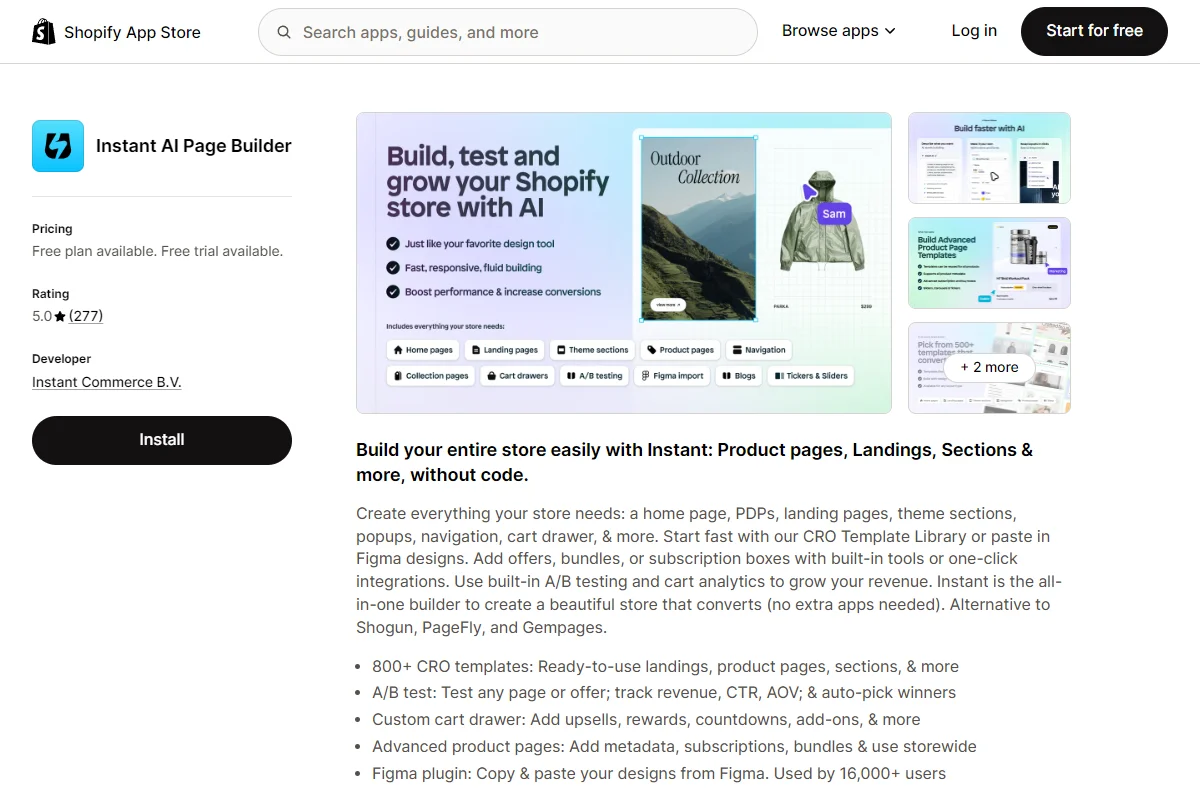
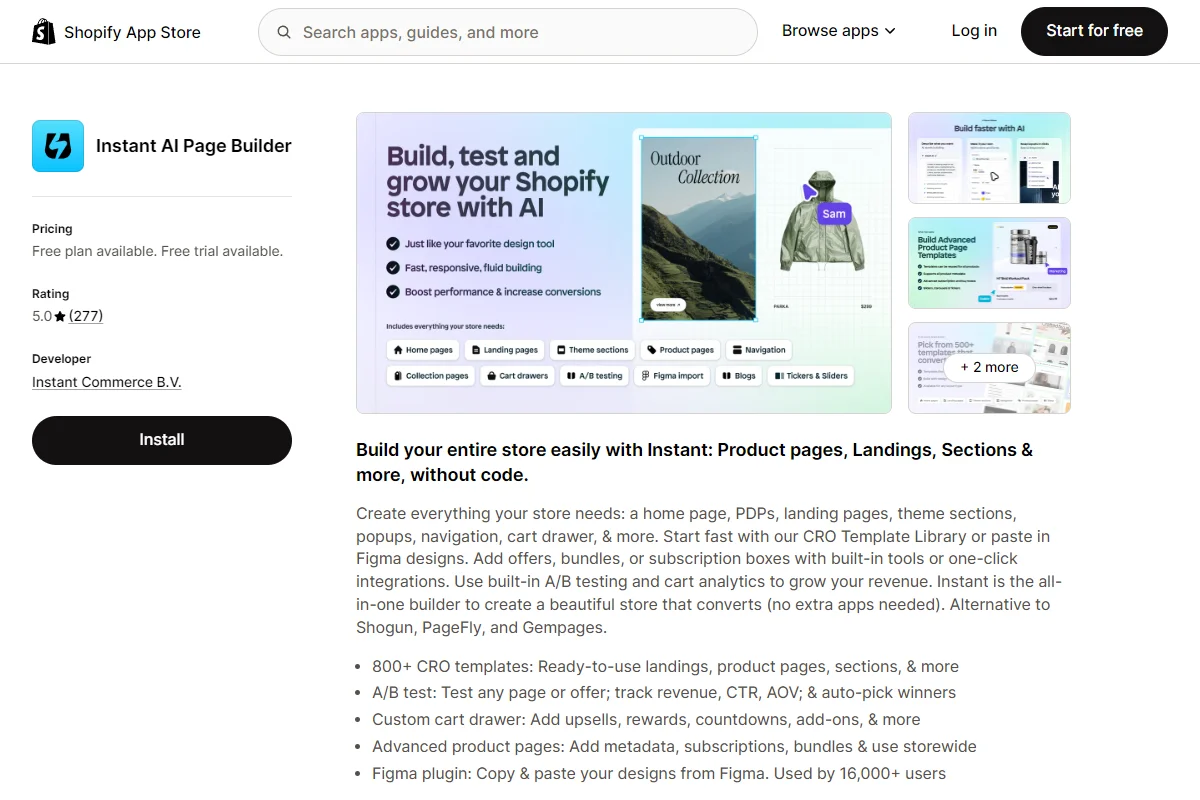
    • Instant Section & Page Builder – A no-code visual builder that publishes as native Shopify Liquid, with built-in A/B testing and a Figma-to-Shopify plugin. Best for design teams that work in Figma and brands that A/B test their pages regularly. Website | Shopify App Store
    • Foxify Smart Page Builder – A free-form, canvas-style builder with AI layout generation and bundled CRO extensions (Ajax cart, color swatches, quick view). Best for design-forward stores that want creative freedom without a row-and-column editor. Website | Shopify App Store
    • Tapita SEO AI Blog Builder – An AI-powered builder and blog content generator with integrated keyword research. Best for content-driven stores that want page building and AI content in one tool. Website | Shopify App Store
    • LayoutHub Easy Page Builder – A template-library-first builder focused on speed and ease of use, with strong customer support. Best for non-technical merchants who want polished pages quickly without a design background. Website | Shopify App Store
    • Canvify – A Shopify app that turns Canva designs into native Shopify pages. Paste a Canva share link, publish. Best for Canva-native teams that want visually rich brand pages without learning a separate builder. Website | Shopify App Store
    Instant AI page builder, one of the top page builder apps on the App Store

    There are many solid tools for building custom pages on Shopify. The best is the one your team feels most comfortable using, and brings the features you need to build the right kind of pages for your site.

    Final Thoughts: The Tool Is the Smallest Decision

    Customizing and improving key pages on your site is one of the highest-ROI moves any Shopify store can make.

    Your custom page strategy should follow that order:

    1. Pick the pages that actually deserve custom design (campaign LPs, hero PDPs, brand pages, SEO content – not everything).
    2. Design each page for a single intent, with a clear hierarchy and a real speed budget.
    3. Build mobile-first, every time.
    4. Pick a single page builder app that fits your team’s workflow.
    5. Ship, measure, and iterate. The lift between V1 and V3 is bigger than the lift between picking the “right” or “wrong” app.

    If you do all five, custom pages stop being a vanity exercise and start being one of the highest-ROI surfaces on your store.

  • The Omnichannel Mobile App: How to Add an App Channel Without the Complexity

    The Omnichannel Mobile App: How to Add an App Channel Without the Complexity

    Here’s the typical omnichannel approach: unify the data layer, connect the CRM, make sure the email matches the website matches the social ads. And that’s the right instinct.

    But then someone says “we should have a mobile app,” and the whole thing falls apart.

    Not because mobile apps are a bad idea. Apps account for 94% of time spent on mobile devices, and drive more conversions, more repeat purchases and higher AOV than mobile websites.

    For any brand with consistent revenue, the app channel is the highest-LTV touchpoint you can add.

    The problem is how most apps get built. Traditional app builders create a parallel universe: a separate content system, a separate design system, separate integrations, separate updates. 

    You launch the app and it looks great on day one. Three months later, it’s running last season’s promo banner while your website has moved on. Your Klaviyo flows trigger in the app differently than on web. Your loyalty program works on the site but glitches in the app.

    That’s not omnichannel. That’s two channels pretending to be one.

    And if you build a custom native app, the same thing happens – at 50x the price.

    There’s a better way to think about launching a mobile app for omnichannel brands.

    The Channel That Quietly Falls Out of Sync

    You’ve probably seen this play out, even if you haven’t named it.

    Brands like yours invest real money into their omnichannel stack. They connect their POS to their ecommerce platform. They build unified customer profiles across email, SMS, and web. They run coordinated campaigns across social, search, and marketplace channels.

    Then they launch a mobile app. 

    Suddenly, they’re managing two storefronts. The website gets updated daily by the marketing team. The app gets updated whenever someone remembers to log into the app builder dashboard (or whenever your email to the dev agency gets actioned… if you remembered to send it).

    The result is predictable:

    • Product pages diverge. The website has updated descriptions, new photography, fresh reviews. The app is stuck with whatever was pulled in at launch.
    • Promotions don’t match. You run a flash sale on the website, but the app still shows full price because someone forgot to update the app-side banner.
    • Checkout behaves differently. The payment options, shipping calculators, or discount code logic works slightly differently in the app, because it’s a separate implementation.
    • Integrations break. Your reviews widget, size guide tool, or loyalty program works fine on the website but either doesn’t exist in the app or uses a different version with different behavior.

    None of this is theoretical. It’s the default outcome when your app and website run on separate systems. And I literally see this from real mobile apps all the time.

    The irony is painful: the mobile app, which should be your most personal and high-converting channel, becomes the one that undermines the consistent experience you’ve built everywhere else.

    Why Traditional App Development Creates This Problem

    Whether you build your brand’s app with a drag-and-drop mobile app builder, or you contract a custom development shop, these things all share the same fundamental architecture: they rebuild your storefront from scratch using APIs.

    Your ecommerce platform (Shopify, BigCommerce, Salesforce Commerce Cloud, whatever you’re running) exposes product data through its API. The app pulls that data and renders it inside a completely new front end. 

    Different templates, different design logic, different rules for how everything displays.

    This creates three major problems.

    Every customization needs to be built twice

    That custom size guide you spent weeks perfecting on your website? It doesn’t exist in the app unless someone rebuilds it there. 

    The Yotpo reviews integration you painstakingly configured? Same story. 

    Your custom landing pages for seasonal campaigns? You’ll need to recreate them in the app builder every single time.

    Your marketing team can’t operate independently

    On the website, your team updates content, launches promotions, and swaps out banners without touching code. 

    In the app, those same changes usually require either the app builder’s dashboard (which has its own learning curve) or a support ticket to your app vendor (which goes straight to the end of their backlog).

    Feature parity is a moving target

    Your website evolves constantly. New integrations, A/B tests, checkout optimizations, third-party widgets. 

    The app starts behind and falls further behind over time because every improvement needs to be ported over separately.

    The net effect is that brands either invest heavily in a dedicated app team to keep everything in sync (which defeats the purpose of simplifying your stack) or they accept that the app will always be a stripped-down, slightly stale version of their website.

    Neither option is great if you’re trying to deliver a consistent experience across channels.

    The Fix: Make Your App an Extension of Your Website

    There’s a fundamentally different way to build a mobile app, and it solves the omnichannel consistency problem by design rather than by effort.

    Instead of rebuilding your storefront from scratch using APIs, Vendrux takes your existing website and delivers it inside a native iOS and Android app. 

    Your website becomes the app. Same content, same checkout, same integrations, same everything.

    The app delivers your full website experience inside a native container, adding native capabilities like push notifications and deep linking on top. 

    This architecture eliminates the entire category of “keeping the app in sync” problems, while maintaining the same native experience customers expect.

    Here’s how life changes (for the better) with this approach.

    One update, every channel

    Because the app is rendering your website, there’s no second system to update.

    When your marketing team changes a product description, swaps a homepage banner, launches a new collection, or updates pricing, those changes appear in the app instantly. 

    Full integration parity

    Every third-party tool that works on your website works in the app automatically. 

    Klaviyo popups, Yotpo reviews, Smile.io loyalty points, Afterpay checkout, custom size guides, live chat widgets. If it runs on your site, it runs in your app. No integration work, no separate configuration.

    Your existing team runs the app

    The people who manage your website already manage your app. 

    There’s no app developer on staff, no separate content pipeline, and no app builder dashboard to learn. Your Shopify admin (or whatever CMS you use) is your app’s CMS too.

    Checkout stays identical

    This is the one that matters most for conversions: the checkout flow in your app is the same checkout flow on your website. 

    Same payment methods, same discount code logic, same shipping calculators, same post-purchase upsells. Zero divergence.

    Your customers get a fast, native app experience. Your team gets zero additional operational overhead.

    What the App Channel Actually Adds to Your Omnichannel Stack

    If the app is essentially delivering your website, you might wonder what the point is. Why not just focus on the mobile web?

    The answer is in the native capabilities that a mobile app unlocks on top of your existing experience.

    Push notifications

    Email open rates have been declining for years. SMS costs money per message and faces increasing regulatory pressure. 

    Push notifications land directly on your customer’s lock screen – with open rates around 20% and they cost nothing to send after the initial setup. 

    For abandoned cart recovery, flash sale alerts, back-in-stock notifications, and loyalty rewards, push is unmatched.

    An owned channel

    An app is a channel you own, 100%. You own the conversation, the data, the messaging.

    You’re not reliant on Google’s search algorithm, on ad auctions, or your emails landing somewhere other than promotions/spam.

    App Store presence

    Your brand appears in the App Store and Google Play alongside the biggest retailers in the world. Customers can find you by searching. They see ratings and reviews. 

    It signals legitimacy in a way that a mobile website bookmark never will.

    Home screen real estate

    Your app icon sits on the customer’s phone, competing for attention with maybe 30-40 other apps they use regularly. 

    That’s fundamentally different from competing with every other website in a browser tab.

    It keeps your brand top of mind by default, and leads to far more engagement from your best customers.

    Because the app is built on your website, you get all of this without sacrificing anything. 

    Your full product catalog, your complete content library, your entire checkout flow, every integration you’ve built. It all carries over.

    How to Build a Low-Maintenance, Omnichannel Mobile App

    Adding an app channel through the website-to-app approach is simpler than most brands expect.

    With Vendrux, it’s just three steps from now to launch.

    1. Book a strategy call. Share your website URL and talk through your goals. The Vendrux team will assess fit and walk you through exactly how the app will look and perform for your specific store.
    2. Get your custom app preview. The team builds a working preview of your native app so you can see it in action before committing. You’ll see your actual website, your actual products, your actual checkout, all running inside a native app.
    3. Launch in 30 days. Vendrux handles the build, App Store submissions, and launch. Your app goes live on both the App Store and Google Play while you focus on running your business.

    From there, your app stays in sync with your website automatically. No ongoing maintenance. No developer needed for content changes. 

    You get the benefits of a native mobile channel, with the app infrastructure done for you, and no duplicate work.

    It’s the best way to launch an app that adds to your revenue, not to your to-do list.

    Adding a Channel Shouldn’t Mean Adding Complexity

    The whole point of an omnichannel strategy is to make things simpler for your customers. 

    They shouldn’t notice the transitions between your channels. They shouldn’t get a different experience depending on which touchpoint they happen to be using.

    But too often, adding a mobile app does the opposite. It adds complexity for your team and inconsistency for your customers.

    It doesn’t have to be that way. When your app is an extension of your existing website rather than a separate rebuild, the omnichannel promise actually holds. 

    One experience, every channel, no extra operational burden.

    If you’re running a brand that’s ready for an app channel but doesn’t want to manage another platform, book a free strategy call with Vendrux

    There’s no commitment required. We’ll just walk you through the process, share some examples of what’s possible, and give you a clear picture of what the app channel can do for your business.

    Some of the apps we’ve built for growing ecommerce brands. See more examples here

    We’ve built over 2,000 apps for brands in exactly this situation. From first call to App Store, you could be live in about 30 days.

    Ready to explore it? Get in touch and get a free consultation now

  • TCPA, SMS Compliance, and the Case for Push Notifications in Ecommerce

    TCPA, SMS Compliance, and the Case for Push Notifications in Ecommerce

    If you run an ecommerce brand and SMS is a meaningful part of your marketing mix, you know the rules are getting tighter. 

    What you might not know is how much tighter, how fast things are moving, and what your options actually look like when SMS stops being the easy win it used to be.

    This isn’t a “kill your SMS program” article. SMS has earned its place in your marketing stack. Open rates near 98%, click-through rates in the 21-35% range, and a direct line to your customer’s most personal device. The channel works.

    But working well and being sustainable are two different things. 

    The Telephone Consumer Protection Act (TCPA) has been around since 1991, and it’s never been enforced as aggressively as it is right now. Combine that with rising per-message costs and stricter carrier requirements, and the math on SMS starts to look different than it did two years ago.

    Here’s what’s actually changing, what it means for your brand, and where push notifications fit into the picture.

    Get smarter about ecommerce, retention and CX. The Retention Edge is a free weekly newsletter for operators who want to drive real, sustainable growth. Read it free at retentionedge.co ->

    What the TCPA Actually Requires (And What Changed Recently)

    The TCPA was originally written to stop robocalls. Over the past decade, it’s expanded to cover text messages, and the enforcement machinery has caught up.

    Here’s what you need to know as an ecommerce brand:

    The basics that haven’t changed:

    • You need “prior express written consent” before sending marketing texts
    • Consumers must be able to opt out at any time
    • Each unsolicited text can result in $500 to $1,500 in statutory damages per message
    • There’s no cap on total damages, which is why class actions regularly reach millions

    What changed in 2025:

    The FCC’s revocation of consent rules took effect on April 11, 2025. Under these rules:

    • Consumers can revoke consent through “any reasonable means” (not just replying STOP)
    • Businesses must honor revocation requests within 10 business days
    • This applies to both marketing and informational messages

    The FCC also codified that Do Not Call Registry protections apply to text messages, closing a loophole some businesses had relied on.

    There was also the saga of the “one-to-one consent” rule. 

    The FCC proposed requiring seller-specific consent for each individual company contacting a consumer, which would have made lead-sharing and multi-brand consent forms essentially worthless. 

    The 11th Circuit ultimately vacated that rule in August 2025, finding the FCC had overstepped its authority. But the fact that it got that far tells you which direction regulators are heading.

    Keep in mind we are not legal experts, and none of this is legal advice. To be sure of complete and accurate information, make sure you check in with a legal professional.

    The Enforcement Numbers Are Hard to Ignore

    In Q1 2024, there were 239 TCPA class actions filed. In Q1 2025, that number hit 507, a 112% year-over-year increase

    Through September 2025, over 2,128 TCPA lawsuits were filed, a 57.9% increase over the same period in 2024.

    Nearly 80% of all TCPA lawsuits are now class actions. For context, only about 5% of other consumer protection cases are filed as class actions. Plaintiff firms are expanding operations specifically to increase TCPA filing capacity.

    Recent settlements from retail and ecommerce brands:

    • DSW / Designer Brands: $4.43 million settlement (approved August 2025)
    • Zales Jewelers: $7.5 million settlement (September 2025)
    • Albertsons: $5.95 million settlement for telemarketing calls and texts without consent
    • &Pizza: $750,000 settlement for texting customers who had already opted out

    The &Pizza case is worth pausing on. That wasn’t some massive brand-wide violation. It was a company that kept sending marketing texts after people said stop. A mistake any growing ecommerce brand could make with a poorly configured SMS tool or a messy subscriber list.

    The Cost Problem Beyond Compliance

    Even if you stay perfectly compliant, SMS is getting more expensive.

    A standard US SMS message runs $0.01 to $0.05 per send, depending on your platform and message type. MMS (messages with images) costs more, typically around $0.04 per message. 

    That doesn’t sound like much until you do the math at scale.

    A brand sending 100,000 messages a month is looking at $1,000 to $5,000 in message fees alone. 

    Add platform subscription fees, carrier surcharges ($0.003 to $0.01 per message), number registration fees, and the cost of dedicated compliance staff or legal review, and SMS becomes one of the more expensive channels in your stack.

    Carrier fees have been steadily increasing. The major carriers (AT&T, T-Mobile, Verizon) introduced surcharges for commercial messaging that didn’t exist a few years ago. 

    And then there’s the hidden cost: the internal resources you spend managing compliance. Maintaining consent records, processing opt-outs within 10 business days, auditing your subscriber lists, training your marketing team on the rules, and retaining legal counsel to review campaigns. 

    None of that shows up in your per-message cost, but it’s real.

    10DLC

    10DLC (10-Digit Long Code) is the registration system US carriers now require for any business sending text messages from a standard phone number.

    Before 10DLC, you could get a number and start texting. Now you need to:

    • Register your brand
    • Submit each messaging campaign for approval
    • Wait for vetting

    Registration fees run $4 to $15 depending on the carrier, with some requiring annual renewal. Your throughput (how many messages you can send per second) is tied to a “trust score” the carriers assign based on your brand size and registration details.

    Lower trust scores mean stricter rate limits, which can be a real problem during flash sales or time-sensitive campaigns. If you skip registration entirely, your messages get silently filtered or blocked.

    It’s one more layer of cost and operational overhead that didn’t exist a few years ago.

    Where Push Notifications Fit In

    Push notifications and SMS do fundamentally the same thing: put a message on your customer’s phone screen in real time. 

    The difference is in how they get there and what rules apply.

    Here are some of the advantages of push notifications:

    No regulatory exposure

    Push notifications aren’t covered by the TCPA. There’s no statutory damage risk, no class action liability, no FCC oversight. 

    Users opt in through their device’s native permission system (the standard iOS or Android prompt), and they opt out by toggling a switch in their phone’s settings. 

    The entire consent model is managed by Apple and Google at the operating system level. It’s significantly safer – not going to end up with a $7.5 million lawsuit.

    No per-message cost

    Once you have the infrastructure in place, push notifications are free to send

    There are no carrier fees, no per-message charges, no surcharges. Whether you send 1,000 or 1,000,000 notifications, the marginal cost is zero.

    Comparable reach and engagement (with caveats)

    SMS generally has higher reported open rates and click-through rates. Those numbers are real and worth respecting. But they’re also somewhat misleading – especially regarding push.

    Push notifications land right on the lock screen, essentially “opened” already. Many studies regard a push “open” as a long-tap that shows the full message (longer messages have a little bit cut off). Some regard an open as tapping on the notification and opening the app.

    That’s a lot different than opening an SMS.

    You could argue that push notifications have a 100% open rate, since they’re almost guaranteed to be seen on the lock screen.

    The Honest Comparison: SMS vs Push Notifications

    The right comparison isn’t push vs SMS in isolation. It’s the total cost of each channel, including compliance overhead, legal risk, and per-message fees, relative to the revenue it generates.

    Here’s the birds-eye view of how SMS and push notifications stack up against each other.

    Where SMS still wins:

    • Higher raw engagement metrics (open rate, CTR)
    • Wider reach: doesn’t require app install
    • More established channel with more mature tooling (Klaviyo, Postscript, Attentive all have deep ecommerce integrations)

    Where push notifications win:

    • Zero regulatory risk under TCPA
    • Zero per-message cost
    • Deep linking directly into native app content (product pages, carts, account screens)
    • Rich media support (images, action buttons, custom sounds) without MMS surcharges
    • No carrier approval, registration, or number provisioning required
    • Consent model is built into the operating system. There’s nothing to manage on your end.

    Where it’s genuinely close:

    • Abandoned cart recovery (both channels perform well here)
    • Flash sale and limited-time offer announcements
    • Loyalty and rewards program engagement
    • Re-engagement campaigns for lapsed customers

    The Shift That’s Already Happening

    Here’s what we’re seeing from successful brands. They’re not abandoning SMS – but reducing their dependence on it and building push notification capabilities in parallel.

    The logic is straightforward. If you’re spending $3,000 to $5,000 a month on SMS message fees, plus platform costs, plus internal compliance overhead, and one bad list hygiene day could trigger a seven-figure lawsuit, the risk-adjusted cost of that channel is higher than it looks on a spreadsheet.

    Meanwhile, push notifications through a native app cost nothing per message, carry no legal risk, and convert at rates that make them worth the investment in the app itself.

    This is especially true for brands that already have (or are building) a mobile app. If your customers are installing your app, you have a direct line to them that doesn’t route through carriers, doesn’t require consent management infrastructure, and doesn’t put you in the crosshairs of an industry that filed over 2,000 lawsuits in nine months.

    Should You Abandon SMS?

    None of this means you should shut down your SMS program tomorrow. 

    And push notifications are not a direct replacement for SMS either, because you can’t reach every person on your SMS list with a push notification (only those who have your app installed).

    But you should be adding push notifications to the mix. For the people you can reach, they’re more reliable, more cost-effective, and arguably more powerful on a message for message basis.

    Here’s a quick breakdown of how to assess your SMS strategy – how to make sure you’re safe from lawsuits, and how to start branching out into new channels like push.

    • Short term: Audit your SMS compliance. Make sure your opt-out processing meets the new 10-business-day requirement. Review your consent records. If you’re using shared consent forms or lead-gen partners, understand exactly what consent you actually have.
    • Medium term: If you have a mobile app, invest in your push notification strategy. Segment your audience, build automated flows (abandoned cart, browse abandonment, back-in-stock), and start measuring push performance alongside SMS. You’ll likely find that push drives meaningful revenue at a fraction of the cost.
    • Long term: Consider what it would take to shift your most expensive SMS campaigns to push. High-frequency campaigns (daily deals, flash sales, loyalty updates) are the best candidates. You won’t be able to shift all of these messages to push; but you can potentially replace SMS with push just for customers who have your app.

    For brands that don’t have a mobile app yet, this is one more reason to consider it. The direct messaging channel alone can justify the investment, especially when you factor in the compliance costs and legal risk you’re avoiding.

    Getting Started with Push Notifications

    If you’re running an ecommerce store and you want to add native push notifications to your marketing mix, you need a mobile app. 

    Not a PWA (which can only send web push notifications – which are far less effective than native push), but a real native app on iOS and Android.

    Vendrux builds native apps from your existing ecommerce website. Your site, your checkout, your integrations, all delivered as a native app with full push notification support. 

    No rebuilding your store from scratch, no managing a separate codebase, no sacrificing the features your customers already use.

    Here’s what that process looks like:

    1. Book a strategy call. Share your website URL with us, discuss your goals, and we’ll assess whether an app is a good fit for you.
    2. Get a custom app preview. Our team builds a personalized preview so you can see exactly how your store looks and feels as a native app.
    3. Launch in 30 days. We handle everything. Your app goes live on the App Store and Google Play while you focus on running your business.

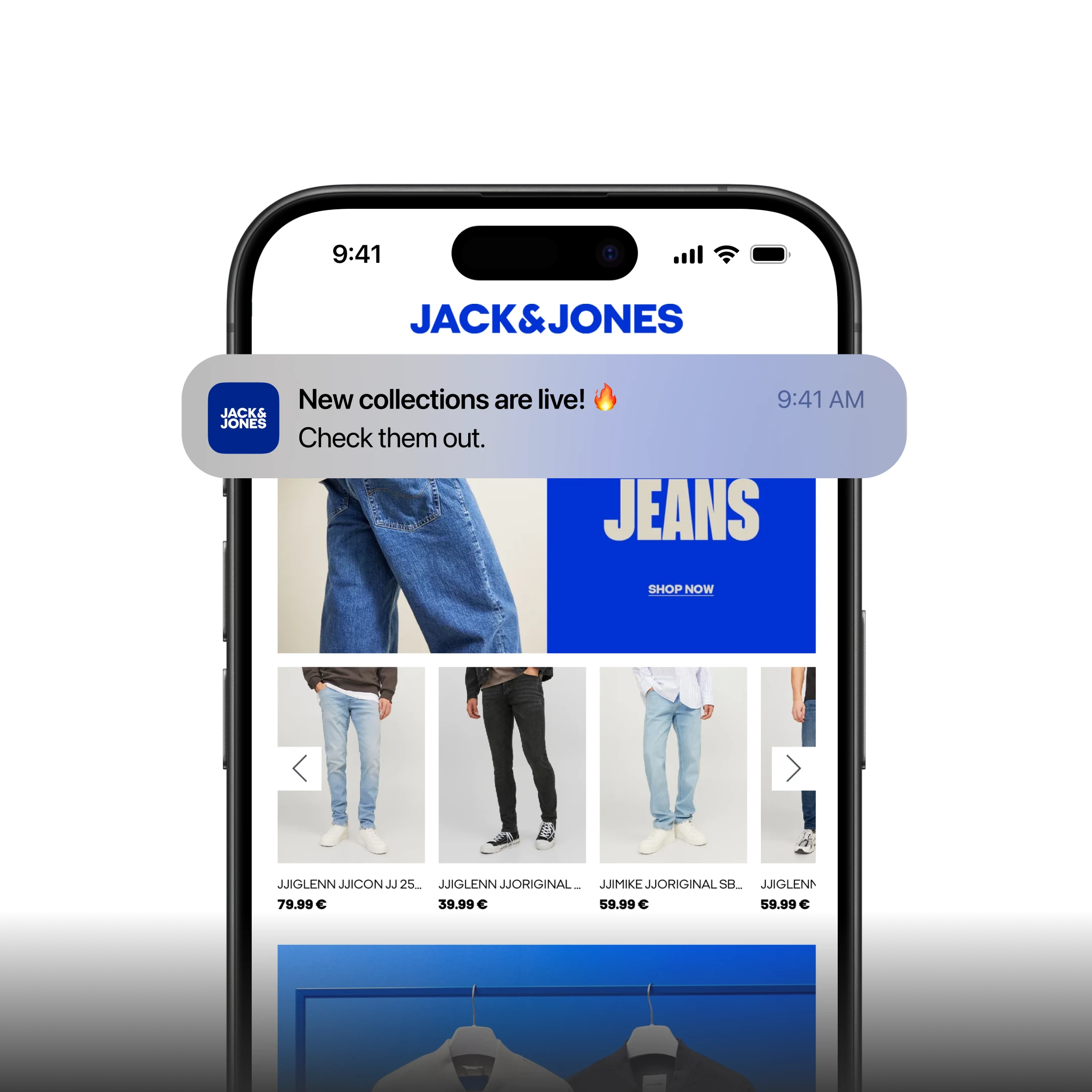
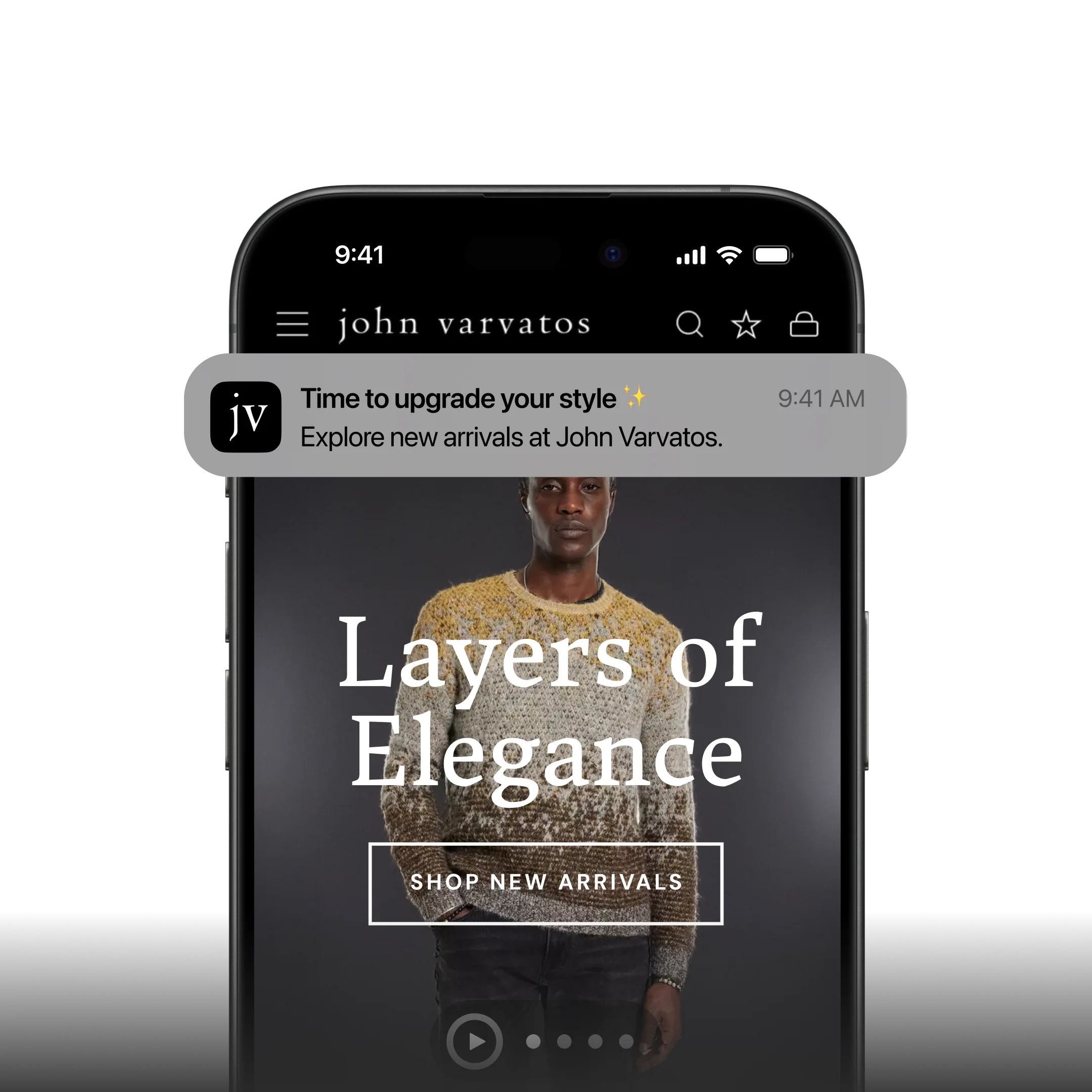
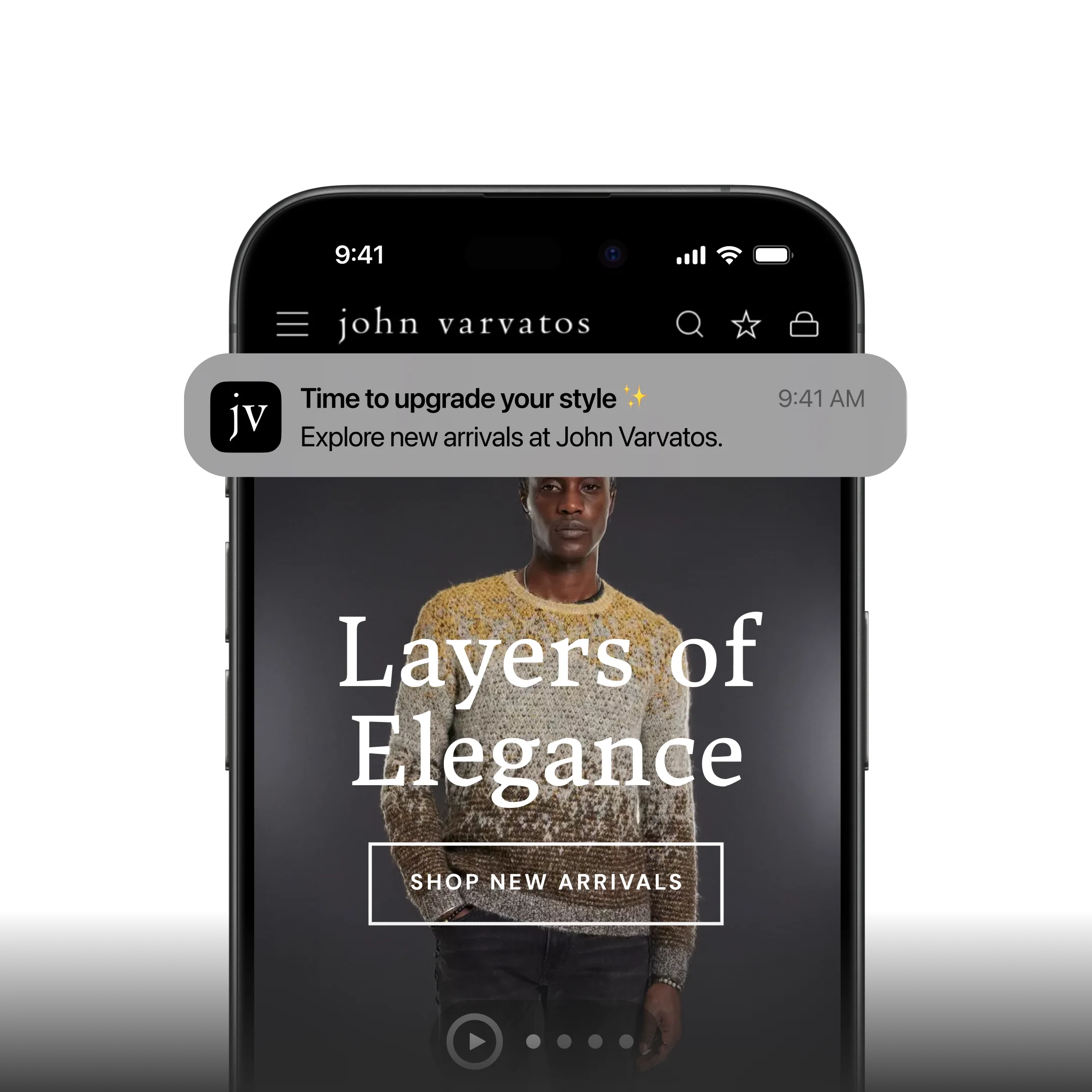
    We’ve built over 2,000 apps over the last 10+ years, including apps for global ecommerce brands like John Varvatos and Jack & Jones. 

    If you’re curious whether a native app (and the push notification channel that comes with it) makes sense for your store, book a free strategy call now to discuss it, get your questions answered, and start making push a part of your marketing stack.

  • Why Abandoned Cart Push Notifications Are Your Highest-ROI Recovery Channel

    Why Abandoned Cart Push Notifications Are Your Highest-ROI Recovery Channel

    Around 70% of online shopping carts are abandoned before checkout. On mobile, that number climbs to over 85%

    For a brand doing eight figures in annual revenue, that’s millions in potential sales walking away.

    Every serious ecommerce brand has a recovery strategy. You’re sending cart abandonment emails. Maybe you’re using SMS for high-value carts. But email lands in a crowded inbox, and SMS costs money on every send. 

    Neither channel can reach a customer on their lock screen, instantly, the moment they walk away from a purchase, like push notifications can.

    The catch is that push notifications require a mobile app, which is exactly why most ecommerce brands don’t have this channel yet.

    That’s the gap. And for brands doing enough volume to justify an app, abandoned cart push notifications alone will cover the cost of launching one.

    Why Do Carts Get Abandoned in the First Place?

    Before getting into recovery tactics, it helps to understand what you’re recovering from. The most common reasons customers abandon carts, according to Baymard Institute’s research:

    • Unexpected costs (shipping, taxes, fees) at checkout
    • Required account creation before purchasing
    • Complicated or slow checkout process
    • Concerns about payment security
    • Just browsing / not ready to buy yet
    • Delivery was too slow or unclear

    Some of these are fixable with checkout optimization. But a significant share of abandonment is simply timing: the customer intended to buy, got distracted, and never came back. 

    That’s the segment where push notifications have the most impact, catching people while their purchase intent is still warm.

    How Do Abandoned Cart Push Notifications Work?

    An abandoned cart push notification is an automated message triggered when a customer adds products to their cart and leaves without completing checkout. The notification appears on their phone’s lock screen, prompting them to return and finish the purchase.

    Push notifications appear directly on the lock screen or as a banner notification, right alongside texts and app alerts. They show up where people are already looking, the moment they pick up their phone. There’s no inbox to compete with, no spam filter to clear, no algorithm deciding whether your message gets seen.

    Here’s what a typical abandoned cart push sequence looks like:

    1. 5-15 minutes after abandonment: A simple reminder. “You left something in your cart.” The customer’s purchase intent is still fresh, and a gentle nudge is often enough.
    2. 3-6 hours later: A second message, potentially with an incentive. “Still thinking it over? Here’s 10% off to help you decide.”
    3. 24 hours later: A final push with urgency. “Your cart is about to expire” or “Low stock on [product name].”

    The customer taps the notification, and they’re taken directly back to their cart page (via deep linking) with their items still loaded. 

    No hunting for products, no re-adding items, no friction. One tap to checkout.

    That’s the mechanic. Now let’s talk about where push fits alongside the channels you’re already using.

    Do You Need Push Notifications if You Already Have Email and SMS?

    You already have email for cart recovery. You might have SMS. Those channels are doing their job. 

    The question isn’t whether push is “better” than either one. It’s whether you have a gap in your coverage, and what that gap is costing you.

    Here’s how to think about each channel’s role:

    Email is your broadest reach. Nearly every customer gives you an email address. It’s the right channel for reaching the widest audience with cart recovery messages. 

    The tradeoff is that inboxes are crowded. Cart emails compete with every other promotion a customer received that day, and open rates reflect that, typically 15-25%.

    SMS is your high-urgency escalation. High open rates, but you’re paying $0.01-0.05 per message (Dotdigital), and customers are increasingly sensitive to branded texts. 

    There are also TCPA compliance considerations that add complexity. SMS makes sense for high-value carts where the margin justifies the cost, not as your primary recovery tool.

    Push is your direct line to your best customers. App users are self-selected. They’ve downloaded your app, they browse it regularly, they’re your repeat buyers. 

    Push lets you reach this high-LTV segment instantly, on their lock screen, at zero per-message cost. No other channel gives you that combination of speed, visibility, and cost efficiency for this audience.

    The important thing to understand is that these channels cover different segments of your customer base. 

    • Email reaches everyone. 
    • SMS reaches phone-number opt-ins.
    • Push reaches app users. 

    If you only have two of the three, you have customers falling through the cracks.

    A practical multi-channel approach

    Push fires first for app users (instant, free, high engagement). Email follows up for the broader audience. SMS is reserved for high-value carts. 

    A coordinated sequence like this can recover 20-30% of abandoned carts, versus 10-15% with email alone. 

    The lift comes from covering more of your customer base, not from one channel “beating” another.

    Web Push vs App Push: Which Is Better for Cart Recovery?

    If you’re going to invest in push for cart recovery, it’s worth understanding the two types. Web push and native app push work differently, and the distinction directly affects your results.

    Web push notifications are browser-based alerts sent to visitors who opt in on your website. 

    Tools like PushEngage, OneSignal, and Webpushr make this easy to set up on Shopify, WooCommerce, BigCommerce, or any other platform.

    The appeal is obvious: no app required. You can start sending push notifications to website visitors right away. And for cart recovery, web push works. Brands like Pura Vida generated over $540,000 in revenue from web push abandoned cart campaigns over 2.5 years, with a 10:1 ROI.

    But web push has real limitations:

    • iOS Safari doesn’t reliably support web push in the same way as native apps. Apple has added web push support, but the opt-in flow is clunky and adoption remains low.
    • Opt-in rates are lower than apps. Users see a generic browser prompt (“This site wants to send notifications”) with no context, and most click “Block.”
    • No rich media on all platforms. Some browsers limit what you can include in web push (images, action buttons, etc.).
    • Session dependency. Web push only works if the browser is open (on desktop) or if the service worker is active. Native app push works regardless – it can reach your customers at any time.

    Native app push notifications are messages delivered through a brand’s iOS or Android app, appearing on the device’s lock screen regardless of whether the app is open. 

    Native push is what you think of when you think of a push notification. It pops up on the lock screen, catches the customer’s attention, makes your brand the first thing they see when they pick up their phone.

    Web push doesn’t do this. And think about the last time you opted in to (or even saw) a web push notification.

    They’re a lot less visible, and really designed for desktop, not mobile (where most of your customers are, and where most of the impulse buy potential lies).

    Real Results: What Brands Are Recovering With Abandoned Cart Notifications

    Abandoned cart notifications may sound like a small quirk of mobile apps.

    They’re not. They can be the reason to build an app.

    Here are the results from three Vendrux customers over a single 30-day period, using abandoned cart push notifications:

    Brand A

    $200,000

    Revenue recovered

    Brand B

    $20,000

    Revenue recovered

    Brand C

    $10,000

    Revenue recovered

    Three very different scales of business, but the same story: automated push notifications recovering real revenue every month with zero manual effort after setup.

    These aren’t cherry-picked months. Across Vendrux’s customer base, brands have generated $10,000 to $200,000 per month from abandoned cart notifications alone. 

    One finding from Vendrux’s benchmark report stands out: automated push messages (like abandoned cart sequences) make up just 3% of total push sends, but drive 21% of all push-attributed orders. A tiny share of the effort, producing an outsized share of the results.

    Push is a powerful abandoned cart recovery channel for a range of verticals and business types:

    • High-volume stores (likely a higher percentage of abandoned carts)
    • Low-volume, high-AOV brands (each abandoned cart recovered is much more valuable)
    • Subscription brands (a recovered cart can mean a recovered subscription as well)

    This revenue is net-new revenue: the easiest way for you to see a real, incremental boost from your mobile app.

    Best Practices for High-Converting Cart Push Notifications

    The difference between a push notification that recovers revenue and one that gets swiped away comes down to execution. Here’s what works.

    Get the Timing Right

    Timing is everything with abandoned cart recovery. Send too early and it feels pushy. Wait too long and the customer has moved on (or bought from a competitor).

    The three-message sequence that most high-performing brands use:

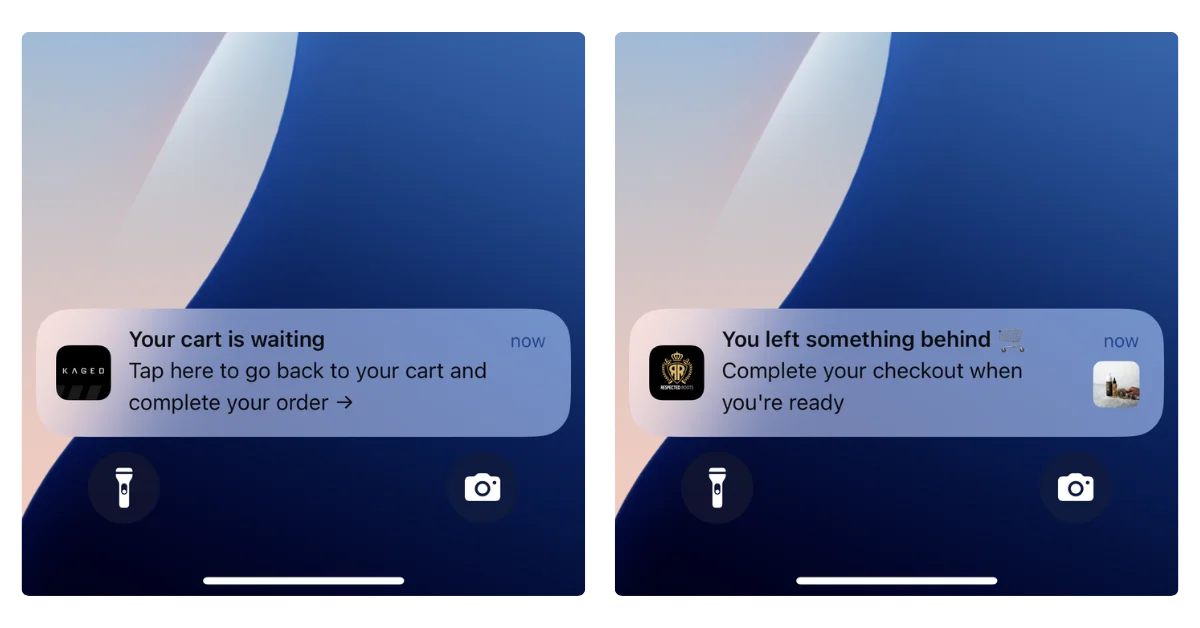
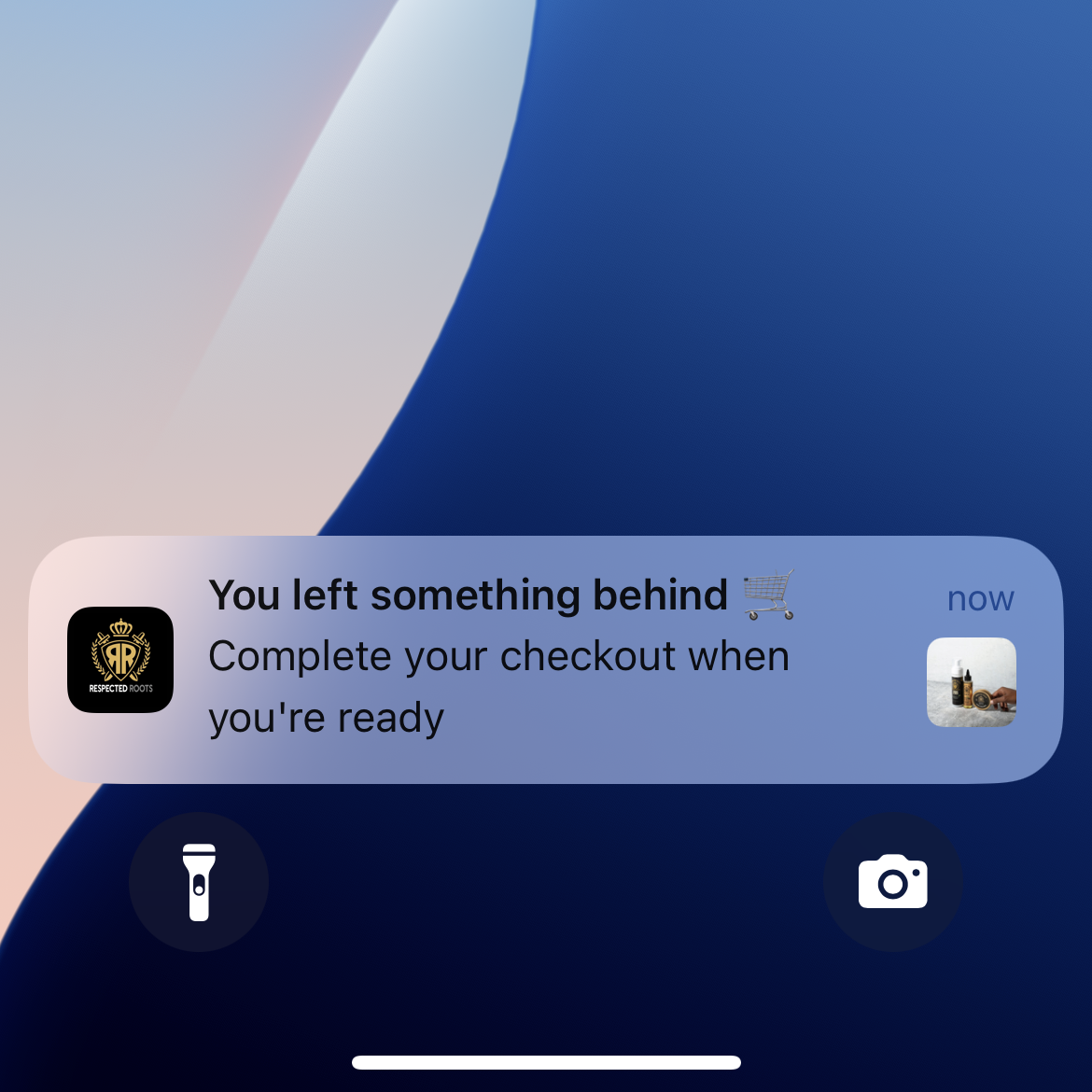
    • First push: 5-15 minutes after abandonment. Intent is still high. Keep it simple: “You left something behind.” No discount needed here; most of your recovery revenue will come from this first message.
    • Second push: 3-6 hours later. Add a small incentive if you want. “Still thinking about it? Here’s free shipping on your order.”
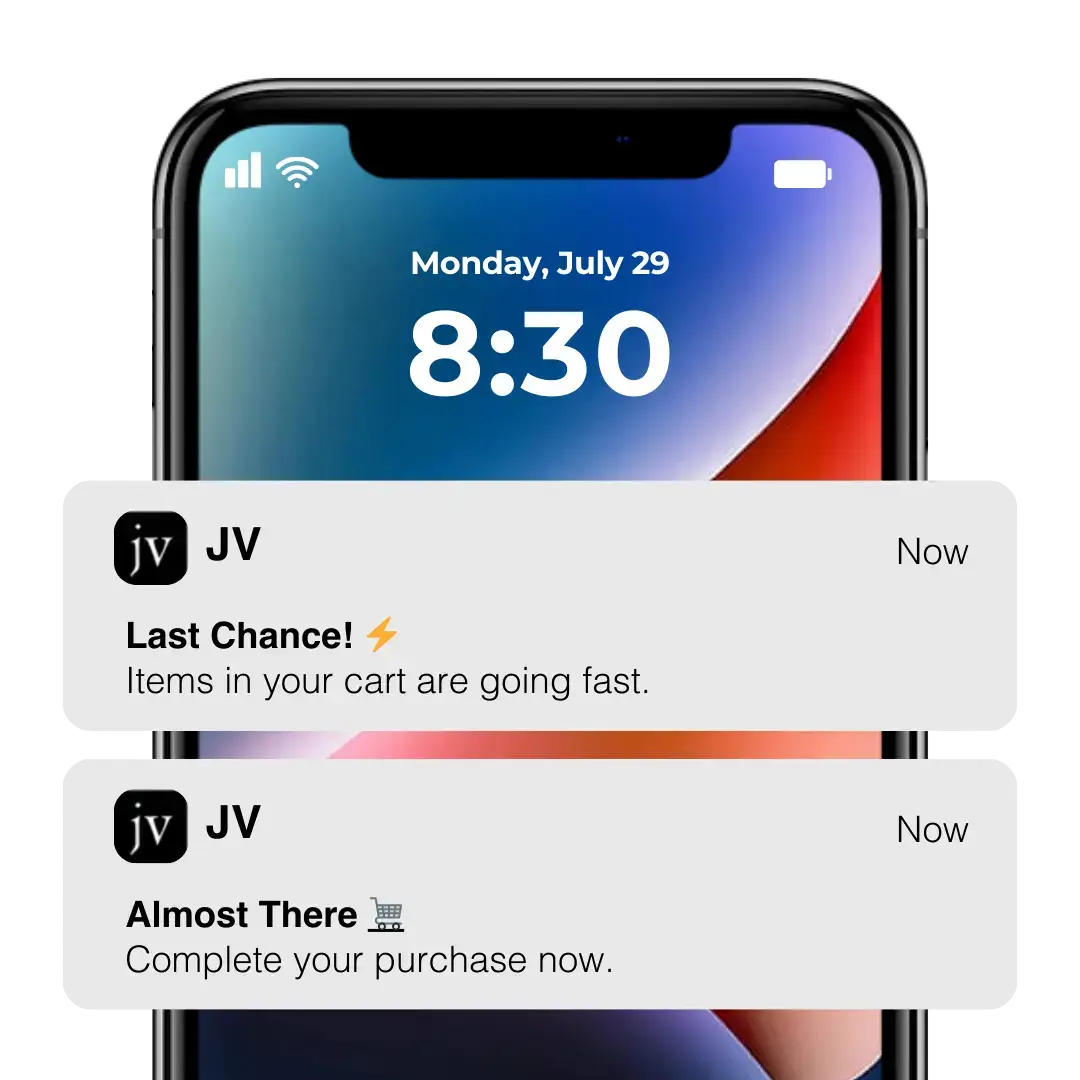
    • Third push: 24 hours later. Create urgency. “Your cart items are selling fast” or “Your cart expires tomorrow.”

    After three messages, stop. You’ve given them every reason to come back. If they don’t, move on.

    Personalize Everything You Can

    Generic messages get generic results. Use the data you have.

    • Name: “Hey Sarah, you left something behind” outperforms “Don’t forget your cart” every time.
    • Product: Mention the specific item. “Your [product name] is still in your cart” is more compelling than a vague reminder.
    • Images: Include a thumbnail of the product in the notification. Seeing the item triggers the desire to own it.
    • Behavior: If stock is genuinely low, say so. “Only 3 left in your size” is honest urgency, not manufactured scarcity.

    Use Incentives Strategically

    Don’t lead with a discount. If you put 10% off in the first message, you’re training customers to abandon carts on purpose.

    Better approach:

    • Message 1: No discount. Just a reminder. This is where 60%+ of your recovered revenue will come from.
    • Message 2: A non-discount incentive (free shipping, bonus loyalty points, a free sample).
    • Message 3: A small discount if they still haven’t converted. “Here’s 10% off, but it expires tonight.”

    Some brands skip discounts entirely and still see strong recovery rates. Test what works for your audience and margins.

    Deep Link to the Cart

    This seems obvious, but plenty of brands get it wrong. When a customer taps the notification, they should land directly on their cart page with all items loaded. Not the homepage. Not a product page. Not a login screen.

    Deep linking removes the friction that caused the abandonment in the first place. One tap, they’re looking at their cart, ready to check out. If your push notifications dump people on the homepage, you’ve already lost most of them.

    Don’t Overdo It

    Two to three messages per abandoned cart event is the sweet spot. Beyond that, you’re training customers to ignore (or disable) your notifications entirely.

    Also important: stop the sequence immediately once the cart is recovered. Nothing damages trust faster than getting a “Don’t forget your cart!” notification after you’ve already purchased.

    Segment by Abandonment Behavior

    Not every abandoned cart is the same. A customer who made it to the checkout page and entered their shipping address has much higher purchase intent than someone who added an item and kept browsing. If your push platform supports it, tailor your messaging:

    • High-intent abandoners (reached checkout): a simple “You’re almost done” reminder is often enough. They don’t need an incentive.
    • Browse abandoners (added to cart, kept browsing): a product-focused message (“Still interested in [product]?”) that re-sparks the desire works better here.

    Test Your Copy and Timing

    Small changes in notification copy and send timing can meaningfully affect recovery rates. A/B test one variable at a time:

    • Message copy (question vs statement, product name vs generic)
    • Send timing (5 minutes vs 30 minutes vs 1 hour for the first push)
    • Incentive vs no incentive on the second message
    • With product image vs without

    Most push platforms support A/B testing natively. Run tests for at least two weeks before drawing conclusions, and track conversion rate (not just open rate) as your primary metric.

    Abandoned Cart Push Notification Examples

    Here are six notification templates you can adapt for your brand. Each one targets a different stage of the recovery sequence or a different psychological trigger.

    1. The Simple Reminder (first message, 5-15 min)

    “You left something in your cart. Tap to finish checking out.”

    No discount, no urgency, no cleverness. This is your highest-converting message because intent is still fresh. Let the product do the work.

    2. The Product-Specific Nudge (first message, personalized)

    “Your [Product Name] is still waiting. Complete your order before it sells out.”

    Mentioning the specific product pulls the customer back to the moment they wanted it. Pair this with a product image if your platform supports rich notifications.

    3. The Soft Incentive (second message, 3-6 hours)

    “Still thinking it over? We’ll throw in free shipping if you complete your order today.”

    Free shipping is a strong nudge without devaluing the product. Loyalty points or a free sample work well here too.

    4. The Urgency Play (third message, 24 hours)

    “Last chance: your cart expires tonight. Tap to check out before your items are gone.”

    Only use this if you can back it up. Genuine urgency (limited stock, cart expiration policy) converts. Manufactured scarcity erodes trust.

    5. The Social Proof Nudge (alternative second message)

    “[Product Name] is one of our bestsellers this month. Your cart’s ready whenever you are.”

    For products with strong sales velocity, social proof can be more effective than a discount. It validates the customer’s choice rather than discounting it.

    6. The Last-Chance Discount (final message, 24-48 hours)

    “Here’s 10% off your cart, but it expires at midnight. Use code COMEBACK10.”

    Reserve discounts for the final message only. Leading with a discount trains customers to abandon carts deliberately.

    Abandoned Cart Push Notifications Can Pay for the Cost of Your App

    This is the part most brands don’t realize until they see their own numbers.

    Let’s give an example.

    A brand doing ~$20M in annual revenue, with a mobile app used by their top 10-15% of buyers, you could be looking at around 10,000 abandoned carts per month in the app.

    Recovering 5-10% of those through push notifications (which apps uniquely enable) means 450-1,000 extra orders/month – potentially $50K-$100K+ in recovered revenue per month just from abandoned cart push notifications alone.

    You don’t need to be an eight-figure brand for it to be worth your while, either. Even at a quarter of that scale, you’re still looking at over five figures in net-new revenue from recovered carts.

    A wellness brand from our benchmark report generated $14,491 in abandoned cart revenue in their very first month. Another, an online pharmacy, recovers $10,000+ monthly at a 22% conversion rate.

    These aren’t outliers. They’re typical results from brands that have the automation turned on.

    For brands evaluating whether a mobile app makes financial sense, abandoned cart push is often the single clearest line item in the ROI calculation. And it’s just one piece. 

    The broader value of an app, higher AOV, better customer retention, promotional push campaigns, improved mobile UX, stacks on top of it.

    How to Get Started

    If you already have a mobile app, check whether your platform supports automated abandoned cart push notifications. If it doesn’t, look into integrating a push service like OneSignal and connect it to your cart events.

    If you don’t have an app yet and want the fastest path to abandoned cart push, Vendrux is built for exactly this. 

    Vendrux takes your existing ecommerce website and extends it into native iOS and Android apps, with abandoned cart notifications built in from day one.

    Here’s how it works:

    1. Book a strategy call. Share your website URL and we’ll discuss your goals, walk you through the process, and assess fit.
    2. Get a custom app preview. The Vendrux team builds a personalized preview of your app so you can see exactly how it looks and performs.
    3. Launch Vendrux handles everything – app development, App Store and Google Play submission, and ongoing maintenance. You focus on running your business.

    Vendrux’s abandoned cart feature works locally on the device. The app monitors the user’s cart, and when it detects pending items after the app is closed, it triggers a timed notification sequence using proven copy and CRO best practices. 

    There are no third-party tools required. It’s already configured and managed for you, though you can customize the branding and messaging however you like.

    Brands using Vendrux have recovered anywhere from $10,000 to $200,000 per month in abandoned cart revenue alone. We’ve built over 2,000 apps for ecommerce brands, and abandoned cart recovery is consistently one of the highest-ROI features.

    Curious what your numbers could look like? Book a free 30-minute strategy call – no commitment required. We’ll talk you through the process, and explain how much you could be adding in new revenue with a mobile app and abandoned cart push notifications.

  • Enterprise Mobile App Development for Ecommerce: What $50M+ Brands Need to Know (2026)

    Enterprise Mobile App Development for Ecommerce: What $50M+ Brands Need to Know (2026)

    Enterprise mobile app development is the process of building, launching, and maintaining native iOS and Android apps for large-scale businesses.

    For ecommerce brands doing $50M+ in annual revenue, that process of launching a mobile app looks very different than it does for a small Shopify store. The stakes are higher, the tech stacks are more complex, and the wrong approach can burn six figures before you have anything to show for it.

    The business case of mobile apps isn’t up for debate anymore. As of 2026, app users convert at 3-4x the rate of mobile web visitors, deliver 2.8-5x higher lifetime value, and generate a disproportionate share of revenue relative to their size as a customer segment. 

    For enterprise brands, even a modest lift in mobile conversion and retention translates to millions in incremental revenue. That’s a board-level growth lever, not just another middling asset.

    But enterprise ecommerce isn’t Shopify with a premium theme. You’re running dozens of integrations, custom checkout flows, multi-region storefronts, and a tech stack that took years to build. 

    The mobile app solutions designed for small and mid-market merchants simply weren’t built for this level of complexity.

    This guide breaks down what enterprise brands actually need from mobile app development in 2026, where the common approaches fall short, and how to evaluate your options without burning a year and a six-figure budget finding out.

    Why Do So Few Enterprise Brands Have Mobile Apps?

    Only 1 out of every 5 US brands with $5M+ in monthly revenue currently have a mobile app. If we reduce the threshold to $1M-$5M per month in revenue, that drops to less than 1 in 10.

    At a time where mobile-first commerce is the default and omnichannel presence is table stakes, that’s a striking gap.

    It exists for a reason. Building a mobile app that actually works for an enterprise ecommerce operation is hard. Not because the technology doesn’t exist, but because most solutions on the market were designed for a different kind of business.

    A DTC brand on Shopify with 15 apps and a standard checkout can spin up a mobile app in a few weeks using a platform-specific builder. 

    An enterprise brand running Salesforce Commerce Cloud with Algolia search, Dynamic Yield personalization, Klaviyo email flows, a custom loyalty program, and localized storefronts across six countries? 

    That’s a different problem entirely.

    The gap comes down to three things:

    Stack complexity

    A typical enterprise ecommerce operation runs 80-100+ integrations that directly touch the customer experience. 

    Reviews, search, personalization, subscriptions, loyalty, live chat, payment gateways, fraud detection, tax calculation, shipping logic. 

    Each one represents functionality that has to be replicated or preserved in any mobile app.

    Organizational risk tolerance

    Enterprise teams have seen 70% of digital transformation initiatives fail to meet their objectives (McKinsey’s number, not ours). 

    A poorly executed mobile app launch doesn’t just waste budget. It creates customer service headaches, breaks trust with your best customers, and makes internal stakeholders gun-shy about the next mobile initiative.

    The maintenance burden

    Launching is only half the problem. Enterprise brands update their websites constantly: new product lines, seasonal campaigns, promotions, landing pages, A/B tests. 

    Any mobile app strategy that requires maintaining a separate content pipeline is a non-starter for teams already stretched thin.

    How Do Enterprise Brands Build Mobile Apps Today?

    There are three paths you might have been looking at to build your mobile app. For the majority of enterprise ecommerce brands, none are perfect.

    Let’s break them down in more detail.

    Path 1: Custom Native Development

    The traditional enterprise answer: hire an agency or build an internal team, spend $250K-$500K+, and build a fully custom iOS and Android app from scratch. 

    Whether the team uses native Swift/Kotlin, cross-platform frameworks like React Native or Flutter, or a combination, the project scope is roughly the same.

    For the world’s largest retailers (think Amazon, Walmart, Target), this makes sense. They have dedicated mobile engineering teams, the budget to sustain it, and enough app users to warrant a fully independent codebase.

    For most enterprise brands in the $50M-$500M range, it’s a different calculus. Custom development means:

    • 6-12+ months to launch. Your competitors with apps are capturing mobile revenue while you’re still in sprint planning.
    • Rebuilding your entire integration stack. Every integration on your website needs a corresponding mobile implementation. At $30,000-$50,000 per integration (build plus first-year maintenance), a stack of 30 integrations could cost over a million dollars in API work alone.
    • Permanent parallel maintenance. Every website update, every new product feature, every promotional campaign now has to be built twice. You need a dedicated mobile team, or your app falls behind your website within months.
    • Ongoing engineering costs of $150K-$300K+ per year just to keep the app updated, handle OS changes, and maintain integrations.

    Custom development is the right choice when your mobile app needs to do something fundamentally different from your website.

    For ecommerce brands, that’s rarely necessary. You’re not building a mobile-native multimedia app. You’re not building the next Netflix or TikTok. You’re just taking what already exists – your web store – and turning it into a native app.

    Building a fully custom, fully native app from the ground up means paying for a solution to a problem that doesn’t need to be this expensive.

    Path 2: Platform-Specific App Builders

    Hundreds of no-code, drag and drop app builders have made mobile apps accessible for a wide range of ecommerce brands. 

    These tools are fast, affordable, and purpose-built for the Shopify ecosystem.

    They’re excellent for what they were designed for. But enterprise ecommerce, with its complex stacks and cross-platform requirements, sits outside their sweet spot.

    You’re likely to run into walls like:

    Platform lock-in

    Most app builders only work with Shopify. If you’re on Salesforce Commerce Cloud, Adobe Commerce (Magento), BigCommerce Enterprise, commercetools, or a custom headless stack, these tools simply don’t support your platform.

    API limitations

    App builders that connect to Shopify’s Storefront API are working with a subset of your store’s actual functionality. The API returns product data, not your rendered storefront. That means custom Liquid code, JavaScript-dependent features, and third-party app widgets may not translate to your app.

    Integration gaps

    Some of your most valuable integrations may require enterprise-tier pricing from the app builder, or may not be supported at all. When a tool like Algolia search or ReCharge subscriptions doesn’t work in your app, your customers get a degraded experience compared to your website.

    Feature ceilings

    Drag-and-drop builders give you a templated app layout, not your actual store experience. For enterprise brands that have invested heavily in their website UX, being forced into a template is a significant step backward.

    Path 3: Progressive Web Apps (PWAs)

    PWAs promise app-like experiences without building a native app. 

    For enterprise brands already running sophisticated web stacks, the appeal is obvious: no App Store submission, no separate codebase, works across all platforms. And most enterprise-level, headless or composable commerce platforms support PWA functionality out of the box.

    But a PWA is not a mobile app.

    PWAs can’t be published to the App Stores, they’re limited on push notification functionality, customers rarely go through the process to add them to the home screen, and their support on iOS is limited.

    A PWA is an excellent mobile web enhancement. But a replacement for a native app? It is not.

    Can You Turn an Enterprise Ecommerce Website Into a Native App?

    There’s a fourth approach that most enterprise evaluation frameworks miss because it doesn’t fit neatly into the “build vs buy” dichotomy: taking your existing website and extending it into a native mobile app

    Instead of rebuilding your ecommerce experience from scratch (custom dev) or recreating it through an API (app builders), your actual website powers a native iOS and Android app, with native functionality layered on top. 

    Everything you’ve built on the web carries over. Your customers get a native app experience, built on (and fully synced with) your existing web experience.

    This solves a number of key hurdles for enterprise ecommerce brands:

    Every integration carries over automatically

    Algolia search, Dynamic Yield personalization, ReCharge subscriptions, LoyaltyLion rewards, Gorgias live chat. Even niche tools or custom features.

    If it works on your website, it works in the app. No rebuilding, no re-integrating, no gaps in the customer experience. 

    For a brand running 80+ integrations, this eliminates millions in potential re-implementation costs, as well as potential feature gaps.

    Your content stays in sync

    When you update a product page, launch a promotion, redesign a landing page, it’s live in the app the moment it’s live on your site.

    With traditional app development approaches, your marketing team could spend hours and hours on parallel updates, trying to keep the website and app experiences consistent.

    The real cost isn’t just the time you spend – it’s the drag on your focus, and the inevitability that the two platforms will fall out of sync if you try to manage this manually.

    The “website to app” approach solves this problem in one shot.

    Platform doesn’t matter

    Whether you’re on Shopify Plus, Salesforce Commerce Cloud, Adobe Commerce, a headless stack, or something entirely custom, you can launch your app without spending hundreds of thousands on a custom build.

    The approach works because it builds on your website, not your platform’s API.

    Native capabilities where they count

    Push notifications (for promotions, order updates, automated abandoned cart and behavioral campaigns, more), deep linking, native navigation, an icon on your customer’s home screen, and App Store presence. 

    Your app will have all the features a real mobile app needs. It’s not a “lite” version of a mobile app, it’s not a PWA, it’s not a shortcut. It’s a real mobile app.

    Launch in weeks, not months

    Because you’re not rebuilding your store, the development cycle compresses dramatically. You could go live in just 30 days – contrast that to a custom build which runs months, potentially years.

    This is the approach Vendrux takes. It’s how brands like Bestseller (parent of Jack & Jones, Vero Moda, ONLY), John Varvatos, Tadashi Shoji, and many more run high-ROI, low-maintenance mobile apps.

    Some of the mobile apps built with Vendrux. See more examples here

    How These Approaches Compare

    Let’s break down the core differences between the four enterprise mobile app development paths discussed above:

    Custom Dev App Builders PWA Website-to-App
    Cost $250K-$500K+ $200-$1,000/mo Dev time only ~$1,499/mo
    Time to Launch 6-12+ months 2-6 weeks Varies ~30 days
    Integration Support Must rebuild each Limited Full (web-based) Full
    Platform Support Any Shopify only Any Any
    Ongoing Maintenance $150K-$300K/yr DIY Dev team Done for you
    App Store Presence Yes Yes No Yes
    Push Notifications Yes (if you build it) Yes Limited Yes
    Best For Unique app features (AR, offline) Small-mid Shopify stores Mobile web enhancement Enterprise with complex stacks

    What Should Enterprise Brands Look for in a Mobile App?

    Enterprise mobile app requirements look different from mid-market brands or SMBs. After watching brands at this scale evaluate and struggle with mobile strategies, a clear set of non-negotiables emerges:

    1. Full Tech Stack Preservation

    This is the big one. Your website runs on a stack you’ve spent years building and optimizing. Reviews, search, personalization, subscriptions, loyalty, analytics, A/B testing, payment gateways, custom checkout flows. You want this to carry over to your app.

    Any mobile app strategy that requires rebuilding or replacing those integrations is asking you to take on enormous cost and risk for a problem you’ve already solved. The right approach preserves your entire stack.

    2. Zero Duplicate Content Management

    Enterprise ecommerce teams are already managing content across multiple channels. Adding a parallel content pipeline for a mobile app (separate product uploads, separate promotional content, separate navigation updates) creates operational overhead that compounds over time.

    The app should reflect your website in real time. Update your site, and the app updates automatically.

    3. Platform Compatibility

    Enterprise ecommerce runs on a wide range of platforms: Shopify Plus, Salesforce Commerce Cloud, Adobe Commerce, BigCommerce Enterprise, commercetools, custom headless builds. 

    Your mobile app solution needs to work with your existing ecommerce platform; you’re not going to replatform your website just to make it work with your app.

    4. Enterprise-Grade Support and SLAs

    When your app is generating millions in revenue, you need more than a support ticket queue. Dedicated success managers, guaranteed response times, direct access to engineering, and proactive monitoring are baseline requirements.

    5. Multi-Region and Multi-Language Support

    Enterprise brands operating across markets need apps that handle localized storefronts, multiple currencies, and regional compliance requirements without building separate apps for each market.

    6. Security and Compliance

    SOC 2 compliance, GDPR readiness, data encryption in transit and at rest, SSO support, and data handling policies that satisfy your legal and procurement teams. 

    Enterprise evaluation processes require documentation on all of these, and many app solutions built for SMBs simply don’t have them.

    7. Scalability

    Your app needs to handle traffic spikes during flash sales, product drops, and peak shopping seasons (Black Friday, holiday) without degradation. An approach that ties into your existing web infrastructure inherits whatever scalability your website already has, rather than introducing a new bottleneck.

    8. Speed to Market With Low Risk

    Perhaps counterintuitively, enterprise brands often need to move faster, not slower, than smaller competitors. 

    A 12-month custom development cycle means 12 months of lost mobile revenue. The ideal solution launches in weeks, not months, without cutting corners on quality or functionality.

    What ROI Do Enterprise Mobile Apps Actually Deliver?

    Vendrux’s 2025 Ecommerce Mobile App Benchmark Report analyzed performance data across multiple ecommerce brands. 

    Here’s the difference that mobile apps make.

    Revenue contribution

    Brands with mobile apps see anywhere from 10-35% of their revenue, on average, through their apps.

    This typically comes from a much smaller share of users – and the gap can be extreme in outlying cases.

    A wellness and pharmacy brand we worked with had 16% of its customers using the app. But those users generated 62% of their total online revenue. Revenue contribution was nearly 4x higher than the app’s share of traffic.

    It’s not the only example. Junior Couture, a luxury children’ s fashion brand, drove 50% of their BFCM revenue in 2025 through their app – from just 5% of their total customers.

    Higher conversion rates

    Each app session is much more likely to lead to a sale.

    One converted at 9.1% inside the app versus 1.1% on mobile web. That’s an 8x lift. 

    Another, a luxury fashion label saw a 10x lift in conversion rate from app versus mobile web (2.56% vs 0.23%).

    Higher average order values

    App shoppers spend more. 

    The data shows 10-50% higher AOV from app users compared to mobile web visitors, driven by deeper browsing sessions and stronger purchase intent.

    Real revenue from push notifications

    One brand generated over $31,000 in push notification revenue in its first month after turning on push campaigns, with nearly half from automated abandoned cart notifications alone. 

    Across multiple brands, abandoned cart push notifications generate $10,000-$200,000+ in monthly revenue.

    That’s just one campaign. And for all push notifications, there’s no marginal cost per send, making the revenue you gain from push campaigns much more profitable than other channels.

    “The power of push notifications is so strong. In a world where people open email less and less each day, everyone is jumping into SMS which is crazy expensive, and people are starting to tune these out too, being able to do push notifications is the reason you do an app.”
    — David Cost, VP of Ecommerce, Rainbow Shops

    Engagement metrics reflecting habit formation

    App users average 2.1-4.7 sessions per user (compared to roughly 1 session per mobile web visitor), with session times of 5-7 minutes. 

    These aren’t one-time visitors. They’re repeat customers building a shopping habit.

    Stronger lifetime value

    App users deliver 2.8-5x higher CLV than web-only shoppers, and 60% of first-time app buyers go on to make at least one more purchase.

    For an enterprise brand doing $50M+ in annual revenue, capturing even 10-15% of that through a mobile app channel (with higher conversion rates and AOV) represents a significant revenue opportunity.

    How Do You Choose an Enterprise Mobile App Development Partner?

    Vendor marketing in this space is thick. If you’re evaluating mobile app options for your enterprise ecommerce operation, here’s a framework for cutting through it:

    Ask about your specific tech stack

    Don’t accept “we integrate with 100+ tools” at face value. Provide your actual list of integrations and ask which ones will work in the app, which require additional development, and which won’t work at all. The answer tells you everything about the real cost and timeline.

    Calculate the true total cost of ownership

    For most agencies, custom builds and legacy software, the license fee or development quote is just the starting point. Factor in:

    • Integration rebuilding costs ($30K-$50K per integration for custom dev)
    • Ongoing maintenance (typically 15-20% of initial build cost per year for custom)
    • Internal team resources required to manage the app
    • Opportunity cost of a long development timeline

    A website-to-app approach like Vendrux removes all of this; giving you a mobile app of similar quality, for a predictable monthly cost that’s negligible compared to what you’re already spending on software.

    Test with your actual website

    Ask for a preview or proof of concept built on your real website, not a demo app. You need to see how your integrations, checkout flow, and custom features behave inside the app.

    Evaluate the support model

    For enterprise, “support” means a named account manager, guaranteed SLAs, direct access to engineering for edge cases, and proactive monitoring. Anything less creates risk for a revenue-generating channel.

    Understand the update cycle

    How do website changes propagate to the app? Is there a delay? Do you need to request updates? The ideal answer is “instantly and automatically.”

    “We don’t have to worry about the app. Vendrux handles everything on the backend, and our website updates are automatically reflected.”
    — Nick Barbarise, Direct of IT, John Varvatos

    Check App Store compliance track record

    App Store review can be unpredictable, especially for ecommerce apps. Ask how many apps the vendor has submitted, what their approval rate looks like, and how they handle rejection. A vendor with thousands of approved apps will navigate this process more efficiently than one with dozens.

    Next Steps

    Vendrux works with enterprise ecommerce brands on Shopify Plus, Salesforce Commerce Cloud, Adobe Commerce, BigCommerce, and fully custom stacks.

    It’s the best way for most enterprise commerce brands to launch a mobile app.

    The process is straightforward:

    1. Book a strategy call. Share your website URL and discuss your goals, tech stack, and requirements. No commitment, no pressure. The call helps both sides assess fit.
    2. Get a custom app preview. The Vendrux team builds a working preview of your native app so you can see exactly how your website looks, feels, and performs as an app.
    3. Launch in 30 days. Vendrux handles everything from build to App Store submission to ongoing maintenance. Your app goes live on iOS and Android while your team stays focused on running the business.

    Vendrux has built 2,000+ apps since 2013, including for enterprise brands like Bestseller, John Varvatos, and BuyBuyBaby. You get predictable pricing, with no revenue share, and a fully managed service to support your tech team and handle everything to do with the mobile app.

    Book a free strategy call to see how your website can become a mobile app, and learn whether Vendrux is the right partner to make it happen.

  • 7 Ways Custom Packaging Helps Mobile-First Ecommerce Brands Stand Out

    7 Ways Custom Packaging Helps Mobile-First Ecommerce Brands Stand Out

    Mobile commerce is booming. Over 60% of global ecommerce traffic now comes from smartphones, and brands everywhere are racing to build mobile apps, optimize their checkout flows, and master push notifications.

    But here’s the disconnect most mobile-first brands don’t see coming: the moment a customer taps “Place Order,” the digital experience ends, and the physical one begins. 

    That physical experience, the box on the doorstep, the unboxing, the first tactile interaction with your brand, is where custom packaging separates forgettable stores from brands customers actually remember.

    If you’ve invested in a polished mobile shopping experience but you’re still shipping products in plain brown boxes, you’re leaving one of your most powerful brand touchpoints completely blank.

    Here are seven ways custom packaging helps mobile-first ecommerce brands stand out in a crowded market.

    1. Every Delivery Becomes a Branded Moment

    Your push notifications might get a 5-10% open rate on a good day. Your email campaign conversion rate hovers around 20%.

    But every single package you ship gets opened. That’s a 100% open rate – no algorithm required.

    Custom mailer boxes and shipping boxes printed with your brand’s logo, colors, and messaging transform an ordinary delivery into a marketing touchpoint that every customer sees and interacts with. Unlike a digital ad that gets scrolled past in half a second, a physical package sits in someone’s hands for minutes. They feel it, turn it over, and peel it open.

    That level of attention is almost impossible to buy in the digital world, yet most brands overlook it entirely.

    For mobile-first brands spending heavily on digital acquisition, this is the most underused channel in your entire marketing stack. Providers like Arka make it easy to get started, offering fully customizable, eco-friendly mailer and shipping boxes with low minimums, fast turnarounds, and a Shopify integration that fits right into your existing workflow.

    2. Shareable Unboxing Experiences That Drive Organic Reach

    Unboxing content generates billions of views across social media every year.

    What drives it isn’t the product alone; it’s the full sensory experience of opening something that feels special. Custom tissue paper wrapping the product, branded stickers sealing the box, a printed insert with a personal message, these details are what make someone reach for their phone to film before they’ve even finished unpacking.

    For mobile-first brands that rely on social proof and user-generated content, this is organic marketing you can’t manufacture with ads. A beautifully designed custom mailer box costs a fraction of a single influencer post, but it puts a camera-ready branded moment in the hands of every customer who orders from you.

    The best part? It happens naturally, without a campaign brief or a creative team.

    3. It Bridges the Gap Between Your Mobile App and the Physical World

    One of the biggest challenges for ecommerce brands with mobile apps is getting customers to actually download and keep using the app. Custom packaging solves this in a surprisingly direct way.

    • Print a QR code on the inside flap of your mailer box that links directly to your app download page.
    • Include a packaging insert offering an exclusive in-app discount for first-time app users.
    • Add a call-to-action on your custom poly mailer encouraging customers to track their next order through the app.

    These physical-to-digital bridges turn a one-time buyer into an engaged app user, and they work because the customer is already in a positive emotional state; they just received something they’re excited about.

    That’s the perfect moment to deepen the relationship.

    4. Quality Signals Before the Product is Visible

    Customers form opinions about your brand before they ever see the product.

    The weight of the box, the crispness of the print, the attention to detail in how everything is presented, all of these register subconsciously within seconds of picking up the package.

    A well-designed custom shipping box made from sturdy, FSC-certified cardboard with full-color CMYK printing tells the customer this brand cares about every detail. Compare that to a flimsy, unbranded box with a shipping label slapped on top, and the perception gap is enormous.

    For brands competing in crowded categories like beauty, apparel, wellness, and food, this first physical impression either reinforces the premium experience your app promised or undermines it completely.

    5. Brand Loyalty That Cuts Ad Dependence

    Customer acquisition costs keep climbing. Every ecommerce brand is fighting for the same eyeballs on the same platforms, and the return on ad spend is shrinking for many.

    Custom packaging attacks this problem from the other direction; instead of spending more to acquire new customers, it helps you retain the ones you already have.

    When someone receives a thoughtfully packaged order, a custom box with their brand’s colors, eco-friendly compostable mailers, tissue paper with a subtle pattern, it creates an emotional connection that a retargeting ad simply can’t match. 

    That emotional connection translates into repeat purchases, higher lifetime value, and word-of-mouth referrals.

    Over half of online shoppers say they’re more likely to reorder from a brand that ships in premium packaging, and nearly 40% would share the experience on social media without being asked.

    For brands watching their ad budgets balloon, investing in packaging is one of the highest-ROI moves you can make to break the cycle.

    6. Sustainability Customers Can Actually Feel

    Sustainability isn’t just a nice-to-have anymore; it’s a purchasing factor for a growing majority of consumers, especially among younger demographics who dominate mobile shopping.

    But talking about sustainability on your app or website is one thing. Letting customers physically experience it is far more powerful.

    When a customer opens a package made from 100% recycled materials, wrapped in recycled paper mailers, sealed with eco-friendly custom packing tape, and printed on FSC-certified cardboard, the message is unmistakable: this brand walks the talk.

    That tangible proof of your values builds trust in a way that a sustainability page on your website never could. 

    7. Your Edge Over Generic Marketplace Experiences

    This might be the most important point of all.

    When a customer orders from a large marketplace, they get a generic brown box with no personality. When they order from any number of commodity platforms, the packaging is interchangeable and forgettable.

    That’s the baseline your customers are comparing you against, and it’s also your biggest opportunity.

    Custom packaging is the one thing large marketplaces can’t replicate for every seller. A beautifully branded retail box, a surprise sticker inside, a printed thank-you card; these small touches remind the customer they bought from a real brand, not a faceless listing. They chose your store, your app, your products, and the packaging confirms that choice was the right one.

    In a world where mobile shoppers can switch brands with a single tap, that emotional confirmation is what keeps them coming back to your app instead of searching elsewhere.

    The Bottom Line

    Today’s ecommerce brands pour enormous resources into perfecting the digital journey, the app design, the checkout flow, and the push notification strategy. But the customer journey doesn’t end at the order confirmation screen. It ends at the doorstep.

    Custom packaging is where your digital brand becomes real. It’s the handshake after the conversation, the lasting impression after the transaction. And in an increasingly mobile, increasingly competitive ecommerce landscape, it might just be the most overlooked competitive advantage you have.

    The brands that figure this out,  the ones that create a seamless experience from the first app tap to the last box flap, are the ones customers remember, share, and come back to.

  • Headless Commerce Mobile Apps: How to Get a Native App Without Rebuilding Your Stack

    Headless commerce is supposed to be the ultimate flexibility architecture. Decouple your frontend from your backend, build whatever experience you want, deliver it across every channel.

    In practice, most brands are focused on one channel: the web.

    Only about one in five ecommerce brands with $5M+ in monthly revenue have a mobile app. Among brands running headless architectures, the number isn’t dramatically different. 

    The reason is straightforward: launching mobile apps for headless stores is easier in theory than reality.

    Your headless backend exposes APIs. Your custom web frontend consumes those APIs. But a native iOS or Android app requires a separate build, a separate team, a separate budget. That’s why most brands’ mobile apps keep getting pushed to “next quarter.”

    This article covers why that gap matters, your options for closing it, and the approach that lets you turn your headless investment into a native app without starting from scratch.

    Why Headless Brands Need Native Mobile Apps

    If you’ve invested in a headless ecommerce architecture, you already understand the value of meeting customers where they are. You’ve built a flexible backend precisely so you can deliver the right experience on every channel. 

    But without a native app, you’re missing the channel that drives the most valuable customer behavior.

    App Users Are Your Highest-Value Customers

    The data on native app performance isn’t subtle. App users convert at 3-4x the rate of mobile web visitors, generate higher average order values, and return more frequently. 

    They’re a self-selected, high-intent audience: they downloaded your app, they kept it on their home screen, and they engage with it regularly.

    For brands already optimizing their headless web frontend for conversion, leaving this segment on mobile web is leaving significant revenue unrealized.

    Push Notifications Change the Retention Game

    Native app push notifications reach your highest-value customers with nearly 100% visibility rates. 

    That’s the core advantage: not raw reach, but the quality of the audience receiving the message and the environment they land in.

    When a push notification opens your native app, the customer is immediately in a fast, full-screen shopping experience with native navigation, saved login state, and the entire purchasing flow at their fingertips. That’s a fundamentally different conversion environment than an email click or an SMS link that opens mobile Safari.

    For headless brands investing in personalization and CX on the web side, push notifications extend that investment to the most engaged slice of your audience.

    Closer Customer Touchpoints

    Attention is gold. Direct access to your customers is gold.

    All this is getting more difficult in today’s ecommerce. Whether it’s iOS tracking changes, declining email visibility, SMS regulatory concerns or the rise of agentic shopping, showing up constantly is a struggle.

    Mobile apps change that. Your brand shows up on the customer’s home screen. On their lock screen. You own valuable real estate on the device that modern shoppers are linked to and look at hundreds of times per day.

    How to Launch Mobile Apps for Headless Commerce Brands

    If you’ve built a headless architecture, your first instinct is probably to build a custom native app the same way you built your web frontend: connect iOS and Android apps to your backend APIs, build a dedicated mobile UI, hire mobile developers or an agency, and manage the app alongside your website.

    That instinct makes architectural sense. It’s efficient in comparison to building custom mobile apps for websites without the API-first headless architecture you have.

    But the reality is that it’s a huge, unnecessary expense – just to rebuild something that already works.

    “If we had unlimited time and money, we would probably go for a custom native app, but that is half a million to a million a year to maintain.”
    — David Cost, VP of Ecommerce at Rainbow Shops

    The Custom App Trap

    Building a custom native app for a headless ecommerce store means building a second frontend from scratch. 

    It’s a completely separate codebase that happens to talk to the same backend.

    The build itself is a major project. A custom mobile app that matches your web experience (same product catalog, same search, same personalization, same checkout, same loyalty program) typically costs $250,000+, and a project that could drag out for 6-12 months. 

    That’s not a worst-case scenario; it’s what agencies and in-house teams actually quote for ecommerce apps with real complexity.

    Then the maintenance starts. Once the app ships, you’re running two separate frontends: your web storefront and your mobile app. 

    Every new feature, every design change, every integration has to be built and deployed in both. 

    • Your checkout flow changed? Two codebases to update.
    • You added Afterpay? Two integrations to build.
    • You redesigned the product page?

    Two implementations, two QA cycles, two deployment pipelines.

    Over time, one frontend starts lagging behind the other. Usually it’s the app. Web gets the updates first because the web team is already working on it. The app team catches up later, or doesn’t. 

    Feature parity becomes a constant source of friction, and your customers notice the inconsistency.

    Do You Really Need Something Different?

    Here’s the question that rarely gets asked early enough: what is the app actually doing that the website doesn’t?

    For the vast majority of ecommerce brands, the honest answer is: not much. 

    The mobile app should deliver largely the same shopping experience as the website. Same products, same prices, same checkout, same integrations. 

    The app adds native capabilities on top (push notifications, deep linking, App Store presence), but the core commerce experience is identical.

    If the app does the same thing as the website, building a second frontend from scratch is solving a problem that doesn’t exist.

    Why PWAs Don’t Close the Gap Either

    Some headless brands try to sidestep the native app question with a Progressive Web App. It’s tempting: your existing frontend already IS a PWA with a few configuration changes. No App Store, no separate build.

    But PWAs aren’t native apps. They don’t show up in the App Store or Google Play, where customers actually look for apps. iOS support for PWA features remains limited: push notifications only arrived in iOS 16.4 and are significantly more restricted than native push. There’s no badge support, no rich notification features, and no guarantee Apple won’t further restrict PWA capabilities (they’ve already tried).

    A PWA is a reasonable stopgap. It’s a great way to improve your mobile browser experience. But it’s not a full mobile strategy.

    The Better Path: Extend What You’ve Already Built

    You’ve already invested heavily in your headless web frontend. Custom product pages, integrated search, personalization, checkout customization, loyalty, reviews. All of that work lives in your web codebase and it works.

    Instead of rebuilding all of it as a separate native app, you can take that web frontend and deliver it inside a native iOS and Android app. Not as a PWA in a browser. As an actual native app, listed on the App Store and Google Play, with native push notifications, deep linking, native navigation, and the distribution and performance characteristics that customers expect from a native app.

    This is what Vendrux does. Vendrux takes your existing headless web storefront (the Next.js, Nuxt, Hydrogen, or whatever framework your team built) and delivers it inside native apps with native capabilities layered on top.

    Some of the apps built with Vendrux. See more examples here.

    The critical difference from the custom build path: there’s no second codebase. Your web frontend is the app frontend. When you update your website, the app reflects it automatically. 

    When you add a new integration to your store, it works in the app immediately. There’s no feature parity problem because it’s the same code delivering both experiences.

    And there’s no second team. You don’t need mobile developers building and maintaining a parallel frontend. Your existing web team keeps doing what they’re doing, and the app benefits from every improvement they ship.

    When Custom Development Actually Makes Sense

    There are legitimate cases where a custom native app is the right call. 

    If your mobile app needs to do something fundamentally different from your website (a unique mobile-only UX, heavy reliance on device hardware like AR, camera, or GPS, or offline-first functionality that goes beyond caching), then a custom build gives you capabilities that an extended web frontend can’t match.

    But those requirements are the exception in ecommerce, not the rule. Most brands need their app to deliver the same shopping experience as their website, plus push notifications and App Store presence. 

    Spending $250K+ and a year of development time on a custom build to achieve that is solving the problem the hard way.

    How Vendrux Works with Headless Architecture

    The relationship between Vendrux and your headless stack is simpler than you might expect.

    Vendrux doesn’t interact with your headless backend directly. It doesn’t need to know whether you’re running Commercetools, Shopify Plus, Salesforce Commerce Cloud, or a custom backend, and it doesn’t need to communicate with these APIs.

    What Vendrux works with is your web frontend: the custom storefront your team built on top of those APIs.

    Here’s how it works:

    Your headless backend serves data through APIs (products, inventory, pricing, orders). This doesn’t change.

    Your custom web frontend (built in Next.js, Nuxt, Gatsby, or whatever framework you chose) consumes those APIs and renders the shopping experience. This doesn’t change either.

    Vendrux takes that web frontend and delivers it inside a native iOS and Android app. It adds a native layer on top: push notifications, deep linking so URLs open in the app, native navigation, and the architecture that lets it run as a real app on the customer’s device.

    The result: you have one storefront, powered by your headless backend, delivered on web and as native mobile apps. 

    When you update a product, change a price, add a new feature to your website, or redesign a page, the app reflects it automatically. There’s no second deployment.

    What This Means for Your Team

    • Backend team: No changes. Your APIs serve the web frontend the same way they always have.
    • Frontend team: No changes. Your web codebase is the app codebase.
    • Marketing team: You get push notifications, deep linking, and a powerful owned channel without waiting for a mobile dev team.
    • Finance: A predictable monthly cost instead of a $250K+ custom build plus ongoing maintenance.

    Platform-Specific Considerations

    Headless implementations vary by platform. In case you’re wondering how the mobile app equation works for your specific headless platform, here’s how it plays out for a few of the most popular backends:

    Shopify Plus (Hydrogen/Oxygen)

    If you’ve gone headless on Shopify using Hydrogen, you’ve built a custom React storefront on Shopify’s Oxygen hosting. 

    Vendrux works with this frontend the same way it works with any web storefront. Your Hydrogen app becomes the native app. All your Shopify integrations (Klaviyo, Yotpo, Recharge, etc.) carry over because they’re part of the web experience.

    Commercetools

    Commercetools is headless-first, meaning there’s no built-in frontend at all. Your team has built a completely custom web storefront, and Vendrux extends that storefront into native apps. 

    The composable nature of Commercetools means you might be running a more complex stack (separate CMS, separate search, separate personalization), but since Vendrux works at the frontend layer, the backend complexity is irrelevant.

    Adobe Commerce (Magento)

    Adobe’s headless offering uses its PWA Studio or a custom frontend connected via GraphQL APIs. If you’ve built a headless Magento frontend, Vendrux can turn it into a native app. 

    This is particularly relevant for enterprise Magento brands that have complex, highly customized storefronts: the custom work you’ve done on the web carries directly into the app.

    Salesforce Commerce Cloud

    SFCC brands running headless (via the B2C Commerce API and a custom frontend) face the same mobile gap. But Vendrux works with the custom frontend layer, regardless of what’s behind it. 

    For SFCC brands specifically, the alternative (building a custom app on top of SFCC APIs) typically requires specialized Salesforce developers and a significant budget.

    The Economics of Headless + Mobile App

    Here’s a cost comparison, for headless brands evaluating mobile app delivery::

    Custom Build PWA Vendrux
    Upfront cost $250K-$500K+ $0-$20K ~$5-10K
    Time to launch 6-12 months 1-2 weeks 6-8 weeks
    Ongoing cost $10-$30K/mo maintenance Hosting only from $1,499/mo
    Separate codebase Yes No No
    Feature parity Rebuild each feature Automatic (same code) Automatic (same code)
    App Store + native push Yes No Yes

    For a headless brand that has already invested six figures in a custom web frontend, the extend-your-site approach is the most capital-efficient way to get a native app. You’re not paying to rebuild what you’ve already built. You’re paying to deliver it through a new channel.

    Extend Your Headless Commerce Site to a Mobile App

    If you’re running a headless architecture and want to explore native mobile apps, Vendrux is the most cost-efficient way to do it.

    Here’s what the process looks like:

    1. Fill out the form at vendrux.com/demo with your website URL. Our team will get on a call with you to discuss the project and make sure your site is a good fit for a mobile app.
    2. Vendrux builds a custom preview of your native app so you can see exactly how your headless storefront looks and feels as a native mobile experience. No commitment required.
    3. Vendrux handles the build, the store submissions, the approval process, and ongoing updates. Most brands go from first conversation to live app in about a month.

    The question isn’t whether your headless backend can support a native app (it can, that’s the whole point of APIs). 

    The question is how much time and money you want to spend getting there. 

    If you’ve already invested in a strong web frontend, extending it into native apps is the fastest way to close the mobile channel gap, and the best way to virtually guarantee a positive ROI.

    Book a free strategy call to see your headless storefront come to life as a native app.

  • Composable Commerce: What It Is, How It Works, and When It Makes Sense

    Composable Commerce: What It Is, How It Works, and When It Makes Sense

    If you’ve followed the ecommerce architecture conversation over the past few years, you’ve heard “headless” evolve into “composable.” The terms get used interchangeably sometimes, which creates confusion. They’re related but not the same thing.

    Headless commerce solves one specific problem: separating the frontend from the backend so you can build any customer-facing experience you want.

    Composable commerce takes that further. It’s the idea that every part of your ecommerce stack should be an independent, swappable component. Not just the frontend, but the search engine, the CMS, the payment processor, the personalization layer, the checkout, the order management, the mobile app delivery. 

    Each one is a modular service that communicates via APIs, and each one can be replaced without affecting the others.

    What Is Composable Commerce?

    Composable commerce is an architectural approach where your ecommerce technology stack is assembled from independent, best-in-class components. 

    Instead of buying one platform that handles everything (commerce, content, search, payments, personalization), you select the best tool for each job and connect them through APIs.

    The term was coined by Gartner to describe a shift from monolithic platforms to modular, API-connected architectures. It builds on several principles that the industry groups under the MACH acronym.

    The MACH Framework

    MACH stands for:

    • Microservices: Each capability (search, checkout, content) is an independent service with its own logic and data
    • API-first: All functionality is accessible through APIs, so any component can communicate with any other
    • Cloud-native: The infrastructure runs on cloud services, enabling independent scaling and deployment
    • Headless: The frontend is decoupled from the backend (headless is one element of composable, not the whole thing)

    The MACH Alliance is an industry group of vendors that certify their products against these principles. Members include Commercetools, Contentful, Algolia, and others who build the components that make up a composable stack.

    If a vendor meets the MACH criteria, their product should plug into a composable stack without forcing you to adopt the rest of their ecosystem.

    Composable vs Headless: What’s the Difference?

    Headless is a subset of composable. All composable architectures are headless, but not all headless setups are composable.

    Here’s the distinction:

    • Headless decouples the frontend from the backend. You might still be running a single monolithic platform on the backend side (Shopify Plus, BigCommerce), with the frontend built separately. The backend is still one system handling commerce, content, search, and checkout.
    • Composable decouples everything. The commerce engine, the CMS, the search engine, the personalization layer, the payment system, and the frontend are all independent services. Each can be swapped, upgraded, or scaled without touching the others.
    Traditional Headless Composable
    Frontend Coupled to backend Decoupled (any frontend) Decoupled (any frontend)
    Backend One monolithic platform One platform via APIs Multiple independent services
    Vendor lock-in High Medium (backend locked) Low (swap any component)
    Flexibility Limited High (frontend only) Maximum (every layer)
    Complexity Low Medium High
    Team required Small Medium Large or experienced

    A Practical Example

    The above might be difficult to turn into a real image in your head. Here’s a practical example of the difference.

    • With a traditional setup: Shopify handles your storefront, products, checkout, content, and basic search. Everything is in one place.
    • With a headless setup: Shopify handles your backend (products, checkout, orders). You’ve built a custom React frontend connected via Shopify’s Storefront API. The frontend is decoupled, but the backend is still one system.
    • With a composable setup: Commercetools handles commerce (products, pricing, inventory). Contentful handles content. Algolia handles search. Stripe handles payments. Segment handles customer data. Your frontend is custom-built on Next.js. Each component is independent and connected via APIs.

    Each step further divides your tech stack into independent silos, each doing their own job.

    Benefits of Composable Commerce

    Here are some of the reasons a brand might want to go down the composable commerce route:

    Best-in-Class Everything

    The core promise: instead of accepting one platform’s “good enough” version of search, content management, and personalization, you pick the best tool for each job. 

    • Algolia for search.
    • Contentful for content.
    • Dynamic Yield for personalization.
    • Stripe for payments. 

    Each vendor is an expert at their specific function.

    This matters most when the quality of a specific capability directly impacts revenue. A generic platform search might be adequate for a small catalog. For a brand with 10,000+ SKUs and complex filtering needs, Algolia’s search quality can measurably lift conversion.

    True Vendor Independence

    In a composable stack, no single vendor has lock-in over your entire operation. If your search provider raises prices or falls behind, you can swap it for a competitor without touching your commerce engine, CMS, or frontend. The APIs are the contract, not the vendor.

    This is a significant advantage over monolithic platforms where migrating away means migrating everything at once. In composable, migrations happen one component at a time.

    Independent Scaling

    Each component scales independently. A traffic surge on your frontend doesn’t require scaling your CMS or payment processor. A product catalog expansion doesn’t require upgrading your search infrastructure unless search performance actually degrades.

    For enterprise brands with variable traffic patterns (seasonal, launch-driven, campaign-driven), this means more efficient infrastructure spending.

    Faster Innovation Per Component

    When each component is independent, teams can update, test, and deploy changes to one service without coordinating across the entire stack.

    Your search team can improve relevance without waiting for a platform release. Your content team can restructure the CMS without touching commerce logic.

    This is one of the biggest practical benefits for large teams. Composable reduces the coordination overhead that slows down monolithic platforms.

    Challenges of Composable Commerce

    Composable isn’t simple, and the complexity is the primary reason most brands shouldn’t adopt it.

    Integration Complexity

    Every connection between components is an integration you build and maintain. A composable stack with 8-10 components means dozens of API connections, data flows, and potential failure points.

    When something breaks, the debugging spans multiple systems, potentially from different vendors with different support teams.

    This requires either a sophisticated internal engineering team or a systems integrator with composable experience. It’s not a DIY project.

    Higher Total Cost

    Composable can be more expensive than a monolithic platform, especially initially. You’re paying for multiple vendor subscriptions, custom integration work, and a more complex hosting environment. 

    Some brands report total cost of ownership 2-3x higher than a monolithic platform, though the value is in the flexibility and performance gains.

    The economics make sense at enterprise scale, where the revenue impact of better search, personalization, and multi-channel delivery outweighs the infrastructure cost. For mid-market brands, the math often doesn’t work.

    Talent Requirements

    Managing a composable stack requires developers who understand distributed systems, API design, and multi-vendor architectures. This is a narrower talent pool than developers who can build on Shopify or BigCommerce. Hiring and retention costs are higher.

    Governance and Standards

    With multiple independent components, someone needs to set standards for how data flows between them, how errors are handled, and how releases are coordinated. Without governance, a composable stack can become a fragmented mess where no one has a complete picture of how the system works.

    Who Should Consider Composable Commerce?

    Composable commerce is an enterprise architecture. That’s not gatekeeping; it’s a practical assessment of the resources required.

    Composable makes sense when:

    • Your annual revenue justifies the infrastructure investment (typically $10M+, often $50M+)
    • You have an engineering team (or agency) capable of managing distributed systems
    • The quality of specific capabilities (search, personalization, content) directly impacts your revenue
    • You need to serve multiple channels, markets, or brands from a shared infrastructure
    • Vendor independence is strategically important to your business

    Composable is overkill when:

    • A headless setup on Shopify Plus or BigCommerce meets your needs
    • Your team is small and needs to move fast with minimal infrastructure overhead
    • The marginal improvement from best-in-class components doesn’t justify the integration cost
    • You’re under $10M in annual revenue and don’t have enterprise-level complexity

    For most growing ecommerce brands, headless commerce provides the frontend flexibility they need without the full complexity of composable. Many brands adopt headless first and evolve toward composable as their scale and requirements grow.

    Where Mobile Apps Fit in a Composable Stack

    One component that’s often missing from composable architecture discussions is native mobile app delivery.

    A composable stack gives you the commerce engine, the CMS, the search, the personalization, and a custom web frontend. But it doesn’t give you an iOS and Android app. 

    Just like headless, composable solves the backend flexibility problem without addressing the mobile channel.

    The composable approach to mobile apps follows the same philosophy: choose a best-in-class component for mobile app delivery and plug it into your stack.

    However, unlike an on-site search plugin or loyalty program, native mobile apps (even just the frontend) cost a lot, and take a lot of work to manage.

    You need dedicated devs on staff, managing your apps in parallel with your website. That’s inefficient, when your mobile website already does 90% of what your app should do.

    Vendrux fits into a composable architecture as the mobile app delivery layer. It takes whatever web frontend you’ve built (regardless of the commerce engine, CMS, or search provider behind it) and delivers it as a native iOS and Android app with push notifications, deep linking, and an icon on your customer’s home screen.

    The fit is natural: Vendrux is API-independent (it works with any web frontend), it doesn’t require backend changes, and it operates as an independent service that can be added or removed without affecting the rest of your stack.

    It’s not a flashy, custom build. But you don’t need that. 

    Vendrux is, realistically, the composable model applied to mobile.

    For a deeper look at how this works technically, see our guide to headless commerce mobile apps.

    Key Composable Commerce Platforms

    Composable commerce boils down to picking and choosing the best tools to manage different elements of your business.

    If you’re evaluating composable, these are the components most commonly seen in production stacks:

    For platform-level comparisons (especially if you’re deciding between headless and composable), see our headless ecommerce platforms guide.

    Headless First, Composable Later

    Most brands don’t start composable. They start by going headless: decoupling the frontend from a platform like Shopify Plus or BigCommerce. 

    As they grow and their needs become more specialized, they begin replacing individual backend components with best-in-class alternatives. Search gets swapped first (Algolia is a common early move). Then the CMS. Then personalization.

    This incremental path is more realistic and less risky than attempting a full composable buildout on day one. It lets you validate the architecture at each step and only add complexity where it creates clear value.

    The key is building on an API-first foundation from the start, even if you’re only going headless initially. 

    If your commerce engine and frontend communicate via clean APIs, adding composable components later is straightforward. If you’re tightly coupled from the start, going composable later means a full rebuild.

    Plan for composable. Start with headless. Add components as your scale demands them.