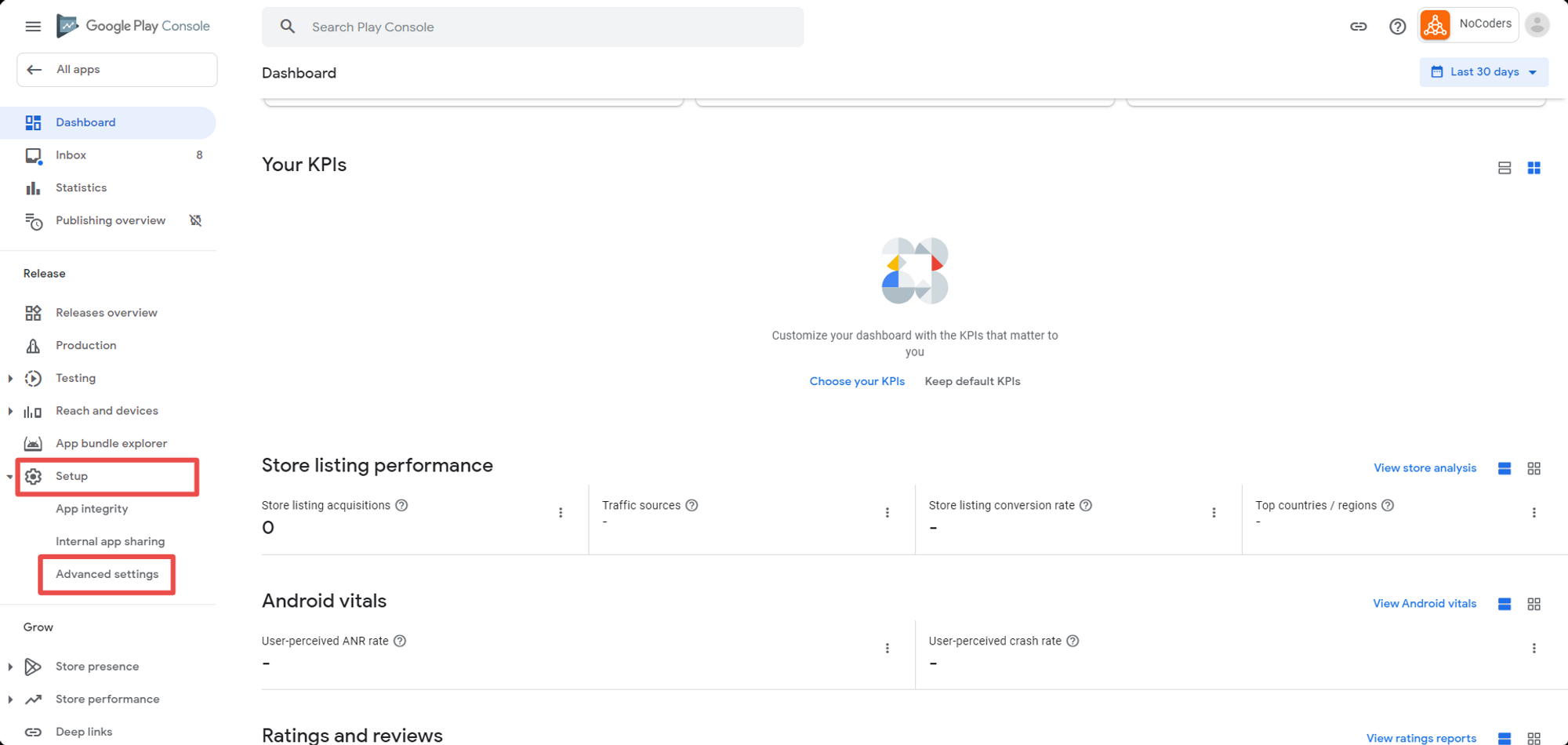
You can unpublish an app, when you do, it will no longer appear in the store.
To unpublish your app on the Google Play store:
- Go to https://developer.android.com/distribute/console/index.html and log in to your Google Play account.
- Click on the application you want to remove
- Click on the “Setup” menu, and then on the “Advanced settings” item.
.png)
- Click Unpublish and then save your changes
.png)
Now that you’re done with that… if you’d like to build a fast, native mobile app for your content site, check out Vendrux, and if you think we could help, get in touch at support@vendrux.com or request a demo.
We focus on native apps for content sites, and news sites but also information-rich sites, directories, and corporate websites. Our service is fully featured and includes a customized app, push notifications, maintenance, and ongoing updates.
Leave a Reply