Category: Push Notifications

  • Why Rich Push Notifications Are a Powerful Tool to Elevate Your Marketing Game

    Why Rich Push Notifications Are a Powerful Tool to Elevate Your Marketing Game

    Push notifications are the best-kept secret in marketing.

    Cheaper than SMS, more direct than email, push notifications are an amazing way to communicate with your customers and generate engagement.

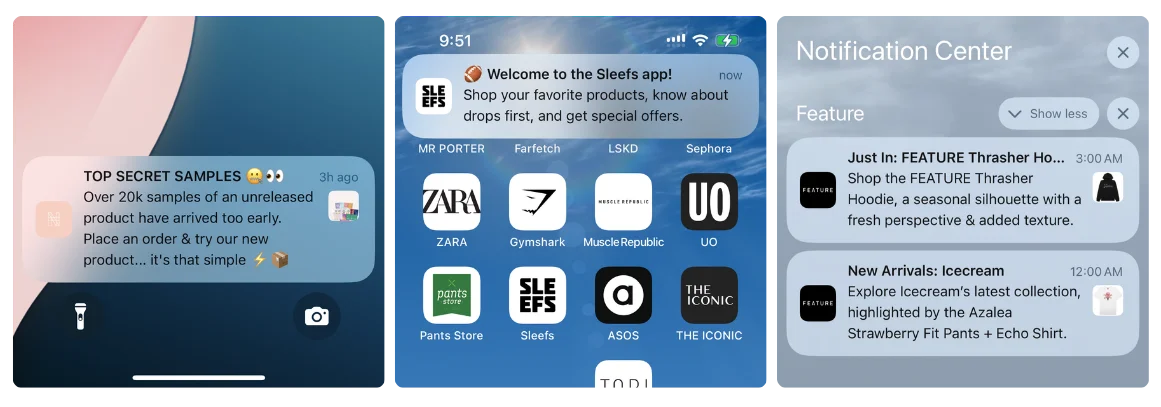
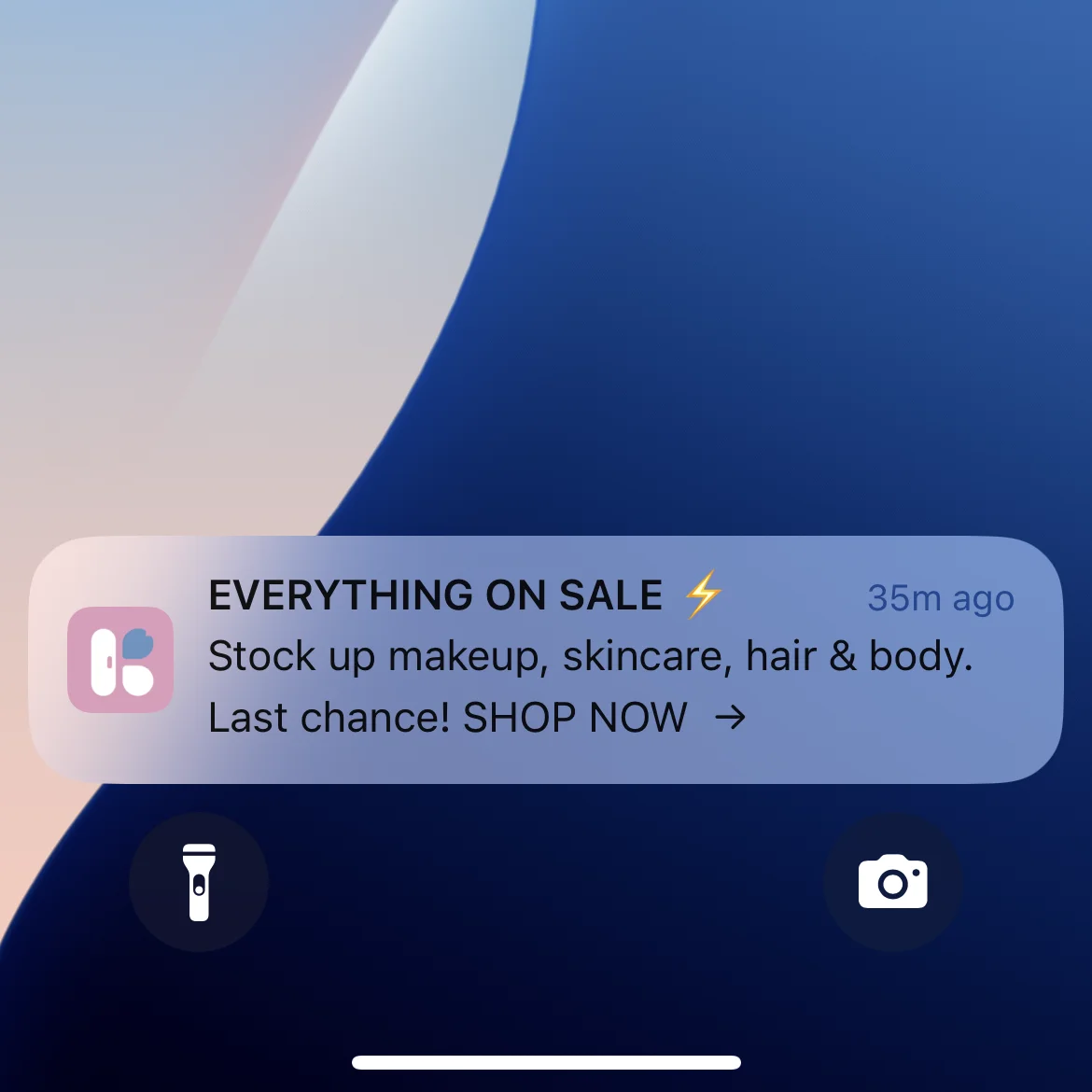
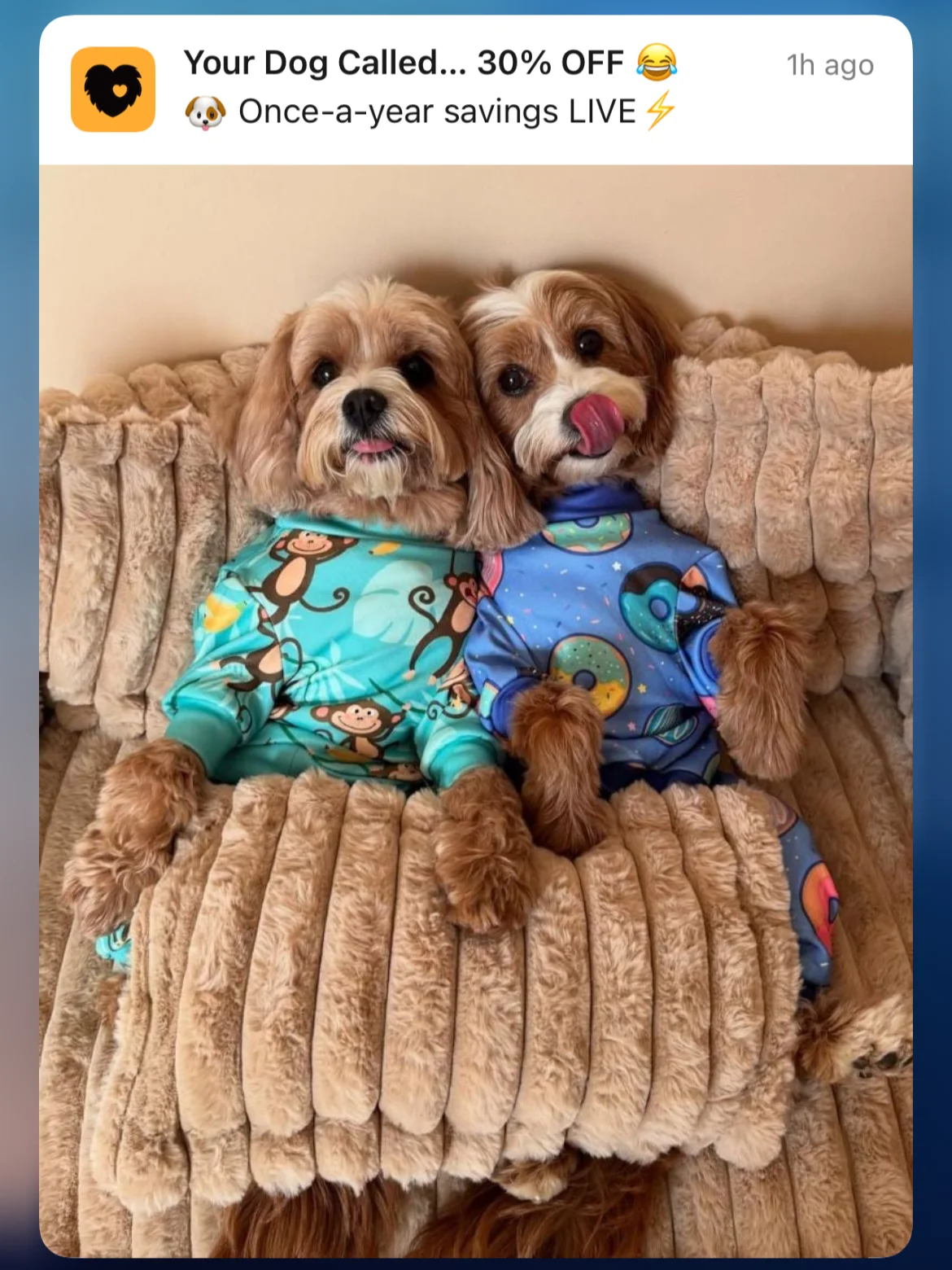
    Part of what makes push notifications great is the ability to add rich media to your messages, which delivers even higher engagement and some amazing possibilities for how you can get content in front of your audience that’s almost impossible to ignore.

    Keep reading and we’ll explain all there is to know about rich push notifications, and how you can start using this amazing tool in your business.

    Vendrux lets businesses harness the full power of push notifications, but converting their site to native apps. To learn more, plus get a free preview of your site as an app, book a free demo now.

    What Are Rich Push Notifications?

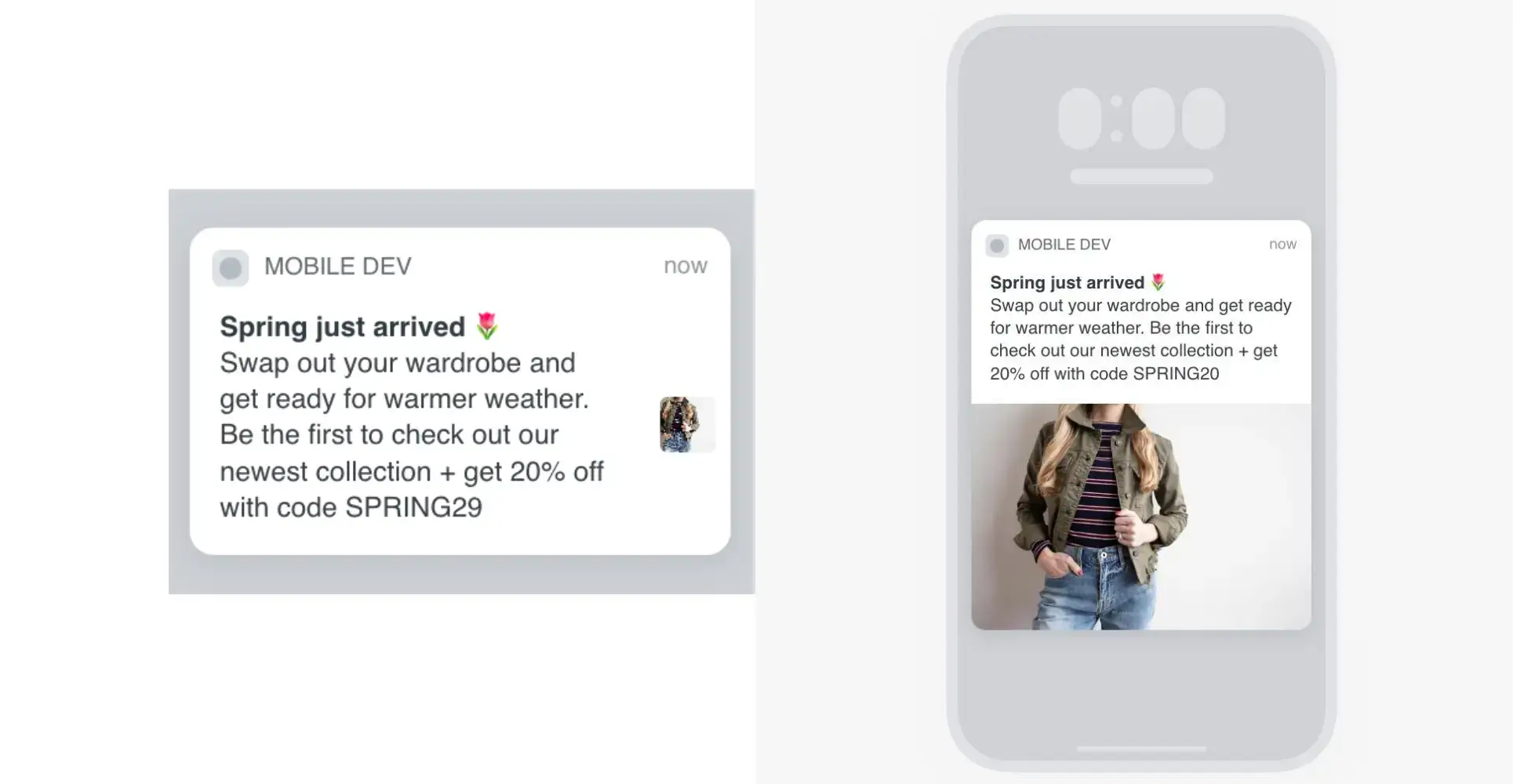
    Rich push notifications are push notifications with “rich media”, such as images, gifs, videos, audio, or in-message functionality.

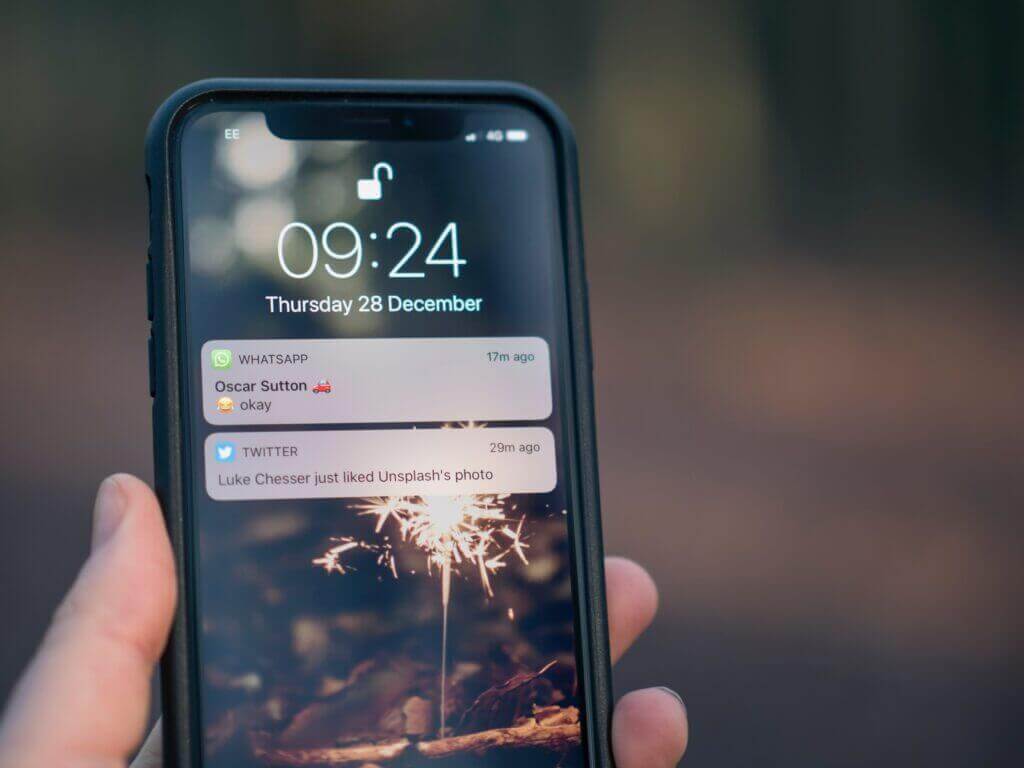
    A standard push notification is a text-only message that pops up on a user’s mobile device with a short message, typically opening the app when the user taps on it.

    A rich push notification works the same, but comes with the ability to customize the experience far more, by adding images, videos, etc (outside of just plain text).

    __wf_reserved_inherit
    Image via Klaviyo

    Most push notification services (such as OneSignal, Klaviyo) allow you to send push notifications with rich media, and sending rich push notifications generally comes with no extra cost (unlike sending multimedia text messages, aka MMS).

    Note that you can send push notifications from websites (using the web browser) or directly from a mobile app. In this article, we focus on native mobile push notifications (sent from an app). To learn more about the difference between web and mobile push notifications, check out this post.

    Rich Push Notifications on iOS vs Android

    There’s some difference between what you can do with rich push notifications on Android vs iOS.

    iOS allows you to send a wider variety of media and file types, including:

    • PNG, JPEG, images
    • GIFs
    • AIFF, WAV, MP3, M4A videos
    • MPEG, MPEG2, MP4, AVI audio

    Android only allows PNG, JPEG and WEBP images (you can use GIFs as well, but they freeze at the first frame, rather than playing through).

    Benefits of Rich Push Notifications Over Basic Push Notifications

    What benefits are there to sending push notifications with rich media, compared to plain text push notifications?

    Let’s look at a few.

    Greater Visibility

    Rich media is a great way to make your push notifications stand out, and increase the chance of being seen (and capturing the user’s attention).

    The average app user gets 46 push notifications per day, and with so many push notifications competing for visibility, your messages might get lost in the shuffle.

    A visually striking image, gif or video is the perfect way to stand out from the crowd and actually get noticed.

    More Likely to Generate Engagement

    Rich media has been shown to increase click rates for push notifications by 25%, while OneSignal claims a 10% increase in user engagement from rich push notifications.

    Part of this comes from the increased visibility and attention that rich push notifications have. If they’re more likely to be seen, they’re also more likely to generate engagement.

    But also, with more ways to customize your push messages and create unique user experiences, you’re going to have a better time convincing people to tap on your notification, rather than swiping it off to the side.

    Personalization & Relevance

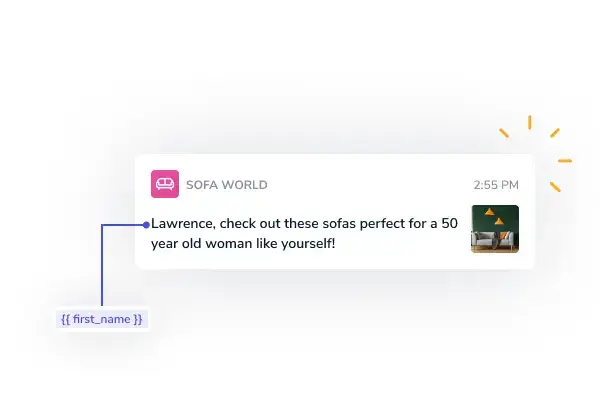
    The increased possibilities means more potential to personalize your push notifications and ensure they’re hyper-relevant and targeted to the user.

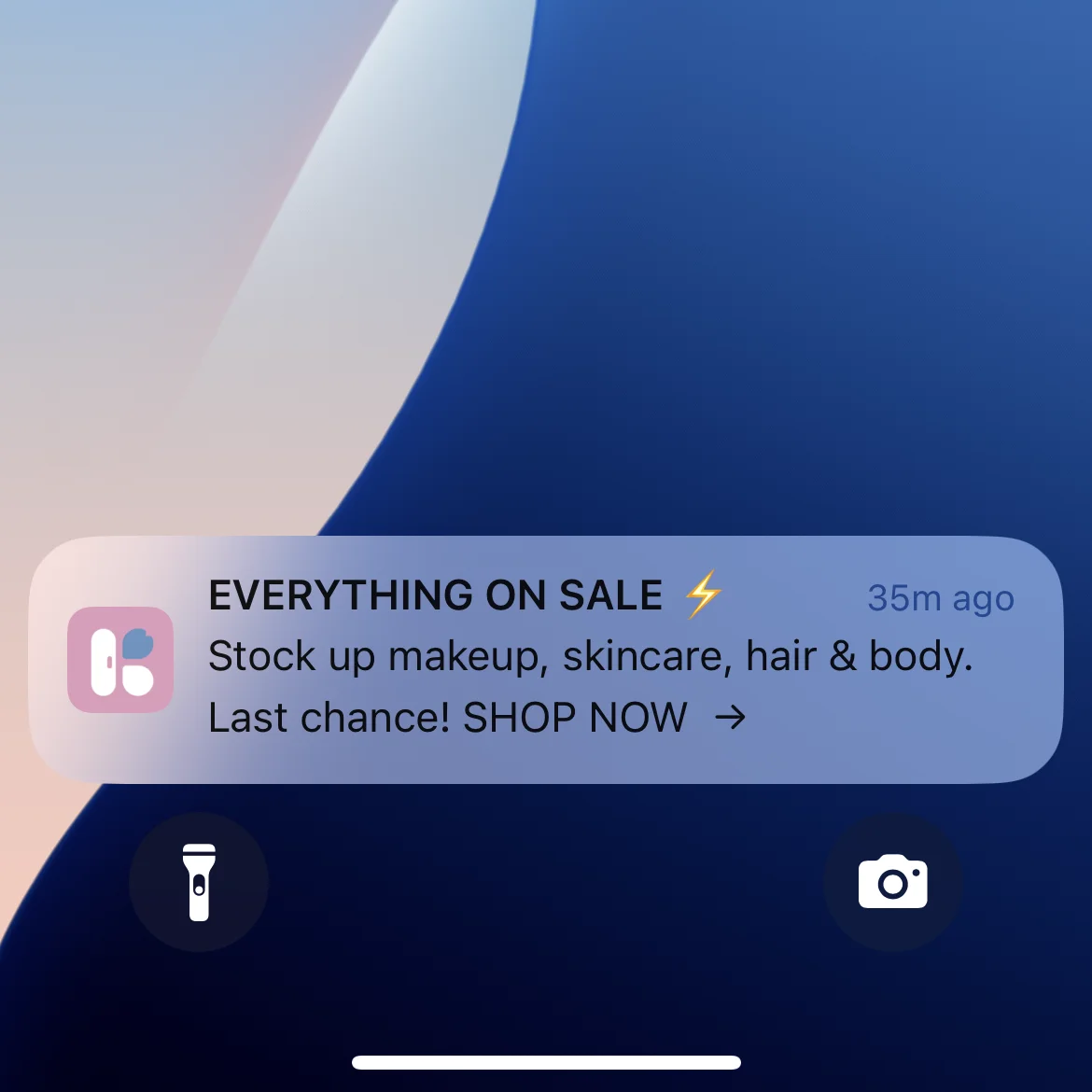
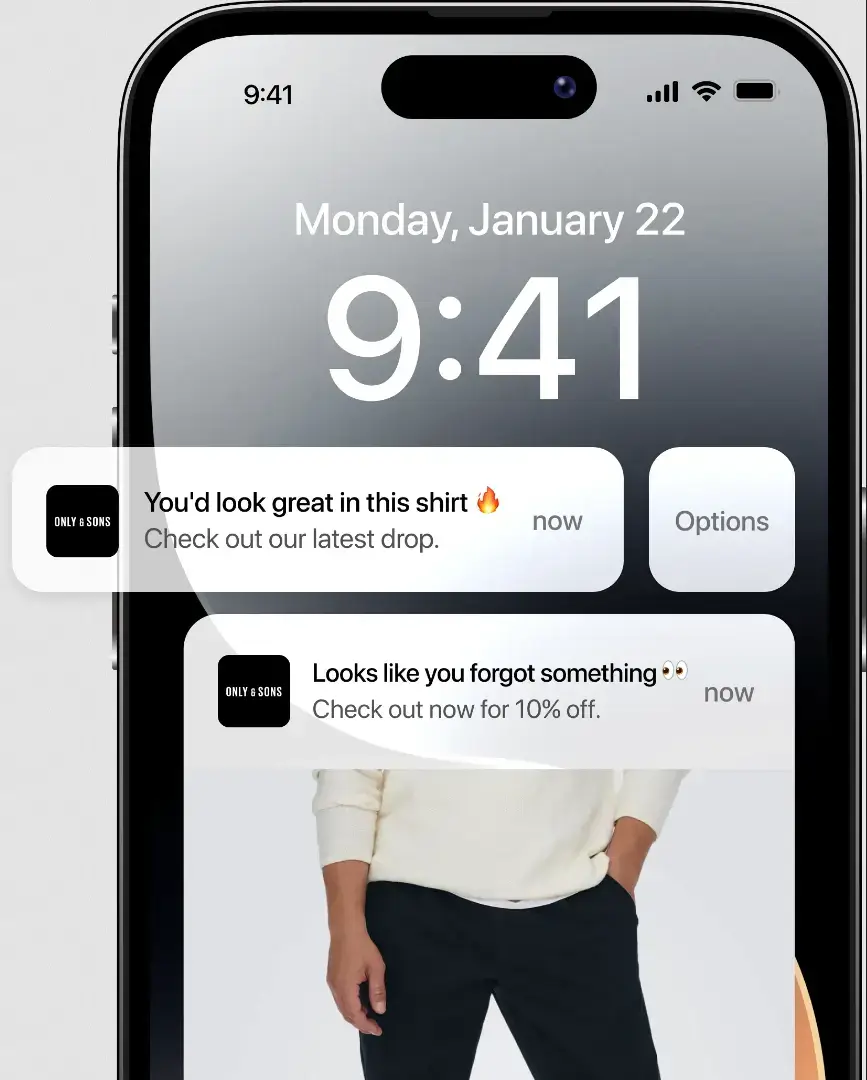
    For example, instead of just telling someone they have an item left in their cart, you can send a push notification with an image of the product, reminding them of why they were excited enough about it to add it to their cart in the first place.

    Personalized push notifications have 4x higher reaction rates, so it’s always worthwhile to think about how you can craft customized, unique notifications for each user.

    Delivering More Information to the Lock Screen

    One of the difficult parts about engaging users with push notifications is the limited space you have to work with.

    You have to try to write convincing, compelling copy in around 100-200 characters max. That really limits how much you can communicate.

    But with an image, a video, or an audio file, you can communicate so much more. The old saying that a picture is worth a thousand words is not too far off. 

    From snippets and images from articles, to video highlights and trailers, rich media allows you to tell a whole story while staying within strict text limits.

    More Value, Less Chance of Opt-Outs

    Rich push notifications also have more value to the user.

    They may be able to see a trailer for a new movie directly on their lock screen, or hear a snippet from a newly released song.

    They could get live delivery updates, or get alerted to breaking news, that they can consume without having to open the app.

    A more valuable user experience means users are more likely to stay subscribed to push notifications, which is vital for your app’s reach, when it’s so easy for the user to turn off notifications and cut all communication if they feel they’re not getting any value out of them.

    Rich Push Notification Examples

    Now let’s take a look at a few examples of how apps use rich push notifications, to give you some examples of what you can do for your app/brand.

    Media from Articles/Breaking News Stories

    You can send new content or breaking news stories accompanied with images or videos that give the user a preview of the content within, getting them hooked and eager to read more.

    Product Images

    Images (or even gifs and videos) are a great tool for eCommerce stores to use to boost visibility and engagement from their push notifications, accompanying new product releases, sales or abandoned cart notifications with an image of the product(s) mentioned.

    __wf_reserved_inherit

    Social Media Avatars/Previews

    Social media apps like Instagram and TikTok make great use of rich media in push notifications, adding user avatars or previews of content within messages (including images/videos) to let recipients get more information right on their lock screen.

    Trailers and Video/Audio Snippets

    Rich push notifications are great for apps like Netflix to send trailers for movies or TV shows and build excitement for new releases, while music and podcast apps like Spotify can do the same with audio snippets.

    __wf_reserved_inherit
    Image via NotifyVisitors

    Sports Clips/Highlights

    Sports apps can send clips and highlights in push notifications to allow a seamless user experience, where they can consume content on their lock screen, on the go.

    Real-Time App Alerts and Updates

    Delivery apps and ride-sharing apps like Instacart and Uber use push notifications to share ride/delivery updates, which update in real time, making for an amazing user experience where you can get important updates without having to unlock your phone.

    __wf_reserved_inherit
    Image via Batch

    Unlocking the Benefits of Push Notifications

    Push notifications continue to be vastly underrated and underutilized by brands today.

    Part of that is because, to use push notifications to their fullest potential, you need a mobile app, and many businesses see this as a massive expense that they don’t have the time or budget for.

    But with Vendrux, it’s easy for any web-based business to launch their own app and start generating engagement with push notifications.

    Vendrux converts any website or web app into native mobile apps. You’ll be able to get your brand in the app stores, place an icon on your users’ home screens, and reach your users basically for free with push notifications.

    __wf_reserved_inherit
    A few examples of the apps we’ve built at Vendrux – see more here.

    It’s extremely affordable, at a tiny fraction of the hundreds of thousands you’d usually send to create a high-quality app, and our team does everything for you.

    Best of all, the apps are fully synced with your website. You’ll retain all the features of your website, and once live, you don’t have to maintain a whole new platform and codebase.

    You can learn more about Vendrux here, and if you’re ready to start building powerful customer relationships with push notifications, get on a free demo call to discuss how Vendrux can help you do it.
  • How to Send Website Push Notifications

    How to Send Website Push Notifications

    Web push notifications are easy to send, and are a great way to connect with your readers.

    But, while push notifications are easy to send from a website, there are challenges and limitations for what you’re able to do.

    For optimal results, you need to use web push notifications and mobile notifications.

    In this guide, we’ll show you how. We’ll give you an overview of the different kinds of push notifications, recommend the best services for sending web push notifications, then explain how Vendrux can help you to send push notifications that drive better results.

    By the end you’ll know exactly how to send push notifications from a website! Keep reading for more, or check out the key points in this video on our YouTube channel:

    What Are Push Notifications? 

    There are two types of push notifications we’re going to look at in this article:

    • Web push notifications
    • Mobile push notifications

    Both are called “push” notifications because the messages are “pushed” from a server to the UI of the device, even if the app or website is not running. 

    Both are a very handy way to re-engage past visitors and notify fans and subscribers of time-sensitive and useful information. 

    Although they look similar from the user’s perspective, web push and mobile push work differently, and it’s important to understand the difference if you want to be able to send notifications from a website in the most effective way possible. 

    Let’s take a look at each type now.

    Web Push Notifications

    Most of us are familiar with web push notifications at this point (if not, check out this article for a deeper dive).

    Web push notifications, also known as browser notifications, are notifications that are sent to the user via a desktop or mobile web browser. 

    They are delivered any time the user has the browser open, whether they are on that specific site or not. 

    The key point to remember about web push notifications is that the browser sends them – irrespective of the particular device.

    You can use web push notifications to notify readers of new content, offers or announcements, whether or not they’re on your website.

    This way, they can be notified when you publish new content whether or not they’re on your website.

    A little banner will pop up on their desktop (or at the top of their phone if they’re on mobile) to let them know about something of interest.

    Examples of web notifications on mobile and Desktop (image via xtremepush)

    They may also include rich content, like images, and call to action buttons:

    __wf_reserved_inherit
    __wf_reserved_inherit
    __wf_reserved_inherit
    Image via OneSignal

    Web push notifications are supported by multiple browsers, including:

    • Edge
    • Safari
    • Opera
    • Firefox
    • Chrome

    For mobile, Android permits push notifications on:

    iOS allows web push notifications, but crucially only on PWAs added to the home screen.

    Now that we’ve looked at web push notifications let’s move on to mobile notifications. 

    Mobile Push Notifications 

    Mobile notifications are notifications sent from mobile apps.

    Though web push notifications can be sent through mobile browsers too, when we talk about mobile push notifications we’re typically talking about mobile app push notifications.

    Examples of mobile push notifications from the Headspace app (image via CleverTap)

    With web push notifications the notifications are sent from the browser, whether that’s to a mobile or a desktop device.

    With mobile notifications, the notifications come from the app.

    From a users point of view they are very similar on mobile devices, though there are some important differences. 

    Web Notifications vs Mobile Notifications 

    The first difference is permission.

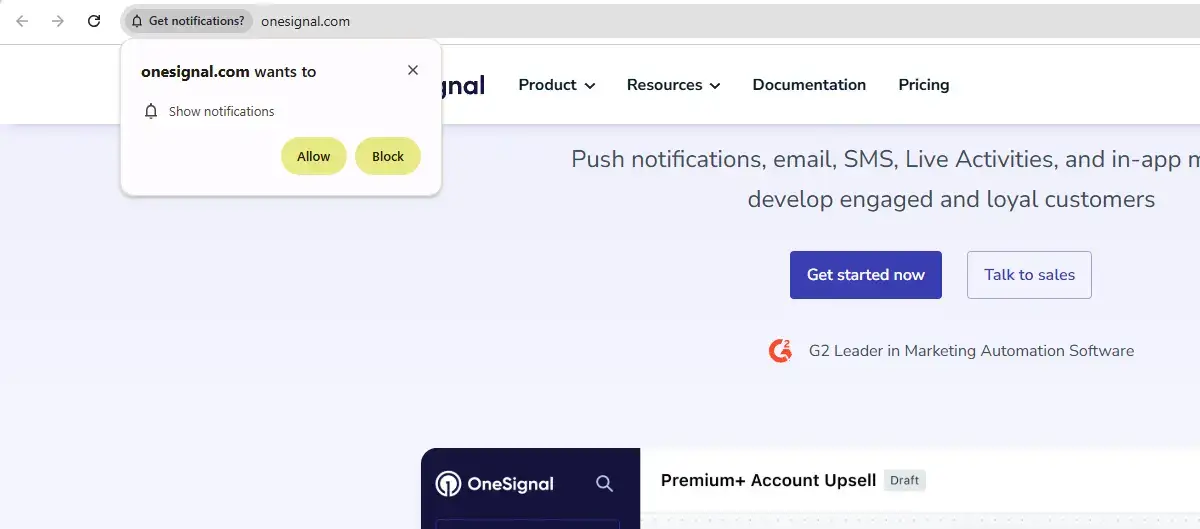
    With web notifications, the user must explicitly give their permission to receive notifications. This makes sense, it would be a horrible user experience to be bombarded with notifications from every website you visit. 

    Browsers are making it harder to get permission lately, in line with the “user first” thinking that is increasingly dominating UX design.

    __wf_reserved_inherit

    With mobile notifications it’s more flexible.

    As you’ve already shown some significant interest in the brand by installing the app, the permissions are more lax.

    On Android users are automatically opted in, and iOS are moving further towards this, although traditionally have required user approval.

    __wf_reserved_inherit
    An iOS push notification opt-in prompt

    The second major difference is that mobile push notifications can reach the user at any time.

    As long as their device is on (and as long as they haven’t muted notifications), you can reach their home screen.

    With web push notifications, the user will only see your push notification when they have the browser open.

    This makes it a lot harder to cut through and capture your users’ attention with web push.

    Both are very handy tools in the arsenal of a digital business, and using both is optimal.

    Let’s have a look at some of the reasons why you’d want to send push notifications from a website. 

    Why Send Push Notifications from a Website?

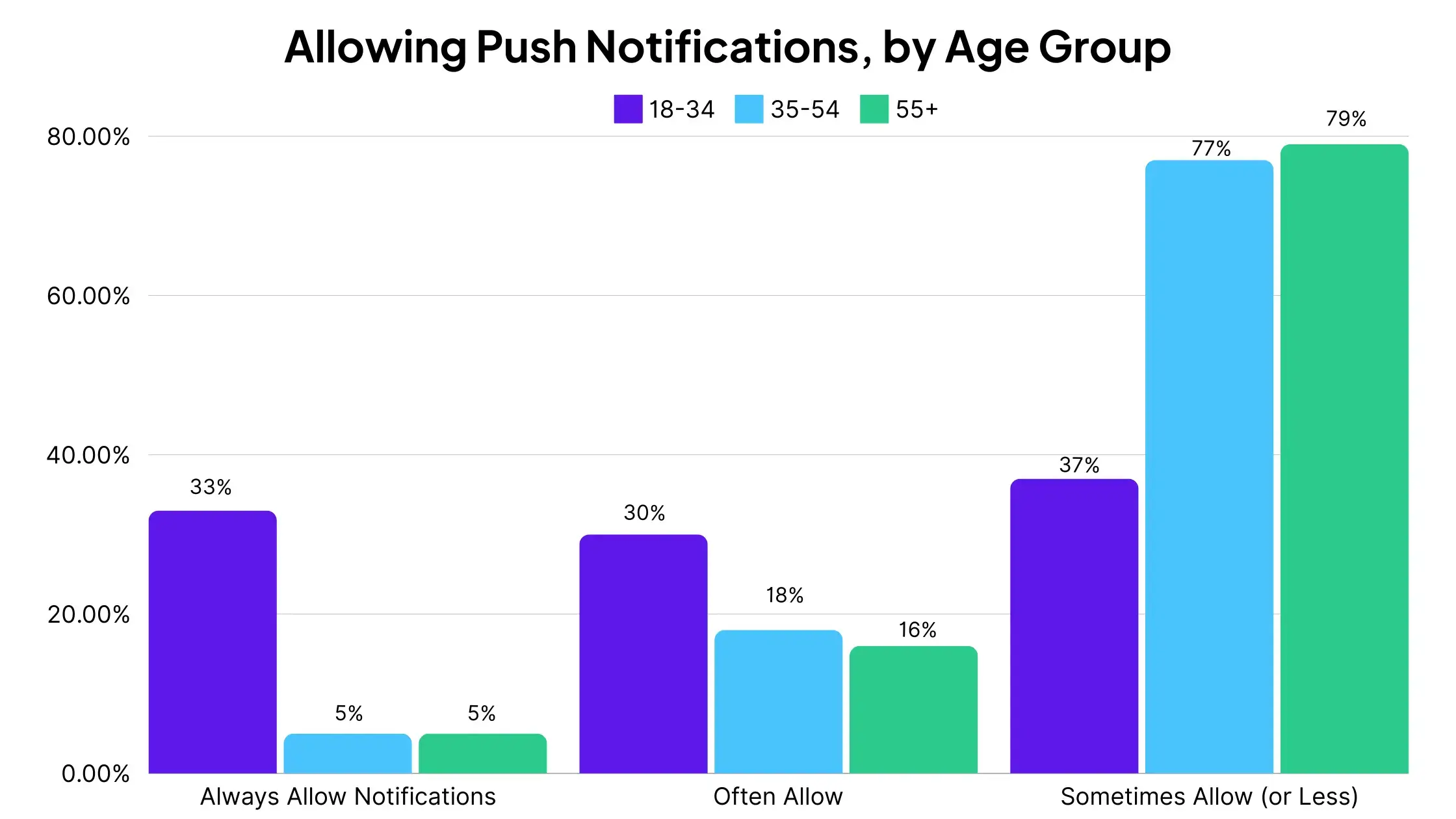
    33% of people between 18-34 say they always allow push notifications on their phones, while 63% say they allow notifications “always” or “often”.

    That’s a sizable portion of your existing and potential future users you can send direct messages to about your business. 

    Push notifications have a significantly higher engagement rate compared with email, and don’t artificially limit your reach like social media platforms.

    They are ideal for any business that wants a direct line of communication with users!

    The main benefit of web push notifications is the huge reach of the web.

    Potentially everyone who visits your website, mobile or desktop, can receive them, which gives you a chance to reach your whole audience.

    • Direct access to your audience at all times
    • Create a better user experience (if you use them right)
    • Increase engagement through staying top-of-mind
    • Generate more ad revenue through driving more traffic
    • Boost sales and conversions for eCommerce 
    • Get insights into your users through push analytics

    There are many different ways that web and mobile push notifications can be used to boost engagement, traffic and conversions.

    • News Publishers can use both web push notifications and mobile notifications from a mobile app to alert past visitors and app users to new content, breaking news, and special offers
    • eCommerce Stores can promote special offers, new products, and offer special discounts to drive up conversions. With mobile notifications tied to an app user’s account it would also be possible to send personalized notifications notifying customers about their orders similarly to how Amazon does.
    • E-learning platforms can share snippets of information on courses, promotions, and free content – and with mobile app notifications could give students individual updates about the courses they are enrolled in. 
    • Communities can use notifications to promote hot threads or discussions, drive users back into the app/site, and with personalized mobile notifications could alert individual users when they receive messages or requests like the Facebook app does 

    Any business that values engagement, traffic and conversion opportunities can find a good use for push notifications. 

    Want to send mobile push notifications to engage your users? The best option is to convert your site to mobile apps. It’s easier than you think – book a free consultation with a Vendrux product manager now to learn how.

    How to Send Web Push Notifications from Your Website

    Can you send push notifications from a website? Yes! 

    Traditionally you needed to do a bit of code tinkering or use the skills of a developer to set them up, but today, there are more than enough software tools that do all the heavy lifting for you.

    For most businesses that want to send push notifications from a website fast, it’s best to use a push notification service

    Example of notifications sent with OneSignal

    The push platform will give you all you need to get set up and send push notifications from your website.

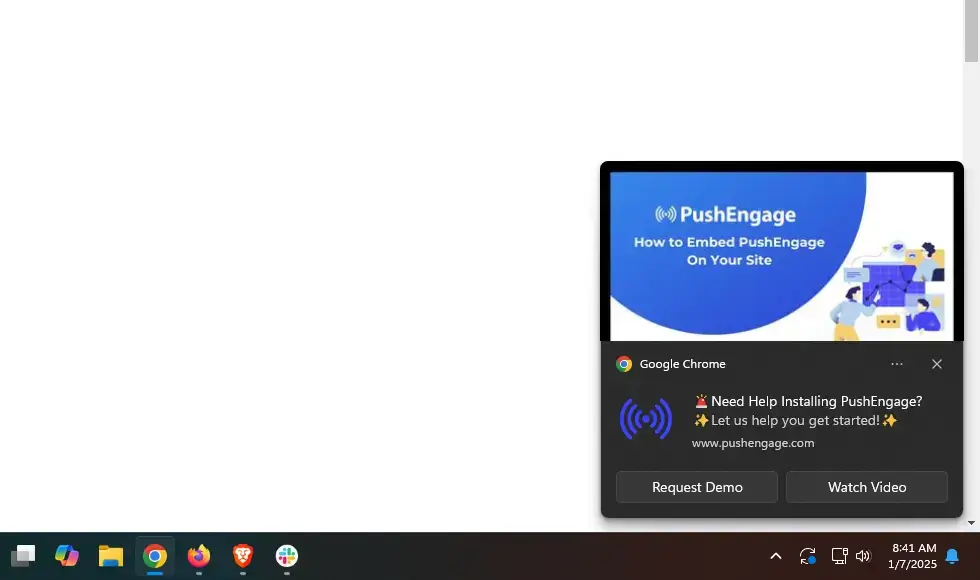
    It’s then up to you to try to get approval from visitors that land on your site through desktop or Android devices!

    The Best Push Notification Providers

    Like email marketing tools, push notification providers make it super easy to set up and send push notifications, and create powerful automations with push.

    There are many providers out there, and honestly you can’t go wrong with many of them.

    We broke down a few of our favorites. These make sending push notifications from a website as easy as 1-2-3.

    1. OneSignal

    OneSignal is the #1 choice for sending push notifications from a website without having to do any coding yourself.

    The platform has an extensive online presence, with notable users including USA Today Sports and EatStreet. It has an impressive list of integrations and supports leading browsers.

    If you haven’t used push notifications before, then OneSignal is the best choice, with an intuitive design that enables you to install and set up fast.

    Once push notifications are set up, you can configure and schedule notifications across multiple platforms with ease.

    OneSignal’s web notifications can be used to alert users to new content, notify eCommerce customers of abandoned carts, or to tell community members about a new social integration. 

    The platform has a limited free version that supports 10,000 web and unlimited mobile subscribers, and affordable plans should you need more powerful features.

    2. PushEngage

    PushEngage, which is now owned by WPBeginner, is used by numerous major businesses, including Dominos and TUI.

    Like OneSignal, it features a broad selection of integrations and support for leading browsers and device operating systems. 

    Importantly, PushOffer features segmentation functionality, with criteria including location, device, and activity.

    What’s more, PushEngage automates segmentation and offers triggered campaigns. Its A/B testing and analytical features are extensive, and allow you to optimize your push notifications based on the data it collects.

    If you’re unsure about committing to PushEngage, you can try it out for free. That comes with a limit of 2500 subscribers and 120 notifications per month though – significantly lower than OneSignal’s free model.

    Their “Business” plan typically starts at $25/month, which supports up to 100,000 subscribers, customized branding, and unlimited notifications. 

    3. VWO Engage

    You may know VWO Engage under its former name of Push Crew.

    As with the other options, VWO Engage boasts a range of integrations and is compatible with leading browsers and device operating systems. VWO Engage counts CreditLoan and Ubisoft among its users.

    VWO Engage offers a user-friendly design that lets users quickly implement push notifications without a steep learning curve.

    Its triggered campaigns can be automatically activated and ended by certain activities, such as clicking a link or filling out a form.

    Segmentation and A/B functionality are offered, but you may find VWO Engage’s features and analytical tools are not as comprehensive as competitors.

    Unfortunately, VWO Engage only offers a 30-day free trial period.

    Its entry-level “Growth” plan supports 10,000 subscribers and unlimited notifications. More premium options support additional subscribers, but these plans are pricier.

    Learn more: Best practices, tips & tricks, and real examples of how eCommerce brands use push notifications to drive sales.

    The Optimal Push Notification Strategy (Website and App)

    So, we’ve explained the two main kinds of push notifications.

    We’ve seen how web push notifications are great, and how they can boost results for your company. We’ve also recommended three great push notification providers that can get you up and running. 

    But what about mobile push notifications?

    As we mentioned, web push notifications are great but have their limits. Browsers are increasingly cracking down on them to protect users, they need the browser to be open to reach your users, and it’s more difficult to send them on iOS.

    We’re not saying you should ditch web push notifications, but rather pair them with push notifications from an app.

    Utilizing both web and mobile push notifications gives you far greater reach, and allows you to unlock the full potential of push as an engagement channel.

    “But I don’t have an app!”

    If you have a website, creating an app is easy. Read on and we’ll show you how.

    Send Mobile Push Notifications with Vendrux

    Forget about building apps from scratch, which will cost you six figures and at least six months of stressful work.

    You can get just as good a result in just weeks for a fraction of the cost by turning your website into apps with Vendrux

    We’ve built over 2,000, enjoyed by millions of users. Just check out some examples here.

    With Vendrux you can build mobile apps for iOS and Android from any website, and get all the features you’d expect from a top mobile app, including unlimited push notifications.

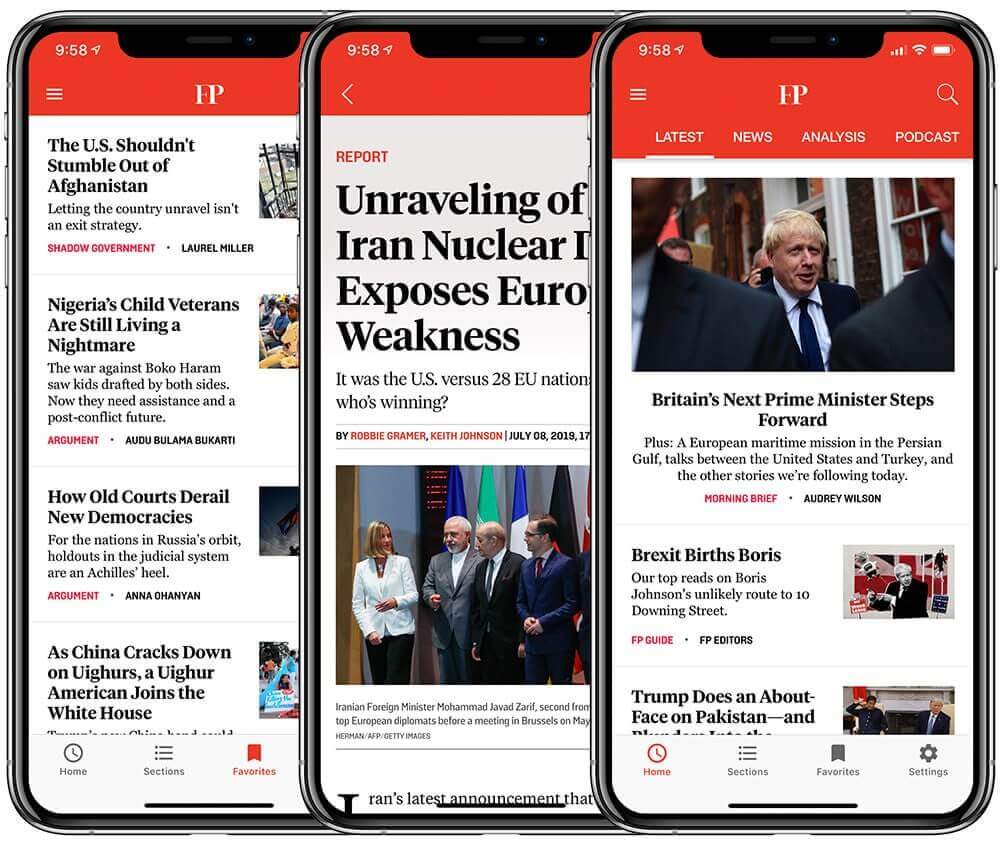
    Foreign Policy Apps – built with Vendrux

    You don’t need to touch a single line of code to build apps with Vendrux, and our team handles all the tricky parts from submission to the App Store and Google Play, to ongoing updates and maintenance (which saves you thousands of dollars per year in development costs).

    Your Vendrux apps will sync 100% with your existing site, updating automatically with any changes you make or any new content that you publish.

    There’s nothing new to learn, and nothing to add to your workflow. 

    Crucially, Vendrux allows you to send mobile push notifications from your website.

    We integrate with OneSignal, and offer unlimited notifications on all plans.

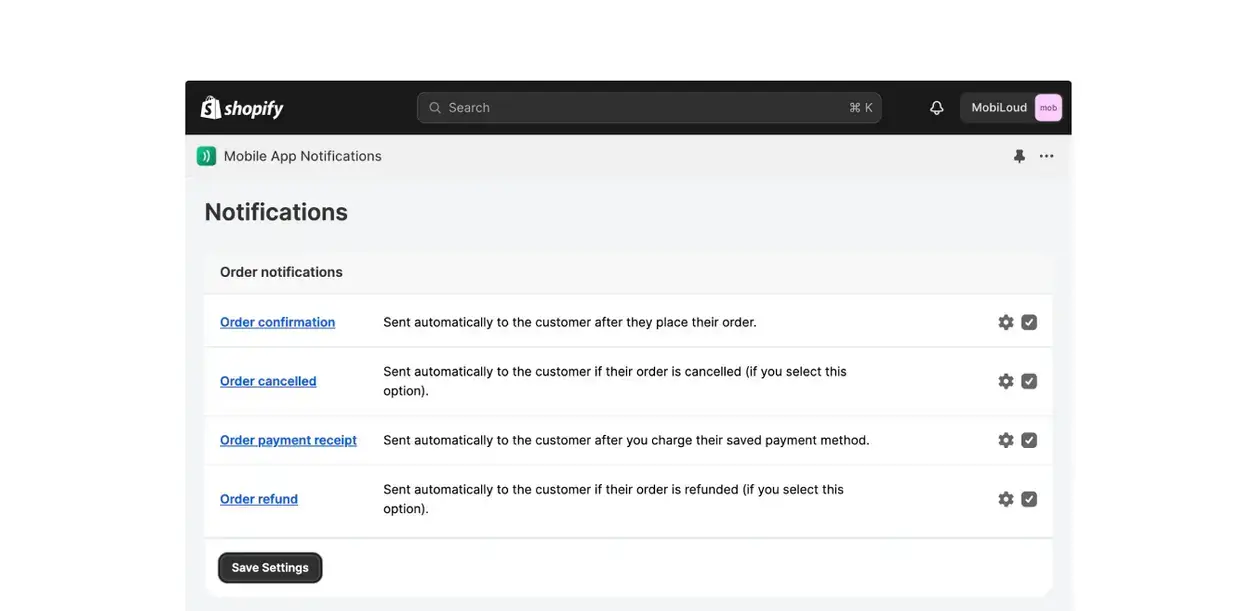
    If you’re on WordPress, you’ll be able to send push notifications from a plugin that sits in your admin panel. On Shopify, you can integrate push notifications with your website using our native Shopify app.

    __wf_reserved_inherit

    If you’re on any other kind of site, you’ll be able to send notifications from our simple interface.

    Vendrux apps are also optimized for push notifications.

    Your users will have a push preferences section where they can choose the kinds of notifications that they want to receive, and an in-app message center where notifications can be saved for later. Both of these ensure maximum impact for your push notifications. 

    We also have abandoned cart notifications built in to the apps, which have helped some users recover as much as $200,000 in revenue in just one month!

    With web notifications set up covering desktop mobile web visitors, and Vendrux app push notifications to send to all your biggest fans who download the apps, you’ll really have covered push notifications as a channel.

    Start Driving Revenue With Push Notifications Now

    Converting your site into an app with Vendrux is really the best way to experience all the benefits of push notifications.

    It takes minimal investment, and zero friction to launch your app, with our team of experts handling all the difficult parts of app development for you.

    There’s no overhead, a low ongoing cost, and significant upside available once you can send native app push notifications.

    Getting started is as simple as booking a demo call with one of our app experts.

    There are no long-term contracts, and you can get a full refund within 60-days for any reason so there’s no risk. 

    Ready to send push notifications from your website? If so, book a free consultation today!

  • Push Notifications vs SMS: Key Differences and When to Use Each Channel

    Push Notifications vs SMS: Key Differences and When to Use Each Channel

    Mobile is taking over. Nearly 60% of global internet traffic comes on mobile devices, and mobile commerce sales account for more than $2 trillion yearly, 57% of all eCommerce sales around the world.

    These trends show that today’s brands need to invest in mobile-first communication channels, such as push notifications and SMS.

    But between push and SMS, which is better? Which is most efficient, which is most effective, and are there different situations where you should use one or the other?

    We’ll answer all of these questions below.

    Read on to learn all you need to know about the best way to get in front of mobile-first customers in 2026.

    What Are Push Notifications?

    Push notifications are short messages sent from a mobile app directly to a user’s device. They appear on the lock screen, in the notification center, and as banners, even when the app isn’t open.

    On iOS, they’re delivered through Apple Push Notification Service (APNs). On Android, through Firebase Cloud Messaging (FCM). Both systems require the user to have the app installed and to grant notification permission through the operating system’s built-in prompt.

    One important feature from a business standpoint: push notifications cost nothing to send

    There’s no per-message fee, no carrier involvement, no third-party billing. Once you have an app with push capability, you can send 1,000 or 1,000,000 notifications at the same marginal cost: zero.

    What Is SMS Marketing?

    SMS (Short Message Service) messages are text messages sent to a phone number through the cellular network. 

    They don’t require an internet connection, a smartphone, or an app. If someone has a phone number, you can text them. It’s just in the last 10-15 years that SMS has moved from a primarily person to person channel, to a legit B2C (business to consumer) one.

    SMS carries a per-message cost, typically $0.01 to $0.05 per send, plus carrier surcharges that have been steadily increasing.

    Image via Diligex

    Push Notifications vs SMS: How Do They Compare?

    Here’s how the two channels stack up across the dimensions that matter most.

    Push Notifications SMS
    Delivery method Via app (APNs / FCM) Cellular network
    Requires App installed + opt-in Phone number + consent
    Cost per message $0 $0.01 – $0.05 + fees
    Open / read rate ~10% (varies by platform) ~98%
    Click-through rate 3 – 4% (ecommerce) 21 – 35%
    Media support Images, buttons, deep links 160 chars; MMS costs extra
    Two-way? No (action buttons only) Yes
    Internet required? Yes No
    Regulation None (OS-managed consent) TCPA, 10DLC, carrier rules
    Best for High-value app users Broad reach, urgent alerts

    The table gives you the snapshot. Here’s the context behind each dimension.

    Cost

    Push notifications cost nothing per message. SMS costs $0.01 to $0.05 per send, depending on your platform and message type, plus carrier surcharges that add $0.003 to $0.01 per message on top of that.

    At scale, the gap is significant. A brand sending 100,000 messages a month pays $0 for push and $1,000 to $5,000+ for SMS, before platform subscription fees. 

    That’s not including the compliance infrastructure SMS requires: consent management systems, opt-out processing, legal review, and 10DLC registration.

    And the revenue side is just as lopsided. According to Omnisend’s 2025 ecommerce report, push notifications generate 15% of attributed ecommerce revenue from just 3% of total message volume. 

    On a per-message basis, push is the most cost-efficient direct messaging channel available.

    Reach and Audience

    SMS reaches anyone with a phone number, which is practically everyone. (if someone you know doesn’t have a phone, ask them to email me, send a letter, send a smoke signal. I want to know how they do it). 

    You don’t need them to download anything or enable anything beyond receiving texts. For broad-reach campaigns and transactional messages, that universality is hard to match.

    That universal reach is SMS’s biggest advantage. It’s also what makes it heavily regulated

    In the US, SMS marketing falls under the Telephone Consumer Protection Act (TCPA), which requires prior express written consent before sending marketing texts. Each unsolicited message can trigger $500 to $1,500 in statutory damages

    Brands also need to register through 10DLC (10-digit long code) systems, comply with carrier filtering rules, and manage opt-out processing within 10 business days under the FCC’s 2025 revocation rules.

    Push notifications only reach people who have your app installed and have opted in. That’s a smaller audience by definition. But it’s also a more valuable one. App users are self-selected: they’ve already bought from you, trust your brand, and tend to have higher average order values and repeat purchase rates than your general customer base.

    Think of it this way: SMS casts a wider net. Push reaches the people already in your boat.

    Open Rates and Engagement

    SMS has a widely cited open rate of around 98%, with click-through rates in the 21-35% range

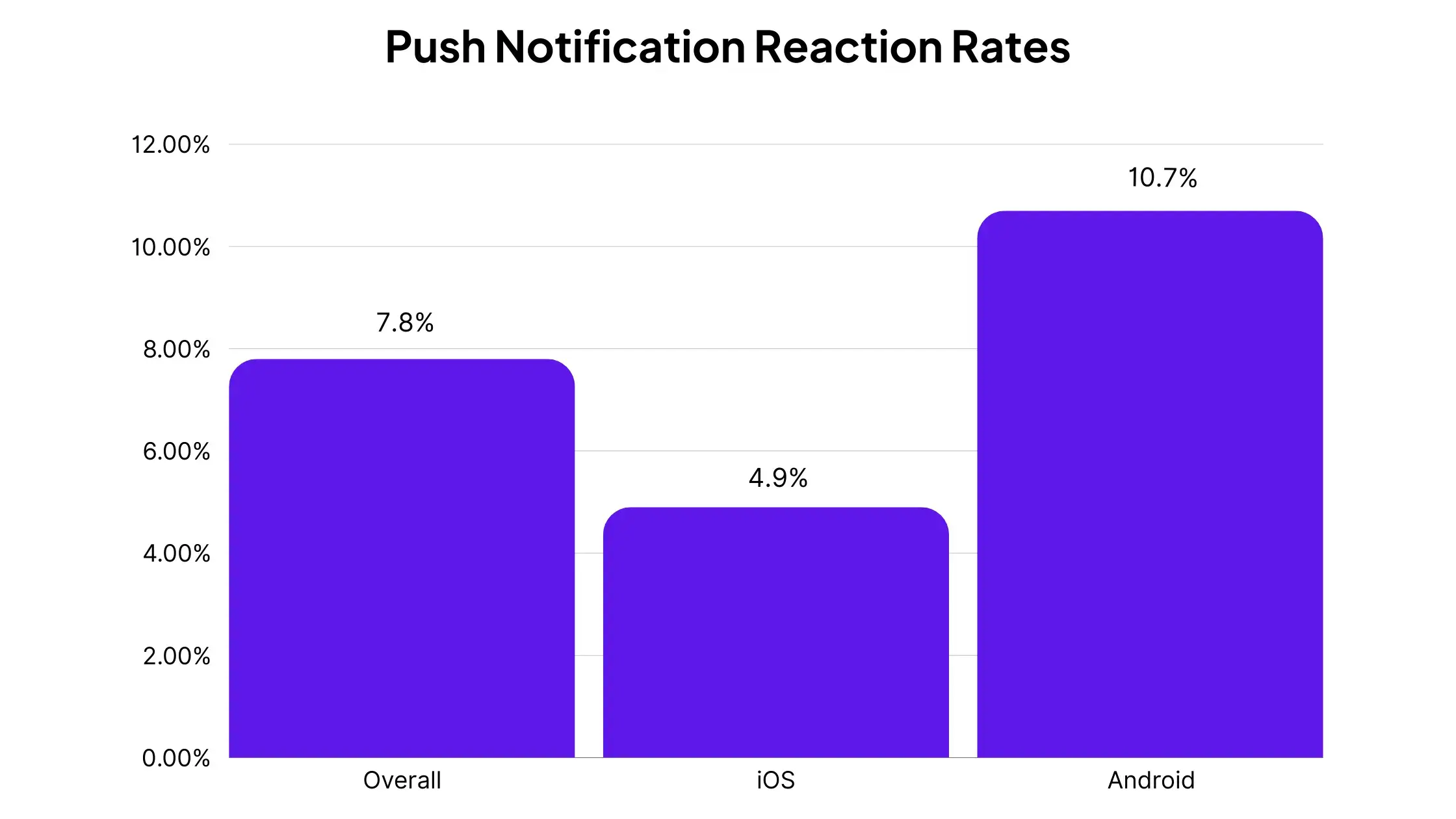
    Push notification engagement metrics look lower on the surface. Airship’s analysis of 50 billion notifications found reaction rates of about 10.7% on Android and 4.9% on iOS across all industries. Ecommerce-specific CTR runs around 3-4% (Pushwoosh 2025 benchmarks).

    These numbers can be misleading, though. Opens and clicks are not as black and white as with a channel like email. Push notifications, for example, are essentially “open” already when they land on the lock screen. 

    The content in short SMS messages may also be visible from the preview that shows up on the user’s device when it’s first delivered.

    Regardless of how this is measured, the engagement rates of both channels are strong – particularly automated, behavior-triggered notifications (abandoned cart, browse abandonment, price drops), which convert at 22.9% according to Omnisend’s 2025 data.

    Rich Media and Interactivity

    Push notifications support images, action buttons, deep links into specific app screens, custom sounds, and (on iOS 16+) interactive carousels. 

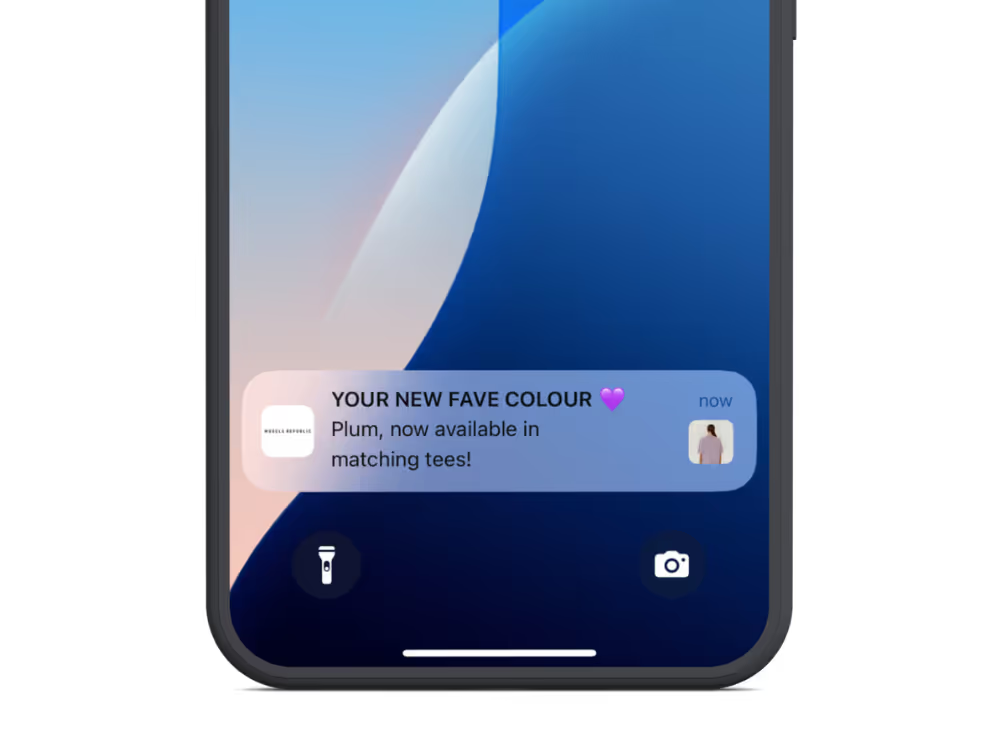
    Push notifications can include images, and also appear with your brand’s logo

    You can send a notification that takes a customer directly to the product they left in their cart, one tap from checkout.

    SMS is limited to 160 characters of plain text. MMS (multimedia messaging) supports images but costs more per message and doesn’t render consistently across all devices and carriers.

    SMS does support two-way communication, so customers can reply directly. Push is one-directional, though action buttons can simulate choice-based interaction.

    Regulatory Compliance

    This is one of the biggest practical differences between the two channels, and one that most comparison articles gloss over.

    SMS marketing in the US is governed by the TCPA, with statutory damages of $500 to $1,500 per unsolicited message and no cap on total penalties. TCPA class action filings increased 112% between Q1 2024 and Q1 2025, with over 2,128 lawsuits filed through September 2025. Recent settlements include DSW at $4.43 million and Zales at $7.5 million.

    Beyond TCPA, SMS requires 10DLC registration, carrier approval for commercial messaging, compliance staff or legal review, and opt-out processing within 10 business days under the FCC’s April 2025 rules.

    Push notifications have none of this. Users opt in through Apple’s or Google’s native permission prompt and opt out by toggling a switch in their phone’s settings. No federal regulation, carrier involvement, or class action exposure.

    Delivery and Reliability

    SMS works without an internet connection. As long as there’s cellular signal, the message gets through. For true emergency communications and transactional alerts, that carrier-level reliability is genuinely superior.

    Push notifications require an internet connection (WiFi or cellular data). If the user’s phone does not have an internet connection, the notification will most likely arrive when they connect again.

    FCM (Android) can queue up to 100 notifications when a device is offline; APNs (iOS) stores only the most recent notification per app.

    One additional thing to note, though: due to SMS relying on a cell carrier for delivery, there’s a third party that can affect your reach. On top of that, SMS messages from unknown senders have started to be filtered to secondary inboxes (like email).

    Push notifications are more direct, and (as almost everyone has an internet connection today everywhere they go), generally more reliable at landing right in front of your customer.

    When Should You Use SMS?

    SMS stands out for specific scenarios:

    • Transactional messages. Order confirmations, shipping updates, delivery notifications. These are expected, high-utility messages that customers want via text.
    • Reaching non-app users. For customers who haven’t installed your app, SMS is your only direct-to-device option. If you need to reach your full audience, SMS has the coverage.
    • Urgent, time-sensitive alerts. Flash sales with a hard deadline, low-stock warnings, security codes. SMS’s near-guaranteed visibility makes it the right call when timing is everything.
    • Two-way conversations. Customer service interactions, conversational commerce, and quick feedback requests work naturally over text.

    Platforms like Klaviyo, Postscript, Attentive, and Omnisend have made SMS marketing accessible for ecommerce brands, with built-in TCPA compliance tools and deep Shopify integrations.

    When Should You Use Push Notifications?

    Push notifications are strongest where cost efficiency and audience quality matter most:

    • Abandoned cart recovery. Push notifications can recover up to 20% of abandoned carts, and they cost nothing to send. For a flow that triggers thousands of times per month, the savings over SMS add up fast.
    • Flash sales and promotions. Rich media support means you can send a product image with a deep link straight to the product page inside your app. One tap from notification to checkout.
    • Re-engagement. A well-timed push notification drives lapsed users back into a full native shopping experience, not a mobile browser. Brands using segmented push see up to 3x higher retention compared to those that don’t send notifications at all (Airship).
    • Loyalty and rewards. Points updates, tier milestones, exclusive offers. These are high-frequency messages that would be expensive via SMS and are a natural fit for push.
    • Back-in-stock and price drop alerts. Behavior-triggered notifications that hit when intent is highest. These rank among the highest-converting ecommerce message types, with CTR as high as 8-10% (Pushwoosh/PushPushGo).

    The revenue numbers reinforce this. Push notifications account for 15% of attributed ecommerce revenue from just 3% of total message sends (Omnisend 2025). That’s the highest revenue-to-volume ratio of any direct messaging channel.

    Why the Best Brands Use Both

    If you’ve read this far, there’s one clear takeaway we want you to have: push and SMS aren’t competing for the same job.

    SMS reaches everyone. It’s your broad-reach channel for transactional messages, urgent alerts, and customers who don’t have your app. It works on any phone, doesn’t need an internet connection, and has near-universal visibility.

    Push reaches your best customers. App users have higher average order values, higher repeat purchase rates, and higher lifetime value. Push notifications are a direct line to those customers, with no per-send cost, no regulatory risk, deep-linking directly to your mobile app.

    “Push notifications give us a way to get in front of high-value customers within a walled environment… they’re in the app… we have their attention captured.”
    — Damien Smith, Bottle Stop

    Here’s a way to think about how you divide the work:

    • Use SMS for broad reach. You’ll likely have more people on your SMS list than push subscribers. This list will also include people who haven’t bought from you before. You can use SMS to start building customer relationships at the early stages and turning interest into revenue.
    • Use push for your app audience. Abandoned cart recovery, promotions, re-engagement, loyalty notifications… You’re reaching your highest-value segment at zero marginal cost with zero compliance overhead. Basically anything you send via SMS can reasonably be sent via push, with less risk and higher ROI.
    • Shift high-frequency campaigns from SMS to push. Daily deals, flash sales, loyalty updates. These are the messages that rack up the biggest SMS bills and also happen to work great as push notifications. You should segment app users (who have push enabled) so that this is the primary channel you use to reach them.

    Brands running both channels in an omnichannel strategy consistently outperform those relying on a single channel. One Omnisend case study showed a brand achieving 1:300 ROI using combined email, SMS, and push automations.

    How to Add Push Notifications to Your Marketing Stack

    Push notifications require a native mobile app. Web push exists, but opt-in rates are significantly lower, engagement is low, and there’s limited support for iOS users.

    If you’re running an ecommerce store and want to add native push to your marketing channels, Vendrux makes it easy.

    Vendrux builds native iOS and Android apps from your existing website. Your full storefront, checkout, and integrations, all delivered as a native app with push notification support built in. No rebuilding from scratch.

    Here’s how it works (and how easy it is):

    1. Book a strategy call. Share your website, talk through your goals, and find out if it’s a good fit. No commitment.
    2. See your store as a native app. Our team builds a personalized preview so you can see exactly how it looks and performs before you decide.
    3. Go live on the App Store and Google Play. We handle the build, testing, and submission. Most brands launch within a few weeks.

    That’s it. Vendrux’s fully managed service means you can go live fast, with minimal effort, and essentially zero risk.

    Curious whether push notifications make sense for your brand? Book a free strategy call to discuss it with our app team. We’ll walk you through the process and show you how to complete your marketing stack, by unlocking native push notifications.

  • Push Notifications vs Email: All You Need to Know

    Push Notifications vs Email: All You Need to Know

    You already send emails. Every ecommerce brand does. The question is whether push notifications add something email can’t, or whether they’re just a noisier version of the same thing.

    Email and push serve fundamentally different purposes in how they reach your customers, what they can say, and when they’re most effective. Many brands send emails but not push notifications; and that means a gap in your marketing stack.

    This article breaks down the real differences, backed by benchmarks, so you can figure out where each channel fits in your stack.

    What Are Push Notifications?

    Push notifications are short messages sent from a mobile app directly to a user’s device. They show up on the lock screen, in the notification center, and as banners, even when the app isn’t open.

    They’re delivered through Apple Push Notification Service (APNs) on iOS and Firebase Cloud Messaging (FCM) on Android. Users opt in through a system-level permission prompt managed by Apple or Google, and they can turn notifications off at any time from their phone’s settings.

    The key business distinction: push notifications cost nothing to send. No per-message fee, no platform-based pricing tiers for send volume, no carrier involvement. The marginal cost of your 100,000th push notification is the same as your first: zero.

    What Is Email Marketing?

    Email is the most established digital marketing channel. You collect an address, send messages to an inbox, and the recipient opens them when they choose to. It supports full HTML layouts, images, video embeds, long-form copy, and interactive elements.

    The reach is effectively universal. Anyone with an email address is reachable, which means your potential audience is your entire customer and prospect list, not just app users. Platforms like Klaviyo, Omnisend, and Mailchimp have made email automation, segmentation, and personalization accessible to brands of any size.

    Email also has the strongest ROI track record of any marketing channel. Industry benchmarks consistently put email ROI in the range of $36 to $44 returned for every $1 spent, which is why it remains the backbone of most ecommerce retention strategies.

    Push Notifications vs Email: A Side-by-Side Comparison

    Here’s how the two channels compare across the dimensions that matter most.

    Push Notifications Email
    Delivery Lock screen / notification center Inbox (if it lands there)
    Requires App installed + opt-in Email address
    Cost per message $0 $0.001 – $0.01 (platform fees)
    Open rate ~10 – 20% ~30 – 40% (ecommerce)
    Click-through rate 3 – 7% (ecommerce) 2 – 3%
    Automation conversion 22.9% 5.6 – 9%
    Content format Short text, images, buttons Full HTML, rich media, long-form
    Deliverability 95%+ (no spam filter) ~80% inbox placement
    Revenue share 15% from 3% of sends 67% from 88% of sends
    Best for Time-sensitive, behavior-triggered Nurture, storytelling, broad reach

    The table gives you the overview. Here’s the context behind each dimension.

    Cost and ROI

    Email marketing costs very little per message, typically fractions of a cent depending on your email service provider and list size. The ROI is well-documented: roughly $36-44 returned for every $1 spent, making email the single highest-ROI marketing channel for most ecommerce brands.

    Push notifications cost nothing per message. Zero. No platform fees based on send volume, no per-notification billing. The investment is in building the app itself. After that, whether you send 1,000 or 100,000 notifications, the marginal cost doesn’t change.

    Email wins on proven ROI because the channel is mature, attribution is well-established, and the volume is massive. Push wins on per-message efficiency. 

    According to Omnisend’s 2025 ecommerce report, push generates 15% of attributed ecommerce revenue from just 3% of total message volume, while email generates 67% from 88% of sends. 

    Email drives more total dollars. Push drives more dollars per message.

    Reach and Audience

    Email reaches anyone with an email address. That’s your full customer list, prospects who signed up for updates, leads from ads, and anyone who’s ever bought from you. 

    No app needed, no device requirements.

    Push notifications only reach people with your app installed who’ve opted in to notifications. 

    That’s a smaller audience. But it’s a concentrated one: app users tend to have higher average order values, higher repeat purchase rates, and higher lifetime value than your general customer base.

    This isn’t a flaw in push; it’s a feature. Email is your broad-reach channel. Push is your channel for the customers who matter most.

    Open Rates and Engagement

    Email open rates for ecommerce average around 30-40% depending on the source, though these numbers have been less reliable since Apple Mail Privacy Protection started auto-loading tracking pixels in 2021. Click-through rates run around 2-3%.

    Push notification “open rates” are reported differently across sources. Airship’s analysis of 50 billion notifications found reaction rates of 10.7% on Android and 4.9% on iOS across all industries. 

    But this understates the visibility: every push notification appears on the user’s lock screen. Whether they tap it is a separate question from whether they see it. There’s no spam folder, no promotions tab, no algorithmic sorting.

    Where push really outperforms email is in automated, behavior-triggered messages. Abandoned cart push notifications, browse abandonment alerts, and back-in-stock triggers convert at 22.9% according to Omnisend’s 2025 data. That’s roughly 3-4x the conversion rate of automated email flows.

    Content Format

    This is where email has an unmatched advantage. Email supports full HTML layouts, product grids, embedded videos, long-form storytelling, interactive elements, and branded design. 

    If you need to explain something in detail, showcase a collection, or tell a story, email is the format.

    Push notifications are short by nature: typically 40-120 characters of text, sometimes with an image and 1-2 action buttons. 

    They can include deep links that open specific screens inside your app (a product page, a cart, an account screen), but the notification itself is a prompt, not a destination.

    Think of it this way: email is the brochure. Push is the tap on the shoulder.

    Deliverability

    Push notifications bypass spam filters entirely. They’re delivered directly to the device through Apple’s and Google’s native infrastructure, with delivery rates above 95% on native apps. 

    If a user has opted in and their device is connected to the internet, the notification arrives.

    Email has a deliverability problem. Industry estimates put inbox placement rates at roughly 80%, meaning about 1 in 5 emails never reaches the primary inbox. 

    Between spam filters, promotions tabs, and aggressive filtering by providers like Gmail and Outlook, a significant chunk of your emails are competing just to be seen.

    Landing in the Primary or Promotions can be the difference between successful and failed email campaigns.

    This isn’t a reason to abandon email. It’s a reason to understand that the “30% open rate” already accounts for messages that made it through. 

    Push’s 95%+ delivery rate means your message gets in front of the user more reliably, even if fewer users interact with it.

    Frequency and Timing

    Email is more forgiving on frequency. Daily emails are standard practice for many ecommerce brands, and weekly newsletters are the norm. 

    Users are accustomed to commercial email and tend to tolerate higher volume, especially when content is relevant.

    Push notifications need more restraint. 64% of users may stop using an app that sends more than 5 per week. Our research finds that most brands send between 2-5 push notifications per week; though there’s a wide range in best practices, depending on the brand and the vertical. 

    When Should You Use Email?

    Email is the best channel for scenarios that need reach, depth, or permanence:

    • Newsletters and content marketing. Product stories, brand updates, educational content. Email is the format for anything that benefits from design and detail.
    • Welcome and onboarding sequences. Introducing new customers to your brand, setting expectations, building a relationship over multiple touchpoints.
    • Product launches and collections. Showcasing new arrivals with product photography, descriptions, and multiple CTAs.
    • Transactional messages. Order confirmations, shipping updates, receipts. These are expected via email and serve as permanent records.
    • Win-back campaigns. Re-engaging lapsed customers with longer-form messaging that can explain what’s new and why they should come back.
    • Broad-reach promotions. When you need to reach your full list, including customers who don’t have your app.

    When Should You Use Push Notifications?

    Push notifications are best when immediacy, precision, and cost matter:

    • Abandoned cart recovery. A push notification lands on the lock screen minutes after a customer leaves their cart. It costs nothing to send and can recover up to 20% of abandoned carts. At scale, this single use case can justify the cost of an app.
    • Flash sales and time-sensitive offers. Push is instant. When you have a 24-hour sale or limited inventory, push gets the message in front of your best customers within seconds, with a deep link directly to the product.
    • Re-engagement. Users who have your app but haven’t opened it recently. A well-timed, personalized push can bring them back into a native shopping experience where conversion rates are higher than mobile web.
    • Back-in-stock and price drop alerts. These behavior-triggered notifications reach customers at peak intent. They’re among the highest-converting ecommerce message types, with CTR as high as 8-10%.
    • Loyalty and rewards. Points updates, tier milestones, exclusive app-only offers. High-frequency, high-relevance messages that would be expensive via SMS and risk getting buried in email.

    Why the Best Brands Use Both

    Email and push aren’t interchangeable. They differ in format, audience, timing, and what they’re good at. That’s exactly what makes them complementary.

    Email gives you reach and depth. You can talk to your entire list, tell detailed stories, and send frequently without wearing out your welcome. 

    It’s your foundational channel, and its proven ROI means you should never stop investing in it.

    Push gives you precision and immediacy. You’re talking to a smaller group (app users), but it’s your highest-value segment. Every message is free, every message is seen, and behavior-triggered push notifications convert at roughly 3-4x the rate of equivalent email automations.

    Here’s what that should look like in your marketing stack:

    • Email for nurture, push for conversion. Build the relationship through email content. When a high-value customer abandons their cart or a wishlist item drops in price, push is the nudge that closes the sale.
    • Email for broad campaigns, push for your VIPs. A new collection launch goes to your full email list. The flash sale or early-access notification goes to your app users via push.
    • Email for the long game, push for the moment. A weekly newsletter keeps your brand in mind. A push notification timed to a customer’s browsing behavior catches them when intent is highest.

    Brands running both channels in an omnichannel setup consistently outperform those relying on email alone. Omnisend’s 2025 data shows push notification volume grew 55% year-over-year, the fastest of any direct messaging channel, as more brands recognize what it adds to the mix.

    How to Add Push Notifications to Your Marketing Stack

    Native push notifications require a mobile app. Web push exists, but opt-in rates are much lower and iOS support is still limited. 

    If you want push as a real channel, not a workaround, you need a native app on the App Store and Google Play.

    That doesn’t mean rebuilding your ecommerce site from scratch. 

    Vendrux turns your existing website into a native iOS and Android app, complete with push notification support. Everything your customers already use (your storefront, checkout, loyalty program, integrations) carries over to your app. No separate codebase, no duplicate content management.

    If you want to see what that looks like for your store, book a free strategy call and we’ll go over everything. We’ve built over 2,000 apps over the last 10+ years, so we’re uniquely positioned to show you what you can gain by launching an app.

    As many of our customers attest to: push notifications are the reason to launch an app.

    If you want to explore this for your brand, get in touch and we’ll explain how to make it happen.

  • How to Send Push Notifications from a PrestaShop Store

    How to Send Push Notifications from a PrestaShop Store

    Imagine skyrocketing your PrestaShop store’s engagement rates overnight. 

    You know the struggle of keeping customers hooked, but with the right tools, it’s possible. 

    Push notifications, both through native apps and web browsers, are one of the best ways to boost customer engagement and sales.

    In this article we’ll explain why. We’ll look at how push notifications work, how to get them set up for PrestaShop, and how to work them into your overall strategy. 

    For a deeper dive into push notifications for eCommerce, check out this guide, which includes best practices and real examples of push notifications from successful eCommerce brands.

    Benefits of Push Notifications for PrestaShop Stores

    Push notifications are the secret weapon for your eCommerce brand. 

    They’re an amazing tool for driving traffic and sales, building deeper relationships with customers, recovering abandoned carts, and much more.

    The best thing about push is their immediacy.

    ‍Push notifications show up right on the lock screen, that people look at over 140 times every day.

    Compared to email, PPC, even SMS, push notifications are difficult to ignore. 

    Here are more reasons that push notifications are so powerful:

    • You can deliver messages in real-time, keeping your customers informed about the latest deals and product launches.
    • Unlike emails that can get buried in an inbox, push notifications take center stage with extremely high open rates.
    • Push notifications are great for nudging customers to complete purchases and recover abandoned carts.
    • Compared to other marketing tools, push is cheaper and easier to set up.

    Simply put, push notifications are a gamechanger. 

    Once you’re set up you can send as many notifications as you like, and see the immediate boost to your core metrics. 

    Here are a few ideas for the kind of notifications you can send:

    • Abandoned Cart Reminders: abandoned carts are a huge loss. With push notifications personalized with the customer’s name and abandoned items, sent within an hour of cart abandonment, you can potentially recover more than 20% of your otherwise lost sales.
    • Exclusive Discounts and Promotions: push is the perfect channel to drive traffic to your special offers and promote exclusive offers to loyal customers.
    • Product Launches and Updates: push works great for keeping your brand top-of-mind and informing customers of important updates.

    Push is the perfect channel to connect, engage, and sell.

    __wf_reserved_inherit

    Native App vs Web Push Notifications for PrestaShop

    There are two kinds of push notifications you need to be aware of.

    • Native app push notifications (sent from iOS or Android apps installed on the user’s device).
    • Web push notifications (sent through the web browser).

    Web and native app (aka mobile) push notifications are similar, but have some key differences.

    Ultimately, while web push notifications can be a solid way to drive traffic to your website, they pale in comparison to native mobile push notifications.

    Mobile push notifications have a much better opt-in rate, and much wider visibility, as they allow you to reach customers directly on their mobile’s lock screen.

    There’s no substitute for this kind of direct access to your customers.

    So, if you really want to get all that push notifications have to offer, you need to send push notifications from an app.

    How to Set Up Push Notifications for Your PrestaShop Store

    At the risk of stating the obvious, to send native app notifications you need a native app. 

    Now of course PrestaShop is not for building native apps, it is a CMS designed for the web. 

    But there’s a way to launch a native app while continuing to manage your store via PrestaShop – Vendrux.

    __wf_reserved_inherit

    Vendrux is a platform for converting eCommerce web stores into high-end eCommerce apps for iOS and Android. 

    We build the apps for you to your specification, and you can reuse all the features and functionality from your existing site. Everything PrestaShop gives you for the web, you can translate that into an app with Vendrux. 

    We’ve built thousands of apps that have sent millions of push notifications, so we know the power of native push first hand. 

    PrestaShop Push Notifications with Vendrux

    All our apps are integrated with OneSignal, the best push notification platform on the market. 

    As soon as customers download your apps from the App Store and Google Play, you can ask them for notification permission and start sending unlimited messages to them straight away. 

    We also built a special feature for abandoned cart notifications. The apps detect when a customer has closed the app with items in their cart and trigger a notification sequence designed to nudge them to complete their purchase. It works really well!

    Vendrux is all you need to convert a PrestaShop store into native eCommerce apps and send unlimited push notifications to customers. 

    It’s the best way since all others either cost hundreds of thousands of dollars (native development) or result in low-quality, cookie-cutter apps that won’t do your brand justice (automated app builders).

    Questions? Talk to one of our app experts and get all your questions answered. With Vendrux you get everything you need to send native app push notifications. Your apps are your web store, wrapped in the optimal native UX, it is sending native app notifications from PrestaShop – one of the few ways to do so.

    Push Notification Best Practices for PrestaShop Stores

    Compelling notifications are based on great copy, and contextually relevant messages that provide value to the recipient in some form. 

    Never spam, never send notifications just because it “seems like a good idea”. There should always be:

    1. A strategic business reason 
    2. Value for the customer 

    For. Every. Single. Notification. 

    Copywriting

    A well-crafted notification can be the difference between a sale and a missed opportunity, so copywriting best practices should be followed. 

    Remember that they’re not just alerts – they’re calls to action. 

    Each message should be punchy, focused and concise (they’ll have to be with the character limit).

    When writing notifications:

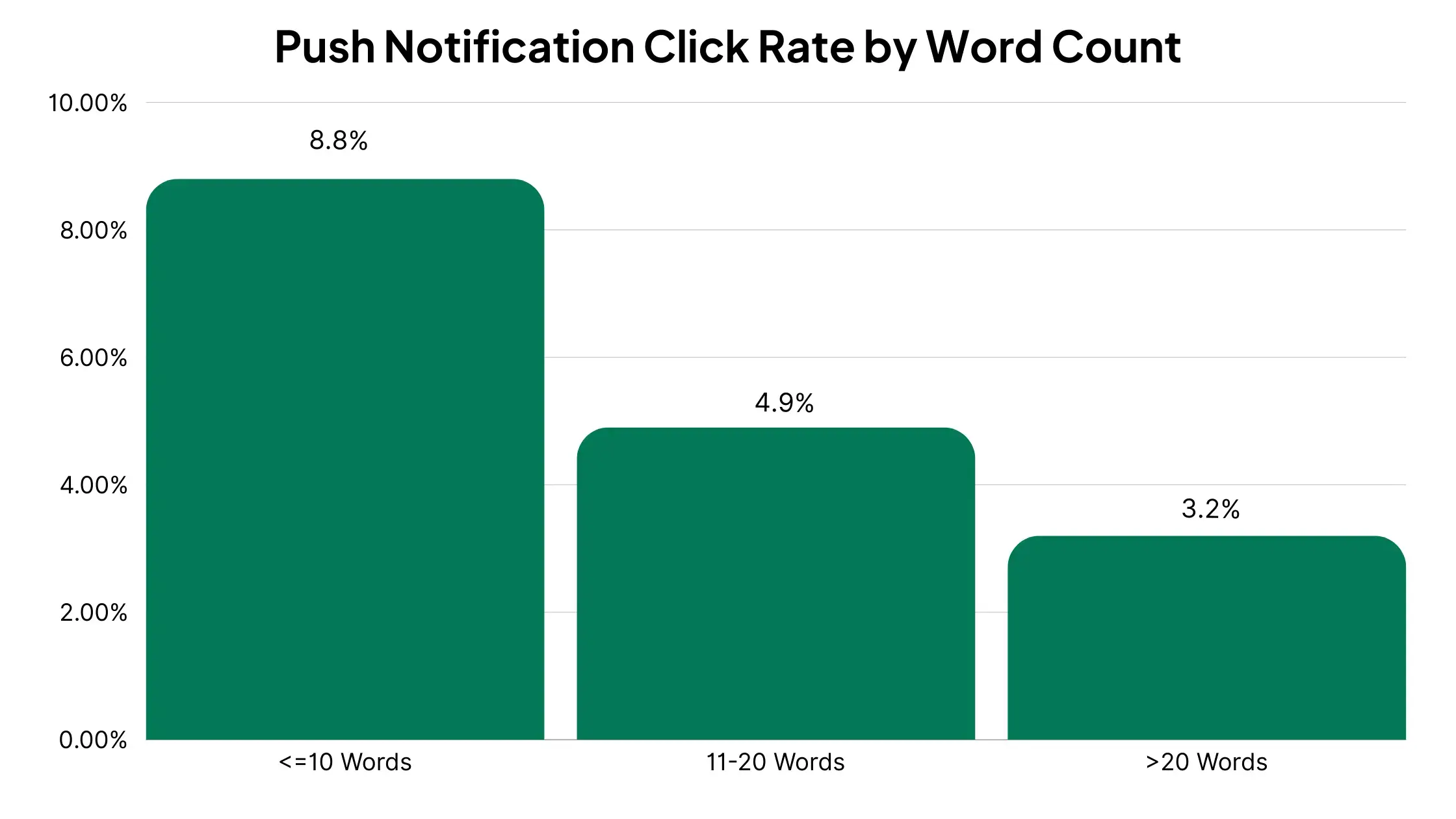
    • Keep it brief. Limit your message to 10 words or fewer whenever possible
    • Use power words and compelling verbs to spur action
    • Create a sense of urgency with limited-time offers

    A/B testing different message styles and content can pinpoint what works best for your audience.

    Rich Media 

    Another great thing about push is the ability to use rich media in your notifications. 

    This works particularly well for eCommerce, and particularly well for native app push notifications which can sync more closely with the functionality of the OS. 

    If there’s the potential for a visual element, like when announcing a new product or offer, include a nice image and watch your conversion rates increase. 

    Personalization 

    You should also personalize notifications when you can. Native app notifications are, again, better for this because you can use all of the data from the app to personalize the message. With web notifications, you might not even know a single thing about them. 

    A few basic personalization tactics to test out:

    • Use the recipient’s name to grab attention
    • Recommend products similar to previous interests
    • Send exclusive offers based on previous interests

    Test this out and you’ll see higher engagement rates as your messages resonate with individual customers.

    Timing and frequency

    The timing and frequency of your notifications is really key.

    One of the most common beginner errors is bombarding users with too many notifications. This will lead to opt-outs and annoyed users who think less of your brand. 

    On the other hand, if you’re too sparing and sporadic this could mean missed opportunities. 

    Like many things it’s about striking the right balance by:

    • Schedule push notifications based on customer time zones for maximum impact
    • Avoid odd hours which may annoy your subscribers
    • Establish a balanced frequency that keeps users informed but not overwhelmed

    Some studies argue that the best time to send notifications is between 11am and 1pm, when customers are most likely to be relaxing with lunch, others found that more than two notifications daily lead to higher opt-out rates. 

    Ultimately you need to monitor the performance of your campaigns and find what works best for you. 

    But always remember that the goal is to add value, not clutter, to your customers’ lives.

    Start Sending Push Notifications From Your PrestaShop Store Today

    You now know all you need to know to send push notifications from PrestaShop, and have success with today’s most effective communication channel for online brands.

    The path to unlocking the benefits of push notifications is extremely straightforward.

    1. Book a free consultation with our team to discuss converting your PrestaShop store into a mobile app.
    2. When your app is live, turn on abandoned cart notifications, and set up some other simple, automated notifications, such as a welcome message or order updates.
    3. Experiment, tweak and optimize further with promotional messages, loyalty updates and more, to understand the ideal push playbook for your brand.

    It’s tough to go wrong, and Vendrux makes it easy enough to launch an app that access to push notifications alone is reason enough to do it.

    __wf_reserved_inherit
    A few examples from the thousands of apps we’ve built for other successful eCommerce brands

    You could play around with web push notifications at the same time, using a push notification service like OneSignal, but your first priority should be to get mobile push notifications off the ground.

    Get a free consultation now to learn more, and get the ball rolling on your native PrestaShop app.

  • How Much Do Push Notifications Cost?

    How Much Do Push Notifications Cost?

    You’re searching “how much do push notifications cost” because you’re trying to figure out what this will actually run you. Fair question. The answer depends on a few things: how many subscribers you have, which service you use, and whether you’re sending web push, mobile push, or both.

    This article breaks down the real numbers: what push costs at different scales, how pricing models work, what hidden costs to watch for, and how push compares to email and SMS in real dollar terms at specific sending volumes.

    How Push Notification Pricing Works

    Push notification services don’t all charge the same way. There are three main pricing models, and understanding which one a provider uses will save you from sticker shock.

    Per-subscriber (or per-MAU) pricing

    This is the most common model. You pay based on how many subscribers or monthly active users (MAUs) you have, not how many messages you send. Most plans include unlimited notifications.

    OneSignal uses this model. Their Growth plan charges $0.012 per monthly active user for mobile push. If you have 50,000 MAUs, that’s $600/month for mobile push alone, but you can send as many notifications as you want.

    PushEngage also uses subscriber-based tiers but packages them differently: their Business plan at $14/month covers up to 50,000 subscribers with unlimited campaigns.

    Feature-tier pricing

    Some providers charge a flat monthly fee that includes a set number of subscribers, and you upgrade tiers for more features or higher limits.

    PushEngage and Airship follow this model. The price jump between tiers is driven as much by advanced features (A/B testing, automation, segmentation) as by subscriber volume.

    Infrastructure pricing (pay-per-message)

    This is the enterprise model. Amazon SNS charges $0.50 per million mobile push notifications after the first million free each month. Azure Notification Hubs starts with a free tier of 1 million pushes/month and scales from there.

    These services are raw delivery infrastructure, not marketing platforms. You handle the segmentation, analytics, and campaign management yourself (or build it).

    For most ecommerce brands, per-subscriber or feature-tier pricing is the right fit. Infrastructure pricing only makes sense if you already have an engineering team managing your notification stack.

    What Does Push Actually Cost?

    Here’s the short version: push notification costs scale with your audience size, not your send volume.

    Every major provider includes unlimited sends. How much you spend depends on how many active users you have in your mobile app.

    The table below shows what you can expect to pay based on subscriber count.

    Subscribers Monthly Cost Annual Cost Sends Included
    Under 1,000 $0 $0 Unlimited
    1,000 – 10,000 $0 – $140 $0 – $1,680 Unlimited
    10,000 – 50,000 $14 – $620 $168 – $7,440 Unlimited
    50,000 – 100,000 $29 – $1,220 $348 – $14,640 Unlimited
    100,000 – 250,000 $60 – $3,000 $720 – $36,000 Unlimited
    250,000+ Custom Custom Unlimited

    The range at each tier is wide, and that’s because providers price differently.

    The low end reflects subscriber-tier platforms like PushEngage (flat monthly fee covering a subscriber cap, e.g. $14/month for up to 50,000 subscribers). The high end reflects per-MAU platforms like OneSignal (base fee plus $0.012 per monthly active user on their Growth plan). Both include unlimited sends.

    A few reference points to make this concrete:

    • OneSignal free plan: Unlimited mobile push sends, no subscriber cap. Limited to basic features (fewer segments, 30-day reporting, simple journeys). Genuinely useful for small brands, not just a trial.
    • PushEngage Business ($14/mo): Up to 50,000 subscribers with unlimited campaigns, rich notifications, and audience targeting. Jumps to $29/month (100K subs) and $60/month (250K subs) at higher tiers.
    • OneSignal Growth ($19/mo + $0.012/MAU): Cross-channel messaging (push, email, in-app), advanced journeys, intelligent delivery. Cost scales linearly with your audience: 10K MAUs runs about $139/month, 50K runs about $619/month.
    • Klaviyo: Mobile push bundled into existing email/SMS plans at no extra per-send cost. If you’re already on Klaviyo, push is effectively included.
    • Enterprise (Airship, Braze, OneSignal Enterprise): Custom pricing, typically $10,000+/year. Includes dedicated support, SLAs, advanced personalization, and custom integrations.

    The important pattern: your push notification bill is a fixed monthly cost based on audience size. Whether you send 2 campaigns a week or 20, the cost doesn’t change. This is the fundamental pricing difference between push and channels like SMS, where every message adds to the bill.

    Can You Send Push Notifications for Free?

    Yes, but the definition of “free” depends on what you’re willing to build yourself.

    Truly free: platform free tiers

    OneSignal’s free plan supports unlimited mobile push sends. PushEngage’s free tier covers 200 subscribers with 30 campaigns.

    These are functional, not just trials. For a small business sending notifications to a few hundred or few thousand users, they work.

    Free delivery, DIY everything else

    Firebase Cloud Messaging (FCM) and Apple Push Notification Service (APNs) are free to use. FCM has no message limits and no per-send fees. APNs is the same. These are the underlying delivery pipes that every push notification ultimately flows through.

    But FCM and APNs are infrastructure, not products. To use them directly, you need to:

    • Build a backend to store and manage device tokens
    • Handle token refresh (tokens change periodically, after reinstalls, etc.)
    • Build segmentation logic so you’re not blasting everyone with the same message
    • Create a campaign management interface for your marketing team
    • Set up analytics to track delivery, opens, and conversions
    • Build automation triggers (abandoned cart, price drop, back-in-stock)
    • Handle error cases, retry logic, and delivery receipts

    That’s weeks or months of engineering work. For a company with a dedicated mobile engineering team, this can make sense at scale. For most ecommerce brands, the cost of building and maintaining this infrastructure far exceeds what a managed service charges.

    A note on “free forever” services

    Some lesser-known push notification providers advertise free unlimited plans. Be cautious. The common tradeoffs include data monetization (your subscriber data gets sold to third parties), limited GDPR compliance tooling, and minimal support when things break.

    If the service is free and the company doesn’t charge anyone, figure out what the actual business model is before handing over your customer data.

    Extra Costs Associated with Push

    The sticker price on a push notification platform’s pricing page isn’t always the full picture. Here’s what can add to your actual spend.

    Rich media bandwidth

    Sending images in push notifications uses bandwidth. For most ecommerce brands sending product images in notifications, this is negligible. But at serious scale (millions of subscribers, large image attachments), bandwidth costs can add up. One estimate puts the cost of sending a 1 MB image to 3 million devices at roughly $450 in bandwidth alone.

    Analytics and segmentation upsells

    Most providers gate their best features behind higher tiers. Basic push delivery might be cheap, but behavioral segmentation, A/B testing, conversion tracking, and journey orchestration often live on the professional or enterprise plan. Check what’s actually included in the tier you’re evaluating, not just the subscriber limit.

    Integration and development time

    Even managed platforms require integration work. Connecting push to your ecommerce platform, setting up event tracking for abandoned carts and browse behavior, configuring deep links, and testing across devices all take engineering time. Budget for this as a one-time setup cost.

    Platform lock-in costs

    If you’ve built automations, segments, and analytics in one provider and need to switch, migration is non-trivial. Subscriber data may or may not be portable. This isn’t a monthly line item, but it’s a real cost to consider when choosing a provider.

    The app itself

    Mobile push notifications require a native app (you can send push from a website too, but it’s a lot less effective) If you don’t have an app yet, the cost of building or launching one is the real upfront investment, not the push notification service fee.

    Push vs Email vs SMS: What Does It Cost to Reach Your Audience?

    Abstract per-message rates are useful, but what most brands really want to know is: “If I have X subscribers and message them Y times a week, what am I paying?”

    Here are three real scenarios, to give you an idea.

    Scenario 1: 10,000 subscribers, 2 messages per week

    ~80,000 messages per month.

    Push Email SMS
    Platform fee $0 – $140/mo $100 – $200/mo $50 – $150/mo
    Per-send cost $0 Included $1,200 – $4,400
    Total monthly cost $0 – $140 $100 – $200 $1,250 – $4,550
    Annual cost $0 – $1,680 $1,200 – $2,400 $15,000 – $54,600

    At this scale, push and email are in the same ballpark. SMS is 10-30x more expensive because every message carries a per-send cost of $0.015-$0.055 (base rate plus carrier surcharges).

    Scenario 2: 50,000 subscribers, 3 messages per week

    ~650,000 messages per month.

    Push Email SMS
    Platform fee $14 – $620/mo $350 – $720/mo $200 – $500/mo
    Per-send cost $0 Included $9,750 – $35,750
    Total monthly cost $14 – $620 $350 – $720 $9,950 – $36,250
    Annual cost $168 – $7,440 $4,200 – $8,640 $119,400 – $435,000

    This is where the gap becomes impossible to ignore. Reaching 50K subscribers three times a week via SMS runs $10,000-$36,000 per month. The same reach and frequency via push costs $14-$620. That’s a 15x-60x difference, and it widens every time you add another campaign.

    Scenario 3: 100,000 subscribers, 3 messages per week

    ~1,300,000 messages per month.

    Push Email SMS
    Platform fee $29 – $1,220/mo $600 – $1,400/mo $500 – $1,000/mo
    Per-send cost $0 Included $19,500 – $71,500
    Total monthly cost $29 – $1,220 $600 – $1,400 $20,000 – $72,500
    Annual cost $348 – $14,640 $7,200 – $16,800 $240,000 – $870,000

    At 100K subscribers, SMS costs $20,000-$72,500 per month. Push costs $29-$1,220. The math is unambiguous.

    What these numbers mean (in practice)

    Each channel reaches a different audience.

    • SMS reaches anyone with a phone number.
    • Email reaches anyone who gave you an address.
    • Push reaches your app users only.

    You’re not choosing one over the other; most ecommerce brands use all three. (We break down the strategic tradeoffs in our push vs email and push vs SMS comparisons.)

    But the cost comparison reveals something important: for high-frequency use cases like abandoned cart sequences, flash sale alerts, back-in-stock notifications, and loyalty updates, push is dramatically cheaper at every scale.

    Any campaign you can shift from SMS to push, without losing effectiveness, saves real money. According to Omnisend’s 2025 data, push generates 15% of attributed ecommerce revenue from just 3% of total message volume, so the per-message efficiency is there too.

    Email platform costs in the scenarios above are based on typical pricing from Klaviyo, Omnisend, and Mailchimp, where sends are generally included in the subscription. SMS per-send costs use $0.015-$0.055 per message (base rate plus carrier surcharges, based on industry benchmarks from Textline and Mobile Text Alerts).

    Are Push Notifications Worth the Cost?

    The short answer: for ecommerce, they’re one of the highest-ROI channels available.

    Here’s a simple way to think about the return. According to Omnisend’s 2025 ecommerce report, push notifications generate 15% of attributed ecommerce revenue from just 3% of total message volume.

    That’s the highest revenue-to-send ratio of any direct messaging channel.

    The engagement data backs this up:

    • Ecommerce push notification CTR averages 3-4%, with behavior-triggered automations (abandoned cart, price drop, back-in-stock) converting at 22.9% (Omnisend 2025)
    • Rich push notifications with images see a 56% higher open rate than text-only
    • Users receiving push notifications show nearly 3x higher retention than users who receive none (Airship)

    A back-of-the-napkin ROI calculation

    Say you have 20,000 push notification subscribers and you’re paying $200/month for your platform.

    You send 8 campaigns per month.

    At a 3.5% CTR and 4% conversion rate from those clicks, with a $75 average order value:

    • 20,000 subscribers x 8 sends = 160,000 impressions
    • 160,000 x 3.5% CTR = 5,600 clicks
    • 5,600 x 4% conversion = 224 orders
    • 224 orders x $75 AOV = $16,800 in monthly revenue
    • Monthly platform cost: $200

    Even if your actual numbers are half this, the return more than justifies the cost. And unlike SMS, your per-send cost doesn’t increase as you scale up your sends.

    The real question for most ecommerce brands isn’t whether push notifications are worth it. It’s whether they have an app to send them from.

    “The power of push notifications is so strong. In a world where people open email less and less each day, everyone is jumping into SMS which is crazy expensive, and people are starting to tune these out too, being able to do push notifications is the reason you do an app.”
    — David Cost, VP of Ecommerce, Rainbow Shops

    How to Start Sending Push Notifications

    Native push notifications require a mobile app. That’s the prerequisite. Web push notifications work through browsers, but opt-in rates are much lower, they don’t work on iOS, and they only send when the browser is open.

    Long story short, web push and native push are two very different things.

    For push to be a real revenue channel, you need a native app on the App Store and Google Play.

    If you’re an ecommerce brand with an existing website, you don’t need to rebuild everything from scratch.

    Vendrux turns your existing website into native iOS and Android apps with full push notification support built in. Your storefront, checkout flow, loyalty program, and third-party integrations all carry over, because the app is powered by the site you’ve already built.

    Here’s how you can get your brand in the app stores, and start sending powerful push notifications (in as little as 30 days):

    1. Book a strategy call. Share your website URL and talk through your goals. We’ll assess fit and answer your questions. No commitment.
    2. Get a custom app preview. Our team builds a personalized preview so you can see how your store looks and performs as a native app, before you decide anything.
    3. Launch on the App Store and Google Play. We handle the build, QA, and submission, as well as maintenance and updates after you launch.

    Want to see what your store looks like as a native app? Book a free strategy call to discuss it with our team of experts. We’ve built over 2,000 apps, and we’ll guide you through every step of the process to help you launch with zero stress, and zero risk.

  • 5 Ways to Increase Your Push Notification Click-through Rate

    5 Ways to Increase Your Push Notification Click-through Rate

    It’s up to 25x more expensive to acquire a new app user than to retain an existing one.

    One of the crucial metrics for mobile apps is retention rate. Thanks to the power of push notifications, you can keep your users engaged and make sure they keep returning to your app.

    If you’re not sending push notifications, you’re missing out on a key benefit of mobile apps.

    Frequent messaging via push notifications can increase app retention anywhere from 3x to 10x according to an Urban Airship study.

    A higher rate leads to successful conversions for your business goals. Without a solid push notification strategy you sacrifice valuable user growth.

    What is the Average Click-Through Rate For Push Notifications?

    The average click-through rate for push notifications is 28%, according to a study by Airship.

    This can be as high as 44% in certain industries.

    For perspective, the average CTR for email is just 1-2%.

    __wf_reserved_inherit

    However, just because this is what the data says regarding push notification CTR, doesn’t mean you can send push notifications on autopilot and automatically get the same results.

    It’s important to know what contributes to a good push notification click-through rate, and craft our messages in a way to make them stand out, catch attention, and really speak to your users.

    Further reading: the Ultimate Guide to Push Notifications for eCommerce

    5 Key Factors Influencing Push Notification Click-Through Rate

    To get better CTR from your push notifications, you should understand how people consume push notifications, what they find engaging about push notifications, and what turns them off.

    We can point to five important factors at play with push notifications, which you need to get right if you want your users to click and take action when they see your push messages:

    1. Transparency
    2. Brevity
    3. Tone
    4. Emojis
    5. Timing

    Let’s examine these factors in more depth, and discuss how this can help you run better push notification campaigns and get a higher push notification CTR.

    1. Transparency

    Now that you understand how important push notifications are, how do you get users to opt-in and receive them?

    Well, here’s where the bad news comes in. A large percentage of mobile users don’t opt-in to receive these messages.

    Only 67.5% of all app users opt in to push notifications.

    __wf_reserved_inherit

    The reason?

    People don’t want to deal with the chaotic barrage of messages from companies all over their screen.

    The best way to overcome this uphill battle is to be transparent with what content you’ll give to your customers.

    You’ll want to illustrate a crystal clear picture for what your customers can expect out of your push notifications from the moment they start using your app.

    2. Brevity

    You don’t want to experiment with long-form content in your push notifications. They’re great for reminding customers about your product or service, but brevity is key.

    You would be annoyed if your phone buzzed with rambling messages all day too, right? Annoyed users will opt out of your notifications. When they opt out, you lose relevancy and your hard work begins to fade away.

    Localytics data found that the optimal range is under 10 words long.

    push notification length CTR

    While there is no ‘perfect’ length for a push notification, there are a few key things you should keep in mind according to Urban Airship:

    • Make your notifications short
    • Frontload the most important content
    • Test on the devices that the majority of your audience use

    Your audience don’t want their time wasted.

    Design your push notifications to be bite-sized snippets of valuable information. You want your users to see high-quality messages when they take a look at their screen, therefore keeping them engaged.

    3. Tone

    A little personalization can go a long way for your open and click-through rates.

    Throw in some humor or emojis to give your customers the impression they’re receiving a text from a good friend (it it makes sense given the message context!).

    If the context is right, your audience will be more engaged and more inclined to follow through your notification messages.

    8tracks used humor as part of their push notification strategy which reduced their app user churn by 8% and increased user engagement by 23%.

    8tracks push notification retention

    Humor won’t work if it’s used at the wrong times – but do it right, and you’ll be able to bring back more users to your app than you would without it (and if you do it really well, your users might praise you on Twitter).

    4. Use Emojis in Push Notifications

    A Clevertap study found that the benchmark click-through rate for all industries is 2.74%.

    emojis and push notification ctr

    With emoji’s, the average CTR is 3.48%, giving an industry-wide average increase of 38%. Mobile apps in the business and finance industry that use emojis in their push notifications receive a 128% boost in CTR.

    Check out this infographic for a quick rundown of the best performers for these industries.

    top three industries for emoji marketing

    Select your emojis carefully and make sure you test them – you don’t want to be sending them to an audience who isn’t receptive to them, or in messages that are on serious topics.

    Emojis aren’t a magic wand you can wave to bring a higher CTR. You must strategically implement them into your marketing messages, and keep the other key factors mentioned previously in mind.

    It might surprise you, but the three industries in which emoji usage negatively impacted marketing efforts include entertainment and events, travel and hospitality as well as health and fitness.

    Adding emojis to your push notification messages is an easy way to make them stand out more than others that your users may be receiving from their other apps, and should help you boost CTRs

    5. Timing

    You can send the most engaging push notification, with a charming emoji, speaking your user’s language, but if it comes at the wrong time, it may get lost or ignored.

    Data shows that certain days and times have a pronounced effect on push notification CTR.

    Each industry has their own times when CTR is highest and lowest. For example, for retail apps:

    • The best CTR is between 8-9am or between 6-8pm.
    • The lowest CTR is between 4-5pm.
    • Monday and Tuesday are the days of the week with the highest CTR, while Saturday is the lowest.

    For business & finance apps, the hours of 3-5pm, 1-2pm and 7-8am deliver a better CTR, while sending notifications at later times correlates with worse CTRs.

    Check out CleverTap’s push notification report for more data.

    Part of your strategy can be to avoid peak times, and send push notifications at a time when users aren’t barraged with notifications from 100 other brands.

    • 77% of push notifications are sent between Monday and Friday.
    • 17% of push notifications are sent on Fridays, making it the most popular day of the week for push.
    • Sunday is the least popular, with 10% of all push notifications sent.
    • The most popular times to send push notifications are between 6-8am and 10pm-midnight.

    Alternatively, you could take this data to mean the most effective time to send notifications.

    Either way, you’ll want to test for yourself. Try a few different timings, measure CTR for each campaign, and see which one comes out on top.

    Learn more: see how Vendrux’s OneSignal integration makes implementing push notifications a breeze.

    Wrapping Up

    Used correctly, these Push Notifications tips will help increase your click through rates and improve your app user retention rates.

    Remember: Craft your push notifications to urge your customers to take action. Then, present them with straightforward and high-quality content.

    Your push notifications are the medium to help beat your app retention issues, so use them wisely!

    Remember, testing is crucial. Every business today must be tuned into the key metrics driving business growth. Without the ability to measure the success or shortcomings of various strategies, those that don’t work will continue to do so.

  • 50+ Push Notification Statistics for 2025

    50+ Push Notification Statistics for 2025

    Push notifications may be the most effective marketing and communication channel available to brands today. But don’t take our word for it – take these push notification statistics as proof.

    We’re about to share all the data you need to know about push notifications, from open and engagement rates, to push notifications’ impact on retention, to the difference emojis make.

    If you’re on the fence about using push notifications for your brand, or simply curious about the state of push notifications in marketing today, keep reading for these amazing insights.

    Learn more: the top Push Notification Services available today.

    Average Push Notification Open Rate

    Digital marketing agency Reckless puts the average open rate for push notifications at 20%.

    This figure is the average push notification rate across all industries, for the study the agency conducted, which analyzed marketing campaigns from 22 different brands in a variety of industries.

    The best-performing industries were Travel and Food & Beverage, while Fitness, Motor and Home & Decor all performed below average.

    For all industries, this data put the open rate for push notifications well above that of email:

    __wf_reserved_inherit

    Keep in mind that this figure is quite high, and different sources have very different information.

    Customer.io, for instance, places the average push notification open rate at around 4%.

    The reason for wildly different figures in terms of push notification open rates is that an “open” for push notifications is somewhat vague.

    It’s not always clear whether an open means the notification has been viewed in full on the lock screen, or that the app has been opened, or some other criteria.

    Besides, for many push notifications, a user can get all the information they need right on their lock screen, without interacting with the notification or “opening” it. So a low open rate is not necessarily a cause for concern.

    Push Notification Engagement Rates

    It’s generally a better idea to look at the engagement generated by push notifications for gauging their effectiveness.

    So how do push notifications stack up in terms of engagement?

    Reckless’ study had the average clickthrough rate for push notifications at 28%.

    For comparison, this again was well ahead of email in all industries looked at.

    __wf_reserved_inherit

    To dive deeper, Airship analyzed a total of 50 billion push notifications, and came up with some benchmarks for push notification reaction rate (judged as when a user clicks/taps on a push notification).

    They found the average reaction rate for all push notifications was 7.8%.

    For iOS, the average reaction rate drops to 4.9%, and 10.70% for Android.

    __wf_reserved_inherit

    Here’s how the benchmarks vary in different industries:

    __wf_reserved_inherit

    Reaction rates are fairly standard for each day of the week, but slightly higher on Tuesdays and Wednesdays:

    __wf_reserved_inherit

    For the time of the day, reaction rates are lower in the morning and mid afternoon, and get higher towards the end of the day.

    __wf_reserved_inherit

    Statista also gives us data on the types of notifications that cause users to unlock their phone.

    The majority of unlocks come as a result of push notifications from utility apps, followed by system notifications, and messaging apps:

    __wf_reserved_inherit

    Push Notification Opt-in Rates

    One of the most important metrics for push notifications is opt-in rate.

    It’s only possible to reach someone with a push notification if they have given permission for the app or website to do so.

    That means opting in to push notifications (and not subsequently opting out).

    Survey answers indicate that younger age groups are much more likely to allow notifications.

    • In the 18-34 age group, 33% always allow notifications, while 63% say they allow notifications “always” or “often”.
    • 23% of 35-54 year olds allow notifications “always” or “often”, and 21% of 55+ year olds answer the same.
    __wf_reserved_inherit

    Data shows that the overall opt-in rate for mobile app push notifications is 67.5%.

    And with iOS having a much bigger focus on user privacy, the average opt-in rate is significantly lower on Apple devices – 43.9%, compared to 91.1% for Android.

    __wf_reserved_inherit

    We can also see how push notification opt-in rate differs by industry.

    • Finance and Travel apps have a higher average opt-in rate, at 72.3% and 70.2% respectively.
    • Media and Gaming are at the lower end, with 63.6% and 63.5% opt-in rates.
    • eCommerce apps have an average opt-in rate of 68%.
    • Each industry follows a similar split in terms of OS, with Android apps having far higher opt-in rates than iOS apps.
    __wf_reserved_inherit

    The takeaway from this data is that opt-in rate is key, especially for iPhone users.

    On average, less than half of these users will opt-in to push notifications – give them a good reason and a clear incentive to opt-in, and there’s significant upside to be had.

    Push Notification Retention Statistics

    Data shows that push notifications can be an amazingly effective way to boost retention in mobile apps.

    Airship studied 63 million app users, across 1,500 apps, to see how push notifications influence whether or not a user remains active past 90 days.

    The data found that push notifications were strongly correlated with retention.

    • Retention rates were nearly 3x higher when users received one or more push notifications in their first 90 days using the app (compared to those who received zero notifications).
    • 95% of users who opted in to push notifications, but didn’t receive a notification in the first 90 days, end up churning.

    Interestingly, it also showed a strong correlation between push notification frequency and retention.

    • App users who received one notification had 120% higher retention rates, compared to users who received zero notifications.
    • Users who received weekly notifications had 440% higher retention rates than those who received zero.
    • Users who received daily notifications (or more) had 820% higher retention rates than those who received zero.
    • For retail apps, sending weekly push notifications resulted in 2-5x higher retention rates, and daily push notifications resulted in 3-6x higher retention rates.

    How Often Should You Send Push Notifications?

    A large percentage of users will take action if they feel an app is messaging them too much.

    • 42% will change their notification settings.
    • 39% will turn off notifications.
    • 8% will delete the app.

    Just 9% of users say they will do nothing if they feel they’re getting too many push notifications.

    __wf_reserved_inherit

    Yet many users say that they feel it’s appropriate to receive regular push notifications.

    • 75% of app users say it’s appropriate to push notifications from messaging apps daily or multiple times per day.
    • 68% of users say they are ok with receiving news and information notifications at the same frequency.

    Users expect notifications for brand promotions less often – but that’s not to say never.

    • 60% of app users believe it’s appropriate to receive notifications from brands once a week or more.
    • 16% say they are ok receiving notifications from brands once a day, and 7% are fine with receiving these notifications multiple times per day.
    __wf_reserved_inherit
    __wf_reserved_inherit

    On top of this, the data shared in the previous section showed that app retention rates are significantly higher for apps that send push notifications regularly, even as much as multiple times per day.

    So as long as your notifications deliver some form of value to the user, you shouldn’t be scared of sending regular push campaigns.

    How to Craft Effective Push Notifications

    Data suggests that short, snappy push notifications are best.

    A Localytics study found that push notifications with 10 or fewer words had nearly twice the click rate as those with 11-20 words, and nearly 3x the click rate of those with more than 20 words.

    __wf_reserved_inherit

    And Airship’s study of 50 billion push notifications found that certain features make it more likely for users to react to your push notifications.

    • Emojis in push notifications increase reaction rates by 20%.
    • Rich media (images, GIFs and videos) increase click rates by 25%.
    • Personalized notifications (e.g. including the user’s name) have 4x higher reaction rates.
    • Advanced targeting (e.g. using data based on preferences, behavior, location) increases retention rates up to 3x.
    • A/B testing the sending time can increase reaction rates by 40%.

    Of course, you’re going to get better engagement from your push notifications if you send the kind of content that users want.

    A Localytics survey asked users what kind of push notifications they most wanted to receive.

    • 48% wanted special offers based on their preferences.
    • 35% wanted to see breaking news alerts.
    • 34% wanted new content based on their preferences.
    • 34% wanted special offers based on their location.

    In terms of timing, most brands send push notifications during the week – you’ll want to test and see if this is right for your brand as well.

    CleverTap studied 301 billion push notifications, and found the following trends:

    • 77% of push notifications are sent between Monday and Friday.
    • 17% of push notifications are sent on Fridays, making it the most popular day of the week for push.
    • Sunday is the least popular, with 10% of all push notifications sent on this day.
    • The most popular times to send push notifications are between 6-8am and 10pm-midnight.

    For retail brands, morning and evening are the most effective times to send push notifications, and earlier in the week is better.

    • Retail apps get the best CTR from push notifications when sent between 8-9am or between 6-8pm.
    • The lowest CTR is between 4-5pm.
    • Monday and Tuesday are the days of the week with the highest CTR, while Saturday is the lowest.

    More Push Notification Stats: Quick Hits

    We’ve already gone through a trove of data on push notifications, looking at average engagement rates, opt-in rates, frequency, consumer behavior and more.

    Let’s cap it off with some more interesting push notification statistics we’ve dug up around the internet:

    • Rich push notifications average a 56% higher open rate. [Airship]
    • 46% of users will opt out of push if they receive 2-5 messages in one week.
    • 32% of users will opt out if they receive 6-10 messages in one week. [Localytics]
    • Push notifications have an average conversion rate of 4.4%.
    • The average app user receives 46 push notifications per day.
    • 77% of people say they have engaged with a push notification in the last month.
    • 48% say they have made a purchase as a result of getting a push notification.
    • 60% of app users say that push notifications make them use an app more frequently.
    • Transactional push notifications have an average open rate of 69%.
    • 43% of app users say that push notifications are less intrusive than email or SMS. [Gitnux]
    • 29% of push notification campaigns use emojis.
    • The most popular emojis used in push notifications are the fire emoji 🔥, pizza 🍕, thumbs up 👍, hourglass ⏳ and blue heart 💙. [CleverTap]

    Final Thoughts

    Push notifications are the new wave of brand-consumer communication.

    Email, though not dead, can be impersonal, and emails can be easy to miss or ignore. SMS is direct and personal, but is rigid and inflexible.

    Push notifications are personal, direct, customizable, and offer the least amount of friction of any communication channel.

    Just one tap from their home screen and a user can be in the app. Push notifications are also a great way to stay top of mind, when you light up a user’s screen with a friendly message from your brand.

    Any modern brand should be using push notifications. They’re an incredible tool for many use cases, from sending new product offers and promotions, to order updates and abandoned cart notifications

    To make the most of push notifications, you’ll need an app – and if you don’t already, Vendrux is the best way to turn your existing website into an app, with push notifications built in, out of the box.

    __wf_reserved_inherit
    Vendrux apps come with push notifications set up and ready to go

    Click here to learn more about how easy it is to launch a mobile app for your eCommerce store, and click here to learn about how we integrate push notifications in your app.

    If you’re ready to chat further, get a free demo now, and start using push notifications to grow your brand.

    Sources

    https://reckless.agency/web-development/email-vs-push-notifications-vs-in-app-messaging-which-has-the-highest-engagement-2/

    https://customer.io/blog/how-to-measure-push-performance-hint-its-not-open-rates/

    https://www.airship.com/resources/infographic/accengage-push-notification-in-app-message-benchmark-for-mobile-apps/

    https://www.statista.com/statistics/1050365/distribution-of-push-notifications-us-smartphone-users/

    https://www.statista.com/statistics/791005/allow-app-push-notifications-us-mobile-users-by-age-group/

    https://www.airship.com/resources/benchmark-report/how-push-notifications-impact-mobile-app-retention-rates/

    https://today.yougov.com/technology/articles/36287-how-consumers-feel-about-push-notifications-2021

    https://uplandsoftware.com/localytics/resources/blog/ideal-push-message-length/

    https://uplandsoftware.com/localytics/resources/blog/the-inside-view-how-consumers-really-feel-about-push-notifications/

    https://clevertap.com/blog/push-notification-report/

    https://gitnux.org/push-notification-statistics/

  • Average Push Notification Opt-In Rate (& How to Get More Opt-Ins)

    Average Push Notification Opt-In Rate (& How to Get More Opt-Ins)

    Push notifications can be an incredible tool to drive revenue for your brand, whether it’s by sending notifications for promotions, new product launches, abandoned cart reminders, or any other way you can dream up.

    But before you can start generating sales on autopilot, you need to make sure your app users actually receive your push notifications.

    That means maintaining a high opt-in rate for push notifications. Keep reading and we’ll explain what this is, the average push notification opt-in rate for iOS and Android apps, and how you can ensure your opt-in rate stays as high as possible.

    Push notifications are one of the more under-utilized ways for brands to grow retention and long-term revenue. But to use push to the fullest extent, you need an app. Vendrux makes this easy. Book a free demo now to learn how we can help you turn your website into an app, and unlock the benefits of push notifications.

    What is Push Notification Opt-In Rate?

    Push notification opt-in rate is the percentage of your app users who have opted in (i.e. given permission) to receive push notifications.

    Just having someone download your app doesn’t necessarily let you send push notifications to their device. The user can enable or disable push notifications at any time through their device settings.

    When you send a push notification, your push notification service will check whether the user’s device has given permission to the app to send push notifications, and if this permission is not granted, the notification will not be sent.

    How Does Opt-In Permission Work?

    Today, app users need to give explicit permission to apps in order to receive push notifications, on both iOS and Android.

    On earlier versions of Android, installed apps had push notifications enabled by default. But since Android 13, apps must request permission for push notifications, as iPhone apps have had to for some time.

    To do this, the app will show a popup asking the user if they want to allow push notifications. Many apps send this prompt soon after the user downloads the app.

    __wf_reserved_inherit

    By hitting “Allow”, the app will log that the user has given permission to receive push notifications. At any time, however, the user can go into their device settings and turn notifications on or off.

    __wf_reserved_inherit
    App settings for push notifications on Android (left) and iPhone (right)

    Learn more: How Much Do Push Notifications Cost?

    What’s the Average Opt-In Rate for Push Notifications?

    The average opt-in rate for push notifications, across all devices, is 67.5%.

    This is vastly different for iOS and Android users, however. The average opt-in rate for Android is 91.1%, versus just 43.9% for iOS.

    __wf_reserved_inherit

    This makes sense, as most of the data is from Android versions 12 and below, which opt users in to push notifications by default, whereas iOS users have to explicitly allow push notifications when prompted.

    As a greater share of Android devices move onto Android 13, we can expect the average opt-in rate for Android to decrease as well.

    Average Opt-In Rate by Industry

    The average opt-in rate is slightly higher for Finance and Travel apps, and lower for apps in the Media and Gaming industries.

    Here’s how the average push notification opt-in rate differs by industry:

    __wf_reserved_inherit
    • Finance: 50.8% iOS / 93.8% Android / 72.3% overall
    • Travel: 46.9% / 93.5% / 70.2% 
    • eCommerce: 44% / 91.9% / 68%
    • Entertainment: 41.5% / 93.5% / 67.5%
    • Retail: 42.4% / 90% / 66.2%
    • Classifieds: 41.9% / 88.2% / 65.1%
    • Media: 42.3% / 84.9% / 63.6%
    • Gaming: 37.2% / 89.7% / 63.5%

    Push Opt-Ins By Age Group

    Typically, younger age groups are more likely to allow push notifications.

    Data shows that 33% of people between the ages of 18 and 34 “always” allow push notifications. 30% “often” allow push notifications, while 37% say they allow push notifications “sometimes” or less.

    In comparison, only 5% of people 35 and above say they “always” allow push notifications, while 18% of 35-54 year olds and 16% of those aged 55+ say they “often” allow push notifications.

    __wf_reserved_inherit

    9 Ways to Increase Push Notification Opt-In Rate

    The wider your reach, the more potential revenue you can drive using push notifications. Increasing reach can mean getting more app users, but it can also mean making sure a higher percentage of your app users are opted in to push notifications.

    Boosting your opt-in rate can have a direct positive impact on revenue, allowing you to reach more people with free promotional messages, capture more abandoned carts, and nurture greater long-term revenue from a larger share of your customers.

    If you want to start getting a better return from your push notifications, here are some things you can do to increase your push notification opt-in rate.

    Send Opt-In Prompts at the Right Time

    Sending an opt-in prompt right after a user installs the app may not always be the best approach.

    At this time, users are often at a lower stage of trust and awareness of your brand, and less likely to say yes to push notifications as a result.

    The worst part is that you get one shot at it – this opt-in prompt will be shown once. If the user hits “Don’t Allow”, the only hope you have left is getting them to manually change their push settings, which requires a lot more convincing.

    You may have better results by waiting a little while, and sending your prompt once you’ve warmed up the user a little more.

    Set Up a Custom Pre-Permission Prompt

    The operating system’s default opt-in prompt is very basic, can’t be customized, and is not optimized to convince people to hit “Allow”.

    That’s why many apps set up a custom in-app message that serves as a sort of “pre-permission” prompt, before they take their one shot at sending the system opt-in prompt.

    This message can be designed to your liking, and should do a better job of convincing people why they should allow push notifications.

    __wf_reserved_inherit
    The Strong app uses a custom prompt which, when clicked, triggers the system prompt

    You can send custom prompts prior to the system prompt, but you can also re-use this custom in-app message to convince users who previously disabled push notifications to re-enable them (just be careful not to make these too annoying and overbearing, or it could cause the user to delete the app altogether).

    __wf_reserved_inherit
    Shein sends an in-app message reminding users to enable push notifications

    Explain the Benefits of Opting In to Push Notifications

    In your pre-permission prompt, you can make the case to the user why they should allow push notifications – such as that they’ll get access to exclusive product launches, discounts, or any reasons that the user might get value out of push notifications.

    __wf_reserved_inherit
    As part of the onboarding sequence, the Balance app explains why the user should enable push notifications

    The example above explains why the app needs to send push notifications, making the user confident that it’s for their benefit, not that they’re just going to be spammed with low-value messages.

    This is not restricted to pre-permission prompts, however. You can explain these benefits in other areas of your app, especially if they have push notifications disabled, helping to recapture those who previously said no to push.

    __wf_reserved_inherit
    Temu’s settings page includes a reminder to users if they have notifications disabled

    Incentivize Users to Opt In

    The best way to convince someone to opt in is almost always to give them a clear incentive to do so.

    This is not a future benefit, or something vague like “you’ll stay in the know”, but a real incentive.

    For example, you could offer a one-time discount in exchange for someone opting in to push notifications.

    This strategy can be a little risky, as there’s generally nothing against the user turning on notifications, getting their discount and turning them off again. But it may be worth a try if you really want to get opt-ins up.

    A/B Test Your Opt-In Prompts

    As with anything in business and marketing, the best way to know what works is to test and make decisions based on data.

    If you have a big enough user base, it might benefit you to A/B test different approaches to getting push notification permission.

    You could test different types of pre-permission prompts, or test sending your prompts at different times (such as immediate prompts vs delayed prompts).

    Deliver Value In Your Push Notifications

    Maximizing opt-in rate does not just mean getting people to say “yes” initially, but ensuring they continue to allow push notifications, and minimizing the number who go to their settings and turn notifications off.

    This means making sure your push notifications consistently offer value to the user. If you don’t do this, users will eventually get frustrated with receiving your notifications and disable them.

    Optimize Sending Frequency

    Another way to ensure fewer people disable notifications is to send the right amount of push notifications.

    You want to avoid sending so many push notifications that users get annoyed and turn off your notifications.

    However, sending notifications too rarely may also hurt you. If users aren’t used to seeing notifications from your app, they may be surprised when one pops up and automatically go to their settings to revoke permissions.

    You’ll want to figure out the ideal formula and frequency for your brand and your audience. In most cases, try and find a sweet spot where you’re messaging users regularly, but not going over the top.

    Re-Engage Users Who Opt Out

    Once someone has disabled push notifications, you may still be able to turn it around.

    There are many ways to go about re-engaging these users and convincing them to enable push notifications again.

    You can place reminders around the app of why it will benefit them to enable push notifications, as well as sending prompts every so often asking them to opt in again.

    You could also contact these users on other channels, such as email, explaining the benefits of enabling notifications, and even consider offering an incentive for doing so as we discussed earlier.

    Let Users Customize their Push Preferences

    Users who disable push notifications may still get value from some of the notifications they receive. But if they get too many irrelevant notifications, it might seem like the only option is to turn off notifications altogether.

    If you give users the option to customize their notification settings, and only receive notifications that are relevant to their interests, you’ll likely be able to retain push notification permissions from a greater percentage of your app users.

    Harness the Power of Mobile Push Notifications with Vendrux

    If you’ve got a website that drives revenue, such as a SaaS app, an ecommerce store, an eLearning platform, or any other kind of online business, you’ll be able to drive a ton of long-term revenue with push notifications.

    While you can send push notifications from a website, the potential for what you can do is limited. The only way to really access the power of push notifications is with an app.

    Vendrux is the perfect way for web-based businesses to go from website to app.

    __wf_reserved_inherit
    Just a few of the successful apps we’ve launch for our users

    We convert your website, with all of its features, all the design quirks, optimizations, custom tools and integrations, into full-featured mobile apps for iOS and Android.

    We do this with no effort or technical expertise needed from you, with a minimal investment, and a time frame of around a month or less.

    This lets you launch your own mobile apps without a ton of capital or massively pivoting your business model by investing in an app development team.

    We help you manage your apps, and they’ll always be fully synced with your website, meaning there’s very little dedicated maintenance or overhead that comes with your apps.

    The best part is, your apps will have push notifications built in out of the box, so you can start engaging your users and growing revenue from day one.

    To see what’s possible, check out these great apps we’ve built for other high-revenue companies like yourself, and for a personalized walk through the process and the benefits we offer you, book a free demo now with one of our team of app experts.

  • 6 Ways to Send Personalized Push Notifications (Plus Best Practices)

    6 Ways to Send Personalized Push Notifications (Plus Best Practices)

    One of the best aspects of push notifications for marketers is how easy it is to set up unique, personalized communications.

    It’s long been known that personalization has a huge impact on the success of marketing campaigns. Brands that send relevant and unique messages to their customers are typically going to see significantly better results than those whose content is broad and generic.

    Keep reading and we’ll explain how you can start injecting more personalization into your push campaigns, including some best practices to follow, and some examples of personalized push notification campaigns your brand can start using today.

    What is Personalization?

    What do we mean when we talk about personalization?

    Personalization means tailoring your content and your communications to each user individually.

    Personalization can come from demographics, behavior, location, engagement level, or many other factors.

    While it’s unrealistic for brands to compose completely unique and personal messages and promotions for every single customer, by using elements of personalization, you can make your customers feel more like they’re receiving a message that was crafted just for them, rather than making them feel like they’re just another recipient of a mass-marketing campaign.

    Doing this can make a big difference for your brand, as we’ll explain next.

    Why Personalization Matters

    Research from McKinsey shows that companies who excel at personalization generate 40% more revenue on average.

    When it comes to push notifications, personalized content has been shown to deliver 4x higher reaction rates, while personalized targeting and segmentation results in 3x higher retention rates.

    Imagine you go into a coffee shop.

    In one case, the cashier greets you with a generic “hello”, then offers you a discount on a drink you don’t want.

    In another, you’re greeted with a personalized greeting, using your name, and offers you a 25% discount on the croissant you had your eye on, and your favorite coffee order.

    You’re much more likely to come back to the coffee shop from the second example.

    Yet brands are still acting more like the first example, with generic messaging and irrelevant content that drives customers away.

    Those brands who are able to make their customers feel special and unique, and who serve more relevant content and promotions, will see much better ROI and long-term impact from their marketing, especially as consumers come to expect a higher standard of personalization in digital marketing.

    Best Practices for Personalizing Push Notifications

    While smart personalization can produce amazing results in your push notification campaigns, lazy execution or simple mistakes can end up being much worse than sending a generic message to your whole user base.

    Here are some best practices to follow to help maximize the effectiveness of your personalized push notifications, and avoid some killer mistakes.

    Use customers’ names

    The simplest way to add a bit of personalization to your push notifications is by using your customers’ names.

    Instead of:

    “Hi, get 50% off all products this weekend only!”

    Say:

    “Hi Andrew, get 50% off all products this weekend only!”

    Assuming you have your customers’ names, this is the ultimate low-hanging fruit of personalization.

    You don’t need to do anything complicated to implement this – just use a merge field to dynamically switch the name in each message to the recipient’s.

    People love hearing (or reading) their name, and this seemingly small touch will usually have a significant positive impact.

    Use placeholder default values

    Using your customer’s name is great, but it’s not so great when someone receives a message like:

    “Hi {customer name}, have you seen our new product release?”

    This has the opposite effect, tearing down the fourth wall and making it clear to the user that they’re part of an automated marketing campaign – and that you don’t care enough to get it right.

    Whenever you have a merge field like this, set a default value in case you don’t have the user’s name on file, so it sends a generic “Hi” or “Hey there,” instead of actually displaying code in the message.

    Make sure your messages turn out as intended

    Before you set your campaign live, test it by sending a message to yourself, or to a dummy user.

    You want to make sure it comes out as you intended it, with merge tags working correctly, and no awkward issues you didn’t expect.

    Take this example from this article by OneSignal:

    __wf_reserved_inherit

    It’s worth the time and effort to spend a little longer thinking about how your message will turn out, to avoid making mistakes that make you look bad or offend the user, which could result in them unsubscribing from notifications.

    Avoid over-personalization

    Make your messages relevant and personal to the recipient, but it can get creepy and intrusive if you take it too far.

    Avoid calling out very personal details about your customers, or suggesting they have interests in potentially sensitive topics.

    It’s a balancing act – you don’t want the recipient of your push notifications to feel like they’re getting a generic mass-marketing campaign, but you don’t want them to feel like your app is watching everything they do either.

    Test different approaches

    There are many ways to personalize your campaigns, such as creating different demographic or interest segments, then sending different copy and creative to each segment, or sending messages to each segment at different times.

    There are endless possibilities, and the only way to truly know what works best with your customers is to test and find out for yourself.

    Constantly test and track the performance of different approaches, like specific segments and the type of notifications you send to each segment. After a while, you’ll start to put together a playbook that contains all the best practices unique to your audience.

    6 Ways to Use Personalization With Your Push Campaigns

    Want to start personalizing your push campaigns, but not sure where to start outside of just adding your user’s name?

    We’ve got you covered. Here are six personalized push notification campaign ideas you can take and use to drive sales and engagement for your brand.

    Abandoned Cart Notifications

    __wf_reserved_inherit

    Any brand with an app should be using abandoned cart notifications.

    On average, 70% of eCommerce shopping carts are left abandoned. What’s worse, this rises to 86.7% on mobile.

    The good part is that this means there’s a big opportunity to get more sales by going after the low-hanging fruit – people who have already added a product to their cart.

    It’s much easier to follow up with these shoppers and get them to complete their purchase than to attract a new customer, as they’ve already shown significant intent, and they’ve let you know what product(s) they’re interested in.

    An automated abandoned cart campaign won’t recover every single cart, but it will likely generate a significant boost to your sales, for little to no effort once implemented.

    Browse Abandonment

    __wf_reserved_inherit

    Similar to an abandoned cart workflow, you can reach out to users who have spent a significant time browsing, but left without buying something or adding a product to their cart.

    This is particularly effective if they’ve spent a long time on a specific product page, or browsing products in a specific category.

    A push notification, triggered at the right time, may be just enough to get the user to come back and buy the product they had their eye on.

    Personalized Product Recommendations

    __wf_reserved_inherit

    Use the data you have on your users to send them product recommendations tailored to their interests.

    If they have a purchase history with you, or you have data on what kind of products they usually browse, you can personalize your communications to align with their interests.

    Loyalty Campaigns

    __wf_reserved_inherit

    Make customers feel like a valued part of your business by calling out and thanking them for their loyalty.

    Whether you have a points-based loyalty program, and you send push notifications updating them of their accrued points total, or you send a periodic “thank you” notification with an exclusive offer for regular customers, this is a great way to make your customers feel like they’re seen as a real person, and not just a number.

    Birthday/Milestone/Event Offers

    __wf_reserved_inherit

    You could also send personalized offers to customers on special occasions.

    If you have their birthday, this is an easy win. You could also send an offer to people on the anniversary of their first purchase with you (tying again into the loyalty angle), or product recommendations/offers around special occasions (like father’s day or mother’s day), especially if the user has a history of buying around this time.

    Re-Engagement Notifications

    Finally, re-engagement campaigns are a simple, yet effective way to bring back users who haven’t shopped in a while.

    Set up an automated message like “We haven’t seen you in a while! How about checking out our new range of {personalized recommendation}”, triggered after the user has been inactive for a specific length of time.

    You could couple it with a personalized discount as a sweetener to get the customer to come back and start shopping again.

    Small, period touches like this can go a long way in terms of keeping your brand in your customers’ mind, and building more long-term engagement and value.

    Check out more examples and best practices of push notifications for eCommerce brands in our Ultimate Guide.

    Start Sending High-Impact, Personalized Push Notifications Now

    To start reaping the benefits of personalized push notifications, you’ll need two things.

    One, you’ll need a push notification service, such as OneSignal or Klaviyo, that makes it easy to segment your users and set up custom triggers and automated push notification campaigns.

    Two, you’ll need a mobile app, to make it easy to integrate push notifications into your customer experience.

    If you don’t have an app yet, Vendrux is the solution for you.

    Our done-for-you website to app service is an easy, cost-effective and sustainable way for brands to launch an app.

    We take everything that already works on your website, and convert it into apps that look and feel great on both Android and iOS.

    Your apps will have push notifications built in, out of the box, ready for you to start driving sales.

    __wf_reserved_inherit

    To learn more, check out some of the other high-revenue brands we’ve worked with, helping to build apps that deliver consistent value with minimal overhead.

    If you’re ready to discuss how we can do the same for your brand, get in touch and book a free demo now.