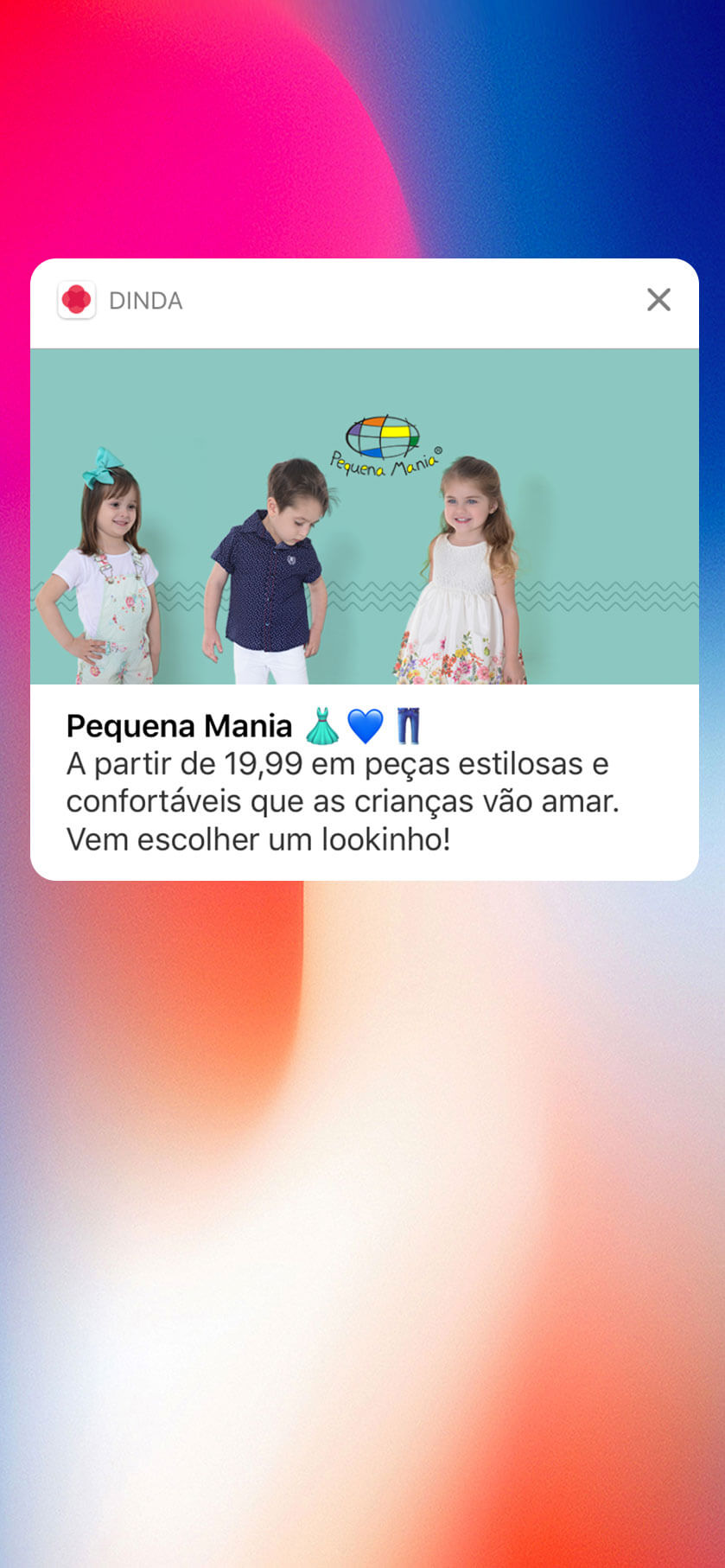
Push notifications are one of the most powerful channels for ecommerce retention and repeat sales. They put your brand directly on your customers’ lock screens, bypass crowded inboxes and rising SMS costs, and drive quick re-engagement with just one tap.
Yet, most BigCommerce stores aren’t making use of push. For some, it’s because they don’t understand the value of push. For others, they’re unsure how to unlock push as a channel.
With your own branded app, you can send high-engagement push notifications to every customer who installs it, on both iOS and Android.
In this guide, we’ll break down the difference between web and native push, show you why apps win for push marketing, and give you a blueprint to unlock this channel for your BigCommerce store.
Quick Answer: The fastest and most effective way to send push notifications from your BigCommerce store is by converting your site into a fully branded iOS and Android app with Vendrux. You unlock true native push notifications, reaching customers on their lock screens even when the app is closed. With built-in OneSignal and Klaviyo integrations, you can send automated flows like abandoned cart, welcome campaigns, and segmented promotions right out of the box. You’ll get full control over push without rebuilding your site or managing separate platforms, and Vendrux handles the entire process for you in about 30 days.
What Are Push Notifications and Why Do They Matter?
Push notifications are short, clickable messages delivered directly to a user’s device, appearing on their lock screen or notification tray.
Unlike email or SMS, push notifications are instant, highly visible, and bypass the competition of crowded inboxes.
Push notifications are a direct line to your customers. For ecommerce, this is a major deal.
Push you:
Re-engage shoppers who haven’t visited in a while
Send real-time promotions, product launches, and back-in-stock alerts
Reduce abandoned carts with automated reminders
Build loyalty and drive repeat purchases through personalized offers
At a time when customer acquisition costs keep rising, push notifications help BigCommerce store owners maximize the value of existing customers. They keep your brand top-of-mind and encourage repeat engagement with just one tap.
Web Push Notifications vs Native Mobile Push Notifications
Push notifications can be delivered in two main ways: through web browsers or through native mobile apps.
While both can help you reach customers, the performance and capabilities are very different.
Web Push Notifications
Web push notifications are sent through web browsers and can be triggered directly from your BigCommerce site.
Web push notifications show up in the corner of the screen on desktop, using the browser
Pros:
Can be implemented directly on your BigCommerce store
No app development required
Works across desktop and mobile browsers
Quick to set up
Cons:
Limited effectiveness – low opt-in rate for browser notifications
No 24/7 reach – only work when the browser is running
Restricted customization – limited design and interactivity
Lower engagement rates – typically 2-5% click-through rates
Platform limitations – iOS Safari only recently enabled partial web push support and adoption remains low
Native Mobile Push Notifications
Native push notifications are sent through mobile apps and deliver a superior experience for both you and your customers.
Native push shows directly on the lock screen of the user’s device
Always accessible – notifications work even when the app isn’t running
Rich media support – add images, videos, and interactive buttons
Better personalization – deep integration with customer data for targeted messaging
Full iOS and Android support – no browser limitations
Cons:
Requires a mobile app
Slightly more complex initial setup
Bottom line: Web push is quick to implement but limited in reach and engagement, especially on mobile. Native push delivers far better results but has historically required expensive app development – that is, until solutions like Vendrux made it accessible to every BigCommerce store.
How Vendrux Enables Native Mobile Push From Your BigCommerce Store
Traditionally, sending native push notifications meant investing tens of thousands of dollars in custom app development. For most BigCommerce store owners, that wasn’t realistic. Vendrux changes that.
Vendrux turns your existing BigCommerce website into fully branded iOS and Android apps.
Your store’s design, product catalog, and checkout all work seamlessly inside the app. No rebuilding or duplicate management required.
Crucially, though, your app is not just a “website in a box”.
We layer in native features like push notifications, ensuring you can reach your customers instantly and effectively.
Why Vendrux is the Best Way to Send BigCommerce Push Notifications
Here’s why Vendrux is the best option for you to unlock the power of push for your store.
Native push baked in: Push notification infrastructure (via OneSignal and Klaviyo) is already included. No separate setup or technical work required.
Automated ecommerce flows: We configure key campaigns like abandoned cart reminders and welcome flows for you from day one.
Zero code, no double management: Your website powers your app directly. Update your site once, and your app updates automatically.
Optional Done-For-You service: Want us to handle ongoing push strategy and execution? Our team can manage campaigns, segments, and optimizations every month.
No revenue share: Vendrux offers transparent pricing and no cut of your sales, unlike some platform-based app builders.
Strategic partnership: Our success team guides you through best practices and ongoing growth; not just technical setup.
How It Works
In less than a month, you can have your own BigCommerce mobile app live in the App Stores, and in the process, unlock the most cost-effective marketing channel for ecommerce: push notifications.
Here’s how.
Kickoff & Setup: We review your BigCommerce site and plan your app build.
App Configuration: Your app is customized for your brand and configured for push.
Live Testing: You preview your app on your own devices.
Quality Assurance: Our team ensures everything is pixel-perfect.
App Store Submission: We handle the publishing process with Apple and Google.
Final Optimization: Your app is tuned for performance and engagement.
Launch & Growth: You start sending high-impact push notifications and growing retention.
Are push notifications really that effective? And are Vendrux users having success with push?
In short: yes.
Push notifications are proven to be a cost-effective way to drive sales and reach out to your best customers. Considering the cost (zero cost to send), there’s virtually no downside.
They’re especially powerful for abandoned carts. Just look at the results below from some of our users, over a 30-day period.
Some of our brands generate $200K+ over just one month, through abandoned cart push notifications.
Do I need to rebuild my BigCommerce site for the app?
No. Vendrux uses your existing BigCommerce site as the foundation, so you don’t need to create a separate theme or manage two versions of your store. Any updates you make on your website automatically reflect in your app.
Will all my BigCommerce apps and integrations work?
Yes. If they work on your website, they will work in your app because the app is essentially your site wrapped in native functionality, with additional features like push notifications and a native tab bar.
How does Vendrux handle App Store and Google Play publishing?
We manage the entire submission process for you, including dealing with Apple and Google requirements. You keep full ownership of your app developer accounts and your published apps.
What KPIs should I track for push notifications?
Key metrics include opt-in rate (what percentage of app users allow notifications), delivery rate, open rate (click-through), and downstream conversion actions like purchases from push-driven sessions.
Is there a limit on push notifications?
No hard limits. You can send as many notifications as you like. With our OneSignal and Klaviyo integrations, you can segment users, automate flows, and schedule campaigns without restrictions.
Can I segment messages for different customer groups?
Yes. Using OneSignal and Klaviyo, you can target by location, purchase history, customer type, and behavior, allowing for highly personalized campaigns.
What happens if I redesign my BigCommerce site?
Your app will instantly reflect any design changes. Because it’s powered by your website, you only maintain one platform. No duplicate development or redesign work.
Getting Started: Next Steps
Launching native push notifications for your BigCommerce store doesn’t need to be complex or expensive.
With Vendrux, you can go from a standard web store to a fully branded iOS and Android app (with push built in) within 30 days.
Here’s how to get started:
Book a free consultation: We’ll review your BigCommerce store, discuss your goals, and provide a live app preview.
Kick off your build: Our team configures your app, sets up push integrations, and handles all the technical heavy lifting.
Launch and grow: Your app goes live on the App Store and Google Play, ready to drive engagement and repeat sales through push notifications.
If you’re ready to unlock push as a high-performance retention and marketing channel, book a call today and get started. Your app – and your push campaigns – could be live within the month.
The tactics of marketing change all the time but the fundamentals stay the same.
Whether it’s email, digital ads, organic search, or anything else – the holy grail of marketing is still reaching the right person, at the right time, with the right message.
That’s why push notifications are so valuable in the smartphone era.
We all have our phones on us pretty much 24/7. The ability for companies to reach our lock screens with tailored messages is huge. It’s a completely new channel native to the smartphone era.
So, how do you make use of push notifications for your business?
It starts with understanding what they are, and how they work.
In this article we’re going to cover them in detail. By the end you’ll understand push notifications on a deep level, and you’ll be ready to implement them on your own website, web app or native mobile app.
Let’s get started with a high level overview of what a push notification is.
What Are Push Notifications?
Push notifications are messages that are sent directly to a user’s device – usually a smartphone – even when they’re not actively using your app or website.
These notifications appear as alerts, banners, or badges on the user’s screen, and usually contain information, updates, or promotions of some kind.
Push notifications are arguably more powerful than traditional channels such as email or SMS, since delivery is guaranteed and there’s less reliance on users actively checking for updates. They can help you grab your customers’ attention, increase their engagement, and induce them to take specific actions.
Understand that not all push notifications are the same.
The most notable differences are between web push notifications and native mobile push notifications. These are conceptually similar, but there are important differences.
Web push notifications are sent using a web browser, and work on desktop and mobile devices.
Native, or mobile, push notifications, are sent by a mobile app (this is the kind of push notification you may be more familiar with).
Another important distinction is push notifications on iOS vs Android. There are certain differences in behavior, and things you can and can’t do with push notifications, depending on the operating system.
You can read more in the links provided about the differences in push notifications for each OS, and desktop push notifications vs mobile app push notifications.
For now, let’s look a little deeper at the business benefits of push notifications.
How Can Push Notifications Help Your Business?
Push notifications can play an important role in reaching and engaging your users.
They’re effective for almost any type of business, but are especially powerful for eCommerce.
Here’s a summary of why many businesses want to leverage push notifications:
Direct Engagement: push notifications provide a rather immediate route to contacting users, even if they’re not on your platform
Real-time Traffic: drives immediate engagement and traffic, which can help to give content an initial boost and expand its reach
Timely Alerts: for content/news brands, push can position your app as the primary, instant source of essential information
Increased Visibility: for eCommerce businesses, push can ensure that new products, offers and services get immediate attention
Loyalty: push can significantly improve overall UX, fostering loyalty, as seen with New York Times mobile app subscribers
App stickiness: push notifications can boost daily user engagement on social platforms and other applications – making them more attractive to potential users
Revenue Boost: For ad-reliant apps and brands, push notifications can increase ad views and thus revenue
Sales Enhancement: E-commerce platforms can drive sales with targeted push notifications promoting new lines and offers
Data Insights: your push data can be a treasure trove for understanding audience behavior and help you to make precise strategy adjustments
A server to store necessary data about push notifications, and the people you’re sending them to.
Software installed on the user’s device to communicate with the server.
Necessary permissions from the user to send push notifications to their device.
Though you can set all of this up manually, in most cases you’ll use a push notification service, which handles all the technical stuff for you.
With these services, all you need to do is add a little code to your website or mobile app, and then use the service’s interface to set up and send push notifications.
You will still need permission enabled from your users before you can reach them.
For web push notifications, users will receive a popup prompt asking them if they’d like to receive push notifications, which they need to accept.
When sending push messages from an app, Android users will be opted in to receive push notifications by default; on iOS devices, they will need to manually grant permission.
For details on sending push notifications on specific platforms or environments, check out the following articles:
For now, understanding the basics of how push notifications work, how to implement them on your app, and some best practices are all you need to start leveraging them.
We’re going to go into more of the technical aspects now, starting off with a review of the fundamental concepts behind how push notifications function.
How Do Push Notifications Work?
As a business owner, you probably don’t care to go super deep into how things work on a technical level. But, you probably also know that understanding the tools you use on a high level is valuable.
In this section, we’ll go over a few concepts that it pays to be familiar with, including the client-server relationship and the use of registration and device tokens.
The Basics: Client and Server
Like many things, push notifications rely on a client-server architecture.
The client is your mobile app, the user’s browser, or your desktop application that receives and displays the push notification.
Your server determines when and to whom a notification should be sent, and also communicates this to the appropriate platform-specific push notification service.
This service is then responsible for the actual delivery of the notification to the target client. The service differs depending on platform and type of notification.
Service Workers for Web Notifications
Web push notifications, for example, depend on service workers and push specific browser APIs.
A service worker is essentially a JavaScript file that runs separately from the main web page, and acts as a middle “layer” between the client (in this case the browser) and the server.
Modern browsers typically have “push services” – intermediary infrastructure that enables push notifications like Chrome’s Firebase Cloud Messaging, Windows Push Notification Services, and Mozilla’s Push Service. Along with the browser’s native infrastructure, there’s a lively ecosystem of third party push notification tools and services that add additional features and functionality on top!
The service worker operates in the background, connected to but separate from your actual website or web app, “listening” for push events from the push service.
Native App Notifications
Native app notifications follow the same basic client – server architecture, but are different in several important ways.
Native apps do not use service workers, but rather rely on push services specific to the operating system.
Each platform’s service has its protocols, message limits, and functionalities. In later sections, we will go further into the differences between web and app push notifications, and how you can make use of both.
Registration and Device Tokens
When a user installs your native app or opts-in to receive web push notifications, their device is registered with your server. This registration process involves the exchange of device tokens.
Device tokens are unique identifiers for the client, and make sure that each notification is sent securely to the right place. With app or web notifications, device tokens are essential for delivery.
Again, there are some important differences here between web and mobile app notifications.
Registration for native app push notifications
On installing a native app, the device is registered through either iOS or Android’s push notification service. These services then create a unique device token, which acts as an address for that specific app on that specific device. This ensures that your notifications always get sent to the correct place.
To understand the differences between push notifications on each platform, you can refer to our article on push notifications on iOS vs Android.
Registration for web push notifications
Web push notifications utilize a slightly different approach. Instead of the device-specific tokens found in native apps, web push relies on browser-generated endpoints.
When a user opts-in to receive notifications from a site or web app, the browser works with the relevant push service to produce a unique URL.
This URL is functionally similar to the device tokens in native apps, since it is effectively an address for receiving notifications meant for that specific browser.
Now we’re going to move onto an important topic – sending push notifications.
Sending Push Notifications
How are push notifications sent? To understand this, we need to look more closely at the all important push notification service providers.
Push Notification Service Providers
So far we covered push services, but we need to make an important clarification to avoid confusion.
Push services are like infrastructure:
Native App push services: APNs (for iOS) and FCM (for Android), are like protocols or infrastructure that define how notifications should be sent, received, and displayed on the platform. These services enable push notifications on a low level.
Web push services: provided by the browser – for example Chrome uses Firebase Cloud Messaging, Mozilla Firefox uses its own push service, and Edge uses Windows Push Notification Services.
These are the base layer infrastructure that major platforms have created to facilitate push notifications. You could compare them to the postal system of a country.
A layer up we have an entire ecosystem of push notification service providers. If push services are the postal system, these are more like bulk mailing services.
These services, like OneSignal, Airship and PushCrew, allow developers and business owners to easily send, manage, and analyze push notifications. They often layer on advanced features like segmentation, scheduling, and analytics – while streamlining the entire UX.
In Vendrux apps, we integrate with the top push notification service provider, OneSignal, to give our users the power to send unlimited push notifications through a simple UX.
There’s a lively industry of push notification tools and services though!
Technically, you don’t need push notification service providers and their tools.
For both native and web apps, it is possible to cut out the middleman and directly connect to native push services like Apple’s APNs for iOS, Google’s FCM for Android, or the various browser push services for the web.
But this presents challenges, and unless you really need to, it probably isn’t worth it.
Each platform has unique requirements, different message payload structures, distinct handling of delivery failures, and individual certification processes. On the web, each browser has its unique nuances and requirements.
Doing it all yourself is usually unnecessary fiddling when you can have a push notification service provider handle it all for you and give you a ton of useful functionality on top.
Now, let’s move on to the notification itself.
Anatomy of a Push Notification
It’s time to move from the infrastructure to the actual notification. Let’s look at each component – payload, customization, and interactivity.
Payload
The “payload” of a notification is the actual content that is delivered to the user’s device.
For example, with native app push notifications, the payload is what shows up on the lock screen of the user’s mobile device.
This almost always includes text, and depending on the notification can also include accompanying media or data that might enable them to complete some specific actions.
Typically, payloads include the following elements:
Title: a main heading of the message providing a summary and description of the topic
Message: the message itself, the main content of the notification which typically contains some information and/or a call to action
Images and videos: some notifications contain rich media, which can be a powerful engagement tool for eCommerce stores, games, and other apps
Deep links: a deep link is a URL that directs the user to a specific location within your app when they interact with the notification
By carefully crafting the payload of your push notification, you can deliver a concise and compelling message that captures the attention of your users.
The Role of User Permissions
User permissions and consent are also a key part of push notifications. The user must greenlight notifications, and their privacy (and patience) must be respected.
The pivotal moment happens soon after the app is installed, or while the user visits your web app. Here’s how:
Mobile Apps: on launch, the app will prompt the user with a dialog, asking if they wish to receive notifications. The design and phrasing of this dialog are often standardized by the platform.
Web Apps: When visiting a site that supports push notifications, users will see a browser-generated dialog, usually at the top-left or top-right, asking for permission to send notifications.
Timing and context are important. Make sure you give them a good reason to give permissions – such as special offers or breaking news – and fulfill your promise!
Remember that the permissions are not set, and the user can revoke them at any time. You can seek permission again, but this needs to be done delicately without making the user feel pestered.
Android vs iOS Permissions
There are a few important differences between Android and iOS when it comes to push permissions.
Android is more forgiving of the developer. Users are automatically opted into notifications on installing the app, while iOS apps require explicit permission. As you can imagine, this leads to generally higher opt in rates for Android.
Triggers
We’ve gone over the basic elements of a push notification, all the way through to the user giving you their permission to send them.
The next stage depends on you.
Though you can just log into a push service provider and send a cheerful message to your users whenever you feel like it, most push notifications are triggered by a specific event or user action.
Triggers can be broadly categorized into two main types: user-driven and system-driven.
User-driven triggers are triggered by actions that the user takes. For example if you add an item to your cart on an eCommerce app and then get a notification later reminding you to check out, or perhaps you add an item to a wishlist and a notification is triggered when it goes on sale.
It isn’t only in eCommerce, take a social media app for example. If you have the Facebook or Twitter apps on your phone, you’ll know that notifications are triggered by a wide variety of user actions – like sending a friend request, receiving a DM, or commenting/liking a post.
System-driven triggers on the other hand are independent of user actions, and are flipped based on data or certain conditions.
For example you might have push notifications set up to trigger for breaking news, new app updates, or new special offers and promotions.
Location and time are also common system triggers, imagine a restaurant app alerting you to good food spots in the neighborhood you’re walking through, or a habit tracker app reminding you that it’s time to work out.
Regardless of the type, the purpose of these triggers is to drive engagement. How you set them up is up to you, the possibilities are endless.
It can require a little tinkering and experimentation to get them set up just right.
Push Notification Triggers for Native Apps vs Web Apps
As ever in this article, we have to draw a distinction between the triggers on web vs native app notifications.
In very broad terms:
Web notifications triggers are typically tied to a users’ interaction with a website or some event like new content being posted or important updates
Native app notification triggers can be more deeply integrated into the device’s capabilities like location based events
Setting up Push Notification Triggers
Configuring push notifications for either a native app or a web app can be fiddly and somewhat technically challenging to do yourself – although that might give you a higher degree of customization.
We recommend consulting with a web developer if you decide to go this route, since it is beyond the scope of this article.
Using a push notification service provider like OneSignal can simplify the process. They’ll provide you with a ready-made interface to set up triggers, audience segments, and other pieces – along with a dashboard to track and measure everything.
We recommend you go this route. Unless you need something super niche and custom, you can probably set up your push triggers exactly how you want them without needing to touch any code or complex setups.
Set Up Push Notifications Today
We’ve gone on a quick tour through the push notification world in this article. We covered web notifications, native apps, payloads, permissions – and everything in between.
Now we’ll give you our advice, in a nutshell.
Use push notifications as one of your main channels. Get them set up through a service provider, for both the web and native mobile.
You should be using them to connect with your audience and user through any opportunities you get.
This is easier today than ever before. At Vendrux we can help you to send the most powerful kind of push notifications – those from native mobile apps.
We take your existing web app, then convert it into high-performance native apps for iOS and Android. Not only do you get to reuse everything from the web – but you also get unlimited push notifications configured exactly how you want them.
We’ve built thousands of apps for iOS and Android – in just weeks and for
Get started with a free, personalized demo and get a first-hand look at the platform’s possibilities with one of our app experts.
Now you’ve learned the fundamentals of push notifications, and have a simple path to fully leveraging them for your business, we hope you use this powerful channel to level up and help your business to succeed and grow.
Push notification A/B testing is the secret weapon that allows brands to derive massive ROI from push.
We absolutely love push notifications around here, and so do our users, who send hundreds of thousands of push notifications every month through their Vendrux apps, to drive engagement, recover abandoned carts, promote hot offers, and much more.
But you can’t just fire off push notifications into the void and hope for the best.
You need to follow a robust strategy, and the best strategies are shaped by data.
That’s where A testing for push notifications is crucial.
In this article, we’re going to teach you the 80/20 of push notification A/B testing. We’ll show you why you need to test, what to test, and how to get the whole thing set up and running on autopilot.
At the end of this article, you’ll have a thorough enough understanding of how to intelligently test your push notifications, to be able to go away and start generating amazing results from your push campaigns.
Native apps with push notifications are the best way to capitalize on the rising number of mobile-first shoppers today. Launching an app for your store is easy with Vendrux. Click here to learn more about why Vendrux is the best way to build your app.
What is A/B Testing?
A/B testing is a crucial part of the conversion rate optimization toolbox, and is a scientific, experimental process.
Traditionally it means testing two versions of a web page, with one element different in each.
The original page is the control, while the altered page is the variation.
The tester makes a hypothesis predicting that certain changes to the page will affect metrics like dwell time, CTR, or conversions.
By randomly sending traffic to both versions and measuring how users interact with them, the hypothesis can be tested, and the results used in future, higher performing designs.
The typical workflow for A/B testing is:
Collecting performance data to find optimization opportunities
Building a hypothesis to propose changes to elements
Creating variations to test against a control
Using A/B testing tools to run the experiment & analyze results
Collecting further data during to design the next tests & iterations
Basically, A/B testing allows you to make data-driven decisions. It’s a proven method that produces great results, in almost every aspect of digital marketing – from emails, to landing pages, to ads, and more.
Now let’s move on to push notification A/B testing specifically.
A/B Testing Push Notifications
So we know what A/B testing is in general, so what about push notifications?
The overall concept is the same, we form hypotheses about what elements of a notification will improve performance, then we create variations to test whether our assumptions are correct.
We use tools, typically provided by our push notification platform, to run the experiments and measure the results. Then we implement what we learn into future campaigns and come up with new hypotheses to test.
The main difference is that there are simply fewer elements we can change for push notifications compared to emails, landing pages, and ads.
This ultimately makes testing and optimizing easier, and we’ll cover an exhaustive list of what to test shortly.
But just because push notification A/B testing is simpler, doesn’t mean it isn’t super powerful.
Push Notification A/B Testing Tools
Generally, you’ll have A/B testing included if you use any well-known push notification service provider like:
So there should be no need for you to use separate tools just for testing push, and almost definitely no need for any kind of custom implementation.
OneSignal, for example, is the platform we integrate with – allowing you to send unlimited push notifications to your users from your Vendrux iOS and Android apps.
Whatever features OneSignal supports, you can set up for your Vendrux apps.
OneSignal allows you to A/B test up to 10 message variants on the Pro plan and even gives you A/B testing features on their Free plan!
You can conveniently track everything through their native dashboards.
If you use another push notification provider, check out their docs. All the market leaders will have similar A/B testing features with minor variations in functionality and pricing.
There’s no need to worry about anything too “technical”, as the platform you use already built the necessary infrastructure.
This is great, as it allows you to focus on designing intelligent tests. Let’s look at how to do this.
Push Notification A/B Testing Process
On a high level, here are the important steps for setting up push notification A/B tests.
1. Goal Setting
What does success look like? What metrics are you trying to improve or optimize for?
Typically, with push, we’re looking for higher CTR or conversions.
2. Hypothesis formation
Use your marketing intuition, industry best practices, or previous data to come up with a testable guess about the impact of some change.
It should be simple, and easy to state in a sentence. Like this:
Notifications with a clear call-to-action, like ‘Shop Now’, will have a significantly higher click-through rate than notifications with a generic CTA like ‘Learn More’
Incorporating emojis in push notifications will lead to a 20% increase in open rates compared to notifications without emojis.
“Push notifications containing discount offers will see a 40% higher conversion rate compared to notifications with new product announcements.”
“Reducing the frequency of push notifications to once a week will decrease the unsubscribe rate by 15% compared to daily notifications.”
The basic format: “If we change x (element) then y (result) will happen”.
3. Segmentation
Using the push platform’s tools, you’ll divide users into two or more random, yet statistically similar groups to ensure a fair and unbiased test.
This is fundamental to ensure that the outcomes of the test are relevant to your hypothesis – and not due to underlying differences in the audience groups.
4. Variant Design
Here you’ll actually develop the two (or more) variants with only one key difference – the variable that your hypothesis rests on.
Examples are the message content, the call to action, or the timing of the notification.
This sole focus on the single variable is crucial for drawing clear conclusions from the test.
5. Test Duration / Timing
Finally, decide how long the test will run and when.
The test must run long enough to gather a meaningful amount of data, but not so long that random events and factors can skew the results.
7 Variables to Test for Push Notifications
One of the most important parts of an effective test is what you test.
You want to test variables that can have a meaningful impact on results, and thus give you valuable insights you can use for future campaigns.
Here are a few suggestions for variables to test:
Frequency: push notifications are known for “fatiguing” users if they’re bombarded with them too much. Testing to explore the optimal notification frequency to engage users without annoying them is a good idea!
CTA: Experiment with different CTAs to see which leads to higher click-through rates. Test the wording of the CTA, its positioning, its style, and anything else that could make an impact.
Copy Style: test different versions of the notification text to see which hits hardest. Try varying the tone (formal vs. casual), use of emotive language, clarity and conciseness, and use of psychological triggers like scarcity and urgency.
Media: the classic push notifications are text only but you can also test images, video, and audio to see how they perform versus text only.
Timing: since push notifications are immediate, the time of day or day of the week that your users receive them can have a huge impact on their engagement, test it out and see how they react!
Personalization: test the impact of personalized messages by using their name or referencing past behavior versus generic messages to see how the personal touch impacts target metrics.
Length: Test short versus long notifications to determine the optimal length.
These seven variables should keep you occupied for quite some time, and optimizing all of them will dramatically improve the results of your push campaigns.
Before we wrap up, a summary of the most important points and our top tips.
Important: focus on testing one thing at a time.
You should focus on single variables per test to make sure your results are valid.
Once you’ve proven (or disproven) your hypothesis, then you can move onto the next one.
This makes it simple and manageable for small businesses without large teams of optimizers.
It’s also crucial to get a large enough sample.
The groups you test on need to be large enough for statistical significance, so that you can be confident that the results are not from mere random chance.
You can read more about sample size and statistical significance in this primer.
On a practical level, it means don’t worry so much about testing until you have a significant (thousands) number of users receiving your notifications.
Until then focus on following best practices and acquiring more users!
A/B Testing Push Notifications with Vendrux
We’ve seen that push notification A/B testing is generally as simple as:
Reading the docs of your push notification provider
Making hypotheses to test
Running experiments
Implementing results and making new hypotheses in an iterative loop
Vendrux can make this easier for you in several ways.
Firstly, Vendrux converts your website into native apps for iOS and Android, allowing you to send native push notifications in the first place.
We build you high-end apps, handling the entire development process, and we integrate everything from your existing site.
We’ve built thousands of apps for countless eCommerce brands – from small startups to multibillion dollar multinationals.
Vendrux apps come pre-integrated with OneSignal, the best push provider on the market.
You can send unlimited push notifications to your customers through OneSignal, and also make use of OneSignal’s push notification A/B testing features.
We can help you get set up with this as part of our full service where we handle all aspects of the app build for you, including ongoing updates and maintenance.
We also have our own system for abandoned cart notifications.
These are extremely powerful for eCommerce brands. And we’ve created a system where an abandoned cart sequence is automatically triggered when we detect items in a users’ cart (when the app is closed).
Some of our users have recovered as much as $200,000 in revenue in just 30 days through abandoned cart notifications!
If you’re an eCommerce brand who wants to build mobile apps, abandoned cart notifications are all automated and handled by our team for you, so you can focus on testing and optimizing other kinds of notifications like promotions and welcome sequences.
Vendrux also integrates everything from your site into your apps. So whatever web tools you use for advanced analytics or landing page A/B testing will work in the apps too.
You can literally transfer everything great about your web store into the apps!
Push notifications are just one way that a mobile app will drive more revenue for your brand. Get a full estimate of how much you could add to your bottom line with our free eCommerce App Revenue Calculator.
Get Started with Push Notification A/B Testing and Boost Your Push ROI Now
You now know enough to get started with push notification A/B testing, and use data to craft more informed and better performing push campaigns.
You can get started by A/B testing your web push notifications (as well as applying the same techniques to email, and other parts of your business).
But you should definitely start thinking about building your own eCommerce apps for iOS and Android, if you haven’t already.
Apps give you access to native push notifications, one of the most powerful communication channels for modern brands – as well as a host of other benefits, that lead to higher AOV, conversion rate and LTV.
The best part is, Vendrux makes it super easy to launch your app, with push notifications built in and ready to go.
It starts with a quick chat with one of our app experts.
Just book a free consultation today, and we’ll show you just how easy it is to build and launch your app, and start a major growth curve for your brand.
Push notifications are a game-changer for eCommerce brands.
Push is the best and most direct channel for:
Promoting offers
Recovering abandoned carts
Automated order & shipping updates
Building deep relationships with customers
…and any other brand to customer communication
At Vendrux, we’ve seen first hand how push can drive more revenue and higher retention for eCommerce businesses.
But like anything else, push notifications are a tool, that can have great or terrible results, depending on how you use them.
You can’t just spam them with no regard for strategy, and expect to get results.
In this article, we’ll share everything you need to know for using push optimally, in a way that brings value to both your business and your customers.
Mastering push notifications could potentially mean millions of dollars in revenue, so take the time to absorb these push notification best practices and think about how to apply them to your own business.
Want to dive even deeper? Check out our complete guide to push notifications for Ecommerce, where we share tips on crafting push notifications that convert, plus real examples from successful brands using push.
Push Notification Tactics 101 – Best Practices to Maximize Return
Though some eCommerce brands stumble into success by sending push notifications without a clear and deliberate strategy, you don’t want to be one of these brands who just “spray and pray”.
Every notification you send should have a purpose for your brand, and deliver value to the customer.
These two pillars inform the rest of the push notification best practices we’ll cover in the rest of this article.
If you follow these tips, every message will count, and you’ll reap the benefits of push fully.
Read on, and this one article will give your eCommerce brands all it needs to crush it with push notifications.
1. Integration with the Funnel
The best eCommerce brands in the world have a deep understanding of the customer journey and map all channels and touchpoints to it – including push.
Different types of push notifications make sense at different stages of the journey, and different stages of the funnel:
This is individual, and you need to think about how it will work for your brand.
Here’s an example of how you could set it up:
At this initial stage, push notifications should aim to educate and inform.
Showcase new lines or trending products. Keep messages light and engaging to welcome users to your brand and build that initial connection.
Here, customers are often weighing up their options.
It’s a good time to send push notifications that highlight product benefits, reviews and social proof, and comparisons with other products.
This could also be a good time to promote content from your blog or videos that can influence their decision-making.
Once users are ready to make a purchase, push notifications that include exclusive discounts or limited-time offers can be the decisive factor that nudges them to checkout.
This is the time to hit them with your most powerful messages and conve them.
This is also the time to send abandoned cart notificationsif necessary to close the sale (more on this in the next paragraph).
Retention / Loyalty Stage:
After the purchase, don’t stop there.
You can use push notifications to improve CX here by notifying them about their order and shipping if appropriate. This will encourage repeat purchases by leaving a positive impression.
You can also use push to solicit feedback, offer post-purchase support, and promote cross sells and upsells.
All of this sets you up to encourage repeat purchases and drive up that customer LTV.
2. Use Abandoned Cart Notifications
A super important use case of push notifications is to recover abandoned carts.
This is another great example of mapping notifications to the customer journey.
Unexpected costs like high shipping fees or hidden taxes
Buggy or complex checkout process
Mandatory registration
Slow or inconvenient shipping options
Lack of trust in data or financial security
You should fix these if they’re a problem but you should also set up abandoned cart notifications.
According to PushEngage, these notifications convert at around 8% – so sending them to every single customer with an abandoned cart is a no brainer!
There are a few best practices when it comes to using push to recover abandoned carts.
Timeliness: send a notification reminding customers of their abandoned cart within an hour. A second message can follow if the first is ignored, but don’t spam.
Personalization: each notification can reference the specific items left behind, making the message as relevant as possible – show them what they’re missing out on!
Incentivization: occasionally including a special offer or discount with the abandoned cart notification can boost recovery rates. Only use this if it makes sense.
Feedback Requests: sometimes, a cart is abandoned due to an issue on the site or during the checkout process. If you can’t recover the cart, at least you might be able to find out why it was abandoned and fix the issue.
Automate abandoned cart recovery
Abandoned cart notifications are so important that we built our own dedicated feature for them.
With Vendrux apps most notification types are sent from your dashboard via our OneSignal integration (one of the leading push notification services today).
Our abandoned cart notification feature works differently, through local notifications. Everything happens on the users’ device.
Our systems monitor the in-app carts of your customers continuously.
When we detect pending items, and that the app is closed (in the background), this triggers a timed notification sequence.
The sequence uses CRO best practices and powerful copywriting to bring them back to the cart page within the app and prompt them to take the final step. Simple but powerful.
This is all managed and controlled remotely by our team, but you can customize it too, adding your own branding and copy as you wish.
It’s the best way to send abandoned cart notifications from a mobile app, and the best way to recover abandoned carts in general.
Read more abouthow Vendrux works and how we can supercharge your mobile eCommerce game.
3. Clear and Concise Messaging
With all writing clarity and concision is important but it’s even more important with push notifications.
Think about it. iOS limits characters to around 150, while Android limits them to 450.
There’s no room for fluff for that reason alone.
People also flit around on their mobile devices and lose interest in a fraction of a second – so you need toget your point across instantly. If it’s overly wordy or confusing, your customers will ignore it.
How is this achieved?
The golden rule is to get straight to the point.
Keep the language simple and direct, which not only respects the customer’s time but also makes engagement more likely.
With eCommerce push notifications, every word counts, so choose them carefully to ensure that the core message is front and center.
A compelling call-to-action (CTA)
Part of clarity is telling the customer what they should do, so a strong call-to-action (CTA) is crucial.
The best eCommerce brands use CTAs that are direct and unambiguous, prompting the customer to take immediate action.
Whether it’s a discount, an announcement of a flash sale, an invitation for customers to check out a new product, the CTA is the element that drives conversion.
Try to avoid generic phrases like “Click here,” and instead opt for more action-oriented language such as “Shop Now” or “Grab Your Discount.”
This will improve CTR, and you should test different wording to see which works best.
Consistent tone and voice
Make sure that the tone of the push notifications aligns with your brand’s voice.
Whether the brand is playful, professional, or somewhere in between, maintaining this consistency across all channels, including push, is key.
Use language, phrases, imagery and even emojis that match your brand’s style.
This approach doesn’t just reinforce brand identity – it helps your notifications to stand out in a crowded lockscreen.
4. Optimizing Timing and Frequency
Another important piece of the puzzle is sending push notifications at the right time.
If you send messages at the wrong time – or at the wrong tempo – you’re leaving money on the table.
Ideal Times for Engagement
When setting up your push campaigns, think hard about the ideal days of the week (and time of the day) to send them.
Many of you will have customer bases in the US, but it’s still important to adapt to which timezone they’re in.
The most effective days to send push notifications tend to be Monday and Tuesday.
Ultimately, though, you’ll need to rely on your own data and testing to figure out the optimal timing for your brand.
Optimizing frequency to avoid overwhelming users
Push notification frequency is a delicate balancing act.
Too many notifications can annoy customers and cause opt-outs, but too few might result in missed opportunities for engagement.
More notifications can also increase retention – data shows that retail apps get 2-5x higher retention when sending weekly push notifications, and 3-6x higher retention when sending daily notifications.
We recommend starting with a moderate frequency of promotional notifications (one per day) and monitoring opt-out and engagement rates.
Of course notifications for abandoned carts and personalized updates are sent as and when appropriate.
Getting more advanced – you can allow your customers to set their own optimal frequency.
The bottom line: Experimenting with different frequencies and monitoring customer reactions is an ongoing process. By paying close attention to user feedback and interaction data, you can find a sweet spot that works best for your eCommerce business.
5. Personalization
Personalization can be the difference between an opt out and a welcomed message that is acted upon immediately.
Segmenting your customers
Not all customers are alike.
By segmenting them you can tailor your messages so that they’re more likely to hit the mark.
Here are a few ways you couldsegment them. You’ll have to decide which are appropriate for your own business.
Demographics: age, gender, and location provide a basic starting structure for segmentation
Purchase history: grouping users based on their past purchases can lead to highly relevant recommendations
Behavior: tracking how users interact with your site and apps can help to create segments based on engagement and interests
Customer lifecycle stage: knowing where each customer stands, from a first time buyer to a loyal customer, allows for messages that cater to that stage
Top eCommerce brands use segments like these to create specialized notifications for different groups, such as exclusive deals for my top spenders or a welcome discount for new users.
By doing this, you’ll likely boost engagement rates and reduce the likelihood of opt-outs or ignored messages.
Depending on your setup and tech stack, you can get quite granular.
Leveraging user data to send hyper-relevant notifications
Every interaction a customer has with your site or native app is an opportunity to gather valuable data.
You can leverage this information to make sure your eCommerce push notifications are not just broadcasted messages but relevant prompts that inspire action.
Here’s are a few starting points:
Browsing habits: track what users are looking at and for how long to predict future interests
User preferences: by allowing users to set preferences, I gather data to curate more personalized recommendations.
Search queries: depending on your site or app, you can see what a customer searches for and send notifications promoting relevant items
Wish lists: whatever a customer adds to their wishlist, you can notify them when those items are back in stock, about to sell out, or go on sale
One example that several brands use: a customer frequently checks out a particular category on your site, so you use this data to send notifications about new arrivals or sales within that category.
This direct relevance increases the chances of converting notifications into sales.
There are a few caveats with personalization.
You should avoid over personalization,which can come off as intrusive and even creepy.
You should comply with all relevant regulations, and also give customers full transparency and control on how their data is used.
If you do it right, your customers should welcome personalized messages. That’s because the north star should always be to genuinely help the customer (while also helping your business).
By constantly refining the data you collect and working it into your notification flows, you’ll make sure every message is as impactful as possible.
6. Visual and Interactive Elements
One of the great things about push notifications is the ability to use rich media like images, links, and even audio and video.
Eye-catching graphics and emojis
Many eCommerce brands have found that incorporating high quality images, graphics and emojis can capture a customer’s attention.
The key is to make sure that any images you use are not only attractive but also relevant to the high level message.
A few tips:
Choose high-contrast graphics that pop on various device screens
Use emojis to express emotions or highlight key deals, but don’t overdo it
With eCommerce we all know how important a good image of the product is, so when you’re promoting items and offers – make sure you showthem through push too.
CTA buttons
Interactive elements like buttons or sliders are great for enticing CTAs, and can even allow customers to take important steps without opening the app.
There are a few options to test.
Buttons can be used in push notifications for:
Call-to-Action (CTA) Buttons: directing users to specific actions like “Shop Now,” “View Sale,” or “Add to Cart.”
Quick Responses: offer options like “Save for Later” or “Remind Me,” which are particularly useful for cart abandonment notifications or for items that are back in stock.
Feedback Collection: use buttons like “Like” or “Dislike” for users to quickly provide feedback on the relevance of the product recommendations or notification content.
Navigation Shortcuts: buttons can serve as shortcuts to specific sections of the app or website, like “New Arrivals,” “Wishlist,” or “Order History.”
Your customers want simple, one click options to get stuff done. Push notification buttons give them just that.
Visual elements (icons, images, colors)
The visual “look” of your notifications helps them to be not only seen but also well-received.
A few best practices:
Use brand-consistent icons and images that customers associate with your store
Use a branded color palette that has enough contrast to ensure legibility
Make sure visual elements don’t overshadow the message, but rather augment it
Test multiple designs to see which elements resonate best with your customers.
A/B testing—or split testing—allows you to compare two versions of a message to see which performs better.
Every A/B test should start with a goal for a metric you want to improve, which feeds into a hypothesis of the form “if we change x, then we will get y result”.
Then, it’s a case of:
Drafting two distinct messages: there are different things you can test – headlines, body text, calls to action, and visuals
Testing one segment at a time: to maintain data integrity, test with a specific user segment
Using a significant sample size: make sure the audience size is large enough to yield statistically significant results
Timing it right: timing can affect the outcome, so run both versions concurrently
It’s vital to change only one element at a time to pinpoint what influences the performance.
Ideally you should always have tests running.
Start small, aiming to optimize the low hanging fruit, and in time you can build up to sophisticated testing systems as needed.
Most major push notification platforms will give you solid A/B testing options. For example OneSignal, which we integrate with, gives you a ton of testing tools straight out of the box.
Performance metrics
Alongside testing, the next step is a thorough analysis of performance metrics. Here’s are the key metrics that matter when it comes to push:
Open Rate: tells you how compelling your notifications are at first glance
Click-Through Rate (CTR): a direct measure of immediate interest
Conversion Rate: the all-important % of customers who complete the desired action
Retention: did the users who clicked on a notification continue to engage?
Unsubscribe Rate: high opt-out rates from a message indicate that it could be too pushy or irrelevant
This is an individual choice and possibly a project for one of your analysts or marketing people.
It is important for them to stay organized with spreadsheets and analytics software.
More sophisticated still – many brands export push notification data into their own custom analytics platforms, or use tools like Python and Pandas to analyze the data in a more hands-on manner.
The bottom line: Use data to fine-tune your approach and send notifications that truly resonate with customers and drive results for your business. Each datapoint is a puzzle piece, eventually you’ll put them all together and leverage push to its full potential.
8. Iterative Improvement
This is similar to the previous best practice, but more from the perspective of mindset.
It’s crucial to adapt to customer behavior and feedback.
Customers frequently leave clues, either through direct feedback or interaction with notifications themselves. You should make it a top priority to listen for these patterns and clues.
Over time, you’ll be able to tailor your eCommerce push notifications to align with what makes your customers tick.
A few examples we’ve mentioned previously:
Customizing content for different groups
Adjusting the timing of notifications
Offering incentives tailored to behavior
The key is to think of it as an ongoing process of improvement and iteration.
Think of notifications as a personalized touchpoint for each customer, that over time gets better and better at connecting with them.
Continuous improvement based on analytics
Armed with data, you should adjust tactics and strategy in real-time by tweaking copy, design, and timing.
Performance metrics are not just numbers; they’re insights into user behavior and campaign effectiveness. They can guide the decisions you make for months and years to come
Through a continuous cycle of testing, analysis, and iteration, your strategy will become more refined and your results will improve incrementally.
9. Legal Compliance and Ethical Considerations
Compliance can be a minefield, and you should consult with an expert for your particular circumstance to know where you stand with push.
Staying on the right side of privacy laws is crucial.
For eCommerce businesses, this means complying with regulations such as the General Data Protection Regulation (GDPR) and the California Consumer Privacy Act (CCPA).
Some starting points for solid compliance:
Understand user consent: Before sending notifications, make sure you have explicit consent from your users. This isn’t just a best practice; it’s a legal requirement under GDPR for individuals within the EU, and similar principles apply under CCPA for California residents.
Provide clear information: When asking for consent, be transparent about what data you’re collecting and how it will be used. Users should know what they’re signing up for, and this straightforward approach will benefit your brand’s trustworthiness.
Data protection: Safeguard personal data with robust security measures. Any breach can lead to heavy penalties, especially under GDPR, which can levy fines of up to 4% of annual global turnover or €20 million (whichever is greater).
Respect user rights: Users have the right to access their data and request its deletion. Ensure you have processes in place to promptly honor these requests.
Opt-in/Opt-out
Transparency is essential when it comes to opt-in and opt-out processes for push notifications. Here’s how I ensure clarity and give users control:
Clear opt-in: explain what kind of push notifications they’ll receive and how often
Easy opt-out: Just as users should be able to easily opt-in, the opt-out process must be straightforward
Preferences: offer users the option to customize their push notification experience.
With Vendrux apps, your app users will be able to customize their push preferences.They can explicitly state which notifications they’re interested in, and give you the permissions you need to fire away.
Following these steps for transparent opt-in and opt-out processes not only ensures compliance with privacy laws but also fosters a positive relationship with customers, who appreciate the respect for their privacy and choices.
10. Urgency and Exclusivity
Using copywriting best practices will help your notifications to succeed.
In the frenetic, overloaded world of the customer’s lockscreen two psychological principles that can work well are urgency and exclusivity.
Getting noticed and triggering a quick response can be the difference between a sale and a missed opportunity, so here are some ways to create urgency:
Countdown timers: tell customers they’ve a limited window to act
Flash sales notifications: Announce sales that last for a few hours or a day at most
Last-chance reminders: Send a notification when the offer’s about to end
Crafting these urgent messages is an art form that requires a balance – it’s important not to pressure users to the point where it becomes a turnoff.
Exclusive deals to encourage immediate action
Exclusive deals make customers feel special, like they’re part of an elite group.
This is an excellent technique for spurring action. Here are some examples:
Subscriber-only offers: create special discounts only for app users and promote them with push
Early access to sales: give your push notification subscribers deals before they’re available to the public
Personalized discounts: send tailored offers based on the customer’s shopping history
By blending urgency and exclusivity, you may well see engagement and conversion rates soar.
Remember, the key to successful push notification best practices is to provide value immediately, not just sell products.
Push notifications are one of the top reasons why a mobile app can be a game-changer for eCommerce brands. Check out how much your business could gain by launching an app, with our eCommerce App Revenue Calculator.
Get Started with Push Notifications Today, with Vendrux
So there you have it: ten crucial push notification best practices for eCommerce brands to follow, if they want to see results.
If you’re not using push notifications yet, and need to get set up fast, we can help.
Vendrux converts eCommerce web stores into high-end, conversion-driving eCommerce apps for iOS and Android.
Our apps preserve everything from your existing web store, combining what already works for the web with the best of native app UX.
That means that your existing team (and ours) can take care of the apps, and there’s no need to spend big bucks hiring native app developers or agencies.
Plus, we build the apps for you, completely.
We also handle all ongoing updates and maintenance as part of our full service. The apps will hum along, make you money and grow your brand practically on autopilot.
We’ve built thousands of apps, including for some massive eCommerce brands with Billions in revenue.
Vendrux apps are as good as Amazon’s, but come at a tiny fraction of the price tag and maintenance overhead!
All our apps also include unlimited push notifications, giving you the ability to print money with the most effective communication tool for modern eCommerce brands.
Get started now – speak to a mobile app expert today and we’ll show you how easy it is to build an app and start harnessing the power of push notifications.
When it comes to digital communication channels, more and more businesses today are using push notifications (vs SMS and email) to connect and engage with their customers.
In this article we’re going to compare and break down these channels in detail, from their cost, to their performance in a couple of key metrics, to how they measure up in a number of other categories.
At the end, we’ll share our opinion on the best way for businesses to connect digitally with their customers in 2026.
Key Differences Between Push Notifications, SMS and Email
Push notifications, SMS and email are all “owned” communication channels. This means, once you have someone subscribed to receive messages on any of these channels, you can message them again and again and again.
You need to have certain information before you can send messages to people through each of these channels. For SMS (text messages) you need a person’s phone number, for email you need their email address. For both you should also have the person’s consent to contact them with marketing material.
Push notifications work a little differently, but the fundamentals are the same. You need a person to have downloaded your app to their mobile device (in the case of mobile push – web push notifications are slightly different). You’ll also need the recipient to allow your app to deliver push notifications to them.
There are a few differences in terms of reach, deliverability, the amount and nature of information you can convey in each message, and a few more factors, as we’ll get into later.
There’s also a difference in effectiveness and affordability between each channel, which is what we’ll look at first.
Push Notifications vs SMS vs Email: Cost
Let’s compare how push notifications, SMS and email stack up in terms of cost. Bear in mind the cost of each method varies a lot depending on the tool or service you use, and the level of features you need from each tool (e.g. choosing a push notification service’s simplest subscription level, or a higher plan that gives more complex features).
Nevertheless we’ll try and give rough cost benchmarks for each method, in terms of what it costs to message 10,000 users.
Push Notifications Cost
OneSignal: send unlimited push notifications to 10,000 subscribers from $39/mo ($129/mo for more complex plan)
PushEngage: send unlimited push notifications to 10,000 subscribers for $33/mo ($90.75/mo for more complex plan)
SMS Cost
Twilio: $0.0079 per message to US numbers ($79 per broadcast to 10,000 subscribers).
ActiveCampaign: 10,000 SMS credits costs $160 (each message to a US number costs 1 credit). Also requires a subscription to the platform plus their SMS add-on (minimum of roughly $50/mo).
TextMagic: $0.049 per message to US numbers ($490 per broadcast to 10,000 subscribers).
Omnisend: $150/mo to send up to 10,000 SMS per month to US numbers (includes email marketing features).
Klaviyo: $170/mo to send up to 10,000 SMS per month to US numbers (includes email marketing features).
These costs may be higher if you want to send messages to numbers in other countries, or to send multimedia (MMS) messages.
Email Cost
ActiveCampaign: $287/mo (Marketing Plus Plan with 10,000 subscribers, paid monthly). Also has the option of transactional emails at $15/mo for 10,000 emails.
Omnisend: $115/mo (Email only Plan with up to 10,000 contacts. 120,000 emails per month).
Klaviyo: $80/mo (Email Marketing Plan with 3,001 – 10,000 contacts. 30,000 emails per month).
Drip: $154/mo for up to 10,000 contacts (unlimited emails).
MailChimp: $100/mo for up to 10,0000 contacts. 100,000 emails per month.
Which Channel is the Most Affordable?
The affordability of each channel depends on the frequency with which you want to contact your users.
If you’re sending one message per month to each subscriber, you could do so for $80 with email (via Klaviyo), $79 with SMS text message (via Twilio) or $90.75 with push notifications (with PushEngage).
As sending frequency increases, SMS text messaging becomes a lot more expensive, as you pay per message, not per subscriber.
Email marketing tools are charged per subscriber, but many come with a monthly cap on the number of emails. If you’re looking to send multiple messages per month (approximately once per week), email and push are about equal.
If your frequency is higher than that, push notifications become the cheapest, if you use a tool like OneSignal or PushEngage that offers unlimited monthly push notifications.
Keep in mind that when we’re talking about which channel is the most affordable, you also need to consider the effectiveness of reaching your subscribers. If options A and B cost the same amount per message, but option A has a 50% open rate and B has a 25% open rate, A becomes a lot more cost-effective.
We’ll look at this next.
Comparison: Open Rate and Click-Through Rate
Now we’ll compare the effectiveness of push notifications, SMS and email in open rate and click-through rate.
Open Rate
There are a lot of different figures for the average open rate for email, SMS and push notifications. For example, Reckless shows an average of 2% opens for email and 20% for push, while Omnisend puts this at 22.94% opens for email and 52.86% for push.
Comparably, SMS boasts an extremely high open rate, some sources claiming as high as 98%.
We’ve summarized the latest figures into these ballpark averages.
Email: 20%
SMS: 95%
Push: 50%
Click-Through Rate
Once again there are various sources that report different figures for click-through rates on email, SMS and push. For example, Clevertap reports an average CTR for push notifications of 2.25%, while Reckless puts this as high as 28%.
OneSignal reports an average CTR of 8% for push, while Business of Apps puts it between 21.6% and 42.5%.
The same goes for SMS. Some sources report SMS click-through rate at around 20%, others as low as 6%. Tatango estimates the average CTR for SMS at between 5-10%, which is in line with our estimations as well.
Average CTRs for email are much more consistent across the board, in the 1-2% range.
Email: 1%
SMS: 8%
Push: 10%
Summary: Open Rates and Click-Through Rates for Push Notifications, SMS and Email
Of the three channels, SMS has the highest open rates, with nearly 100% of SMS messages opened. Push is second, with potentially as many as 50% of notifications being read, while email is third, with 20%.
Push notifications and SMS are close in terms of engagement, with 8% average CTRs for SMS, and 10% for push. Email lags quite a way behind, with a 1% average clickthrough rate.
Push vs Email vs SMS: Opt-in Rate
On average, roughly 60% of mobile app users opt in to push notifications.
In comparison, email and SMS opt-in rates are much lower (but all website users are prompted to opt in, while push is only for people who download the mobile app).
Overall, you can expect fewer people subscribed to push, compared to email and SMS; though the intent of these users is much higher.
Other Factors to Consider
So far we’ve looked at cost, open rate and click-through rate for push notifications vs SMS vs email. These are three huge factors to consider when deciding which channel ranks as the best communication channel for brands, but there are a number of other factors to look at as well.
Let’s see how they compare in various other categories now.
Reach
Consider how easy it is to reach a specific user with each channel, and how many users you’re able to contact on each.
With email and SMS, you need a piece of contact information (the user’s email or phone number). These are moderately easy to come by, if a little more difficult than in the past (due to greater awareness of privacy and misuse of personal data).
For push notifications, you need someone to download your app, which presents quite a bit more friction than giving over your email or phone number.
We give the edge to email over SMS, as it’s in general a little easier to get someone’s email, and easier to contact people in different countries with email.
Winner: Email
Deliverability
Once you have the ability to contact someone on each of these channels, how reliably can you actually reach them?
The main thing to consider here is how easy it is for people to opt out. There will also be some failed attempts at delivery for each channel, but the number of failed deliveries is likely to be inconsequential.
With email, brands first need to worry about their emails being sent to spam. And consumers are unsubscribing from marketing emails at a higher rate these days, which hurts email’s effectiveness a little.
Push is probably the lowest here, as it’s quite easy for users to simply turn off notifications, then you can’t reach them on this channel at all.
Thus SMS is the winner for deliverability, with no spam folder and a higher rate of text messages making it to the user’s inbox. Users can also receive text messages to their mobile devices without an internet connection, using their cellular network.
Winner: SMS
Amount of Information
How much information are you able to convey in a message on each channel?
Email is the clear winner in this aspect. There’s virtually no limit to the amount of information you can send in an email, while text messages and push notifications give you a limited amount of real estate to work with.
This allows you to send both long and short-form marketing messages with email, where you’re limited to short-form copy with the other two.
Winner: Email
Personalization
Personalization makes marketing significantly effective. So whichever channel is easier to send personalized communications has a big edge.
You can do a lot of personalization in email marketing, though it can take effort to set up and get the right information integrated with your email marketing tool.
You can personalize with SMS as well, though you can do less with limited space to work with.
Which channel do users trust the most for commercial communications?
Email’s trust is dipping, with it developing a bigger reputation for spam and unwanted communications. SMS is particularly low on the trust scale, as one of the favorite channels for scammers, such as phishing operations.
Push notifications are easily #1 in this aspect, coming from a brand the user already knows, having made a conscious decision to download the app.
Winner: Push notifications
Visual Elements
How easy is it to add visual elements to your messages?
With SMS this is basically zero – unless you send MMS messages, which are extremely expensive, and even then don’t look very good.
You can do a little to visually enhance push notifications, but it’s still limited with the space you have to work with.
That leaves email as the winner for visual flexibility.
Winner: Email
Interaction
How well can users reply to messages, and thus allow businesses to create a direct dialogue with their users?
With push notifications, users can’t open a dialogue directly in the notification, though they can often click from the push notification and take an action in-app that works similarly.
With both email and SMS it’s quite easy for users to reply to messages and communicate with a brand. We put email as the winner here, as there are no messaging charges (as there are at times for SMS), and the trust factor is higher meaning people feel safer responding to emails than text messages.
Winner: Email
Usability
Finally, how easy is it for brands to set up and run communications on each channel?
Email marketing tools have been around a long time, and have become very sophisticated and user-friendly. It’s also extremely easy to set up email opt-ins today with the raft of SaaS tools, plugins and apps that help website or app owners do this.
The SMS marketing industry is not quite as sophisticated or user-friendly, though many email marketing tools today do SMS as well, letting you utilize the same platform for opt-ins and sending SMS notifications or broadcasts.
Push notifications can be a little more technical, at least in the setup. Though with platforms like OneSignal and PushEngage, it’s become much easier for non-developers to set up and send push notifications.
Winner: Email
Summing Up: What’s the Best Way to Connect With Your Customers?
Though there’s no one-size-fits-all answer, push notifications have emerged as one of the most cost-effective ways for brands to communicate with their customers today.
Push notifications are around equal with email as the cheapest way to send frequent messages to users. Yet each push notification is more likely to be read by the user than an email, and is more likely to generate engagement.
Push notifications also have a higher level of trust and better personalization, two things that contribute to higher engagement levels.
If you need longer-form communication with your users, or you want to start a dialogue, email is the better bet. That’s why we recommend an omnichannel approach that utilizes email, push and, from time to time, SMS in your marketing and communications strategy.
Unlock Mobile Push Notifications with Vendrux
When we’re talking about push notifications, the real power comes from mobile push notifications, not web.
Web push notifications have a limited reach, not being able to reach mobile users on iOS devices. It’s also more difficult to subscribe users to receive push notifications via the web. When sent on desktop, push notifications don’t have quite the same impact that a mobile push messages does, delivering a personalized message straight to a user’s mobile phone lock screen.
For full use of mobile push, you need a mobile app, and Vendrux is here to help you build it.
If you have a mobile-optimized website, you’re 90% of the way to having an app already. Vendrux wraps your website in native mobile code, allowing you to launch a mobile app in as little as a month, for minimal investment.
When you do that, you’ll have full access to mobile push notifications through our integration with OneSignal, along with the many other benefits of having your own mobile app.
Send push notifications like this, straight to your customers’ mobile phones
Vendrux is the most effective way for many online businesses, from publishers to ecommerce brands, to grow. Launching your own app helps you offer a better mobile user experience, boost retention, conversion rate and average order value, and unlock mobile push notifications.
US shoppers spent $9.8 billion online on Black Friday last year, and $12.4 billion on Cyber Monday. In total, ecommerce brands generate nearly $40 billion over Cyber Week.
There’s a lot of competition between brands for their piece of the pie. Inboxes are slammed, CPMs are 2.5-3x higher, and every single brand is desperately pushing their offer.
Push notifications are your secret weapon to stay ahead of the pack. Read on and we’ll explain why, and give you some ideas to help craft a winning Black Friday push notification campaign.
Want to learn how to drive low-cost sales and better retention this Black Friday? Get the 2025 BFCM Mobile App Playbook to learn why apps are a competitive advantage, and how to ace Cyber Week with mobile apps & push notifications.
Why Push is the Best Marketing Channel for Brands on Black Friday
Let’s touch on a few reasons why push is so powerful for ecommerce brands, particularly during the holiday season.
Push notifications are cost-effective
Cyber Week is super-competitive, with any brand that cares about getting sales likely running a promotion.
That means the cost of paid traffic channels like social media ads are through the roof.
Push notifications are the opposite. They’re virtually free to send, and yet more likely to be seen than an ad on Facebook or Instagram (which your target might just pass over in a scroll-enduced fugue state).
You can afford to run bigger promotions
One of the difficult parts about Black Friday is running promotions that actually capture attention.
Everyone’s running some kind of deal, and recent surveys show that consumers expect a minimum of 30% off for most product categories for Black Friday/Cyber Monday sales.
If you’re paying for super expensive ads as well, you may not be able to justify offering a big promo as well. But if you have the ability to drive ‘free’ traffic, you may be able to offer massive discounts that separate your brand from the competition.
Push notifications bypass crowded email inboxes
Email is another way to promote your deals for little to no cost. And while email marketing is effective, and worth doing, you’re also contending with massive competition here, and getting visibility during promotional periods is tough.
Your customers are going to have inboxes full of promos from every brand they’ve ever given their email to. Most people aren’t going to patiently look through every single email.
Push is a way to bypass the inbox and get your message straight to the source, landing on your user’s lock screen, where there’s likely to be a lot less competition for attention.
Recipients are already warmed up
Push notifications generally have better engagement and conversion rates than similar channels, largely because recipients are more familiar with your brand.
If you’re messaging them regularly, they’re used to seeing your messages, and the big offer you send them on Black Friday will come with more trust attached.
Compare that to a Black Friday email you get from some brand you bought a pair of shoes from 12 years ago, and who you forget about until their once-annual Black Friday promo comes around.
People are simply more likely to buy from a brand if that familiarity is there.
Push notifications are flexible and easy to personalize
It’s important to personalize your communications, from the content to the timing, to stand out from the hundreds of brands who send the same, boilerplate promos during this time.
Push notifications make it super easy to inject personalization, play around with copy, send different variations to different segments, and make your customers feel unique at a time when many other brands are doing the opposite.
Best Practices for Black Friday Push Notification Campaigns
Sending push notifications alone isn’t enough to make your Black Friday campaigns a success.
It’s important to follow some best practices, and put some thought into your campaigns, to maximize engagement.
Here are a few things to take on board.
Utilize urgency
During Black Friday/Cyber Week, you have urgency built in – whether you’re running a one-day promotion for Black Friday, or a promotion that ends at midnight on Cyber Monday.
Make sure you highlight this in your push messages. Urgency is a proven psychological tactic that increases conversion rates. If shoppers know that the amazing deal they’re looking at will only be around for a short time, they’re more likely to give in to FOMO and take action.
Personalize and segment
Don’t fall into the trap of sending mass-produced push messages that look like they’ve been copied and pasted from chat GPT.
Data shows that personalized push notifications have 4x higher reaction rates. Some ways you can personalize your push notifications is to inject the recipient’s name into the message, or mention some product they purchased in the past.
Additionally, you should segment your push notifications to ensure everyone gets a message and a promotion that’s relevant to them.
Send multiple messages
With all the noise during Cyber Week, don’t be surprised if your first message gets lost in the shuffle, ignored, or the customer just forgets to click it.
You’ll want to send multiple messages, to keep reminding customers of the great deal you’ve got going on.
You don’t want to overdo it and send a constant stream of messages every few minutes, but as long as you’re not going overboard, at least one notification a day (or three messages for a one-day sale) is recommended to ensure you get your customer’s attention.
A/B test before to find out what works best
When it comes to timing, the type of content, specific copy variations, A/B testing can uncover a wealth of insights as to what works best with your audience.
But you don’t want to be testing this during Black Friday. The best brands test this well in advance, and come to Cyber Week with a playbook of tactics and techniques that deliver results.
Run tests well ahead of time, and use the results from these tests to craft your campaign.
Keep copy short, use emojis
It’s not unique to Black Friday or Cyber Monday, but as always with push notifications, short and sharp copy is the best.
You need to capture the reader’s attention and imagination in just a few words.
Emojis are useful too – they’re shown to increase reaction rates by 20%, and offer a great way to convey emotion in a small space, as well as making your messages stand out more.
Now we’ve run through some general push notification best practices, let’s look at some examples of push notifications you can send during Black Friday and Cyber Week.
Pre-Black Friday message
It’s a good idea to warm up your subscribers before Black Friday, and let them know something big is coming.
This gets people excited for what’s to come, and allows them to start thinking about what they’re going to buy once the sale starts.
Example message:
“Stay tuned, {customer’s name}! Our massive Black Friday deal is almost here. 70% off on everything starts Friday 🤯”
First promo message
Once your promo starts, send a message to let your customers know the sale is live.
Make sure to use urgency and personalization!
Example message:
“{customer’s name}, get it while it’s hot! 🔥 Massive savings store-wide for a limited time only.”
Mid-sale notification
Send another notification midway through the sale (multiple if your sale lasts more than one day), again playing on urgency and FOMO to catch the customer’s attention.
Example message:
⌛Time’s running out⌛Use code BFDEAL at checkout to save 70% on EVERYTHING.
Sale ending soon/last chance
Even if you inject urgency into your earlier messages, some people will still leave it to the last minute.
This is your last opportunity to capture the customer’s attention, but it’s also when urgency works the best.
Example message:
🕓This is it! Our massive Black Friday promo ends at midnight tonight 🌙 Your last chance to save 70%!
Abandoned cart notification
On average, 70% of online shopping carts are left abandoned. And with all the craziness going on, all the brands vying for attention, you’re going to have some people fall off before they finish their checkout.
Set up an automatic abandoned cart notification to reach out get them to come back and finish their purchase.
Example message:
🤔{customer’s name}, did you forget something? Your cart is waiting for you. Finish your checkout now and lock in your Black Friday discount!
Personalized deal notification
Use information you have about the customer, such as items they put on their wishlist, to send ultra-personalized promotions with a much higher chance of getting a reaction.
Example message:
{customer’s name}, those shoes you put on your wishlist are now 50% off! 😱
Early access promo
You can also make your app users feel special by giving them exclusive early access to your promo.
This is also a great way to convince people to keep your app installed, and an incentive to convince new people to download your app.
Example message:
🤫 Don’t tell anyone. You’re on the exclusive early access list 😶🌫️ Get shopping with our massive Black Friday discount now!
Not Using Push Notifications Yet?
As we’ve established, push notifications are one of the most powerful tools for ecommerce brands, especially when it comes to the holiday season.
But for the full power of push notifications – mobile notifications sent to your customers’ lock screen – you need a mobile app.
If you don’t have an app yet, let Vendrux help you build one.
Vendrux converts your existing web store into mobile apps, keeping all the features, plugins, integrations and small optimizations that your site relies on for conversions.
We do it with a minimal investment, and little to no overhead, unlike the long and expensive process that is custom app development.
Our apps come with native integrations for OneSignal and Klaviyo, allowing you to set up powerful push notification flows and send customized notifications with just a few clicks.
Push notifications are one of the most powerful and underutilized tools in marketing today.
The ability to reach your audience with timely, personalized notifications, with significantly higher visibility and engagement rates than traditional channels like email, at an extremely low cost, can make an enormous difference to your bottom line.
But like any tool, they need to be used the right way. Timing is particularly important for push notifications; send push notifications at the right time, you can capture the recipient’s attention immediately. Send them at the wrong time, and your push notifications may fall into the abyss.
In this article we’ll help you understand the best time to send push notifications, and share some more insights on how to optimize timing to get better results.
If you don’t have an app, you won’t be able to access the full power of push notifications. Luckily, if you’ve got a website, converting it to an app is easy with Vendrux. Get a free preview of your app to see how it works, and learn how you can start driving revenue on autopilot with push notifications.
What Data Says About the Best Time to Send Push Notifications
The first thing we want to do to figure out the best time to send push notifications is look at data, and see if there are any clear insights from what the data says.
Data from Smartech shows that push notifications perform the best when sent between 10am and 1pm, while the hours of 1am to 6am, understandably, are the worst.
This data is perhaps too broad, though, not taking into account the big differences between industries (the ideal time for a shopping app to send a notification may be a lot different to a productivity app, for example).
In 2019, CleverTap studied more than 300 billion push notifications, giving some great insights on the best and worst times to send notifications.
They looked at various industries and which time slots had the best/worst performance (in terms of CTR) for push notifications.
Here are some of the results:
For Business & Finance apps, the best time was between 3pm and 5pm (for a 3.92% average CTR), and between 1pm and 2pm (3.07% CTR). Notifications after 3pm didn’t perform as well.
Retail apps had best results between 8am and 9am (3.98% CTR) and between 6pm and 8pm (3.48%). The worst performing time was between 4pm and 5pm (2.36%).
Education & Training apps performed best between 12pm and 3pm (2.50%) and between 4pm and 5pm (3.05%), and worst after 8pm / before 10am (1.71%).
Health & Fitness apps had a big difference in performance for best time vs worst time. Notifications sent between 5am and 7am had an average CTR of 5.33%, compared to 1.26% when sent between 11am and 12pm.
The report also looked at the most common times overall for sending push notifications.
They found the majority were, predictably, sent between 8am and 10pm. Between these hours, the most popular slots were 12pm to 1pm, 7pm to 8pm, and 11am to 12pm, with a lull around the mid-afternoon.
This doesn’t necessarily indicate that these times are the best time to send push notifications though, and it may be better to choose a quieter time, when there will be fewer apps competing for attention.
Though every situation is unique, timing your push notifications correctly often makes a huge difference.
A lot of the value of push notifications comes from their immediacy. You can reach your customers wherever they are – on the sofa, on the bus, even on the toilet – and get them to open your app and take action with a well-timed, well-crafted push notification.
Yet if you send it when your customer is busy, or unlikely to be looking at their phone, your notification can easily be missed.
It may be lost in the shuffle with notifications they get from other apps (people get an average of 46 push notifications per day), or the user will just swipe it to the side, where they will almost certainly forget about it.
In the worst case scenario, your timing could anger or annoy your customers. Imagine someone gets a loud notification from your app in the middle of a meeting, or in the middle of the night, waking them up.
Poorly timed push notifications can cause your user to turn off notifications, or even delete the app altogether.
At the very least, sending your notification at an inopportune time will lead to lower reaction rates and clickthrough rates, and a lot of revenue left on the table.
How to Find the Right Time for Your Push Notifications
The data we shared earlier gives some idea of the most effective time to send push notifications. But honestly, there’s no single best time that works for every brand, every push notification, and every end user.
You’ll need to do some work to figure out the ideal time and maximize engagement from your notifications. Here are some things to consider when working this out.
Industry
There’s a big difference in the ideal time to send push notifications for different industries or types of apps.
You generally want to send push notifications at a time when it’s convenient for people to use your app.
For example, a stock trading app, an eCommerce app and a workout app may all have different low/peak times.
That’s why CleverTap’s report showed that Health & Fitness apps have a significantly higher CTR early in the morning (5-7am) and in the early evening (5-8pm) compared to late morning (11am-12pm).
Most people work out either first thing in the morning or after work, while a lot less people work out in the late morning.
Think about your industry, and when might be the most convenient time for your users to open your app.
Day of the Week
Consider that the ideal time could be vastly different depending on the day – most notably, weekdays vs the weekend.
With an eCommerce app, it might not make sense to send push notifications at 3pm on a weekday, when most people are at work and likely busy.
Yet at 3pm on Saturday or Sunday, it’s a lot more likely that they have free time and therefore be able to browse your newest collection.
Type of Notification
Optimal timing may differ depending on the type of notification.
Some notifications you want to send right away, no matter the time (except overnight, when you generally don’t want to send any notifications).
These include breaking news, score updates and other “alert”-type notifications where the value to the user is in getting them immediately.
For others, such as promotional notifications from a shopping app, the timing is more flexible and it’s better to play around with the time to figure out when engagement is highest.
Consider the User’s Time Zone
Remember that you might have app users in different time zones, and you’ll need to account for this when scheduling a time to send push notifications.
Most push notification services should give you the ability to automatically adjust the sending time to account for the recipient’s time zone.
OneSignal, for example, makes this easy. They also provide an “intelligent delivery” feature which lets you automatically target users with notifications at times when they’re most active.
Dead Times
As we’ve mentioned earlier, there’s potential to do real damage to your brand if you’re sending push notifications at 2am that wake people up.
These times are less likely to be effective for generating engagement as well, so it doesn’t make much sense to schedule notifications to be sent overnight.
However if you have any notifications that get sent immediately, like breaking news alerts, you may want to set it up so that your notifications don’t get sent to users between the hours of 10pm to 8am, for example.
The exception would be any particularly urgent notifications, such as transaction alerts for a banking app for instance, where it’s important that the user gets the notification right away, no matter the time.
Test & Analyze Results
FInally, instead of blindly trusting third-party data and opinions from others, you should test different times and gather data specific to your audience and your app.
For a shopping app, for instance, you might believe that the best time to send a notification is after work, between 6 and 8pm. But it pays to test a few different time slots. By doing so, you might actually find that people respond better to notifications earlier or later in the day.
Drive Revenue and Engagement on Autopilot with Vendrux
Push notifications are a hugely powerful tool for today’s brands. And as organic reach on social media platforms and search engines declines, traditional messaging channels like email and SMS become more crowded, and your customers spend more of their time on mobile, push notifications will only continue to grow.
Push gives you a way to reach your customers where they are, and drive traffic with a click of a button (perhaps not even that, when you set up automated push notifications).
If you don’t have an app yet, and you’re not already using push notifications to grow your brand, Vendrux is the best way to do it.
Vendrux converts your website into mobile apps, with none of the effort, cost and overhead of traditional app development.
You’ll get high-quality apps to connect with your customers on multiple channels, with no major overhaul to your current workflow.
Best of all, you’ll unlock the power of push notifications. The new revenue you get from push notifications may even pay for the app by itself, as push has done for many of our existing customers.
Push notifications continue to be the most underrated, underutilized communication and marketing channel there is.
They give businesses a powerful, cheap and efficient way to reach their customers, right on their customers’ mobile devices.
With a greater percentage of people now going mobile-first with how they shop, consume content, or interact with brands in any way, every brand should be looking to utilize mobile-first channels like push notifications.
Part of the power of push notifications is the ability to easily set up automated campaigns, which deliver an incredible ROI because of the minimal cost and effort needed to manage.
Keep reading and we’ll show you some examples of automated push notifications that allow you to drive new revenue and grow your business on autopilot.
Don’t have an app yet? Web push notifications are fine, but not nearly as effective as native push notifications sent from an app. Get a free preview of your app to learn how easy it is to unlock the full power of push notifications.
12 Automated Push Notification Ideas That Work
You can do some incredible things with push notifications.
Push gives you a direct line to your customers at just about any time. And with automation, you can set up intuitive workflows and triggered notifications that hit people with the right message, at the right time, to drive key results for your business, such as increased engagement, improved customer experience, and ultimately more sales/revenue.
Here are a number of automated push notifications you can set up and run to generate boatloads of revenue for your brand.
Abandoned Cart Notifications
The biggest opportunity to use automated push notifications to drive revenue is with abandoned cart notifications.
70% of all shopping carts are abandoned. That means for every 10 shoppers who add a product to their cart, only three will actually complete their purchase.
Automated abandoned cart push notifications are an effective way to recover some of this lost revenue, with very little effort and cost.
After a certain amount of time, you send a push notification to the customer reminding them they have products left in their cart.
In many cases, the customer just got distracted and forgot to check out. A simple reminder like this gets them to come back to the app and check out, and you get a ton of revenue that would have otherwise been lost.
Vendrux apps have abandoned cart notifications built in and ready to go, and some of our users have gotten some amazing results from this feature, in some cases recovering as much as $200,000 in revenue in the space of just 30 days.
Browse Abandonment Notifications
You could also use triggered push notifications to re-engage store visitors who get distracted before adding anything to their cart.
Browse abandonment notifications (sometimes known as funnel abandonment notifications) are triggered when someone spends a significant amount of time browsing a site, app, or page, before going inactive.
A great use for this type of notification is when a user dwells on a particular product page for a while, before navigating away or becoming inactive.
If they were looking at the product for a while, there’s a good chance they’re interested in it, and a subtle push may be enough to get them to go through and make a purchase.
You could also trigger it when a user looks at the same product a number of times, or views a number of related products.
Shipping Updates
Shipping/delivery updates are a common use for automated push notifications. You’ll set up an automation that keeps the customer in the loop with where their order is, such as sending a notification when the delivery status changes (e.g. “picked” to “shipped”).
While shipping updates don’t directly impact revenue (the notification itself isn’t selling anything), they enhance the customer experience, which makes it a lot more likely the customer will come back and buy from you again.
Welcome Notifications
A very simple automated push notification idea is a “welcome” notification sent immediately or soon after the user opts in to push notifications.
The notification could come with a first-time app user discount, an offer for a free gift, or it could simply say “hi” and thank the user for downloading your app and enabling push notifications.
These notifications are effective because, along with extending gratitude towards the user, they condition the user to expect push notifications from your app in the future.
This makes it more likely that they’ll take notice and take action on future notifications, and less likely that they will feel intrusive and cause the user to turn off notifications.
Automatic Re-Engagement Notifications
Keeping app users engaged long-term is a big challenge, and one that automated push notifications can help with.
You can set up a triggered notification to send when a user hasn’t opened your app in a certain length of time (e.g. one or two months).
The notification can give the user a friendly push to open the app, reminding them of the value they’ll get if they do. If you want to sweeten the deal, you could offer an incentive (like a coupon for their next purchase) as well.
Duolingo is the perfect example of this; the app’s constant reminder notifications encourages regular use and increases user retention, all on autopilot.
Loyalty Program Updates
Loyalty programs are a powerful way to drive retention, lifetime value and long-term revenue.
Push notifications go great with loyalty programs. You can set up automated notifications to notify a customer when they earn reward points, and update them with their new points balance.
This keeps the loyalty program top of mind for the customer, increasing their future participation in the program and boosting long-term retention.
Feedback Requests
Push notifications can be set up to automatically ask customers for feedback after they make a purchase.
You might set up a specific length of time after their order has been received to send a push notification to ask for feedback or a review.
You can use this review to provide social proof on your site, and touching base with the customer helps improve the customer experience and increase the chance that they’ll come back and shop again.
Page Visit Triggered Notifications
Automated push notifications can be triggered by a range of different events, including when a customer visits a specific page.
This lets you send very creative, personalized and targeted push notifications. For example, an eCommerce store could send personalized promotions or recommendations related to the page they’re looking at, to increase the chance of a conversion.
In another example, publishers could send a push notification recommending related articles, boosting engagement time and user retention.
Action-Triggered Notifications
You could trigger push notifications to send on many other events that you can identify as key moments in your user or customer’s journey.
Let’s take a budget tracking app as an example. An automatic push notification could be set up when a user creates a new budget, congratulating them and offering some advice for next steps they could take to track their finances further.
A meditation app could send push notifications after a user completes a successful meditation session. A booking app could send push notifications after someone makes a hotel booking through the app, suggesting other things to book (taxi, rental car, nearby attractions).
This kind of notification guides the user along the ideal path that will lead them to becoming a loyal, long-term user, and gives positive reinforcement that encourages them to use the app more.
Communication Updates
With the immediate visibility of push notifications, they’re great for notifying app users of new messages or communications.
From dedicated messaging apps like Messenger and WhatsApp, to apps with messaging features, such as Tinder or Slack, many apps make the user experience significantly more convenient by automatically notifying the user when they have a new message, rather than requiring them to manually open the app to check.
Push notifications can also be used for customer service updates, such as an eCommerce store notifying the customer of a reply to their support ticket.
Alerts
Push notifications are great for urgent and time-sensitive alerts.
Think a banking app sending a balance alert, a flight booking app notifying you that your flight was delayed, or a calendar app notifying you of an event that’s about to start.
All these notifications are automatically triggered by certain events, and greatly improve user experience, giving the user a reason to keep the app installed.
New Content/Breaking News Notifications
Finally, publishers can increase reader engagement and drive views for new articles with automated push notifications.
As we discussed in this article, life is getting progressively more difficult for digital publishers, with declining organic reach and changes to how people consume content.
Push notifications are a great solution – automatic notifications for new articles (you could let readers customize these notifications to fit their interests) and breaking news give you a low-cost, highly effective way to get more eyeballs on your content.
How to Automate Your Push Notifications
With most push notification services, you shouldn’t have too much trouble setting up different kinds of automatic triggers for push notifications.
Look at the list of notifications above and think about what kind of automatic notifications might make sense for your app.
With eCommerce apps, for example, there are a number of triggers (shipping updates, feedback requests, abandoned cart notifications) which make a lot of sense to create.
Services like Klavyio make it extremely easy to pull in data and events from your store and use them to set up push notification triggers.
Once set up, regularly check on your push notification campaigns to analyze their performance, and see if you might be able to make changes (i.e. adjusting the copy, or changing the timing) to get more engagement and improve results.
If you’re intrigued by the potential of what you can do with automated push notifications, but you don’t already have an app (or you do, but maintaining your app or setting up push notifications is too cumbersome), read on below to learn how to build an amazing app for minimal effort and expense.
Use Vendrux to Build an App and Drive Engagement on Autopilot
If your business is only, and you’ve got a website that works well on mobile, creating a mobile app and unlocking the power of push notifications is easy with Vendrux.
Vendrux is a full service to convert websites into mobile apps. Our team of experts takes your website, complete with all its features, quirks and optimizations, and uses it to build native mobile apps that are completely synced with your website.
It’s a fully done-for-you experience, but with none of the time investment, cost and overhead of traditional app development.
All the mobile-specific features you need, including push notifications, come built in, out of the box.
We’ve helped more than 2,000 businesses build apps over the course of over 10 years, including high-revenue eCommerce stores, digital publishers, web apps and more.
Click here to learn more about what we do and how we help you grow into a mobile-first world, without massive capital or overhead.
If you’d like to discuss your project with one of our app experts, and get a free preview of what your site can look like as an app, book a free, personalized demo now.
Push notifications are exploding as an eCommerce channel.
We see this all the time with our customers.
In this article we’ll share five Ecommerce push notification examples. Each brand uses push strategically to drive up order value, conversions, revenue, and other key metrics.
Read on and get some inspiration for using push notifications to grow your own business.
1. Sephora
Sephora’s mobile app has been downloaded more than 35 million times, and is a critical channel for them.
They’re known for using push notifications skillfully and at scale.
Sephora is known for sending notifications about:
Personalized Recommendations to suggest products based on previous purchases & behavior
Promotions & Discounts like special deals, discounts, and promo codes
New Launches and the arrival of new products in stock
Sale Alerts and Information about upcoming sales and promotions
They do a good job of reminding customers about products they checked but didn’t yet buy, nudging abandoned carts, and sending helpful info about special deals or nearby physical events.
Read more about Sephora’s marketing strategies here.
2. H&M
This fashion giant uses push notifications mostly to:
Retarget customers
Cross-sell & upsell
Send targeted offers based on customer history
Their well-designed mobile app is great at recommending products that complement previously purchased items.
It also uses sophisticated automations and triggers to maximize engagement and order value.
H&M’s push strategy is based on hyper-personalized engagement, using customer browsing and purchase history to send tailored offers. This approach, along with leveraging artificial intelligence and machine learning, has driven a measurable increase in both sales and in-app engagement.
They particularly excel in suggesting complementary products, like recommending boots to match a recently purchased jacket.
3. SuperJeweler
SuperJeweler’s push strategy is laser-focused on driving engagement and revenue.
Use notifications to cross sell and upsell like H&M
A/B test your notifications to optimize them like Dinda
With Vendrux you can get apps just as good as Sephora, H&M, or Chubbies.
We can build them for you for a fraction of the cost, and in just weeks through our platform refined over 5+ years and thousands of iOS and Android apps.
We’ve built apps for thousands of brands – including major retailers. Check out our example apps and case studies.
We’ll get you set up to send unlimited push notifications, so you can test out all the above tactics and more. We also built custom tools for abandoned cart notifications, handling the process for you and nudging your customers to complete those checkouts.
Read more about Vendrux apps, and speak to one of our app experts to learn how we can build your app store presence.
For Salesforce Commerce Cloud (SFCC) merchants, growth depends on repeat purchases and loyal customers.
While email and SMS still play their part, in a mobile-first world, push notifications have become the fastest, most direct way to keep customers engaged and buying.
The problem? Browser-based web push is limited; especially on mobile, where most ecommerce traffic lives. The real power of push comes from native mobile apps, where opt-in rates and engagement are significantly higher.
In this guide, we’ll explain why native push notifications outperform web push, and show you the easiest way to unlock them, by turning your SFCC store into fully functional iOS and Android apps using Vendrux.
You’ll get push ready to go (including abandoned cart and marketing campaigns), without rebuilding your site or managing a separate tech stack.
Quick Answer: To send push notifications from your SFCC store, the best option is to convert your existing website into a native mobile app with Vendrux. This gives you true native push notifications, through built-in OneSignal and Klaviyo integrations. Your storefront stays exactly as it is – no redevelopment required – and you can be live, sending automated and broadcast push campaigns, in just a few weeks.
What Are Push Notifications and Why Do They Matter?
Push notifications are short, clickable messages that pop up directly on a user’s device. This could be on their phone lock screen or desktop browser.
For ecommerce brands, they’re one of the most powerful tools you can have. They’re a direct line to your customers, letting you reach them instantly with timely and relevant updates.
Unlike email, which requires customers to check their inbox, push notifications are immediate – perfect for capturing attention in the moment. And they’re cheaper to send than SMS, more flexible, and less friction.
Why Push Matters for Ecommerce
Instant engagement: A sale, back-in-stock alert, or new collection can be in front of your customer in seconds.
Higher visibility: Push notifications show up on lock screens, even when the user isn’t browsing.
Higher retention: They drive users back to your store more often, increasing order frequency and lifetime value.
Personalized messaging: With integrations like Klaviyo, you can segment and personalize your notifications for higher conversion rates.
In short, push notifications are one of the most efficient, low-friction ways to increase customer retention and revenue, especially when combined with the power of native mobile apps.
Web Push Notifications vs Native Mobile Push Notifications
When we talk about push notifications for Salesforce Commerce Cloud stores, we could be referring to one of two types: web push or native mobile push.
Both let you send messages to customers, but their performance and capabilities differ significantly.
Web Push Notifications
Web push notifications are delivered through web browsers. They require the user to opt-in to allow notifications, and show up in the corner of the browser (on desktop), or the notification tray (on mobile).
Example of a web push notification sent through the Chrome desktop browser
Pros:
Quick to implement (can be added directly to your website).
Can work on both desktop and mobile browsers.
No mobile app development required.
Cons:
Limited mobile reach: Many users disable browser notifications, and iOS Safari has only recently started supporting web push (with extra steps).
No offline capability: Notifications only appear when the browser is running.
Basic customization: Design and interaction options are limited.
Lower engagement: Click-through rates often range from just 2-5% (on top of low opt-in rates).
Native Mobile Push Notifications
Native push notifications are delivered through an installed mobile app, directly integrated with iOS and Android operating systems.
They’re much more effective than web push. And most of the time you see someone talking about the benefits of push notifications, they’ll be referring to native mobile push.
Native push notificaitons appear directly on the user’s device – even if the app is not open
Pros:
Higher engagement rates: Click-through rates of 10–25% are common.
Always on: Notifications appear even if the app isn’t open.
Rich media support: Include images, video, and interactive buttons.
Deep personalization: Integrate with customer data for highly targeted campaigns.
Full OS support: Built-in compatibility with iOS and Android for optimal reliability.
Cons:
Requires a mobile app.
Slightly more setup effort upfront.
Takeaway: Web push can be a quick win but is inherently limited on mobile – the platform where most ecommerce traffic lives. Native mobile push unlocks higher engagement, richer messaging, and more powerful automation.
How Vendrux Enables Native Mobile Push From Your Salesforce Commerce Cloud Store
The most effective way to access native mobile push notifications is by launching your own iOS and Android apps.
Traditionally, this meant hiring developers, building custom apps from scratch, and managing a separate mobile codebase – a time-consuming and expensive process.
Vendrux solves this by turning your existing Salesforce Commerce Cloud site into fully functional, high-performance native apps.
Vendrux has helped over 2,000 brands launch their own apps, with over 200 reviews on major sites like G2 and Capterra (averaging 4.8/5). We support a number of major global brands, including SFCC brands Jack & Jones, Vero Moda and John Varvatos.
Just a few examples of ecommerce apps built with Vendrux
With Vendrux, your apps maintain full feature parity with your website, with zero rebuilding required.
Your current checkout, integrations, and storefront design carry over seamlessly, while native app features like push notifications are layered on top.
Why Vendrux is the Best Way to Send SFCC Push Notifications
There are many push notification services available, which are relatively easy to implement on your site and enable web push.
But you need more than this. You need native push notifications, from an app. And Vendrux is the best way to unlock this.
True native push, no rebuild: Your apps are powered by your existing SFCC site, giving you all the functionality you already have plus native push out of the box.
Plug-and-play integrations: Built-in support for OneSignal and Klaviyo lets you send automated campaigns (e.g., abandoned cart, welcome series) and personalized broadcasts to any segment.
Single source of truth: No headaches trying to maintain consistency. You manage one store, and both web and app stay in sync automatically.
Fast, low-risk deployment: Launch in weeks, not months, without adding engineering overhead or delaying other roadmap priorities.
Strategic push support: We help you set up essential flows like abandoned cart, win-back, and post-purchase campaigns, and even offer a Done-For-You push service if you want us to run it for you.
How It Works (Step-by-Step)
With Vendrux, you can launch your own Salesforce Commerce Cloud-powered mobile app in under a month.
In doing so, you’ll unlock the benefits of push notifications – which, for many stores, is reason in itself to build a mobile app.
Here’s how it works.
Discovery & Planning: You share your SFCC setup (SFRA, SiteGenesis, or headless – it doesn’t matter). We make sure it’s a good fit for a mobile app, and confirm any other special requirements you have from the app (multi-region support, unique app features, etc)
App Build: We wrap your live website into native iOS and Android apps, maintaining 100% of your storefront features.
Push Integration: OneSignal and/or Klaviyo are connected for automated and broadcast push. Native abandoned cart notifications are configured.
Testing & Approval: We QA the apps on real devices, and handle App Store & Google Play submissions for you.
Launch & Optimize: Go live and start sending push notifications, with the option for ongoing push campaign management from our team.
Blueprint: High-Impact Push Campaigns for SFCC Stores
Once your Salesforce Commerce Cloud store has push notifications enabled through your mobile app, the next step is to make sure you’re using them effectively.
Here’s a proven blueprint to get the most value out of push from day one.
Core Automations (Set It and Forget It)
These flows run in the background and drive continuous revenue with minimal effort:
Welcome flow: Greet new app users with a warm brand introduction and a special first-purchase offer.
Abandoned cart reminders: Automatically nudge customers who leave items behind. These can recover 10-20% of lost carts. Some Vendrux users generate six figures per month through abandoned cart notifications alone.
Browse abandonment: Follow up with shoppers who viewed products but didn’t add to cart.
Post-purchase sequences: Thank customers for their order, cross-sell related products, and prompt reviews.
Win-back campaigns: Target lapsed customers with a time-sensitive offer to re-engage them.
Replenishment reminders: Perfect for repeatable products (e.g., beauty, supplements, consumables).
Event & Broadcast Campaigns
Use push for one-off campaigns and announcements that create urgency and excitement:
New product drops: Announce new arrivals or limited editions.
Seasonal promotions:BFCM, holiday sales, and special events.
Back-in-stock alerts: Notify customers instantly when high-demand products return.
Price-drop alerts: Convert fence-sitters when items go on sale.
Segmentation & Personalization
With Vendrux’s integrations (OneSignal & Klaviyo), you can:
Target VIPs with exclusive early access.
Personalize by purchase history (e.g., category interests, high-AOV segments).
Run geo-targeted campaigns for location-specific promos.
Schedule by time zone to optimize send times globally.
Creative Best Practices
Keep it short: Aim for ~40–60 characters for the main message.
Use rich media: Add images or emojis to stand out.
Link deep: Push directly to product pages, collections, or the cart.
Create urgency: Limited-time offers and stock notifications work best.
Does Vendrux work with all SFCC architectures (SFRA, SiteGenesis, headless)?
Yes. Vendrux works with SFRA, SiteGenesis, and even headless implementations of Salesforce Commerce Cloud. Because it wraps your live site into native apps, it doesn’t matter how your frontend is built, you retain your full existing experience.
How does push notifications handle SFCC multi-site and multiple locales?
If you use Salesforce Commerce Cloud’s multi-site or multi-locale features, your app can support them seamlessly. Each locale or storefront can be reflected in the app, and push campaigns can be targeted by region, language, or customer segment.
Can I keep using Klaviyo or Salesforce Marketing Cloud for messaging?
Absolutely. With Vendrux, you can continue using Klaviyo for email, SMS, and segmentation while adding native push to your marketing mix. You can also use Salesforce Marketing Cloud for other channels while handling app push through OneSignal (or Klaviyo’s push functionality if you prefer a single provider).
Does the checkout process change inside the app?
No. Your existing SFCC checkout flow stays the same. It’s the same code and logic running inside the app as on your website. This means all your payment integrations, discount logic, and tax settings carry over automatically.
How long does it take to launch?
On average, you can launch fully functional iOS and Android apps, complete with native push, in just 4-6 weeks. That includes setup, testing, and app store approvals.
What kind of engagement can I expect from native push?
Most ecommerce brands see 10-25% click-through rates on native push notifications, far higher than web push (2-5%) or email (1-3%). You’ll also see higher opt-in rates, since customers who install your app are more likely to allow push.
Will adding an app affect my site performance or SEO?
No. Your website continues to run exactly as it does today. Vendrux wraps it inside an app but doesn’t alter the core site or affect SEO.
Who handles updates and maintenance?
Vendrux manages app updates and keeps everything in sync with your site. If you make changes to your website, they’re reflected in the app automatically. No extra work for your team.
Do you offer ongoing support for push campaigns?
Yes. In addition to initial setup of essential push flows like abandoned cart and win-back, we offer an optional Done-For-You monthly push service, where our team manages your campaigns and ensures you’re getting the most from push notifications.
Getting Started: Next Steps
Adding native push notifications to your Salesforce Commerce Cloud store doesn’t need to be complex or time-consuming.
With Vendrux, you can have fully functional iOS and Android apps, complete with push notifications, abandoned cart reminders, and personalized campaigns, live in just a few weeks.
Ready to unlock the full power of native push?
Book a quick consultation with our team, and we’ll walk you through how to turn your SFCC site into a high-performing mobile app and start sending impactful push notifications in as little as 30 days.
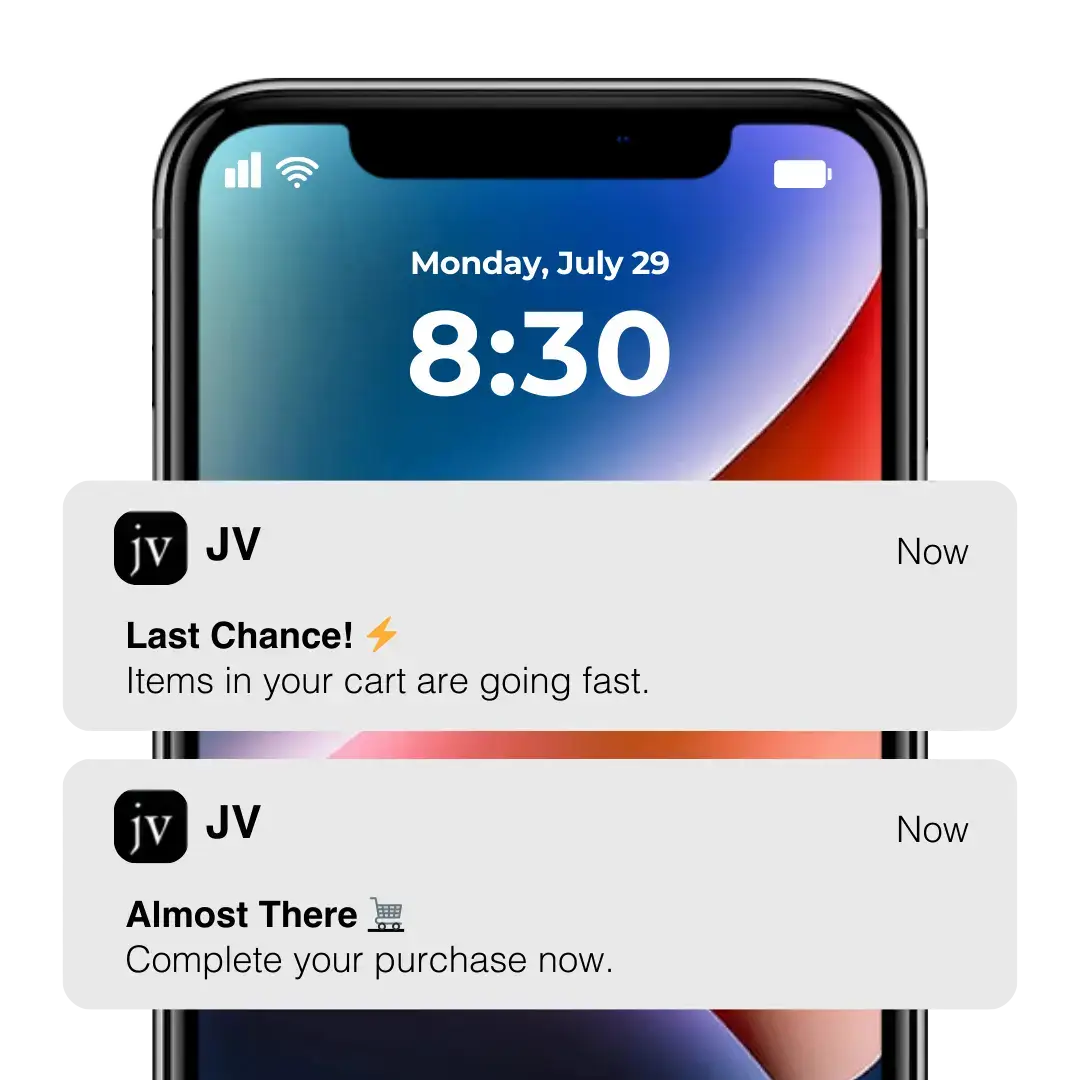
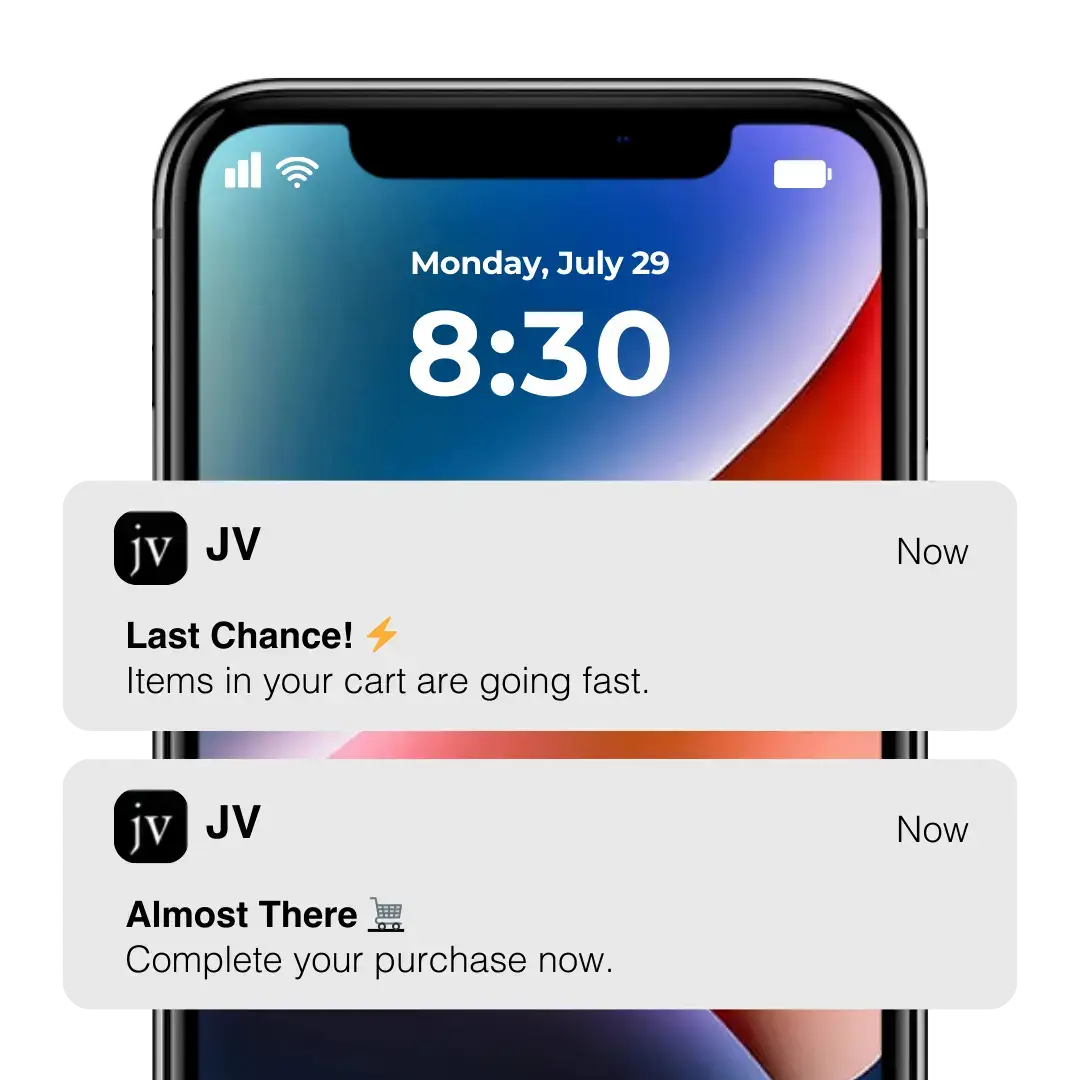
.avif)
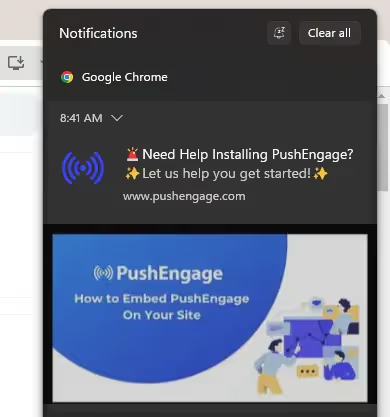
.avif)


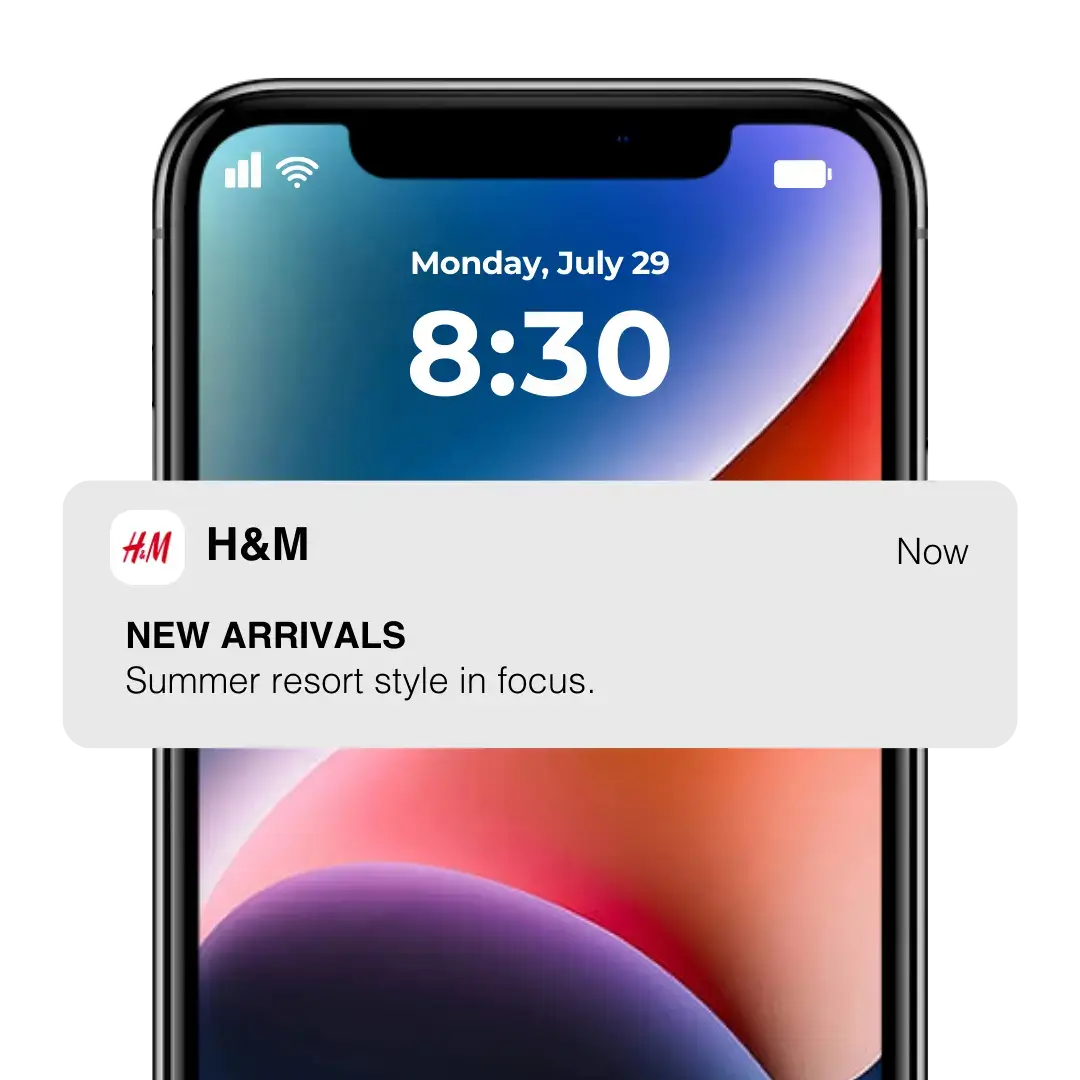





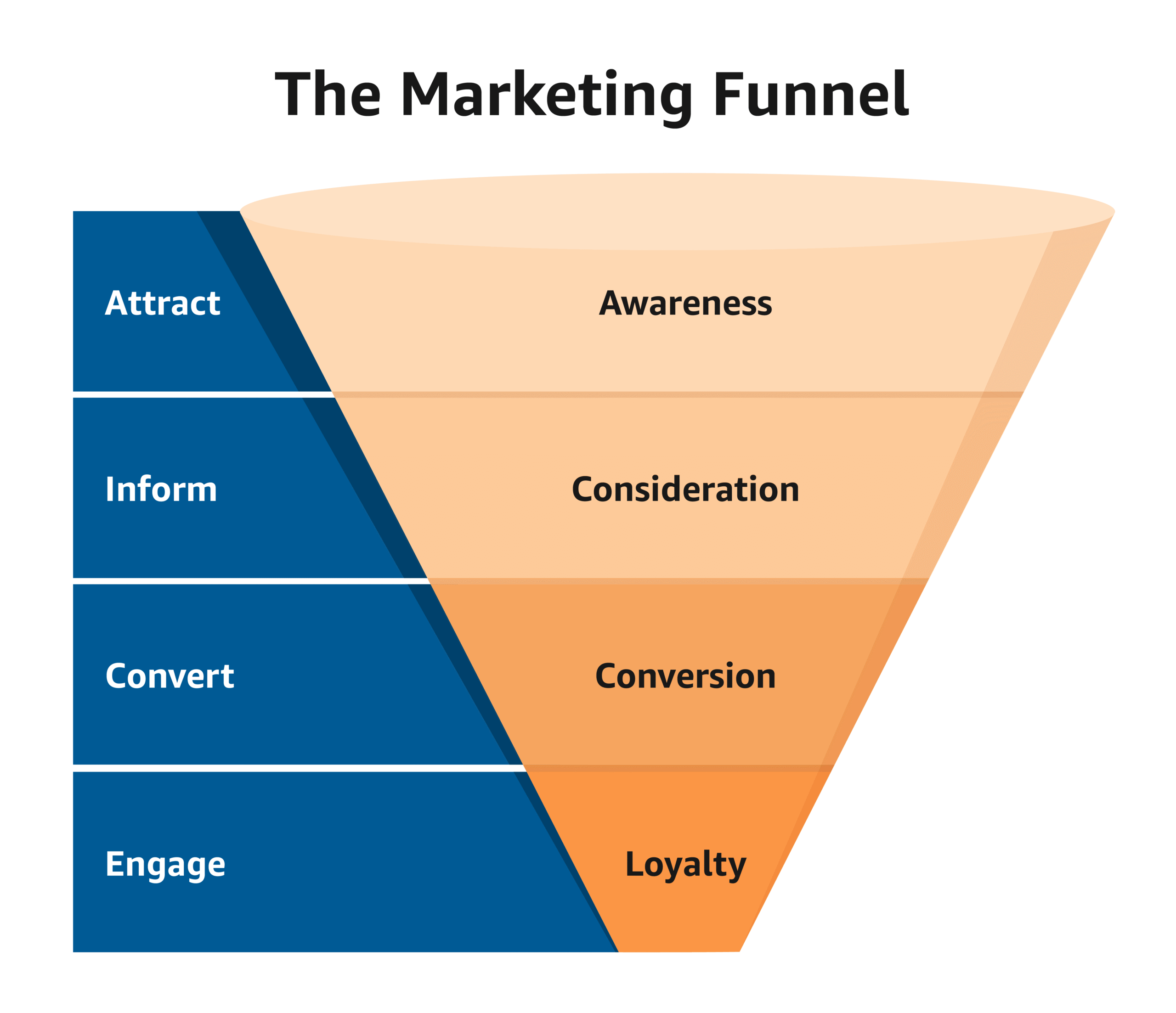


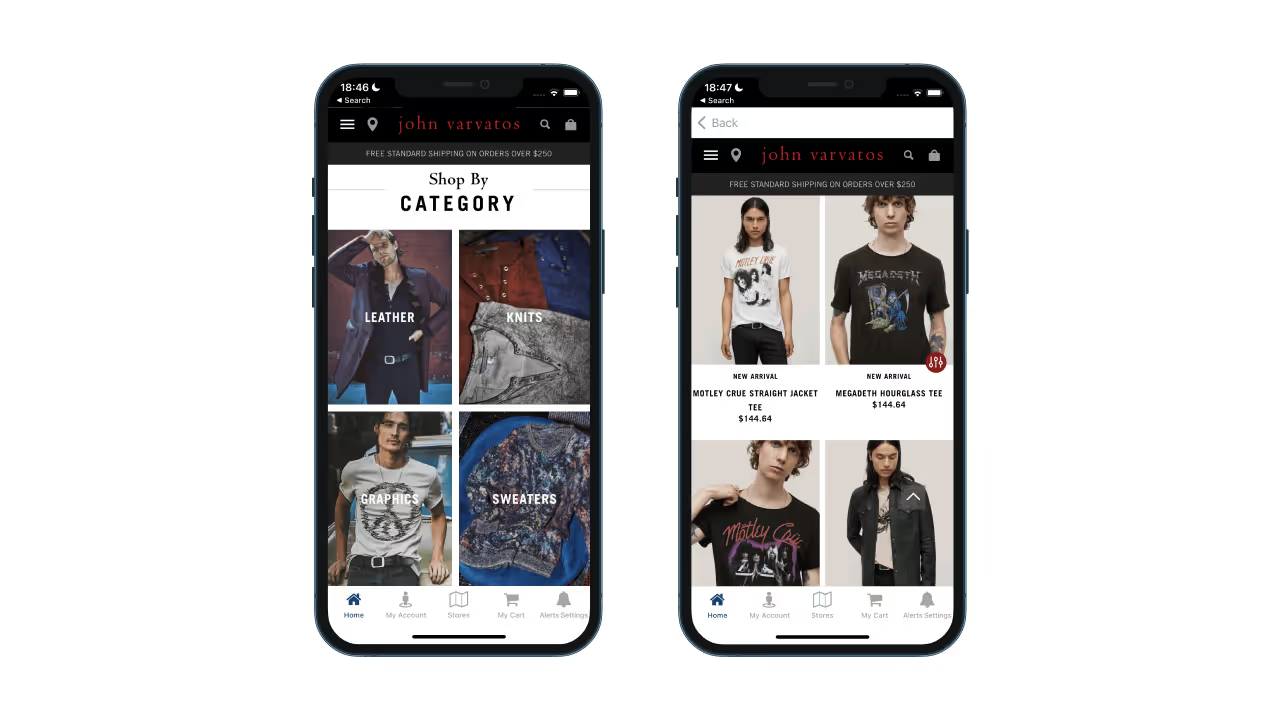

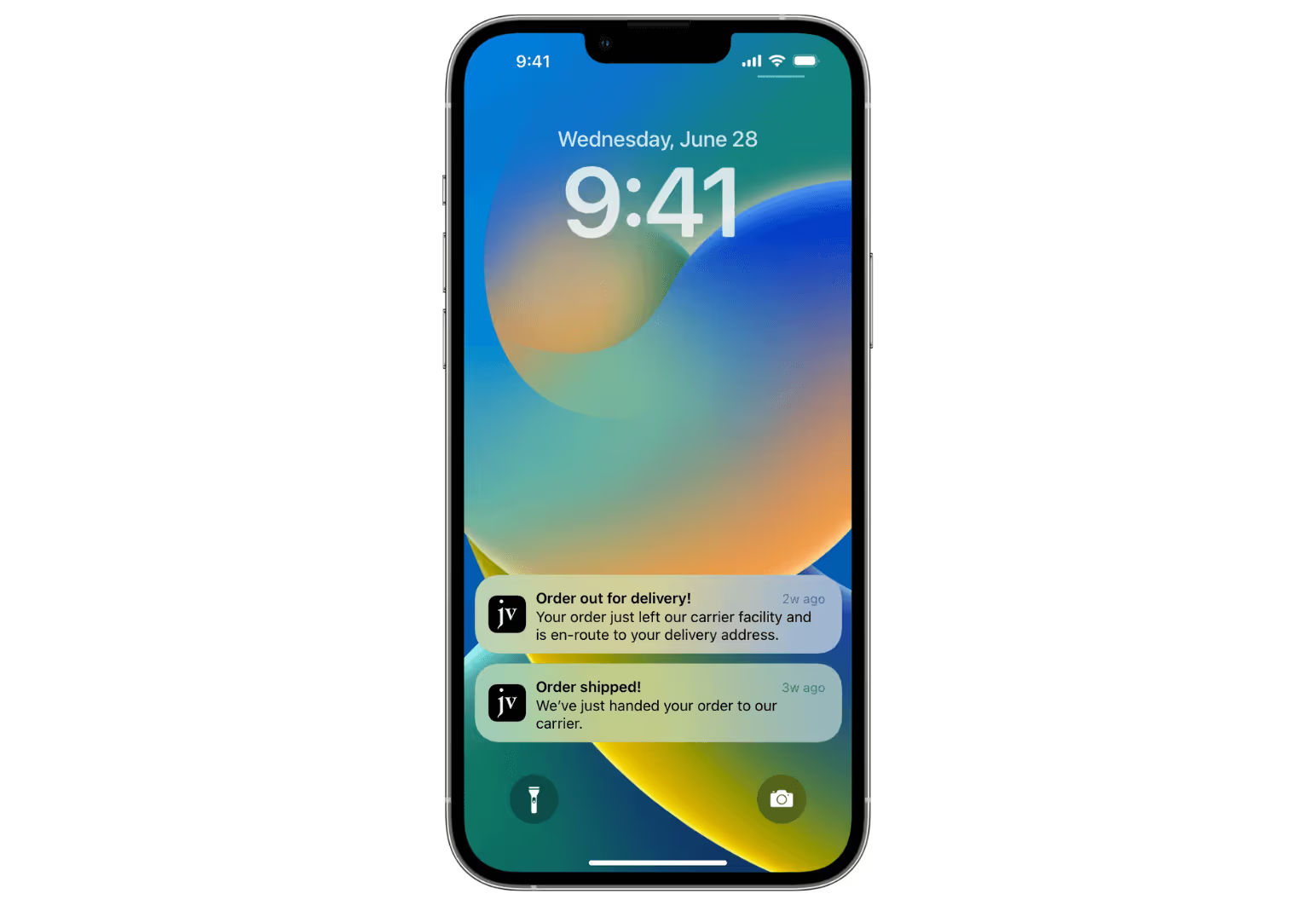
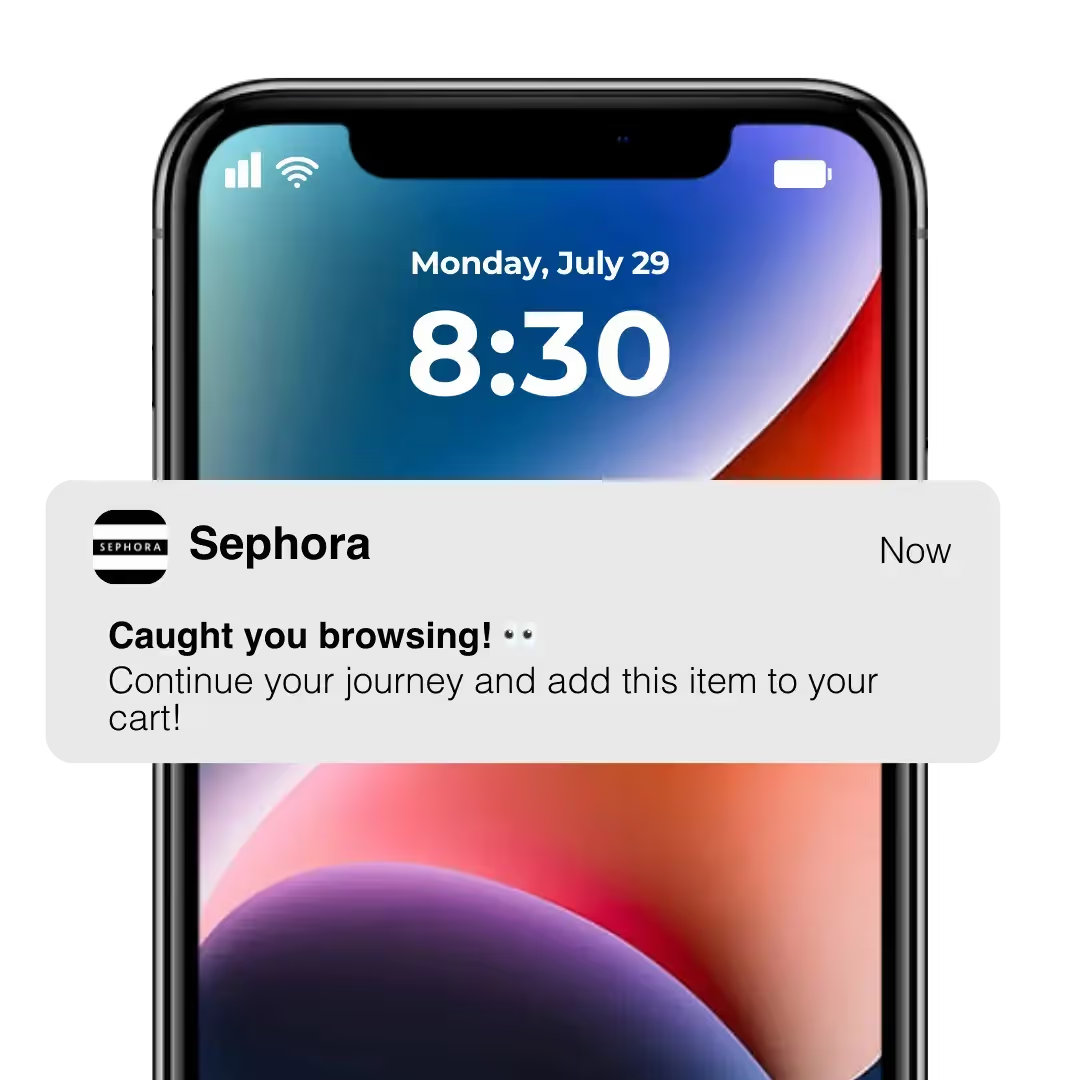
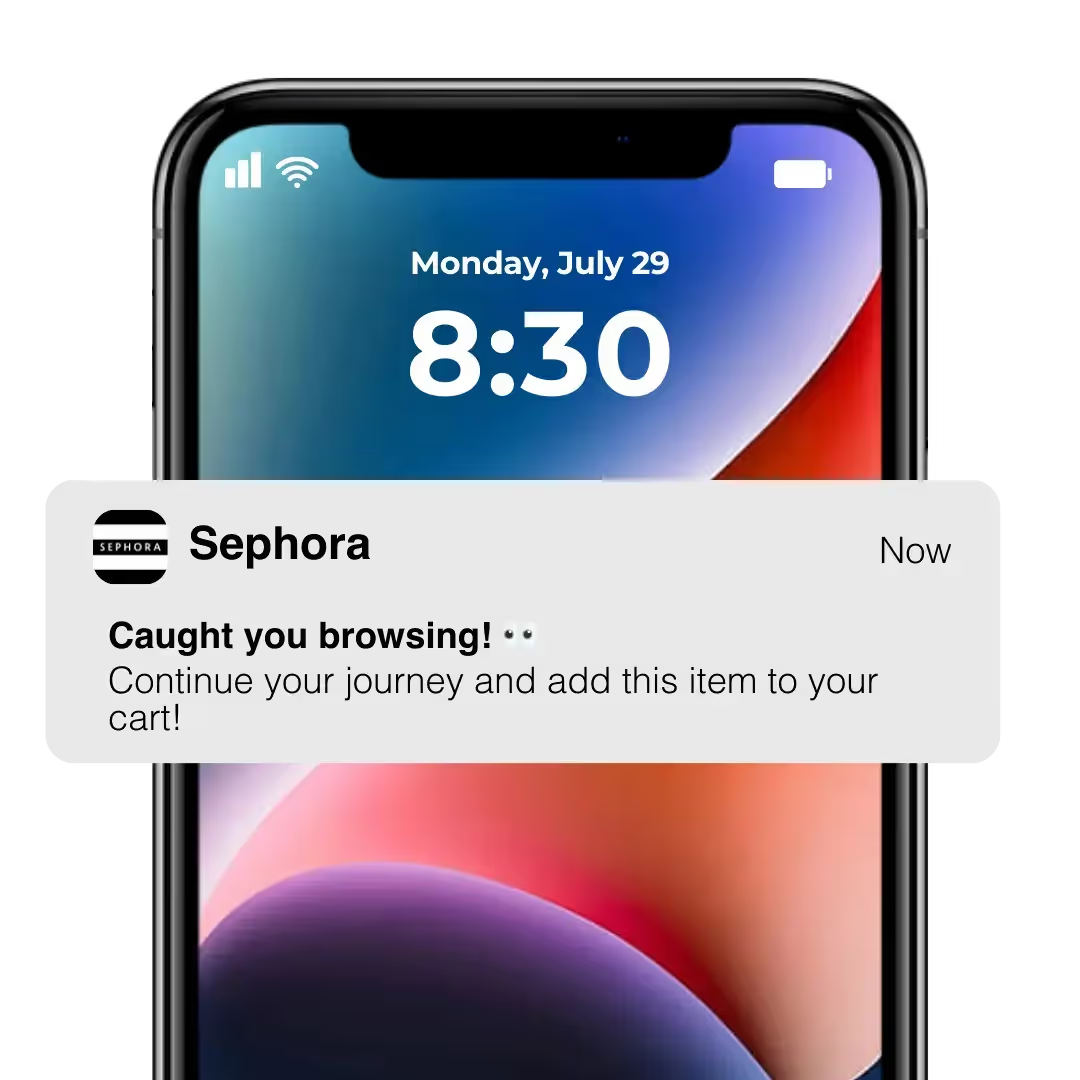

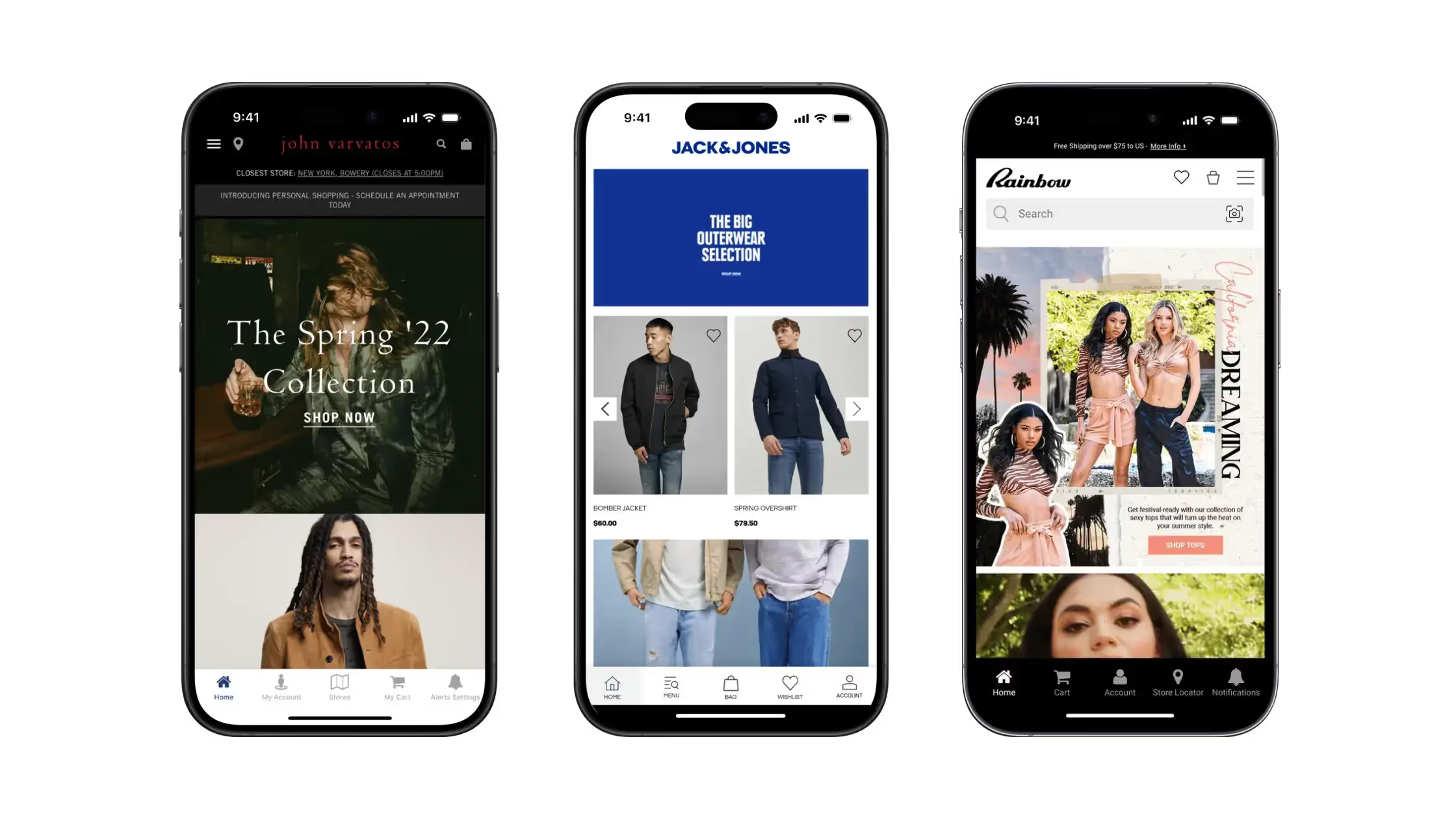
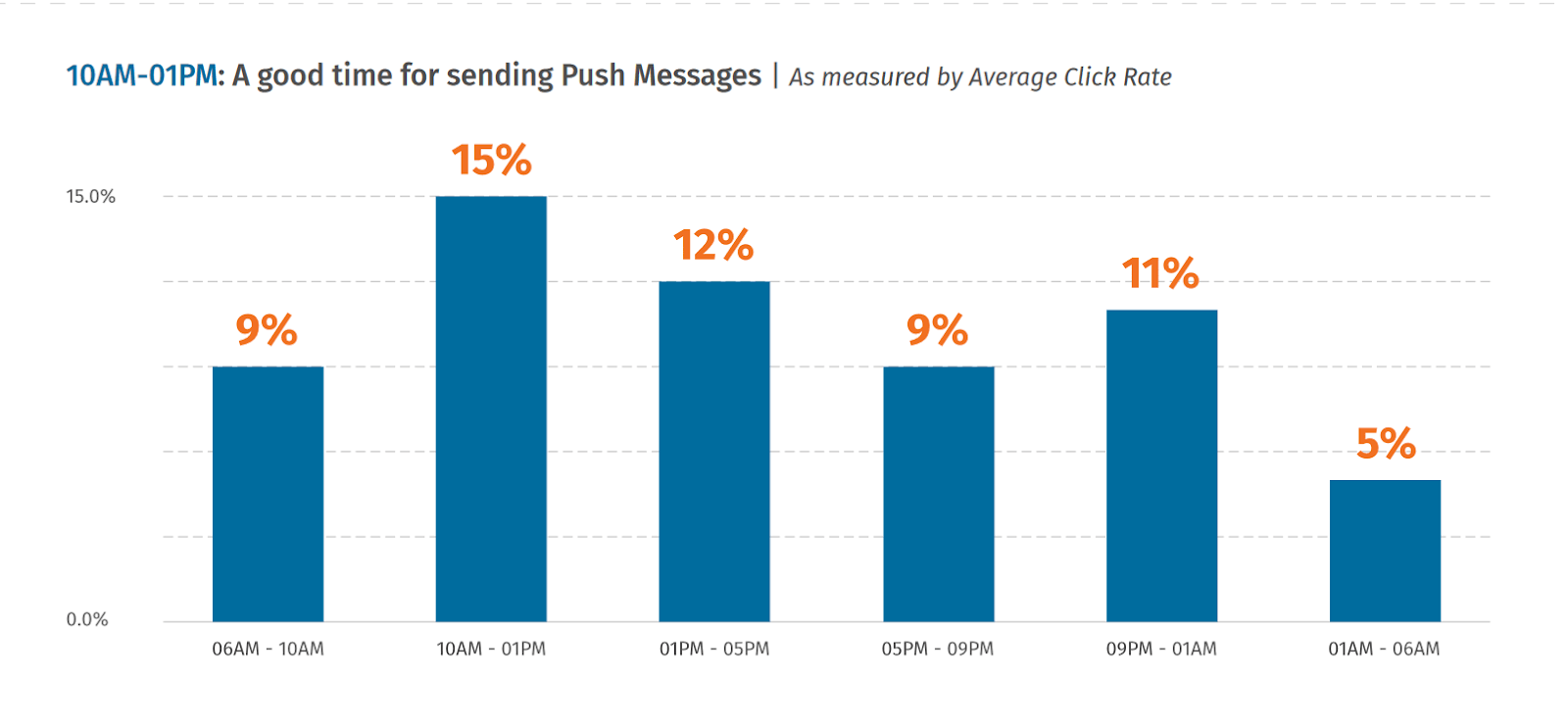


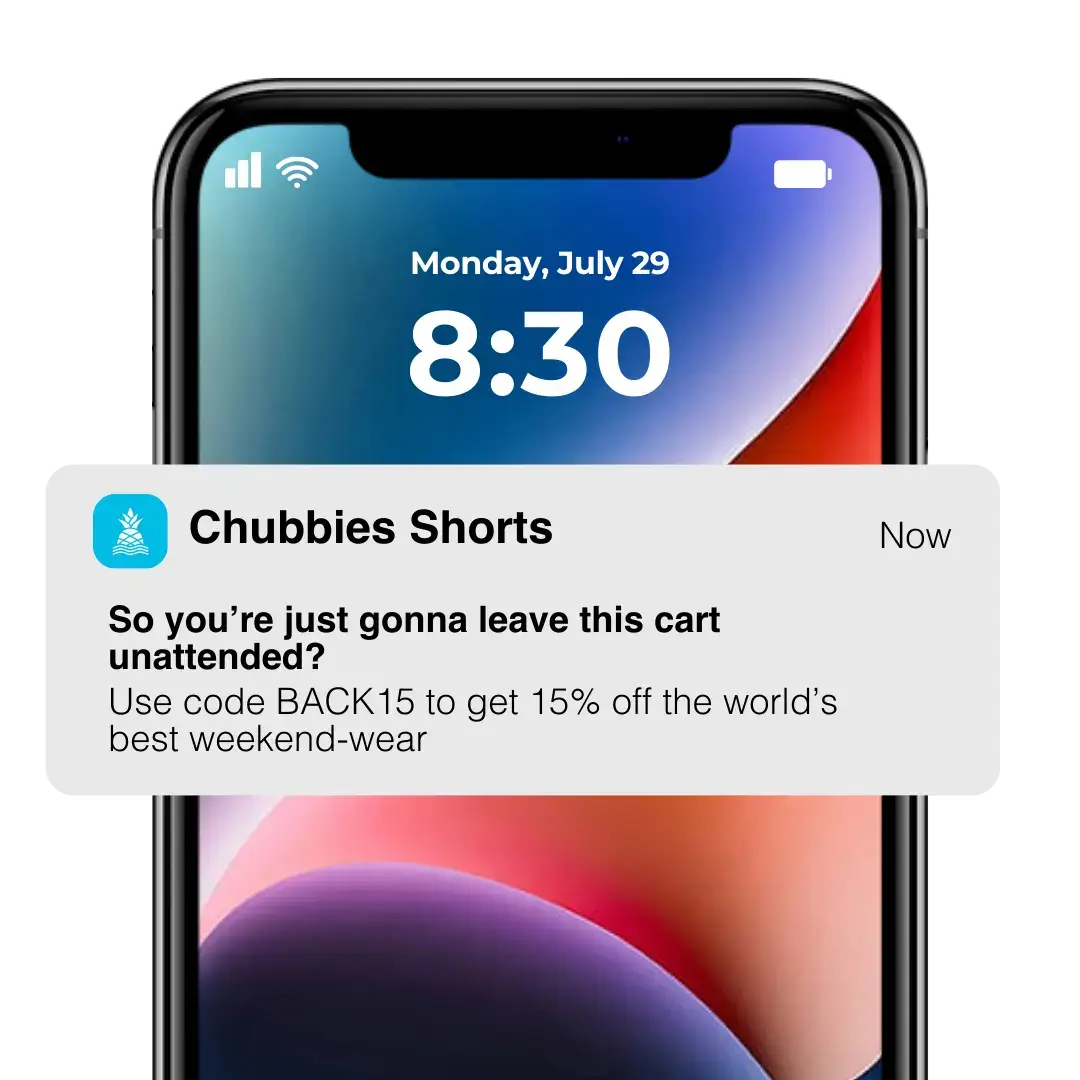


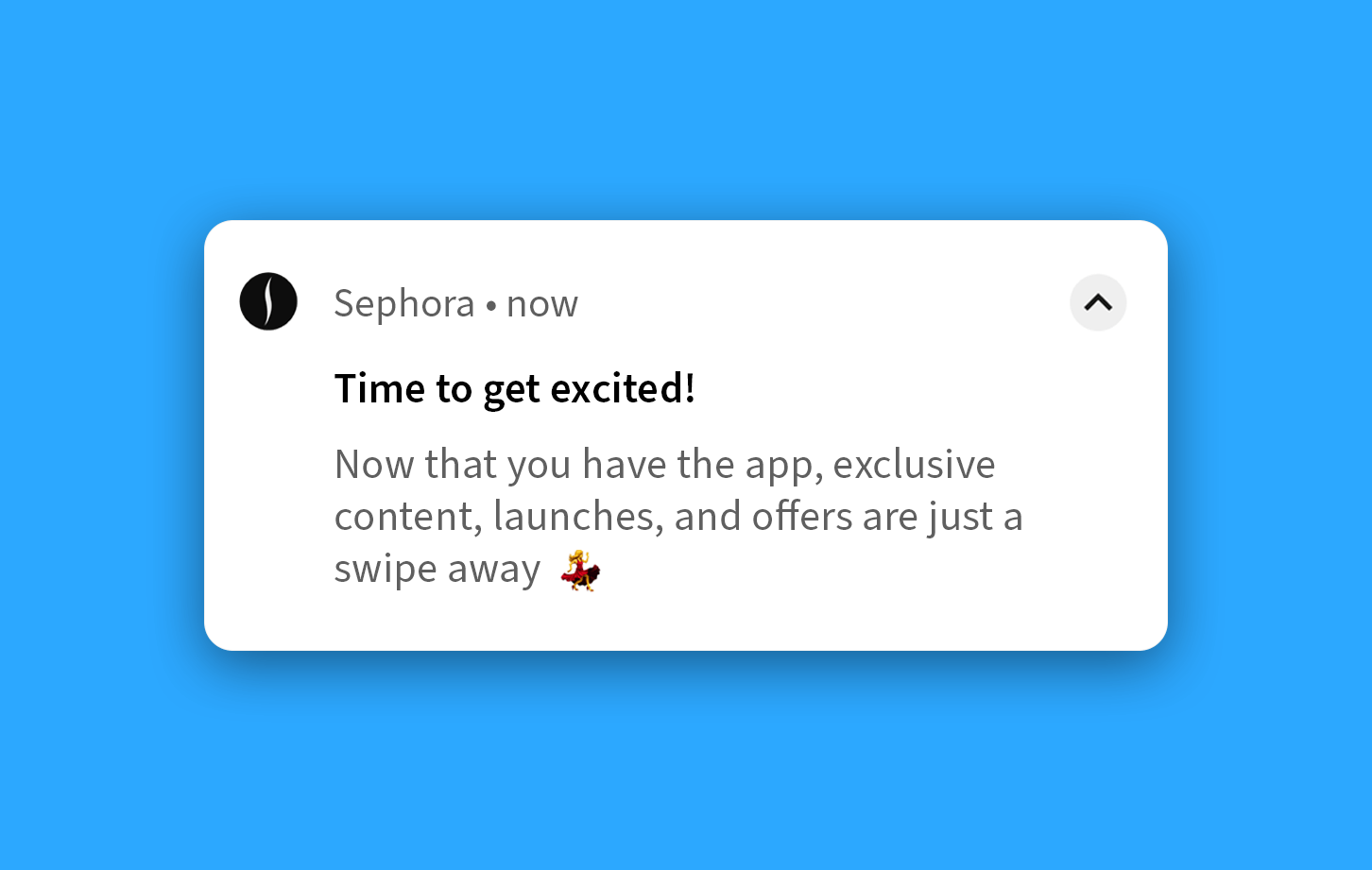


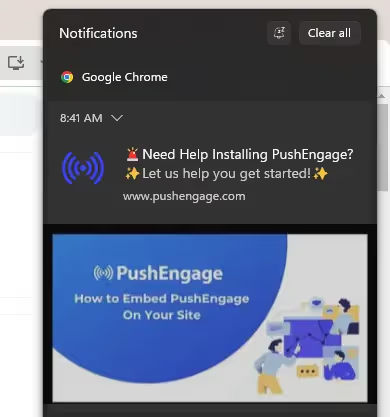
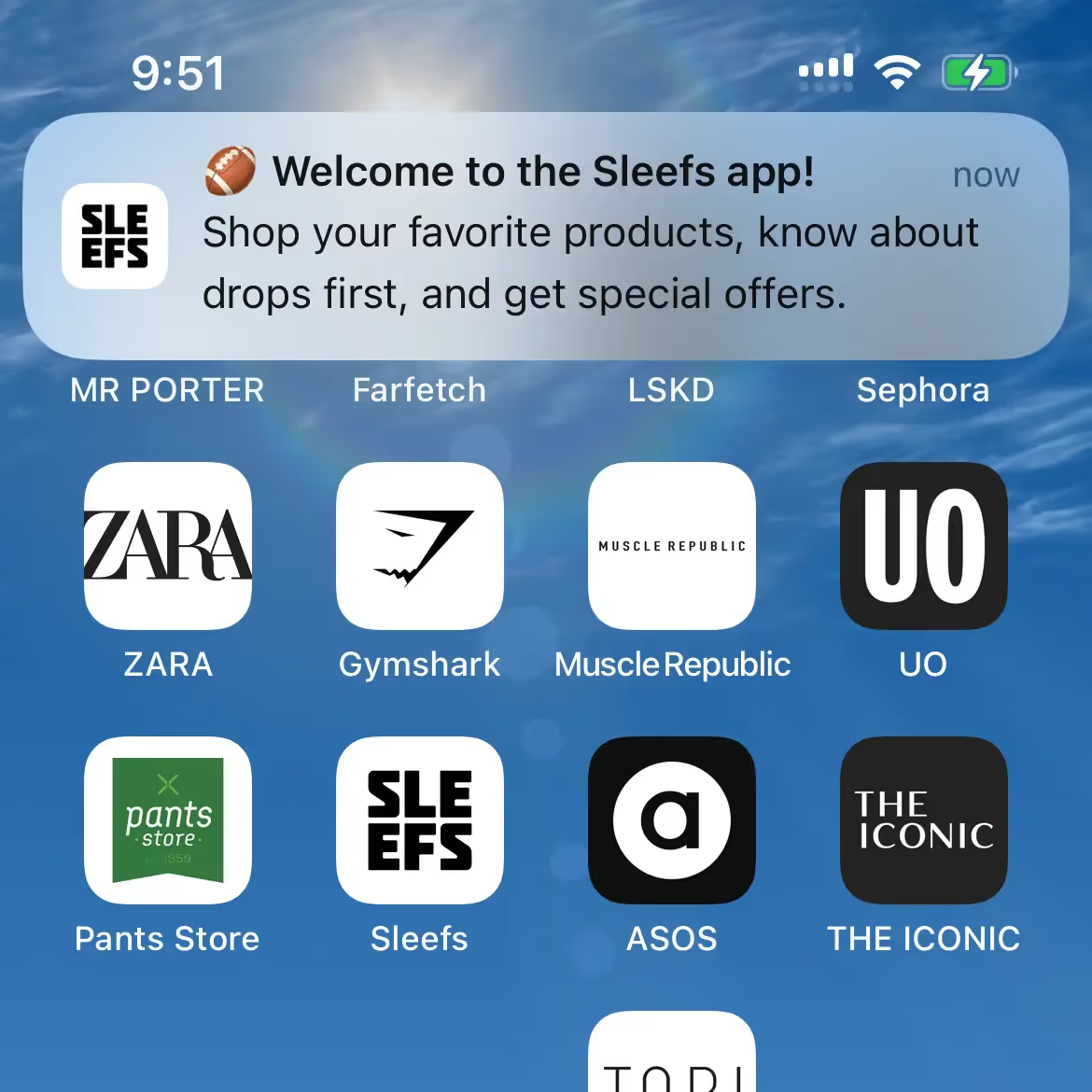
.avif)