Category: Blog

  • How to Launch and Run a Great Shopify Loyalty Program

    How to Launch and Run a Great Shopify Loyalty Program

    Loyalty programs are one of the highest-ROI levers any Shopify brand has. 

    The classic Bain study, which has been quoted in publications all over for more than ten years, is still accurate: a 5% increase in customer retention boosts profits by 25-95%. Every percentage point of repeat purchase rate is worth more to your business than a similar uptick in acquisition.

    The catch: most Shopify loyalty programs underperform, because they’re just bolted on, without much thought put into the program.

    Earn rate too low, redemption rate too low, tiers that don’t motivate, and customers earning points they never spend. The program becomes background noise, and the merchant pays a monthly fee for a feature their customers ignore.

    Instead of brushing it off as “we have a loyalty program, because we’re supposed to, but it doesn’t really do anything for us”, first take a look at what you could do to build a better loyalty program – one that does the heavy lifting to bring more repeat customers back to your store.

    Why Your Shopify Store Should Have a Loyalty Program

    Most businesses look at acquisition as the main driver of growth. But realistically, once you reach a certain level, it’s actually retention that’s driving the bulk of your growth.

    Here are three relevant stats to think about:

    Loyalty programs drive more repeat purchases and higher retention, which both deliver sales with higher profit margins.

    It’s structured for engagement. Birthday rewards, double-point days, tier-up celebrations, and points-expiration nudges are all reasons to email or push someone that aren’t pure promotion. 

    Your most valuable customers stay close to your brand without you having to discount your way into their inbox.

    There’s a defensive argument too. Once a customer has $40 of points sitting in your store, a competitor needs to win them back from a position where they’re effectively starting at -$40. That’s a switching cost you didn’t have before, paid for at zero direct cost (you only owe the reward when they actually redeem).

    Loyalty programs aren’t free. The cost is the redemption itself, plus the app subscription. But of every retention lever available to a Shopify merchant, loyalty is the lowest-effort, most measurable one.

    How a Shopify Loyalty Program Works

    Your typical Shopify loyalty program has five parts:

    1. Enrollment. A customer signs up, usually via a post-purchase prompt, an account creation flow, or an email invite.
    2. Earning. They accumulate points (or status, in tiered programs) by taking actions you’ve defined: purchases, reviews, referrals, signups, social follows, birthdays.
    3. Reward catalog. A menu of things they can spend points on: discounts, free shipping, exclusive products, early access.
    4. Redemption. They cash points in at checkout for a reward, usually as a discount code applied to the order.
    5. Tier or status (optional). As they spend more, they unlock higher levels with better perks.

    Within these parts, there are a few details that need to be configured. These details depend on how aggressive you want to be with your loyalty strategy.

    • Earn rate. How many points per dollar spent. The standard is $1 = 1 point. Some brands run $1 = 5 or $1 = 10 to make the numbers feel bigger.
    • Redemption rate. How many points convert to a dollar of value. The typical spread is 100 points = $5, which works out to about $0.05 of redemption per $1 spent. That’s a 5% effective loyalty cost.
    • Earning actions. What besides purchases earns points. The good ones expand engagement (reviews, referrals, birthdays). The lazy ones add noise.
    • Tier thresholds. What annual or lifetime spend unlocks each level, and what each level unlocks.

    We’ll walk through all of these below.

    Types of Loyalty Programs (and When to Use Each)

    Here are five common ways to structure your loyalty program. Yours may have multiple elements, but it generally falls under one main type.

    Points-based

    Customers earn points for actions and redeem them for rewards. The default and the most common.

    Use when: You have a typical DTC catalog and want a structure customers already recognize from other brands.

    Tiered / VIP

    Status-based, usually tied to annual or lifetime spend. Each tier unlocks better perks: higher earn rate, free shipping, early access, exclusive products.

    Use when: You have a long-tail of high-spending customers who’d respond to status, not just discounts. Common in beauty, apparel, and premium DTC.

    Paid membership

    Customers pay a fee for instant benefits, such as free shipping, member-only pricing, early access. Amazon Prime, Costco, and a growing list of DTC brands run this format (such as Country Life Natural Foods, with their “Country Life Plus” program).

    Use when: Your AOV and purchase frequency support a recurring fee. Strong fit for replenishment categories (supplements, coffee, pet food). Weak fit for low-AOV one-off purchases.

    Value-based

    Points or rewards tied to a brand value: a portion donated to charity, trees planted per purchase, community access. The reward is alignment, not dollars.

    Use when: You have a clear brand mission and a customer base that engages with it. Don’t fake it; customers see through values-washing fast.

    Hybrid (loyalty + referral)

    Loyalty program with a referral component built in. Customers earn points for referring friends, and the friends get a bonus for joining.

    Use when: You’re running both, and you want a single coherent system rather than two programs competing for the same on-site real estate. Most loyalty apps handle referral natively, so this is usually the default rather than a separate decision.

    How to Design a Loyalty Program That Drives Repeat Revenue

    Adding a loyalty program to your Shopify store is possibly the easiest thing you can do. Just go to the Shopify App Store, find a loyalty app (Joy, Smile, Rivyo, or many others), set it up, and away you go.

    Launching a loyalty program that actually delivers results? Now, this is a little more difficult.

    Most brands install an app, accept the defaults, and wonder why nobody redeems. Don’t be most brands.

    Pick the right program type

    Default to points + tiers for most Shopify stores. Points give you a universal mechanic; tiers give your top customers a reason to stay engaged after they’ve redeemed their first reward.

    If you’re in a replenishment category (supplements, coffee, pet food), evaluate paid membership against (or alongside) the points program. The math can be substantially better.

    Set the earn rate

    The earn rate is how many points you give per dollar spent. Three common formats:

    • $1 = 1 point. The straightforward standard.
    • $1 = 5 or 10 points. Inflates the numbers so they feel substantial. A $50 purchase earns 250 points instead of 50.
    • Tiered earn rates. Higher-tier members earn at a faster rate (1.25x, 1.5x).

    The actual earn rate doesn’t matter on its own. What matters is what those points are worth at redemption. Pick whichever ratio feels good for the brand and design backwards from the redemption side.

    Set the redemption rate

    This is the lever that decides what your loyalty program actually costs you. The standard structure is 100 points = $5, with $1 = 1 point — a 5% effective discount on repeat purchases.

    Three rules of thumb:

    • 5% effective rate is the typical baseline. Most ecommerce loyalty programs sit here.
    • 8-10% effective rate is generous and drives faster redemption. Useful for new programs trying to build engagement quickly.
    • 3% or below rarely works. Customers do the math, see the points are worthless, and disengage.

    Redemption increments matter too. Smaller increments (100 points = $5, 200 = $10) get redeemed faster and create more touchpoints. Large increments (5,000 = $50) feel prestigious but lower engagement. Most stores want the smaller end of the range to keep redemption velocity up.

    Choose your earning actions

    Beyond purchases, which actions earn points? Each one expands engagement:

    • Account creation. Bonus on signup. Drives initial enrollment.
    • Reviews. Points per review (with a photo bonus). Amplifies reviews and loyalty in one move.
    • Referrals. Points per qualified referred purchase. Loyalty + referral integrated natively.
    • Social follows. Points for following on Instagram, TikTok. Modest reward, free distribution.
    • Birthday. Bonus points on registered birthday. The cheapest engagement push you can run.
    • Newsletter signup. Email or SMS opt-in.
    • App download. Extra points for downloading your app (if you have one).

    The mistake is including too many. It’s not really a case of letting people earn too many points, but just overcomplicating your program. Six earning actions, each worth 50 points, scattered across the account page is too much noise. 

    Pick three or four that map to behaviors you actually want, and weight them so the bonuses feel meaningful.

    Set tier thresholds

    If you’re running tiers, you need to decide what spend unlocks each level and what each level offers. A workable starting structure:

    • Tier 1 (default): 1x earn rate, basic rewards.
    • Tier 2 ($250-500 annual spend): 1.25x earn, free shipping, early access to drops.
    • Tier 3 ($1,000+ annual spend): 1.5x earn, exclusive products, surprise gifts, dedicated CS.

    Two design rules:

    • Make Tier 1 generous enough that customers reach it without effort. The point is to get people enrolled. If the entry tier feels too exclusionary or hard to reach, customers won’t engage with anything else.
    • Make tier benefits qualitatively different at the top. Higher earn rates work for Tier 2. Tier 3 should offer something money can’t easily buy: early access, exclusive products, dedicated touch.

    Decide on an expiration policy

    Points usually expire after 12 months of customer inactivity (no purchase, no engagement). Shorter than that feels punitive; longer turns into a balance-sheet problem because every unredeemed point is a future liability.

    The smart play: expiration nudge emails 30 days, 14 days, and 7 days out. These are the highest-converting redemption-driven emails most loyalty programs send.

    Name your currency

    This is small but it matters. “Points” may sound too generic, especially for brands with a unique brand voice. Everything else is custom-tuned to your brand – until the customer reaches the most personal part of the brand-customer relationship.

    “Stars” (Starbucks), “Glow Points,” “Drops,” “Coins” are a few examples – anything that ties to the brand. 

    The currency is part of your loyalty experience. Spend ten minutes on it.

    How to Set Up a Loyalty Program on Shopify (Step-by-Step)

    Once you’ve made the design decisions, setup is generally pretty fast and straightforward.

    Here’s what the process looks like:

    1. Pick a loyalty app that works with your stack, and has a feature set compatible with how you want to set up your program.
    2. Install and connect to Shopify. Most apps install in a couple of minutes from the Shopify App Store and auto-detect your products, customers, and order history.
    3. Configure the program. Plug in the earn rate, redemption rate, earning actions, tier thresholds, and expiration policy you designed above.
    4. Build customer touchpoints. Account page integration, header bar with points balance, post-purchase modal, transactional email mentions, and a dedicated landing page, like  /rewards.
    5. Launch with an enrollment campaign. Email your existing customer base. Give them a one-time bonus for joining (“get 500 points free, on us”). Add prominent placements on the homepage, footer, and post-purchase screen for the first 30 days.
    6. Track and iterate. Watch enrollment rate, repeat-purchase rate of members vs. non-members, redemption rate, and time-to-first-redemption. Tune one variable every 90 days and measure the delta.

    Best Practices for Successful Shopify Loyalty Programs

    Here are some tips to take on board from successful loyalty programs, to increase the chance of yours having the same success.

    • Surface the points balance everywhere. Header bar, account page, post-purchase confirmation, transactional emails. If a customer has to log in and click around to find their balance, they won’t.
    • Trigger redemption-driven emails. “You have $25 to spend.” Customers respond to the dollar amount, not the point total. These are the highest-converting loyalty emails most programs send.
    • Offer status, not just discounts. Free shipping, early access, exclusive products, surprise gifts. Discounts can feel like a commodity, whereas exclusives drive a different kind of emotional lift.
    • Run double-point days and seasonal campaigns. A 2x weekend or a member-only Black Friday early-access window creates moments worth caring about.
    • Tie loyalty into your email and SMS flows. Klaviyo, Attentive, and Yotpo integrations let you segment members by tier and target them with relevant copy at the right moment.
    • Promote enrollment in transactional emails. Order confirmations and shipping notifications get high open rates. Stick a “join the program” link in there.

    On top of that, try to avoid the following mistakes:

    • Treating points as a pure discount. If your program is “earn points, redeem for $X off,” you’ve built a discount with extra steps. Layer status, exclusivity, and access on top, or members will leave the moment a competitor offers a flat 10% off.
    • Hiding tiers. Customers can’t aspire to a tier they can’t see. The current tier and next tier should be visible everywhere – account page, header, transactional emails.
    • No redemption push. Customers earn points and forget about them. Without balance-driven emails (“you have $25 to spend”) and expiration nudges, redemption rates collapse and your program quietly dies.
    • Launching without an enrollment campaign. “We launched a loyalty program” is not a launch. A real launch is a dedicated email to existing customers with a join bonus, prominent on-site placement for 30 days, and integration into every transactional touchpoint.
    • Making points worthless. A 1% effective discount that requires three months of buying. Customers do the math, decide it’s not worth caring about, and disengage. Run the program at a 5% minimum or don’t run it.

    Choosing the Right Loyalty App for Your Shopify Store

    There are many capable loyalty apps on the Shopify App Store.

    Realistically, one app is probably not going to make or break your program (unless you choose a poor-quality app, or one that’s not compatible with the type of program you want to run).

    A few popular apps, used by brands we work with, include:

    We’d advise you to go and try these apps out for yourself, look at the features they offer, read the reviews.

    You’ll find one that seems like a good fit with what you want to do.

    Amplifying Your Loyalty Program with a Native App

    Here’s one more powerful tip for getting more out of your loyalty program:

    Put it in a native app.

    Mobile apps and loyalty programs are the perfect combo. Your loyalty program is designed to incentivize customers to shop more and spend more, and your app is designed to make it easy to do the same thing.

    Brands that get the most out of their loyalty program also have a mobile app. The app amplifies the loyalty program, and offers extra rewards for app users, which does two things:

    • Makes your loyalty program more attractive
    • Offers a real incentive for people to use your app, which brings them closer to your brand, and makes them habitual, high-LTV shoppers

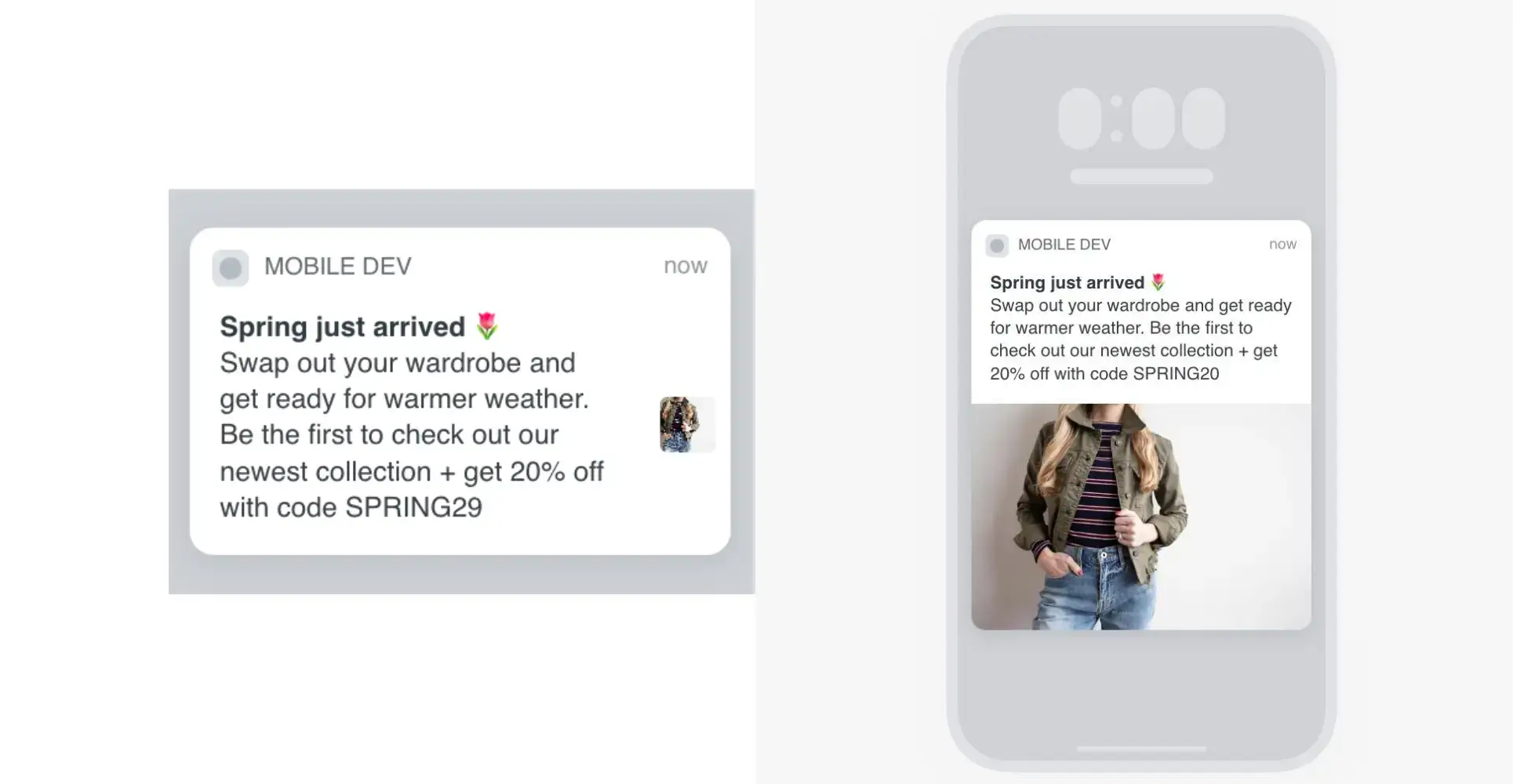
    You can use push notifications for loyalty updates and redemption offers, and make it super simple for customers to check their balance, redeem rewards, or spend a little bit more to hit their next tier.

    “We wanted an app to be in our customers’ pockets, on their phone directly, be able to send push notifications, and be on top of their mind, increase loyalty and retention, to in the end increase revenue.”
    — Raphael Faccarello, Head of Ecommerce, Yon-Ka Paris

    If you don’t have an app yet, check out Vendrux.

    Vendrux turns your existing Shopify store into native iOS and Android apps. It keeps all the features from your site working in the app, including your loyalty program. You don’t need to manage a separate program for the app, or worry about features from the web not carrying over.
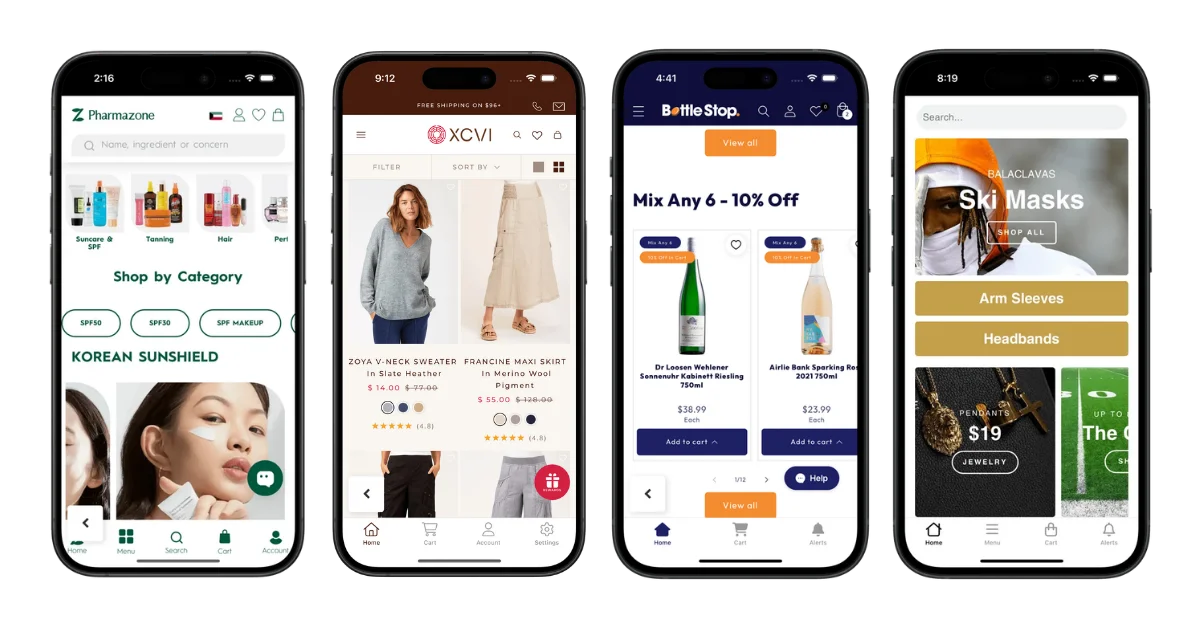
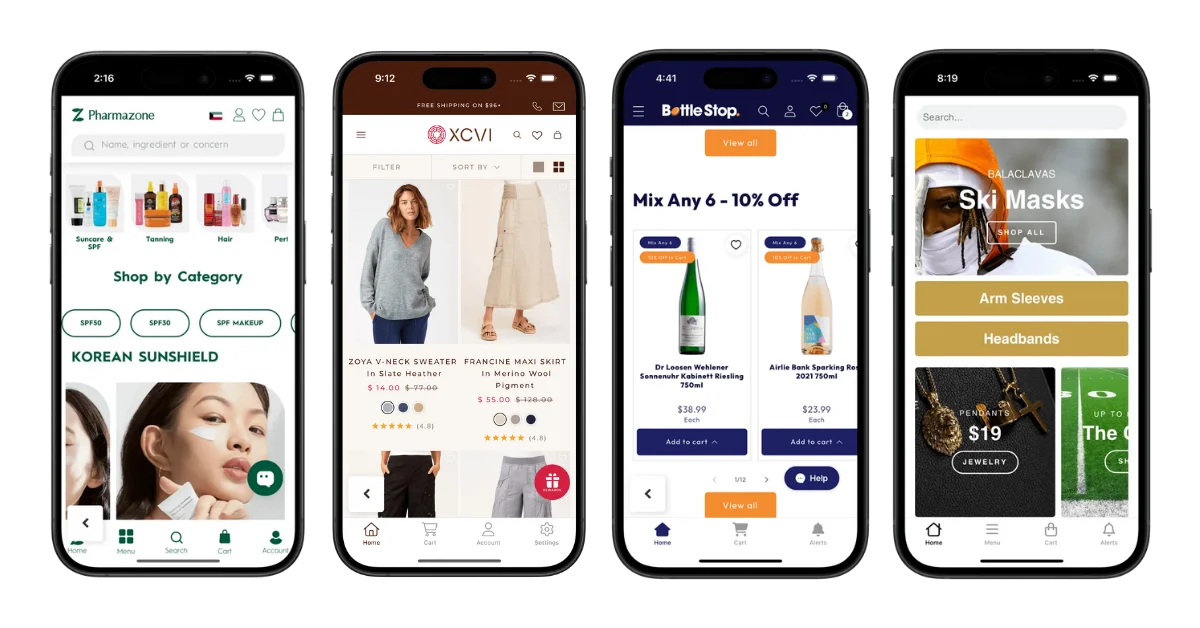
    Some of the apps built and run by Vendrux, for Shopify brands

    Yet you can easily customize your program to provide exclusive offers for app users, and sweeten the deal for your best customers.

    It’s the perfect pairing if you want to multiply your LTV – a well-designed loyalty program, running in a Vendrux-powered app.

    Designing the program is step one. Putting it where your best customers shop is step two.

    You’ve thought through the earn rate, the tiers, the redemption logic, and the apps you might run. The web side of your loyalty program is sorted.

    Vendrux extends your existing Shopify store, including the loyalty app you pick, into native iOS and Android apps. Your program lives on your customers’ home screens, with push notifications driving redemptions and tier-up engagement automatically.

    Get a Free App Preview

    Ready to Launch?

    A loyalty program is one of the highest-ROI levers a Shopify store has, once it has repeat customers. Design the program first: earn rate, redemption rate, tier thresholds, earning actions, expiration policy. Pick the app that matches your size and stack. Launch with a real enrollment campaign, not a single email.

    And if you want your program to run where your highest-LTV customers actually spend their time, put it inside a mobile app. Vendrux turns your existing Shopify store into native iOS and Android apps, with your loyalty program, push notifications, and tier-up alerts built in.

    Get a free consultation to see what your mobile app could look like, and how it could amplify the loyalty program you’re about to launch. No commitment required. If the math doesn’t work for your brand, we’ll tell you.
  • How to Set Up a Chatbot For Your Shopify Store

    How to Set Up a Chatbot For Your Shopify Store

    Chatbots aren’t new – online brands have been putting conversational chatbots on their site for years now. But with AI, the ability of these tools is going up, and they’re becoming an indispensable tool for ecommerce brands.

    You can become over-reliant on chatbots, though, or implement them in a way that either contributes no value, or worse, actively takes away from your customer experience.

    This guide will walk you through doing it the right way, and building chatbots that drive revenue and decrease the workload for your team, without over-automating and driving customers away.

    Want the latest insights into how 7, 8 and 9-figure brands are driving sustainable growth? That’s what you get with our weekly newsletter, The Retention Edge. Subscribe for free today.

    What a Shopify Chatbot Is (and What It Isn’t)

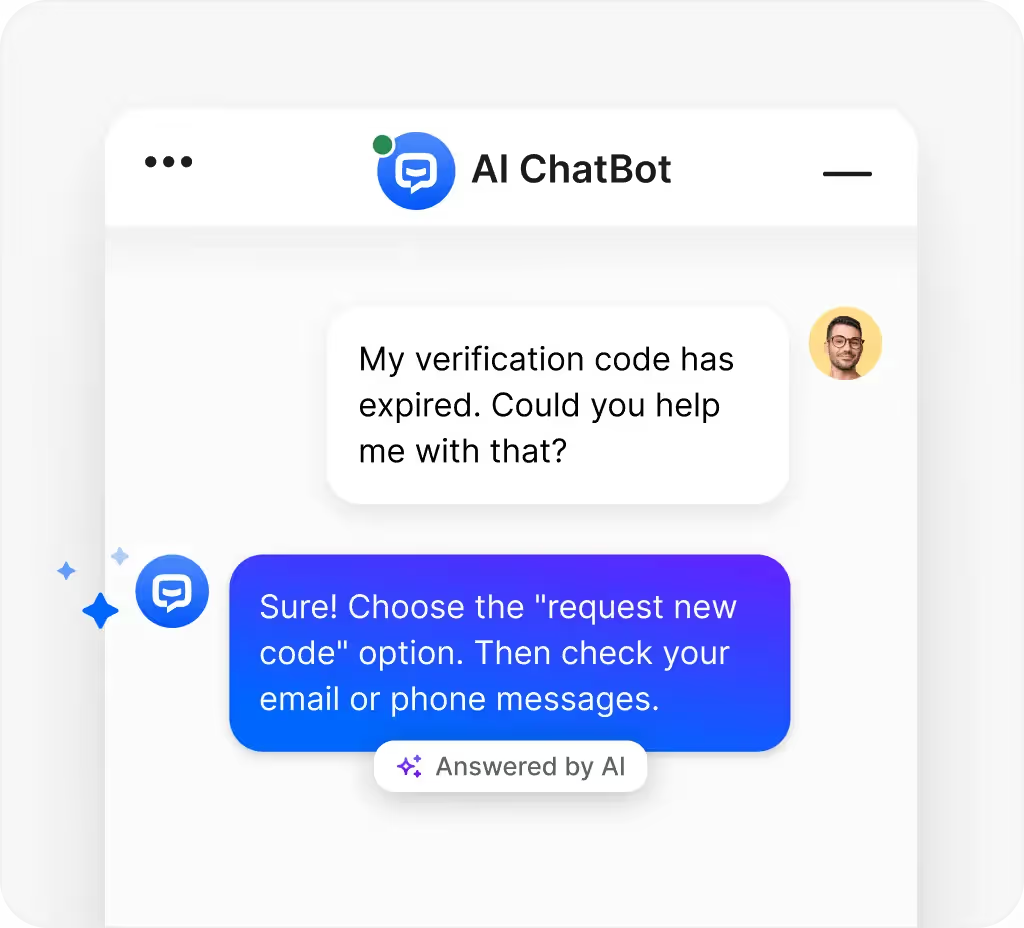
    A chatbot is an automated conversation surface on your store. A customer types a question, the bot answers, and the conversation either resolves there or escalates to a human.

    There are four jobs a Shopify chatbot is good at:

    • Pre-sale product Q&A. Sizing, fit, compatibility, “is this in stock,” “does it work with X.” The questions that block a purchase but don’t need a human.
    • Cart recovery. When a customer hesitates at the cart or checkout, a well-timed chat prompt can answer their last question and get the order through.
    • Post-purchase support. Order status, shipping ETAs, returns initiation, “where is my package.” The single biggest source of repetitive support tickets in ecommerce.
    • Tier-1 customer support deflection. FAQ-style questions that have a documented answer somewhere on your site. The bot serves the answer instantly; the customer doesn’t email and wait.

    It’s worth distinguishing a chatbot from live chat, because the two tend to get used interchangeably:

    • Live chat is a human typing answers in real time.
    • A chatbot is automation answering on its own.

    Modern Shopify apps usually offer both in the same widget, with the bot handling tier-1 and a human picking up when the bot escalates.

    Both are powerful tools for your store. While chatbots are more about automating support tickets or questions, live chat, including WhatsApp/chat apps, are great for higher-touch conversations.

    (WhatsApp marketing is especially effective for stores with international customers, where email open rates tend to be lower and WhatsApp is the default communication channel.)

    Why Your Shopify Store Should Use a Chatbot

    In short: a chatbot can be a great way to deal with repetitive support questions, and provide instant information to customers, without having to pay staff to sit at a computer 24/7.

    It can also be a sneakily powerful revenue driver and a great tool for collecting first-party customer data.

    Let’s dive deeper. Here are the top five reasons to use a chatbot on your Shopify store.

    Tier-1 support deflection

    Gorgias, Tidio, and Re:amaze all report their automation customers regularly deflect 30-50% of routine support tickets through bot resolution. 

    The exact number depends on how broadly you train the bot and how cleanly your existing FAQ and order data feed it, but a third of your tickets going away is the floor for most stores that bother to set the bot up properly.

    It’s not about reducing headcount in your support team, necessarily. It’s about making your existing team more focused, and freeing them up to put more effort towards the conversations that actually need them.

    24/7 availability without staffing

    Most ecommerce shopping happens outside business hours. The customer asking “does this run small?” at 11pm isn’t going to wait until 9am the next morning to find out. They’ll bounce, or buy a competitor’s version that answers the question on the spot.

    A chatbot covers those hours at basically zero marginal cost. The bot doesn’t sleep, doesn’t take holidays, doesn’t call in sick or show up hungover, and doesn’t add to payroll.

    Faster responses

    Research finds that that buyer-vendor response times under five minutes correlate with substantially higher conversions than hour-plus responses. 

    For ecommerce specifically, the window is tighter still: most product-page questions that delay a purchase get abandoned within minutes if no answer arrives.

    A chatbot collapses that window to seconds. Even imperfect answers beat no answer arriving.

    Cart recovery intervention

    Average ecommerce cart abandonment sits around 70%. A meaningful chunk of that is friction the customer can’t resolve in the moment – a sizing doubt, a shipping question, a coupon issue.

    A well-scoped chat prompt at the cart or checkout (offering to answer questions, surfacing recent reviews, applying a recovery code) reframes the abandonment moment. Cart recovery on top of email recovery flows is one of the highest-ROI surfaces a chatbot can run.

    First-party data and intent capture

    Every conversation is owned, structured first-party data. Customer questions tell you what’s confusing on your product pages, which sizes are missing from your size guide, which products customers can’t find, which policies aren’t clear.

    That’s a continuous feedback loop most Shopify stores don’t have. The bot pays for itself on the support deflection alone, and the data is a bonus that compounds over time.

    Where Your Chatbot Does Its Work

    There are various steps of the customer journey where a chatbot delivers value. At each step, customers are asking different questions, they’re at different parts of your site, and there are different objectives for your chatbot.

    Pre-purchase

    The customer is researching. Common questions include: “what size am I,” “does this work with X,” “is this in stock,” “how long until it ships.” These questions block the purchase if unanswered, and they’re the highest-leverage place to deploy a bot because the answer often unlocks the order directly.

    Cart and checkout

    The customer is committing. The bot’s job here is friction reduction, not selling. Your chatbot is surfacing recent reviews, answering a sizing concern, offering a shipping calculator, validating a discount code that’s not working.

    The risk is interruption. You want to provide value, but it’s crucial that you don’t get in the way of customers who are otherwise ready to buy.

    A pop-up that hides the checkout button kills conversions faster than the bot can recover them. Slide-in or low-friction surfaces work; full-screen modals don’t.

    Post-purchase

    Where the highest-volume support questions live. Order status, shipping updates, returns initiation, “I bought the wrong size.” Most of these have documented answers in your store data. A chatbot connected to your order system can resolve them without a ticket ever opening.

    This is also where your support team is most likely to be drowning, which makes it the highest-ROI place to deploy a bot.

    Customer support and FAQ

    The catch-all. The bot fields tier-1 questions across the site, escalates to a human when it hits something it can’t handle, and routes the conversation to the right helpdesk inbox.

    What’s important to remember, though, is that the bot should never get in the way of reaching a human. Automating basic tickets is fine, but it should be simple to elevate this to a real support staff.

    AI vs Rule-Based Chatbots

    This is the biggest evolution in chatbots right now. For years, chatbots have just been simple rule-based programs. Yet now, with the evolution of AI, chatbots are becoming increasingly intelligent, and are often able to veer off script, potentially covering a greater range of queries.

    Here are the different kinds of chatbots, and how they work, from a practical point of view.

    Rule-based chatbots

    The customer follows a scripted conversation tree. “Are you asking about an order, a return, or a product?” with branching responses based on what they pick.

    • Strengths: predictable, fast, cheap, never says anything off-brand. Excellent for high-volume, well-defined jobs (order status, return initiation, FAQ).
    • Weaknesses: rigid. Anything off-script returns “I don’t understand” or hands off to a human, which can frustrate customers who expected a smarter bot.

    AI / LLM-based chatbots

    The bot understands natural language and answers based on training data (your product catalog, FAQs, policies, support history). The customer types whatever they want; the bot interprets and responds.

    • Strengths: better customer UX, handles open-ended questions, can answer product questions across your entire catalog.
    • Weaknesses: harder to control, can hallucinate if trained on bad data, more expensive, slower to deploy. Needs guardrails (you don’t want it inventing return policies).

    Hybrid (most modern apps)

    Rule-based flows for the predictable jobs; AI layered on top for the open-ended Q&A. This is what apps like Tidio, Gorgias Automate, Ada, Zowie, and Re:amaze ship with by default.

    For most Shopify stores, the best approach is a hybrid chatbot. Start with rule-based flows for the highest-volume jobs (order status, returns, sizing), then layer AI on top once those are running cleanly. Don’t lead with AI; it’s harder to debug when it goes wrong.

    What Separates a Good Chatbot from a Bad One

    A well constructed chatbot is a meaningful value-add for your business. A bad one can be seriously damaging for your customer relationships.

    Do a quick check before you put your chatbot live, and make sure it falls into the first camp.

    Here are some of the hallmarks of good and bad Shopify chatbots:

    Good chatbots:

    • Scoped to specific jobs the bot is actually good at
    • Sub-2-second responses
    • One-click handoff to a human, no friction
    • Brand-consistent voice
    • Knows when to stop (doesn’t try to answer questions outside its scope)
    • Trained on your real data (catalog, policies, ticket history)

    Bad chatbots:

    • Aggressive pop-ups that interrupt browsing
    • “I didn’t quite get that” loops with no obvious exit
    • Burying the human-handoff button three menus deep
    • Generic AI voice that doesn’t match the brand
    • Trained on someone else’s FAQ data because nobody set it up properly
    • Trying to sell when the customer asked a support question

    Just make sure your chatbot isn’t annoying to use, doesn’t sound like an automated telemarketer, and isn’t intrusive for people who don’t need it.

    How to Set Up a Chatbot on Your Shopify Store

    One of the best things about being on Shopify is that the “how to” for adding just about any feature to your site is the easiest part.

    The ecosystem of tools you have to work with is extremely deep, and setup is generally easy for anyone to do.

    First, decide what you want the chatbot to do – why you’re adding it, what features you need, how it fits into your customer journey.

    Second, choose an app. Here are some popular examples:

    • YourGPT is a leading AI-first platform that provides a complete system for automating customer support, sales, and internal operations. 
    • Tidio provides a comprehensive customer experience platform with live chat for proactive selling, an AI chatbot (Lyro) for automatic question resolution, and customer interaction tools like cart preview, order history, and product recommendations in chat. 
    • Gorgias is one of the most widely used tools in the Shopify world, and gives you a clean chatbot/helpdesk integration.
    • Re:amaze is another helpdesk tool with AI chat (as well as live chat) built in.

    Check out a few tools, see which one(s) fit with what you want to do, and what your existing stack looks like.

    After setting up your chatbot, make sure you continually monitor it. Track deflection rate (% of conversations resolved without a human), CSAT score after bot conversations, cart recovery conversion rate, and time-to-first-response. 

    Keep tuning it, especially during the first 90 days after installing it. You’ll likely need to prune and adjust it over time, to ensure customers keep getting helpful results.

    One Step Further: Why Chatbots Work Even Better in a Native Mobile App

    A chatbot on the web lives in a floating widget that disappears the moment the customer closes the tab. Half its work gets stranded on a surface customers don’t keep open.

    In a native mobile app, the same chatbot does more.

    If you’ve built a great chatbot, that just increases the benefit of extending your customer experience to a native app. Here’s why:

    Push notifications turn the bot into a proactive channel

    A customer who started a chat earlier and bounced can be re-engaged with a push: “your sizing question, here’s what we’d recommend.” Email opens are inconsistent; push reach is near-universal. The bot becomes a two-way channel rather than a passive widget.

    In-app conversations persist

    A chat that started on Tuesday is still there on Thursday with full context. The customer doesn’t have to repeat themselves. The bot has more history to work with. Your helpdesk doesn’t lose continuity when a tab closes.

    Native chat UX beats a floating browser widget

    Native message threads feel like the messaging apps customers already use – WhatsApp, iMessage, Messenger. Tap to open, swipe to dismiss, notifications inline. A floating widget on a mobile browser is small, easy to miss, and competes with the URL bar for attention.

    Your highest-LTV customers live in the app

    App users buy more often, spend more per visit, and retain longer. Your most engaged audience is sitting inside the app, not on mobile web – and they’re the ones the chatbot can do the most for.

    Looking for the best way to extend your web experience into a native app?

    Vendrux turns your existing Shopify store into native iOS and Android apps with full feature parity with your site. The chatbot you’ve installed on your site works in the app the same way it works on the web, with push notifications and a home-screen icon layered on top.

    Want to see what’s possible? Get a free preview of your mobile app now.

    Ready to Add a Chatbot?

    A chatbot isn’t going to replace your support team, your product pages, or your customer relationships. It’s not supposed to. The job is to handle the 30-50% of customer interactions that are repetitive and predictable, fast, so the rest of your business can focus on what isn’t.

    Pick the jobs first. Pick the type (rule-based, AI, or hybrid) that matches the jobs. Pick an app that does both well. Test it before you ship it.

    And if you want the chatbot working where your most engaged customers actually shop, put it inside a native mobile app. Get a free consultation to see what your Shopify store could look like as a native app, and how a chatbot fits inside it. No commitment – if it doesn’t make sense for your brand, we’ll tell you.
  • Pros and cons of using the Shopify API for mobile apps

    Pros and cons of using the Shopify API for mobile apps

    If you’re exploring a mobile app for your Shopify store, you’ll find there are two ways brands typically do this: custom app development, or no-code Shopify app builders.

    Both approaches use the Shopify Storefront API to pull data from your store and display it inside the app. Product titles, images, prices, collections, cart functionality, and checkout all flows through the API. 

    The app is essentially a separate frontend that queries Shopify’s backend for data, then renders it in its own interface.

    While the API-driven approach might seem like it makes the most sense for your app, it actually comes with some notable downsides. We’ll explore this and more below.

    What is the Shopify Storefront API & How Does It Work?

    API stands for Application Programming Interface. It’s essentially a piece of code that lets software applications communicate with each other and share data, and is commonly used for websites or apps to get data from an external tool or server.

    Shopify provides a number of APIs that allow third-party developers to create software applications for Shopify stores, or for Shopify businesses to extend the capabilities of their own store.

    Most relevant if you’re building a mobile app for a Shopify store is the Storefront API – a GraphQL API designed for customer-facing experiences. It handles:

    • Product data – titles, descriptions, images, variants, pricing
    • Collections – product groupings and basic sort orders
    • Cart and checkout – creating carts, adding items, initiating checkout
    • Customer accounts – login, order history, saved addresses
    • Search – basic product search queries

    In basic terms, it’s what allows your mobile app to run share data with your web storefront.

    To use it, you generate access credentials through a custom app in Shopify Admin, configure API scopes (what data the app can access), and retrieve a Storefront API access token. The API works with iOS, Android, React Native, Flutter, and any language that can make HTTP requests.

    Shopify’s documentation has instructions on how to generate API credentials. Here’s a quick rundown:

    • Start by creating a custom app in the Settings section of your Shopify Admin panel.
    • Now configure your API access scopes (what the API can do – such as read and modify checkouts, read content, read and modify customer details).
    • Install the app.
    • Go to “API credentials”, where you’ll see your Storefront API access token, which you’ll use in your application.

    Build a Mobile App with the Shopify API (Why It’s Not Always Optimal)

    If you’re building a custom mobile app (an app built from scratch, with a framework like React Native, Flutter, or native Swift/Kotlin builds), or you’re using a Shopify app (one of the dozens of mobile app builders in the Shopify App Store), you’re likely using the Storefront API.

    Let’s look briefly at each option now, followed by the pros and cons of using the Shopify API to build an app.

    Custom Development

    Building a custom app means using mobile programming languages or frameworks to create a native mobile app, and using the API to link this app with your Shopify store.

    Popular frameworks and languages for eCommerce apps include:

    • Swift (for iOS only)
    • Java/Kotlin (for Android)
    • React Native (cross-platform)
    • Flutter (cross-platform)

    If you want to build a custom app, you’ll need a team of developers. You could bring them in on a permanent basis, hire freelancers, or contract an agency to supply the developers to build your app.

    Custom development allows the most flexibility when building an app, but it’s also extremely expensive, time-consuming and complicated.

    You’ll not only need to build a mobile UI from scratch, but build custom integrations for any Shopify apps or tools you use on your site.

    Expect this to cost $50,000 minimum – not including ongoing maintenance after you launch, which can easily by 5 or 6 figures per year.

    Shopify App Builders

    The other option is to use a Shopify app builder, which is a no-code tool that’s already integrated with the Shopify API.

    These tools let you build a mobile app yourself, without coding or hiring developers, with pre-built templates and a drag-and-drop builder.

    App builders are more convenient and much cheaper than building custom apps from scratch, and are more likely to work within the budget and capabilities of small or medium-sized eCommerce businesses.

    However, they’re also very limiting, and you may find it difficult to create the ideal app for your store. Many of these limits are due to the Shopify API itself, which we’ll discuss in more detail in the next section.

    Learn more about the pros and cons of DIY app builders here.

    Pros and Cons of the Shopify API

    There are definitely a lot of good things about Shopify’s APIs and the tools they give developers. But in our opinion, there is also some downside to it.

    Here’s a closer look at the pros and cons.

    Pros

    • Stable, well-constructed with good documentation.
    • Works with a variety of programming languages and frameworks.
    • Scalable, with a high level of security and no rate limits.
    • A convenient way to integrate the basic necessities of your store in a mobile app.

    Cons

    • Building custom mobile apps with the API requires a high level of technical expertise.
    • There are limits to what the API allows you to do; syncing things like order details and simple product information is easy, but more precise features (such as complex collections, sort orders and checkout flows) are limited with the API.
    • Some apps or plugins aren’t supported by the API.
    • The API won’t support any custom features you’ve built on your Shopify store.

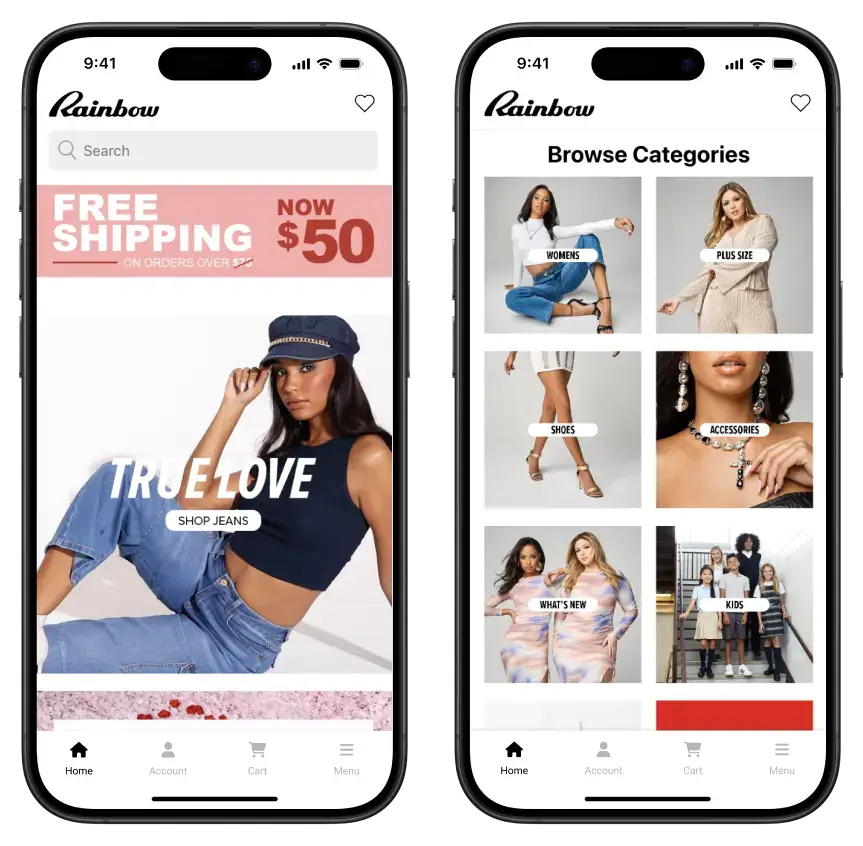
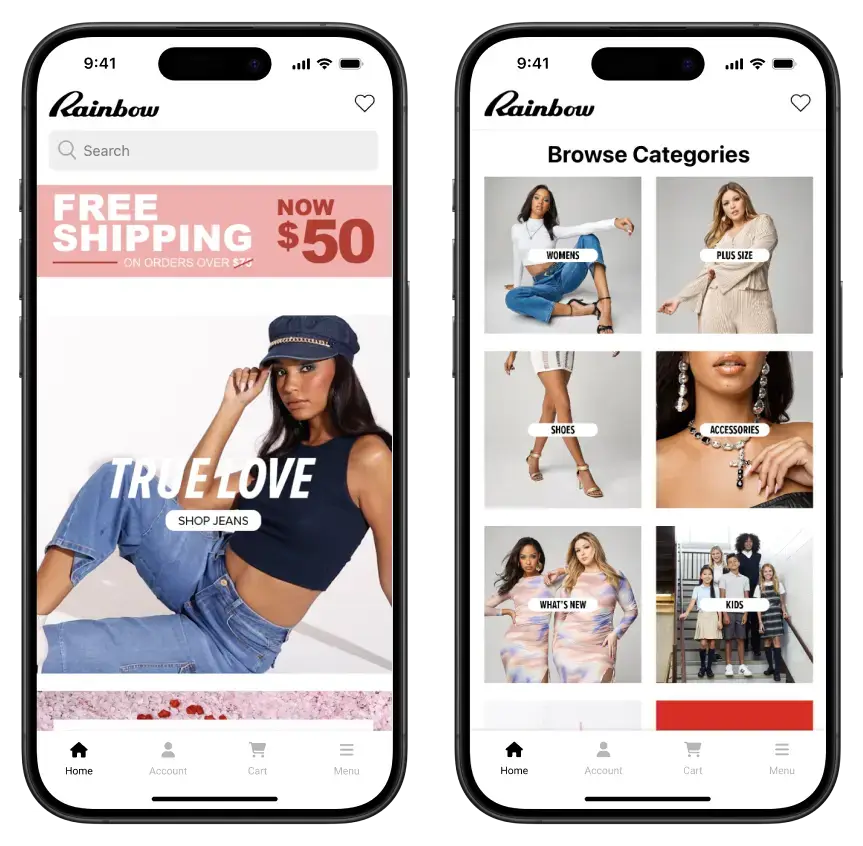
    Rainbow Shops ran into issues with their app, which was built with an API-based app builder, as their VP of eCommerce and Marketing, David Cost, says:

    “The Shopify API only enables certain things and all the major providers of apps for Shopify had limitations that the Shopify API would not let them get around.”

    Rainbow had problems integrating the extensive optimizations they had made with collections and product variations in their app, due to the limitations of the API. These changes had proven to make a significant impact on conversions on the website, so it put a cap on the potential of their mobile app.

    The Rainbow Shops app, built and managed in sync with their Shopify store

    A Better Option: Convert Your Store to Mobile Apps with Vendrux

    The solution for those who want to build an app for their Shopify store, that syncs with their website, but doesn’t have the constraints and limitations of the Shopify API, is to convert the site to apps with Vendrux.

    Vendrux is a managed service that converts websites into mobile apps. The apps look and feel just as good as custom mobile apps, and are fully synchronized with your website, but without relying on any APIs.

    We reuse most of what is already on your website – the same design, product information, apps and integrations – and mix it with native features to give a proper native look and feel to your mobile apps.

    This offers a lot more flexibility and fewer limitations, without the headache and expense of hiring developers.

    More than 2,000 businesses have used our service to create their mobile apps, including many high-revenue Shopify stores (check out some examples here).

    To get an idea of how Vendrux works, book a demo and get a free preview of your app now.

    What Makes Vendrux a Better Option?

    Vendrux is ideal for eCommerce businesses, because your app doesn’t need to do anything significantly different to your website.

    If you have a well-optimized and responsive mobile website, you’re 90% of the way to having a great-looking mobile app. All that’s needed are some small UI tweaks, and integration with native mobile push notifications.

    Custom development is overkill for Shopify sites, while app builders limit you too much.

    Here’s more reasons why Vendrux is the best way for Shopify stores to launch a mobile app:

    • We convert everything from your website into the app, including all apps and integrations and custom features.
    • No integration limits or hidden fees to use specific Shopify apps (e.g. Klaviyo, Yotpo, etc) in your mobile app.
    • It’s fully managed – virtually nothing for you or your team to do.
    • Fast and affordable – launch in less than a month, for a minimal investment.
    • There’s no rebuilding required, and all your website features work seamlessly, out of the box.
    • Your app updates as your site does – no difficulties or inefficiencies trying to stay consistent across app and website.
    • There’s minimal overhead, as you don’t need to manage the app separately.
    • Unlimited push notifications are included and built in, using leading push provider OneSignal.
    • App maintenance and updates are included.
    • App store submission is done for you.

    How to Build a Shopify App with Vendrux

    With Vendrux, you can launch an app for your Shopify store in three simple steps:

    1. Book a demo and get a preview of your app – it’s free, with no obligation, and you can get answers to any questions you have about how Vendrux works.
    2. Share any special requirements you have for the app, then pass it off to our team.
    3. Leave it to us. We’ll build your app, test it (you’ll have the ability to test and give feedback too), and finally submit it to the app stores for publishing. In essence, we handle everything app-related. You just keep managing your website and business like normal.

    It’s really that simple. It costs a tiny percentage of what a custom app does, yet the end result is indistinguishable from the kind of app some brands pay millions of dollars for.

    Book your free preview now and start building your hassle-free Shopify mobile app, with no limitations and no risk.

  • How to Find the Right Shopify Agency: A Partnership Guide

    How to Find the Right Shopify Agency: A Partnership Guide

    Most growing Shopify stores end up working with an agency at some point. Sometimes it’s for a single project: a replatform, a redesign, a paid campaign. More often, the relationship lasts for years and runs alongside the business.

    The agency you pick matters more than most decisions of this kind, because the relationship compounds. A good agency gets more valuable over time as they learn your brand, customers, and operations. A mismatched one creates a slow churn of half-finished projects, missed context, and effort spent re-explaining the basics.

    This guide is meant to help you find a partner, not just pick a vendor. It walks through when an agency makes sense, what kinds of work they actually do, the types of agencies you’ll encounter, what fits what kind of store, and where to look once you know what you’re after.

    Do You Need a Shopify Agency?

    Not all stores need to work with an agency. Plenty of Shopify stores run for years without one. Founders ship most of the early work themselves, lean on freelancers for specific tasks, or hire from the Shopify Experts marketplace when they need help they can scope down to a single project.

    That works well in two situations. 

    First, when the work is contained, like a one-off feature build, a single campaign, or a theme tweak. Second, when the team has the in-house capacity to direct the work and integrate it back into the business.

    An agency starts making sense when:

    • You need specialized experts, with abilities beyond what your in-house team can produce.
    • The work is ongoing, not a one-off. Replatforming, optimization, marketing, or anything that needs sustained attention rather than a fixed deliverable.
    • The stakes are high enough that you want a team accountable for the outcome, not only the output. A single freelancer building your checkout is a different risk profile than an agency owning that build with QA, code review, and a project lead.
    • You need breadth across disciplines (design, development, marketing, analytics) that no individual freelancer covers and that you don’t want to hire and manage internally.
    • You want continuity. Freelancers move on, switch focus, or get booked elsewhere. A partnership with an agency is meant to outlast individual projects.

    If none of that applies yet, you probably don’t need one. If two or three do, you’re in the zone where an agency starts paying for itself.

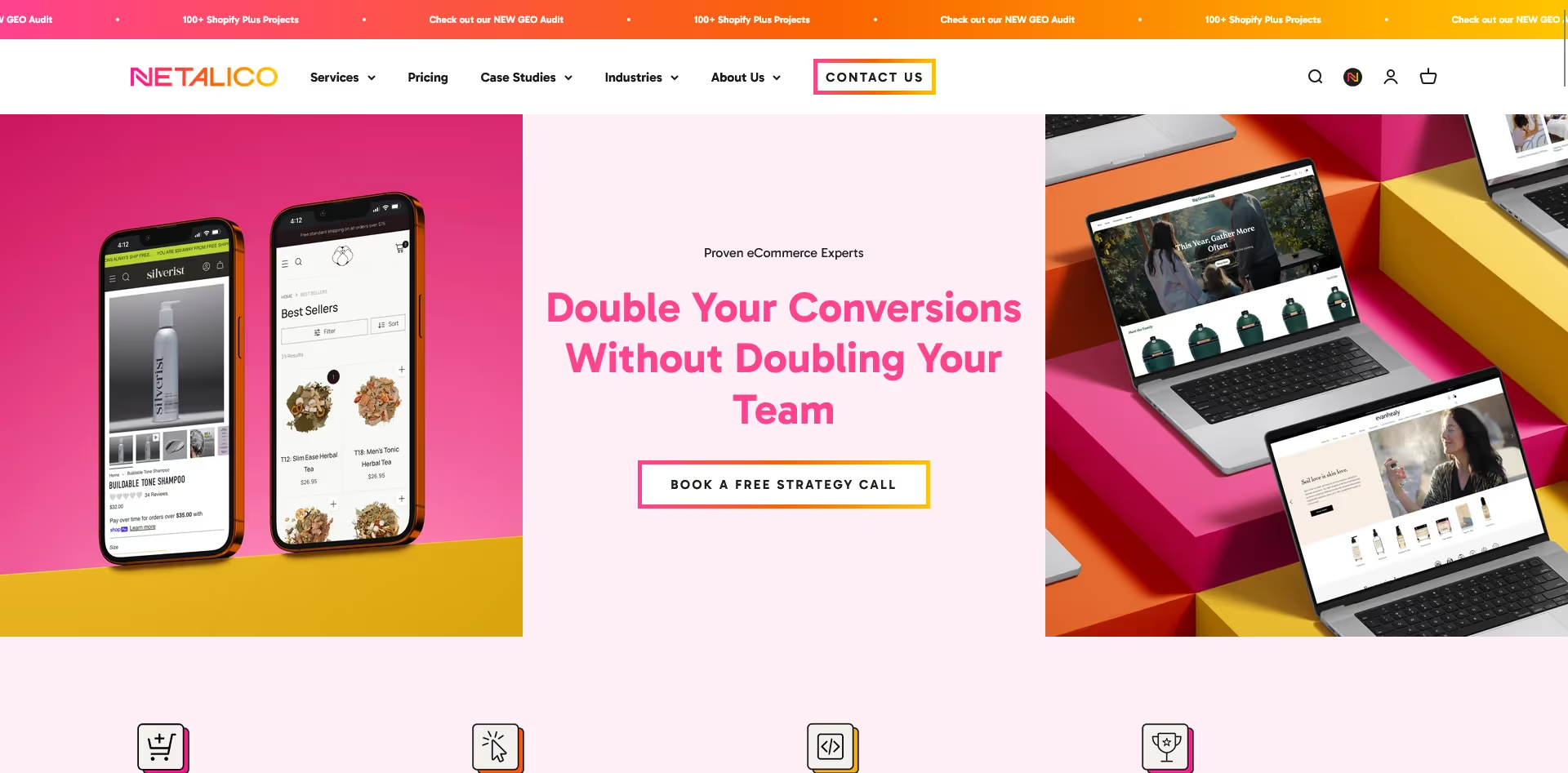
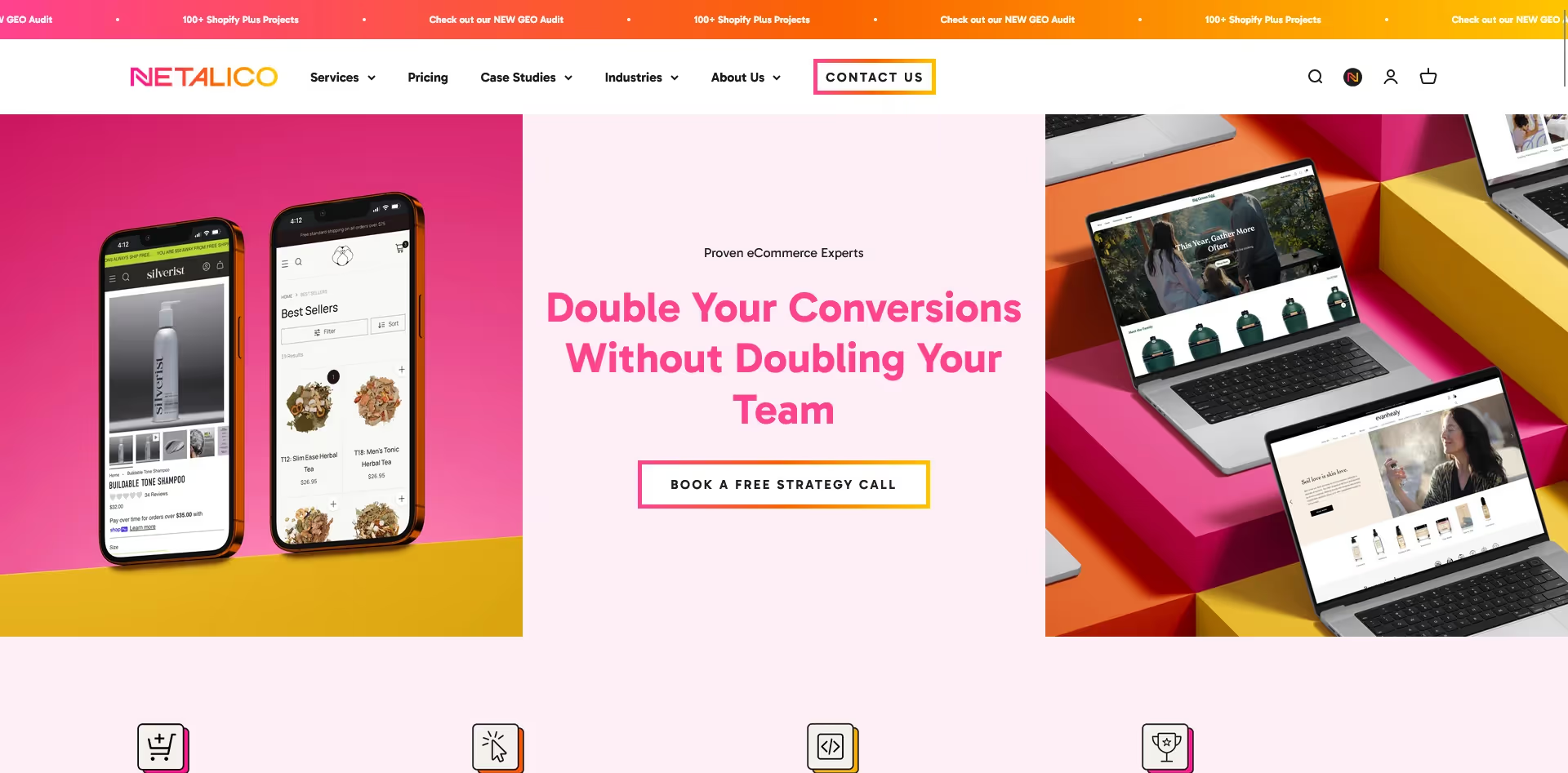
    Netalico, a Shopify agency focused on Shopify/Shopify Plus design & development.

    What Shopify Agencies Do

    The work Shopify agencies do is broad, but it tends to cluster into a handful of recurring buckets. Most agencies live in one or two of these and partner out for the rest.

    Not every agency does every one of these well, and the ones that claim to usually have a clear primary specialty underneath. Knowing what you need matters more than finding an agency with the longest service list.

    Build and migrate

    Custom theme work, headless builds, replatforming from BigCommerce or Magento, complex integrations with ERPs and 3PLs. This is the heaviest engineering work and usually the most expensive single bucket.

    Design and UX

    Visual design, mobile-first layouts, navigation and information architecture, brand systems applied across the storefront. Often paired with development, sometimes sold as a standalone discipline.

    Growth and marketing

    Paid acquisition (Meta, Google, TikTok), SEO and content, email and SMS lifecycle, organic social. Some agencies focus exclusively here and never touch the codebase.

    Conversion optimization

    Auditing the customer journey, identifying friction, running tests, and improving on-site merchandising. CRO agencies tend to bring the strongest pattern recognition because they’ve seen the same problems across many stores.

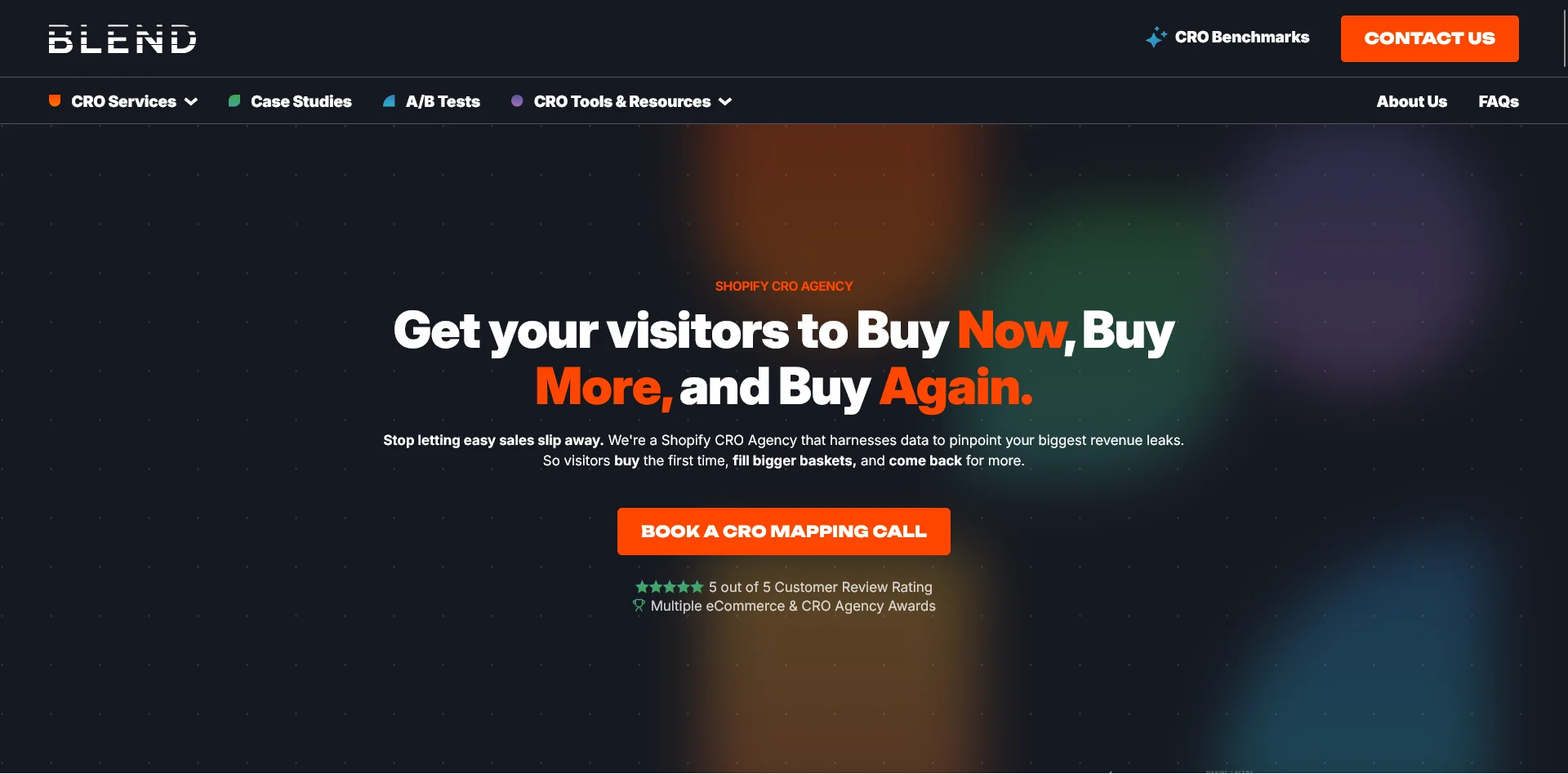
    CRO agencies like Blend Commerce are a common way for agencies to double down on one specialization

    Strategy and roadmap

    A smaller bucket, but real. Some agencies operate as fractional growth or ecommerce leadership, helping prioritize where to invest, sequencing work across channels, and translating business goals into a 12-month plan.

    The Different Types of Shopify Agencies

    Beyond the work itself, agencies differ in shape. There’s no universal definition of what makes an “agency”, exactly what an agency should do, and how they should operate.

    The shape is often what determines whether they’re the right fit, more than their portfolio.

    Full-service vs specialist

    Full-service agencies offer most of the buckets above under one roof: design, development, marketing, optimization. They suit brands that want a single partner to own a large surface area and that have the budget to support that scope. The tradeoff is that depth in any one area is rarely uniform; the development team and the paid media team are often in different leagues.

    Specialists go narrow on purpose. A CRO-only shop, a Shopify Plus development studio, a Klaviyo-focused lifecycle agency. They’re usually deeper in their lane but require you to coordinate across multiple partners. For most growing brands, a small constellation of specialists outperforms a single generalist agency, as long as someone internally can play conductor.

    Shopify Plus-focused vs broad

    Some agencies work exclusively with Shopify Plus merchants, typically brands doing $10M per year and up. Their processes, pricing, and engagement models are tuned for that scale. They’re overkill for early-stage stores and frequently won’t take them on.

    Other agencies work across the full Shopify spectrum, including newer stores. These tend to be more flexible on scope and pricing but lighter on the kinds of complex builds and integrations larger brands need.

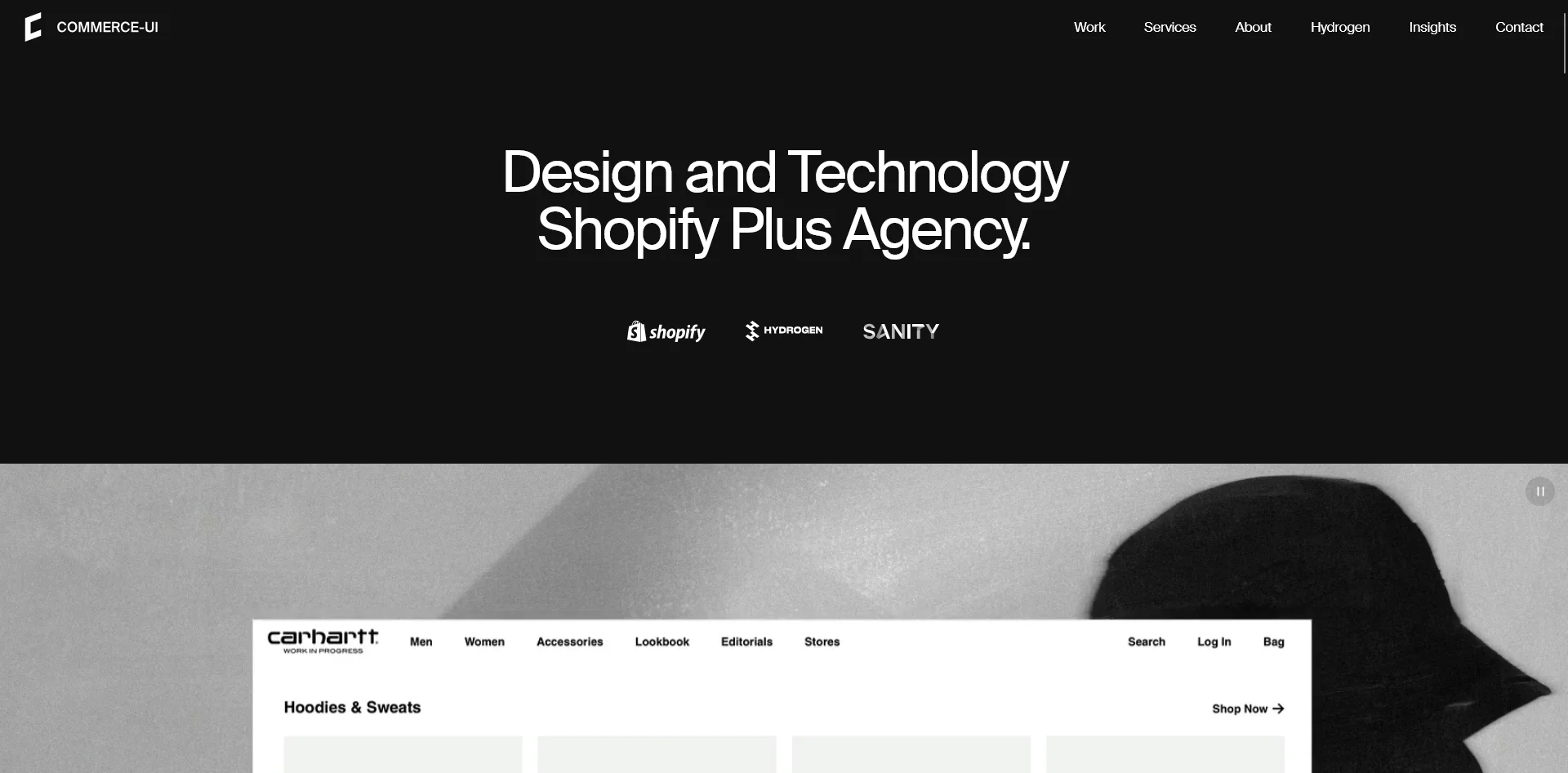
    Some agencies, like Commerce-UI, specifically target the needs of high-revenue Shopify Plus brands

    Regional and vertical specialists

    Some agencies build a moat around a region (UK, ANZ, France, Mexico) or a vertical (wine, beauty, B2B, fashion). The advantage is that they understand the local market, common integrations, or category-specific buying behavior in a way generalists don’t. The tradeoff is a smaller pool, which matters more if you’re scaling internationally or operating across categories.

    Project shop vs embedded partner

    This one is less about how an agency markets itself and more about how they operate. 

    Project shops scope work, deliver it, hand it off, and move on. Embedded partners function more like an extension of your team. They’re in your Slack, they know your roadmap, and they think in quarters or years rather than statements of work.

    If you’re looking for a long-term partner, the project shop model usually doesn’t get you there, even if the individual deliverables are good.

    What Fits What Kind of Store

    There’s no universal best agency, only the best fit for your stage and situation.

    • If you’re early-stage DTC, finding product-market fit: A full-service Plus agency is usually too heavy. You’re better served by a small specialist or a high-end freelancer for the most acute gap, typically design or paid acquisition. Save the bigger agency relationship for when you have stable revenue and a clearer growth thesis.
    • If you’re a scaling Plus brand with a single big gap: The right move is usually a specialist. If conversion is the bottleneck, hire a CRO agency. If the codebase is the bottleneck, hire a Plus development studio. Don’t pay for full-service breadth when you only need depth in one discipline.
    • If you’re replatforming: A migration specialist or a Plus-focused development agency with a strong migration track record. SEO preservation, data integrity, and minimizing downtime are hard problems that reward experience. Look for agencies that can show you completed migrations, not only open ones.
    • If you’re an established brand needing a growth engine: A marketing-led agency or a paid-plus-lifecycle hybrid. At this stage, the codebase is usually fine; the gap is in turning steady traffic into compounding revenue. Agencies with strong CRO and lifecycle chops typically deliver more than pure paid shops.
    • If you’re a multi-region, B2B, or operationally complex brand: A Plus-focused full-service agency, or a tightly coordinated pair of specialists. Complexity rewards continuity, and these are the cases where having a single partner who knows your full stack actually pays for itself.

    The honest version of this is that most stores cycle through several agencies as they grow. 

    The first one might handle a redesign. The second might own paid. The third might be a long-term Plus partner who takes over the build. 

    You might also work with one agency that manages development for your store, another that does paid ads and CRO, and another that runs email marketing.

    That’s normal. The goal is to make each of those decisions on purpose, not by default.

    Where to Find a Shopify Agency

    Once you know what kind of agency you’re after, the search itself is the easier part.

    The Shopify Experts directory is the official starting point. It’s filterable by service type, region, and certification level (Shopify Partner, Plus Partner). It’s most useful for shortlisting, less useful for evaluating quality, since the bar to be listed is lower than the bar to be a good fit.

    Curated lists. Top-agency lists from operator-focused publications surface names that show up consistently in real conversations rather than paid placements.

    Recommendations. Talk to other brand owners, read newsletters, listen to podcasts, go to conferences, join communities, and get first-hand from successful operators who they’ve worked with and recommend to others.

    A few agencies that come with strong recommendations from operators we talk to include:

    • Netalico is a Plus-focused agency with strong technical and design depth, known for migrations and ongoing partnerships with brands like Oatly, Big Green Egg, and Feetures. (contact page)
    • Commerce-UI is a design-led Plus agency that does Liquid and headless builds for premium brands like Carhartt WIP, Oura Ring, and Pangaia. (contact page)
    • GetDevDone is an engineering-heavy partner with a large team, often used as a white-label development resource by other agencies as well as by direct clients. (contact page)
    • Blend Commerce is a Shopify marketing agency that focuses on Customer Value Optimization (CVO) – optimizing the lifetime value you get from each customer. (contact page)
    • Fourmeta is a UK-based Shopify and Shopify Plus agency focused on measurable revenue growth and long-term collaborations. (contact page)

    These are examples of what a strong, established Shopify agency profile looks like. Check out more resources online, ask around, and get recommendations from brands who have been in the same position as you, to find the right agency partner for your business.

    What Makes a Good Long-Term Partner

    The agencies that turn into long-term partners share a few things in common, and most of them aren’t about technical skill.

    They take time to learn your business before pitching solutions. The first month is heavy on questions and audits, not deliverables. They’re willing to disagree with you when they think a brief is pointed in the wrong direction. They communicate when something is going off track instead of waiting until the next status update. They’re honest about the limits of their lane and bring in other partners when the work calls for it.

    The relationship deepens because the agency keeps building context. They know what you tested last year, why a project got shelved, which campaigns are sacred and which are up for revision. That accumulated knowledge is what makes year three with the right agency more valuable than year one with any new one.

    If you’re evaluating an agency for a long engagement, less of the conversation should be about their portfolio and more about how they work. 

    How do they onboard? Who’s on the account day to day? How do they handle disagreement, scope creep, or a project that’s behind? 

    Those answers tell you whether you’re hiring a vendor or a partner.

    Building a Mobile App for Your Shopify Store

    If a mobile app is on your roadmap, that’s one of the few jobs where most Shopify agencies will refer you out. Native mobile development is a specialist discipline that rarely sits within a general Shopify agency.

    Vendrux is built for that gap. We extend your existing Shopify store into a high-quality iOS and Android app, including your theme, custom functionality, integrations, checkout, and the apps and workflows you already rely on. The result is a native app that mirrors your full site experience, not a stripped-down version of it.

    We’ve launched mobile apps for established Shopify brands including XCVI, Kiokii, MASC, and Yon-Ka Paris, with most going live in 4 to 6 weeks. Pricing starts at $1,499/month, with a one-time setup fee that covers the build and launch of your app.

    Just a few examples of successful apps built with Vendrux

    If you want to see what your app could look like, book a free app preview and we’ll build a working prototype for you to check out. We’ll present it on a call where you learn all there is to know about the process, how we work, and what a mobile app can do for your store.

  • Shein Revenue, Growth, Usage and Download Statistics for 2026

    Shein Revenue, Growth, Usage and Download Statistics for 2026

    In this article, we’ll share all the key Shein statistics and facts you need to know about the fashion company that has quietly become one of the biggest names in online shopping in the world.

    Read on to learn everything you need to know about Shein’s revenue, valuation, app download, and usage statistics, updated for 2026.

    Want weekly insights into how 7, 8 and 9-figure brands are driving sustainable growth? That’s what you get with our value-packed newsletter, The Retention Edge. Subscribe for free today.

    What is Shein?

    Shein (pronounced “She In”) is a Chinese-founded ecommerce company established in 2008 by Chinese billionaire Chris Xu.

    Originally selling wedding dresses under the name “SheInside,” it rebranded to Shein in 2015 and pivoted to ultra-fast fashion.

    Today Shein is an online-only fashion retailer, selling to customers in over 150 countries worldwide. They’re renowned for low prices, a huge selection of product lines and strong appeal with Gen Z shoppers.

    Shein: Key Facts

    • Founded in 2008 in Nanjing, China.
    • Headquarters located in Singapore.
    • Shein originally sourced products from wholesalers in a dropshipping-type model.
    • Shein has since moved to become a fully integrated retailer, managing its own supply chain.
    • Shein’s late-2022 investment round made the company the world’s largest fashion retailer.
    • The company sells to over 150 countries, but does not sell to customers in its “home” country of China.

    Learn more: Shein (and its closest competitor, Temu) relies heavily on mobile apps to keep users hooked and drive sustained revenue from repeat purchases. Check out this article to learn how they do it.

    Key Shein Statistics for 2026

    Let’s explore some more key statistics and facts you need to know about the Shein platform.

    Shein Revenue Statistics

    Shein does not publicly disclose financials, but multiple industry sources have published estimates based on investor documents and partner disclosures.

    • 2022 revenue: approximately $24 billion
    • 2023 revenue: approximately $32.2 billion, with more than $2 billion in net profit
    • 2024 revenue: approximately $38 billion (up ~18% year-over-year), though net profit declined to around $1 billion due to rising competition and logistics costs
    • Q1 2025 revenue: approximately $9.9 billion, partly driven by a surge in orders ahead of the US de minimis tariff changes
    • 2025 full-year estimated revenue: approximately $56 to $60 billion (Shein is private and has not published official results)

    A CNBC report from January 2024 cited a key retail partner stating revenue was “a lot more” than $30 billion annually. For context, Shein holds an estimated 18% share of the global fast fashion market.

    These consistent numbers come after a huge leap around 2020, where Shein went from driving a few billion in annual revenue to breaking the eleven-figure mark.

    How Much is Shein Worth?

    Shein’s valuation has shifted substantially over the past three years.

    • 2019 valuation: $5 billion
    • 2020 valuation: $15 billion
    • 2021 valuation: $30 billion
    • 2022 valuation: approximately $100 billion at its peak
    • 2023 valuation: approximately $66 billion
    • January 2024 valuation: approximately $45 billion, following a fundraising round
    • Pre-IPO discussions (early 2025): potential valuation as low as $30 billion

    The company originally pursued a US stock market listing, but regulatory scrutiny and political headwinds led it to pivot. 

    In April 2025, the UK’s Financial Conduct Authority approved Shein’s application to list on the London Stock Exchange, though Chinese regulatory approval remained pending. 

    Reports from mid-2025 also indicated the company was exploring a Hong Kong listing as an alternative.

    The valuation compression reflects a combination of competitive pressure from Temu, rising logistics costs, and significant regulatory risk from US trade policy changes.

    Shein App Download Statistics

    Shein’s mobile app is one of the most downloaded shopping apps in the world today.

    For several years now, it’s held a consistent place in the top five shopping apps in both the App Store and Google Play store.

    By 2024, the iOS version ranked 5th in the US shopping category, with overall app usage ranking 91st across all app categories in the US.

    The app generated approximately than 235 million downloads in 2025, nearly tripling its yearly downloads since 2019.

    Shein Website Traffic Statistics

    Shein.com is one of the most visited fashion and retail websites globally.

    • Monthly visits (July 2024 peak): over 218 million, per Similarweb
    • Monthly visits (February 2026): approximately 282.8 million
    • Average session duration: 7 minutes 27 seconds
    • Global ranking: 123rd overall (May 2024); #1 in fashion and apparel
    • US share of traffic: approximately 39-40% of total web visitors
    • Other top markets: Brazil (~12%), France (~6.6%), Spain, Canada

    Shein’s traffic source breakdown (2024-2025):

    • Direct: 52-58%
    • Organic search: ~20-25%
    • Paid search: second or third largest channel depending on the period

    Their audience skews female (57.8%) and the largest age group is 25-34 year olds.

    How Many Orders Does Shein Get a Day?

    The exact number of orders Shein gets is not publicly known at this time. However, we can put together a rough estimate.

    Shein’s average order value is $75, according to ChinaTalk. If they did $60 billion in revenue in 2025, we can estimate that they did 800 million orders over the year, which would equal roughly 2.2 million orders per day.

    How Many Products Does Shein Sell?

    Shein is estimated to have as many as 600,000 products for sale at any given time.

    This number features significant turnover, with the company releasing over 300,000 new products every year. In comparison, H&M (another leading fast fashion retailer) releases approximately 4,500 new products per year.

    Shein’s manufacturing rate is helped by the use of AI to analyze trends and create new designs, and over 3,000 suppliers working in partnership with the company.

    Shein Brands

    Like Amazon, Shein owns a number of private label brands. These brands are sold on both the Shein platform (alongside Shein branded clothing) and independent branded websites. Shein currently owns the following brands:

    • MOTF: a “business-chic” clothing line providing high-quality professional clothing for women.
    • ROMWE: “dark pop” pieces and social styles that have been seen on platforms like TikTok and Instagram.
    • SHEGLAM: an affordable beauty and cosmetics brand.
    • DAZY: a trendy streetwear label for both women and men.
    • EMERY ROSE: a “cottagecore” style clothing line featuring smart-casual clothes for women.
    • CUCCOO: a discount womens’ footwear brand.
    • Luvlette: a womens’ underwear, lingerie and sleepwear brand.
    • GLOWMODE: stylish and versatile activewear for women.
    • PETSIN: a pet clothing and accessories brand.
    • JMMO: tech devices and accessories.

    How Many Countries is Shein Available In?

    Shein is currently operating in over 150 countries, per their website.

    How Many Employees Does Shein Have?

    Shein employs nearly 10,000 workers worldwide, with 58% of Shein employees female and 42% male.

    Why is Shein So Popular?

    We know from the statistics above that Shein is now one of the biggest names in ecommerce, with one of the most popular shopping apps in the world.

    So how did Shein go from a relatively unknown brand to the biggest fast fashion retailer in the world, surpassing the likes of H&M, Zara and ASOS?

    Here are a few reasons why.

    Low Cost

    One of the first reasons we can look at is cost.

    For a few reasons, such as their online-only business model (removing the overhead expense of managing physical stores) along with low-cost sourcing from Chinese manufacturers, Shein is able to offer products at ridiculously low prices.

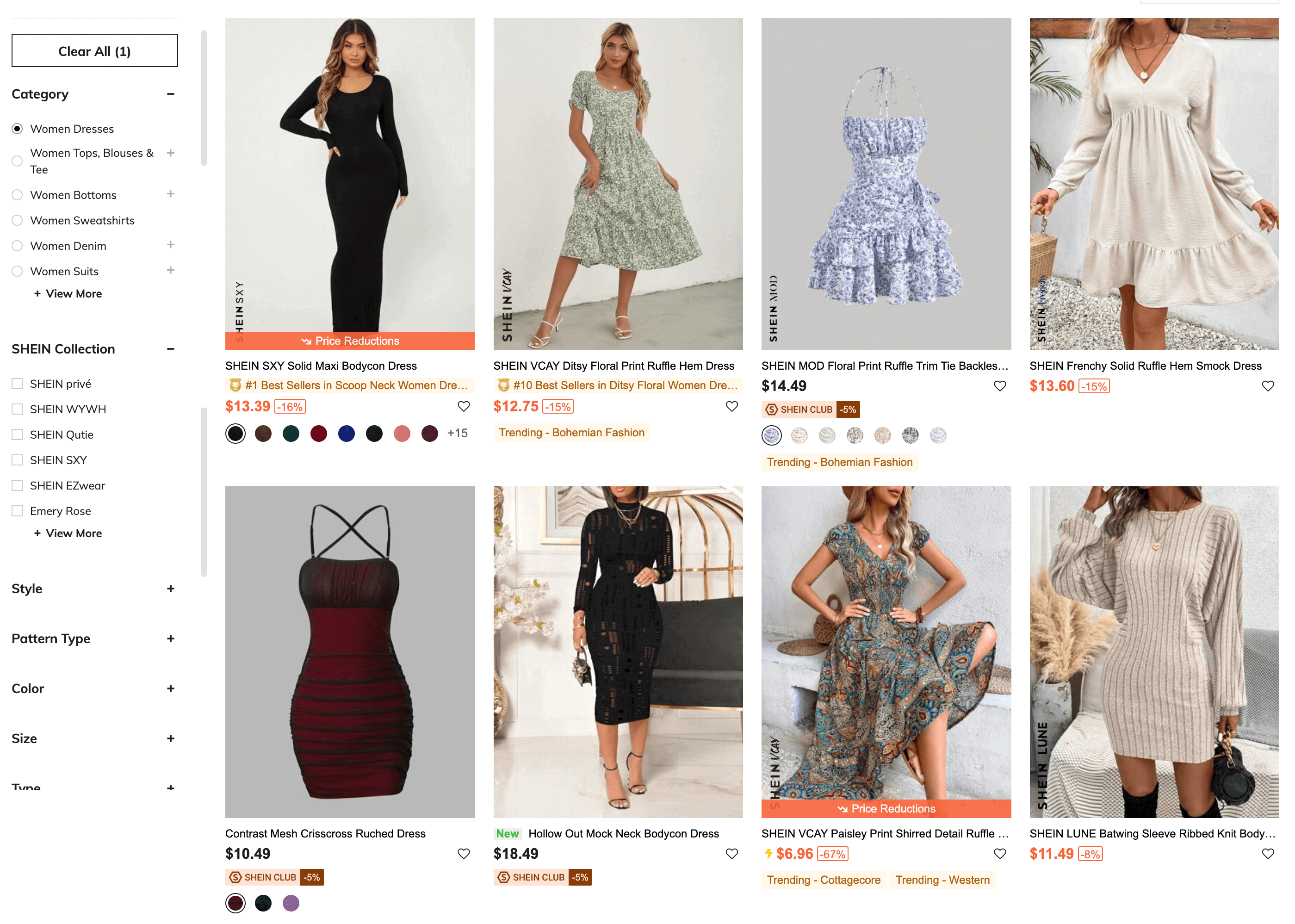
    A snapshot of the prices offered for contemporary fashion on Shein

    The average product on Shein is reported to cost only $9. You can find quality products on Shein for less than half of what you’d generally pay from other retailers. This makes the platform extremely attractive to discount-hungry young shoppers.

    Range

    The platform also features a huge range of products, with over 600,000 styles available on the site, as mentioned earlier. Their business model and manufacturing connections allows them to constantly produce new products and outpace the competition in the fast fashion industry.

    On-Demand Production

    It’s not just the range of products they offer, it’s the fact that the product lines Shein sells are constantly turning over and always fresh.

    Shein utilizes AI technology and a team of in-house designers to pump out new designs and try to get ahead of the latest trends. But the key thing is that they only produce 100-200 new pieces of each item at launch.

    If it’s not popular, they don’t create any more. If a line does catch on, they can mass-produce it.

    This allows them to offer an incredible range, with 500-2000 new products per day, without being bogged down by unsaleable inventory from product lines that don’t sell.

    Pandemic eCommerce Boom

    The pandemic undoubtedly played a big part in Shein’s rise as well.

    Their user base nearly tripled from 2019 to 2020, then nearly tripled again in 2021, coinciding with eCommerce booming as most people were forced to stay home, and physical retailers were closed.

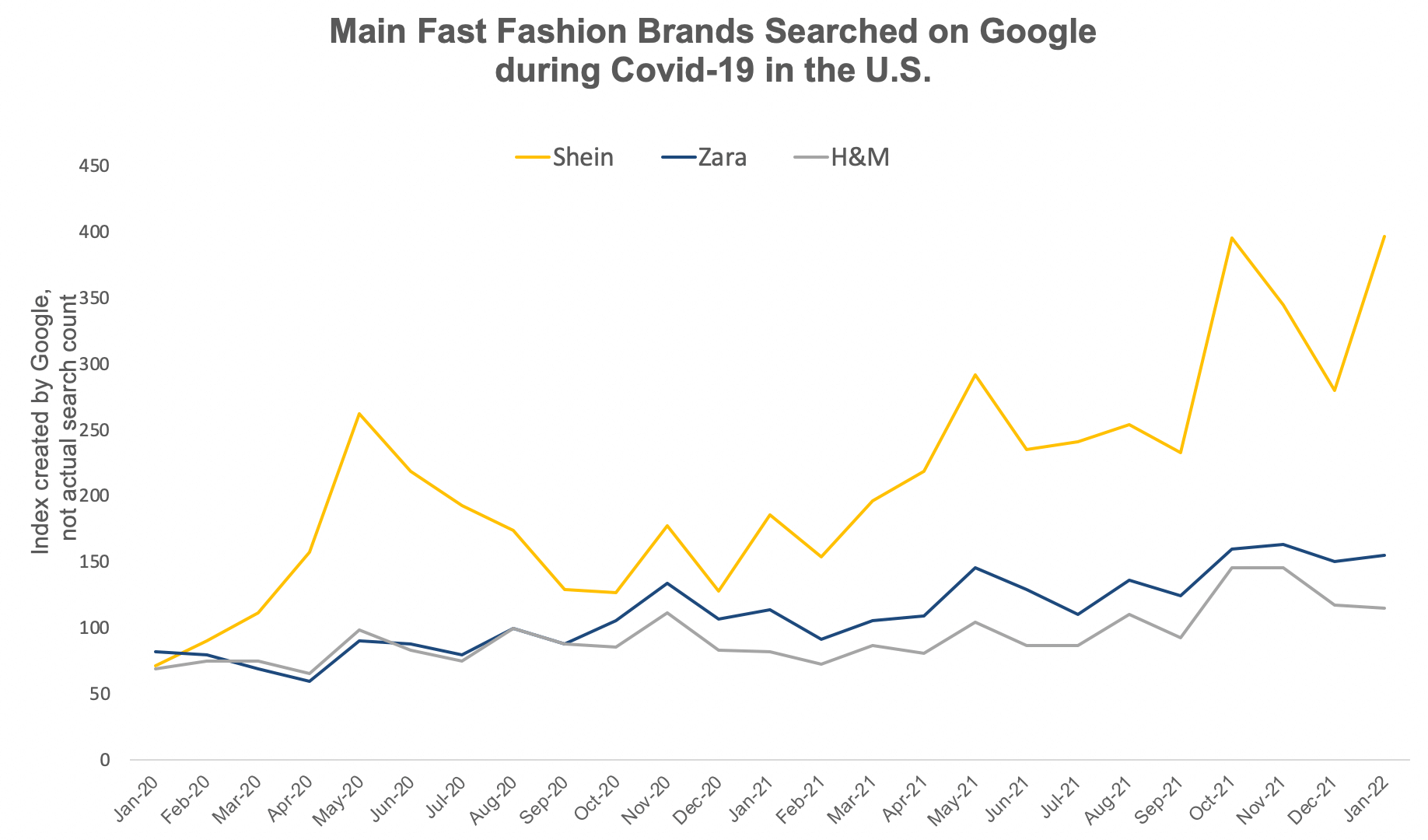
    Google trends shows a steady increase in Shein’s search popularity over this time, significantly above competitors like Zara and H&M.

    Image via Daxue Consulting

    Gamification

    Shein intensely pushes gamification tactics incentivizing users to spend more time shopping and buy more products on the site or the app.

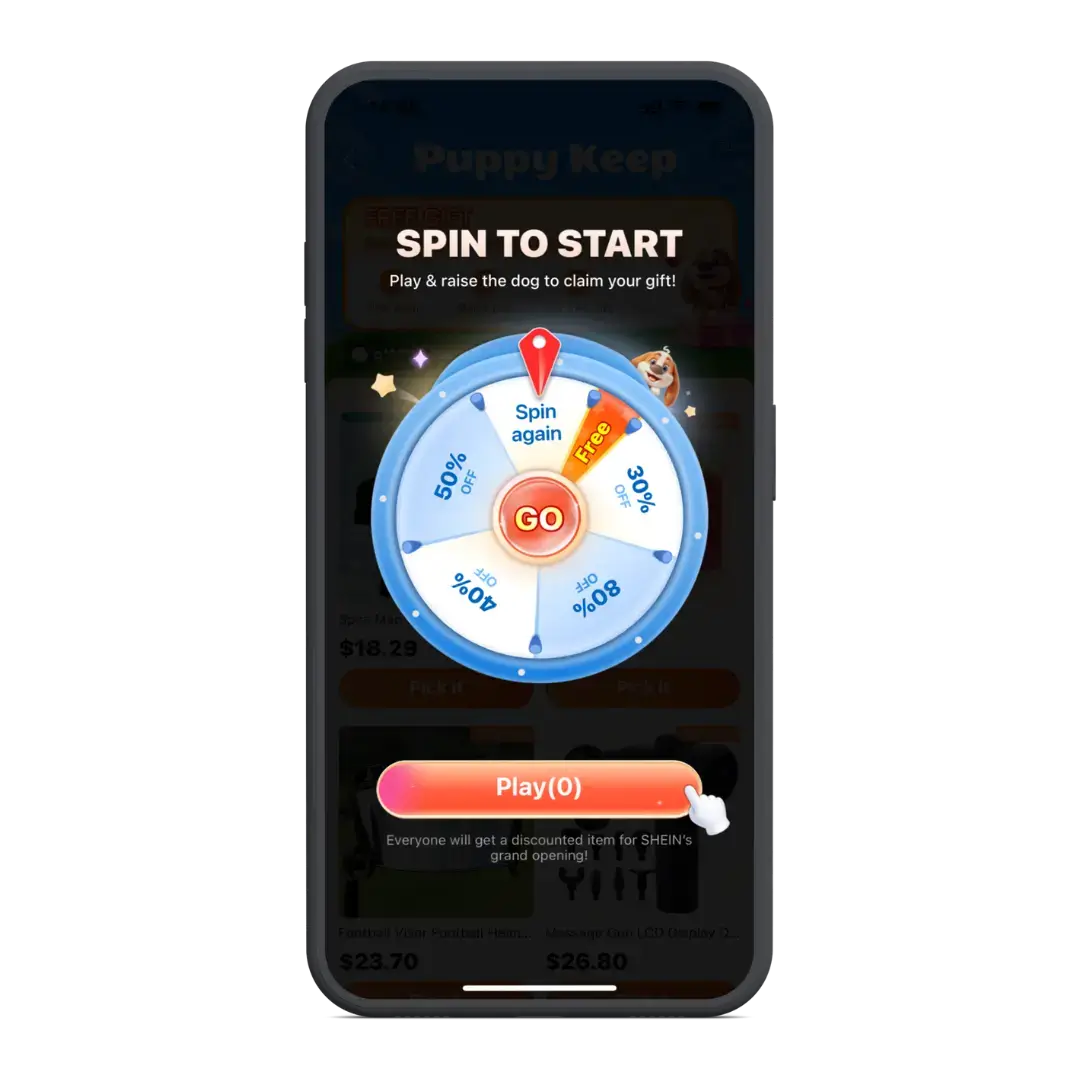
    This includes huge sales (sometimes as much as 80% off), first-time shopper discounts, discounts for downloading their app and reward points earned for buying products and contributing product reviews.

    Social Influencers

    Finally, and possibly one of the biggest reasons for Shein’s rise, is their social media presence and the social media influencers promoting the platform.

    Shein is constantly being promoted on TikTok, with hashtags such as #shein and #sheinhaul generating billions of views.

    In these posts, creators purchase sometimes as much as a thousand dollars worth of clothing from Shein to show off to their followers. These creators generally receive a commission for sales they refer from their posts.

    The same goes on other social media platforms like YouTube and Instagram, and from independent fashion blogs.

    This strategy has helped Shein take off with Gen Z shoppers in particular, who make up 50% of the retailer’s customers.

    Push Notifications

    Shein relies heavily on push notifications to drive user engagement.

    As well as event-driven messages like abandoned cart notifications, Shein sends numerous messages to app users to try and entice them into the app to start shopping again.

    It’s not uncommon to receive 10+ notifications per day from the app, which does a great job of keeping the Shein app and brand top-of-mind.

    Learn more about how brands like Shein and Temu use push notifications to drive engagement and build a regular shopping habit in this article.

    Shein’s Future Outlook

    Shein enters 2026 in a materially different position than it held at its 2022 peak. Revenue continues to grow, but at a lower margin and with greater regulatory complexity.

    The company’s full-year 2025 revenue target of $56 to $60 billion would represent continued growth, but it depends on successfully navigating tariff costs, maintaining competitive pricing, and closing an IPO that has been delayed multiple times.

    The marketplace model expansion, combined with warehouse infrastructure built outside of China, signals a strategic pivot toward a supply chain less dependent on Chinese direct-ship economics. How far that transition goes, and whether it can preserve Shein’s core price advantage, will determine its trajectory as a public company.

    —-

    Statistics sourced from Business of Apps, Backlinko, Priori Data, Similarweb, CNBC, NPR, Fortune, and Statista.

  • The Secrets Behind Shein and Temu’s Push Notifications that Drive Repeat Sales

    The Secrets Behind Shein and Temu’s Push Notifications that Drive Repeat Sales

    Push notifications are a secret weapon for eCommerce brands. They’re cheap, direct, personal, and all in all, a super-effective way to build relationships with your customers and drive sales.

    But push may not be such a secret for much longer. Shein and Temu, the fast-rising giants disrupting the eCommerce industry, both rely on push notifications as a core part of their strategy.

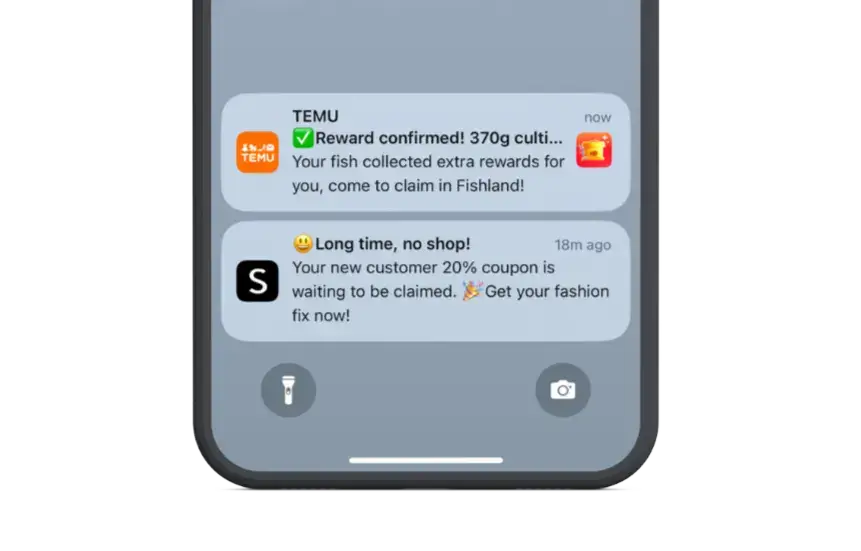
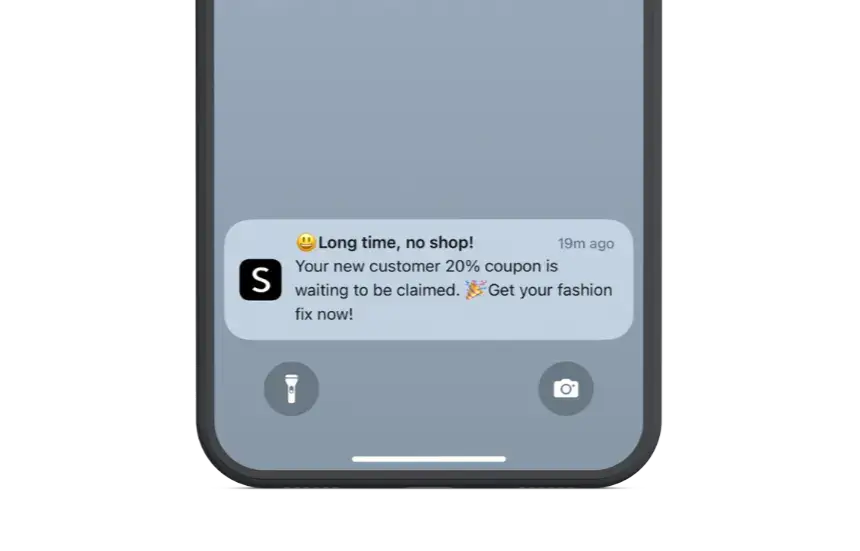
    Their users receive frequent notifications with discounts, gamified promotions, abandoned cart reminders, and much more – all of which help retain the customer’s attention and form a long-term habit.

    __wf_reserved_inherit

    Shein and Temu wouldn’t be the two fastest rising names in eCommerce without push notifications. Read on and learn why push notifications are so important to them, and get a peek into how these two brands utilize push to deliver sustained, long-term revenue.

    The first goal: getting you into the app

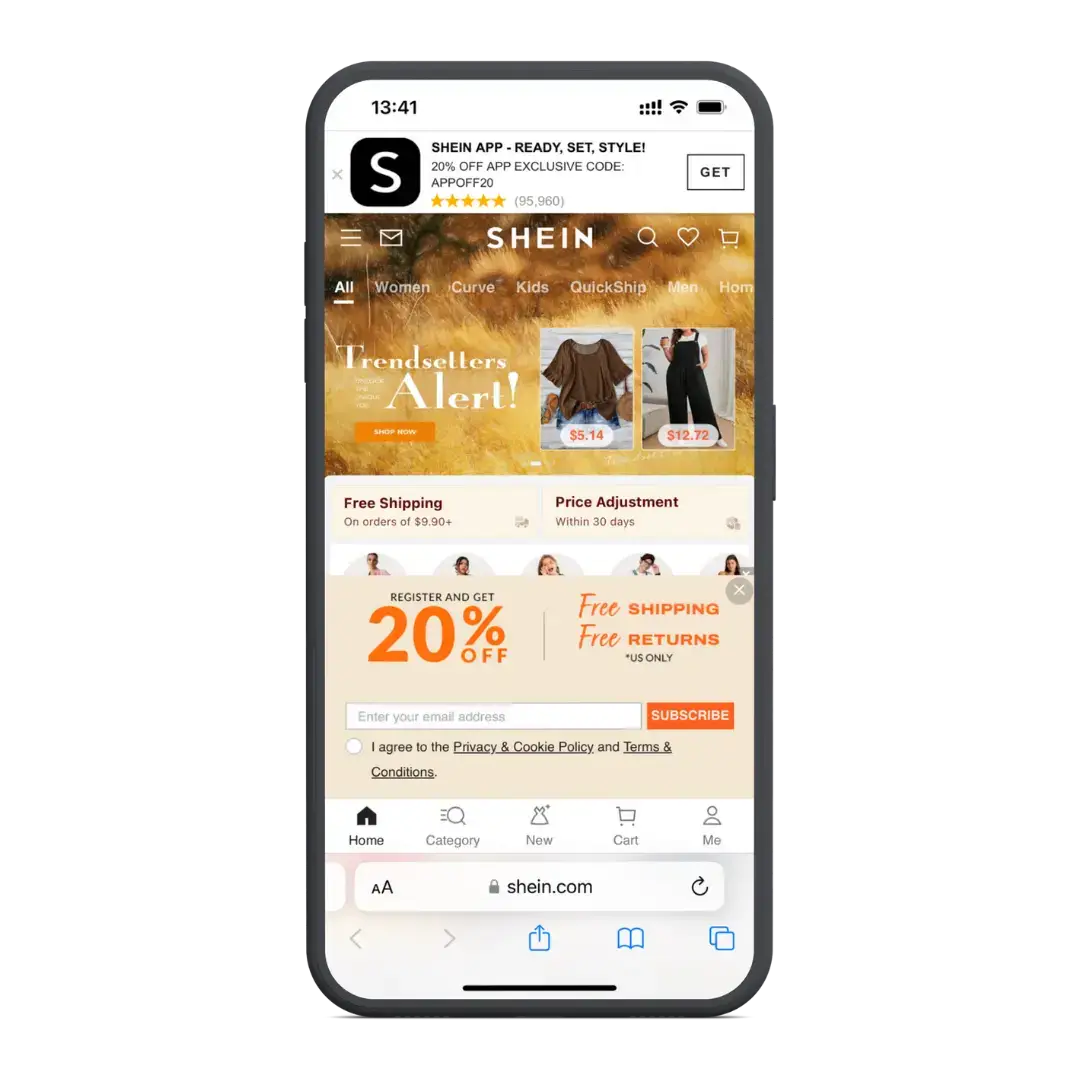
    One of the first things both Shein and Temu do when you visit their mobile website is try to get you to download their app.

    There are banners across the top and/or bottom of the screen and the offer of an exclusive discount on your first app purchase.

    __wf_reserved_inherit

    On some of their ubiquitous “spin to win” games, you win an amazing deal that you can only redeem in the app.

    __wf_reserved_inherit

    A large part of their long-term success is tied to getting you into the app, where they can start leaning into powerful engagement tools like push notifications.

    The crucial role of push notifications in Shein & Temu’s engagement strategy

    The first thing most people think about with Shein and Temu is price.

    They’ve become known for offering a huge range of products at basement level prices (you can scroll for some time before even coming across anything that costs more than $10).

    And that’s before you take into account all the discounts you get from their in-app games.

    __wf_reserved_inherit
    Huge discounts, on top of already low prices, are a regular sight in the Shein and Temu apps

    There’s no way Shein/Temu can make money if every customer just took advantage of the great introductory offers and bought only one or two things. 

    The key is to generate purchases at a high volume and high frequency.

    They need you to come back and shop regularly – as much as multiple times per week – and when you do, you load up your basket with multiple products.

    Push notifications are key to making this happen. They command the user’s attention, ensuring the brand remains top-of-mind and shopping on the app becomes a habit.

    Attention-grabbing and habit-forming

    Shein and Temu’s use of push notifications are designed to constantly get your attention, so that you never go a day without either thinking about them, or (ideally) opening the app and looking around.

    __wf_reserved_inherit

    You get notifications for new rewards, new promotions and offers, abandoned cart notifications, browse abandonment notifications and more, all letting you know what you’re missing out on by not using the app.

    __wf_reserved_inherit

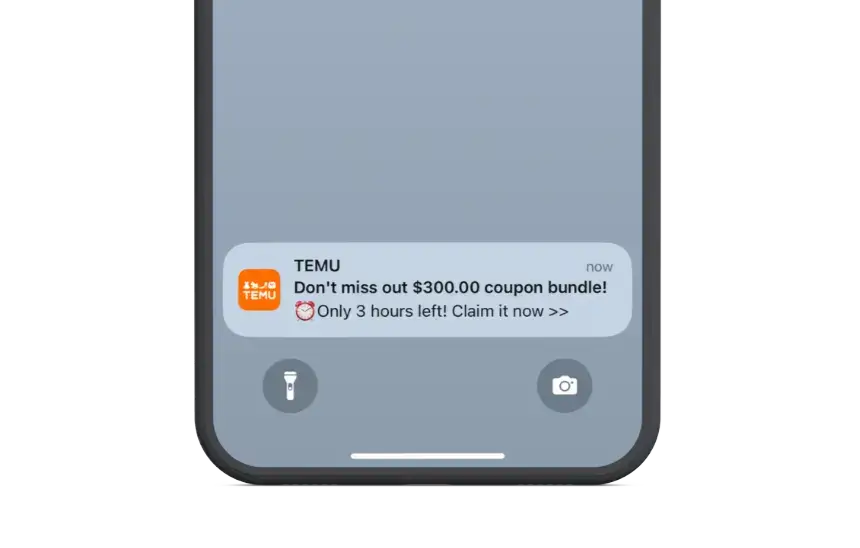
    Terms like “now”, “don’t miss out” or other words used to convey urgency are used in almost every message, playing on the user’s innate fear of missing out (FOMO).

    __wf_reserved_inherit

    The message doesn’t necessarily need to convert. It’s enough to get the user into the app, and over time, build a habit of using the app every day.

    Their apps feel at times more like a gaming app or social media app than a shopping app, with the heavy gamification and the infinite scrolling product feeds, similar to a social app’s news feed.

    Like Instagram or TikTok, they’re designed to become a routine part of your day. When you’re bored, when you’re on a break from work, on the train, you open the app and scroll away – and after enough time, you’ll probably end up buying something.

    Push notifications play a huge part in building the foundation of this habit.

    High frequency, increased retention

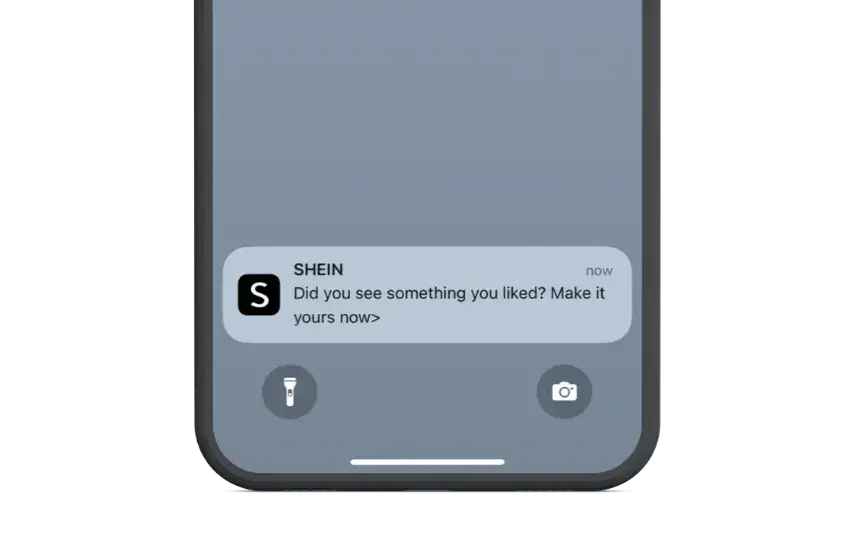
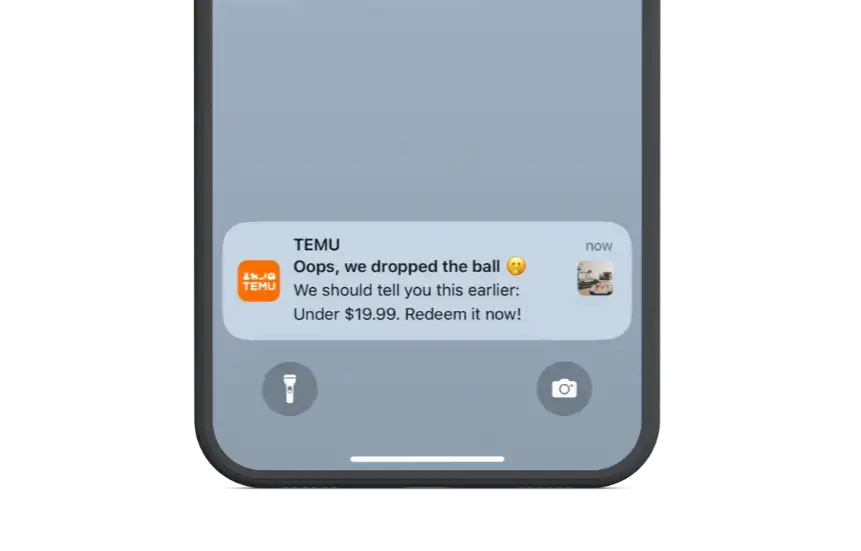
    An interesting thing to note about Shein and Temu’s push notifications is that the copy is not brilliant.

    Though urgency and scarcity tactics are used well, the copywriting itself is very basic, verging at times on being poorly written.

    __wf_reserved_inherit

    This shows that it’s not about coming up with the perfect message to convert the reader right there on their lock screen. It’s about occupying their attention.

    Best case, the user opens the app and starts shopping. If not, the push notification at least ensures that the brand is never far from their mind.

    __wf_reserved_inherit

    This is perhaps a key reason why brands who send more frequent push notifications have higher retention rates.

    Data shows that retention rates for retail apps are 2-5x higher when the app sends weekly push notifications, and 3-6x higher when the app sends daily push notifications.

    With push notifications being so cheap to send, with such high visibility, every message doesn’t need to result in a sale. They already pay for themselves by the impact they have in capturing a small part of your customer’s headspace, and building the foundation for a fruitful and valuable long-term relationship.

    How your brand can leverage mobile apps and push notifications for long-term revenue

    Whether or not you aim to disrupt the global eCommerce market like Temu and Shein, your brand can still take some insight from what these brands have done to build a name for themselves.

    They utilize mobile apps and push notifications brilliantly, and use these tools to build habits and occupy far more of their customers’ attention than would ever be possible with only a website and email marketing.

    Today, every brand should be doing the same, offering a mobile app alongside their website and using push notifications to grow brand awareness and drive more engagement.

    Vendrux makes this easy, by letting you launch an app for minimal effort, an affordable cost, and low overhead.

    You’ll be able to use push notifications, and hold more of your customers’ attention than ever before.

    Just see some of the other successful brands we’ve worked with, helping them build amazing apps that drive long-term revenue.

    If you want to learn more about how Vendrux can help you build and maintain low-cost, high-ROI mobile apps, fully synced with your existing website and tech stack, get in touch with us and book a free demo now.

  • How Shein and Temu Leverage Mobile Apps to Keep Users Hooked

    How Shein and Temu Leverage Mobile Apps to Keep Users Hooked

    In just a few years, Shein and Temu went from unknowns to household eCommerce names. Today, each platform draws tens of millions of users, and generates billions in annual revenue.

    Both brands utilize similar strategies to explode on the scene, centered around engagement at all costs – and their apps are a core part of their success.

    While the goal for your brand might not be to launch the next Shein or Temu, you can learn a lot about the tactics used by these brands, drawing on basic human psychology to attract shoppers and keep them as engaged, long-term customers.

    Read on and get some key insights into the factors at work behind these two brands’ success, and why they couldn’t do it without mobile apps.

    Disrupting the eCommerce market

    Launching an eCommerce platform to compete with a giant like Amazon is not something many experts would recommend.

    Yet that’s what these two brands did. Shein and Temu are currently the two most downloaded apps in the world, having been completely off the radar not so long ago.

    Shein has more than doubled its annual users since 2021, while Temu’s growth curve is even steeper, having gone from 5.8 million users in 2022 to more than 100 million.

    A lot of the same tactics are at the core of their success, including a mobile-first strategy, which represents a timely bet on the mobile commerce market which now accounts for almost 60% of all eCommerce sales worldwide.

    How mobile is the centerpiece of Shein and Temu’s strategy

    Both brands clearly have a mobile-first, app-first approach.

    The websites are fully functional and perfectly usable on their own. But the main goal of the website is to funnel users into their app.

    Mobile web visitors are immediately served with CTAs to download the app, and app-only discounts.

    __wf_reserved_inherit

    One of Temu’s trademark “spin to win” game offers the three free items, which they can only redeem in the app.

    __wf_reserved_inherit

    The goal is clear – get you into the app.

    Once they get someone to download their app, they can turn their engagement tactics up to 11, and start using push notifications to get the user hooked.

    The gamified shopping experience

    The biggest thing that stands out about these apps is the heavy use of gamification.

    Nearly every time you open the app, you get a new “spin to win” game, with the chance to win coupons offering as much as $300 off.

    It doesn’t stop there – games are followed by more games, like a chance to “cut down” the minimum purchase threshold, reducing the amount you have to spend before you can redeem your coupon.

    __wf_reserved_inherit

    Temu’s app even has a whole page of different games, with the chance to win freebies, discounts and bonus shopping credit.

    __wf_reserved_inherit

    Often, after you win a discount, you’ll enter into a shopping spree-like experience, where you have a limited time to spend your prize, or earn credit, which is presented as if you’re playing to set a high score.

    __wf_reserved_inherit


    __wf_reserved_inherit

    The apps also include referral programs and loyalty programs, which are dressed up and designed more like games than pages in a shopping app.

    __wf_reserved_inherit

    Classic engagement and CRO tactics

    Few of the tactics used by Shein and Temu are actually new.

    The apps make heavy use of urgency and scarcity, such as stating “Only X Items Left in Stock”, or putting a ticking clock alongside discounted products.

    They also leverage social proof (products show an estimated number of items sold next to their price) and price anchoring, with strikethrough pricing to show the huge discounts you can get (as long as you buy before the sale ends or stocks run out).

    If you dare to close the app, it won’t be long until you get a push notification pulling you back in – such as abandoned cart notifications which usually offer an additional discount to get you to finish your purchase.

    __wf_reserved_inherit

    None of this is particularly new or innovative. Retail brands have been using tactics like urgency, scarcity, price anchoring and social proof for decades, even before eCommerce and eCommerce apps were a thing. Push notifications, too, are a core part of any shopping app’s toolkit.

    What is innovative about their use of classic engagement and CRO tactics is the level to which they are utilized.

    These psychological devices are everywhere. Shein and Temu never miss a chance to offer a coupon, display a product on special, show a ticking timer, or send a push notification, to increase the chance of the user making a purchase.

    Not your typical shopping app

    The remarkable aspect of Shein and Temu’s apps is how they blur the lines between shopping, gaming, and social apps—two types of apps that are known for generating engagement on a massive level.

    As we know, gamification is a core part of their strategies. It’s not just the functional aspect of using games to dispense coupons and special offers, but the design, and the reaction the games elicit.

    At times, the apps look more like what you would expect from something like Candy Crush or Angry Birds.

    Like gaming apps, the design elicits a dopamine hit from the user, which keeps them coming back.

    __wf_reserved_inherit
    __wf_reserved_inherit

    At the same time, these apps are built almost like social media apps.

    People around the world scroll for hours a day on apps like Instagram, Facebook and TikTok.

    What draws such high levels of engagement is not necessarily the content, but the act of scrolling itself.

    It provides a constant stream of small dopamine hits, and a fun way to fill the time when you’re bored.

    For a long time, brands have sought to capture social media users’ attention with a well-designed, well-timed ad on their news feed.

    Shein and Temu have removed the middleman and given users a similar scrolling experience, where these brands instead have 100% of the user’s attention.

    The infinite scroll on these apps is essentially the same as an Instagram or TikTok feed. 

    Users can scroll, and scroll, and scroll, and the longer they do this, the more likely they are to be tempted into making a purchase.

    Shein and Temu want their app to sit next to Instagram, TikTok and Facebook, as one of the first things people open when they pick up their phone, as a way to pass the time.

    Once they’re in the app, the brands are banking on their gamification and CRO tactics to inevitably convert mindless scrolling into sales.

    What can your brand take away from Shein and Temu’s success?

    There’s no doubt that Shein and Temu’s strategy is working. There’s billions of dollars in revenue and hundreds of millions of app downloads to attest to that.

    So what are the key takeaways for other brands, who may be looking to utilize similar tactics to grow engagement and revenue?

    Here are a few points to take on board.

    Retaining users’ attention with mobile apps

    Both brands set out right away to move website visitors into their app. Once they’re in the app, it’s a lot easier to keep someone’s attention, compared to a website, where they can easily navigate away or close the browser tab.

    All about engagement

    Shein and Temu are laser-focused on generating engagement. The more they can get you to engage with their app or website, the more they believe they’ll be able to convince you to buy something.

    Time in app is key

    With their infinite scroll and numerous engagement mechanisms, Shein and Temu’s apps are designed to maximize the usage time. The longer they hold on to you, the higher the chance that you’ll end up buying something.

    Classic CRO techniques work

    A lot of their CRO tactics are not new – strikethrough pricing, urgency, scarcity. They’re not reinventing the wheel, but just playing on classic psychological tendencies, such as FOMO and price anchoring.

    Increasing retention with push notifications

    Another major reason Shein and Temu want you to download their apps is to be able to send you push notifications.

    Once enabled, you’ll get notifications everyday, constantly pushing you to open the app, spin the wheel to win another prize, and keep shopping with them over and over again.

    It can’t be stated enough how impactful push notifications are. The ability to reach out to users directly on their phones, for minimal cost and with a high rate of visibility, allows these brands to turn one-off customers into habitual users.

    Putting it into practice

    While it might not make sense for your brand to replicate everything Shein and Temu do, they do give us some interesting lessons on how to drive customer engagement and retention.

    At the center of it all are their mobile apps, which allow them to capture users’ attention for longer, implement innovative gamification features, and use push notifications to retain your attention long-term.

    So if there’s one lesson you can take away and use for your own brand, it’s the value of having your own mobile app.

    Vendrux helps eCommerce businesses launch apps, for a low cost (no need to spend hundreds of thousands on development), low overhead, and low effort, due to our full-service approach.

    This approach has worked wonders for many high-revenue brands already, including John Varvatos, Rainbow Shops, Bestseller, and many more.

    If you want to unlock the benefits of mobile apps, with none of the risk or downside, get in touch with us and book a free demo today.

  • How to Send Push Notifications from a Shopify Store

    How to Send Push Notifications from a Shopify Store

    If you run a Shopify store, you may have heard that push notifications can recover abandoned carts, drive repeat purchases, and bring customers back without the cost of SMS or the deliverability challenges of email.

    Pound-for-pound, push notifications might be your most powerful direct marketing channel.

    But few Shopify stores have push on their radar – many don’t even have the capability to send push notifications right now (at least not the kind that matter the most).

    Keep reading and we’ll explain all you need to know to unlock this key engagement and retention channel for your brand.

    What Push Notifications Do for Shopify Brands

    Push notifications give you a direct line to your customers’ screens, outside of their email inbox and without per-message costs like SMS. 

    For Shopify brands focused on customer retention and lifetime value, push is one of the few channels where you own the relationship entirely.

    The numbers back this up. According to the Vendrux Benchmark Report, ecommerce brands using native app push notifications see:

    • 4x higher revenue per user compared to email
    • ~3x higher click-through rates than email campaigns
    • 22% conversion rate on abandoned cart push notifications (compared to roughly 1-5% for abandoned cart emails)

    These aren’t marginal improvements. For a Shopify brand doing $1M+ in annual revenue, a well-run push notification program, particularly for cart recovery, can generate five to six figures in additional monthly revenue, from largely automated campaigns.

    “We’ve seen huge success with SMS, and push notifications are a free version of SMS.”
    — Adam Taylor, Founder and CEO of PetShop.co.uk

    Unlike SMS, there’s no per-message cost. Unlike email, there’s no spam folder. 

    That’s not to say that these channels are bad, or not worth doing. But push gives you something that they don’t. A cost-free notification that lands directly on your customer’s lock screen or notification center. 

    (For a full breakdown of how these channels compare, see our guide to push notifications vs email vs SMS.)

    What Is the Difference Between Web Push and Native App Push?

    Here’s a crucial distinction to understand for any Shopify brand evaluating push notifications. 

    “Push notifications” doesn’t always mean the same thing. There are push notifications sent from a website, through the browser. And push notifications sent through a native mobile app.

    They’re not two sides of the same coin – they’re fundamentally different channels.

    How Web Push Notifications Work

    Web push notifications are delivered through a customer’s web browser. 

    When someone visits your Shopify store, a browser prompt asks if they’d like to receive notifications. If they opt in, you can send them messages that appear on their desktop or mobile device, even when they’re not actively on your site (though they need the browser running).

    The technology relies on service workers, which run in the background of supported browsers. Chrome, Firefox, and Edge on desktop and Android all support web push well. 

    The important caveat is iOS.

    Apple added web push support to Safari on iOS in March 2023 (iOS 16.4), but with a significant limitation: notifications only work reliably when the user has added your website to their Home Screen as a Progressive Web App.

    In practice, almost no one does this. That means your web push notifications will not reach most of your iPhone users, a serious gap for US-focused Shopify brands where iPhone accounts for over 60% of mobile traffic as of early 2026.

    Yet even without this, the limitations of being sent through the browser, and needing the browser open to send, makes web push a lot less effective than the alternative.

    How Native App Push Notifications Work

    Native app push notifications are delivered through Apple’s Push Notification service (APNs) on iOS and Firebase Cloud Messaging (FCM) on Android. They require a mobile app installed on the customer’s device, and land on the customer’s lock screen.

    The difference in capability is significant:

    • Full iOS and Android support. Notifications reach every device with the app installed, regardless of browser or settings.
    • Lock screen and notification center delivery. Messages appear on the lock screen, in the notification center, and as banner alerts. They persist until the user interacts with them.
    • Rich media. Images, action buttons, sounds, badge counts on the app icon.
    • Background delivery. Notifications arrive whether the app is open, closed, or the phone is locked.
    • Deep linking. Tap a notification to go directly to a specific product page, cart, or category inside the app.

    The tradeoff is that native push requires your customers to have your app installed. And, of course, you need an app in the first place. That’s a much higher barrier of entry compared to web push, where you can just install an app from the Shopify App Store (sometimes for free).

    But it’s worth it.

    How Web Push and App Push Compare

    Web Push Native App Push
    Requires app install No Yes
    iOS support Limited (Home Screen only) Full
    Delivery when closed Partial (browser-dependent) Always
    Rich media Basic (title, body, icon) Full (images, buttons, badges)
    Personalization Moderate Deep (behavior, location, in-app)
    Audience quality All visitors (broad) App users (high-intent, high-LTV)
    Delivery reliability ~33% effective delivery 95%+ delivery rate
    Typical CTR 1-3% 5-15%
    Setup complexity Low (install a Shopify app) Moderate (app required first)
    Ongoing cost Free to ~$100/mo Varies (includes app cost)
    Subscriber persistence Lost if browser data cleared Persists while app installed

    How to Set Up Web Push Notifications on Your Shopify Store

    Web push is the fastest way to start using push notifications. You can be collecting subscribers and sending your first campaigns within an hour.

    All you need is a subscription to a Shopify App or SaaS tool, a small amount of setup work and you’re good to go.

    Choosing a Web Push Notification App

    Several Shopify apps handle web push well. The right choice depends on your existing marketing stack and how much you want push integrated with your other channels.

    • PushOwl (Brevo): The most popular Shopify web push app. Strong automation features, good Shopify integration, generous free tier. Best for brands that want a dedicated push tool with minimal setup.
    • PushEngage: Advanced segmentation and A/B testing. Supports both web push and app push (via SDK). Best for brands that want granular control over targeting.
    • OneSignal: Developer-friendly with strong APIs and cross-platform support for web and app push in a single dashboard. Best for brands with technical resources or a development team.
    • Omnisend: Combines web push with email and SMS in one platform. Best for brands that want all messaging channels unified.

    For a detailed breakdown of features and pricing across these and other options, see our guide to Shopify push notification apps.

    Setup Basics

    The process to set up web push notifications is similar across most tools:

    1. Install the app from the Shopify App Store and connect it to your store.
    2. Configure your opt-in prompt. Decide when and how the browser permission request appears. A delayed prompt (after 10-30 seconds, or after the visitor views 2+ pages) performs better than an immediate one.
    3. Set up automated campaigns. Start with abandoned cart recovery, welcome notifications, and back-in-stock alerts. These run on autopilot once configured.
    4. Test across browsers. Verify that notifications display correctly on Chrome, Firefox, Edge, and Safari (desktop). Check mobile Android behavior as well.

    Most Shopify web push apps handle the technical integration automatically. You don’t need to edit your theme code or manage service workers manually.

    Web Push Limitations

    Web push notifications are super easy to set up. But there are some notable constraints to be aware of.

    • iOS reach is minimal. Most iPhone users won’t receive your web push notifications. Unless they’ve added your site to their Home Screen (which very few do), Safari on iOS won’t deliver them.
    • Browser dependency. On desktop, some browsers need to be running for notifications to appear. On mobile Android, delivery is more reliable, but still depends on the browser’s background processes.
    • No badge counts or app icons. Web push can’t add a notification badge to a home screen icon because there’s no icon. Your notification competes with everything else in the system tray.
    • Subscriber churn. When a user clears their browser data, your push subscription is lost. There’s no way to recover it. Over time, this erodes your subscriber list.
    • Limited rich media. Most web push implementations are limited to a title, short body text, and a small icon. You can’t include product images, multiple action buttons, or interactive elements the way you can with rich push notifications through a native app.

    Think about the fourth point.

    You’re a cookie clear away from losing your subscriber. That’s a key thing to be aware of, and it means that web push can’t really be considered any kind of real “audience building.”

    Your web push subscribers are far less permanent, compared to email, SMS or native app push, where someone needs to take an active step to remove themselves from your list.

    Web push subscribers can disappear just because they’re trying to speed up their browser.

    How to Set Up Native App Push Notifications for Your Shopify Store

    Native app push notifications give you the full capability of the push channel: reliable delivery on every device, rich media, deep personalization, and the engagement rates that make push one of the highest-ROI marketing channels in ecommerce.

    The prerequisite is straightforward: you need a mobile app.

    Step One: Build a Mobile App

    Native push notifications are delivered through Apple’s APNs and Google’s FCM, which require a published app registered with each platform. There’s no way around this; it’s how the technology works.

    The good news is that building a Shopify mobile app is more accessible than most brands assume. In general, there are three ways to do this:

    1. Custom development. A development team builds your app from scratch. Full control, but typically costs $150,000-$500,000+ and takes 6-12 months. Makes sense for brands with highly unique app requirements.
    2. Template-based app builders. The App Store features dozens of Shopify mobile app builders, which let you build an app from templates, without coding or hiring developers.
    3. Website-to-app platforms. Vendrux and similar platforms turn your existing Shopify store into native iOS and Android apps. Your app mirrors your website, so every feature, integration, and checkout flow carries over without a rebuild.

    Each approach has tradeoffs in cost, customization, and time to launch. We break down the best way to build a mobile app for your Shopify store here.

    In short: Vendrux is the most seamless way to unlock push notifications for your Shopify store. We help you turn your existing site into a mobile app, with minimal operational lift, and no separate management from your website.

    It’s the closest thing there is to just being able to send native push notifications directly from your website.

    But regardless, the important point is that “we need to build an app” is no longer a six-figure, year-long project for most Shopify brands.

    Integrating Push Notification Tools

    When you build your app, you’ll connect it to push notification services that give you the same segmentation and automation capabilities you use for email or SMS:

    • OneSignal is one of the most widely used push platforms, with strong Shopify integration and support for both web and app push in a single dashboard.
    • Klaviyo now supports mobile app push notifications, which means brands already using Klaviyo for email and SMS can manage all three channels from one platform.
    • Built-in solutions. Some app platforms include push notification tools as part of their offering.

    The key capabilities to look for:

    • Behavioral segmentation. Target customers based on purchase history, browse behavior, cart status, and last visit.
    • Automated triggers. Cart abandonment, price drops, back-in-stock alerts, and shipping updates should fire automatically based on Shopify data.
    • A/B testing. Test different copy, timing, and offers to improve performance over time.
    • Revenue attribution. Track how much revenue each push campaign generates directly in your analytics.

    For Shopify brands, who are often already paying Klaviyo thousands of dollars for email, adding push to your existing stack is the most straightforward way to go.

    What Native App Push Delivers in Practice

    The performance gap between web push and native app push is substantial. According to our Mobile App Benchmark Report, ecommerce brands using native app push see:

    • 6.43% push notification conversion rate
    • Up to 22% conversion rate on abandoned cart push notifications
    • $10,000 to $200,000+ in additional monthly revenue from cart abandonment campaigns alone
    • 4x higher revenue per user from push compared to email

    For many brands, the revenue from a single automated abandoned cart push campaign more than covers the cost of building and maintaining the app.

    “The power of push notifications is so strong. In a world where people open email less and less each day, everyone is jumping into SMS which is crazy expensive, and people are starting to tune these out too, being able to do push notifications is the reason you do an app.”
    – David Cost, VP of Ecommerce at Rainbow Shops

    Already running a mobile-first Shopify store?

    Your checkout, loyalty program, product pages, and integrations already work. The missing piece is a native app that puts your store on your customers’ home screens and gives you full push notification capability.

    Vendrux turns your existing Shopify store into iOS and Android apps, with abandoned cart push notifications built in. No rebuild required.

    Book a Free Strategy Call

    Push Notification Campaigns Every Shopify Brand Should Run

    Whether you’re using web push, app push, or both, certain campaign types consistently deliver results for Shopify stores. Start with these and expand from there.

    Abandoned Cart Recovery

    Abandoned cart push is the highest-ROI push notification campaign for most ecommerce brands. When a customer adds items to their cart and leaves without purchasing, an automated push notification brings them back.

    A typical sequence:

    1. 30 minutes after abandonment: A gentle reminder. “You left something in your cart.” Include the product name or image if your platform supports rich push.
    2. 2-4 hours later: Add urgency or a small incentive. “Your cart is waiting. Complete your order before items sell out.”
    3. 24 hours later: Final reminder, potentially with a discount code for high-value carts.

    The key is restraint. Three messages per abandoned cart is plenty. More than that risks opt-outs.

    For a deeper look at this specific campaign type, see our guide to recovering abandoned carts with push notifications.

    Back-in-Stock and Price Drop Alerts

    These are high-intent notifications. The customer has already shown interest in a specific product; you’re telling them it’s available again or cheaper than before.

    Most Shopify push apps can sync with your inventory data to trigger these automatically. The conversion rates on back-in-stock alerts tend to be among the highest of any push campaign because the intent is already established.

    Flash Sales and Limited-Time Offers

    Push notifications are uniquely suited to time-sensitive promotions. Unlike email (which might sit unread for hours) or social media (which relies on algorithmic timing), a push notification reaches your subscriber’s screen within seconds.

    Send the notification 15-30 minutes before the sale starts to build anticipation. For app push, include an image of the featured product and a direct deep link to the sale page.

    Welcome Series

    The first push notification a new subscriber receives sets the tone for the entire relationship. A welcome notification sent within minutes of opt-in typically sees higher engagement than any subsequent message.

    Keep it simple: thank them for subscribing, highlight one clear benefit (a first-purchase discount, early access to sales, exclusive content), and link to a relevant page. Don’t try to sell in the welcome message; build the habit of opening your notifications first.

    Order and Shipping Updates

    Transactional push notifications, such as order confirmations, shipping updates, and delivery alerts, aren’t marketing campaigns in the traditional sense. But they serve a critical purpose: they train your customers to pay attention to notifications from your brand.

    Every time a customer taps a shipping update, they’re reinforcing the habit of engaging with your push messages. When your next promotional notification arrives, they’re more likely to open it.

    Push Notification Best Practices for Shopify Stores

    Push is really a hard channel to get wrong. It doesn’t take any kind of high-level copywriting or creative, or targeting, or anything like this.

    It just comes down to making sure you get the timing and relevance right – and maximizing the number of people you can reach with push.

    Opt-In Strategy

    The biggest lever for success with push is how many people you can contact.

    For apps, the initial push prompt is a crucial moment. You want to make sure you’re communicating the value of saying “yes” to push; otherwise, it’s going to take a lot of work to get the customer to re-enable them at a later time.

    For web push, don’t show the browser permission prompt the moment someone lands on your site. A visitor who hasn’t had time to see your products has no reason to say yes, and once they decline a web push prompt, you typically can’t ask again.

    Instead, delay the prompt until the visitor has shown engagement:

    • After they’ve browsed 2-3 pages
    • After 30-60 seconds on site
    • After they’ve added an item to their cart
    • On a dedicated landing page that explains the value of subscribing

    For app push, the dynamic is different. The opt-in prompt appears during app onboarding. Since the user has already chosen to install your app, opt-in rates are naturally higher. But it still helps to explain what they’ll receive (“order updates, exclusive deals, and back-in-stock alerts”) before the system prompt appears.

    Learn more about average push opt-in rates, as well as tips on getting your strategy right.

    Frequency and Timing

    There’s no universal “right” frequency. It depends on your product, your audience, and how much genuinely useful content you have to share.

    Here’s some general guidance:

    • Automated/transactional (cart recovery, order updates, back-in-stock): Send as triggered. These are expected and relevant.
    • Promotional campaigns: 2-5 per week for active segments. More than that risks fatigue and opt-outs.
    • Inactive segments: Reduce frequency or pause. Sending promotions to customers who haven’t opened a notification in 30+ days erodes your sender reputation and opt-in base.

    Timing varies by audience, but late morning (10-11am) and early evening (6-8pm) in the customer’s local time zone tend to perform well for ecommerce.

    Segmentation and Personalization

    Generic blast notifications underperform targeted ones by a significant margin. The more relevant a push notification is to the recipient, the higher the CTR and conversion rate.

    Segment by:

    • Purchase history: Different messaging for first-time buyers vs repeat customers vs VIPs.
    • Browse behavior: Notify customers about price drops or back-in-stock on products they’ve viewed.
    • Cart status: Active cart holders get recovery messages; everyone else gets promotional content.
    • Recency: Adjust tone and offers based on how recently the customer last visited or purchased.

    Native app push tends to offer deeper segmentation than web push because apps collect richer behavioral data (session frequency, in-app browsing patterns, wishlist activity).

    Measuring Push Notification Performance

    Track these metrics to understand whether your push program is working:

    • Opt-in rate: The percentage of visitors or app users who accept push notifications. Note that web push and app push opt-in rates aren’t directly comparable; web push measures against all visitors, while app push measures against users who already installed your app.
    • Click-through rate (CTR): The percentage of delivered notifications that get tapped. Benchmark: 1-3% for web push, 5-15% for app push.
    • Conversion rate: The percentage of notification clicks that result in a purchase. This varies widely by campaign type.
    • Revenue per send: Total revenue attributed to push divided by number of notifications sent. This is the metric that matters most for ROI.
    • Unsubscribe rate: The percentage of subscribers who opt out after receiving a notification. A rising unsubscribe rate signals over-sending or poor targeting.

    Most push platforms integrate with Shopify analytics, so you can track revenue attribution directly. For a broader look at the data, see our push notification statistics roundup.

    Getting Started with Push Notifications on Shopify

    Push notifications give Shopify brands something rare in ecommerce marketing: a direct line to your customers’ screens with no per-message cost, no algorithmic filtering, and no inbox competition. 

    Web push is quick and easy. But native app push is where the serious engagement and revenue gains live.

    Vendrux turns your existing Shopify store into a native iOS and Android app with full push notification capability built in, including automated abandoned cart recovery. 

    No rebuild, no separate platform to manage. Get a free consultation to see what push notifications could do for your revenue.

  • What’s the ROI of Turning Your Website into a Mobile App?

    What’s the ROI of Turning Your Website into a Mobile App?

    There’s one question that really matters if you’re considering launching a mobile app for your ecommerce or retail brand: what’s the ROI?

    Not “should we have an app,” or “what features does it have,” but how does the app contribute measurable business results?

    When approached strategically, mobile apps are one of the most valuable, highest-ROI channels you can invest in – especially when your app is built on top of your existing website, without starting from scratch.

    Let’s break down what that ROI looks like, and how to make it work in your favor.

    We created a tool that makes it easy to get an estimate of your app’s ROI, in a matter of seconds. Check out our Ecommerce App Revenue Calculator to see what you stand to gain by launching an app.

    ROI Starts With the Right Investment

    Let’s be clear: ROI isn’t just about how much return you get. It’s about the balance between the return and the investment. And for many brands, the investment side is where things fall apart.

    Custom native apps often cost $100,000+ to develop. And that’s before ongoing maintenance, dev time, and the months-long timeline to launch. That kind of investment makes a positive ROI tough, especially for growing brands.

    The traditional app development model presents several challenges that impact ROI:

    • Extended development timelines of 6-12 months delay your time-to-market and revenue generation
    • Technical debt accumulates with every platform update and OS change
    • Specialized developer talent is expensive and often hard to retain
    • Feature parity with your website requires constant synchronization and updates

    That’s where Vendrux comes in.

    Instead of rebuilding your site from scratch, we turn your existing website into a mobile app, fast, affordably, and with a fully-managed team behind you. There’s:

    • No code or technical work on your side
    • No duplicate platforms to maintain
    • No revenue share
    • And your app is ready to launch in under 30 days

    This approach transforms the investment equation completely. When you convert your existing web presence into an app, you’re leveraging assets you’ve already built and optimized, dramatically reducing both upfront costs and ongoing maintenance.

    By minimizing upfront costs and launch timelines, we make ROI from mobile apps realistic and achievable, not just a nice idea.

    Want to see what’s possible with Vendrux? Get a free preview of your app now.

    Where the ROI Comes From: Why Apps Drive Long-Term Value

    Mobile apps aren’t meant to replace your website. They add a new, high-engagement channel that lives on your customers’ phones, giving you more touchpoints, more loyalty, and more long-term value.

    Let’s look at what drives that ROI:

    More Frequent User Sessions

    Your app lives on your customers’ home screens. It’s one tap away; always visible, always accessible.

    That visibility leads to habit. Your most loyal customers open your app 2–3x more often than they visit your mobile website.

    The psychology behind this is powerful:

    • Reduced friction: Opening an app takes 1 second vs 15+ seconds to type a URL, wait for loading, and potentially log in again
    • Visual triggers: App icons serve as constant reminders of your brand
    • Reciprocity effect: Once a customer downloads your app, they’re psychologically more committed to using it

    This increased session frequency compounds over time. If your average customer visits your mobile site 2x monthly, app users might visit 6x monthly – a 200% increase in opportunities to convert.

    More sessions = more revenue opportunities.

    Longer Session Durations

    Apps are smoother, faster, and easier to navigate than a mobile browser (even if the user experience is largely the same).

    They load faster, have more space on the screen to work with, and don’t have the distractions or constraints of browsers.

    That means users stay longer, browse more, and spend more time with your products. And longer sessions correlate strongly with higher order values and increased conversions.

    Higher Conversion Rates

    Mobile web has friction – tabs, logins, slow loads, distractions.

    Apps remove that friction and offer a more trusted, native-feeling experience. The result? App users convert at up to 2x the rate of mobile web visitors.

    This conversion advantage comes from:

    • Persistent login state: No need to re-enter credentials
    • Saved payment methods: One-tap checkout possibilities
    • Saved shipping details: Reducing checkout abandonment
    • Trust factor: Having your app installed signals a different relationship level
    • Focused environment: No browser tabs or distractions competing for attention

    For a brand with a 2% mobile web conversion rate, achieving a 4% app conversion rate represents a 100% efficiency improvement in your selling environment.

    Larger Average Order Values

    Your most loyal shoppers are the ones downloading your app.

    These users aren’t window-shopping. They’re more intentional, more invested, and more likely to spend more per session.

    With faster checkout, smoother UX, and tailored push campaigns, AOV naturally increases.

    Push Notifications = Free, High-Impact Revenue

    Push is your owned, direct line to your customers. Unlike email or SMS:

    • Push notifications are completely free to send
    • They’re instantly visible on lock screens
    • And they typically get much higher open rates

    That makes push one of the most profitable tools in your stack.

    Push can be used to:

    And since push costs nothing to send, every sale you generate is pure profit.

    Higher Customer Lifetime Value

    More sessions. More conversions. Higher AOV. And push-driven retention.

    All of this combines to significantly increase your customer LTV over time – one of the most important metrics for your business, especially as paid acquisition is getting more and more expensive.

    For many brands, the mobile app becomes their highest-LTV customer segment within 6 months of launch, outperforming even their best email segments.

    “With 85% of our audience on mobile, launching an app has drastically improved conversion rates and reduced the need for costly remarketing. It’s easily one of the best decisions we’ve made as an online pharmacy.”
    -Ahmed Ayman, Ecommerce Director at Pharmazone

    __wf_reserved_inherit
    Pharmazone’s app drives 15x more revenue per user than their website; and 5 figures monthly from abandoned cart notifications alone

    Real Results: What App ROI Looks Like in the Wild

    We’ve worked with more than 2,000 companies, including numerous high-revenue ecommerce & retail brands, to help them launch mobile apps fast, easy, and with minimal investment.

    With Vendrux, brands have seen:

    • 15% increase in AOV
    • 3x more visits per user
    • 7x higher LTV from app users
    • 10%+ incremental revenue from the mobile app (meaning a 10% lift in new revenue – not just cannibalized website sales)
    • Up to 53x ROI

    These aren’t just feel-good stats. They’re bottom-line outcomes that make mobile apps one of the best long-term investments a brand can make – when built the right way.

    Want to see what your website will look like as an app? Get a free, interactive preview in our configuration dashboard – all you need is your website’s URL!

    Why Vendrux Makes It a Sure Bet to Get a Positive ROI

    User behavior is one part of the ROI equation – and mobile apps are proven to produce measurable results for web-first businesses that thrive on repeat engagement.

    But it’s not necessarily a “plug and play” solution to get more revenue.

    You still need to promote your app – you need to maintain it (which can be a drain on resources when you don’t know what you’re doing). And you need the right strategy to drive app sales.

    That’s where Vendrux comes in.

    Not only is Vendrux much more cost-effective up-front than traditional development approaches, our full-service approach delivers a much better long-term ROI (particularly compared to DIY app builders).

    DIY and no-code tools might seem affordable at first, but they come with hidden long-term costs:

    • You’re left to figure out adoption, usage, and engagement on your own
    • There’s no help with promotion or push strategy
    • If your app doesn’t gain traction, your ROI stalls

    With Vendrux, you’re not just getting a tool – you’re getting a team that’s actively invested in your long-term success.

    We make ROI more achievable and sustainable because:

    • We handle everything for you, from setup to store approvals and ongoing updates
    • We provide launch strategy and app promotion support to help you drive adoption
    • We set up and optimize your push notifications, turning your app into a repeat revenue engine
    • We offer ongoing strategic guidance, helping you analyze performance and improve over time

    You’re not left on your own. You have direct access to our North American-based team via calls, Slack, and email – and we stay with you to ensure your app continues to drive value.

    That’s the difference. App builders give you a tool. Vendrux gives you a partner, and a clear path to long-term ROI.

    Final Thought: ROI Starts With the Right Partner

    The potential for ROI is huge. But only if you approach mobile apps with the right strategy, the right economics, and the right team behind you.

    Vendrux makes all of that simple:

    • No rebuilds
    • Fast, affordable launch
    • Fully managed service
    • Strategic support to ensure your app actually drives revenue

    If you want to increase retention, drive repeat purchases, and add a powerful new growth channel without reinventing the wheel, Vendrux is your path to real, measurable ROI from your mobile app.

    Get a preview of your app now to see how close you are to launching a new, powerful revenue channel for your brand.

  • Why Rich Push Notifications Are a Powerful Tool to Elevate Your Marketing Game

    Why Rich Push Notifications Are a Powerful Tool to Elevate Your Marketing Game

    Push notifications are the best-kept secret in marketing.

    Cheaper than SMS, more direct than email, push notifications are an amazing way to communicate with your customers and generate engagement.

    Part of what makes push notifications great is the ability to add rich media to your messages, which delivers even higher engagement and some amazing possibilities for how you can get content in front of your audience that’s almost impossible to ignore.

    Keep reading and we’ll explain all there is to know about rich push notifications, and how you can start using this amazing tool in your business.

    Vendrux lets businesses harness the full power of push notifications, but converting their site to native apps. To learn more, plus get a free preview of your site as an app, book a free demo now.

    What Are Rich Push Notifications?

    Rich push notifications are push notifications with “rich media”, such as images, gifs, videos, audio, or in-message functionality.

    A standard push notification is a text-only message that pops up on a user’s mobile device with a short message, typically opening the app when the user taps on it.

    A rich push notification works the same, but comes with the ability to customize the experience far more, by adding images, videos, etc (outside of just plain text).

    __wf_reserved_inherit
    Image via Klaviyo

    Most push notification services (such as OneSignal, Klaviyo) allow you to send push notifications with rich media, and sending rich push notifications generally comes with no extra cost (unlike sending multimedia text messages, aka MMS).

    Note that you can send push notifications from websites (using the web browser) or directly from a mobile app. In this article, we focus on native mobile push notifications (sent from an app). To learn more about the difference between web and mobile push notifications, check out this post.

    Rich Push Notifications on iOS vs Android

    There’s some difference between what you can do with rich push notifications on Android vs iOS.

    iOS allows you to send a wider variety of media and file types, including:

    • PNG, JPEG, images
    • GIFs
    • AIFF, WAV, MP3, M4A videos
    • MPEG, MPEG2, MP4, AVI audio

    Android only allows PNG, JPEG and WEBP images (you can use GIFs as well, but they freeze at the first frame, rather than playing through).

    Benefits of Rich Push Notifications Over Basic Push Notifications

    What benefits are there to sending push notifications with rich media, compared to plain text push notifications?

    Let’s look at a few.

    Greater Visibility

    Rich media is a great way to make your push notifications stand out, and increase the chance of being seen (and capturing the user’s attention).

    The average app user gets 46 push notifications per day, and with so many push notifications competing for visibility, your messages might get lost in the shuffle.

    A visually striking image, gif or video is the perfect way to stand out from the crowd and actually get noticed.

    More Likely to Generate Engagement

    Rich media has been shown to increase click rates for push notifications by 25%, while OneSignal claims a 10% increase in user engagement from rich push notifications.

    Part of this comes from the increased visibility and attention that rich push notifications have. If they’re more likely to be seen, they’re also more likely to generate engagement.

    But also, with more ways to customize your push messages and create unique user experiences, you’re going to have a better time convincing people to tap on your notification, rather than swiping it off to the side.

    Personalization & Relevance

    The increased possibilities means more potential to personalize your push notifications and ensure they’re hyper-relevant and targeted to the user.

    For example, instead of just telling someone they have an item left in their cart, you can send a push notification with an image of the product, reminding them of why they were excited enough about it to add it to their cart in the first place.

    Personalized push notifications have 4x higher reaction rates, so it’s always worthwhile to think about how you can craft customized, unique notifications for each user.

    Delivering More Information to the Lock Screen

    One of the difficult parts about engaging users with push notifications is the limited space you have to work with.

    You have to try to write convincing, compelling copy in around 100-200 characters max. That really limits how much you can communicate.

    But with an image, a video, or an audio file, you can communicate so much more. The old saying that a picture is worth a thousand words is not too far off. 

    From snippets and images from articles, to video highlights and trailers, rich media allows you to tell a whole story while staying within strict text limits.

    More Value, Less Chance of Opt-Outs

    Rich push notifications also have more value to the user.

    They may be able to see a trailer for a new movie directly on their lock screen, or hear a snippet from a newly released song.

    They could get live delivery updates, or get alerted to breaking news, that they can consume without having to open the app.

    A more valuable user experience means users are more likely to stay subscribed to push notifications, which is vital for your app’s reach, when it’s so easy for the user to turn off notifications and cut all communication if they feel they’re not getting any value out of them.

    Rich Push Notification Examples

    Now let’s take a look at a few examples of how apps use rich push notifications, to give you some examples of what you can do for your app/brand.

    Media from Articles/Breaking News Stories

    You can send new content or breaking news stories accompanied with images or videos that give the user a preview of the content within, getting them hooked and eager to read more.

    Product Images

    Images (or even gifs and videos) are a great tool for eCommerce stores to use to boost visibility and engagement from their push notifications, accompanying new product releases, sales or abandoned cart notifications with an image of the product(s) mentioned.

    __wf_reserved_inherit

    Social Media Avatars/Previews

    Social media apps like Instagram and TikTok make great use of rich media in push notifications, adding user avatars or previews of content within messages (including images/videos) to let recipients get more information right on their lock screen.

    Trailers and Video/Audio Snippets

    Rich push notifications are great for apps like Netflix to send trailers for movies or TV shows and build excitement for new releases, while music and podcast apps like Spotify can do the same with audio snippets.

    __wf_reserved_inherit
    Image via NotifyVisitors

    Sports Clips/Highlights

    Sports apps can send clips and highlights in push notifications to allow a seamless user experience, where they can consume content on their lock screen, on the go.

    Real-Time App Alerts and Updates

    Delivery apps and ride-sharing apps like Instacart and Uber use push notifications to share ride/delivery updates, which update in real time, making for an amazing user experience where you can get important updates without having to unlock your phone.

    __wf_reserved_inherit
    Image via Batch

    Unlocking the Benefits of Push Notifications

    Push notifications continue to be vastly underrated and underutilized by brands today.

    Part of that is because, to use push notifications to their fullest potential, you need a mobile app, and many businesses see this as a massive expense that they don’t have the time or budget for.

    But with Vendrux, it’s easy for any web-based business to launch their own app and start generating engagement with push notifications.

    Vendrux converts any website or web app into native mobile apps. You’ll be able to get your brand in the app stores, place an icon on your users’ home screens, and reach your users basically for free with push notifications.

    __wf_reserved_inherit
    A few examples of the apps we’ve built at Vendrux – see more here.

    It’s extremely affordable, at a tiny fraction of the hundreds of thousands you’d usually send to create a high-quality app, and our team does everything for you.

    Best of all, the apps are fully synced with your website. You’ll retain all the features of your website, and once live, you don’t have to maintain a whole new platform and codebase.
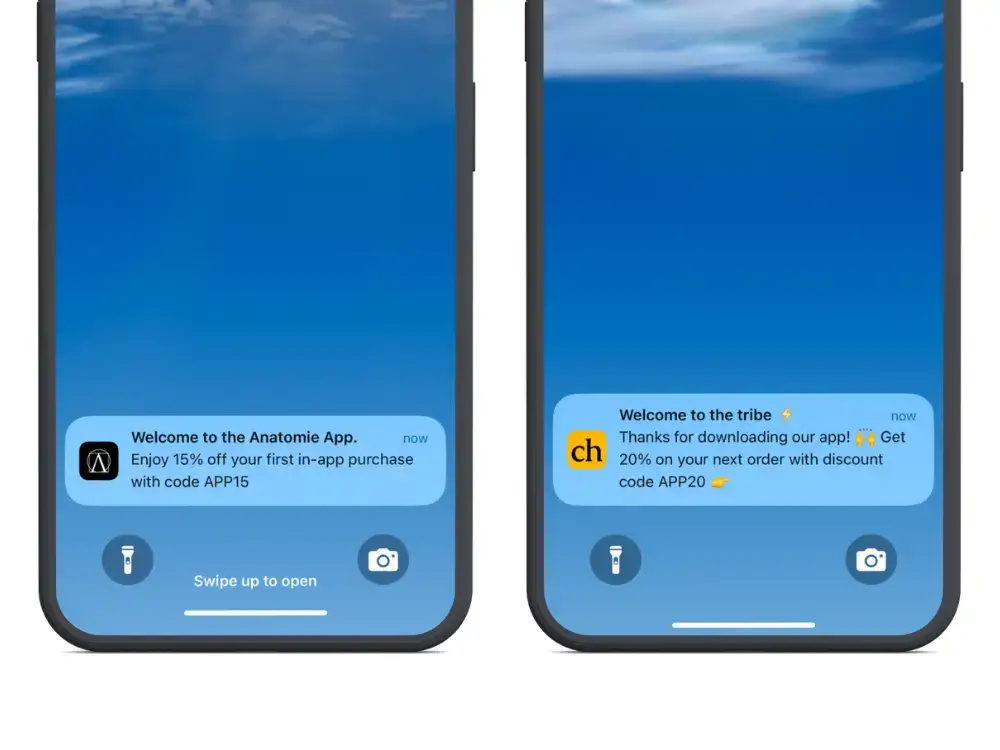
    You can learn more about Vendrux here, and if you’re ready to start building powerful customer relationships with push notifications, get on a free demo call to discuss how Vendrux can help you do it.